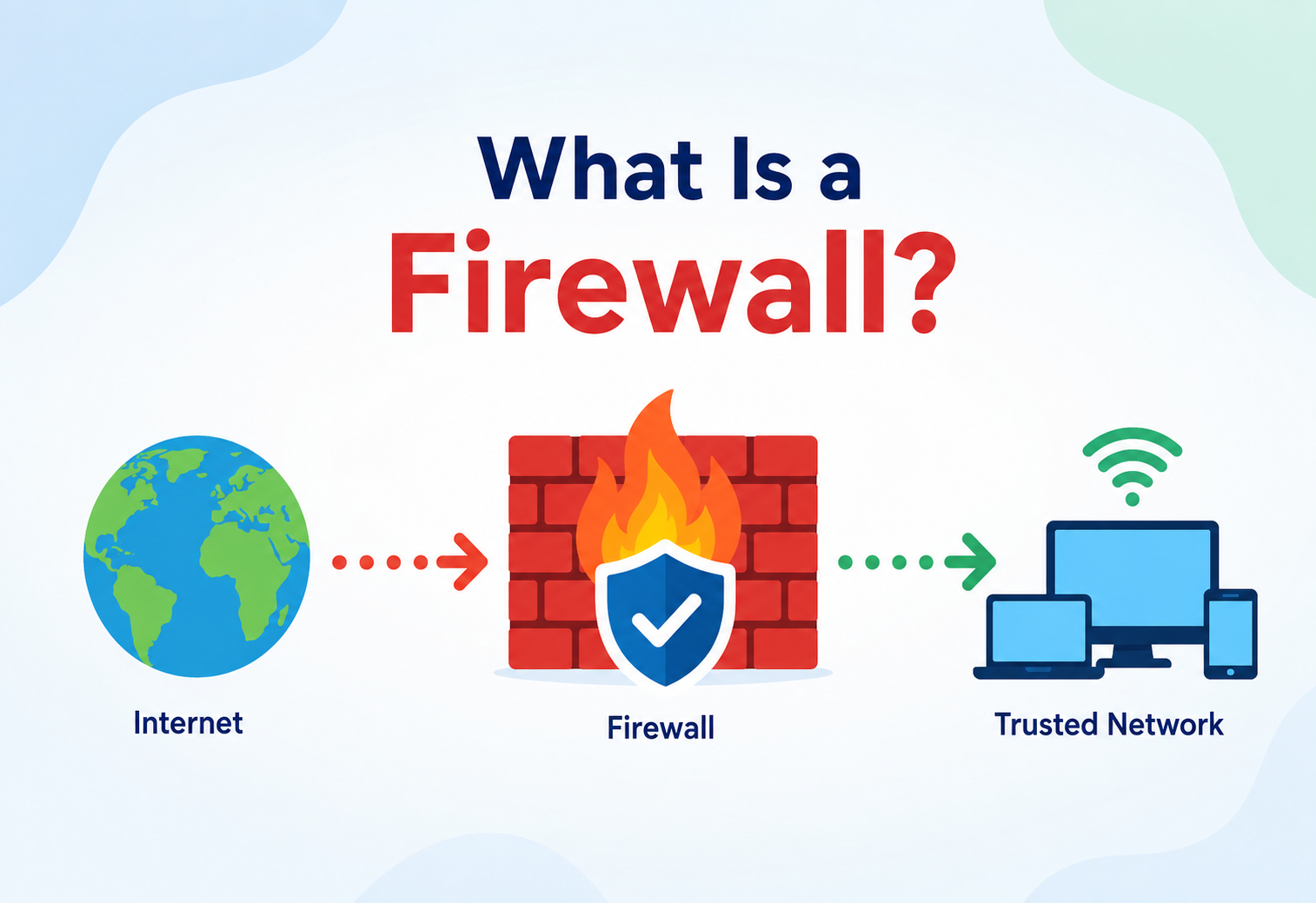
What Is a Firewall?
From the first packet filters of the 1980s to today’s cloud‑native, AI‑assisted security fabrics — how firewalls work, why they exist, and how to design with them like a systems architect.
Introduction & History
A firewall is the front door of a network — a checkpoint that decides, packet by packet, what gets in, what gets out, and what is turned away without a word. Its story is the story of the internet growing up.
Imagine your house has one front door. Anyone who wants to come in has to go through that door, and you get to decide, ahead of time, exactly who is allowed in, who is turned away, and who needs to show identification first. A firewall is that front door for a computer network — a security checkpoint that sits between two networks (commonly “the internet” on one side and “your computer or company network” on the other) and decides, packet by packet, what traffic is allowed to pass and what gets blocked.
More formally: a firewall is a network security device or software component that monitors and controls incoming and outgoing network traffic based on a defined set of security rules. It establishes a barrier between a trusted internal network and an untrusted external network, such as the internet.
Where the name comes from
The term “firewall” is borrowed from construction. In buildings, a firewall is a physical wall built from fire‑resistant material specifically to stop a fire in one room or section from spreading to the rest of the building. Network engineers borrowed the metaphor directly: just as a building firewall contains a fire, a network firewall contains malicious or unwanted traffic so it cannot spread from one part of a network into another.
A short history
Late 1980s — Packet filtering is born
As the internet connected more universities and companies, researchers at DEC (Digital Equipment Corporation) built some of the earliest packet‑filter firewalls, inspecting the header of each packet (its source, destination, and port) and deciding pass/drop based on simple rules.
Early 1990s — Stateful inspection
Check Point (with its FireWall‑1 product, 1994) pioneered “stateful inspection,” where the firewall remembers the state of a connection (e.g., “this is part of a conversation I already approved”) rather than treating every packet as a stranger. This was a massive leap in both security and usability.
Mid‑to‑late 1990s — Proxy & application‑layer firewalls
Application‑layer (“proxy”) firewalls emerged, understanding protocols like HTTP and FTP well enough to inspect the actual content of traffic, not just headers.
2000s — Unified Threat Management (UTM)
Vendors bundled firewalls with antivirus, intrusion detection/prevention (IDS/IPS), and VPN capability into single “all‑in‑one” security appliances.
2007‑2010s — Next‑Generation Firewalls (NGFW)
Palo Alto Networks popularised the NGFW category: deep packet inspection, application awareness (knowing “this is Facebook traffic” not just “this is port 443 traffic”), user identity awareness, and integrated intrusion prevention.
2010s‑present — Cloud & software‑defined firewalls
As workloads moved to AWS, Azure, and GCP, firewalls became software: security groups, cloud‑native firewall services, and Web Application Firewalls (WAFs) that protect specific applications rather than whole networks.
2020s — Zero Trust & identity‑aware firewalls
The perimeter model (“trust everything inside, distrust everything outside”) gave way to Zero Trust, where every request is verified regardless of where it comes from — firewalls became just one layer among many, working closely with identity systems.
A firewall is like a nightclub bouncer with a very specific, very long rulebook. The bouncer does not just check “is this person a human” — early bouncers (packet filters) checked ID and nothing else. Later bouncers (stateful firewalls) remembered “oh, this person already came in earlier and stepped out for a smoke, let them back in.” The most sophisticated bouncers today (NGFWs) also know what the person is planning to do inside the club and can stop them mid‑action if it looks like trouble.
Why firewalls became necessary at all
It is worth pausing on why this technology had to be invented in the first place. The original design of the internet (and of TCP/IP, the family of protocols underneath almost everything you do online) assumed a small, cooperative, trusted community of research institutions. There was no concept of “the wrong person is trying to connect” baked into the protocol itself — any machine could, in principle, try to talk to any other machine, and it was up to each individual computer’s operating system to decide whether to respond. As the internet grew from a few hundred research machines to billions of connected devices, that original assumption of universal trust broke down completely. Firewalls were the industry’s answer to a question the original internet designers never had to ask: “What do we do about the fact that literally anyone, anywhere, can attempt to connect to literally anything?”
This history matters for a working engineer today because it explains a recurring theme you will see throughout this guide: firewalls are fundamentally a retrofit. They were bolted onto a network architecture that was never designed with access control in mind, which is part of why firewall configuration is so often described as “more art than science” — the rules have to compensate for a protocol stack that, by default, assumes everyone can talk to everyone.
The Problem & Motivation
Before firewalls, every machine on a network was directly reachable by every other machine — a bug on any server was a doorway for the entire internet. Firewalls exist to close those doors by default.
Before firewalls existed, every computer connected to a network was directly reachable by every other computer on that network — including the internet. If your machine ran a file‑sharing service, a database, or even just an operating system with a bug, anyone anywhere could potentially connect to it and try to exploit that bug.
This creates several concrete problems that firewalls exist to solve:
Unrestricted reachability
Every open port on every machine is a potential doorway for an attacker. Without control, all doors are unlocked all the time.
Unknown/unpatched vulnerabilities
Software has bugs. A firewall reduces the number of things an attacker can even reach, shrinking the “attack surface” regardless of what bugs happen to exist.
Scanning & reconnaissance
Attackers routinely scan huge ranges of the internet looking for open ports. A firewall can silently drop scan traffic instead of revealing what is running.
Data leaking outward
Malware inside a network often needs to “call home.” Outbound firewall rules can catch and block this communication.
Isolating sensitive systems
Organisations need some systems (like a payroll database) to be reachable only from specific other systems, not from everywhere.
Regulatory requirements
Standards like PCI‑DSS, HIPAA, and SOC 2 explicitly require documented network access controls — firewalls are usually the mechanism.
The core motivation, then, is simple: reduce what can talk to what, to only what is explicitly necessary, and log or alert on everything else. This single idea — sometimes called the principle of least privilege applied to networking — underlies almost every firewall rule ever written.
A concrete before‑and‑after
Imagine a small company runs three servers: a public website, an internal payroll database, and an employee file server. Without a firewall, all three machines are reachable, on every port they happen to have open, from anywhere on the internet. An attacker does not need to find a flaw in the website specifically — a forgotten debug port left open on the payroll database, or an outdated file‑sharing service on the employee server, is just as good an entry point, and the attacker has no reason to prefer one over the other. They will simply scan everything and go through whichever door happens to be unlocked.
With a firewall in place, the picture changes completely. The public website is reachable on port 443 from anywhere (because that is its job), but the payroll database is reachable only from the two or three internal machines that legitimately need to query it, and the file server is reachable only from inside the office network, never from the public internet at all. The attacker’s scan now finds one open door instead of three, and even that door leads only to a narrowly‑scoped web application rather than the entire internal network.
This is the essential value proposition of a firewall: it does not make any individual system perfectly secure — the website might still have bugs — but it collapses the number of things an outside attacker can even attempt to reach, and it makes any attempt to reach the others show up clearly as a logged, denied connection rather than silently succeeding.
Core Concepts
Before going further, a small vocabulary is worth building. Each term below is explained simply, with a concrete example.
Before going further, let us define the vocabulary you will need. Each term below is explained simply, with an example that a beginner and a seasoned engineer can both nod along to.
Packet
Data travelling across a network is broken into small chunks called packets. Think of mailing a long letter by tearing it into postcards, each with a “from” address, a “to” address, and a numbered chunk of the message. Each packet has a header (the addressing information) and a payload (the actual data).
IP address & port
An IP address identifies a machine on a network (like a street address). A port is a number that identifies a specific service or application running on that machine (like an apartment number within a building). Web servers typically listen on port 443 (HTTPS) or port 80 (HTTP); email servers commonly use port 25 or 587.
Rule / Access Control List (ACL)
A firewall rule is a statement like: “Allow traffic from any source, to destination 10.0.0.5, on port 443, using protocol TCP.” A collection of ordered rules is called an Access Control List. Rules are usually evaluated top to bottom, and the first matching rule wins — so rule order matters enormously.
Stateless vs. stateful
A stateless firewall examines each packet in total isolation, with no memory of past packets. A stateful firewall tracks ongoing “conversations” (called connections or sessions) and can make smarter decisions, like automatically allowing the reply to a request you already permitted, without needing a separate explicit rule for the return traffic.
Default‑deny vs. default‑allow
A default‑deny policy blocks everything except what is explicitly allowed — the recommended approach for security. A default‑allow policy permits everything except what is explicitly blocked — easier to set up, much riskier.
Default‑Deny
- Strong security posture by design
- Forces documentation of every needed connection
- Recommended by virtually every security framework
- New services are safe by default — nothing is reachable until it is asked for
Default‑Allow
- Faster to set up initially
- Easy to forget what is actually exposed
- New services are unintentionally reachable by default
- Every future audit becomes a treasure hunt
NAT (Network Address Translation)
Many firewalls also perform NAT — rewriting the source or destination address of packets, most commonly so a whole private network can share one public IP address. NAT is not technically “firewalling,” but the two are so often bundled together (especially in home routers) that people think of them as one thing.
Deep Packet Inspection (DPI)
Instead of only reading packet headers, DPI reads the actual payload/content of traffic to understand what is really being transmitted — e.g., recognising that traffic on port 443 is actually a video stream vs. a file upload vs. an attack payload disguised to look like normal web traffic.
CIDR notation
Firewall rules rarely refer to a single IP address; more often they refer to a range of addresses, written in CIDR (Classless Inter‑Domain Routing) notation like 10.0.0.0/24. The number after the slash tells you how many of the address’s bits are “fixed” — a /24 means the first 24 bits are fixed and the remaining 8 bits can be anything, giving you 256 addresses in that range (10.0.0.0 through 10.0.0.255). A smaller number after the slash means a bigger range; a /8 covers over 16 million addresses, while a /32 refers to exactly one specific address. Reading CIDR notation fluently is a core skill for anyone writing firewall rules, since almost every rule specifies its source or destination this way.
Protocol
Rules typically also specify a protocol — most commonly TCP (used for reliable, connection‑oriented traffic like web browsing and email), UDP (used for fast, connectionless traffic like DNS lookups and video calls), or ICMP (used for network diagnostics, like the “ping” command). Because UDP has no built‑in concept of a “connection,” stateful firewalls have to approximate state for UDP by tracking recent request/reply pairs within a timeout window, rather than relying on a true handshake the way they can with TCP.
Zones
Many firewalls organise interfaces into named zones — for example “inside,” “outside,” and “DMZ” — and write rules in terms of zone‑to‑zone traffic (“allow DMZ‑to‑outside on port 443”) rather than raw interface names. This makes rule sets easier to reason about as a network grows more complex, since you are thinking in terms of trust levels rather than physical wiring.
Architecture & Components
A modern firewall — whether a physical box, a piece of software, or a cloud service — is assembled from a handful of recurring logical parts, arranged in a fairly predictable pipeline.
A modern firewall — whether a physical appliance, a piece of software, or a cloud service — is generally built from the following logical components, arranged in a pipeline that every packet flows through:
Network Interfaces
Physical or virtual NICs the firewall sits between — typically “inside” (trusted) and “outside” (untrusted), sometimes with a “DMZ” interface too.
Rule Engine
The core decision‑maker: evaluates each packet or connection against the ordered rule set.
State Table
An in‑memory table tracking every active connection (source, destination, ports, protocol, state) so replies are automatically permitted.
Deep Inspection Engine
Inspects payloads against known attack signatures or anomaly patterns, often blocking mid‑stream.
Address Translation
Rewrites addresses/ports as traffic crosses the firewall, often so a whole private network can share a single public IP.
Logging & Alerting
Records every allow/deny decision (or a sampled subset) for audits, forensics, and real‑time alerts.
Management Plane
The CLI, GUI, or API used by administrators to write and deploy rules — separate from the “data plane” that actually processes packets.
VPN & Identity Module
Many firewalls terminate VPN tunnels and integrate with identity providers (LDAP, SSO) to apply user‑aware rules.
Data plane vs. control plane
A crucial architectural distinction inside any firewall — and really, inside any networking device — is between the data plane and the control plane. The data plane is the part that actually touches every packet: parsing headers, checking the state table, applying the matched rule, at the speed the network demands (potentially millions of packets per second). The control plane is the part that manages the device: accepting new rules from an administrator, running routing protocols, generating logs, and exposing a management API. These are deliberately kept separate, often even running on different processors within the same physical appliance, for a simple reason: the data plane needs to be blazingly fast and simple so it never becomes a bottleneck, while the control plane needs to be flexible and feature‑rich (supporting a web UI, an API, complex logging) without that complexity ever slowing down the packet‑forwarding path. This same data‑plane/control‑plane split shows up throughout networking — it is the same architectural idea behind Software‑Defined Networking (SDN) and behind how modern routers and load balancers are built.
Firewall types by “where” they sit
| Type | Where it runs | Typical use |
|---|---|---|
| Network firewall (appliance) | Physical box at network edge | Protects an entire office or data‑centre network |
| Host‑based firewall | Software on a single machine (e.g., Windows Defender Firewall, iptables/nftables on Linux) | Protects one server or laptop even if the perimeter is breached |
| Cloud / virtual firewall | Software‑defined, inside a cloud provider (Security Groups, NSGs, Cloud NGFW) | Protects cloud VPCs and virtual networks |
| Web Application Firewall (WAF) | In front of a specific web app, at Layer 7 | Protects against SQL injection, XSS, and other application‑layer attacks |
| Next‑Gen Firewall (NGFW) | Edge or internal segmentation point | Combines stateful filtering + DPI + IPS + application awareness |
How It Works Internally
Let us walk through what actually happens, mechanically, when a packet hits a stateful firewall — from wire to decision, step by step.
Step 1 — Packet capture
The firewall’s network interface receives raw bytes off the wire and hands them to the parsing engine, which decodes Ethernet, IP, and transport‑layer (TCP/UDP) headers.
Step 2 — State lookup
The firewall checks: “have I seen this exact 5‑tuple before?” (source IP, destination IP, source port, destination port, protocol). If yes, and the connection was previously allowed, the packet is fast‑tracked — no need to re‑evaluate the whole rule set.
Step 3 — Rule evaluation (for new connections)
If it is a new connection, the firewall walks the rule list top‑to‑bottom (or uses an optimised structure like a decision tree or trie for speed) looking for the first match. Matching considers source and destination address, port, protocol, and sometimes time‑of‑day, user identity, or application signature.
Step 4 — Action
The matched rule’s action is applied: ALLOW, DENY (silently drop), or REJECT (drop but notify sender, e.g., with a TCP RST or an ICMP unreachable). If allowed, a new entry is created in the state table so future packets in this conversation skip straight to Step 2.
Step 5 — Deep inspection (optional)
For NGFWs, allowed traffic does not stop there — it may be handed to a DPI/IPS engine that inspects the actual payload against attack signatures, even after the “connection” itself was permitted.
Step 6 — NAT & forwarding
If NAT is configured, addresses are rewritten, and the packet is forwarded out the appropriate interface toward its destination.
Without a state table, you would need a rule for every request AND a separate rule for every possible reply — for every client, on every random high port their operating system might pick. That is essentially impossible to manage. The state table lets you write one rule (“allow outbound HTTPS”) and get the return traffic handled automatically and safely.
A minimal illustrative example (Java)
Real firewalls are written in low‑level, highly optimised code (often C, or run in kernel space or specialised silicon), but here is a simplified Java model of a stateful rule engine to make the logic concrete:
import java.util.*;

public class SimpleFirewall {

    record Rule(String srcCidr, String dstCidr, int port, String proto, String action) {}
    record ConnectionKey(String srcIp, String dstIp, int srcPort, int dstPort, String proto) {}

    private final List<Rule> rules = new ArrayList<>();
    private final Set<ConnectionKey> stateTable = new HashSet<>();

    public void addRule(Rule r) { rules.add(r); }

    public String evaluatePacket(String srcIp, String dstIp, int srcPort, int dstPort, String proto) {
        ConnectionKey key        = new ConnectionKey(srcIp, dstIp, srcPort, dstPort, proto);
        ConnectionKey reverseKey = new ConnectionKey(dstIp, srcIp, dstPort, srcPort, proto);

        // Step 2: state lookup (fast path for existing/return traffic)
        if (stateTable.contains(key) || stateTable.contains(reverseKey)) {
            return "ALLOW (stateful fast-path)";
        }

        // Step 3: walk rules, first match wins
        for (Rule r : rules) {
            if (matches(r, dstIp, dstPort, proto)) {
                if (r.action().equals("ALLOW")) {
                    stateTable.add(key); // remember this connection
                }
                return r.action() + " (matched rule: " + r + ")";
            }
        }
        return "DENY (default-deny, no rule matched)";
    }

    private boolean matches(Rule r, String dstIp, int dstPort, String proto) {
        return r.proto().equalsIgnoreCase(proto)
            && r.port() == dstPort
            && dstIp.startsWith(r.dstCidr()); // simplified CIDR check
    }

    public static void main(String[] args) {
        SimpleFirewall fw = new SimpleFirewall();
        fw.addRule(new Rule("any", "10.0.0.", 443, "TCP", "ALLOW"));
        fw.addRule(new Rule("any", "10.0.0.",  22, "TCP", "DENY"));

        System.out.println(fw.evaluatePacket("203.0.113.5", "10.0.0.5", 51000, 443, "TCP"));
        System.out.println(fw.evaluatePacket("203.0.113.5", "10.0.0.5", 51000, 443, "TCP")); // now fast-path
        System.out.println(fw.evaluatePacket("203.0.113.5", "10.0.0.5", 51000,  22, "TCP"));
    }
}
This toy example captures the essential idea: check state first (cheap), fall back to rule evaluation (more expensive), and remember successful connections so future packets skip the expensive path. Production firewalls apply the same idea but at millions of packets per second, using specialised data structures and often dedicated hardware (ASICs) for the fast path.
The algorithms and data structures behind rule matching
The naive approach in the Java example above — a linear scan through a list of rules — works fine for a handful of rules but breaks down badly once you have thousands, since every new connection would require, on average, checking half the rule list before finding a match. Real firewalls solve this the same way any performance‑critical software solves “look something up quickly among many candidates”: with better data structures.
- Hash tables are used for the state table itself — looking up “have I seen this exact 5‑tuple before?” needs to be an O(1) operation on average, since it happens for every single packet, not just new connections.
- Tries (prefix trees) are commonly used to match destination IP addresses against CIDR ranges efficiently. Because CIDR ranges are naturally hierarchical (a /24 is nested inside a /16, which is nested inside a /8), a trie lets the firewall walk down matching bit‑by‑bit and find the most specific matching rule in time proportional to the address length (32 bits for IPv4), rather than checking every rule one at a time.
- Interval trees or range‑matching structures handle port‑range rules (e.g., “ports 1024‑65535”) efficiently, similarly avoiding a linear scan.
- Bloom filters are sometimes used as a fast, memory‑efficient pre‑check: “is this IP definitely NOT on a huge deny‑list?” A negative answer from a Bloom filter can be trusted completely (no false negatives), letting the firewall skip expensive lookups for the vast majority of legitimate traffic, and only fall back to a slower, exact data structure when the Bloom filter says “maybe yes.”
Hardware firewalls take this even further, implementing rule matching in dedicated silicon (ASICs or FPGAs) using techniques like Ternary Content‑Addressable Memory (TCAM), which can compare an incoming packet against thousands of rules simultaneously, in a single clock cycle, rather than sequentially. This is the same underlying trade‑off you see everywhere in high‑performance systems engineering: spend more on specialised hardware or cleverer data structures up front, in exchange for keeping per‑packet latency low enough to sustain tens or hundreds of gigabits per second of throughput.
Concurrency considerations
A firewall handling real traffic must process many packets in parallel, across multiple CPU cores or hardware queues, while sharing a single logical state table. This introduces classic concurrency challenges: two packets belonging to a brand‑new connection might arrive on different CPU cores at nearly the same instant, and naive code could create two separate (and inconsistent) state‑table entries for what should be one connection — a race condition. Production firewalls handle this with techniques like per‑flow hashing (ensuring all packets of one connection are always processed by the same CPU core, avoiding the race entirely) or fine‑grained locking / lock‑free data structures on the shared state table when flows must be distributed differently.
Data Flow & Packet Lifecycle
A real example, end to end — your laptop opening a secure website through a corporate firewall — is the clearest way to see how every part of the pipeline works together.
Let us trace a real example end‑to‑end: your laptop opening https://example.com through a corporate firewall.
Connection states a stateful firewall tracks (TCP example)
| State | Meaning |
|---|---|
| NEW | First packet of a potential connection seen; rules are evaluated |
| ESTABLISHED | Handshake complete; two‑way traffic flowing; fast‑path applies |
| RELATED | A new connection that is logically tied to an existing one (e.g., an FTP data channel spawned by an FTP control channel) |
| CLOSING / TIME_WAIT | Connection tear‑down in progress; entry kept briefly to catch late packets |
| INVALID | Packet does not fit any known state (e.g., an unexpected ACK with no prior SYN) — usually dropped, a classic sign of scanning or spoofing |
Idle state entries are eventually expired via timeouts (commonly 30 seconds to a few hours depending on protocol) so the state table does not grow unbounded — this is also a common target for denial‑of‑service attacks that try to exhaust the state table (see Security, below).
How this differs for UDP and ICMP
The lifecycle above describes TCP, which has explicit handshake (SYN / SYN‑ACK / ACK) and teardown (FIN / ACK) packets that make “connection state” unambiguous. UDP has neither — it is a “fire and forget” protocol with no handshake at all, so a firewall has no explicit signal for when a “connection” starts or ends. Instead, stateful firewalls approximate a UDP session: the first outbound UDP packet to a new destination creates a temporary, short‑lived state entry (often just 30‑60 seconds), and any reply matching that entry within the timeout window is allowed back in. If no reply‑triggered traffic renews the entry before it expires, it is simply removed — there is no formal close, just a timeout. ICMP (used for diagnostics like ping) is handled similarly: an outbound “echo request” creates a brief state entry expecting a matching “echo reply,” and most firewalls block unsolicited inbound ICMP entirely by default, since it has historically been used both for legitimate diagnostics and for network reconnaissance.
Advantages, Disadvantages & Trade‑offs
A firewall is one of the highest‑leverage controls in a security architecture — but it is not a complete strategy. Understanding what it does not do is as important as understanding what it does.
Advantages
- Dramatically reduces attack surface by design
- Centralises and documents network access policy
- Provides an auditable log of allowed / denied connections
- Can stop known attack patterns automatically (IPS mode)
- Enables network segmentation (limits “blast radius” of a breach)
- Often required for regulatory compliance (PCI‑DSS, HIPAA, ISO 27001)
Disadvantages & Limits
- Cannot stop attacks that arrive through allowed channels (e.g., a malicious attachment over allowed email or HTTPS traffic)
- Encrypted traffic (TLS) limits visibility unless the firewall does TLS inspection (which has its own privacy/trust trade‑offs)
- Misconfiguration is extremely common and can silently create large holes
- Adds latency and a potential single point of failure or bottleneck
- Rule sets can grow into unmanageable “spaghetti” over years of ad‑hoc changes
- Does nothing against insider threats or already‑compromised trusted machines
A firewall answers “who can talk to whom.” It does not answer “is this data corrupted,” “is this user actually who they claim,” or “is this application logic vulnerable to SQL injection.” That is why firewalls are always deployed as one layer in a broader defence‑in‑depth strategy alongside patching, authentication, encryption, endpoint protection, and monitoring.
Performance & Scalability
Firewalls sit directly in the path of every packet, so their performance characteristics matter enormously — a slow firewall becomes the bottleneck for an entire network.
Firewalls sit directly in the path of every packet, so their performance characteristics matter enormously — a slow firewall becomes the bottleneck for an entire network, no matter how fast the rest of the infrastructure happens to be.
Key performance metrics
Scaling techniques
- Hardware acceleration: ASICs and specialised NICs offload packet matching and encryption from general‑purpose CPUs.
- Rule set optimisation: Ordering frequently‑hit rules earlier; using hash tables and tries instead of linear scans for lookup.
- Session offload / fast‑path: Once a connection is established and inspected, subsequent packets take a much cheaper path (as shown in our code example).
- Horizontal scaling: Load‑balancing traffic across a cluster of firewall instances (common in cloud NGFW and WAF deployments), each with synchronised state.
- Selective deep inspection: Only apply expensive DPI to traffic that is genuinely risky (e.g., skip DPI on traffic already authenticated within a trusted segment).
Think of a busy airport security checkpoint. If every single passenger got a full deep search (deep packet inspection), the line would take hours (added latency, lower throughput). Pre‑checked travellers with trusted status (established connections in the state table) get to skip to a faster lane. Scaling the airport means adding more lanes (horizontal scaling) and using faster scanning machines (hardware acceleration).
The distributed‑systems trade‑off hiding inside HA firewalls
Once you scale a firewall horizontally across a cluster of nodes, you inherit a version of the same trade‑off described by the CAP theorem in distributed databases: you cannot simultaneously guarantee perfect consistency of the shared connection state across every node, full availability (every node always able to answer immediately), and tolerance of partitions (nodes losing contact with each other), all at once. In practice, firewall clusters lean toward availability and partition tolerance, accepting that state synchronisation between nodes is “eventually consistent” — there is a small window where a failover or a newly‑added node might not yet have a complete, up‑to‑the‑millisecond copy of every active connection. Engineers designing HA firewall clusters have to decide, explicitly, how much staleness in shared state they can tolerate in exchange for keeping every node fast and responsive, which is exactly the kind of trade‑off distributed‑systems engineers make when designing any horizontally‑scaled, stateful service.
High Availability & Reliability
Because all traffic passes through it, a firewall is a natural single point of failure — if it goes down, does traffic stop entirely, or does it flow unprotected? Neither is usually acceptable.
Because all traffic passes through it, a firewall is a natural single point of failure — if it goes down, does traffic stop entirely, or does it flow unprotected? Neither is usually acceptable, so production deployments use HA architectures.
Common HA patterns
| Pattern | How it works | Trade‑off |
|---|---|---|
| Active‑Passive | A standby firewall mirrors state from the active one and takes over on failure (via a heartbeat protocol like VRRP) | Simple, but standby capacity is “wasted” until failover |
| Active‑Active | Multiple firewalls process traffic simultaneously, sharing state via a synchronisation protocol | Better resource use, more complex state sync |
| Fail‑open | On failure, the firewall stops filtering and lets all traffic through | Keeps the network up, but removes protection temporarily |
| Fail‑closed | On failure, the firewall blocks all traffic | Maximises security, but causes an outage |
This is a real architectural decision, not a technical default: a hospital’s patient‑monitoring network might choose fail‑open (availability of care is critical), while a bank’s core transaction network might choose fail‑closed (unauthorised access is worse than downtime).
State synchronisation
In active‑active or active‑passive HA, the state table itself must be replicated between firewall nodes in near‑real‑time, so a failover does not drop every existing connection. This adds its own complexity and network overhead — it is a distributed systems problem layered on top of a security problem.
How failover detection actually works
Underneath the “active‑passive” label is a small, continuously‑running protocol: the active node sends periodic heartbeat messages (often every second or less) to its standby partner over a dedicated link. If the standby misses a configurable number of consecutive heartbeats, it assumes the active node has failed and promotes itself to active, typically also sending a gratuitous ARP so surrounding network switches immediately update their tables to route traffic to the new active node’s physical interface instead of the old one. The entire failover, done well, can complete in well under a second — fast enough that most existing TCP connections survive via their normal retry behaviour, as long as the state table was kept reasonably in sync beforehand. The failure mode to watch for is “split‑brain,” where both nodes lose contact with each other but each is still healthy and reachable by clients — without a reliable way to tell the difference between “my partner died” and “I merely lost the heartbeat link,” both nodes can promote themselves to active simultaneously, causing exactly the kind of inconsistent, duplicated state the whole HA design was meant to prevent. Production deployments guard against this with a separate, independent heartbeat path and sometimes a third “witness” system whose only job is breaking ties.
Security Considerations
Ironically, the firewall itself is a high‑value target: compromising it can grant an attacker visibility and control over everything it protects. Hardening the firewall is as important as configuring it.
Ironically, the firewall itself is a high‑value target: compromising it can grant an attacker visibility and control over everything it protects. Key considerations:
- Management‑plane isolation: The interface used to configure the firewall should never be reachable from the untrusted network.
- Least‑privilege rule design: Every rule should be as narrow as possible (specific IPs and ports, not broad ranges) and reviewed periodically for rules that are no longer needed.
- Logging tamper‑resistance: Logs should be shipped off‑device immediately (to a SIEM) so an attacker who compromises the firewall cannot erase evidence.
- Patch management: Firewall software and firmware itself has vulnerabilities (several major NGFW vendors have had critical CVEs) and must be kept current.
- TLS inspection risks: Decrypting and re‑encrypting traffic to inspect it (a “man‑in‑the‑middle” by design) improves visibility but also creates a new trust dependency and potential privacy or compliance issue.
- DoS resilience: Attackers may try to exhaust the state table (SYN floods) or overload the rule‑evaluation path; firewalls need built‑in rate limiting and SYN‑cookie style defences.
- Rule drift & shadowing: Over time, a rule near the top of the list can accidentally “shadow” (make unreachable) a more specific rule below it — a subtle but common misconfiguration.
Backup, disaster recovery, and configuration drift
Because a firewall’s entire behaviour lives in its configuration (the rule set), losing that configuration — through hardware failure, an accidental factory reset, or a botched update — can be just as damaging as an actual breach: it can leave a network either wide open or completely cut off. Mature operational practice treats firewall configuration the same way it treats critical application code: versioned in source control, backed up automatically on every change, and restorable to a known‑good state within minutes. Regular disaster‑recovery drills — deliberately simulating “the primary firewall just died, restore from backup onto standby hardware” — catch problems (missing dependencies, stale credentials, undocumented manual tweaks) long before a real outage forces the issue under pressure.
Cost considerations
Firewall capacity is not free, and cost optimisation is a legitimate engineering concern. High‑throughput NGFW appliances with full deep packet inspection enabled can cost significantly more, both in upfront hardware and ongoing licensing, than simpler stateful‑only filtering. Many organisations apply expensive inspection selectively — full DPI at the internet‑facing perimeter where untrusted traffic enters, lighter stateful filtering for well‑understood internal segment‑to‑segment traffic — balancing security posture against both latency budget and licensing spend. In the cloud, this shows up as a direct dollar cost: Security Groups are free, while a managed cloud NGFW service (with DPI/IPS) is billed per gigabyte processed, so architects need to decide where that spend is actually justified by risk.
Monitoring, Logging & Metrics
A firewall that is not observed is only half a security control — its real value comes from what you learn from what it blocks and allows.
A firewall that is not observed is only half a security control — its real value comes from what you learn from what it blocks and allows, over time and at scale.
What to log
- Every denied connection attempt (source, destination, port, rule that denied it, timestamp)
- A sampled or full record of allowed connections, depending on volume and compliance needs
- Rule changes (who changed what, when — critical for audits)
- IPS / DPI signature hits, with severity
- Resource metrics: CPU, memory, state‑table utilisation, throughput
What to alert on
Spike in denies
Sudden surge from one source often indicates scanning or an active attack in progress.
State‑table near capacity
Could indicate a connection‑exhaustion (DoS) attack, or simply legitimate growth that outran the plan.
Unexpected rule change
Any rule modification outside a change window should trigger review by whoever owns the policy.
Failover event
Should always page someone — a silent failover today can mean a very loud outage tomorrow.
Most organisations forward firewall logs into a centralised SIEM (Security Information and Event Management) platform, correlating firewall events with endpoint and identity logs to detect multi‑stage attacks that no single log source would reveal alone.
Retention and volume trade‑offs
A busy perimeter firewall can generate an enormous volume of log data — easily millions of entries per day for even a mid‑sized organisation — and storing every single allowed connection forever is rarely practical or necessary. Most teams apply tiered retention: recent logs (say, the last 30‑90 days) are kept in a fast, queryable “hot” store for active investigation, while older logs are compressed and moved to cheaper “cold” storage to satisfy longer compliance retention requirements (which can run to a year or more under some regulatory regimes) without paying hot‑storage prices indefinitely. Denied connections, security‑signature hits, and rule‑change events are almost always retained in full given their comparatively lower volume and higher forensic value, while a full record of every allowed connection is more often sampled or aggregated into summary metrics once it ages out of the hot tier.
Deployment & the Cloud
Firewalls today are deployed very differently depending on the environment — from physical boxes in a data centre rack to a few lines of Terraform reviewed like any other code.
Firewalls today are deployed very differently depending on environment:
| Environment | Typical mechanism |
|---|---|
| On‑premises data centre | Physical NGFW appliances at network edge and between internal segments |
| AWS | Security Groups (stateful, per‑instance) + Network ACLs (stateless, per‑subnet) + AWS Network Firewall for deep inspection |
| Azure | Network Security Groups (NSGs) + Azure Firewall |
| GCP | VPC Firewall Rules + Cloud Firewall / Cloud Armor for WAF‑style protection |
| Kubernetes | Network Policies (which pods can talk to which pods) + service mesh mTLS as an additional control |
| Individual servers | Host‑based firewalls: iptables / nftables (Linux), Windows Defender Firewall |
In cloud environments, firewall rules are increasingly defined as code (Terraform, CloudFormation) and deployed via CI/CD pipelines, with rule changes going through the same code review and version control as application code. This solves much of the “who changed this rule and why” auditability problem that plagued traditional appliance‑based firewalls.
A typical “rules as code” workflow looks like this: an engineer proposes a change (for example, “allow the new recommendation‑service pod to reach the shared cache on port 6379”) as a small Terraform pull request. That pull request is automatically validated — checking, for instance, that it does not accidentally introduce an “any/any” rule — reviewed by a teammate or a security engineer, and only merged and applied once approved. Every historical rule change is therefore permanently visible in the repository’s commit history, tied to a named author, a timestamp, and a written justification, which is a dramatic improvement over the old model of an administrator making an undocumented change directly on a physical appliance’s command line at 2am during an incident, with no record left behind except perhaps a local config backup.
APIs, Microservices & Firewalls
Traditional firewalls were designed around a clear “inside vs. outside” boundary. Microservices break that assumption — and the answer is not to give up on firewalling but to apply it at a much finer grain.
Traditional firewalls were designed around a clear “inside vs. outside” boundary. Microservices architectures break that assumption: dozens or hundreds of services talk to each other constantly, often within what used to be considered the “trusted” inside.
How firewalling adapts
- Micro‑segmentation: Instead of one perimeter, every service‑to‑service connection is individually governed — often via Kubernetes NetworkPolicies or a service mesh (e.g., Istio) rather than a traditional firewall appliance.
- API Gateways & WAFs: Public‑facing APIs sit behind an API gateway (rate limiting, authentication) and often a Web Application Firewall that inspects HTTP‑layer content for injection attacks, bot traffic, and abuse patterns — this is “firewalling” applied at Layer 7 for APIs specifically.
- mTLS as identity, not just encryption: In service meshes, mutual TLS certificates double as a way to enforce “which service is allowed to call which service,” blending firewall‑like access control with cryptographic identity.
- Zero Trust: Rather than trusting anything inside the “perimeter,” every service call is authenticated and authorised independently — the network location no longer implies trust.
Notice in the diagram: the Order Service is explicitly denied direct access to the User Database — this is micro‑segmentation, the same “least privilege” philosophy as a traditional firewall, just applied at a much finer grain, between individual services rather than between whole networks.
Design Patterns & Anti‑patterns
A handful of patterns keep showing up in well‑designed firewall deployments — and a handful of anti‑patterns keep showing up in the ones that eventually cause an incident.
Good patterns
- Defence in depth: Layer a perimeter firewall, internal segmentation firewalls, host‑based firewalls, and application‑layer controls — no single failure exposes everything.
- DMZ (Demilitarised Zone): Public‑facing servers (web, email) sit in a separate network segment with tighter, specific rules, isolated from the fully trusted internal network.
- Least privilege by default‑deny: Start with “block everything,” add narrow allow rules only as justified by an actual business need.
- Rule lifecycle management: Every rule has an owner, a justification, and a review or expiration date.
Anti‑patterns to avoid
- “Allow any/any” rules: Broad rules added temporarily “just to get something working” that are never removed.
- Rule‑set sprawl: Thousands of undocumented, overlapping rules accumulated over years, with no one certain which are still needed.
- Firewall as the only control: Assuming network filtering alone is sufficient, neglecting patching, authentication, and application security.
- Ignoring outbound traffic: Focusing all rules on inbound traffic while leaving outbound wide open, missing data‑exfiltration and command‑and‑control detection opportunities.
Worked example: a simple three‑tier DMZ
Consider a company with a public web application backed by an application server and a database. A well‑designed rule set, following the DMZ pattern, might look like this: the internet can reach the web server on port 443 only; the web server can reach the application server on its internal API port only; the application server can reach the database on its database port only; and critically, the internet cannot reach the application server or database directly at all, and the database cannot initiate outbound connections to the internet under any circumstance. Each tier can only talk to the specific neighbouring tier it needs, in one direction. If an attacker manages to compromise the public web server through some application bug, the firewall still prevents them from directly reaching the database — they would need to also compromise the application server first, and each additional hop required is more time, more noise, and more opportunity for the defenders to detect them. This layered narrowing of what‑can‑reach‑what is the DMZ pattern in its simplest, most concrete form, and the same logic scales up to the micro‑segmentation patterns described in the APIs and microservices section above.
Best Practices & Common Mistakes
Good firewall operation tends to follow a consistent handful of habits — and the mistakes that cause real incidents also tend to be a familiar, repeating cast.
Best Practices
- Default‑deny everywhere, allow only what is justified
- Document the business reason for every rule
- Review and prune rules on a regular schedule
- Log denies AND a meaningful sample of allows
- Segment networks (DMZ, internal tiers, management plane)
- Test changes in a staging environment before production
- Automate rule deployment via version‑controlled code
Common Mistakes
- Leaving management interfaces exposed to the internet
- Using “any/any/allow” as a quick fix under deadline pressure
- Never revisiting rules after the person who added them left the company
- Assuming internal traffic is automatically safe
- Not testing HA failover until a real outage happens
- Forgetting that firewalls do not inspect encrypted payloads by default
Real‑World / Industry Examples
It helps to see firewalling playing out in systems people actually use every day, rather than staying purely theoretical.
Cloud micro‑segmentation at scale
Uses AWS Security Groups extensively for micro‑segmentation across thousands of microservices, combined with its own internal tooling for automated rule hygiene at scale.
Layered VPC controls
Relies on layered Security Groups + Network ACLs across its VPCs, plus AWS Network Firewall and WAF for public‑facing storefront protection against bots and injection attacks.
BeyondCorp / Zero Trust
Pioneered the BeyondCorp model — a Zero Trust architecture where traditional perimeter firewalls matter less, and every request is authenticated / authorised based on device and user identity rather than network location.
Service‑mesh segmentation
Uses service‑mesh‑based micro‑segmentation between its enormous number of internal microservices, since a traditional perimeter firewall model does not scale to that architecture.
Fail‑closed, heavily audited
Typically run fail‑closed, heavily audited firewall architectures with strict DMZs, due to regulatory requirements (PCI‑DSS) and the high cost of a breach.
Fail‑open for care networks
Often choose fail‑open designs for clinical / patient‑monitoring networks (availability of care over strict blocking), while financial and records systems remain fail‑closed.
What is notable across all of these examples is a consistent pattern: as an organisation’s scale grows, the firewall stops being a single box at the network edge and becomes a distributed policy enforced consistently across thousands of individual points — VMs, containers, pods, and API gateways. Netflix and Uber, in particular, illustrate an industry‑wide shift: the traditional mental model of “a firewall is a physical appliance you buy and rack” has been almost entirely replaced, at large tech companies, by “firewalling is a policy that is expressed as code and enforced by many small, distributed components working together.” Smaller organisations and regulated industries like banking and healthcare, meanwhile, often still rely more heavily on dedicated NGFW appliances, partly because auditors and regulators are more comfortable evaluating a single, well‑documented device than reasoning about policy scattered across thousands of ephemeral containers — a good illustration of how compliance requirements, not just technical capability, shape real‑world firewall architecture decisions.
Frequently Asked Questions
A few questions about firewalls come up again and again, in conversations ranging from casual curiosity to serious infrastructure decisions. Here are short, honest answers to the ones that surface most often.
Is a firewall the same as an antivirus?
No. A firewall controls network traffic (who can connect to whom); antivirus scans files and processes on a device for known malicious code. They are complementary, not interchangeable.
Do I need a firewall if I already use HTTPS everywhere?
Yes. HTTPS protects data in transit between two endpoints that have already been allowed to communicate — it says nothing about whether that communication should be allowed to happen in the first place.
Can a firewall stop all hacking attempts?
No single control stops everything. A firewall stops or slows a huge class of network‑based attacks, but application vulnerabilities, phishing, and insider threats require other defences.
What is the difference between a firewall and a router’s built‑in “firewall”?
Most home routers include basic stateful packet filtering (often just NAT‑based implicit blocking of unsolicited inbound traffic) — useful but far less capable than a dedicated firewall or NGFW.
Why do firewalls sometimes break legitimate applications?
Overly broad or outdated rules can accidentally block traffic an application needs, especially after a vendor changes which ports or protocols their service uses — a common operational headache requiring careful rule review.
Is a Web Application Firewall (WAF) a replacement for a network firewall?
No — they operate at different layers. A network firewall controls IP/port‑level access; a WAF inspects HTTP‑layer application content for attacks like SQL injection. Most production systems use both.
Why does my firewall sometimes need to inspect encrypted (HTTPS) traffic, and is that safe?
Without TLS inspection, a firewall can see that a connection to a destination on port 443 exists, but not what is actually inside it — an attacker’s payload could travel hidden inside otherwise‑legitimate‑looking encrypted traffic. TLS inspection lets the firewall decrypt, inspect, and re‑encrypt traffic to catch this, but it requires the firewall to hold a trusted certificate and effectively perform a sanctioned “man‑in‑the‑middle” — a meaningful trust and privacy trade‑off that organisations should apply deliberately and disclose, not enable silently.
What is the difference between “deny” and “reject” as a firewall action?
A deny (or “drop”) silently discards the packet with no response sent back — the sender simply times out, which is useful because it does not confirm to a scanning attacker that anything is even listening. A reject sends back an explicit refusal (like a TCP RST), which is faster and cleaner for legitimate users but also confirms to an attacker that a host exists at that address.
Can I run a firewall on my home Wi‑Fi router?
Yes — nearly every consumer router includes basic stateful firewall functionality by default, primarily by using NAT to make devices on your home network unreachable from the internet unless you explicitly configure “port forwarding” to expose something.
Summary & Key Takeaways
If you remember nothing else from this guide, remember the ideas below — and the quiet habit of treating a firewall not as a one‑time switch but as an ongoing part of how a system is designed and cared for.
Remember This
- A firewall is a checkpoint that decides which network traffic is allowed to pass, based on explicit rules — the network equivalent of a locked, monitored front door.
- Firewalls evolved from simple packet filters (1980s) to stateful inspection, then application‑aware Next‑Gen Firewalls, and now cloud‑native / Zero Trust models.
- Core mechanics: parse the packet, check the state table, evaluate rules if new, apply the action, and optionally perform deep packet inspection.
- Default‑deny plus least privilege is the gold‑standard policy; default‑allow is a common but risky shortcut.
- Performance depends on fast‑path state lookups, hardware acceleration, and smart rule ordering.
- High availability requires careful choices between fail‑open and fail‑closed, and state synchronisation between redundant nodes.
- In modern microservice and cloud architectures, firewalling has evolved into micro‑segmentation, service meshes, and Zero Trust identity‑based access control.
- A firewall is necessary but never sufficient on its own — it is one critical layer in a defence‑in‑depth security strategy.
At its heart, a firewall is a quietly clever answer to a very old problem: not every conversation a computer could have is a conversation it should have. By putting a small, focused checkpoint between what a network is willing to say and what the outside world is allowed to ask, a firewall turns what would otherwise be a chaotic free‑for‑all into a manageable, auditable set of deliberate choices — one of the quietest, most consequential pieces of engineering in the whole security stack.

