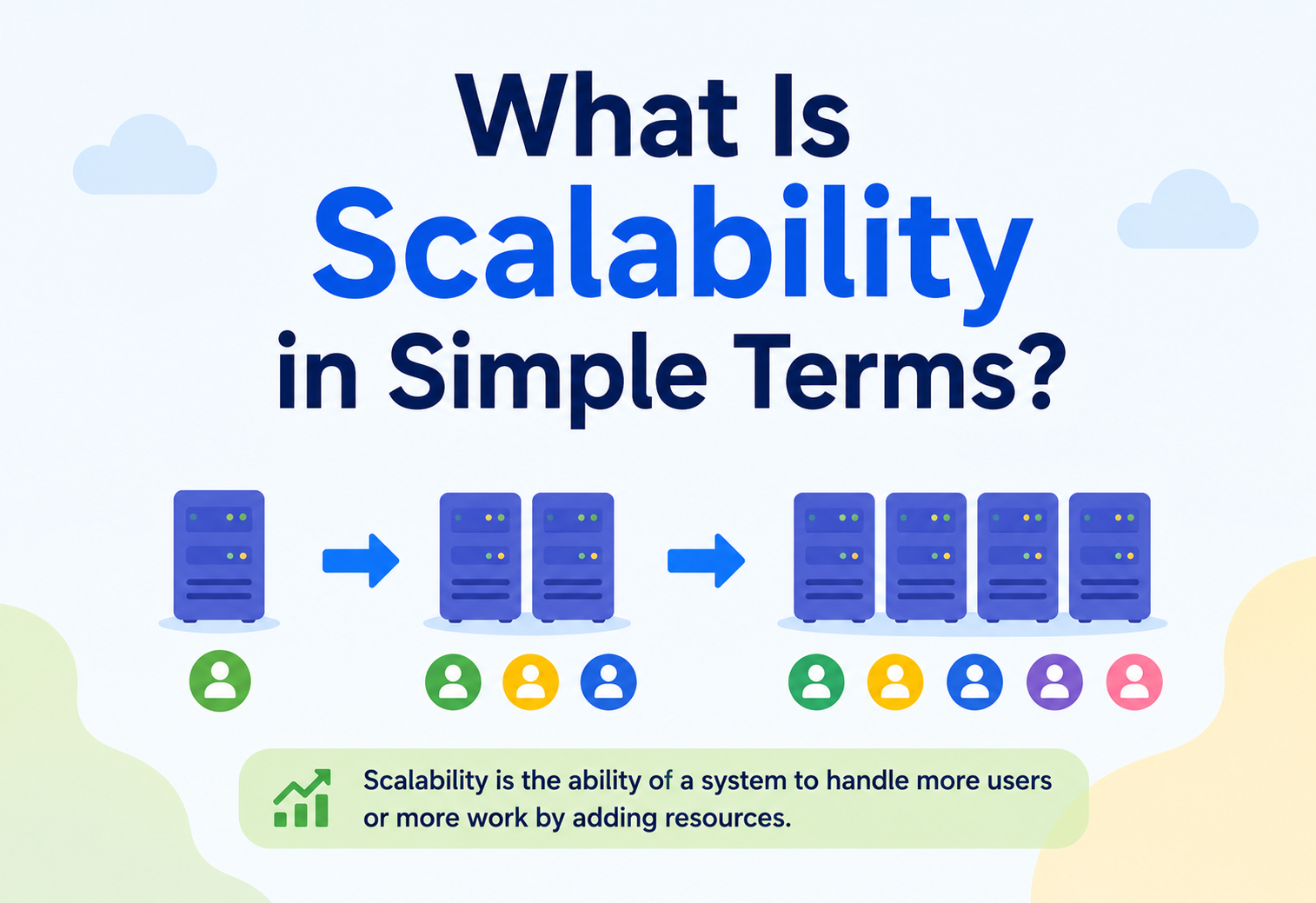
What Is Scalability in Simple Terms?
The ability of a system to keep working well as demand grows — more users, more data, more transactions — without falling over or costing ten times more per user. A working map of the two main directions, the hybrid in between, and the traps that swallow teams new to the game.
The Big Idea, in One Breath
Scalability is the ability of a system to keep working well as demand grows — without the response times, the reliability, or the cost per user quietly falling apart.
Scalability sounds like a technology word, but it is really a promise word. It is the promise your system makes about what happens on the day traffic doubles, on the day you sign the enterprise customer, on the day your marketing team runs a very successful campaign. A scalable system responds to that day as a small shift; a non-scalable one responds to it as an incident.
Notice the two halves. It is not enough to handle more load; the system also has to keep behaving well while it does — still fast, still reliable, still affordable. Any system can survive a spike by getting so slow that everyone gives up. Only a scalable system survives a spike and stays usable.
Think of the checkout area of a supermarket. On a quiet Tuesday morning, one lane and one cashier are plenty. On the Friday before a bank holiday, that same setup produces a queue snaking back to the frozen aisles. The manager has choices: install a faster scanner (bigger cashier), open more lanes (more cashiers), roll in a self-checkout wall (specialised lanes), or hire extra staff for the weekend and send them home on Monday (elastic). The store the customers actually enjoy is the one where the manager anticipates the shift, opens lanes before the queue forms, and closes them again when it clears.
Software scalability is the same job, at a different scale, with the added twist that the “shop” is expected to run twenty-four hours a day, everywhere in the world, at the same time.
What Scalability Really Means
Three properties, all present at once. A system that satisfies two of them and misses the third is not yet scalable.
It handles more load
Users, requests per second, records, transactions, data volume. When any of these grow, the system keeps producing correct results.
It keeps its quality
Response times stay roughly flat. Error rates do not creep up. Users do not experience the growth as a degradation.
The economics stay sane
Cost per user, per request, per transaction does not run away. Ten times the load should not mean thirty times the bill.
It can go the other way too
A truly scalable system also gets smaller cleanly when demand falls. Otherwise you spend for the peak, forever.
Scalability is not just about bigger. It is about a system whose behaviour and cost curve are both well understood as demand moves — up and down.
Scalability vs. Elasticity
Two related words that get used as if they meant the same thing. They do not.
Scalability is a property; elasticity is a behaviour. A system is scalable if it could handle more load, given the resources. It is elastic if it actually adds and removes those resources by itself, in near real time, as load moves.
| Dimension | Scalability | Elasticity |
|---|---|---|
| What it is | A system property: capacity can grow. | A runtime behaviour: capacity does grow, automatically. |
| Time frame | Long-term. Months, years. | Short-term. Minutes, hours. |
| Who decides | Architects, capacity planners. | Autoscalers, policies, controllers. |
| Fails as | Ceilings you cannot cross. | Slow reactions and bad economics. |
A well-designed system usually needs both. Scalable so it can hold tomorrow’s growth. Elastic so it does not overspend for last Tuesday’s quiet afternoon.
The Two Core Approaches
Every scaling decision is a combination of these two. Learning to see which one you are actually reaching for is half the discipline.
Vertical scaling (“scale up”)
Same machine, bigger machine. More CPU, more memory, faster disks, more network. The simplest thing to try, the fastest to see results from, and the one everybody reaches for first.
Where it wins
- Simple — one box to manage
- No app changes required
- Latency stays predictable
- Easier for stateful workloads
Where it hurts
- Hard ceiling — the biggest box is the biggest box
- Downtime to resize (on many platforms)
- Cost rises non-linearly at the top end
- One box, one point of failure
Horizontal scaling (“scale out”)
More machines, coordinated. Traffic is distributed, work is split, and any one machine going down is a small event rather than the outage. Harder to build the first time; almost unlimited in headroom once you do.
Where it wins
- Near-linear headroom — add more boxes, get more capacity
- Add or remove without downtime
- Naturally redundant — no single point of failure
- Cost curves better at scale
Where it hurts
- Requires a stateless-friendly design
- Coordination overhead — load balancer, service discovery
- Distributed problems: consistency, retries, partial failure
- Debugging is harder
Diagonal Scaling: The Hybrid
A little of both, done deliberately. In practice, this is what most real systems end up doing.
Diagonal scaling is the pragmatic middle. You scale each machine up to a comfortable size — not the biggest available, but a size where the price per CPU still looks reasonable — and then, when that machine tops out, you add another one just like it. And another. And another.
The trick is picking the “comfortable size”. Too small and you carry the overhead of a large fleet for no reason. Too large and you inherit the same ceiling problems as pure vertical scaling. Real teams find their sweet spot by benchmarking — not by intuition.
Start vertical for simplicity. Move diagonal as soon as you have more than a handful of production instances. Move fully horizontal for anything that has to survive a machine dying without a page going out.
Scaling Databases
Compute is easy compared to data. Data has state, data has consistency requirements, and data is where scaling gets genuinely hard.
Nearly every real scaling problem, eventually, is a database problem. Web servers are cheap to multiply; the database they all read and write to is not. Three patterns cover most of what you will see in the wild.
Read replicas
One primary handles writes; several replicas handle reads. Cheap wins for read-heavy workloads. Watch out for replication lag — the replica does not always reflect the very latest write.
Sharding (partitioning)
Split the dataset across many databases by a key — customer ID, region, tenant. Each shard is smaller, faster, and independent. Query patterns that cross shards become the interesting problem.
Caching
Answer common questions from a fast in-memory store instead of hitting the database. Reduces load by orders of magnitude. Invalidation is genuinely hard and worth thinking about early.
CQRS & polyglot storage
Separate the write model from the read model. Use the right store for each workload: OLTP for transactions, columnar for analytics, search index for search, cache for hot reads.
The consistency conversation
The moment you scale a database horizontally, you meet a very old law: you cannot simultaneously have strong consistency, high availability, and tolerance for network partitions. You must trade at least one. Different products make different trades; the architect’s job is to know which trade you are actually signing up for.
Systems that promise “we scale horizontally” but hide a single-instance database behind them scale up to the size of that database and no further. Read the small print.
How Autoscaling Works
A short loop of measure, decide, act. In principle simple. In practice full of interesting edges.

Demand shifts
Users arrive, traffic changes shape, a batch job starts, a marketing email lands. The workload the system is asked to do moves.
Monitor
The system observes itself — CPU, memory, latency, queue depth, request rate. The metrics the autoscaler will react to.
Decide
Policy meets metric. “Scale out when average CPU > 70% for 5 minutes.” “Scale in when latency stays under 200ms and CPU under 30% for 10 minutes.” With cooldowns so the loop does not thrash.
Provision
Add or remove instances. Register them with the load balancer. Drain existing traffic gracefully when removing. Wait for them to warm up before counting them.
What often surprises teams
- New instances take real time to warm up (JVMs, caches, connections). If you scale reactively during a spike, the spike is over before your new capacity is useful.
- Metrics need to be the right ones. Scaling on CPU when your bottleneck is I/O produces no relief and no explanation.
- Cooldowns matter. Without them, the autoscaler flaps between adding and removing capacity every minute.
- Predictive scaling — scaling ahead of known peaks — almost always beats reactive scaling for daily patterns.
Real-World Examples
Where scaling shows up in products you already use, and what shape it takes each time.
| Product | Load shape | How they typically scale |
|---|---|---|
| E-commerce checkout | Baseline traffic with sharp spikes around campaigns and holidays. | Horizontal stateless app tier; read replicas for catalogue; cache in front of product pages; queue for order processing. |
| Video streaming | Massive read-heavy load, geographically distributed, prime-time peaks. | CDN in front of everything; sharded catalogue; regional caches; horizontal encoder farms; predictive scaling for evenings. |
| Payments processor | Steady baseline, latency-sensitive, extreme correctness requirements. | Diagonal scaling on the core ledger; strict consistency; horizontal front tier; heavy investment in observability and rollback. |
| Social feed | Very read-heavy, personalised, spiky around events. | Fanout on write; heavy caching; sharded per-user timelines; horizontal serving tier that scales elastically. |
| Batch analytics | Idle most of the day, huge burst at night for daily reports. | Elastic worker pool that spins up hundreds of nodes for a few hours, then disappears. |
Notice the pattern. None of these systems picks one approach and lives there. They each combine techniques — horizontal here, cache there, shard on this axis, autoscale on that trigger — based on the shape of their actual load.
The Benefits of Scalability
What you get for the work. Six outcomes that show up on the business scorecard, not just the architecture diagram.
Survives success
The launch that goes viral, the enterprise deal that quadruples your seat count, the market you enter overnight. Growth becomes an operational shift, not an existential crisis.
Contains cost
Cost per user stays flat or falls as you grow. Cloud bills track revenue instead of racing ahead of it.
Improves availability
The same horizontal design that scales also removes single points of failure. A machine dying becomes a non-event.
Enables experimentation
New products can be launched cheaply on the same platform. Ideas that would have needed six months of capacity planning now take an afternoon.
Attracts partners
Enterprise buyers and integration partners ask hard questions about capacity, redundancy, and burst behaviour. A scalable answer wins the meeting.
Keeps the roadmap intact
Teams that spend every quarter fighting capacity do not ship features. Scalability is what lets engineering spend time on what customers actually asked for.
Challenges and Trade-Offs
Scalability is not free. Six real costs worth naming out loud before you promise it.

Distributed complexity
The moment your system spans machines, you inherit the distributed-systems catalogue: partial failures, retries, timeouts, consistency, ordering. Every one of them is a new class of bug.
Debugging gets harder
A single-machine bug is a stack trace. A distributed bug is a mystery that involves three services, two regions, and a clock. Observability stops being optional.
Consistency vs availability
You will make trades between them, in code, that leadership will occasionally forget you made. Write them down explicitly.
Cost surprises
Horizontal scaling and elastic autoscaling both produce bills that are hard to predict without discipline. Egress, cross-AZ traffic, and idle warm capacity are the classic surprises.
Premature scaling
Designing for a million users on day one, when you have twelve, is one of the most expensive mistakes small teams make. It costs speed now for headroom you will never touch.
Operational maturity
Scalable systems demand CI/CD, monitoring, on-call, load testing, chaos engineering. The tooling and the culture must scale alongside the architecture, or the architecture wins alone.
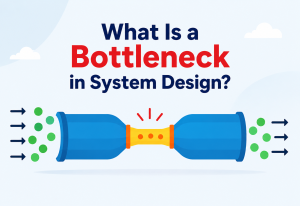
The most common cause of a scaling failure is not that the system could not scale — it is that one component in the middle of it could not. Scaling is a chain; the chain is only as strong as its narrowest link.
Common Myths, Cleared Up
The topic attracts strong opinions. A few of the most common ones are worth answering directly.
“Moving to the cloud automatically makes a system scalable.”
The cloud gives you the option to scale. It does not force your system to. If your app assumes a single database, a single machine, or an in-memory session, lifting it to a cloud does not change any of that. You just now pay by the hour for the same ceilings. Scalability is a design decision that happens in the code and the architecture, not a feature you buy by changing hosting provider.
“Bigger is always better when it comes to scaling.”
Bigger is faster to buy, but it also masks the design problem. A system that will only run on the largest available machine has painted itself into a corner: when the largest machine is not big enough, you have no next step other than a rewrite. Well-designed systems learn to be small many times over rather than being large once.
“Scalability only matters for huge companies.”
Small companies do not need to scale to a hundred million users. They do need to survive their own success — the launch that goes better than expected, the customer that turns out to be ten times larger than they said. A little bit of scalability thinking early is much cheaper than a lot of rewriting later.
“Autoscaling handles everything.”
Autoscaling handles capacity; it does not handle design. If your database is the bottleneck, the autoscaler adding twenty more app instances does not help — it just puts more load on the same choke point. Autoscaling is the last mile of a scalable design, not a substitute for one.
Key Takeaways
The whole guide, compressed into a handful of lines you can bring into your next capacity conversation.
Remember This
- Scalability is a promise, not a feature. It is what the system will do on the day demand doubles, and how the cost will move with it.
- Two directions, one hybrid. Vertical is simple and hits a ceiling; horizontal is harder and has nearly none; diagonal is the pragmatic middle most real systems live in.
- Scalability is a property; elasticity is a behaviour. One says the system could scale; the other says it does, automatically, in real time.
- Data is the hard part. Replicas, sharding, caching, polyglot storage. Every real scaling problem eventually becomes a database problem.
- Autoscaling is a control loop. Monitor, decide, provision, repeat. Simple in principle; full of interesting edges — warmup, cooldowns, wrong metrics, thrashing.
- The bottleneck is always specific. Scaling is a chain. Adding capacity to the wrong link buys nothing.
- Premature scaling is a real cost. Designing for millions on day one, with twelve users, buys headroom you will never use at the price of speed you needed yesterday.
- Cloud is a choice, not a substitute. Cloud offers the option to scale; the design decides whether you actually do.

