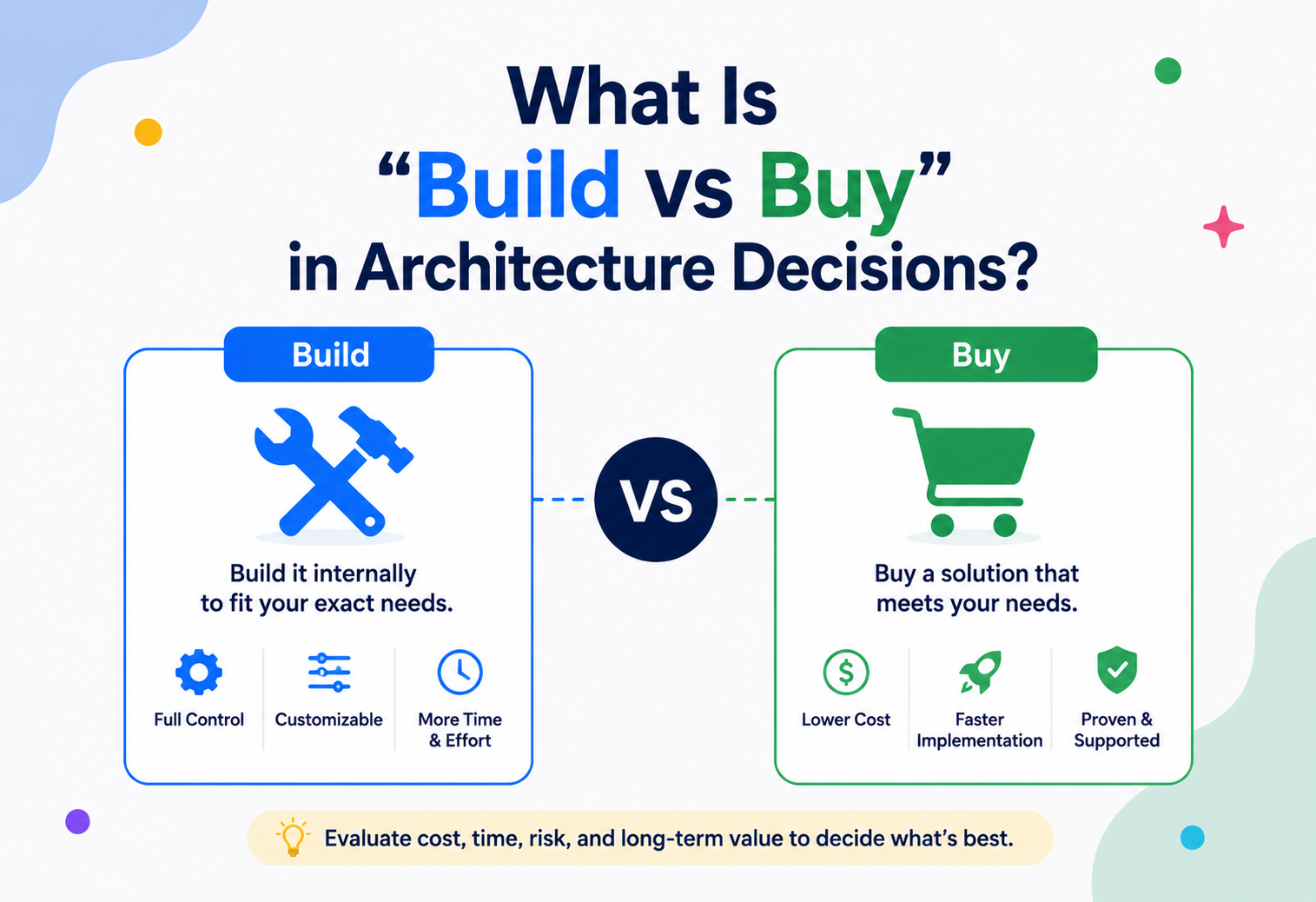
What Is “Build vs Buy” In Architecture Decisions?
A complete, beginner‑to‑production guide to one of the most consequential and recurring decisions a software architect makes — when to build a capability in‑house, and when to buy it from a vendor.
Introduction & History
Every piece of software is really a bundle of thousands of quiet build‑vs‑buy decisions. Understanding that hidden layer is what separates a coder from an architect.
Every piece of software you have ever used is really a bundle of thousands of smaller decisions. Someone decided to write the payment logic from scratch. Someone else decided to plug in Stripe instead of building a card processor. Someone decided to run a self‑hosted database, and someone else decided to pay Amazon to run one for them. Multiply that across every subsystem of a modern platform, and you get an entire hidden layer of decision‑making that shapes cost, speed, risk, and the long‑term health of an engineering organization. That layer has a name: Build vs Buy.
In the simplest terms, “build vs buy” is the recurring architectural decision of whether an organization should construct a piece of software or infrastructure itself, using its own engineers and time, or acquire it from an external vendor — as a licensed product, a managed cloud service, or a Software‑as‑a‑Service (SaaS) subscription. It sits right at the intersection of software architecture, business strategy, and finance, which is exactly why it trips up so many engineers who are used to thinking purely in technical terms.
The phrase itself predates modern software. “Make or buy” analysis has existed in manufacturing and operations management since at least the mid‑20th century — a factory deciding whether to forge its own bolts or purchase them from a supplier was doing exactly the same reasoning that a CTO does today when deciding whether to build an internal search engine or license Elasticsearch’s managed offering. As computing matured through the mainframe era, the client‑server era, and eventually into cloud computing, the scope of “buyable” things exploded. In the 1980s you mostly bought hardware and operating systems. By the 2000s you could buy entire application servers and databases. By the 2020s, you can buy almost an entire company’s technology stack as a set of subscribed services — authentication, payments, email, search, analytics, observability, even large chunks of AI functionality — stitched together with your own custom code in the middle.
That evolution is why build vs buy has become one of the defining muscles of a mature software architect. Early‑career engineers are often taught to solve problems by writing code. Senior architects learn that the highest‑leverage decision is frequently to not write code at all, and instead make a smart procurement choice, freeing engineering time for the parts of the system that actually differentiate the business.
Real‑life analogy
Imagine you are opening a restaurant. You could grow your own vegetables, raise your own livestock, and mill your own flour — total control, but it takes years before you serve a single plate. Or you could buy vegetables from a farmer’s market, flour from a supplier, and focus 100% of your effort on the one thing that makes your restaurant special: your recipes and your service. Almost every successful restaurant buys the commodity ingredients and builds (cooks) only the parts that define its identity. Software architecture works the same way.
The Problem & Motivation
Getting build vs buy wrong is expensive in ways that are easy to underestimate at the moment of the decision — and both directions of failure look different but hurt equally.
Why does this decision matter enough to deserve its own architectural discipline? Because getting it wrong is expensive in ways that are easy to underestimate at the moment of the decision.
If you build when you should have bought, the usual failure pattern looks like this: a small team spends six months building an in‑house authentication system, because “it’s not that hard.” Two years later, that team is still patching security vulnerabilities, still missing enterprise features like SSO and SCIM provisioning that customers are asking for, and still spending 20% of every sprint maintaining code that a vendor like Auth0 or Okta would have handled for a monthly fee. The opportunity cost is the real killer — every week spent on undifferentiated infrastructure is a week not spent on the product capabilities that actually win customers.
If you buy when you should have built, the failure pattern is different but equally damaging: a company licenses a general‑purpose recommendation engine for its core product, only to discover eighteen months later that the vendor’s black‑box model can’t be tuned to the nuances of their catalog, that switching costs have become enormous because the whole product now depends on someone else’s roadmap, and that the very capability meant to differentiate them from competitors is now identical to what every other customer of that vendor has.
The tension underneath all of this is the classic economic idea of comparative advantage combined with opportunity cost. An engineering organization has a fixed amount of attention and talent. Every hour spent reinventing a commodity capability is an hour not spent on the thing that actually makes the business win. But not everything is a commodity — and mistaking a strategic differentiator for a commodity is just as costly as the reverse.
Why this keeps coming up
Build vs buy is not a one‑time decision made at company founding. It resurfaces constantly: when a new feature is scoped, when a vendor raises prices, when a vendor gets acquired or shut down, when scale outgrows a vendor’s limits, when a compliance requirement makes a SaaS tool unacceptable, or when an in‑house system becomes too expensive to maintain. Mature organizations revisit build vs buy decisions on a cadence, not just once.
There’s also a subtler motivation that experienced architects learn to watch for: engineers, left to their own instincts, are systematically biased toward building. Writing code is the activity engineers are trained to enjoy and rewarded for; evaluating a vendor’s pricing page and negotiating a contract is not. This isn’t a criticism — it’s simply a predictable bias, the same way a carpenter reaches for a hammer even when a screw would hold better. A large part of why organizations formalize build‑vs‑buy as an explicit decision process, rather than leaving it to whichever engineer happens to scope the work, is precisely to counteract this natural pull toward building things that don’t need to be built.
The inverse bias exists too, usually higher up the organization: procurement and finance teams, focused on predictable budgets and vendor relationships, can be systematically biased toward buying even when a capability is genuinely core and building it would create lasting competitive advantage. A healthy build‑vs‑buy process puts engineering and business stakeholders in the same room specifically so these two opposing biases can cancel each other out, rather than one silently winning by default because that’s who happened to make the call.
Core Concepts
A shared vocabulary makes the decision debatable instead of a matter of gut feeling. Each concept below is a small lens for looking at the same question.
3.1 What “Build” Means
Build means your own engineering team designs, implements, tests, deploys, and operates a capability using code you own and control. You own the source, the architecture, the roadmap, and — critically — every future bug, security patch, scaling problem, and feature request that comes with it.
Example (beginner): Writing your own function to validate email addresses with a regular expression, instead of using a library.
Example (software): Writing your own rate limiter middleware for your API gateway instead of using a managed API gateway’s built‑in rate limiting.
Example (production/industry): Netflix building its own chaos engineering platform (Chaos Monkey and the wider Simian Army) because no vendor offered anything close to what large‑scale, distributed streaming infrastructure required at the time.
3.2 What “Buy” Means
Buy means you acquire the capability from an external party, in one of several forms: a one‑time licensed software product installed on your own infrastructure, a managed cloud service (like Amazon RDS instead of running your own PostgreSQL), a SaaS product accessed over the internet (like Salesforce or Zendesk), or an open‑source project you adopt but do not maintain yourself (which is really “buy” with a support cost of zero dollars but a real cost of engineering time to integrate and keep patched).
Example (beginner): Using a third‑party library like Jackson for JSON parsing instead of writing your own parser.
Example (software): Using Stripe for payments instead of building a PCI‑DSS compliant payment processor.
Example (production/industry): Airbnb using Zendesk for customer support ticketing rather than building an internal support desk system.
3.3 Total Cost of Ownership (TCO)
The single most important concept in this entire topic is Total Cost of Ownership. Beginners compare build vs buy by looking only at the sticker price of a vendor’s subscription versus “free” engineering time. That comparison is almost always wrong, because engineering time is never free, and vendor pricing is never just the subscription fee.
| Cost category | Build | Buy |
|---|---|---|
| Initial development | Engineer‑months × loaded salary cost | Usually $0 (or implementation/integration cost) |
| Ongoing cost | Maintenance, on‑call, upgrades, security patching | Subscription / usage‑based fees |
| Scaling cost | Infrastructure + engineering effort to scale | Often included, sometimes tiered pricing |
| Opportunity cost | Team not working on differentiating features | Team free to focus elsewhere |
| Risk cost | Bugs, outages are your responsibility | Vendor outages still hurt you, but you share the risk |
| Exit cost | Low — it’s your code | Can be high — vendor lock‑in, data migration |
3.4 Core vs Context (Differentiation)
Geoffrey Moore’s well‑known distinction between “core” and “context” activities is central to build vs buy thinking. Core activities are the ones that directly create competitive advantage and that customers actually notice and value — the things that make your product different from a competitor’s. Context activities are necessary for the business to function but do not differentiate it — payroll systems, authentication, generic logging, spam filtering, and so on. The general architectural rule of thumb is:
Core / Differentiating
If it’s the reason customers choose you over a competitor, or it requires deep domain‑specific tuning that no vendor can replicate, lean toward building it in‑house so you retain full control over its evolution.
Context / Commodity
If it’s necessary but not differentiating — and especially if it’s something many other companies also need — lean toward buying, because a specialized vendor has already amortized the cost of building it well across many customers.
3.5 Opportunity Cost and Switching Cost
Opportunity cost is what you give up by choosing one option over another — in this context, the differentiating features your team could have built instead of a commodity system. Switching cost is what it would take to move away from a decision later: migrating off a vendor, or rewriting a homegrown system once it becomes unmaintainable. Both must be estimated up front, even though they are the hardest numbers to pin down.
A useful beginner mental model is to picture opportunity cost as a queue. Every engineering team has a backlog of possible work, roughly sorted by value to the business. If the team spends the next quarter building an internal ticketing system instead of buying one, that quarter’s worth of work on the top three items in the backlog — the ones that would have moved revenue or retention — simply doesn’t happen. Nobody sends an invoice for opportunity cost, which is exactly why it’s the cost most often ignored in the moment and most bitterly regretted a year later.
Switching cost, meanwhile, is best estimated by asking a concrete question: “If this vendor doubled their price tomorrow, or shut down next month, how many engineer‑weeks would it take us to be fully migrated?” For a well‑isolated integration behind a clean adapter (see Section 14), the answer might be “two weeks.” For a deeply embedded platform whose data model, authentication, and UI components are woven throughout the product, the honest answer might be “eight months and a company‑wide freeze on other work.” That gap is precisely why architects care so much about isolation patterns even when a decision is confidently “buy” — the isolation is what keeps switching cost low regardless of which way the original decision went.
3.6 Risk‑Adjusted Cost
Cost estimates on both sides of the decision are rarely single numbers — they are ranges with different amounts of uncertainty attached. A vendor quote is usually a fairly tight, known number. An internal build estimate is almost always optimistic, because software estimation is notoriously hard and engineers systematically underestimate the “long tail” of edge cases, security hardening, and operational maturity a production system needs. Experienced architects apply a risk multiplier to build estimates — commonly somewhere between 1.5× and 3× the initial engineering estimate — specifically to account for this well‑documented optimism bias, and they treat vendor SLA penalties and lock‑in risk as the equivalent uncertainty adjustment on the buy side.
Architecture Of A Build‑vs‑Buy Decision Framework
Treat “should we build or buy this?” as its own small piece of architecture — inputs, a scoring model, a decision output, and a feedback loop.
Mature engineering organizations formalize this instead of leaving it to gut feeling, because gut feeling scales badly across dozens of teams making these calls every quarter.
4.1 Components of the Framework
- Requirements register — the functional and non‑functional requirements the capability must satisfy (throughput, compliance, data residency, customization needs).
- Vendor/OSS shortlist — candidate external options, each evaluated on fit, maturity, pricing model, and support quality.
- Build estimate — engineering effort, calendar time, and ongoing maintenance burden if built in‑house, ideally produced by the team that would actually build it.
- Scoring matrix — a weighted comparison across cost, time‑to‑value, risk, strategic differentiation, and long‑term flexibility.
- Decision record — a documented, dated decision (commonly captured as an Architecture Decision Record, or ADR) explaining what was chosen and why, so future engineers understand the reasoning instead of re‑litigating it from scratch.
- Review trigger — a condition (time‑based or event‑based, like a vendor price increase or a scale milestone) that forces the decision to be revisited.
Architecture Decision Records
Most organizations that do this well record every build‑vs‑buy call as a lightweight ADR: context, options considered, decision, and consequences. This is the same discipline used for other architectural choices like choosing a database or a messaging pattern, and it prevents the same debate from being repeated every time a new engineer joins the team.
Internal Working: How The Decision Actually Gets Made
A step‑by‑step walk‑through of how a build‑vs‑buy evaluation typically plays out inside an engineering organization, from trigger to decision.
Step 1 — Identify the Trigger
A new requirement surfaces: perhaps a product manager needs A/B testing, or compliance now requires audit logging, or a customer contract demands single sign‑on. The trigger is written down as a need statement, not a solution — this avoids the common mistake of jumping straight to “let’s build X” before evaluating alternatives.
Step 2 — Classify: Core or Context?
The team asks whether this capability is something customers directly perceive as part of the product’s unique value, or whether it’s plumbing that needs to exist but nobody notices when it works correctly. This single question eliminates most debate quickly — audit logging is almost always context; a recommendation algorithm for a retail platform is almost always core.
Step 3 — Estimate the Build Path
The team that would build the capability produces a rough estimate: engineer‑months for a first version, ongoing maintenance load (often estimated as a percentage of one engineer’s time per quarter), and the skills required. This estimate should explicitly include the “unglamorous tail” — security patches, edge cases, and the second and third years of maintenance that are almost always underestimated.
Step 4 — Survey the Buy Path
The team shortlists two or three vendors or open‑source projects, checking for feature fit, pricing model (flat fee, per‑seat, usage‑based), data residency and compliance certifications (SOC 2, ISO 27001, GDPR), integration complexity, and vendor stability (funding, customer base, how long they’ve existed).
Step 5 — Score Against Weighted Criteria
A simple weighted scoring matrix — cost, time‑to‑value, strategic fit, flexibility, risk — is used to make the comparison explicit rather than a gut call. Below is a simplified example of the kind of scoring model teams use, implemented as a small Java utility that an architecture team might genuinely keep around for these exercises.
public class BuildVsBuyScorer {

    // Each criterion is scored 1-5 by the evaluating team, then weighted.
    private final Map<String, Double> weights = Map.of(
        "cost",            0.25,
        "timeToValue",     0.20,
        "strategicFit",    0.25,
        "flexibility",     0.15,
        "risk",            0.15
    );

    public double score(Map<String, Integer> criteriaScores) {
        double total = 0.0;
        for (Map.Entry<String, Double> entry : weights.entrySet()) {
            String criterion = entry.getKey();
            double weight = entry.getValue();
            int rawScore = criteriaScores.getOrDefault(criterion, 0); // 1-5
            total += weight * rawScore;
        }
        return total; // higher score = stronger case for this option
    }

    public static void main(String[] args) {
        BuildVsBuyScorer scorer = new BuildVsBuyScorer();

        Map<String, Integer> buildOption = Map.of(
            "cost", 2, "timeToValue", 2, "strategicFit", 5,
            "flexibility", 5, "risk", 3
        );
        Map<String, Integer> buyOption = Map.of(
            "cost", 4, "timeToValue", 5, "strategicFit", 2,
            "flexibility", 3, "risk", 4
        );

        System.out.printf("Build score: %.2f%n", scorer.score(buildOption));
        System.out.printf("Buy score:   %.2f%n", scorer.score(buyOption));
    }
}
Notice the weights themselves are a judgment call — a fintech startup might weight “risk” much higher than a media company, because regulatory risk in payments is existential in a way it simply isn’t for a blogging platform. The scoring model doesn’t remove human judgment; it forces that judgment to be explicit and debated, rather than hidden inside one engineer’s opinion.
Step 6 — Decide and Document
The outcome — build, buy, or a hybrid — is written into an ADR along with the reasoning, so it survives team turnover. Hybrid outcomes are extremely common in mature systems: buy the commodity core, build a thin abstraction layer around it so the vendor can be swapped later without rewriting the whole system.
Step 7 — Schedule a Review
Every decision gets a review trigger: a calendar date (e.g., “revisit in 18 months”) or an event (e.g., “revisit if usage exceeds 10× current volume” or “revisit at contract renewal”). Without this step, build‑vs‑buy decisions calcify — teams keep paying for a vendor that no longer fits, or keep maintaining homegrown code long after a mature vendor option appeared.
Data Flow & Lifecycle Of A Decision
Rather than data flowing through a running system, here the “data” flowing through the process is the decision itself — evolving from a raw need into a documented, reviewable commitment.
This lifecycle repeats at multiple altitudes inside a real company: an individual team might run a lightweight version for a small library choice in an afternoon, while a platform‑wide decision — such as choosing a company‑wide identity provider — might take months and involve legal, security, and finance stakeholders alongside engineering.
Pros, Cons & Trade‑offs
Neither option is universally better. What matters is knowing precisely what you gain and give up with each.
| Advantages | Disadvantages | |
|---|---|---|
| Build | Full control over features and roadmap; no vendor lock‑in; can be tuned exactly to your domain; intellectual property stays in‑house; no recurring third‑party cost at scale | Slower time‑to‑market; ongoing maintenance burden falls entirely on your team; you own every bug and security patch; harder to hire specialists for a bespoke system; opportunity cost of engineering time |
| Buy | Fast time‑to‑value; vendor absorbs maintenance, patching, and often scaling; access to a specialist’s accumulated expertise; predictable operating cost; easier to staff since it’s a common tool | Recurring cost that grows with usage; less customization; vendor lock‑in and migration risk; dependent on vendor’s roadmap, pricing changes, and uptime; potential data residency/compliance constraints |
The Hybrid Middle Ground
In practice, most mature systems are neither purely built nor purely bought — they are a deliberate blend. A common and highly effective pattern is: buy the commodity infrastructure, build the differentiating layer on top of it. For example, a company might buy a managed message queue (like Amazon SQS) rather than operating its own Kafka cluster, but build a custom event‑processing engine on top of that queue that encodes business‑specific rules no vendor could offer.
Rule of thumb
If ten other companies in different industries need the exact same thing you need, buy it — someone has almost certainly built it better and cheaper than you can. If the thing you need only makes sense in the context of your specific business model, building it is usually the stronger long‑term bet.
Performance & Scalability Considerations
Performance shows up in build‑vs‑buy decisions in two directions — and scale is often what forces a “buy” decision to be revisited.
Performance shows up in build‑vs‑buy decisions in two directions. First, a bought component may not be tunable to your exact performance envelope — a generic managed database might have query latency characteristics that don’t fit an extremely latency‑sensitive use case like real‑time bidding in adtech, which is why some ad‑tech companies build custom in‑memory data stores rather than using an off‑the‑shelf database. Second, a built component’s performance is entirely your responsibility to profile, tune, and scale, with no vendor SLA to fall back on if it degrades under load.
Scalability introduces a related question: does the vendor’s pricing and architecture scale linearly, sub‑linearly, or does it hit hard ceilings? A SaaS tool billed per API call can become dramatically more expensive at scale than the equivalent in‑house system would have cost to run, even though it looked cheaper at the pilot stage. This is one of the most common reasons companies revisit a “buy” decision and eventually build a replacement once volume crosses a threshold — Airbnb, Uber, and Dropbox have all publicly discussed moments where they migrated off a vendor (or off generic cloud storage, in Dropbox’s case) once their scale made an in‑house solution more economical.
Watch for pricing cliffs
Always model vendor cost at 10× and 100× your current usage before committing. A tool that costs $500/month today might cost $50,000/month at scale — and by the time you notice, migrating away can take a year of engineering effort you didn’t budget for.
High Availability & Reliability
Buying does not eliminate the need to design for failure — it just moves where the failure originates.
When you build, high availability is entirely your engineering team’s responsibility: you design for redundancy, write your own failover logic, and staff on‑call rotations to handle 3 a.m. outages. When you buy, the vendor typically publishes a Service Level Agreement (SLA) — for example, “99.95% uptime” — and you inherit both the benefit of their reliability engineering and the risk of their outages, over which you have zero control.
A critical, often‑missed point: buying does not eliminate the need for your own resilience thinking. If a vendor you depend on goes down, your system goes down too, unless you’ve built graceful degradation or a fallback path. Many production incidents at well‑known companies have been traced not to their own code, but to an upstream vendor outage that their own architecture had no fallback for. This is why experienced architects treat every “bought” dependency as a potential single point of failure and design circuit breakers, timeouts, and fallback behavior around it, exactly as they would around an internal service.
Cached fallback
Your app calls a weather API; if the API times out, you show a cached forecast instead of crashing the whole page.
Manual‑review fallback
An e‑commerce checkout that depends on a third‑party fraud‑detection vendor typically designs a fallback rule set that allows checkout to proceed (with a manual review flag) if the vendor’s API is unreachable, rather than blocking every sale during a vendor outage.
It’s also worth distinguishing between a vendor’s advertised SLA and its real‑world reliability. A 99.95% uptime SLA still allows roughly 4.4 hours of downtime per year, and SLA credits typically refund a small percentage of that month’s fees — nowhere near the actual business cost of an outage during, say, a peak sales period. This is why serious vendor evaluations look past the SLA percentage on the sales page and dig into the vendor’s public status‑page history, asking how many incidents occurred in the last 12 months, how long they lasted, and how transparently the vendor communicated during them. A vendor with a technically compliant SLA but a pattern of silent, poorly‑communicated outages is a bigger operational risk than the SLA number alone suggests.
On the “build” side, reliability engineering has a cost curve that is easy to underestimate: going from “works on a good day” to “99.9% available” typically requires disproportionately more engineering effort than going from “doesn’t exist” to “works on a good day.” Redundancy, health checks, automated failover, and load testing are all separate engineering investments layered on top of the original feature work, and they need to be included explicitly in any build estimate that claims to be comparable to a vendor’s published SLA.
Security
Security cuts both ways in build vs buy, and it’s one of the most frequently mis‑judged dimensions of the whole decision.
Teams often assume “build” is more secure because “we control everything,” but a small in‑house team is rarely able to match the security investment of a specialized vendor whose entire business depends on not having a breach — companies like Okta or Auth0 employ dedicated security teams, undergo regular third‑party penetration testing, and hold compliance certifications that would take a typical product team years to replicate for an in‑house system.
On the other hand, buying introduces a different kind of security risk: you are trusting a third party with data, and a breach at the vendor becomes your breach too, from your customers’ perspective. Vendor risk assessment — checking for SOC 2 Type II reports, ISO 27001 certification, penetration test summaries, and data processing agreements — becomes a mandatory part of any “buy” decision involving sensitive data.
Compliance as a build‑vs‑buy driver
Regulated industries (healthcare, finance, government) often flip the usual calculus. A capability that would normally be an easy “buy” — like authentication — might need to be built in‑house, or bought from a specific compliance‑certified vendor only, because of strict data residency or auditability requirements. Always check regulatory constraints before defaulting to the generic “buy the commodity” rule.
A practical vendor security checklist that architects commonly apply before signing off on a “buy” decision includes: reviewing the vendor’s most recent SOC 2 Type II report, confirming where customer data is physically stored and whether it crosses jurisdictions that matter for your compliance obligations, checking whether data is encrypted both at rest and in transit by default, understanding the vendor’s incident‑response and breach‑notification commitments, and clarifying data ownership — specifically, whether you can export your own data in a usable format if you ever leave, and how quickly the vendor will delete it on request. None of this is exotic; it’s the same due diligence a company applies before signing any vendor contract, just framed through an architectural lens because the vendor is effectively becoming part of your system’s trust boundary.
On the build side, the equivalent discipline is a basic internal security review before shipping anything that touches sensitive data: threat modeling the new component, running dependency and static‑analysis scanning as part of the CI pipeline, and — for anything handling authentication, payments, or personal data — an explicit security review gate before production release. Skipping this step is one of the most common ways an in‑house “build” decision quietly becomes the riskiest system in the whole architecture, precisely because nobody outside the team is independently checking its security posture the way a vendor’s own customers collectively do for a mature SaaS product.
Monitoring, Logging & Metrics
Whichever path you choose, you need visibility into how the capability is behaving in production — but the shape of that visibility differs on each side.
When you build, you instrument the system yourself: structured logs, custom metrics (e.g., using Micrometer in a Spring Boot service), and traces that plug into your existing observability stack. When you buy, you depend on the vendor’s own status page, exposed metrics/webhooks, and whatever integration they offer into your monitoring tools (many SaaS vendors provide webhooks or a Prometheus‑compatible metrics endpoint specifically so customers can monitor vendor health inside their own dashboards).
A frequently overlooked best practice: even for bought components, instrument the boundary — track your own metrics for vendor API latency, error rate, and timeout frequency, from your side of the integration. This gives you independent evidence when negotiating SLA credits, and an early warning system for degradation the vendor hasn’t publicly acknowledged yet.
// A small Spring Boot example: wrapping a vendor API call
// with your own timing and error metrics, using Micrometer.

@Service
public class PaymentVendorClient {

    private final MeterRegistry meterRegistry;
    private final RestTemplate restTemplate;

    public PaymentVendorClient(MeterRegistry meterRegistry, RestTemplate restTemplate) {
        this.meterRegistry = meterRegistry;
        this.restTemplate = restTemplate;
    }

    public PaymentResponse charge(PaymentRequest request) {
        Timer.Sample sample = Timer.start(meterRegistry);
        try {
            PaymentResponse response = restTemplate.postForObject(
                "https://api.vendor.com/v1/charges", request, PaymentResponse.class);
            meterRegistry.counter("vendor.payment.success").increment();
            return response;
        } catch (RestClientException ex) {
            meterRegistry.counter("vendor.payment.failure").increment();
            throw ex;
        } finally {
            sample.stop(meterRegistry.timer("vendor.payment.latency"));
        }
    }
}
The pattern captured in that snippet — timing every vendor call and separately counting successes and failures — costs almost nothing in engineering time, but it turns a vendor from an opaque dependency into a first‑class citizen of your own observability stack. It also creates the historical evidence you need when the vendor’s status page says “all systems normal” but your own metrics say otherwise, which is a more common situation in real operations than sales conversations tend to acknowledge.
Deployment & Cloud Considerations
Cloud computing has blurred the line between build and buy into a spectrum rather than a binary choice.
It’s useful to think of it as a ladder, from most “build” to most “buy”:
1. Self‑managed, on‑premises or IaaS
You install, run, and patch the software yourself on raw virtual machines (e.g., running your own PostgreSQL on an EC2 instance).
2. Managed cloud service
The cloud provider runs the infrastructure, you configure and use it (e.g., Amazon RDS, Google Cloud SQL). This is a hybrid: you’re “buying” operations but the software itself may still be open‑source.
3. SaaS product
A fully external vendor runs everything, exposed as an API or web UI (e.g., Snowflake, Salesforce).
4. Fully custom build
Your team writes and operates a bespoke system with no external product underneath it.
This ladder means “buy” no longer has to mean “give up all control.” Many organizations land on managed cloud services as the pragmatic middle: you get open‑source flexibility and no vendor lock‑in on the software layer itself, while still offloading the operational burden (patching, backups, failover) to the cloud provider.
Where you land on this ladder for a given capability should follow from the same core‑vs‑context reasoning used throughout this guide, applied one more time at the infrastructure layer. A company whose product depends on a highly customized data pipeline might keep that pipeline’s orchestration self‑managed for maximum control, while happily buying fully managed object storage for the mundane job of holding files reliably. There is no single correct rung on the ladder for an entire company — the right position is decided component by component, and it’s entirely normal, even expected, for a mature architecture to have some pieces near the “build” end and others near the “buy” end simultaneously.
Contract and pricing structure also matter as much as the technical shape of the offering. Usage‑based pricing aligns vendor incentives with yours at low volume but can become the single largest line item in an infrastructure budget at high volume; flat‑rate enterprise licensing offers predictability but often requires a multi‑year commitment that reduces your future flexibility. Reading the pricing model as carefully as the feature list is a habit every architect doing serious vendor evaluation eventually develops the hard way.
Build vs Buy In Databases, Caching & Load Balancing
Infrastructure components are some of the clearest, most common examples of this decision in practice, because nearly every system needs them and the “buy” options are extremely mature.
13.1 Databases
Almost no company today builds its own database engine from scratch — that’s an extreme example of a commodity capability where decades of specialized engineering (query optimizers, replication, consensus protocols like Raft and Paxos) make building your own irrational for all but a handful of companies operating at extreme scale or with extreme specialization (Google building Spanner is the classic counter‑example, justified only by planet‑scale consistency requirements no off‑the‑shelf product met at the time). For the vast majority of teams, the real decision is narrower: self‑host PostgreSQL/MySQL versus a managed offering like Amazon RDS or Aurora, not “build our own database.”
13.2 Caching
The same logic applies to caching layers. Building a distributed cache with consistent hashing, replication, and eviction policies is a genuinely hard distributed‑systems problem — which is exactly why almost everyone buys (or adopts open‑source) Redis or Memcached rather than writing one. The build‑vs‑buy question here usually isn’t “cache engine or not,” but “self‑host Redis vs pay for Amazon ElastiCache/Redis Enterprise,” which comes back to the operational burden question from Section 12.
13.3 Load Balancing
Similarly, very few companies write their own load balancer today. The decision is between an open‑source software load balancer you operate yourself (like NGINX or HAProxy), a cloud‑managed load balancer (like an AWS Application Load Balancer), or a specialized commercial appliance/service (like Cloudflare or F5). The underlying algorithms — round robin, least connections, consistent hashing — are well‑understood and not worth reinventing; the differentiation, if any, is in configuration and edge‑case handling specific to your traffic patterns.
13.4 Message Queues
Message queues follow the same pattern once again. Building a durable, ordered, at‑least‑once (or exactly‑once) delivery messaging system from scratch involves genuinely hard distributed‑systems problems — replication, partition tolerance, consumer offset tracking — that projects like Apache Kafka and RabbitMQ have spent over a decade hardening. Most teams choose between self‑hosting one of these mature open‑source systems and using a managed equivalent such as Amazon SQS/SNS, Google Pub/Sub, or Confluent Cloud. Very few teams outside of hyperscale infrastructure companies have a legitimate reason to write a new message broker from the ground up.
The pattern across all four
Databases, caches, load balancers, and message queues share a trait: they are horizontal infrastructure needed by virtually every system, with decades of accumulated engineering behind the best options. This is exactly the “context, not core” category from Section 3.4 — the strong default is buy (or adopt mature open source), reserving build‑from‑scratch for the rare cases of extreme, well‑justified scale or specialization.
Build vs Buy In APIs & Microservices
Microservice architectures make build‑vs‑buy granular — instead of one big decision, you make dozens of smaller ones, one per service boundary.
This is one of microservices’ underappreciated benefits: because each service is independently deployable, you can buy a service for one bounded context (say, notifications, via a vendor like Twilio or SendGrid) while building another (your core order‑processing logic) entirely in‑house, without those decisions constraining each other.
The key architectural technique that makes this safe is isolating the vendor behind your own interface, so the rest of your system never talks to the vendor’s SDK directly. This is the Adapter Pattern, and it is arguably the single most important piece of code hygiene in any “buy” decision.
// Define your own interface, independent of any vendor's SDK shape.
public interface NotificationSender {
    void sendEmail(String to, String subject, String body);
}

// Adapter: the ONLY class that knows about the vendor's SDK.
@Component
public class SendGridNotificationSender implements NotificationSender {

    private final SendGridClient sendGridClient;

    public SendGridNotificationSender(SendGridClient sendGridClient) {
        this.sendGridClient = sendGridClient;
    }

    @Override
    public void sendEmail(String to, String subject, String body) {
        SendGridEmailRequest request = SendGridEmailRequest.builder()
            .to(to)
            .subject(subject)
            .content(body)
            .build();
        sendGridClient.send(request); // vendor-specific call, contained here
    }
}

// The rest of your application depends only on NotificationSender,
// never on SendGridClient directly. Swapping vendors later means
// writing one new adapter class -- nothing else changes.
@Service
public class OrderService {
    private final NotificationSender notificationSender;

    public OrderService(NotificationSender notificationSender) {
        this.notificationSender = notificationSender;
    }

    public void confirmOrder(Order order) {
        // ... business logic ...
        notificationSender.sendEmail(order.getCustomerEmail(),
            "Order Confirmed", "Your order #" + order.getId() + " is confirmed.");
    }
}
This pattern is what separates a healthy “buy” decision from a dangerous one. Without it, a vendor’s SDK types and quirks leak throughout your codebase, and switching vendors later — because of pricing, an outage, or a feature gap — becomes a multi‑month rewrite instead of a single new adapter class.
Design Patterns & Anti‑Patterns
A short catalogue of the shapes that consistently make build‑vs‑buy decisions age well, and the shapes that consistently make them age badly.
Helpful Patterns
Adapter / Anti‑Corruption Layer
Isolate vendor‑specific code behind your own interface, so vendor lock‑in never spreads through your whole codebase.
Strangler Fig
When replacing a bought (or built) system with another, route traffic gradually to the new implementation feature by feature, rather than a risky big‑bang cutover.
Feature Flags around vendor calls
Allow instant fallback to a cached/default behavior if a vendor degrades or you need to switch providers mid‑incident.
Multi‑vendor abstraction
For critical dependencies (e.g., SMS delivery), some companies build a thin routing layer across two vendors for redundancy, buying the underlying capability twice while building the failover logic themselves.
Anti‑Patterns
Not‑Invented‑Here Syndrome
Building something in‑house purely out of distrust or pride, when a mature, well‑supported option already exists. This is the single most common and costly build‑vs‑buy mistake in engineering culture.
Vendor Sprawl
Buying too many overlapping tools without a coherent integration strategy, leading to duplicated data, inconsistent security postures, and unpredictable total cost.
Blind Buy
Adopting a vendor without evaluating exit cost, data portability, or long‑term pricing at scale, resulting in painful lock‑in discovered only when it’s expensive to leave.
Leaky Vendor Coupling
Skipping the adapter pattern and letting a vendor’s SDK/types spread throughout the codebase, turning a “buy” decision into a de facto permanent architectural commitment.
Decision Paralysis
Endlessly re‑evaluating instead of shipping, especially for genuinely low‑stakes, easily‑reversible choices where the cost of analysis exceeds the cost of just picking one and moving on.
Best Practices & Common Mistakes
A distilled, side‑by‑side view of what consistently works and what consistently doesn’t.
Best Practices
- Classify the capability as core or context before looking at vendors — this framing prevents anchoring on whichever option was discussed first.
- Model Total Cost of Ownership over a 3‑year horizon, not just year one, and include your own engineering time as a real cost on the “build” side.
- Always isolate vendor dependencies behind your own interface (the adapter pattern) so a future switch is cheap.
- Write the decision down as an ADR with an explicit review trigger — don’t let the decision become invisible and permanent by default.
- Involve the engineers who would actually build or maintain the system in the estimate.
- Check compliance and data residency requirements early; they can eliminate otherwise‑attractive vendor options outright.
- Pilot before fully committing where possible — a time‑boxed proof of concept with a shortlisted vendor de‑risks the decision far more cheaply than a full rollout.
Common Mistakes
- Comparing only the sticker price of a vendor against “free” internal engineering time, ignoring TCO.
- Underestimating the multi‑year maintenance burden of a “build” decision — the first version is always the cheap part.
- Treating the decision as permanent instead of scheduling a review point.
- Letting a vendor’s SDK bleed through the entire codebase instead of using an adapter layer.
- Choosing “build” for emotional or cultural reasons (distrust of vendors, engineering pride) rather than evidence.
- Choosing “buy” for a genuinely core differentiator, effectively handing your competitive advantage to a vendor who can sell the same capability to your competitors.
A Simple Checklist for Your Next Decision
When the next build‑vs‑buy question lands on your desk, running through a short, concrete checklist tends to produce better outcomes than an unstructured debate in a meeting room. Ask, in order: Is this capability core to what makes customers choose us, or is it necessary plumbing? What would three years of total cost of ownership look like on each path, including our own engineering time? What is our realistic switching cost if we buy, and have we planned an isolation layer to keep it low? What is our realistic maintenance burden if we build, once the initial excitement of the first version has worn off? Are there compliance or data‑residency constraints that override the default answer? And finally — who owns this decision, and when will we revisit it? A team that can answer all six questions in writing has, in practice, already made a defensible decision, regardless of which way it ultimately points.
Real‑World & Industry Examples
Six familiar organizations, six different angles on the same underlying discipline.
Netflix — Build for Extreme, Unmet Scale
Netflix famously built its own chaos engineering tooling and large parts of its streaming and content‑delivery infrastructure, because at the time no vendor operated at the scale or reliability bar Netflix needed for global video delivery. This is the textbook justification for “build”: the capability was both core to their business (reliable streaming) and unavailable at the required scale from any vendor.
Amazon — Build the Platform, Then Sell It
Amazon’s internal decision to build its own infrastructure platform for scaling e‑commerce eventually became AWS — a striking example of a “build” decision for internal core capability turning into a “buy” product that the rest of the industry now purchases instead of building their own equivalents. It also illustrates how yesterday’s “build because nothing exists” can become tomorrow’s mature “buy” option for everyone else.
Airbnb & Uber — Buy Commodity, Build Differentiators
Consumer marketplace companies like Airbnb and Uber consistently buy commodity infrastructure — cloud hosting, customer support tooling, payment processing via Stripe or Braintree, communications via Twilio — while building their core matching, pricing, and trust/safety systems entirely in‑house, because those are exactly the systems that define their competitive edge.
Dropbox — Buy First, Then Build at Scale
Dropbox initially built its storage product on top of Amazon S3 (a “buy” decision for infrastructure), then later migrated large portions of its storage infrastructure in‑house once its scale made a custom‑built system more cost‑effective than continuing to pay cloud storage rates at that volume — a clean real‑world example of the review‑and‑revisit step from Section 5 in action.
Startups vs Enterprises — Different Defaults
Early‑stage startups overwhelmingly default to “buy” for almost everything outside their core product, because speed to market matters more than long‑term cost efficiency when survival itself is the immediate constraint. Large enterprises with scale, dedicated platform teams, and predictable long‑term volume are more likely to find “build” economically justified for infrastructure that a startup would never consider building.
Banking & Regulated Industries — Compliance Overrides the Usual Math
Large banks and insurers frequently build systems that an ordinary tech company would automatically buy — core ledger systems, internal identity and access management, and parts of their fraud‑detection stack — not because building is cheaper, but because regulatory requirements around auditability, data residency, and control demand a level of customization and direct oversight that off‑the‑shelf SaaS products aren’t designed to provide. This is a clear illustration of Section 10’s point: compliance constraints can override the normal core‑vs‑context calculus entirely.
Across all of these examples, the same underlying discipline shows up again and again: identify what’s genuinely core to the business, buy everything else from specialists who have already solved it well, isolate every external dependency behind a boundary you control, and revisit the decision on a deliberate schedule rather than letting inertia decide for you.
FAQ, Summary & Key Takeaways
The questions engineers and architects ask most often about build vs buy — and the distilled ideas worth carrying away.
Is build vs buy only relevant for large companies?
No. Even a two‑person startup makes this decision constantly — choosing a payment processor over writing billing code, or a UI component library over building one from scratch. The framework scales down just as well as it scales up; only the formality of the process changes.
Does using open‑source software count as “build” or “buy”?
It’s a hybrid, often called “adopt.” You aren’t paying a license fee, but you are still choosing external code over writing your own, and you still bear integration and patching effort — so it behaves much more like “buy” in terms of the tradeoffs that matter architecturally.
How often should a build‑vs‑buy decision be revisited?
There’s no universal number, but good practice is to attach an explicit trigger at decision time — either a calendar interval (commonly 12–24 months) or an event (contract renewal, a scale milestone, a compliance change) — rather than leaving it open‑ended.
What’s the biggest single mistake teams make?
Comparing sticker price to “free” engineering time instead of full total cost of ownership, and skipping the adapter/anti‑corruption layer that would have made a future vendor switch cheap instead of painful.
Can the same capability be “build” in one company and “buy” in another?
Yes, frequently — the right answer depends on whether the capability is core or context for that specific business, plus that company’s scale, talent, and risk tolerance. A payments processor is core for Stripe itself, but context for almost every company that uses Stripe.
What role does team size and expertise play?
A significant one. A team with deep distributed‑systems expertise can build things a smaller or less specialized team shouldn’t attempt, simply because the execution risk is lower. Conversely, a team without relevant expertise on staff should weight “buy” more heavily even for moderately core capabilities, since the real‑world build estimate needs to include the time and risk of the team learning an unfamiliar domain, not just writing code.
How does this relate to technical debt?
A rushed “build” decision made without proper design often becomes technical debt within a year — a system nobody wants to touch, held together by whoever originally wrote it. A rushed “buy” decision without an adapter layer becomes a different kind of debt: architectural debt in the form of vendor coupling that’s expensive to unwind. Both failure modes are avoidable with the same discipline — deliberate evaluation up front and clean boundaries afterward.
Should open‑source “build on top of” count differently from pure build?
It’s worth tracking separately in your evaluation, because it changes the maintenance profile. Building your core logic on top of a mature open‑source framework (rather than raw language primitives) gives you much of the leverage of “buy” — a community maintaining the hard, generic parts — while keeping the customization and control benefits of “build” for the parts that matter to your business. Many of the best real‑world architectures are exactly this kind of layered combination rather than a pure point on the build‑or‑buy line.
Key Takeaways
- Build vs buy is the recurring architectural decision of whether to construct a capability in‑house or acquire it externally, and it resurfaces constantly, not just once.
- The core question is whether the capability is core (differentiating, customer‑facing value) or context (necessary but commodity) — lean build for core, buy for context.
- Always compare full Total Cost of Ownership over a multi‑year horizon, including maintenance, opportunity cost, and exit cost — never just sticker price versus “free” engineering time.
- Cloud computing turned this into a spectrum, not a binary — self‑managed, IaaS, managed service, and full SaaS are all points along the same ladder.
- Isolate every “buy” decision behind your own interface (the adapter pattern) so a future vendor switch is cheap, not catastrophic.
- Document the decision as an ADR with an explicit review trigger, so it can be revisited deliberately rather than becoming an invisible, permanent default.
- The strongest engineering organizations treat this as a repeatable, scored process — not a one‑off gut call made by whoever happens to be in the room.
Final thought
“Build vs buy” is not really a question about vendors or code — it’s a question about attention. Every hour spent building a commodity is an hour not spent on your differentiator; every commitment to a vendor is a commitment to their roadmap. The architect’s job is to make sure both of those trades are made deliberately, on the record, and revisited when the world changes.

