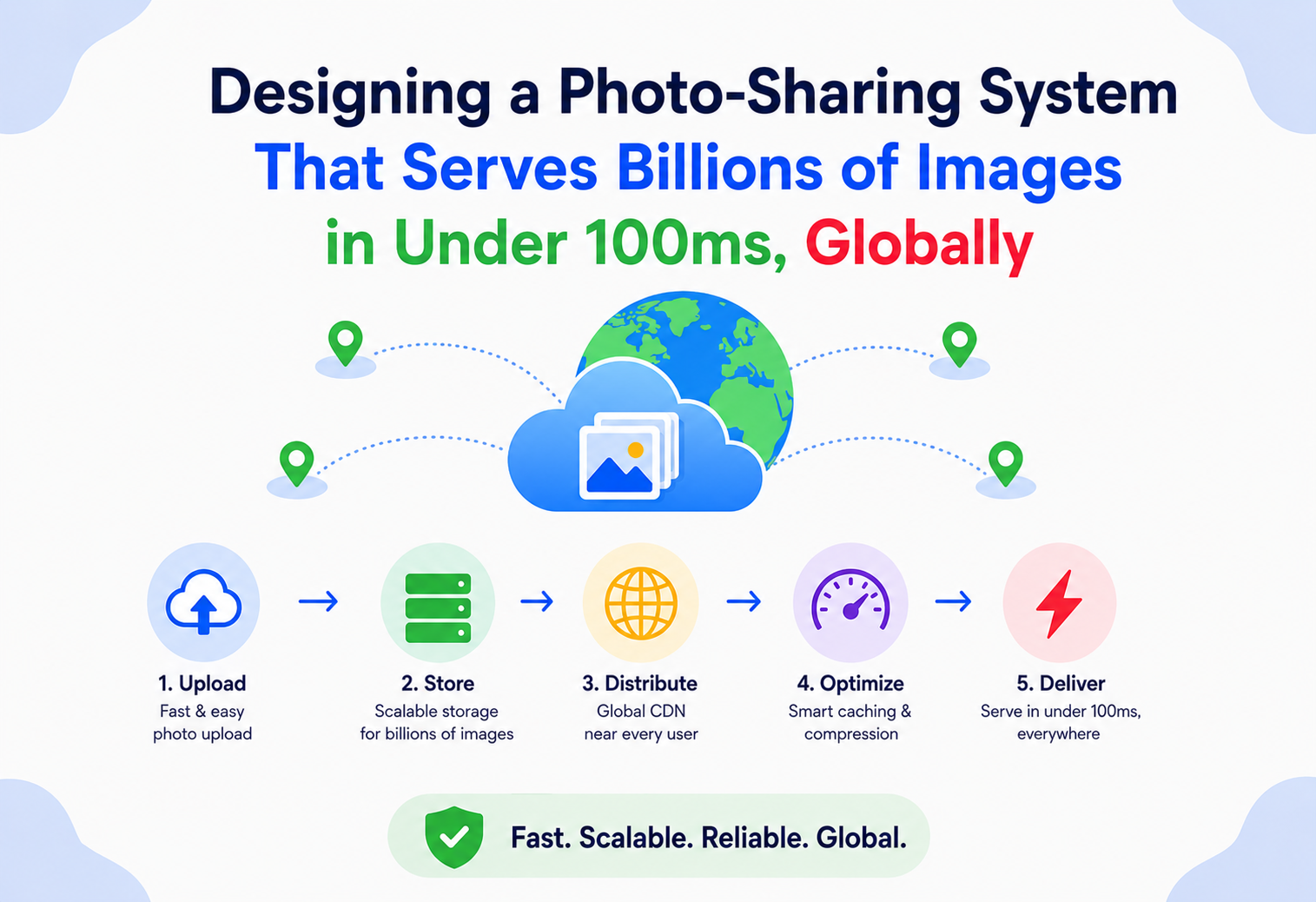
Designing a Photo-Sharing System That Serves Billions of Images in Under 100 ms, Globally
A complete walkthrough of the upload pipeline, image processing, storage tiering, and global CDN architecture behind photo platforms that feel instant no matter where in the world you open them.
Introduction & History
Open a photo-sharing app anywhere in the world — on a fast office Wi-Fi connection or a shaky mobile signal in a rural area — and a photo appears almost instantly. That instant feeling is one of the most carefully engineered illusions in modern software. Behind it sits a genuinely difficult problem: billions of images, each needing to exist in several different sizes and formats, stored durably, and delivered to any person on Earth in well under the time it takes to blink.
Photo sharing at real scale is a relatively young engineering discipline, even though photography itself is old. Early web photo hosting services in the 2000s stored a single copy of each uploaded image and resized it on the fly using server-side scripts whenever a page requested it — a reasonable approach when traffic was modest, but one that falls apart completely once traffic reaches millions or billions of daily image views, because resizing an image is genuinely expensive computational work, and doing it repeatedly for the same image, for every single viewer, wastes enormous amounts of compute that could instead be spent once and reused millions of times.
The shift that made modern photo platforms possible was recognizing photo delivery as fundamentally a content distribution problem, not just a storage problem. Once platforms started pre-generating a small set of standard resolutions at upload time and distributing them through globally-distributed edge caching networks — content delivery networks, or CDNs — the physics of the problem changed. Instead of every image view requiring a round trip to a single, distant data center, most views could be served from a cache location physically close to the viewer, cutting latency from hundreds of milliseconds down to the tens of milliseconds needed to feel instant.
This tutorial works through exactly that architecture in depth: how to accept and store an enormous, ever-growing volume of images, how to generate the right set of derived resolutions and formats efficiently, and how to get any one of those billions of images in front of any viewer, anywhere, in well under 100 milliseconds.

A Short Timeline of Photo Delivery at Scale
Flickr popularizes web photo sharing
Early consumer photo sites store single copies of each upload and resize server-side on demand — workable at then-modest traffic, but a design that would not survive a jump of several orders of magnitude in views per image.
CDN-backed static asset delivery becomes standard
Akamai and later commercial CDNs mature to the point where serving image assets from geographically distributed edges is the default, not a luxury — establishing the “cache once, serve close” pattern this whole design is built around.
Facebook publishes Haystack
Facebook Engineering describes Haystack, a purpose-built storage system for many small, immutable photo objects. It reframes photo serving as a metadata-overhead problem, not a raw-disk-throughput problem.
Instagram and mobile-first photo apps go mainstream
Mobile-first photo sharing pushes uploads over unreliable cellular connections, driving standardization of resumable, chunked uploads and adaptive-bitrate-style delivery patterns for images.
Netflix Open Connect extends the “get bytes closer” idea
Netflix deploys caching appliances directly inside ISP networks, taking the CDN-first principle to its logical extreme for extremely large binary payloads — an idea that photo-heavy platforms at similar scale echo in their own delivery strategies.
Modern formats (WebP, AVIF) reshape the bandwidth budget
Widespread browser support for meaningfully more efficient image codecs makes per-request format negotiation standard practice, cutting bandwidth by 25–50% for capable clients without any visible quality change.
“Why is sub-100 ms image loading fundamentally a networking and caching problem rather than a compute problem?” Because the physical speed of light imposes a hard floor on how quickly data can travel long distances — a round trip between, say, New York and Singapore takes on the order of 200 milliseconds just for the network signal to travel there and back, before any server-side processing even begins. No amount of server optimization at a single distant data center can beat that floor. The only way to reliably hit sub-100 ms globally is to physically move a copy of the data closer to the viewer ahead of time, which is exactly what a CDN does.
Problem & Motivation
Design a system for a photo-sharing application that must serve billions of images, each available in multiple resolutions, to a global user base, with load times under 100 milliseconds regardless of the viewer’s location.
Let’s break this into its genuinely hard sub-problems, because “store photos and show them to people” undersells just how many distinct engineering challenges are packed into this one sentence.
2.1 Sub-problem 1 — Images Are Big, and There Are a Lot of Them
A single high-resolution photo can easily be several megabytes. Multiply that by billions of images, and total storage requirements reach into the petabyte range before even accounting for the additional derived resolutions this system needs to generate and keep. Storage at this scale isn’t just “buy more disks” — it requires deliberate tiering, compression, and deduplication strategies, all covered later in this tutorial.
2.2 Sub-problem 2 — One Image Needs to Exist in Many Forms
The same photo needs to render well as a tiny thumbnail in a grid view, a medium-sized preview in a feed, and a full-resolution version when someone taps to view it in detail — and increasingly, in multiple modern compressed formats (like WebP or AVIF) alongside the traditional JPEG, since different devices and browsers support different formats with meaningfully different compression efficiency. Deciding when to generate these variants — eagerly at upload time, or lazily on first request — is one of the most consequential trade-offs in this entire design.
2.3 Sub-problem 3 — Physics Limits How Fast a Distant Server Can Respond
As introduced above, no clever server-side optimization changes the fact that data takes real, physical time to travel long distances. A user in Mumbai requesting an image stored only in a single data center in Virginia is going to experience real network latency no matter how fast that Virginia data center itself responds. Sub-100 ms global delivery is fundamentally a data placement problem before it’s anything else: the bytes need to already be close to the viewer before the request even happens.
2.4 Sub-problem 4 — Popularity Is Extremely Uneven
A small fraction of images — a viral post, a celebrity’s photo, a trending meme — receive a dramatically disproportionate share of total views, while the vast majority of uploaded images are viewed a handful of times by a small circle of people, and plenty are barely viewed at all after the first day. A design that treats every image identically, provisioning the same caching and replication effort for a rarely-viewed vacation photo as for a viral post, wastes enormous resources on the long tail while potentially under-serving the popular head.
Petabyte-class storage
Billions of multi-megabyte originals plus derived variants push total storage into the petabytes before compression, deduplication, and tiering are even considered.
Many forms per image
Thumbnail, medium, large, original — each in one or more formats (JPEG, WebP, AVIF) — per uploaded photo, each independently addressable.
Speed-of-light floor
A round-trip across continents already exceeds the entire 100 ms budget. Server-side optimization alone cannot beat basic network physics.
Highly skewed access
A tiny fraction of images gets most of the views; the long tail is stored expensively but requested rarely, breaking any uniform-effort caching strategy.
“Which of these four sub-problems would you tackle first when starting this design?” A reasonable answer starts with data placement and CDN architecture, since it’s the one sub-problem that’s non-negotiable for meeting the stated sub-100 ms global requirement — no amount of clever image processing or storage optimization matters if the bytes simply aren’t physically close enough to the viewer. The other three sub-problems (resolution generation, storage efficiency, popularity skew) are all important, but they shape how well the system performs and how much it costs, whereas the CDN and data placement strategy determines whether the core latency requirement can be met at all.
Requirements & Capacity Estimation
Explicit functional and non-functional requirements — and back-of-the-envelope math that grounds every downstream architectural choice in concrete numbers rather than vibes.
3.1 Functional Requirements
- Users can upload photos, which are validated, stored, and made available for viewing.
- Each photo is automatically available in several standard resolutions (thumbnail, medium, large, original) and, ideally, multiple compressed formats.
- Users can view photos shared with them, subject to privacy settings.
- Photos can be deleted, and deletion should propagate across all stored copies and cached versions within a reasonable window.
3.2 Non-Functional Requirements
Sub-100 ms load time globally
The explicit, headline requirement, for the large majority of image requests regardless of viewer location.
Effectively never lose a photo
Users trust the platform with irreplaceable personal memories, which raises the bar on durability well above what a typical cache or transient data store needs to provide.
Keep serving during partial failures
Favor availability over strict consistency for most operations; existing images should remain accessible even when parts of the pipeline are degraded.
Cost efficiency at scale
Storage and bandwidth costs scale directly with usage here in a way that’s more pronounced than in many other systems, since raw bytes dominate the cost structure.
Horizontal scalability
Both storage capacity and serving capacity need to grow smoothly as the user base and photo volume grow.
3.3 Back-of-the-Envelope Capacity Estimation
Let’s work through realistic numbers for a platform with 2 billion total stored images and 50 million new photo uploads per day — numbers broadly consistent with the scale of the largest real-world photo-sharing platforms.
Storage estimation
Original images
2B × 3 MB ≈ 6 PB
Derived resolutions
2B × 0.4 MB (combined avg) ≈ 0.8 PB
Total existing
6 PB + 0.8 PB ≈ 6.8 PB
New per day
50M × 3.4 MB ≈ 170 TB / day
New per year
170 TB × 365 ≈ 62 PB / year
These numbers alone justify several design decisions covered later: this is clearly a scale where storage cost optimization (compression, tiering, deduplication) is a first-class engineering concern, not an afterthought, and where a single storage system or data center could never physically hold or serve all of this data with acceptable latency.
Read traffic estimation
Daily active users
Assume 400 million DAU.
Images viewed per user/day
Assume ~150 (scrolling a feed).
Total daily view requests
400M × 150 ≈ 60 billion / day
Average RPS
60B ÷ 86,400 ≈ 694,000 / sec
Peak RPS (3× average)
≈ 2,100,000 / sec
Uploads for comparison
50M ÷ 86,400 ≈ 580 / sec
Compare this read volume — north of two million requests per second at peak — against the roughly 580 uploads per second implied by 50 million daily uploads. The read-to-write ratio here is enormous, easily in the range of thousands to one. This confirms the intuition from the problem statement: this is overwhelmingly a read-serving and caching problem. The vast majority of engineering effort should go toward making reads (image views) as fast and cheap as possible, since they utterly dominate total system load, while the upload path — though it still needs to be reliable and reasonably efficient — can afford to do more work per operation, since it happens so much less frequently.
“Given a read-to-write ratio in the thousands to one, would you rather generate all resolution variants eagerly at upload time, or lazily on first request?” This is genuinely debatable and worth reasoning through rather than answering reflexively. Eager generation does more work upfront (multiplied by a smaller number of uploads) and guarantees every resolution is ready before the first view — good for latency consistency. Lazy generation avoids wasted work for resolutions that are never actually requested (a real savings, since not every image gets viewed at every size), at the cost of a slower first request for each newly-needed resolution. Given how skewed popularity is, a hybrid is usually best: eagerly generate the handful of most commonly requested sizes, and lazily generate and cache anything less common — exactly the kind of nuanced trade-off this tutorial explores in the processing section ahead.
High-Level Architecture & Components
The overall shape has a clear center of gravity: the CDN. Nearly every architectural decision here exists either to feed the CDN correctly (upload and processing) or to fall back gracefully when the CDN doesn’t already have what’s needed (the origin serving path).
Figure 1 — High-level architecture: a thin upload/processing path feeding a globally cached, CDN-first read path.
4.1 Component-by-Component
Client Apps
Web and mobile clients that capture uploads and render image feeds, using CDN URLs returned by the metadata API for actual byte fetches.
API Gateway
Authentication, per-user rate limiting, and routing to the Upload Service and Metadata Service.
Upload Service
Accepts incoming photo uploads, performs basic validation (file type, size limits, malware scanning), computes a content hash for deduplication, stores the original in blob storage, records metadata, and publishes a processing event — deliberately not doing any resizing work itself, to keep the upload response fast.
Image Processing Workers
Consume processing events asynchronously and generate the standard set of derived resolutions and formats, storing each as a separate object in blob storage and pushing (or allowing the CDN to pull) the most commonly needed variants into the CDN ahead of first request where practical.
Blob Storage
The durable source of truth for every image byte — originals and derived variants alike — typically an object storage system (S3-style), chosen specifically for its durability guarantees and ability to scale to the petabyte range discussed in the capacity estimation.
Metadata Service & Store
Tracks everything about an image that isn’t the raw bytes themselves: owner, upload timestamp, dimensions, available resolutions, privacy settings, and the object storage keys for each variant. Kept separate from blob storage because metadata access patterns (frequent small reads/writes, need for rich querying) are very different from blob access patterns (infrequent per-object writes, simple key-based reads of large byte ranges).
Dedup Index
Maps a content hash of an uploaded image to an existing object ID, if one already exists — covered in depth in the algorithms section — allowing the system to recognize when an “upload” is actually a byte-for-byte duplicate of something already stored, and skip redundant storage entirely.
Global CDN
The layer that actually delivers on the sub-100 ms requirement, by caching image bytes at edge locations physically distributed close to viewers around the world, so that the overwhelming majority of requests never need to reach the origin infrastructure at all.
Image Serving Service
Handles CDN cache misses — either because a requested variant genuinely doesn’t exist yet (lazy generation) or because the edge cache simply hasn’t seen a request for this specific image recently — fetching or generating the needed variant and populating the CDN so subsequent requests hit the cache.
“If the CDN is doing most of the work, why do you need an Image Serving Service and origin infrastructure at all?” Because a CDN is a cache, not a source of truth — it has finite capacity and evicts less-recently-used content, and it needs to fetch content from somewhere the first time any given edge location sees a request for it. The origin (Image Serving Service plus Blob Storage) is what makes the CDN’s caches fillable and refillable; without it, the CDN would have nothing to serve on a cache miss, which happens constantly for the long tail of less-popular images discussed in the problem section.
Internal Working — Upload & Image Processing
Even though uploads are far less frequent than views, the upload path still deserves careful design, because it’s the one place in this system where correctness mistakes (a lost photo, a corrupted upload) are the most visible and damaging kind of failure — a lost social media post is annoying, but a lost family photo can feel genuinely irreplaceable to the person who uploaded it.
5.1 Upload & Ingestion Pipeline
Figure 2 — Upload flow, including the content-hash-based deduplication check. A duplicate reuses existing bytes but still gets its own independent metadata record.
Why deduplication matters more here than in most systems
Photo-sharing platforms see a surprising amount of duplicate content — the same viral meme re-uploaded by many different users, the same stock or promotional image shared repeatedly, or a single user re-uploading their own photo after a failed upload retry. At the storage volumes calculated earlier, avoiding redundant storage for genuinely identical bytes is a meaningful cost saving, not a minor optimization.
public class UploadService {

    private final ContentHasher hasher;
    private final DedupIndex dedupIndex;
    private final BlobStore blobStore;
    private final MetadataStore metadataStore;
    private final EventPublisher eventPublisher;

    public UploadResult handleUpload(byte[] imageBytes, String ownerId) {
        String contentHash = hasher.sha256(imageBytes);

        Optional<String> existingObjectId = dedupIndex.lookup(contentHash);
        String objectId;
        boolean isNewContent;

        if (existingObjectId.isPresent()) {
            objectId = existingObjectId.get();
            isNewContent = false; // reuse existing bytes, save storage
        } else {
            objectId = generateObjectId();
            blobStore.putObject(objectId, imageBytes);
            dedupIndex.register(contentHash, objectId);
            isNewContent = true;
        }

        String photoId = generatePhotoId();
        metadataStore.createRecord(photoId, ownerId, objectId, contentHash, Instant.now());

        if (isNewContent) {
            // only kick off processing for genuinely new bytes --
            // a duplicate reuses variants generated previously
            eventPublisher.publish(new ProcessingEvent(photoId, objectId));
        }

        return new UploadResult(photoId, objectId);
    }
}
Why the metadata record is separate even when content is deduplicated
Notice that a duplicate upload still creates its own metadata record (photo_id), even though it points at the same underlying object bytes as an earlier upload. This matters because two different users’ uploads of the same visual content are still distinct social artifacts — different owners, different captions, different privacy settings, different upload timestamps — even though the underlying pixels are identical. Deduplicating at the byte level while keeping metadata fully independent per upload preserves correct product behavior while still capturing the storage savings.
Handling large uploads and unreliable client connections
Mobile uploads in particular happen over unreliable networks, so production upload paths typically support resumable, chunked uploads — the client uploads a large image in smaller pieces, and if the connection drops partway through, it can resume from the last successfully received chunk rather than restarting the entire upload from scratch. This meaningfully improves the experience for users on poor connectivity, which is a substantial fraction of a genuinely global user base.
Malware and content moderation scanning
Before an uploaded image is fully accepted, it typically passes through automated scanning — malware/exploit detection (since image files have historically been used as attack vectors through malformed file parsing) and content moderation classifiers (detecting policy-violating content). This scanning can run in parallel with metadata creation and initial storage, with the option to quarantine or remove content shortly after if it’s flagged, rather than blocking every single upload while waiting for a full moderation verdict.

“What happens if two users upload the exact same image at almost the same instant — could the dedup check race and create two separate objects for identical content?” Yes, this is a genuine race condition worth addressing explicitly. The fix mirrors the same pattern used for other dedup problems in distributed systems: make the “register hash if not already present” operation atomic (a conditional write, or a distributed lock keyed by content hash) rather than a separate read-then-write, so that only one of two concurrent identical uploads can “win” and create a new object, while the other correctly detects the just-created entry and reuses it.
5.2 Image Processing & Resolution Generation
This section covers how one uploaded original becomes the several variants a real product actually needs, and the eager-versus-lazy trade-off flagged earlier in more depth.
The standard variant set
~150×150 px, ~15 KB
Used for grid views and search results.
~640 px wide, ~120 KB
Used for feed views and in-app previews.
~1080 px wide, ~350 KB
Used for full-screen viewing on mobile.
As uploaded, several MB
Used for downloads, print-quality viewing, and archival.
Each of these is typically also generated in more than one file format — a traditional JPEG for maximum compatibility, and a modern format like WebP or AVIF for browsers and devices that support it, since these newer formats can achieve visually similar quality at 25–50% less file size, which directly reduces both storage cost and, more importantly given the read-heavy nature of this system, bandwidth cost and transfer time on every single view.
Eager versus lazy generation — the real trade-off
Guarantees consistent, fast access to every standard size from the moment the image exists, which is valuable because a user’s own recently-uploaded content is often viewed immediately after posting. The cost is real, though: generating variants for content that ends up rarely or never viewed at certain sizes (a full-resolution “original” download variant that 99% of viewers never request, for instance) is wasted processing and storage.
Avoids wasted work entirely for variants nobody ever requests, which given the highly skewed popularity distribution discussed earlier can be a substantial share of theoretically possible variants. The cost is a slower first request for each newly-needed variant — the person unlucky enough to be the very first viewer at a given size pays a noticeably higher latency than everyone after them, once the CDN has cached the result.
Most real, mature photo platforms land on a hybrid: eagerly generate the two or three most universally needed variants (typically thumbnail and medium, since nearly every uploaded photo gets viewed at least in a feed or grid context), and generate everything else — larger sizes, less common formats, unusual aspect-ratio crops — lazily, on first request, cached aggressively afterward so the cost is paid at most once per variant, ever.
public class ImageProcessingWorker {

    private static final List<VariantSpec> EAGER_VARIANTS = List.of(
        new VariantSpec("thumbnail", 150, 150, ImageFormat.WEBP),
        new VariantSpec("medium",    640,  -1, ImageFormat.WEBP)  // -1 = preserve aspect ratio
    );

    private final BlobStore blobStore;
    private final ImageTransformer transformer;

    public void handleProcessingEvent(ProcessingEvent event) {
        byte[] original = blobStore.getObject(event.getObjectId());

        for (VariantSpec spec : EAGER_VARIANTS) {
            byte[] resized = transformer.resize(original, spec.width(), spec.height(), spec.format());
            String variantKey = buildVariantKey(event.getPhotoId(), spec);
            blobStore.putObject(variantKey, resized);
        }
        // larger/rarer variants are intentionally NOT generated here --
        // ImageServingService produces them on demand, on first request
    }

    public byte[] generateVariantOnDemand(String photoId, String objectId, VariantSpec spec) {
        byte[] original = blobStore.getObject(objectId);
        byte[] resized  = transformer.resize(original, spec.width(), spec.height(), spec.format());
        blobStore.putObject(buildVariantKey(photoId, spec), resized);
        return resized;
    }

    private String buildVariantKey(String photoId, VariantSpec spec) {
        return photoId + ":" + spec.name() + ":" + spec.format();
    }
}
Format negotiation — serving the right format to the right device
Because not every browser or device supports every modern image format, the serving layer needs to determine, per request, which format the requesting client actually supports — typically read from a standard HTTP header the browser sends indicating which formats it accepts — and serve the best available match rather than a one-size-fits-all format. This means the CDN and Image Serving Service need to treat “photo X at medium size” as potentially several distinct cacheable objects (one per supported format), not a single object, which has real implications for cache key design covered in the caching section ahead.
Progressive and adaptive loading
Beyond generating discrete resolution variants, many image formats support progressive encoding — structuring the file so a lower-quality, blurry version of the whole image can render almost immediately while the remaining data continues loading and sharpens the image incrementally, rather than the image appearing abruptly all at once (or not at all) only once fully downloaded. This is a genuinely important technique for perceived performance, since it gives the viewer something meaningful to look at almost immediately even on a slow connection, well before the full sub-100 ms target is even relevant to the full-quality version.
“How would you decide which resolutions to generate eagerly, if you didn’t already know the answer going in?” Instrument the system to log which variant sizes and formats are actually requested, and at what frequency, across a representative sample of traffic — then set the eager set to whichever handful of variants account for the large majority (commonly 90%+) of total requests, and leave the long tail of less-common variants to lazy generation. This is a genuinely data-driven decision, not something to guess upfront, and it’s worth revisiting periodically as device capabilities and usage patterns shift over time.
CDN, Data Flow & Photo Lifecycle
This chapter addresses the headline requirement most directly. Let’s build up an understanding of exactly how a CDN makes sub-100 ms global delivery achievable, then walk a single photo end-to-end through the lifecycle stages that get it there.
6.1 Points of Presence (PoPs) & the Geography of Latency
A CDN operates a large number of geographically distributed edge locations, often called Points of Presence, each capable of caching and serving content independently. When a viewer requests an image, DNS-based or Anycast-based routing directs their request to the nearest (in network terms, not always strictly geographic distance) PoP, rather than all the way to a single origin data center. If that PoP already has the requested content cached — a cache hit — it serves the response directly from a location physically close to the viewer, which is what makes sub-100 ms delivery achievable: the request never has to travel further than the nearest PoP.
Figure 3 — Each viewer’s request travels only as far as their nearest PoP on a cache hit, while origin fetches remain the rare exception.
6.2 Why Cache Hit Ratio Is the Single Most Important Metric in This System
Given that a cache hit at a nearby PoP can plausibly land well under 100 ms, while a cache miss requiring a trip back to a distant origin frequently cannot, the fraction of requests served as cache hits — the cache hit ratio — is essentially the deciding factor in whether this system meets its core requirement at all. A design that achieves a 99.9% cache hit ratio will feel consistently fast; the same design with a 90% hit ratio will have a meaningfully worse tail latency experience, because 10% of requests are paying the much higher cross-region cost.
6.3 Maximizing Cache Hit Ratio in Practice
Long, aggressive cache TTLs for immutable content
A given image variant, once generated, never changes (any edit produces a new variant object rather than mutating the existing one), so it can be cached with an extremely long TTL, even indefinitely, without any staleness risk.
Cache warming for predictably popular content
When a post is expected to receive high traffic (detected via early engagement velocity), proactively pushing its image variants to a broader set of PoPs ahead of the traffic surge avoids a wave of near-simultaneous cache misses hitting the origin at once.
Tiered CDN architecture
Numerous edge PoPs close to viewers, backed by a smaller number of larger regional caching tiers, which themselves sit in front of the origin. A miss at the edge PoP often still hits the regional tier rather than the origin directly.
Sufficient cache capacity per PoP
No single edge location can cache the entire multi-petabyte catalog; capacity has to be sized and an eviction policy (commonly LRU or a frequency-aware variant) chosen so popular content survives while genuinely cold content is evicted.
6.4 The Long Tail Problem, Revisited Through a CDN Lens
Recall the popularity skew from the problem chapter: most images are viewed rarely. This means most images will, realistically, experience occasional cache misses no matter how well-tuned the system is, simply because they don’t get requested often enough to reliably stay warm in every relevant cache. The honest, achievable goal isn’t “100% cache hit ratio” — it’s “a cache hit ratio high enough, and a cache-miss path fast enough, that the sub-100 ms target is met for the overwhelming majority of real-world requests,” accepting that a small fraction of first-time or rare requests may occasionally take somewhat longer.
Netflix operates its own purpose-built CDN, Open Connect, with appliances placed directly inside many internet service providers’ networks — an extreme, deliberate version of the same “get the bytes physically close to the viewer” principle discussed throughout this section, chosen because video (and by extension, image-heavy platforms operating at similar scale) benefits so heavily from minimizing the physical and network distance data has to travel.
“What would you do if you discovered your cache hit ratio was fine on average, but a specific region consistently missed the sub-100 ms target?” Investigate whether that region has fewer or less-capable PoPs than others (a genuine infrastructure gap), whether a disproportionate share of that region’s traffic is for content that hasn’t been cached there yet (a cold-start problem, possibly solvable with regional cache warming), or whether the regional network path to the nearest PoP itself has unusual latency characteristics worth escalating with the CDN provider — the diagnosis meaningfully changes which of several possible fixes is the right one, so measuring before acting matters here just as much as elsewhere in this tutorial.
6.5 Data Flow & Lifecycle of a Photo
Upload
A user selects a photo and uploads it, ideally via a resumable, chunked upload for reliability on mobile networks. The client may perform basic client-side compression before sending, reducing upload time and bandwidth for the user’s own connection.
Validation and deduplication
The Upload Service validates file type and size, scans for malware, computes a content hash, and checks the dedup index — as covered in depth in the upload section.
Original storage and metadata creation
For genuinely new content, the original bytes are stored in blob storage, and a metadata record is created capturing ownership, timestamp, and privacy settings.
Asynchronous processing
A processing event triggers the Image Processing Workers to generate the eager variant set (thumbnail, medium, in appropriate formats), storing each as its own object.
Initial CDN population
Freshly generated eager variants may be proactively pushed to a base set of PoPs, or simply left to populate naturally on first request — a choice that depends on how confident the system is that this particular content will see meaningful traffic soon.
Serving
Viewers request image URLs, typically pointing at the CDN rather than directly at origin infrastructure. The overwhelming majority of requests are served as cache hits directly from a nearby PoP. Cache misses fall through to the Image Serving Service, which fetches an existing variant or generates one on demand, then populates the CDN so the next request for that same variant is a hit.
Ongoing cache refresh
Because variants are immutable once created, cache entries don’t need active invalidation for content changes — they simply get evicted naturally by each PoP’s eviction policy as capacity pressure and access recency dictate, and are re-fetched from origin if requested again later.
Deletion
When a user deletes a photo, the metadata record is marked deleted immediately (so it stops appearing anywhere in the product), while the underlying blob objects and any CDN-cached copies are cleaned up asynchronously — including explicit cache purge requests to the CDN for that specific content.
Cold storage transition
Photos that haven’t been accessed in a long time (a policy-defined threshold, commonly measured in months) may have their original, full-resolution copies moved to a cheaper, higher-latency cold storage tier, while the commonly-requested smaller variants remain in fast, readily-accessible storage.
“Why doesn’t cache invalidation need to happen for normal viewing, but does need to happen for deletion?” Because every variant object, once generated, is genuinely immutable content — the same bytes forever, referenced by a stable key — so there’s no “staleness” risk the way there would be for, say, a frequently-updated like counter. Deletion is different: it’s not that the cached bytes became wrong, it’s that the platform now has an obligation (for user trust and often for legal/privacy reasons) to actually stop making those bytes available anywhere, which requires an active purge rather than simply waiting for a natural, TTL-driven cache expiry that could otherwise leave a deleted photo accessible for a long time afterward.
Advantages, Disadvantages & Trade-offs
Real systems engineering rarely gives you unambiguous wins. Being able to articulate what each major decision costs — not just what it buys — is one of the clearest signals of practical, production-grounded experience.
Eager variant generation
Pros: Consistent fast access from the moment content exists; simple, predictable serving path.
Cons: Wasted compute and storage for variants that are rarely or never requested.
Lazy variant generation
Pros: No wasted work for unrequested variants; storage grows only with actual demand.
Cons: Slower first request per variant; added complexity in the serving path to generate on demand.
Hybrid (this design)
Pros: Fast access for the common case, minimal waste for the long tail.
Cons: More implementation complexity; requires ongoing measurement to keep the eager set well-tuned.
Content-addressable, immutable storage
Pros: Enables extremely aggressive, safe caching; natural deduplication.
Cons: Edits always create new objects, meaning old versions need explicit cleanup if they shouldn’t be retained indefinitely.
The overarching system-level trade-off, worth stating plainly: this design accepts meaningfully more upfront engineering complexity — multiple storage tiers, a hybrid processing strategy, careful CDN configuration — in exchange for meeting a genuinely demanding, physics-constrained latency requirement at a genuinely enormous scale. A simpler design (single data center, on-demand resizing, no CDN) would be far easier to build and reason about, but would have no realistic path to meeting a sub-100 ms global requirement no matter how much it was optimized within that simpler shape.
“If the sub-100 ms requirement only applied to one country instead of globally, how much of this design would you keep?” A substantial amount would simplify — a single-region or few-region deployment without a globally distributed CDN could plausibly meet a single-country latency target with far less geographic complexity. What would likely stay regardless of geographic scope: the eager/lazy hybrid processing strategy, content-addressable immutable storage, and separation of metadata from blob storage — these solve problems (efficient processing, safe caching, appropriate storage per access pattern) that exist at large scale regardless of how geographically distributed the user base is.
7.1 Why These Trade-offs Are Worth Stating Explicitly
It’s tempting, when presenting a finished design, to describe every decision as an obvious, unambiguous win. Real systems engineering rarely works that way, and being able to articulate genuinely what each major decision costs — not just what it buys — is one of the clearest signals of practical, production-grounded experience an interviewer can look for. A candidate who can only explain why a design choice is good, without being able to say what it gives up in exchange, likely hasn’t actually operated a system like this under real constraints, where every one of these trade-offs eventually shows up as a genuine cost someone on the team has to account for, whether in an infrastructure bill, an on-call incident, or a slower-than-ideal feature launch caused by unexpected complexity in a supposedly simple change.
Performance & Scalability
Sub-100 ms is a hard latency budget. Understanding where the milliseconds actually go — and where compression, batching, and parallelism cut them — is the difference between hitting the target and merely hoping to.
8.1 Latency Budget Thinking
Meeting a hard latency target like sub-100 ms benefits from explicitly breaking the budget into pieces: DNS resolution and connection setup to the nearest PoP (a few milliseconds, often amortized across many requests through connection reuse), the PoP’s own cache lookup and response time (typically single-digit milliseconds for a well-provisioned PoP), and the actual network transfer time for the image bytes themselves (which scales with file size — reinforcing why compression and appropriately-sized variants matter directly for meeting the latency target, not just for storage cost). Adding these up should comfortably clear the 100 ms target for a cache hit; the entire architecture exists to make cache hits the overwhelming norm.

8.2 Horizontal Scaling Across Every Tier
Every stateful component here — metadata shards, blob storage, dedup index — scales horizontally by adding more machines, following the same consistent-hashing-based partitioning principles used throughout this tutorial series. The CDN layer scales by adding more edge PoPs and capacity within existing ones, typically managed by the CDN provider rather than the platform’s own engineering team directly, though the platform still influences hit ratio through the caching strategy decisions covered earlier.
8.3 Compression as a Direct Performance Lever, Not Just a Cost Lever
It’s worth being explicit that image compression (modern formats, appropriate quality settings per size) directly affects the latency budget discussed above, not just storage cost — fewer bytes to transfer means less time spent transferring them, which matters even for a cache hit at a nearby PoP, and matters considerably more for the comparatively rare but still latency-sensitive cache-miss path back to origin.
8.4 Parallelizing Image Processing
Generating multiple variants for a single upload is naturally parallelizable — thumbnail, medium, and format-converted versions can all be generated concurrently rather than sequentially, since they’re independent transformations of the same source bytes. Processing worker pools sized appropriately for this concurrency, and monitored for queue depth the same way discussed for other asynchronous pipelines in this tutorial series, keep processing latency (the delay before a freshly uploaded photo’s eager variants are ready) low even during upload volume spikes.
“Suppose the platform launches in a new country with no nearby CDN PoP yet — what would you expect to happen, and what would you do?” Viewers there would experience meaningfully higher latency, likely missing the sub-100 ms target, since their requests would need to travel to a more distant PoP or potentially all the way to origin. The direct fix is working with the CDN provider to establish PoP presence in or near that region as usage justifies the investment; in the interim, ensuring the miss path is as fast as reasonably possible (efficient origin infrastructure, perhaps a temporary regional cache closer to that user base) reduces the gap until proper edge presence exists.
High Availability, Reliability, CAP & Disaster Recovery
Durability is the standout requirement here, more so than in many other systems. A lost feed entry is annoying; a lost family photo is unforgivable.
9.1 Durability Is the Standout Requirement
While most systems in this tutorial series lean toward accepting some staleness in exchange for availability, this system has an additional, especially strict requirement worth calling out: photo durability. Users treat uploaded photos as effectively permanent, irreplaceable records, which means the blob storage layer needs extremely strong durability guarantees — commonly expressed as something like “eleven nines” of durability in commercial object storage offerings, achieved through aggressive replication (multiple copies, often across physically separate facilities) and continuous integrity checking (checksums verified regularly to detect and repair any silent data corruption before it can result in permanent loss).
9.2 Where This System Sits on the CAP Spectrum
For serving traffic, this system leans AP, favoring availability — a CDN serving a slightly outdated cached version of metadata-adjacent information, or a brief delay in a newly-uploaded photo appearing in absolutely every corner of the CDN, are both acceptable in exchange for the system staying up and responsive. For the underlying blob storage itself, the priority shifts slightly: durability (never losing data) matters more than either strict consistency or even availability in the narrow sense — a brief unavailability of a rarely-accessed cold-storage object is a far smaller problem than that object’s bytes being irrecoverably lost.
9.3 Replication Strategy
Blob objects are typically replicated across multiple availability zones within a region, and often across regions as well for the most critical, hard-to-replace content (originals especially, more so than derived variants, which can always be regenerated from the original if truly necessary). This replication serves two distinct purposes simultaneously: protecting against data loss (durability) and enabling continued availability if one replica location becomes temporarily unreachable.
9.4 Graceful Degradation Patterns Specific to This System
Origin degraded, cache still hot
If the Image Serving Service is degraded, cache hits continue serving normally from the CDN — the vast majority of traffic is unaffected, and only genuinely uncached content is impacted, which given a healthy hit ratio should be a small fraction of total requests.
Processing workers fall behind
Newly uploaded photos may take longer than usual for their eager variants to become available, but the upload itself still succeeds — the user sees their photo accepted, even if some variants briefly aren’t ready yet.
Storage tier / region outage
Well-designed replication means requests can be served from a healthy replica, ideally transparently to the requesting client.
“Why does durability deserve special emphasis in this system compared to the other systems discussed in this tutorial series?” Because the cost of failure is qualitatively different and often permanent. A missed real-time notification or a slightly stale feed entry are recoverable, forgettable inconveniences — the underlying data was never actually lost. A permanently lost original photo is unrecoverable and can represent a genuine, irreplaceable loss to the person who uploaded it, which justifies investing more heavily in redundancy and integrity checking for this specific piece of data than the availability-over-consistency default this tutorial series otherwise leans toward for most other kinds of state.
9.5 Disaster Recovery With Durability as the Top Priority
Cross-region replication of original images specifically (accepting that derived variants, being regenerable, don’t need quite the same level of redundancy) protects against the loss of an entire region’s storage infrastructure, while regular integrity verification catches silent corruption before it can compound into unrecoverable loss.
9.6 Backup vs. Replication — A Distinction Worth Being Precise About
Replication protects against infrastructure failure but faithfully copies any logical error (an accidental bulk deletion, a bug that corrupts data) to every replica just as quickly as it copies legitimate data. Point-in-time backups or object versioning (retaining a previous version of an object for some window even after it’s been “deleted” or overwritten) protect against exactly this different class of failure, and are worth maintaining even in a system that already has strong replication.
9.7 Cost Optimization — A First-Class Concern at This Scale
Aggressive but quality-conscious compression
Modern formats and carefully-tuned quality settings per variant size directly reduce both storage and bandwidth cost, the two largest cost drivers here.
Deduplication
Avoiding redundant storage for identical content is a direct, meaningful cost saving at this scale, not just an engineering nicety.
Storage tiering
Moving rarely-accessed originals to cheaper cold storage tiers after a reasonable inactivity window reduces the cost of the long tail of infrequently-viewed content, which represents the majority of total stored bytes.
Right-sizing the eager variant set
Generating fewer eager variants than actually needed hurts UX; generating more than are ever requested wastes storage and processing indefinitely. Data-driven tuning is itself an ongoing cost lever.
CDN cost management
CDN bandwidth costs scale directly with traffic served, so improving cache hit ratio (the same lever that improves latency) also directly reduces expensive origin-to-CDN transfer — performance and cost incentives align nicely.
“Which single cost lever would you expect to have the largest impact at this scale, and why?” Storage tiering combined with compression likely has the largest aggregate impact, precisely because they apply to the overwhelming majority of stored bytes — the long tail of rarely-viewed content that dominates total storage volume, even though it represents a small share of total traffic. Optimizing the cost of storing that long tail efficiently matters more, in aggregate, than optimizing the serving cost of the comparatively small, popular head of the distribution.
Security & Privacy
Signed URLs let private content flow through aggressive CDN caches without leaking access, while defense against hotlinking, malware, and content-policy violations sits alongside standard TLS and at-rest encryption.
10.1 Signed URLs for Private Content
Public photos can be served through simple, stable CDN URLs, but private or restricted-audience photos need access control enforced even though the content sits cached at edge locations far from any central authorization server. The standard solution is signed URLs: the metadata API generates a URL that includes a cryptographic signature and an expiry timestamp, and the CDN itself (most commercial CDNs support this natively) validates the signature and expiry before serving cached content, rejecting requests with an invalid or expired signature without ever needing to contact the origin for that check.
public class SignedUrlGenerator {

    private final String secretKey;
    private static final Duration DEFAULT_EXPIRY = Duration.ofMinutes(15);

    public String generateSignedUrl(String baseUrl, String photoPath) {
        long expiryEpochSeconds = Instant.now().plus(DEFAULT_EXPIRY).getEpochSecond();
        String payload = photoPath + ":" + expiryEpochSeconds;
        String signature = hmacSha256(payload, secretKey);

        return baseUrl + photoPath
            + "?expires="   + expiryEpochSeconds
            + "&signature=" + signature;
    }

    private String hmacSha256(String data, String key) {
        try {
            Mac mac = Mac.getInstance("HmacSHA256");
            mac.init(new SecretKeySpec(key.getBytes(StandardCharsets.UTF_8), "HmacSHA256"));
            byte[] hash = mac.doFinal(data.getBytes(StandardCharsets.UTF_8));
            return Base64.getUrlEncoder().withoutPadding().encodeToString(hash);
        } catch (Exception e) {
            throw new RuntimeException("Failed to sign URL", e);
        }
    }
}
This approach elegantly resolves the tension flagged in the caching section: cached bytes at the CDN edge can remain aggressively, indefinitely cached, while access control is still meaningfully enforced through the time-limited signature rather than needing an active permission check against origin on every single request — the CDN can validate the signature itself, entirely at the edge, without a round trip back to any central authorization service.
10.2 Preventing Hotlinking and Unauthorized Embedding
Beyond private-content access control, platforms often want to prevent third-party sites from directly embedding (hotlinking) their publicly-hosted image URLs, which consumes bandwidth without any corresponding benefit to the platform. Checking the HTTP referrer header at the CDN edge, and rejecting or redirecting requests from unrecognized origins, is a common mitigation — imperfect, since referrer headers can be spoofed or omitted, but effective against the more casual majority of unauthorized embedding.
10.3 Malware and Content Scanning, Revisited
As introduced in the upload section, every uploaded image passes through automated scanning before being considered fully accepted — both for malicious file content (exploiting parser vulnerabilities in image-processing libraries has historically been a real attack vector) and for policy-violating content. Running this scanning asynchronously, in parallel with normal processing, keeps upload latency low while still providing meaningful protection, with the ability to quarantine and remove flagged content shortly after acceptance if needed.

10.4 Encryption at Rest and in Transit
Blob storage typically encrypts data at rest by default in modern object storage offerings, protecting against a scenario where physical storage media is somehow compromised. All traffic between clients, the CDN, and origin infrastructure runs over encrypted connections (TLS), protecting image bytes and metadata from interception in transit — standard practice throughout the industry, but worth stating explicitly as a baseline requirement for a system handling personal user content at this scale.
“If a user’s private photo’s signed URL leaks — say, someone screenshots it and shares the link — how bad is the exposure?” Bounded by the URL’s expiry window, which is exactly why signed URLs use a short, deliberately limited expiry (commonly minutes, not hours or days) rather than being valid indefinitely. Once the embedded expiry timestamp passes, the CDN rejects the URL regardless of whether the signature itself is otherwise valid, containing the exposure to a relatively short window rather than granting permanent access from a single leaked link.
Monitoring, Logging & Observability
Given how central cache hit ratio is to meeting the core latency requirement, it deserves monitoring not just as a single global number, but broken down by region, by content age, and by variant size and format.
11.1 The Metric That Matters Most: Cache Hit Ratio, Broken Down by Dimension
An aggregate hit ratio that looks healthy can hide a specific region or content category performing meaningfully worse, exactly the kind of gap worth catching before it accumulates into a broader pattern of user complaints from one part of the world.
11.2 Latency Percentiles, Tracked Separately for Hits and Misses
Blending cache-hit and cache-miss latency into one aggregate metric obscures what’s actually happening — a healthy system should show cache-hit latency comfortably under the 100 ms target with very tight variance, and cache-miss latency higher but still bounded and predictable. Tracking these separately (and tracking the ratio between them) makes it far easier to diagnose whether a latency regression stems from degraded cache performance, a shift in cache hit ratio, or a slowdown specifically in the origin miss-handling path.
11.3 Processing Pipeline Health
Processing queue depth & consumer lag
A growing backlog signals the image processing workers are falling behind upload volume, delaying when freshly-uploaded content’s eager variants become available.
Per-variant generation latency
Tracking how long it takes to generate each type of variant helps identify if a specific transformation (a particular format conversion, say) has become unexpectedly slow, perhaps due to a library regression or resource contention.
11.4 Storage Growth Tracking
Given the multi-petabyte-per-year growth calculated in the capacity estimation section, dashboards tracking actual storage growth against projections help the team anticipate capacity needs and catch anomalies early — a sudden, unexplained jump in storage growth rate might indicate a bug in the deduplication logic (failing to catch duplicates it should be catching) or an unexpected shift in upload patterns worth investigating.
11.5 Distributed Tracing Across the Upload-to-Serving Pipeline
Tracing a single photo’s journey — upload, dedup check, storage, processing, first CDN population, first serve — using a consistent trace or correlation ID propagated through each stage, makes it possible to answer concrete diagnostic questions like “why did this specific photo’s medium variant take unusually long to become available” by following its actual path through the system, rather than piecing together disconnected logs from several services after the fact.
Major commercial CDN providers offer detailed analytics dashboards breaking down cache hit ratio, bandwidth, and latency by geography and content type — exactly the kind of dimensional breakdown this section argues for — and most platforms operating at this scale build additional custom dashboards on top of that data, correlating CDN-level metrics with their own origin and processing pipeline metrics for a complete picture.
“Your dashboards show overall p95 latency comfortably under 100 ms, but you’re still getting user complaints about slow-loading photos from a specific country. What’s your first move?” Break the aggregate metric down by that specific region and check its cache hit ratio and miss-path latency separately from the global average — an overall healthy p95 can mathematically coexist with one region performing meaningfully worse if that region represents a small enough share of total traffic to not move the global percentile much. This is exactly why dimensional breakdowns, not just a single global number, matter so much for a genuinely global system.
Deployment & Cloud Architecture
Origin infrastructure follows the standard containerized, orchestrator-managed pattern. The CDN edge, by contrast, is typically a managed external layer whose value comes largely from configuration — TTLs, signed-URL validation, purge integration — rather than how it’s deployed.
12.1 Origin Infrastructure: Containerized and Orchestrated
The Upload Service, Image Processing Workers, Metadata Service, and Image Serving Service all follow the same containerized, orchestrator-managed deployment pattern used throughout this tutorial series, each scaling independently based on its own relevant load signal — upload rate, processing queue depth, metadata query volume, and cache-miss rate respectively.
12.2 The CDN as a Largely Managed, Externally-Operated Layer
Unlike most other components in this design, the CDN’s edge infrastructure itself is typically operated by a specialized third-party provider (or, for the largest platforms, a purpose-built internal system like Netflix’s Open Connect), rather than infrastructure the platform’s own engineering team deploys and manages directly. The platform’s deployment responsibility here is largely about correct configuration — cache TTL rules, signed URL validation setup, purge/invalidation API integration — rather than deploying and scaling edge servers itself.
Figure 4 — A modest number of origin regions feed a much more widely distributed CDN edge layer.
12.3 CI/CD for the Processing Pipeline Specifically
Changes to image processing logic — a new compression setting, an adjusted quality parameter, a newly-added format — deserve particularly careful, gradual rollout, since a subtle bug could silently degrade image quality or dramatically increase file sizes across a huge volume of newly processed content before anyone notices through normal functional testing alone. Canary rollout to a small percentage of new uploads first, with automated comparison of output file size and a basic quality metric against the previous version, catches this kind of regression before it reaches full production traffic.
12.4 Multi-Region Origin for Resilience, Not Primarily for Latency
Unlike the CDN edge layer, where geographic spread exists specifically to minimize viewer-facing latency, having origin infrastructure in more than one region is motivated primarily by resilience — protecting against a full regional outage taking down the entire cache-miss-serving and upload-accepting path — rather than latency, since origin traffic volume (cache misses plus uploads) is a small fraction of total system load compared to the CDN-served majority.
“How would you validate a change to your image compression settings before rolling it out broadly?” Beyond standard canary rollout to a small percentage of traffic, this specific kind of change benefits from an automated comparison step: run the new compression settings against a representative sample of recent uploads, and compare resulting file sizes and an automated visual quality metric against the current production settings, flagging any sample where quality drops noticeably or file size increases unexpectedly, before the change ever reaches a broader canary population, let alone full production traffic.
Data Model, Storage, Caching & Sharding
One chapter for the entire data plane: the model of what a photo actually is, the storage systems chosen for each shape of data, the caching layers that sit above them, and the sharding scheme that keeps everything horizontally scalable.
13.1 Data Model & Storage Schema
PHOTO
photo_id (PK), owner_id (FK), original_object_id (FK), content_hash, privacy_setting, uploaded_at, width, height.
VARIANT
variant_id (PK), photo_id (FK), object_id (FK), size_label, format, width, height. A photo has many variants.
BLOB_OBJECT
object_id (PK), size_bytes, storage_tier, checksum. Each photo has one original object; each variant has its own object.
USER
Users upload many photos; owner_id on PHOTO points here.
Why variants are modeled as fully independent objects
It’s tempting to think of a “medium” variant as just “the original, resized” rather than a stored object in its own right. But materializing each variant as its own persisted blob object — generated once, stored, and reused for every subsequent request — is exactly what makes CDN caching effective. If variants were instead computed fresh on every single read, there would be nothing stable for a CDN to cache at all; the whole caching strategy this tutorial builds around depends on variants being stable, addressable, immutable objects.
Content-addressable object IDs
A common and effective pattern is deriving an object’s storage key directly from its content hash (or a hash of the combination of the original’s hash and the variant’s transformation parameters), rather than from an arbitrary sequential ID. This has two benefits worth calling out: it naturally supports the deduplication behavior covered earlier — identical bytes always produce the same key — and it makes CDN caching trivially safe to set extremely long TTLs on, since a given key’s content can never change; if the underlying image is edited, that edit produces new bytes and therefore an entirely new key, never a mutation of an existing one.
Why metadata and blob storage are strictly separate systems
The Metadata Store needs to support relatively rich, small, frequent queries — “get this user’s photos,” “check this photo’s privacy setting” — patterns well suited to a traditional database. Blob Storage needs to efficiently store and retrieve very large binary payloads by a simple key, with strong durability guarantees, a very different optimization target. Forcing both needs onto a single storage system — say, storing image bytes directly inside rows of a relational database — works poorly at this scale, bloating the database with data it’s not well-suited to handle efficiently and making routine database operations like backups and replication dramatically more expensive than they need to be.

“If a user edits a photo — say, applies a filter — does that update the existing variant objects, or create new ones?” New ones, consistently with the immutability principle established throughout this design. An edited photo is, from the storage system’s perspective, essentially a new original with its own content hash, generating its own fresh set of variants. The metadata record can track a relationship back to the original if the product wants to show edit history, but the underlying objects themselves are never mutated in place — this keeps the “once cached, cacheable forever” property intact for every object the CDN ever serves.
13.2 Storage Systems Deep Dive
Original & variant image bytes
Store: Object/blob storage (S3-style).
Why: Durable, cheap, virtually unlimited scale for large binary payloads, simple key-based access.
Prod: Amazon S3; Facebook Haystack.
Photo & variant metadata
Store: Sharded relational or wide-column store.
Why: Rich querying (by owner, by privacy setting), moderate write volume relative to blob storage.
Prod: Sharded MySQL fleets.
Dedup index (hash → object ID)
Store: Distributed key-value store.
Why: Simple, extremely fast key lookups at very high read volume during every upload.
Prod: Redis or a dedicated KV store.
CDN cache
Store: Purpose-built CDN infrastructure.
Why: Geographically distributed, optimized specifically for high-throughput static content delivery.
Prod: Commercial CDNs; Netflix Open Connect.
Why a general-purpose file system doesn’t work at this scale
It might seem natural to imagine “just store files on disk, organized in directories.” At billions of objects, this breaks down badly — traditional file systems have real limits on how many files a single directory can efficiently hold, metadata operations (like listing a directory) become slow, and there’s no natural built-in mechanism for replication, geographic distribution, or the kind of massive horizontal scaling this system needs. Purpose-built object storage systems solve exactly these problems, treating each object as an opaque blob addressed by a flat key rather than a hierarchical path, and handling replication and distribution internally.
Haystack — a genuinely relevant real-world case study
Facebook’s engineering team published a widely-referenced description of Haystack, a storage system they built specifically because general-purpose file systems and even general-purpose object storage of the era proved inefficient for photo storage at their scale — the specific problem being that a huge fraction of the overhead in serving a small image file came from file system metadata operations rather than the actual data transfer. Haystack’s core idea was to store many small photo objects together in larger physical files, with a compact in-memory index mapping each photo’s ID directly to its exact byte offset within one of those larger files — dramatically reducing the number of expensive metadata lookups needed to serve a single photo. This is a great example of a storage system deliberately co-designed around one specific, well-understood access pattern (many small, immutable, rarely-updated objects, read far more often than written) rather than relying on a generic storage solution.
Storage tiering: hot, warm, and cold
Not all stored bytes deserve the same storage cost. A tiered approach — placing frequently-accessed content on faster, more expensive storage, and rarely-accessed content on slower, cheaper storage, with automated policies migrating objects between tiers based on observed access patterns — meaningfully reduces total storage cost without materially affecting the experience for the content that actually matters for the sub-100 ms requirement, since cold-tier content is by definition rarely requested and therefore rarely on the critical path anyway.
“Why not just use a relational database with a BLOB column type to store images directly, given how well-understood relational databases are?” Relational databases are optimized for structured, relatively small rows with rich transactional and query guarantees — storing large binary payloads directly in rows works against nearly every one of those optimizations, bloating indexes, slowing backups, and making routine operations like replication dramatically more expensive as the dataset grows into the petabyte range this system operates at. Purpose-built object storage, by contrast, is specifically designed for exactly this shape of workload — huge binary payloads, simple key-based access, at massive scale.
13.3 Caching Strategy Beyond the CDN
Cache key design — more subtle than it looks
A naive cache key might just be the photo ID. But as the processing chapter established, a single photo can be requested at multiple sizes and in multiple formats, so the actual cache key needs to encode all of the dimensions that produce a genuinely different byte payload: photo ID, size label, and format at minimum. Getting this wrong in either direction causes real problems — too coarse a key (ignoring format) risks serving the wrong format to a client that can’t render it; too granular a key (encoding irrelevant details) fragments the cache unnecessarily, hurting hit ratio by treating what should be the same cached object as many different ones.
public class ImageCacheKeyBuilder {

    public static String buildKey(String photoId, String sizeLabel, ImageFormat format) {
        return String.join(":", photoId, sizeLabel, format.name().toLowerCase());
        // e.g. "photo_9182734:medium:webp"
    }
}
Origin-side caching, one layer beneath the CDN
The Image Serving Service itself benefits from a caching layer in front of blob storage — even though blob storage is fast for a purpose-built object store, an additional in-memory or local-SSD cache for the most commonly requested objects at the origin reduces load on blob storage and speeds up the (already comparatively rare, but still latency-sensitive) cache-miss path from the CDN.
Metadata caching
Photo metadata — privacy settings, owner information — is checked on essentially every serving request (to enforce access control before serving any bytes), making it a natural candidate for aggressive caching using the same cache-aside pattern discussed for metadata lookups in other systems, since metadata changes far less often than it’s read.
Client-side caching
Mobile and web clients themselves cache recently-viewed images locally, which is a meaningfully important layer for perceived performance even beyond server-side caching — a photo the user just scrolled past and scrolls back to should render instantly from local device storage without any network round trip at all, CDN or otherwise. Standard HTTP caching headers (long max-age values, given the immutability of variant objects) are what make this client-side caching behavior work correctly and safely.
“If privacy settings change on a photo — say, from public to private — how does that interact with all these aggressive, long-lived caches?” This is a genuinely important edge case. Because image bytes themselves are cached heavily and for a long time, access control needs to be enforced at request time by the Image Serving Service and CDN edge logic (checking current privacy settings before serving, not baking a stale permission check into the cached response), rather than relying on the cache itself to somehow “know” about a permission change. Many CDNs support signed URLs with short expiry windows specifically for this reason — covered in the security chapter — so that even a cached response effectively expires from an access-control perspective, without needing an active cache purge for every permission change.
13.4 Sharding & Load Balancing
Sharding the metadata store
Photo metadata is naturally partitioned by owner_id, following the same reasoning applied to other systems in this series — the dominant query pattern is “get this user’s photos,” so keeping one user’s metadata together on a single shard avoids expensive cross-shard queries for the most common access pattern. Consistent hashing with virtual nodes, as covered generally for distributed sharding, applies directly here to distribute metadata shards evenly and allow smooth rebalancing as the platform grows.
Distributing objects across blob storage
Object storage systems typically handle internal sharding and replication themselves, but the choice of object key still matters for how evenly load spreads across the underlying infrastructure. Using content-hash-derived keys has a helpful side effect here: hash-derived keys are naturally well-distributed across the keyspace, which tends to spread storage and request load evenly across the underlying storage cluster, avoiding the kind of hotspot that a sequential or predictable key scheme could create.
Load balancing the Image Serving Service
As the layer handling CDN cache misses, the Image Serving Service sits behind standard load balancers distributing requests across many stateless instances, scaled based on cache-miss volume — which, given how central cache hit ratio is to this whole design, should ideally represent a small and relatively stable fraction of total traffic, making this tier considerably smaller and cheaper to run than it would need to be if it were handling the full read volume calculated earlier.
Regional origin placement
While the CDN’s edge PoPs are deliberately spread very widely, the origin infrastructure itself (Image Serving Service, primary blob storage, metadata stores) is typically consolidated into a smaller number of well-provisioned regions, since it only needs to handle the comparatively modest cache-miss traffic rather than the full global read volume — an important cost and complexity distinction from the CDN’s edge layer, which needs far broader geographic spread specifically because it’s absorbing the overwhelming majority of total requests.
“Given that origin infrastructure only handles cache misses, could you get away with running it in a single region?” You could, functionally, but it’s risky — a single-region origin becomes a single point of failure for the entire cache-miss path globally, and every cache-miss request from anywhere in the world would need to cross potentially significant geographic distance to reach it, undermining the sub-100 ms target specifically for those requests. A better answer places origin infrastructure in a small number of strategically distributed regions (rather than either one region or a fully global spread matching the CDN), balancing resilience and reasonable miss-path latency against the added operational complexity of running origin infrastructure in more than one place.
APIs & Microservices Design
The metadata API tells the client where to find each variant. The CDN handles the actual byte delivery. Keeping these two responsibilities separate is why the metadata service can stay small even at millions of image views per second.
14.1 The Public API Surface
/v1/photos
Upload a new photo (resumable/chunked for large files).
/v1/photos/{photoId}
Fetch photo metadata and available variant URLs.
/v1/photos/{photoId}/{sizeLabel}
Fetch a specific rendered variant (typically served via CDN URL, not this path directly).
/v1/photos/{photoId}
Delete a photo, triggering metadata removal and async CDN purge.
Authorization: Bearer <token>

Response 200 OK:
{
  "photoId":    "photo_9182734",
  "ownerId":    "u_5521",
  "uploadedAt": "2026-07-20T09:14:00Z",
  "privacy":    "public",
  "variants": {
    "thumbnail": "https://cdn.example.com/img/photo_9182734/thumbnail.webp",
    "medium":    "https://cdn.example.com/img/photo_9182734/medium.webp",
    "large":     "https://cdn.example.com/img/photo_9182734/large.webp",
    "original":  "https://cdn.example.com/img/photo_9182734/original.jpg"
  }
}
Notice the actual image bytes are fetched through CDN URLs returned by this metadata response, not through the API Gateway directly — the metadata API’s job is simply to tell the client where to find each variant; the CDN handles the actual, extremely high-volume byte delivery. This separation is important: the metadata API can be relatively lightweight and doesn’t need to scale anywhere near the roughly two million requests per second calculated for image views, since a client typically fetches metadata once and then reuses the returned URLs directly against the CDN for the actual image bytes, often across many subsequent views without ever calling the metadata API again.
14.2 Why the CDN URL, Not the API, Is the Actual Read-Path Bottleneck to Optimize
This is worth stating explicitly, since it’s easy to over-invest engineering effort in the wrong place: the metadata API’s performance matters, but the CDN’s performance is what the sub-100 ms requirement is actually about. A perfectly optimized metadata API sitting in front of a poorly-tuned CDN configuration would still fail to meet the stated requirement, while a mediocre metadata API in front of an excellent CDN setup would likely still succeed for the specific, headline latency target — the load times measured against the requirement are the direct image byte fetches, not the metadata round trip that precedes them.
“Should the client re-fetch photo metadata every time it wants to display an image, or cache the returned CDN URLs?” Cache them, for as long as the underlying content genuinely can’t change — since variant objects are immutable by design (as established in the data model section), a CDN URL for a given photo and size remains valid indefinitely. Clients typically cache metadata responses locally with a reasonable expiry, refreshing only when needed (a new photo appears, a privacy setting might have changed), rather than making a fresh metadata API call before every single image render.
Design Patterns & Anti-Patterns
The whole system is a small stack of well-understood patterns wrapped around one central idea — content-addressable immutability — plus a matching set of anti-patterns it deliberately refuses to use.
15.1 Patterns Worth Naming Explicitly
Immutable content-addressable storage
Every variant object is permanent and identified by content, never mutated — the foundation that makes aggressive, long-lived caching safe throughout this entire design.
Cache-first read path with graceful origin fallback
The CDN is the primary serving mechanism, with the origin explicitly treated as a fallback for the comparatively rare cache-miss case, not the primary serving path.
Hybrid eager/lazy computation
Precompute the small set of variants that are almost always needed; defer everything else until genuinely requested — a direct application of “measure the actual access pattern, then decide.”
Separation of metadata and blob concerns
Two fundamentally different access patterns get two fundamentally different, purpose-built storage systems, rather than forcing one system to serve both poorly.
15.2 Anti-Patterns to Avoid
- Resizing images synchronously on every request. Recomputing the same resize operation repeatedly for the same popular image, for every single viewer, wastes enormous compute that a cache-once, serve-many-times approach avoids entirely.
- Serving all image traffic directly from origin without a CDN. This directly violates the sub-100 ms global requirement for any viewer far from the origin, regardless of how well-optimized the origin itself is — no origin-side optimization overcomes basic network physics for distant viewers.
- Treating every uploaded image as equally likely to go viral. Provisioning uniform caching and replication effort regardless of actual or predicted popularity wastes resources on the long tail while potentially under-serving genuinely popular content during sudden traffic spikes.
- Mutating existing variant objects in place on edit. This breaks the immutability assumption that makes long-lived, aggressive caching safe, reintroducing exactly the kind of cache invalidation complexity this design otherwise avoids.
- Ignoring format negotiation. Serving a single format to every client either wastes bandwidth (serving JPEG to clients that could use a smaller modern format) or breaks rendering entirely (serving a format an older client can’t decode at all).
“If you inherited a system that resized images synchronously on every request, what would be your first, lowest-risk step toward fixing it?” Introduce a caching layer directly in front of the existing synchronous resize logic first — even without touching the resize logic itself, caching its output means repeated requests for the same image and size stop paying the resize cost repeatedly. This buys meaningful, low-risk improvement quickly, and creates room to migrate toward pre-computed variants and full CDN integration as a subsequent, larger change, rather than needing a risky, all-at-once rewrite before seeing any benefit.
Best Practices & Common Mistakes
Six habits worth internalizing, and five failure modes worth actively avoiding — each of them derived from the specific shape of the photo-serving problem, not from generic distributed-systems folklore.
Best practices worth internalizing
- Treat cache hit ratio as the north star metric. Nearly every architectural decision should be evaluated partly by how it affects cache hit ratio, since that single metric is the most direct proxy for whether the sub-100 ms requirement is actually being met.
- Make variant objects genuinely immutable. This one property is what makes the entire aggressive-caching strategy safe, and it’s worth protecting deliberately rather than allowing exceptions to creep in over time.
- Measure before deciding what to precompute. The eager/lazy split should be grounded in actual observed request patterns, revisited periodically, rather than fixed once based on initial assumptions.
- Separate durability concerns from availability concerns explicitly. This system’s unusually strong durability requirement for original photos deserves distinct design attention from the more typical availability-over-consistency stance.
- Let cost and performance incentives reinforce each other where possible — improving cache hit ratio here improves both latency and cost simultaneously, an alignment worth leaning into rather than treating them as competing concerns.
Common mistakes
- Underestimating the CDN’s centrality to the design, and spending disproportionate engineering effort optimizing origin infrastructure that only ever handles a small fraction of total traffic.
- Generating every conceivable resolution and format eagerly without measuring actual demand, wasting significant storage and processing on variants that see little to no real traffic.
- Treating image bytes and metadata as if they belong in the same storage system, leading to a design that serves neither access pattern well.
- Forgetting that deletion requires active cache purging, unlike normal serving, which relies on long TTLs and natural cache expiry precisely because content is otherwise immutable.
- Applying a single, uniform caching and replication strategy regardless of content popularity, rather than recognizing and designing for the highly skewed access pattern this domain consistently exhibits.
“If you had to defend the single most important architectural decision in this entire design, which would you pick, and why?” The decision to make CDN-based edge caching the primary serving mechanism, with origin infrastructure as an explicit fallback, is the strongest candidate — it’s the one decision most directly responsible for making the stated sub-100 ms global requirement achievable at all, given the physical constraints on network latency discussed at the very start of this tutorial. Nearly every other design decision covered — immutable content-addressable storage, the eager/lazy processing hybrid, storage tiering — exists in large part to make that CDN-first strategy work well and remain cost-effective at scale.
Industry Examples & Algorithms Deep Dive
Real-world implementations that mirror the shape of this design, plus the specific algorithms — frequency-aware eviction, consistent hashing, perceptual hashing, rate limiting — that make each subsystem work at scale.
17.1 Facebook Haystack
Already introduced in the storage chapter, Haystack remains one of the most widely cited real-world examples of a storage system purpose-built around exactly this tutorial’s core photo-serving access pattern: many small, immutable, read-heavy objects, where reducing metadata overhead per object mattered enormously at scale.
17.2 Netflix Open Connect
Open Connect represents an extreme, deliberate version of the “move bytes physically close to the viewer” principle this entire tutorial builds around — placing caching infrastructure directly inside internet service provider networks, going even further than a typical third-party CDN arrangement in minimizing the physical distance content needs to travel to reach viewers.
17.3 On-Demand Image Transformation Services
Several commercial services specialize specifically in on-the-fly image resizing and format conversion, cached aggressively behind their own CDN layer — a productized version of the hybrid eager/lazy and CDN-first approach this tutorial develops from first principles, packaged as a service platforms can integrate rather than building fully in-house. Studying how these services structure their URL-based transformation APIs (encoding size, format, and crop parameters directly in the request URL, which then becomes the cache key) is a useful, concrete real-world illustration of the cache key design principles discussed in the caching section.
17.4 Large-Scale Photo & Visual Discovery Platforms
Visual discovery and photo-sharing platforms operating at massive scale have published engineering discussions describing very similar overall shapes to this tutorial’s design — heavy emphasis on image processing pipelines generating multiple derived sizes, aggressive CDN usage, and deliberate attention to the long-tail popularity distribution problem raised early in this tutorial, since visual content discovery in particular tends to produce exactly the kind of highly uneven popularity distribution this design accounts for throughout.
17.5 CDN Cache Eviction: Why Plain LRU Isn’t Always the Best Fit
A CDN edge node has finite cache capacity and needs a policy for deciding what to evict when it fills up. Plain Least Recently Used works reasonably well here too, but image-serving workloads have a specific characteristic worth considering: a piece of content that’s been requested many times over a longer period (frequency) might be a better bet to keep cached than something requested only once, very recently (recency alone). This is why many production CDN and cache systems use variants like LFU (Least Frequently Used) or hybrid approaches like LRU-K or ARC (Adaptive Replacement Cache), which weigh both recency and frequency rather than recency alone.
public class LFUCache<K, V> {

    private final int capacity;
    private final Map<K, V>       values         = new HashMap<>();
    private final Map<K, Integer> frequencies    = new HashMap<>();
    private final Map<K, Long>    lastAccessTime = new HashMap<>();

    public LFUCache(int capacity) {
        this.capacity = capacity;
    }

    public V get(K key) {
        if (!values.containsKey(key)) return null;
        frequencies.merge(key, 1, Integer::sum);
        lastAccessTime.put(key, System.nanoTime());
        return values.get(key);
    }

    public void put(K key, V value) {
        if (!values.containsKey(key) && values.size() >= capacity) {
            evictLeastFrequentlyUsed();
        }
        values.put(key, value);
        frequencies.merge(key, 1, Integer::sum);
        lastAccessTime.put(key, System.nanoTime());
    }

    private void evictLeastFrequentlyUsed() {
        K victim = null;
        int  minFreq       = Integer.MAX_VALUE;
        long oldestAccess  = Long.MAX_VALUE;

        for (K key : values.keySet()) {
            int  freq       = frequencies.get(key);
            long accessTime = lastAccessTime.get(key);
            if (freq < minFreq || (freq == minFreq && accessTime < oldestAccess)) {
                minFreq      = freq;
                oldestAccess = accessTime;
                victim       = key;
            }
        }
        values.remove(victim);
        frequencies.remove(victim);
        lastAccessTime.remove(victim);
    }
}
17.6 Consistent Hashing for CDN Request Routing
The same consistent hashing technique covered generally elsewhere in this tutorial series applies to how a CDN internally routes a given content key to a specific caching node within a PoP (many PoPs have multiple physical machines behind them), ensuring an even distribution of both storage and request load across the PoP’s internal capacity, and minimizing disruption if a caching node within a PoP is added or removed.
17.7 Perceptual Hashing — a More Advanced Form of Similarity Detection
The content-hash-based deduplication covered in the upload chapter catches byte-for-byte identical uploads, but it won’t catch two images that are visually near-identical but not byte-identical — a slightly re-compressed copy of the same photo, or the same image with a tiny watermark added, produce completely different content hashes despite looking essentially the same to a human viewer. Perceptual hashing addresses this by computing a hash based on visual characteristics (a coarse representation of the image’s overall structure and luminance pattern) rather than its exact bytes, so that visually similar images produce similar or identical perceptual hashes even when their underlying bytes differ.
public class SimplePerceptualHash {

    private static final int GRID_SIZE = 8; // 8x8 = 64-bit hash

    public long computeHash(BufferedImage image) {
        BufferedImage resized = resizeToGrayscale(image, GRID_SIZE, GRID_SIZE);

        long[] pixelValues = new long[GRID_SIZE * GRID_SIZE];
        long sum = 0;
        int index = 0;
        for (int y = 0; y < GRID_SIZE; y++) {
            for (int x = 0; x < GRID_SIZE; x++) {
                int gray = resized.getRGB(x, y) & 0xFF;
                pixelValues[index++] = gray;
                sum += gray;
            }
        }
        long average = sum / pixelValues.length;

        long hash = 0;
        for (int i = 0; i < pixelValues.length; i++) {
            if (pixelValues[i] >= average) {
                hash |= (1L << i); // bit set if pixel brighter than average
            }
        }
        return hash;
    }

    // hamming distance between two hashes indicates visual similarity --
    // a small distance means the images are likely near-duplicates
    public int hammingDistance(long hashA, long hashB) {
        return Long.bitCount(hashA ^ hashB);
    }

    private BufferedImage resizeToGrayscale(BufferedImage src, int w, int h) {
        BufferedImage resized = new BufferedImage(w, h, BufferedImage.TYPE_BYTE_GRAY);
        Graphics2D g = resized.createGraphics();
        g.drawImage(src, 0, 0, w, h, null);
        g.dispose();
        return resized;
    }
}
This kind of near-duplicate detection is used less for storage deduplication (exact content-hash dedup already handles the storage-saving case well) and more for other product and trust-and-safety purposes — detecting re-uploads of previously removed policy-violating content even after minor modifications, or identifying that a “new” viral image is actually a re-share of something that already went viral previously under a different upload.
17.8 Rate Limiting the Upload Path
The same token bucket and sliding window techniques covered generally elsewhere in this tutorial series apply directly to upload rate limiting here — protecting against a single account attempting to upload an unreasonable volume of content in a short period, whether due to a buggy client retry loop or deliberate abuse.
“Why would you use frequency-aware eviction (LFU-style) for a CDN cache but recency-based eviction (LRU-style) elsewhere in a system like this?” Because the two workloads have different access patterns worth matching the policy to. A feed or notification cache’s value often correlates strongly with recency — the newest content is usually the most relevant. An image CDN cache’s value correlates more with sustained popularity over time — a photo that’s been steadily popular for days is arguably a better bet to keep cached than one that got a single recent burst of views and may not be requested again soon. Matching the eviction policy to the actual value signal for that specific cache’s workload, rather than defaulting to one policy everywhere, is the right way to think about this choice.
“Which of these real-world examples would you most want to emulate if you were starting this system from scratch today, and why?” Starting with a commercial CDN and a commercial or well-supported open-source image transformation service is usually the pragmatic answer for a new system — building a custom storage system like Haystack or a custom CDN like Open Connect only makes sense once you’re operating at a scale where the generic, off-the-shelf options genuinely can’t meet your specific latency, cost, or durability requirements well enough, which is a threshold most platforms reach only after years of significant growth, not from day one.
Frequently Asked Questions
Common interviewer follow-ups — the answers to which show whether a candidate has genuinely internalized the shape of the design, or merely memorized its parts.
Is sub-100 ms achievable for every single request, with no exceptions?
Realistically, no — and it’s important to frame the requirement as applying to the overwhelming majority of requests (commonly expressed as a percentile target, like p95 or p99 under 100 ms) rather than literally every request without exception. A small fraction of requests — genuinely first-time views of obscure content, or requests from a region without nearby CDN presence — may reasonably fall outside the target, and a mature design acknowledges this explicitly rather than promising an unconditional guarantee that physics and long-tail content access patterns make impossible to deliver perfectly.
Why generate multiple resolutions at all — why not just send the original and let the client resize it?
Sending a multi-megabyte original when a client only needs a small thumbnail wastes an enormous amount of bandwidth and download time, directly working against the latency requirement, and also wastes the client device’s own processing power and battery resizing something server infrastructure could have prepared once and reused for millions of subsequent views. Pre-generating appropriately-sized variants is dramatically more efficient in aggregate, even though it does require additional processing and storage on the server side.
How does this design handle a photo that suddenly goes viral, well after its initial upload?
This is a great illustration of the cache-warming concept discussed in the CDN section, applied reactively rather than predictively — engagement velocity monitoring (similar to the ranking signals used in feed-oriented systems) can detect a sudden surge in requests for a specific photo and trigger proactive replication of its variants to a much broader set of CDN PoPs, getting ahead of the traffic surge before an excessive number of near-simultaneous cache misses could otherwise overwhelm the origin infrastructure all at once.
Does this design change meaningfully for video instead of photos?
Many of the same core principles apply directly — CDN-first delivery, multiple pre-generated variants (in video’s case, multiple bitrates and resolutions for adaptive streaming rather than just resolution variants), and content-addressable, immutable storage. Video introduces additional complexity this tutorial doesn’t cover in depth — chunked/segmented delivery for streaming rather than a single file fetch, and considerably higher per-object storage and processing cost — but the underlying architectural philosophy of “cache aggressively at the edge, generate variants deliberately based on measured demand” carries over directly.
What’s the simplest version of this system that could reasonably work for a much smaller platform?
For a platform with a modest, geographically concentrated user base, a much simpler design — a single well-provisioned storage system, a small number of eagerly-generated standard sizes, and a commercial CDN’s default configuration without extensive custom tuning — would likely perform perfectly well. The full depth of this tutorial’s design — careful eager/lazy tuning, multi-region origin, aggressive storage tiering — earns its complexity specifically at the billions-of-images, sub-100 ms-globally scale described in the original prompt, not as a baseline requirement for any photo-sharing feature regardless of scale.
Summary & Key Takeaways
Here’s the narrative worth being able to walk through cleanly, start to finish, if asked to design this system live.
The eight things worth remembering
- Start from the physics. Sub-100 ms global delivery is fundamentally impossible to achieve through server-side optimization alone at a single origin location — the requirement itself dictates that content must be physically distributed close to viewers ahead of time, making a CDN-first architecture non-negotiable rather than merely a nice-to-have optimization.
- Recognize the read-to-write ratio is enormous, easily in the thousands to one — this justifies investing heavily in making reads (image views) fast and cheap, primarily through caching, while allowing the comparatively rare upload path to do more work per operation.
- Generate multiple resolutions and formats deliberately, using a measured hybrid of eager and lazy generation — precompute what’s almost always needed, defer everything else until genuine demand justifies the cost.
- Make every derived variant immutable and content-addressable. This single property is what makes aggressive, long-lived CDN and client-side caching safe, and it’s the foundation the entire serving-side performance story rests on.
- Separate metadata storage from blob storage explicitly, matching each to a storage system genuinely suited to its access pattern rather than forcing one system to serve both poorly.
- Treat cache hit ratio as the central health metric for the entire system, since it’s the most direct available proxy for whether the core latency requirement is actually being met in practice, and monitor it with the geographic and content-type granularity needed to catch localized problems an aggregate number would hide.
- Give durability special, explicit priority for original image data specifically, recognizing that photo loss is a qualitatively worse failure mode than the staleness or brief unavailability this tutorial series otherwise treats as an acceptable trade-off elsewhere.
- Let cost optimization and performance optimization reinforce each other wherever the design allows it — improving cache hit ratio through the storage tiering, deduplication, and compression techniques covered throughout directly improves both latency and infrastructure cost simultaneously.
This system meets an apparently simple-sounding requirement — show a photo quickly, anywhere in the world — by accepting that the real engineering problem is getting the right bytes physically close to the right viewer ahead of time, and building every other decision in the design, from immutable storage through hybrid processing to storage tiering, in service of making that placement strategy work reliably and affordably at a genuinely enormous scale.
Placed alongside the other systems covered in this tutorial series — a content feed built around fan-out economics, and a profile-view tracker built around write-heavy event aggregation — this photo-sharing design rounds out a genuinely useful pattern for approaching any large-scale system design problem: identify the specific physical or traffic-shape constraint that dominates the problem, whether that’s an uneven fan-out distribution, an inverted read-write ratio, or in this case the hard physical limits of network latency across global distance, and let that dominant constraint drive the architecture, rather than reaching for a familiar template and hoping it happens to fit.

