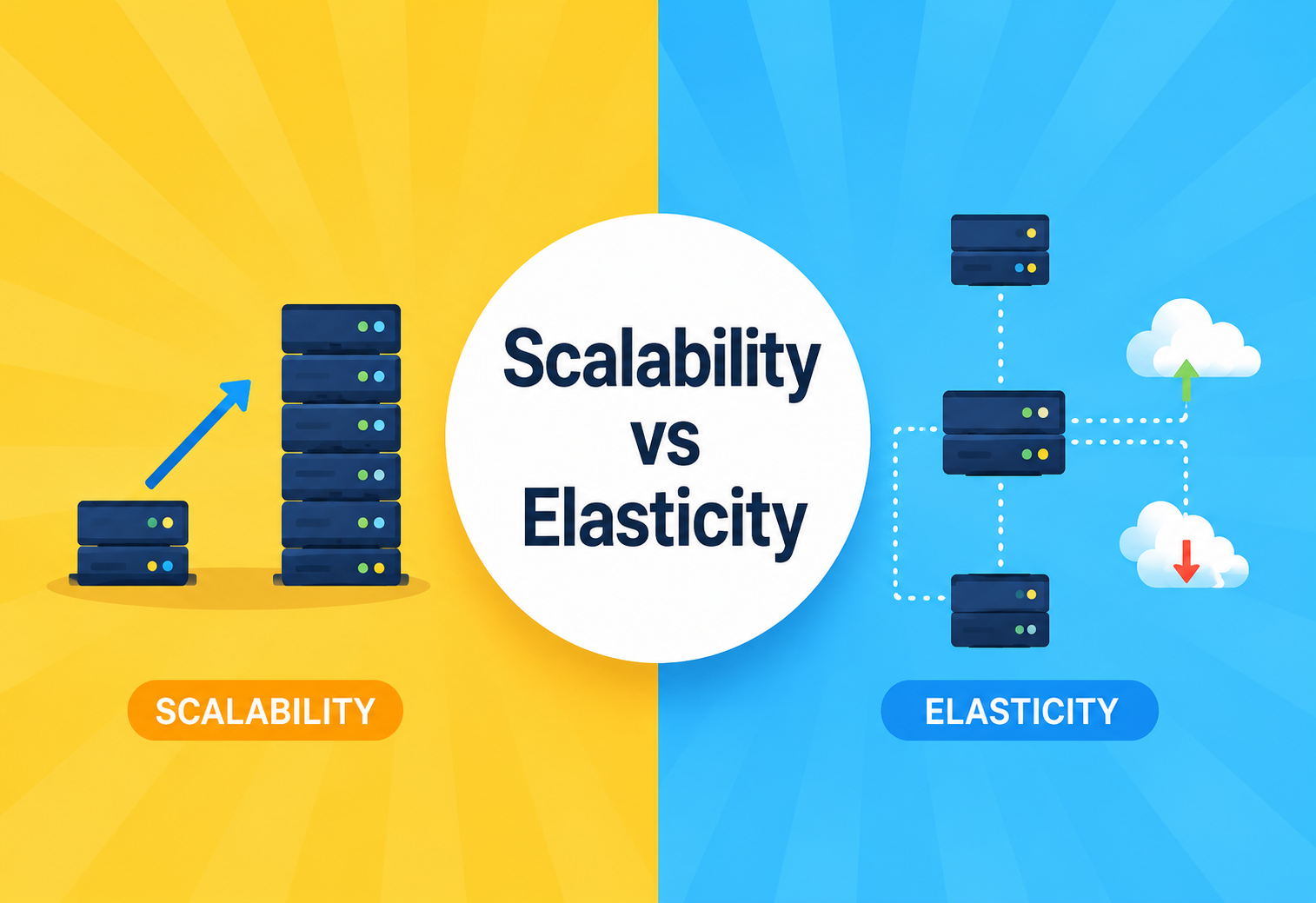
Scalability vs Elasticity
Two words that get used interchangeably in every architecture meeting — and yet they answer completely different questions. This guide walks through both concepts from first principles, through architecture, real production trade-offs, and the mistakes teams make when they confuse the two.
What Are Scalability and Elasticity, Really?
Scalability is a system’s ability to handle a growing amount of work by adding resources. Elasticity is a system’s ability to automatically grow and shrink those resources to match demand right now.
Scalability is like widening a highway from two lanes to eight so it can carry more cars forever. Elasticity is like a highway that grows extra lanes during rush hour and shrinks back at midnight, all by itself. The two ideas describe the same underlying reality — capacity versus demand — but they answer very different questions, and confusing them is one of the most expensive mistakes teams make when they move systems to the cloud.
Think of scalability as a capability you design into a system, and elasticity as a behavior the system exhibits automatically once that capability exists, combined with the right automation. You can build a highly scalable system that isn’t elastic (you scale it manually, once a quarter, by adding servers to the fleet). You generally cannot build an elastic system that isn’t scalable — elasticity depends on scalability underneath it. Automation cannot conjure capacity that the architecture does not support.
A Short History
In the 1990s and early 2000s, “scaling” mostly meant buying a bigger, more expensive single machine — a mainframe or a beefier server. This is called vertical scaling. It worked, until it didn’t: there is a physical ceiling on how big one machine can get, and the cost curve gets brutal near the top. Doubling the RAM on a top-of-the-line server rarely doubles the price — it often quadruples it.
As the web grew — Google, Amazon, eBay — engineers shifted to horizontal scaling: instead of one giant machine, use many ordinary machines working together. This required new ideas: load balancing, distributed databases, stateless services, and consistent hashing. Scalability became an architecture discipline, not a purchasing decision. Papers like Google’s MapReduce and Amazon’s Dynamo formalised the patterns the industry now takes for granted.
Elasticity is younger. It became practical only once cloud computing (AWS launched EC2 in 2006) made it possible to provision or release a server in minutes instead of weeks. Before the cloud, “elastic” infrastructure was almost a contradiction in terms — you couldn’t return a physical server to a vendor on a Tuesday afternoon because traffic dropped. The cloud’s pay-as-you-go, API-driven infrastructure is what turned “scalable” systems into “elastic” ones. Once servers became programmable resources rather than physical assets, an automated controller could finally treat them the way an operating system treats memory pages: allocate on demand, release when idle.
It is worth stressing that both concepts predate the vocabulary. Telephone networks in the 20th century were engineered to be scalable (adding switches as subscriber counts grew) and, in a manual sense, elastic (rerouting trunks during predictable peak hours). What software changed was the speed at which the elastic feedback loop could operate — from months and human procurement, to minutes and API calls, to milliseconds in the case of serverless functions. That compression of the loop is what makes modern elasticity qualitatively different from anything that came before.
Why Does This Distinction Even Matter?
The difference between scalability and elasticity is not academic pedantry. It decides whether a company overspends by a factor of ten, or gets knocked offline during its biggest sales day of the year.
Imagine an online store called ShopFast. Every day it gets about 1,000 orders per hour. Once a year, on Black Friday, it gets 50,000 orders per hour for about six hours, then drops back to normal.
If ShopFast only cares about scalability, the team might provision enough servers to handle 50,000 orders per hour all year round. That solves the traffic spike, but 358 days a year, 98% of that capacity sits idle, burning money. In a cloud bill, this shows up as an eye-watering monthly line item for compute the business never actually used.
If ShopFast wants elasticity, they design the system so it can scale (the underlying capability), and then add automation — auto-scaling groups, metrics-based triggers — so capacity grows automatically during the Black Friday spike and shrinks back down afterward. They pay for roughly what they use. Same technology stack, radically different bill.
A system can be scalable without being elastic (a bank’s mainframe that can be manually upgraded to handle more load, but takes months of procurement). A system can also fail to be truly elastic even in the cloud if its architecture has scaling bottlenecks — like a single database that cannot be split. No amount of auto-scaling compute fixes that.
Business Motivation
The business motivation is simple: scalability protects the ceiling (can we handle more customers as the company grows?), while elasticity protects the bill (are we only paying for what we’re actually using right now?). Confusing the two leads to either overspending (over-provisioned “just in case” capacity) or outages (assuming auto-scaling will save you when the underlying architecture cannot actually scale).
Framed another way, scalability is a strategic conversation held quarterly with product and finance leadership — how large might this system need to grow over the next 18 months? Elasticity is a tactical conversation held daily with operations — how quickly can we react to the next unexpected marketing tweet or news mention? Both matter, but they live on different clocks and get budgeted differently.
Cost Asymmetry
There is also an asymmetry worth internalising. Scaling badly usually means outages and lost revenue on a small number of very visible days a year. Being inelastic usually means quiet, continuous overspending — less dramatic per hour, but often larger in total across a year than any single outage would cost. Teams tend to react vigorously to the first kind of pain (because it is loud) and tolerate the second (because it is quiet), which is why elasticity work often gets deferred until a finance review makes the overspend impossible to ignore.
Breaking Down the Core Ideas
Two clean definitions, two flavours of each, and a side-by-side comparison that settles most arguments before they start.
Scalability, in Plain Terms
Scalability answers: “If load grows 10x, can we add resources to keep performance acceptable?” It is measured over the long term and is fundamentally an architectural property. There are two flavours:
Vertical scaling
Add more CPU, RAM, or disk to an existing machine. Simple to reason about, but has a hard ceiling and usually needs downtime to apply.
Horizontal scaling
Add more machines running copies of the service. Needs load balancing and often stateless design, but has a much higher ceiling and better failure isolation.
Elasticity, in Plain Terms
Elasticity answers: “Right now, in the next five minutes, can our system automatically match resources to the current demand — up or down?” It is measured moment-to-moment and is fundamentally an operational and automation property, usually delivered by cloud infrastructure (auto-scaling groups, Kubernetes Horizontal Pod Autoscalers, serverless platforms). Elasticity turns scaling from a scheduled human activity into a continuous, self-driving control loop.
The Key Differences at a Glance
| Aspect | Scalability | Elasticity |
|---|---|---|
| Core question | Can the system handle more load if we add resources? | Does the system automatically add/remove resources as demand changes? |
| Time horizon | Long-term, planned growth | Short-term, real-time fluctuation |
| Direction | Mostly one-directional (up) | Bi-directional (up and down) |
| Trigger | Business growth, capacity planning | Live traffic metrics (CPU, requests/sec, queue depth) |
| Automation | Not required | Required — this is the defining trait |
| Cost model | Provisioned for peak or growth target | Pay for what is used, minute to minute |
| Typical tech | Sharding, replication, stateless services, CDNs | Auto-scaling groups, Kubernetes HPA, AWS Lambda, GCP Cloud Run |
| Analogy | Building a highway with more lanes | A highway with lanes that open and close with traffic |
A restaurant that can add more tables and hire more chefs as its neighbourhood grows is scalable. A restaurant that calls in extra part-time staff only on Friday and Saturday nights, and sends them home Monday through Thursday, is elastic. A restaurant needs to be scalable (able to grow) before it can be elastic (able to flex staffing efficiently).
A Third Word Worth Knowing: Efficiency
A related idea often bundled with these two is efficiency — how economically a system converts resources into useful work. Two systems can be equally scalable and equally elastic but use twice as much hardware to deliver the same throughput. Efficiency is what closes the loop between engineering choices and the cloud bill, and it is why production readiness reviews usually ask about all three dimensions together, not just one.
What It Takes to Build Each One
Neither scalability nor elasticity comes from a single magic component — both are the result of several pieces working together, layered on top of each other in a predictable order.
Components That Enable Scalability
- Stateless application servers — servers that do not store session data locally, so any server can handle any request, and you can add servers freely without coordinating state.
- Load balancer — distributes incoming requests across many servers using algorithms such as round-robin, least connections, or consistent hashing.
- Database sharding / partitioning — splitting one huge database into many smaller ones by key range or hash, so no single database becomes the bottleneck.
- Caching layer — reduces repeated load on the database (e.g., Redis, Memcached), often the single highest-leverage investment in a scalable architecture.
- Message queues — decouple producers and consumers so spikes on one side do not directly overwhelm the other (Kafka, RabbitMQ, SQS).
- Content Delivery Network (CDN) — pushes static content closer to users, reducing origin server load and end-user latency at the same time.
Components That Enable Elasticity (On Top of the Above)
- Monitoring & metrics pipeline — continuously measures CPU, memory, request latency, and queue length, and exports those signals somewhere an auto-scaler can read them.
- Auto-scaler / controller — a piece of software (AWS Auto Scaling Group, Kubernetes HPA, Azure VM Scale Sets) that watches metrics and adds/removes instances against defined thresholds.
- Infrastructure automation (IaC) — templates (Terraform, CloudFormation, Pulumi) that let new resources be provisioned in code, in seconds, not tickets.
- Container orchestration — Kubernetes or ECS scheduling containers onto available capacity dynamically, and taking failed pods out of rotation without human intervention.
- Fast-boot images — lightweight VM images or container images that start in seconds, since elasticity is worthless if a new instance takes ten minutes to become useful. Warm pools and pre-baked AMIs exist precisely for this reason.
Notice how the two layers cooperate but are architecturally distinct. Everything drawn with a dashed black outline is scalability infrastructure — it can be operated manually and would still work if you disabled the controller. Everything drawn in red is elasticity infrastructure — a control loop that reads signals from the scalable layer and reaches back into it to add or remove capacity. Ripping out the red boxes leaves you with a scalable but non-elastic system. Ripping out the dashed ones leaves you with nothing at all.
How Scaling Decisions Actually Get Made
Under the hood, an elastic system runs a continuous four-step control loop — the same idea that shows up in thermostats, cruise control, and autonomic computing research.
The pattern is often called the MAPE loop (Monitor, Analyse, Plan, Execute). It was formalised by IBM in the early 2000s as the operating principle of self-managing (“autonomic”) systems, and every cloud auto-scaler on the market today is a specific implementation of this loop, whether the vendor advertises it in those terms or not.
Monitor
Agents collect metrics every few seconds: CPU utilisation, memory pressure, request latency, and queue depth are the most common signals.
Analyse
The metrics are compared to thresholds — for example, “average CPU above 70% for three minutes.” Simple rules are common; some platforms also fit statistical models to predict short-horizon load.
Plan
The controller decides how many instances to add or remove, respecting minimum and maximum limits and cooldown periods to avoid thrashing back and forth.
Execute
New instances are launched (or terminated), registered with (or removed from) the load balancer, and health-checked before they start receiving real traffic.
Here is a simplified Java sketch of what an auto-scaling controller’s decision logic might look like. Real cloud implementations are considerably more sophisticated (predictive scaling, target-tracking, multiple metrics), but the shape of the code is exactly this:
public class AutoScaler {
    private static final double SCALE_OUT_THRESHOLD = 70.0; // % CPU
    private static final double SCALE_IN_THRESHOLD  = 30.0;
    private int currentInstances = 3;
    private final int minInstances = 2;
    private final int maxInstances = 20;

    public void evaluate(double avgCpuUtilization) {
        if (avgCpuUtilization > SCALE_OUT_THRESHOLD && currentInstances < maxInstances) {
            int newCount = Math.min(currentInstances + 2, maxInstances);
            scaleTo(newCount);
        } else if (avgCpuUtilization < SCALE_IN_THRESHOLD && currentInstances > minInstances) {
            int newCount = Math.max(currentInstances - 1, minInstances);
            scaleTo(newCount);
        }
        // else: within healthy range, do nothing (avoids thrashing)
    }

    private void scaleTo(int targetInstances) {
        System.out.println("Scaling from " + currentInstances + " to " + targetInstances);
        currentInstances = targetInstances;
        // In a real system: call the cloud provider API to launch/terminate instances,
        // then register/deregister them with the load balancer.
    }
}
Notice this controller relies on the system already being scalable — it assumes any new instance can immediately do useful work (stateless, quick to boot, no manual configuration). Elasticity logic like this is worthless bolted onto an application that cannot horizontally scale in the first place. That is why the MAPE loop is usually the last piece added to an architecture, not the first: it amplifies whatever scalability you already have, and amplifies its absence just as ruthlessly.
Look at the asymmetric step sizes: the sample scales out by two but scales in by one. That is deliberate. Reacting quickly to load surges but shedding capacity conservatively is a common production pattern — it protects users from a re-spike while still recovering cost over time.
Lifecycle of a Scaling Event
Tracing a single scaling event from “traffic starts rising” to “capacity absorbs the load and later contracts again” is the clearest way to see how elasticity really works end-to-end.
This full loop — from “traffic spikes” to “new capacity absorbing load” — typically takes anywhere from 30 seconds (serverless functions) to several minutes (traditional VM auto-scaling groups), which is why designing for fast instance startup matters so much for real elasticity. During the boot window, existing instances have to absorb the extra pressure, so a small amount of headroom in the minimum size of the fleet is usually a wise choice.
The scale-in half of the diagram is where a lot of real production pain hides. Draining connections gracefully, letting long-running requests finish, and making sure the “last” instance in a zone is not the one that gets killed — these details separate an elastic system that quietly saves money from one that regularly drops user connections at midnight.
Weighing the Trade-offs
Both properties come with real costs. Being honest about those costs is what separates a design that survives a production incident review from one that looks great on a slide and falls apart in practice.
Scalability — Pros
- Supports long-term business growth without redesign
- Predictable, well-understood capacity planning
- Can be achieved without complex automation or cloud services
- Fault isolation improves as the fleet grows horizontally
Scalability — Cons
- If provisioned for peak, wastes money off-peak
- Manual scaling is slow to react to sudden spikes
- Architectural changes (sharding, statelessness) can be costly to retrofit
- Requires an up-front investment before payoff shows up
Elasticity — Pros
- Cost-efficient — pay roughly for what is used, minute by minute
- Reacts to real-time demand automatically
- Reduces manual operational burden and pager fatigue
- Doubles as a self-healing mechanism when instances fail
Elasticity — Cons
- Requires meaningful investment in monitoring and automation
- Scaling lag can cause brief degraded performance during sudden spikes
- Misconfigured thresholds can cause “thrashing” (rapid scale up/down cycles)
- Only as good as the underlying scalability of the architecture
A common pattern in production is to combine the two deliberately: keep a modest baseline provisioned for the boring average day (scalability chosen manually), and let elasticity handle the deviation from that baseline. That way the automation never has to react from cold start, and the cost curve stays reasonable across both quiet and peak days.
How to Actually Measure Scalability
Scalability has genuine mathematical limits — and a small number of tests that reveal how close a system is to those limits before real users find out.
Two classic laws describe scalability limits, and both are worth internalising even if you never write them on a whiteboard again:
- Amdahl’s Law — the speedup from adding more processors is limited by the portion of the workload that cannot be parallelised. If 10% of your work is inherently sequential, you can never go faster than 10x, no matter how many machines you add. Coordination cost pushes the practical ceiling lower still.
- Universal Scalability Law (USL) — Neil Gunther’s refinement of Amdahl’s Law. It also accounts for the cost of coordination between nodes (like cache invalidation or consensus), which can actually make performance worse past a certain point if not managed. USL is the reason “just add more servers” sometimes makes a system slower rather than faster.
When testing scalability, engineers run load tests (steady increasing traffic) and stress tests (pushing well past expected capacity to find the breaking point). Elasticity is validated differently — with spike tests, which suddenly jump traffic and measure how quickly the system’s auto-scaler reacts and how much latency degrades during the reaction window.
A useful discipline is to plot a scalability curve — RPS on one axis, P99 latency on the other — and identify the “knee” where latency stops staying flat and starts climbing sharply. That knee is the system’s practical scalability ceiling under current architecture, and moving it further right is what any scalability investment is really trying to accomplish.
Where Scaling Meets Reliability
Scalability and elasticity both support — but are not the same as — high availability. Muddling the three is another common cause of expensive incidents.
Scalability and elasticity both support high availability (HA), but neither is a substitute for it. HA is about surviving failures; scalability and elasticity are about handling volume. A system can be highly scalable and still go down completely if it has a single point of failure, like one un-replicated database. Ten identical stateless app servers do nothing to help you if the one database behind them is corrupt.
Elastic systems often improve availability as a side effect: replacing an unhealthy instance is really just “scaling in by one, then scaling out by one.” Auto-healing and auto-scaling frequently share the same machinery, which is why cloud platforms tend to bundle them into a single feature.
Good practice: run at least two or three instances across multiple availability zones even at minimum scale, so a single zone outage does not take the whole service down. This is a scalability/HA decision made independent of elasticity — you accept a bit of steady-state waste in exchange for surviving the days when a cloud region has a bad afternoon.
The relationship also runs in the other direction: too aggressive scale-in during a partial outage can accidentally amplify unavailability, by removing capacity right when the surviving parts of the fleet need it most. Elasticity policies should always be paired with sensible minimums that reflect the availability contract you promised users, not just the load level.
Security Implications of Dynamic Scaling
A fleet that grows and shrinks continuously has security concerns a static fleet does not. Some of them are subtle and only surface at scale.
- Ephemeral instance identity — new instances need automated, short-lived credentials (e.g., IAM roles, workload identity) rather than hardcoded secrets baked into images. If a compromised image contained a long-lived secret, every instance that ever booted from it would be a liability forever.
- Attack surface grows with scale-out — every new node needs the same hardened baseline (patched OS, minimal open ports, up-to-date agents). A drift between the golden image and what actually runs in production is a common finding in post-incident reviews.
- Denial-of-wallet attacks — a unique risk of elasticity: an attacker floods traffic specifically to trigger runaway auto-scaling and inflate your cloud bill. Rate limiting and scaling caps (
maxInstances) defend against this, along with alerting on unusually rapid scale-out events. - Secrets management at scale — use a vault service (AWS Secrets Manager, HashiCorp Vault, GCP Secret Manager) so newly launched instances fetch credentials at boot rather than storing them in images or environment variables that get logged.
- Audit and forensics — because instances are ephemeral, evidence lives outside them. Ship all logs, metrics, and audit trails centrally, and keep them for long enough to investigate an incident, even if the instance that produced them was terminated hours ago.
What to Watch
You cannot be elastic without being observable. The metrics that drive auto-scaling are also the ones that reveal whether scalability itself is holding up under real load.
| Metric | Why it matters |
|---|---|
| CPU / memory utilisation | The classic auto-scaling trigger; simple and widely available. |
| Request queue depth | A better leading indicator than CPU for I/O-bound services. |
| P95/P99 latency | Shows user-facing impact before raw utilisation does. |
| Scaling events per hour | High frequency signals threshold “thrashing” that costs money and stability. |
| Cost per request | Tracks whether elasticity is actually saving money, not just adding complexity. |
| Cold-start rate | For serverless and container platforms — a hidden latency tax on elasticity. |
Centralised logging (e.g., the ELK stack or a cloud-native equivalent like CloudWatch Logs, Loki, or Datadog) matters more, not less, as you scale horizontally. With dozens of ephemeral instances, you cannot SSH into each one to debug; logs must be shipped centrally and correlated with a request or trace ID that follows a single user interaction across every hop.
Distributed tracing (OpenTelemetry, Jaeger, Zipkin) has effectively become mandatory once a system decomposes into more than a handful of services. Without it, diagnosing why a small subset of requests are slow during a scale-out event is a needle-in-a-haystack search across dozens of log streams; with it, the offending hop is usually visible in seconds.
How the Major Clouds Implement This
Every major public cloud packages the same underlying ideas differently. Learning one is roughly 80% of the way to learning the others.
Amazon Web Services
EC2 Auto Scaling Groups, Application Load Balancer, and Lambda (fully elastic — scales to zero) are the primary tools. Fargate offers container-level elasticity without managing nodes at all.
Microsoft Azure
Virtual Machine Scale Sets and Azure Functions provide the equivalent scalable and elastic building blocks, integrated with Azure Monitor for metric-driven scaling policies.
Google Cloud
Managed Instance Groups and Cloud Run (scale to zero, per-request billing) offer similar capability, backed by Google’s global load balancing tier.
Kubernetes (anywhere)
Horizontal Pod Autoscaler (elasticity for pods) plus Cluster Autoscaler (elasticity for the underlying nodes) work together. Add KEDA for event-driven scaling on queue depth, Kafka lag, or custom metrics.
Serverless platforms (AWS Lambda, GCP Cloud Functions, Azure Functions) push elasticity to its logical extreme: they can scale to zero instances when idle and scale out in milliseconds per request, since the platform — not your team — owns the scaling machinery entirely. The trade-off is less control over runtime configuration, cold-start latency for the first request after a quiet period, and stricter limits on execution time and memory. For workloads that fit inside those limits, the productivity and cost benefits are hard to beat.
A hybrid pattern many teams settle into: run the always-warm request path on a container platform (ECS, GKE, AKS) for predictable latency, and route bursty or asynchronous work (image processing, notifications, batch jobs) to serverless functions where scaling to zero is genuinely useful. That way each workload runs on the platform whose elasticity model actually fits its shape.
The Hardest Part: Stateful Scaling
Scaling stateless application servers is comparatively easy. The real difficulty is stateful components — and databases in particular.
- Read replicas — scale read traffic by copying data to multiple read-only followers, sending writes to the primary and reads to whichever replica is closest or least loaded.
- Sharding — scale write traffic by splitting data across multiple database instances by key (e.g., user ID range, geographic region). Powerful, but resharding later is one of the more painful projects an engineering team can take on.
- Caching (Redis, Memcached) — absorbs read load before it reaches the database at all; often the single highest-leverage scalability investment. A good cache-hit ratio can turn a database that would otherwise buckle into one that hums along comfortably.
- Load balancing algorithms — round robin (simple, even distribution), least connections (accounts for uneven request cost), and consistent hashing (keeps cache/session locality stable as nodes are added or removed — critical for elasticity, since it minimises disruption when the pool of servers changes size).
- Managed elastic databases — DynamoDB, Aurora Serverless, Cloud Spanner, and CockroachDB attempt to hide the resharding pain behind an API that grows and shrinks transparently. They are not free of trade-offs (cost, consistency model, vendor lock-in), but they can meaningfully move the ceiling on stateful elasticity.
Teams make their app servers perfectly elastic, then discover the single relational database behind them is the real bottleneck and cannot scale out — or cannot scale out fast enough to be “elastic” in any meaningful sense. Databases are usually the limiting factor, not compute. Plan the database scaling strategy before you desperately need it.
Scaling in a Microservices World
Microservices architectures let each service scale independently — which is a major scalability advantage over a monolith, and a subtle elasticity headache in the networking layer.
In a microservices system, the checkout service can scale out during a flash sale while the reporting service stays flat. This is a major scalability advantage over a monolith, where the whole application must scale as one unit even if only one part is under load. Each service gets to right-size to its own traffic profile rather than being dragged along by the most demanding component in the deployment.
The trade-off: independent scaling introduces coordination challenges. API gateways, service discovery (Consul, Eureka, Kubernetes Services), and rate limiting between services all need to handle a constantly changing set of instance addresses, which pushes elasticity concerns into the networking layer as well as compute. What was a simple in-process function call in the monolith is now a network hop that has to find its target dynamically and survive that target being restarted, rescheduled, or replaced by the auto-scaler.
A useful mental model: in a monolith, elasticity is a property of a fleet of identical binaries. In microservices, elasticity is a property of a set of fleets, each with its own scaling policy, and the routing layer becomes the glue that lets one fleet talk to another without every service needing to know which specific instances are currently alive. Getting that glue right is arguably the defining engineering problem of a modern distributed architecture.
Patterns That Help — and Traps to Avoid
A short vocabulary of shapes that show up over and over in scalable, elastic systems — and a matching vocabulary of shapes that quietly break them.
Helpful Patterns
- Stateless service pattern — store session state in a shared cache or database, not on the instance, so any instance can be added or removed freely without losing user context.
- Queue-based load levelling — put a message queue between producers and consumers so a burst is absorbed by the queue while workers scale out to catch up. This turns spike-shaped traffic into steady, sustainable throughput.
- Bulkhead pattern — isolate resources per component so one overloaded part cannot starve the rest. Named after the compartments in a ship’s hull that stop a single breach from sinking the vessel.
- Circuit breaker — stops cascading failure while the system is scaling to catch up with demand. Fail fast now, so you can recover fully in a moment, instead of dying slowly across every downstream service.
- Autoscaling with predictive policies — combine reactive scaling with time-of-day or trend-based prediction so capacity is already in place when a predictable spike arrives, rather than lagging behind it.
Anti-patterns
- Scaling thrashing — thresholds set too tight, causing constant scale up/down cycles that waste resources and destabilise the service. Cooldown windows and hysteresis fix this.
- Sticky sessions everywhere — tying a user’s session to one specific server defeats both load balancing and elasticity, and reintroduces a single point of failure per user.
- “Just add more servers” as a fix for a slow database query — scaling compute does not fix an architectural bottleneck elsewhere; it may even make it worse by increasing concurrent contention on the shared resource.
- No scaling ceiling — forgetting to set a
maxInstanceslimit, which can turn a traffic spike (or an attack) into a runaway bill. - Elastic compute, static database — the classic mismatch where the front half of the system flexes beautifully and the back half falls over. Always plan the database scaling strategy alongside compute elasticity, not after it.
Getting It Right
The teams that ship reliably at scale are almost never the ones with the cleverest architecture. They are the ones with the most boring, consistently applied habits.
Best Practices
- Design for statelessness from day one
- Load-test before you need elasticity, not during an incident
- Set both minimum and maximum instance counts explicitly
- Use multiple metrics (not just CPU) for scaling decisions
- Add cooldown periods to prevent thrashing
- Rehearse scale-down behaviour, not just scale-up
- Keep a small warm baseline so the auto-scaler is never starting from zero
Common Mistakes
- Assuming the cloud makes everything elastic automatically
- Ignoring the database as the real bottleneck
- Setting a single, aggressive CPU threshold for all scaling decisions
- Not testing what happens when scaling down, not just up
- Treating auto-scaling as a substitute for capacity planning
- Baking secrets into images that are then replicated across every new instance
Finally, review the elasticity policies on a regular cadence — monthly or quarterly — with the same seriousness applied to security or cost reviews. Traffic patterns drift as products evolve, and thresholds that were sensible a year ago often quietly stop matching reality long before they cause a visible incident.
How the Big Players Use Both
Every organisation operating at genuine scale treats scalability and elasticity as distinct engineering disciplines, coordinated but not conflated. A quick tour of how four well-known companies do it.
Netflix
Netflix built its scalability around microservices and the Chaos Monkey approach (deliberately killing instances to prove the system tolerates loss), while relying on AWS Auto Scaling for elasticity during regional viewing peaks — evenings, big releases, and event streams.
Amazon.com
Amazon famously over-provisions ahead of known elastic spikes like Prime Day, combining forecasted scalability planning with real-time elastic auto-scaling as a safety margin. The forecasted layer catches the predictable, and elasticity catches the surprise.
Uber
Uber scales its dispatch and pricing services regionally and elastically in response to local demand surges — a concert ending, bad weather, a national holiday — since demand is highly localised and time-bound. Regional partitioning keeps elasticity from having to fight global correlations.
Google Search
Google Search is built on a massively scalable, sharded architecture (Bigtable, Spanner) that has supported search’s growth for two decades, combined with elastic serving capacity that shifts across data centres by time of day as the world’s query load follows the sun.
Common Questions, and What to Remember
Quick answers to the questions that come up most often about scalability and elasticity — followed by a short, portable summary you can carry into any design review.
Is elasticity a subset of scalability?
In practice, yes — elasticity is what you get when you take a scalable system and add automated, real-time scaling logic on top of it. You cannot have true elasticity without underlying scalability, but you can have scalability without elasticity, and plenty of important production systems have exactly that.
Can a system be elastic but not scalable?
Not meaningfully. If the architecture has a hard ceiling (e.g., a single non-shardable database), automated scaling logic will hit that ceiling immediately and will not help — so it cannot be called elastic in any useful sense.
Does “elastic” always mean “cloud”?
Not strictly, but in practice almost always. On-premises data centres can implement elasticity with enough automation and spare hardware, but the economics only really work when there is a shared, on-demand resource pool — which is exactly what cloud providers offer.
Which one should I prioritise first?
Scalability. Build an architecture that can grow (stateless services, a database strategy that can scale out, caching). Only after that foundation exists does it make sense to invest in auto-scaling automation for elasticity.
How do I know if my system is really elastic or just scalable?
Ask two questions. First: if traffic doubled in the next ten minutes, would capacity appear without a human touching anything? Second: if traffic then halved an hour later, would that extra capacity go away automatically? Only a “yes” to both counts as elastic. A “yes” to just the first is a scalable system with an alerting page-out and a tired on-call engineer.
Does caching count as elasticity?
No — caching is a scalability and performance technique. It reduces the work reaching the database, which raises the ceiling of what the system can handle, but caching itself does not automatically add or remove capacity in response to demand. It just makes each unit of capacity go further, which is a related but different lever.
Wrapping Up
Scalability and elasticity are related but answer different questions. Scalability is a structural, architectural property: can the system grow to handle more load over time if you give it more resources? Elasticity is an operational, automated property: does the system adjust its resources up and down automatically to match demand right now? You need scalability first — it is the foundation. Elasticity is the intelligent automation layer that makes a scalable system cost-efficient and responsive in real time.
Key Takeaways
- Scalability is whether the system can handle more load if given more resources — a long-term, architectural capability.
- Elasticity is whether the system automatically adds and removes resources to match real-time demand — an operational, automated behaviour.
- Elasticity requires scalability underneath it — you cannot automate your way past an architectural bottleneck.
- Vertical vs horizontal scaling, statelessness, sharding, and caching are the building blocks of scalability.
- Monitoring, auto-scalers, and infrastructure automation are what turn a scalable system into an elastic one.
- Databases are usually the hardest part to scale — and the first thing to check when “elastic” compute is not fixing performance.
- Set both minimum and maximum bounds on elastic scaling to avoid cost blowouts and thrashing.
- Production systems at companies like Netflix, Amazon, Uber, and Google treat these as two distinct engineering disciplines, layered deliberately.
Scalability is the ceiling; elasticity is the thermostat — you need to raise the first before the second has anything useful to control.
If you take one habit away from this guide, let it be this: before proposing a change to how a system scales, spend five minutes classifying what you actually have. Is the architecture capable of growing at all (scalability), and does it grow and shrink on its own without a human in the loop (elasticity)? That single classification routes you toward the right toolbox — statelessness, sharding, and caching on one side; auto-scalers, metrics pipelines, and infrastructure-as-code on the other — and saves the far more expensive mistake of solving the wrong problem well.

