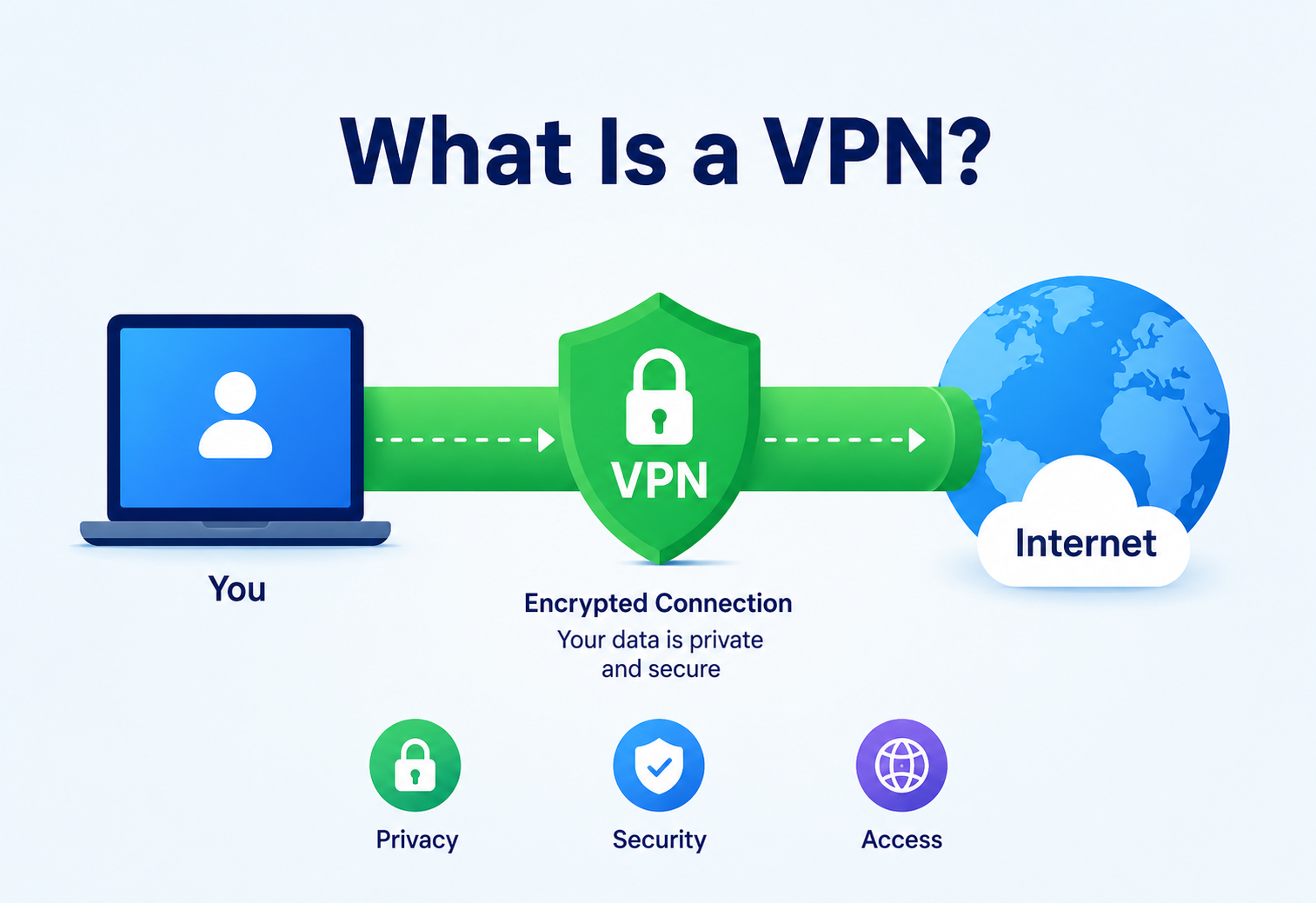
What Is a VPN?
A complete, beginner-friendly guide to Virtual Private Networks — what they are, how they actually work under the hood, how companies like Google, Amazon, Cloudflare, and NordVPN build and scale them, and how to use them securely in production systems.
What Is a VPN?
Picture a postcard travelling through the regular mail versus the same message sealed inside a locked steel box — that gap between “visible to everyone who handles it” and “visible only to sender and receiver” is exactly the gap a VPN fills for your internet traffic.
Imagine you’re sending a postcard through regular mail. Anyone who handles that postcard along the way — the postman, a sorting-facility worker, a nosy neighbour peeking into the mailbox — can read exactly what you wrote, because it’s sitting right there in plain view. Now imagine instead that you seal your message inside a locked steel box, and only you and the person you’re mailing it to have the key. Even if fifty people touch that box on its journey, none of them can read what’s inside, and none of them can tell exactly where it originally came from once it’s inside a delivery truck full of other identical boxes.
That, in essence, is what a VPN (Virtual Private Network) does for your internet traffic. It takes your data, wraps it inside an encrypted “tunnel,” and routes it through a secure server before it reaches its destination on the internet. Along the way, your Internet Service Provider (ISP), the coffee-shop Wi-Fi operator, or anyone else snooping on the network sees only a locked box — encrypted gibberish travelling to a VPN server — not the postcard itself.
1.1 A Brief History
The story of the VPN begins not with individual privacy, but with corporate necessity. In the mid-1990s, businesses were expanding geographically, and employees at branch offices needed a way to securely reach resources on the company’s private internal network without paying for expensive dedicated leased telephone lines between every office.
In 1996, a Microsoft employee named Gurdeep Singh-Pall led the development of the Point-to-Point Tunneling Protocol (PPTP), widely credited as the first practical VPN protocol. PPTP allowed a remote computer to create a secure, encrypted “tunnel” over the public internet to a corporate network, essentially simulating a private leased line at a fraction of the cost. This was revolutionary: companies no longer needed dedicated physical infrastructure between offices — the already-existing public internet could be repurposed securely.
Through the late 1990s and 2000s, more robust protocols emerged: IPsec (Internet Protocol Security) standardized secure tunneling at the network layer, and SSL/TLS-based VPNs (like OpenVPN, first released in 2001) made VPNs easier to deploy without special client software baked into the operating system. In 2016, a novel protocol called WireGuard was introduced by Jason A. Donenfeld, promising a dramatically simpler, faster, and more auditable codebase than its predecessors — it was eventually merged into the Linux kernel in 2020, a major milestone for the technology.
What began as an enterprise cost-saving tool has, over the last decade, exploded into a mainstream consumer product. Millions of people now use commercial VPN services (NordVPN, ExpressVPN, ProtonVPN, Cloudflare WARP) daily — not to connect to a corporate office, but to protect their privacy on public Wi-Fi, bypass geographic content restrictions, or simply add a layer of security to their everyday browsing.

1996 — PPTP is Born
Microsoft’s Gurdeep Singh-Pall ships the first practical VPN protocol, letting a remote PC reach a corporate LAN over the public internet.
Late 1990s — IPsec Standardization
IPsec provides a formal, interoperable way to encrypt IP traffic at the network layer, becoming the enterprise baseline for site-to-site tunnels.
2001 — OpenVPN
OpenVPN piggybacks on SSL/TLS to make VPN clients easy to distribute across desktops without special OS-level support.
2016 — WireGuard
Jason A. Donenfeld introduces WireGuard: ~4,000 lines of code, modern cryptography, dramatically simpler audits, and world-class throughput.
2020 — WireGuard in the Linux Kernel
WireGuard is merged upstream, effectively becoming the modern default for new deployments and cloud-native VPN products.
Today — Consumer & Zero Trust Era
Commercial VPNs are mass-market privacy tools; enterprises pair VPNs with Zero Trust models like BeyondCorp for defense in depth.
Think of a VPN like an armoured, windowless car that picks you up from your house (your device) and drives you to your office (the destination website) through a private, guarded tunnel instead of the open highway. Anyone watching the highway (your ISP, hackers on public Wi-Fi) can see that an armoured car entered the tunnel and later some vehicle emerged from the other end near your office — but they cannot see who is inside the car or what they’re carrying while it’s in the tunnel.
The Problem VPNs Solve
Without a VPN, every hop between your laptop and a destination server is a potential eavesdropper. A VPN doesn’t eliminate those hops — it just makes what they see meaningless.
To understand why VPNs matter, it helps to picture what the internet looks like without one. When you connect to a website — say, your bank’s login page — your data doesn’t travel directly from your laptop to the bank’s server through some private wire. Instead, it hops through a chain of intermediary devices: your home router, your ISP’s equipment, various internet-backbone routers, and finally the destination server. Each of those hops is a potential point of observation or interference.
2.1 Problem 1 — Snooping on Untrusted Networks
Public Wi-Fi — at airports, cafes, hotels — is notoriously easy to eavesdrop on. An attacker on the same network can use simple packet-sniffing tools to capture unencrypted traffic. Even with HTTPS protecting the content of most modern web traffic, metadata like which sites you’re visiting, when, and how often, remains exposed to anyone sharing that network or operating it.
2.2 Problem 2 — ISP-Level Tracking and Throttling
Your ISP sees literally every domain you connect to, because it operates the very first hop your traffic makes. In many countries, ISPs are permitted to log, sell, or share this browsing metadata with advertisers, or to throttle (deliberately slow down) certain types of traffic like video streaming or torrenting.
2.3 Problem 3 — Geographic Content Restrictions
Content providers often restrict access to certain videos, shows, or services based on the visitor’s apparent geographic location (determined by IP address). A researcher in India might be unable to access a public dataset hosted with EU-only access, or a streaming catalog might differ entirely by country.
2.4 Problem 4 — Remote Access to Private Corporate Resources
Perhaps the original and still most important enterprise use case: an employee working from home needs to reach an internal database, an internal wiki, or a legacy application that was never designed to be exposed to the public internet, and should never be exposed to the public internet for security reasons.
Untrusted Wi-Fi
Cafe, airport, and hotel networks are trivially sniffable. Metadata leaks even when payloads are HTTPS-encrypted.
ISP Surveillance
The first hop sees every domain you touch and, in many jurisdictions, is free to log, sell, or throttle it.
Geo-Blocking
Servers gate content by IP-inferred location, blocking legitimate access to research data, catalogues, and tooling.
Remote-Access Exposure
Internal systems that should never touch the public internet still need a safe on-ramp for remote employees.
You’re working from a hotel in another city and need to access your company’s internal HR portal, which only allows connections from the office’s IP-address range. Without a VPN, you simply cannot reach it — your hotel’s IP isn’t recognized. With a VPN client connecting you into the company network, your traffic appears to originate from inside the office, and the portal becomes accessible.
At Amazon, engineers connecting to internal deployment tools, internal source control, and production debugging consoles are typically required to be on the corporate VPN (or a Zero Trust equivalent). This ensures that even if credentials are correct, the connection itself is coming from a verified, encrypted, monitored network path rather than an arbitrary point on the open internet.
Core Concepts & Vocabulary
Before we go deeper into architecture, let’s build a solid vocabulary. Every one of these terms will reappear throughout the rest of this guide.
3.1 Tunneling
What: Tunneling is the process of encapsulating one network packet inside another, so it can travel across a network it wasn’t originally designed for (like the public internet) while behaving as if it’s on a private network.
Why: Without tunneling, your private company’s internal IP addresses (like 10.0.5.12) would be meaningless and unroutable on the public internet. Tunneling wraps that private packet inside a public, routable packet.
Like putting a letter addressed “To: Room 204” (meaningless to a global postal service) inside an outer envelope addressed to a specific hotel’s street address. The hotel’s front desk (VPN server) then knows to forward it internally to Room 204.
3.2 Encryption
What: The process of scrambling data using a mathematical algorithm and a key, such that only someone with the correct key can unscramble (decrypt) it back into readable form.
Why: Tunneling alone just repackages data — it doesn’t hide its contents. Encryption is what actually makes the “locked box” locked. Most modern VPNs use symmetric encryption algorithms like AES-256 for the bulk data, combined with asymmetric cryptography (public/private key pairs) for the initial secure handshake.
3.3 VPN Client and VPN Server (Gateway)
The client is the software running on your device (laptop, phone) that initiates and manages the encrypted tunnel. The server (often called a gateway or concentrator in enterprise contexts) is the endpoint that terminates the tunnel, decrypts the traffic, and forwards it onward to its real destination — whether that’s the open internet or an internal company network.
3.4 Protocols: PPTP, L2TP/IPsec, OpenVPN, IKEv2, WireGuard
| Protocol | Introduced | Notes |
|---|---|---|
| PPTP | 1996 | Fast but cryptographically weak by modern standards; largely deprecated. |
| L2TP/IPsec | 1999–2000 | Combines L2TP tunneling with IPsec encryption; widely supported, moderate speed. |
| OpenVPN | 2001 | Open-source, highly configurable, runs over TLS; considered very secure, moderate speed. |
| IKEv2/IPsec | 2005 | Excellent at quickly re-establishing connections after network changes (e.g., Wi-Fi to mobile data). |
| WireGuard | 2016 | Minimal codebase (~4,000 lines vs. OpenVPN’s ~70,000+), modern cryptography, very fast. |
3.5 Split Tunneling vs. Full Tunneling
Full tunneling routes 100% of your device’s internet traffic through the VPN. Split tunneling lets you choose: route only specific apps or destinations (say, the company intranet) through the VPN, while everything else (like general web browsing) goes directly out through your normal internet connection.
Imagine you have two exits from your house: a secure, monitored private tunnel that leads straight to your office, and your regular front door that leads to the public street. Full tunneling means you always leave through the tunnel, even to visit the corner store. Split tunneling means you use the tunnel only when heading to the office, and the front door for everything else — faster for daily errands, but the office-only tunnel remains fully protected.
3.6 NAT (Network Address Translation) and IP Masking
When your traffic exits a VPN server, it typically does so using the VPN server’s own public IP address rather than yours — this is what makes it look, to the destination website, like the request came from the VPN provider’s data centre rather than from your home. This is a core reason VPNs are used both for privacy and for bypassing geo-restrictions.

3.7 Kill Switch
A safety feature that automatically blocks all internet traffic if the VPN connection unexpectedly drops, preventing your device from silently falling back to sending unprotected traffic over your normal, unencrypted connection.
Tunneling
Wrap one packet inside another so private-network addressing can survive a trip over the public internet.
Encryption
AES-256 or ChaCha20 for bulk traffic; asymmetric crypto for the initial handshake.
Client & Gateway
Two endpoints: the device software that initiates the tunnel, and the server that terminates and forwards it.
Protocols
From legacy PPTP to modern WireGuard — each choice trades speed, code-size, and cryptographic strength.
Split vs. Full
Route everything or only specific apps through the tunnel — a choice between max security and max speed.
NAT / IP Masking
Your traffic egresses under the gateway’s IP, hiding your real address from destination servers.
Kill Switch
Blocks all traffic on tunnel drop, preventing silent unprotected fall-back.
Architecture & Components
A production-grade VPN system, whether it’s a consumer service like NordVPN or an enterprise remote-access system, is built from several distinct components working together.
4.1 VPN Client
Runs on the end-user’s device. Responsible for initiating the handshake, managing encryption keys locally, encrypting outbound packets, and decrypting inbound ones. Modern clients also implement kill switches and DNS-leak protection.
4.2 VPN Gateway / Concentrator
The server-side endpoint. In enterprise deployments this is often a dedicated hardware appliance (like a Cisco ASA or Palo Alto firewall) or a software-based solution (like OpenVPN Access Server, WireGuard on a Linux box, or a cloud-native service like AWS Client VPN). It terminates thousands or millions of simultaneous tunnels.
4.3 Authentication & Authorization Layer
Before a tunnel is fully trusted, the gateway must verify who is connecting. This can range from a simple pre-shared key, to certificate-based mutual TLS, to full integration with an enterprise identity provider (like Okta, Azure AD, or an internal LDAP server) — often combined with multi-factor authentication (MFA).
4.4 Key Management
Handles generation, rotation, storage, and revocation of the cryptographic keys used to establish and maintain tunnels. In enterprise setups, this often integrates with a Hardware Security Module (HSM) or a cloud KMS.
4.5 Routing & NAT Engine
Once traffic is decrypted at the gateway, this component decides where it goes next — onward to the public internet (with NAT applied so it appears to come from the gateway) or into an internal private-network segment.
4.6 Logging, Monitoring & Policy Enforcement
Tracks connection metadata (who connected, when, for how long, how much data), enforces access policies (e.g., “engineering group can reach the internal Git server, but not the finance database”), and feeds into security-monitoring systems.
VPN Client
Initiates the handshake, manages keys locally, and enforces kill-switch and DNS-leak protection on the device.
VPN Gateway
Terminates thousands to millions of tunnels; typically an appliance, VM, or cloud-managed endpoint.
AuthN & AuthZ
PSKs, mTLS, or IdP integration (Okta, Azure AD, LDAP) with MFA gating tunnel establishment.
Routing & NAT
Post-decrypt engine that forwards to public internet or an internal VLAN, applying NAT as needed.
Logging & Policy
Connection metadata, RBAC, and SIEM-friendly feeds for security operations.
A small startup might run a single WireGuard instance on a $5/month cloud VM, with a static configuration file listing each employee’s public key. There’s no fancy authentication service — just a flat list of trusted keys. This is architecturally the “toy” version of the diagram above, useful for understanding the concept before adding enterprise complexity.
Internal Working — How a VPN Actually Works
Let’s trace through exactly what happens, step by step, when you turn on a VPN and open a website.
5.1 Step 1 — The Handshake
Your VPN client contacts the VPN server and they perform a cryptographic handshake. For a TLS-based protocol like OpenVPN, this resembles the same handshake your browser does with an HTTPS website: the client and server exchange certificates, verify identities, and agree on a shared symmetric session key using an algorithm like Diffie-Hellman key exchange — without ever transmitting the actual secret key over the network in a way an eavesdropper could capture it.
5.2 Step 2 — Tunnel Establishment
Once the handshake completes, both sides now possess the same symmetric session key. A virtual network interface (like tun0 on Linux) is created on your device. Any traffic routed through this virtual interface will automatically be encrypted before leaving your machine.
5.3 Step 3 — Encapsulation
Say you request https://example.com. Normally, your device would build an IP packet destined directly for example.com’s server and send it out your regular network card. With the VPN active, that entire original packet — headers and all — is instead treated as the payload of a brand new outer packet. This outer packet is addressed to the VPN server, and its payload (your original packet) is encrypted using the session key from Step 1.
5.4 Step 4 — Transit
This encrypted outer packet travels across the public internet exactly like any other packet — through your ISP, through backbone routers — but anyone inspecting it in transit sees only encrypted bytes destined for the VPN server’s IP address. They cannot see that it’s ultimately meant for example.com, nor can they read its content.
5.5 Step 5 — Decryption and Forwarding at the Gateway
The VPN server receives the outer packet, decrypts the payload using the shared session key, and recovers your original packet. It then applies NAT, replacing your original private source IP with its own public IP, and forwards the now-unwrapped packet onward to example.com, exactly as if the VPN server itself were making the request.
5.6 Step 6 — The Return Trip
example.com’s response goes back to the VPN server (since that’s the source address it saw). The VPN server looks up which client session that connection belongs to, encrypts the response, and sends it back through the tunnel to your device, where your VPN client decrypts it and hands it to your browser as if it arrived directly.
A VPN does not make you “anonymous” in an absolute sense. The VPN provider itself sees your real IP address and (unless they follow a strict no-logs policy) could theoretically see what sites you visit, since decryption happens at their server before traffic is forwarded onward. Choosing a VPN means shifting your trust from your ISP to your VPN provider — not eliminating trust altogether.
5.7 Why the Handshake Matters So Much
It’s worth dwelling on Step 1 a little longer, because it’s the part beginners most often skip past mentally, yet it’s the part that determines whether everything downstream is actually secure. During the handshake, both sides need to solve a genuinely hard problem: how do two parties who have never met, communicating over a network that might be actively monitored by an attacker, agree on a shared secret key without ever transmitting that key itself in a way an eavesdropper could capture and reuse?
The elegant answer, used across nearly all modern VPN protocols, is some variant of the Diffie-Hellman key exchange. Each side generates a private random number and derives a corresponding public value from it, using a one-way mathematical function that’s easy to compute in one direction but computationally infeasible to reverse. The two public values are exchanged openly — an eavesdropper is welcome to see them — but combining your own private number with the other side’s public value produces the same shared secret on both ends, without that secret ever having crossed the network directly. This is the cryptographic trick that makes the rest of the tunnel possible.
Most modern implementations use an elliptic-curve variant of this exchange (ECDH), which achieves equivalent security to older methods while using much smaller key sizes — an important practical detail, since smaller keys mean faster handshakes, which matters when a mobile client is re-establishing a tunnel every time it switches between Wi-Fi and cellular data.

5.8 A Minimal Conceptual Example in Java
While production VPN implementations use kernel-level networking (well beyond a Java example), the core cryptographic idea — a shared session key encrypting a payload before transmission — can be illustrated simply:
import javax.crypto.Cipher;
import javax.crypto.KeyGenerator;
import javax.crypto.SecretKey;
import javax.crypto.spec.GCMParameterSpec;
import java.security.SecureRandom;
import java.util.Base64;

public class TunnelEncryptionDemo {

    // Simulates the "session key" established after the VPN handshake
    private static SecretKey generateSessionKey() throws Exception {
        KeyGenerator keyGen = KeyGenerator.getInstance("AES");
        keyGen.init(256); // AES-256, the industry-standard VPN cipher strength
        return keyGen.generateKey();
    }

    // Simulates encrypting an outbound packet before it enters the tunnel
    public static String encryptPacket(String plainPacket, SecretKey sessionKey) throws Exception {
        byte[] iv = new byte[12];
        new SecureRandom().nextBytes(iv);

        Cipher cipher = Cipher.getInstance("AES/GCM/NoPadding");
        GCMParameterSpec spec = new GCMParameterSpec(128, iv);
        cipher.init(Cipher.ENCRYPT_MODE, sessionKey, spec);

        byte[] cipherText = cipher.doFinal(plainPacket.getBytes());

        // In a real tunnel, IV + ciphertext would be sent together as the "outer packet"
        byte[] combined = new byte[iv.length + cipherText.length];
        System.arraycopy(iv, 0, combined, 0, iv.length);
        System.arraycopy(cipherText, 0, combined, iv.length, cipherText.length);

        return Base64.getEncoder().encodeToString(combined);
    }

    public static void main(String[] args) throws Exception {
        SecretKey sessionKey = generateSessionKey();
        String originalRequest = "GET /index.html HTTP/1.1nHost: example.com";

        String encryptedTunnelPacket = encryptPacket(originalRequest, sessionKey);
        System.out.println("What an eavesdropper on the network sees:");
        System.out.println(encryptedTunnelPacket);
        // The VPN server, holding the same sessionKey, decrypts this back
        // into the original request before forwarding it to example.com.
    }
}
This snippet is deliberately simplified — real VPN protocols also handle replay protection, key rotation, sequence numbers, and integrity verification — but it captures the essential idea: the payload is meaningless without the session key, and only the two tunnel endpoints possess it.
Data Flow & Packet Lifecycle
Let’s zoom into the lifecycle of a single packet from creation to delivery, since this is where many beginners get confused about “where” encryption and decryption actually happen.
6.1 Layered View (OSI Model Perspective)
Most VPN protocols operate primarily at Layer 3 (Network layer) by tunneling IP packets, though SSL/TLS VPNs technically operate higher up, at Layer 4/5, by tunneling over an established TCP or UDP connection. Understanding which layer a VPN protocol works at explains a lot of its behaviour — for example, why some VPNs work seamlessly through restrictive firewalls (because they masquerade as normal HTTPS traffic on port 443) while others are more easily blocked.
6.2 MTU and Fragmentation
A subtlety that trips up many production deployments: encapsulation adds extra header bytes to every packet. If the original packet was already close to the network’s Maximum Transmission Unit (MTU, typically 1500 bytes on Ethernet), the encapsulated version may now exceed it, forcing fragmentation — which hurts performance. Well-tuned VPN gateways adjust the effective MTU advertised to clients (often to around 1400–1420 bytes) to avoid this.
6.3 Stateful Session Tracking
The VPN gateway must maintain a session table mapping each active tunnel to its assigned internal IP address (many VPNs assign clients a virtual IP from a private pool, like 10.8.0.0/24) so that return traffic can be routed back through the correct tunnel. This is conceptually similar to how a home router’s NAT table tracks which internal device originated which outbound connection.
Pros, Cons & Tradeoffs
A VPN is a security tool, but every security tool imposes cost. Here’s the honest ledger — strengths on one side, tradeoffs on the other, and a comparison with the two most common alternatives.
7.1 Advantages
- Confidentiality on untrusted networks: Protects data from eavesdroppers on public Wi-Fi or compromised ISPs.
- Secure remote access: Lets employees reach internal-only resources without exposing them to the public internet.
- IP masking: Hides your real IP address from destination servers, useful for privacy and bypassing geo-blocks.
- Cost savings for enterprises: Replaces expensive dedicated leased lines between offices with encrypted tunnels over commodity internet.
- Consistent network policy: Corporate traffic can be routed through central security appliances (content filtering, intrusion detection) even for remote employees.
7.2 Disadvantages & Tradeoffs
- Performance overhead: Encryption/decryption and encapsulation add CPU cost and extra bytes, typically reducing throughput by 5–20% and adding latency, especially over long geographic distances to the gateway.
- Single point of trust: You’re now trusting the VPN provider instead of your ISP — a compromised or malicious VPN provider can see and potentially log all your traffic.
- Doesn’t protect against endpoint compromise: If malware is already on your device, a VPN does nothing to stop it from exfiltrating data — encryption happens after the data leaves the app.
- Operational complexity at scale: Enterprise VPN infrastructure requires careful capacity planning, key management, and failover design; poorly-run VPN gateways become a major bottleneck and a single point of failure.
- Doesn’t automatically mean “anonymous”: DNS leaks, browser fingerprinting, and cookies can still reveal identity even with a VPN active.
What a VPN Gets You
- Confidentiality against local-network snoopers and ISPs
- A safe on-ramp to private, internal-only corporate resources
- Cheap replacement for dedicated leased-line WAN links
- Centralized enforcement of network security policy
What a VPN Doesn’t Give You
- True anonymity — the provider still sees who and where you are
- Protection from malware already running on your device
- Immunity from browser fingerprinting or account-based tracking
- A magic performance boost — expect 5–20% overhead
7.3 VPN vs. Proxy vs. Tor: A Quick Comparison
| Feature | VPN | HTTP Proxy | Tor |
|---|---|---|---|
| Encrypts traffic | Yes, end-to-end to gateway | Usually no (unless HTTPS proxy) | Yes, in multiple layers |
| Hides IP from destination | Yes | Yes | Yes |
| Application scope | System-wide (all traffic) | Usually single app/browser | Usually browser-only |
| Speed | Fast to moderate | Fast | Slow (multi-hop routing) |
| Trust model | Trust the VPN provider | Trust the proxy operator | Trust distributed across volunteer relays |
Performance & Scalability
For a VPN service handling thousands or millions of concurrent users — think NordVPN or a large enterprise’s remote-access gateway — performance engineering becomes a serious discipline.
8.1 CPU-Bound Encryption Costs
Encrypting and decrypting every single packet is computationally expensive at scale. Modern CPUs include hardware-acceleration instructions (like Intel’s AES-NI) specifically to speed up AES encryption/decryption, and production VPN gateways are built to take advantage of these. Protocols like WireGuard were explicitly designed with performance in mind, using modern, fast primitives like ChaCha20 for encryption, which perform well even without hardware acceleration (useful on mobile devices and low-power routers).
8.2 Horizontal Scaling of Gateways
A single VPN server can only terminate so many simultaneous tunnels before CPU or bandwidth becomes the bottleneck. Large-scale VPN providers run fleets of gateway servers across many geographic regions and data centres, distributing client connections across them.
8.3 Latency Considerations
Because all traffic detours through the VPN gateway, physical distance to that gateway directly adds latency. A user in Delhi connecting to a VPN server in the US will experience noticeably higher latency on every request than connecting to a nearby Mumbai server, even for websites hosted close to the user. This is why commercial VPN providers maintain servers across dozens of countries — proximity matters enormously for perceived speed.
8.4 Connection Multiplexing and UDP vs TCP
Running a VPN tunnel over TCP inside another TCP connection (a common mistake in some proxy setups) causes a well-known problem called “TCP-over-TCP meltdown,” where retransmission and congestion-control mechanisms at both layers interfere with each other, causing severe throughput degradation. This is why most performant VPN protocols (OpenVPN in UDP mode, WireGuard, IKEv2) prefer UDP as the outer transport, even though the original application traffic inside might itself be TCP-based.
Cloudflare’s WARP VPN service, built on WireGuard, leverages Cloudflare’s globally distributed edge network (present in 300+ cities) so that the “VPN gateway” is almost always extremely close to the user, minimizing the latency penalty that traditionally made VPNs feel slow.
8.5 Roaming and Connection Migration
A practical performance problem that mobile users hit constantly: switching from home Wi-Fi to cellular data (or vice versa) changes your device’s public IP address mid-session. Older protocols treat this as a hard disconnect, forcing a full re-handshake — annoying, and on a slow connection, noticeable. WireGuard handles this far more gracefully: because it identifies peers by their cryptographic public key rather than by IP address or port, a client can simply start sending packets from its new IP address, and the server transparently updates its internal mapping and keeps the session alive without any renegotiation. IKEv2 achieves a similar practical outcome through its MOBIKE extension, which is one reason it remains popular for phones and laptops that move between networks throughout the day.
8.6 Capacity Planning: A Worked Example
Suppose an organization needs to support 5,000 concurrent remote employees, each averaging 2 Mbps of sustained throughput during peak hours (video calls, file syncing, and general browsing combined). That’s a peak aggregate demand of roughly 10 Gbps across the gateway fleet. If a single well-tuned gateway instance, using AES-NI hardware acceleration, can reliably sustain around 2–3 Gbps of encrypted throughput before CPU becomes the constraint, the organization needs at minimum four to five gateway instances purely for throughput — before even adding the extra headroom required for redundancy and traffic spikes. This kind of back-of-envelope math is exactly what infrastructure teams do before choosing instance sizes and cluster counts for a production VPN deployment.
High Availability & Reliability
For an enterprise, a VPN outage isn’t a minor inconvenience — it can mean an entire remote workforce loses access to critical systems. High-availability design is essential.
9.1 Active-Passive vs. Active-Active Gateway Clusters
In an active-passive setup, a standby gateway sits idle, ready to take over if the primary fails, typically using a heartbeat protocol to detect failure and a virtual IP that migrates to the standby node. In an active-active setup, multiple gateways simultaneously handle live traffic, and load is distributed across all of them — offering both higher throughput and better fault tolerance, since losing one node only removes a fraction of total capacity.

9.2 Session Persistence During Failover
A subtle but important challenge: if a gateway fails mid-session, ideally the client should be able to reconnect to a different gateway without the user noticing a full re-authentication. Some architectures solve this with shared session state (stored in a fast distributed cache) accessible to all gateway nodes in a cluster; others simply accept a brief reconnect delay, relying on client-side auto-reconnect logic.
9.3 Health Checks and Automatic Failover
Load balancers or DNS-based routing continuously health-check each gateway node (checking CPU load, tunnel count, and basic reachability) and automatically stop routing new connections to unhealthy nodes, redirecting them elsewhere.
Active-Active
- All nodes serve live traffic — no wasted capacity
- Losing one node only removes a fraction of throughput
- Naturally horizontally scalable
- Requires shared / consistent session state or graceful reconnects
Active-Passive
- Standby node is idle until failover — simpler to reason about
- Virtual IP migrates on heartbeat failure
- Lower steady-state utilization; capacity is wasted 99% of the time
- Failover step is a discrete, observable event — easy to test
Treating the VPN gateway as a single, beefy server without redundancy is a classic production mistake. Even if that one server can technically handle the load under normal conditions, it becomes a single point of failure — a single hardware fault or software crash takes down remote access for the entire organization at once.
Security
Security is the entire reason VPNs exist, so it deserves particularly careful treatment.
10.1 Strong Cryptography Choices
Modern, well-audited protocols favour AES-256-GCM or ChaCha20-Poly1305 for encryption (both provide authenticated encryption, meaning they detect tampering, not just confidentiality), combined with elliptic-curve Diffie-Hellman for key exchange. Older algorithms and protocols — like the encryption used in classic PPTP — have known cryptographic weaknesses and should not be used in any security-sensitive deployment today.
10.2 Perfect Forward Secrecy (PFS)
A property where session keys are generated fresh for each session (or periodically rotated within a session) such that even if a long-term private key is later compromised, previously captured encrypted traffic cannot be retroactively decrypted. This is considered a baseline requirement for modern VPN deployments.
10.3 DNS Leak Protection
A common vulnerability: even with a VPN tunnel active, if DNS lookups (translating domain names to IP addresses) are accidentally sent to your regular ISP’s DNS server instead of through the tunnel, your ISP can still see every domain you’re visiting, even though the actual traffic is encrypted. Properly configured VPN clients force all DNS queries through the tunnel as well.
10.4 Zero Trust as a Complementary (and Sometimes Competing) Model
In recent years, many enterprises have shifted from “connect to the VPN, then trust everything on the internal network” toward a Zero Trust Network Access (ZTNA) model, where every single request is independently authenticated and authorized regardless of network location — rather than granting broad network-level trust just because a device successfully connected to the VPN. Products like Cloudflare Access, Google BeyondCorp, and Zscaler represent this shift. This doesn’t eliminate VPNs entirely, but it changes their role: instead of being the sole security boundary, the VPN (or its ZTNA successor) becomes one layer among several.
10.5 Logging Policy and “No-Logs” Claims
Since the VPN provider technically can see decrypted traffic and connection metadata passing through its gateways, the provider’s logging policy is a critical trust factor. Reputable providers publish policies and, increasingly, commission independent third-party audits to verify “no-logs” claims — since the claim itself is only as trustworthy as the operator’s honesty and technical implementation.
Free VPN services have, in several documented cases, been found to log and sell user browsing data to advertisers — directly contradicting the privacy expectations users sign up for. Running a global fleet of servers costs real money; if a service is free, it’s worth asking how it’s funded.
10.6 Certificate Revocation
In certificate-based VPN deployments, an employee leaving the company or a device being lost or stolen requires a fast, reliable way to invalidate that specific credential without disrupting anyone else. Two common mechanisms handle this: a Certificate Revocation List (CRL), a periodically-updated list of revoked certificate serial numbers that gateways check against, and the Online Certificate Status Protocol (OCSP), which allows a real-time lookup instead of relying on a potentially stale downloaded list. Enterprise deployments increasingly favour short-lived certificates (valid for hours or days rather than years) issued automatically by an internal certificate authority, which sidesteps the revocation problem almost entirely — an expired certificate simply stops working on its own, without anyone needing to actively revoke it.
10.7 Integrating MFA into the VPN Handshake
A production-grade authentication flow typically layers three checks before a tunnel is fully authorized: something the user has (a client certificate or pre-registered device key), something the user knows (a password, if applicable), and a time-based one-time code or push notification from an MFA app. This is usually orchestrated by having the VPN gateway delegate the authentication decision to an external identity provider over a protocol like RADIUS or SAML, rather than the gateway software implementing password and MFA logic itself — keeping the authentication policy centralized and consistent with how the rest of the company’s applications handle login.
AES-256-GCM / ChaCha20-Poly1305
Authenticated encryption — detects tampering, not just confidentiality. PPTP’s legacy ciphers are unsafe.
Perfect Forward Secrecy
Fresh session keys mean a future key leak cannot decrypt past captured traffic.
DNS-Leak Protection
Force DNS queries through the tunnel; otherwise the ISP sees every domain you visit.
MFA at the Handshake
Certificate + password + TOTP/push; delegated to an IdP over RADIUS or SAML.
Monitoring, Logging & Metrics
Operating a production VPN service means treating it like any other critical piece of infrastructure — with proper observability.
11.1 Key Metrics to Track
| Metric | Why It Matters |
|---|---|
| Active tunnel count per gateway | Capacity planning, detecting overload before it causes failures |
| Handshake success/failure rate | Spikes in failures can indicate misconfiguration, certificate expiry, or attacks |
| Throughput (Mbps) per gateway | Identifies bandwidth bottlenecks |
| Tunnel setup latency | User-perceived “time to connect”; regressions hurt UX |
| Packet loss / retransmission rate | Signals network-path quality issues affecting user experience |
| Authentication failure rate | Security signal — could indicate credential stuffing or brute-force attempts |
11.2 Centralized Logging
Connection events (not traffic content, ideally, in a properly designed privacy-respecting system) are typically shipped to a centralized logging system, letting operators correlate a user’s support ticket (“my VPN keeps disconnecting”) with actual gateway-side events.
11.3 Alerting
Production teams set alert thresholds on the above metrics — for example, paging on-call engineers if a gateway’s CPU exceeds 85% for more than five minutes, or if authentication failures spike beyond a baseline (a possible brute-force indicator).
If you self-host a small WireGuard server for personal use, even a simple wg show command on Linux gives you basic monitoring: which peers are connected, how much data each has transferred, and when each was last active — a miniature version of the enterprise dashboards described above.
Deployment & Cloud
You can run a VPN yourself on a $5 cloud VM or consume it as a managed cloud service. Both are legitimate — the choice comes down to how much operational load you want to own.
12.1 Self-Hosted vs. Managed Cloud VPN Services
Organizations can either deploy their own VPN software (like OpenVPN or WireGuard) on virtual machines they manage, or use a managed cloud offering such as AWS Client VPN, AWS Site-to-Site VPN, Google Cloud VPN, or Azure VPN Gateway. Managed services handle scaling, patching, and high availability automatically, at the cost of less granular control and ongoing usage-based billing.
12.2 Site-to-Site vs. Remote-Access VPNs
A site-to-site VPN permanently connects two entire networks (for example, an on-premises data centre and a company’s cloud VPC), so that devices on either side can communicate as if on the same network, without individual devices running VPN client software. A remote-access VPN connects individual devices (an employee’s laptop) into a network on demand.
12.3 Infrastructure as Code for VPN Gateways
In modern cloud-native environments, VPN gateway configuration is typically version-controlled and deployed via infrastructure-as-code tools like Terraform, ensuring reproducibility and making changes auditable, rather than manually clicking through a cloud console.
resource "aws_customer_gateway" "office" {
  bgp_asn    = 65000
  ip_address = "203.0.113.10"   # Office public IP
  type       = "ipsec.1"
}

resource "aws_vpn_gateway" "main" {
  vpc_id = aws_vpc.main.id
}

resource "aws_vpn_connection" "office_to_vpc" {
  customer_gateway_id = aws_customer_gateway.office.id
  vpn_gateway_id       = aws_vpn_gateway.main.id
  type                  = "ipsec.1"
  static_routes_only    = true
}
This Terraform snippet defines a site-to-site VPN connection between an on-premises office network and an AWS VPC — infrastructure that, historically, would have required manually configuring hardware VPN appliances at both ends.

Gateways, Load Balancing & Scaling Infrastructure
Although VPNs aren’t databases, the same distributed-systems thinking that governs load balancing and caching in web architectures applies directly to gateway infrastructure.
13.1 Anycast Routing for Global VPN Providers
Large VPN providers often use Anycast — announcing the same IP address from multiple physical locations worldwide — so that a user’s connection request is automatically routed, at the network level, to the nearest geographic gateway cluster, without the client needing to know which specific server it will land on.
13.2 Connection Draining During Deployments
When updating gateway software, operators need to avoid abruptly dropping thousands of active tunnels. “Connection draining” gradually stops routing new connections to a node being taken offline while letting existing tunnels finish naturally or migrate, minimizing user disruption — a pattern borrowed directly from standard load-balancer deployment practices.
13.3 Caching — What Doesn’t Apply
Unlike a typical web application, a VPN gateway generally should not cache or inspect the encrypted payload it’s forwarding — doing so would defeat the very purpose of encryption. Caching in a VPN context is limited to things like DNS response caching or session/authentication state caching, not the tunneled content itself.
A VPN gateway acting as a load-balanced fleet is like a large postal sorting facility with multiple entrances (Anycast) — packages (encrypted packets) get routed to whichever entrance is physically closest, sorted internally, and forwarded on, but the sorting staff never opens (decrypts unnecessarily) or memorizes (caches) the contents of a sealed, locked package they weren’t the final recipient of.
APIs, Microservices & VPN-as-a-Service
Modern VPN products are rarely monolithic pieces of software anymore — commercial providers expose APIs, and enterprises increasingly consume VPN capability as a managed, API-driven service rather than hand-configuring appliances.
14.1 Programmatic VPN Management
Cloud VPN offerings expose REST APIs (and SDKs) letting engineering teams programmatically create, update, and tear down VPN connections as part of automated infrastructure pipelines, rather than manual console work. This mirrors how modern cloud infrastructure of every kind — compute, storage, networking — has moved toward API-first, automatable management.
// Simplified example: calling a cloud provider's VPN management API
// to programmatically check the status of a site-to-site connection.

public class VpnStatusChecker {

    public String checkTunnelStatus(String vpnConnectionId, String apiToken) throws Exception {
        java.net.http.HttpClient client = java.net.http.HttpClient.newHttpClient();

        java.net.http.HttpRequest request = java.net.http.HttpRequest.newBuilder()
            .uri(java.net.URI.create(
                "https://api.cloudprovider.example/v1/vpn-connections/" + vpnConnectionId))
            .header("Authorization", "Bearer " + apiToken)
            .GET()
            .build();

        java.net.http.HttpResponse<String> response =
            client.send(request, java.net.http.HttpResponse.BodyHandlers.ofString());

        // In production, parse the JSON response body to extract tunnel state
        // e.g. "UP", "DOWN", "DEGRADED" and feed it into a monitoring dashboard.
        return response.body();
    }
}
14.2 VPN as an Auth-Adjacent Microservice
In a microservices-based enterprise identity platform, the “VPN authentication service” is often architected as its own independent microservice, communicating with a central identity provider over an internal API, rather than being tightly bolted onto the gateway software itself. This separation lets the authentication logic (MFA policies, group-based access rules) evolve independently of the underlying tunneling-protocol implementation.
14.3 VPN Gateways as Ingress Points in Zero Trust Architectures
In some modern architectures, the VPN gateway (or its ZTNA equivalent) sits conceptually similar to an API gateway in a microservices system — a single, policy-enforcing ingress point that authenticates and authorizes every request before routing it to the correct backend service, rather than that logic being duplicated across every internal service individually.
Design Patterns & Anti-patterns
Patterns codify the moves that repeatedly work in production; anti-patterns catalog the ones that repeatedly cause outages and breaches. Learning both is faster than learning either from scratch.
15.1 Pattern — Full Tunnel by Default, Split Tunnel by Exception
A common, security-conscious enterprise pattern: route all traffic through the VPN by default (maximizing security monitoring and policy enforcement), and only carve out specific, well-justified split-tunnel exceptions (like allowing high-bandwidth video-conferencing traffic to bypass the tunnel to reduce gateway load) rather than defaulting to split tunneling everywhere.
15.2 Pattern — Defense in Depth
Treating the VPN as one layer among several — combined with endpoint security, MFA, and Zero Trust request-level authorization — rather than the VPN being the single, sole line of defence protecting internal resources.
15.3 Pattern — Certificate-Based Authentication Over Shared Secrets
Using individual, revocable client certificates (or public keys, as in WireGuard) for each user or device, rather than a single shared password or pre-shared key used by an entire organization — enabling fine-grained, per-user revocation if a device is lost or an employee departs.
15.4 Anti-pattern — The “Flat Network” Trap
A dangerous but common mistake: once a device authenticates to the VPN, it’s granted unrestricted access to the entire internal network, rather than only the specific resources that user actually needs. This violates the principle of least privilege — if that one device is compromised, the attacker inherits broad internal-network access.
15.5 Anti-pattern — Never Rotating Keys or Certificates
Deploying a VPN with long-lived (or worse, never-expiring) shared keys or certificates is a serious operational anti-pattern. If a key is ever leaked, there’s no time-bound limit on the damage, and revocation becomes an all-or-nothing, disruptive event rather than a routine, low-impact rotation.
15.6 Anti-pattern — Single Gateway, No Redundancy
As discussed in the High Availability section, running production remote access through a single, non-redundant gateway server is a classic scaling and reliability anti-pattern that eventually causes outages as usage grows.
Patterns Worth Copying
- Full tunnel by default; split tunnel only for justified exceptions
- Defense in depth — VPN is one layer, not the only layer
- Per-user certificates or public keys, not shared secrets
- Automated cert rotation on a short lifetime
Anti-patterns to Avoid
- Flat internal network — authenticated = trusted everywhere
- Never-expiring PSKs or root certificates
- A single monolithic gateway with no redundancy
- Split-tunneling the intranet on personal, unmanaged devices
Best Practices & Common Mistakes
The short version: choose modern protocols, layer identity on top, segment aggressively, rotate credentials, and never leak DNS.

16.1 Best Practices
- Use modern protocols: Prefer WireGuard or IKEv2/IPsec over legacy PPTP or plain L2TP without IPsec.
- Enforce MFA: Combine VPN authentication with a second factor, not just a password or static key.
- Apply least-privilege network segmentation: Restrict what internal resources a given VPN user group can actually reach, rather than granting flat network access.
- Rotate keys and certificates regularly: Automate certificate renewal and revocation as part of your identity lifecycle, not as a manual afterthought.
- Monitor and alert on anomalies: Unusual login times, geographies, or data volumes through the VPN are strong signals worth automated alerting.
- Design for redundancy from day one: Even a small deployment benefits from at least a basic failover plan.
- Educate users on kill switches and DNS-leak protection: A VPN that silently fails open (falling back to unprotected traffic) undermines the entire point of using it.
16.2 Common Mistakes
- Assuming VPN = anonymity: Forgetting that the VPN provider itself can see traffic, and that browser fingerprinting or account logins can still identify a user.
- Ignoring DNS leaks: Deploying a VPN client that doesn’t force DNS traffic through the tunnel, silently exposing browsing activity to the local ISP.
- Over-provisioning trust: Granting broad internal-network access on successful VPN connection instead of granular, per-resource authorization.
- Underestimating gateway capacity needs: Sizing VPN infrastructure for average load rather than peak concurrent usage (e.g., a sudden company-wide shift to remote work).
- Neglecting client-side updates: Running outdated VPN client software with known vulnerabilities across a large user base.
Real-World Industry Examples
The concepts above are not abstract — they map directly onto how Cloudflare, Google, AWS, NordVPN, Uber, Netflix, and Indian banks structure their real production systems.
17.1 Cloudflare WARP
Built on the WireGuard protocol, Cloudflare WARP routes consumer traffic through Cloudflare’s globally distributed edge network, aiming to combine VPN-like privacy benefits with minimal speed penalty by leveraging proximity to Cloudflare’s massive points of presence.
17.2 Google BeyondCorp
Google’s internal Zero Trust security model, developed after a sophisticated 2009 attack (Operation Aurora), effectively moved Google away from relying on a traditional perimeter VPN toward per-request, identity- and device-aware authorization for every internal resource — an influential model that many enterprises have since adopted or drawn inspiration from.
17.3 AWS Client VPN and Site-to-Site VPN
Amazon Web Services offers fully managed VPN products, letting enterprises establish encrypted connectivity between on-premises networks and their cloud VPCs, or let individual remote employees connect securely into cloud resources, without operating their own gateway hardware.
17.4 NordVPN and the Consumer VPN Industry
Commercial consumer VPN providers operate thousands of servers across dozens of countries, competing on speed, server count, no-logs audits, and features like kill switches and split tunneling — illustrating how the originally enterprise-focused VPN concept has become a mass-market consumer privacy product.
17.5 Uber’s Internal Network Access
Large technology companies with globally distributed engineering teams, like Uber, commonly combine VPN or ZTNA solutions with strict device-posture checks (ensuring a connecting laptop has disk encryption enabled, an up-to-date OS, and endpoint security software running) before granting access to sensitive internal systems — reflecting the defense-in-depth pattern discussed earlier.
17.6 Netflix and Geo-Restriction Enforcement
On the other side of the equation, Netflix invests heavily in detecting and blocking VPN and proxy traffic, since its content-licensing agreements with studios are negotiated on a strict country-by-country basis. Netflix maintains databases of known VPN server IP ranges and uses additional signals — inconsistent timezone data, DNS-resolution patterns, and known hosting-provider IP blocks — to flag likely VPN users and restrict their catalogue to a minimal, geo-neutral set of titles. This creates a continuous arms race: as Netflix blocks a batch of VPN server IPs, providers rotate in fresh ones, and the cycle repeats indefinitely.
17.7 Banking and Financial Services
Banks and financial institutions in India and globally frequently require employees and third-party vendors to connect through a dedicated, tightly access-controlled VPN before reaching core banking systems, often combined with hardware security tokens and IP allowlisting on top of the VPN itself, reflecting the exceptionally high security bar regulators impose on financial infrastructure — a good real-world illustration of the defense-in-depth principle applied at its strictest.
Cloudflare WARP
WireGuard on a 300+ city edge — VPN gateway is always close to the user, so overhead nearly disappears.
Google BeyondCorp
Post-Aurora, Google moved from perimeter VPN to identity- and device-aware Zero Trust.
AWS Managed VPN
Client VPN and Site-to-Site VPN eliminate the need to operate your own gateway hardware.
NordVPN
Thousands of servers, dozens of countries, audited no-logs claims — VPN as a mass-market product.
Uber Access
VPN/ZTNA combined with device-posture checks (disk encryption, OS patch level) before granting internal access.
Netflix & Geo-Blocking
Arms race: providers rotate IPs, streamers detect and reblock — the practical limit of IP-based masking.
FAQ, Summary & Key Takeaways
The most common questions beginners and engineers actually ask — plus a compact list of takeaways to remember when the details fade.
Q: Does a VPN make me completely anonymous online?
No. A VPN hides your IP address and encrypts traffic between your device and the VPN server, but the VPN provider itself can typically see your real IP and, depending on its logging policy, potentially your activity. Full anonymity would require additional measures beyond just a VPN.
Q: Will a VPN slow down my internet connection?
Usually yes, to some degree, because of encryption overhead and the detour through a VPN server. Modern protocols like WireGuard minimize this impact significantly compared to older protocols, and choosing a geographically nearby server further reduces the slowdown.
Q: Is it legal to use a VPN?
In most countries, yes — VPNs are legal and widely used for legitimate business and privacy purposes. However, a small number of countries restrict or ban VPN usage, and using a VPN to break other laws (like accessing content that’s illegal in your jurisdiction) doesn’t make that activity legal.
Q: What’s the difference between a VPN and a firewall?
A firewall controls which traffic is allowed in or out of a network based on rules (ports, IP addresses, protocols). A VPN establishes an encrypted tunnel for traffic to travel through. They’re complementary: a VPN gateway is very often deployed alongside, or as part of, a firewall appliance.
Q: Why do some streaming services block VPN traffic?
Content-licensing agreements are often region-specific, so streaming providers actively try to detect and block known VPN server IP ranges to enforce those geographic restrictions, leading to an ongoing cat-and-mouse dynamic between VPN providers and streaming platforms.
Q: Can my employer see what I do on my personal device if I connect to the company VPN?
It depends on the configuration. With full tunneling, all of your device’s traffic routes through the company’s gateway while connected, meaning the employer’s network-security tools could, in principle, observe it. With split tunneling limited to internal company resources, only traffic to those specific internal systems passes through the company network — general browsing stays on your regular connection, outside the employer’s visibility. Company VPN policies vary widely, so it’s worth checking your organization’s specific configuration and acceptable-use policy.
Q: Should a small startup build its own VPN or use a managed service?
For most small teams, a managed cloud VPN service or a lightweight self-hosted WireGuard instance on a single cloud VM is more than sufficient, and far simpler to operate than replicating enterprise-grade gateway clustering from day one. The heavier architecture patterns described in this guide — multi-region gateway fleets, active-active failover, centralized identity integration — tend to become necessary only once the organization reaches a scale where downtime or a security incident would have serious business consequences.
Key Takeaways
- A VPN creates an encrypted tunnel between your device and a server, hiding your traffic’s content and your real IP address from anyone observing the network in between.
- VPNs originated as an enterprise cost-saving alternative to dedicated leased lines, and have since become a mainstream consumer privacy tool.
- Core mechanics involve a cryptographic handshake, session-key negotiation, packet encapsulation, and NAT at the gateway.
- Modern protocols like WireGuard offer significant performance and simplicity advantages over legacy options like PPTP or plain L2TP.
- A VPN is not a silver bullet for anonymity or security — it shifts trust to the VPN provider and should be combined with other defences like MFA, endpoint security, and least-privilege access control.
- At scale, VPN infrastructure requires the same distributed-systems rigor as any other production system: load balancing, redundancy, monitoring, and careful capacity planning.
- The industry trend is toward Zero Trust models that complement or, in some architectures, gradually replace traditional perimeter-based VPN access.
18.1 Where to Go From Here
Once you’re comfortable with the vocabulary and mental models in this guide, the natural next steps are: spinning up a self-hosted WireGuard peer on a small cloud VM to feel the moving parts first-hand; reading the specifications of one modern protocol end-to-end (WireGuard’s paper is short and unusually readable); and studying post-incident writeups from companies that have suffered credential-based intrusions, since those postmortems illustrate exactly why per-request Zero Trust checks are gradually being layered on top of traditional VPN perimeters. Reading how experienced security teams reason about the gap between “on the corporate VPN” and “actually authorized to reach this specific resource” is one of the fastest ways to deepen real-world network-security intuition beyond what any single guide can cover.

