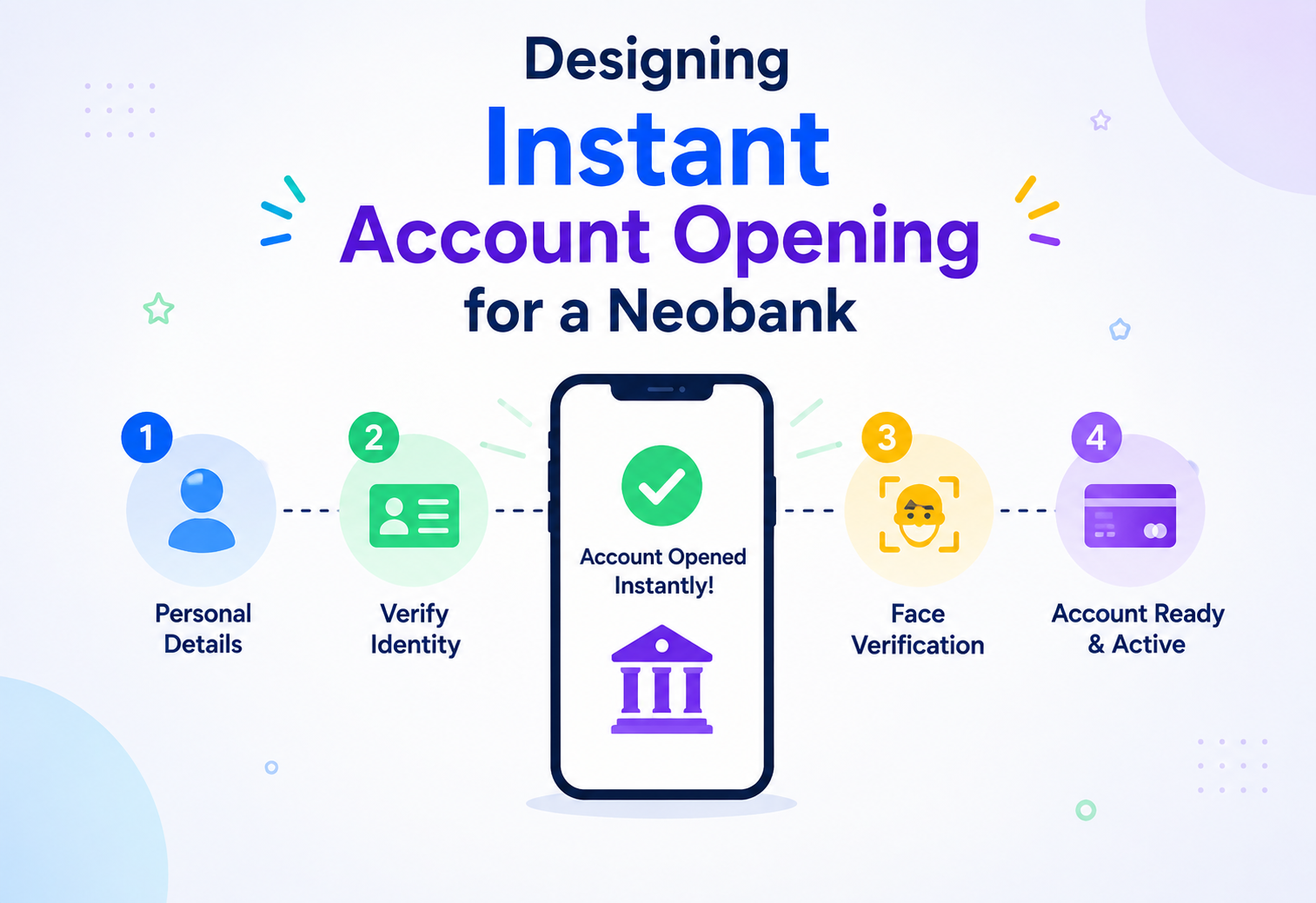
Designing Instant Account Opening for a Neobank
How to let a stranger go from “I’ve never heard of this bank” to “I have a fully funded, usable account” in a couple of minutes on their phone — while verifying they are who they claim to be, screening them against fraud and financial-crime rules, and safely moving their first deposit, all without a single human in the loop for the vast majority of applicants.
Introduction & History — Foundations
Picture opening a bank account the old way. You walk into a branch, wait in a queue, hand over a stack of photocopied documents — a photo ID, a proof of address, sometimes a letter from your employer — and a bank officer manually types your details into a core banking terminal. Someone in a back office later verifies your documents by eye, checks you against a watchlist by hand, and a few days later you receive a debit card in the mail. The whole process could easily take a week.
A neobank — a bank that exists only as an app, with no physical branches — turns this into something that happens entirely on a smartphone screen in a few minutes: scan an ID document, take a selfie, answer a few questions, and within moments you have an active account number, a virtual card, and the ability to receive or make your first deposit. This tutorial designs exactly that system: instant account opening with real-time identity verification and initial deposit processing.
1.1 A Short History: From Branch Onboarding to Instant Digital Onboarding
Branch-based onboarding
Entirely manual, paper-heavy, taking days, requiring physical presence and human judgment for identity checks.
Online forms with delayed verification
Banks let customers apply online, but identity verification and compliance checks still happened via back-office teams reviewing uploaded documents, often taking 24–72 hours before an account was usable.
Automated document + biometric verification
The rise of computer-vision-based document authenticity checks and facial biometric matching (comparing a selfie to an ID photo) allowed identity verification itself to become near-instant, cutting verification time from days to seconds.
Fully instant, straight-through onboarding
Modern neobanks combine automated identity verification, real-time financial-crime screening, and instant ledger/account provisioning into a single, mostly-automated flow, with human review reserved only for genuinely ambiguous or high-risk cases.
1.2 Why This Is a Genuinely Hard Problem
On the surface it looks like “a signup form plus a KYC (Know Your Customer) check.” In reality, the system must satisfy several demanding constraints simultaneously:
Speed under uncertainty
The system must decide, in seconds, whether a stranger’s uploaded ID document and selfie genuinely belong to a real, living person — a problem that traditionally required trained human judgment.
Regulatory non-negotiables
Anti-Money Laundering (AML) and Know Your Customer (KYC) regulations, along with sanctions and Politically Exposed Person (PEP) screening, are legal requirements, not optional features. Getting this wrong can mean regulatory fines or losing a banking license.
Fraud pressure
Instant onboarding is an attractive target for fraudsters trying to open accounts with stolen or synthetic identities, so the system must be simultaneously fast for genuine users and resistant to sophisticated impersonation attempts.
Money movement correctness
The very first deposit into a brand-new account must be processed with the same rigor (no double-crediting, no lost funds, full reconciliation) as a transaction on an account that’s existed for ten years.
Global and multi-provider complexity
Identity documents, verification standards, and financial-crime watchlists vary hugely by country, so the system typically must orchestrate multiple external verification and screening providers, not just one.
Think of airport immigration e-gates. A traveler scans a passport, looks into a camera, and within a few seconds the gate either opens automatically (genuine match, no red flags) or redirects the traveler to a human officer (something didn’t match, or a watchlist hit). The gate must be fast for the 95% of travelers who are exactly who they claim to be, while still being an effective filter against the rare traveler who isn’t. Instant account opening works the same way: automate the fast, unambiguous case, and route only the genuinely uncertain cases to a human.
1.3 What “Instant Account Opening” Actually Delivers
By the end of the flow, three things must be true, ideally within one to three minutes end-to-end:

Verified identity
The system has confirmed, to a regulator-acceptable standard of confidence, that the applicant is a real person and matches the identity document they presented.
Compliance clearance
The applicant has been screened against sanctions lists, PEP lists, and internal risk rules, and either cleared automatically or routed to a compliance analyst.
A live, funded (or fundable) account
A real account number exists in the core banking ledger, and the applicant’s first deposit — whether a card top-up, a bank transfer, or a linked-account pull — has been processed or is in a trackable, well-communicated state.
Architecture & Components — Blueprint
The system has to orchestrate identity capture, document and biometric verification, compliance screening, account provisioning, and initial deposit handling — mostly in real time, with a few sub-flows (like a bank transfer deposit) that legitimately take longer and must be tracked asynchronously.
Figure 1 — End-to-end architecture. Blue lines are happy-path control flow, red lines route uncertain cases into human review, green lines represent account and ledger provisioning, purple dashed lines are asynchronous audit, notification, and caching flows.
2.1 Component-by-Component Breakdown
1. API Gateway
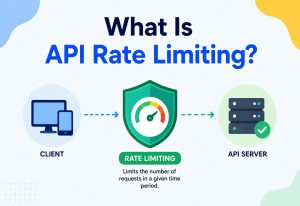
The entry point for every request from the mobile app or web onboarding portal. It authenticates the device/session, enforces rate limiting (to blunt bot-driven mass account creation attempts), and routes traffic to the Onboarding Orchestrator. Like a doorman checking that each visitor has a valid appointment before letting them into the building.
2. Onboarding Orchestrator Service
The conductor of the entire flow. It does not itself verify documents or screen for sanctions — it sequences the steps (capture details → verify identity → screen for compliance → provision account → process initial deposit), enforces timeouts, and decides at each stage whether to proceed automatically, ask the applicant for more information, or hand off to human review.
3. Onboarding Session Manager
Account opening is not a single request-response call — it’s a multi-step journey (upload ID, take selfie, answer questions, fund account) that can span minutes and multiple app screens, and applicants sometimes close the app and return later. The Session Manager tracks exactly where an applicant is in the journey, what’s been completed, and what’s outstanding, so the flow can resume seamlessly.
4. Document Verification Service
Analyzes an uploaded photo of a government ID (passport, driver’s license, national ID card) for authenticity — checking security features, detecting tampering or digital manipulation, and extracting the applicant’s data (name, date of birth, document number) using optical character recognition. This typically wraps one or more external identity verification providers rather than being built entirely in-house, since document standards vary enormously across countries.
5. Biometric Matching Service
Takes a live selfie (often a short video, to confirm “liveness” — that a real person is present, not a photo of a photo or a deepfake) and compares the face against the photo on the ID document, producing a confidence score that the two represent the same person.
6. AML / Sanctions & PEP Screening
Checks the applicant’s name and identity details against government and international sanctions lists, and against Politically Exposed Person databases (public officials and their close associates, who carry higher money-laundering risk under regulation). This is a hard legal requirement in virtually every jurisdiction that allows banking.
7. Fraud Risk Scoring
Separately from identity and compliance checks, this component looks for behavioral and technical fraud signals — device fingerprinting, whether this device or IP has been linked to previous fraudulent applications, velocity checks (many applications from the same source in a short window), and synthetic-identity indicators (a combination of real and fabricated personal details).
8. Case Management (Manual Review Queue)
Whenever automated checks can’t confidently clear or reject an applicant — a low-confidence biometric match, a partial watchlist name match, an unusual fraud score — the case is routed here for a trained compliance or risk analyst to review, with all supporting evidence (document images, match scores, screening results) presented together.
9. Account Provisioning Service
Once an applicant is cleared, this service creates the actual account record in the Core Ledger — allocating an account number, setting up account metadata, and triggering virtual card issuance so the applicant can start transacting immediately.
10. Deposit Orchestrator
Handles the applicant’s first deposit, which might arrive via a debit/credit card top-up (near-instant), an instant bank transfer (near-instant in markets with real-time payment rails), or a traditional bank transfer (which can take one or more business days) — and reflects the correct status back to the applicant at every stage.
11. Encrypted Document Store
A dedicated, tightly access-controlled store for the raw ID document images and selfies, since these are among the most sensitive pieces of personal data a system can hold, and many regulations mandate strict retention and access rules for them.
- “Why keep Document Verification and Biometric Matching as separate services rather than one ‘identity check’ service?” — They use different techniques (image forensics/OCR vs facial biometrics), often call different external providers, and can fail independently in ways that need different handling.
- “Why is a Session Manager needed if the orchestrator already coordinates the flow?” — Onboarding is a long-running, multi-step, resumable journey rather than one atomic request, so state must persist across app sessions, screens, and even days if an applicant pauses partway through.
- “Why route fraud scoring and compliance screening through separate components rather than one combined risk check?” — They serve different purposes and different regulatory obligations — AML/PEP screening is a mandated legal check with specific record-keeping requirements, while fraud scoring is a business risk control; conflating them makes each harder to audit correctly.
Internal Working — How an Applicant Actually Becomes a Customer
Let us trace, step by step, what happens from the moment someone taps “open account” on the app to the moment they have a live, funded account they can spend from.
3.1 Step 1: Applicant Details & Session Start
The applicant enters basic details (name, date of birth, address, phone, email) in the app. The Onboarding Orchestrator creates a new onboarding session via the Session Manager, and lightweight validation happens immediately (valid email format, phone number format, age eligibility) — cheap checks that reject obviously invalid input before any expensive downstream work happens.
3.2 Step 2: Document Capture & Verification
The applicant photographs their government ID using the app’s camera (with real-time capture guidance — “hold steady,” “avoid glare” — to maximize the chance of a usable image on the first try). This image is sent to the Document Verification Service, which authenticates the document and extracts the applicant’s data, cross-checking it against what the applicant typed in Step 1 to catch typos or mismatches.
3.3 Step 3: Biometric Capture & Matching
The applicant takes a selfie or short liveness video. The Biometric Matching Service confirms liveness (guarding against someone holding up a printed photo or a screen showing someone else’s face) and compares the live face against the photo extracted from the ID document, producing a match confidence score.
3.4 Step 4: Parallel Compliance & Fraud Screening
Once identity is captured, the system runs AML/sanctions screening, PEP screening, and fraud risk scoring in parallel rather than sequentially, since these checks are independent of one another and parallelizing them keeps the applicant from waiting through each one in turn.
3.5 Step 5: Automated Decisioning
The Orchestrator combines the results: document authenticity confidence, biometric match confidence, compliance screening outcome, and fraud score. If every signal is confidently within acceptable thresholds, the application is auto-approved. If any signal is borderline or a hard flag is raised (say, a partial sanctions list name match), the case routes to the Case Management queue for human review, and the applicant is told their application is “under review” rather than left hanging with no explanation.
3.6 Step 6: Account Provisioning
For an approved applicant, the Account Provisioning Service creates the account in the Core Ledger, allocates an account number, and triggers virtual card issuance — typically completing within a second or two since this is an internal, well-controlled operation rather than a call to an external verification provider.
3.7 Step 7: Initial Deposit Processing
The applicant is prompted to fund the new account. Depending on the method chosen, the Deposit Orchestrator either processes a near-instant card top-up or instant transfer, or initiates a standard bank transfer and gives the applicant clear, honest expectations about timing (for example, “funds typically arrive within one business day”) while tracking the transfer’s status until it settles.
3.8 Handling Ambiguity Without Blocking Genuine Applicants
A core design principle here is that not every uncertain signal should mean automatic rejection. A slightly blurry ID photo, for instance, should trigger a “please retake this photo” prompt rather than a decline — because the true cause is very often just a lighting issue, not fraud. The system distinguishes between three kinds of outcomes at each verification step:
Clear pass
Every signal comfortably inside acceptable thresholds — proceed automatically to the next step, no friction added.
Recoverable issue
Something the applicant can fix on their own, like a blurry photo or a truncated document capture — ask them to retry or provide something additional rather than treat the issue as risk.
Genuine risk signal
Route to human review or decline, with a clear audit trail of exactly which signals triggered the outcome so the case can be reviewed or appealed later.
“Real-time identity verification” does not mean every applicant is approved within seconds no matter what. It means the verification steps themselves complete in real time — the system can tell within seconds whether a document looks authentic or whether a face matches. What happens next (auto-approve, ask for a retry, or send to human review) is a business decision layered on top of that fast verification, and a meaningful fraction of applicants will legitimately need a human review step, especially in early stages of a neobank’s operation before its automated rules are well-tuned.
- “How do you avoid frustrating genuine customers who get a slightly blurry photo or bad lighting?” — Discuss the three-tier outcome model (pass / recoverable retry / genuine risk) so recoverable technical issues don’t get treated the same as fraud signals.
- “Why run compliance screening and fraud scoring in parallel rather than one after the other?” — They are independent checks with no data dependency between them, so parallelizing minimizes the total time the applicant waits, similar to parallel data-gathering patterns in other real-time decisioning systems.
- “What happens if the applicant closes the app halfway through onboarding?” — The Session Manager persists progress, so returning applicants resume exactly where they left off rather than restarting the entire flow.
Data Flow & Lifecycle — Journey of an Applicant
This system has three data lifecycles worth separating clearly: the onboarding session lifecycle (minutes, sometimes spanning a return visit), the identity and compliance data lifecycle (captured once, but retained and periodically re-screened for years per regulation), and the deposit settlement lifecycle (ranging from instant to a few business days depending on payment method).
Figure 2 — End-to-end sequence from applicant details to a live, funded account. Blue lines are forward requests, green dashed lines are responses back into the orchestrator.
4.1 Onboarding Session Lifecycle
- Session created when the applicant starts the flow.
- Each step (details, document, biometric, screening) updates the session state and is persisted, so progress isn’t lost.
- Session concludes in one of three terminal states: Approved & Account Created, Declined, or Pending Manual Review.
- Abandoned sessions (applicant never finishes) are retained for a defined period and may trigger a reminder notification, then are eventually purged per data retention policy if the applicant never returns.
4.2 Identity & Compliance Data Lifecycle
- Document images, extracted data, and biometric match results are captured during onboarding and stored in the Encrypted Document Store.
- Compliance screening results are logged with full detail (which lists were checked, what matched, analyst decisions if reviewed) in the Onboarding Ledger for audit purposes.
- Ongoing (not just one-time) monitoring occurs after account opening — most jurisdictions require periodic re-screening against updated sanctions/PEP lists for the life of the customer relationship, not just at signup.
- Data is retained for a regulator-mandated period (commonly five to ten years after account closure) and then securely deleted per policy.
4.3 Deposit Settlement Lifecycle
- Applicant selects a funding method (card, instant transfer, standard bank transfer).
- The Deposit Orchestrator initiates the transfer via the relevant Payment Rail Connector.
- For instant methods, funds and status are confirmed within seconds and reflected immediately in the Core Ledger and the applicant’s app.
- For non-instant methods, the deposit sits in a “pending” state, tracked via webhook or polling updates from the payment rail, until it settles — at which point the ledger is updated and the applicant is notified.
Think of it like moving into a new apartment. Signing the lease and getting your keys (the onboarding session) might take an afternoon. The landlord keeping your application paperwork on file for years (identity & compliance data) happens quietly in the background for a much longer time. And your first rent payment clearing through your bank (the initial deposit) might be instant if you pay by card, or take a few days if you mail a check — each process moves at its own natural speed.
- “Why does compliance data need ongoing re-screening after the account is already open, not just a one-time check at signup?” — Sanctions and PEP lists change continuously; a customer who was clean at signup could later appear on a list, and regulations require banks to catch this on an ongoing basis, not just once.
- “How would you handle an abandoned onboarding session that a user resumes three days later?” — Persisted session state lets the flow resume from the last completed step; however, previously captured identity data may need a freshness check (e.g., re-verifying liveness) if too much time has passed, per policy.
Advantages, Disadvantages & Trade-offs — Balancing Act
Advantages
- Dramatically better conversion: Every extra minute or extra manual step in onboarding causes real applicants to abandon the process; automating verification directly improves how many people who start actually finish.
- Lower operating cost per account: Automated screening and provisioning reduce the number of human reviewers needed per thousand applicants, compared to fully manual onboarding.
- Consistent compliance application: Automated rules apply the same screening logic to every applicant, reducing the variability and potential inconsistency of purely manual review.
- Faster time-to-value for the customer: A customer can receive and spend money within minutes of deciding to open an account, which is a strong product differentiator versus traditional banks.
Disadvantages & costs
- High engineering and vendor complexity: Integrating multiple identity verification, biometric, and screening providers (often needed for different countries/document types) adds real integration and maintenance overhead.
- False positives frustrate genuine customers: An overly strict fraud or biometric threshold will reject or delay real applicants, directly hurting conversion and customer trust.
- False negatives create real risk: An overly lenient system lets fraudulent or synthetic identities through, creating fraud losses and regulatory exposure.
- Ongoing operational burden of manual review: Even a well-tuned system will always have some percentage of cases needing human judgment, requiring a permanently staffed review team.
5.1 Key Trade-offs
| Decision | Choice Made | What We Gain | What We Give Up |
|---|---|---|---|
| Verification thresholds | Three-tier outcome model (pass / retry / review) | Fewer wrongful declines, better customer experience | More operational load on manual review team for borderline cases |
| Screening providers | Multiple external ID/AML providers orchestrated together | Better coverage across countries and document types | Higher integration complexity, more external dependencies |
| Deposit methods | Support both instant and standard bank transfer rails | Broader accessibility for customers without instant-pay options | More complex status tracking and customer communication for slow deposits |
| Data retention | Long-term encrypted retention of identity documents | Regulatory compliance, ability to prove due diligence | Ongoing storage cost and heightened data-breach risk surface |
Section takeaway
Instant account opening is fundamentally a balancing act between speed, customer experience, fraud risk, and regulatory obligation. No single threshold setting is “correct” forever — thresholds are continuously tuned based on observed outcomes, and the architecture must make that tuning safe and reversible rather than baked in as fixed logic.
Performance & Scalability — Scale
A realistic target: the automated portion of the flow (document verification through screening and decisioning) should complete with a p50 under 15 seconds and p99 under 45 seconds per step group, with the entire happy-path journey (details through account creation) completing in under two to three minutes including the time the applicant spends capturing photos. The system should support onboarding traffic spikes — for example, thousands of new applications per hour during a marketing campaign or app store feature — without degrading verification quality.
6.1 Where Latency Actually Comes From
Similar to other real-time decisioning systems, the dominant latency contributors are external provider calls — document verification and biometric matching providers, plus AML/sanctions screening services — not the orchestration logic itself. Image upload size and network conditions on the applicant’s device also matter significantly, since users are often on mobile data rather than fast Wi-Fi.
6.2 Techniques to Reduce Perceived and Actual Latency
- Client-side image optimization: Compress and validate image quality (resolution, blur, glare detection) on the device before upload, so poor-quality captures are caught and retried locally instead of round-tripping to a server first.
- Parallel screening calls: Run AML, PEP, and fraud scoring concurrently rather than sequentially, as covered in Internal Working.
- Asynchronous progress updates: Rather than a single blocking spinner for the whole flow, stream step-by-step status back to the app (“document verified,” “checking compliance”) so the experience feels responsive even while background work continues.
- Provider response caching where legally permitted: Some reference data (like country-level document format rules) can be cached locally rather than fetched from a provider on every request.
- Pre-warming and connection pooling to external verification providers, avoiding the latency cost of establishing new connections on every request.
6.3 Scaling Considerations
The orchestration and internal services scale horizontally in the standard way — stateless instances behind a load balancer, autoscaling on request volume. The harder scaling constraint is usually external: identity verification and screening providers often have contracted rate limits or per-request costs, so sudden spikes (a viral marketing moment, a country launch) require advance capacity planning and conversations with vendors, not just adding more application servers.
Digital-first banks that launch in a new country often see a sharp, short-lived spike in signups around launch day; teams commonly pre-negotiate temporary rate-limit increases with their identity verification and screening vendors ahead of such launches, precisely because internal application scaling alone cannot compensate for a hard external provider throughput ceiling.
- “If verification is slow, is the bottleneck usually your own code or the external providers?” — Almost always the external providers (document/biometric verification, AML screening); a strong answer explains why the design should optimize orchestration overhead and perceived responsiveness (streaming status updates) rather than assuming the bottleneck is internal computation.
- “How would you plan capacity for a country launch expecting a large signup spike?” — Discuss pre-negotiating vendor rate limits, load testing against realistic (not idealized) provider latency, and autoscaling policies with pre-warmed capacity ahead of the known event.
High Availability & Reliability — Resilience
An outage in this system doesn’t just inconvenience existing customers — it stops the neobank from acquiring any new customers at all, which for a growth-stage digital bank can be a serious business event, not just a technical one.
7.1 Redundancy at Every Layer
- Multi-instance, multi-zone deployment for all stateless services (gateway, orchestrator, verification wrappers, provisioning) so a single zone failure doesn’t halt onboarding entirely.
- Multiple identity verification and screening providers configured with failover — if a primary document verification provider is down or degraded, the orchestrator can route to a secondary provider rather than blocking all onboarding.
- Durable, replicated session and ledger storage so in-progress onboarding sessions and completed audit records survive individual node failures.
7.2 Failure Handling Strategies
- Circuit breakers around every external provider integration, so a struggling provider is temporarily bypassed (in favor of a secondary provider, or a “please try again shortly” message) rather than causing cascading timeouts across the whole flow.
- Graceful degradation tiers: If a non-critical enrichment signal (like an optional secondary fraud data source) is unavailable, proceed with a documented reduced-confidence assessment. If a critical step (identity verification itself) is unavailable, the applicant is told to retry shortly rather than being silently approved or declined based on incomplete checks.
- Idempotent account provisioning: If a provisioning request is retried due to a network blip, the system must guarantee it doesn’t create two duplicate accounts for the same applicant — enforced through idempotency keys tied to the onboarding session.
- Deposit reconciliation safety nets: Automated reconciliation jobs continuously compare payment rail confirmations against ledger entries to catch and flag any mismatch (a deposit confirmed by a payment rail but not yet reflected in the ledger, or vice versa) before it becomes a customer-facing problem.
Figure 3 — Provider failover flow when a primary identity verification provider is unhealthy. Green paths are healthy control flow, red paths lead to fallback or fail-safe outcomes.
7.3 Disaster Recovery
The Onboarding Ledger and Core Ledger require a near-zero Recovery Point Objective, since losing even a small number of completed account or deposit records is both a customer-trust and a regulatory problem. A tested cross-region failover plan, regular backup verification (not just backup creation — actually testing restores), and clear runbooks for “identity provider X is fully down” scenarios are standard requirements for a system in this domain.
- “How do you guarantee a duplicate account isn’t created if the provisioning call is retried after a timeout?” — Idempotency keys scoped to the onboarding session ensure a retried provisioning request returns the existing account rather than creating a new one.
- “What happens if a deposit is confirmed by the payment rail but the ledger update fails to apply?” — Reconciliation jobs detect the mismatch and either automatically retry the ledger update or escalate to an operations team, rather than silently losing track of the discrepancy.
Security & Compliance — Protection
This system handles some of the most sensitive personal data that exists — government ID images, biometric facial data, and the very first movement of a customer’s money — making security and regulatory compliance inseparable from the architecture itself, not an afterthought layered on top.
8.1 Data Protection
- Encryption in transit and at rest for all identity documents, biometric data, and personal information, with the Encrypted Document Store using especially strict, tightly audited access controls.
- Data minimization: Only the specific fields needed for verification and compliance are extracted and retained in structured form; raw document images are retained only as long as regulation requires, then securely deleted.
- Biometric data handling: Facial biometric templates are treated with particularly strict controls, since many jurisdictions classify biometric data as a special, more sensitive category of personal data with its own legal requirements.
8.2 Authentication & Authorization
- Applicant sessions use short-lived, securely issued tokens, with device binding to reduce session hijacking risk during the onboarding flow.
- Internal service-to-service communication uses mutual TLS and short-lived credentials.
- Access to raw identity documents and case management tools is restricted to authorized compliance personnel, governed by role-based access control, with every access itself logged for audit purposes.
8.3 Fraud Prevention Specific to Onboarding
- Liveness detection to defeat presentation attacks (a printed photo, a photo of a screen, or increasingly, synthetic/deepfake video) during the biometric capture step.
- Device and behavioral fingerprinting to detect patterns consistent with fraud rings — for example, many applications in a short window sharing subtle device or network characteristics despite claiming different identities.
- Synthetic identity detection: Cross-checking whether the combination of name, date of birth, and identifying numbers has a plausible, consistent history, since synthetic identities often combine a real, valid identifying number (sometimes belonging to someone who wouldn’t notice, like a child) with fabricated surrounding details.
8.4 Regulatory Compliance Considerations
- Know Your Customer (KYC) and Customer Due Diligence: Legal requirements to verify identity to a defined standard before allowing an account to transact, with enhanced due diligence required for higher-risk applicants.
- Anti-Money Laundering (AML) obligations: Mandatory sanctions and PEP screening, plus ongoing transaction monitoring after the account is opened, with defined processes for filing suspicious activity reports when warranted.
- Data residency and cross-border transfer rules: Depending on jurisdiction, identity data may need to remain within specific geographic boundaries, directly affecting where document storage and verification processing can physically occur.
- Right to explanation and appeal: Applicants who are declined generally have a right to understand (at least at a high level) why, and a path to dispute or appeal the decision, which the Case Management component and audit trail must support.
Treating identity verification as a one-time “gate” at signup and never revisiting it is a compliance gap. Regulations in most jurisdictions require ongoing monitoring — re-screening customers against updated sanctions/PEP lists periodically, and monitoring transaction behavior for patterns inconsistent with the customer’s stated profile — for as long as the account relationship exists, not just at the moment of account opening.
- “How would you defend against a fraudster using a deepfake video during the liveness check?” — Discuss layered liveness detection techniques (challenge-response prompts, texture and depth analysis, provider-side anti-spoofing models) combined with device/behavioral signals as a second line of defense, since no single technique is foolproof against a fast-evolving threat.
- “What’s the difference between KYC and AML, and why does the architecture separate them?” — KYC is about verifying who the customer is; AML is about ongoing monitoring for money-laundering risk and screening against watchlists. They have different regulatory bases, different data requirements, and different review teams, which is why they’re modeled as distinct components even though they both run during onboarding.
Monitoring, Logging & Metrics — Visibility
9.1 Golden Signals for This System
- Latency: p50/p95/p99 for each verification and screening step, plus total time-to-account-creation, broken down by document type and country (since verification speed varies significantly by these factors).
- Traffic: Onboarding starts per hour, broken down by acquisition channel and country.
- Errors: Provider call failure rates, timeout rates, and circuit breaker state changes per external integration.
- Saturation: Queue depth in the manual review Case Management system — a growing backlog directly delays real customers.
9.2 Business & Onboarding Health Metrics (Unique to This Domain)
- Funnel completion rate: What percentage of applicants who start onboarding actually finish and end up with a funded account — tracked step by step to identify exactly where drop-off happens.
- Auto-approval rate vs manual review rate: Tracked over time and by segment; a sudden shift can indicate either a genuine change in applicant risk profile or a miscalibrated threshold that needs attention.
- False decline indicators: Monitoring for patterns like applicants retrying multiple times and eventually succeeding, which may suggest overly strict initial thresholds unnecessarily blocking genuine users.
- Fraud outcome feedback loop: Feeding back confirmed fraud cases (identified after the fact, sometimes weeks later) to continuously validate and retrain the fraud scoring signals used at onboarding time.
- Deposit settlement time distribution: Tracking how long initial deposits actually take to settle by method, to catch payment rail degradation early and to set accurate customer expectations.
9.3 Alerting Philosophy
Infrastructure alerts (a service down, an SLA breach) page engineering immediately. Business and compliance-relevant alerts (an unusual spike in manual review volume, a sudden drop in funnel completion, or a provider’s screening results looking inconsistent) notify the risk, compliance, and product teams as appropriate, since the right response is often a policy or threshold adjustment rather than a purely technical fix.
Think of it like a busy government passport office combined with a fraud investigation unit. The passport office’s queue monitor (funnel and latency metrics) tells you immediately if lines are backing up. The fraud unit’s case review statistics (approval rates, false decline patterns, confirmed fraud outcomes) need trend analysis over days or weeks to reveal whether the screening rules are actually working well, not just whether the office is technically open.
- “How would you detect that your fraud thresholds have become too strict, hurting genuine customers?” — Discuss monitoring funnel drop-off at the fraud-check step specifically, tracking retry-then-succeed patterns, and periodically sampling declined applications for manual re-review to estimate a false-decline rate.
- “What’s the most important metric for the business side of this system, beyond pure uptime?” — Funnel completion rate (start-to-funded-account) is usually the single most business-critical metric, since it directly reflects both technical health and threshold calibration together.
Deployment & Cloud Considerations — Rollout
10.1 Application Service Deployment
Containerized microservices
Each component (orchestrator, document verification wrapper, biometric wrapper, screening wrapper, provisioning, deposit orchestrator) is independently deployable and scalable, spread across multiple availability zones.
Blue-green or canary deployments
Particularly important for changes to verification or screening logic, where a bad deploy could incorrectly approve or decline real applicants. New logic is validated gradually before taking full traffic.
Feature flags for threshold changes
Fraud and verification confidence thresholds are commonly deployed behind feature flags so risk teams can adjust them without a full code deployment, while still keeping every change logged and reversible.
10.2 Provider Integration Management
Because this system depends on multiple external identity, biometric, and screening providers, a dedicated integration layer normalizes each provider’s different API shapes into a consistent internal interface — this way, adding a new provider (for a new country, or as a failover option) doesn’t require changes throughout the orchestration logic, only a new adapter behind the existing interface.
10.3 Cloud Considerations
Multi-region and data residency alignment
Identity documents and personal data are often required to be processed and stored within specific geographic regions depending on the applicant’s country, directly shaping where components of this system can run.
Managed services trade-off
Many teams lean on managed services for messaging, caching, and encrypted storage to reduce the operational burden of running highly sensitive infrastructure themselves, accepting some cost and control trade-offs in exchange.
Vendor redundancy as an architectural requirement
Because provider outages directly block new customer acquisition, secondary providers for critical verification steps are typically planned into the architecture from day one, not added reactively after an outage.
- “Why put verification and screening thresholds behind feature flags instead of hardcoding them?” — Risk and compliance teams need to adjust thresholds quickly in response to observed fraud patterns or regulatory guidance, without waiting on a full engineering release cycle, while still keeping a clear, auditable change history.
Databases, Caching & Load Balancing — Storage Layer
11.1 Choosing the Right Store for Each Job
| Data | Store Type | Why |
|---|---|---|
| Onboarding Ledger (audit trail) | Append-only, durable store with strong consistency | Regulatory requirement to prove exactly what checks were performed and what was decided, and when |
| Onboarding Session State | Fast key-value store with reasonable durability | Frequently read/written during an active session; needs to survive app restarts and brief service blips |
| Encrypted Document Store | Object storage with strong encryption and strict access controls | Large binary files (images/video) with very sensitive, tightly regulated access requirements |
| Core Ledger (accounts & balances) | Strongly consistent relational or specialized ledger database | Financial correctness (no lost or duplicated funds) is non-negotiable |
| Watchlist / Screening Reference Data | Searchable index (often provider-hosted, sometimes locally cached) | Needs efficient fuzzy name matching against large, frequently updated lists |
11.2 Caching Strategy
- Session state caching: Active onboarding sessions are cached for fast repeated reads/writes as the applicant moves through steps, backed by durable storage so nothing is lost if a cache node fails.
- Reference data caching: Relatively static data, like supported document types per country or provider configuration, is cached aggressively since it changes rarely.
- Deliberately avoiding caching for compliance screening results: Unlike a rate card, sanctions and PEP screening results are generally not cached and reused across different requests, since screening must reflect the current state of watchlists at the moment of the check — this is a case where the usual “cache for speed” instinct is intentionally not applied, because freshness is a legal requirement.
11.3 Load Balancing
- Layer 7 load balancing at the gateway to route by request type and, where relevant, by applicant’s declared country (since different countries may route to different verification provider configurations).
- Health-check-aware routing across the orchestration and verification wrapper services so unhealthy instances are automatically avoided.
- Provider-aware routing: The verification and screening integration layer can route requests among multiple configured providers based on health, cost, or country-specific performance, not just a fixed single endpoint.
This is a good illustration of “know when not to cache.” Most of this tutorial series emphasizes caching rarely-changing data aggressively — but sanctions screening is the opposite case: the underlying list can be updated at any time by a government body, and using even a five-minute-old cached “clear” result could mean approving someone who was added to a sanctions list minutes earlier. The right engineering judgment here is recognizing that not every read-heavy lookup should be cached the same way.
- “Would you cache AML/sanctions screening results to speed up repeated applications?” — Generally no, or only with a very short, carefully justified TTL, because screening freshness is a legal requirement, and using stale results could mean missing a recent watchlist addition.
- “Why does the Core Ledger need stronger consistency guarantees than the Onboarding Session store?” — The ledger represents actual money and account state, where any inconsistency (a lost or duplicated entry) is a direct financial and regulatory problem, while session state, though important, can tolerate a slightly different consistency model since it’s about in-progress application progress, not settled funds.
APIs & Microservices Design — Interfaces
12.1 External API Design
The mobile/web client interacts with the system through a small set of step-oriented endpoints — start a session, submit applicant details, submit a document image, submit biometric data, check status — rather than one giant monolithic “open account” call, since the journey is inherently multi-step and the client needs to show progress and handle retries at each individual step.
Every mutating call (submitting a document, initiating a deposit) uses an idempotency key tied to the onboarding session, so a network retry from a flaky mobile connection doesn’t create duplicate submissions, duplicate accounts, or duplicate deposit attempts.

12.2 Internal Service Boundaries
Just as in the architecture diagram, each internal service has one clear responsibility: the Orchestrator coordinates but doesn’t verify; Document Verification and Biometric Matching verify but don’t decide eligibility; Compliance Screening and Fraud Scoring assess risk but don’t provision accounts; Account Provisioning creates the account but doesn’t move money; the Deposit Orchestrator moves money but doesn’t decide who’s eligible. This lets identity, compliance, and banking teams each own and evolve their piece independently.
12.3 Synchronous vs Asynchronous Communication
- Synchronous (request/response): Used for steps the applicant is actively waiting on and interacting with in real time — document upload and verification, biometric capture and matching, and the final approve/review decision.
- Asynchronous (event-driven): Used for everything that doesn’t need to block the applicant’s screen — audit logging, notification delivery, ongoing compliance monitoring triggers, analytics, and non-instant deposit settlement tracking, which by nature can take hours to days.
Figure 4 — Separating the applicant-facing synchronous path from asynchronous downstream processing.
- “Why is the onboarding flow split into multiple step-oriented API calls rather than one big call with all the data at once?” — The journey inherently spans multiple screens and user actions (uploading a document is a separate user moment from taking a selfie), and step-oriented calls let the client show granular progress, handle retries per step, and support resuming an abandoned session cleanly.
- “Why must deposit initiation be idempotent specifically?” — Because a duplicate deposit attempt due to a retried request could mean the applicant’s money moves twice, a serious financial and trust problem — far more consequential than, say, a duplicated log entry.
Design Patterns & Anti-Patterns — Reusable Wisdom
13.1 Patterns Used in This System
Adapter Pattern (conceptually)
The provider integration layer normalizes different external identity/screening providers’ APIs into one consistent internal interface, so the orchestrator doesn’t need to know provider-specific details.
Circuit Breaker
Protects the flow from cascading failures when an external verification or screening provider becomes slow or unavailable.
Saga-like Multi-Step Orchestration
The onboarding journey is a sequence of steps, each with its own success/failure handling, and the orchestrator manages the overall state machine rather than any single step “owning” the whole process.
Canary Release
Used for rolling out changes to verification logic, screening rules, or thresholds gradually, limiting the impact of a misconfigured change.
Event-Driven / Publish-Subscribe
Decouples the core onboarding path from downstream consumers like notifications, analytics, and ongoing compliance monitoring triggers.
Idempotency Key Pattern
Used throughout mutating operations (document submission, account provisioning, deposit initiation) to make retries safe.
13.2 Anti-Patterns to Avoid
- One monolithic “KYC service” that does everything: Cramming document verification, biometric matching, AML screening, and fraud scoring into a single service makes it impossible to swap providers, scale independently, or reason clearly about which regulatory obligation each piece satisfies.
- Hardcoding verification thresholds in code: Makes it slow and risky for risk/compliance teams to adjust thresholds in response to real-world outcomes; thresholds should be externally configurable and auditable.
- Blocking the entire flow on a single provider with no failover: A single point of failure on a critical verification step means any provider outage completely halts new customer acquisition.
- Caching compliance screening results like any other read-heavy data: As discussed earlier, this can create real legal exposure by using stale watchlist results.
- Silent, unexplained declines: Declining an applicant with no reason given, and no path to appeal or retry, damages trust and can run afoul of “right to explanation” style regulations.
- Treating manual review as a rare edge case in the architecture: Manual review is a normal, expected, permanent part of the flow for a meaningful percentage of applicants — designing it as an afterthought rather than a first-class path leads to a poor Case Management experience and slower resolution times.
- “Why not just build one big ‘KYC service’ instead of separate document, biometric, compliance, and fraud services?” — Separate services can be independently scaled, independently swapped for different providers, and independently audited against the specific regulatory obligation each one satisfies — bundling them makes all of that much harder.
Best Practices & Common Mistakes — Doing It Right
Best practices
- Design the manual review path as a first-class citizen, not a fallback bolted on later — a meaningful share of applicants will always need it.
- Make verification and fraud thresholds externally configurable and auditable, so risk teams can react quickly to real-world outcomes without a full deployment cycle.
- Always support provider failover for critical verification and screening steps, since a single vendor outage should never fully halt customer acquisition.
- Distinguish recoverable issues from genuine risk signals at every verification step, so technical hiccups (bad photo, poor lighting) don’t get treated the same as fraud indicators.
- Never cache compliance screening results the way you would cache typical read-heavy data — freshness here is a legal requirement, not just a performance preference.
- Build ongoing (post-onboarding) compliance monitoring into the architecture from the start, not as a separate system bolted on later, since regulation requires it for the life of the account.
- Use idempotency keys on every mutating step, especially account provisioning and deposit initiation, given the real financial consequences of accidental duplication.
Common mistakes
- Underestimating funnel drop-off caused by friction — treating a “99% technically successful” verification step as fine, without measuring how many genuine applicants abandon the flow due to a confusing or slow experience at that step.
- No clear ownership split between fraud and compliance thresholds — leading to conflicting or duplicated rules maintained by different teams without coordination.
- Not testing against realistic document and network conditions — testing only with clean, well-lit sample IDs and fast Wi-Fi, then being surprised by real-world failure rates from low-end phones and mobile data.
- Ignoring the abandoned-session experience — not reminding or gently re-engaging applicants who started but didn’t finish, losing otherwise-recoverable signups.
- Insufficiently isolating sensitive document storage — storing raw ID images in general-purpose storage with the same access controls as non-sensitive application data, instead of a dedicated, tightly access-controlled store.
Section takeaway
The most successful instant onboarding systems treat funnel completion, fraud prevention, and regulatory compliance as three goals to be actively balanced together, continuously, rather than three separate boxes to check once at launch. Architecture choices — like configurable thresholds, first-class manual review, and provider failover — exist specifically to make that ongoing balancing act possible without constant re-engineering.
Real-World & Industry Examples — In Practice
Digital-first neobanks
Neobanks built entirely around a mobile app are widely known for reducing account opening from days to minutes, using automated document verification and biometric matching as core, heavily invested-in product capabilities rather than back-office tooling — treating onboarding speed itself as a primary competitive differentiator against traditional banks.
Traditional banks building digital onboarding
Established banks expanding into digital-first account opening have generally had to build new, dedicated onboarding orchestration layers in front of (and gradually integrated with) their existing core banking systems, since legacy core banking platforms were rarely designed for real-time, high-volume automated identity verification.
Cross-border and multi-country neobanks
Neobanks operating across multiple countries are known for maintaining a roster of several identity verification and screening providers, since document formats, biometric standards, and screening list requirements vary meaningfully by country — reinforcing why the provider-adapter pattern discussed earlier is close to universal in this space.
15.1 Common Threads Across the Industry
- Nearly all mature instant-onboarding systems maintain a clear separation between identity verification, compliance screening, and fraud scoring, both for regulatory clarity and independent scalability.
- Multi-provider failover for critical verification steps is close to universal among neobanks operating at meaningful scale, given how directly a provider outage impacts new customer acquisition.
- Funnel-completion tracking, step by step, is consistently cited as one of the most closely watched product metrics in this space, since even small friction increases measurably reduce completed signups.
- “How would this design differ for a neobank launching in five countries simultaneously versus one country?” — Discuss needing multiple, region-appropriate verification and screening providers from day one, data residency requirements per country, and a provider-adapter architecture designed for easy addition of new country configurations rather than one hardcoded provider integration.
Frequently Asked Questions — Quick Answers
Can every applicant really be approved without any human involvement?
No, and that’s by design. A meaningful percentage of applicants will always land in manual review because a signal was genuinely ambiguous — a partial name match on a watchlist, a borderline biometric confidence score, or an unusual fraud pattern. The goal isn’t zero human involvement; it’s making the automated path handle the clear majority of cases quickly and correctly, while routing genuinely uncertain cases to a human rather than guessing.
Why can’t the initial deposit always be instant?
It depends entirely on the funding method and the payment infrastructure available in the applicant’s country. Card-based top-ups and instant-pay bank transfers (where available) can settle in seconds. A traditional bank transfer initiated from an external bank, however, moves through banking infrastructure that may take one or more business days to settle, regardless of how fast the neobank’s own system is.
What happens if someone’s ID document photo is blurry — are they automatically rejected?
No. A blurry or poorly lit photo is treated as a recoverable technical issue, not a risk signal, and the applicant is simply prompted to retake the photo with guidance (better lighting, hold steady). Automatic rejection is reserved for cases where the document itself appears tampered, inauthentic, or inconsistent with the applicant’s stated details.
Does identity verification only happen once, at account opening?
The core identity verification (document and biometric check) typically happens once at onboarding, but compliance screening (sanctions and PEP checks) is an ongoing obligation that continues for as long as the account exists, since watchlists are updated continuously and regulation requires banks to catch changes, not just check once at signup.
How is this different from the real-time risk decisioning used for loan eligibility?
They share several architectural patterns — real-time scoring, parallel data gathering, separation of deterministic rules from probabilistic models, and strong audit trails. The key difference is the nature of the primary risk being assessed: loan eligibility centers on credit and default risk using a statistical risk model, while instant account opening centers on identity authenticity and financial-crime risk, which relies more heavily on document/biometric verification and watchlist screening than on a continuously retrained statistical model.
Why not just use one single identity verification provider to keep things simple?
A single provider creates both a reliability risk (an outage halts all onboarding) and a coverage risk (most providers don’t support every document type and country equally well). Using multiple providers, orchestrated behind a common internal interface, provides both failover and broader country/document coverage, at the cost of additional integration complexity.
Summary & Key Takeaways — Wrap-Up
The big picture
Designing instant account opening for a neobank means orchestrating several fundamentally different processes — identity verification, financial-crime screening, fraud risk assessment, account provisioning, and money movement — into a single, fast, mostly-automated journey, without ever compromising on the legal and regulatory obligations that make this a bank in the first place, not just an app.
Key takeaways
- Treat onboarding as a multi-step, resumable journey, not a single request-response call — a dedicated session manager and step-oriented APIs make this manageable.
- Separate document verification, biometric matching, compliance screening, and fraud scoring into distinct components, since each has different providers, different failure modes, and different regulatory bases.
- Use a three-tier outcome model (pass / recoverable retry / genuine risk) at every verification step so technical hiccups don’t get treated the same as real fraud signals.
- Manual review is a permanent, first-class part of the architecture, not an edge case — design the Case Management experience with the same care as the automated path.
- Multi-provider failover for critical verification and screening steps is essential, since a provider outage directly halts new customer acquisition, unlike most other system failures.
- Compliance screening freshness is a legal requirement — resist the natural instinct to cache it like other read-heavy data, and build ongoing (not just one-time) monitoring into the architecture from the start.
- Idempotency on every mutating step — especially account provisioning and deposit initiation — is essential given the real financial and trust consequences of accidental duplication.
Done well, this system delivers on a genuinely powerful promise: a stranger, with nothing more than a phone, a government ID, and a few minutes, becomes a fully verified customer with a live, funded account — while, behind the scenes, the bank has rigorously confirmed who they are, screened them against every legally required watchlist, and moved their money correctly, safely, and auditably.

