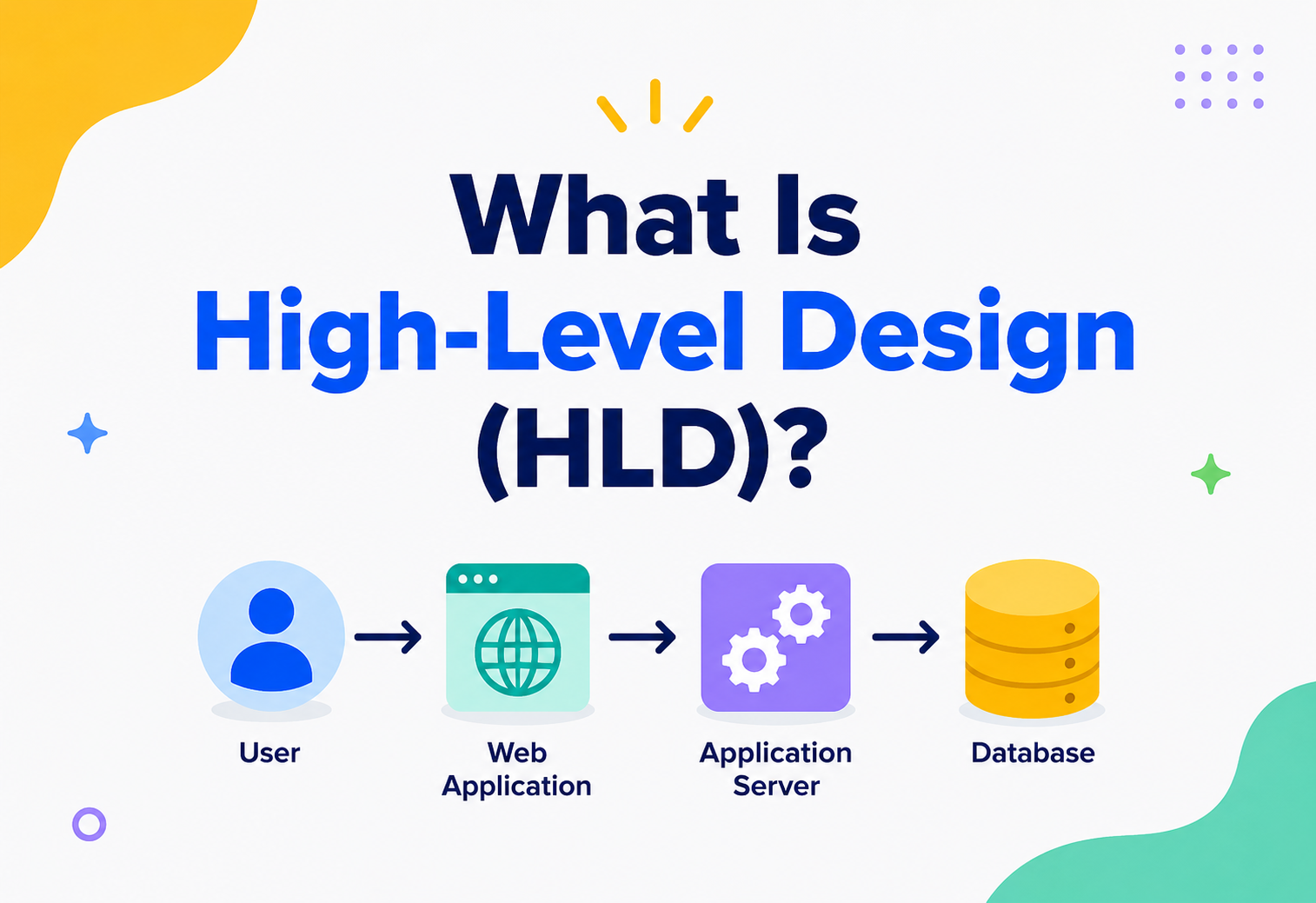
What Is High‑Level Design (HLD)?
Before anyone writes a line of code, somebody has to sketch the whole thing first — like a map of a theme park before a single ride gets built. That sketch has a name: High‑Level Design. This friendly, complete guide walks through what it is, why every serious project needs one, and how it actually gets made.
The Big Idea, in One Breath
High‑Level Design is the moment a team steps back from the details and draws the shape of the whole system, so nobody has to invent that shape by accident while writing code.
Imagine your school has just been given a huge empty field and asked to build a brand‑new amusement park on it. Before anyone starts digging, bolting a roller coaster together, or ordering ice cream, somebody has to stand at the edge of that field and answer some big questions first. Where does the entrance go? How many zones should there be — a ride zone, a food zone, a games zone? How do visitors move from one zone to another? Where does the electricity come from, and where does the rain water drain?
Nobody draws the exact bolts on the roller coaster at this stage. Nobody picks the flavour of ice cream for the food stand. That comes later. Right now, the only job is to draw the big picture — the zones, the paths connecting them, and the rules that keep the whole park from turning into a confusing mess on opening day. In the world of software, that big‑picture sketch has a name: High‑Level Design, usually shortened to HLD.
Think of HLD as the map you would see on a signboard right at the entrance of a theme park — the one with big shapes for “Roller Coaster Zone,” “Food Court,” and “Parking,” with arrows showing the paths between them. It does not show you every bench or every light bulb; it shows just enough to understand how the whole park fits together and how you would move through it. A software system needs exactly that kind of map before anyone starts building it.
This kind of thinking is not unique to software either. A film director sketches a storyboard before a single scene is filmed. An orchestra conductor studies the full score before rehearsing one instrument’s part. A school planning its annual sports day first decides how many events there will be and how the ground is divided, long before anyone worries about which whistle the referees will use. In every one of these examples, someone deliberately steps back from the details so they can see the shape of the whole thing — and that stepping‑back is exactly what High‑Level Design asks engineers to do before they start building software.
It is worth noticing, too, that this big‑picture sketch is not just for the people building the thing — it is also for the people deciding whether it is worth building at all. A manager, a client, or an investor rarely wants to read a thousand lines of code to understand a project. Show them a clean HLD diagram, though, and within a couple of minutes they can follow the story: here is where information enters the system, here is how it is processed, and here is where it ends up. That is a kind of communication superpower, and it is one of the quieter reasons HLD exists in the first place.

What HLD Really Is
In plain words, High‑Level Design is a document (and a way of thinking) that describes the overall structure of a software system — the major parts it is made of, how those parts talk to one another, which technologies will be used, and how the system will behave once real people start using it.
It sits right after a team has figured out what they need to build, and right before anyone starts figuring out exactly how to build each tiny piece. You will often hear HLD called the “system design” phase, and in most companies it is the very document that gets discussed, questioned, and approved in a design review meeting before a project is allowed to move forward. It is written so that anyone on the team — even someone who joined last week — can look at it and understand, in a few minutes, how the whole system is shaped.
A helpful way to remember it: HLD answers “what are the big rooms in this house, and which doors connect them?” It does not answer “what colour should we paint the walls, or what brand of doorknob should we use?” Those smaller, more detailed answers belong to a different document altogether, called Low‑Level Design, which we will get to shortly.
If someone asks you, “what does the high‑level design of this app look like?” — they are really asking, “if I zoomed all the way out, what are the big pieces of this system, and how do they connect?”
It also helps to know what HLD is not. It is not the finished code, and it is not a promise that every detail is already figured out — plenty of smaller decisions are deliberately left open at this stage, to be settled later by whoever ends up building that particular piece. And it is not something written once and then forgotten in a drawer. A living HLD document gets revisited whenever the system grows, whenever a new requirement shows up, or whenever the team learns something that makes an old assumption wrong. Treating it as a permanent, unchangeable stone tablet is just as risky as never writing one at all.
Why It Matters So Much
Skipping the big‑picture plan is fine for a weekend script and expensive for anything else — the earliest decisions in a project are almost always the most costly to change later.
It is entirely possible to skip this step and just start writing code. Lots of tiny personal projects do exactly that, and it is usually fine — for a tiny project. But the moment a system needs to serve real users, work with a team of engineers, or survive for years without falling apart, skipping the big‑picture plan starts to hurt, often in expensive ways. Here is what a good HLD actually buys a team.
Everyone sees the same picture
Engineers, testers, managers, and even non‑technical stakeholders can look at one diagram and understand roughly how the system works, without anyone having to re‑explain the basics.
Catch mistakes on paper
It is far cheaper to notice “this part will not scale” while it is still just boxes and arrows than after months of code have been written around it.
Parallel building becomes possible
Once the big pieces and their connecting rules are clear, different engineers or teams can each build a separate piece at the same time without stepping on each other’s toes.
New engineers ramp up faster
Someone joining the project two years later can read the HLD and understand the system’s shape without having to read every single line of code.
There is a team‑shaped reason too, separate from the technical one. When a project has no shared design, every engineer quietly builds their own mental model of how the system works — and those mental models drift apart over time, since nobody wrote down a single source of truth to check against. Meetings get longer because half the time is spent re‑explaining basic structure rather than discussing the actual decision at hand. A written HLD acts like a shared language: instead of everyone re‑describing the system from scratch every time, they can simply point at a diagram and say “here, this part,” and everyone in the room instantly knows what “this part” means.
There is also a very practical, money‑shaped reason this matters. A handful of decisions made in the very first days of a project — which database to use, whether two services should talk directly or go through a queue, how data should be split across servers — are wildly expensive to change once real code and real data depend on them. These are the “foundation walls” of a system. You can repaint a room in an afternoon; moving a foundation wall after the house is built is an entirely different kind of project.
Here is a small, made‑up but very typical story that plays out at real companies all the time. A team builds a promising app without ever sketching out a big‑picture plan. It works fine for the first thousand users. Then it gets featured somewhere, and fifty thousand people show up in a single day. The single database that quietly held everything starts timing out. Requests that used to take a tenth of a second now take ten. Engineers scramble to patch things overnight, database queries get rewritten under pressure, and a redesign that could have taken a calm week on a whiteboard instead takes a stressful month of firefighting in production. None of this was caused by bad code — it was caused by nobody stepping back early enough to ask, “what happens when this gets popular?” That single missing question is exactly what an HLD is meant to force a team to answer ahead of time.
HLD vs LLD vs Requirements
Three terms get mixed up constantly in system‑design conversations. Untangling them once, with the same amusement‑park example, is enough to keep them straight for good.
Requirements describe the goal. HLD describes the shape of the solution. Low‑Level Design (LLD) zooms all the way into one single piece of that shape and works out its exact inner workings — the classes, functions, database columns, and step‑by‑step logic that a developer will actually type into their editor. HLD is drawn with a wide marker on a whiteboard; LLD is drawn with a sharp pencil on graph paper.
| Question | Who Answers It | Amusement Park Example |
|---|---|---|
| What should we build, and for whom? | Requirements | “We need a park that can handle 5,000 visitors a day and stays open in light rain.” |
| How do the big pieces fit together? | High‑Level Design | “Entrance leads to a central plaza, which branches into a ride zone, a food zone, and a games zone, connected by covered walkways.” |
| Exactly how is each piece built? | Low‑Level Design | “The roller coaster’s safety harness uses a double‑latch mechanism, tested to hold 150 kilograms, released by a specific lever position.” |
Ask yourself: “if I changed this decision, would it force me to redesign several other parts of the system too?” If yes, it is an HLD‑level decision. If the change stays neatly contained inside one component, it is an LLD‑level detail.
This distinction matters for a very human reason: different people need different amounts of detail, and mixing the levels up tends to lose everyone. A product manager or a new team member wants the HLD view — the shape of the park, not the brand of the roller coaster’s bolts. An engineer about to write the actual code for one specific service wants the LLD view — the exact bolts, and nothing else, because everything else is noise at that point. Keeping the two separated means each reader can find exactly the altitude of detail they actually need, instead of wading through a single giant document that tries to be everything to everyone at once.

The Building Blocks of an HLD Document
No matter which company or team writes it, almost every High‑Level Design document ends up covering the same handful of ingredients. Think of these as the sections you would expect to find inside the folder, no matter whose theme park you are planning.
System Architecture Diagram
This is the star of the show — a single picture showing every major component of the system (apps, servers, databases, external services) and the arrows that connect them. It is usually the very first thing anyone looks at when they open an HLD document.
Notice that the diagram alone is not the whole story. That dashed box at the bottom — a rule saying the app is never allowed to touch the database directly — is just as much a part of the design as the boxes themselves. Rules like this are what stop a growing system from turning into a tangled ball of wires where nobody remembers which part is allowed to talk to which.
The Rest of the Ingredients
Which tools get used
Which programming language, framework, database type, and cloud provider the team will build with, and a short reason why.
Where information travels
A step‑by‑step trace of what happens to a piece of data — say, an order — from the moment it is created to where it finally gets stored.
How components talk
The agreed “language” two components use to exchange information, so each side can be built independently and still work together.
What gets stored, roughly
A big‑picture view of the main pieces of data the system needs to remember, and which storage system fits best (not the exact table columns yet).
How big is “big”?
Rough maths on how many users, requests, or gigabytes the system needs to handle, so the design is not built for the wrong scale.
What we are borrowing
Outside services the system leans on — a payment processor, a maps service, an email sender — and how they plug in.
Choosing the Right Kind of Database
Not all storage is the same, and picking the right kind is one of the more consequential calls in an HLD. A relational (SQL) database stores information in neat, connected tables — brilliant when data has clear relationships, like customers linked to orders linked to payments, and when accuracy matters more than raw speed. A NoSQL database trades some of that structure for flexibility and raw speed at huge scale — great for things like chat messages, activity feeds, or sensor data, where the shape of the data can vary and the priority is handling enormous volume smoothly. Many real systems end up using more than one kind side by side, picking whichever tool fits each specific job rather than forcing every piece of data into the same box.
Two more ideas usually show up in this part of an HLD. Replication means keeping more than one copy of the data on different servers, so if one server goes down, another copy is ready to take over immediately — like keeping a spare key with a neighbour in case you are ever locked out. Sharding means splitting one huge pile of data across several servers instead of squeezing it all onto one — similar to a library that, instead of cramming every book onto a single shelf, spreads them across many shelves organised by subject, so no single shelf becomes impossibly crowded.
Designing the APIs Between Components
An API — short for Application Programming Interface — is simply the agreed way two components ask each other for things. It is a menu, not a kitchen: it tells you exactly what you can order (“get me this user’s profile,” “place this order”) without forcing you to know how the kitchen actually cooks it. A well‑designed HLD sketches out these menus early, because once two teams start building against a particular menu, changing it later means both sides have to change together — which is far harder than agreeing on the menu before anyone starts cooking.
Capacity Estimation, Explained Simply
This part often scares people more than it should, because at the HLD stage it is really just careful common sense with a calculator. Suppose an app expects two million people to open it every day, and on average each person performs five meaningful actions — a search, a scroll, a purchase. That is ten million actions a day. Spread evenly across roughly ninety thousand seconds in a day, that is a little over a hundred actions every second, on average — though real traffic is never perfectly even, so a thoughtful design plans for several times that number during the busiest hour. These rough numbers, worked out on the back of a napkin, quietly decide big things: whether one server is enough, whether a cache is worth adding, and whether the database needs to be split up from the very start.
A good HLD document does not need to be long. It needs to be complete enough that a reasonably experienced engineer could read it and start sketching out the detailed design of any single piece, without having to guess at the big decisions.
A Quick Pocket Dictionary
System‑design conversations lean on a small set of recurring words. None of them are complicated once someone explains them plainly, so here is a quick pocket dictionary before we go further.
The traffic director
A component that spreads incoming requests evenly across several servers, so no single server gets overwhelmed while others sit idle.
A nearby shortcut
A small, fast storage spot that keeps a temporary copy of frequently requested information, so the system does not have to fetch the same thing slowly, again and again.
Content, closer to you
A network of servers spread around the world that stores copies of images, videos, and files closer to each user, so things load faster no matter where someone is.
An orderly waiting line
A place where tasks wait their turn to be handled, so a sudden burst of requests does not overwhelm the component meant to process them.
How long you wait
The time between asking a system for something and getting an answer back — lower is almost always better.
How much fits through
The amount of work a system can get done in a given stretch of time, like how many cars a bridge can carry per hour.
A polite “one at a time”
A rule that caps how many requests one user or service can make in a short window, so one overly enthusiastic caller cannot accidentally slow things down for everyone else.
An automatic safety switch
A safeguard that stops a system from repeatedly calling a struggling component, giving it room to recover instead of being hammered with requests while it is already in trouble.
None of these ideas are exotic once you notice they all have an everyday cousin. A load balancer is a supermarket manager opening a new checkout counter when the queues get long. A cache is keeping your favourite snack in the drawer next to you instead of walking to the kitchen each time. A circuit breaker is exactly like the electrical one in a home’s fuse box — it trips on purpose to stop a small problem from turning into a much bigger one. Once these words stop feeling like jargon, an HLD diagram becomes a lot easier to read, and conversations between engineers stop sounding like a foreign language.
Quality Goals Baked Into an HLD
A system is not just judged by whether it works — it is judged by how well it keeps working under pressure. Engineers often call these qualities “non‑functional requirements,” which is a mouthful, so let us just call them the promises a system needs to keep.
Handles more people over time
If ten times more visitors show up next year, can the system grow to meet them without collapsing?
Stays open for business
Can users reach the system almost all the time, even while one server is being fixed or restarted?
Does what it promises
Does an order that says “confirmed” actually mean the food is truly on its way, every single time?
Feels fast
Does a button tap turn into a result in a blink, rather than leaving someone staring at a spinner?
Keeps people safe
Are passwords, payments, and private details protected from people who should not see them?
Easy to improve later
Can a new engineer add a feature or fix a bug without accidentally breaking three other things?
Every real system has to choose which of these promises matter most, because chasing all of them equally, all the time, is rarely possible or even necessary. A hospital’s patient‑records system leans hard into security and reliability. A game leaderboard that updates during a live stream leans hard into speed and the ability to handle sudden bursts of traffic. Part of what makes High‑Level Design genuinely difficult — and genuinely interesting — is deciding which promises deserve the most attention for a particular system, and then designing around that choice on purpose.
It also helps to remember that these promises often pull against each other. Making a system more secure — extra checks, extra verification steps — can make it slightly slower. Making it more available, by keeping several copies of data running at once, can make it trickier to guarantee every copy shows the exact same information at the exact same instant. None of this means a system is poorly designed; it means the designer made a conscious trade‑off. Part of what a good HLD does is write down which side of each trade‑off was chosen, and why, so nobody mistakes it for an oversight later.

Architecture Styles an HLD Might Choose From
Part of the job of a High‑Level Design is picking an overall shape for the system — a reusable pattern that other engineers have used successfully before, rather than inventing something brand new every time. Here are the shapes that show up most often.
Monolithic Architecture
The entire application — the login screen, the ordering logic, the payment handling — lives in one single codebase and gets deployed as one unit. It is the software equivalent of a food truck: everything happens inside one vehicle, which makes it wonderfully simple to move around and manage, at least while it is still small.
Strengths
- Simple to build, test, and launch at first.
- Nothing to coordinate between separate services.
- Great fit for small teams and early‑stage products.
Trade‑offs
- Gets harder to change safely as it grows.
- The whole thing must be redeployed for any change.
- One bug can potentially affect the entire application.
Microservices Architecture
Instead of one big food truck, imagine an entire food court — a noodle stall, a juice stall, a dessert stall — each independently owned, each able to open, close, or get a fresh coat of paint without asking permission from the others. In software terms, the system is broken into small, independent services that each own one job and talk to each other over the network.
Strengths
- Teams can build and release independently.
- Only the busy parts need to scale up.
- One service crashing rarely takes down everything.
Trade‑offs
- More moving parts to monitor and operate.
- Talking over a network is slower than talking in‑process.
- Needs a more experienced team to run smoothly.
A Few More Worth Knowing
Announce, do not call
Parts of the system announce “this happened” and anyone interested reacts later — like a notice board instead of a phone call.
One provider, many askers
Many clients send requests to one central server that holds the resources — the oldest and most familiar pattern of all.
Code that appears on demand
Small pieces of logic run only when triggered, and the underlying servers are managed entirely by a cloud provider.
Floors of a building
The system is split into layers — what the user sees, the rules underneath, and where data is stored — each talking only to the one below it.
There is no single “best” style — only the style that fits the team’s size, the product’s stage, and the scale it truly needs to handle right now. Many successful products begin life as a simple monolith and only split into smaller services once real growing pains show up.
Whichever style gets chosen, the reasoning belongs inside the HLD document itself, not just inside the head of whoever made the call. “We chose microservices because our three biggest features have wildly different traffic patterns and separate teams own each one” is a sentence that saves a future engineer hours of confused archaeology. Without it, that same future engineer might spend an afternoon wondering whether the added complexity was ever justified in the first place — and whether it is finally safe to simplify things back down.
How an HLD Actually Gets Made
Writing a High‑Level Design is not a single sit‑down‑and‑draw session — it is a series of smaller steps, each one narrowing the possibilities until a clear plan emerges.
Different teams shuffle the exact order a little, and that is fine; what matters is that each of these questions gets a real, considered answer somewhere along the way, rather than being skipped entirely.
Understand the requirements
Read through what the system needs to do, who will use it, and roughly how many people are expected to use it.
List the major use cases
Write down the handful of important actions users will take — signing up, placing an order, searching for something — since these shape the components needed.
Estimate the scale
Do some rough maths on daily users, requests per second, and data storage, so the design is built for the right size of problem.
Choose the architecture style
Decide between a monolith, microservices, or something else, based on the team’s size and the scale from the previous step.
Identify the major components
Break the system into its main working parts — services, databases, caches, queues — and give each one a clear job.
Draw how data flows
Trace what happens, step by step, as information moves from one component to another and finally gets stored.
Plan for things going wrong
Decide what happens if a server crashes, a network call fails, or traffic suddenly spikes — because it eventually will.
Write it down and review it
Turn the whiteboard sketch into a shared document, and invite other engineers to poke holes in it before any code gets written.
That last step matters more than it might seem. A design that only lives inside one person’s head is fragile — it cannot be questioned, improved, or remembered six months later. Writing it down, and getting a second and third pair of eyes on it, is often what turns a decent design into a genuinely solid one.
A Worked Example: A Food Delivery App
Let us put all of this together with a simple, real‑feeling example — the high‑level design of an app that lets people order food from nearby restaurants.
Step 1 — The requirement, in plain words
Customers should be able to browse restaurants, place an order, pay for it, and track its delivery. Restaurants should be able to receive and accept orders. Delivery partners should be able to see nearby orders and update their status.
Step 2 — A rough capacity estimate
Numbers like these guide real decisions later — for instance, whether one database server can keep up, or whether the system needs to be split across several from day one.
Step 3 — The architecture diagram
Step 4 — Following one order through the system
A customer taps “Place Order.” The Customer App sends this request to the API Gateway, which acts like a receptionist directing visitors to the right department. The gateway forwards the request to the Order Service, which saves the order and asks the Payment Service to charge the customer. Once payment succeeds, the Order Service notifies the Restaurant Service so the kitchen sees the new order, and later, the Delivery Service assigns a nearby delivery partner. At each step, the Notification Service quietly sends updates back to the customer — “Order confirmed,” “Preparing your food,” “Out for delivery” — so nobody is left wondering what is happening.
Step 5 — Choices worth writing down, and why
Microservices, not one big app
Order volume, payments, and delivery tracking each grow at different speeds, so letting them scale independently avoids wasting resources.
A gateway in front of everything
Apps only ever need to know one address, and the gateway can handle things like login checks in one place instead of repeating that work everywhere.
Notifications happen separately
Sending a push notification is not urgent enough to make the customer wait, so it is handled in the background instead of blocking the main order flow.
A cache for restaurant listings
Restaurant menus do not change every second, so storing a temporary copy nearby avoids hitting the database for the exact same information again and again.
Step 6 — What happens when something breaks
A thoughtful HLD does not stop at the happy path. What if the Payment Service is temporarily down when a customer tries to check out? A well‑designed system might hold the order in a “pending payment” state and retry a few times automatically, rather than losing the order entirely or charging the customer twice. What if a delivery partner’s phone loses signal mid‑delivery? The Delivery Service might fall back to the last known location and gently alert the customer that tracking is temporarily delayed, instead of showing broken or frozen information. Thinking through these moments before they happen in real life is precisely what separates a system that feels trustworthy from one that quietly loses people’s confidence the first time something goes wrong.
This is the real value of an HLD in action: not just a pretty diagram, but a small set of deliberate choices, each with a reason attached, that a whole team can look at and trust.

The Same Idea, Across Very Different Industries
Once you can spot a High‑Level Design in one app, you start noticing the same kind of thinking everywhere, even though the details change completely from one industry to the next.
Online Banking
A banking app’s HLD leans heavily on security and accuracy. Every transfer typically passes through several separate checks — verifying identity, confirming the account has enough balance, recording the transaction, and only then updating the balance — often designed so that if any single step fails, the whole transfer can be safely undone rather than left half‑finished. Speed matters, but never at the cost of a number being wrong.
Ride‑Hailing Apps
Here the interesting design challenge is location. The system constantly needs to know where thousands of drivers and riders are, match the nearest ones together in a couple of seconds, and keep updating a moving map in real time. The HLD usually includes a dedicated component just for efficiently searching “who is nearby,” separate from the components handling payments or trip history, because that one problem is demanding enough to deserve its own piece of the architecture.
Social Media Feeds
A social app’s HLD has to answer a deceptively hard question: out of millions of possible posts, which few should appear at the very top of one particular person’s feed, in well under a second? This usually involves pre‑computing parts of the answer ahead of time and leaning heavily on caching, rather than recalculating everything the instant someone opens the app.
Video Streaming Services
Streaming platforms lean hard on a Content Delivery Network, storing copies of popular videos on servers physically close to viewers around the world, so a show starts playing in a couple of seconds no matter which country someone is watching from. The HLD here often separates “which video should play” (a recommendation system) from “how the video actually gets delivered” (the streaming and delivery system), because those are genuinely two different problems with two different sets of concerns.
Online Learning Platforms
A platform used by students during school hours faces a very different traffic shape than a shopping app — usage spikes sharply around class times and assignment deadlines, then drops away in the evening. Its HLD often focuses on smoothly handling those predictable rushes, keeping video lessons available even when thousands of students in the same city log in within the same few minutes, and making sure a submitted assignment is never silently lost.
In every one of these examples, the HLD is not just decoration — it is the place where the team decided which problem was the hardest one for this particular system, and then designed on purpose around solving that one well.
Tools People Use to Draw an HLD
You do not need anything fancy to start — a whiteboard and a marker have kicked off more good designs than any piece of software ever will. But once it is time to write things down properly and share them with a team, a few tools tend to show up again and again.
Draw.io / Lucidchart
Free or low‑cost drag‑and‑drop tools for building clean architecture diagrams with boxes, arrows, and labels.
Excalidraw / Miro
Loose, sketchy, collaborative canvases that are great for the messy early brainstorming stage, before things are finalised.
PlantUML / Mermaid
Write a diagram using simple text, and let the tool generate the picture — handy because the diagram can then live right alongside the code and update easily.
Confluence / Notion / Google Docs
Where the final written HLD document lives, alongside the diagrams, so the whole team can read, comment, and refer back to it.
The tool matters far less than the habit of actually writing the design down somewhere everyone can see it. A brilliant design that only exists as a memory in one engineer’s head helps nobody once that engineer goes on holiday.
One small habit pays off more than people expect: staying consistent with shapes and colours across diagrams. If a rounded box always means “a service” and a cylinder always means “a database” throughout every diagram a team produces, new engineers start reading architecture diagrams at a glance within their first week — the same way a reader instantly understands a subway map once they have learned that a coloured line means a route and a dot means a station.
Why Job Interviews Ask About It
If you have ever heard someone preparing for a tech job mention “system design rounds,” this is exactly what they mean. Many companies ask engineering candidates to sketch the High‑Level Design of something familiar — a URL shortener, a parking garage, a chat app — right there in the interview, on a whiteboard or a shared document.
The reason is not that companies expect a perfect, production‑ready design in forty‑five minutes. It is that this exercise reveals how someone thinks. Do they ask clarifying questions before diving in, the way a good architect would ask “how many users are we talking about?” before choosing a database? Do they consider trade‑offs out loud, or just confidently declare one answer as correct? Can they explain their reasoning to someone who was not already inside their head? These are exactly the skills a real HLD depends on, which is why the interview format has stuck around for so long.

Ask before you draw
Clarify scale, users, and the most important use cases before committing to a design — assumptions stated out loud are far better than silent guesses.
Start simple, then grow it
Sketch the simplest design that could work, explain its limits, and then show how you would evolve it as the scale grows — that story matters more than jumping straight to the fanciest version.
Common Pitfalls to Watch For
Almost every pitfall on this list has the same root cause: skipping the slow, slightly boring work of thinking things through and writing them down, in favour of the faster, more exciting work of building something.
Designing for a Scale That Does Not Exist Yet
It is tempting to build something that could handle a hundred million users from day one. But most systems never reach that scale, and over‑building early usually means more complexity, more cost, and slower progress for a problem the team does not actually have yet. It is usually wiser to design for the scale expected in the next year or two, while leaving room to grow later.
Skipping Capacity Estimation Entirely
Without at least a rough sense of how many users, requests, or gigabytes are expected, a design is really just a guess dressed up as a plan. Even simple back‑of‑the‑envelope maths — users times actions per day, divided by seconds in a day — goes a long way toward catching a badly undersized (or wildly oversized) design before it is built.
Leaving Out the “Why”
A diagram shows what was decided, but not why. Six months later, when someone asks “why does this service talk to that one through a queue instead of directly?”, an HLD without reasoning written down leaves the team guessing — and sometimes undoing a decision that was actually made for a very good reason.
Ignoring Failure on Purpose
It is easy to design for the happy path where everything works. A stronger HLD also asks: what happens if this server goes down? What happens if this network call times out? Systems that never plan for failure tend to discover their weak points at the worst possible moment — in front of real users.
Copying a Design Without Understanding It
Borrowing ideas from a well‑known system is a smart habit — but blindly copying, say, a massive streaming company’s architecture for a project with a hundred users is a bit like buying an airport’s worth of check‑in counters for a corner bakery. The right design fits the actual problem, not the most impressive‑sounding one.
Drowning the Big Picture in Tiny Details
An HLD that lists every function name and every database column has usually wandered into Low‑Level Design territory, and in doing so, buries the big picture it was supposed to make clear. If a reader cannot find the overall shape of the system within the first minute of reading, the document has lost sight of its own job.
Big decisions made quickly in a chat message or a hallway conversation, then never written anywhere. A year later, nobody remembers the reasoning, and the same debate happens all over again from scratch.
High‑Level Design is not glamorous. Nobody applauds a well‑drawn box‑and‑arrow diagram the way they might admire a beautifully polished feature. But quietly, in the background, it is usually the reason a system survives its first real collision with the messy unpredictability of the real world.
Who Creates an HLD, and Where It Fits
In smaller teams, whoever is most experienced with the problem — often called a tech lead or a senior engineer — usually sketches the HLD, then gathers feedback from the rest of the team. In larger companies, this task often belongs to someone with the title of Software Architect or Staff Engineer, whose main job is thinking about the big picture across many projects at once.
Either way, it is rarely a solo effort for long — the best HLDs are reviewed and improved by several people before anyone starts building.
HLD sits early in a project’s life, right after requirements are understood but before any serious code gets written. Skipping straight from “what do we need” to “let us start coding” is a bit like skipping straight from “we need a park” to “let us start pouring concrete” — technically possible, but it usually means expensive rework once the missing plan becomes obvious.
Many teams also run a formal “design review” once the HLD draft is ready — a meeting where the author walks other engineers through the diagram, and everyone is encouraged to ask hard questions. What happens if this component fails? Have we considered a simpler approach? Is this really the bottleneck we think it is? This is not about making the original author feel wrong; it is about catching weak spots while they are still cheap to fix. Some companies write these documents in a specific format often called an RFC, short for “Request for Comments,” which is really just a fancy name for “here is my plan, please poke holes in it before I build it.”
A Simple, Reusable HLD Template
If you ever need to write one yourself, here is a short checklist covering the sections that show up in almost every solid High‑Level Design document. It is meant to be a starting point, not a strict rulebook — trim or extend it to fit the size of the project in front of you.
A weekend side project might fit this entire checklist onto a single page; a payments system at a large company might need several pages per section. The goal is never length for its own sake — it is making sure nothing important was decided by accident.
- Overview — one paragraph on what the system does and who it is for.
- Goals and non‑goals — what this design is trying to solve, and just as importantly, what it deliberately is not trying to solve.
- Capacity estimate — rough numbers for users, requests, and storage.
- Architecture diagram — the major components and how they connect.
- Component descriptions — a short paragraph on what each major piece does.
- Data flow — how a typical request moves through the system, start to finish.
- Database design — what gets stored, and which type of storage fits best.
- Key decisions and trade‑offs — the choices made, and why, including what was rejected.
- Failure handling — what happens when a part of the system breaks.
- Open questions — anything still undecided, so it does not get quietly forgotten.
Keep a copy of this checklist somewhere handy, and treat it the way a pilot treats a pre‑flight checklist — not as busywork, but as a quick, reliable way to catch the one thing that would have been easy to forget in the excitement of getting started.
A Few Questions People Often Ask
The same handful of questions keep coming up whenever someone new is learning about HLD. Here are short, honest answers to the ones that show up most often.
Is HLD only for huge companies?
Not at all. Even a small weekend project benefits from ten minutes of sketching out the main pieces before typing a single line of code. The document might be a single page of boxes and arrows instead of a formal write‑up, but the thinking behind it is exactly the same.
Can the HLD change after the team starts building?
Yes, and it usually does. An HLD is the team’s best guess at the right shape for the system, made with the information available at the time. As real users, real data, and real bottlenecks show up, it is completely normal — even healthy — to revisit and adjust the design rather than stubbornly sticking to the original sketch.
Does every project need microservices?
No. Microservices solve a specific problem — letting large teams work independently and letting different parts of a system scale separately. A small team building their first product almost always moves faster with a simple, well‑organised monolith, and can split it apart later if and when it genuinely becomes necessary.
How long should an HLD document be?
As long as it needs to be, and no longer. The test is not page count — it is whether a competent engineer could read it and understand the shape of the system, the main decisions, and the reasoning behind them, without needing to ask the original author a dozen follow‑up questions.
What is the difference between HLD and a system‑design interview question?
They are really the same skill in two different settings. A system‑design interview asks a candidate to produce a miniature, time‑boxed version of an HLD for a well‑known example — a chat app, a ride‑hailing service — so the interviewer can see how the candidate thinks through trade‑offs, not to produce a document anyone will actually build from.
Who has the final say on the design?
This varies by team, but it is rarely just one person’s opinion. Most healthy engineering cultures treat the HLD as a proposal that gets shaped by feedback from several experienced engineers before it is considered final — even if one person, like a tech lead or architect, ultimately owns the decision and is accountable for it.
What tools are absolutely required to get started?
None, technically. A blank sheet of paper and a pencil can produce a perfectly usable first draft of an HLD. The specialised diagramming tools mentioned earlier make it easier to tidy up and share that draft with a wider team, but they are conveniences, not requirements.
Is High‑Level Design only useful for brand‑new systems?
Not at all — it is just as valuable when a team is significantly changing an existing system. Before adding a major new feature to an already‑running app, sketching an updated HLD helps everyone see how the new piece fits into what already exists, and whether any of the old assumptions need to be revisited along the way.
Key Takeaways
If you remember nothing else from this guide, remember these eight ideas — they are the shape of everything above, compressed into a paragraph you can revisit before your next design meeting.
Remember This
- The big picture, first. High‑Level Design is the big‑picture map of a software system — its major parts, how they connect, and the rules that govern them.
- It sits between requirements and code. HLD comes after requirements are understood and before detailed coding begins, sitting one level above Low‑Level Design.
- It buys a team four things. Shared understanding, early problem‑spotting, smoother teamwork, and a map for future engineers.
- The ingredients are predictable. Every HLD covers a similar set: an architecture diagram, tech stack, data flow, APIs, database design, and capacity estimates.
- Quality goals are decisions, not wishes. Scalability, reliability, and security are not afterthoughts — they are choices the design makes on purpose.
- There is no single “correct” style. The right architecture is the one that fits the team, the product’s stage, and the scale it truly needs.
- Write down the “why.” Writing the design down, with reasons attached, is what turns a good idea into a design the whole team can trust and revisit.
- It is a living document. An HLD is never truly “finished” — it is a plan meant to be revisited as the system, its users, and its scale keep changing.

