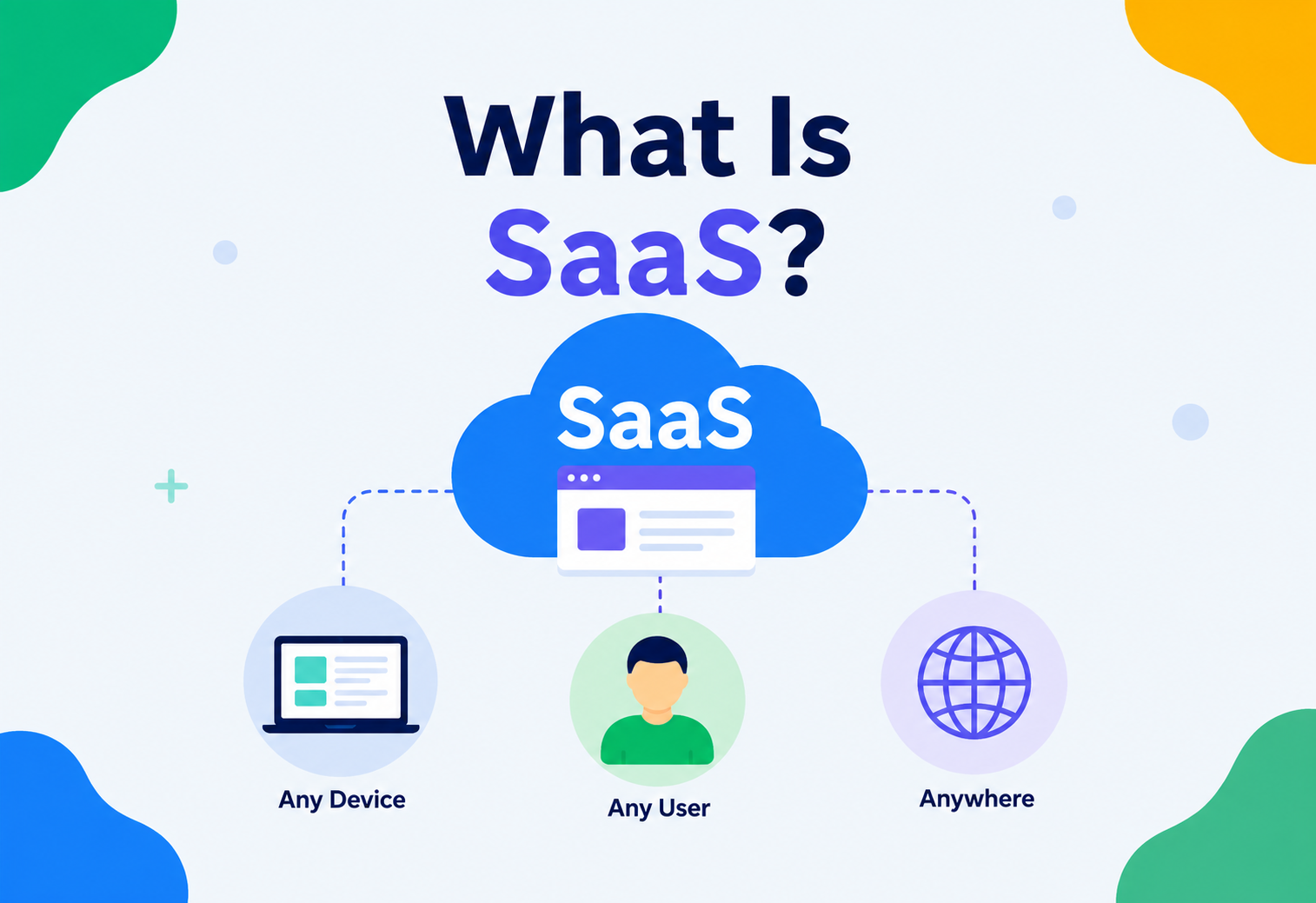
What Is SaaS?
A ground-up explanation of the software delivery model that reshaped an entire industry — from the 1960s time-sharing mainframes and 1999’s Salesforce launch, through multi-tenancy, tenant isolation, sagas, circuit breakers, canary deploys and SLAs, all the way to how modern SaaS platforms like Slack, Shopify, Zoom, GitHub and Netflix are actually built and operated.
Introduction & History
SaaS (Software as a Service) is a way of delivering software where you do not install anything on your own computer or manage any servers — you simply open a web browser (or a mobile app), log in, and the software just works. The company that built it takes care of every server, every update, every bug fix and every backup, and you pay a subscription — usually monthly or yearly — to use it.
Think of SaaS like renting a fully-furnished, fully-maintained apartment instead of buying a house. You do not fix the plumbing, you do not repaint the walls, and you do not worry about the roof — you just move in and live. If something breaks, the landlord (the SaaS company) fixes it, often before you even notice.
1.1 A Short History of “Software Delivered as a Service”
To understand why SaaS exists, it helps to see what came before it.
- 1960s–1980s — Mainframes & Time-Sharing: Companies rented time on giant mainframe computers because owning one was too expensive. This was, in spirit, the ancestor of SaaS: pay to use compute, do not own it.
- 1990s — Shrink-wrapped Software: You bought a box with a CD in it (think Microsoft Office 97), installed it on your own PC, and you owned that exact version forever. Upgrades meant buying a new box.
- Late 1990s — Application Service Providers (ASPs): Companies started hosting existing desktop software on remote servers and letting customers access it over the internet. This was clunky, but it planted the seed.
- 1999 — Salesforce launches: Salesforce is widely credited as the company that made “no software” (their actual early slogan) mainstream — a full CRM (Customer Relationship Management) system delivered entirely through a browser, on a subscription. This is generally considered the birth of modern SaaS.
- 2006 — Amazon Web Services (AWS) launches: Cloud infrastructure (servers rented by the hour) became available to anyone. This removed the single biggest barrier to building a SaaS company: you no longer needed to buy your own data center.
- 2010s–Present — SaaS becomes the default: Slack, Zoom, Notion, HubSpot, Shopify, Figma, GitHub — nearly every modern business tool today is SaaS-first. Even traditionally “installed” software like Microsoft Office and Adobe Photoshop moved to subscription, cloud-connected models (Microsoft 365, Adobe Creative Cloud).
The Problem SaaS Solves
Before SaaS, if a company wanted to use, say, an accounting system, this is what actually had to happen:
- Buy physical servers (expensive, and you had to guess how many you would need).
- Hire IT staff to install, patch and babysit those servers.
- Buy a software license, often per-computer, often very expensive.
- Install the software on every employee’s machine.
- When a new version came out, repeat the installation across every machine — sometimes across hundreds of offices.
- If a server caught fire, flooded or was stolen, the company’s data could be gone forever, unless they had built their own backup system.
This model had real, painful costs: huge upfront capital expenditure, slow and expensive upgrades, inconsistent versions across teams, and the burden of security falling entirely on each individual company — most of whom had no security experts on staff at all.
SaaS exists to convert a large, risky, upfront capital expense (buying servers and licenses) into a small, predictable, ongoing operating expense (a monthly subscription) — while shifting all operational burden (uptime, security, scaling, backups) onto a specialized vendor who can do it far better, because they do it for thousands of customers instead of one.
2.1 Who Benefits, and How
| Stakeholder | What they used to struggle with | What SaaS gives them instead |
|---|---|---|
| Small business owner | Could not afford enterprise software or IT staff | Enterprise-grade tools for $10–$50/user/month |
| Enterprise IT department | Managing thousands of installations and patches | Zero-install browser access, centrally managed by vendor |
| Software vendor | One-time sales, piracy, fragmented old versions in the wild | Recurring revenue, one codebase for everyone, instant updates |
| End user | Manual installs, version mismatches between colleagues | Always the latest version, accessible from any device |
2.2 The Economics Behind the Shift
The move to SaaS was not just a technical convenience — it reshaped how software businesses make money, and that in turn shaped how the software itself gets built. Under the old licensing model, a vendor made most of its revenue upfront, at the moment of sale, and had comparatively little ongoing incentive to keep improving a product a customer had already paid for in full. Under the SaaS subscription model, revenue only continues if the customer keeps finding the product valuable enough to keep paying for it every month. This single change in incentive is why SaaS companies invest so heavily in reliability, continuous improvement and customer support — an unhappy customer is not just a support ticket, they are a subscription that might not renew.
This also explains why SaaS architecture looks the way it does. Because the vendor now owns operational responsibility for every customer simultaneously, a bug or an outage does not affect one customer at a time the way a shipped desktop application’s bug once did — it can affect every single customer at once, all through the same shared infrastructure. That single fact is the underlying reason SaaS systems are built with so much emphasis on redundancy, isolation, monitoring and gradual rollouts, topics this guide covers in depth in the sections ahead.
Core Concepts
3.1 The “as a Service” Spectrum
SaaS is the topmost layer of a stack of “as a Service” models. Understanding where it sits helps clarify exactly what a SaaS vendor is — and is not — responsible for.
| Layer | You manage | Vendor manages | Example |
|---|---|---|---|
| On-Premises | Everything: hardware, OS, app, data | Nothing | A company’s own server room |
| IaaS | OS, runtime, app, data | Physical servers, networking, virtualization | AWS EC2, Google Compute Engine |
| PaaS | App code, data | OS, servers, runtime, scaling | Heroku, Google App Engine |
| SaaS | Just your data / configuration | Everything: app, servers, OS, runtime, security | Gmail, Salesforce, Slack |
3.2 Multi-Tenancy — the Defining Idea of SaaS
Multi-tenancy is the single most important architectural concept in SaaS. It means one running copy of the software serves many different customers (“tenants”) at once, while keeping each tenant’s data completely isolated and invisible to every other tenant.
The apartment building
A SaaS app is like an apartment building. All tenants share the same building, the same elevators and the same plumbing infrastructure — but each tenant has their own locked apartment that nobody else can enter. The landlord (SaaS vendor) maintains the shared infrastructure once, and every tenant benefits.
Company A vs. Company B
When Company A and Company B both sign up for a project-management SaaS tool, they log into the exact same running application. Company A never sees Company B’s projects, tasks or files — even though both are served by the same servers and the same database.
tenant_id everywhere
In the database, every row belonging to a tenant is tagged with a tenant_id. Every single query the application runs is automatically filtered by that ID, so no code path can ever accidentally leak one tenant’s data to another.
Salesforce at scale
Salesforce serves over 150,000 organizations from a shared multi-tenant architecture, using a metadata-driven engine so each org can customize fields and workflows without needing a separate copy of the application.
3.3 Tenant Isolation Models
There are three common ways to physically implement multi-tenancy, each trading off cost against isolation:
| Model | Description | Isolation | Cost efficiency |
|---|---|---|---|
| Silo (single-tenant) | Each customer gets their own dedicated database and sometimes dedicated app servers | Highest | Lowest |
| Pool (shared everything) | All customers share the same database and tables; rows are separated by tenant_id | Lowest | Highest |
| Bridge (hybrid) | Shared app servers, but each tenant (or group of large tenants) gets a separate schema or database | Medium | Medium |
Most SaaS companies start with the Pool model because it is cheapest to run for thousands of small customers. As they land large enterprise customers who demand strict data isolation (often for compliance reasons), they move those specific customers to a Silo or Bridge model. Almost every mature SaaS company ends up running a mix of all three.
3.4 Pricing Models in SaaS
How a SaaS company charges for its product is not an afterthought bolted on after the software is built — pricing shapes architecture decisions like rate limiting, plan-based feature flags and usage tracking. The most common pricing models are:
- Per-seat pricing: You pay per user account, regardless of how much that user actually uses the product. Simple to understand, common in collaboration tools like Slack and Notion.
- Usage-based pricing: You pay based on consumption — API calls made, storage used, emails sent. Common in infrastructure-adjacent SaaS like Twilio or AWS-hosted tools, and requires the system to meter usage accurately in real time.
- Tiered / flat pricing: Fixed plans (Free, Pro, Enterprise) each unlocking a different bundle of features and limits, regardless of exact usage within that tier.
- Freemium: A free tier with meaningful functionality, designed to drive adoption, with paid tiers unlocking advanced capability or removing limits.
Whichever model is chosen, the billing service described in the architecture section must reliably track the relevant metric (seats, API calls, storage) per tenant, and the core application must consult that same data before allowing an action — otherwise a tenant could exceed their plan simply because the enforcement point and the billing point disagree with each other.
3.5 Tenant Provisioning in Detail
Provisioning is what happens the instant a new tenant signs up, and it needs to be both fast (nobody wants to wait minutes to start using a product) and safe (a half-finished tenant record must never be visible to other parts of the system). A typical provisioning flow:
- Reserve a unique tenant identifier and a unique subdomain or workspace URL (e.g.,
acme.yoursaas.com). - Insert the tenant record inside a single database transaction, along with the first admin user and a default trial subscription.
- Seed any default data the product needs to feel immediately useful — default project templates, sample data or starter settings.
- Emit a “TenantCreated” event so downstream services (billing, analytics, email) can react independently, rather than the signup flow having to call each of them directly and wait.
- Redirect the new user into a guided onboarding experience while the seeded data finishes setting up in the background.
3.6 Key Vocabulary
- Tenant: A customer organization using the SaaS product (e.g., “Acme Corp” using your app).
- Subscription / Plan: The pricing tier a tenant pays for (Free, Pro, Enterprise), which usually gates feature access.
- Onboarding: The automated process of creating a new tenant’s account, initial data and configuration.
- Provisioning: Allocating the actual resources (database rows, storage, sometimes infrastructure) for a new tenant.
- Churn: The rate at which customers cancel their subscription — the single most-watched metric in any SaaS business.
- MRR / ARR: Monthly / Annual Recurring Revenue — the predictable revenue SaaS is famous for generating.
Architecture & Components
A production SaaS application is really a collection of cooperating pieces, not one giant program. Here is what a fairly typical modern SaaS system looks like end to end.
4.1 Component Breakdown
- CDN (Content Delivery Network): Caches static assets (JS, CSS, images) close to the user geographically, so the app loads fast anywhere in the world.
- Load Balancer: Distributes incoming traffic across many identical app server instances, so no single server gets overwhelmed.
- API Gateway: The single front door for all requests — handles authentication, rate limiting and routing to the correct internal service.
- Tenant Service: Manages tenant onboarding, settings and user membership within each organization.
- Billing Service: Talks to a payment provider (Stripe, Razorpay, Paddle), tracks subscriptions and enforces plan limits.
- Core App Service(s): The actual business logic — this is different for every SaaS product (e.g., “tasks” for a project tool, “tickets” for a support tool).
- Cache Layer: An in-memory store (usually Redis) that holds frequently-read data so the database is not hit on every request.
- Message Queue: Decouples slow or non-urgent work (sending emails, generating reports) from the main request path.
- Background Workers: Separate processes that pull jobs off the queue and execute them asynchronously.
- Observability Stack: Centralized logs, metrics and traces from every component, used to detect and debug problems.
You do not need all of this on day one. A brand-new SaaS product can run happily as a single application server plus a single database. The architecture above is what that same product gradually grows into as it goes from 10 customers to 100,000 customers.
4.2 Modular Monolith vs. Microservices — Where Most SaaS Products Actually Start
Despite how often microservices are discussed, most successful SaaS companies start with what is called a modular monolith: a single deployable application, but internally organized into clearly separated modules (billing, tenant management, core features) with well-defined boundaries between them. This gives most of the organizational clarity of microservices — teams can work on separate modules without stepping on each other — without the operational overhead of running, deploying and monitoring dozens of separate services from day one.
| Approach | Best for | Operational cost |
|---|---|---|
| Simple monolith | Early-stage product, small team, validating the idea | Low |
| Modular monolith | Growing product, multiple teams, still one deploy | Medium |
| Microservices | Large-scale product, independent team ownership, different scaling needs per component | High |
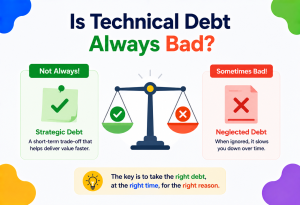
The general advice from experienced SaaS architects is to resist splitting into microservices too early — the clean module boundaries inside a modular monolith are what make a later split into real microservices straightforward, if and when the team and traffic genuinely justify it. Splitting prematurely, before those boundaries are well understood, tends to produce a distributed system that is harder to operate than the monolith it replaced, without delivering any real scalability benefit yet.
4.3 Containers as the Unit of Deployment
Whether a SaaS product is a monolith or a set of microservices, it is almost always packaged and deployed as one or more containers rather than installed directly onto a server’s operating system. A container bundles the application code together with its exact runtime, libraries and configuration into one portable unit, so it behaves identically on a developer’s laptop, in a test environment and in production — eliminating the classic “it works on my machine” class of bugs. This portability is also what makes horizontal scaling practical: spinning up a tenth identical copy of a service is just a matter of starting a tenth container from the same image, not manually configuring a new server by hand.
Internal Working — How a Request Actually Flows
Let’s trace exactly what happens when a logged-in user of a SaaS app clicks a button to view their dashboard.
- The browser sends an HTTPS request with a session token (often a JWT — JSON Web Token) in the header.
- The request hits the CDN first; since this is dynamic data, the CDN passes it through to the load balancer.
- The load balancer picks one healthy app server instance (round-robin, least-connections or similar algorithm).
- The API Gateway validates the JWT, extracts the
tenant_idanduser_idembedded in it, and checks the user’s role/permissions. - The request is routed to the correct microservice, which checks the cache (Redis) first for the requested data.
- On a cache miss, the service queries the database — critically, every query is automatically scoped by
tenant_idso tenant isolation is enforced at the data layer, not just trusted to application code. - The result is cached for next time, then serialized to JSON and returned through the gateway, load balancer and CDN back to the browser.
- In parallel, an access log entry and a metric (“dashboard_view”) are emitted to the observability stack.
// A Spring Boot filter that extracts the tenant from the JWT
// and stores it in a thread-local context for the entire request lifecycle.
@Component
public class TenantContextFilter extends OncePerRequestFilter {

    @Override
    protected void doFilterInternal(HttpServletRequest request,
                                     HttpServletResponse response,
                                     FilterChain chain) throws ServletException, IOException {
        String token = extractBearerToken(request);
        Claims claims = jwtService.parseAndValidate(token);

        String tenantId = claims.get("tenant_id", String.class);
        String userId   = claims.get("user_id",   String.class);

        // TenantContext is a ThreadLocal holder -- every downstream
        // repository call reads from here, so isolation is not optional.
        TenantContext.set(tenantId, userId);
        try {
            chain.doFilter(request, response);
        } finally {
            TenantContext.clear(); // prevent leaking into the next request on this thread
        }
    }
}

// Every repository query is automatically tenant-scoped:
@Repository
public interface TaskRepository extends JpaRepository<Task, Long> {

    @Query("SELECT t FROM Task t WHERE t.tenantId = :#{T(com.utivra.TenantContext).getTenantId()} " +
           "AND t.status = :status")
    List<Task> findByStatus(@Param("status") String status);
}
Forgetting a tenant_id filter on even one query is a data breach: Company A could see Company B’s data. This is why production SaaS systems enforce tenant scoping at multiple layers — application code, database row-level security policies and automated tests that specifically try to fetch another tenant’s data and assert it is rejected.
Data Flow & the SaaS Lifecycle
Beyond a single request, it helps to see the full lifecycle of a tenant — from signup to churn.
6.1 The Stages Every Tenant Moves Through
- Signup: A tenant record and an admin user are created, usually within a trial or free plan.
- Onboarding: Guided setup — inviting teammates, connecting integrations, importing data.
- Activation: The tenant experiences the product’s core value for the first time (e.g., sends their first message, creates their first project).
- Conversion: The tenant adds a payment method and becomes a paying customer.
- Expansion: The tenant upgrades plans, adds more seats or buys add-ons as they grow.
- Renewal: The subscription automatically renews each billing cycle.
- Churn: The tenant cancels — the event every SaaS company works hardest to prevent.
Pros, Cons & Trade-offs
What SaaS gives you
- No upfront hardware or license cost
- Always on the latest version — no manual upgrades
- Accessible from anywhere, any device
- Vendor handles security patching, backups and uptime
- Usage-based pricing scales with the business
- Fast to adopt — sign up and start working in minutes
What SaaS costs you
- Ongoing cost never truly ends (unlike a one-time purchase)
- Requires internet access to function (mostly)
- Vendor lock-in — migrating data out can be hard
- Less control over customization and infrastructure
- Your data lives on someone else’s servers
- An outage at the vendor is an outage for you, with no local fallback
7.1 When SaaS Is the Right Choice — and When It Isn’t
| Scenario | Better fit |
|---|---|
| Small / medium business needing standard tools fast | SaaS |
| Startup validating a product idea quickly | SaaS |
| Government / defense system with strict data residency and air-gap rules | On-Premises |
| Highly specialized workflow no vendor offers | Custom-built |
| Company needing deep, product-level customization | PaaS / IaaS + custom build |
Performance & Scalability
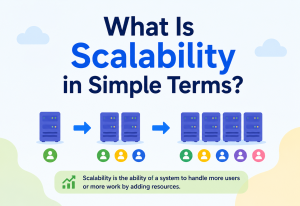
A SaaS product must serve thousands (sometimes millions) of tenants from shared infrastructure without one tenant’s heavy usage slowing down everyone else’s experience. This requires deliberate design.
8.1 Horizontal Scaling
Instead of buying one bigger server (vertical scaling), SaaS systems run many identical, smaller app server instances behind a load balancer (horizontal scaling). When traffic increases, you simply add more instances.
Cashiers vs. counters
Vertical scaling is like replacing one cashier with a superhuman cashier who works twice as fast. Horizontal scaling is like opening more checkout counters. Past a certain point, opening more counters is cheaper and more reliable than searching for a superhuman cashier.
Netflix at evening peaks
Netflix’s SaaS-style streaming backend runs thousands of small, independently-scalable microservice instances across AWS, automatically adding capacity in regions during evening peak-viewing hours and scaling back down overnight.
8.2 The “Noisy Neighbor” Problem
In a shared (Pool) multi-tenant system, one tenant running an unusually heavy operation (e.g., exporting a million rows) can slow down the database for every other tenant sharing that database. This is called the noisy neighbor problem, and SaaS platforms solve it with:
- Rate limiting — capping how many requests per minute a tenant can make.
- Resource quotas — limiting storage, API calls or background job time per plan tier.
- Query timeouts and circuit breakers — killing runaway queries before they hurt others.
- Tenant sharding — physically splitting large or noisy tenants onto separate database instances.
@Component
public class TenantRateLimiter {

    private final Map<String, Bucket> buckets = new ConcurrentHashMap<>();

    public boolean tryConsume(String tenantId, int plan) {
        Bucket bucket = buckets.computeIfAbsent(tenantId, id -> createBucket(plan));
        return bucket.tryConsume(1); // returns false if the tenant is over their limit
    }

    private Bucket createBucket(int planRequestsPerMinute) {
        Bandwidth limit = Bandwidth.classic(planRequestsPerMinute,
                Refill.greedy(planRequestsPerMinute, Duration.ofMinutes(1)));
        return Bucket.builder().addLimit(limit).build();
    }
}
8.3 Caching for Scale
Since many tenants read the same kind of data repeatedly (dashboards, settings, plan limits), a cache layer like Redis dramatically reduces database load. A typical rule of thumb: cache anything read far more often than it is written.
8.4 Autoscaling
Rather than manually deciding how many app server instances to run, most SaaS platforms configure autoscaling: the infrastructure watches a signal, such as average CPU usage or request queue length, and automatically adds instances when that signal crosses a threshold, then removes them again once demand drops. This keeps costs proportional to actual usage instead of paying for peak capacity around the clock, and it is especially valuable for SaaS products with predictable daily or weekly usage patterns — for instance, a B2B tool used mostly during business hours in its customers’ primary time zones can safely run a much smaller fleet overnight.
High Availability & Reliability
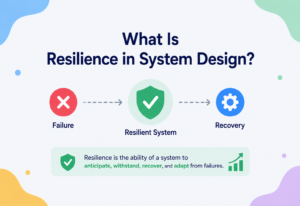
Because thousands of businesses depend on a SaaS product to run their own operations, downtime is extremely costly — both financially and to trust. SaaS vendors design specifically to avoid single points of failure.
9.1 Redundancy & Failover
Every critical component — app servers, databases, load balancers — runs in multiple copies, often across multiple data centers (“availability zones”). If one fails, traffic automatically shifts to a healthy copy.
9.2 SLAs — the Promise of Reliability
SaaS vendors publish a Service Level Agreement (SLA), a formal promise of uptime, usually expressed in “nines.”
| Uptime % | Downtime per year | Typical tier |
|---|---|---|
| 99% (“two nines”) | ~3.65 days | Basic / free tier |
| 99.9% (“three nines”) | ~8.76 hours | Standard SaaS |
| 99.95% | ~4.38 hours | Business tier |
| 99.99% (“four nines”) | ~52.6 minutes | Enterprise tier |
9.3 Consensus, Replication and Failure Recovery
Under the hood, keeping multiple database copies consistent during failover relies on distributed systems theory:
- Replication: Data is continuously copied from a primary database to one or more replicas. Synchronous replication waits for the replica to confirm before acknowledging a write (safer, slower); asynchronous replication does not wait (faster, small risk of losing the last few writes on failover).
- Consensus algorithms (like Raft or Paxos) let a cluster of database nodes agree on which node is the current primary, even if some nodes are slow or unreachable — this is how automatic failover decides who takes over.
- The CAP theorem states that during a network partition (some servers cannot talk to others), a distributed system must choose between Consistency (everyone sees the same data) and Availability (the system keeps responding). Most SaaS platforms lean toward availability for read operations and consistency for billing / financial operations.
- Disaster recovery (DR): Beyond same-region failover, SaaS vendors take encrypted backups to a separate geographic region, with a defined RPO (Recovery Point Objective — how much data you can afford to lose) and RTO (Recovery Time Objective — how fast you must be back up).
You do not need to memorize Raft or Paxos to understand SaaS — just remember: reliability is not an accident. It is built by deliberately running multiple copies of everything and using well-tested algorithms to agree on the truth when something breaks.
9.4 Graceful Degradation Instead of Total Failure
A well-built SaaS system rarely fails as an all-or-nothing switch. Instead, it degrades gracefully — turning off non-essential features under stress so the core function keeps working. For example, if the recommendations service inside an e-commerce SaaS platform becomes slow or unavailable, a well-designed system will simply hide the “recommended for you” section rather than let that one failing dependency crash the entire product page.
Car with a broken radio
Graceful degradation is like a car losing power steering but still being drivable — harder to steer, but you can still get where you are going. A poorly designed system is like a car where a broken radio disables the engine entirely.
Circuit breaker to the rescue
A circuit breaker (covered in Chapter 15) wraps the call to the recommendations service. After a few failures, it “opens” and immediately returns an empty list instead of waiting on a doomed call, keeping the rest of the page fast and functional.
9.5 Bottleneck Detection
Reliability engineering also means proactively finding the weakest link in the system before it breaks under load. Teams do this with load testing — deliberately sending simulated traffic far beyond normal levels — and watching which component (database connections, a specific service, disk I/O) saturates first. That component becomes the priority for the next round of scaling work, since a system is only ever as strong as its single most constrained resource.
Security
Because a SaaS vendor holds data for many customers at once, security is existential — one breach can destroy years of trust. Key layers of SaaS security:
10.1 Authentication & Authorization
- Authentication (AuthN): Proving who you are — passwords, SSO (Single Sign-On via SAML / OAuth) and multi-factor authentication (MFA).
- Authorization (AuthZ): Determining what you are allowed to do — Role-Based Access Control (RBAC) assigns permissions by role (Admin, Editor, Viewer) within each tenant.
@PreAuthorize("hasRole('ADMIN') and #tenantId == authentication.principal.tenantId")
@DeleteMapping("/api/v1/tenants/{tenantId}/users/{userId}")
public ResponseEntity<Void> removeUser(@PathVariable String tenantId,
                                        @PathVariable String userId) {
    userService.removeUser(tenantId, userId);
    return ResponseEntity.noContent().build();
}
10.2 Encryption
- Encryption in transit: All traffic uses TLS (HTTPS), so data cannot be read if intercepted on the network.
- Encryption at rest: Data stored on disk (databases, backups, file storage) is encrypted, so a stolen disk reveals nothing.
- Tenant-level key isolation: Larger SaaS platforms sometimes issue a separate encryption key per tenant, so a compromised key exposes only one customer, not all of them.
10.3 Compliance Certifications
Enterprise customers typically require proof of security practices before buying:
SOC 2 Type II
Independent audit of security, availability and confidentiality controls over a sustained period. The single most requested certification in North American enterprise SaaS deals.
ISO 27001
International standard for an Information Security Management System (ISMS). Widely required in European and Asian markets.
GDPR (EU)
Governs personal data of EU residents, with strict rules on consent, data portability and breach notification.
HIPAA (US Healthcare)
Governs protected health information (PHI). Required for any SaaS handling US medical data.
DPDP Act 2023 (India)
India’s Digital Personal Data Protection Act; drives strong data-residency and consent requirements for SaaS serving Indian users.
PCI-DSS (Payments)
Mandatory for any SaaS storing, processing or transmitting cardholder data.
Relying only on application-level checks for tenant isolation is risky — one missed WHERE tenant_id = ? clause is a breach. Production systems add a second layer, such as PostgreSQL Row-Level Security (RLS) policies, so the database itself refuses to return another tenant’s rows even if the application code has a bug.
10.4 Data Residency and Audit Logging
Many enterprise and government customers require that their data physically stay within a specific country’s borders — a requirement known as data residency, often driven by local laws such as India’s DPDP Act 2023 or the EU’s GDPR. Mature SaaS platforms address this by running fully separate regional deployments (e.g., an EU region and an India region), and routing each tenant’s traffic and storage to the region their contract requires, rather than operating a single global database that mixes everyone together.
Separately, most enterprise SaaS plans include an audit log — an immutable, timestamped record of every sensitive action taken within a tenant’s account (who logged in, who changed a permission, who exported data). This is not just a security nicety; it is frequently a hard requirement for the compliance certifications listed above, and it is often the first thing a security team asks to see during an enterprise sales evaluation.
Monitoring, Logging & Metrics
You cannot fix what you cannot see. SaaS platforms invest heavily in observability because problems must be caught before customers notice them.
11.1 The Three Pillars of Observability
| Pillar | What it answers | Common tools |
|---|---|---|
| Logs | What exactly happened, in detail, at a point in time? | ELK Stack, Datadog, Splunk |
| Metrics | How is the system behaving over time, in aggregate? | Prometheus, Grafana, CloudWatch |
| Traces | How did one request travel through many services? | Jaeger, Zipkin, OpenTelemetry |
11.2 Correlation IDs
In a system with many microservices, a single user action might touch five different services. A correlation ID — a unique identifier generated at the very first entry point — is attached to every log line and passed along every internal call, so engineers can search one ID and see the entire journey of that one request, across every service.
@Component
public class CorrelationIdFilter extends OncePerRequestFilter {
    private static final String HEADER = "X-Correlation-Id";

    @Override
    protected void doFilterInternal(HttpServletRequest req, HttpServletResponse res,
                                     FilterChain chain) throws ServletException, IOException {
        String correlationId = Optional.ofNullable(req.getHeader(HEADER))
                                        .orElse(UUID.randomUUID().toString());
        MDC.put("correlationId", correlationId); // attached to every log line automatically
        res.setHeader(HEADER, correlationId);
        try {
            chain.doFilter(req, res);
        } finally {
            MDC.clear();
        }
    }
}
11.3 SaaS-Specific Metrics That Matter
- Business metrics: MRR, churn rate, active tenants, seats used per tenant.
- Reliability metrics: Uptime %, error rate, p95 / p99 latency (the response time for the slowest 5% / 1% of requests — often what actually determines whether users perceive the app as “slow”).
- Per-tenant metrics: Which specific tenant is causing errors or heavy load — critical for isolating noisy-neighbor issues.
Deployment & Cloud
SaaS products are, almost without exception, built and run on public cloud infrastructure (AWS, Google Cloud, Microsoft Azure) rather than physical servers the company owns.
12.1 Containers & Orchestration
Modern SaaS applications are packaged as containers (using Docker) — a lightweight, portable bundle of the app and everything it needs to run, guaranteed to behave identically anywhere. Kubernetes then orchestrates hundreds of these containers: starting new ones under load, restarting crashed ones, and rolling out new versions with zero downtime.
12.2 CI/CD — How SaaS Ships Updates Constantly
Unlike shrink-wrapped software with yearly releases, SaaS products often deploy new code many times per day, using a Continuous Integration / Continuous Deployment (CI/CD) pipeline:
- Developer pushes code to a Git repository.
- Automated tests run (unit, integration, security scans).
- If tests pass, a new container image is built and pushed to a registry.
- The new version is deployed gradually — often to just 5% of servers first (canary deployment) — while metrics are watched for errors.
- If healthy, the rollout continues to 100%; if not, it is automatically rolled back.
Because there is only one production copy of the software (not thousands of installations on customer machines), the vendor can ship a bug fix to every single customer within minutes — something that was simply impossible in the shrink-wrap era.
Databases, Caching & Load Balancing
13.1 Database Strategy for Multi-Tenant Data
Beyond the isolation models covered earlier, SaaS databases lean on a few core techniques as they grow:
- Read replicas: Copies of the database used only for reading, so heavy reporting queries do not slow down the primary database that handles writes.
- Sharding: Splitting tenants across multiple database instances (e.g., tenants A–M on Shard 1, N–Z on Shard 2), so no single database has to hold every tenant’s data.
- Connection pooling: Reusing a fixed set of database connections across many requests, since opening a fresh connection per request is expensive at scale.
- Optimistic locking: Handling concurrent edits (two users editing the same record) using a version number, rejecting a save if the version has changed since it was read — avoiding the cost of full locking for the common case where conflicts are rare.
@Entity
public class Task {
    @Id @GeneratedValue
    private Long id;

    private String title;
    private String status;

    @Version // Spring/JPA automatically checks this on every UPDATE
    private Long version;
}

// If two users load version 3 of the same task and both try to save,
// the second save fails with an OptimisticLockException, and the
// application asks that user to refresh and re-apply their change --
// instead of silently overwriting the first user's edit.
13.2 Caching Layers
| Cache type | Where it lives | Typical use in SaaS |
|---|---|---|
| CDN cache | Edge locations worldwide | Static JS / CSS / images |
| Application cache (Redis) | In-memory, shared across app servers | Session data, tenant settings, computed dashboards |
| Database query cache | Inside the database engine | Repeated identical queries |
13.3 Load Balancing Algorithms
- Round-robin: Requests distributed evenly in rotation across servers.
- Least connections: New requests go to whichever server currently has the fewest active connections.
- Consistent hashing: The same tenant’s requests are routed to the same server / cache node, improving cache hit rates.
APIs & Microservices
Most SaaS products expose the same functionality their own UI uses as a public REST API, so customers can integrate the SaaS product into their own workflows (e.g., Slack’s API letting other tools post messages into Slack).
14.1 Why SaaS Platforms Split into Microservices as They Grow
Early on, a SaaS product is usually a single application (a “monolith”) — simpler to build and deploy. As the team and product grow, it is often split into microservices: small, independently deployable services, each owning one clear responsibility (billing, notifications, core app logic), communicating over the network.
Restaurant staff
A monolith is like one person doing every job in a restaurant — cooking, serving and billing. Microservices are like a full restaurant staff: a chef, waiters and a cashier, each specialized, each able to be replaced or scaled independently (hire more waiters during a rush without touching the kitchen).
Amazon’s split
Amazon famously moved from a monolithic architecture to hundreds of microservices, letting different teams deploy independently — a key reason Amazon can ship thousands of production changes per day without one team’s mistake taking down the whole platform.
14.2 Handling Failure Between Services — the Saga Pattern
When one business action (like “cancel a subscription”) must update several services (Billing, Notifications, Access Control), a single database transaction across all of them usually is not possible. The Saga pattern solves this: each service completes its own local step and publishes an event; if a later step fails, previously completed steps are undone with compensating actions.
14.3 Eventual Consistency
Because services update independently via events, there is a brief window where different parts of the system disagree (e.g., Billing already shows “cancelled” but Access Control has not revoked access yet). This is called eventual consistency — the system guarantees it will become consistent shortly, in exchange for not blocking every service on every other service during normal operation.
14.4 Designing a Public SaaS API
Because customers build their own integrations against a SaaS product’s API, the API itself becomes a long-term contract, not just an internal implementation detail. A few practices distinguish a well-designed public SaaS API:
- Explicit versioning (e.g.,
/api/v1/tasks,/api/v2/tasks) so the vendor can evolve the API without breaking existing customer integrations overnight. - Idempotency keys on write operations — a unique key the client sends so that if a request is retried after a timeout (the client cannot tell if the first attempt succeeded), the server recognizes the duplicate and does not create the same resource twice.
- Consistent pagination and rate-limit headers so integrators can reliably page through large result sets and back off automatically when they are near their limit.
- Webhooks — instead of forcing integrators to constantly poll for changes, the SaaS platform pushes an HTTP callback the moment something relevant happens (e.g.,
invoice.paid), which is far more efficient for both sides.
@PostMapping("/api/v1/tasks")
public ResponseEntity<TaskDto> createTask(
        @RequestHeader("Idempotency-Key") String idempotencyKey,
        @RequestBody CreateTaskRequest request) {

    // If we've already processed this exact idempotency key for this tenant,
    // return the original result instead of creating a duplicate task.
    Optional<TaskDto> existing =
        idempotencyStore.find(TenantContext.getTenantId(), idempotencyKey);
    if (existing.isPresent()) {
        return ResponseEntity.ok(existing.get());
    }

    TaskDto created = taskService.create(request);
    idempotencyStore.save(TenantContext.getTenantId(), idempotencyKey, created);
    return ResponseEntity.status(HttpStatus.CREATED).body(created);
}
14.5 Fan-Out for Tenant-Wide Operations
Some operations naturally need to touch every relevant record across a tenant at once — for example, sending a notification to every member of a workspace when a document is shared. Rather than looping through thousands of recipients synchronously inside the original request (which would make the user wait far too long), the service publishes a single event, and a background worker “fans out” that one event into many individual notification jobs, processed independently and in parallel.
Design Patterns & Anti-patterns
15.1 Patterns Worth Knowing
API Gateway
A single entry point that handles cross-cutting concerns (auth, rate limiting) so individual services do not each reimplement them.
Circuit Breaker
If a dependent service starts failing repeatedly, the circuit “trips” and requests fail fast instead of piling up and cascading the failure elsewhere.
Database-per-service
Each microservice owns its own database, preventing services from silently coupling through shared tables.
CQRS
Command Query Responsibility Segregation — separating the model used for writes from the model used for reads, letting reads be heavily optimized (e.g., a pre-computed dashboard) independent of the write model.
Outbox pattern
Writing an event to an “outbox” table in the same database transaction as the actual data change, then reliably publishing it — avoiding the risk of updating data but failing to notify other services.
15.2 Common Anti-Patterns
Multiple microservices writing directly to the same tables creates hidden coupling — a schema change in one team’s service silently breaks another team’s service.
As covered in Security, always back this up with database-level enforcement (Row-Level Security).
If usage limits are only checked in the UI, a tenant can bypass them entirely by calling the API directly.
Service A calling B calling C calling D on the same request means one slow service makes the entire chain slow, and one failure breaks everything — prefer async events where possible.
Best Practices & Common Mistakes
16.1 Best Practices
- Design multi-tenancy in from day one — retrofitting tenant isolation onto an existing single-tenant app is extremely painful.
- Enforce tenant scoping at the database layer, not just in application code.
- Automate onboarding and provisioning fully — manual tenant setup does not scale past a handful of customers.
- Instrument everything with correlation IDs from day one; retrofitting observability during an incident is far too late.
- Version your public API and never make breaking changes to an existing version — customers build integrations that depend on stability.
- Practice failover and disaster recovery regularly, not just document it — an untested DR plan usually fails when it is actually needed.
- Keep the public API stable and additive; treat any breaking change as a major event requiring a new version and a deprecation timeline communicated well in advance.
- Track per-tenant resource usage from the very first customer, even informally — it is far easier to add fine-grained metering early than to retrofit it once thousands of tenants are already live.
- Write automated tests that specifically attempt cross-tenant data access and assert they fail — treat this as a required test category, not an optional one.
16.2 Common Mistakes Beginners Make
- Building a single-tenant app first and assuming multi-tenancy can be “added later” — it usually requires a near-total rewrite of the data layer.
- Under-pricing based on infrastructure cost per tenant without accounting for support, sales and churn costs.
- Ignoring the noisy neighbor problem until one big customer degrades the experience for everyone else.
- Skipping rate limiting on public APIs, leaving the system exposed to accidental or malicious overload.
- Treating security and compliance as a late-stage checklist instead of a design constraint from the start.
Real-World / Industry Examples
SaaS architecture patterns are not abstract — they show up in the public engineering stories of nearly every major internet company. A few notable examples:
| Company | SaaS Category | Notable architectural fact |
|---|---|---|
| Salesforce | CRM | Pioneered large-scale multi-tenancy with a metadata-driven engine allowing per-tenant customization without code changes. |
| Slack | Team Communication | Uses a “channel server” sharding model to distribute millions of concurrent real-time connections across many servers. |
| Shopify | E-commerce Platform | Employs a “pod” architecture — groups of shards, each an independent, fully-isolated slice of infrastructure serving a subset of merchants. |
| Zoom | Video Conferencing | Runs a globally distributed real-time media network to minimize latency for video / audio streams. |
| Netflix | Streaming (SaaS-style consumer subscription) | Uses thousands of independently deployable microservices and popularized the circuit breaker pattern via its Hystrix library. |
| GitHub | Developer Tools | Combines a large primary MySQL cluster with heavy read-replica usage and caching to serve massive read traffic on repositories. |
FAQ, Summary & Key Takeaways
Short answers to the questions that come up most often when engineers first start building or evaluating SaaS, followed by a compact recap of everything covered in this guide.
18.1 Frequently Asked Questions
Is SaaS the same thing as “cloud computing”?
No. Cloud computing is the broader idea of renting computing resources over the internet (which includes IaaS and PaaS too). SaaS is specifically the topmost layer — a complete, ready-to-use application delivered over the internet, which happens to usually run on cloud infrastructure.
Can a SaaS product work offline?
Mostly no, though some SaaS apps (like certain note-taking or design tools) implement limited offline support with local caching that syncs once the connection returns. Pure SaaS generally assumes an active internet connection.
What’s the difference between SaaS and a regular website?
A regular website mostly displays content. A SaaS product is a full application with user accounts, persistent data and functionality that solves a specific problem — the browser is just the delivery mechanism, not the whole product.
Why do SaaS companies care so much about churn?
Because SaaS revenue is recurring, a company’s long-term value depends on customers staying subscribed for a long time. High churn means the company must constantly acquire new customers just to stay flat, which is far more expensive than retaining existing ones.
Is multi-tenancy always the “shared database” approach?
No — as covered in section 3.3, multi-tenancy can be implemented as Silo (fully separate databases), Pool (fully shared) or Bridge (hybrid). What makes it “multi-tenant” is that one application codebase serves many customers, regardless of how the data is physically stored.
What happens to my data if I stop paying?
Most SaaS vendors move a cancelled tenant into a “grace period” — typically 30 to 90 days — during which the account is read-only or fully locked but the data is retained, in case the customer wants to reactivate or export it. After the grace period, the vendor’s data retention policy takes over, and the data is usually permanently deleted, both to respect user privacy and to control storage costs.
Why do some SaaS products offer a “single-tenant” or “dedicated” plan?
Large enterprise customers — especially in regulated industries like banking, healthcare or government — often require guarantees that their data physically never shares infrastructure with anyone else’s, for compliance and audit reasons. SaaS vendors accommodate this with a Silo deployment for that specific customer, usually at a significantly higher price to cover the extra dedicated infrastructure cost.
Is a mobile app that talks to a backend also SaaS?
Yes, if the underlying delivery model matches — a subscription, a vendor-managed backend and no local installation of business logic beyond a thin client. Many products that people think of as “an app” (Spotify, Duolingo, Notion’s mobile app) are really SaaS products with a mobile client instead of, or in addition to, a browser-based one.
Key Takeaways
- SaaS delivers complete software over the internet on a subscription, with the vendor managing all infrastructure, updates and security.
- Multi-tenancy — one application instance serving many isolated customers — is the defining architectural idea of SaaS.
- Tenant isolation can be Silo, Pool or Bridge, and mature SaaS companies typically use a mix of all three.
- Production SaaS systems need redundancy, replication and tested disaster recovery to hit their published SLA.
- Security must be enforced at multiple layers — application code AND the database itself — never just one.
- As SaaS products grow, they typically evolve from a monolith into microservices, adopting patterns like Sagas, CQRS and circuit breakers to stay reliable.
- Observability (logs, metrics, traces, correlation IDs) is what makes it possible to operate a system serving thousands of tenants reliably.
Summary
SaaS transformed software from something you buy and install once into something you subscribe to and always have the latest version of. Its rise was made possible by cloud infrastructure, and its architecture is defined by multi-tenancy — safely serving many customers from shared systems. Building a real SaaS product means designing deliberately for isolation, scale, reliability, security and observability from the very beginning, because retrofitting any of these later is far harder than building them in from day one. Whether you are evaluating a SaaS tool as a customer or building one as an engineer, understanding these underlying mechanics — multi-tenancy, replication, eventual consistency and graceful degradation among them — turns what looks like a simple login screen into a system with real, deliberate engineering behind every interaction.

