What is CI/CD?
From “it works on my machine” to shipping safely to millions of users, dozens of times a day — everything you need to understand, build, and operate Continuous Integration and Continuous Delivery/Deployment pipelines.
Introduction & History
Imagine a busy restaurant kitchen. Every chef preps their own ingredients separately for hours, and only once a week does everyone bring their dishes together to see if the full meal actually works as a menu. Half the time, flavors clash, dishes that were supposed to complement each other don’t, and by the time anyone notices, the ingredients have gone bad and the whole week’s work has to be redone. This was, quite literally, how software used to be built. Developers worked alone on features for weeks, and “integration” was a dreaded event — a multi-day scramble to merge everyone’s code, fix the inevitable conflicts, and pray the result still worked.
CI/CD — short for Continuous Integration and Continuous Delivery/Deployment — is the modern kitchen where every chef tastes and plates a small dish the moment it’s ready, an automatic taste-tester checks it instantly, and if it passes, it goes straight onto the line ready to serve. Nothing piles up. Nothing goes stale. Problems are caught in minutes, not months.
The roots of CI trace back to the late 1990s and early 2000s. Grady Booch coined the term “continuous integration” in 1991, but it was Kent Beck and the Extreme Programming (XP) community who turned it into a concrete practice around 1999–2000, insisting that developers integrate their code into a shared repository multiple times a day, with automated builds and tests running on every integration. Martin Fowler’s influential 2000 essay “Continuous Integration” popularized the idea industry-wide. Tools like CruiseControl (2001) were among the first dedicated CI servers, automatically building and testing code every time it changed.
Continuous Delivery, formalized by Jez Humble and David Farley in their 2010 book Continuous Delivery, extended the idea further: not just integrating code continuously, but keeping it in a state where it could be released to production at any moment, with confidence, at the push of a button. Continuous Deployment took the final step — removing the button entirely, so every change that passes the pipeline goes live automatically.
Today, CI/CD is the backbone of how modern software gets built at companies of every size — from two-person startups pushing to a single server, to Amazon, which by its own accounts performs tens of thousands of production deployments per day across its systems. It is no longer a “nice to have” practice; it is the operational infrastructure that allows small, safe, frequent changes to replace big, risky, infrequent ones.
Compare a fast-food kitchen where every dish is tasted and served the moment it’s cooked, versus a school canteen where lunch is prepared once a week and reheated. Small, continuous, verified batches beat big, rare, risky ones — that’s CI/CD in a sentence.
Fig 1. Evolution of CI/CD — from weekly manual integration to continuous, cloud-native, AI-assisted pipelines.
The Tools Landscape at a Glance
Before diving deeper, it helps to see the categories of tooling that make up a real-world CI/CD stack, since beginners often conflate “CI/CD” with a single product. In reality it’s an ecosystem of specialized tools, each responsible for one link in the chain.
| Category | Popular tools | Role |
|---|---|---|
| Version control | Git, GitHub, GitLab, Bitbucket | Stores source code and pipeline definitions; triggers pipelines |
| CI/CD orchestrator | Jenkins, GitHub Actions, GitLab CI, CircleCI, Azure DevOps | Runs the pipeline stages |
| Build tools | Maven, Gradle, npm, Bazel | Compile code, resolve dependencies, run tests |
| Containerization | Docker, Podman | Package the application into portable, reproducible images |
| Artifact/image registry | Nexus, Artifactory, Docker Hub, Amazon ECR | Store and version build outputs |
| Deployment/orchestration | Kubernetes, Argo CD, AWS CodeDeploy, Ansible | Roll artifacts out to environments |
| Testing | JUnit, Mockito, Selenium, Pact, Cypress | Automated verification at every level |
| Security scanning | Snyk, OWASP Dependency-Check, Trivy | Catch vulnerable dependencies and misconfigurations |
| Monitoring/observability | Prometheus, Grafana, Datadog, New Relic | Verify production health after deployment |
No single vendor covers this entire stack equally well, so most real organizations mix and match — for example, GitHub for source control and CI, Docker for packaging, Kubernetes with Argo CD for deployment, and Datadog for monitoring, all wired together through a single pipeline definition. Choosing tools is ultimately secondary to the discipline of practicing CI/CD well; a team with a mediocre toolchain but excellent habits around small commits and fast feedback will outperform a team with a perfect toolchain and poor habits every time.
Problem & Motivation
To understand why CI/CD exists, it helps to understand the pain it was built to eliminate. Picture a team of eight developers, each working on their own feature branch for three weeks without merging. On “integration day,” they all try to combine their code at once.
Merge conflicts everywhere, because everyone touched overlapping files. Tests that pass individually fail together because of subtle interactions. Nobody remembers exactly what changed three weeks ago, so debugging takes days. The release, originally planned for Friday, slips to the following Thursday — and morale slips with it.
This problem compounds as teams and codebases grow. The core issues CI/CD was designed to solve are:
- Late integration risk: the longer code changes stay isolated, the more they diverge, and the more expensive it becomes to reconcile them.
- Manual, error-prone releases: a human running a checklist of twenty manual steps to deploy will, sooner or later, skip step 14 at 11pm and take down production.
- Slow feedback loops: a bug introduced on Monday but discovered during testing three weeks later is far more expensive to fix — the developer has to reload all that mental context.
- Fear of releasing: when releases are rare, risky, and manual, teams naturally avoid them — which means when a release does happen, it bundles months of change, which makes it even riskier. This is a vicious cycle.
- Inconsistent environments: “it works on my machine” — a build that succeeds on a developer’s laptop but fails in production because of subtle environment differences.
CI/CD attacks all five problems with a single core idea: make every change small, integrate it immediately, verify it automatically, and make releasing so routine that it becomes boring. Boring deployments are good deployments — they mean nobody is holding their breath.
Compare paying off a credit card with a small payment every week versus letting it pile up for a year and trying to pay it off in one shot. Small, frequent, low-stakes actions are always easier to manage and recover from than large, rare, high-stakes ones. CI/CD applies that principle to software changes.
Core Concepts
Before going further, it’s worth building a shared vocabulary. Every term below will recur throughout the rest of this guide — and throughout your career.
4.1 Continuous Integration (CI)
What: Continuous Integration is the practice of merging all developers’ working copies of code into a shared main branch frequently — multiple times a day — with every merge automatically built and tested.
Why: It surfaces integration problems within minutes of them being introduced, when the change is fresh in the developer’s mind and small enough to reason about, instead of weeks later when it’s tangled with dozens of other changes.
Where: Implemented via a CI server (Jenkins, GitHub Actions, GitLab CI, CircleCI) that watches a version control repository and triggers a build-and-test pipeline on every push or pull request.
A solo developer building a to-do list app pushes code to GitHub. A GitHub Actions workflow automatically compiles the code and runs unit tests on every push, showing a green checkmark or a red X directly on the commit.
At Google, every single code change (“changelist”) submitted to their monorepo triggers automated builds and a relevant subset of the millions of existing tests before it can be merged, catching regressions before they ever reach other engineers.
4.2 Continuous Delivery (CD)
What: Continuous Delivery extends CI so that every change that passes the automated pipeline is automatically prepared into a releasable artifact — built, tested, and packaged — and could be deployed to production at any moment, but the actual production deployment is triggered manually (usually by clicking a button).
Why: It removes the “we need three days to prepare a release” problem, replacing it with “we can release whenever we choose, with a single click, because everything is already verified.”
Think of a delivery truck that is loaded, fueled, and idling at the warehouse door every single day. The driver doesn’t have to spend a day loading boxes before every delivery — they just have to say “go.”
4.3 Continuous Deployment
What: The final step beyond Continuous Delivery — every change that passes all automated checks is deployed to production automatically, with no human clicking “go” at all.
Where used: Common at companies with mature test suites and strong monitoring/rollback systems — Etsy and Amazon are frequently cited as deploying to production continuously, many times per hour, without individual human sign-off for each change.

| Term | What happens automatically | Human step required |
|---|---|---|
| Continuous Integration | Build + run tests on every commit | Developer reviews/merges code |
| Continuous Delivery | Build + test + package a release-ready artifact | Someone clicks “deploy to production” |
| Continuous Deployment | Build + test + package + deploy to production | None — fully automatic |
4.4 The Pipeline
A CI/CD pipeline is the automated sequence of stages a code change travels through — typically: source checkout → build → unit test → static analysis/security scan → package artifact → integration test → deploy to staging → automated acceptance test → deploy to production. Each stage acts as a gate: if a stage fails, the pipeline stops and the team is notified immediately, rather than letting a broken change slip through.
4.5 Key Supporting Terms
Build
Compiling source code and resolving dependencies into a runnable artifact (e.g., a .jar file for Java).
Artifact
The packaged, versioned output of a build — a JAR, Docker image, or binary — stored in an artifact repository.
Pipeline-as-code
Defining the pipeline itself in a version-controlled file (e.g., Jenkinsfile, .github/workflows/*.yml) rather than clicking through a UI.
Trunk-based development
Developers integrate to a single main branch frequently, using short-lived branches and feature flags instead of long-lived branches.
Feature flag
A runtime switch that lets you deploy code to production “dark” (turned off) and enable it later without a new deployment.
Rollback
Reverting production to a previous known-good version quickly when a deployment causes problems.
Architecture & Components
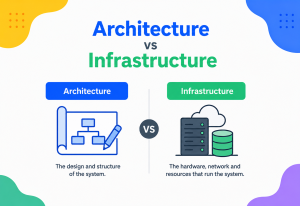
A production-grade CI/CD system is made up of several cooperating components. Understanding each piece — and how they fit together — is essential before you design your own pipeline.
Fig 2. Components of a production-grade CI/CD system, from developer push to production monitoring.
5.1 Version Control System (VCS)
The source of truth for all code and, increasingly, pipeline configuration itself. Git is the near-universal standard today; platforms like GitHub, GitLab, and Bitbucket layer collaboration features (pull requests, code review, webhooks) on top of it.
5.2 CI/CD Orchestrator (the “server”)
The brain of the operation. It listens for triggers (a push, a pull request, a schedule, a manual button), reads the pipeline definition, allocates agents to run the work, tracks state, and reports results. Popular choices include Jenkins (self-hosted, highly extensible), GitHub Actions and GitLab CI (integrated with their respective platforms), CircleCI, and cloud-native options like AWS CodePipeline and Azure DevOps.
5.3 Build Agents / Runners
The actual machines (physical, virtual, or ephemeral containers) that execute pipeline steps — compiling code, running tests. Modern systems favor ephemeral, containerized runners that spin up fresh for each job and disappear afterward, guaranteeing a clean, reproducible environment every time.
5.4 Artifact Repository
A versioned storage system for build outputs — JAR/WAR files (Nexus, Artifactory), Docker images (Docker Hub, Amazon ECR, Google Artifact Registry), or npm packages. This is critical: it ensures the exact same artifact that was tested is the one that gets deployed, rather than rebuilding (and potentially producing something subtly different) at each stage.
5.5 Environments
Pipelines typically promote a change through a sequence of environments of increasing production-likeness: dev → test/QA → staging → production. Staging in particular should mirror production as closely as possible (same infrastructure topology, similar data shape) to catch environment-specific bugs before real users see them.
5.6 Secrets Manager
A dedicated, access-controlled store (HashiCorp Vault, AWS Secrets Manager, Azure Key Vault) for credentials, API keys, and certificates the pipeline needs — never hardcoded into pipeline scripts or source code.
5.7 Notification & Observability Layer
Slack/Teams/email integrations that tell the team the moment a build breaks, plus dashboards and metrics (build duration, failure rate, deployment frequency) that let teams see the health of their delivery process over time.
Internal Working
Let’s trace exactly what happens, mechanically, from the moment a developer runs git push to the moment tested code is sitting in an artifact repository, ready to deploy.
Trigger
The developer pushes a commit. The Git server (e.g., GitHub) fires a webhook — an HTTP POST request — to the CI orchestrator, describing what changed and on which branch.
Queueing
The orchestrator receives the webhook, parses the pipeline definition file (checked into the repo itself), and places a new “build job” into a queue.
Agent allocation
A free build agent (often a fresh Docker container or VM) picks up the job. It checks out the exact commit from Git into a clean workspace.
Dependency resolution
The build tool (Maven, Gradle, npm) downloads required libraries, ideally from a cached internal proxy repository to keep this fast and resilient to public registry outages.
Compilation
Source code is compiled into bytecode/binaries. In Java, this is where javac (via Maven/Gradle) turns .java files into .class files.
Static analysis
Linters and static analyzers (Checkstyle, SonarQube, SpotBugs) scan the code for style violations, code smells, and potential bugs — without executing it.
Unit tests
Fast, isolated tests run against individual classes/functions, typically using JUnit/Mockito for Java. These should complete in seconds to a few minutes.
Packaging
The compiled code is bundled into a deployable artifact — a JAR/WAR file, or increasingly, a Docker image built via a Dockerfile.
Publishing the artifact
The artifact is uploaded to the artifact repository, tagged with a unique, immutable version (often the Git commit SHA), so it can never be silently overwritten.
Integration/acceptance tests
The artifact is deployed into a temporary or shared test environment, and broader tests run — verifying that services talk to each other, databases behave correctly, and end-to-end user flows work.
Promotion gate
If every stage passed, the pipeline either automatically promotes the artifact to the next environment (Continuous Deployment) or waits for a human to click “approve” (Continuous Delivery).
Deployment
A deployment tool (Kubernetes, Ansible, AWS CodeDeploy) rolls the new artifact out to the target environment using a defined strategy (rolling, blue-green, canary — covered in Section 13).
Post-deploy verification
Automated smoke tests and health checks confirm the new version is actually serving traffic correctly; monitoring begins watching key metrics closely for a period after release.
Example: a minimal GitHub Actions workflow for a Spring Boot service
name: CI Pipeline

on:
  push:
    branches: [ main ]
  pull_request:
    branches: [ main ]

jobs:
  build-and-test:
    runs-on: ubuntu-latest
    steps:
      - name: Checkout code
        uses: actions/checkout@v4

      - name: Set up JDK 21
        uses: actions/setup-java@v4
        with:
          java-version: '21'
          distribution: 'temurin'
          cache: 'maven'

      - name: Run unit tests
        run: mvn -B test

      - name: Static analysis
        run: mvn -B checkstyle:check spotbugs:check

      - name: Package application
        run: mvn -B package -DskipTests

      - name: Build Docker image
        run: docker build -t myorg/order-service:${{ github.sha }} .

      - name: Push image to registry
        run: |
          echo "${{ secrets.REGISTRY_PASSWORD }}" | docker login -u myuser --password-stdin
          docker push myorg/order-service:${{ github.sha }}
6.1 The Testing Pyramid Inside the Pipeline
Not all automated tests belong at the same pipeline stage — running every test on every commit would make the fast inner loop unbearably slow. The classic “testing pyramid” gives a mental model for how to layer them:
Unit tests
Test a single class or function in isolation, with dependencies mocked. Run in seconds, on every single commit.
Integration tests
Test how a service talks to a real database, message queue, or another service. Slower, run on every merge to main.
End-to-end / UI tests
Test complete user journeys through the whole system. Slowest and most brittle, often run before production deployment or on a schedule rather than every commit.
A healthy pipeline mirrors this shape: many fast unit tests running first, a moderate number of integration tests running next, and a small number of expensive end-to-end tests running last, just before a production gate. Inverting this pyramid — few unit tests, many slow UI tests — is one of the most common reasons teams end up with pipelines that take an hour or more to give feedback.
Equivalent Jenkinsfile (declarative pipeline)
pipeline {
    agent any
    stages {
        stage('Checkout') {
            steps { checkout scm }
        }
        stage('Build & Unit Test') {
            steps { sh 'mvn -B clean verify' }
        }
        stage('Static Analysis') {
            steps { sh 'mvn -B sonar:sonar' }
        }
        stage('Package & Publish') {
            steps {
                sh 'mvn -B package -DskipTests'
                sh 'docker build -t myorg/order-service:$GIT_COMMIT .'
                sh 'docker push myorg/order-service:$GIT_COMMIT'
            }
        }
        stage('Deploy to Staging') {
            steps { sh 'kubectl set image deployment/order-service order-service=myorg/order-service:$GIT_COMMIT -n staging' }
        }
        stage('Approval') {
            steps { input message: 'Deploy to production?' }
        }
        stage('Deploy to Production') {
            steps { sh 'kubectl set image deployment/order-service order-service=myorg/order-service:$GIT_COMMIT -n production' }
        }
    }
    post {
        failure { slackSend channel: '#builds', message: "Build failed: ${env.JOB_NAME} #${env.BUILD_NUMBER}" }
    }
}Data Flow & Lifecycle
It’s useful to follow a single code change through its entire lifecycle, end to end, to see how all the pieces connect in time.
Fig 3. Sequence diagram of a single change traversing the pipeline from commit to production and back to the developer.
Notice two feedback loops in this diagram: a fast inner loop (build → test, taking minutes) that gives the developer almost-immediate confirmation their change is sound, and a slower outer loop (deploy → monitor → alert) that confirms the change behaves correctly under real production conditions. Good CI/CD design optimizes both: keep the inner loop as fast as possible so developers stay in flow, and keep the outer loop tight enough that problems are caught within minutes of a real user encountering them, not hours.

You fix a typo in a button label. You push it. Two minutes later, GitHub Actions shows a green check. Five minutes after that, it’s automatically live on the website — no manual FTP upload, no “did I remember to clear the cache” panic.
Pros, Cons & Tradeoffs
CI/CD isn’t a free lunch. Understanding both what you gain and what you have to invest is the difference between an adoption story that succeeds and one that fizzles out mid-migration.
Advantages
- Faster feedback: bugs are caught in minutes, while the context is still fresh in the developer’s head, not weeks later.
- Lower release risk: small, frequent changes are individually easier to reason about and roll back than giant, infrequent ones.
- Higher deployment frequency: teams with mature CI/CD can ship multiple times a day rather than once a quarter.
- Reduced manual toil: no more late-night manual deployment checklists prone to human error.
- Better collaboration: trunk-based, frequently-integrated code means less time spent resolving painful merge conflicts.
- Auditability: every deployment is tied to a specific, traceable commit and pipeline run, making “what changed?” trivial to answer.
Disadvantages & Costs
- Upfront investment: building a good pipeline, a solid automated test suite, and reliable environments takes real engineering time.
- Test suite discipline required: CI/CD is only as trustworthy as the tests behind it. A flaky or shallow test suite gives false confidence — the pipeline says “green” but bugs still reach production.
- Cultural shift: teams must adopt practices like small commits, trunk-based development, and fast code review, which can be a hard habit change.
- Infrastructure cost: build agents, artifact storage, and multiple environments all cost money and need maintenance.
- Not a silver bullet for architecture problems: a tightly coupled monolith with a ten-hour test suite will not become “continuous” just because you add a CI server — the underlying architecture often needs work too.
8.1 When Full Continuous Deployment May Not Be Right
Regulated industries (banking, healthcare, aviation software) often require formal, auditable sign-off before production changes, making Continuous Delivery (with a manual approval gate) a better fit than full Continuous Deployment. It’s a legitimate, common choice — not a failure to “do CI/CD properly.”
8.2 Weighing the Tradeoff in Practice
A useful way to frame the decision is to compare the cost of the investment against the cost of the status quo it replaces. Building out a solid pipeline and test suite for an existing project might take a team several weeks of dedicated effort. But weigh that against the recurring cost it eliminates: if a team currently spends two full days every release cycle manually testing and deploying, and releases monthly, that’s roughly 24 lost engineering days a year — recovered permanently once the pipeline is built. Beyond the raw time, there’s also the harder-to-quantify cost of the 2 a.m. pages caused by a manual step someone forgot, and the opportunity cost of features that don’t ship because the team is too afraid of the release process to ship often. Framed this way, CI/CD is rarely a question of “if,” only “how much to invest, and in what order” — usually starting with automating the build and test stages first, since they offer the fastest payoff, and only later investing in more sophisticated deployment strategies like canary releases once the basics are solid.
Performance & Scalability
As a codebase and team grow, pipeline performance becomes a first-class engineering concern in its own right — a slow pipeline directly taxes every developer’s productivity many times a day.
9.1 Parallelization
Instead of running all tests sequentially on one agent, split the test suite across multiple agents that run concurrently (“test sharding”), then aggregate the results. A 40-minute sequential test suite split eight ways can often finish in under six minutes.
9.2 Caching
Cache dependency downloads (Maven’s ~/.m2, npm’s node_modules) and, where supported, incremental/Docker layer build caches between runs, so unchanged parts of the build aren’t redone every time.
9.3 Incremental & Selective Testing
Sophisticated pipelines use dependency analysis to run only the tests affected by a given change, rather than the entire suite, when the change set is small and well understood — falling back to a full run before merging to the trunk.
9.4 Ephemeral, Elastic Agents
Cloud-based runners (Kubernetes pods, spot instances) scale up automatically when many builds are queued and scale down to zero when idle, so teams aren’t paying for (or waiting on) fixed capacity.
9.5 Pipeline as a Bottleneck Detector
Track pipeline duration as a metric over time. A steadily climbing build time is an early warning sign of technical debt (an ever-growing, unpruned test suite; bloated dependencies) long before it becomes a crisis.
Google’s internal build system, Blaze (open-sourced as Bazel), was purpose-built around fine-grained caching and remote parallel execution specifically to keep builds fast despite a monorepo containing billions of lines of code.
9.6 A Concrete Before/After Scenario
Consider a Java service whose pipeline originally takes 45 minutes: 5 minutes to download dependencies fresh every time, 30 minutes running a single, sequential test suite of 4,000 tests, and 10 minutes building and pushing a Docker image. A team investing in pipeline performance might tackle this in three passes. First, they cache the Maven dependency directory between runs, cutting the download step to under a minute on cache hits. Second, they split the test suite across six parallel runners grouped by module, bringing the 30-minute sequential run down to roughly 6 minutes. Third, they enable Docker layer caching so unchanged base layers aren’t rebuilt, cutting image build time to 3 minutes. The end-to-end pipeline drops from 45 minutes to around 10 minutes — a change that, multiplied across dozens of pushes a day and an entire engineering team, can recover hours of collective waiting time daily without touching a single line of application logic.
High Availability & Reliability
The CI/CD system itself is critical infrastructure — if it goes down, teams can’t ship fixes, including fixes for the CI system’s own outage. Treat it with the same reliability rigor as a production service.
- Redundant orchestrator nodes: run the CI server itself in a highly available configuration (e.g., Jenkins with multiple controllers, or a fully managed SaaS CI platform) so a single node failure doesn’t halt every team’s pipeline.
- Stateless, disposable agents: because build agents are ephemeral and interchangeable, losing one mid-build simply means the job is retried on another — no long-lived state to recover.
- Idempotent deployment steps: deployment scripts should be safe to re-run if interrupted partway, rather than leaving the system in an inconsistent half-deployed state.
- Automated rollback: if post-deploy health checks fail, the system should automatically revert to the last known-good artifact rather than waiting for a human to notice at 2 a.m.
- Disaster recovery for pipeline config and artifacts: pipeline definitions live in version control (naturally backed up), and artifact repositories should themselves be backed up/replicated — losing your artifact history means losing the ability to roll back or audit past releases.
- Replicated artifact registries: a Docker registry or package repository that goes down blocks every deployment across every team simultaneously, so production-grade registries are typically run with multiple replicas across availability zones, with read traffic served from local caches close to the build agents to reduce both latency and single-point-of-failure risk.
- Graceful degradation of the pipeline itself: some organizations design pipelines so that if a non-critical stage (say, an optional code-coverage report generator) fails or times out, the pipeline can still proceed with a warning rather than blocking every deployment on a component that isn’t actually safety-critical.
A team’s entire release process depends on a single, unmonitored Jenkins server running on someone’s old laptop under a desk. When it dies, nobody can deploy anything — including the fix for whatever caused the outage. Treat your CI/CD system as production infrastructure, with its own on-call ownership, backups, and monitoring.
10.1 Consistency, Consensus, and Concurrency in Deployment
Reliable CI/CD design borrows directly from distributed systems theory, because a rollout is itself a distributed systems problem: many servers, running different versions of the same application, must reach a consistent picture of “what is currently live.”
- CAP theorem in deployment terms: during a rolling deployment, the system is briefly in a state where some nodes run the old version and some run the new one — a deliberate, temporary trade of consistency (a single, uniform version everywhere) for availability (the service never goes fully down). Well-designed rollouts make this transitional inconsistency safe by requiring both versions to remain compatible with each other and with the current database schema for the duration of the rollout.
- Consensus for coordinated rollouts: orchestrators like Kubernetes rely on a consensus protocol (Raft, inside etcd) to keep all control-plane nodes agreeing on the cluster’s desired state, so that “roll out version 2.3 to all pods” is executed consistently even if individual nodes fail mid-rollout.
- Concurrency control during deploys: deployment tooling must guard against two overlapping pipeline runs deploying conflicting versions simultaneously — typically solved with deployment locks or by making the desired-state reconciliation idempotent, so the “last write wins” safely rather than corrupting the rollout.
- Failure recovery: health checks (liveness and readiness probes) combined with automated rollback ensure that if a subset of nodes fails to come up healthy during a rollout, the orchestrator halts the rollout and reverts automatically rather than continuing to replace healthy old instances with broken new ones.
Security
CI/CD pipelines have privileged access to source code, secrets, and production systems, making them an extremely attractive target — the 2020 SolarWinds breach and 2021 Codecov breach were both, at their core, CI/CD supply-chain compromises.
11.1 Secrets Management
Never hardcode credentials in pipeline scripts or source code. Use a dedicated secrets manager (Vault, AWS Secrets Manager) and inject secrets at runtime as short-lived, scoped tokens, not long-lived static keys.
11.2 Least Privilege
A pipeline that only needs to deploy to staging should not hold credentials capable of touching production. Scope service accounts and API tokens as narrowly as possible.
11.3 Software Supply Chain Security
Scan third-party dependencies for known vulnerabilities (tools like OWASP Dependency-Check, Snyk, or GitHub’s Dependabot) as a pipeline stage, not an afterthought. Generate a Software Bill of Materials (SBOM) so you know exactly what’s inside every artifact you ship. Sign artifacts cryptographically so a tampered image can be detected before deployment.
11.4 Pipeline Configuration as an Attack Surface
Because pipeline definitions execute arbitrary commands with real credentials, treat changes to Jenkinsfile / workflow YAML files with the same code-review rigor as application code — a malicious or careless change here can exfiltrate secrets or deploy malicious code directly.
11.5 Immutable, Signed Artifacts
Build an artifact exactly once, sign it, and promote that same signed artifact through every environment — never rebuild from source at each stage, which opens a window for tampering and breaks the guarantee that what you tested is what you shipped.
Storing an AWS access key directly inside a Jenkinsfile committed to a public GitHub repo. Automated bots scan public repos for exactly this pattern within minutes of a push, and compromised keys have led to real, costly cloud-resource abuse incidents.
11.6 Pull Request Pipelines and Untrusted Code
Pipelines triggered by pull requests from external contributors (common in open-source projects) deserve extra caution: such a pipeline should never have access to production secrets, because a malicious pull request could otherwise be crafted specifically to exfiltrate credentials through a seemingly innocent change to a test file or build script. Many platforms address this by requiring manual approval before running CI on a first-time contributor’s pull request, and by scoping secrets so that pull-request pipelines only ever see read-only, low-privilege tokens.
Monitoring, Logging & Metrics
Observability applies to two distinct things: the health of the pipeline itself, and the health of what the pipeline deploys.
12.1 Pipeline Health Metrics (DORA metrics)
The DevOps Research and Assessment (DORA) team identified four key metrics that correlate strongly with high-performing software delivery teams:
| Metric | What it measures |
|---|---|
| Deployment frequency | How often code is deployed to production |
| Lead time for changes | Time from code commit to running in production |
| Change failure rate | Percentage of deployments causing a production failure |
| Time to restore service | How quickly service is restored after a failure |
12.2 Post-Deployment Monitoring
Once code is live, dashboards should track error rates, latency (p50/p95/p99), throughput, and resource utilization, with automated alerts (via tools like Prometheus/Grafana, Datadog, or New Relic) when values drift outside expected bounds — ideally tied to the specific deployment that likely caused the change.
12.3 Correlation IDs and Structured Logging
Tag every deployment with its version/commit SHA in logs and traces, so when an anomaly appears in monitoring, engineers can instantly answer “which release caused this?” without guesswork.
12.4 Build/Pipeline Observability
Track build duration trends, flaky test rates, and queue wait times over time. A test that fails intermittently for no code-related reason (“flaky”) erodes trust in the pipeline faster than almost anything else — teams start ignoring red builds, defeating the entire purpose of CI.
Deployment & Cloud Strategies
How you actually roll a new version out to production matters as much as how you build it. Several well-established strategies balance risk, cost, and complexity differently.
13.1 Rolling Deployment
Replace instances of the old version with the new version gradually, a few at a time, so the service stays up throughout. Simple and resource-efficient, but a bad version is briefly serving real traffic before it’s fully rolled back.
13.2 Blue-Green Deployment
Maintain two identical production environments — “blue” (currently live) and “green” (the new version). Deploy fully to green, test it, then switch traffic (often via a load balancer or DNS change) all at once. If something’s wrong, switch back instantly.
Fig 4. Blue-green deployment — run two full environments, cut traffic over instantly, roll back in one flip.
13.3 Canary Deployment
Release the new version to a small slice of real traffic (e.g., 5%) first, watch key metrics closely, and gradually increase the percentage if all looks healthy — automatically rolling back if error rates spike.
13.4 Feature Flags / Dark Launches
Deploy the new code to production but keep it switched off behind a runtime flag, decoupling deployment (code is present) from release (code is active for users). This lets teams deploy continuously while controlling exactly when and to whom a feature becomes visible — including instant “kill switches” without a redeploy.
13.5 Cloud-Native Patterns
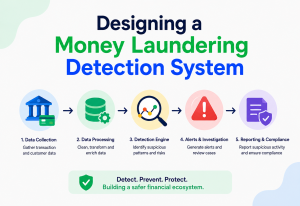
Kubernetes natively supports rolling updates and readiness/liveness probes, making it a common deployment target. GitOps tools like Argo CD or Flux take this further: the desired state of production is declared in a Git repository, and a controller continuously reconciles the live cluster to match it — so “deploying” is just merging a Git commit.
| Strategy | Downtime | Rollback speed | Infra cost |
|---|---|---|---|
| Rolling | None | Moderate | Low |
| Blue-Green | None | Instant | High (2x environments) |
| Canary | None | Fast, automated | Moderate |
Databases, Caching & Load Balancing in CI/CD
Application code can be deployed and rolled back safely almost trivially compared to data. Anything holding state — the database, distributed caches, load balancers — needs its own dedicated playbook inside a CI/CD strategy.
14.1 Database Migrations
Schema changes are the trickiest part of continuous deployment, because unlike stateless application code, a database can’t simply be “rolled back” without risking data loss. The standard practice is the expand-contract pattern: first deploy a backward-compatible schema change (add a new column, don’t remove the old one yet), deploy application code that can work with both old and new schema, then — only after the new version is fully rolled out and stable — deploy a follow-up change that removes the old column.
-- Step 1 (expand): add new column, keep old one
ALTER TABLE orders ADD COLUMN shipping_status VARCHAR(20);

-- Step 2: application writes to both old and new columns temporarily

-- Step 3 (contract): once fully migrated, drop the old column
ALTER TABLE orders DROP COLUMN legacy_status;
Tools like Flyway and Liquibase version-control database migrations as code, running them automatically as an early pipeline stage so schema and application code stay in lockstep.
14.2 Caching in the Pipeline
Beyond build caching (Section 9), CI/CD pipelines must also account for application-level caches (Redis, CDN caches) — a deployment that changes an API response shape needs a cache-invalidation step, or users may see stale, incompatible data after a “successful” deploy.
14.3 Load Balancers as Deployment Levers
Load balancers aren’t just for distributing traffic — they’re the mechanism that makes blue-green switches and canary traffic-splitting possible, by controlling exactly what percentage of requests reach which backend version.
APIs & Microservices
In a microservices architecture, dozens or hundreds of independently deployable services each need their own pipeline — CI/CD isn’t optional at that scale, it’s the only practical way to manage so many moving parts.
15.1 Independent Pipelines per Service
Each microservice typically has its own repository (or a clearly bounded folder in a monorepo) and its own CI/CD pipeline, so that team A can deploy the order-service ten times a day without needing to coordinate with team B’s inventory-service release schedule.
15.2 API Contract Testing
Because services depend on each other’s APIs, a change in one service’s response format can silently break a dependent service. Consumer-driven contract testing (tools like Pact) lets a pipeline verify, before deployment, that a service still satisfies the API contracts its consumers expect — catching breaking changes without needing a full, slow end-to-end environment.
15.3 Backward Compatibility as a Pipeline Gate
Many mature pipelines include an automated check that a new API version remains backward compatible with the previous one (no removed fields, no changed types) before allowing deployment, since in a live microservices environment, old and new versions of dependent services are always running side-by-side during a rollout.
Netflix runs thousands of independent microservices, each with its own pipeline, and relies heavily on canary analysis (their open-source Kayenta tool automatically compares metrics between a canary and baseline version) to decide, algorithmically, whether a deployment is safe to continue.
15.4 Coordinating Releases Across Many Services
Independent pipelines are powerful, but occasionally a change genuinely spans multiple services — for example, a new field that a producer service must start sending before a consumer service can safely read it. The safe pattern here is sequencing, not simultaneity: deploy the producer change first (which is backward compatible, since it only adds a field nobody reads yet), verify it’s healthy, then deploy the consumer change that starts reading the new field. Attempting to deploy both “at the same time” is misleading, because in a distributed system there is no true simultaneity — some instances of each service will always be a few seconds or minutes ahead of others during a rollout, so designs that assume a clean cutover across services are a common source of production incidents.
Design Patterns & Anti-Patterns
CI/CD, like any engineering discipline, has habits that pay off compounding dividends over time — and habits that quietly destroy the very trust the pipeline is supposed to build.
16.1 Good Patterns
- Pipeline as Code: define pipelines in version-controlled files, reviewed like any other code change.
- Trunk-Based Development: short-lived branches (hours to a couple of days) merged frequently to main, minimizing integration pain.
- Fail Fast: order pipeline stages from cheapest/fastest to most expensive/slowest (lint → unit test → integration test → deploy), so obvious problems are caught in seconds, not after a 20-minute deploy.
- Immutable Artifacts: build once, deploy the identical artifact everywhere.
- Everything as Code: infrastructure (Terraform), configuration, and pipelines all version-controlled alongside application code.
16.2 Anti-Patterns to Avoid
- The “works on my machine” build: a pipeline that depends on manually configured build-agent state instead of a clean, reproducible environment (containers).
- Long-lived feature branches: weeks of divergence from main, recreating the exact “integration hell” CI was invented to solve.
- Flaky tests left unfixed: once a team starts re-running a failing build “because it’s probably just flaky,” the pipeline’s signal is effectively worthless.
- Manual deployment steps hidden outside the pipeline: a wiki page saying “also remember to manually run this SQL script” is a disaster waiting to happen.
- Testing only in the pipeline, never locally: if developers can’t run the same checks locally before pushing, the feedback loop is needlessly slow and expensive.
- One giant pipeline for a giant monolith: a single 90-minute pipeline blocking every team’s every change is a scalability dead end — it usually signals it’s time to consider modularization.
Best Practices & Common Mistakes
The following short lists are the ones worth printing out and pinning to a wall — they distill the entire chapter’s worth of nuance into daily habits and daily traps.
17.1 Best Practices
- Keep the CI feedback loop under ~10 minutes wherever possible — developers lose focus waiting longer than that.
- Make the main branch always deployable; never let broken code sit on trunk overnight.
- Automate everything that’s repeated more than twice — if a human runs a manual step regularly, script it into the pipeline.
- Invest in test quality, not just quantity — a smaller, reliable, well-designed test suite beats a huge, flaky one.
- Make rollback as easy and well-rehearsed as deployment — practice it before you need it under pressure.
- Give every developer visibility into pipeline status — a shared dashboard or Slack channel, not a system only the “DevOps person” can see.
- Treat pipeline configuration changes with the same code review rigor as application code.
17.2 Common Mistakes
- Treating CI/CD as “a tool we bought” rather than a practice requiring cultural and process change (small commits, fast reviews, trunk-based work).
- Skipping staging and testing “directly in production” to save time — a false economy that trades a few saved minutes for occasional major incidents.
- Over-engineering the pipeline for a two-person startup, or under-engineering it for a hundred-engineer organization — pipeline maturity should match team and system scale.
- Ignoring pipeline maintenance until it becomes so slow or unreliable that people route around it — by which point trust is hard to rebuild.
A mature CI/CD pipeline behaves like a good set of brakes on a car — its purpose isn’t to slow you down, it’s to let you drive faster with confidence, because you know you can stop safely the instant something goes wrong. Teams with weak automated testing and deployment safety nets are forced to drive cautiously, shipping rarely and fearfully. Teams with strong ones can move quickly precisely because they trust their ability to catch and reverse mistakes fast.
Real-World / Industry Examples
The theory becomes concrete when you look at how the largest software organizations on the planet actually run continuous delivery every day.
Amazon
Amazon has publicly described performing tens of thousands of deployments per day across its systems, enabled by small, autonomous “two-pizza teams” each owning their own service’s full CI/CD pipeline end to end.
Netflix
Netflix built and open-sourced Spinnaker, a multi-cloud continuous delivery platform, and pioneered automated canary analysis to make thousands of daily microservice deployments statistically safe rather than manually reviewed.
Google’s massive internal monorepo relies on a highly optimized build system (Bazel) and mandatory pre-submit testing so that every one of the huge number of daily code changes is automatically validated before merging.
Etsy
Etsy is frequently cited in DevOps literature as an early adopter of continuous deployment, building a strong engineering culture around “if it hurts, do it more often” to force the team to automate painful manual steps.
Across all of these, a common thread emerges: CI/CD maturity isn’t primarily about which tool is used — it’s about organizational commitment to small changes, fast automated feedback, and a culture where a red build is treated as an emergency, not background noise.

18.1 A Composite Walkthrough
To make this concrete, imagine a mid-sized e-commerce company running a checkout microservice. A developer fixes a bug in how discount codes are validated. The moment they push their branch, a pull request pipeline runs: unit tests for the discount logic, a static analysis pass, and a dependency vulnerability scan — all finishing in under four minutes. A teammate reviews the diff, sees the green checkmarks, and merges to main.
Merging to main triggers a second pipeline: the full integration test suite runs against a temporary database, a Docker image is built and signed, and it’s automatically deployed to a staging environment that mirrors production traffic patterns. Automated contract tests confirm the checkout service’s API still satisfies what the shopping-cart and payment services expect from it. A canary release then sends 5% of real production traffic to the new version for fifteen minutes while dashboards track checkout error rate and latency. Nothing looks abnormal, so the rollout automatically proceeds to 100%.
Fifteen minutes after the developer’s original push, their bug fix is safely serving all customers — with no manual deployment checklist, no war-room, and, crucially, an audit trail showing exactly which commit, which test results, and which canary metrics justified the release. This is the practical, day-to-day reality that “CI/CD” as an abstract term is ultimately describing.
FAQ, Summary & Key Takeaways
The most common questions that come up once teams begin taking CI/CD seriously — followed by a compressed summary of the whole guide.
Q: Is CI/CD the same as DevOps?
No. DevOps is a broader cultural and organizational philosophy about breaking down silos between development and operations teams. CI/CD is a specific, concrete practice (and set of tools) that supports DevOps goals — one of the most important, but not the only, technical enablers of a DevOps culture.
Q: Do I need Continuous Deployment, or is Continuous Delivery enough?
It depends on your context. Continuous Delivery (with a manual “go” button) is often the right choice for regulated industries or systems where a human approval step adds real value. Full Continuous Deployment suits teams with mature automated testing and monitoring who want to minimize release friction entirely.
Q: What’s the minimum viable CI/CD setup for a small team?
A Git repository, a free-tier hosted CI service (like GitHub Actions), an automated build-and-test stage on every push, and a simple scripted deployment to a single environment. This alone eliminates most manual-release risk and can be set up in an afternoon.
Q: Why do people say “shift left” about CI/CD?
It means moving quality checks (tests, security scans, code review) as early as possible in the development timeline — ideally before code is even merged — rather than discovering problems late, during or after deployment, when they’re far more expensive to fix.
Q: How is CI/CD related to Infrastructure as Code (IaC)?
They’re complementary. IaC (Terraform, CloudFormation) defines infrastructure itself in version-controlled code, and is often deployed through the very same CI/CD pipelines used for application code, giving infrastructure changes the same automated testing and review rigor.
Q: What happens if a deployment fails halfway through?
A well-designed pipeline treats deployment as an all-or-nothing operation from the user’s perspective. Strategies like blue-green deployment sidestep the “halfway” problem entirely, since traffic only switches after the new environment is fully up and verified. Rolling deployments instead rely on health checks: if new instances fail to become healthy, the orchestrator stops the rollout and can automatically revert already-updated instances back to the previous version.
Q: Can CI/CD work for a monolith, or is it only for microservices?
CI/CD works for both, and in fact predates the microservices trend. A monolith simply has one pipeline instead of many, and the main scalability concern becomes keeping that single pipeline fast as the codebase grows — often through better test parallelization and selective test execution rather than splitting the application itself.
Q: How long should a CI pipeline take?
There’s no universal number, but a commonly cited target for the fast inner feedback loop (build plus unit tests) is under 10 minutes, since developer attention and context tend to drift beyond that. Slower, more thorough stages (full integration or end-to-end suites) can reasonably take longer but are often run less frequently — for instance, on merges to the main branch rather than on every single push.
Summary
CI/CD replaces rare, large, manual, high-risk software releases with frequent, small, automated, low-risk ones. Continuous Integration ensures every code change is automatically built and tested the moment it’s merged. Continuous Delivery keeps every validated change ready to release at any time. Continuous Deployment removes the last manual step entirely, sending validated changes straight to production. Behind this simple idea sits real engineering: version control, build automation, artifact management, environment promotion, deployment strategies like blue-green and canary, and a serious commitment to security, monitoring, and database migration safety.
Key Takeaways
- CI/CD is a practice first and a set of tools second — the cultural shift toward small, frequent, well-tested changes matters more than any specific product.
- Fast feedback loops (minutes, not weeks) are the entire point — optimize pipeline speed relentlessly.
- Trust in the pipeline is fragile: flaky tests and ignored red builds destroy the very signal CI/CD exists to provide.
- Deployment strategy (rolling, blue-green, canary) and rollback readiness matter as much as the build pipeline itself.
- Security (secrets, supply chain, least privilege) must be designed into the pipeline from day one, not bolted on afterward.
- Database changes need special care — use expand-contract migrations, not risky all-at-once schema changes.
- At microservices scale, CI/CD becomes essential infrastructure, not an optional efficiency improvement.
“Boring deployments are good deployments — they mean nobody is holding their breath.”

