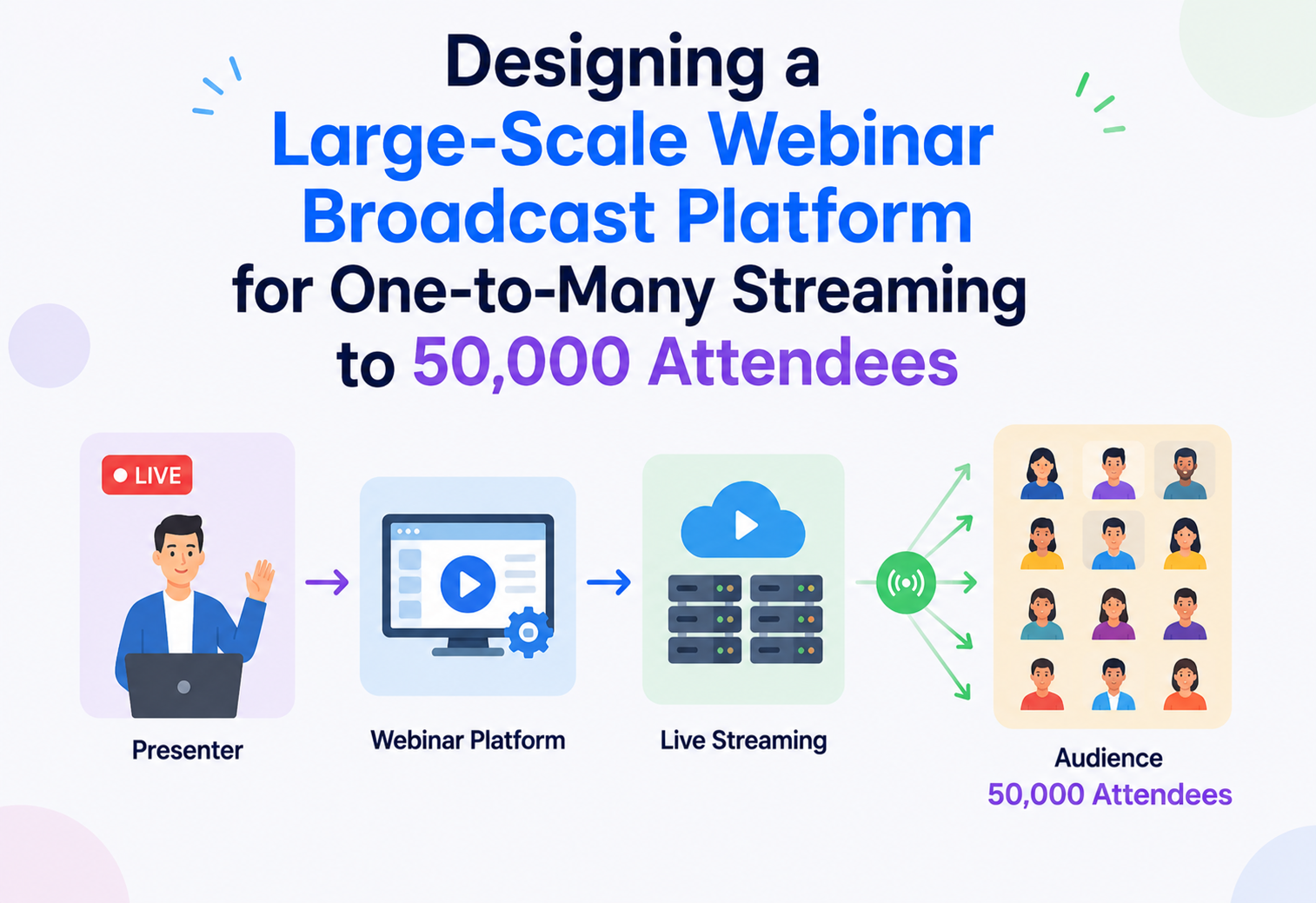
Large-Scale Webinar Broadcast to 50,000 Attendees
A deep, interview-ready walkthrough of how to build a webinar platform that streams a single presenter to tens of thousands of concurrent viewers with minimal end-to-end latency — without the fan-out cost exploding. WebRTC-grade ingest, CDN-scale fan-out, and everything in between.
Introduction & History
A webinar looks deceptively simple from the outside: one person talks, tens of thousands of people watch. But the moment you try to build this at real scale — 50,000 concurrent attendees watching a single presenter, with the presenter’s slides, camera, and voice needing to reach every one of those viewers within a second or two — you run headlong into one of the oldest and hardest problems in distributed systems: efficient one-to-many fan-out under a tight latency budget.
To understand why this is hard, it helps to look at how live video broadcasting evolved. Traditional television solved one-to-many distribution using dedicated broadcast infrastructure — satellites and cable networks physically built for fan-out, where the cost of reaching one million viewers was barely different from reaching one thousand, because the signal was replicated by the network itself, not by the broadcaster’s own servers. The internet does not work that way by default; a naive server sending its own separate stream to each of 50,000 viewers would need to push data 50,000 times, an approach that collapses immediately at this scale.
Broadcast borrowed, not built
Early internet live streaming borrowed from on-demand video — chop the stream into segments, encode each one, let viewers pull them over HTTP. This is the DNA of HLS and MPEG-DASH.
Segment-based scale, seconds of lag
HLS/DASH scaled beautifully over CDNs but bought scale with latency — typically 6–30 seconds glass-to-glass. Fine for keynotes, painful for live Q&A.
WebRTC arrives, SFUs get famous
Real-time protocols pushed latency under 500 ms for calls with tens to low hundreds of participants. But an SFU fanning out to 50,000 viewers is not the workload SFUs were built for.
Hybrid: LL-HLS / LL-DASH + WebRTC ingest
The best of both — WebRTC-grade latency on the presenter hop, CDN-scale fan-out on the last mile, glass-to-glass in the 2–5 s range at 50k viewers.
Early internet live streaming (think of the first generation of services in the 2000s) largely borrowed from on-demand video: chop the stream into small segments, encode each segment, and let viewers pull the latest segments over HTTP. This is the foundation of protocols like HLS (HTTP Live Streaming) and MPEG-DASH, and it scales beautifully using ordinary content delivery networks (CDNs) that already know how to cache and replicate HTTP content to millions of viewers. The catch: segment-based HTTP streaming trades latency for scale — a typical HLS setup buffers content in multi-second chunks, producing end-to-end latency anywhere from 6 to 30 seconds, which is fine for watching a conference keynote passively but far too slow for a webinar where the audience might be asking live questions or reacting to a poll in real time.
On the other end of the spectrum, real-time communication protocols like WebRTC (originally built for peer-to-peer video calls) can deliver latency under 500 milliseconds, but WebRTC’s typical architecture — a Selective Forwarding Unit (SFU) that relays each participant’s stream to every other participant — was designed for calls with a handful to a few hundred participants, not 50,000. Naively fanning out from a single SFU to 50,000 viewers would require an enormous amount of outbound bandwidth from one point in the network and would not scale geographically, since every viewer worldwide would be pulling from the same origin regardless of how far away they are.
The architecture we will design here borrows the best idea from each world: WebRTC-grade low latency from the presenter to the first hop of the delivery network, and CDN-style geographic fan-out for the “last mile” to tens of thousands of viewers — using a technique broadly known as low-latency HTTP streaming (such as Low-Latency HLS or Low-Latency DASH) or a media-server-based fan-out tree, so that the system gets sub-2-second latency at 50,000-viewer scale without needing a dedicated viewer connection per server for every single attendee.
This is a favorite system design interview problem because it forces a genuine trade-off between latency and fan-out efficiency — two goals that pull in opposite directions — and because it touches media encoding, CDN architecture, adaptive bitrate delivery, and real-time protocols all at once, which is exactly the kind of breadth senior and staff engineers are expected to reason about.
What makes this problem hard
50,000× amplification
One presenter’s stream must reach 50,000 viewers — a 50,000x amplification that cannot happen at a single origin without collapsing under bandwidth load.
2–5 s ceiling
The gap between presenter speech and viewer audio should stay under 2–5 s for a webinar to feel “live” enough for Q&A and reactions — far tighter than classic HLS.
Wildly different viewers
50,000 attendees have wildly different network speeds, devices, and geographic locations, all needing a smooth experience without individually overwhelming the origin.
Thundering herd at kickoff
A huge fraction of the 50,000 typically join within the first few minutes of the scheduled start, creating a massive connection and bandwidth spike right at kickoff.
Chat, polls, Q&A
Unlike passive VOD, webinars include live chat, polls, Q&A, and reactions — each needing its own scalable real-time fan-out alongside the video.
Egress is the bill
Egress bandwidth at this scale is the dominant cost driver, so the architecture must be efficient about how many times the same bytes are transmitted across the network.
- Why can’t you just use a standard video call architecture (like a group video chat) for 50,000 people?
- What is the fundamental tension between latency and fan-out efficiency in live video?
- How would your answer change if the requirement were “as low latency as possible” versus “latency under 5 seconds is fine”?
Architecture & Components
The overall shape of the system is a pipeline: the presenter’s media is captured, encoded, ingested, transcoded into multiple quality levels, packaged, and then fanned out through a distribution tree that gets wider and wider the closer it gets to viewers — much like how a single water source feeds a city through a network of progressively smaller pipes rather than one giant pipe running to every household.
Presenter Client and Ingest
The presenter’s browser or app captures camera, microphone, and screen-share, and sends this media using WebRTC to an ingest cluster of Selective Forwarding Units. WebRTC is chosen specifically for this first hop because it is optimized for extremely low latency (typically under 200 milliseconds) and handles network jitter and packet loss gracefully using techniques like forward error correction and adaptive bitrate encoding on the sender side.
Ingest SFU Cluster
Rather than the presenter’s stream going directly to all viewers, it lands on a small, dedicated cluster of SFUs whose only job is to receive the presenter’s stream reliably and forward it onward to the transcoding layer. Because there is only one (or a small handful, for co-presenters) inbound stream, this layer does not need to scale anywhere near as wide as the viewer-facing layer.
Transcoding Service
The raw incoming stream is transcoded in real time into multiple quality renditions (for example, 1080p, 720p, 480p, and a low-bitrate audio-plus-slides mode), so that viewers on different network conditions can each get a smooth experience via adaptive bitrate streaming, rather than everyone being forced to the lowest common denominator or, worse, everyone getting a quality level their network cannot sustain.
Packager (Low-Latency HLS / DASH)
Each rendition is packaged into very short segments (commonly 1–2 seconds, sometimes using chunked transfer encoding for sub-second delivery) using a low-latency variant of HLS or DASH. This is the key architectural choice that lets the system reuse standard CDN infrastructure for massive fan-out while still achieving latency in the low single-digit seconds, rather than the 15–30 seconds typical of classic HLS.
CDN Edge Layer
This is where the actual 50,000x fan-out happens, and it happens in a tree, not a star. A small number of origin shields sit close to the packager, and a much larger number of geographically distributed edge points-of-presence (PoPs) pull segments from the origin (or from each other) and serve viewers from whichever edge node is closest to them. Because HTTP segments are cacheable, a single segment fetched once by an edge node can be served to thousands of nearby viewers without repeatedly hitting the origin.
Chat, Q&A, and Reactions Service
Running alongside the video pipeline, a separate real-time messaging service (typically built on WebSockets or a managed pub/sub system) handles live chat, question submission and upvoting, and lightweight reactions, fanned out to all connected viewers using the same broad principle of a distribution tree rather than one server holding 50,000 direct connections.
Presenter Control Plane
Gives the presenter (and co-hosts/moderators) controls to mute/unmute, switch active speaker or screen share, launch polls, and moderate chat, and pushes these control events to the relevant downstream services (SFU, chat service) with high priority and low latency, since a muted presenter needs to actually be muted within a fraction of a second, not after the next video segment boundary.
Session & Attendance Service
Tracks who has joined, handles authentication and registration checks, issues time-limited viewing tokens, and reports join/leave events to the analytics pipeline for post-event reporting (attendance duration, drop-off points, engagement with polls).
- Why use WebRTC for ingest but HTTP-based streaming for the viewer-facing fan-out instead of WebRTC all the way through?
- What is the role of the origin shield layer in the CDN, and why not let all edge nodes hit the origin directly?
- How would you architect the chat and Q&A system to also scale to 50,000 concurrent participants?
Internal Working
Beneath the architectural diagram sit a handful of deliberate protocol and design choices. Each one addresses a specific point in the latency-vs-scale trade-off — and each one carries a consequence that touches the viewer experience.
Why the ingest hop uses WebRTC
WebRTC uses UDP-based transport (via SRTP) with real-time congestion control, forward error correction, and jitter buffering specifically tuned for interactive latency, which is exactly what is needed on the single, precious hop between the presenter and the system — any delay or quality loss introduced here is inherited by every one of the 50,000 downstream viewers, so this hop deserves the most latency-optimized protocol available, even though it does not need to scale wide.
Why the fan-out hop uses HTTP-based low-latency streaming instead of WebRTC
This is the single most important architectural decision in the whole design, and it is worth spelling out the reasoning explicitly. An SFU-based fan-out (the standard WebRTC approach) requires the forwarding server to maintain a persistent, stateful, bandwidth-consuming connection per viewer. Fanning out to 50,000 viewers this way would require enormous simultaneous upload bandwidth from a small number of servers, and would not benefit from the caching and geographic replication that CDNs already do extremely well for HTTP content. By packaging the stream into short HTTP segments, the system can lean on commodity CDN infrastructure — which already knows how to replicate and cache content close to viewers around the world — to do the actual 50,000x fan-out, while the origin only ever needs to serve a small number of edge nodes, not tens of thousands of individual viewers.
The trade-off is latency: HTTP segment-based delivery cannot be as instantaneous as a direct WebRTC connection, because a viewer cannot start playing a segment until it has been fully (or almost fully) written and made available. Using very short segments (1–2 seconds) and chunked transfer encoding (where a segment can start being consumed before it is fully finished being produced, sometimes called “low-latency” mode) narrows this gap significantly, typically bringing end-to-end glass-to-glass latency down to 2–5 seconds — an acceptable trade for the massive fan-out efficiency gained.
Adaptive bitrate streaming in detail
Each viewer’s player continuously measures its own available bandwidth and buffer health, and requests the next segment at whichever quality rendition it can sustain without stalling, switching up or down as conditions change. This client-driven approach is what allows the same origin content to serve viewers ranging from someone on a fast office network to someone on a spotty mobile connection, without the server needing to track each viewer’s condition individually — the intelligence lives at the edge, in the player, which is itself a scalability win since the origin does not need per-viewer state.
The CDN fan-out tree in detail
Picture the distribution as a tree with the packager at the root. A small layer of “origin shield” nodes sits directly below the packager, absorbing repeated requests so the packager itself only ever serves a handful of connections. Below that, a much larger layer of regional edge PoPs, geographically distributed close to where viewers actually are, pull segments from the shield layer (each segment typically fetched only once per edge region, thanks to caching) and serve local viewers directly. This means a segment produced once at the root can ultimately reach 50,000 viewers while only being transmitted a small, bounded number of times across any single network link — the defining efficiency property that makes internet-scale one-to-many video delivery possible at all.
Handling the “thundering herd” at webinar start time
Because a large fraction of the 50,000 attendees tend to join within the first few minutes of the scheduled start, the system needs to specifically prepare for this burst rather than treating it as ordinary steady-state traffic. This is handled by pre-warming CDN edge caches (starting to distribute the stream setup slightly ahead of the announced start), using connection admission with graceful queueing rather than dropping excess connections outright, and by the Session & Attendance Service pre-authenticating and pre-fetching viewing tokens for registered attendees ahead of time, so the actual join moment is a lightweight operation rather than a full authentication round trip for every one of 50,000 simultaneous joiners.
Real-time chat and Q&A fan-out
The chat and Q&A layer faces the same fundamental fan-out problem as video, just with much smaller message sizes. It is typically built on a publish-subscribe backbone (such as a managed pub/sub service or a cluster of WebSocket gateway servers behind a message broker), where a single chat message is published once and fanned out to many gateway servers, each holding a slice of the total viewer connections, rather than one server trying to hold all 50,000 WebSocket connections itself.
- Walk through exactly why HTTP-based fan-out scales better than a pure WebRTC SFU fan-out at 50,000 viewers.
- How does adaptive bitrate streaming help both the viewer experience and the server’s scalability?
- How would you prevent the “join storm” at webinar start time from overwhelming the system?
Data Flow & Lifecycle
Let’s trace the full lifecycle of a webinar, from scheduling through to post-event analytics, since the “live” part is only the middle of the story.
Scheduling and registration
An organizer schedules the webinar, and attendees register ahead of time. The Session & Attendance Service issues each registrant a unique, time-bound access token tied to their identity, which will later be used to authenticate quickly at join time without a heavyweight login flow during the critical start-of-event window.
Pre-event warm-up
In the minutes leading up to the scheduled start, the system pre-warms infrastructure: scaling up the transcoding and edge capacity expected to be needed based on the registration count, and beginning to establish the presenter’s ingest connection so the stream is technically live and tested before the official start.
Presenter goes live
The presenter’s media begins flowing through the ingest SFU, transcoder, and packager, and the very first segments become available at the origin. The system typically has a short “green room” period where the presenter and co-hosts can confirm audio/video quality before the stream is opened to attendees.
Attendees join
As attendees join (often in a burst around start time), their pre-issued tokens are validated quickly, they are routed to their nearest CDN edge PoP for video, and connected to a chat gateway server for the interactive layer. The player begins adaptive bitrate playback, typically starting at a conservative quality level and adjusting upward as it confirms available bandwidth.
Live interaction
Throughout the webinar, chat messages, poll responses, and Q&A submissions flow through the pub/sub-based interactive layer, fanned out to all connected viewers with a latency budget separate from (and typically looser than) the video path, since a chat message arriving a second later than the video is much less noticeable than the equivalent video delay.
Presenter and moderation controls
Control-plane events — muting a co-host, switching the active screen share, launching a poll, removing a disruptive chat participant — are sent with high priority and short paths directly to the relevant services (SFU for media control, chat service for moderation), bypassing the general fan-out path to keep control actions responsive.
Webinar ends and teardown
When the presenter ends the session, the ingest and transcoding pipeline is torn down, remaining CDN caches are allowed to expire naturally, and the Session & Attendance Service finalizes attendance records — join time, leave time, total watch duration, and interaction counts — for each attendee.
Post-event analytics and recording
The recorded segments (already produced as a side effect of the live packaging step) are stitched into an on-demand recording and made available through the same CDN infrastructure, while the analytics pipeline processes attendance and engagement data into reports for the organizer — drop-off curves, peak concurrent viewers, poll results, and Q&A logs.
- Why pre-issue viewing tokens ahead of the event rather than authenticating each attendee at join time?
- Why should control-plane events (like mute) bypass the normal media fan-out path?
- How can the same pipeline that powers the live stream also produce the on-demand recording with minimal extra work?
Advantages, Disadvantages & Trade-offs
Every choice in this architecture comes with a companion cost. The table below names them explicitly, and the two subsections that follow zoom in on the trade-off that most defines the entire design.
| Design Choice | Advantage | Disadvantage / Trade-off |
|---|---|---|
| HTTP segment-based fan-out (LL-HLS/DASH) over CDN | Scales to tens of thousands of viewers using commodity CDN infrastructure at low cost | Cannot match pure WebRTC’s sub-200 ms latency; realistic floor is a few seconds |
| WebRTC for presenter ingest only | Best possible latency and resilience on the one hop that affects everyone downstream | Adds an extra transcoding hop between ingest and packaging, adding some processing latency |
| Multiple bitrate renditions (ABR) | Smooth playback across heterogeneous viewer network conditions | Increases transcoding compute cost and origin storage/egress for multiple renditions |
| Very short segments (1–2 s) for low latency | Meaningfully reduces end-to-end delay compared to classic HLS | More segments means more requests and slightly less efficient caching than longer segments |
| Pre-warmed CDN edges ahead of start time | Absorbs the join-time traffic burst smoothly | Costs money to provision capacity that may go partly unused if turnout is lower than expected |
| Separate control-plane path for presenter actions | Keeps critical actions like mute responsive regardless of general fan-out load | Adds architectural complexity by maintaining two distinct delivery paths |
The core latency vs. scale trade-off
This is the defining tension of the entire system. Pure peer-to-peer or SFU-based WebRTC fan-out gives the lowest possible latency but does not scale efficiently past a few hundred to low thousands of viewers per server cluster. Pure CDN-based HTTP streaming scales to millions of viewers effortlessly but has historically meant latency of 10+ seconds. The hybrid architecture in this design deliberately sits in the middle: WebRTC where scale does not matter (the single ingest hop) and CDN-based low-latency streaming where scale matters most (the viewer fan-out), accepting a latency floor of a few seconds in exchange for the ability to reach 50,000 viewers economically.
Cost vs. quality trade-off
Offering more bitrate renditions improves the experience for viewers across a wider range of network conditions, but each additional rendition adds transcoding compute cost and, more significantly, CDN egress cost multiplied across 50,000 viewers. Most production systems settle on 3–5 renditions as a practical balance rather than the dozen or more sometimes used for on-demand video libraries.
- If the requirement changed to “latency must be under 1 second no matter what,” how would your architecture need to change, and what would it cost you in scalability?
- How would you decide how many bitrate renditions to support?
- What is the cost trade-off of pre-warming CDN capacity ahead of an event that might have lower turnout than expected?
Performance & Scalability
Let’s put real numbers behind the design. Assume a single webinar with 50,000 concurrent viewers, each streaming at an average bitrate of roughly 1.5 Mbps (a typical middle-quality rendition for a talking-head-plus-slides webinar).
Total egress bandwidth
Fifty thousand viewers at 1.5 Mbps each is 75 Gbps of total egress bandwidth at peak — a number that makes clear why this traffic absolutely must be served from a distributed CDN edge layer rather than any single origin server or even a single data center, since no realistic single-origin setup can sustain that outbound bandwidth reliably, let alone cost-effectively.
Why the tree structure keeps origin load flat
The key scalability property of the fan-out tree is that origin load does not grow linearly with viewer count — it grows with the number of distinct edge regions and the number of bitrate renditions, since each edge PoP fetches a given segment from the shield layer only once (or a small number of times) regardless of how many thousands of local viewers it then serves that cached segment to. This means going from 5,000 to 50,000 viewers, if the viewers are reasonably distributed across the CDN’s existing PoPs, adds far less than 10× load to the origin — often close to flat, aside from a modest increase in the number of active edge regions.
Scaling the ingest and transcoding layer
Because there is only ever a small number of inbound presenter streams (even a multi-presenter panel is a handful of streams, not thousands), this layer does not need to scale with viewer count at all — it needs to scale with the number of concurrent webinars happening across the platform, which is an entirely different, much smaller scaling dimension. This is an important insight: the hardest scaling problem in this system is entirely on the viewer-facing side, not the presenter-facing side.
Scaling the chat and interactive layer
Fifty thousand concurrent WebSocket connections cannot be held by a single server, so the chat gateway layer is horizontally scaled, with each gateway server holding a manageable slice of total connections (for example, a few thousand each) and a shared pub/sub backbone (such as Redis Pub/Sub or a managed streaming platform) responsible for fanning a single published message out to all gateway servers, which then forward it to their locally connected viewers.
Handling the join-time burst specifically
If 50,000 attendees join within a five-minute window around start time, that is roughly 165 joins per second sustained, with realistic peaks several times higher for the first 30–60 seconds after the “join now” moment is publicized. The Session & Attendance Service is scaled and load-tested specifically for this burst pattern, using lightweight, pre-validated tokens (rather than full authentication) to keep the per-join cost low, and connection admission is spread using slight client-side jitter (randomizing the exact join request time by a second or two) to smooth out an otherwise perfectly synchronized thundering herd.
75 Gbps total egress, spread across, say, 30 active CDN edge regions worldwide, is roughly 2.5 Gbps per region on average — well within the capacity of a single well-provisioned edge PoP, which is exactly why the tree structure is what makes 50,000-viewer fan-out tractable at all, compared to the same 75 Gbps trying to leave a single origin data center.
- Why does the ingest and transcoding layer not need to scale with the number of viewers?
- How would you estimate total egress bandwidth for a webinar, and why does that number matter architecturally?
- What specific techniques would you use to smooth out the join-time thundering herd?
High Availability & Reliability
A webinar is a live, unrepeatable event — if the stream drops for a meaningful chunk of the audience, there is no “retry” that gets that moment back for them. Reliability engineering here is about minimizing single points of failure across a pipeline that, by its nature, funnels through a small number of critical stages before fanning out widely.
Redundant ingest paths
The presenter’s ingest connection to the SFU cluster is the single most consequential point of failure in the whole system, since everything downstream depends on it. Production systems typically give the presenter’s client the ability to maintain a backup ingest path (sometimes to a secondary SFU in a different region) and to fail over automatically within a second or two if the primary connection degrades, rather than leaving the entire audience staring at a frozen frame while a human notices and manually reconnects.
Redundant transcoding and packaging
The transcoding and packaging stage runs as a redundant, horizontally deployed set of workers rather than a single instance, with the packager able to pick up from a healthy transcoder instance if one fails mid-stream, minimizing the length of any gap in produced segments.
CDN multi-provider strategy
For an event at this scale and importance, many platforms deliberately architect for multi-CDN delivery — using more than one CDN provider simultaneously, with clients able to switch to a secondary CDN if their primary one is degraded in their region — trading some architectural complexity for resilience against a single CDN provider’s regional outage taking down the entire event for a chunk of the audience.
Graceful degradation for viewers
If bandwidth or server conditions worsen, individual viewers’ adaptive bitrate players step down to lower quality renditions automatically rather than stalling outright, and if even the lowest video rendition cannot be sustained, the player can fall back further to an audio-only or slides-plus-audio mode, keeping the attendee connected to the content even under poor conditions rather than losing them entirely.
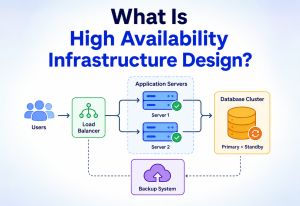
Monitoring-driven failover
Health checks continuously probe every stage of the pipeline — ingest connection quality, transcoder health, packager segment production rate, CDN edge availability by region — with automated failover triggered the moment a stage’s health drops below threshold, since manual intervention during a live, time-sensitive event is almost always too slow.
Multi-CDN delivery for high-stakes events
Context: A single CDN provider’s regional outage during a live, unrepeatable webinar can lose thousands of viewers with no opportunity to retry the moment.
Decision: For events above an attendance threshold (e.g. 10,000+), deliver through at least two independent CDN providers concurrently; viewers can transparently switch providers based on client-side quality-of-experience signals.
Consequences: Additional architectural and operational complexity (dual manifests, provider-aware clients), and modest cost overhead, in exchange for resilience against a single-provider regional incident coinciding with the event window.
- Why is the presenter’s ingest connection the single most critical point of failure in this system?
- What is multi-CDN delivery, and when is the added complexity worth it?
- How should a viewer’s player degrade gracefully when network conditions get bad mid-webinar?
Security
Security here covers both keeping unauthorized viewers out of a paid or private webinar, and protecting the live stream and interactive channels from disruption or abuse.
Signed viewing tokens
Access is controlled through short-lived, signed viewing tokens issued at registration and validated at join time and periodically during playback, so a leaked video URL cannot simply be shared and reused indefinitely by unauthorized viewers. For premium or highly sensitive content, the video segments themselves can be encrypted (using a standard like AES-128 or a full DRM solution), with decryption keys only released to clients holding a valid session token.
Strict presenter authentication
The presenter’s ingest connection is authenticated separately and more strictly than viewer connections, since it is the single source that everything downstream trusts — an attacker who could inject their own stream into the ingest path could hijack the entire audience’s viewing experience. Mutual authentication and encrypted transport (SRTP for the WebRTC hop) protect this connection specifically.
Interactive-channel guardrails
Chat, polls, and Q&A are open channels for tens of thousands of participants and are a natural target for spam or disruption. Per-user rate limiting on message submission, automated content moderation on chat messages (similar in spirit to the layered detection approach used in messaging spam systems), and moderator tools to mute or remove disruptive participants quickly are all necessary parts of the design.
Edge-level protection
Because both the ingest endpoint and the join/authentication endpoints are public-facing and handle a predictable, advertised event time, they are natural targets for denial-of-service attempts timed to coincide with the event. Standard DDoS mitigation (rate limiting, anomaly detection, and CDN/edge-level protection) is applied at the network edge, and the Session & Attendance Service’s join path is specifically hardened against being overwhelmed, since a DDoS at exactly the join-time burst window would be difficult to distinguish from legitimate traffic without careful design.
Under-protecting the ingest path while heavily securing the viewer-facing side is a common mistake — since the ingest path is a single point of trust for the entire audience, any compromise there has a far larger blast radius than a compromise on the viewer side.
- Why does the ingest path deserve stricter security than the viewer-facing join path?
- How would you prevent a leaked viewing link from being shared publicly and used by unauthorized viewers?
- How would you distinguish a legitimate join-time traffic burst from a DDoS attack timed to the same moment?
Monitoring, Logging & Metrics
Because a webinar is a live, time-boxed event, monitoring here needs to be fast enough to catch and react to problems within the event itself, not just after the fact in a post-mortem.
Key metrics to track
| Metric | Why it matters |
|---|---|
| Glass-to-glass latency | The core quality promise of the system; needs continuous measurement, not just at launch |
| Rebuffering rate / stall rate per viewer | Directly measures viewer-experienced quality degradation |
| Concurrent viewer count over time | Tracks the join-burst pattern and overall attendance curve |
| Bitrate rendition distribution across viewers | Shows whether most viewers are getting good quality or being forced to low renditions |
| CDN edge cache hit ratio by region | A drop here means more load is falling back to the origin shield, risking a bottleneck |
| Ingest connection health (packet loss, jitter) | Problems here affect every downstream viewer simultaneously |
| Chat/Q&A message delivery latency | Ensures the interactive layer keeps up with the live pace of the event |
Real-time dashboards for live events
Unlike many systems where a daily or hourly dashboard is sufficient, a live webinar benefits from a purpose-built real-time operations dashboard, refreshed on the order of seconds, so that an operations team can catch and respond to a regional CDN issue or an ingest quality drop while the event is still happening, rather than discovering it in a report the next day when the opportunity to fix it live has passed.
Client-side quality-of-experience telemetry
Each viewer’s player reports quality-of-experience metrics (rebuffer events, bitrate switches, startup time) back to the analytics pipeline in near real time, giving visibility into the actual experience at the edge — which is often where problems first appear, well before they would show up in server-side, aggregate metrics.
Alerting tuned for live events
Alert thresholds during a live, high-visibility webinar are typically tightened compared to normal operations — a rebuffering rate that would be a minor concern on an ordinary day might warrant immediate escalation during a large scheduled event, since the cost of a degraded experience is concentrated into a single, unrepeatable time window with potentially tens of thousands of affected viewers at once.
- What is glass-to-glass latency, and how would you measure it in production?
- Why might alert thresholds during a live event be different from normal-day thresholds?
- How would client-side QoE telemetry help you catch a regional CDN problem faster than server-side metrics alone?
Deployment & Cloud Strategy
The ingest, transcoding, and packaging layers are deployed as containerized, horizontally scalable services (typically on Kubernetes), with the transcoding layer specifically benefiting from GPU-accelerated instances for efficient real-time encoding across multiple bitrate renditions simultaneously.
Elastic scaling ahead of scheduled events
Because webinar traffic is highly predictable in timing (scheduled events with known start times and registered attendee counts), the platform can proactively scale capacity ahead of the event rather than relying purely on reactive autoscaling, which tends to lag just enough to matter during a sharp join-time burst. Registration counts feed directly into a capacity-planning step that provisions transcoding and edge capacity in advance.
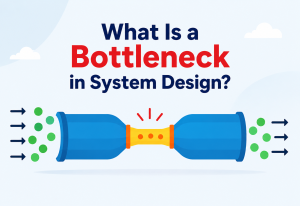
Multi-region and multi-CDN deployment
The ingest and transcoding layer is typically deployed in the region closest to the presenter to minimize the latency of that critical first hop, while the packaged output is distributed globally through the CDN layer, which handles regional proximity to viewers independently of where the origin infrastructure lives.
Blue-green deployment for platform updates
Given that webinars are scheduled, time-sensitive events, platform updates to the ingest, transcoding, or chat services are deployed using blue-green or canary strategies well ahead of any scheduled high-profile event, with a general practice of freezing non-critical deployments during active large-scale live events to avoid introducing risk during a live, unrepeatable session.
Registration is the best oracle you will ever get for capacity planning. Treat it as the primary input, not a nice-to-have — and freeze non-critical deploys during a live event window as a matter of policy, not judgment.
- Why does proactive, registration-driven capacity planning work better here than purely reactive autoscaling?
- Why would a platform freeze non-critical deployments during a large live event?
- How would you decide where geographically to deploy the ingest and transcoding layer for a given webinar?
Databases, Caching & Load Balancing
Different parts of the pipeline touch data in wildly different ways — a live segment is written once and read tens of thousands of times, while a chat message is written once and read once per participant. Aligning storage choice with each access pattern is what keeps the whole thing tractable.
Segment and origin storage
Freshly packaged segments are written to a fast origin store (often object storage with a caching layer in front, or a purpose-built low-latency media origin), with short time-to-live values appropriate for live content, since only the most recent handful of segments matter for live playback — older segments are retained separately if a recording is being produced, but do not need to stay hot in the low-latency serving path.
CDN caching strategy
Because live segments are immutable once written (a given segment’s content never changes after it is produced), they are extremely cache-friendly — an edge node can cache a segment indefinitely once fetched, with cache invalidation being a non-issue for this specific content type, unlike caching for frequently-changing data. This is one of the most cache-friendly workloads in distributed systems, which is a large part of why the CDN-based approach works so well here.
Session and token store
Attendee session state (valid tokens, join status) is held in a fast, distributed key-value store, partitioned by attendee or session ID, supporting the high read volume of token validation during the join-time burst without becoming a bottleneck.
Chat and interactive data store
Chat messages, poll responses, and Q&A submissions are written to a store optimized for high write throughput during the live event (often a log-structured or append-oriented store), with a separate, slower analytical store used afterward for organizer reporting, keeping the live write path lean and fast.
Load balancing across the pipeline
Load balancing happens at multiple points: across ingest SFU instances (for platforms supporting many concurrent webinars), across transcoding workers, and, most heavily, across the CDN edge layer, which handles the geographic load-balancing of viewers to their nearest healthy PoP using DNS-based or Anycast-based routing, a problem CDNs have already solved at a scale far beyond what any individual platform would build from scratch.
- Why is live video segment caching considered an unusually easy caching problem compared to typical application data caching?
- How would you design the session/token store to handle a burst of 50,000 validations in a short window?
- Why is it sensible to rely on the CDN’s own geographic load balancing rather than building your own?
APIs & Microservices
The platform decomposes naturally into services aligned with the pipeline stages already described, communicating over a mix of low-latency internal protocols for the media path and standard APIs for control and management functions.
Ingest & SFU API
Handles presenter connection setup, signaling for WebRTC negotiation, and exposes health and quality metrics for the active ingest connection.
Session & Token API
Issues and validates viewing tokens, manages registration, and exposes join-status endpoints optimized for the high-burst join window.
Playback Manifest API
Serves the LL-HLS/DASH manifest describing available renditions and current segment locations, consumed by viewer players to drive adaptive playback.
Interactive API (Chat / Polls / Q&A)
Exposes WebSocket or pub/sub-based endpoints for real-time messages, plus REST endpoints for poll creation and results retrieval by organizers.
Why this decomposition makes sense
Just as with the earlier design, each of these services has a distinct scaling profile: the ingest API scales with number of concurrent webinars (small), the session/token API scales with attendee join bursts (very spiky), the manifest API scales with total concurrent viewers (largest, but mostly absorbed by CDN caching), and the interactive API scales with concurrent viewers times message rate (moderate but bursty around live moments like polls). Decomposing along these lines lets each be provisioned and scaled according to its own real traffic pattern.
API design for the join-time burst
The Session & Token API in particular is designed for extremely high read throughput with minimal per-request cost — validating a signed token is a fast, stateless cryptographic check wherever possible, rather than a database lookup on every single join, specifically because this endpoint absorbs the sharpest traffic spike in the entire system.
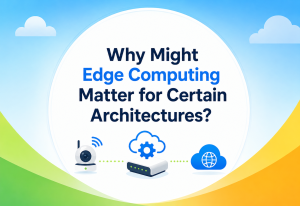
- How would you design the token validation to avoid a database bottleneck during the join burst?
- Why might the interactive API need different scaling characteristics than the playback manifest API?
- What would you include in the playback manifest, and how often should it update?
Design Patterns & Anti-Patterns
The same handful of patterns keep resurfacing in large-scale broadcast systems — and so do a familiar set of tempting mistakes. Naming them makes design reviews faster.
Patterns that fit well here
Hierarchical caching
The core pattern of the entire design — origin shield feeding many edge nodes, each serving many viewers, keeping load bounded at every layer regardless of total audience size.
Publish-Subscribe
Used for the interactive chat/Q&A layer, decoupling message producers from the many consumers without requiring a direct connection between every pair.
Graceful degradation
Viewer players stepping down bitrate rather than stalling, and CDN failover between providers, both reflect this pattern applied to media delivery.
Ingest vs viewer isolation
Isolating the ingest/transcoding layer’s scaling from the viewer-facing layer’s scaling, since they have entirely different load profiles and a problem in one should not directly starve the other.
Control-plane events
Presenter control actions (mute, switch screen) travel a separate, prioritized path rather than being interleaved with bulk media or chat traffic.
Anti-patterns to avoid
Attempting to serve all 50,000 viewers directly from application servers instead of leaning on CDN-style hierarchical distribution — this collapses almost immediately under the bandwidth requirements.
Reusing a small-group video call architecture unmodified for 50,000 viewers, without recognizing that the scaling assumptions behind SFUs (built for tens to hundreds of participants) do not hold at this size.
Forcing every viewer to the same quality level regardless of their network conditions, either wasting bandwidth for good connections or causing stalls for poor ones.
Running a heavyweight login/authorization flow at the exact moment of peak join burst instead of relying on pre-issued, lightweight tokens.
Bolting a simple broadcast mechanism onto the interactive layer without its own scaling plan, only to have it become the actual bottleneck once video delivery is solved.
- Why would reusing a typical video-call SFU architecture unmodified be an anti-pattern at 50,000 viewers?
- Where specifically does the bulkhead pattern apply in this design?
- What would you look for as an early warning sign that the interactive layer, not video, has become the bottleneck?
Best Practices & Common Mistakes
A distilled operating guide for teams building or running large-scale webinar broadcast systems — ordered by the amount of pain they save.
Best practices
- Split the architecture explicitly around the latency-sensitive, small-scale ingest hop and the scale-sensitive, latency-tolerant viewer fan-out hop, rather than trying to use one protocol end to end.
- Use registration data to proactively provision capacity ahead of scheduled events rather than relying solely on reactive autoscaling.
- Design the token and session validation path to be as close to stateless and cryptographic as possible, since it absorbs the sharpest burst in the system.
- Treat live video segments as maximally cache-friendly (immutable once written) and lean fully into CDN caching rather than reinventing distribution logic.
- Build in multi-CDN or multi-region failover for high-stakes events, since a live event has no “retry” for the audience that missed a moment.
- Give presenter control-plane actions (mute, screen switch) a dedicated, high-priority path separate from bulk media and chat traffic.
- Instrument client-side quality-of-experience telemetry, not just server-side metrics, since viewer-perceived problems often show up there first.
Common mistakes
- Underestimating the join-time burst and only load-testing for steady-state concurrent viewership, not the sharp spike around the advertised start time.
- Choosing segment durations that are too long in pursuit of caching efficiency, sacrificing more latency than the use case actually requires.
- Neglecting the interactive layer’s own scalability, assuming that solving video fan-out automatically solves the whole problem.
- Not planning for presenter-side failure (dropped ingest connection) with an automatic failover path, leaving the entire audience stalled while a human manually intervenes.
- Over-provisioning a huge number of bitrate renditions “just in case,” adding unnecessary transcoding and egress cost without meaningfully improving viewer experience.
- What would your load-testing plan look like specifically for the join-time burst scenario?
- How would you decide the right segment duration for a given latency requirement?
- What would you monitor in the first live event on this new architecture to validate it is working as intended?
Real-World Examples
The layered, hybrid ingest-plus-CDN-fan-out approach described in this tutorial mirrors publicly discussed patterns from major live-streaming and webinar platforms.
Global edge fan-out
YouTube’s live streaming infrastructure is built on ingest servers that accept a presenter’s stream, transcode it into multiple renditions, and distribute it through Google’s globally distributed edge and CDN infrastructure using HLS/DASH-style segment delivery — allowing a single live stream to reach audiences of millions using the same fan-out-tree principle described here, with lower-latency modes available for more interactive use cases.
Panelist vs attendee split
Zoom’s webinar product (as distinct from its smaller-scale meeting product) is architected specifically to separate the interactive, low-latency needs of panelists and hosts from the largely passive viewing experience of large attendee audiences, using different underlying delivery mechanisms for each group — directly reflecting the ingest-versus-fan-out split at the heart of this design.
Latency vs scale at massive audience size
Twitch operates at very large simultaneous-viewer scale for live streams and has publicly discussed its transcoding and CDN-based distribution pipeline, along with ongoing investment in low-latency streaming modes to shrink the gap between broadcaster action and viewer chat reaction — a direct real-world illustration of the latency-versus-scale trade-off this tutorial centers on.
Industry standardization
The broader industry move toward standardized low-latency variants of HLS and DASH (rather than every platform building bespoke low-latency protocols) reflects the same insight that this design leans on: keeping fan-out on well-understood, CDN-compatible HTTP delivery while incrementally reducing its latency floor is generally a more scalable and interoperable path than replacing HTTP delivery with a fully custom real-time protocol for large one-to-many audiences.
- How does Zoom’s webinar architecture differ conceptually from its meeting architecture, and why?
- Why has the industry converged on low-latency HTTP streaming variants rather than universally adopting WebRTC for large-scale broadcast?
- What lessons from platforms like Twitch or YouTube Live would you apply to a brand-new webinar platform?
FAQ, Summary & Key Takeaways
Why not use WebRTC end to end for every viewer, if it has the lowest latency?
A pure WebRTC fan-out to 50,000 viewers would require enormous simultaneous outbound bandwidth from a small server cluster and would not benefit from the geographic caching that CDNs provide, making it economically and technically impractical at this scale. The hybrid approach uses WebRTC only where it matters most (the single ingest hop) and CDN-based delivery where scale matters most (the viewer fan-out).
What is a realistic latency target for a webinar at this scale?
With low-latency HLS/DASH and short segments, a glass-to-glass latency of roughly 2–5 seconds is a realistic and achievable target — low enough for live Q&A and reactions to feel reasonably immediate, while still being able to lean on standard CDN infrastructure for the fan-out.
How does the system handle the moment when thousands of people join at once?
Through proactive, registration-driven capacity provisioning, pre-issued lightweight authentication tokens that avoid a heavy login flow at join time, and pre-warmed CDN caches, so the join burst is absorbed smoothly rather than causing a spike in errors or delays.
Does the chat/Q&A system use the same fan-out mechanism as video?
It follows the same underlying principle (avoid any single server or connection handling all 50,000 participants directly) but uses a different mechanism suited to small, frequent messages — typically a publish-subscribe backbone with a horizontally scaled layer of WebSocket gateway servers, rather than the CDN-based segment caching used for video.
What happens if the presenter’s internet connection drops mid-webinar?
A well-designed system gives the presenter’s client an automatic failover path to a backup ingest connection, often in a different region, minimizing the gap in the stream. Viewers experience a brief stall or automatic drop to a lower rendition rather than a hard disconnect, provided the failover completes within a few seconds.
Summary
A large-scale, low-latency webinar platform is fundamentally a story of two different problems stitched together at one seam: minimizing latency on the single, critical hop from presenter to the system, and maximizing fan-out efficiency from the system to tens of thousands of viewers. WebRTC solves the first problem well; a CDN-friendly, low-latency HTTP streaming approach solves the second. Neither protocol alone solves both halves of the problem at once, which is exactly why the architecture is hybrid rather than a single, uniform pipeline.
Beyond the video path itself, the system succeeds by treating the join-time burst, the interactive chat/Q&A layer, presenter reliability, and multi-region/multi-CDN resilience as first-class design concerns rather than afterthoughts — because a live, unrepeatable event has zero tolerance for “we’ll fix it in the next release.”
Low-latency, small-scale
WebRTC on the single hop that everyone downstream inherits — where quality loss is unforgiving.
High-scale, tolerant of seconds
LL-HLS or LL-DASH over a CDN tree — where economics and geography beat protocol purity.
Proactive > reactive
Registration counts drive capacity; tokens are pre-issued; edges pre-warm before T-0.
Its own scaling problem
Chat and Q&A get pub/sub and a horizontally sharded gateway tier — not a broadcast bolt-on.
Key takeaways
- Separate the two problems. Split the architecture explicitly around the low-latency, small-scale ingest problem and the high-scale, latency-tolerant fan-out problem, and use the right protocol for each.
- Lean on hierarchical caching. CDN-style tree distribution is the only practical way to reach tens of thousands of viewers economically — do not reinvent it.
- Design for the burst, not just the average. The join spike around T-0 is the sharpest load in the system — use proactive capacity planning and pre-issued tokens to absorb it.
- Interactive is a first-class scaling problem. Chat, polls, and Q&A deserve their own pub/sub and gateway design, not a broadcast bolt-on.
- Redundancy where it matters most. Build resilience explicitly into the ingest connection and CDN delivery layer — a live event offers no opportunity to retry a lost moment.
- Measure at the viewer, not just the origin. Client-side QoE telemetry catches regional CDN problems minutes before aggregated server-side metrics do.
- Freeze deploys during high-stakes events. A rollout risk that would be routine on an ordinary day is a completely different bet during a live, 50,000-viewer window.
Strong candidates never try to make one protocol do the whole job. They name the seam — ingest vs fan-out — and choose the right tool on each side, then articulate the latency floor and the reasons behind it clearly, rather than promising sub-second latency at 50k without being able to defend how.

