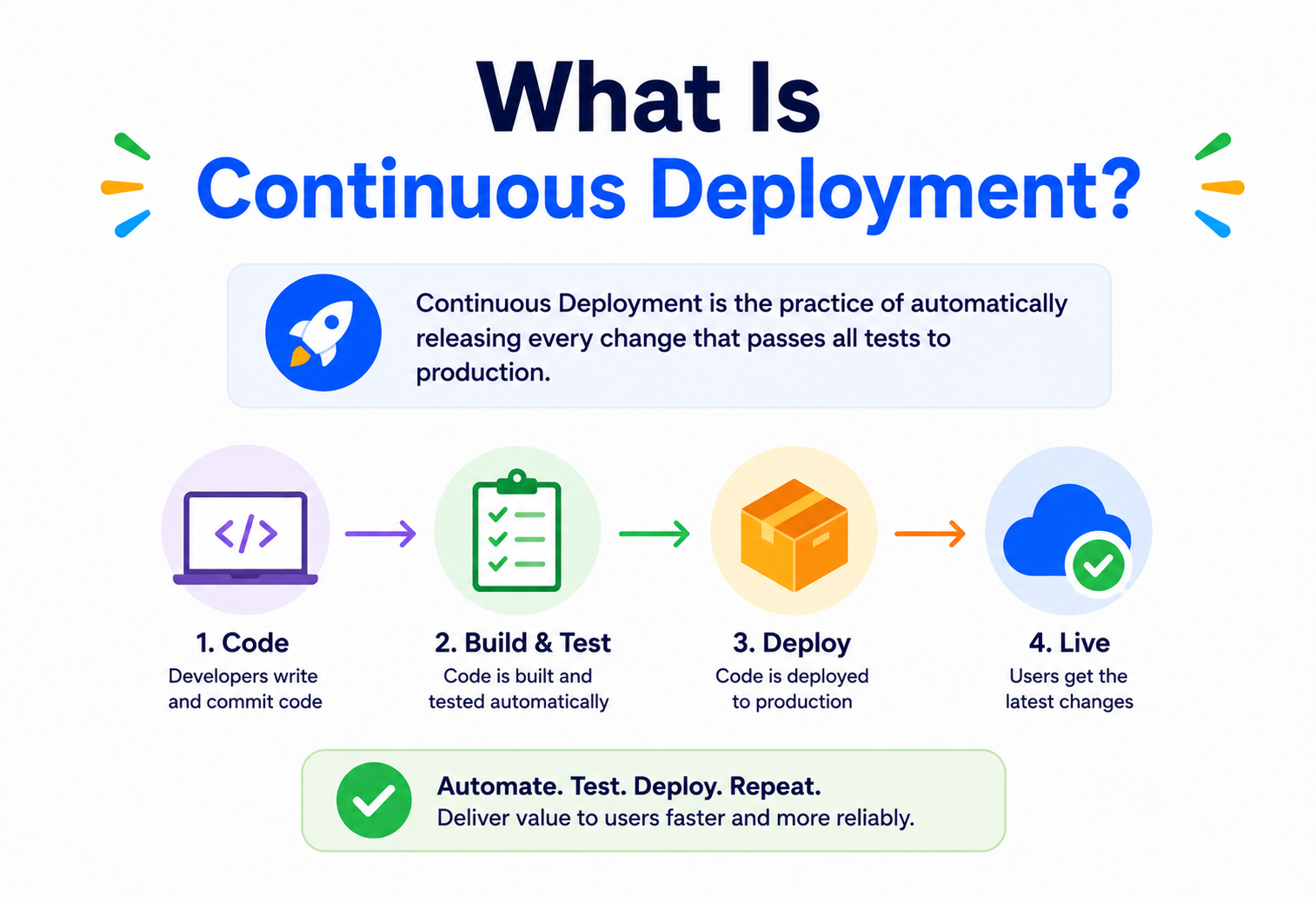
What Is Continuous Deployment?
A beginner-friendly, deep-dive walkthrough of how modern engineering teams ship code to production automatically, safely, and constantly — without a human clicking “deploy.” From the XP movement of the early 2000s to Amazon’s legendary 11.7-seconds-between-deploys statistic, from CI pipelines and canary rollouts to feature flags, GitOps and DORA metrics, this guide covers what Continuous Deployment really is, why it exists, how it works internally, and how to run it responsibly on today’s cloud infrastructure.
Introduction & History
Imagine a bakery where, the moment a baker perfects a new recipe, the bread is automatically boxed, labeled, and placed on the shelf for customers — no manager needs to inspect it, no truck needs to be scheduled by hand, nothing sits in a back room waiting for “release day.” That is the everyday magic of Continuous Deployment (often abbreviated CD), except the “bread” is software, and the “shelf” is production — the live system your users actually touch.
Continuous Deployment is the practice of automatically releasing every code change that passes a series of automated tests and checks directly into production, with no human needing to click an “approve” button. It is the final, most mature stage of a broader movement in software engineering to make delivering software fast, safe, and boring (in the best possible sense — boring means predictable and low-drama).
1.1 Where did it come from?
To understand Continuous Deployment, it helps to understand the problem the software industry was trying to solve in the early 2000s. Back then, many companies released software the way movie studios release films: painstakingly, rarely, and with enormous ceremony. A “release” might happen once every six months or once a year. Teams called this a “big bang release,” and it was often followed by chaos — bugs nobody caught, servers falling over under real traffic, and engineers pulling all-nighters to fix things that only broke once actual users touched the system.
In the early 2000s, the Extreme Programming (XP) movement, led by figures like Kent Beck, introduced the idea of Continuous Integration (CI) — merging code into a shared repository frequently (many times a day) and running automated tests on every merge. This solved the problem of code from different developers clashing badly when merged rarely. But CI alone didn’t solve everything: code could pass all its tests and still sit unreleased for weeks.
Over the following decade, companies like Amazon, Flickr, Etsy, Netflix, and Facebook pushed the idea further. Amazon famously described deploying code to production roughly every 11.7 seconds on average across its systems, as detailed in talks from its “DevOps at Amazon” presentations around 2011. Flickr’s 2009 talk “10+ Deploys a Day” became a landmark moment that popularized the philosophy that deploying often was safer, not riskier, than deploying rarely. This lineage — CI → Continuous Delivery → Continuous Deployment — forms what the industry now calls CI/CD.
Continuous Deployment (CD) is the automated practice of pushing every code change that passes your test suite straight to production — with no manual “go/no-go” gate. It is different from Continuous Delivery, which stops one step earlier and waits for a human to approve the final push.
1.2 Why this matters beyond just “shipping faster”
It’s tempting to think Continuous Deployment is only about speed — getting features out the door faster. That’s true, but it’s actually a side effect of something deeper: it forces an organization to build real confidence in its own automated safety nets. A team cannot safely deploy every change automatically unless its automated tests actually catch the bugs that matter, unless its monitoring actually notices when something is wrong, and unless its rollback mechanism actually works when triggered. In other words, adopting Continuous Deployment is as much an exercise in organizational discipline and engineering rigor as it is a technical practice. Teams that try to bolt it on without first building trustworthy tests and observability usually learn this lesson the hard way — through an incident.
There’s also a psychological dimension worth naming. In organizations with rare, big-bang releases, engineers often develop a fear of deploying — releases become associated with stress, late nights, and blame when things go wrong. Continuous Deployment, when done well, inverts this relationship entirely. Because each deployment is small and reversible, deploying stops being a special, anxiety-inducing event and becomes as unremarkable as saving a file. This shift in emotional relationship to shipping code is, in the experience of many engineering organizations, one of the most valuable and underappreciated benefits of the practice.
The Problem & Motivation
Why did engineers go through all this trouble? Because manual, infrequent releases created a cluster of very real, very expensive problems.
2.1 The problem with big, rare releases
Think about the difference between packing for a weekend trip versus moving your entire house in one day. Packing for a weekend is quick and low-risk — if you forget something, it’s a small inconvenience. Moving an entire house in one day is stressful, error-prone, and if something goes wrong (the moving truck breaks down, a box gets lost), it’s a much bigger disaster to untangle. Software releases work the same way.
When a team batches up three months of work into one release, that release contains hundreds or thousands of changed lines of code, contributed by many different engineers, touching many different parts of the system. If something breaks in production, nobody knows which of the thousand changes caused it. This is sometimes called the “needle in a haystack” problem of debugging big releases.
2.2 Problems with infrequent releases
- Large “blast radius” when something breaks — many changes bundled together
- Hard to pinpoint which change caused an incident
- Releases become scary, high-stress events (“release Fridays,” war rooms)
- Feedback from real users arrives late, sometimes months after the code was written
- Feature branches diverge from main for a long time, causing painful merge conflicts
- Business can’t react quickly to market changes or fix urgent bugs fast
2.3 What frequent, automated deployment fixes
- Small, isolated changes are easy to test, review, and roll back
- Root-causing a bug is fast — you know exactly which small commit caused it
- Deployments become routine and low-stress, not scary events
- Real user feedback arrives within hours, not months
- Shorter-lived branches mean far fewer merge conflicts
- The business can ship a fix or a new feature the same day it’s written
2.4 The motivation, in one sentence
Continuous Deployment flips the intuition many people have. It feels risky to push code to production automatically and constantly. But in practice, teams that do this well find the opposite is true: shipping small, well-tested changes constantly is less risky than shipping large batches rarely, because each individual change is small enough to reason about, test thoroughly, and roll back instantly if something goes wrong.
2.5 A concrete example of the “batch risk” problem
Imagine a team that releases once a month. In the days leading up to release, twenty different engineers merge their work into a “release branch.” The night before release, everything gets combined, and a manual QA team spends two days testing the bundle. On release day, the software finally goes to production — and something breaks. Maybe it’s a subtle interaction between Engineer A’s change to the checkout flow and Engineer B’s change to the pricing calculation, something that never showed up in isolated testing because neither engineer’s change alone caused the bug. Now the team has to figure out which of the twenty changes, or which combination of them, is responsible — often under significant pressure, with customers actively affected.
Contrast this with a team practicing Continuous Deployment. Each of those twenty changes would have shipped independently, likely on different days, each validated on its own in production with real traffic before the next one arrived. If Engineer B’s change caused a problem, it would have shown up in isolation, been caught by automated monitoring within minutes, and been rolled back automatically — long before Engineer A’s unrelated change was ever involved. The problem isn’t eliminated, but the “search space” for finding it shrinks from twenty changes to exactly one.
2.6 Business motivations, not just technical ones
Beyond engineering risk, there are strong business reasons driving adoption of Continuous Deployment. Competitive markets reward companies that can respond to customer feedback and competitor moves quickly. A pricing bug that costs the company money every hour it stays live is far less damaging if it can be fixed and deployed within thirty minutes, versus waiting for the next scheduled release window two weeks away. Similarly, being able to run rapid A/B experiments — shipping a small UI change to a subset of users and measuring the impact on conversion within a day — is only practical when deployment itself is fast, cheap, and low-risk.
Core Concepts
Before going deeper, let’s build a solid vocabulary. These terms get thrown around loosely in the industry, so let’s be precise.
3.1 CI vs Continuous Delivery vs Continuous Deployment
These three terms form a ladder. Each rung builds on the one below it. A very common point of confusion is treating “Continuous Delivery” and “Continuous Deployment” as the same thing — they are not.
| Stage | What happens | Human involved? |
|---|---|---|
| Continuous Integration (CI) | Developers merge code into a shared branch frequently; automated build & tests run on every merge | Yes, writes and merges code |
| Continuous Delivery | Every change that passes CI is automatically packaged into a release that is ready to deploy at any time | Yes, clicks “deploy” manually |
| Continuous Deployment | Every change that passes CI and all automated checks is deployed to production automatically, with no manual approval | No manual gate before production |
“Continuous Delivery” and “Continuous Deployment” share the same acronym, CD, which causes endless confusion in job interviews and blog posts. The simplest way to remember it: Delivery = ready to deploy, human decides when. Deployment = deployed automatically, no human gate.
3.2 Key building blocks you’ll hear about constantly
Pipeline
An automated sequence of stages (build → test → deploy) that code passes through, like an assembly line for software.
Artifact
The packaged, runnable version of your code — e.g. a Docker image or a JAR file — produced once and promoted through environments unchanged.
Feature flag
A toggle in code that turns a feature on or off without a new deployment, letting you decouple “deploying code” from “releasing a feature.”
Canary release
Rolling a new version out to a small slice of users first, watching for problems, before rolling it out to everyone.
Blue-green deployment
Running two identical production environments; traffic is switched from the old (“blue”) to the new (“green”) instantly, with an easy rollback.
Rollback
Automatically reverting to the previous known-good version if the new one shows problems.
3.3 A simple analogy
Think of CI/CD like an airport’s baggage system. Continuous Integration is like the initial scanning belt where every bag (code change) gets X-rayed the moment it’s dropped off. Continuous Delivery is like the bag being fully sorted, labeled, and sitting on the right cart, ready to load onto the plane the moment someone says “go.” Continuous Deployment is like a fully automated system where the bag gets loaded onto the plane the instant it passes the X-ray — no human waits around to give the final nod.
Getting these three terms straight is the first — and most important — step in reasoning clearly about deployment automation. Every advanced technique later in this guide (canary, blue-green, feature flags, GitOps) sits somewhere on top of this same CI → Delivery → Deployment stack.
Architecture & Components
A real-world Continuous Deployment setup is not one single tool — it’s a chain of cooperating systems. Let’s walk through the typical architecture.
4.1 The core components
Source control
Git (GitHub, GitLab, Bitbucket) stores every code change and triggers the pipeline on new commits or merges.
CI/CD orchestrator
Tools like Jenkins, GitHub Actions, GitLab CI, CircleCI, or Argo CD coordinate the pipeline’s stages.
Artifact registry
Stores built, versioned outputs — e.g. Docker Hub, Amazon ECR, or Artifactory — so the same artifact is promoted unchanged across environments.
Automated test suites
Unit, integration, contract, security, and performance tests act as the “gatekeepers” that decide if code is safe to deploy.
Deployment tooling
Kubernetes, Helm, Terraform, or cloud-native deployment services actually place the new code onto servers.
Observability stack
Metrics, logs, and traces (e.g. Prometheus, Grafana, Datadog) watch the system after deployment to catch problems early.
Think of this architecture like a factory production line with quality inspectors stationed at every stage. A part (code change) that fails an inspection (a test) gets pulled off the line immediately, before it ever reaches the customer (production).
4.2 How the pieces fit together
None of these components stand alone. Source control triggers the orchestrator, which produces an artifact stored in the registry, which is then deployed by the deployment tooling and continuously watched by the observability stack. The connections between them — webhooks, artifact promotion contracts, health-check APIs, alerting integrations — are where most of the “magic” and, honestly, most of the operational pain of building a real CD pipeline lives. A pipeline is only as reliable as its weakest link.
Internal Working
Let’s zoom in on what actually happens, step by step, under the hood, when a developer pushes a single line of code.
1. Commit & push
A developer commits a small, focused change and pushes it to a shared branch (often directly to
main, or via a short-lived branch merged quickly).2. Webhook trigger
The Git host sends a webhook (an HTTP callback) to the CI server, saying “new code has arrived.”
3. Build
The CI server checks out the code and compiles/builds it, producing an artifact (e.g. a container image tagged with a unique commit hash).
4. Automated test gauntlet
Unit tests, integration tests, static code analysis, security scans, and sometimes performance tests all run automatically against the artifact.
5. Artifact promotion
If every check passes, the exact same artifact (never rebuilt) is pushed to an artifact registry and promoted toward production.
6. Progressive rollout
The deployment tool gradually shifts live traffic to the new version — often starting with 1% of users (a canary), then 10%, then 100%.
7. Automated health checks
The system watches error rates, latency, and business metrics in real time. If anything looks wrong, it automatically halts or reverses the rollout.
8. Completion or rollback
If everything looks healthy, the rollout finishes to 100%. If not, traffic is automatically routed back to the last known-good version.
5.1 A minimal CI/CD pipeline definition (conceptual)
Most real pipelines are defined as configuration files (YAML), but the logic driving decisions is ordinary code. Here’s a simplified Java example simulating the “gatekeeper” logic that decides whether a build is safe to promote:
public class DeploymentGate {

    // Represents the results of the automated test suites
    public record PipelineResult(boolean unitTestsPassed,
                                  boolean integrationTestsPassed,
                                  boolean securityScanPassed,
                                  double errorRatePercent) {}

    private static final double MAX_ACCEPTABLE_ERROR_RATE = 0.5; // percent

    /**
     * Decides whether a build artifact is allowed to move
     * to the next stage of the pipeline (e.g. staging -> production).
     */
    public boolean isSafeToPromote(PipelineResult result) {
        if (!result.unitTestsPassed()) {
            System.out.println("Blocked: unit tests failed.");
            return false;
        }
        if (!result.integrationTestsPassed()) {
            System.out.println("Blocked: integration tests failed.");
            return false;
        }
        if (!result.securityScanPassed()) {
            System.out.println("Blocked: security scan found issues.");
            return false;
        }
        if (result.errorRatePercent() > MAX_ACCEPTABLE_ERROR_RATE) {
            System.out.println("Blocked: error rate too high in canary.");
            return false;
        }
        return true; // all gates passed - safe to deploy automatically
    }
}
In a real pipeline, this same logic is expressed as pipeline configuration (for example, GitHub Actions YAML or a Jenkinsfile), but conceptually it is exactly this: a series of automated checks that must all say “yes” before code reaches real users.
5.2 Simulating a canary health check in code
Let’s go one level deeper and look at how the “automated health check” step from our timeline might actually work. During a canary rollout, the deployment system periodically polls monitoring data and compares the new version’s behavior against the old version’s baseline. Here is a simplified Java example of that comparison logic:
public class CanaryHealthChecker {

    public record Metrics(double errorRatePercent, double p99LatencyMs) {}

    private static final double MAX_ERROR_RATE_DELTA = 0.3;       // percentage points
    private static final double MAX_LATENCY_INCREASE_RATIO = 1.25; // 25% slower is too slow

    /**
     * Compares the canary (new version) metrics against the baseline
     * (currently running, known-good version) to decide if the rollout
     * should continue, or be automatically rolled back.
     */
    public boolean isCanaryHealthy(Metrics baseline, Metrics canary) {
        double errorRateDelta = canary.errorRatePercent() - baseline.errorRatePercent();
        double latencyRatio   = canary.p99LatencyMs()     / baseline.p99LatencyMs();

        if (errorRateDelta > MAX_ERROR_RATE_DELTA) {
            System.out.printf("Canary unhealthy: error rate rose by %.2f%%%n", errorRateDelta);
            return false;
        }
        if (latencyRatio > MAX_LATENCY_INCREASE_RATIO) {
            System.out.printf("Canary unhealthy: p99 latency ratio %.2fx%n", latencyRatio);
            return false;
        }
        return true; // canary looks statistically comparable to baseline
    }
}
Real-world systems (like Google’s internal canary analysis tooling, or the open-source Kayenta project originally built at Netflix) do this with much more statistical rigor — often running proper statistical significance tests rather than simple threshold checks — but the underlying idea is exactly what’s shown above: automatically compare new-version behavior to old-version behavior, and only proceed if they’re comparable or better.
Data Flow & Lifecycle of a Change
Let’s trace the full lifecycle of one code change, from idea to production, and see how data (the code, its metadata, and its test results) flows through the system.
git push to a “deployment succeeded” notification.Notice something important here: the artifact (the built, packaged code) is built once and then promoted, unchanged, through every stage. This is a core CD principle called “build once, deploy many times.” If you rebuild the code separately for staging and production, you risk subtle differences (a different compiler version, a different dependency resolution) sneaking in between what you tested and what you actually ship. That defeats the whole purpose of testing.
Rebuilding your code separately for each environment (“build per environment”) breaks the guarantee that what you tested is exactly what you deployed. Always build once, then promote the same artifact forward.
6.1 What flows alongside the code
The code artifact isn’t the only thing that flows through the pipeline. Every stage attaches metadata: the commit hash it came from, the author, the exact test suite versions that passed, security-scan reports, deployment timestamps, and the environment it’s been promoted through. Mature CI/CD systems treat this metadata as a first-class citizen, storing it alongside the artifact in the registry so that at any point later — hours, days, or months down the line — someone investigating an incident can trace a running production version all the way back to the exact commit, the exact tests that gated it, and the exact person who authored the change.
Advantages, Disadvantages & Trade-offs
7.1 Advantages
- Faster feedback loops — bugs and user reactions surface within hours
- Lower risk per release — small, isolated changes are easier to reason about
- Faster time-to-market for new features and fixes
- Less manual toil — engineers stop babysitting release day
- Encourages a strong automated testing culture, which pays off broadly
- Easier rollback, since you can pinpoint exactly what changed
7.2 Disadvantages & Costs
- Requires heavy up-front investment in automated testing & tooling
- Not ideal for domains with strict regulatory sign-off requirements (e.g. some medical device software)
- Demands strong monitoring & fast rollback mechanisms, or failures can spread quickly
- Cultural shift can be hard — teams must trust automation over manual gates
- Database schema changes need careful, backward-compatible handling
- Harder to coordinate multi-service releases that must ship together
7.3 When Continuous Deployment might not be the right fit
Continuous Deployment is a spectrum, not an all-or-nothing switch. Some organizations deliberately choose Continuous Delivery instead — keeping a manual approval step — because of compliance requirements (e.g. financial or healthcare systems with mandated change-control processes), or because their user base is extremely sensitive to any instability (e.g. safety-critical embedded systems). The right choice depends on your risk tolerance, regulatory environment, and the maturity of your automated testing.
7.4 The trust curve
Most organizations that eventually reach full Continuous Deployment don’t get there overnight. They move along what might be called a “trust curve”: starting with infrequent manual releases, then adopting Continuous Integration, then Continuous Delivery with a manual approval, then gradually automating away that manual approval for lower-risk categories of change (e.g. a documentation update or a UI copy tweak) while keeping human review for higher-risk categories (e.g. a payments-processing change), and finally, once the automated test suite and monitoring have proven themselves reliable over time, extending full automation to nearly everything. Trying to skip straight to full automation without walking this trust curve is one of the more common reasons Continuous Deployment initiatives fail or get walked back after a bad incident.
It’s also worth noting that “Continuous Deployment” doesn’t have to mean “every single commit individually triggers an instant production release with zero batching.” Some organizations batch several small, already-tested changes together into short, frequent automated release trains (for instance, every 15 minutes) rather than deploying on every single commit. The core principle — automation replaces manual approval, and releases stay small and frequent — still holds even with this minor variation.
Performance & Scalability
Continuous Deployment pipelines themselves need to be fast and scalable, or they become a bottleneck that discourages developers from shipping small changes.
8.1 Keeping pipelines fast
- Parallelize test suites — split thousands of tests across many machines so a full run takes minutes, not hours.
- Cache dependencies — avoid re-downloading libraries on every build; cache compiled layers (e.g. Docker layer caching).
- Test pyramids — run many fast, cheap unit tests and fewer slow, expensive end-to-end tests, so most feedback arrives in seconds.
- Incremental builds — only rebuild and retest the parts of the system actually affected by a change.
8.2 Scaling deployment itself
When you have hundreds of microservices deploying independently, dozens of times a day, the deployment platform (e.g. Kubernetes) needs to scale gracefully. Techniques include:
Rolling updates
Replace old instances with new ones a few at a time, so capacity never drops to zero.
Autoscaling
Automatically add or remove server instances based on real-time load, so deployments don’t get starved of resources.
Traffic shifting
Gradually move a percentage of live traffic to the new version using a load balancer or service mesh (e.g. Istio).
Resource limits
Set CPU/memory quotas per service so one bad deployment can’t starve every other service on shared infrastructure.
8.3 Why a slow pipeline silently kills the culture
A pipeline that takes 45 minutes to give feedback isn’t just annoying — it actively erodes the small-change discipline Continuous Deployment depends on. Developers who wait almost an hour between push and green-check start batching more work per commit to feel like the wait was worth it, which quietly grows the very batch sizes CD is trying to shrink. Investing in pipeline speed is therefore not a “nice to have” optimisation; it’s a structural requirement for keeping the whole practice honest.
High Availability & Reliability
The whole point of automating deployment is to increase reliability, not risk it. This is achieved through several overlapping safety nets.
9.1 Progressive delivery techniques
Canary releases
Ship to a tiny slice of real traffic first. If metrics stay healthy, gradually widen the rollout; if not, automatically stop.
Blue-green deployment
Keep two full production environments; switch traffic instantly between them, enabling near-zero-downtime rollback.
Feature flags
Deploy code “dark” (inactive) and turn features on for specific users independently of the deployment itself.
Automated rollback
If health checks fail post-deploy, the system automatically reverts to the last known-good version without waiting for a human.
Because the “blast radius” of a bad deploy is capped at a small percentage of users, for a short period of time, before automation reacts — instead of every user being hit at once by an untested change.
9.2 Blue-green deployment, explained with an analogy
Picture two identical stages set up side by side backstage at a theater. The current show is running on Stage Blue, in full view of the audience. Meanwhile, the crew rehearses and sets up the new show entirely on Stage Green, out of sight, with no pressure and no risk to the ongoing performance. When the new show is fully ready, the theater simply swings the spotlight from Stage Blue to Stage Green — the audience sees the new show start instantly, with no gap, no scrambling, and no half-finished set change happening live. If something goes wrong moments after the switch, the spotlight can swing right back to Stage Blue, which is still fully intact and ready to go. This is exactly how blue-green deployment works: two full, independent production environments, with traffic routed to only one at a time, and instant, low-risk switching between them.
9.3 Circuit breakers and graceful degradation
High availability in a Continuous Deployment world also depends on how the surrounding system responds when a newly deployed service does misbehave. Patterns like the circuit breaker (which temporarily stops sending requests to a failing dependency, giving it room to recover, rather than letting failures cascade) and graceful degradation (falling back to a simplified or cached response rather than failing outright) act as extra layers of defense. Even with excellent canary analysis, some issues only surface at full production scale; these resilience patterns ensure that a partial failure in one freshly deployed service doesn’t cascade into a full system-wide outage.
Security
Automating deployment means security checks must also be automated — there’s no human standing at the gate to “eyeball” a change for red flags. This gave rise to the practice known as DevSecOps, or “shifting security left” (i.e., catching problems early in the pipeline, not after release).
10.1 Security checks embedded in the pipeline
- Static Application Security Testing (SAST) — scans source code for known vulnerable patterns before it’s even built.
- Software Composition Analysis (SCA) — checks third-party dependencies for known vulnerabilities (e.g. using tools like Snyk or Dependabot).
- Container image scanning — inspects Docker images for outdated or vulnerable base layers.
- Secrets scanning — prevents API keys or passwords from accidentally being committed to source control.
- Dynamic Application Security Testing (DAST) — probes a running staging deployment for exploitable vulnerabilities.
- Least-privilege deployment credentials — the pipeline itself should only have the minimum permissions needed to deploy, reducing damage if it’s ever compromised.
Because the CI/CD pipeline has the power to push code straight into production, it becomes a high-value target for attackers. If someone compromises your pipeline credentials, they can potentially deploy malicious code automatically. This is why pipeline secrets, access controls, and audit logging deserve the same rigor as production systems themselves.
10.2 Auditability
Every automatic deployment should be traceable: which commit, which author, which test results, and which approvals (if any) led to it. This audit trail matters both for debugging incidents and for satisfying compliance requirements even in a fully automated system.
10.3 Supply-chain security
Because a modern application pulls in dozens or hundreds of open-source libraries, and every one of those is code that will eventually run in production, a fully automated pipeline is only as secure as the weakest dependency it silently picks up. Best practice today is to generate a Software Bill of Materials (SBOM) as part of every build, sign artifacts cryptographically (via tools like Sigstore or Notary), and verify those signatures at deploy time — so that even if someone compromises an intermediate hop in the pipeline, an unsigned or tampered artifact is refused deployment automatically.
Monitoring, Logging & Metrics
Since there’s no human manually watching a release happen, automated observability becomes the eyes and ears of the whole system. Without it, Continuous Deployment is flying blind.
11.1 The three pillars of observability
Metrics
Numeric time-series data — error rate, request latency (p50/p95/p99), CPU usage, request throughput. Tools: Prometheus, Datadog, CloudWatch.
Logs
Detailed, timestamped event records useful for digging into exactly what happened during an incident. Tools: ELK stack, Splunk, Loki.
Traces
End-to-end records of a single request’s journey across multiple microservices, useful for pinpointing where latency or errors originate. Tools: Jaeger, Zipkin, OpenTelemetry.
11.2 Deployment-specific signals
Beyond general system health, teams track metrics specifically tied to deployments:
- Deployment frequency — how often code ships to production (a key DORA metric).
- Lead time for changes — how long from commit to production.
- Change failure rate — the percentage of deployments that cause a production incident.
- Mean time to recovery (MTTR) — how quickly the team detects and fixes/rolls back a bad deployment.
These four metrics — deployment frequency, lead time, change failure rate, and MTTR — come from the DevOps Research and Assessment (DORA) team’s research and are widely used as the industry-standard way to measure how healthy a team’s delivery practice really is.
11.3 Alert fatigue and signal quality
A subtle but important challenge in a Continuous Deployment environment is avoiding alert fatigue. If every minor blip triggers a page to an on-call engineer, engineers quickly learn to ignore alerts — which is dangerous, because the one time it really matters, it may get dismissed too. Mature observability setups invest heavily in tuning alert thresholds, using techniques like anomaly detection (comparing current behavior to a learned historical baseline rather than a fixed static threshold) and alert deduplication (grouping many related symptoms of one root cause into a single alert) so that when an engineer’s phone does buzz, it’s almost always something that genuinely needs their attention.
Correlating deployments with incidents is another key observability practice. Most modern monitoring dashboards overlay a vertical marker on every chart at the exact moment each deployment happened. This makes it trivial for an on-call engineer investigating a sudden spike in errors to glance at the dashboard and immediately see “oh, that spike started three minutes after deployment #4821 went out” — turning what could be a lengthy investigation into an instant, confident diagnosis.
Deployment & Cloud Infrastructure
Modern Continuous Deployment is almost always built on top of cloud infrastructure and container orchestration, because these platforms provide the primitives (autoscaling, load balancing, rolling updates) that automated deployment needs.
12.1 Typical technology choices
| Layer | Common tools |
|---|---|
| Source control | GitHub, GitLab, Bitbucket |
| CI/CD orchestration | GitHub Actions, GitLab CI, Jenkins, CircleCI, Argo CD |
| Containers & orchestration | Docker, Kubernetes, Amazon ECS |
| Infrastructure as Code | Terraform, Pulumi, AWS CloudFormation |
| Service mesh / traffic control | Istio, Linkerd, AWS App Mesh |
| Cloud providers | AWS, Google Cloud, Microsoft Azure |
12.2 GitOps: a popular modern approach
A widely used pattern today is GitOps: the desired state of your infrastructure and application (“what should be running in production”) is described declaratively in a Git repository. A tool like Argo CD or Flux constantly compares the live cluster state to what’s declared in Git, and automatically reconciles any difference. This means Git itself becomes the single source of truth for what’s deployed — every change to production has to go through a Git commit, giving you a clean audit trail for free.
12.3 Immutable infrastructure
Modern CD pairs naturally with the “immutable infrastructure” philosophy: rather than SSH-ing into a running server and patching it in place, you build a fresh, immutable image (container, VM image) for every change and replace the old instances entirely. This eliminates the “works on my server but not the identical one next to it” class of bug — every environment is guaranteed to be an exact bit-for-bit copy of a tested image, produced deterministically by the pipeline.
APIs & Microservices
Continuous Deployment is especially powerful — and especially tricky — in a microservices architecture, where dozens or hundreds of small, independently deployable services work together.
13.1 Why microservices and CD are natural partners
Microservices let each team own and deploy its own small service independently, without waiting for every other team to be “release ready” at the same time. This is a big part of why companies like Netflix and Amazon adopted both microservices and CD together — each reinforces the other’s benefits.
13.2 The coordination challenge
The tricky part: if Service A changes its API and Service B depends on it, deploying A independently of B can break things if the change isn’t backward-compatible. Teams solve this with:
- API versioning — old and new API versions coexist during a transition period.
- Contract testing — automated tests (e.g. using Pact) verify that a service’s API still satisfies what its consumers expect, before deployment.
- Backward-compatible changes by default — add new fields/endpoints rather than changing or removing existing ones; deprecate gradually.
Deploying a breaking database migration (e.g. renaming a column) at the same time as the code that depends on it, without a transition period, is a top cause of production incidents in CD environments. Prefer the “expand and contract” pattern: add the new column, migrate data, update code to use it, and only remove the old column in a later, separate deployment.
13.3 Independent deployability as a design goal
A useful way to evaluate whether a microservices architecture is genuinely ready for Continuous Deployment is to ask: can I deploy Service A right now, alone, without coordinating with any other team, and be confident nothing else breaks? If the honest answer is “no, I’d need to also update Service B and Service C first,” then those services aren’t truly independently deployable yet, no matter how the code is physically split into repositories. Achieving real independent deployability usually requires deliberate API design discipline: treating your service’s public API as a contract that changes slowly and carefully, while the internal implementation behind that API can change freely and often.
This is one of the most important cultural shifts a microservices organization has to make to fully benefit from Continuous Deployment. It requires teams to think of their APIs the way a public library author thinks about a published package’s API — changes must be additive and backward-compatible by default, with breaking changes handled through deliberate, well-communicated version bumps rather than silent, coordinated “big bang” updates across many services at once.
Design Patterns & Anti-Patterns
14.1 Helpful patterns
Trunk-based development
Everyone commits small changes directly to (or very close to) the main branch frequently, avoiding long-lived feature branches that are hard to merge.
Feature flags / dark launches
Ship code to production turned off, then enable it gradually or for specific user segments, decoupling deploy from release.
Expand-contract migrations
Make database schema changes backward-compatible across two or more deployments instead of one risky, breaking change.
Immutable artifacts
Build an artifact once and never modify it — only promote the exact same tested artifact forward through environments.
14.2 Anti-patterns to avoid
Long-lived feature branches
Branches that live for weeks accumulate huge diffs that are risky and painful to merge and test all at once.
Manual, undocumented deploy steps
Any step a human has to remember to do by hand is a step that will eventually be forgotten, causing an outage.
Testing only in staging
Staging environments rarely perfectly mirror production traffic and data, so skipping production-safe canary testing leaves real risk uncaught.
No automated rollback
If reverting a bad deploy requires a human to notice, investigate, and manually intervene, your mean-time-to-recovery balloons.
A team ships an urgent hotfix directly to production, skipping the automated test suite “just this once” because “the fix is trivial.” The trivial fix accidentally introduces a null-pointer exception that only fires under a specific data condition seen in production but not in local testing. Because tests were skipped, nothing caught it, and because it was rushed, nobody was watching the dashboards. Skipping the automation is almost always more expensive than waiting the extra ten minutes.
Best Practices & Common Mistakes
15.1 Best practices
- Invest heavily in automated tests first. Continuous Deployment is only as safe as the test suite that gates it. Weak tests mean bugs slip straight to real users.
- Keep changes small. Small, frequent commits are easier to test, review, and roll back than large ones.
- Make rollback fast and automatic. Aim for rollback that takes seconds, triggered by monitoring, not a human noticing a Slack alert an hour later.
- Decouple deploy from release using feature flags. This lets you deploy code safely and separately decide when a feature becomes visible to users.
- Monitor business metrics, not just infrastructure metrics. A service can look “healthy” (low CPU, no errors) while a bug silently breaks checkout conversion — watch business KPIs too.
- Practice backward-compatible database migrations. Never make a breaking schema change in the same deploy as the code that needs it.
- Treat pipeline configuration as code. Version-control your pipeline definitions and review changes to them just like application code.
15.2 Common mistakes
Mistakes to avoid
- Skipping tests “just this once” to ship faster — this erodes the entire safety model
- Treating Continuous Deployment as purely a tooling problem, ignoring the cultural shift needed
- Not investing in fast, reliable rollback until after a painful incident forces the issue
- Coupling unrelated changes into a single deployment “for convenience”
- Forgetting that Continuous Deployment magnifies the cost of a weak test suite — garbage in, garbage out
Habits that pay off
- Start with Continuous Delivery, add automated approval gates gradually as trust in the pipeline grows
- Run chaos / game-day exercises to test that rollback actually works before you need it for real
- Celebrate small, frequent deploys as normal — not a big scary event that needs a war room
- Pair each new automated deployment capability with an equally strong monitoring capability
Real-World Industry Examples
Every one of these companies pairs Continuous Deployment automation with equally serious investment in automated testing, monitoring, and rollback. None of them treat “deploy automation” as sufficient on its own — it’s always one leg of a three-legged stool alongside testing and observability.
16.1 What smaller teams can learn from these examples
It’s easy to look at Amazon’s “deploy every 11.7 seconds” statistic and assume Continuous Deployment is only for tech giants with huge engineering organizations. In reality, the core practices scale down just as well as they scale up. A five-person startup can set up a GitHub Actions pipeline that runs tests and deploys automatically to a small cloud environment in an afternoon. The principles — small changes, automated testing, fast rollback, real-time monitoring — matter just as much, arguably more, for a small team that can’t afford a dedicated release engineering department to manually babysit deployments. In fact, many small teams find Continuous Deployment easier to adopt than large enterprises precisely because they have fewer legacy systems, less organizational inertia, and fewer cross-team coordination challenges to untangle first.
Frequently Asked Questions
Is Continuous Deployment the same as Continuous Delivery?
No. Continuous Delivery means every change is automatically packaged and ready to deploy at any time, but a human still clicks the button. Continuous Deployment removes that manual click — changes go live automatically once they pass all automated checks.
Isn’t it risky to deploy to production without a human reviewing it first?
Counter-intuitively, teams that do this well find it reduces risk overall, because each change is small, thoroughly tested, and easy to roll back. The “safety” comes from strong automated testing and monitoring, not from a human eyeballing the code right before release.
Do I need microservices to do Continuous Deployment?
No. Continuous Deployment works with monoliths too, though microservices make it easier for different teams to deploy independently without waiting on each other.
What happens if a bad deployment slips through?
A mature CD setup uses canary releases and automated health checks to catch problems on a small slice of traffic and roll back automatically — often within minutes, before most users are ever affected.
Can Continuous Deployment work in regulated industries like banking or healthcare?
It can, but many regulated organizations choose Continuous Delivery instead, keeping a manual or automated compliance-approval gate to satisfy audit requirements, while still automating everything else in the pipeline.
How is database schema change handled if deployment is automatic?
Through backward-compatible, multi-step migrations (the “expand and contract” pattern), so that the old and new code can both work correctly with the database during a transition period.
Summary & Key Takeaways
Continuous Deployment is a delivery discipline that automatically ships every change passing its automated checks straight to production, no manual approval gate required. It sits at the top of the CI → Continuous Delivery → Continuous Deployment maturity ladder, and it emerged from a hard-won insight the DevOps community has been repeating for two decades: small, frequent releases are actually safer than large, rare ones. Making it work in practice takes serious investment across three pillars — automated testing, fast automated rollback, and real-time observability — combined with cultural shifts that let small deploys become routine rather than special events.
Key Takeaways
- Continuous Deployment automatically ships every change that passes automated checks straight to production — no manual approval gate.
- It sits at the top of the CI → Continuous Delivery → Continuous Deployment maturity ladder.
- It emerged from the realization that small, frequent releases are actually safer than large, rare ones.
- Success depends on three pillars working together: strong automated testing, fast automated rollback, and real-time observability.
- Key techniques include canary releases, blue-green deployments, feature flags, and the “build once, promote everywhere” principle.
- Microservices and Continuous Deployment reinforce each other, but require careful API versioning and backward-compatible database migrations to avoid breaking dependent services.
- Security and auditability must be built into the pipeline itself, since no human is manually reviewing each release.
- Companies like Amazon, Netflix, Etsy, and Google show that Continuous Deployment scales to thousands of releases per day — when paired with serious investment in testing and monitoring.

