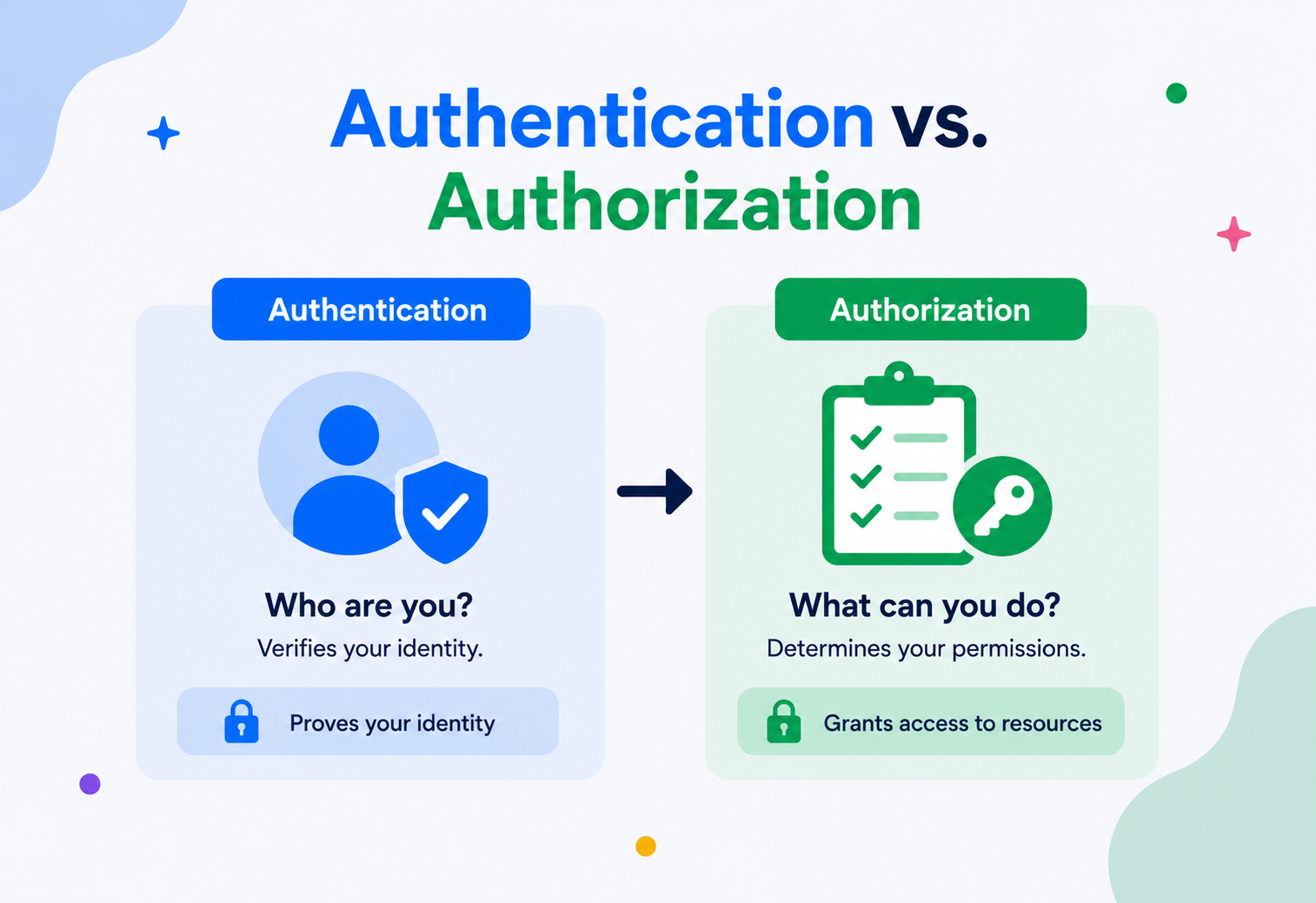
Authentication vs. Authorization
Two words that sound alike, get confused constantly, and sit at the heart of every login screen, API call, and access‑denied error you have ever seen. Here is what they actually mean — and how they work together.
The Big Idea, in One Breath
Imagine walking into an office building. At the front desk, a security guard checks your ID badge. Once inside, that same badge only opens certain doors. Those two moments — the check at the desk and the check at each door — are two entirely different things, and mixing them up is where a surprising amount of software goes wrong.
Step one is authentication: the guard confirming you are who you say you are. Step two is authorization: your badge only opening certain doors — maybe the marketing floor, but not the server room or the executive suite. They happen back‑to‑back, they both involve “access,” and they get mixed up in casual conversation constantly. But they answer two completely different questions.
Authentication (often shortened to AuthN) answers: “Who are you?” Authorization (shortened to AuthZ) answers: “What are you allowed to do?” You must always authenticate before you can be authorized — the guard has to know it is really you before your badge can be checked against the door list. But being authenticated does not automatically mean you are authorized to do everything. A verified employee still cannot walk into the CEO’s office uninvited.
A passport is authentication — it proves you are who you claim to be. A visa stamped inside it is authorization — it says which countries you are permitted to enter and for how long. You need both, and they are checked separately, often by different officials entirely.
Two Questions, One Sentence Each
The distinction sounds simple, and yet it is one of the most commonly confused pairs of terms in computer science — right up there with “concurrency vs. parallelism” or “process vs. thread.” Interviewers ask about it. Job postings misuse it. Even seasoned engineers occasionally write “401 Unauthorized” when they mean “403 Forbidden.”
Authentication in one line
- “Prove you are who you say you are.”
- Happens once per session, typically at login.
- Produces an identity and a token or session.
Authorization in one line
- “Prove you are allowed to do this.”
- Happens on every sensitive action.
- Checks that identity against a policy.
Everything else in this guide — identity providers, tokens, policies, OAuth, MFA, PDPs and PEPs — is essentially different machinery built to answer those two questions cleanly, at scale, across many services and many kinds of clients.
A Short History
The need to prove identity is ancient — seals on wax, signet rings, handwritten signatures, and passwords whispered at gates. Computing inherited the problem directly, and every decade since has added another layer to the answer.
Even fiction knew the pattern: “Friend, and enter” at Tolkien’s Mines of Moria is literally an authentication challenge. When the first multi‑user computers arrived, they immediately faced the same puzzle — how do you stop one user from reading another user’s files? MIT’s Compatible Time‑Sharing System (CTSS) in the 1960s needed exactly that. Fernando Corbató, one of CTSS’s creators, is widely credited with introducing the computer password around 1961.
Authorization followed close behind, because a password alone only solves “who are you.” Systems immediately needed rules about what each identified user could touch. Early Unix systems in the 1970s introduced the now‑familiar owner / group / other permission bits (rwxr-xr-x) — a primitive but effective authorization model still visible today when you run ls -l on any Linux machine.
1961 · The Computer Password
MIT’s CTSS introduces passwords so that multiple users can share one machine without reading each other’s files.
1970s · Unix Permission Bits
Owner / group / other rwx bits give the world its first widely used authorization model — still visible in every ls -l.
1980s · Kerberos
MIT’s ticket‑based network authentication proves identity across untrusted networks without sending passwords in the clear.
1991 · RADIUS
A dedicated protocol for authenticating dial‑up and network‑access clients arrives.
1993 · LDAP
Centralised directories become the standard way to store users, groups, and their permissions across an enterprise.
2002 · SAML
Federated single sign‑on between organisations arrives, powered by signed XML assertions.
2007 / 2014 · OAuth & OpenID Connect
OAuth (2007) and OpenID Connect (2014) become the standards behind “Sign in with Google”, mobile apps, and modern APIs.
Each new protocol tried to solve the same two questions — who are you, and what can you do — for a world of increasingly distributed, internet‑connected systems. The problem never changed. The scale and the enemies did.
Why It Matters
Every system that has more than one type of user, or that stores anything worth protecting, eventually has to answer two hard questions at the same time: is this really the person they claim to be, and even if it is, should they be allowed to do this specific thing right now? Get either one wrong and bad things happen — sometimes embarrassing, sometimes catastrophic.
If authentication is broken, an attacker can pretend to be someone else entirely — logging in as your bank manager, your doctor, or a system administrator. This is the class of failure behind most “account takeover” breaches: stolen passwords, phished credentials, or session tokens grabbed off an unsecured network.
If authorization is broken — even when authentication works perfectly — a correctly‑identified, legitimate user can still do things they should not. This is arguably the scarier category because nothing looks wrong from the login screen’s perspective. The user really is who they say they are. The system simply failed to check whether they were allowed to view someone else’s invoice, delete another team’s project, or escalate themselves to admin. This class of bug is so common it has its own name in the OWASP Top 10: Broken Access Control, and it has topped that list in recent years.
Confusing the two is not just academic pedantry. If your incident report says “authentication failure” when the real bug was a missing authorization check, your team will patch the wrong layer, the vulnerability stays open, and the postmortem gives leadership false confidence that the hole is fixed.
Why The Confusion Persists
Even experienced engineers slip up on this one. It is worth naming exactly why, because the reasons the two concepts blur together are the same reasons the bugs hide so well.
- Both are usually implemented in the same login flow, so developers experience them as one continuous process rather than two.
- Both can fail with similarly generic error messages (“Access Denied”), hiding which one actually broke.
- HTTP status codes are famously mislabeled:
401 Unauthorizedactually means “you are not authenticated,” while403 Forbiddenmeans “you are authenticated, but not authorized.” The name “401 Unauthorized” has been misleading developers since the HTTP/1.0 spec. - Many frameworks bundle both concerns into a single middleware or decorator (for example
@LoginRequired), blurring the line for newcomers.
Authentication: Proving Identity
Authentication is the process of verifying that an entity — a person, a device, or another piece of software — is genuinely who or what it claims to be. It always relies on “factors”: pieces of evidence that are hard for anyone else to produce.
Something You Know
Passwords, PINs, security questions. Cheap to implement, but easy to steal, guess, or phish.
Something You Have
A phone receiving an SMS code, a hardware security key (YubiKey), an authenticator app generating time‑based codes.
Something You Are
Fingerprints, face recognition, iris scans — biometrics tied to your physical body.
Somewhere You Are
Geolocation or network context, often used as a secondary risk signal rather than a primary factor.
When a system requires two or more of these categories together — say, a password plus a code from your phone — that is Multi‑Factor Authentication (MFA). Using two passwords is not MFA, because both factors come from the same category (“something you know”).
The whole point of factors is defence in depth. A stolen password is a bad day. A stolen password paired with a phone that literally has to be in the attacker’s hand is a much rarer, much harder crime.
Authorization: Granting Permission
Authorization happens after authentication and decides what an already‑identified entity is permitted to do. It is fundamentally a policy decision: given this identity, and this requested action, on this resource, right now — allow or deny?
Authorization models range from simple to sophisticated, and different systems reach for different ones depending on scale, auditability needs, and how expressive the rules have to be:
Access Control Lists
A list attached to each resource naming exactly who can do what to it — simple, direct, and heavy to maintain at scale.
Role‑Based Access Control
Permissions are attached to roles (“editor”, “admin”), and users are assigned roles rather than individual permissions.
Attribute‑Based Access Control
Decisions are computed dynamically from attributes of the user, the resource, and the environment (for example, “allow if department = Finance AND time is business hours AND document.classification ≤ user.clearance”).
Relationship‑Based Access Control
Permissions derived from relationships in a graph — for example, “you can edit this document if you are its owner or a member of its shared folder.” This is how Google Docs sharing works under the hood.
AuthN vs. AuthZ, Side by Side
When the two are laid out in a table, the difference stops feeling academic. Every row is a real dividing line teams routinely trip over.
| Aspect | Authentication | Authorization |
|---|---|---|
| Question | Who are you? | What can you do? |
| When it runs | Once, typically at login. | Every time a protected action is attempted. |
| Input | Credentials (password, biometric, token). | An already‑established identity plus a requested action. |
| Output | A verified identity, session, or token. | An allow or deny decision. |
| Failure HTTP code | 401 Unauthorized | 403 Forbidden |
| Owned by | Identity Provider (IdP). | Policy engine / resource server. |
| Example standard | OpenID Connect, Kerberos, SAML. | OAuth 2.0 scopes, RBAC, ABAC, XACML. |
Architecture & Components
In a modern system, authentication and authorization are usually handled by distinct — but cooperating — components. Understanding each piece makes the whole picture click.
Identity Provider
The system of record for identities. Verifies credentials and issues proof of authentication (for example, Okta, Auth0, Azure AD, Google Identity, Keycloak).
Authentication Service
Handles the login flow itself — password checks, MFA challenges, social logins, password resets.
Token Issuer
Mints signed tokens (JWTs, opaque tokens) representing a successful login, so the client does not have to re‑send a password on every request.
Policy Decision Point
The rule brain — evaluates RBAC / ABAC policies to decide if a specific action is allowed.
Policy Enforcement Point
Sits in front of a protected resource (an API gateway, a middleware) and actually blocks or allows the request based on the PDP’s decision.
Resource Server
The actual API or service holding the data — trusts tokens issued by the IdP and enforces authorization before returning data.
Notice that the token issued in step 2 is what makes the later steps possible without asking the user to type their password again. This separation — authenticate once, authorize repeatedly using the resulting token — is the backbone of virtually every modern web and mobile architecture.
Think of a nightclub. The PEP is the bouncer standing at the door — he does not personally decide the rules, he just enforces them. The PDP is the club’s policy manual (and the manager on the phone) that actually decides “yes, VIPs after 10‑pm are fine” or “no, that ID looks fake.” The bouncer (PEP) asks the manual / manager (PDP), then acts.
How Authentication Actually Verifies You
The most common mechanism remains the password. But a well‑built system never stores your raw password — it stores a salted hash of it, run through a slow, memory‑hard algorithm designed to punish attackers.
Slow is a feature here. Algorithms like bcrypt, scrypt, or Argon2 deliberately take tens or hundreds of milliseconds per hash, which is invisible to a legitimate user typing one password but ruinous to an attacker trying to brute‑force millions of them from a leaked database.
import org.mindrot.jbcrypt.BCrypt;

public class PasswordAuth {

    // Called once, when the user creates their account
    public String hashPassword(String plainPassword) {
        // BCrypt automatically generates and embeds a random salt
        return BCrypt.hashpw(plainPassword, BCrypt.gensalt(12)); // cost factor 12
    }

    // Called every time the user tries to log in
    public boolean verifyPassword(String plainPassword, String storedHash) {
        // Never compare hashes with == or .equals() naively elsewhere in the codebase;
        // BCrypt.checkpw does the safe, constant-time comparison for you.
        return BCrypt.checkpw(plainPassword, storedHash);
    }
}
Once a password (or biometric, or hardware key) checks out, the system needs a way to remember “this browser or device already proved who it is,” without re‑asking every click. Two dominant approaches exist:
- Session‑based (stateful): the server creates a session record (often in a fast store like Redis), gives the client a random session ID in a cookie, and looks up that ID on every request.
- Token‑based (stateless), typically JWT: the server issues a cryptographically signed token containing the user’s identity and claims. Any server that trusts the signing key can verify the token without querying a central database — great for distributed, multi‑service systems.
import io.jsonwebtoken.Jwts;
import io.jsonwebtoken.SignatureAlgorithm;
import java.util.Date;

public class TokenIssuer {

    private final String secretKey = "replace-with-a-long-random-secret";

    public String issueToken(String userId, String role) {
        long now = System.currentTimeMillis();
        return Jwts.builder()
                .setSubject(userId)                       // "who": the authenticated identity
                .claim("role", role)                      // extra data the resource server can use for authZ
                .setIssuedAt(new Date(now))
                .setExpiration(new Date(now + 3600_000))  // expires in 1 hour
                .signWith(SignatureAlgorithm.HS256, secretKey)
                .compact();
    }
}How Authorization Actually Decides
Once a request arrives with a proven identity attached (from the token or session), the authorization layer evaluates a policy. In its simplest form, that policy is nothing more elaborate than a map from role to permitted actions.
public class AccessControl {

    // role -> set of permissions it grants
    private final Map<String, Set<String>> rolePermissions = Map.of(
        "viewer", Set.of("document:read"),
        "editor", Set.of("document:read", "document:write"),
        "admin",  Set.of("document:read", "document:write", "document:delete")
    );

    public boolean isAuthorized(String userRole, String requiredPermission) {
        Set<String> grantedPermissions = rolePermissions.getOrDefault(userRole, Set.of());
        return grantedPermissions.contains(requiredPermission);
    }
}
// Usage:
// if (!accessControl.isAuthorized(user.getRole(), "document:delete")) {
//     throw new ForbiddenException();
// }
Real‑world authorization engines (like Open Policy Agent, AWS IAM policies, or Casbin) generalise this into a proper rule language, so that policies can be changed without redeploying code — a critical requirement once an organisation has hundreds of roles and resource types spread across many services.
Data Flow & Token Lifecycle
Let us trace a complete, realistic request from a mobile app tapping “delete post” through to the database, so we can see exactly where authentication ends and authorization begins.
Two separate checkpoints exist in this diagram, and it is worth naming them precisely. The gateway confirms the JWT is genuinely signed by the trusted IdP and has not expired — that is authentication, re‑verified on every single request even though the user only typed their password once. The posts service then separately asks whether this specific, already‑identified user owns post 42 — that is authorization, and it depends on business data (who owns what), not just on identity.
The Token Lifecycle
Tokens do not live forever, and that expiry is deliberate:
Issuance
Created at login, signed, given an expiry (commonly 15 minutes to 1 hour for access tokens).
Usage
Attached to the Authorization header of every subsequent request.
Refresh
A longer‑lived refresh token (days to weeks) lets the app silently obtain a new access token without forcing the user to log in again.
Revocation
If a token is compromised, the system needs a way to invalidate it early — a real weakness of pure stateless JWTs, discussed in the trade‑offs section.
Expiry
Even without revocation, the token stops working automatically once its time window ends.
Putting sensitive authorization data (like isAdmin: true) directly into a long‑lived JWT and never re‑checking it against the current database state. If that user’s admin rights are revoked, the old token keeps granting admin access until it expires — sometimes hours later.
Trade‑offs You Cannot Escape
Two big design choices come up in almost every project. Neither has a universally “right” answer — only an answer that fits your particular constraints better than the alternatives.
Session‑Based vs. Token‑Based Authentication
Sessions (Stateful)
- Instantly revocable — just delete the server‑side record.
- Simple mental model, mature tooling.
- Small cookie, minimal client‑side complexity.
Tokens / JWT (Stateless)
- Scales horizontally with no shared session store needed.
- Hard to revoke early without adding back a server‑side blocklist (which defeats the “stateless” benefit).
- Larger payload sent on every request; if leaked, valid until expiry.
RBAC vs. ABAC for Authorization
RBAC
- Easy to reason about and audit (“who has the admin role?”).
- Fast to evaluate — a simple set lookup.
- Struggles with fine‑grained, contextual rules (“only during business hours”).
ABAC
- Extremely flexible — can express almost any policy.
- Harder to audit and test; policies can interact in unexpected ways.
- Slower to evaluate if attribute lookups require extra data fetches.
Performance & Scalability
Authentication and authorization sit on the critical path of nearly every request, so their performance characteristics matter enormously at scale.
Authentication cost is usually front‑loaded: password‑hashing algorithms like bcrypt and Argon2 are deliberately slow (tens to hundreds of milliseconds) to resist brute‑forcing — but that cost is paid once at login, not on every request. After login, verifying a JWT’s cryptographic signature is extremely cheap (microseconds), since it is just math, not a database round trip.
Authorization cost is paid far more often — on every protected action — so it needs to be fast at a much larger scale. A simple RBAC set lookup is essentially free. But ABAC or ReBAC systems that need to fetch attributes or walk relationship graphs can become a real bottleneck if not cached carefully.
Common scaling techniques include caching decoded token claims for the lifetime of a request, caching authorization decisions for a few seconds when the same user hammers the same endpoint, and pushing policy evaluation as close to the edge (API gateway) as possible so a denied request never even reaches your business logic or database.
High Availability & Reliability
If your identity provider goes down, nobody can log in — and depending on the architecture, existing sessions might even stop working if every request re‑validates against a central service. This makes the IdP one of the most critical single points of failure in any system, deserving the same rigour as a payments system.
- Redundant IdP deployment across multiple availability zones or regions, with health‑checked failover.
- Local token verification — because JWTs are self‑contained and cryptographically signed, resource servers can verify them locally using a cached public key, without calling the IdP on every single request. This dramatically reduces the IdP’s blast radius if it briefly degrades.
- Graceful degradation for authorization — cache recent policy decisions so a brief policy‑engine outage does not lock everyone out; fail closed for high‑risk actions, but consider limited fail‑open behaviour for low‑risk read paths, decided deliberately in advance.
- Refresh token grace windows so short network blips do not force mass re‑logins.
“Fail closed” means: if the authorization check cannot be completed, deny the request. This is the safe default for anything sensitive. “Fail open” (allow by default on error) is sometimes chosen for low‑risk, high‑availability‑critical paths, but it must be an explicit, reviewed decision — never an accident of missing error handling.
Security & Attacks You Should Know
Different attacks target different layers. Naming them explicitly is the first step in defending against them.
Attacks Against Authentication
- Credential stuffing — attackers replay username / password pairs leaked from other breaches, hoping for password reuse.
- Phishing — tricking users into typing credentials into a fake login page.
- Brute force — systematically guessing passwords; countered by rate limiting, account lockouts, and slow hashing.
- Session hijacking — stealing a valid session cookie or token, often via cross‑site scripting (XSS) or unsecured networks.
Attacks Against Authorization
- Insecure Direct Object Reference (IDOR) — changing an ID in a URL (for example,
/invoices/1002→/invoices/1003) to view someone else’s data because the server never checked ownership. - Privilege escalation — a low‑privileged user finding a path to gain admin rights, often through a missing check on a rarely‑used endpoint.
- Confused deputy problem — a service with high privileges is tricked into performing an action on behalf of a lower‑privileged, malicious caller.
Never trust the client to tell you what it is allowed to do. Every authorization decision must be re‑verified on the server for every request — hiding a button in the UI is not a security control.
Defence in Depth
Best‑practice systems layer multiple defences: MFA to strengthen authentication, short‑lived tokens to limit the damage of a leak, the principle of least privilege to shrink what any single compromised identity can do, and server‑side re‑validation of authorization on every request rather than trusting a cached client‑side flag.
Monitoring, Logging & Metrics
You cannot secure what you cannot see. Both authentication and authorization events deserve dedicated, tamper‑evident logging — they are often the first place an incident responder looks.
Auth Success / Failure Rate
A sudden spike in failed logins from one IP or one account is the classic credential‑stuffing or brute‑force signal.
403 Rate by Endpoint
A rising rate of authorization denials on a specific endpoint often reveals either a bug or an active probing attempt.
Token Issuance Latency
Tracks IdP health — slow token issuance is often the earliest sign of an overloaded identity system.
Privilege Change Audit Log
Every role or permission grant / revoke should be logged immutably — this is often a compliance requirement (SOC 2, ISO 27001).
Structured, centralised logs (shipped to something like the ELK stack, Splunk, or a SIEM) let security teams correlate an authentication event with the authorization decisions that followed it — essential for reconstructing “what did this account actually do” during an investigation.
Deployment & Cloud Providers
Almost nobody builds authentication and authorization entirely from scratch anymore — the risk of a subtle bug is too high, and mature managed services exist specifically because getting this wrong is so costly.
IAM / Cognito
IAM handles authorization for AWS resources themselves; Cognito provides user authentication (sign‑up / login / MFA) for your own applications.
Azure AD / Entra ID
Enterprise identity platform combining authentication (SSO) with authorization (conditional access policies).
Okta / Auth0
Dedicated Identity‑as‑a‑Service platforms — plug in login, MFA, and social sign‑on without owning the hard cryptography.
Keycloak
Open‑source IdP supporting OAuth2 / OIDC / SAML — popular for self‑hosted deployments needing full control.
In a cloud‑native deployment, it is common to see authentication centralised at an IdP, with an API gateway (like Kong, AWS API Gateway, or Envoy) acting as the enforcement point that validates tokens on the way in, while fine‑grained authorization decisions are pushed out to a dedicated policy engine such as Open Policy Agent (OPA) running as a sidecar next to each microservice — keeping the decision close to the data it protects, without every service reimplementing its own auth logic.
Databases, Caching & Load Balancing
Even though “auth” is often thought of as a security topic, it is also a data‑intensive one. Every login and every permission check ultimately touches storage somewhere.
- Session stores — fast key‑value stores like Redis are the default choice for session‑based auth, since sessions need low‑latency reads on nearly every request and can tolerate being ephemeral.
- User & role databases — typically a relational database (PostgreSQL, MySQL) holding users, roles, and role‑permission mappings, since this data benefits from strong consistency and transactional integrity.
- Caching authorization decisions — a permission check that requires joining several tables is expensive to repeat on every request; caching “user X can do Y” for a few seconds (with careful invalidation on role changes) is a common optimisation.
- Load balancing identity traffic — login endpoints are often placed behind their own rate‑limited pool, separate from general API traffic, so a credential‑stuffing attack against the login endpoint cannot degrade the rest of the application.
If you cache “this user is an admin” for performance, you must also invalidate that cache the instant an admin is demoted — otherwise a revoked user keeps elevated access for as long as the stale cache entry survives.
APIs, OAuth 2.0 & OpenID Connect
In a microservices world, dozens of services need to make the same two decisions consistently, without each reimplementing password checking or permission logic independently. Two open standards dominate this space.
OAuth 2.0 — an Authorization Framework
Despite the name confusion, OAuth 2.0 is primarily about authorization — specifically, letting a user grant a third‑party application limited access to their resources on another service, without sharing their password. When you click “Sign in with Google” and see a screen listing exactly what the app can access (your email, your calendar, but not your Drive files), that is OAuth’s scopes in action — a direct expression of authorization.
OpenID Connect (OIDC) — Authentication on Top of OAuth
OAuth 2.0 alone does not actually verify identity in a standardised way — it was never designed to. OpenID Connect was built as a thin identity layer on top of OAuth 2.0, adding a standardised ID Token (itself a JWT) that proves who the user is. This is why modern “social login” buttons are technically running OIDC, not raw OAuth.
| Standard | Primary Purpose | Key Artifact |
|---|---|---|
| OAuth 2.0 | Authorization (delegated access). | Access Token + Scopes. |
| OpenID Connect | Authentication. | ID Token (JWT). |
| SAML 2.0 | Authentication (enterprise SSO). | SAML Assertion (XML). |
In a microservices architecture, the API gateway typically terminates authentication (validating the token once at the edge), while individual services still perform their own authorization checks — because only they know the business rules about their own data. The gateway does not know whether user 123 owns post 42, but the posts service does.
Design Patterns & Anti‑Patterns
A handful of patterns show up repeatedly in well‑built systems. So do the anti‑patterns — and the anti‑patterns are unfortunately seductive under deadline pressure.
Good Patterns
- Centralised IdP, distributed enforcement — one source of truth for identity, but each service enforces its own authorization.
- Principle of least privilege — grant the smallest set of permissions needed, by default.
- Short‑lived access tokens + refresh tokens — limits the damage window of a leaked token.
- Policy as code (for example, OPA / Rego) — authorization rules are version‑controlled, testable, and reviewable like any other code.
Anti‑Patterns
- Security through obscurity — hiding a UI button instead of enforcing access server‑side.
- Trusting client‑supplied roles — reading “role: admin” from a request body the client controls.
- Giant god‑tokens — one token or session that never expires and grants broad, static permissions.
- Authorization logic scattered everywhere — duplicated, inconsistent permission checks copy‑pasted across dozens of endpoints.
Best Practices & Real‑World Examples
The best guides land the theory in real habits and real systems. Here are the disciplines that repeatedly separate teams that avoid breaches from teams that make headlines — alongside a handful of well‑known systems doing exactly that.
Best Practices, Step by Step
Always re‑check authorization server‑side
Never rely on the client to enforce what it can or cannot see or do.
Use short‑lived tokens with refresh flows
Balances usability with a small blast radius if a token leaks.
Hash passwords with a slow, salted algorithm
bcrypt, scrypt, or Argon2 — never plain SHA‑256 or, worse, no hashing at all.
Enforce MFA for sensitive accounts
Especially for admin, billing, and privileged operational access.
Apply the principle of least privilege
Default to the fewest permissions necessary; expand deliberately, not by default.
Log and monitor both layers separately
Tag logs clearly as authentication events vs. authorization events so incidents are easy to trace.
Test authorization with negative cases
Do not just test that Alice can edit her own document — test that Alice cannot edit Bob’s.
Assuming that because a user is logged in, every request they make is automatically safe. Authentication tells you who is asking. It never tells you what they should be allowed to have.
How Real‑World Systems Handle This
OpenID Connect (built on OAuth 2.0) powers “Sign in with Google” across the web — a textbook example of standardised authentication delegated to a trusted third party, with authorization scopes controlling exactly what data an app can access.
Netflix
Uses a centralised identity platform for authentication across devices (TVs, phones, browsers), while a separate entitlements / authorization layer decides what content a specific account, region, and subscription tier can actually stream.
Amazon Web Services
IAM policies are one of the most detailed real‑world ABAC / RBAC hybrids in production — precise, auditable JSON policies define exactly which principal can perform which action on which resource, under which conditions.
Uber
Authenticates riders and drivers separately with different trust levels, then applies distinct authorization rules per role — a driver can accept trips and view earnings; a rider can request trips and rate drivers, but neither can access the other’s dashboard.
Banks
Typically enforce strong MFA for authentication (often hardware tokens or app‑based approval) combined with strict, auditable authorization rules — for example, a teller can view an account but a second approver is required to authorize a large wire transfer.
Across every one of these examples, the same split holds: one system answers “who is this,” a separate system (sometimes a separate team entirely) answers “what should they be allowed to do” — and the two are deliberately kept as independently testable, independently auditable concerns.
FAQ & Key Takeaways
Two closing sections. The FAQ tackles the questions this topic reliably raises in every interview and every design review. The takeaways box distils the whole guide into a handful of lines to carry with you.
Is single sign‑on (SSO) authentication or authorization?
SSO is authentication — it lets one login prove your identity across multiple applications. Each application still separately decides, via its own authorization logic, what that identified user is allowed to do inside it.
Which happens first, authentication or authorization?
Authentication always happens first. You cannot meaningfully evaluate “what is this user allowed to do” until the system knows who the user actually is.
Why does HTTP 401 mean “not authenticated” instead of “not authorized”?
It is a historical naming inconsistency baked into the HTTP specification. 401 Unauthorized actually signals a missing or invalid authentication credential; 403 Forbidden is the code that actually means “authenticated, but not authorized.” The names have caused confusion for decades.
Can you have authorization without authentication?
Rarely, and usually only for anonymous or public‑access rules (“anyone can read this public page”). Almost all meaningful authorization depends on knowing who is asking, so it depends on authentication having happened first, even if that identity is just “anonymous.”
Is a JWT authentication or authorization?
A JWT itself is just a signed data container — it can carry proof of authentication (an ID token) and / or authorization data (an access token with scopes / roles). The same technology serves both purposes; what matters is which claims it carries and how the receiving service interprets them.
Authentication and authorization are sequential, complementary, and never interchangeable. Authentication proves identity once, typically at login. Authorization checks permission continuously, on every sensitive action, using that established identity as its input. A system can have flawless authentication and still be catastrophically insecure if its authorization is broken — and vice versa.
Key Takeaways
- Authentication = “Who are you?” — verified via passwords, biometrics, MFA, or tokens.
- Authorization = “What can you do?” — decided via RBAC, ABAC, ReBAC, and policy engines.
- Order matters. Authentication happens first and typically once per session; authorization is re‑checked on every protected action.
- Know your status codes. HTTP 401 = authentication failure; HTTP 403 = authorization failure — memorise this, it is misused constantly.
- OAuth 2.0 is fundamentally an authorization framework; OpenID Connect adds authentication on top of it.
- Never trust the client to self‑report its own permissions — always enforce authorization server‑side.
- Two layers, two disciplines. Treat both as separately monitored, separately tested, and separately hardened parts of your security posture.

