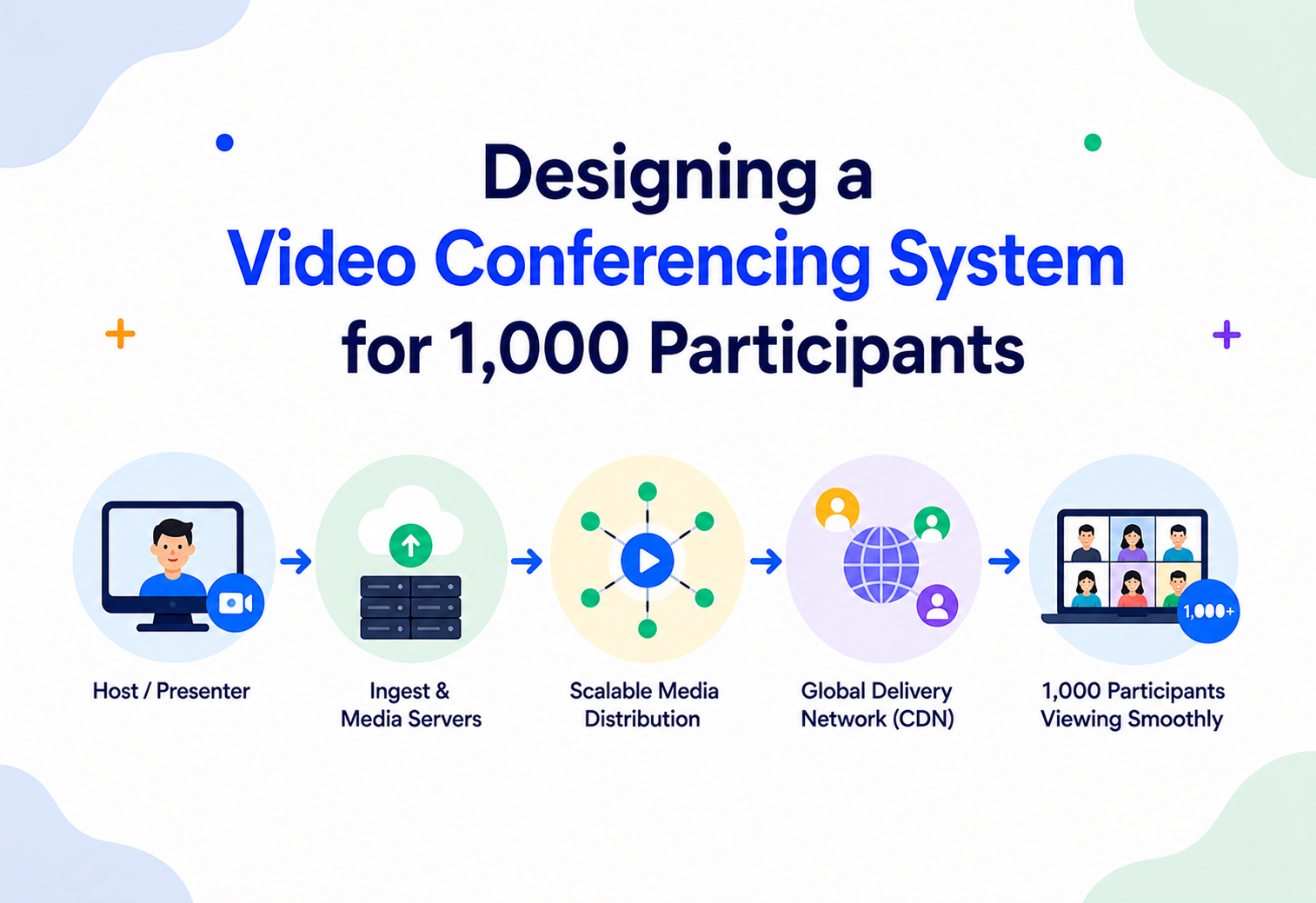
Designing a Video Conferencing System for 1,000 Participants
A deep, production-grade system design walkthrough covering architecture, media routing, scalability, and reliability — the way it is actually built at companies like Zoom, Google, and Microsoft.
Introduction & History
Video conferencing feels ordinary today — you click a link and you are looking at a colleague’s face in under two seconds. But underneath that simplicity is one of the hardest problems in distributed systems: moving audio and video, in real time, between potentially thousands of devices, over unreliable networks, with a latency budget so tight that anything above roughly 150 to 200 milliseconds one-way starts to feel “off” to a human brain.
The problem we are solving in this tutorial is specific and hard: design a video conferencing system that can host a single meeting with up to 1,000 simultaneous participants, while keeping audio and video quality “acceptable.” That last word matters — at 1,000 participants, no system on Earth sends everyone’s full-resolution video to everyone else. The entire design challenge is about intelligently deciding who sees what, at what quality, and why.
1.1 A Brief History of Video Conferencing
AT&T Picturephone
The first real attempt at video calling. It failed commercially — bandwidth and cost made it a novelty, not a product.
ISDN Videoconferencing (PolyCom, Tandberg)
Dedicated hardware rooms connected over ISDN lines. Expensive, boardroom-only, and limited to a handful of participants using Multipoint Control Units (MCUs) that decoded and re-encoded every stream centrally.
Skype arrives
Brought peer-to-peer voice and video calling to consumers using a proprietary P2P protocol, but it scaled to a handful of participants at best.
WebRTC is born (Google)
Google open-sourced WebRTC, a standardized set of protocols (ICE, STUN/TURN, DTLS-SRTP, SDP) that let browsers exchange real-time audio and video without plugins. This is the single most important event in the history of modern video conferencing — it turned every browser into a video-capable client.
Rise of the SFU
Instead of decoding and re-encoding media like an MCU, Selective Forwarding Units simply forward encoded packets to the right subscribers. This became the dominant architecture because it trades a small amount of client-side complexity for massive server-side scalability.
Zoom, Google Meet, Microsoft Teams mature
Cloud-native SFU-based architectures with global points of presence, adaptive simulcast, and cascaded media relays become the industry standard.
The pandemic inflection point
Daily meeting participants exploded by ten to thirty times almost overnight across every major platform. This is the era that forced the industry to solve “how do you support meetings with hundreds to thousands of participants” at scale, in production, under real load.
Large-scale webinars and town halls
Zoom Large Meetings and Webinars, Google Meet’s live streaming tier, and Teams’ Live Events and Town Halls all converged on a hybrid architecture: an interactive core (SFU-based, two-way) combined with a broadcast and CDN fan-out tier for the long tail of viewers who mostly watch and rarely speak.
“Why did the industry move away from MCUs toward SFUs? Walk me through the trade-off.” Be ready to explain that MCUs centralize CPU-heavy transcoding (server does all the mixing, decoding, and re-encoding work, clients do very little), while SFUs shift that cost to being nearly zero on the server (just packet forwarding) at the cost of clients needing to decode multiple incoming streams and encode multiple outgoing quality layers via simulcast.
1.2 What Makes This Problem Hard
Most system design interviews ask you to scale something that tolerates delay — a feed, a search index, a payment ledger. Video conferencing is the opposite: every packet has an expiration date measured in milliseconds. A video frame that arrives two seconds late is not “eventually consistent,” it is simply useless and gets thrown away. This single constraint reshapes every decision in the system.
No retries in the traditional sense
TCP-style retransmission is often worse than just dropping a lost packet and moving on, because a retransmitted frame usually arrives too late to be useful. This is exactly why WebRTC media runs over UDP, not TCP.
No caching in the traditional sense
You cannot cache “the next frame of Priya’s video” the way you would cache a product page — it is generated live and consumed live.
Cost scales with concurrency
A video conferencing platform’s infrastructure bill is driven by simultaneous CPU and network usage across all live meetings at any given second, not by data volume at rest.
Human perception is the real SLA
“Acceptable quality” in the prompt is not a made-up phrase — it is an actual product requirement: the system must feel like a real conversation, not a series of transactions.
With that framing, the 1,000-participant requirement is not really “make everything 1,000 times bigger.” It is “figure out which 1 percent of the naive design actually needs to scale to 1,000, and make everything else scale sub-linearly or not at all.”
1.3 Functional and Non-Functional Requirements
Functional Requirements
- Users can create, schedule, and join meetings, with role-based permissions (host, co-host, panelist, attendee).
- Meetings support live audio and video from participants, up to 1,000 concurrent participants in a single meeting.
- Participants can mute/unmute audio, enable/disable video, share their screen, and send chat messages or reactions.
- The system supports active-speaker highlighting, pinning, and grid/gallery views.
- Meetings can optionally be recorded and later played back or transcribed.
- Hosts can manage participants — mute all, remove a participant, lock the meeting, move participants to breakout rooms.
Non-Functional Requirements
Sub-second interactive
Sub-second glass-to-glass latency for the interactive tier; a few seconds is acceptable for the passive broadcast tier at very large scale.
99.9%+ on the media plane
The media plane should target very high availability since a dropped call during a live meeting is a severe user-facing failure.
Many concurrent mega-meetings
Must scale horizontally to support many concurrent 1,000-participant meetings across the platform, not just one.
Adaptive degradation
Must degrade gracefully rather than fail hard under constrained bandwidth or device CPU.
Encrypted media by default
Encrypted media in transit by default, with optional end-to-end encryption for sensitive meetings.
Bounded per participant-minute
Server-side compute cost per participant-minute must stay bounded even as meeting size grows — precisely why naive full-mesh or MCU-everywhere designs are rejected later in this document.
1.4 Back-of-the-Envelope Capacity Estimation
It is worth sizing the problem before designing the solution, the way you would in a real interview.
- Assume a platform running many concurrent meetings, with a handful of “mega meetings” (500 to 1,000 participants) happening at any given time across the fleet, alongside a much larger number of small meetings (2 to 20 participants).
- Video-on ratio: in a realistic 1,000-person town hall, perhaps 5 to 10 panelists or hosts have cameras on continuously, and a long tail of attendees keep cameras off most of the time — this ratio is the single biggest lever on required capacity.
- Forwarded streams, not raw participants, drive cost. If 10 people publish video and the system forwards each of those to, say, 50 visible viewers on average (grid pagination caps what is visible), that is roughly 500 forwarded video subscriptions for that meeting — orders of magnitude less than a naive 1,000 × 1,000 full mesh.
- Audio is comparatively cheap. Even forwarding audio for all 1,000 participants (muted participants send nothing) costs only tens of kbps per active speaker, so audio scaling is rarely the bottleneck — video fan-out is.
This estimation exercise is exactly why the rest of this document keeps returning to one idea: bound the number of forwarded video streams, not the number of participants.
Architecture & Components
At a high level, a video conferencing platform is really three systems bolted together: a signaling plane (who is in the meeting, and how do peers agree to exchange media), a media plane (the actual audio and video packets, optimized for real-time delivery, not durability), and a control plane (meeting scheduling, authentication, recording, chat, and the web and mobile apps that tie it together).
Figure 1 — End-to-end architecture. Blue lines are signaling and control; red lines are real-time media over SRTP/UDP; purple dashed lines are cross-node cascade relays carrying only a bounded set of important streams.
2.1 Core Components
Signaling Gateway
Persistent WebSocket connection per client; exchanges SDP offers/answers and ICE candidates; notifies clients of participants joining, leaving, or muting.
SFU (Selective Forwarding Unit)
The heart of the media plane. Receives encoded RTP streams from each publisher and selectively forwards them to subscribers without decoding, based on bandwidth, layout, and active-speaker logic.
TURN / STUN Servers
STUN helps clients discover their public IP and port for NAT traversal. TURN relays media when a direct or SFU path is blocked by restrictive firewalls or NATs — a fallback of last resort because it adds cost and latency.
SFU Scheduler / Placement Service
Decides which SFU cluster or region a meeting (and each participant) should connect to, and manages cascading between SFUs when a meeting spans regions or exceeds a single node’s capacity.
Meeting Service
CRUD for meetings, invitations, waiting rooms, permissions, breakout rooms.
Auth Service
Issues short-lived tokens (JWT) scoped to a specific meeting and role (host, co-host, attendee).
Recording & Transcription Service
Subscribes to the SFU’s mixed or selected streams, composites them, and writes to durable object storage.
Active Speaker Detection Service
Analyzes audio energy levels (usually computed client-side and reported, or computed at the SFU from the RTP audio-levels extension) to decide who gets forwarded in video-constrained scenarios.
Chat / Reactions Service
Low-bandwidth, delay-tolerant side channel — usually a separate pub/sub path from the real-time media path.
Zoom’s architecture uses a globally distributed mesh of “Multimedia Routers” (their term for SFU-like nodes) placed in 17+ data centers. When you join a meeting, Zoom’s cloud picks the nearest healthy data center to minimize round-trip time, and cascades media between data centers only when participants are spread across regions.
2.2 Why SFU, Not Mesh or MCU?
| Model | Server CPU Cost | Client Upload Cost | Max Practical Participants | Latency Added by Server |
|---|---|---|---|---|
| Full Mesh (P2P) | None | O(N) — one upload stream per peer | ~4–6 | None (direct) |
| MCU (Mix & Transcode) | Very High — decode+encode every stream | O(1) — one upload | ~50–100 per MCU box | High (transcode delay) |
| SFU (Forward Only) | Low — packet forwarding only | O(1) with simulcast layers | Hundreds per node, thousands via cascading | Low (near-passthrough) |
For 1,000 participants, mesh is mathematically impossible (each client would need roughly 999 upload streams) and MCU does not scale cost-effectively at that CPU load. The SFU model — extended with cascading across multiple SFU nodes and a “forward only what is needed” policy — is the only architecture that scales economically.
“If SFUs just forward packets, why do we still need serious server capacity for 1,000 participants?” Good answer: forwarding is CPU-light but still bounded by network throughput, packet-per-second processing, and per-subscriber selective forwarding logic (bitrate adaptation, simulcast layer selection, RTCP feedback processing) — all of which grows with participant count, even without transcoding.
2.3 Component Deep Dive: The Signaling Gateway
The signaling gateway is easy to underestimate because it does not carry media, but it is the nervous system of the meeting. Every join, mute, layout change, active-speaker switch, and permission change flows through it as a small JSON or protobuf message over a persistent WebSocket. It needs to be:
- Horizontally scalable and stateless-ish: Each gateway instance handles a slice of connections; the “who is in which meeting” mapping lives in a shared store (Redis) so any instance can route a message to the right meeting’s participants regardless of which gateway node they are attached to.
- Fast fan-out for control events: When a new participant joins a 1,000-person meeting, that event does not need to be pushed to all 999 others individually and immediately — many UIs only show “999 participants” as a count and lazily fetch the full roster, which meaningfully reduces signaling fan-out at scale.
- Resilient to reconnects: Mobile networks flap constantly; the gateway must support fast reconnection with session resumption so a two-second Wi-Fi-to-LTE handoff does not look like a full meeting re-join to the rest of the system.
2.4 Component Deep Dive: The SFU Scheduler / Placement Service
This service answers one question extremely well: “given a new participant joining meeting X, which SFU node should they connect to?” Its inputs typically include the participant’s approximate geographic location (from IP or client-reported region), the current load and headroom of candidate SFU nodes, and — critically — where other participants of the same meeting are already connected, since keeping a meeting’s participants concentrated on as few nodes and regions as possible minimizes the number of cascade links needed. For a 1,000-participant meeting spanning multiple continents, the scheduler will typically pick one “primary” SFU per region with meaningful participant concentration, and cascade between those regional primaries rather than scattering participants across many small nodes.
Internal Working
Let’s go one layer deeper into how two participants actually establish a media connection, and how the SFU decides what to forward.
3.1 WebRTC Fundamentals
Session Description Protocol
A text description of what media a peer can send and receive — codecs, resolutions, encryption keys. Peers exchange an “offer” and “answer.”
Interactive Connectivity Establishment
The process of finding a usable network path between a client and the SFU, trying direct UDP, then STUN-assisted paths, then TURN relay as a last resort.
Every session encrypted
DTLS establishes keys; SRTP (Secure Real-time Transport Protocol) encrypts the actual audio and video packets. Media is never sent in the clear.
Media plus feedback
RTP carries the actual media; RTCP carries feedback — packet loss reports, jitter, bandwidth estimates (via the REMB or Transport-CC extensions) that the sender uses to adapt bitrate in real time.
3.2 Simulcast and SVC — the Real Trick Behind Scaling
This is the single most important technique for supporting 1,000 participants with “acceptable” quality.
- Simulcast: Each publisher’s camera encodes and sends multiple independent quality layers simultaneously — for example, a low (180p), medium (360p), and high (720p) stream. The SFU then chooses, per subscriber, which layer to forward based on that subscriber’s available bandwidth and how prominently that video tile is displayed in their UI.
- SVC (Scalable Video Coding): A more efficient evolution where a single encoded bitstream contains embedded spatial and temporal layers, so the SFU can simply drop upper layers rather than juggling entirely separate streams. Codecs like VP9 and AV1 support SVC natively.
Figure 2 — A single publisher sends three simulcast layers; the SFU independently forwards the appropriate layer to each subscriber based on their available bandwidth.
3.3 Active Speaker Detection & Selective Forwarding at Scale
At 1,000 participants, no client can render or receive 999 video streams — the math simply does not work on bandwidth, CPU, or screen real estate. So the SFU applies a forwarding policy:
- Only the current and recent active speakers (typically top 3 to 6 by audio energy) get their video forwarded to everyone as “prominent” tiles.
- A visible grid of participants (say, the 25 to 49 tiles a client’s UI can display) receive low-resolution and low-framerate simulcast layers.
- Everyone else’s video is simply not forwarded at all — the client shows an avatar or last frame — audio (if unmuted) is still mixed and forwarded, since audio bandwidth is cheap and human ears are less forgiving of audio gaps than eyes are of video gaps.
“How would you decide which video streams to actually forward at 1,000 participants?” This is the crux of the entire design problem — expect it to be asked directly. A strong answer: forward video only for (a) active speaker(s), (b) pinned or spotlighted participants, and (c) participants currently visible in a viewer’s paginated grid — and forward everyone’s audio unless self-muted, since audio scales far more cheaply than video.
3.4 Congestion Control in Depth
Bandwidth on the public internet is never fixed — it fluctuates as other traffic shares the same link, as Wi-Fi conditions change, as a user’s phone switches from 5G to 4G. Real-time media needs to detect these swings within a few hundred milliseconds and react, long before a human would consciously notice buffering. The dominant mechanism is Google Congestion Control (GCC) combined with the Transport-Wide Congestion Control (Transport-CC) RTP header extension:
- Every RTP packet gets a transport-wide sequence number.
- The receiver periodically reports back exactly when each packet arrived, via RTCP feedback packets.
- The sender compares expected vs. actual arrival timing to estimate available bandwidth and building queue delay — a classic delay-based congestion signal, similar in spirit to TCP Vegas rather than TCP Reno’s loss-based approach.
- When the estimate drops, the sender reduces its target bitrate, which cascades into the encoder reducing resolution, framerate, or quantization, and — critically for our design — the SFU dropping to a lower simulcast layer for that specific subscriber.
This feedback loop runs independently per publisher-to-SFU link and per SFU-to-subscriber link, which is exactly why one participant on a poor connection does not degrade quality for everyone else in the meeting — each link adapts on its own.
3.5 Jitter Buffers and Packet Loss Concealment
Network packets rarely arrive at a perfectly steady cadence — this variance is jitter. Each receiving client maintains an adaptive jitter buffer that holds incoming packets for a small, dynamically-tuned window (typically tens of milliseconds) before playback, smoothing out timing variance at the cost of a small amount of added latency. When packets are lost outright, receivers apply Forward Error Correction (FEC) where available, or Packet Loss Concealment (PLC) — an audio codec technique that synthesizes a plausible continuation of the waveform rather than producing an audible gap. For video, a lost packet that breaks a frame typically triggers a keyframe request (PLI — Picture Loss Indication) back to the sender, which is one reason keyframe request rate is a useful health metric at scale.
Data Flow & Lifecycle
Let’s trace how a client actually joins a meeting, how steady-state media then flows, and what happens when someone drops.
4.1 Meeting Join Lifecycle
Figure 3 — End-to-end meeting join sequence from click to first media packet.
4.2 Steady-State Media Flow
Once connected, each client maintains exactly one media connection to its assigned SFU (not to every other participant). The SFU:
- Receives each publisher’s simulcast layers.
- Runs bandwidth estimation per subscriber (via RTCP / Transport-CC feedback).
- Applies the forwarding policy (active speaker + visible grid + pinned tiles).
- Rewrites RTP headers (SSRC remapping, sequence-number and timestamp translation) as needed and forwards packets.
- Emits periodic keyframe requests (PLI/FIR) when a subscriber switches which layer or stream it is receiving, so the new stream can be decoded starting from a full frame.
4.3 Leave / Failure Lifecycle
On graceful leave, the client sends a signaling “leave” message; the SFU tears down that participant’s tracks and notifies others. On ungraceful disconnect (crash, network loss), the SFU detects the absence of RTCP receiver reports or DTLS keepalives within a timeout window (commonly a few seconds) and cleans up state — this timeout is a deliberate trade-off between fast failure detection and false positives from transient network blips.
A commuter’s phone briefly loses Wi-Fi as it hands off to LTE. RTCP stops arriving for a second or two; the SFU keeps the session alive during a short grace window rather than immediately tearing it down, and when packets resume the meeting continues without a visible re-join, which is exactly the behavior users interpret as “the app is smart about my flaky network.”
Scaling to 1,000 Participants — The Core Design
This is the heart of the interview question, so let’s build it up step by step.
5.1 Why a Single SFU Node Is Not Enough
A single, well-provisioned SFU node can typically handle a few hundred to a couple thousand simultaneous media subscriptions depending on hardware, but a 1,000-participant meeting with even moderate video usage generates enormous fan-out: if only 50 people have cameras on and everyone else watches, that is already up to 50 × 1,000 = 50,000 potential subscription paths if done naively. Add network interface throughput limits, packet-per-second CPU costs, and you hit a wall well before 1,000 raw participants.
5.2 Cascading SFUs
The standard solution is to cascade multiple SFU nodes together into a mesh or tree, so no single node bears the full fan-out load. Each SFU handles a subset of participants directly; SFUs relay a bounded set of “important” streams (active speakers, moderator, pinned users) to each other over dedicated cascade links, so any participant on any node can still see and hear the relevant streams.
Figure 4 — Four cascaded SFU nodes, each handling roughly 250 participants, with cascade links carrying only a bounded set of important streams between nodes.
Cascade links only carry a small, bounded set of streams (active speakers + pinned tiles), not everyone’s video. This keeps inter-node bandwidth roughly constant regardless of total meeting size — the design scales because it deliberately refuses to scale the “forward everything to everyone” approach naively.
5.3 Tiered Roles: Publisher-Heavy vs. Viewer-Heavy Design
In practice, most 1,000-person meetings are “town hall” shaped: a handful of hosts and panelists actively publish video, and hundreds of attendees mostly watch and occasionally unmute. Recognizing this asymmetry lets us apply a hybrid architecture:
Low-latency SFU core
Hosts, panelists, and anyone the layout displays prominently connect via the standard low-latency SFU path (typically sub-500ms glass-to-glass).
CDN-assisted fan-out tier
For pure viewers beyond a threshold (e.g. participant #300 onward in view-only mode), the SFU’s output can be re-packaged and fanned out via a low-latency HTTP streaming protocol (LL-HLS, or a CDN-backed WebRTC broadcast tier) that trades a second or two of extra latency for near-infinite horizontal scalability, since CDNs are built exactly for this kind of one-to-many fan-out.
Microsoft Teams’ “Town Hall” and “Live Events” products, and Zoom’s Webinars with 1,000+ attendee tiers, both use this exact hybrid pattern: a smaller interactive/panelist tier on real-time SFU infrastructure, and a much larger attendee tier delivered via scalable streaming distribution with slightly higher latency.
5.4 Bandwidth Budget at 1,000 Participants
| Scenario | Per-Participant Download | Design Choice |
|---|---|---|
| Everyone’s video forwarded to everyone (naive) | Unbounded, grows with participant count — infeasible | Rejected |
| Grid view showing 25 tiles, low-res | ~25 × 40–80 kbps ≈ 1–2 Mbps | Acceptable for most home connections |
| Active speaker view (1 large + few thumbnails) | ~500 kbps – 1.5 Mbps | Default for most video conferencing UIs |
| Audio-only for non-visible participants | ~20–40 kbps per active audio stream, mixed server-side when count is high | Used beyond the visible grid |
“At what point would you stop sending individual video streams entirely?” Strong answer: define a threshold (e.g. first 49 to 64 visible grid tiles) beyond which video is never forwarded regardless of camera state — only requested on demand if a viewer explicitly pins or searches for that participant, triggering a fresh subscription.
5.5 Audio Mixing at Scale
Audio has its own scaling curve: even in a 1,000-person meeting, only a handful of people are realistically unmuted and speaking at once. Two strategies exist:
Forward top-N loudest streams
The SFU forwards, say, the three loudest currently-active audio streams to each subscriber; the client mixes them locally. This preserves the low-latency, high-fidelity SFU model.
Server-side audio mixing
For massive scale or bandwidth-constrained subscribers, the server mixes N audio streams into one composite stream — cheaper for the client, more CPU for the server, and a reasonable trade at these extreme scales.
5.6 Screen Sharing at Scale
Screen share deserves special treatment because it behaves differently from camera video: it is usually low motion (text, slides) but needs high spatial resolution and sharpness to remain readable, and it is typically the single most-watched stream in a large meeting. Practically, this means:
- Screen share is often encoded at a higher resolution but lower framerate than camera video, since legibility matters more than smoothness for static content.
- Because screen share tends to be watched by nearly the entire audience simultaneously, it is an ideal candidate to route through the CDN and broadcast tier at very large scale rather than fanning it out via the interactive SFU path to all 1,000 subscribers individually.
- Content-aware encoding (detecting whether the shared content is mostly static slides vs. a video playback) lets the encoder allocate bits more intelligently — spending more on sharpness when there is little motion.
5.7 Breakout Rooms and Sub-Meetings
A 1,000-person meeting sometimes needs to split into many smaller breakout rooms and later reassemble. Architecturally, a breakout room is best modeled as an entirely separate meeting session with its own SFU assignment(s), linked back to the parent meeting by metadata rather than by media-plane coupling — this keeps the breakout traffic isolated (a breakout room’s video should not compete for the same cascade links as the main session) and makes “return everyone to the main room” a simple control-plane operation rather than a media re-negotiation nightmare.
5.8 Admission Control
Every SFU node needs a hard ceiling on how many publishers and forwarded streams it will accept, enforced by the scheduler before assignment — not discovered reactively when the node is already overloaded. When a node approaches its ceiling, the scheduler routes new joiners to a different node (potentially in a different region, accepting a small latency cost) or, for the broadcast tier, hands them off to the CDN fan-out path instead. This is the same admission-control philosophy used in any high-throughput real-time system: it is far better to gracefully redirect the 1,001st participant’s connection than to let node overload degrade quality for the existing 1,000.
Advantages, Disadvantages & Trade-offs
Every scaling decision here is really a decision about where complexity lives. Making those trades explicit is what turns “we picked SFU” into a defensible engineering decision.
SFU over MCU
Advantage: Massively lower server CPU cost, near-passthrough latency.
Trade-off: Client devices must decode multiple streams and encode simulcast layers, raising client CPU and battery cost.
Cascading SFUs
Advantage: Removes single-node bottleneck, enables geo-distribution.
Trade-off: Adds inter-node latency and operational complexity (topology management, failure handling across nodes).
Hybrid SFU + CDN broadcast
Advantage: Enables near-unlimited viewer scale cheaply.
Trade-off: CDN-tier viewers get 2 to 5+ seconds of extra latency and typically cannot unmute instantly.
Simulcast / SVC
Advantage: Per-subscriber adaptive quality without server transcoding.
Trade-off: Higher publisher upload bandwidth (sending 2 or 3 layers instead of 1).
Selective forwarding
Advantage: Keeps bandwidth and rendering bounded regardless of meeting size.
Trade-off: Some participants’ video is simply never shown by default — a UX trade-off, not just a technical one.
6.1 Trade-off: Client Complexity vs. Server Simplicity
It is worth pausing on a theme that runs through the entire design: nearly every scaling decision here is really a decision about where complexity lives. A mesh topology puts all the complexity on the client (many outbound streams, many decoders) and almost none on the server. An MCU flips that — the server does all the hard work (decoding, mixing, re-encoding) and the client just plays back one simple stream. The SFU model is deliberately in between, and that middle ground is precisely why it won as an industry default: it keeps servers cheap to scale horizontally (the expensive, hard-to-parallelize work of decoding and encoding never happens server-side for the base case) while keeping client complexity manageable, because modern devices have dedicated hardware video encoders and decoders that make handling a handful of simultaneous streams genuinely cheap in practice.
6.2 Trade-off: Consistency of Experience vs. Cost
A design that gives all 1,000 participants an identical, uniformly excellent experience (every stream high resolution, every audio stream individually mixed, no tiering) is technically possible for a much smaller meeting size, but becomes cost-prohibitive and often physically impossible (bandwidth-wise) well before reaching 1,000 people. The tiered approach in this document deliberately accepts an unequal experience — panelists and active speakers get the best treatment, the long tail gets a leaner one — because that inequality mirrors how large meetings actually function socially. Recognizing when it is acceptable to design for an intentionally uneven experience, rather than treating “fairness” as an absolute requirement, is itself a system design skill worth calling out explicitly in an interview.
What we gain
- Predictable, bounded cost regardless of meeting size.
- Sub-second interactive latency for the participants who actually need it.
- Near-infinite audience scale through the broadcast tier when needed.
- Independent adaptation of each publisher-to-subscriber link.
What we accept
- Some participants never see some other participants’ video by default.
- Higher upload bandwidth per publisher for simulcast layers.
- Broadcast-tier viewers see slightly delayed content and cannot instantly unmute.
- More operational complexity around cross-node cascade topology.
Performance & Scalability
Real-time media has a latency budget you can literally count in milliseconds. Let’s make it concrete.
7.1 Latency Budget
Real-time conversation feels natural under roughly 150ms one-way, tolerable up to about 300 to 400ms, and noticeably laggy beyond that. The budget typically breaks down as: capture + encode (10 to 30ms), network transit to SFU (varies by geography, 20 to 100ms), SFU forwarding (1 to 5ms — this is why SFUs, not MCUs, are used for the interactive tier), network transit to receiver, jitter buffer (20 to 60ms, adaptive), decode + render (10 to 30ms).
7.2 Scaling Levers
Add nodes, cascade
Add more SFU nodes and cascade, rather than scaling a single node vertically indefinitely.
Capacity-aware assignment
The scheduler packs new publishers and subscribers onto nodes with headroom, and can rebalance or migrate participants for very long-running large meetings.
Adaptive bitrate everywhere
Every hop (publisher-to-SFU, SFU-to-subscriber, cascade links) independently adapts to available bandwidth via RTCP-based congestion control (Google Congestion Control / Transport-CC).
Pagination & lazy subscription
Clients only subscribe to video tiles currently visible on screen; scrolling the participant grid triggers new subscribe or unsubscribe signaling messages rather than receiving all 1,000 streams upfront.
“How do you do capacity planning for SFU nodes?” Talk about modeling in terms of concurrent forwarded streams (not raw participant count), since that is the actual cost driver, and load-testing nodes against realistic distributions (e.g., 5% video-on, 95% audio-only or viewing) rather than worst-case “everyone has camera on” numbers that rarely occur in practice but should still define hard admission-control limits.
7.3 Codec Choices and Their Impact on Scale
| Codec | Type | Relevance to Large Meetings |
|---|---|---|
| Opus | Audio | The near-universal WebRTC audio codec; efficient at very low bitrates (6 to 20 kbps for speech), which matters enormously when audio is forwarded to hundreds of subscribers simultaneously. |
| VP8 | Video | Simple, widely supported, simulcast-friendly; a safe baseline codec but less bandwidth-efficient than newer alternatives. |
| VP9 | Video | Supports native SVC (spatial + temporal scalability within a single stream), reducing the need for separate simulcast encodes and easing SFU-side layer selection. |
| H.264 | Video | Extremely broad hardware decoder support across devices, which matters when a meeting includes many lower-end or older devices in its long tail of viewers. |
| AV1 | Video | Best-in-class compression efficiency and native SVC support, but heavier encode cost and comparatively newer, less universal hardware decode support — a forward-looking choice as device support matures. |
Codec choice interacts directly with our scaling story: SVC-capable codecs (VP9, AV1) let the SFU drop layers by simply truncating the bitstream rather than juggling entirely separate simulcast encodes, which reduces publisher-side encoding overhead — a meaningful win when panelists in a 1,000-person meeting are often presenting from modest laptops, not dedicated broadcast hardware.
7.4 Capacity Planning Worked Example
Suppose a single well-provisioned SFU node can sustain roughly 4,000 concurrently forwarded video subscriptions before CPU or network headroom runs out (a reasonable order-of-magnitude figure for modern hardware, though real numbers depend heavily on codec, resolution mix, and hardware). In our 1,000-participant town-hall scenario with 10 active video publishers and an average of 50 visible viewer-subscriptions per publisher (grid pagination caps what each viewer actually renders), that is roughly 500 forwarded subscriptions — comfortably within a single node’s capacity, meaning a single SFU (with a standby for failover) could realistically serve the meeting. If instead the meeting design allowed all 1,000 participants to have cameras on and be visible simultaneously to everyone (the naive, rejected design), the forwarded-subscription count would balloon into the hundreds of thousands — this single comparison is usually the clearest way to demonstrate to an interviewer why selective forwarding is not an optional optimization but the core of the design.
High Availability & Reliability
A dropped call during a live meeting is one of the worst possible user-facing failures — unlike most systems, you cannot “retry from the last committed state.” The reliability strategy therefore layers several techniques.
Stateless signaling, stateful media
Signaling gateways can be made largely stateless (session state in Redis) and load-balanced trivially. SFU nodes are inherently stateful (they hold live RTP sessions), so failover requires either fast client-side reconnection to a new node or, for critical large meetings, warm-standby node redundancy with pre-negotiated ICE candidates.
Graceful degradation
When bandwidth or CPU is constrained, the system should silently drop to audio-only or lower resolution rather than disconnect the call — matching the “acceptable quality” requirement rather than an “all or nothing” quality bar.
Regional redundancy
Meetings default to the region closest to the majority of participants, with automatic re-routing if a region degrades.
Health checks and node draining
Before a deploy or scale-down, the scheduler stops assigning new participants to a node and migrates existing sessions during natural breakpoints (e.g. reconnects) rather than hard-killing live meetings.
Google Meet uses Google’s global network backbone (the same private fiber network used across Google Cloud) to carry inter-datacenter media, which meaningfully reduces cascade-link latency and jitter compared to routing over the public internet between regions.
8.1 Handling the “Thundering Herd” Reconnect
A subtle but important reliability scenario at 1,000-participant scale: if an entire SFU node (or an entire region) fails, hundreds of clients attempt to reconnect within the same few-second window, all hitting the scheduler and the newly-selected SFU nodes simultaneously — a classic thundering herd. Mitigations include jittered and randomized reconnect backoff on the client side, and the scheduler treating a mass-reconnect event as a distinct load pattern (pre-warming additional capacity or spreading the herd across more nodes than it normally would) rather than routing all of them to the single nearest healthy node and immediately overloading it too.
Think of a subway station where a single train breaks down and every passenger rushes to the next platform at once. If the transit system does not proactively redirect trains and add capacity, that next platform becomes the new failure. A well-designed reconnect strategy is the transit control room noticing the surge and rebalancing service in real time, not just letting every passenger sprint to the same spot.
Security
Video conferencing traffic is intrinsically sensitive — live faces, live voices, sometimes confidential discussions. Security has to be built into the protocol, not bolted on later.
DTLS-SRTP mandatory
DTLS-SRTP encrypts all media hop-by-hop between client and SFU by default in WebRTC — this is non-negotiable and built into the protocol.
End-to-End Encryption
For sensitive meetings, media can be additionally encrypted with keys known only to participants (not the SFU), using frame-level encryption (Insertable Streams API). The SFU can still forward packets (it only needs headers, not decrypted payloads) but cannot inspect content. The trade-off: E2EE disables server-side features that require seeing content, like cloud recording, live transcription, or MCU-style mixing.
Meeting access control
Waiting rooms, meeting passcodes, host approval, and role-scoped short-lived JWTs prevent unauthorized joins and “meeting bombing.”
TURN abuse protection
TURN servers must implement time-limited credentials to prevent them from being hijacked as open relays for unrelated traffic.
Consent & data governance
Explicit in-meeting notifications when recording starts, and encrypted-at-rest storage for recordings and transcripts, are both a security and compliance requirement (e.g. GDPR).
“How does E2EE interact with SFU forwarding if the SFU cannot decrypt the stream?” Good answer: the SFU only needs unencrypted RTP headers (for routing, simulcast layer selection, sequencing) — the actual media payload stays encrypted end-to-end, so an SFU can forward E2EE media without ever seeing plaintext content.
9.1 Threat Model Specific to Large Meetings
A 1,000-participant meeting has a materially larger attack surface than a 4-person call, and it is worth naming the specific threats a design like this needs to account for:
- Link leakage / unauthorized joins (“zoombombing”-style incidents): Mitigated by waiting rooms, per-meeting passcodes, and requiring authenticated identity for anything beyond a small public-webinar tier.
- Denial of service via mass fake joins: The admission-control and rate-limiting logic at the signaling gateway and scheduler layer needs to treat a burst of join attempts for one meeting ID as a potential attack, not just organic popularity, and apply per-meeting and per-IP rate limits accordingly.
- Malicious participant flooding media: A compromised or misbehaving client sending abnormally high bitrate or malformed RTP packets should not be able to degrade the experience for the other 999 participants — the SFU enforces per-publisher bitrate caps and validates packet structure before forwarding.
- Credential / token replay: Meeting join tokens are scoped short-lived and single-meeting, so a leaked token from a past meeting cannot be replayed to join a different or future session.
Monitoring, Logging & Metrics
The metric that actually matters here — perceived call quality — often shows up in client-reported stats before it shows up in server-side resource graphs. That reshapes how you instrument the system.
10.1 Key Metric Categories
Media Quality
Packet loss %, jitter, round-trip time, freeze and frame-drop rate, resolution and bitrate actually delivered per subscriber.
Node headroom
Concurrent forwarded streams per SFU node, CPU and network utilization per node, cascade link utilization.
Connect success
Join success rate, reconnect rate, mean time to reconnect, ICE connection failure rate (a strong proxy for NAT and firewall issues).
User-visible signals
Meeting join latency (click-to-first-frame), meeting duration distribution, feature usage (screen share, recording, breakout rooms).
Real-time media systems need client-side telemetry as much as server-side, since the client sits at the edge of the actual user experience — WebRTC’s getStats() API is the standard source for this data, periodically reported back to a metrics pipeline (commonly via Kafka into a time-series store) for aggregation and alerting.
10.2 Alerting Philosophy for Real-Time Media
Traditional alerting (CPU above 80% for 5 minutes) is necessary but not sufficient for this system, because the metric that actually matters to users — perceived call quality — is a leading indicator that shows up in client-reported stats before it shows up in server-side resource graphs. A mature monitoring setup for a system like this pairs infrastructure-level alerts with quality-of-experience alerts derived directly from aggregated client telemetry: a sudden spike in freeze rate or reconnect rate across a specific SFU node or region is often the earliest, most reliable signal that something has gone wrong, even before any server-side resource metric crosses a threshold.
Treating server CPU as the whole story. In a real-time media system, a node can be at 40% CPU while every subscriber on it is silently experiencing packet loss because an upstream network link is degraded — a resource-only alert set misses this entirely, which is why QoE telemetry from clients is the earliest, truest signal.
Deployment & Cloud
SFU nodes are stateful, latency-critical UDP servers — the standard “stateless container, autoscale on CPU” playbook does not apply cleanly.
Long-running processes
SFU nodes are typically deployed as long-running processes on bare-metal or dedicated VMs rather than ephemeral serverless functions, because they hold long-lived UDP sessions and need direct, low-overhead network access — containerization (Docker/Kubernetes) is common, but with host networking mode to avoid the overhead of virtualized networking layers for high-packet-rate UDP traffic.
Global points of presence
SFU clusters deployed across many regions and edge locations so participants connect to the nearest healthy cluster, minimizing first-hop latency.
Media plane deploys
Blue-green and canary deploys for the media plane are riskier than for stateless services — a common pattern is to drain a node of live sessions before upgrading it, rather than killing active meetings mid-flight.
Reactive vs. planned
Autoscaling for signaling gateways and control-plane services is straightforward (stateless, HTTP/WebSocket-based); SFU capacity is usually pre-provisioned with headroom and scaled based on forecasted usage patterns (time-of-day, regional business hours) rather than purely reactive autoscaling, because SFU node warm-up and session-affinity make reactive scaling less effective.
11.1 Regional Capacity Reservation for Scheduled Mega-Meetings
Unlike a typical web service where load arrives somewhat unpredictably, large 1,000-participant meetings are usually scheduled in advance (a company all-hands, a conference keynote). This is a genuine architectural advantage: the platform can pre-reserve SFU capacity in the target region ahead of the meeting’s start time, rather than relying purely on reactive autoscaling that might not provision fast enough for a sudden thousand-person spike at exactly 9:00 AM. Some platforms expose this as an explicit “large meeting” scheduling flag so the infrastructure can plan capacity proactively rather than treating it as ordinary traffic.
Databases, Caching & Load Balancing
Different pieces of state in this system have wildly different durability and consistency requirements. That is a feature, not a bug — matching each piece to the right store keeps costs low and behavior predictable.
| Layer | Technology Pattern | Why |
|---|---|---|
| Meeting metadata (schedules, hosts, settings) | Relational DB (e.g. PostgreSQL/MySQL) with read replicas | Strong consistency needed for scheduling conflicts, permissions |
| Live session state (who is connected, current SFU assignment) | In-memory store (Redis) with short TTLs | High read/write throughput, ephemeral by nature, does not need durability beyond the meeting’s life |
| Event / analytics pipeline | Kafka or similar log-based queue | Decouples real-time media events from downstream consumers like recording, analytics, and billing |
| Recordings and transcripts | Object storage (e.g. S3-compatible) with CDN in front for playback | Large binary blobs, infrequent writes, read-heavy on playback, cost-efficient at scale |
| Load balancing (signaling) | Layer-7 HTTP / WebSocket load balancer with sticky sessions | WebSocket connections are long-lived and stateful at the connection level |
| Load balancing (media / SFU assignment) | Custom capacity-aware scheduler, not a generic L4/L7 balancer | Assignment decisions depend on region, current node load, and existing meeting placement — not simple round robin |
12.1 Why Meeting Metadata and Session State Are Deliberately Split
It is tempting to put everything about a meeting in one database, but this system deliberately splits durable metadata (relational store) from ephemeral live state (in-memory cache) because they have opposite consistency and durability requirements. A meeting’s scheduled time and host list must survive a database failover intact; a participant’s current SFU assignment does not need to survive a Redis restart, because on reconnect the client simply re-requests a fresh assignment. Conflating the two would either force unnecessary durability guarantees onto highly volatile, high-write-rate session data (expensive and slow) or, worse, risk losing durable data by treating it as disposable.
APIs & Microservices
The system decomposes naturally into microservices with very different scaling and latency profiles, which is exactly why they should not live in one monolith.
Auth Service
Stateless, horizontally scaled, issues JWTs.
Meeting Service
CRUD-heavy, standard REST/gRPC API backed by the relational store.
SFU Scheduler
A specialized placement service with real-time visibility into node capacity across regions.
Signaling Service
WebSocket-based, must be low-latency and horizontally scalable independent of the media plane.
Media Plane (SFU cluster)
The one component that is not a typical “microservice” in the REST sense; it is a specialized real-time media server, usually built on optimized C++, Go, or Rust media engines (e.g. built on top of libraries like Pion, mediasoup, or Janus-style architectures).
Recording / Transcription
Consumes from the event queue asynchronously, decoupled from the live-call critical path so recording issues never affect live call quality.
“Why not put recording directly in the SFU’s hot path?” Because recording is not latency-sensitive the way live media is — coupling it tightly risks live call quality if the recording pipeline backs up. Decoupling via an async queue is a classic reliability pattern: isolate the latency-critical path from best-effort side work.
13.1 A Note on the Odd Service Out
Nearly every service in this list follows the standard modern-microservices playbook: containerize, autoscale on CPU, load-balance behind a generic proxy, deploy with rolling updates. The SFU media plane is the one deliberate exception, and it is worth flagging that explicitly on a whiteboard. It holds long-lived UDP sessions, is sensitive to networking-layer overhead, and cannot tolerate a normal rolling restart mid-meeting. Recognizing that the media plane needs different operational patterns than everything around it is a signal of experience with real-time systems, not just general microservices experience.
Design Patterns & Anti-patterns
The whole system is essentially a careful stack of well-understood patterns — and a matching set of anti-patterns it deliberately refuses to use.
14.1 Patterns to Use
Selective Forwarding
Never forward more than what is actually consumed — the single biggest scaling lever in this whole system.
Cascading / Federation
Split load across nodes and relay only the necessary subset between them.
Graceful degradation
Prefer lower quality over dropped connections.
Congestion control
Let receivers signal congestion so senders adapt, rather than blindly pushing fixed bitrates.
Interactive core + broadcast fan-out
Match the transport mechanism to the actual interactivity needs of each participant segment.
14.2 Anti-patterns to Avoid
- Forward-everything-to-everyone: Naively subscribing every client to every other client’s stream — collapses immediately past a few dozen participants.
- Treating the SFU like a stateless microservice: Applying standard container autoscaling and rolling-restart practices to stateful, long-lived UDP media sessions causes call drops.
- Fixed bitrate without adaptation: Ignoring RTCP feedback and sending constant bitrate regardless of network conditions guarantees a poor experience for the weakest-connection participants.
- Coupling recording / transcription to the live media hot path: Risks live call quality for the sake of a non-real-time feature.
- Single-region deployment for a globally distributed meeting: Forces distant participants through unnecessarily long network paths, inflating latency for everyone.
Best Practices & Common Mistakes
A short catalogue of the operational disciplines that separate a system that runs a 1,000-person meeting once from one that runs thousands of them every day.
| Best Practice | Common Mistake It Avoids |
|---|---|
| Design admission control based on forwarded-stream count, not raw participant count | Assuming “1,000 participants” means “1,000× the load of a 1-participant call” — the actual load depends on how many streams are actively forwarded |
| Use simulcast / SVC from day one for any video path expected to scale | Retrofitting adaptive bitrate later, after building on a fixed single-stream assumption |
| Separate the “interactive” and “broadcast” tiers explicitly in the design | Trying to serve 1,000 fully-interactive, always-on-camera participants with real-time SFU semantics for everyone — unnecessarily expensive and rarely what users actually need |
| Load test with realistic camera-on / mic-on ratios | Load testing with unrealistic “everyone has video on” scenarios that do not reflect real town-hall-style meetings, leading to either over- or under-provisioning |
| Make TURN relay a fallback, not the default path | Routing all media through TURN “to be safe,” which adds cost and latency unnecessarily for the majority of participants who do not need it |
Habits worth building in
- Measure QoE from the client side continuously, not just server-side resource metrics.
- Pre-warm SFU capacity for scheduled mega-meetings whenever the calendar exposes them.
- Drain nodes before deploys; never hard-kill a node with live sessions on it.
- Treat cascade topology as an explicit, observable operational concern.
Traps to stay out of
- Assuming a small-meeting design will “just work” at 1,000 participants.
- Choosing codecs based on developer familiarity rather than SVC and adaptive capability.
- Autoscaling the media plane the same way you autoscale a stateless web API.
- Ignoring the long tail of participants on flaky mobile or restrictive corporate networks.
Real-World Industry Examples
The same core idea — SFU-style selective forwarding, cascaded across regions, tiered by role — shows up across every major platform. What differs is the branding, the codec mix, and how tightly the media path is coupled to a proprietary backbone.
Multimedia Router network
Zoom’s Multimedia Router architecture, deployed across a global network of data centers, uses SFU-style selective forwarding combined with cascading between data centers for cross-region meetings. Large meetings and webinars (up to tens of thousands of view-only attendees) use a hybrid model similar to the interactive-core + broadcast-tier pattern described above.
WebRTC + private backbone
Built on WebRTC (which Google itself created and open-sourced) and runs over Google’s private global backbone network for inter-datacenter media relay, reducing the latency and jitter typically associated with cascading across the public internet.
Azure media relays + Live Events
Uses Microsoft’s Azure-based media relay infrastructure with a distinct product tier (“Live Events” / “Town Halls”) specifically engineered for very large audiences, separating small interactive meetings from massive broadcast-style events architecturally, not just as a UI toggle.
Stage Channels for large audiences
Discord’s voice and video infrastructure is heavily optimized for very large numbers of simultaneous voice channels with relatively small per-channel participant counts, but its “Stage Channels” feature for large audiences uses a speaker/audience split conceptually similar to the interactive-core / broadcast-tier pattern — only a small set of “speakers” publish media, while a large audience only subscribes.
16.1 Comparative Snapshot
| Platform | Large-Meeting Approach | Distinctive Technique |
|---|---|---|
| Zoom | Cascaded Multimedia Routers across global data centers; hybrid webinar tier for very large audiences | Extensive use of simulcast plus aggressive regional data-center placement to minimize hop count |
| Google Meet | WebRTC-native SFU model over Google’s private backbone | Inter-datacenter cascade traffic rides Google’s own fiber network instead of the public internet |
| Microsoft Teams | Azure-hosted media relays; distinct “Live Events” / “Town Hall” product for massive audiences | Architecturally separate product tier rather than scaling the same interactive meeting infrastructure indefinitely |
| Discord | Small dedicated voice/video channels; “Stage Channels” for large audiences | Explicit speaker/audience role split baked into the product, not just the infrastructure |
| Cisco Webex | Distributed media nodes with cascading, similar SFU-based approach | Enterprise-focused QoS tuning and dedicated network peering agreements for large customers |
16.2 What Everyone Is Converging On
Across every platform in the table above, the same handful of ideas keep resurfacing: selective forwarding is universal, simulcast or SVC is expected, the biggest tiers are always broadcast-style rather than fully interactive, and inter-region cascade traffic is treated as a first-class concern (either through a private backbone or through careful topology management on the public internet). Where platforms differ is largely in commercial packaging — how they expose the interactive vs. broadcast split to end users — not in the underlying architecture.
Frequently Asked Questions
The questions candidates hear most often on this topic — and the answers that show a clear understanding of where the true scaling constraints actually live.
Why can we not just give every participant a dedicated high-bandwidth stream to everyone else?
The math does not work — at 1,000 participants, that is up to roughly 999,000 potential stream pairs if done naively. No client device, network connection, or server has the CPU or bandwidth to handle that. The entire design revolves around not doing this, via selective forwarding, active-speaker prioritization, and grid pagination.
What is the actual difference between an SFU and a media relay / TURN server?
A TURN server blindly relays whatever traffic it receives (it does not understand RTP semantics like simulcast layers or active speakers) — it is a NAT-traversal fallback. An SFU is media-aware: it parses RTP, understands simulcast/SVC layers, applies forwarding policy, and handles keyframe requests.
How do you keep audio synchronized with video when different subscribers get different video quality / streams?
RTP timestamps and RTCP sender reports carry a common clock reference; each client’s jitter buffer aligns audio and video playback based on these timestamps regardless of which video simulcast layer it happens to be receiving.
Is “acceptable quality” the same for all 1,000 participants?
No — and that is intentional. A small interactive core (active speakers, panelists) gets high-quality, low-latency treatment; the broader audience gets a design that prioritizes reliability and reasonable quality over maximal fidelity, which matches how humans actually attend to a 1,000-person meeting (a handful of people are the focus at any given moment).
What happens if a single SFU node crashes mid-meeting?
Every participant connected to that node loses their media path simultaneously. The client-side reconnection logic detects the failure (via ICE connection state changes / DTLS timeout) and re-requests a new SFU assignment from the scheduler, then re-negotiates a fresh SDP session — ideally fast enough (a few seconds) that it reads to the user as a brief freeze rather than a dropped call. This is exactly why capacity-aware placement and node health monitoring matter so much operationally: minimizing the blast radius of any single node failure.
How do you decide the threshold between the interactive tier and the broadcast tier?
There is no universal number — it is a product and infrastructure decision based on tested SFU node capacity, expected camera-on ratios, and acceptable latency for viewers. A common pattern is to keep everyone who might reasonably speak (panelists, and often the first N attendees to raise a hand) on the low-latency interactive path, and move purely passive viewers beyond that count to the broadcast tier, with the boundary configurable per meeting type.
Does simulcast mean the publisher’s upload bandwidth requirement roughly triples?
Not triples, but it does increase meaningfully — typically simulcast layers are configured so the cumulative bitrate of low+medium+high layers is well under 3× the single-highest-layer bitrate, because lower layers are deliberately encoded at much lower bitrates. A common rule of thumb is that the full simulcast bundle costs roughly 1.5 to 2× the bandwidth of sending just the top layer alone, which is a reasonable trade for enabling per-subscriber adaptive quality without any server-side transcoding.
Summary & Key Takeaways
A compact recap of the entire design, and the mental model worth carrying into any future system where a shared, latency-sensitive resource must be delivered to many concurrent consumers at once.
The seven ideas worth remembering
- Video conferencing at scale is fundamentally a selective forwarding problem, not a “send everything to everyone” problem — the SFU architecture exists specifically to make this tractable.
- 1,000-participant scale requires cascading multiple SFU nodes, with cascade links carrying only a bounded set of important streams (active speakers, pinned participants) rather than everyone’s media.
- A hybrid interactive-core + broadcast fan-out tier lets the system serve a small number of fully-interactive participants at low latency while scaling the passive-viewer audience via CDN-style distribution.
- Simulcast and SVC let the system adapt each subscriber’s received quality independently, without server-side transcoding cost.
- Reliability comes from graceful degradation (drop quality before dropping the connection), stateless signaling with stateful media handled via careful draining and failover, and multi-region deployment close to participants.
- Security is built into WebRTC by default (DTLS-SRTP), with optional E2EE for sensitive meetings that still allows SFU packet forwarding without content visibility.
- The design decomposes cleanly into microservices (auth, meeting, scheduler, signaling) with one deliberately special component — the SFU media plane — that does not follow typical stateless-microservice deployment patterns because it holds live, latency-critical UDP sessions.
If there is one mental model worth remembering long after the specific details of this tutorial fade, it is this: whenever the naive design would require O(N²) delivery across many concurrent consumers, ask what fraction of that delivery is actually consumed — and design the system to forward only that fraction. The savings compound at every layer, and it is precisely why video conferencing at 1,000 participants is a solvable problem instead of a mathematical impossibility.
Correctness under real-time constraints is ultimately not about heroic infrastructure but about identifying, well in advance, exactly which parts of the naive design refuse to scale and refusing to build them that way in the first place. Once you see this pattern clearly here — selective forwarding, tiered roles, per-link adaptation, graceful degradation — you will start recognizing it in every other system where many consumers depend on a small number of shared, live producers: live sports streaming, financial market data fan-out, multiplayer game state synchronization, and beyond.

