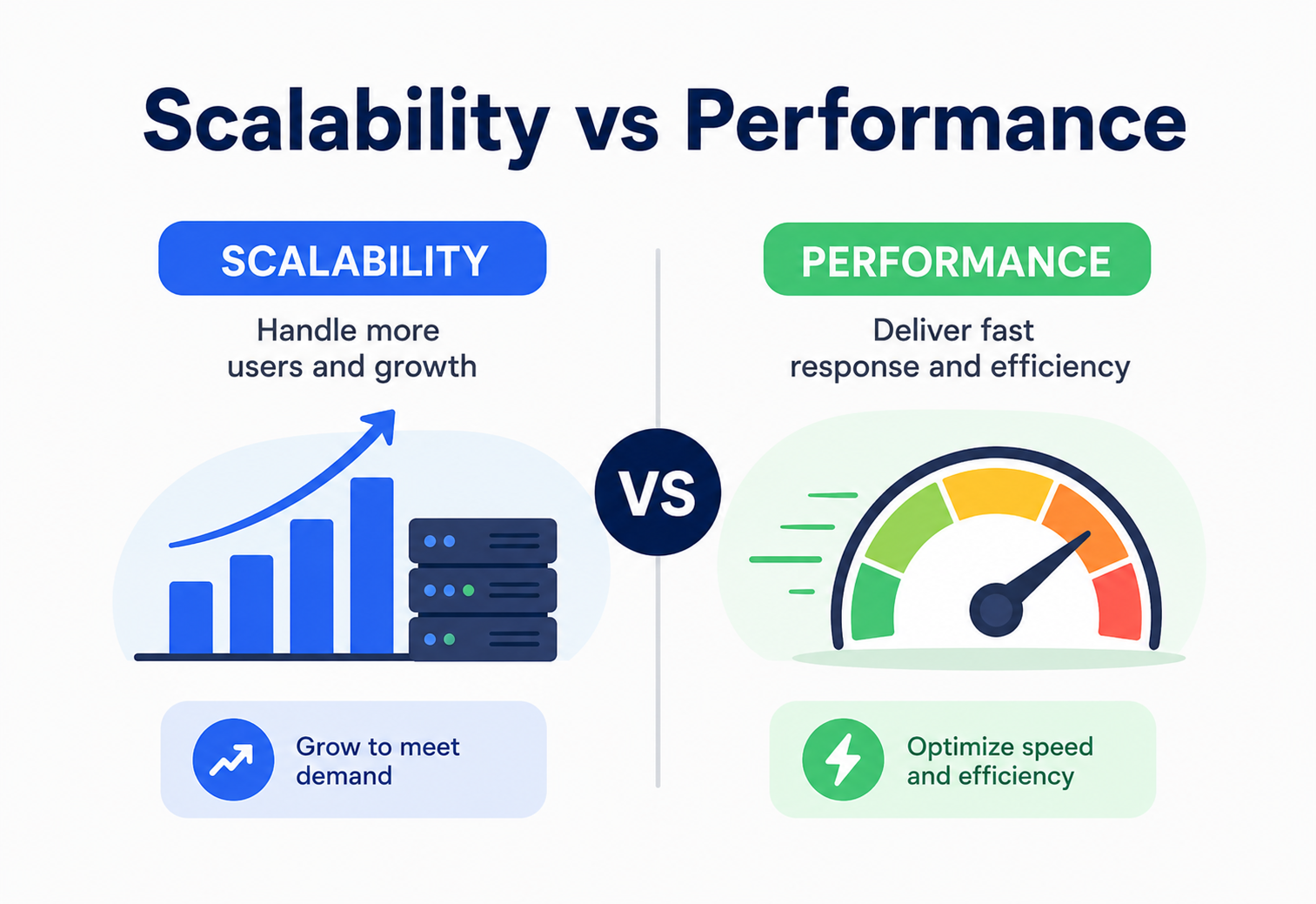
Scalability vs Performance
Two words that get thrown around interchangeably in every engineering meeting — and confusing them can quietly wreck your architecture decisions. This guide untangles scalability and performance from first principles, with analogies, Java code, and real production stories from Netflix, Amazon, and Uber.
Two Words, Two Different Questions
Performance asks how fast is one unit of work? Scalability asks what happens when the number of units of work grows? They sound like siblings, but they are answering fundamentally different questions.
If you have ever sat in a design review and heard someone say “this needs to be scalable” in the same breath as “this needs to be fast,” you have witnessed one of the most common conflations in software engineering. Scalability and performance sound like siblings, get measured with overlapping tools, and often improve together — but they are answering fundamentally different questions.
This distinction is not academic pedantry. It decides where you spend engineering budget. A system can be blazingly fast for one user and fall over completely at one thousand users. Another system can be sluggish for a single request yet handle a million concurrent requests gracefully because it scales horizontally. Knowing which problem you actually have determines whether you should optimize an algorithm, add an index, buy a faster CPU, or add ten more servers behind a load balancer — and these are very different projects with very different costs.
A Short History
The history of this distinction tracks the history of computing itself. In the mainframe era of the 1960s and 1970s, “performance” was almost the only lever available — engineers hand-tuned assembly code and shaved CPU cycles because there was exactly one expensive machine to optimize. As client-server architectures emerged in the 1980s and 1990s, and especially as the web exploded in the late 1990s, a new problem appeared: it was no longer enough for a system to be fast for one person sitting at a terminal. Systems now had to serve thousands, then millions, of simultaneous users who had never met each other and were scattered across the planet. This gave birth to scalability as its own discipline, distinct from raw speed.
Companies like Amazon, Google, and later Netflix and Uber built entire engineering cultures around this distinction. Amazon’s early 2000s move to a service-oriented architecture was fundamentally a scalability decision — it let different teams scale different parts of the business independently — even though it sometimes made individual request latency (a performance metric) slightly worse due to added network hops. Understanding this tradeoff, made explicitly and deliberately, is the entire point of this tutorial.
Think of a single toll booth on a highway. Performance is how fast that one booth can process a single car — maybe it takes 4 seconds per car because the attendant is quick and the barrier opens instantly. Scalability is a completely different question: what happens when 10,000 cars arrive in the same hour? A single fast booth still creates a traffic jam. Scalability is solved by adding more booths (horizontal scaling) or building a faster booth that processes multiple lanes (vertical scaling) — not by making the existing booth open the barrier a millisecond faster.
It is worth noting that both ideas existed long before “web scale” became a buzzword. Database researchers in the 1970s already worried about throughput under concurrent transactions, and operating system designers worried about scheduling fairness under many simultaneous processes. What changed with the internet era was the scale of scale — systems went from serving hundreds of concurrent users to hundreds of millions, and the assumptions that worked for a single powerful mainframe (one clock, one memory space, one disk) stopped holding.
Distributed systems theory, which matured largely out of research at places like Xerox PARC, Google, and Amazon in the 2000s, gave engineers a vocabulary — consistency, partition tolerance, eventual consistency, idempotency — to reason formally about scalability as its own discipline, complete with its own theorems, failure modes, and best practices, separate from the much older discipline of algorithmic performance optimization.
Today, cloud computing has made the tools for both disciplines widely accessible. A solo developer can spin up a globally distributed, auto-scaling system in an afternoon using managed services — something that would have required a dedicated infrastructure team in 2005. But accessibility does not remove the need to understand the underlying concepts; it just lowers the cost of getting the plumbing working, which paradoxically makes it easier to build systems that look fine in a demo and buckle in production because the difference between “fast for me” and “scales for everyone” was never examined carefully during design.
Why This Distinction Matters
Teams routinely misdiagnose production problems by confusing the two — and the fix for one can actively worsen the other.
The Classic Misdiagnosis
Imagine an e-commerce checkout API that takes 200 milliseconds to respond under low traffic, but under Black Friday load, response times balloon to 8 seconds and requests start timing out. The instinctive reaction is often “the code is slow, let’s optimize the algorithm.” But in most real cases like this, the algorithm was never the bottleneck — the system simply cannot handle the increased concurrency. The database connection pool is exhausted, threads are queued waiting for a lock, or a single service instance is receiving traffic meant for ten. This is a scalability failure being misread as a performance failure, and no amount of micro-optimizing the checkout logic will fix it. What actually fixes it is horizontal scaling, connection pooling, caching, or asynchronous processing.
The reverse mistake also happens. A team scales a service from 2 instances to 20 instances to fix “slowness,” and the P50 latency does not improve at all because the bottleneck was never capacity — it was an unindexed database query that takes 3 seconds no matter how many servers are running it. Twenty slow servers are still slow; they are just slow in parallel.
Senior engineers are expected to diagnose which problem they have before proposing a fix. “Add more servers” and “optimize the query” solve different diseases. Proposing the wrong one wastes weeks of engineering time and, in cloud environments, real money.
Business Motivation
Beyond engineering hygiene, this distinction has direct business consequences. Performance affects user experience and conversion — Amazon has publicly discussed that every 100ms of added latency measurably hurts sales. Scalability affects business continuity and growth ceiling — a startup that cannot scale past 10,000 users will simply be unable to accept the next round of customers, no matter how fast the app feels to the first 10,000. Both matter, but they require different investments, different architectural decisions, and different people (an algorithms specialist versus a distributed systems specialist) to solve well.
The Cost Asymmetry
There is also a cost asymmetry worth internalizing early. Performance work tends to have a ceiling of diminishing returns — you can only optimize a function so much before you hit the theoretical minimum number of operations required, and further gains cost disproportionate engineering effort for shrinking benefit. Scalability work, by contrast, tends to have step-function costs: the system works fine at one server, works fine at ten, and then something (a database connection limit, a single-threaded queue consumer, a shared file lock) becomes a hard wall that no amount of tuning around it fixes. You either redesign that component to scale, or growth stops entirely.
This is why experienced architects try to identify scalability walls before they are hit in production, using load testing and capacity planning, rather than discovering them during a traffic spike when a marketing campaign unexpectedly succeeds.
For any new system, explicitly write down an expected load range (e.g., “100 to 50,000 requests/minute over the next 18 months”) and design the scalability strategy around that range, while separately setting a latency budget (e.g., “P95 under 300ms”) and designing the performance strategy to hit that budget at the low end of load. Revisiting both numbers regularly, as real traffic data comes in, prevents both premature over-engineering and painful late surprises.
Performance vs Scalability, Precisely
Before comparing them, we need clean definitions. Each concept answers a different question and is measured with different tools.
What Is Performance?
Performance is a measure of how efficiently a system completes a given unit of work, typically expressed as latency (how long a single operation takes) or throughput (how many operations complete per unit of time) under a fixed load. Performance is fundamentally a “per-request” or “per-operation” property.
- Latency — the time between sending a request and receiving a response. Usually measured in milliseconds, and reported as percentiles (P50, P95, P99) rather than a single average, because averages hide the painful outliers.
- Throughput — the number of operations a system completes per second (requests/sec, transactions/sec, messages/sec) at a given, stable load.
- Resource efficiency — how much CPU, memory, disk I/O, or network bandwidth is consumed to do that work.
If a Java method that calculates a user’s shopping cart total takes 12 milliseconds to run for one cart, that 12ms is a performance number. If you rewrite the loop to avoid unnecessary object creation and it now takes 4ms, you have improved performance — you have made the same single unit of work faster.
What Is Scalability?
Scalability is a system’s ability to handle a growing amount of work — more users, more requests, more data — by adding resources, while keeping performance within an acceptable range. Scalability is fundamentally a “how does behavior change as load grows” property. A system is scalable if doubling the load and doubling the resources (servers, cores, nodes) roughly maintains the same per-request performance, rather than degrading disproportionately.
- Vertical scaling (scale up) — adding more power (CPU, RAM) to a single existing machine.
- Horizontal scaling (scale out) — adding more machines/instances that share the load, typically behind a load balancer.
- Elastic scalability — the ability to scale resources up and down automatically based on real-time demand, common in cloud environments (AWS Auto Scaling Groups, Kubernetes Horizontal Pod Autoscaler).
A single Spring Boot instance handles 500 requests/second with an average latency of 50ms. If you deploy 4 identical instances behind a load balancer and the system now handles 2,000 requests/second while each request still averages roughly 50ms, that system scales well — near-linearly. If instead it can only handle 2,500 requests/second total (not 2,000) because of a shared bottleneck like a single database, that is a scalability limitation.
The Key Difference, Stated Plainly
| Aspect | Performance | Scalability |
|---|---|---|
| Core question | How fast is one operation? | What happens as load/users grow? |
| Primary metrics | Latency, throughput at fixed load | How latency/throughput change as load increases |
| Typical fixes | Algorithm optimization, indexing, caching a hot query, JVM tuning | Horizontal scaling, sharding, load balancing, async processing, partitioning |
| Failure symptom | Slow even under light load | Fast under light load, collapses under heavy load |
| Owner discipline | Application/algorithm engineering | Distributed systems / infrastructure architecture |
Ask: “If I 10x the number of users right now, does my per-request latency stay roughly the same?” If yes, you have a scalable system. Separately ask: “Even with just one user, is this operation fast enough?” If no, you have a performance problem — and it exists independent of scale.
A Production Example
Netflix’s video streaming backend must be both fast (a play button press should start streaming in well under a second) and scalable (it serves over 200 million subscribers, with massive simultaneous spikes during new releases). Netflix engineers explicitly separate these concerns: performance work happens at the CDN edge and client player level (reducing startup latency, adaptive bitrate selection), while scalability work happens in how requests are routed, cached, and how backend microservices are horizontally scaled across AWS regions using tools like their in-house Eureka service discovery and Hystrix-style resilience patterns.
Other Flavors of Scaling You Should Know
Beyond the basic vertical/horizontal split, a few more precise terms come up in real design discussions:
- Diagonal scaling — a hybrid approach: scale vertically up to a comfortable ceiling per instance, then scale horizontally by adding more of those right-sized instances. Most real production systems use diagonal scaling rather than a pure strategy.
- Functional scaling (a.k.a. scaling by splitting) — decomposing a system by feature or domain (e.g., separating the Search service from the Checkout service) so each can be scaled and resourced according to its own traffic pattern, rather than everything sharing one capacity pool.
- Data scaling — specifically scaling the volume of data a system can store and query efficiently, distinct from scaling request throughput; a system might handle huge request volume but still choke when the underlying dataset grows past what a single index can hold in memory.
Performance vs Efficiency vs Scalability — Don’t Conflate These Either
A closely related but distinct term is efficiency — how economically a system uses resources (CPU, memory, dollars) to deliver a given level of performance or scalability. Two systems can have identical latency and identical maximum throughput, yet one might need 3x the hardware to get there. That system is less efficient, even though its performance and scalability numbers look the same on paper. Cost-per-request is often the metric that ties efficiency back into a business conversation — cloud bills make inefficiency very visible very quickly, which is why efficiency, performance, and scalability are usually reviewed together in production readiness checklists, even though each answers a genuinely different question.
Where Each Lever Lives
To reason about scalability and performance together, it helps to see where each lever lives in a typical layered architecture.
Each component in this diagram contributes to one or both concerns:
Performance-focused components
- CDN edge caching (reduces latency by serving content geographically closer to users)
- In-memory caches like Redis or Memcached (avoid repeated expensive computation or DB round-trips)
- Database indexes (turn O(n) scans into O(log n) lookups)
- Connection pooling (avoids the overhead of opening a new TCP connection per request)
- JVM/runtime tuning (garbage collection strategy, thread pool sizing)
Scalability-focused components
- Load balancers (distribute requests across many instances)
- Auto-scaling groups / Kubernetes HPA (add or remove instances based on load)
- Database read replicas and sharding (distribute read/write load across nodes)
- Message queues (Kafka, RabbitMQ) for decoupling and absorbing load spikes
- Stateless application design (any instance can serve any request)
Notice something important about the diagram: performance and scalability components are often layered right next to each other, and a request typically flows through both kinds on its way through the system. The CDN reduces latency for the specific request (performance), while the load balancer decides which of many identical instances should even receive it (scalability). Neither layer can substitute for the other — a fantastic CDN does nothing to help an overwhelmed origin server handle a traffic surge for uncached, dynamic API calls, and a perfectly balanced fleet of instances does nothing to speed up a single request that is waiting on a slow, unindexed query.
It also helps to notice where state lives in this diagram. Everything to the left of the database — the CDN, load balancer, and app instances — can typically be made stateless and therefore trivially horizontally scaled. The database, by contrast, is where state must live somewhere, and that is exactly why databases are consistently the hardest and most expensive component to scale in any real architecture, and why read replicas and sharding get their own dedicated section later in this guide.
How the Two Are Achieved Under the Hood
At the code level, performance and scalability are achieved by very different mechanisms — algorithms and micro-optimizations for one; architecture, state, and coordination for the other.
How Performance Is Achieved Internally
At the code level, performance improvements typically come from reducing the work done per request. This includes choosing better algorithms (an O(n log n) sort instead of O(n²)), avoiding unnecessary object allocation in hot paths, batching I/O calls, and using efficient serialization formats.
// BEFORE: O(n^2) - checking for duplicate order IDs using nested loop
public boolean hasDuplicateOrderIds(List<String> orderIds) {
    for (int i = 0; i < orderIds.size(); i++) {
        for (int j = i + 1; j < orderIds.size(); j++) {
            if (orderIds.get(i).equals(orderIds.get(j))) {
                return true;
            }
        }
    }
    return false;
}

// AFTER: O(n) - using a HashSet, dramatically faster per single call
public boolean hasDuplicateOrderIds(List<String> orderIds) {
    Set<String> seen = new HashSet<>();
    for (String id : orderIds) {
        if (!seen.add(id)) {
            return true; // duplicate found
        }
    }
    return false;
}
Notice this fix improves performance for a single call regardless of how many users are calling it. It has nothing to do with scalability — it would help even if only one person ever used this system.
How Scalability Is Achieved Internally
Scalability comes from architectural decisions about state, coordination, and distribution — not from micro-optimizing a single function. The core internal mechanisms are:
- Statelessness — application servers do not hold session state in local memory, so any request can be routed to any instance. Session data lives in a shared store (Redis) or a signed token (JWT) instead.
- Partitioning/Sharding — splitting data across multiple database nodes by a shard key (e.g., user ID range) so no single node bears the entire write load.
- Replication — copying data across multiple nodes so read traffic can be distributed, and so the system survives a node failure.
- Load balancing algorithms — round-robin, least-connections, or consistent hashing to spread traffic evenly.
- Asynchronous processing — offloading non-urgent work to background queues so the request-handling path stays fast and instances aren’t tied up.
@RestController
@RequestMapping("/api/orders")
public class OrderController {

    private final OrderService orderService;
    private final RedisTemplate<String, String> redisTemplate; // shared session/cache store

    public OrderController(OrderService orderService, RedisTemplate<String, String> redisTemplate) {
        this.orderService = orderService;
        this.redisTemplate = redisTemplate;
    }

    // No local in-memory session state is used here.
    // Any instance behind the load balancer can serve this request,
    // because all shared state lives in Redis, not in this JVM's heap.
    @PostMapping
    public ResponseEntity<OrderResponse> createOrder(@RequestBody OrderRequest request) {
        OrderResponse response = orderService.placeOrder(request);
        return ResponseEntity.ok(response);
    }
}
This controller can be deployed as 1 instance or 100 instances behind a load balancer without any code change, because it holds no local state. That is the essence of horizontally scalable design.
Concurrency and CAP Theorem, Briefly
Scalability decisions frequently intersect with distributed systems theory. The CAP theorem states that a distributed data store can only guarantee two of three properties at once during a network partition: Consistency (every read receives the most recent write), Availability (every request receives a non-error response), and Partition tolerance (the system continues operating despite network failures between nodes). Because partition tolerance is mandatory in any real distributed system, the practical choice is between consistency and availability during a partition. Systems built for extreme scalability (like Amazon’s DynamoDB) often favor availability, accepting eventual consistency, so that scaling out does not block on strict consensus.
Consensus algorithms like Raft or Paxos are used when nodes must agree on a single value (e.g., who is the current leader) despite failures — critical infrastructure for scalable, replicated systems like etcd (used by Kubernetes) or ZooKeeper (used by Kafka).
A Single Request Through Both Concerns
Consider a single API request and trace how both performance and scalability concerns act on it at different points.
Notice the lifecycle involves both concerns cooperating: the load balancer’s job (scalability) is to make sure no single app instance is overwhelmed, while the cache’s job (performance) is to make each individual request that does arrive resolve quickly. A system that scales but has no cache will handle many users, but slowly. A system with a great cache but no load balancer will be fast for a few users and then fall over entirely once instance capacity is exceeded.
The Costs of Each Direction
Choosing to invest in performance or scalability — or both — comes with distinct trade-offs. Understanding them keeps you from paying a permanent tax for a benefit you may not need.
Optimizing for Performance
Pros: Better user experience, lower resource cost per request, can reduce infrastructure spend at a given load.
Cons: Diminishing returns — squeezing out the last few milliseconds is often expensive engineering time for small gains. Performance work does not, by itself, prepare a system for 10x growth.
Optimizing for Scalability
Pros: Enables business growth, tolerates traffic spikes, improves fault isolation when combined with good architecture.
Cons: Adds complexity — distributed systems introduce network latency, partial failures, eventual consistency, and operational overhead (more moving parts to monitor and deploy). Scaling out can sometimes make individual request latency slightly worse due to extra network hops (e.g., calling 3 microservices instead of 1 monolith function call).
Some scalability techniques directly cost performance for an individual request. Splitting a monolith into microservices scales team velocity and independent deployability, but a single user request may now cross 4 network hops instead of 0, adding latency. Sharding a database enables massive write scalability, but a query that needs data from two shards may now require an application-level join, which is slower than a single-node SQL join. Good architects make this tradeoff consciously, not by accident.
This tension is exactly why “premature scalability” can be as harmful as premature performance optimization. A five-person startup that adopts a fully sharded, multi-region, microservices architecture on day one is often paying a permanent performance and complexity tax for a scale of traffic it may never reach. The more common industry pattern is to start with a well-structured monolith (fast, simple, easy to reason about) and extract services or add sharding only once real traffic data proves a specific component genuinely needs independent scaling — a philosophy sometimes summarized as “monolith first.”
On the other side, deferring scalability entirely until a crisis hits is equally risky, because some architectural decisions — especially around statelessness and data partitioning strategy — are dramatically cheaper to build in from the start than to retrofit under production load with real customers depending on uptime. The practical middle ground most senior engineers land on: keep the system simple and fast today, but avoid decisions that would make horizontal scaling actively difficult later, such as storing session state only in local server memory or designing a database schema with no reasonable future shard key.
Measuring Performance and Scalability Correctly
Both disciplines fail quietly when measured badly. Averages hide tail latency; single-server benchmarks hide scaling walls. Here is how professionals measure each.
Measuring Performance Correctly
Never trust a single average latency number. Use percentiles:
- P50 (median) — typical experience for most users.
- P95 / P99 — the experience of your unluckiest users; these reveal tail latency caused by garbage collection pauses, lock contention, or slow downstream calls, and matter enormously at scale because at high request volume, even a “rare” 1% slow case happens thousands of times a day.
Measuring Scalability Correctly
Scalability is measured by running load tests at increasing levels of concurrency and observing whether throughput increases roughly linearly with added resources, and whether latency stays flat. Two useful theoretical tools:
- Amdahl’s Law — describes the theoretical speedup limit when only part of a task can be parallelized. If 10% of a workload is inherently sequential, no amount of added parallel resources can make the system faster than roughly 10x, no matter how many cores or servers you add.
- Universal Scalability Law — extends Amdahl’s Law to also account for the cost of coordination (e.g., cache coherency, locking) between nodes, explaining why some systems actually get slower past a certain number of nodes — a phenomenon called negative scalability.
Simply adding more application servers does nothing if they all still hit one single-threaded database connection or a shared in-memory cache on one box. The bottleneck migrates to whatever component was not scaled. Always identify the actual bottleneck (often the database) before scaling everything else.
Vertical vs Horizontal Scaling in Practice
| Vertical Scaling | Horizontal Scaling |
|---|---|
| Simple — no code changes needed | Requires stateless design, load balancing |
| Hard ceiling (biggest available machine) | Near-unlimited scaling (add more nodes) |
| Single point of failure remains | Naturally improves fault tolerance |
| Downtime often required to resize | Can add/remove nodes with zero downtime |
Production example: Uber’s dispatch system, which matches riders to drivers in real time, must maintain low latency (performance) for a good user experience while handling massive geographic and time-of-day spikes (scalability) — like New Year’s Eve in a major city. Uber’s engineering team has published on how they partition their geospatial index (using a system based on Google’s S2 geometry library) by region, so scaling happens per-region rather than as one giant global bottleneck, keeping both latency low and throughput high as demand spikes.
Load Testing Methodology
Serious scalability validation involves several distinct types of load tests, each answering a different question:
Tools like Apache JMeter, Gatling, and k6 are commonly used in Java/Spring Boot ecosystems to run these tests against staging environments that mirror production topology as closely as possible, since load test results from a single small test instance rarely predict real fleet-wide behavior accurately.
Scalability’s Close Cousin
Scalability and availability are close cousins — a horizontally scaled system, almost as a side effect, becomes more resilient. But truly reliable systems require deliberate design beyond just scaling out.
A horizontally scaled system, almost as a side effect, becomes more resilient: if one of ten instances crashes, the load balancer routes around it and 90% capacity remains, versus a single vertically-scaled server where any crash means 100% downtime.
- Redundancy — running multiple instances/replicas so no single failure takes down the system.
- Failover — automatically redirecting traffic to a healthy replica when the primary fails (e.g., database primary-replica failover).
- Health checks — load balancers periodically probe instances and stop routing traffic to unhealthy ones, which protects both availability and, indirectly, performance (unhealthy slow instances get removed from rotation).
- Circuit breakers — stop calling a failing downstream dependency temporarily to prevent cascading slowness across a scaled system.
- Disaster recovery — multi-region replication so a full region outage does not take the whole system down; this is a scalability-adjacent decision since it also involves distributing load geographically.
A system that scales well but has no redundancy is fragile — it can serve huge load but a single instance failure could still be catastrophic if it happens to be a stateful singleton (e.g., an un-replicated primary database). True production-readiness requires scalability and reliability to be designed together.
It helps to distinguish two related but different guarantees: availability (the percentage of time the system responds successfully, often expressed as “nines” — 99.9% availability allows roughly 8.7 hours of downtime per year, while 99.99% allows only about 52 minutes) and reliability (the system consistently does the correct thing, not just a thing, under normal and failure conditions). A horizontally scaled system with good load balancing tends to improve availability almost for free, but reliability requires deliberate engineering — idempotent operations so a retried request after a timeout does not double-charge a customer, correct handling of partial failures, and thorough testing of failure scenarios rather than only the happy path.
Graceful degradation is a particularly important concept at the intersection of all three ideas — performance, scalability, and reliability. Rather than a system failing completely once it exceeds capacity, a well-designed system degrades gracefully: it might temporarily disable a non-essential feature (like personalized recommendations), serve slightly stale cached data instead of hitting an overloaded database, or shed low-priority traffic first — keeping the core functionality (like checkout) available even under extreme, unexpected load. Netflix’s Chaos Monkey tooling was built precisely to force teams to confront these failure scenarios proactively, by randomly terminating production instances and verifying the system degrades gracefully rather than cascading into a full outage.
Security Implications of Both Concerns
Both performance and scalability decisions have security implications that are easy to overlook — from rate limiting and cache scoping to the very real fact that a larger fleet has a larger attack surface.
- Rate limiting protects both performance (prevents any one client from monopolizing resources) and scalability (prevents a traffic spike, malicious or not, from exhausting shared capacity — a key defense against Denial-of-Service style overload).
- Caching sensitive data for performance must be done carefully — caching a user’s private data at a CDN edge or a shared cache layer without proper key scoping can leak information across users.
- Horizontal scaling increases attack surface — more instances means more machines to patch, more network paths to secure, and a larger blast radius if credentials leak (e.g., a shared database password used by 50 instances).
- Stateless authentication (JWT), often adopted for scalability since it avoids server-side session lookups, shifts the security burden to careful token expiry and signature verification, since a stolen token cannot be “logged out” server-side as easily as a server-held session.
- TLS termination at scale — as instance count grows, terminating HTTPS connections at a shared, hardened load balancer or gateway rather than on every individual application instance both improves performance (offloads expensive cryptographic handshakes from application CPUs) and centralizes security patching to fewer places.
- Distributed Denial of Service (DDoS) resilience — a genuinely scalable architecture, ironically, is also a genuinely large attack surface for volumetric attacks; cloud providers offer managed DDoS protection (AWS Shield, Cloudflare) specifically because absorbing a sudden illegitimate traffic spike is architecturally similar to absorbing a sudden legitimate one, and the same auto-scaling infrastructure that handles a flash sale can be abused to run up a victim’s cloud bill if left completely unbounded — which is why rate limiting and cost alerting are not optional extras.
Two Dashboards, Not One
You cannot manage what you do not measure — and performance and scalability require different dashboards, different alerts, and often different specialists staring at them.
Performance metrics to track
- Latency percentiles (P50/P95/P99) per endpoint
- Database query execution time
- Garbage collection pause times (JVM)
- Cache hit/miss ratio
Scalability metrics to track
- Requests per second vs. number of active instances
- CPU/memory utilization per instance under load
- Connection pool saturation
- Queue depth in message brokers (backlog growth signals under-scaling)
- Auto-scaling events (how often and how fast new instances spin up)
Tools like Prometheus and Grafana are commonly used to visualize both categories, while distributed tracing tools (Jaeger, Zipkin) help identify whether a slow request is a performance problem within a single service, or a scalability-related queueing delay across service boundaries — the correlation ID passed through headers ties a single request’s journey together across a scaled fleet of services.
A practical technique many production teams use is the RED method for services (Rate, Errors, Duration) paired with the USE method for resources (Utilization, Saturation, Errors). Rate and Duration are essentially your performance signals per endpoint; Utilization and Saturation are your scalability signals per resource — and watching Saturation specifically (how full a queue or connection pool is, not just how busy a CPU is) tends to give the earliest warning that a scalability wall is approaching, often minutes or hours before latency visibly degrades for end users. Setting proactive alerts on saturation trends, rather than only reactive alerts on latency breaches, is what separates teams that get paged calmly during business hours from teams that get paged in the middle of the night during an outage.
Where Cloud Makes Scaling Easy
Cloud platforms have made scalability far more accessible than it was in the on-premises era, while performance tuning remains largely a code and configuration discipline regardless of where the system runs.
- Auto Scaling Groups (AWS) / Kubernetes Horizontal Pod Autoscaler — automatically add or remove compute instances based on CPU, memory, or custom metrics (like queue depth), directly implementing horizontal scalability without manual intervention.
- Managed load balancers (AWS ELB/ALB, GCP Load Balancing) — distribute traffic across scaled instances and perform health checks.
- Serverless (AWS Lambda, Google Cloud Functions) — scales to zero and back up automatically, offering near-infinite elastic scalability for spiky workloads, though with a performance tradeoff called “cold start” latency when a new instance must be initialized.
- Multi-region deployment — improves both performance (users hit a geographically closer region, reducing network latency) and scalability/availability (load and risk are spread across regions).
Netflix deploys across multiple AWS regions and uses Open Connect, its own CDN, to cache video content physically close to internet service providers worldwide. This is primarily a performance decision (reduces streaming start latency) that also has a scalability benefit — it offloads massive bandwidth demand away from centralized origin servers, letting the core platform scale to handle a huge simultaneous subscriber base.
The Three Layers Where Both Concerns Collide
Databases, caches, and load balancers are the three layers where performance and scalability constantly collide — and where most real production tuning actually happens.
Databases
Databases are usually the hardest component to scale because they hold state. Techniques include:
- Read replicas — copies of the primary database that serve read-only queries, scaling read throughput horizontally while writes still go to one primary.
- Sharding/partitioning — splitting data across multiple database nodes by a key (e.g.,
user_id % number_of_shards), scaling write throughput but adding complexity to cross-shard queries. - Indexing — a pure performance technique; it does not add capacity, but makes each individual query dramatically faster by avoiding full table scans.
- Connection pooling (e.g., HikariCP in Spring Boot) — reuses database connections instead of opening a new one per request, improving both performance (avoids connection setup overhead) and scalability (prevents exhausting the database’s max connection limit as instance count grows).
spring:
  datasource:
    hikari:
      maximum-pool-size: 20        # cap connections per instance to avoid overwhelming the DB
      minimum-idle: 5
      connection-timeout: 3000     # fail fast rather than queueing forever under load
      idle-timeout: 600000
Caching
Caching is one of the highest-leverage performance techniques available, and it also indirectly supports scalability by reducing load on the database, which is often the true bottleneck preventing horizontal scaling from working.
@Service
public class ProductService {

    private final RedisTemplate<String, Product> redis;
    private final ProductRepository repository;

    public ProductService(RedisTemplate<String, Product> redis, ProductRepository repository) {
        this.redis = redis;
        this.repository = repository;
    }

    public Product getProduct(String productId) {
        String cacheKey = "product:" + productId;
        Product cached = redis.opsForValue().get(cacheKey);
        if (cached != null) {
            return cached; // cache hit: sub-millisecond, huge PERFORMANCE win
        }
        Product product = repository.findById(productId)
                .orElseThrow(() -> new ProductNotFoundException(productId));
        redis.opsForValue().set(cacheKey, product, Duration.ofMinutes(10));
        return product;
    }
}
Load Balancing
Load balancers are the traffic cops of scalability. Common algorithms:
- Round robin — simple, cycles through instances evenly; assumes each request is roughly equal cost.
- Least connections — sends traffic to whichever instance currently has the fewest active connections; better for uneven request costs.
- Consistent hashing — routes requests with the same key (e.g., user ID) to the same instance consistently, useful for cache locality, minimizing cross-instance cache misses.
Independent Scaling, at a Latency Cost
Microservices architecture is fundamentally a scalability and organizational decision: it allows different services to scale independently based on their own traffic patterns, rather than scaling an entire monolith uniformly just because one part of it is under heavy load.
Here, the Payment Service is scaled to 10 instances because it experiences the highest load, while Notifications, being asynchronous and lower priority, runs on just 2. A monolith could not make this distinction — it would have to scale everything together, wasting resources on components that do not need it.
However, this independent scalability comes at a performance cost: a single user action (like “place order”) may now involve calling the Inventory Service, then the Payment Service, then publishing an event for the Notification Service — each network hop adds latency that did not exist in a single in-process monolith function call. This is the classic scalability-for-performance tradeoff discussed earlier, made concrete.
API Gateway pattern also improves both concerns: it centralizes rate limiting and caching (performance and protection), while allowing backend services to scale independently behind a single stable entry point (scalability).
Names for the Recurring Shapes
Certain patterns and anti-patterns appear so often across scalability and performance discussions that giving them names is genuinely valuable — it lets a team communicate a diagnosis in seconds instead of reconstructing it from scratch.
Patterns That Help
- Cache-Aside — check cache first, fall back to database, populate cache on miss. Improves performance directly.
- CQRS (Command Query Responsibility Segregation) — separates read and write models, allowing reads and writes to scale independently, often using different data stores optimized for each.
- Bulkhead pattern — isolates resources (thread pools, connection pools) per downstream dependency so one slow dependency cannot exhaust resources needed by others, protecting both performance and scalability under partial failure.
- Backpressure / Queue-based load leveling — uses a message queue to absorb traffic spikes, letting consumers process at a sustainable rate instead of being overwhelmed, smoothing scalability under bursty load.
Anti-patterns to Avoid
- Premature optimization — spending weeks micro-optimizing a function that runs 10 times a day while ignoring an unindexed query that runs 10,000 times a day. Always profile before optimizing.
- Scaling without finding the bottleneck — adding application server instances when the real constraint is a single-threaded database or an external third-party API rate limit; this wastes money and does not fix the problem.
- Chatty microservices — splitting a system into too many fine-grained services that must call each other repeatedly for a single user action, trading away performance for a scalability benefit that may not even be needed yet.
- Stateful load balancing with sticky sessions as a permanent solution — this undermines the statelessness that makes horizontal scaling effective, and reintroduces a single point of failure per user session.
- N+1 query problem — a performance anti-pattern where an application issues one query to fetch a list, then loops and issues one additional query per item to fetch related data, turning what should be 2 queries into potentially thousands as data grows; this often only becomes visible once data volume grows enough to matter, making it a subtle trap that surfaces at exactly the wrong time — under production scale.
Recognizing these patterns by name is useful beyond vocabulary — it lets a team communicate a diagnosis quickly during an incident (“this looks like an N+1 problem in the order history endpoint”) instead of re-deriving the explanation from scratch under pressure, which is often the real difference between a five-minute fix and a two-hour outage.
Habits That Separate Calm Teams from Panicked Ones
The gap between teams that ship reliably at scale and teams that firefight in production is rarely a single technique. It is a small set of habits, practiced consistently.
- Profile and measure before optimizing — use real production data (P95/P99 latency, actual query plans) rather than guessing.
- Design for statelessness from day one; it is far cheaper to build this in early than retrofit it later.
- Load test at expected peak, not average, traffic — and test the scaling process itself (does auto-scaling trigger fast enough before users are impacted?).
- Cache aggressively but invalidate correctly — stale cache bugs are a common production incident source.
- Treat the database as the most likely bottleneck and plan its scaling strategy (replicas, sharding) before you desperately need it.
- Confusing “it feels fast for me locally” (performance, single-user) with “it will handle production traffic” (scalability, many concurrent users).
- Ignoring tail latency (P99) because the average looks fine — at scale, tail latency affects a large absolute number of real users.
- Vertically scaling a database indefinitely instead of planning read replicas or sharding early, hitting a hard wall later under time pressure.
- Adding caching without a clear invalidation strategy, leading to subtle correctness bugs that are worse than the original slowness.
- Testing scalability only in a staging environment with unrealistic, uniform synthetic traffic, missing the “hot key” or “hot shard” problems that appear when real-world traffic is unevenly distributed (a single celebrity’s profile page, a viral product) rather than perfectly spread across partitions.
- Treating auto-scaling as a substitute for capacity planning — auto-scaling reacts to load that has already arrived, and if the scale-up process itself takes several minutes (spinning up a new instance, warming a cache, joining a load balancer’s healthy pool), users can still experience degraded performance during that window unless some baseline headroom is kept provisioned.
Finally, it is worth remembering that both disciplines benefit enormously from a culture of continuous, incremental improvement rather than one-time heroics. Teams that review latency dashboards and capacity trends on a regular cadence — weekly or monthly, not just after an incident — tend to catch performance regressions and approaching scalability walls early, when the fix is a small code change or a scheduled infrastructure adjustment, rather than late, when the fix is an emergency war room during a traffic spike that is actively costing the business revenue and customer trust.
How the Giants Separate the Two
Every large-scale operator treats performance and scalability as distinct disciplines with distinct tools, metrics, and often distinct teams. A quick tour of how five well-known companies do it.
Amazon
Amazon’s move to service-oriented architecture in the early 2000s was explicitly a scalability and organizational decision, enabling thousands of engineers to deploy independently. Amazon also treats performance as a first-class metric — internally documented findings link even small latency increases to measurable revenue impact, driving continuous performance investment separate from their scaling infrastructure work.
Google Search must return results in a fraction of a second (performance) while serving billions of queries daily across a globally distributed infrastructure (scalability). Google’s internal systems like Borg (predecessor to Kubernetes) and Spanner (a globally distributed database with strong consistency) exemplify solving extreme scale without sacrificing the consistency guarantees performance-sensitive applications need.
Netflix
Netflix separates concerns cleanly: the Open Connect CDN and adaptive bitrate streaming target performance (fast, smooth playback), while chaos engineering practices (like the original Chaos Monkey) and multi-region, auto-scaled microservices target scalability and resilience under massive, unpredictable simultaneous demand.
Uber
Uber’s real-time matching engine partitions the world geographically so that scaling happens per-city/region rather than globally, keeping dispatch latency low (performance) even during massive localized demand spikes like holidays or major events (scalability).
Meta (Facebook / WhatsApp)
WhatsApp famously served hundreds of millions of users with a remarkably small engineering team by prioritizing an extremely lean, high-performance Erlang-based messaging core, while scaling horizontally across a large but efficiently-utilized server fleet — a case study often cited for how far raw per-server performance efficiency can reduce the number of servers actually required for a given scale, blurring the usual assumption that massive scale automatically demands massive infrastructure teams.
Each maintains distinct tooling, distinct metrics, and often distinct teams for the two concerns, while designing the overall system so that improvements in one do not silently regress the other. That discipline — keeping the two concepts conceptually separate even while solving them together — is the single most transferable lesson from how large-scale production systems are actually built and operated.
Common Questions, and What to Remember
A quick round of the questions people ask most often about scalability and performance — followed by a short, portable summary you can carry into any design review.
Can a system be scalable but not performant?
Yes. A system built with horizontal scaling, load balancers, and stateless services can handle enormous concurrent load, yet each individual request could still be slow if the underlying code, queries, or algorithms are inefficient. Scalability tells you it survives growth; it says nothing about how fast any single operation is.
Can a system be performant but not scalable?
Also yes, and it is extremely common. A well-optimized single-server application can respond in 5 milliseconds for one user, but if it holds state in local memory and cannot be load balanced across multiple instances, it will collapse the moment traffic exceeds what that one machine can handle.
Which should I prioritize first when building a new system?
Generally, correctness and reasonable performance first, then design for statelessness and horizontal scalability from the start even if you don’t need the scale yet (it is cheap to build in early, expensive to retrofit), and invest heavily in scaling infrastructure only when real traffic data justifies it.
Does adding more servers always improve scalability?
No. If the bottleneck is a shared resource that was not scaled — like a single database or an external API with rate limits — adding application server instances will not help and may even worsen contention on that shared resource.
Is horizontal scaling always better than vertical scaling?
Not always. Vertical scaling is simpler and has no distributed systems complexity, and is often the right first step for smaller systems. Horizontal scaling becomes necessary once you exceed what any single machine can provide, or when you need the fault tolerance that redundancy provides.
How do I know if my bottleneck is performance or scalability?
Run the same operation under low, single-user load and measure its latency. If it is already slow with just one user, that is a performance problem in the code or query itself. Then run a load test increasing concurrent users while keeping resources fixed; if latency stays flat until a sudden collapse point, and stable if you add proportional resources at that point, that collapse is a scalability limit rather than a performance one.
Does caching solve scalability problems?
Caching is primarily a performance technique, but it frequently has a large secondary scalability benefit because it reduces load on the database, which is usually the hardest component to scale. A well-placed cache can be the difference between a database that falls over at 10x traffic and one that comfortably absorbs it — but caching alone cannot fix a genuine architectural scalability limit like a single-threaded write path.
Key Takeaways
- Performance measures how fast a single unit of work completes; scalability measures how well the system handles a growing amount of work.
- They are related but independent — a system can be strong in one and weak in the other.
- Diagnosing which problem you actually have (slow under any load vs. only slow under high load) determines the correct fix.
- Common performance fixes: better algorithms, indexing, caching, connection pooling.
- Common scalability fixes: horizontal scaling, statelessness, sharding, load balancing, asynchronous processing.
- Scaling techniques sometimes trade away some raw performance (extra network hops) in exchange for the ability to handle far greater total load — this tradeoff should be made deliberately, not by accident.
- Production systems at companies like Netflix, Amazon, Google, and Uber treat these as two distinct engineering disciplines, often owned by different specialized teams, working together toward one goal: fast, reliable service at massive scale.
Performance is about making one thing fast; scalability is about making many things possible — and the best systems are architected so that improving one does not quietly sabotage the other.
If you take one habit away from this guide, let it be this: before proposing a fix for a slow or struggling system, spend five minutes classifying the symptom. Is it slow for one request under light load, or does it only degrade as concurrent load rises? That single question routes you toward the right toolbox — algorithms, indexes, and caching on one side; load balancing, statelessness, and partitioning on the other — and saves the far more expensive mistake of solving the wrong problem well.

