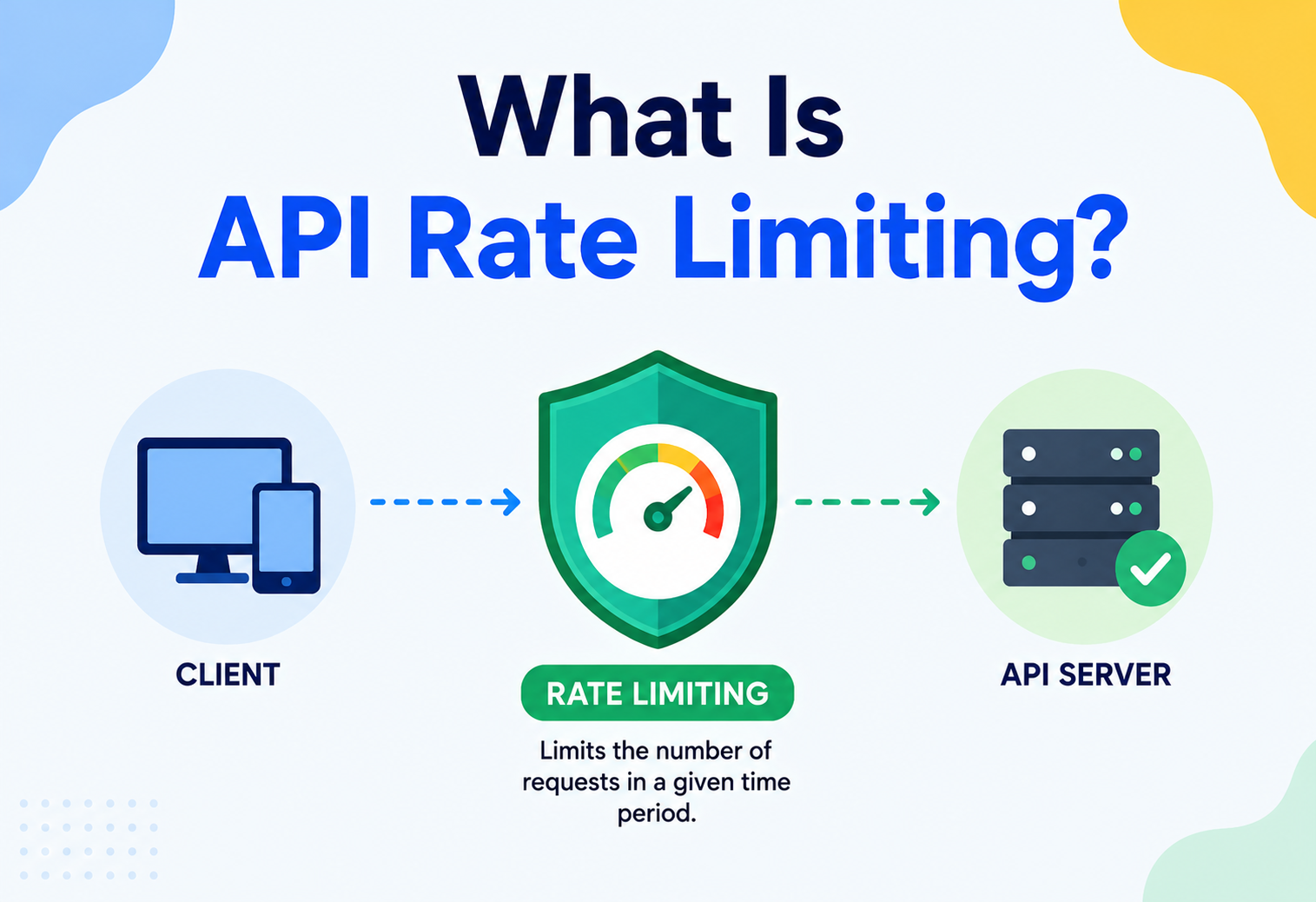
What Is API Rate Limiting?
A complete, beginner-friendly guide to how APIs protect themselves from overload — the history, the algorithms, the architecture, and how companies like Stripe, GitHub, Shopify, and Netflix actually do it in production.
01 · INTRODUCTION & HISTORY
From The Bakery Sign To The Cloud Gateway
Imagine a small bakery with one oven. If ten customers walk in and each orders fifty loaves at once, the oven catches fire, the baker collapses, and nobody — not even the first customer — gets their bread. Now imagine the baker puts up a simple sign: “Max 5 loaves per customer per hour.” Suddenly the bakery can serve everyone fairly, the oven never overheats, and business keeps running smoothly all day.
API rate limiting is that sign, but for software. It is a technique used by servers to control how many requests a client (a user, an app, another server, or a bot) is allowed to make within a given period of time. If a client tries to exceed that limit, the server simply says “not right now” — usually by returning an HTTP 429 Too Many Requests response — instead of trying to do the work and collapsing under the load.
Where did it come from?
Rate limiting itself is not a new idea — it borrows heavily from much older engineering fields:
- Telecommunications (1960s–70s): Phone networks used traffic shaping and leaky bucket concepts to prevent one call from hogging a shared line.
- Networking (1980s–90s): TCP/IP congestion control algorithms (like TCP’s sliding window) inspired the same “windowed counting” ideas used in modern API rate limiters.
- Early web APIs (2000s): As companies like Amazon, eBay, and later Twitter opened up their platforms to third-party developers, they quickly discovered that a handful of buggy or malicious scripts could bring down an entire service. Rate limiting became a standard defence.
- The API economy (2010s–today): With the explosion of REST and GraphQL APIs, mobile apps, and now AI systems that call APIs programmatically at machine speed, rate limiting evolved from a “nice-to-have” into a mandatory piece of infrastructure for virtually every public and internal API.
Think of a highway toll booth that only lets a certain number of cars through per minute. It does not matter how many cars arrive — the booth paces them out so the road behind it never jams up.
Leaky bucket in telecom
Traffic shaping in phone switching — the direct ancestor of the leaky-bucket algorithm.
TCP sliding window
Congestion control inspires “count within a window” logic later reused in HTTP rate limiters.
Public web APIs
Amazon, eBay and Twitter formalise per-key request limits after real-world abuse incidents.
AI-era traffic
Machine-speed clients and LLM agents make rate limiting a mandatory, documented API contract.
02 · THE PROBLEM & MOTIVATION
Why Servers Cannot Just Handle Every Request
Why can a server not just handle every request as fast as it comes in? Because every server has limited resources: CPU, memory, database connections, network bandwidth, and disk I/O. Without a limiting mechanism, several bad things can happen:
Resource exhaustion
Too many simultaneous requests use up CPU, memory, or database connections, causing slowdowns or crashes for every user — not just the abusive one.
Buggy clients
A client with a bug (like an infinite retry loop) can accidentally hammer your API thousands of times per second.
Scraping & abuse
Bots may try to scrape all your data or brute-force login credentials by making massive numbers of requests.
Cost control
Cloud infrastructure often bills by usage. Unlimited traffic can mean unlimited (and unexpected) bills.
Fairness
Without limits, one “noisy neighbour” client can consume all the capacity, starving out every other well-behaved client.
DoS defence
Rate limiting is a first line of defence against both accidental overload and intentional DoS / DDoS attacks.
“An API without rate limiting is a shared kitchen with no rules about how much stove space anyone gets — eventually, someone burns the whole meal for everybody.”
Rate limiting solves this by acting as a gatekeeper: it decides, before any real work is done, whether a given request is even allowed to proceed. This keeps the system predictable, protects backend resources, and ensures that the API stays available and responsive for everyone.
What happens without it — a concrete scenario
Consider a mid-sized e-commerce API that exposes a /products/search endpoint. It is a Friday during a big sale, and a well-meaning developer at a partner company deploys a new integration with a subtle bug: instead of caching search results for five minutes, it accidentally calls the search endpoint on every single page render, in a loop, for every user browsing their site. Within minutes:
- Database CPU spikes as thousands of redundant search queries pile up.
- Response times for every customer — not just that one partner — start climbing from 100 ms to 5+ seconds.
- The on-call engineer gets paged, and by the time the root cause is found, the checkout flow itself has started timing out, costing real sales.
With rate limiting in place, that same buggy integration would have hit its per-key limit within the first few seconds, started receiving 429 responses, and — assuming the partner’s client had any retry logic at all — the issue would have surfaced as a visible, isolated error in their own logs, long before it ever touched anyone else’s experience. That is the core value proposition: rate limiting converts a shared, cascading failure into a contained, localised one.
03 · CORE CONCEPTS
The Vocabulary That Comes Up Again And Again
Before diving into architecture and algorithms, let us build a shared vocabulary. Each of these terms will come up repeatedly through the rest of the guide.
Rate
The rate is simply “how many requests are allowed” over “how much time.” For example: 100 requests per minute, or 5 requests per second. This is usually written as requests/window.
Window
A window is the time period over which requests are counted — a second, a minute, an hour, or a day. Windows can be fixed (e.g., always aligned to the clock, like “every minute on the minute”) or rolling / sliding (e.g., “the last 60 seconds from right now”).
Quota
A quota is a longer-term allowance, often used for billing tiers — for example, “10,000 API calls per month” as part of a subscription plan. Quotas and rate limits often work together: a rate limit smooths out short-term bursts, while a quota tracks total usage over a longer period.
Throttling
Throttling is the act of actually slowing down or rejecting requests once a limit is reached. Rate limiting is the policy; throttling is the enforcement.
Key (identity)
Every rate limiter needs to know who it is limiting. The “key” is usually one of: an API key, a user ID, an IP address, an OAuth token, or a combination of these. Two requests only count against the same limit if they share the same key.
Burst
A burst is a short spike of requests that arrives faster than the average rate but is still within acceptable limits, provided it does not exceed a maximum burst capacity. Good rate limiters allow reasonable bursts without allowing sustained abuse.
Good rate limiting
- Predictable, well-communicated limits.
- Allows small bursts.
- Gives clear feedback (headers, error codes).
Poor rate limiting
- Silent drops with no explanation.
- Limits so strict normal use breaks.
- Inconsistent behaviour across servers.
Rate limiting vs. related concepts
Newcomers often mix up rate limiting with a handful of neighbouring concepts. It is worth separating them clearly, because each solves a slightly different problem:
| Concept | What it controls | Analogy |
|---|---|---|
| Rate Limiting | How many requests per unit time a client can make | Toll booth pacing cars per minute |
| Throttling | The mechanism that slows / rejects once a limit is hit | The toll gate arm coming down |
| Load Shedding | Dropping low-priority traffic when the whole system is overloaded, regardless of per-client limits | A restaurant turning away all new guests, not just noisy tables, when the kitchen is already overwhelmed |
| Circuit Breaking | Temporarily stopping calls to a failing downstream dependency | A fuse box tripping to protect the wiring |
| Backpressure | Signalling upstream producers to slow down when a consumer cannot keep up | A conveyor belt operator waving “slow down, I cannot keep up” |
| Quota | A longer-term usage cap, often tied to billing | A prepaid data plan for the month |
Rate limiting is usually the first and cheapest of these tools to implement, and it often works alongside the others rather than replacing them. A well-built API might use rate limiting at the edge, load shedding under extreme stress, and circuit breakers between internal services — all at the same time, each catching a different failure mode.
Who gets rate limited?
It helps to remember that “the client” is not always a human typing into a browser. In practice, rate limiters have to think about several very different kinds of traffic sources:
- End users browsing a website or using a mobile app — usually generate low, human-paced traffic.
- Third-party developers building integrations against your public API — traffic patterns vary widely and can spike unpredictably.
- Internal services calling each other inside a microservices architecture — often high-volume and very bursty.
- Automated bots and crawlers — some legitimate (search engine indexers), some abusive (scrapers, credential-stuffing tools).
- AI agents and scripts — an increasingly common category that can issue requests at machine speed, far faster than any human ever could.
04 · ARCHITECTURE & COMPONENTS
A Small Subsystem, Not An If-Statement
A production rate limiter is not just “an if-statement.” It is a small subsystem with several moving parts working together.
Key components
Identifier extractor
Determines the “key” for a request — usually from an API key, JWT claim, or client IP.
Counter store
Where request counts live. In-memory for single servers; a shared store like Redis for distributed systems.
Limiting algorithm
The logic that decides “allow” or “deny” — token bucket, sliding window, and so on.
Policy engine
Maps clients / tiers to specific limits (e.g., free tier vs. paid tier).
Response handler
Builds the 429 response, including helpful headers like Retry-After.
Telemetry
Logs and emits metrics so engineers can see limiter behaviour over time.
Where does it live?
Rate-limiting logic can be placed at several layers of the stack, and large systems often use more than one layer together:
| Layer | Example | Notes |
|---|---|---|
| Edge / CDN | Cloudflare, Akamai | Blocks abuse before it even reaches your infrastructure |
| API Gateway | Kong, AWS API Gateway, NGINX | Centralised, language-agnostic, easy to configure per route |
| Application Middleware | Custom Java / Spring filter | Fine-grained, business-aware (e.g., per-user tier logic) |
| Database / Service Layer | Connection pool limits | Last line of defence against backend overload |
Example policy configuration
In most gateway or middleware tools, a rate-limit policy is expressed declaratively rather than hard-coded. A simplified example might look like this:
{
  "policies": [
    { "route": "/api/v1/search",     "tier": "free", "limit": 20,   "window": "1m", "burst": 5 },
    { "route": "/api/v1/search",     "tier": "pro",  "limit": 200,  "window": "1m", "burst": 40 },
    { "route": "/api/v1/auth/login", "tier": "*",    "limit": 5,    "window": "1m", "burst": 0 },
    { "route": "/api/v1/health",     "tier": "*",    "limit": 1000, "window": "1m", "burst": 200 }
  ]
}
Notice how the sensitive /auth/login route gets a tight limit with zero burst allowance regardless of tier, while the cheap /health route gets a very generous one. This kind of declarative configuration lets operations teams tune limits without redeploying application code — a big win for iterating safely in production.
05 · INTERNAL WORKING — THE ALGORITHMS
Five Classic Algorithms And When To Use Each
This is the heart of rate limiting. There are five classic algorithms, each with different trade-offs between accuracy, memory use, and burst tolerance.
5.1 Fixed window counter
Divide time into fixed blocks (e.g., every 00:00–00:59 of a minute). Count requests in the current block; reset to zero at the start of the next block.
Weakness: a client can send the full limit right at the end of one window and again right at the start of the next, doubling the effective rate for a short burst — this is called the boundary problem.
// Fixed Window Counter - simplified Java example
public class FixedWindowLimiter {
    private final int limit;
    private final long windowMillis;
    private long windowStart;
    private int count;

    public FixedWindowLimiter(int limit, long windowMillis) {
        this.limit = limit;
        this.windowMillis = windowMillis;
        this.windowStart = System.currentTimeMillis();
    }

    public synchronized boolean allowRequest() {
        long now = System.currentTimeMillis();
        if (now - windowStart >= windowMillis) {
            windowStart = now;   // start a brand new window
            count = 0;
        }
        if (count < limit) {
            count++;
            return true;
        }
        return false; // limit exceeded
    }
}
Fixed window: simple to implement, cheap on memory, but allows edge bursts.
5.2 Sliding window log
Store a timestamp for every request. To check a new request, remove timestamps older than the window and count what is left. Extremely accurate, but memory grows with request volume.
// Sliding Window Log - simplified Java example using a deque
public class SlidingWindowLogLimiter {
    private final int limit;
    private final long windowMillis;
    private final Deque<Long> timestamps = new ArrayDeque<>();

    public SlidingWindowLogLimiter(int limit, long windowMillis) {
        this.limit = limit;
        this.windowMillis = windowMillis;
    }

    public synchronized boolean allowRequest() {
        long now = System.currentTimeMillis();
        while (!timestamps.isEmpty() && now - timestamps.peekFirst() > windowMillis) {
            timestamps.pollFirst(); // drop old timestamps outside the window
        }
        if (timestamps.size() < limit) {
            timestamps.addLast(now);
            return true;
        }
        return false;
    }
}
5.3 Sliding window counter (hybrid)
A practical compromise: combine the previous window’s count and the current window’s count, weighted by how far into the current window we are. This smooths the boundary problem without storing every timestamp.
// Sliding Window Counter (weighted average of two fixed windows)
double estimatedCount = previousWindowCount * (1 - elapsedFractionOfCurrentWindow)
                      + currentWindowCount;
boolean allowed = estimatedCount < limit;
5.4 Token bucket
Picture a bucket that holds tokens. Tokens are added at a steady rate (e.g., 10 tokens/second) up to a maximum capacity. Each request consumes one token. If the bucket is empty, the request is rejected. This naturally allows bursts (if the bucket is full) while enforcing a long-term average rate.
// Token Bucket - simplified Java example
public class TokenBucketLimiter {
    private final long capacity;
    private final double refillTokensPerMillis;
    private double availableTokens;
    private long lastRefillTimestamp;

    public TokenBucketLimiter(long capacity, double refillTokensPerSecond) {
        this.capacity = capacity;
        this.refillTokensPerMillis = refillTokensPerSecond / 1000.0;
        this.availableTokens = capacity;
        this.lastRefillTimestamp = System.currentTimeMillis();
    }

    public synchronized boolean allowRequest() {
        refill();
        if (availableTokens >= 1) {
            availableTokens -= 1;
            return true;
        }
        return false;
    }

    private void refill() {
        long now = System.currentTimeMillis();
        double tokensToAdd = (now - lastRefillTimestamp) * refillTokensPerMillis;
        availableTokens = Math.min(capacity, availableTokens + tokensToAdd);
        lastRefillTimestamp = now;
    }
}
5.5 Leaky bucket
The mirror image of token bucket. Requests fill a bucket (queue); the bucket “leaks” (processes requests) at a constant rate, no matter how fast requests arrive. If the bucket overflows, new requests are dropped. This produces a perfectly smooth outgoing rate — useful when the downstream system truly cannot handle any bursts at all.
Token bucket
- Allows healthy bursts.
- Simple math, cheap memory.
- Industry favourite (Stripe, AWS).
Leaky bucket
- Smooths traffic perfectly but adds latency (queueing).
- Bursts get delayed, not allowed.
| Algorithm | Memory | Burst friendly | Accuracy |
|---|---|---|---|
| Fixed Window | Very low | Yes (can double at edges) | Low |
| Sliding Log | High | No hard edges | Very high |
| Sliding Counter | Low | Mostly smooth | High |
| Token Bucket | Very low | Yes, controlled | High |
| Leaky Bucket | Medium (queue) | No — smooths output | High |
5.6 A worked example: why the boundary problem matters
Let us make the “fixed window” weakness concrete with numbers. Say the limit is 100 requests per minute, using a fixed window that resets exactly on the clock minute.
- At
00:59.9(the very last moment of window 1), a client fires off 100 requests. All are allowed, because window 1’s count was 0 until that instant. - At
01:00.1(a fraction of a second later, now inside window 2), the same client fires off another 100 requests. All are allowed again, because window 2’s count just reset to 0.
The result: the client sent 200 requests in roughly 0.2 seconds, despite a “100 requests per minute” rule technically never being violated in either individual window. This is exactly the kind of edge case that a sliding window counter or token bucket avoids, because they do not have a hard reset point where the count magically drops to zero.
5.7 Choosing an algorithm
Prototyping / low traffic
Fixed window — dead simple, fast to build, fine when precision does not matter much yet.
Public API with paying customers
Token bucket — predictable average rate with fair burst allowance, easy to explain in docs.
Strict downstream systems
Leaky bucket — when the backend truly cannot tolerate any burst at all (e.g., a legacy system with a fixed processing rate).
High-accuracy security use cases
Sliding window log or sliding window counter — when precise enforcement (like login-attempt limiting) matters more than memory savings.
06 · DATA FLOW & REQUEST LIFECYCLE
What Happens To One Request, End To End
Let us trace exactly what happens to a single request, end to end, when rate limiting is in place.
Request arrives
A client sends an HTTP request with an API key or auth token attached.
Identity extraction
The gateway pulls out the client’s identifying key (API key, user ID, or IP).
Policy lookup
The system checks which rate-limit tier applies to this key (e.g., “Free: 60/min”).
Counter check
The limiter algorithm checks the current count against the allowed limit, usually via a fast lookup in Redis or local memory.
Decision
If under the limit, the counter increments and the request proceeds. If over, it is rejected immediately.
Response
Allowed requests continue to the application. Rejected requests get a 429 with helpful headers.
Telemetry
The event (allowed / denied) is logged and metrics are updated for dashboards and alerts.
When a request is rejected, it should still be cheap. Checking the limit must happen before any expensive work (database queries, business logic) — otherwise the rate limiter is not protecting anything.
What a well-behaved client does on the other end
The lifecycle does not end at the server. A well-designed client library should treat a 429 response as useful information, not just an error to log and forget. The typical pattern is:
// Simple exponential backoff retry - simplified Java example
public Response callWithBackoff(ApiClient client, Request request) throws InterruptedException {
    int maxRetries = 5;
    long baseDelayMillis = 500;

    for (int attempt = 0; attempt < maxRetries; attempt++) {
        Response response = client.execute(request);
        if (response.statusCode() != 429) {
            return response; // success or a non-retryable error
        }
        String retryAfter = response.header("Retry-After");
        long delay = retryAfter != null
            ? Long.parseLong(retryAfter) * 1000
            : baseDelayMillis * (1L << attempt); // exponential fallback: 500ms, 1s, 2s, 4s...
        Thread.sleep(delay);
    }
    throw new RuntimeException("Exceeded retry attempts due to rate limiting");
}
Respecting Retry-After when it is present, and falling back to exponential backoff with jitter when it is not, keeps well-behaved clients from making the problem worse by retrying too aggressively right after being rejected.
07 · ADVANTAGES, DISADVANTAGES & TRADE-OFFS
The Central Trade-Off: Accuracy Vs. Cost
Advantages
- Protects backend resources from overload.
- Improves fairness across clients.
- Mitigates abuse, scraping, and brute-force attacks.
- Enables predictable capacity planning and billing tiers.
- Improves overall system stability and uptime.
Disadvantages
- Adds latency (a lookup / check on every request).
- Adds operational complexity (shared state, sync across servers).
- Poorly tuned limits can frustrate legitimate users.
- Distributed rate limiting has real consistency challenges.
- Another moving part that can itself fail or become a bottleneck.
The key trade-off is almost always accuracy vs. cost. A perfectly accurate limiter (like sliding window log) uses more memory and CPU. A cheap limiter (like fixed window) is fast but slightly imprecise at the edges. Most production systems accept a small amount of imprecision in exchange for speed and simplicity — token bucket and sliding window counters are the most common “good enough” choices.
08 · PERFORMANCE & SCALABILITY
The Distributed Counting Problem
In a single-server setup, rate limiting is trivial: keep counters in local memory. The challenge appears once you have many servers behind a load balancer — because a client’s requests can land on any of them.
The distributed counting problem
If each server keeps its own local counter, a client could get 3× the allowed rate by hitting three different servers. The fix is a shared, centralised counter store — almost always Redis, because of its speed and atomic operations.
// Distributed Token Bucket using Redis (Lua script for atomicity)
// Executed atomically inside Redis via EVAL
String luaScript =
    "local tokens_key = KEYS[1] " +
    "local timestamp_key = KEYS[2] " +
    "local rate = tonumber(ARGV[1]) " +
    "local capacity = tonumber(ARGV[2]) " +
    "local now = tonumber(ARGV[3]) " +
    "local requested = tonumber(ARGV[4]) " +
    "local last_tokens = tonumber(redis.call('get', tokens_key) or capacity) " +
    "local last_refreshed = tonumber(redis.call('get', timestamp_key) or now) " +
    "local delta = math.max(0, now - last_refreshed) " +
    "local filled_tokens = math.min(capacity, last_tokens + (delta * rate)) " +
    "local allowed = filled_tokens >= requested " +
    "if allowed then filled_tokens = filled_tokens - requested end " +
    "redis.call('setex', tokens_key, 60, filled_tokens) " +
    "redis.call('setex', timestamp_key, 60, now) " +
    "return allowed";
Redis executes this atomically, so no matter which app server calls it, the count stays consistent across the whole fleet.
Scaling techniques
Sharding by key
Route each client’s counter checks consistently to the same Redis shard using consistent hashing.
Local + global hybrid
Give each server a small local budget, synced periodically to a global counter — trades perfect accuracy for lower latency.
Approximate counting
Use probabilistic structures (like sliding window counters) instead of exact logs at very high scale.
Edge rate limiting
Push simple limits to the CDN / edge layer so obviously abusive traffic never reaches your core infrastructure.
Consistency vs. latency trade-off
This is really a small-scale version of the CAP theorem showing up inside a single feature. A perfectly consistent global counter means every single request, no matter which server or region it hits, sees the exact same count — but that requires a network round trip to a central store on every request, adding latency. Relaxing consistency (allowing servers to be slightly “out of sync” for a few milliseconds) buys speed at the cost of occasionally letting a client sneak a few extra requests through. In practice:
- Strong consistency (every check hits the shared store synchronously) is common for security-sensitive limits, like login attempts, where being slightly generous is dangerous.
- Eventual consistency (local counters synced periodically) is common for general API rate limits, where being off by a handful of requests is a non-issue.
Most real systems land somewhere in the middle: an accurate, low-latency local check backed by an asynchronous sync to a shared store, so the “true” global count only briefly lags reality rather than requiring a network call on every single request.
09 · HIGH AVAILABILITY & RELIABILITY
What Happens When The Limiter Itself Fails?
What happens if the rate limiter’s own storage (say, Redis) goes down? This is a real design decision, and there are two philosophies:
Fail-open vs. fail-closed
| Strategy | Behaviour on failure | Risk |
|---|---|---|
| Fail-open | Allow all requests through if the limiter is unreachable | Backend could get overwhelmed during an outage |
| Fail-closed | Reject all requests if the limiter is unreachable | Total outage for legitimate users too |
Most production systems choose fail-open with a fallback: use a local, less accurate in-memory limiter as a backup when the shared store is unavailable, rather than blocking everyone or letting everything through unchecked.
Making the limiter itself highly available
- Redis replication + Sentinel / Cluster: avoids a single point of failure in the counter store.
- Circuit breakers: if the counter store is slow or down, stop calling it and fall back gracefully instead of adding latency to every request.
- Timeouts: rate-limit checks must have strict timeouts (a few milliseconds) — a slow limiter is worse than no limiter.
- Redundant regions: for global APIs, run rate-limiting infrastructure per region to avoid cross-region network latency.
Your rate limiter should never become the reason your API goes down. It exists to protect availability, not threaten it.
Testing for reliability
Because the rate limiter sits on the critical path of every single request, it deserves the same reliability-testing rigour as any core piece of infrastructure:
Chaos testing
Deliberately kill the counter store in a staging environment and confirm the fallback behaviour (fail-open or fail-closed) works as designed.
Load testing
Simulate realistic peak traffic to confirm the limiter itself does not become the bottleneck under pressure.
Clock skew testing
Verify windowed algorithms behave correctly even when server clocks drift slightly out of sync.
Failover drills
Regularly practise failing over to a backup Redis replica to make sure the switch is fast and seamless.
10 · SECURITY CONSIDERATIONS
Defence-In-Depth, Not A Silver Bullet
Rate limiting is one of the most important security controls an API can have, but it must be implemented carefully to actually be effective.
Common attacks it defends against
Brute-force login
Limits how many password guesses an attacker can attempt per minute.
Credential stuffing
Slows down attackers testing large lists of stolen username / password pairs.
Denial of service
Prevents a single source from consuming all server capacity.
Data scraping
Slows automated bots that try to extract your entire dataset via the API.
Common pitfalls
- Limiting by IP alone: attackers can rotate IPs or hide behind shared corporate NATs. Combine IP-based limits with account-based limits.
- Trusting client-supplied headers: never trust an
X-Forwarded-Forheader blindly without validating it comes from a trusted proxy. - Leaking sensitive info in error messages: a 429 response should tell the client to slow down, not reveal internal system details.
- Not rate limiting expensive endpoints harder: a “search” or “export” endpoint that hits the database heavily deserves a stricter limit than a simple health check.
Rate limiting is a defence-in-depth measure, not a silver bullet. It should be combined with authentication, input validation, and Web Application Firewalls (WAFs) — not used as the only line of defence.
Adaptive and behaviour-based limiting
Static limits (“100/minute for everyone”) are a good starting point, but sophisticated attackers learn to stay just under the threshold. More advanced systems use adaptive rate limiting, which adjusts limits dynamically based on observed behaviour rather than a single fixed number:
- Reputation scoring: clients with a long history of well-behaved traffic get more headroom; new or previously-flagged clients get tighter limits.
- Anomaly detection: a sudden, sharp deviation from a client’s normal traffic pattern (even if still technically under the raw limit) can trigger extra scrutiny or a temporary tighter cap.
- Progressive penalties: repeatedly hitting the limit can escalate consequences — first a short cooldown, then a longer one, then a temporary account flag for manual review.
These techniques add complexity and are usually reserved for high-value endpoints (like login, password reset, and payment) where the cost of a successful attack is much higher than the cost of the extra engineering.
11 · MONITORING, LOGGING & METRICS
You Cannot Tune What You Cannot See
You cannot tune what you cannot see. A good rate-limiting system emits rich telemetry so engineers can adjust limits based on real traffic patterns.
Key metrics to track
| Metric | Why it matters |
|---|---|
| Requests allowed vs. denied (per key / route) | Shows how close clients are to their limits |
| 429 response rate | Spikes may mean limits are too strict, or an attack is happening |
| Limiter check latency | The limiter itself must stay fast (sub-millisecond ideally) |
| Top offenders | Identifies which clients / IPs are hitting limits most often |
| Counter store health | Redis / Memcached CPU, memory, replication lag |
Useful response headers
HTTP/1.1 429 Too Many Requests
X-RateLimit-Limit: 100
X-RateLimit-Remaining: 0
X-RateLimit-Reset: 1737300000
Retry-After: 42
Content-Type: application/json

{
  "error": "rate_limit_exceeded",
  "message": "You have exceeded 100 requests per minute. Try again in 42 seconds."
}
Exposing X-RateLimit-Remaining and Retry-After lets well-behaved clients self-throttle automatically, reducing repeated failed attempts.
Set up alerts on sudden jumps in 429 rates — this is often the earliest signal of either an abusive client or a misconfigured internal service retrying too aggressively.
Building a rate-limit dashboard
A useful operational dashboard for rate limiting typically includes a handful of views, each answering a different question an on-call engineer might ask at 3am:
“Is anything broken right now?”
A real-time graph of overall 429 rate as a percentage of total traffic, with an alert threshold.
“Who is being throttled?”
A top-N table of clients / keys generating the most 429s in the last hour.
“Is the limiter itself healthy?”
Latency and error-rate graphs for calls to the counter store (e.g., Redis).
“Are our limits well-tuned?”
A distribution showing what percentage of clients typically use what fraction of their limit — helps spot limits set far too high or too low.
Logging every denied request with enough context (key, route, timestamp, and which limit was breached) also makes it possible to reconstruct exactly what happened during an incident after the fact, without needing to reproduce it live.
12 · DEPLOYMENT & CLOUD
You Rarely Build A Limiter From Scratch
Most teams do not build rate limiting completely from scratch — they use a mix of managed services and lightweight custom code.
API gateways
Kong, Apigee, AWS API Gateway, and Azure API Management all have built-in rate-limiting policies configurable per route or per key.
CDN / edge
Cloudflare and Akamai can rate-limit at the network edge, blocking abusive traffic before it ever reaches your servers.
Service mesh
Istio and Envoy support rate limiting as a sidecar policy for microservices, independent of application code.
Custom middleware
Frameworks like Spring (Java), Express (Node), and Django (Python) all have rate-limiting libraries / filters you can drop in.
Multi-region deployment
For globally distributed APIs, a single global counter (e.g., one Redis cluster) can add latency for far-away regions. Two common approaches:
- Regional limits: each region enforces its own independent limit (simpler, but a client could theoretically get N× the limit by spreading across N regions).
- Globally synced counters: counters replicate across regions with eventual consistency — more accurate, more complex, slightly higher latency.
Build vs. buy
Teams frequently ask whether to build a custom rate limiter or rely on an off-the-shelf tool. There is no universally correct answer, but a few guidelines help:
| Situation | Recommendation |
|---|---|
| Small team, standard REST API | Use your API gateway’s built-in rate limiting — it is already tested and battle-hardened |
| Complex, business-specific tiers (per-plan, per-feature) | Build custom middleware on top of a shared Redis store |
| Massive scale, global footprint | Combine edge-layer limiting (CDN) with a custom, sharded internal solution |
| Microservices with many internal calls | Use a service mesh (Istio / Envoy) so limiting is consistent without touching every service’s code |
Building a rate limiter from scratch is a great learning exercise (and this guide gives you everything needed to do it), but in production, most teams are better served by configuring proven, existing tools and reserving custom code for the parts that are genuinely unique to their business.
13 · DATABASES, CACHING & LOAD BALANCING
The Counter Store Is A Very Specialised Cache
Rate limiting sits right at the intersection of caching and load balancing — the counter store is essentially a very specialised cache.
Why Redis is the default choice
- In-memory speed: counter checks need to complete in microseconds, not the milliseconds a disk-backed database would take.
- Atomic operations: commands like
INCRand Lua scripting let you safely update counts even with thousands of concurrent requests. - Built-in expiry (TTL): a counter key can automatically disappear after the window ends — no manual cleanup needed.
// Simple fixed-window rate limit using Redis INCR + EXPIRE
public boolean isAllowed(String clientKey, int limit, int windowSeconds, Jedis redis) {
    String redisKey = "rl:" + clientKey;
    long current = redis.incr(redisKey);
    if (current == 1) {
        redis.expire(redisKey, windowSeconds); // set TTL only on first request
    }
    return current <= limit;
}
Interaction with load balancers
Load balancers distribute traffic across servers, which is exactly why local, per-server counting fails in distributed setups (as covered in Section 8). Some load balancers (like NGINX and HAProxy) even have their own basic rate-limiting modules that can act as a first coarse filter before requests reach the application layer, reducing load on the shared Redis store.
A coarse limit at the load balancer catches obvious floods cheaply, while a precise limit at the application layer (backed by Redis) enforces accurate per-user policies.
Cost of the counter store itself
It is easy to forget that the rate limiter’s own storage has real operational costs. Every counter key consumes memory, and at very high scale (millions of unique clients), this adds up. A few practical tips keep this manageable: set a TTL slightly longer than the window so stale keys expire automatically, avoid storing per-request timestamps at massive scale (favour token bucket or sliding window counters over sliding window logs), and periodically review whether inactive or churned clients’ keys are being cleaned up rather than accumulating forever.
14 · APIS, MICROSERVICES & RATE LIMITING
Different Clients, Different Rules
In a microservices architecture, rate limiting gets more nuanced because there are multiple kinds of “clients” to think about.
External vs. internal rate limiting
| Type | Purpose | Typical enforcement point |
|---|---|---|
| External (client-facing) | Protect the platform from external users / apps | API Gateway / Edge |
| Internal (service-to-service) | Prevent one microservice from overwhelming another | Service mesh (Envoy / Istio) or client libraries |
GraphQL is different
Unlike REST, where one endpoint usually equals one unit of work, a single GraphQL query can request a huge, deeply nested amount of data. Simple “requests per minute” limiting is not enough — GraphQL APIs often use query complexity / cost analysis, assigning a “cost” to each field and rate-limiting based on total cost per window rather than raw request count.
Batch and bulk APIs
Some APIs let a client bundle many operations into a single HTTP call (a “batch” endpoint). This creates an interesting question: does one batch request count as “1” against the rate limit, or as “N” (the number of operations inside it)? Most well-designed systems count batch requests by their effective work, not their HTTP request count — otherwise clients are incentivised to batch everything into one giant call purely to dodge the limiter, which defeats its purpose of protecting real backend capacity.
Webhooks and outbound rate limiting
Rate limiting is not only about incoming requests. When a platform sends outbound webhooks to a customer’s server, it also needs to rate-limit itself — otherwise a burst of events (say, 10,000 orders placed in one second during a flash sale) could overwhelm the receiving server. This is typically handled with a queue plus a leaky-bucket-style outbound sender, so events are delivered at a steady, sustainable pace rather than all at once.
15 · DESIGN PATTERNS & ANTI-PATTERNS
The Patterns That Age Well
Good patterns
Tiered limits
Different limits for free, pro, and enterprise plans — ties rate limiting to your business model.
Graceful degradation
Instead of hard-rejecting, some systems slow down or serve cached / stale data when near the limit.
Exponential backoff (client-side)
Well-behaved clients should retry with increasing delays after a 429, rather than retrying immediately.
Per-endpoint limits
Expensive endpoints (search, export, bulk-write) get stricter limits than cheap ones (health checks).
Anti-patterns to avoid
- One global limit for everything: treats a cheap
GET /statuscall the same as an expensivePOST /reportcall. - No feedback to the client: returning a bare 429 with no headers or explanation forces clients to guess when to retry.
- Synchronous, blocking limiter calls with no timeout: if your counter store hangs, every request hangs with it.
- Limiting only by IP in a NAT / proxy-heavy world: punishes entire offices or countries behind shared IPs.
- Changing limits without notice: breaks integrations that were built against documented limits.
“A rate limit that nobody can predict is indistinguishable from a random outage.”
16 · BEST PRACTICES & COMMON MISTAKES
A Portable Checklist
Best practices
- Document your limits clearly in the API docs.
- Return
Retry-AfterandX-RateLimit-*headers on every response. - Use token bucket or sliding window counter for most use cases.
- Set stricter limits on expensive / sensitive endpoints.
- Fail open with a safe fallback if the counter store is down.
- Monitor 429 rates and top offenders continuously.
- Version your rate-limit policy so changes are traceable.
Common mistakes
- Setting limits based on guesses instead of real traffic data.
- Forgetting to rate-limit authentication endpoints.
- Not testing behaviour under the shared-store outage scenario.
- Applying the same limit to bots, mobile apps, and internal services alike.
- Silently changing limits without informing API consumers.
Rolling out rate limiting without breaking existing users
One of the trickiest real-world challenges is not designing the algorithm — it is introducing rate limiting to an API that has been running without it for years, where some existing integrations may already be sending far more traffic than any “reasonable” limit would allow. A safe rollout typically follows these stages:
Observe only
Deploy the limiter in “dry run” mode — it calculates whether a request would have been blocked, logs it, but still lets everything through. This reveals real traffic patterns without breaking anyone.
Set generous limits
Based on the observed data, set initial limits well above typical usage (e.g., 2–3× the 99th percentile) so only truly abnormal traffic is affected.
Warn before you block
Add response headers showing remaining quota, and consider emailing top consumers who are close to breaching limits, before enforcement actually begins.
Enforce gradually
Turn on real blocking for a small percentage of traffic or a subset of endpoints first, monitor closely, then expand.
Tighten over time
Once the system is stable and consumers have adapted, gradually reduce limits toward the values that best protect the platform long-term.
Treat your rate limits like a public API contract, not an internal implementation detail — changing them abruptly is effectively a breaking change for every integration built against the old numbers.
17 · REAL-WORLD EXAMPLES
How The Big Platforms Actually Do It
GitHub
Uses a token-bucket-like model: authenticated REST API requests are limited to 5,000/hour, with clear X-RateLimit-* headers on every response and a separate, more flexible GraphQL cost-based limit.
Stripe
Uses a token bucket approach with a “sustained rate” plus a “burst” allowance, so brief spikes during checkout do not fail, but sustained abuse is throttled.
Twitter / X
Applies per-endpoint limits (different limits for reading tweets vs. posting them) with 15-minute windows, historically one of the most well-documented public rate-limit systems.
Shopify
Uses a “leaky bucket” for its REST Admin API — a bucket size (burst) plus a steady leak (restore) rate, explicitly named as such in their docs.
Netflix
Internally uses rate limiting between microservices (via tools like Hystrix’s successors and service-mesh policies) to prevent cascading failures when one service slows down.
Google Cloud / AWS
Both offer managed API Gateway rate limiting plus quota systems combining short-term rate limits with long-term monthly quotas per project / API key.
18 · FREQUENTLY ASKED QUESTIONS
Short Answers To The Questions That Come Up Most
Is rate limiting the same as throttling?
They are closely related. Rate limiting is the overall policy (“100 requests/minute”); throttling is the mechanism that actually slows or rejects requests once that policy is triggered.
What HTTP status code should be returned when a limit is hit?
429 Too Many Requests is the standard status code, typically paired with a Retry-After header telling the client how long to wait.
Should I rate limit by IP or by API key?
Both, ideally. API keys / user IDs identify a specific client reliably; IP-based limits provide a backstop against unauthenticated abuse (like login brute-forcing) where no key exists yet.
Which algorithm should I use by default?
Token bucket or sliding window counter are the most common defaults — they balance accuracy, burst tolerance, and low memory cost well for most APIs.
Does rate limiting replace authentication and authorisation?
No. Rate limiting controls how much a client can do; authentication / authorisation controls what a client is allowed to do. Both are needed together.
Can rate limiting fully stop a DDoS attack?
Not alone. It helps a lot against smaller-scale abuse and single-source floods, but large distributed attacks usually need dedicated DDoS protection (like a CDN / edge scrubbing service) in front of the API.
How do I choose the right limit numbers?
Start with real traffic data from normal usage, add headroom for legitimate bursts, and adjust based on monitoring — never guess blindly, and always leave room to tune limits without a full redeploy.
Should rate limits differ per endpoint?
Yes, almost always. A cheap health-check endpoint can tolerate a much higher rate than a heavy search, export, or write-heavy endpoint that touches the database extensively.
What is the difference between rate limiting and a quota?
A rate limit controls short-term pace (e.g., requests per second or minute) to smooth out load, while a quota tracks a longer-term total (e.g., calls per month) usually tied to a pricing plan. Systems often enforce both together.
Can rate limiting be applied at the database level too?
Yes — connection pool limits and query concurrency caps act as a rate limiter of last resort, protecting the database even if something upstream fails to catch excess traffic first.
Is it better to reject requests or queue them?
It depends on the use case. Rejecting (as with token bucket) gives clients fast, clear feedback. Queueing (as with leaky bucket) smooths bursts but adds latency and risks timeouts if the queue grows too large — choose based on how tolerant your clients are of delay versus outright rejection.
19 · SUMMARY & KEY TAKEAWAYS
The Bakery Sign, Grown Up
API rate limiting is a foundational piece of building reliable, fair, and secure APIs. It protects backend resources, keeps costs predictable, defends against abuse, and ensures that no single client can degrade service for everyone else — much like that bakery’s simple sign protecting its one oven for every customer.
Key takeaways
- Rate limiting caps how many requests a client can make in a given time window, rejecting excess requests with a
429response. - Five core algorithms exist — fixed window, sliding window log, sliding window counter, token bucket, and leaky bucket — each trading off accuracy, burst tolerance, and memory cost differently.
- Token bucket is the most widely used default because it allows healthy bursts while enforcing a steady average rate.
- In distributed systems, counters must live in a shared store like Redis so limits are enforced consistently across all servers.
- Always design for failure — decide explicitly whether your system fails open or closed if the limiter itself goes down.
- Good limiters communicate clearly with clients via headers (
X-RateLimit-*,Retry-After), not silent drops. - Rate limiting is defence-in-depth, not a full security solution — pair it with authentication, validation, and edge protections.
- Real companies like GitHub, Stripe, Shopify, and Twitter all publish and rely on rate limiting as a core, documented part of their public APIs.

