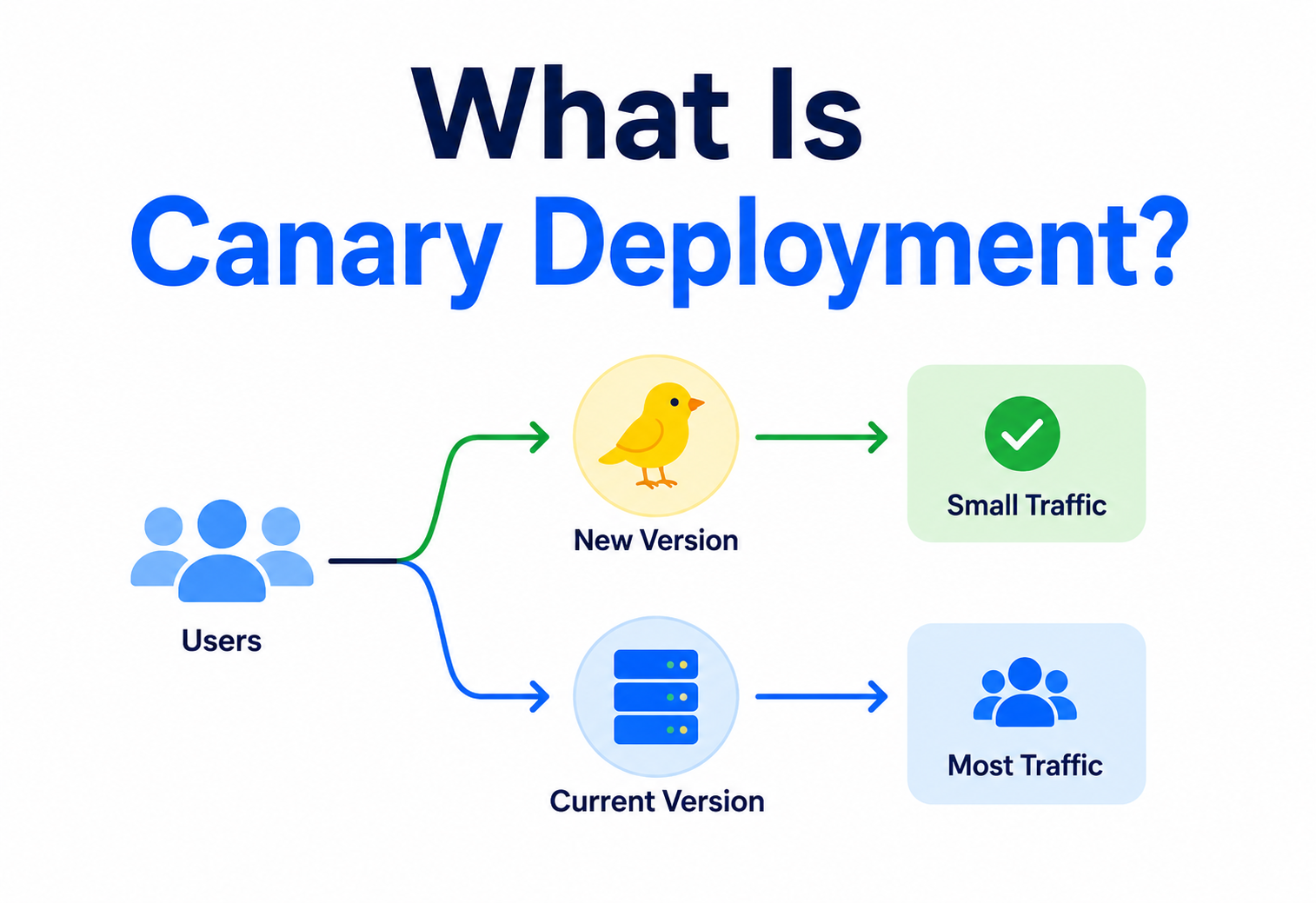
What Is Canary Deployment?
A beginner-friendly, ground-up walkthrough of the release strategy Netflix, Google, Amazon, Meta, Uber and Etsy use to ship code to millions of real users without breaking anything. From the coal-mine canary metaphor and its early 2010s origin at Google and Netflix, through the exact mechanics of weighted traffic splitting, statistical canary analysis, the “expand-and-contract” database migration pattern, and the tooling ecosystem (Kubernetes, Argo Rollouts, Flagger, Spinnaker, Kayenta, Istio, AWS CodeDeploy) that makes all of this practical for teams of every size.
Introduction & History
Imagine you baked 10,000 cupcakes for a party and you are not 100 % sure the recipe is right. Would you march the whole tray out and serve every guest at once? Of course not — you would hand one to a friend first, watch their face, and only bring out the rest of the tray if they smile and ask for more. Canary deployment is that same idea, applied to software. Instead of releasing a new version of an application to every single user in one big-bang moment, you release it to a tiny slice of users first, watch closely to see if anything goes wrong, and only then roll it out to everyone else.
The name comes from a much older, and much darker, practice: coal miners in the early 1900s used to carry a caged canary down into the mine with them. Canaries are far more sensitive to toxic gases like carbon monoxide than humans are. If the gas levels rose to a dangerous point, the canary would show visible signs of distress or stop singing long before the gas could seriously harm a human — giving miners an early warning to evacuate. The phrase “canary in the coal mine” stuck around in the English language to mean “an early warning sign of danger.”
In software engineering, that idea was borrowed directly. A canary release (or canary deployment) sends a new version of your application to a small subset of real production traffic — the CANARY group — while the rest of your users keep using the old, STABLE version. If the canary group experiences errors, slowdowns, or crashes, engineers get an early warning and can pull the new version back before it ever reaches the majority of users. If the canary group is happy, the new version gradually takes over more and more traffic until it is serving everyone.
A short history
The concept of gradually rolling out changes is not brand new — it grew naturally out of the practices of large-scale internet companies in the 2000s and 2010s. As websites like Google, Amazon, and Facebook grew to serve hundreds of millions of users, the old way of releasing software — take the whole site down, install the new version, bring it back up — became completely unacceptable. Users expect websites to be available 24 hours a day, 7 days a week. At the same time, these companies were shipping code changes many times a day, which meant the old “big bang” release, where a company tests for months and then flips a switch for everyone at once, was far too risky and far too slow.
Google popularised much of the modern thinking around canary releases through its Site Reliability Engineering (SRE) practices, publicly documented in the well-known “Google SRE Book” published around 2016, which described canarying as a standard, expected step before any full rollout. Around the same period, Netflix was pioneering related ideas with tools like Spinnaker, an open-source continuous delivery platform (released in 2015) that had canary analysis built in as a first-class citizen. Since then, canary deployment has become a standard technique supported natively by major cloud platforms (AWS, Google Cloud, Azure), container orchestration systems (Kubernetes), and service mesh tools (Istio, Linkerd), making it accessible even to small teams, not just tech giants.
Canary deployment is a release strategy where a new version of software is rolled out to a small group of real users first, monitored closely for problems, and only expanded to everyone if it proves safe.
The Problem & Motivation
To understand why canary deployment exists, it helps to picture what life was like without it. Imagine a team that builds a smartphone app used by five million people. They spend two months building a new feature. They test it in a lab. Everything looks perfect. On release day, they push a button, and the new version goes out to all five million users simultaneously.
Then something nobody predicted happens: a bug that only shows up when a user has a specific, rare combination of settings — say, a certain language plus a certain phone model — causes the app to crash on startup. In a lab with a handful of test devices, nobody happened to hit that exact combination. But out of five million real users, tens of thousands of them do. Within minutes, the app store fills with one-star reviews, support tickets flood in, and the team has to scramble to build, test, and ship an emergency fix — all while millions of real people are stuck with a broken app.
Why “testing” alone is never enough
No amount of testing in a lab, a staging environment, or a QA (Quality Assurance) team can perfectly replicate the sheer unpredictability of real-world production traffic. Real users have an almost infinite variety of devices, operating system versions, network conditions, account configurations, geographic locations, and usage patterns. This is sometimes summarised by engineers with the saying: “Everyone has a testing environment. Some people are lucky enough to also have a separate production environment.” It is a joke, but it points at something true — bugs that never show up in testing have a way of showing up the moment real, messy, unpredictable humans start using your software.
The core problems canary deployment solves
Blast radius
Without canarying, a bad release affects 100 % of users immediately. Canarying limits the “blast radius” — the number of people affected — to a small percentage.
Slow detection
Problems that would otherwise take hours to notice (through a wave of support tickets) can instead be caught by automated monitoring within minutes.
Costly rollbacks
Rolling back a change that affected everyone is far more disruptive and reputationally damaging than rolling back a change that only affected 1–5 % of users.
Fear of releasing
When every release is a high-stakes, all-or-nothing gamble, teams release less often, which paradoxically makes each release riskier because more changes pile up at once.
Canary deployment directly attacks all four of these problems at once. It shrinks the blast radius, speeds up detection through monitoring, makes rollback cheap and fast, and — because releasing becomes safer — allows teams to release more frequently and in smaller, easier-to-understand batches.
Core Concepts
Before going further, let’s build a solid vocabulary. Every term below is something you will see over and over again in real conversations about canary deployments.
Version (or “build”)
A specific, numbered snapshot of your application’s code at a point in time — for example, v2.4.0. When we talk about “the new version” versus “the old version” in a canary deployment, we mean two different builds of the same application running side by side.
Baseline (or “stable”)
The version of the application that is currently serving all (or almost all) production traffic and is considered proven and trustworthy. Sometimes also called the “control group” version, borrowing language from scientific experiments.
Canary
The new version being tested on a small slice of real traffic. Just like the literal canary bird, its job is to reveal problems early, before they can hurt everyone else.
Traffic splitting
The mechanism — usually handled by a load balancer, API gateway, or service mesh — that decides what percentage of incoming requests go to the baseline version and what percentage go to the canary version. For example, “95 % baseline, 5 % canary.”
Rollout (or “promotion”)
The gradual process of increasing the canary’s traffic percentage over time — for example, moving from 5 % → 25 % → 50 % → 100 % — as confidence in the new version grows.
Rollback
The act of stopping the canary rollout and sending 100 % of traffic back to the baseline version, usually triggered automatically when monitoring detects a problem.
Golden signals / success metrics
The specific measurements used to judge whether the canary is healthy — commonly latency (how fast responses come back), error rate (how often requests fail), traffic (how much load the system handles), and saturation (how close the system is to its resource limits). These four are often called the “Four Golden Signals,” a term popularised by Google’s SRE practices.
Canary analysis
The process — manual or automated — of comparing the canary’s metrics against the baseline’s metrics to decide, with statistical confidence, whether the canary is behaving acceptably.
Think of it like a chef introducing one new dish on a restaurant’s menu. They do not replace every dish overnight. They offer the new dish to a few tables, watch what customers say and how much they eat, and only add it to the full menu if the feedback is good.
Canary vs. blue-green vs. rolling deployment vs. A/B testing
These four terms are often confused, so let’s clearly separate them.
| Strategy | What happens | Primary goal |
|---|---|---|
| Canary | New version gets a small, gradually increasing % of traffic. | Catch bugs / regressions safely before full rollout. |
| Blue-green | Two full environments exist; traffic switches 100 % at once from old to new. | Instant, clean cutover with instant rollback. |
| Rolling | Old instances are replaced with new ones one-by-one or in batches. | Zero downtime during routine updates. |
| A/B testing | Two versions are shown to different user groups, often for a long time. | Compare business / UX metrics (e.g. conversion rate), not just technical health. |
It is worth noting these strategies are not mutually exclusive — many real systems combine them. For example, a team might use blue-green infrastructure underneath, but expose the new “green” environment to users gradually using canary-style traffic splitting.
Architecture & Components
A working canary deployment system is made of several moving parts that all have to cooperate. Let’s walk through each one.
Version registry
Where built artifacts (Docker images, binaries, packages) are stored and tagged with immutable version identifiers.
Traffic router
A load balancer, API gateway, ingress controller, or service-mesh proxy that decides which version handles each incoming request.
Deployment controller
The orchestration logic (e.g. a Kubernetes controller, a CI/CD pipeline, or a tool like Argo Rollouts, Flagger, or Spinnaker) that manages the step-by-step rollout process.
Metrics & monitoring system
Collects real-time data (Prometheus, Datadog, CloudWatch, etc.) about how both versions are performing.
Analysis engine
Compares canary metrics to baseline metrics, often using statistical tests, to make an automated go / no-go decision.
Alerting system
Notifies humans (via Slack, PagerDuty, email) when something needs attention or when an automatic rollback occurs.
High-level architecture diagram
Notice the feedback loop: traffic flows through the router to both versions, metrics flow back from both versions into the analysis engine, and the analysis engine’s decision flows back into the router by adjusting the traffic split. This loop can repeat automatically many times during a single rollout, gradually — or immediately, if something breaks — moving toward either 100 % canary or 0 % canary.
Where traffic splitting actually happens
Depending on your infrastructure, the “traffic router” component can live at different layers:
- DNS-level: Different DNS records point a percentage of lookups to different server pools. Coarse-grained and slow to change (DNS caching delays rollback).
- Load-balancer level: Tools like AWS Application Load Balancer or NGINX split traffic by weighted routing rules.
- API-gateway level: Gateways like Kong, Apigee, or AWS API Gateway route requests based on percentage rules or headers.
- Service-mesh level: Tools like Istio or Linkerd inject a sidecar proxy next to every service instance, giving fine-grained, per-request traffic control without changing application code.
- Application / feature-flag level: The application itself checks a feature-flag service (like LaunchDarkly or Unleash) to decide, per request or per user, which code path to execute.
How It Works Internally
Let’s get concrete. Suppose you run an e-commerce checkout service, currently at version v3.2, and you want to safely release v3.3, which changes how discount codes are validated.
Step-by-step internal mechanics
Build and tag the new version
The CI/CD pipeline builds
v3.3, packages it (often as a container image), and pushes it to a registry with an immutable tag.Deploy canary instances alongside baseline
A small number of
v3.3instances are started in production, running side-by-side with the existingv3.2instances. Crucially, no traffic is sent to them yet — they are just “up,” being health-checked.Register with the traffic router
The load balancer or service mesh becomes aware of the new
v3.3instances as a distinct routable group, separate fromv3.2.Shift a small percentage of traffic
The router is updated so that, say, 5 % of incoming checkout requests are routed to
v3.3, while 95 % continue tov3.2. This is often done using weighted round-robin or consistent hashing (so the same user consistently lands on the same version, avoiding a confusing mixed experience).Collect metrics from both groups in parallel
Every request / response is tagged with which version served it, so metrics (latency, error rate, CPU usage, business metrics like “discount code accepted”) can be split and compared between the two groups.
Run canary analysis
An analysis engine (manual dashboard review, or automated tooling) statistically compares the two groups. It asks: is the canary’s error rate meaningfully higher than baseline’s? Is latency meaningfully worse? Are business metrics (like successful checkouts) meaningfully lower?
Decide: promote, hold, or roll back
If metrics look good, traffic to
v3.3increases (e.g., 5 % → 25 %). If metrics look bad, traffic tov3.3is immediately set back to 0 %, and all traffic returns tov3.2. If results are ambiguous, the rollout may pause and hold at the current percentage while collecting more data.Repeat until full rollout or full rollback
Steps 4–7 repeat, typically over minutes to hours (sometimes days for extremely risk-sensitive systems), until
v3.3either reaches 100 % of traffic (andv3.2instances are terminated) or is fully rolled back to 0 %.
A minimal Java example: a canary-aware router
Here is a simplified (not production-grade) Java example showing the core idea behind weighted traffic splitting — deciding, per incoming request, whether it should be routed to the canary or the baseline, based on a configurable percentage.
import java.util.concurrent.ThreadLocalRandom;

public class CanaryRouter {

    // Percentage of traffic that should go to the canary version (0-100)
    private volatile int canaryWeightPercent;

    public CanaryRouter(int initialCanaryWeightPercent) {
        this.canaryWeightPercent = initialCanaryWeightPercent;
    }

    // Called for every incoming request to decide which backend to use
    public String routeRequest(String requestId) {
        int roll = ThreadLocalRandom.current().nextInt(100); // 0-99
        if (roll < canaryWeightPercent) {
            return "canary-v3.3";
        }
        return "baseline-v3.2";
    }

    // Called by the deployment controller to gradually shift traffic
    public void setCanaryWeight(int newWeightPercent) {
        if (newWeightPercent < 0 || newWeightPercent > 100) {
            throw new IllegalArgumentException("Weight must be between 0 and 100");
        }
        this.canaryWeightPercent = newWeightPercent;
        System.out.println("Canary weight updated to " + newWeightPercent + "%");
    }

    // Called immediately by the analysis engine if problems are detected
    public void emergencyRollback() {
        setCanaryWeight(0);
        System.out.println("EMERGENCY ROLLBACK: all traffic returned to baseline");
    }
}
In a real system, this random-percentage approach is often replaced by consistent hashing on a user ID or session ID, so the same user always gets routed to the same version during their session — preventing a confusing experience where a user’s page refresh flips them between old and new UI.
Canary deployment is not the same as feature flags, although they are often used together. A feature flag toggles a piece of functionality on or off inside a single running version of code. A canary deployment routes traffic between two entirely separate running versions of the whole application. You can canary a release that itself contains multiple feature flags.
Data Flow & Lifecycle
Let’s trace the full lifecycle of a single canary release from start to finish, including what happens to a single user’s request as it flows through the system.
The rollout curve
Most real-world canary rollouts follow a step curve rather than a smooth line — traffic is bumped up in discrete stages, with a “bake time” (a period of just watching, with no changes) at each stage. A very common pattern looks like this:
The percentages and bake times are tuned to the risk profile of the change and the traffic volume of the service. A high-traffic service (millions of requests per hour) can gather statistically significant data within a very short bake time even at 1 % traffic. A low-traffic internal tool may need a much larger percentage, or a much longer bake time, to gather enough data points to draw a confident conclusion.
State transitions
At any point in time, a canary rollout is in exactly one of these states:
| State | Meaning |
|---|---|
| Initializing | Canary instances are starting up and being health-checked; no live traffic yet. |
| Progressing | Traffic is actively being shifted from baseline toward canary. |
| Paused / Holding | Traffic split is frozen at the current level while more data is gathered, often requiring human approval to continue. |
| Rolling back | An issue was detected; traffic is being shifted back to baseline as quickly as safely possible. |
| Promoted | The canary has reached 100 % traffic and is now the new baseline; old baseline instances are terminated. |
| Aborted | The rollout was fully rolled back and the release is considered failed, pending investigation. |
Advantages, Disadvantages & Trade-offs
Advantages
- Dramatically reduces the “blast radius” of a bad release.
- Enables fast, automated rollback before most users are affected.
- Provides real production data, which no test environment can fully replicate.
- Builds team confidence, encouraging more frequent, smaller releases.
- Works well alongside CI/CD pipelines for continuous delivery.
- Can validate infrastructure changes (e.g. new database driver) as well as feature changes.
Disadvantages / trade-offs
- Requires running two versions simultaneously, which costs extra compute resources temporarily.
- Adds operational complexity: traffic routing, dual monitoring dashboards, rollout tooling.
- Database schema changes are trickier — both old and new code must work against the schema at once.
- Does not catch every bug — rare edge cases may still slip through a small sample.
- Requires good, reliable metrics; a canary analysis is only as good as the signals feeding it.
- Session-based or stateful services need careful handling to avoid inconsistent user experience.
The core trade-off: speed vs. safety
Every rollout strategy sits somewhere on a spectrum between “ship instantly to everyone” and “ship extremely cautiously to almost no one.” Canary deployment deliberately trades a small amount of speed (it takes longer to reach 100 % of users than an instant big-bang release) for a large amount of safety (much lower risk of a catastrophic, widely-felt outage). For most production systems serving real users, this trade is overwhelmingly worth it — the cost of a slower rollout is measured in minutes to hours, while the cost of an undetected bad release can be measured in lost revenue, damaged trust, and emergency all-hands incident response.
For database schema migrations that are not backward-compatible, for extremely low-traffic services where you cannot gather meaningful data from a small sample, or for changes that must apply atomically to all users at the exact same instant (e.g. a security patch closing an actively-exploited vulnerability), other strategies — like blue-green deployment, feature flags, or an emergency all-at-once release — may be more appropriate.
Performance & Scalability
Canary deployment interacts with performance and scalability in a few important ways.
Statistical significance at scale
The more traffic a service receives, the smaller a canary percentage can be while still gathering enough data points to draw statistically meaningful conclusions quickly. A service handling 1,000,000 requests per hour can get a solid signal from just 1 % (10,000 requests) within minutes. A service handling only 100 requests per hour might need 50 % of traffic, or several hours, to gather the same statistical confidence — because with small sample sizes, random noise can easily masquerade as a real problem, or hide a real problem inside the noise.
Resource overhead
During a canary rollout, you are temporarily running extra infrastructure — both the old and new versions need enough compute capacity to handle their share of traffic, plus baseline capacity for redundancy. Teams typically plan for this “overlap cost” as a normal, budgeted part of releasing software, similar to how you would budget extra warehouse space during a product changeover.
Autoscaling interactions
In systems using autoscaling (automatically adding or removing server instances based on load), canary deployments need to be autoscaling-aware. If the canary group is very small, autoscalers might behave oddly — either scaling the canary group unnecessarily due to short traffic spikes, or failing to scale it fast enough. Modern tools like Kubernetes’ Horizontal Pod Autoscaler are usually configured to treat the canary and baseline groups as independent, appropriately-sized scaling targets.
Latency comparison
Canary analysis should always compare relative latency (canary vs. baseline at the same moment) rather than absolute latency, since overall traffic conditions change throughout the day.
Cold-start effects
Newly started canary instances may be temporarily slower (JIT warm-up, cold caches), which can create a false negative signal if not accounted for.
Cache dilution
A brand-new canary version starts with cold caches, which can make its performance look worse than baseline for reasons unrelated to the code change itself.
High Availability & Reliability
Canary deployment is, at its heart, a reliability technique — but it needs to be built on a foundation that is itself highly available, or it can become a single point of failure.
Redundancy of the rollout system itself
The deployment controller, traffic router, and monitoring pipeline must themselves be reliable. If the system responsible for detecting canary failures and triggering rollback goes down, a genuinely broken canary release could keep receiving traffic indefinitely with nobody watching. For this reason, mature organisations treat their canary tooling with the same reliability standards as their production services — redundant instances, health checks, and alerting on the tooling itself.
Automated vs. manual rollback
There are two broad approaches to deciding when to roll back:
- Manual gate: A human engineer reviews dashboards at each stage and manually approves or rejects promotion. Safer for very high-stakes changes, but slower and dependent on someone being awake and watching.
- Automated gate: Predefined thresholds (e.g. “error rate must stay under 1 % higher than baseline”) trigger automatic promotion or rollback without waiting for a human. Faster and more consistent, but requires well-tuned thresholds to avoid both false alarms and missed problems.
Most mature setups use a hybrid: automated rollback for clear-cut failures (so a bad release is pulled back within seconds, even at 3 a.m.), combined with manual approval gates for promoting past certain milestones (e.g. requiring a human to approve the jump from 50 % to 100 %).
Failure isolation
A well-designed canary setup also isolates failures so that a broken canary cannot take down the baseline. This includes things like separate resource pools (so a memory leak in the canary does not starve the baseline of memory on a shared host), separate connection pools to shared databases, and circuit breakers that stop the canary from overwhelming shared downstream dependencies.
A canary deployment system should be designed so that its own failure mode is always “fail safe toward the baseline” — if anything about the rollout process is unclear or broken, the default action should be to keep serving the known-good baseline version, not to keep pushing forward with the canary.
Security Considerations
Canary deployments introduce a few security-specific concerns worth understanding.
Consistent security posture across versions
While the canary and baseline are both live, both must be held to the same security standard — patched dependencies, correct authentication / authorisation logic, and consistent access controls. It is easy to accidentally under-invest in securing a “temporary” canary environment, which is a mistake, since it is serving real user traffic and real user data just like the baseline.
Sensitive data exposure during testing
Because canary releases run against real production data and real users, any bug in the canary version has the potential to expose, corrupt, or mishandle real, sensitive data — not synthetic test data. This is a key reason canary rollouts should start with very small percentages: it limits how much real data could be affected by a bug like a broken access-control check or a logging statement that accidentally records passwords.
Traffic router as an attack surface
The traffic router itself becomes a new, security-relevant component. If an attacker can manipulate how traffic is split — for example, by forging routing headers used to pin a user to the canary — they might be able to deliberately target the (less battle-tested) canary version, hoping to exploit bugs that have not been caught yet. Routing decisions should be made server-side, based on trusted signals, not on client-supplied headers that a user could freely modify.
Audit trails
Every promotion, pause, and rollback decision should be logged with who (or what automated system) triggered it and why, similar to any other production change. This is essential both for post-incident investigations and for compliance in regulated industries.
Monitoring, Logging & Metrics
Monitoring is not just a nice-to-have for canary deployment — it is the entire mechanism that makes the whole strategy work. Without solid observability, a canary deployment is just “release to a few people and hope nobody complains,” which defeats the purpose.
The Four Golden Signals
Latency
How long requests take to complete. Watch both the average and the tail (p95, p99 — the slowest 5 % and 1 % of requests), since tail latency often reveals problems averages hide.
Errors
The rate of failed requests (e.g. HTTP 5xx responses, exceptions, timeouts) — usually the single most important canary signal.
Traffic
The volume of requests each version is receiving, used to confirm the traffic split is actually working as configured.
Saturation
How close a service is to its resource limits — CPU, memory, connection-pool capacity, disk I/O.
Business metrics matter too
Purely technical health is not the whole story. A canary version can be technically “healthy” (no crashes, normal latency) while still being functionally broken in a way that only shows up in business metrics — for example, a checkout flow that returns HTTP 200 (success) responses but silently fails to actually charge the customer’s card. This is why mature canary analysis also tracks business-relevant metrics: conversion rate, successful transactions, sign-up completion rate, and so on.
Logging & tracing
Every log line and distributed trace should be tagged with the version that produced it. This lets engineers filter logs specifically for the canary group when investigating an issue, rather than sifting through a combined stream of logs from both versions. Distributed tracing tools (like Jaeger or Zipkin) are especially valuable here, since they let engineers follow a single request across multiple microservices and see exactly which version handled each hop.
A simplified automated analysis example (Java)
public class CanaryAnalyzer {

    // Returns true if the canary is healthy enough to promote
    public boolean isCanaryHealthy(Metrics baseline, Metrics canary) {
        double errorRateIncrease = canary.getErrorRate() - baseline.getErrorRate();
        double latencyIncreasePercent =
            ((canary.getP95LatencyMs() - baseline.getP95LatencyMs()) / baseline.getP95LatencyMs()) * 100;

        // Fail the canary if error rate rises more than 1 percentage point
        if (errorRateIncrease > 0.01) {
            System.out.println("FAIL: error rate increased by " + errorRateIncrease);
            return false;
        }

        // Fail the canary if p95 latency is more than 20% worse than baseline
        if (latencyIncreasePercent > 20.0) {
            System.out.println("FAIL: p95 latency increased by " + latencyIncreasePercent + "%");
            return false;
        }

        return true;
    }
}

class Metrics {
    private double errorRate;      // e.g. 0.004 = 0.4%
    private double p95LatencyMs;   // e.g. 220.0

    public Metrics(double errorRate, double p95LatencyMs) {
        this.errorRate = errorRate;
        this.p95LatencyMs = p95LatencyMs;
    }
    public double getErrorRate() { return errorRate; }
    public double getP95LatencyMs() { return p95LatencyMs; }
}Small sample sizes create noisy metrics. A canary receiving only 50 requests can show a “10 % error rate” from a single unrelated failure (like a flaky third-party dependency), which looks alarming but is not statistically meaningful. Serious canary analysis tools use statistical methods (like Mann–Whitney U tests or confidence intervals) rather than simple threshold comparisons, precisely to avoid overreacting to noise.
Deployment & Cloud Platforms
You rarely need to build canary infrastructure entirely from scratch today — most major platforms have first-class support.
Kubernetes
Native support via multiple ReplicaSets behind one Service, or purpose-built tools like Argo Rollouts and Flagger, which automate the whole step-and-analyse cycle.
AWS
AWS CodeDeploy supports canary and linear deployment configurations natively for Lambda and ECS; Application Load Balancer supports weighted target groups.
Google Cloud
Traffic splitting is built into Cloud Run and GKE via traffic-percentage settings; Google Cloud Deploy supports canary rollout strategies natively.
Azure
Azure App Service supports “deployment slots” with traffic-percentage routing between slots, and Azure DevOps pipelines support canary release stages.
Spinnaker
An open-source, cloud-agnostic continuous-delivery platform originally built at Netflix, with canary analysis as a built-in pipeline stage (via its Kayenta module).
Service meshes
Istio and Linkerd allow extremely fine-grained traffic-splitting rules (by percentage, header, or user identity) independent of the underlying compute platform.
Example: traffic splitting in Kubernetes (conceptual YAML)
apiVersion: argoproj.io/v1alpha1
kind: Rollout
metadata:
  name: checkout-service
spec:
  replicas: 10
  strategy:
    canary:
      steps:
        - setWeight: 5
        - pause: {duration: 600}   # 10 minutes
        - setWeight: 25
        - pause: {duration: 1800}  # 30 minutes
        - setWeight: 50
        - pause: {duration: 3600}  # 1 hour
        - setWeight: 100
This declarative configuration tells the rollout controller exactly how to step through traffic percentages, and how long to “bake” at each stage before continuing — turning the whole lifecycle discussed earlier into a few lines of configuration.
Load Balancing, Databases & Caching
Load-balancing strategies for canaries
Traffic can be split using several different algorithms, each with trade-offs:
| Method | How it works | Best for |
|---|---|---|
| Random weighted | Each request independently has an X% chance of hitting canary. | Stateless services. |
| Consistent hashing | User / session ID is hashed to consistently pick a version. | Services needing session consistency. |
| Header / cookie-based | Specific users are opted-in via a header or cookie set intentionally. | Internal testing, opt-in beta users. |
| Geographic | Traffic from specific regions is routed to canary first. | Limiting blast radius by region. |
Handling databases & shared state
Databases are usually the trickiest part of a canary deployment, because — unlike stateless application servers — there is typically only one database, shared by both the old and new application versions at the same time. This means any schema change must be backward-compatible during the transition window. The standard, battle-tested approach is the “expand-and-contract” pattern:
Expand
Add new columns / tables without removing or renaming old ones. Both old and new code can run against this schema.
Migrate
Deploy the canary, which starts writing to (and optionally reading from) the new schema elements, while old code keeps using the old ones.
Contract
Only after the new version has fully replaced the old version everywhere (100 % rollout, old version fully retired) do you remove the old, now-unused schema elements.
Caching considerations
If the canary changes the shape or meaning of cached data (e.g. a new field in a cached JSON object), caches shared between old and new versions can serve stale or incompatible data to either version. Common mitigations include versioning cache keys (e.g. prefixing keys with the schema version) or using separate cache namespaces for baseline versus canary during the transition.
APIs & Microservices
In a microservices architecture — where an application is built from many small, independently deployable services talking to each other over the network — canary deployment becomes both more powerful and more complicated.
Canarying a single service in a larger system
When Service A calls Service B, and Service B is being canaried, Service A’s requests get split between B’s baseline and canary versions just like external user traffic would be. This means the “users” of an internal canary might actually be other services, not human end users — and the canary analysis needs to account for that (e.g. watching for increased error rates specifically in calls from upstream services).
API contract compatibility
A golden rule for microservices canary deployments: the canary version’s API must remain backward and forward compatible with whatever other services expect, for the entire duration both versions coexist. This typically means:
- Never removing or renaming existing fields in API responses that other services rely on.
- Adding new fields as optional, not required.
- Never changing the meaning of an existing field.
- Versioning APIs explicitly (e.g.
/v2/checkout) when a truly breaking change is unavoidable.
Cascading canaries
In complex systems, multiple services might be canaried at the same time, which can create a combinatorial explosion of version combinations talking to each other (canary-A talking to baseline-B, canary-A talking to canary-B, etc). Mature organisations often limit how many interdependent services can be canaried simultaneously, or use techniques like “canary pinning” so a single user’s request stays within a consistent set of versions across the whole call chain, making problems easier to diagnose.
Design Patterns & Anti-patterns
Helpful patterns
Progressive delivery
Combining canary releases with feature flags and automated analysis into one continuous, policy-driven pipeline, rather than a manual, ad-hoc process.
Shadow traffic (“dark launch”)
Sending a copy of real production traffic to the new version without returning its response to the user, to observe behaviour with zero user-facing risk before starting a real canary.
Ring-based rollout
Releasing first to internal employees (“ring 0”), then a small beta group (“ring 1”), then a canary percentage of the public, then everyone — layering multiple safety nets.
Automated rollback gates
Codifying rollback thresholds as policy-as-code so decisions are consistent and do not depend on someone being awake at 3 a.m.
Anti-patterns to avoid
- The “silent canary”: Splitting traffic but not actually watching any metrics — turning a real safety mechanism into pure theatre.
- The “eternal canary”: Leaving a canary at a partial percentage indefinitely instead of promoting or rolling back, leading to permanent operational confusion and doubled infrastructure cost.
- The “too-small sample”: Canarying at 0.1 % on a low-traffic service, gathering essentially no meaningful data, and promoting anyway out of impatience.
- The “incompatible schema”: Shipping a database change that breaks the old version, making rollback impossible even though the canary infrastructure suggests it should be.
- The “ignored business metrics”: Watching only infrastructure health (CPU, latency) while a functional bug silently damages revenue or user trust.
Best Practices & Common Mistakes
Best practices
- Start small and go slow at first. A 1–5 % initial slice with a meaningful bake time catches most catastrophic bugs cheaply.
- Automate what you can, but keep a human in the loop for high-stakes promotions. Automated rollback for clear failures; manual approval for major milestones.
- Compare canary to baseline, not to historical averages. Traffic patterns shift throughout the day; a live baseline comparison controls for this.
- Track business metrics alongside technical metrics. A “healthy” service can still be functionally broken.
- Make rollback fast and rehearsed. Practise rollbacks regularly (some teams even run rollback drills) so it is fast and calm when it actually matters.
- Keep schema changes backward-compatible for the duration both versions coexist, using expand-and-contract migrations.
- Tag every log, metric, and trace with the version that produced it, so investigation is fast and precise.
Common mistakes
- Promoting a canary before enough data has been gathered to be statistically confident.
- Forgetting to also canary infrastructure / configuration changes, not just application code.
- Using session-inconsistent routing, causing confusing, flickering user experiences.
- Not testing the rollback path itself before relying on it in a real incident.
- Treating canary deployment as a replacement for pre-production testing, rather than a complementary final safety net.
Canary deployment is a safety net, not a substitute for good testing. The goal is not to find bugs in production instead of earlier stages — it is to catch the small number of bugs that inevitably slip through every earlier stage, before they can hurt everyone.
Real-World & Industry Examples
Netflix
Uses its open-source Spinnaker platform, with a canary analysis module (Kayenta) that statistically compares dozens of metrics between baseline and canary clusters before allowing promotion, across thousands of deployments per day.
Canarying is a standard, expected part of the internal release process described in Google’s Site Reliability Engineering practices, applied across services that handle enormous global traffic.
Amazon
AWS CodeDeploy offers built-in canary and linear deployment configurations for services like Lambda, letting any AWS customer apply the same techniques Amazon uses internally.
Facebook / Meta
Uses a “ring-based” gradual rollout, releasing first to employees, then progressively larger percentages of the public, layering canary-style traffic control at each stage.
Uber
Given its large microservices architecture, Uber relies heavily on canary analysis to safely evolve individual services independently without risking the entire ride-hailing platform at once.
Etsy
Well known for pioneering a culture of frequent, small, low-risk deployments (sometimes dozens per day), with canary-style monitoring as a key enabler of that pace.
Frequently Asked Questions
Is canary deployment only for huge companies like Netflix and Google?
No. While it was popularised by large tech companies, canary deployment is now supported natively in tools available to teams of any size — Kubernetes, most cloud platforms, and open-source tools like Flagger make it accessible even for small teams and side projects.
How is canary deployment different from a beta test?
A beta test typically involves users who knowingly opted in to try new features and expect some rough edges. A canary release is usually invisible to users — they do not know or choose to be in the canary group, and the goal is for them to experience no difference at all from the stable version, aside from catching an occasional bug before it spreads further.
Can canary deployment guarantee zero bugs reach users?
No. It reduces the number of users affected by a bug and speeds up detection, but a small percentage of users in the canary group will still experience any bugs that do exist. It is a risk-reduction technique, not a risk-elimination technique.
How long should a canary stay at each traffic percentage?
It depends heavily on traffic volume and risk tolerance — anywhere from a few minutes for high-traffic services with low-risk changes, to several hours or even days for low-traffic services or especially sensitive changes (like payment processing).
Does canary deployment work for mobile apps, not just backend services?
Yes, with some adaptation. App stores like Google Play support “staged rollouts,” releasing an app update to a percentage of users first, functioning as a mobile equivalent of canary deployment, though rollback is slower since users must download an update rather than traffic simply being re-routed.
What happens to the canary instances once the rollout is complete?
Once the canary reaches 100 % traffic and is proven stable, it effectively becomes the new baseline. The old baseline instances are terminated (or scaled down), freeing up the temporary extra infrastructure that was running both versions simultaneously.
Summary & Key Takeaways
Canary deployment takes its name from an old mining safety practice and applies the same core idea to software: expose a small, real slice of traffic to a change first, watch closely, and only expand once you are confident. It replaces risky, all-at-once releases with a gradual, monitored, reversible process — turning what used to be a high-stakes gamble into a controlled, low-risk, repeatable procedure.
Key takeaways
- Canary deployment routes a small percentage of real traffic to a new version before a full rollout, limiting the “blast radius” of any problems.
- It relies on solid monitoring — the Four Golden Signals plus business metrics — to make informed promote / rollback decisions.
- It is supported natively by Kubernetes, all major cloud providers, and open-source tools like Flagger, Argo Rollouts, and Spinnaker.
- Database schema changes require special care via backward-compatible “expand-and-contract” migrations.
- It is a complement to, not a replacement for, thorough pre-production testing.
- When done well, canarying enables teams to release more often and with more confidence, not less.

