API Versioning Explained: How to Change Your API Without Breaking Everyone Else’s Code
A complete, beginner‑to‑production guide to every major API versioning strategy — with diagrams, Java code, real company examples, and interview‑ready explanations.
Introduction & History
Every serious network API is really a promise made to strangers you cannot email. Versioning is the discipline of keeping that promise while still changing the code behind it.
Imagine you build a toy robot for your friend. The robot listens to voice commands like “walk” and “stop.” Your friend loves it and builds a whole game around those two commands. One day, you decide “walk” should now mean something different — maybe the robot walks backward instead of forward. Suddenly, your friend’s game breaks. Their code was written for the old behavior, and you changed the meaning without telling them.
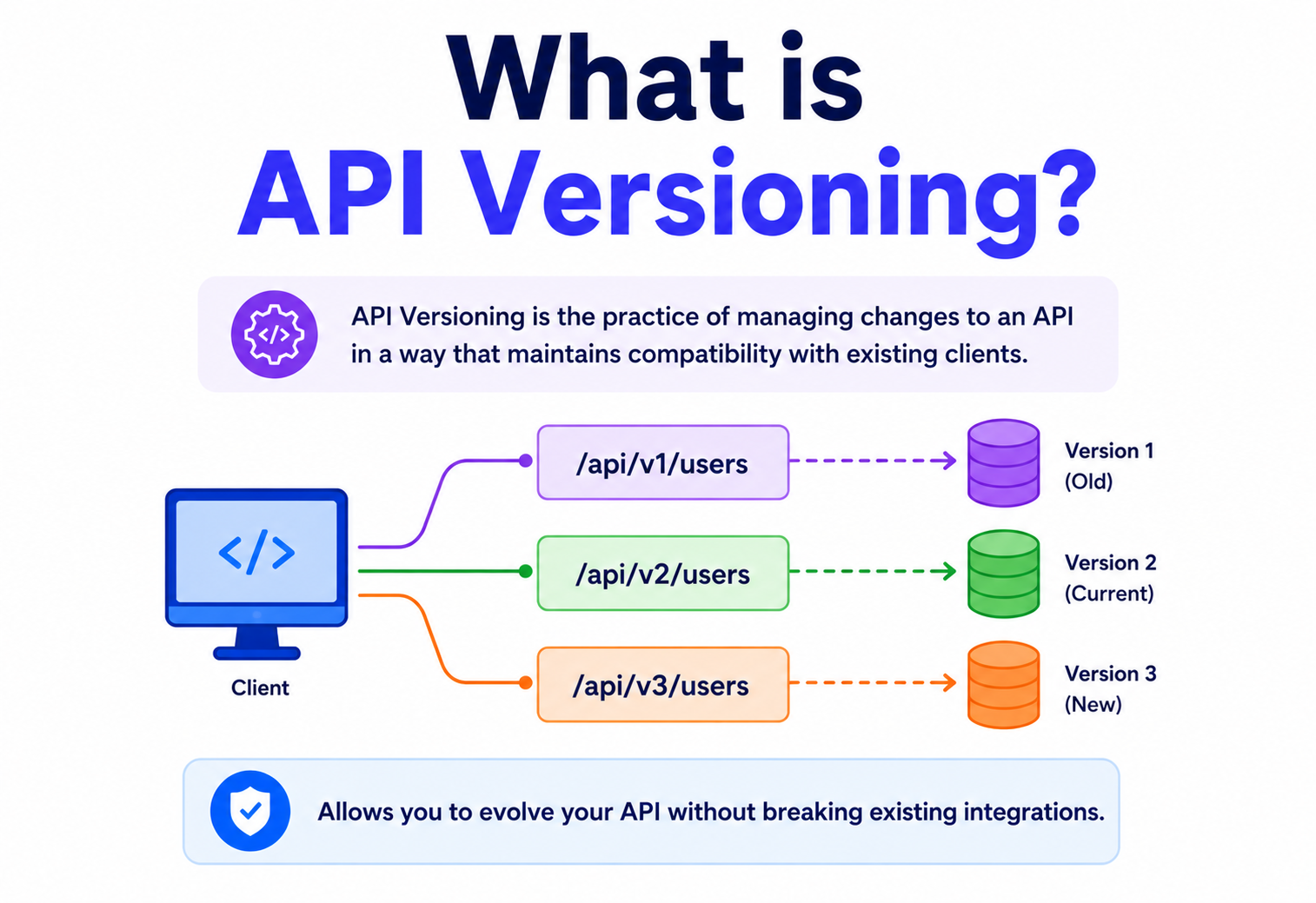
This exact problem happens every single day in software, except instead of toy robots, it happens with APIs — the messengers that let two different pieces of software talk to each other. API versioning is the discipline of managing change to an API so that when you improve or fix something, you don’t secretly break the millions of apps, scripts, and businesses that depend on it.
What is an API, quickly?
API stands for Application Programming Interface. Think of it as a restaurant menu. You (the customer) don’t walk into the kitchen and cook your own food. Instead, you look at the menu, pick a dish by name, and the waiter (the API) takes your order to the kitchen (the server) and brings back your food (the response). You never need to know how the kitchen works internally — you just need the menu to stay consistent.
Now imagine the restaurant secretly changes “Chicken Soup” to actually be “Tomato Soup” without updating the menu or telling anyone. Regular customers who order “Chicken Soup” expecting chicken would be shocked, maybe even allergic to tomatoes. That surprise, unannounced change is exactly what API versioning prevents in software.
A short history
1990s — Early Web Services (SOAP, XML‑RPC)
Early web services used rigid XML contracts called WSDL. Any change to the contract usually meant a completely new service. Versioning was heavy, ceremonial, and largely manual — a new WSDL almost always meant a new URL and a new client stub.
2000s — The Rise of REST
Roy Fielding’s 2000 dissertation introduced REST (Representational State Transfer), a lightweight style built on plain HTTP. As REST APIs exploded in popularity (Flickr, Amazon S3, Twitter, Facebook), developers needed simple ways to evolve APIs without breaking client apps — and the modern versioning strategies (URI, header, query parameter) were born in this era.
2010s — Mobile & Public API Boom
With millions of third‑party mobile apps calling public APIs (Twitter, Facebook, Stripe, GitHub), a broken API could break thousands of apps overnight. Companies formalized versioning policies, deprecation timelines, and dedicated “sunset” headers to make retirement itself a machine‑readable event.
2015+ — GraphQL & gRPC
GraphQL (Facebook, 2015) proposed a radically different idea: avoid versioning entirely by evolving a single schema, letting clients ask only for the fields they need. gRPC (Google, 2016) used Protocol Buffers, which have their own built‑in, field‑level backward compatibility rules baked into the wire format.
Today — API Gateways & Contract Testing
Modern systems use API gateways (Kong, Amazon API Gateway, Apigee), automated contract testing (Pact), and semantic versioning to manage dozens of API versions running simultaneously across microservices — often with dashboards showing exactly how many clients still call each version.
The Problem & Why Versioning Exists
Software is never finished, but you rarely control every client that depends on your API. Versioning is what turns that risky combination into something manageable.
Software is never “finished.” Businesses add features, fix bugs, rename fields, and restructure data. But here’s the catch: you rarely control every client that uses your API. A public API might be called by:
- Your own company’s mobile app (iOS and Android, on many different old versions still installed on people’s phones)
- Third‑party developers who built tools on top of your API years ago
- Internal microservices owned by other teams
- Automated scripts, integrations, and partner systems
If you change your API’s behavior and one of those clients breaks, it can mean lost revenue, angry customers, support tickets, or even legal issues (imagine a banking API changing silently).
Real‑world analogy
Think about electrical wall sockets. If every country randomly changed plug shapes every year, every appliance you own would stop working. Instead, socket standards change very slowly, and when they do change, adapters are provided so old devices keep working during the transition. API versioning is the “adapter system” for software.
Why can’t we just always keep everything the same forever?
Because software must evolve too. Business rules change, security flaws must be patched, data models improve, and performance must get better. Freezing an API forever isn’t realistic — but changing it recklessly is dangerous. Versioning is the middle path: evolve safely, on a schedule, with warning.
It is worth naming the underlying force explicitly: an API is a public contract between systems that were often not designed together. The contract lives longer than any single deployment on either side of it. Every time an engineer touches the shape of a response, they are proposing an amendment to a contract that hundreds or millions of other engineers have already relied on. Versioning is simply the vocabulary and workflow that lets those amendments happen without a lawsuit — or a 3 a.m. incident call.
Core Concepts & Terminology
Before diving into strategies, let’s build a shared vocabulary. Each term includes what it is, why it exists, and a simple analogy so it sticks.
1. Contract
What: The agreed‑upon shape of a request and response — field names, types, required fields, error formats.
Why: Clients write code against this contract. If it silently changes, their code can crash or misbehave.
Analogy: A contract is like the rules of a board game everyone agreed on before playing. If you suddenly add a rule mid‑game, other players get confused or upset.
2. Breaking Change
What: Any change that would cause existing, correctly‑written client code to fail or behave incorrectly.
Why it matters: This is the single most important concept in versioning — the entire discipline exists to manage breaking changes.
Example: Renaming a field from user_name to username is breaking. Adding a brand‑new optional field nickname is usually non‑breaking.
3. Backward Compatibility
What: New versions of a server can still correctly serve old clients.
Analogy: A new TV remote that still works with your old TV.
4. Forward Compatibility
What: Old servers can handle requests built for a newer version (less common, but important in some systems, like Protocol Buffers where unknown fields are simply ignored).
Analogy: An old radio that can still tune in even if new stations were added later.
5. Deprecation
What: Officially marking a version or feature as “going away soon,” while it still works.
Analogy: A store sign that says “Closing in 3 months — please shop elsewhere soon,” while the store is still open today.
6. Sunset
What: The actual date/moment an old version stops working entirely.
Analogy: The store’s final closing day.
7. Semantic Versioning (SemVer)
What: A numbering scheme MAJOR.MINOR.PATCH (e.g., 2.4.1) where:
- MAJOR increases for breaking changes (2.x → 3.0)
- MINOR increases for new, backward‑compatible features (2.4 → 2.5)
- PATCH increases for backward‑compatible bug fixes (2.4.1 → 2.4.2)
Analogy: Like a school grade system — MAJOR is like moving to a new grade level (big change), MINOR is a new chapter added to the same textbook, and PATCH is just fixing a typo in that textbook.
8. Content Negotiation
What: The client and server agree on the format/version of data using HTTP headers like Accept, instead of putting it in the URL.
Analogy: Ordering food and telling the waiter “I’d like it gluten‑free” instead of the menu having a completely separate gluten‑free restaurant.
Versioning Strategies
There is no single “correct” way to version an API. Below are the major approaches used across the industry, from simplest to most sophisticated.
Strategy 1: URI (Path) Versioning
The version number is placed directly in the URL path.
GET /v1/users/42
GET /v2/users/42
Why it exists: It’s the most visible, most human‑readable, and easiest to test in a browser or with a tool like Postman. You can literally see which version you’re calling.
Real example: Twitter’s/X’s API uses https://api.twitter.com/2/tweets. Stripe historically supports versions this way in documentation examples, and GitHub’s REST API is reachable at https://api.github.com with version controlled via headers (see Strategy 3) — showing companies often mix approaches.
Pros
- Extremely easy to understand and explore
- Simple to route in load balancers/gateways (just match the path prefix)
- Easy to cache separately per version
Cons
- Technically violates the idea that a URI should represent one unique resource forever
- Leads to duplicated controller code across versions if not managed well
- Clients must edit URLs to upgrade
Strategy 2: Query Parameter Versioning
GET /users/42?version=1
GET /users/42?version=2
Why it exists: Keeps the base URL identical, which some teams prefer for resource identity, while still letting the version be explicit and easy to test.
Simple example
Think of ordering a coffee: the “coffee” URL stays the same, but you add “?size=large” as extra info. The version number here works the same way — an add‑on detail, not a different item.
Drawback: Query parameters are easy to forget or drop accidentally (e.g., when a link is copy‑pasted without them), silently defaulting to an unintended version.
Strategy 3: Header Versioning (Custom Header)
GET /users/42
Headers:
  X-API-Version: 2
Why it exists: Keeps URLs clean (important for REST purists who believe a URL should represent a permanent resource identity) while making the version explicit and machine‑readable.
Real example: GitHub’s REST API uses a custom header (X-GitHub-Api-Version) so the URL stays constant while behavior can be pinned to a specific date‑based version.
Strategy 4: Content Negotiation (Accept Header / Media Type Versioning)
GET /users/42
Headers:
  Accept: application/vnd.myapp.v2+json
Why it exists: This is the most “correct” REST approach according to Roy Fielding himself — the resource (a user) doesn’t change identity, only its representation changes, which is exactly what HTTP content negotiation was designed for.
Real example: GitHub also historically used custom media types like application/vnd.github.v3+json for this exact purpose.
Trade‑off
This method is the hardest to test manually (you can’t just type it into a browser address bar) and confuses many beginner developers, so it’s more common in mature, large‑scale APIs than in small startups.
Strategy 5: No Versioning — Evolve in Place
What: Never break existing fields; only add new, optional fields, and never remove or rename anything old.
Why it exists: For internal APIs or systems where you fully control both client and server (like a company’s own mobile app that force‑updates), constant version‑juggling can be overkill.
Real example: Facebook’s Graph API mostly followed this model for years, only bumping major versions rarely, preferring additive changes.
Strategy 6: Date‑Based Versioning
Headers:
  X-API-Version: 2024-06-15
Why it exists: Instead of abstract numbers like “v2,” a date is meaningful and self‑documenting — you immediately know what timeframe the version reflects.
Real example: Stripe famously versions its API by date (e.g., 2023-10-16). Every account is pinned to the API version active on the day it was created unless the developer explicitly upgrades, and Stripe maintains detailed changelogs per date‑version.
Architecture & Components
Let’s look at what actually sits behind an API and makes versioning possible in a real production system.
API Gateway
The front door for all requests. Inspects the version signal (URL/header) and routes to the correct backend service or handler.
Version Router
Code (or gateway config) that maps “v1” to Controller A and “v2” to Controller B.
Versioned Controllers/Handlers
Each version may have its own controller, or a shared controller with internal branching logic.
Adapter / Transformer Layer
Converts between the internal data model and the version‑specific external shape (e.g., v1 wants “name”, v2 wants “first_name”/“last_name”).
Single Source of Truth Database
Usually just ONE underlying data model — versioning happens at the API boundary, not by duplicating databases.
Version Metrics & Logs
Tracks how many clients still use old versions — critical for deciding when it’s safe to sunset a version.
Notice something important: you almost never keep separate databases per API version. The database holds the truth. The API version only changes the “shape” of data going in and out — like different translators reading from the same book.
Data Flow & Request Lifecycle
Let’s trace exactly what happens, step by step, when a client calls a versioned API.
The key insight: internally, there is one truth. Versioning lives at the edges — request parsing and response formatting — not deep inside your business logic. This keeps your core code clean and avoids duplicating business rules for every version.
In practice this means most well‑factored versioned services have a very thin per‑version layer at the top (parse this shape, then produce that shape) and a much thicker, shared business layer underneath. When engineers new to versioning add a v2, the temptation is to fork the whole controller, service, and even the database schema. Resist it: forking the core is how a small versioning question turns into two products that quietly diverge until neither team fully trusts either one.
Breaking vs. Non‑Breaking Changes
Knowing exactly what counts as “breaking” is the single most testable, interview‑relevant skill in this entire topic.
| Change | Breaking? | Why |
|---|---|---|
| Adding a new optional field to a response | No | Old clients simply ignore fields they don’t recognize |
| Adding a new required field to a request | Yes | Old clients don’t send it, so requests fail validation |
| Removing a field | Yes | Clients reading that field will get null/undefined or crash |
| Renaming a field | Yes | Same as removing + adding — old field name disappears |
| Changing a field’s data type (string → number) | Yes | Client‑side parsing logic may throw errors |
| Changing the URL path structure | Yes | Old clients get 404 Not Found |
| Adding a new optional query parameter | No | Old clients don’t send it, default behavior applies |
| Changing error response format | Yes | Client error‑handling code often parses specific fields |
| Changing default sort order of a list endpoint | Often Yes | Clients relying on order (even unintentionally) can break |
| Adding a new endpoint entirely | No | Nothing existing is touched |
Beginner example
Imagine a school report card app. If the API used to return {"grade": "A"} and now returns {"grade": 4.0} (a GPA number instead of a letter), any app expecting a letter grade will show garbage or crash. That’s a breaking change — the type changed even though the field name stayed the same.
Deprecation & Sunset Strategy
Versioning isn’t just about creating new versions — it’s equally about safely retiring old ones. A responsible deprecation process typically looks like this:
Announce
Publish a changelog entry, blog post, and email to registered developers explaining what’s changing and why.
Mark as Deprecated
Add a
DeprecationHTTP response header and/or aSunsetheader (per RFC 8594) so automated tooling can detect it, not just humans reading docs.Provide a Migration Guide
Show exact before/after code samples so developers can upgrade quickly and confidently.
Monitor Usage
Track how many requests still hit the old version. Reach out directly to high‑traffic clients still using it.
Grace Period Warnings
As the sunset date nears, add warnings in responses (e.g.,
X-API-Warn: This version sunsets in 30 days).Sunset
On the announced date, the old version starts returning
410 Goneor is fully shut off.
HTTP/1.1 200 OK
Deprecation: true
Sunset: Sat, 01 Nov 2026 00:00:00 GMT
Link: <https://api.example.com/docs/migration-v2>; rel="deprecation"
Common mistake
Sunsetting a version abruptly, with little or no warning, is one of the fastest ways to destroy developer trust in a platform. Even internal microservices should give teams fair warning — “breaking your teammate’s service on a Friday afternoon” is a classic real‑world horror story.
Versioning in Microservices & API Gateways
In a microservices architecture, dozens or hundreds of small services call each other constantly. Versioning becomes even more critical because a single breaking change can cascade across many teams.
How API Gateways help
An API gateway (like Kong, Amazon API Gateway, Apigee, or NGINX) sits in front of all services and can:
- Route requests to the correct service version based on path/header
- Run multiple versions of the same service side‑by‑side (v1 and v2 pods running simultaneously)
- Apply rate limiting, authentication, and logging consistently across versions
- Support canary releases — sending 5% of traffic to a new version to test safety before a full rollout
Contract Testing
Large organizations use tools like Pact to write “consumer‑driven contracts” — automated tests that verify a service still satisfies what its consumers expect, catching accidental breaking changes before they ever reach production.
Consumer‑driven contract testing inverts the usual assumption. Instead of the service owner deciding what the contract is and dropping it on consumers, each consumer writes down the tiny slice of the contract it actually depends on, and the service’s CI pipeline replays every consumer’s expectations before merging a change. A pull request that would break Team Payments’ assumption about a field name fails on the producer’s build, not in Team Payments’ production two weeks later.
GraphQL & gRPC Versioning
Not every ecosystem versions the same way. GraphQL and gRPC each represent a distinct philosophy about how schemas should evolve.
GraphQL: “No Versioning” by Design
GraphQL famously encourages not versioning your API at all. Instead:
- New fields are added freely — clients only request the fields they need, so unused new fields don’t affect them
- Old fields are marked
@deprecatedwith a reason, but kept working - Truly breaking changes are rare and handled by adding new fields/types alongside old ones, then slowly migrating clients
Simple analogy
GraphQL is like a giant buffet table. You only take the dishes you want onto your plate. If the chef adds ten new dishes to the buffet, your plate doesn’t change — you simply didn’t take them.
gRPC & Protocol Buffers
gRPC uses Protocol Buffers (“protobuf”), a binary format with strict field‑numbering rules:
- Every field has a permanent number (e.g.,
string name = 1;) - You can add new fields with new numbers safely
- You must never reuse or change the number of an existing field
- Unknown fields received by an older client are simply ignored (forward compatibility built‑in)
This means protobuf has compatibility rules baked directly into the wire format itself, rather than relying purely on discipline or documentation.
Advantages, Disadvantages & Trade‑offs
Each strategy has a natural home and a natural weakness. Read this table as “pick the row that best matches your audience,” not as a global ranking.
| Strategy | Best For | Weakness |
|---|---|---|
| URI Versioning | Public APIs, simplicity, easy testing | Clutters URL, less “pure” REST |
| Query Param | Optional, easy rollback default | Easy to accidentally omit |
| Custom Header | Clean URLs, enterprise APIs | Harder to test manually, less visible |
| Content Negotiation | REST purists, fine‑grained control | Steep learning curve for beginners |
| No Versioning (additive) | Internal APIs, tight client‑server coupling | Requires strong discipline; risky at scale |
| Date‑Based | SaaS platforms with frequent, incremental changes | Requires strong changelog culture |
| GraphQL (schema evolution) | Flexible client needs, mobile apps | Schema can grow large/messy over time |
| gRPC/Protobuf | High‑performance internal microservices | Not human‑readable, needs tooling |
Performance & Scalability
Running multiple API versions simultaneously has real performance implications that only show up under load.
Running multiple API versions simultaneously has real performance implications:
- Extra compute: Running v1 and v2 handlers side by side doubles some deployment and CPU overhead, especially if each version has its own full service/pod.
- Caching complexity: Caches (like CDNs or Redis) must key on version too, or v1 and v2 responses could collide and corrupt each other’s cached data.
- Adapter overhead: Transformation layers (converting internal models to versioned shapes) add small CPU cost per request — usually negligible, but worth monitoring at very high scale.
Scaling tip
Many companies scale old, low‑traffic versions down to fewer server instances while scaling the current version up, saving infrastructure cost while still honoring support commitments.
High Availability & Reliability
Your versioning strategy directly affects how safely you can deploy without downtime.
Versioning strategy directly affects how safely you can deploy without downtime:
- Blue‑Green Deployment: Run the new version (“green”) fully in parallel with the old (“blue”). Switch traffic instantly, and instantly roll back if something goes wrong.
- Canary Releases: Send a small percentage of traffic to the new version first, watch error rates, then gradually increase.
- Feature Flags: Sometimes used alongside versioning to turn specific new behaviors on/off without a full redeploy.
Because old and new versions often run at the same time during a migration, your system must tolerate both existing safely — this is a direct consequence of good versioning discipline. A codebase that literally cannot compile with both v1 and v2 handlers in it at once is a codebase that cannot do a zero‑downtime rollout, no matter how good the CI pipeline around it is.
Security Considerations
Versioning has security dimensions that are easy to overlook because they only show up on the versions everyone stopped paying attention to.
- Old versions are often less secure. An old v1 API might lack newer security patches, rate limiting, or input validation added later. Attackers sometimes deliberately target old, forgotten versions.
- Authentication must work across all supported versions — don’t let token/auth logic diverge between v1 and v2 code paths, or you risk security holes in one version only.
- Deprecated versions should be monitored closely, not ignored — “zombie” endpoints that nobody watches are a classic attack surface.
- Version disclosure risk: Exposing exact internal version numbers can sometimes help attackers target known vulnerabilities — balance transparency with caution for public APIs.
Real‑world lesson
Several major breaches over the years have involved old, “forgotten” API versions that were technically still live but no longer monitored or patched — a strong argument for actually enforcing sunset dates rather than letting old versions linger forever.
Monitoring, Logging & Metrics
You cannot safely retire a version you aren’t measuring. Key things to track per version:
Requests per version
How many calls hit v1 vs v2 vs v3 right now, tracked over time.
Error rate per version
Spikes may indicate a version‑specific bug or client misuse.
Unique consumers per version
Identify which specific partners/apps still use an old version, so you can contact them directly.
Response time per version
Detect if adapter/transformation layers are adding unexpected slowdown.
Tools like Prometheus + Grafana, Datadog, or New Relic are commonly used to build dashboards labeled by an api_version tag on every logged request, making it trivial to visualize adoption of new versions over time. Once the adoption curve of a new version starts flattening near 100%, that is your green light to actually schedule the old version’s sunset — and once the curve of the old version approaches zero, that is your green light to actually pull the code.
Deployment & Cloud
In cloud environments (AWS, GCP, Azure), API versions are commonly deployed in a handful of well‑understood shapes.
In cloud environments (AWS, GCP, Azure), API versions are commonly deployed as:
- Separate stages in Amazon API Gateway (e.g.,
/v1stage and/v2stage pointing to different Lambda functions or backend targets) - Separate Kubernetes deployments/services, each running a different code version, fronted by a shared Ingress or gateway that routes by path/header
- Feature‑flagged single deployment, where one running service internally branches behavior by detected version — simpler infra, but more complex code
CI/CD pipelines typically run automated contract tests against all currently‑supported versions before every deploy, ensuring a change meant for v3 doesn’t accidentally leak into v2’s behavior.
Design Patterns & Anti‑Patterns
A short catalogue of the shapes that consistently make versioned APIs age well — and the ones that consistently make them age badly.
Good Patterns
Do
- Version at the API boundary only; keep one internal data model
- Use an Adapter/Translator pattern to convert internal models to each version’s shape
- Prefer additive, backward‑compatible changes whenever possible
- Publish a clear, dated changelog for every version
- Automate contract tests for every supported version
Avoid (Anti‑Patterns)
- Duplicating your entire database or business logic per version
- Silently changing behavior without bumping any version indicator
- Supporting unlimited old versions forever with no sunset plan
- Mixing multiple versioning strategies inconsistently across endpoints
- Breaking changes disguised as “minor” fixes
Best Practices & Common Mistakes
The habits that separate teams whose APIs age gracefully from teams whose APIs slowly rot.
Version from day one
Even
/v1/on your very first release, so you’re never stuck retrofitting versioning onto a live, unversioned API.Support a limited number of versions
Most mature companies support only the current version plus one or two prior versions, not five.
Always write a migration guide
When introducing a new version, publish a migration guide with real before/after code samples.
Automate compatibility checks
Wire compatibility checks into your CI pipeline so breaking changes are caught before merge, not after a customer complains.
Communicate early and often
Changelogs, emails, deprecation headers, and dashboards all reinforce the same message.
Don’t version for every tiny change
Reserve major version bumps for true breaking changes; use additive changes for everything else.
Common mistake
Treating “renaming a field to be more consistent” as a minor tidy‑up rather than a breaking change. To the server team it feels small; to every client parsing that exact field name, it’s a full outage.
Real‑World Industry Examples
Six familiar platforms, six different angles on the same underlying discipline.
Date‑Based Versioning
Every Stripe account is pinned to the API version active when it was created. Developers explicitly opt in to newer dated versions, and Stripe maintains a detailed per‑field changelog for every date‑version ever released.
Header + Media Type Versioning
GitHub’s REST API uses the X-GitHub-Api-Version header (and historically custom Accept media types) so URLs stay clean while behavior is precisely pinned.
URI Versioning at Scale
Many Google Cloud APIs use explicit /v1/, /v2/ paths, paired with very long‑lived support windows and clear deprecation announcements via the Cloud console and mailing lists.
Stage‑Based Versioning
Amazon API Gateway natively supports “stages” (like prod-v1, prod-v2), letting teams run multiple live versions of the same API pointing to different backend Lambda functions.
Microservice Contract Versioning
With hundreds of internal microservices, Netflix relies heavily on strict backward‑compatible schema evolution and automated compatibility checks to avoid breaking dependent services during constant deployments.
Gradual Rollouts with Gateways
Uber’s internal API gateway layers support canary and phased rollout of new service versions across its huge microservices footprint, minimizing blast radius of any single breaking change.
The common thread across all six is that the versioning strategy is not chosen once and forgotten — it is chosen deliberately for the shape of that particular platform’s audience, and it is backed by tooling (dashboards, contract tests, deprecation headers, migration guides) that makes the strategy actually enforceable at scale rather than just aspirational.
Java Code Examples
Below is a simplified Spring Boot example showing URI‑based versioning with an adapter pattern, so the internal model stays single‑sourced while responses differ per version.
1. Internal Domain Model (single source of truth)
public class User {
    private Long id;
    private String firstName;
    private String lastName;
    private String email;
    // getters and setters omitted for brevity
}
2. Version‑Specific Response DTOs
// v1 response shape: a single combined "name" field
public class UserV1Response {
    public Long id;
    public String name; // firstName + lastName combined
    public String email;
}

// v2 response shape: split first/last name (new, more flexible design)
public class UserV2Response {
    public Long id;
    public String firstName;
    public String lastName;
    public String email;
}
3. Adapter Layer
public class UserAdapter {

    public static UserV1Response toV1(User user) {
        UserV1Response dto = new UserV1Response();
        dto.id = user.getId();
        dto.name = user.getFirstName() + " " + user.getLastName();
        dto.email = user.getEmail();
        return dto;
    }

    public static UserV2Response toV2(User user) {
        UserV2Response dto = new UserV2Response();
        dto.id = user.getId();
        dto.firstName = user.getFirstName();
        dto.lastName = user.getLastName();
        dto.email = user.getEmail();
        return dto;
    }
}
4. URI‑Versioned Controllers
@RestController
public class UserControllerV1 {

    private final UserService userService;

    public UserControllerV1(UserService userService) {
        this.userService = userService;
    }

    @GetMapping("/v1/users/{id}")
    public UserV1Response getUser(@PathVariable Long id) {
        User user = userService.findById(id);
        return UserAdapter.toV1(user);
    }
}

@RestController
public class UserControllerV2 {

    private final UserService userService;

    public UserControllerV2(UserService userService) {
        this.userService = userService;
    }

    @GetMapping("/v2/users/{id}")
    public UserV2Response getUser(@PathVariable Long id) {
        User user = userService.findById(id);
        return UserAdapter.toV2(user);
    }
}
5. Header‑Based Versioning Alternative
@RestController
@RequestMapping("/users")
public class UserController {

    private final UserService userService;

    public UserController(UserService userService) {
        this.userService = userService;
    }

    // Same URL, different behavior based on header value
    @GetMapping(value = "/{id}", headers = "X-API-Version=1")
    public UserV1Response getUserV1(@PathVariable Long id) {
        return UserAdapter.toV1(userService.findById(id));
    }

    @GetMapping(value = "/{id}", headers = "X-API-Version=2")
    public UserV2Response getUserV2(@PathVariable Long id) {
        return UserAdapter.toV2(userService.findById(id));
    }
}
What to notice
Both controllers call the exact same userService.findById(id) — the same single source of truth. Only the final adapter step differs. This is the core architectural principle behind almost every real‑world versioning implementation.
FAQ
The questions engineers and interviewers ask most often about API versioning — answered concretely.
Which versioning strategy should I use for a brand‑new API?
URI versioning (/v1/) is the most common recommendation for new public APIs because it’s simple, visible, and easy for every developer — beginner or expert — to understand immediately.
How many versions should I support at once?
Most successful companies cap it at 2–3 live versions maximum. More than that becomes an operational and testing burden.
Is adding a new field ever a breaking change?
Usually not for responses. But it CAN be breaking for requests if clients use strict schema validation that rejects unknown fields — always check your validation rules.
Do internal microservices need the same strict versioning as public APIs?
Yes, arguably even more so — internal services often have MORE dependents (other teams’ services) than a typical public API, so breaking changes can cascade widely and quickly.
What’s the difference between API versioning and semantic versioning of a software library?
They share the same philosophy (major = breaking, minor = additive, patch = fix), but API versioning applies to a live network contract, while SemVer traditionally applies to a downloadable package/library version.
Summary & Key Takeaways
The distilled ideas worth carrying away, in the order you’ll actually use them.
- API versioning exists to let software evolve safely without breaking existing clients — like adding an adapter instead of changing the plug shape.
- The six main strategies are: URI, query parameter, custom header, content negotiation (Accept header), no‑versioning/additive, and date‑based.
- A change is “breaking” if it would cause correctly‑written existing client code to fail — this single test drives almost every versioning decision.
- Internally, keep one single source of truth data model; version only at the API boundary using an adapter/translator layer.
- Deprecation should always be announced, monitored, and given a fair grace period before sunset — never abrupt.
- GraphQL and gRPC/Protobuf offer alternative philosophies: evolve a single schema instead of maintaining discrete numbered versions.
- Real companies like Stripe (date‑based), GitHub (header‑based), and Amazon (stage‑based) each chose the strategy that best fit their specific audience and scale.
- Monitoring per‑version traffic and errors is essential — you can’t safely retire what you don’t measure.
Final thought
API versioning is not really about numbers or headers — it’s about respect for the people on the other end of the wire. The engineers, mobile apps, partner integrations, and automated scripts calling your API trusted you when they wrote code against your promise. Versioning is how that promise stays keepable while your code keeps improving.

