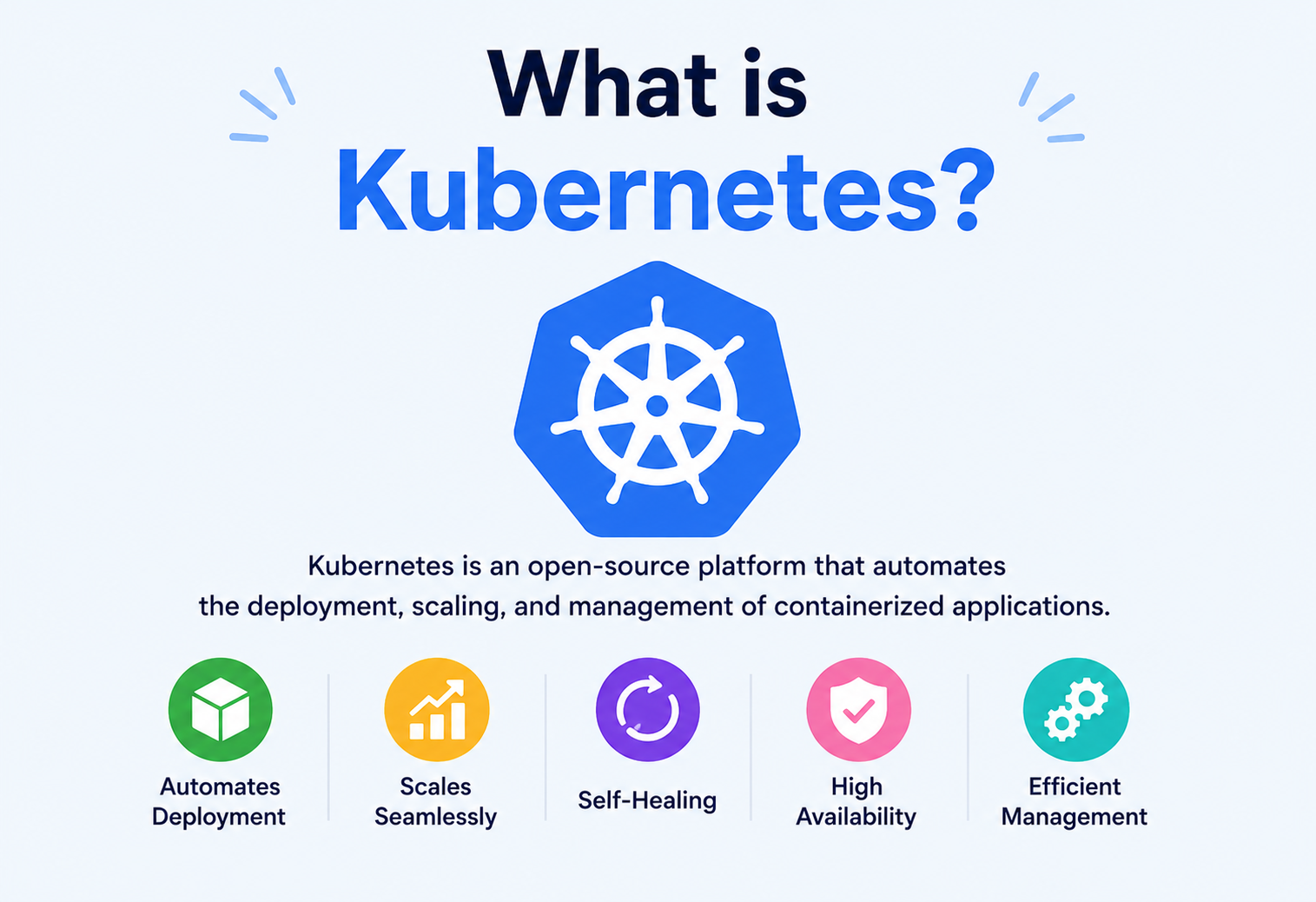
What Is Kubernetes?
Container orchestration explained from the ground up — what Kubernetes is, why it exists, how it actually works inside, and how companies like Netflix, Spotify, and Airbnb really use it — written in plain language with diagrams, analogies, and real, runnable Java examples.
Introduction & History
Kubernetes — often written as K8s — is the open‑source system that turned running large fleets of containerized applications from a manual, error‑prone chore into an automated, self‑healing service that quietly hums along in the background of the modern internet.
Picture yourself in charge of a fleet of a hundred delivery trucks. Every single day some trucks break down, some run out of fuel, some need a fresh driver, and some routes need extra trucks because demand suddenly spiked. If you tried to manage each truck by hand — personally checking each one, replacing broken ones, adding new ones when needed — you would need a whole army of people just to keep the fleet moving. What you really want is a smart control system that watches every truck, replaces broken ones automatically, and adds more trucks the moment demand rises, all without you lifting a finger.
Kubernetes is that smart control system, but for software instead of trucks. It watches over the small building blocks of your application (called containers), restarts them the instant they crash, brings more of them online whenever traffic climbs, and removes them again when they are no longer needed. It does all of this 24 hours a day, every day, without a human having to babysit it.
Put simply: Kubernetes is an open‑source system that automatically deploys, manages, scales, and heals applications running inside containers. The nickname “K8s” is just a shorthand — the digit 8 stands in for the eight letters between the “K” and the “s” in “Kubernetes.”
Think of Kubernetes as the conductor of an orchestra. Each musician (a container) knows how to play their own instrument, but the conductor (Kubernetes) makes sure everyone starts on time, plays at the right volume, and if a violinist suddenly leaves the stage, another one steps in immediately — all so the audience never notices anything went wrong.
A short history
To understand why Kubernetes was created, it helps to know where it came from.
- Early 2000s — Physical servers: Companies ran one application per physical machine. It was wasteful, because most servers spent their day using only a tiny fraction of their available power.
- Mid 2000s — Virtual Machines (VMs): Virtualization allowed one physical machine to be split into several virtual ones, each running its own operating system. Efficiency improved, but VMs were still heavy — each carried a full copy of an operating system, which made them slow to start and resource‑hungry.
- 2013 — Docker and containers: Docker popularized containers, a lightweight way to package an application together with everything it needs to run, without requiring a full separate operating system for each app. Containers start in seconds instead of minutes.
- 2014 — Kubernetes is born: Once companies started running hundreds or thousands of containers, they needed a system to manage them all at once — starting them, restarting them after crashes, spreading them across machines, and scaling them up or down. Google, which had been running containers internally for more than a decade using an internal system called Borg, open‑sourced a new project built on those hard‑won lessons. That project was Kubernetes, first released in 2014.
- 2015 onward — Industry standard: Kubernetes was donated to the Cloud Native Computing Foundation (CNCF) and, within just a few years, became the industry standard for running containerized applications at scale — used by companies of every size across every cloud provider.
Kubernetes comes from the Greek word for “helmsman” or “pilot” — the person who steers a ship. That is exactly why the Kubernetes logo is a ship’s steering wheel: Kubernetes “steers” your containers across a sea of servers.
The Problem & Motivation
To really understand why Kubernetes matters, you first need to feel the problem it solves. Let’s build that problem up, step by step, the way a real engineering team actually runs into it.
Step 1: Running one application manually
Suppose you build a small website and run it on one server. It works fine — until that server crashes, and your entire website goes down. There is no backup and no automatic recovery.
Step 2: Running many copies for safety
So you run three copies of your application on three different servers, with a load balancer directing traffic to whichever copy is healthy. Better — but now you must manually watch all three servers. If one crashes at 3 AM, who wakes up and restarts it?
Step 3: Scaling with traffic
Now imagine your website suddenly becomes popular. During a big sale you might need fifty copies of the application running at once; at night, you might only need five. Manually adding and removing servers every few hours is simply not realistic for any human team.
Step 4: Many different services
Modern applications are rarely a single program. A typical e‑commerce site might have separate services for search, checkout, payments, recommendations, and notifications — each one needing its own copies, its own scaling rules, and its own health checks. Multiply the earlier problem by dozens of services, and manual management becomes flat‑out impossible.
As soon as an application grows beyond “a handful of servers,” a human being can no longer reliably track what is running where, what has crashed, what needs more capacity, and what needs to be restarted. This is called the orchestration problem, and it is exactly what Kubernetes was designed to solve.
What Kubernetes solves
| Manual problem | Kubernetes solution |
|---|---|
| A container crashes in the middle of the night | Kubernetes detects it and restarts it automatically (self‑healing) |
| Traffic spikes suddenly | Kubernetes adds more copies automatically (autoscaling) |
| A server dies completely | Kubernetes reschedules all of its containers onto healthy servers |
| Rolling out a new version | Kubernetes gradually replaces old copies with new ones, with zero downtime |
| Different apps need different resources | Kubernetes packs containers efficiently across available machines (bin packing) |
Kubernetes is like an airport control tower. It doesn’t fly the planes (containers) itself — the pilots and planes do that — but it decides which runway each plane uses, keeps them from colliding, and reroutes them the moment something goes wrong.
A student hosting a simple blog with 2 copies for safety, letting Kubernetes restart the blog automatically if it ever crashes — instead of manually checking on it every day.
Spotify runs thousands of backend services on Kubernetes so a single music‑playback outage in one service doesn’t take down the whole app, and popular songs can automatically get more processing capacity during peak listening hours.
Core Concepts
Before we look at Kubernetes architecture, you need to know its vocabulary. These are the building blocks everything else is made from — slow down here, because a shaky vocabulary is what usually derails otherwise strong interview answers and design conversations.
What it is A lightweight, standalone package that bundles an application’s code together with everything it needs to run — libraries, settings, and dependencies.
Why it exists Before containers, an app might run perfectly on a developer’s laptop but fail on the production server because of a different operating system version or a missing library. Containers solve the classic “it works on my machine” problem by packaging the entire environment together.
Analogy A container is like a lunchbox that already contains everything needed for a meal — food, cutlery, and napkin — so it tastes the same whether you eat it at home, at school, or in a park.
What it is The smallest deployable unit in Kubernetes. It usually wraps one container (sometimes a few tightly related containers) and gives it an IP address, storage, and configuration inside the cluster.
Why it exists Kubernetes never manages a raw container directly — it always manages a Pod, because a Pod adds the networking and lifecycle information Kubernetes needs to schedule and monitor that container properly.
Analogy If a container is a single musician, a Pod is that musician standing on a marked spot on stage with their own microphone — Kubernetes tracks the spot, not just the musician.
What it is A single machine (physical or virtual) that runs Pods. A Kubernetes cluster is made up of many Nodes.
Analogy If Pods are workers, Nodes are the factory floors those workers stand on. A large factory (cluster) might have many floors (Nodes), each holding several workers (Pods).
What it is The full set of Nodes working together, managed by Kubernetes as a single system. It’s the “whole factory” made of every floor combined.
What it is An instruction you give Kubernetes describing how many copies of a Pod you want running, and how updates to it should be rolled out.
Analogy A Deployment is like telling a restaurant manager, “Always keep exactly five chefs cooking pizza. If one goes home sick, hire a replacement immediately.” You describe the desired outcome; Kubernetes keeps making it true.
What it is A stable network address for a group of Pods, even though individual Pods come and go and their IP addresses constantly change.
Why it exists Pods are temporary — Kubernetes may kill and recreate them at any time, changing their IP address. A Service acts as a permanent “front door” so other parts of the system don’t need to track which exact Pods are alive.
Analogy A Service is like a company’s main reception phone number. Employees (Pods) come and go, and their personal extensions change, but the main number always connects you to whoever is currently available.
What it is A way to divide a single cluster into multiple virtual clusters — useful for separating environments like development, staging, and production, or for separating teams.
What they are A ConfigMap stores non‑sensitive configuration data (like a feature flag or a URL) separately from application code. A Secret stores sensitive data (like passwords or API keys) in a similarly separated but more protected way.
Why they exist Hardcoding configuration or passwords directly into application code is risky and inflexible. Separating them means you can change a setting without rebuilding your entire application.
What it is A reliable, distributed key‑value store that Kubernetes uses as its single source of truth — it records the desired state of everything in the cluster.
Analogy etcd is like the master ledger in a bank vault. Every decision Kubernetes makes is based on what’s written in this ledger, and every important change gets recorded back into it.
You never tell Kubernetes exactly how to do something step by step. Instead, you declare the desired state (“I want 5 copies of this app running”) and Kubernetes continuously works to make the actual state match it. This is called the reconciliation loop, and it is the single most important idea behind Kubernetes.
Where each concept is actually used
These terms aren’t just theory — here is where a working engineer runs into each one on a normal day.
| Concept | Where it’s used in real work | Practical example |
|---|---|---|
| Container | Packaging every microservice before it ever reaches Kubernetes | A Java Spring Boot app is packaged with docker build into an image before deployment. |
| Pod | The unit every deployment YAML file ultimately creates | A payment‑service Pod holding one container that processes transactions. |
| Node | Capacity planning — deciding how many and how large your machines should be | A cluster with 10 Nodes, each with 16 CPU cores, hosting hundreds of Pods. |
| Deployment | Every application release and rollout | Updating a shopping‑cart service from version 2.3 to 2.4 with zero downtime. |
| Service | Internal service‑to‑service communication | The checkout‑service always calling http://inventory‑service no matter which Pods are currently alive. |
| Namespace | Multi‑team or multi‑environment clusters | A shared cluster with dev, qa, and prod namespaces. |
| ConfigMap / Secret | Environment‑specific settings and credentials | Storing a database URL in a ConfigMap and its password in a Secret. |
| etcd | Cluster backup and disaster recovery planning | Taking scheduled etcd snapshots so the whole cluster state can be restored after a disaster. |
A minimal Deployment, explained line by line
Kubernetes objects are usually written in a format called YAML. Here is the smallest realistic Deployment you would actually use in production, with every line explained.
apiVersion: apps/v1        # which version of the Kubernetes API to use
kind: Deployment            # the type of object being created
metadata:
  name: order-service       # the name of this Deployment
spec:
  replicas: 3                # always keep 3 copies running
  selector:
    matchLabels:
      app: order-service     # which Pods this Deployment manages
  template:                  # the blueprint for each Pod
    metadata:
      labels:
        app: order-service
    spec:
      containers:
        - name: order-service
          image: gauravsinghtech/order-service:1.4.0   # exact, pinned image version
          ports:
            - containerPort: 8080
          resources:
            requests:
              cpu: "250m"       # guaranteed minimum: quarter of one CPU core
              memory: "256Mi"
            limits:
              cpu: "500m"       # hard ceiling: half of one CPU core
              memory: "512Mi"
          readinessProbe:
            httpGet:
              path: /health
              port: 8080
            initialDelaySeconds: 5
Notice that nowhere in this file do you tell Kubernetes how to start three containers, pick machines for them, or check their health step by step — you only describe the outcome you want. The Controller Manager and Scheduler figure out the “how” on their own, continuously, forever.
Architecture & Components
A Kubernetes cluster has two main parts: the Control Plane (the brain, which makes decisions) and the Worker Nodes (the muscles, which actually run your applications).
Control Plane components
1. API Server (kube‑apiserver)
What it is: The API Server is the front door to the entire cluster. Every command — whether from a human using the kubectl command‑line tool, or from an internal Kubernetes component — passes through the API Server.
Analogy: It’s the reception desk of a large office building. Nobody wanders the halls directly; every visitor and every internal request checks in at reception first.
2. etcd
As introduced earlier, etcd stores the entire state of the cluster — what Pods should exist, what Nodes are available, what Services are configured. If etcd is lost without a backup, the cluster effectively loses its memory.
3. Scheduler (kube‑scheduler)
What it is: The Scheduler decides which Node a newly created Pod should run on, based on available resources (CPU, memory), constraints, and policies.
Analogy: A scheduler is like a seating host at a restaurant, deciding which empty table (Node) best fits a new group of guests (Pod), based on group size and table space.
4. Controller Manager (kube‑controller‑manager)
What it is: This runs many small background loops called controllers, each responsible for one type of resource. For example, the Node Controller notices when a Node goes offline; the ReplicaSet Controller makes sure the correct number of Pod copies always exist.
5. Cloud Controller Manager
This component connects Kubernetes to a specific cloud provider (AWS, Azure, Google Cloud), handling cloud‑specific tasks like provisioning load balancers or storage volumes.
Worker Node components
1. kubelet
What it is: An agent that runs on every Node. It receives instructions from the API Server about which Pods should run on its Node, and it makes sure those Pods are actually running and healthy.
Analogy: The kubelet is like a floor supervisor on a factory floor, making sure the workers assigned to that floor are actually present and working.
2. kube‑proxy
What it is: kube‑proxy manages network rules on each Node so that traffic sent to a Service correctly reaches one of the healthy Pods behind it.
3. Container Runtime
What it is: The software that actually runs containers — pulling container images and starting and stopping them. Modern Kubernetes commonly uses containerd or CRI‑O as the runtime, communicating through a standard interface called the Container Runtime Interface (CRI).
Kubernetes used to support Docker directly as a runtime through a special shim, but as of Kubernetes 1.24 (released in 2022), direct Docker support (dockershim) was removed. Docker‑built images still work perfectly fine — Kubernetes just runs them through containerd instead of Docker Engine directly.
Internal Working
Now that you know the components, let’s see how they work together when something actually happens — for example, when you ask Kubernetes to run a new application.
The reconciliation loop (control loop)
Every controller in Kubernetes runs the same basic pattern, over and over, forever:
- Observe: Check the current actual state of the cluster.
- Compare: Compare it against the desired state stored in etcd.
- Act: If they don’t match, take action to fix the difference.
This loop never really stops. It’s not a one‑time script; it’s a continuous background process, which is exactly why Kubernetes can automatically recover from failures without a human intervening.
Think of a thermostat. You set the desired temperature (desired state). The thermostat constantly measures the room’s actual temperature and turns the heater on or off to match. It never stops checking — it just keeps looping.
How scheduling actually works
When a new Pod needs a Node, the Scheduler goes through two phases:
- Filtering: Remove any Node that cannot possibly run this Pod — for example, a Node without enough free memory, or one that doesn’t match a required label.
- Scoring: Rank the remaining eligible Nodes using criteria like how evenly resources would be spread, and pick the best‑scoring Node.
Watch and event‑driven design
Kubernetes components don’t constantly ask the API Server “did anything change yet?” in a wasteful loop. Instead, they use a watch mechanism — they subscribe to changes and get notified the instant something updates, similar to how a phone app gets a push notification instead of you refreshing it every second.
The cluster networking model
Kubernetes networking follows a few simple rules that make the whole system predictable:
- Every Pod gets its own unique IP address inside the cluster.
- Every Pod can talk to every other Pod directly, on any Node, without manual address translation (NAT).
- Nodes can talk to all Pods, and Pods can talk to all Nodes.
This “flat network” model is implemented by a pluggable component called a Container Network Interface (CNI) plugin — popular choices include Calico, Cilium, and Flannel. Kubernetes itself doesn’t implement networking directly; it defines the rules, and the CNI plugin does the actual work, similar to how the Container Runtime Interface separates Kubernetes from the specific container engine.
Think of a large apartment complex where every single room, in every building, has its own unique street address, and any resident can walk directly to any other room without needing a front‑desk operator to redirect them each time. That’s the flat network model Kubernetes Pods enjoy.
Cluster DNS
Kubernetes runs an internal DNS service (commonly CoreDNS) so that Services can be reached by a friendly name instead of an IP address. For example, a Service named inventory-service in the shop namespace is automatically reachable at inventory-service.shop.svc.cluster.local from anywhere in the cluster — the same way you use a website name instead of memorizing its numeric IP address.
Algorithms and data structures under the hood
Several classic computer‑science ideas quietly power Kubernetes internals:
- Hashing and consistent hashing: kube‑proxy and many load‑balancing implementations use hashing to consistently map a client’s traffic to the same backend Pod, reducing unnecessary connection churn when Pods change.
- Priority queues: The Scheduler uses queue‑like structures to process pending Pods, giving higher‑priority workloads a chance to be scheduled before lower‑priority ones when resources are tight.
- Graphs: Dependencies between Kubernetes objects (a Deployment owns a ReplicaSet, which owns Pods) form an ownership graph, used for cleanup — deleting a Deployment cascades down and removes everything it created.
- Bin packing: Deciding which Pods fit on which Nodes is a version of the classic bin‑packing problem — fitting items (Pods) of different sizes into containers (Nodes) as efficiently as possible.
Consensus, replication & partitioning
etcd, the cluster’s source of truth, must stay correct and available even if some machines crash. It solves this using the Raft consensus algorithm:
- One etcd instance is elected as the leader; the others become followers.
- Every write goes to the leader first, which then replicates it to the followers.
- A write is only confirmed as successful once a majority (quorum) of instances have stored it — for example, 2 out of 3, or 3 out of 5.
- If the leader crashes, the remaining followers hold a new election and pick a new leader within seconds, without losing any confirmed data.
This is exactly why production etcd clusters are typically deployed with an odd number of instances (3 or 5) — it guarantees a clear majority can always be reached even if some instances fail, and it avoids ties.
For very large clusters, Kubernetes itself doesn’t “partition” your application data (that’s your application’s job, e.g. sharding a database), but it does help you run partitioned or sharded workloads reliably — for example, using a StatefulSet where each replica owns a different shard of data, identified by its stable, predictable Pod name.
Failure recovery
Kubernetes assumes failure will happen — machines crash, networks partition, processes hang — and it is designed around recovering from those failures automatically:
| Failure | How Kubernetes recovers |
|---|---|
| A container crashes | kubelet restarts it locally, following a backoff delay to avoid crash‑looping too aggressively |
| A Node stops responding | After a timeout, the Node Controller marks it unhealthy and reschedules its Pods onto healthy Nodes |
| The leader etcd instance dies | Raft consensus elects a new leader from the remaining followers within seconds |
| A whole Availability Zone goes down | Pods spread across zones (via topology‑spread constraints) mean the remaining zones keep serving traffic |
Self‑healing protects against individual failures, but it is not a backup strategy. Teams still take regular etcd snapshots and store them outside the cluster, so the entire cluster’s configuration can be restored even after a catastrophic, total failure.
Data Flow & Lifecycle
Let’s trace exactly what happens, step by step, when you deploy an application to Kubernetes using a command like kubectl apply -f deployment.yaml.
kubectl apply command to a running container reporting back its healthy statusPod lifecycle phases
| Phase | Meaning |
|---|---|
| Pending | The Pod has been accepted but is not yet scheduled or its containers are not yet running (e.g. still pulling the image). |
| Running | The Pod has been assigned to a Node and at least one container is running. |
| Succeeded | All containers finished successfully and won’t restart (common for batch jobs). |
| Failed | All containers terminated, and at least one ended in failure. |
| Unknown | The state couldn’t be determined, usually due to a communication error with the Node. |
Rolling updates
When you update your application to a new version, Kubernetes does not shut down all old Pods and start all new ones at once — that would cause an outage. Instead, a Deployment performs a rolling update: it starts a few new Pods, waits until they are healthy, then removes an equal number of old Pods, repeating until all Pods are on the new version.
Imagine repainting a five‑lane highway one lane at a time while keeping traffic flowing on the other four lanes — instead of closing the entire highway all at once.
Advantages, Disadvantages & Trade‑offs
Kubernetes buys you self‑healing, elastic scaling, and portability — but it charges for those benefits in real complexity and operational skill. Knowing when to spend that price, and when not to, is the mark of a mature engineer.
Advantages
- Self‑healing — automatically restarts crashed containers and reschedules Pods from failed Nodes.
- Automatic scaling — adds or removes Pod copies based on real‑time load.
- Portability — the same Kubernetes configuration can run on AWS, Azure, Google Cloud, or on your own hardware, avoiding vendor lock‑in.
- Efficient resource use — packs many containers tightly onto fewer machines, reducing wasted server capacity.
- Declarative configuration — infrastructure is described as code (YAML files), making it version‑controlled, reviewable, and repeatable.
- Huge ecosystem — a massive community of tools (Helm, Istio, Prometheus, ArgoCD) built around it.
Disadvantages
- Steep learning curve — Kubernetes introduces dozens of new concepts, and mastering it takes real time and hands‑on practice.
- Operational complexity — running your own cluster requires expertise in networking, storage, and security; mistakes can be costly.
- Overkill for small applications — a single small app with predictable, low traffic often does not need the power (or complexity) of Kubernetes.
- Cost — running a highly available cluster (multiple control‑plane nodes, monitoring stacks, extra capacity for scaling) has real infrastructure costs.
- Debugging difficulty — failures can happen across many layers (network, scheduling, container runtime), making root‑cause analysis harder than with a single traditional server.
Kubernetes trades simplicity for control and resilience. If you’re building a small side project with a handful of users, a simpler platform (like a basic cloud PaaS) is usually the better choice. Kubernetes earns its complexity once you have many services, unpredictable traffic, or strict uptime requirements.
A simple decision framework
When deciding whether Kubernetes is the right choice, it helps to ask a few honest questions first:
- How many independent services do you run? One or two simple services rarely need Kubernetes; a dozen or more usually benefit from it.
- How unpredictable is your traffic? Steady, low traffic doesn’t need autoscaling. Spiky, hard‑to‑predict traffic benefits greatly.
- What are your uptime requirements? A hobby project can tolerate downtime; a payments system usually cannot.
- Do you have (or can you build) the operational expertise? Kubernetes without a team that understands it can create more outages than it prevents.
If most answers point toward “many services, unpredictable load, high uptime needs, and available expertise,” Kubernetes is very likely worth the investment. If not, it’s worth starting simpler and migrating later — Kubernetes will still be there once the complexity is actually justified.
Performance & Scalability
Kubernetes offers three main ways to scale an application, and understanding the difference between them is a common interview topic and a genuinely useful mental model in production.
Horizontal Pod Autoscaler (HPA)
What it is: HPA automatically increases or decreases the number of Pod copies based on observed metrics like CPU usage, memory usage, or custom application metrics (like queue length).
Analogy: If a restaurant gets busier, HPA is like calling in more waiters (more copies), rather than asking the existing waiters to work faster.
Vertical Pod Autoscaler (VPA)
What it is: VPA adjusts the CPU and memory resources allocated to each Pod, rather than the number of Pods.
Analogy: Instead of hiring more waiters, VPA is like giving each existing waiter a faster cart so they can carry more food per trip.

Cluster Autoscaler
What it is: If there aren’t enough Nodes to fit all the Pods that need to run, the Cluster Autoscaler automatically adds new Nodes to the cluster (and removes them when they’re no longer needed).
A simple Java example that Kubernetes can scale
public class OrderService {
    public static void main(String[] args) throws Exception {
        com.sun.net.httpserver.HttpServer server =
            com.sun.net.httpserver.HttpServer.create(new java.net.InetSocketAddress(8080), 0);
        server.createContext("/health", exchange -> {
            byte[] response = "OK".getBytes();
            exchange.sendResponseHeaders(200, response.length);
            exchange.getResponseBody().write(response);
            exchange.close();
        });
        server.start();
        System.out.println("OrderService listening on port 8080");
    }
}
Once this program is packaged as a container image and deployed with a Deployment of, say, 3 replicas, Kubernetes can use the /health endpoint above to check that each Pod is alive, and HPA can watch its CPU usage to decide when to add more replicas automatically during a traffic spike.
During major live events, streaming platforms like Netflix and Hotstar‑style services rely on autoscaling so that the sudden surge of viewers at the start of a show doesn’t overwhelm their backend — extra Pods spin up automatically within seconds to minutes, and scale back down once the spike passes.
High Availability & Reliability
High availability means the system keeps working even when parts of it fail. Kubernetes builds this into the platform at multiple levels — the Pod level, the Node level, and the Control Plane itself.
ReplicaSets
A ReplicaSet is the component (usually managed automatically by a Deployment) that continuously ensures a specified number of identical Pods are running. If one Pod dies, the ReplicaSet immediately creates a replacement.
Multi‑Node and multi‑zone spread
Kubernetes can be configured to spread Pod replicas across different Nodes, and even across different physical data‑center zones, so that a single machine failure — or even a single data‑center failure — doesn’t take the whole application down.
Multi‑master (highly available) Control Plane
In production, the Control Plane itself is usually not a single machine — it’s run as 3 or 5 API Server and etcd instances, so that the “brain” of the cluster survives even if one control‑plane machine fails. etcd uses a consensus algorithm called Raft to keep these copies agreeing on the same data.
etcd is designed to prioritize Consistency and Partition tolerance over strict Availability during a network split — meaning it would rather refuse a write than risk two control‑plane nodes disagreeing about the cluster’s true state. This is a classic real‑world CAP theorem trade‑off (Consistency, Availability, Partition tolerance — you can only fully guarantee two of the three during a network partition).
Liveness, Readiness, and Startup probes
| Probe | Question it answers | Action if it fails |
|---|---|---|
| Liveness | Is this container still alive and working? | Kubernetes restarts the container |
| Readiness | Is this container ready to accept traffic right now? | Kubernetes stops sending it traffic, but doesn’t restart it |
| Startup | Has this slow‑starting container finished starting up? | Kubernetes waits before running the other probes |
Security
Because Kubernetes runs an organization’s most critical applications, securing it properly is essential — not optional. Here are the core pillars every production cluster should stand on.
Role‑Based Access Control (RBAC)
What it is: RBAC controls who (which user, team, or automated system) is allowed to perform which actions (view, create, delete) on which resources within the cluster.
Analogy: Like a hotel key‑card system — a housekeeping card only opens guest rooms on its assigned floor, while a manager’s card opens every door in the building.
Network Policies
What it is: By default, every Pod in a cluster can talk to every other Pod. A Network Policy restricts this, allowing you to say, for example, “only the checkout service is allowed to talk to the payments service.”
Secrets management
Sensitive values like database passwords and API keys are stored as Kubernetes Secrets rather than hardcoded in application code or container images. In production, teams commonly go further and integrate with an external secrets manager (like HashiCorp Vault or a cloud provider’s secret store) for stronger encryption and auditing.
Pod Security Standards
Modern Kubernetes enforces Pod Security Standards (which replaced the older, now‑removed PodSecurityPolicy) to restrict risky behaviour — such as preventing containers from running as the root user or from mounting sensitive parts of the host machine’s filesystem.
Image security
- Only use container images from trusted, verified sources.
- Scan images for known vulnerabilities before deploying them.
- Avoid using the generic
latesttag in production — pin to a specific, immutable version so you always know exactly what’s running.
Giving every team’s service account full cluster-admin permissions “to save time” is one of the most common and most dangerous Kubernetes security mistakes. A single compromised container with cluster‑admin access can potentially take down or steal data from the entire cluster.
A practical RBAC example
Here is what a least‑privilege Role actually looks like — it grants read‑only access to Pods in one namespace, nothing more.
apiVersion: rbac.authorization.k8s.io/v1
kind: Role
metadata:
  namespace: shop
  name: pod-reader
rules:
  - apiGroups: [""]
    resources: ["pods"]
    verbs: ["get", "list", "watch"]   # no create, update, or delete
A monitoring dashboard’s service account might be bound to a Role like this one — able to observe Pods, but structurally unable to delete or modify anything, even if it were compromised.
Encryption
Production clusters should encrypt data in transit (using TLS between components, and often between services via a service mesh) and at rest (encrypting Secrets stored inside etcd itself), so that even someone with direct disk access to an etcd machine can’t read sensitive values in plain text.
Admission control
What it is: Before an object is finally saved to etcd, it passes through admission controllers — checkpoints that can validate or even modify a request. For example, an admission controller can automatically reject any Deployment that doesn’t declare resource limits, enforcing good practice at the cluster level rather than relying on every developer remembering to do it.
Monitoring, Logging & Metrics
Because a cluster might run thousands of constantly‑changing Pods, you cannot monitor Kubernetes by manually checking servers — you need automated observability tools working continuously in the background.
Metrics
Prometheus is the most widely used metrics tool in the Kubernetes ecosystem. It continuously collects numeric data (CPU usage, memory usage, request counts, error rates) from every Pod and Node, storing it as a time series that can be queried and alerted on.
Visualization
Grafana is commonly paired with Prometheus to turn that raw metrics data into readable dashboards — graphs showing traffic, error rates, and resource usage over time.
Logging
Since Pods are temporary and can disappear at any moment, their logs must be collected and stored somewhere permanent. A common pattern is the EFK stack (Elasticsearch, Fluentd/Fluent Bit, Kibana), where Fluentd/Fluent Bit collects logs from every container, Elasticsearch stores and indexes them, and Kibana provides a search interface.
Distributed tracing
When a single user request passes through many microservices (say, checkout → payment → inventory → notification), a trace tracks that one request’s full journey across every service, showing exactly where time was spent or where an error occurred. Tools like Jaeger and OpenTelemetry are standard for this in Kubernetes environments.
Alerting
Dashboards are only useful if a human looks at them at the right time. Alertmanager (paired with Prometheus) watches metrics continuously and automatically notifies a team — through Slack, email, or a paging tool like PagerDuty — the moment something crosses a dangerous threshold, such as error rates rising above 5% or memory usage staying near its limit for several minutes.
Debugging a failing Pod
A typical debugging workflow when a Pod misbehaves looks like this:
- Check the Pod’s status and recent events to see if it’s stuck, crashing, or unscheduled.
- Read the container’s logs to look for application‑level errors.
- Check resource usage against its configured limits — many mysterious restarts are actually the container being terminated for using too much memory.
- If needed, open an interactive shell inside the running container to inspect it directly.
Cost optimization
Because Kubernetes makes it easy to spin up capacity, it can also make it easy to over‑spin up capacity. Common cost‑control techniques include right‑sizing resource requests based on actual observed usage (rather than guesswork), using the Cluster Autoscaler to shut down idle Nodes, and using cheaper, interruption‑tolerant compute (like spot or preemptible instances) for workloads that can handle being restarted.
Deployment & Cloud
Kubernetes runs equally well on public clouds, on‑premises, or on your laptop — but most production teams sensibly let a cloud provider run the Control Plane for them, and layer CI/CD or GitOps on top.
Managed Kubernetes services
Running your own Control Plane is operationally heavy, so most companies use a managed Kubernetes service where the cloud provider runs and maintains the Control Plane for you.
| Cloud Provider | Managed Kubernetes Service |
|---|---|
| Amazon Web Services | Elastic Kubernetes Service (EKS) |
| Google Cloud | Google Kubernetes Engine (GKE) |
| Microsoft Azure | Azure Kubernetes Service (AKS) |
CI/CD with Kubernetes
Teams typically automate deployment using a pipeline: code is pushed to a repository, a build system packages it into a container image, the image is pushed to a registry, and then a deployment tool applies the updated configuration to the cluster. A modern approach called GitOps (using tools like ArgoCD or Flux) takes this further — the desired cluster state lives entirely in a Git repository, and a controller inside the cluster continuously pulls and applies any changes automatically, giving you a full audit trail of every change.
Helm — the Kubernetes package manager
Helm lets teams package a complex application (with many YAML files) into a reusable, configurable bundle called a chart, similar to how you might install a ready‑made package instead of writing every configuration file by hand.
Databases, Caching & Load Balancing
Not every workload is stateless. Kubernetes has grown a careful set of primitives — StatefulSets, PersistentVolumes, Services, and Ingress — for the parts of a system that need to remember, store, or route data.
Running stateful applications
Pods are designed to be temporary and replaceable, which works great for stateless applications (like a web server) but is tricky for databases, which need stable identity and storage. Kubernetes solves this with a StatefulSet, which gives each Pod a stable, predictable name and its own persistent storage that survives even if the Pod is restarted.
Persistent Volumes
A PersistentVolume (PV) represents actual storage in the cluster (like a cloud disk), while a PersistentVolumeClaim (PVC) is how a Pod requests a piece of that storage — similar to how you’d reserve a specific storage locker rather than just grabbing whatever is nearby.
Many teams still choose to run their primary production database outside Kubernetes (using a managed database service), because databases have very strict requirements around storage performance and data safety. Running lighter, easily‑replaceable data stores like caches inside Kubernetes is much more common.
Caching
A cache (commonly Redis or Memcached) stores frequently accessed data in fast memory, so repeated requests don’t need to hit a slower database every time. In Kubernetes, a cache is often deployed as its own Deployment or StatefulSet with a Service in front of it, so any application Pod can reach it through a stable address.
Load balancing
Kubernetes Services provide basic load balancing automatically, spreading incoming traffic evenly across all healthy Pods behind them. For traffic entering the cluster from the internet, an Ingress resource defines routing rules (like sending /api traffic to one service and /images to another), and an Ingress Controller (like NGINX Ingress) implements those rules.
APIs & Microservices
Kubernetes is not a microservices tool — it just happens to be the most natural home microservices have ever had, because its whole model is built around large numbers of small, independent, frequently‑changing units.
The Kubernetes API
Everything in Kubernetes — Pods, Deployments, Services, ConfigMaps — is represented as a resource object accessible through a RESTful API. The command‑line tool kubectl is really just a client that sends requests to this API, and you could build your own custom tools against the exact same API.
Why Kubernetes and microservices grew up together
A microservices architecture splits one large application into many small, independently deployable services. This architecture creates exactly the orchestration problem described in section 2 — many independent pieces that each need their own scaling, health checks, and networking. Kubernetes became the natural home for microservices because it was purpose‑built to manage large numbers of small, independent, frequently‑changing units.
Service mesh
What it is: As the number of microservices grows, managing service‑to‑service communication (retries, encryption, traffic splitting, observability) becomes its own challenge. A service mesh (like Istio or Linkerd) adds a lightweight network proxy alongside every Pod to handle this communication layer consistently, without changing application code.
Analogy: If microservices are like employees across many departments, a service mesh is like giving every employee an identical, reliable company phone system so all internal calls are secure and trackable, no matter which two departments are talking.
Design Patterns & Anti‑patterns
A tour of the patterns that keep showing up in mature Kubernetes systems — sidecar, ambassador, adapter, init containers, and jobs — plus the four anti‑patterns you should recognize and refuse from day one.
Sidecar pattern
What it is: Running a second, helper container inside the same Pod as your main application container, to handle a supporting task like logging, proxying, or security, without modifying the main application.
Analogy: A sidecar on a motorcycle carries a passenger who helps with navigation, without the driver needing to learn navigation themselves.

Ambassador pattern
A specialized sidecar that acts as an outbound proxy, simplifying how the main container talks to external services (for example, handling retries or connection pooling on its behalf).
Adapter pattern
A sidecar that transforms the main container’s output into a standard format expected by external systems — useful when integrating an older application with modern monitoring tools it wasn’t originally built for.
Init containers
Special containers that run and complete before the main application container starts, often used to perform setup tasks like waiting for a dependency to become available or downloading configuration.
Jobs and CronJobs
What they are: Not every workload should run forever. A Job runs a task to completion and then stops — useful for a one‑time data migration. A CronJob runs a Job on a repeating schedule, similar to a traditional cron scheduler, but with Kubernetes handling retries and tracking automatically.
Beginner example: A nightly CronJob that compresses and archives the previous day’s log files at 2 AM, every single day, without anyone needing to trigger it manually.
Production example: An e‑commerce platform running a scheduled CronJob every hour to recalculate product recommendation scores based on the latest browsing data.
Common anti‑patterns
Using Kubernetes as a simple VM replacement: Running a single giant, monolithic container per Pod without health checks or resource limits ignores almost every benefit Kubernetes offers.
No resource requests / limits: Leaving CPU and memory requests unset lets one misbehaving Pod starve every other Pod on the same Node of resources.
Storing state in a stateless Pod: Writing important data to a regular Pod’s local disk, which is lost forever the moment that Pod is rescheduled.
Treating Namespaces as a security boundary alone: Namespaces organize resources, but without RBAC and Network Policies, they don’t actually isolate or secure anything by themselves.
Best Practices & Common Mistakes
The habits mature Kubernetes teams share — and the mistakes that keep resurfacing in post‑mortem after post‑mortem across companies of every size.
Best Practices
- Always set resource requests and limits for every container, so the Scheduler can make good decisions and no single Pod can hog a whole Node.
- Define liveness and readiness probes for every application, so Kubernetes can accurately detect and react to real health problems.
- Use immutable, versioned image tags instead of
latest, so every deployment is predictable and reproducible. - Externalize configuration using ConfigMaps and Secrets rather than hardcoding values into application images.
- Apply the principle of least privilege for RBAC roles and service accounts — grant only the permissions actually needed.
- Use namespaces to separate environments (dev, staging, production) and apply resource quotas to each.
- Automate deployments through CI/CD or GitOps rather than manually running
kubectl applyfrom a laptop.
Common Mistakes
- Deploying without a rollback plan, making a bad release harder to reverse quickly.
- Ignoring Pod Disruption Budgets, which can lead to Kubernetes accidentally taking down too many replicas at once during routine maintenance.
- Not setting up centralized logging early, making it painful to debug an issue after the responsible Pod has already been deleted.
- Overprovisioning “just in case,” leading to unnecessarily high cloud costs instead of relying on autoscaling.
Real‑World & Industry Examples
The patterns in this tutorial aren’t academic. Every major technology company runs a variation of them at massive scale — and their public engineering blogs and open‑source tools tell most of the story if you know where to look.
Netflix uses container orchestration to run thousands of backend microservices that power recommendations, streaming, and billing, allowing different services to scale independently based on regional demand.
Spotify migrated much of its backend infrastructure to Kubernetes to standardize how thousands of internal services are deployed, monitored, and scaled across its engineering teams.
Airbnb adopted Kubernetes to consolidate hundreds of services onto shared infrastructure, improving resource efficiency and simplifying how engineers deploy new features.
Niantic used Google Kubernetes Engine to handle the massive, unpredictable surge of global traffic when Pokémon GO launched, scaling backend capacity far beyond original estimates.
Across industries — banking, e‑commerce, gaming, and healthcare — Kubernetes has become the common language for running applications reliably at scale, largely because it works consistently whether the underlying infrastructure is a public cloud, a private data center, or a mix of both.
FAQ, Summary & Key Takeaways
The questions engineers and interview candidates ask most often about Kubernetes, followed by a compact summary and the takeaways worth remembering long after you close this page.
Frequently Asked Questions
Is Kubernetes the same as Docker?
No. Docker is primarily a tool for building and running individual containers. Kubernetes is an orchestration system that manages many containers across many machines — starting them, healing them, scaling them, and networking them together. They solve different problems and are commonly used together.
Do small projects need Kubernetes?
Usually not. For a small application with light, predictable traffic, simpler platforms are often a better fit. Kubernetes shows its value once you have multiple services, unpredictable scaling needs, or strict reliability requirements.
What is the difference between a Deployment and a Pod?
A Pod is a single running instance of your application. A Deployment is a higher‑level description that tells Kubernetes how many Pod copies to maintain and how to roll out updates to them — you rarely create Pods directly in production.
Can Kubernetes run on a single laptop?
Yes. Lightweight local tools like Minikube, kind, or K3s let developers run a small single‑node or few‑node Kubernetes cluster on their own machine for learning and development.
Is Kubernetes only for cloud environments?
No. Kubernetes runs equally well on‑premises, on bare metal, on private data centers, or across a hybrid mix of cloud and on‑premises infrastructure, which is one of its biggest advantages.
What happens if I delete a Pod directly?
If that Pod is managed by a Deployment or ReplicaSet, Kubernetes immediately notices the mismatch between desired and actual state and creates a replacement Pod — this is the reconciliation loop in action. Deleting an unmanaged, standalone Pod simply removes it for good.
How is Kubernetes different from a traditional load balancer setup?
A traditional load balancer setup usually assumes a fixed, manually maintained list of backend servers. Kubernetes Services and Ingress automatically update themselves as Pods are created, moved, or destroyed, without anyone manually editing a server list.
What is the difference between a StatefulSet and a Deployment?
A Deployment treats every Pod copy as identical and interchangeable, ideal for stateless applications. A StatefulSet gives each Pod a stable, unique identity and its own persistent storage, ideal for databases and other applications that need to remember “who they are” across restarts.
Summary
Kubernetes is a system that automatically deploys, heals, scales, and manages containerized applications across a cluster of machines. It was born from Google’s internal experience running containers at massive scale, and it works using a declarative model: you describe the state you want, and a set of continuously running controllers work to keep reality matching that description. Its architecture splits cleanly into a decision‑making Control Plane and application‑running Worker Nodes, all communicating through a central API Server and a reliable data store called etcd.
Key Takeaways
- Core truthKubernetes solves the problem of manually managing many containers across many machines at scale.
- VocabularyIts core building blocks are Pods, Nodes, Deployments, Services, and Namespaces.
- ArchitectureThe Control Plane (API Server, etcd, Scheduler, Controller Manager) makes decisions; Worker Nodes (kubelet, kube‑proxy, container runtime) execute them.
- Core loopEverything runs on a continuous reconciliation loop that compares desired state to actual state.
- ScalingScaling happens on three levels: more Pods (HPA), bigger Pods (VPA), and more machines (Cluster Autoscaler).
- Production ruleProduction‑grade Kubernetes requires deliberate attention to security (RBAC, Network Policies), observability (metrics, logs, traces), and high availability (multi‑node, multi‑zone, multi‑master).
- JudgementKubernetes is powerful but adds real complexity — it is the right tool once an application’s scale and reliability needs justify that complexity, not before.
“Kubernetes doesn’t run your application for you — it makes sure the version of reality you asked for keeps coming true, automatically, forever.”
Stepping back, the through‑line of the whole platform is quietly simple: Kubernetes doesn’t promise to prevent every failure — it promises that failures will not be your job to fix by hand at 3 AM. Every mature Kubernetes team learns the same lesson twice: describe your intent clearly, let the controllers do their work, and invest in observability early enough that when something eventually goes strange, you can see it before your users can.

