What Is Durability in a Database Transaction?
The complete, beginner‑to‑production guide to the “D” in ACID — how databases make sure your data survives crashes, power failures, and disasters, explained from first principles with real internals, diagrams, and Java code.
Introduction & History
Imagine you save a school project on your computer. You click “Save,” the screen flickers, and the computer restarts because the power went out. When it comes back on, is your project still there? If the answer is yes, you have just experienced durability — one of the most important promises a database makes to the world.
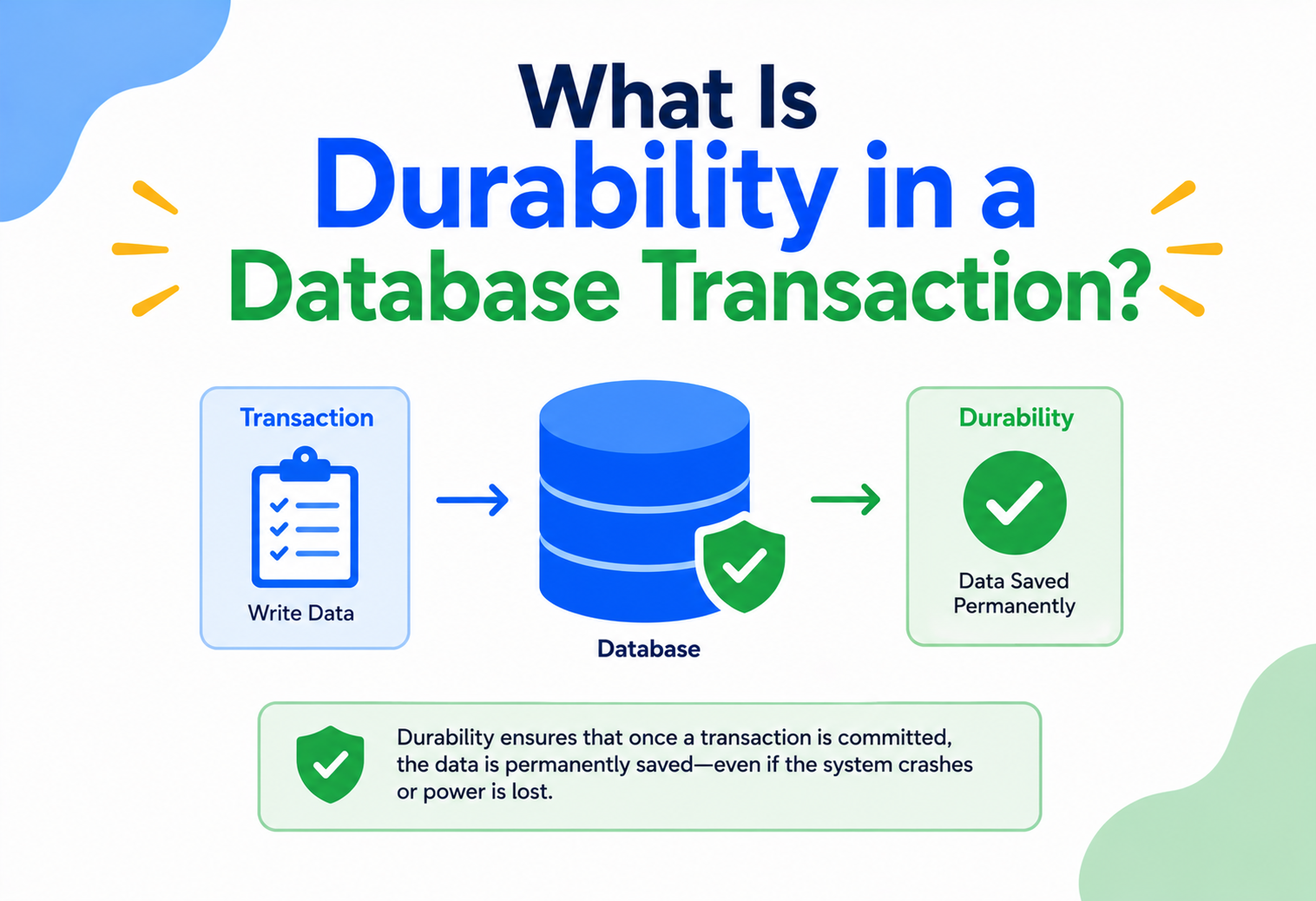
Durability is the “D” in ACID, the four properties (Atomicity, Consistency, Isolation, Durability) that define how a trustworthy database transaction behaves. In plain words, durability means: once a database tells you “your change is saved,” that change must survive no matter what happens next — a power cut, a server crash, an operating system panic, or even a disk controller hiccup.
Think of writing something in permanent ink in a notebook versus writing it on a whiteboard. The whiteboard can be wiped clean by an accidental bump. Permanent ink survives even if the notebook falls in a puddle and dries out later — smudged maybe, but still readable. A durable database transaction is the permanent‑ink version of saving data.
Where did this idea come from?
The word ACID was coined in 1983 by computer scientists Theo Härder and Andreas Reuter in a paper that formalised the properties database systems needed to guarantee correct behaviour during transactions. The idea built on earlier work from the 1970s at IBM (the System R project) and later Jim Gray’s foundational research on transaction processing, which won him the Turing Award in 1998. Before this formalisation, early file‑based systems and simple databases had no consistent guarantee that data would survive a crash — a bank could lose your deposit record if the machine rebooted at the wrong moment. This was unacceptable for anything involving money, inventory, or safety, so researchers built the theory and engineering practices that became durability as we know it today.
Since the 1980s, durability techniques have evolved constantly — from simple “write everything to disk before you say OK” strategies, to sophisticated write‑ahead logging (WAL), replication across data centres, and today’s cloud‑native systems that can survive an entire data centre going offline without losing a single confirmed transaction.
1970s — File‑based storage
Early systems had no formal durability guarantees; recovery after a crash was best‑effort and often meant losing recent work outright.
1981 — IBM System R introduces transaction logging
The research prototype that became a template for every commercial relational database, introducing the idea of a durable log of changes.
1983 — ACID formalised by Härder and Reuter
The four‑letter shorthand for what a well‑behaved transaction must guarantee, giving the industry a common vocabulary.
1990s — Write‑Ahead Logging becomes standard
WAL and the ARIES recovery algorithm mature and are adopted, in some form, by nearly every serious relational database.
2000s — RAID and replicated storage
Durability extends beyond “survives one disk failure” to “survives an entire machine failure,” via storage redundancy and replicated databases.
2010s — Cloud databases with multi‑AZ durability
Managed services synchronously replicate transactions across physically separate data centres by default, making region‑level durability routine.
2020s — Distributed consensus at planet scale
Raft and Paxos‑based systems (CockroachDB, Spanner, Aurora) let a transaction be provably durable across many machines and geographies before it is ever acknowledged to the client.
Fig 1.1 — durability guarantees have moved from “hope the disk survives” to formally engineered, mathematically provable systems.
Whether you are building a to‑do list app or a payments system that moves millions of dollars a day, understanding durability tells you exactly what your database is promising — and, just as importantly, what it is not promising. Many production incidents happen because engineers assumed durability guarantees that were never actually configured.
How durability fits with the other three ACID letters
It helps to picture the four ACID properties as four different promises made about the same event — a transaction. Atomicity promises the transaction is “all or nothing.” Consistency promises the result obeys the rules of the data (no negative stock, no duplicate usernames). Isolation promises that transactions running side by side do not peek at or trample each other’s half‑finished work. Durability is the promise that closes the loop: once everything above is true and the transaction is confirmed, the outcome is locked in forever. You can think of the first three properties as being about getting the right answer, and durability as being about keeping that right answer safe once it is found.
Imagine signing a legal contract. Atomicity is like making sure every clause is signed together, not just some pages. Consistency is making sure the contract does not contradict the law. Isolation is making sure two people signing different contracts in different rooms do not accidentally mix up pages. Durability is filing the signed, sealed contract in a fireproof vault instead of leaving it on a desk where a gust of wind — or a fire — could destroy it.
Who actually relies on durability, and why
It is tempting to think durability is only something bank engineers need to think about, but in practice almost every serious application depends on it, even indirectly:
- End users trust that when an app says “Saved,” it truly is saved — losing a user’s data even once badly damages trust in a product.
- Downstream systems and other services often react to a database change (via events, webhooks, or scheduled jobs). If the original change was not durable, those downstream actions are built on a foundation that might disappear.
- Auditors and regulators, especially in finance, healthcare, and government systems, require durable, tamper‑resistant records as a matter of law.
- Engineers themselves, during debugging and incident response, rely on durable logs and records to reconstruct exactly what happened — an audit trail that vanished on reboot would make root‑causing outages nearly impossible.
The Problem & Motivation
Computers are fast but forgetful. Every durability mechanism in every database exists to solve one root problem: RAM is quick but volatile, disks are slow but permanent — and users need both, at once.
Computers are fast but forgetful. The fastest memory in a computer, called RAM (Random Access Memory), is where a program keeps data while it is working — but RAM is volatile. The moment power is lost, everything in RAM disappears, like words written on a foggy window that fade the instant you stop breathing on the glass.
Databases keep most of their frequently used data in RAM for speed. If a database only kept data in RAM and never wrote it anywhere else, then any crash — a power failure, a kernel panic, someone tripping over a power cable — would wipe out every transaction that had happened since the last time the data was safely written to permanent storage.
Imagine you are playing a video game with no auto‑save. You defeat a difficult boss after 40 minutes of effort. The game crashes before you manually save. All that progress is gone. A durable system is one where, the instant you are told “Boss defeated, progress saved,” it is truly saved — even if the console explodes one second later.
Why can’t we just always write to disk immediately?
This is the central tension that durability engineering has to solve. Disks (even fast SSDs) are far slower than RAM. If every single small change to data had to be written to disk in a slow, unstructured way before the database could respond, applications would feel painfully sluggish. So database engineers needed a technique that gives you the speed of RAM with the safety of a permanent record. That technique, as we will explore in depth, is called Write‑Ahead Logging.
Real consequences of missing durability
| Scenario | Without Durability | With Durability |
|---|---|---|
| Bank transfer of $500 | Money leaves your account but the receiving account never gets credited after a crash | Transfer either fully completes and survives the crash, or never happened at all |
| E‑commerce order | Payment charged, but the order record vanishes — customer pays for nothing | Order and payment record survive together |
| Flight seat booking | Seat marked booked in memory, lost on crash, seat gets double‑booked | Booking confirmation is permanently recorded before being shown to the user |
Durability does not mean “the data can never be lost, ever, under any circumstance.” It means the database has honoured a specific, engineered guarantee (for example, “data survives a single server crash” or “data survives loss of an entire data centre”) depending on how it is configured. Nothing is durable against every conceivable disaster — durability is always a defined guarantee, not a magical one.
Core Concepts
Before going further, a small vocabulary is worth building — transactions, ACID, commit, volatile vs non‑volatile storage, and what “durable” actually means with precision.
3.1 What is a transaction?
A transaction is a group of one or more database operations that are treated as a single unit. Either all of them succeed, or none of them do. A classic example is transferring money: subtract from account A, add to account B. Both steps must happen together — you cannot have money vanish from A without appearing in B.
A transaction is like a recipe step that says “mix ingredients and put in oven” — you cannot just mix and stop, or just put an empty bowl in the oven. It is one indivisible action made of smaller parts.
3.2 The four ACID properties (brief context)
Atomicity
All steps in a transaction happen, or none do — there is no visible in‑between state.
Consistency
A transaction moves the database from one valid state to another valid state, following all rules (like “balance can’t go negative”).
Isolation
Transactions running at the same time do not interfere with each other’s intermediate steps.
Durability
Once a transaction is confirmed (“committed”), its effects are permanent.
This tutorial focuses deeply on the fourth property, but keep in mind durability works together with the other three — a system can be perfectly durable and still be wrong if it is not also atomic or consistent.
3.3 What exactly does “durable” mean, precisely?
Formally: once a transaction has been committed (the database has returned a success acknowledgment to the caller), its effects will survive any subsequent failure of the system, up to the specific failure modes the system is designed to tolerate (e.g., process crash, OS crash, power loss, single‑disk failure, or even entire data‑centre loss, depending on configuration).
Durability is a promise that begins exactly at the moment of commit. Anything before commit can be lost freely (that is fine and expected); anything after commit must never be lost.
3.4 Volatile vs. non‑volatile storage
This distinction is the foundation of durability engineering.
| Storage Type | Survives Power Loss? | Speed | Examples |
|---|---|---|---|
| Volatile | No | Extremely fast (nanoseconds) | RAM, CPU cache |
| Non‑volatile | Yes | Slower (microseconds to milliseconds) | SSD, HDD, NVMe, network‑attached storage |
Durability is fundamentally the discipline of getting data safely from volatile storage to non‑volatile storage — and doing it fast, reliably, and verifiably — before telling the user “done.”
3.5 What is “commit”?
A commit is the moment a transaction is finalised. Before commit, changes are tentative and can be undone (rolled back). After commit, the database guarantees the change is permanent. Durability specifically kicks in starting at commit — this is why understanding commit is essential to understanding durability.
Simple Java example: a JDBC transaction
Connection conn = dataSource.getConnection();
try {
    conn.setAutoCommit(false); // start a transaction

    PreparedStatement debit = conn.prepareStatement(
        "UPDATE accounts SET balance = balance - ? WHERE id = ?");
    debit.setBigDecimal(1, amount);
    debit.setLong(2, fromAccountId);
    debit.executeUpdate();

    PreparedStatement credit = conn.prepareStatement(
        "UPDATE accounts SET balance = balance + ? WHERE id = ?");
    credit.setBigDecimal(1, amount);
    credit.setLong(2, toAccountId);
    credit.executeUpdate();

    conn.commit(); // <-- durability guarantee starts here
} catch (SQLException e) {
    conn.rollback(); // undo everything, nothing was ever durable
} finally {
    conn.close();
}
The instant conn.commit() returns successfully, the database has promised that both balance updates are permanently recorded, even if the server crashes one millisecond later.
Architecture & Components
To deliver on the durability promise without becoming painfully slow, databases use a specific set of components working together — a WAL, a buffer pool, an fsync boundary, a checkpointer, and a replication stream.
To deliver on the durability promise without becoming painfully slow, databases use a specific set of components working together. Let us meet each one.
4.1 Write‑Ahead Log (WAL)
The single most important piece of durability engineering. Instead of writing every changed data page to disk immediately (slow, scattered, random writes), the database first writes a compact description of the change — “account 42’s balance changed from 100 to 150” — to a simple, append‑only log file. This log write is sequential (fast) and is flushed to disk before the transaction is told “committed.”
Imagine a construction site foreman who, instead of rebuilding the whole blueprint every time a small change happens, just writes “moved door 2 feet left” in a running notebook. If the main blueprint gets damaged, you can always reconstruct it by replaying every note in the notebook, in order.
4.2 Buffer Pool (Page Cache)
Databases keep frequently accessed data pages in memory (the buffer pool) for speed. Changes are made in this in‑memory copy first. The actual on‑disk data file is updated later, in a background process — this is safe because the WAL already recorded the change durably.
4.3 fsync / fdatasync
Operating systems and disk controllers often buffer writes in their own memory to improve performance — meaning a “write” call can return successfully even though the data has not physically reached the disk platter or flash cells yet. fsync() is a system call that forces all buffered data for a file to be physically flushed to the storage device. Databases call fsync on the WAL file before acknowledging a commit — this is the actual moment durability is achieved.
Some cheap disks and misconfigured cloud volumes lie about fsync — they report “flushed” while data is still sitting in a volatile write cache. This is called “fsync does not mean what you think” and has caused real data loss incidents. Always verify your storage layer honours fsync correctly (tools like diskchecker.pl or vendor documentation can confirm this).
4.4 Checkpointing
Periodically, the database takes all the changes accumulated in memory and the WAL, and writes them permanently into the actual data files, then marks a “checkpoint” in the log. This lets old WAL entries be discarded (otherwise the log would grow forever) and speeds up crash recovery, because recovery only needs to replay the log from the last checkpoint onward.
4.5 Replication log / Redo log
In distributed and replicated databases, changes are also streamed to other servers (replicas) so that even if the primary server’s disk is completely destroyed, another copy of the data exists elsewhere. This extends durability from “survives a crash” to “survives total hardware loss.”
4.6 Component Summary Table
| Component | Role in Durability |
|---|---|
| Write‑Ahead Log | Records every change sequentially before it is applied elsewhere |
| Buffer Pool | Fast in‑memory workspace; not itself durable |
| fsync | Forces log data physically onto non‑volatile storage |
| Checkpoint | Persists in‑memory changes into permanent data files, trims the log |
| Replication | Copies durable data to other machines and data centres for disaster resilience |
Internal Working
Let us go step‑by‑step through exactly what happens inside a database engine (using PostgreSQL and MySQL/InnoDB as representative real‑world examples, since their internals are well documented) when you run a transaction.
5.1 The Write‑Ahead Logging protocol, in detail
- The application issues a change (e.g.,
UPDATE). - The database engine modifies the relevant data page in memory (buffer pool).
- Before that in‑memory page is ever allowed to be written to the actual data file on disk, a description of the change (a “log record”) must be written to the WAL.
- When the client issues
COMMIT, the database flushes the WAL up to that point to disk using fsync, and only then returns success to the client. - The modified data page can be written to the real data file at any later, more convenient time — this is safe because if a crash happens first, the WAL has everything needed to redo the change.
“Log the change before you apply the change to the permanent data file, and flush the log before you tell the client it succeeded.” This single sentence is the entire secret behind almost all database durability.
5.2 Crash recovery — what happens on restart
When a database restarts after a crash, it runs a recovery process, often based on a well‑known algorithm called ARIES (Algorithm for Recovery and Isolation Exploiting Semantics), developed by IBM researchers in the early 1990s and still the conceptual basis for most modern relational databases. Recovery has three phases:
- Analysis — scan the log to figure out which transactions were in progress and which data pages might be inconsistent.
- Redo — replay every logged change since the last checkpoint, even for transactions that later committed, to bring the data files up to date exactly as they were at the moment of the crash.
- Undo — roll back any transaction that was still in progress (not committed) at the time of the crash, since those should not have taken effect.
5.3 Group commit — batching for speed
Calling fsync for every single transaction, one at a time, would be slow because each fsync has a fixed overhead. Group commit is a technique where the database waits a tiny amount of time (often just a few milliseconds or less) to gather multiple pending transaction commits, then flushes them to disk together with a single fsync call. This dramatically increases throughput without weakening durability, since every transaction in the batch still fully waits for the shared flush before being acknowledged.
Instead of one person making 50 separate trips to the post office to mail 50 letters, the office collects all 50 letters and one person makes a single trip. Every letter still gets mailed — it just happens more efficiently as a batch.
5.4 Data structures involved
WAL files are typically organised as a sequence of fixed‑size segments (e.g., PostgreSQL uses 16MB WAL segments by default). Each log record contains a Log Sequence Number (LSN) — a monotonically increasing identifier — which lets the database precisely track “how far” redo/undo needs to go, and lets replicas know exactly which byte offset they have replicated up to.
5.5 What actually goes inside a log record?
A log record is deliberately small and precise. Rather than storing an entire copy of a data page (which could be many kilobytes), it typically stores just enough information to redo or undo one specific change — for example: which table and row, which column, the old value, and the new value. This is why WAL writes are so much cheaper than full data‑file writes: you are logging a short sentence describing the change, not photocopying the whole page it lives on.
| Field | Example Value | Purpose |
|---|---|---|
| LSN | 0/16B3A20 | Unique, ordered position of this record in the log |
| Transaction ID | 4821 | Which transaction this change belongs to |
| Operation | UPDATE | What kind of change happened |
| Before image | balance = 100 | Needed to undo, if the transaction later aborts |
| After image | balance = 150 | Needed to redo, if a crash happens before the data file catches up |
5.6 A simplified Java simulation of WAL logic
The following is a simplified, educational simulation (not production code) showing the conceptual shape of write‑ahead logging — logging the intent before applying it, and only acknowledging success after the log write is flushed.
public class SimpleWAL {
    private final FileOutputStream logFile;

    public SimpleWAL(String path) throws IOException {
        this.logFile = new FileOutputStream(path, true); // append mode
    }

    // Step 1: log the intended change BEFORE applying it
    public void logChange(long txnId, String change) throws IOException {
        String record = txnId + "|" + change + "n";
        logFile.write(record.getBytes());
    }

    // Step 2: force the OS to physically flush to disk
    public void flushToDisk() throws IOException {
        logFile.getFD().sync(); // this is Java's equivalent of fsync()
    }

    // Step 3: only now can we tell the caller "committed"
    public void commit(long txnId, String change) throws IOException {
        logChange(txnId, "COMMIT:" + change);
        flushToDisk(); // durability achieved at this exact line
        // any code after this point can safely assume the change survives a crash
    }
}
Notice the order: log first, flush second, tell the caller third. Reversing any of these steps would break the durability guarantee — for instance, if commit() returned before flushToDisk() ran, a crash in that tiny window could lose the “committed” transaction entirely.
Data Flow & Lifecycle
Let us trace a single transaction from birth to permanent safety, covering every possible outcome — including the awkward ones that happen when a crash lands in exactly the wrong microsecond.
6.1 What happens if the crash occurs at different points?
| Crash Timing | Outcome After Restart |
|---|---|
| Before COMMIT is issued | Transaction is lost entirely — as if it never started. This is correct and expected. |
| After COMMIT issued, before WAL fsync completes | Transaction is treated as not committed; it will be rolled back during recovery. The client may see an error rather than a success, so it knows to retry. |
| After WAL fsync completes, before client receives response | The transaction IS durable, even though the client might not have seen the “success” message (e.g. the network dropped the response). This is why idempotent retries and checking transaction state matters. |
| Long after commit, data pages later written to disk | No risk — WAL guarantees redo even if the crash happens before the data file catch‑up write occurs. |
There is a genuinely tricky edge case: the database can be fully durable (the WAL is flushed) while the client never finds out, because the acknowledgment packet got lost on the network. This is why many production systems design operations to be idempotent (safe to retry) or include a way to check “did my last transaction actually go through?” rather than assuming a missing response means failure.
Advantages, Disadvantages & Trade‑offs
Durability is not a single switch — it is a dial. Turning it toward “maximum safety” costs latency and throughput; turning it toward “maximum speed” risks losing recent transactions on crash. Understanding both ends is what lets you set it deliberately.
7.1 Advantages of strong durability
What It’s Great At
- Data survives crashes, power loss, and (with replication) even entire hardware failures.
- Users and downstream systems can trust that a “success” response is truly final.
- Enables safe automation — other systems can react to a committed change without worrying it might vanish.
- Legal and regulatory compliance (banking, healthcare) often mandates durable, auditable records.
Disadvantages & Costs
- Latency — fsync calls take real time (often single‑digit milliseconds on SSD, longer on spinning disks or slow network storage), directly adding to how long a commit takes.
- Throughput limits — a storage device can only perform a limited number of fsync operations per second, capping transaction throughput unless batching (group commit) is used.
- Complexity — implementing correct WAL, recovery, and replication logic is genuinely hard and easy to get subtly wrong.
- Hardware cost — durable storage (redundant disks, replicated multi‑zone storage) costs more than ephemeral, non‑durable storage.
7.3 The fundamental trade‑off: durability vs. speed
Almost every real database gives you a dial, not just an on/off switch, for durability. Turning the dial toward “maximum durability” costs latency and throughput; turning it toward “maximum speed” risks losing recent transactions on crash.
| Durability Level | What It Means | Risk | Speed |
|---|---|---|---|
| Full sync (fsync every commit) | Every commit physically flushed before acknowledging | Near‑zero data loss on crash | Slowest |
| Group commit | Batch multiple commits into one fsync | Near‑zero loss, better throughput | Fast |
| Async / delayed flush | Acknowledge before fsync; flush shortly after | Can lose the last few seconds of transactions on crash | Very fast |
| No durability (memory‑only) | Never flushed to durable storage | Entire dataset lost on crash/restart | Fastest (RAM speed) |
PostgreSQL’s synchronous_commit setting controls exactly this dial: on (default, full durability), off (commit returns before WAL flush — a small window of possible loss, much faster), and various intermediate levels involving replicas. Many high‑throughput systems deliberately choose off for less critical data and keep on for financial transactions.
7.4 Thinking about durability in terms of risk, not absolutes
A useful mental model is to stop asking “is this durable, yes or no?” and instead ask “what is the probability and size of data loss under each realistic failure scenario, and can the business tolerate that?” A shopping cart item can probably tolerate losing the last few seconds of changes if the server crashes — the customer will just re‑add it. A confirmed payment cannot tolerate any loss at all. Framing durability as a spectrum of acceptable risk, rather than a single switch, is exactly how experienced architects decide which setting to use where.
It is similar to how you might handle valuables at home. Spare change goes in a bowl by the door — losing a few coins if you moved house would not matter. Passports and property documents go in a locked, fireproof safe. You would not put spare change in a bank vault (too much friction for something replaceable), and you would never leave your passport in the coin bowl (too risky for something irreplaceable). Database durability settings are the coin bowl versus the vault, applied per table or per transaction type.
Performance & Scalability
A durable commit is only ever as fast as its slowest step — and that step is almost always the physical flush to storage. Getting durability to scale is the discipline of hiding, batching, or parallelising that cost.
8.1 Why fsync is the bottleneck
A single fsync on a good NVMe SSD might take roughly 0.1‑1 millisecond; on network‑attached cloud storage it can be several milliseconds; on old spinning disks it could be 5‑10ms because the disk head physically has to confirm the write. If every transaction had to wait for its own dedicated fsync, a database could be limited to only a few hundred to a few thousand transactions per second — even though the CPU could process far more.
8.2 Techniques to improve durability performance
- Group commit / commit batching — covered earlier; the single biggest win.
- Faster storage — moving WAL files to NVMe SSDs or storage with battery‑backed write caches (which can safely acknowledge writes instantly because a battery guarantees the buffered write will complete even after power loss).
- Separate disks for WAL and data — WAL writes are sequential; data file writes are random. Isolating them avoids one competing with the other for disk head movement (mostly relevant for spinning disks; less so for SSDs, but still helps with I/O queue contention).
- Log compression — reduces the amount of data that must be flushed.
- Tunable durability per transaction — some databases let you mark specific transactions as “less critical” to skip the full sync cost for non‑essential writes (e.g. analytics events) while keeping it for money‑related writes.
8.3 Scalability considerations
As systems scale to many servers, durability must scale too. A single WAL file on a single disk eventually becomes a bottleneck for extremely high write volumes. Modern distributed databases (e.g. CockroachDB, Google Spanner, Amazon Aurora) solve this by partitioning (sharding) data across many machines, each maintaining its own WAL for its portion of data, and by using specialised storage layers (like Aurora’s log‑structured distributed storage) that treat the write‑ahead log itself as the primary source of truth replicated across multiple availability zones, rather than shipping entire data pages.
High Availability & Reliability
Single‑machine WAL protects you from a process crash. Multi‑machine replication, consensus, and disciplined backup practice are what protect you from a burnt‑out disk, a flooded data centre, or an accidentally executed DROP TABLE.
9.1 From “survives a crash” to “survives a disaster”
A single‑machine WAL protects you from a process crash or OS restart — but not from a burnt‑out disk, a flooded data centre, or an entire region losing power. To extend durability against these bigger failures, databases replicate the WAL to other machines, often in physically separate locations.
9.2 Synchronous vs. asynchronous replication
| Type | How it Works | Durability Guarantee | Latency Cost |
|---|---|---|---|
| Synchronous | Commit waits until at least one replica confirms it has the data too | Survives primary server total loss with zero data loss | Higher — must wait for network round trip to replica |
| Asynchronous | Commit returns immediately; replica catches up afterward | Primary loss can lose the last few transactions not yet replicated | Lower — no waiting |
| Semi‑synchronous | Waits for at least one replica to acknowledge receipt (not necessarily durable‑write) before committing | Middle ground | Moderate |
9.3 CAP theorem and durability
The CAP theorem, formulated by Eric Brewer, states that a distributed system can only fully guarantee two of the following three at the same time during a network partition: Consistency, Availability, and Partition tolerance. Durability interacts closely with this: a system that insists on synchronously replicating every commit to survive node loss (favouring consistency/durability) may have to refuse writes during a network partition (sacrificing availability). A system that always accepts writes even during a partition (favouring availability) risks losing or conflicting data if the disconnected node never rejoins cleanly.
9.4 Consensus protocols
Modern distributed databases often use consensus algorithms like Raft or Paxos to durably and safely agree on the order of transactions across multiple machines, even if some machines crash or the network misbehaves. A transaction is only considered committed once a quorum (a majority) of nodes has durably written it — so even if a minority of nodes are lost, the data is provably safe.
9.5 Backup and disaster recovery
Replication protects against single‑node failure, but not against application bugs that corrupt data everywhere at once, or accidental mass deletion. This is why durability strategy also includes:
- Point‑in‑time recovery (PITR) — using the WAL itself (retained as archives) to restore a database to any exact moment in time.
- Periodic full backups — complete snapshots stored separately, often in a different region.
- Backup testing — regularly practising actual restores, since an untested backup is not a real safety net.
RPO (Recovery Point Objective) — how much data (measured in time) you can afford to lose. RTO (Recovery Time Objective) — how long you can afford to be down while recovering. Durability engineering choices directly shape both numbers.
Security
Durability and security are two sides of the same coin: what is durable must also be protected, otherwise the very files that make your data safe become the most convenient thing for an attacker to steal.
Durability and security intersect in a few important ways:
- Encryption at rest — WAL files and data files often contain sensitive information (account balances, personal data). Encrypting these files on disk ensures that even a stolen or improperly discarded disk does not leak durable data.
- Tamper‑evidence — some systems (especially in finance and blockchain‑adjacent designs) use cryptographic hash chains in their logs so any unauthorised modification of historical durable records can be detected.
- Access control on backups — a durable backup that anyone can read is a security hole, not a safety feature. Backups need the same (or stricter) access controls as the live database.
- Secure replication channels — replicating the WAL to another data centre over an unencrypted network exposes every durable transaction in transit; TLS is standard practice.
Teams sometimes secure the live production database carefully but leave WAL archive files or backup snapshots in an insecure storage bucket with weak permissions. Attackers specifically look for these because they contain the same sensitive data with less protection.
Monitoring, Logging & Metrics
You cannot trust a durability guarantee you cannot verify. Production systems monitor the specific numbers that reveal whether the promise is actually being kept.
You cannot trust a durability guarantee you cannot verify. Production systems track:
| Metric | Why It Matters |
|---|---|
| WAL flush latency (p50 / p95 / p99) | Directly affects commit latency users experience |
| Replication lag | How far behind replicas are — determines potential data loss window in async setups |
| fsync error rate | Failed flushes may indicate failing disks |
| Disk space for WAL / log volume | A full WAL disk can halt all writes entirely |
| Checkpoint frequency and duration | Too infrequent = slower crash recovery; too frequent = wasted I/O |
| Backup success / failure and age | An old or failed backup silently erodes your real durability guarantee |
Tools commonly used include Prometheus with database‑specific exporters (e.g. postgres_exporter), cloud‑native dashboards (Amazon RDS/Aurora CloudWatch metrics), and database‑native views (e.g. PostgreSQL’s pg_stat_replication, MySQL’s SHOW ENGINE INNODB STATUS).
Alert on replication lag exceeding your defined RPO, not just on “replica down.” A replica that is technically up but 10 minutes behind gives a false sense of safety.
Deployment & Cloud
Cloud providers package durability guarantees into specific product tiers and settings — and the marketing numbers, if read literally, can be dangerously misleading.
Cloud providers package durability guarantees into specific product tiers and settings:
- Multi‑AZ deployments (AWS RDS Multi‑AZ, Azure zone‑redundant configurations) — synchronously replicate data across physically separate data centres within a region, so a single data centre failure does not lose committed transactions.
- Storage‑level durability — cloud block storage (like AWS EBS or Google Persistent Disk) often already replicates data across multiple physical disks internally, adding a layer of durability below the database itself.
- Managed WAL archiving — services like AWS RDS automatically archive WAL to object storage (S3) for point‑in‑time recovery, often advertising “99.999999999% (11 nines) durability” for the storage layer itself (this refers to the object storage’s own durability against data loss, not the database’s transactional durability — an important distinction).
“11 nines of durability” (as advertised for services like Amazon S3) describes the extremely low probability that a stored object is permanently lost due to infrastructure failure over a year — it does NOT mean your database transactions are instantly durable the moment you write them; that still depends on how and when your database flushes to that storage.
Deployment checklist for durability
- Confirm the storage volume type honours fsync correctly (avoid cheap/ephemeral instance‑local disks for anything critical without replication).
- Enable synchronous or multi‑AZ replication for data where zero loss is required.
- Set up WAL/backup archiving to a separate, durable, versioned object store.
- Regularly test restoring from backup in a non‑production environment.
- Document and monitor your actual RPO/RTO, not an assumed one.
Databases, Caching & Load Balancing
Different databases expose the durability dial differently, caches are almost always intentionally non‑durable, and load balancers must respect where the truly durable writes are allowed to go.
13.1 Durability across different database types
| Database | Durability Mechanism |
|---|---|
| PostgreSQL | WAL + fsync, configurable via synchronous_commit, streaming replication |
| MySQL (InnoDB) | Redo log + innodb_flush_log_at_trx_commit setting (0, 1, or 2, each a different durability/speed trade‑off) |
| MongoDB | WiredTiger journal + configurable write concern (e.g. w: "majority" for replicated durability) |
| Redis | Optional AOF (Append Only File) or RDB snapshots; by default an in‑memory store with weaker durability unless explicitly configured |
| Cassandra | Commit log per node + tunable consistency (QUORUM, ALL) across replicas |
| Amazon Aurora | Log‑structured distributed storage replicated 6 ways across 3 availability zones, quorum writes |
Redis is a great example of the durability dial in action. By default, it is an in‑memory cache with limited durability. Enabling AOF with appendfsync always makes it far more durable (closer to a traditional database) but slower; using appendfsync everysec is a common middle ground (lose at most ~1 second of writes on crash).
13.2 Caching and durability — an important boundary
Caches (like Redis used purely as a cache, or an application‑level in‑memory cache) are almost always intentionally not durable — that is part of what makes them fast and cheap. The rule of thumb: never treat a cache as the single source of truth for data you cannot afford to lose. The durable database remains the “source of truth,” and the cache can always be rebuilt from it.
13.3 Load balancers and durability
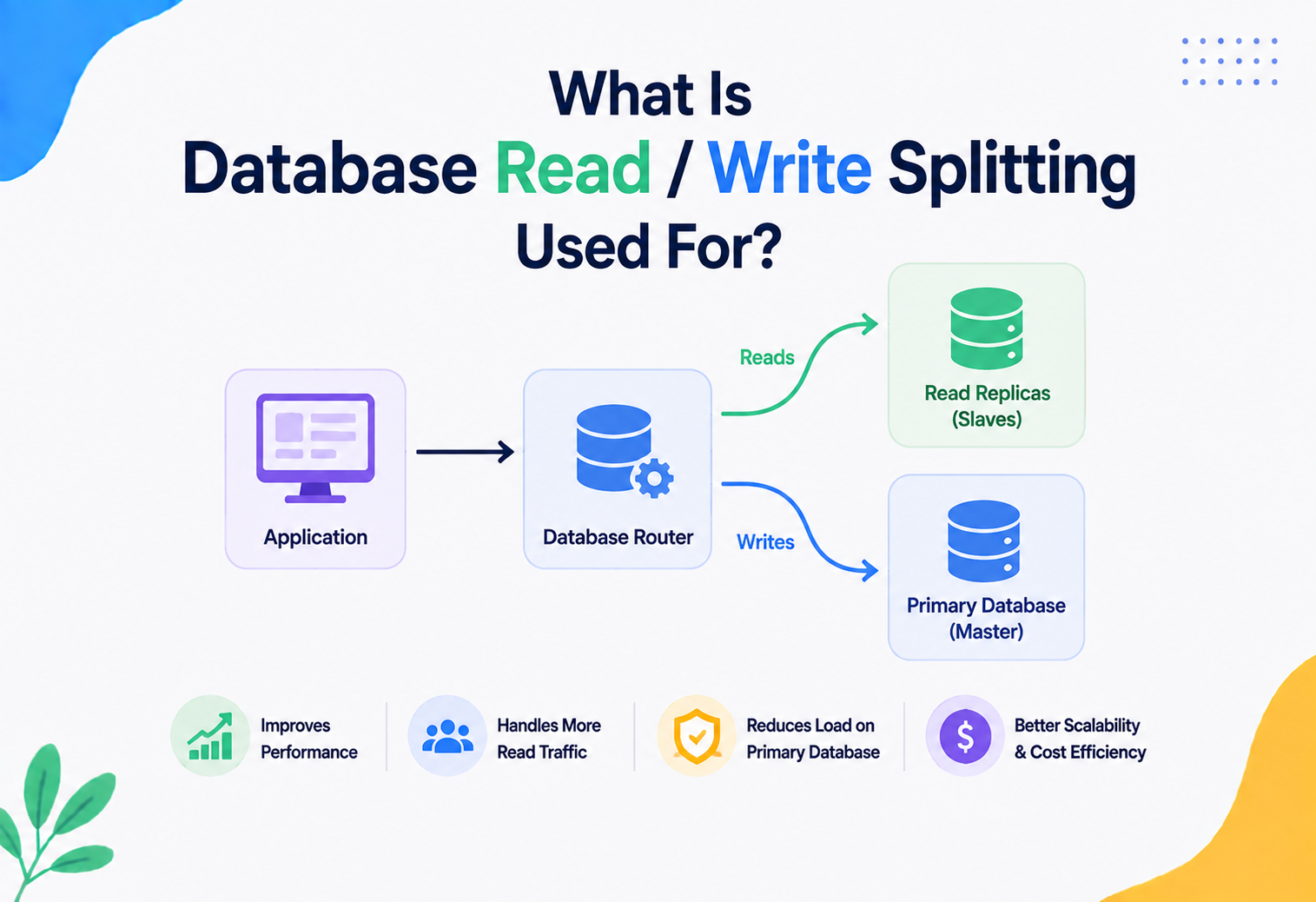
Load balancers themselves do not provide durability, but they interact with it: when routing writes in a system with a primary/replica setup, a load balancer (or a smarter proxy like PgBouncer, ProxySQL, or a cloud load balancer with read/write splitting) must be configured to send all durability‑critical writes to the primary (or a durability‑guaranteed leader) and never accidentally to a lagging read replica, which could return stale or not‑yet‑durable data.
13.4 Partitioning (sharding) and durability at scale
When a dataset grows too large or too write‑heavy for a single machine, it is common to split it into partitions (also called shards) — for example, users A‑M on one server and N‑Z on another. Each partition is an independent unit with its own WAL, its own commit path, and its own durability guarantees. This has an important consequence: a transaction that only touches one partition can be made durable quickly and independently, but a transaction that must update data across two different partitions (a “cross‑shard transaction”) needs additional coordination — often a two‑phase commit protocol or a Saga‑style pattern (covered in section 14) — to make sure durability is achieved consistently on both sides, not just one.
Think of partitioning like splitting a large library into several branch libraries across a city, each with its own record book (its own WAL). Borrowing a book from one branch is simple and fast to record. But if a rule says “checking out this box set requires updating records at two different branches at once,” the librarians need a special coordinated procedure to make sure both branches agree — otherwise one branch might think the box set left the building while the other still thinks it is on the shelf.
APIs & Microservices
Once a business operation spans multiple services, no single database transaction can protect it. Sagas, outboxes, and idempotency keys are how durable guarantees are stitched back together across service boundaries.
14.1 Durability in distributed transactions
In a microservices architecture, a single business operation (e.g., “place an order”) often spans multiple services, each with its own database. Traditional ACID transactions do not stretch across service boundaries easily, so patterns like the Saga pattern are used: each local step is durably committed in its own service’s database, and if a later step fails, compensating actions (durably recorded too) undo the earlier steps.
14.2 Outbox pattern
A common problem: a service updates its database AND needs to publish an event (e.g., to Kafka) about that change — but what if it crashes between the two steps? The Transactional Outbox pattern solves this by writing the event into an “outbox” table in the same durable transaction as the business data change. A separate background process then reliably publishes events from that outbox, guaranteeing the event is never lost even if the message broker was briefly unavailable.
14.3 API‑level durability signaling
Well‑designed APIs make durability explicit to callers — for example, returning a 202 Accepted with a tracking ID for asynchronous processing versus a 200 OK only after a fully durable commit. Idempotency keys (a unique ID the client sends so retried requests are not applied twice) are essential in distributed systems because a client may not know if a durable commit succeeded before a network failure hid the response — as discussed earlier in section 6.
Design Patterns & Anti‑patterns
A handful of patterns keep showing up in well‑designed durable systems — and a handful of anti‑patterns keep showing up in the post‑mortems of ones that lost data.
15.1 Good patterns
- Write‑Ahead Logging — the foundational pattern covered throughout this tutorial.
- Group Commit — batching flushes for throughput without sacrificing correctness.
- Quorum‑based replication — durability that survives minority node failure.
- Transactional Outbox — durably coupling state changes with event publishing.
- Idempotency keys — safe retries in the face of uncertain durability acknowledgments.
- Point‑in‑time recovery via log archiving — turning the WAL into a long‑term safety net, not just a crash‑recovery tool.
15.2 Anti‑patterns to avoid
- Trusting a cache as the source of truth — leads to silent, total data loss on cache eviction or restart.
- Disabling fsync “for performance” in production — a classic and very costly mistake; only acceptable for genuinely disposable data.
- Assuming cloud storage durability equals transactional durability — as discussed in section 12, these are different guarantees.
- Never testing backup restores — an unverified backup is a false sense of security, not real durability.
- Ignoring replication lag — assuming an async replica is “basically the same” as the primary.
- Dual writes without a coordinating pattern — writing to a database and a message queue as two separate, non‑atomic operations, risking inconsistency if one fails (the Outbox pattern exists specifically to solve this).
A commonly cited real‑world incident pattern: a team disables synchronous disk flushing on a database to “fix a performance issue” during a traffic spike, forgets to revert it, and then loses several minutes of customer orders during an unrelated server crash weeks later. The lesson: durability settings should be treated as carefully as security settings, with reviews and alerts on changes.
Best Practices & Common Mistakes
Good durability engineering tends to follow a consistent handful of habits — and the mistakes that cause real data loss also tend to be a familiar, repeating cast.
Best Practices
- Match durability level to the value of the data — full synchronous durability for money and orders; relaxed durability acceptable for things like page‑view analytics.
- Always verify your specific storage hardware / cloud volume genuinely honours fsync.
- Use replication for anything you cannot afford to lose to a single‑machine failure.
- Automate and regularly test backup restoration — schedule it, do not just hope.
- Monitor replication lag and flush latency as first‑class production metrics.
- Design APIs and clients to handle uncertain acknowledgment (idempotency, status checks) rather than assuming “no response” means “nothing happened.”
- Document your system’s actual RPO and RTO and revisit them as the business’s tolerance for data loss changes.
Common Mistakes
- Confusing “the data is in the database” with “the data is durable” — a transaction that has not committed yet is not durable.
- Running critical production databases on ephemeral or local instance storage without replication.
- Treating all data as equally critical, causing unnecessary latency everywhere instead of tuning durability per use case.
- Forgetting that security (encryption, access control) applies to durable backups and logs, not just the live database.
- Assuming that because a cloud provider is reliable, individual configuration mistakes (like disabling Multi‑AZ) cannot cause data loss.
Real‑World / Industry Examples
It helps to see durability playing out in systems people actually rely on every day, rather than staying purely theoretical.
Core banking systems
The textbook example of why durability matters — a confirmed money transfer must never be silently lost. Banks typically use synchronous replication across multiple data centres and rigorous WAL‑based recovery, often combined with reconciliation processes that independently verify durable records match across systems.
E‑commerce order systems
Large e‑commerce platforms rely on durable, replicated databases for order and payment records, often applying patterns like the Transactional Outbox to make sure “order placed” events reliably reach inventory, shipping, and notification services even through partial failures.
Tiered durability by data type
Netflix’s engineering blog has discussed how different parts of their system deliberately use different durability trade‑offs — critical account and billing data uses strongly durable, replicated storage, while high‑volume, less critical data like viewing telemetry can tolerate more relaxed durability in exchange for massive throughput.
Trips vs. location pings
Ride‑hailing platforms like Uber need durable records for trip state and payments (you do not want a completed ride’s fare to vanish), while location pings during a trip are far less critical individually and can be handled with lighter‑weight, less durable pipelines optimised for volume and speed.
Object‑storage durability
AWS S3 advertises extremely high durability (widely cited as “eleven nines”) for stored objects, achieved through redundant storage of data across multiple facilities — an example of durability engineering applied not to transactional databases but to blob storage, using similar core principles: redundancy, checksums, and continuous verification.
Durability as a tunable dial
Every mature, large‑scale system treats durability as a tunable, deliberate engineering decision per data type — not a single global setting. This is the single biggest lesson to take into your own projects.
FAQ, Summary & Key Takeaways
A few questions about durability come up again and again. Here are short, honest answers — followed by a summary and the ideas worth carrying into every future design conversation.
Is durability the same as backups?
No. Durability is about a single committed transaction surviving immediate failures (crash, power loss) through mechanisms like WAL and replication. Backups are a separate, additional safety net against broader disasters like data corruption, accidental deletion, or catastrophic multi‑region loss, usually with a longer recovery time.
Does durability guarantee my data can never be lost?
No system guarantees data can never be lost under any circumstance. Durability guarantees survival against a specific, defined set of failure modes (e.g., single‑server crash, single‑disk failure, or even data‑centre loss if configured that way) — never against literally everything (like simultaneous destruction of every replica).
Why does my database feel slow when I enable full durability?
Because every commit now waits for a physical disk flush (fsync), which is inherently slower than just writing to RAM. Techniques like group commit and faster storage (NVMe, battery‑backed caches) reduce this cost significantly without sacrificing the guarantee.
What is the difference between durability and consistency in ACID?
Consistency ensures a transaction obeys the database’s defined rules and constraints (like “balance cannot be negative”). Durability ensures that once a transaction is committed, it survives failures. A system can be consistent but not durable (correct data that vanishes on crash) or durable but not consistent in a poorly designed system (permanently saved, but wrong, data) — ideally you want both, together with atomicity and isolation.
Is an in‑memory database like Redis ever “durable”?
Yes, if explicitly configured — Redis supports AOF and RDB persistence mechanisms that write data to disk, trading some speed for durability. By default, though, many in‑memory systems favour speed and treat durability as optional.
Does using SSD instead of a spinning hard disk change durability guarantees?
Not the guarantee itself, but it changes the cost of achieving it. SSDs generally offer much lower fsync latency than spinning disks, so a database can achieve the same durability guarantee with far less impact on commit speed. The guarantee (“data survives a crash once flushed”) stays the same; only the performance of getting there improves.
Summary
Durability is the database’s promise that once you are told “your transaction succeeded,” that success is permanent — surviving crashes, power loss, and (with the right configuration) even entire hardware or data‑centre failures. It is achieved primarily through Write‑Ahead Logging, where every change is recorded sequentially and flushed to non‑volatile storage before a commit is acknowledged, combined with checkpointing to keep recovery fast and replication to survive bigger disasters. Durability always trades off against speed, which is why every serious database gives engineers a dial to tune — from maximum safety to maximum throughput — based on how valuable and irreplaceable the data actually is.
Key Takeaways
- Durability begins exactly at the moment of commit — nothing before that needs to survive a crash.
- Write‑Ahead Logging is the core mechanism nearly every relational database relies on.
- fsync is the real, physical moment data becomes durable — and it has a real performance cost.
- Group commit and quorum‑based replication let systems achieve durability at scale without unbearable latency.
- Durability is not a single on/off switch — it is a dial that should be tuned per data type based on real business value.
- Backups, encryption, and monitoring are essential complements to durability, not substitutes for it.
To deepen your understanding, explore how Isolation levels interact with durability during concurrent transactions, study the ARIES recovery algorithm in more depth, and experiment by configuring synchronous_commit in PostgreSQL or innodb_flush_log_at_trx_commit in MySQL to observe the real latency/safety trade‑off yourself.
Durability can feel like an abstract, invisible property until the day a server crashes and everything you needed is still there — or is not. Building the habit of asking, for every piece of data your systems touch, “what happens to this if the machine holding it dies right now?” is one of the most valuable habits a software engineer can develop, and it applies far beyond databases, to message queues, caches, file systems, and any place data is meant to outlive the process that created it.