What Is the Command Pattern?
A TV remote never touches the television directly. It sends a small, self-contained instruction — “turn on channel five” — and lets the television figure out how to actually do it. Turning everyday actions into small, storable, sendable instructions like that is exactly what the Command pattern brings to software.
The Big Idea, in One Breath
Picture a television remote control sitting on a coffee table. It has a power button, a volume button, a channel button. When you press “power,” the remote doesn’t reach over and physically flip a switch inside the television. Instead, it sends a small, self-contained signal — a tiny instruction that essentially says “please turn yourself on” — and the television itself knows exactly what to do with that instruction once it arrives.
Now notice something interesting about that remote: it doesn’t need to understand anything about how a television actually works inside. It doesn’t know about circuit boards, power supplies, or display panels. It only needs to know how to package up a request and send it off. The television, meanwhile, doesn’t care who sent the request, or what button they pressed, or which remote they used. It just knows how to respond correctly once a request arrives.
Multiply that one small remote by every button on every device in a modern home — lights, speakers, thermostats, blinds — and the same simple separation quietly scales up without any real complication. Each device only ever needs to understand its own small set of instructions; each remote, app, or voice assistant only ever needs to know how to package up a request and hand it off. Nobody needs a master diagram connecting every possible button to every possible device.
That small, elegant separation — one side that requests an action, and a completely different side that knows how to carry it out, with a neat little “instruction object” passed between them — is exactly the idea behind the Command pattern. It’s a way of turning a specific action, along with everything needed to carry it out, into its own standalone object, so that action can be stored, passed around, delayed, logged, undone, or replayed, just like any other piece of data in a program, regardless of where in the system it ultimately needs to run.
Think about writing someone a note that says “please water the plants on Tuesday.” That note is a complete, self-contained request. You can hand it to a neighbor, pin it to a fridge for later, or even write a whole stack of similar notes for different days. The note doesn’t care who eventually reads it or acts on it — it simply carries everything needed to complete the task, whenever and by whomever.
This guide walks through exactly what the Command pattern is, how its different pieces work together, and where real, professional software architecture depends on this exact “turn an action into an object” trick constantly — from the humble remote control all the way up to enterprise job queues processing millions of tasks a day.
It’s worth pausing on why this particular separation — request here, execution over there — turns out to matter so much. Interactive software is full of moments where “something should happen” gets decided in one place but needs to actually occur somewhere else entirely, sometimes right away and sometimes much later. A user clicks a button now; the actual database update might not happen for another few milliseconds, once a background process gets around to it. A photo gets uploaded now; the actual resizing might not happen for several seconds, once a worker machine picks up the job. Without a clean way of packaging up “what should happen” separately from “when and where it happens,” this kind of delayed, decoupled execution becomes messy and error-prone very quickly.
You don’t need a technical background to follow the ideas ahead. Every code example in this guide comes paired with a plain-language explanation and a familiar, everyday comparison, so the underlying logic stays clear even where the syntax feels unfamiliar. By the end, “Command pattern” should feel less like an intimidating phrase from a design-patterns textbook, and more like a simple, sensible habit you’ve already been practicing every time you’ve written someone a note asking them to do something later.
What the Pattern Really Is
Formally, the Command pattern takes a request — “do this specific thing” — and wraps it up inside its own dedicated object, rather than letting it exist only as a raw, immediate function call. That wrapped-up request carries everything it needs: which action to perform, and on what, and with which specific details. Once a request becomes an object like this, it can be treated the same way any other piece of data is treated in a program — stored in a list, passed as a parameter, saved to a file, sent across a network, or queued up to run later.
This is one of the classic “behavioral” design patterns, a family concerned with how different parts of a system communicate and cooperate. The Command pattern specifically tackles a problem that shows up constantly in interactive software: something needs to trigger an action — a button click, a menu selection, a scheduled task — without needing to know any of the messy details about how that action actually gets carried out, or by what.
The Command pattern turns “do this” into a small, storable package. Instead of one piece of code reaching directly into another and triggering an action immediately, it hands over a neatly wrapped instruction that can be executed now, later, more than once, or not at all.
This is worth sitting with for a moment, because it’s a genuinely different way of thinking about “doing something” than most people start out with. In everyday conversation, an instruction and the act of carrying it out feel like the same moment — you tell someone to do something, and it happens. The Command pattern deliberately pulls those two moments apart, and it’s precisely in that gap between “instruction given” and “instruction carried out” that undo, queuing, logging, and replay all become possible.
Without this pattern, the part of a program responsible for triggering actions — a button, a menu, a scheduler — usually ends up tightly, directly wired to the exact piece of code that performs each specific action. Every new action means editing that triggering code to add a new direct call. The Command pattern breaks that tight wiring apart: the trigger only ever needs to know how to “run” whatever command object it’s been handed, regardless of what that command actually does underneath.
Like several of the ideas explored elsewhere in this series, the Command pattern was formally catalogued in the influential 1994 book on object-oriented design written by the four authors often nicknamed the “Gang of Four.” It sits within their broader category of behavioral patterns, alongside close relatives like Strategy and Observer, which this guide compares directly a little later on. What makes the Command pattern distinct within that family is its specific focus on treating a single, concrete request — not a general strategy, not a broadcast notification — as a first-class, storable object in its own right.
It’s worth being precise about what “encapsulating a request” really means, since the phrase can sound more abstract than the idea actually is. In everyday programming, calling a method is usually immediate and direct: you call it, and it runs, right then and there, and once it’s finished, there’s no lasting record of the call itself. Wrapping that same call inside a command object changes this completely — now there’s a genuine, persistent object sitting in memory that represents “this specific call, with these specific details,” which can be examined, stored, delayed, or handed off to something else entirely, long after the original triggering moment has passed.
The Four Key Roles
Every Command pattern design is built from four cooperating roles, and learning to recognize each one is the real key to understanding how the whole pattern fits together.
Command
The command is the small wrapper object itself — usually built around one simple method, often called execute(). This is the “note” from the earlier analogy: a self-contained package describing exactly what should happen.
Receiver
The receiver is the object that actually knows how to perform the real work — the television in the remote-control analogy. It has no idea a remote control even exists; it simply knows how to turn itself on, adjust its own volume, or change its own channel when asked directly.
Invoker
The invoker is the object that holds onto a command and triggers it at the right moment — the remote control itself. It never needs to know what a command actually does internally; it only needs to know that every command has an execute() method it can call.
Client
The client is the part of the program responsible for creating a specific command, connecting it to the correct receiver, and handing it off to an invoker. In the remote-control analogy, this is roughly whoever originally programmed which button on the remote maps to which action.
If you can point to “the button that gets pressed,” “the object that actually does the work,” and “the small instruction object connecting the two,” you’ve correctly identified the invoker, the receiver, and the command.
It’s worth noticing how narrow and disciplined each role’s knowledge is. The invoker knows nothing about the receiver — only about commands in general. The receiver knows nothing about commands or invokers at all — it just knows how to do its own job when asked directly. Only the command itself, and the client that assembles everything, ever need to know about both sides at once. This careful narrowing of who-knows-what is really the architectural payoff of the entire pattern, expressed at the level of individual responsibilities rather than just the overall shape of the design.
Seeing the Anatomy
Here’s a diagram showing how these four roles connect together, using the remote-control analogy as a concrete example.
Notice that the arrow from the remote control never points directly at the television — it points at the command object sitting in between. That command object is the one holding a reference to the television and knowing exactly which specific method to call on it. This one small layer of separation is the entire architectural payoff of the pattern.
It’s worth imagining what would happen if that separation were removed. Without a command object standing in between, the remote control would need a growing pile of specific methods — turnOnTV(), turnOffFan(), openGarageDoor() — one for every single device it might ever control, each hardcoded into the remote’s own logic. Adding a new device would mean opening up the remote’s code and editing it directly. With the command object standing in between, the remote never changes at all; only new command classes get written, each one quietly teaching a new kind of device how to respond to a button press, without the remote needing to know anything changed.
A Worked Example: Remote Control for a Light
Let’s turn the remote-control analogy into real, working code — a simple light that can be turned on or off through a command-based remote.
Command Pattern — a light, a remote, and the command connecting them// The Receiver — knows how to actually do the work
class Light {
    void turnOn() {
        System.out.println("Light is ON");
    }
    void turnOff() {
        System.out.println("Light is OFF");
    }
}

// The Command interface
interface Command {
    void execute();
}

// Concrete Commands — each wraps one specific action
class TurnOnCommand implements Command {
    private Light light;
    TurnOnCommand(Light light) { this.light = light; }
    public void execute() {
        light.turnOn();
    }
}

class TurnOffCommand implements Command {
    private Light light;
    TurnOffCommand(Light light) { this.light = light; }
    public void execute() {
        light.turnOff();
    }
}

// The Invoker — only knows how to call execute()
class RemoteControl {
    private Command command;
    void setCommand(Command command) {
        this.command = command;
    }
    void pressButton() {
        command.execute();
    }
}

// Usage:
Light livingRoomLight = new Light();
Command turnOn = new TurnOnCommand(livingRoomLight);
Command turnOff = new TurnOffCommand(livingRoomLight);

RemoteControl remote = new RemoteControl();
remote.setCommand(turnOn);
remote.pressButton();   // Light is ON

remote.setCommand(turnOff);
remote.pressButton();   // Light is OFF
Notice that RemoteControl never mentions Light anywhere in its own code. It genuinely has no idea a light even exists — it only knows how to hold a Command and call execute() on it. This means the exact same RemoteControl class could just as easily control a fan, a garage door, or a music speaker, simply by being handed a different command object.
Adding a brand-new action — dimming the light, say — never requires touching RemoteControl at all. It only requires writing one new small command class and handing it to the remote.
There’s a quieter benefit hiding here too, closely related to testing. Because RemoteControl depends only on the general Command interface, it’s easy to build a lightweight, fake command purely for automated tests — one that simply records that it was called, rather than actually controlling any real device — and use that fake command to confirm the remote’s button-pressing logic works correctly, without needing a real light, fan, or garage door anywhere nearby. This ability to substitute a simple stand-in for the real receiver, without changing the invoker at all, is one of the pattern’s most underrated everyday benefits.
How Undo and Redo Actually Work
One of the most celebrated superpowers the Command pattern unlocks is reliable undo and redo — the ability to reverse an action, and then reapply it, cleanly and predictably. This works because a command object doesn’t have to just perform an action; it can also know how to reverse that exact same action.
Adding Undo Support to a Commandinterface Command {
    void execute();
    void undo();
}

class TurnOnCommand implements Command {
    private Light light;
    TurnOnCommand(Light light) { this.light = light; }
    public void execute() { light.turnOn(); }
    public void undo() { light.turnOff(); }
}
Once every command knows how to undo itself, the invoker only needs to keep a simple running list — usually called a history stack — of every command it has executed, in order. Pressing “undo” simply pops the most recent command off that list and calls its undo() method. Pressing “redo” pushes that same command back onto a separate list, ready to be re-executed if needed.
There are two broad strategies for building the undo() method itself. The first, sometimes called the inverse operation approach, has each command know how to perform the exact opposite action — turning on undoes turning off, adding text undoes by removing that same text. The second, sometimes called the state snapshot approach, has each command remember exactly what things looked like right before it ran, and undo simply restores that earlier snapshot. Inverse operations use less memory but require extra thought for every command; snapshots are simpler to write but can use considerably more memory for complex changes.
Choosing between these two strategies is a genuine architectural decision worth thinking through deliberately, not just defaulting to whichever feels easiest to type out first. Inverse operations tend to shine when an action’s opposite is simple and obvious — adding text is cleanly undone by removing that same text, moving an object left is cleanly undone by moving it right by the same amount. State snapshots tend to shine when an action’s effects are complicated, tangled, or hard to reverse cleanly through logic alone — a complex image filter, for instance, might genuinely be easier to undo by simply keeping a copy of the image from just before the filter was applied, rather than trying to mathematically reverse every pixel calculation involved.
Some systems even combine both strategies within the same application, using inverse operations for simple, everyday actions and falling back to snapshots for a handful of genuinely complicated ones. The Command pattern doesn’t dictate which approach to use — it only provides the structural home, the undo() method, where whichever approach makes the most sense for a given action can live.

A Worked Case Study: A Text Editor With Undo
Let’s design something closer to real, professional software: a simple text editor that supports typing and undo, the same basic feature found in nearly every writing tool in existence.
Identify the receiver
The
Documentclass holds the actual text and knows how to insert or remove characters at a given position.Wrap each user action as a command
Typing a word becomes an
InsertTextCommand, carrying the text and the position it was inserted at.Give the invoker a history stack
The editor keeps a simple list of every executed command, in order, ready to be undone.
Let undo reverse the most recent entry
Pressing undo pops the last command and calls its own
undo()method to cleanly reverse just that one change.
A Minimal Undoable Text Editorclass Document {
    StringBuilder text = new StringBuilder();

    void insert(String content, int position) {
        text.insert(position, content);
    }
    void delete(int position, int length) {
        text.delete(position, position + length);
    }
}

interface Command {
    void execute();
    void undo();
}

class InsertTextCommand implements Command {
    private Document doc;
    private String content;
    private int position;

    InsertTextCommand(Document doc, String content, int position) {
        this.doc = doc;
        this.content = content;
        this.position = position;
    }
    public void execute() {
        doc.insert(content, position);
    }
    public void undo() {
        doc.delete(position, content.length());
    }
}

class EditorInvoker {
    private Deque<Command> history = new ArrayDeque<>();

    void executeCommand(Command command) {
        command.execute();
        history.push(command);
    }
    void undo() {
        if (!history.isEmpty()) {
            history.pop().undo();
        }
    }
}
Notice how cleanly this scales. Adding a new kind of editable action — bold formatting, deleting a paragraph, changing font size — only means writing one new small command class, each responsible for knowing how to both perform and reverse its own narrow slice of behavior. The EditorInvoker itself never has to change, no matter how many new kinds of editing actions get introduced later.
Every keystroke, every formatting change, every paste — each one becomes its own small, self-contained, reversible instruction, quietly stacking up in a history the editor can walk backward and forward through at will.
Adding redo support to this same design is a small, natural extension. Alongside the main history stack, the invoker keeps a second, separate stack purely for undone commands. When undo() runs, the command doesn’t just get reversed — it also gets pushed onto this second “redo stack.” When the user presses redo, the invoker pops from that redo stack instead, calls execute() again, and pushes the command back onto the main history. The moment the user performs any brand-new action rather than pressing redo, that redo stack is typically cleared out entirely — much the same way a web browser’s “forward” button stops working the instant you click a new link instead of going back and forward through your existing history.
Macro Commands: Bundling Several Commands Into One
Because commands are just ordinary objects, there’s nothing stopping a single command from secretly containing a whole list of other commands inside it, executing them all together as one unit. This is often called a macro command or composite command, and it’s an enormously useful extension of the basic pattern, borrowing an idea very similar to the Composite pattern covered elsewhere in this series — treating a group of things and a single thing through exactly the same shared interface.
A Macro Command — several commands treated as oneclass MacroCommand implements Command {
    private List<Command> commands;

    MacroCommand(List<Command> commands) {
        this.commands = commands;
    }
    public void execute() {
        for (Command c : commands) {
            c.execute();
        }
    }
    public void undo() {
        // undo in reverse order
        for (int i = commands.size() - 1; i >= 0; i--) {
            commands.get(i).undo();
        }
    }
}

// Usage: a "Good Morning" macro
Command allOn = new MacroCommand(List.of(
    new TurnOnCommand(lights),
    new TurnOnCommand(coffeeMaker),
    new OpenCommand(blinds)
));

remote.setCommand(allOn);
remote.pressButton(); // turns on lights, coffee maker, and opens blinds — one press
Notice the undo logic carefully runs the individual commands in reverse order. This matters more than it might first appear: if turning on the coffee maker somehow depended on the blinds already being open, undoing things in the same forward order could leave the system in a confused, half-reversed state. Reversing the order guarantees each step is undone against exactly the same conditions it was originally performed under.
Because a MacroCommand itself implements the same Command interface as every other command, an invoker can’t even tell the difference between running one simple action and running an entire bundled sequence — from the invoker’s point of view, both are just “a command with an execute() method.” This is a small, elegant example of a broader idea in software design sometimes called treating “one” and “many” identically.
Macro commands also open the door to a genuinely delightful feature many applications offer: letting users record their own custom sequences of actions and replay them later with a single click, sometimes called a “macro recorder.” Under the hood, this typically works by having the invoker simply keep appending every executed command to a list while “recording mode” is active, and then wrapping that entire collected list up as one new MacroCommand once recording stops — ready to be triggered as a single, brand-new, user-defined action from that point forward, exactly like any built-in command the application shipped with.
Across Different Languages
The Command pattern shows up across virtually every language that supports objects, and in more modern languages it often gets noticeably lighter, thanks to functions being treated as first-class values.
Python — Command as a Small Classclass Light:
    def turn_on(self):
        print("Light ON")
    def turn_off(self):
        print("Light OFF")

class TurnOnCommand:
    def __init__(self, light):
        self.light = light
    def execute(self):
        self.light.turn_on()

class Remote:
    def set_command(self, command):
        self.command = command
    def press(self):
        self.command.execute()
JavaScript — Commands as Plain Functionsconst light = {
  turnOn: () => console.log("Light ON"),
  turnOff: () => console.log("Light OFF"),
};

// A command can simply be a function
const turnOnCommand = () => light.turnOn();

class Remote {
  setCommand(command) {
    this.command = command;
  }
  press() {
    this.command();
  }
}

const remote = new Remote();
remote.setCommand(turnOnCommand);
remote.press();
The JavaScript version is worth pausing on. Because JavaScript treats functions as ordinary values that can be stored, passed around, and called later, an entire “command class” often collapses down into a single, small function. The underlying idea — an action, packaged up and handed to something that will call it later — stays exactly the same; only the amount of surrounding ceremony changes. Languages with this kind of first-class function support, including Python, C#, and Swift, frequently implement lightweight commands this same way, sometimes calling them “callbacks” or “delegates” instead of formally naming the Command pattern at all.
It’s worth being clear-eyed about the trade-off this lighter style involves. A plain function makes an excellent, minimal command when the action is simple and undo isn’t needed — but the moment a command genuinely needs to carry extra data, support undo, or be logged and inspected later, wrapping it in a small dedicated object, even in a language that doesn’t strictly require one, often ends up clearer and easier to maintain than stretching a bare function to do more than it comfortably can.
Where Real Architecture Actually Uses It
The Command pattern is one of those quiet workhorses sitting underneath enormous amounts of professional software infrastructure, often without anyone calling it out by its formal name.
One click, one command object
Nearly every desktop and mobile app framework represents a button click or menu selection as a command object handed to a shared click-handling mechanism.
Store now, run later
Background processing systems wrap each unit of work as a command-like object, placed on a queue and executed later, sometimes on a completely different machine.
A durable record of every action
Database and financial systems often log every operation as a command-shaped record, enabling replay, auditing, and recovery after a crash.
Rebindable controls, replay, and AI
Games commonly wrap player actions as commands, making it trivial to let players remap keys, replay a match, or feed the same commands to an AI opponent.
Each subcommand, its own object
Command-line tools with subcommands — like a version control tool’s “commit,” “push,” and “pull” — are frequently built as literal command objects.
Step back and forward reliably
Multi-step setup wizards use command-like objects for each step, enabling a reliable “back” button that cleanly reverses whatever the previous step did.
One routine, many devices
Home automation platforms let users chain several device actions into a single routine — a direct, real-world macro command triggered by one voice phrase.
Each stage, its own reusable step
Business process tools represent each stage of an approval or automation workflow as a discrete, storable, sometimes re-orderable command-shaped step.
A particularly clear real-world example lives in most modern graphical desktop toolkits, where a reusable “action” object often sits behind both a menu item and a matching toolbar button at the very same time. Click either one, and the exact same underlying command object executes — meaning the actual logic for “save the file” is written in exactly one place, even though a user might trigger it from a menu, a button, or a keyboard shortcut. Without this pattern, each of those three trigger points would risk drifting slightly out of sync with one another over time.
Background job queues deserve special attention here, since they’re one of the highest-leverage real-world uses of this pattern. A web application handling a user’s request — say, resizing an uploaded image — often doesn’t want to make that user wait around while the resizing happens. Instead, it wraps “resize this image” up as a command-like task object, drops it onto a queue, and immediately tells the user “we’re on it.” A separate worker process picks that task off the queue whenever it’s ready and executes it — potentially seconds, minutes, or even hours later, on a completely different machine than the one that originally received the request.
Transaction logs in databases use a closely related idea. Every change to the data is recorded as a small, self-contained instruction — insert this row, update that field — kept in an ordered log. If the system crashes partway through, it can replay that log from the last known safe point, reconstructing exactly what should have happened. This is, in essence, the Command pattern’s undo-and-redo history stack, scaled up to protect against real hardware failures rather than just an accidental keystroke.
Print queues offer one more instructive example, and one that predates modern software architecture terminology by decades. A print job sent to a shared office printer doesn’t execute the moment it’s sent — it waits patiently in a queue, alongside other pending jobs, until the printer is free and ready. Each waiting job is, in effect, a command: a self-contained instruction carrying everything needed to print correctly, detached entirely from whichever specific computer or person originally sent it.
Everyday Analogies
This pattern shows up constantly outside of software too, anywhere a request gets separated from the person or thing that eventually carries it out.
A Restaurant Order Ticket
A waiter writes down an order and hands it to the kitchen — a self-contained instruction that doesn’t need the customer present to be carried out.
A Bank Reversal
An incorrect transfer can often be reversed by issuing an equal, opposite transaction — undoing the effect without erasing the record that it happened.
A Mailbox
Letters wait patiently in a mailbox until the recipient is ready to read and act on them — the sender doesn’t need the receiver to be present at the moment of sending.
A Morning Routine Checklist
“Turn on the lights, start the coffee, open the blinds” bundled as one single instruction — “start the day” — carried out as one unit.
A Postal Worker
Delivers a letter without knowing or caring what’s written inside it — the postal worker’s only job is delivery, not interpretation.
A Specific Bank Account
The account itself doesn’t care whether a deposit request came from an ATM, a mobile app, or a teller — it just knows how to update its own balance.
A Signed Permission Slip
A parent’s signed note authorizes a specific action — a field trip, a medical procedure — that can be acted on later by a school or clinic without them present.
Returning a Purchase
A store’s return policy is essentially a built-in “undo” for a purchase command, reversing the transaction cleanly within an agreed window of time.
What connects every one of these is a simple, familiar shape: someone writes down exactly what they want done, hands that instruction off, and trusts it will be carried out correctly, later, by whoever or whatever eventually receives it — without either side needing to fully understand the other.
It’s worth noticing, too, how naturally most of these examples already include a built-in notion of reversal — a bank reversal, a returned purchase, even a cancelled field-trip permission. That’s not a coincidence. The moment an action becomes a distinct, nameable “thing” rather than an instant, invisible event, reversing it stops feeling like an afterthought and starts feeling like an obvious, natural capability the action should have had all along. This is precisely the shift in thinking the Command pattern brings to software.
Command vs. Strategy vs. Observer
The Command pattern is often mentioned in the same breath as two other well-known behavioral patterns — Strategy and Observer — since all three deal with decoupling “what happens” from “who triggers it.” Understanding the difference sharpens your instincts for choosing the right one.
Despite the surface similarity, each pattern is really answering a different underlying question. Command asks “how do I turn this specific action into something I can store, delay, or reverse?” Strategy asks “how do I let this one step of a larger process be carried out in more than one interchangeable way?” Observer asks “how do I let many separate parts of a system automatically react whenever something changes, without them needing to ask about it directly?”
| Pattern | Core Idea | Typical Use |
|---|---|---|
| Command | Wrap a specific request as an object, complete with everything needed to run or undo it | Undo/redo, queuing, logging, deferred execution |
| Strategy | Swap an entire interchangeable algorithm in and out | Choosing between different calculation or sorting approaches |
| Observer | Let many interested parties automatically get notified when something changes | Event systems, notifications, reactive UI updates |
A useful way to keep these apart: Command is about a single, specific action, ready to be triggered once (or replayed, or undone). Strategy is about an ongoing, repeated choice of approach. Observer is about broadcasting a change outward to anyone who happens to be listening, without addressing any particular recipient directly. All three are valuable, and mature systems frequently use more than one together — a button click might use Command to represent the action, which internally uses a chosen Strategy to calculate something, and finally triggers an Observer notification once it’s done.
If you find yourself needing to notify several unrelated parts of a system about something that just happened, that’s usually a job for Observer, not Command — Command is about triggering one specific action, not broadcasting an announcement.
It’s genuinely common, and often a sign of thoughtful design, for all three patterns to appear together within the same feature. A “save document” button press might be represented as a Command object; internally, that command might delegate the actual saving logic to a swappable Strategy, chosen based on the file format being saved; and once saving completes successfully, an Observer-based notification might quietly inform a status bar, a cloud-sync indicator, and an auto-backup system all at once, each one reacting independently without the save command needing to know any of them exist.
Strengths and Trade-offs
Like every design pattern, the Command pattern is a genuine trade-off, not a universal win. Weighing both sides honestly helps decide when it truly earns its place in a design.
It helps to think about this the way an office thinks about switching from verbal instructions to written work orders. A written work order takes a little longer to fill out than simply telling someone directly, but it can be filed, tracked, reassigned, reviewed later, and — if something goes wrong — cancelled cleanly before anyone acts on it. A quick verbal instruction is faster in the moment, but leaves no trace and can’t easily be queued, delayed, or reversed once it’s already been acted on.
What the pattern buys you
Cleanly separates the part that triggers an action from the part that performs it. Makes undo, redo, logging, and replay genuinely straightforward to add. New actions can be introduced by writing new command classes, without touching existing invoker code. Naturally supports queuing and deferred or delayed execution.
What the pattern quietly costs
Introduces an extra small object for every single action, which can feel like unnecessary ceremony for very simple programs. Undo logic requires real thought and discipline — every command needs a genuinely correct, reliable reverse operation. A large number of tiny command classes can clutter a codebase if not organized thoughtfully. Debugging can feel slightly less direct, since the actual work happens one indirection away from where the action was triggered.
In practice, this pattern earns its keep the moment a system genuinely needs one or more of its signature features — undo, macro recording, task queuing, or an audit trail. If none of those are ever likely to be needed, a direct, ordinary function call is often simpler and perfectly appropriate; reaching for the full pattern purely out of habit can add more structure than a small problem actually needs.
A fair, practical question to ask before introducing this pattern: “Will anyone ever need to delay this action, reverse it, log it, or replay it?” If the honest answer is yes for even one of those, the small extra ceremony of wrapping the action as a command object tends to pay for itself quickly. If the honest answer is a confident no across the board, a plain, direct call is very likely the better choice, at least for now.
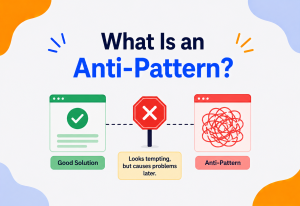
Common Mix-Ups Worth Avoiding
Even once the core idea feels familiar, a handful of habits can quietly undercut the benefits this pattern is supposed to bring. Here are the ones worth watching for most closely.
Letting the Invoker Peek Inside the Command
If an invoker starts checking what specific type of command it’s holding, or reaching into a command’s internal details, the whole point of the pattern — a clean, generic “just call execute()” relationship — quietly breaks down. The invoker should only ever know about the shared command interface, never any specific command’s inner workings.
Forgetting That Undo Needs Its Own Careful Design
It’s tempting to assume undo will simply fall out of the pattern automatically. In reality, every command’s undo() method needs to be deliberately and correctly written, and for some actions — like sending an email, or charging a credit card — a truly clean undo may not even be possible, requiring a different strategy such as a compensating action instead.
Building One Giant Command That Does Too Much
A command wrapping five unrelated actions at once stops being a clean, focused instruction and starts becoming difficult to reuse, test, or undo correctly. When a command starts doing too much, it’s often a sign it should be split into several smaller commands, possibly combined later with a macro command.
Overusing the Pattern for Trivial, One-Off Actions
Not every button click or function call needs to become a full command object. If undo, queuing, logging, or replay will genuinely never be needed for a particular action, a direct method call is simpler, clearer, and perfectly reasonable.
A command class that needs a dozen constructor parameters to do its job is usually a sign the action was defined too broadly. Well-designed commands tend to stay small, focused, and easy to name in a single short phrase.
Most of these mix-ups share a common thread: treating the pattern as a rigid checklist to apply everywhere rather than as a targeted solution to a specific, recognizable need. A healthy habit is to introduce commands where the pattern’s real benefits — decoupling, undo, queuing, logging — are genuinely wanted, and to leave the rest of the codebase alone, using plain, direct calls wherever those benefits simply aren’t needed.
Why This Small Pattern Matters at a Bigger Scale
It’s tempting to file the Command pattern away as a small trick for undo buttons and TV remotes. In practice, this exact idea quietly shapes decisions in some of the largest, most consequential systems in modern software.
Consider a large e-commerce platform processing orders. When a customer places an order, the system doesn’t necessarily update inventory, charge a payment, and notify a shipping partner all in one single, immediate, tightly bundled operation. Instead, it very often wraps “process this order” as a command-shaped message, placed onto a durable queue. Separate systems — inventory, payments, shipping — each pick up that same instruction independently, at their own pace, and process it reliably, even if one of them is temporarily slow or unavailable. If a payment system briefly goes down, the order command simply waits patiently in the queue rather than being lost entirely.
This kind of design also gives an architect a genuinely valuable form of insurance against unpredictable load. If a sudden surge of orders arrives all at once — during a big sale, for instance — the queue simply grows a little longer for a few moments, rather than the whole system buckling under the sudden pressure. Each waiting command patiently holds its place, guaranteed to be processed eventually, exactly once, in a reasonable order — a resilience property that would be extremely difficult to achieve if every order had to be handled immediately and directly, with no command object standing in between to absorb the shock.
This same reasoning underlies an entire, well-known architectural style called event sourcing, where a system’s true, authoritative record isn’t a single current snapshot of data, but rather the complete, ordered history of every command that was ever issued against it. The current state of a bank account, in this style, isn’t stored directly at all — it’s calculated, whenever needed, by replaying the entire history of deposit and withdrawal commands from the very beginning. This gives extraordinarily strong auditability: every single change is a permanent, individually inspectable record, not an anonymous overwrite of some previous value.
The TV remote and the e-commerce order queue are really telling the same story, just at two very different sizes and stakes. Once the underlying idea clicks at the small scale, it transfers almost perfectly to the big, high-throughput systems professional architects build every day.
This same pattern of thinking shows up in incident response and disaster recovery planning too. When architects design a system to survive a server crash or a network outage, one of their most reliable tools is exactly this idea: as long as every meaningful action was captured as a durable, replayable command rather than lost the instant it happened, the system can recover by simply replaying whatever commands didn’t finish processing before the failure occurred. A system built around direct, immediate calls with no lasting record of “what was requested” has no such safety net — once an in-progress action is interrupted, there’s often no reliable way to know exactly what still needs to happen.
Frequently Asked Questions
A few more questions that tend to come up once the core idea starts to feel familiar.

Does every command need to support undo?
No — undo is a common, valuable extension of the pattern, but it’s entirely optional. Plenty of real systems use commands purely for decoupling, queuing, or logging, with no undo capability at all.
Can a command have more than one receiver?
Yes — nothing about the pattern limits a command to talking to only one receiver. A single command’s execute() method can coordinate several receivers together, though for clarity, many designs prefer to keep each command focused on just one.
Is the Command pattern the same thing as a callback function?
They’re extremely close cousins. A callback function is essentially a lightweight, informal command — a piece of behavior handed over to be triggered later. The formal Command pattern simply wraps that same idea in a full object, which makes it easier to attach extra features like undo, naming, or serialization that a bare function typically can’t carry as conveniently.
How does the Command pattern relate to message queues in distributed systems?
Very directly. A message placed on a queue is, conceptually, a command — a self-contained instruction describing exactly what should happen, detached from whoever originally requested it, ready to be picked up and executed independently by a worker process whenever it’s ready.
Do commands always need an execute() and undo() method specifically?
The exact method names vary by language and library, but the shape stays consistent: at minimum, a way to run the action, and optionally, a way to reverse it. Some implementations add further methods too, like a way to check whether a command can currently be executed at all.
Is it overkill to use this pattern in a small personal project?
Not necessarily — even a small project benefits the moment it needs even one of the pattern’s signature features, like a simple undo button. If none of those features are ever needed, a direct function call is perfectly fine, and reaching for the full pattern would likely add more ceremony than the project actually calls for.
Can commands be serialized and sent over a network?
Yes, and this is one of the pattern’s most valuable real-world applications. Because a command is just an object carrying a name and a small set of details, it can often be converted into text or bytes, sent across a network to a completely different machine, and reconstructed there to be executed — which is exactly how many distributed job queues and messaging systems work under the hood.
What happens if a command fails partway through execution?
This depends entirely on how the specific command and receiver are written, but well-designed commands are often built to either complete fully or leave things exactly as they were before — a property sometimes called atomicity. Systems that need strong guarantees here frequently combine the Command pattern with additional safeguards, such as recording a command’s status before and after execution, so a failed or half-finished command can be detected and retried or cleanly reversed.
Glossary
A quick-reference collection of every important term used throughout this guide, gathered in one place so you can look any of them up again later without scrolling back through the whole article.
| Term | Definition |
|---|---|
| Command | An object that wraps up a specific request, along with everything needed to carry it out, behind a shared execute() method. |
| Receiver | The object that actually knows how to perform the real work a command ultimately triggers. |
| Invoker | The object that holds and triggers a command at the right moment, without knowing any of its internal details. |
| Client | The part of a program responsible for creating a specific command, connecting it to a receiver, and handing it to an invoker. |
| History Stack | An ordered list of previously executed commands, used to support undo by reversing the most recent entry first. |
| Macro Command | A command that bundles several other commands together, executing (and undoing) them as one single unit. |
| Inverse Operation | An undo strategy where each command knows the exact opposite action needed to reverse its own effect. |
| State Snapshot | An undo strategy where a command remembers the exact prior state and simply restores it when reversed. |
| Event Sourcing | An architectural style where a system’s true record is the complete ordered history of commands, rather than a single current snapshot. |
| Behavioral Design Pattern | A category of design patterns focused on how objects communicate and share responsibility for completing a task. |
| Callback | A lightweight, informal cousin of a command — a piece of behavior, often a plain function, handed over to be triggered later. |
| Atomicity | The property of an operation either completing fully or leaving no partial, inconsistent effect behind if it fails. |
Key Takeaways
We’ve covered a lot — remote controls, text editors, job queues, macro recordings, and bank reversals. If just a few ideas stay with you, let it be these.
Remember This
- The Command pattern wraps a specific request as its own standalone object, complete with everything needed to run it.
- Four roles cooperate: the command itself, the receiver that does the real work, the invoker that triggers it, and the client that wires them together.
- Because a command is just an object, it can be stored, queued, logged, delayed, replayed, and — if it knows how to reverse itself — undone.
- Undo and redo work through a simple history stack, popping and reversing the most recently executed command.
- Macro commands let several individual commands be bundled and treated as one, undone carefully in reverse order.
- Real architecture leans on this constantly — GUI buttons, background job queues, transaction logs, game input systems, and CLI tools all use this exact shape.
The next time you notice a piece of code reaching directly into another piece of code just to trigger a single, specific action, pause and ask whether wrapping that action up as its own small object — a command — might make the system easier to extend, easier to undo, or easier to queue for later. More often than not, it will, and the resulting design will feel a little more like a well-organized remote control than a tangle of wires running straight from every button to every device.
And the next time you write someone a note asking them to do something later, hand a waiter your order, or watch a “return this item” policy quietly undo a purchase, take a small moment to notice it: that’s the exact same shape the Command pattern gives to software, working quietly in the background of everyday life long before anyone gave it a formal name.