What Is a Materialized View?
A ground-up tour of the database object that stores the answer to a query, not just the question — from sticky-note style summary tables and refresh timing models, through incremental view maintenance, MVCC-based non-blocking swaps, partition pruning, CQRS read models, and the freshness-versus-speed trade-off that every dashboard secretly makes.
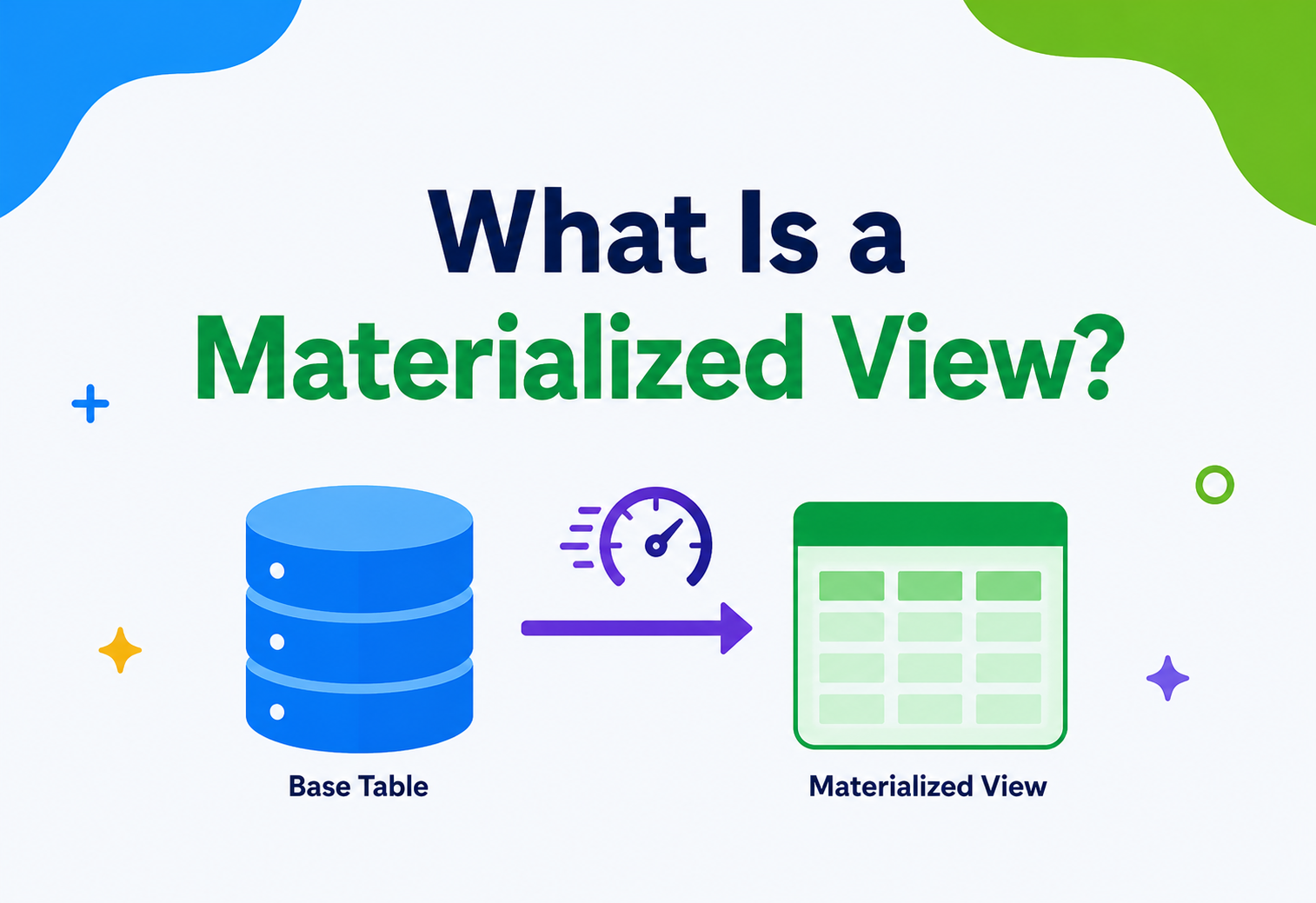
A materialized view is a database object that stores the actual result of a query, physically on disk (or in memory), instead of recalculating that result every time someone asks for it. This guide walks the topic end to end — concepts, refresh strategies, storage, concurrency, scaling, CQRS — with concrete PostgreSQL and Java examples throughout.
Introduction & History
From manual summary tables and Oracle's 1990s materialized views to Snowflake dynamic tables and BigQuery's automatic incremental refresh.
Imagine you're a student and every day your teacher asks you the same hard math question: “What is the total sum of every number between 1 and 1,000,000?” You could add all the numbers again every single time. Or, you could work it out once, write the answer on a sticky note, and just read the sticky note every time someone asks. A materialized view is that sticky note, but for databases.
In plain words, a materialized view is a database object that stores the actual result of a query, physically, on disk (or sometimes in memory), instead of recalculating that result every time someone asks for it. This is different from a normal “view,” which is just a saved question — every time you look at a normal view, the database re-asks the question and redoes all the work.
Real-life analogy — the school library
Think of a school library. A regular view is like a librarian who, every time you ask “which books are about dinosaurs,” walks through every shelf in the entire library to find them — every single time you ask, even if you ask the same question five times in a row. A materialized view is like the librarian making a list of dinosaur books once, printing it, and pinning it to the noticeboard. Next time you ask, she just points at the noticeboard. It's fast, but the list can go a little out of date if new dinosaur books arrive and nobody updates the noticeboard.
1.1 · WHERE DID THIS IDEA COME FROM?
The idea of pre-computing and storing answers is almost as old as computing itself. Long before “materialized view” became a formal database term, engineers were manually creating summary tables — extra tables that held pre-calculated totals, so reports would run fast. Someone would write a nightly batch job that added up all of yesterday's sales and saved the result into a new table. That is, in spirit, exactly what a materialized view does — just automated and managed by the database itself.
The formal concept of materialized views grew out of research in the 1980s and 1990s around view maintenance — the science of keeping a stored result correct as the original data changes. Oracle introduced production-grade materialized views in the mid-1990s. Over time, PostgreSQL, SQL Server (as “indexed views”), MySQL (via workarounds), Snowflake, BigQuery, Redshift, and many other systems added their own versions. Today, materialized views are considered a standard, essential tool in almost every serious database engine and in modern data warehouses.
Materialized views exist because computers, while fast, are not free. Every time a query scans millions of rows, joins several tables, and does math like sums and averages, it burns real computing time and real money. If the same expensive question gets asked over and over — which happens constantly in dashboards, reports, and apps — recomputing the answer every time is wasteful. Materialized views trade a little bit of extra storage space and a little bit of “freshness” for a large amount of speed.
The Problem & Motivation
Why the same expensive question, asked a thousand times a day, is the exact shape of problem materialized views were invented to solve.
To understand why materialized views matter, picture a mid-size online store. It has a table called orders with fifty million rows, going back five years. The business team wants a dashboard that shows “total revenue per product category, per month.” That single dashboard number requires the database to look at every relevant row in a fifty-million-row table, group them, and add them up.
If just one person looks at the dashboard once a day, that might be fine. But in a real company, dozens of people refresh that dashboard throughout the day. Some check it on their phones. Some have it auto-refreshing every thirty seconds. Every refresh means the database repeats the same expensive scan-and-sum work, even though the answer barely changed since the last time.
Say you ask your friend, “What's 348 times 517?” Your friend gets out a pen, works it out, and says “179,916.” If you ask again five minutes later, and nothing about the numbers changed, it would be silly for your friend to redo the whole multiplication from scratch. It would be much smarter for your friend to just remember the answer and tell you instantly. That “remembering” is exactly what a materialized view provides for a database.
2.1 · THREE PROBLEMS THAT PUSH TEAMS TOWARD MATERIALIZED VIEWS
Repeated expensive computation
The same heavy query (large joins, aggregations, sorting) runs again and again with almost identical results each time — the ideal shape of work to cache.
Slow dashboards and reports
Business users expect reports to load in under a second, but the raw data and joins needed might take tens of seconds or minutes to compute live.
Contention between operational and analytical work
The same database that handles live customer orders (fast, small transactions) is also being asked to run huge analytical queries, and the two workloads fight for the same resources.
These problems are common enough that they gave rise to a general engineering principle: pre-computation. Whenever a piece of work is expensive and its result is reused often, it usually makes sense to compute it once and store the result. Materialized views are the database world's most direct, built-in implementation of that principle.
Core Concepts
Views vs. materialized views, base tables, staleness, full vs. incremental refresh, and how query rewrite can silently make things fast.
3.1 · WHAT EXACTLY IS A “VIEW”?
Before understanding a materialized view, you need to understand a plain view. A view is a saved SQL query that behaves like a virtual table. When you write SELECT * FROM top_customers, and top_customers is a view, the database secretly swaps in the real underlying query (for example, a join across customers and orders filtering for high spenders) and runs it live, every single time.
A view stores no data of its own. It is just a name attached to a question. This is useful because it hides complexity — application developers can query top_customers without knowing the messy join logic underneath — but it does not save any computing time, because the underlying question is answered fresh, every time.
3.2 · WHAT MAKES A VIEW “MATERIALIZED”?
A materialized view takes that same saved question, runs it once, and physically stores the resulting rows — the actual answer — somewhere on disk (or in memory, depending on the engine). The next time someone queries it, the database just reads the stored rows, the way it would read any ordinary table. No recomputation, no re-scanning of the original tables, no re-joining, no re-summing.
Just the question
- Stores only the query definition
- Always shows fresh, live data
- Slow for expensive queries
- Uses no extra storage
The pre-computed answer
- Stores the actual result rows
- Data can be slightly stale until refreshed
- Very fast to read
- Uses extra disk/memory space
3.3 · KEY VOCABULARY YOU'LL NEED
| Term | Meaning |
|---|---|
| Base table | The original table(s) that the materialized view's query reads from. |
| Refresh | The act of re-running the query and updating the stored result to match current base-table data. |
| Staleness | How out-of-date the materialized view's data is compared to the base tables right now. |
| Full refresh | Throwing away the old stored result and recomputing everything from scratch. |
| Incremental refresh | Updating only the rows affected by recent changes, instead of recomputing everything. |
| Query rewrite | A feature where the database automatically redirects a query to a matching materialized view, even if the user never mentioned it by name. |
Real-life analogy — the newspaper weather forecast
Think of a weather forecast printed in a newspaper. It's not “live weather” — it was computed early this morning and printed. It might be slightly stale by evening, but it's instantly available to millions of readers without each of them needing a live weather satellite feed. That printed forecast is “materialized” weather data. Refreshing the materialized view is like printing tomorrow's newspaper: a scheduled, periodic act of updating the stored snapshot.
3.4 · A SIMPLE SQL EXAMPLE
-- Base tables: orders(id, customer_id, amount, category, created_at)

CREATE MATERIALIZED VIEW monthly_revenue_by_category AS
SELECT
    date_trunc('month', created_at) AS month,
    category,
    SUM(amount)                     AS total_revenue,
    COUNT(*)                        AS order_count
FROM orders
GROUP BY 1, 2;

-- Reading it later is as fast as reading a normal table:
SELECT * FROM monthly_revenue_by_category
WHERE month = '2026-06-01';

-- Refreshing it when the underlying orders table changes:
REFRESH MATERIALIZED VIEW monthly_revenue_by_category;
Notice the difference: creating the materialized view runs the expensive GROUP BY query once. Every read after that is simply reading pre-computed rows — no grouping, no summing, no scanning fifty million orders again.
3.5 · WHAT CAN GO INSIDE A MATERIALIZED VIEW'S QUERY?
Almost anything a normal SELECT statement can do: joins across multiple tables, filtering with WHERE, grouping and aggregating with GROUP BY, sorting, and even calling functions. This flexibility is exactly why materialized views are so widely used — they aren't limited to simple single-table snapshots. A materialized view can represent the fully joined, filtered, and summarized answer to a genuinely complex business question, stored as if it were a simple, flat table.
A social media app might have a materialized view called trending_posts that joins the posts, likes, and comments tables, calculates an engagement score for each post from the last 24 hours, and sorts by that score. Computing this live for every page load, across millions of posts, would be far too slow — but reading a pre-computed, already-sorted trending_posts table is nearly instant.
3.6 · MATERIALIZED VIEWS vs DENORMALIZATION
It's worth connecting this to a concept many engineers already know: denormalization, the practice of duplicating or pre-combining data to avoid expensive joins at read time. A materialized view is essentially an automated, database-managed form of denormalization. Instead of an engineer manually writing code to copy and combine data into a flatter shape, the database itself manages that copy, including keeping track of how to refresh it correctly.
Architecture & Components
Six moving parts — query definition, storage segment, refresh engine, metadata catalog, change log, and an optional query-rewrite hook.
A materialized view is not a single simple object — it's supported by several moving parts working together inside the database engine. Understanding these parts helps you reason about performance, freshness, and cost.
Query Definition
The stored SQL text that defines what data the materialized view should represent.
Storage Segment
The physical space (table-like storage, sometimes with its own indexes) holding the computed result rows.
Refresh Engine
The scheduler and execution logic that decides when and how to update stored data.
Metadata Catalog
System tables tracking dependencies, last refresh time, and staleness status.
Change Log (optional)
A record of row-level changes on base tables, used to support incremental refresh.
Query Optimizer Hook
Logic that can automatically reroute a matching query to the materialized view instead of the base tables.
Notice that the application never talks to the base tables directly when reading from a materialized view. It talks only to the stored result. This separation is powerful: the expensive computation logic is isolated from the fast-read path.
4.1 · INDEXES ON MATERIALIZED VIEWS
Because a materialized view is physically stored data, most databases let you create ordinary indexes on it, just like a regular table. This means you can make an already-fast materialized view even faster for specific lookup patterns — for example, indexing the month and category columns in our earlier example so that filtering by both is near-instant.
Some databases, notably PostgreSQL, require you to have a unique index on a materialized view before you can refresh it “concurrently” (without locking readers out during refresh). Forgetting this is one of the most common beginner mistakes — the refresh will work, but it will briefly block anyone trying to read the view at the same moment.
Internal Working
Creation, reads, change detection, refresh strategies, concurrency via MVCC, and the algorithm behind incremental view maintenance.
Let's go one level deeper and see what actually happens, step by step, inside the database when you create and use a materialized view.
Creation
When you run
CREATE MATERIALIZED VIEW, the database parses your query, validates that all referenced tables and columns exist, and then executes the query exactly once. The result set — every row and column the query produces — is written into a new physical storage structure, similar to how a normal table's rows are stored.Reading
When an application runs
SELECT * FROM monthly_revenue_by_category, the query planner sees that this object is backed by stored data, not a live query, and simply performs a normal table scan or index lookup against that stored data. This is why materialized view reads are typically as fast as reading any regular table — because, structurally, they are a regular table.Detecting change
Materialized views do not automatically know when their base tables change (in most databases, by default). If a new order is inserted into
orders, the view keeps showing the old, stale numbers until somebody or something tells it to refresh. Some advanced engines (Oracle “fast refresh,” Snowflake dynamic tables, BigQuery materialized views) can automatically track changes using internal logs.Refreshing
There are two broad refresh strategies: full refresh (discard everything and recompute) and incremental refresh (look only at changed rows and update just the affected parts of the stored result).
Simple, always correct
The database discards the entire stored result and reruns the full query from scratch. Simple and always correct, but can be slow and resource-heavy on large datasets.
Fast, but restricted
The database looks only at rows that changed since the last refresh (using change logs) and updates just the affected parts of the stored result. Much faster, but more complex and not supported everywhere.
5.1 · REFRESH TIMING MODELS
| Model | When it refreshes | Best for |
|---|---|---|
| On demand | Only when someone manually runs REFRESH | Rarely-changing reference data |
| Scheduled | Every N minutes/hours via a cron job or built-in scheduler | Dashboards, reports |
| On commit | Automatically, right after each transaction that touches base tables | Small, latency-sensitive views |
| Continuous / streaming | Near real-time, driven by a change-data-capture stream | Modern data warehouses (e.g. Snowflake dynamic tables) |
Snowflake's “dynamic tables” and BigQuery's materialized views both use internal change-tracking so that, in many cases, only the changed rows are recomputed — this is a modern evolution of the old “full refresh only” limitation that early materialized view systems had in the 1990s.
5.2 · CONCURRENCY — WHAT HAPPENS IF SOMEONE READS WHILE IT REFRESHES?
This is one of the trickiest parts of internal working, and a favourite interview question. Two things are happening at once: readers want a consistent, complete answer, and the refresh process wants to replace that answer with a newer one. Databases solve this collision using one of a few strategies.
- Exclusive locking: The simplest approach — lock the materialized view during refresh so no one can read it until the refresh finishes. Simple to implement, but readers experience a pause, which can be unacceptable for user-facing dashboards.
- MVCC (Multi-Version Concurrency Control): Many modern databases, including PostgreSQL, use MVCC to let a refresh build a brand-new version of the data in the background while existing readers keep seeing the old, still-consistent version, until the new version is ready and swapped in atomically. This is exactly how
REFRESH MATERIALIZED VIEW CONCURRENTLYavoids blocking readers. - Copy-and-swap: A close cousin of MVCC used by some engines — the refresh writes results into a hidden shadow table, and once complete, a near-instant rename or pointer swap makes the new data visible to everyone at once.
Real-life analogy — the restaurant menu board
Think of a restaurant menu board. A bad approach is to cover the board with a cloth while the staff repaint it — customers can't read anything during that time. A better approach is to paint the new menu on a second board behind the scenes, and only swap the boards the instant the new one is finished. Customers always see a complete, readable menu, never a half-painted one.
5.3 · THE ALGORITHM BEHIND INCREMENTAL VIEW MAINTENANCE
Incremental refresh relies on an idea from database theory called incremental view maintenance (IVM). Instead of recomputing SELECT SUM(amount) FROM orders from zero, the database tracks a “delta” — the set of rows inserted, updated, or deleted since the last refresh — and applies just that delta mathematically to the existing stored result. For a simple sum, this means: new total = old total + sum(inserted amounts) − sum(deleted amounts). For more complex operations like joins, the delta calculation is more involved (using what researchers call “delta rules” for relational algebra), but the underlying principle is the same: change a little, recompute a little, not everything.
Not every query can be incrementally maintained efficiently. Some aggregations, like MEDIAN or certain window functions, are mathematically much harder to update incrementally than to recompute — which is why many database engines restrict incremental/fast refresh to a specific, well-defined subset of SQL features.
Data Flow & Lifecycle
Defined → Populated → Fresh → Stale → Refreshing → Dropped — and how a good design treats every failed refresh as a controlled return to “stale.”
Let's trace the entire life of a materialized view from birth to retirement, the way you'd explain it to a new engineer on their first day.
Definition
An engineer writes the query that defines the materialized view and decides on a refresh strategy.
Initial population
The database runs the query once and stores every resulting row.
Serving reads
Applications and dashboards query the materialized view directly, getting fast responses.
Becoming stale
As soon as any relevant base table changes, the stored result technically no longer matches reality.
Refresh trigger
A schedule, a manual command, a transaction commit, or a streaming pipeline decides it's time to update.
Refresh execution
The database recomputes (fully or incrementally) and swaps in the new, fresh data — ideally without blocking readers.
Monitoring
Teams track staleness, refresh duration, and failures to ensure the view stays useful.
Retirement
Eventually, if the underlying business need changes or the query is replaced by a better design, the materialized view is dropped.
This lifecycle exists because a materialized view is a living compromise between two truths: data changes constantly, but computing fresh answers constantly is expensive. Every stage in the lifecycle is really just database engineering's answer to the question: “how do we keep this compromise acceptable?”
6.1 · FAILURE RECOVERY WITHIN THE LIFECYCLE
Real systems must also plan for what happens when a step in this lifecycle fails unexpectedly — a refresh job that times out, a network partition that stops a distributed refresh mid-way, or a scheduler that crashes before triggering the next run. A resilient design treats every failed refresh attempt as a return to the “stale” state rather than a broken state: the last successfully materialized data remains fully valid and readable, and the system simply retries the refresh on its next scheduled attempt or via an automated retry with backoff. This is why atomic swap-based refresh strategies are so valuable — they guarantee that failure during a refresh never corrupts what's already there, only delays how fresh it becomes.
Advantages, Disadvantages & Trade-offs
Faster reads, extra storage, refresh cost, and the single trade-off that governs every design choice: freshness versus speed.
Advantages
- Dramatically faster reads for expensive queries.
- Reduces repeated CPU and I/O load on the database.
- Simplifies application code (query a flat, pre-joined table).
- Can be indexed independently of base tables.
- Enables analytical workloads without harming operational systems.
- Query optimizers can auto-redirect eligible queries (in some engines).
Disadvantages
- Data can be stale between refreshes.
- Uses extra storage space.
- Refreshing costs CPU/I/O, sometimes at the worst possible time.
- Adds operational complexity (scheduling, monitoring, failure handling).
- Incremental refresh logic can be tricky to reason about and debug.
- Schema changes on base tables can silently break dependent views.
7.1 · THE CENTRAL TRADE-OFF — FRESHNESS vs SPEED
Every materialized view decision is really a negotiation between two forces. On one side is freshness — how up-to-date the data needs to be for the business to trust it. On the other side is speed and cost — how fast reads need to be, and how much computing resource you're willing to spend keeping the data fresh.
A financial fraud detection dashboard might need data refreshed every few seconds, so it uses more compute for frequent refreshes. A monthly executive report, on the other hand, might refresh once a night, because nobody cares if it's a few hours old — it just needs to be fast and correct by morning.
If your data changes constantly and every reader absolutely must see the latest possible value (for example, a bank account balance right before approving a withdrawal), a materialized view is the wrong tool — you want a live, transactional read instead.
Performance & Scalability
Why reads jump from O(n) to O(1), and how partitioning, incremental refresh, and read replicas keep the refresh side affordable.
Materialized views are, first and foremost, a performance technique. But using them well at scale requires understanding a few deeper mechanics.
8.1 · WHY READS GET SO MUCH FASTER
A query with several joins and a GROUP BY over millions of rows typically has to do a lot of work: scan large tables, sort or hash rows to match join keys, and aggregate results. This work has a cost that grows with data size — often described using Big-O notation, such as O(n log n) for sort-based joins. A materialized view sidesteps all of that at read-time: reading a pre-computed table is closer to O(1) for a single lookup, or O(k) for reading k matching rows, regardless of how large the original base tables are.
8.2 · REFRESH COST AND SCHEDULING STRATEGY
The catch is that someone still has to pay the O(n) cost — it just moves from “every read” to “every refresh.” At scale, teams manage this with a few strategies:
- Off-peak scheduling: Run full refreshes during low-traffic hours (e.g. 2 AM) to avoid competing with live traffic.
- Incremental refresh: Only touch changed partitions or rows, turning an
O(n)job into something closer toO(Δ), where Δ is the size of the change. - Partitioned materialized views: Break the view into date-based or region-based chunks, so refreshing “today's partition” doesn't require touching last year's data.
- Read replicas: Materialize views on a replica database so refresh work never competes with the primary database that handles live transactions.
8.3 · A JAVA EXAMPLE — TRIGGERING A SCHEDULED REFRESH
In real systems, refreshes are often triggered from application code or a job scheduler rather than purely inside the database. Here's a simple Java example using JDBC and a scheduled executor to refresh a PostgreSQL materialized view every ten minutes.
import java.sql.Connection;
import java.sql.DriverManager;
import java.sql.Statement;
import java.util.concurrent.Executors;
import java.util.concurrent.ScheduledExecutorService;
import java.util.concurrent.TimeUnit;

public class MaterializedViewRefresher {

    private static final String DB_URL =
        "jdbc:postgresql://localhost:5432/shopdb";
    private static final String USER = "app_user";
    private static final String PASSWORD = "secret";

    public static void refreshView(String viewName) {
        String sql = "REFRESH MATERIALIZED VIEW CONCURRENTLY " + viewName;
        try (Connection conn = DriverManager.getConnection(DB_URL, USER, PASSWORD);
             Statement stmt = conn.createStatement()) {
            long start = System.currentTimeMillis();
            stmt.execute(sql);
            long durationMs = System.currentTimeMillis() - start;
            System.out.printf("Refreshed %s in %d ms%n", viewName, durationMs);
        } catch (Exception e) {
            System.err.println("Refresh failed for " + viewName + ": " + e.getMessage());
        }
    }

    public static void main(String[] args) {
        ScheduledExecutorService scheduler = Executors.newScheduledThreadPool(1);
        // Refresh every 10 minutes, starting immediately
        scheduler.scheduleAtFixedRate(
            () -> refreshView("monthly_revenue_by_category"),
            0, 10, TimeUnit.MINUTES
        );
    }
}
Notice the use of CONCURRENTLY — this PostgreSQL option lets readers keep querying the materialized view while it refreshes in the background, at the cost of requiring a unique index and taking somewhat longer to complete.
8.4 · DISTRIBUTED MATERIALIZED VIEWS — NETWORKING AND CONSENSUS
In a single-machine database, refreshing a materialized view is mostly a local computing problem. But in distributed systems — think a globally distributed data warehouse, or a streaming pipeline spread across dozens of machines — refreshing a materialized view becomes a networking and coordination problem too.
Consider a streaming system like Apache Kafka Streams or Apache Flink maintaining a materialized “read model” from an event stream spread across many partitions, processed by many worker machines. Two hard questions come up immediately:
- Ordering: If two events affecting the same row arrive at different workers at different times, how do you guarantee the materialized result reflects the correct final order? Most systems solve this by partitioning data so that all events for the same key always land on the same worker, preserving order for that key.
- Exactly-once processing: If a worker crashes mid-update, how do you avoid double-counting the same event when it retries? This typically relies on consensus and coordination protocols (such as those used internally by systems built on Raft or Zookeeper-style coordination) to agree on which events have been safely processed and checkpointed.
These are the same fundamental distributed systems challenges that show up in database replication generally — partition tolerance, consensus on the “true” current state, and recovery after failure — just applied specifically to the problem of keeping a materialized view correct across many machines instead of one.
8.5 · PARTITIONING STRATEGIES AT SCALE
For very large materialized views, teams commonly partition the underlying storage — for example, by date range (one partition per month) or by a hashed customer ID. This has two performance benefits: refreshes can target just the “hot” partition that actually changed (say, the current month), and read queries that filter by date or customer can skip scanning irrelevant partitions entirely, a technique called partition pruning.
High Availability & Reliability
Atomic refresh, replicated storage, and the CAP-theorem bargain that every materialized view knowingly makes.
Because materialized views sit on top of base tables, their reliability depends on both the correctness of the refresh process and the availability of the storage holding them.
9.1 · WHAT HAPPENS IF A REFRESH FAILS HALFWAY THROUGH?
Well-designed database engines treat a materialized view refresh as an atomic operation — either the whole new result set replaces the old one, or nothing changes at all, and the previous (stale but valid) data remains readable. This matters because a half-finished refresh (some rows updated, some not) would silently corrupt the view's meaning, and nobody would know.
Some naive implementations (especially manually-built “summary tables” instead of true database-managed materialized views) do a DELETE followed by an INSERT in two separate steps. If the process crashes between those two steps, readers can see an empty table. Always prefer engine-native materialized view refresh, or wrap manual approaches in a single transaction.
9.2 · REPLICATION AND FAILOVER
In a highly available setup, materialized views typically live on the same replicated storage as any other table — meaning they benefit from the same replication, backups, and failover mechanisms as the rest of the database. In distributed and cloud data warehouses, materialized views are often automatically replicated across availability zones, so a single machine failure doesn't lose the pre-computed data.
9.3 · CONNECTION TO THE CAP THEOREM
The CAP theorem states that a distributed data system can only fully guarantee two out of three properties at once: Consistency (everyone sees the same data), Availability (the system always responds), and Partition tolerance (the system keeps working even if parts of the network can't talk to each other). Materialized views are, in a sense, a deliberate and controlled sacrifice of strict consistency in exchange for availability and speed — you accept that the view might be a little behind reality, in return for it always being fast and readable.
Real-life analogy — the weather app
It's like checking a weather app instead of stepping outside. The app might be five minutes behind reality, but it is always available instantly, from anywhere, without you needing to physically go check. Materialized views make that same bargain for data.
Security
Derived data is still data — grant permissions on views explicitly, and never assume a summary is automatically safe.
Materialized views introduce a few security considerations that are easy to overlook because the data “feels” derived and less sensitive than the base tables — but it usually isn't.
- Access control duplication: A materialized view can accidentally expose sensitive columns that were meant to be restricted on the base table, if permissions aren't set up separately on the view itself.
- Row-level security gaps: If the base table has row-level security (for example, each customer only sees their own rows), a naively-built materialized view might “bake in” all rows for all customers at refresh time, unless the security policy is re-applied at query time on the view too.
- Stale permission checks: If a user's access is revoked after data was materialized, some systems may still serve the old cached rows unless the view enforces permission checks on every read, not just at refresh time.
- Audit and compliance: Regulated industries (finance, healthcare) may need every materialized view refresh logged, since it represents a data copy operation.
Treat materialized views as first-class data assets in your security model — grant permissions explicitly, review what columns they expose, and never assume a “derived” table is automatically safe just because it's a summary.
Imagine a school keeps a private table of every student's exam scores, but only teachers are allowed to see it. If someone builds a materialized view called class_averages that happens to also include an individual student's raw score column “just in case it's useful later,” any student with access to that view could now see private scores the school never intended to share. The mistake wasn't in the base table's permissions — it was in forgetting the view's permissions needed to be set separately, and in including more columns than necessary.
10.1 · A SAFER PATTERN — MINIMAL, PURPOSE-BUILT VIEWS
The simplest defence against this class of mistake is to only select the columns a materialized view actually needs for its stated purpose, and to grant access to it explicitly and narrowly, rather than copying whatever permissions the base table happens to have. Security reviews of a data warehouse should always include an inventory of materialized views, since they are easy to forget about once created.
Monitoring, Logging & Metrics
A silently-broken refresh job can serve confidently wrong numbers for weeks — unless staleness itself is a first-class metric.
Because materialized views can silently go stale, monitoring them properly is essential — a materialized view that stops refreshing due to a bug can serve wrong numbers for weeks without anyone noticing, unless it's watched.
11.1 · KEY METRICS TO TRACK
| Metric | Why it matters |
|---|---|
| Time since last successful refresh | Directly measures staleness — the core risk of materialized views |
| Refresh duration | A growing trend often signals data growth outpacing the refresh strategy |
| Refresh failure rate | Failed refreshes mean stale data keeps being served silently |
| Row count delta per refresh | Helps sanity-check that refreshes are actually capturing new data |
| Storage size growth | Prevents surprise disk cost or capacity issues |
| Read query latency on the view | Confirms the view is still delivering the speed benefit it was built for |
11.2 · ALERTING STRATEGY
Most teams set an alert threshold based on business tolerance for staleness — for example, “alert if orders_summary_mv hasn't refreshed successfully in over 30 minutes.” This is usually implemented by querying the database's own metadata catalog (such as pg_stat_user_tables or engine-specific system views) and feeding that into monitoring tools like Prometheus, Grafana, Datadog, or CloudWatch.
SELECT
    schemaname,
    matviewname,
    ispopulated
FROM pg_matviews
WHERE matviewname = 'monthly_revenue_by_category';

-- Combine with an application-side "last refreshed at" table
-- for precise staleness tracking, since Postgres doesn't
-- natively store the last refresh timestamp.Deployment & Cloud
Native support in PostgreSQL, Oracle, SQL Server, Snowflake, BigQuery, and Redshift — each with its own refresh personality.
Modern cloud data platforms have taken the core idea of materialized views and pushed it much further, automating what used to require manual scheduling and tuning.
| Platform | Materialized view support |
|---|---|
| PostgreSQL | Native, manual refresh (full or concurrent); no built-in auto-refresh scheduler |
| Oracle Database | Rich support including automatic “fast refresh” using change logs |
| SQL Server | Called “indexed views”; automatically kept in sync on every write, with strict rules |
| Snowflake | Native materialized views plus “dynamic tables” for automatic incremental refresh |
| Google BigQuery | Native materialized views with automatic, incremental background refresh |
| Amazon Redshift | Materialized views with auto-refresh option and query rewrite support |
12.1 · DEPLOYMENT CONSIDERATIONS
- Where to compute: Many teams isolate materialized view refresh workloads to a dedicated compute cluster or read replica to avoid impacting production transaction latency.
- Infrastructure as code: Materialized view definitions should be version-controlled just like schema migrations, using tools such as Flyway, Liquibase, or dbt.
- Cost management: In pay-per-query cloud warehouses (like BigQuery), unnecessary or overly-frequent refreshes can directly translate into real money spent on compute — refresh scheduling is also a budgeting decision.
- Blue-green schema changes: When the underlying query logic of a materialized view needs to change, teams often create a new version alongside the old one, validate it, then atomically swap traffic over, to avoid downtime.
Data teams commonly use tools like dbt (data build tool) to manage materialized views as part of a broader data transformation pipeline, treating each view's SQL definition as version-controlled code that's tested and deployed like any other software artifact.
Databases, Caching & Load Balancing
How materialized views differ from regular views, caches, read replicas, and indexes — and how they pair with read/write splitting.
Materialized views are one of several tools engineers use to speed up reads. It helps to see how they compare with nearby concepts, because interviewers love asking “what's the difference?”
Question vs. answer
A regular view is a saved query with no stored data — always fresh, always slow. A materialized view stores actual results — fast, but can be stale.
Inside vs. outside the DB
A cache typically stores key-value pairs in a separate, often in-memory system outside the database, usually managed by application code. A materialized view lives inside the database, is queryable with SQL, and can be joined with other tables.
Whole DB vs. one query
A read replica is a full copy of the entire database kept in sync via replication. A materialized view stores just the result of one specific query, usually much smaller and purpose-built.
Lookup vs. computation
An index speeds up lookups on a single table's columns. A materialized view can pre-compute joins and aggregations across multiple tables — a fundamentally different kind of speedup.
13.1 · HOW THEY WORK TOGETHER WITH LOAD BALANCING
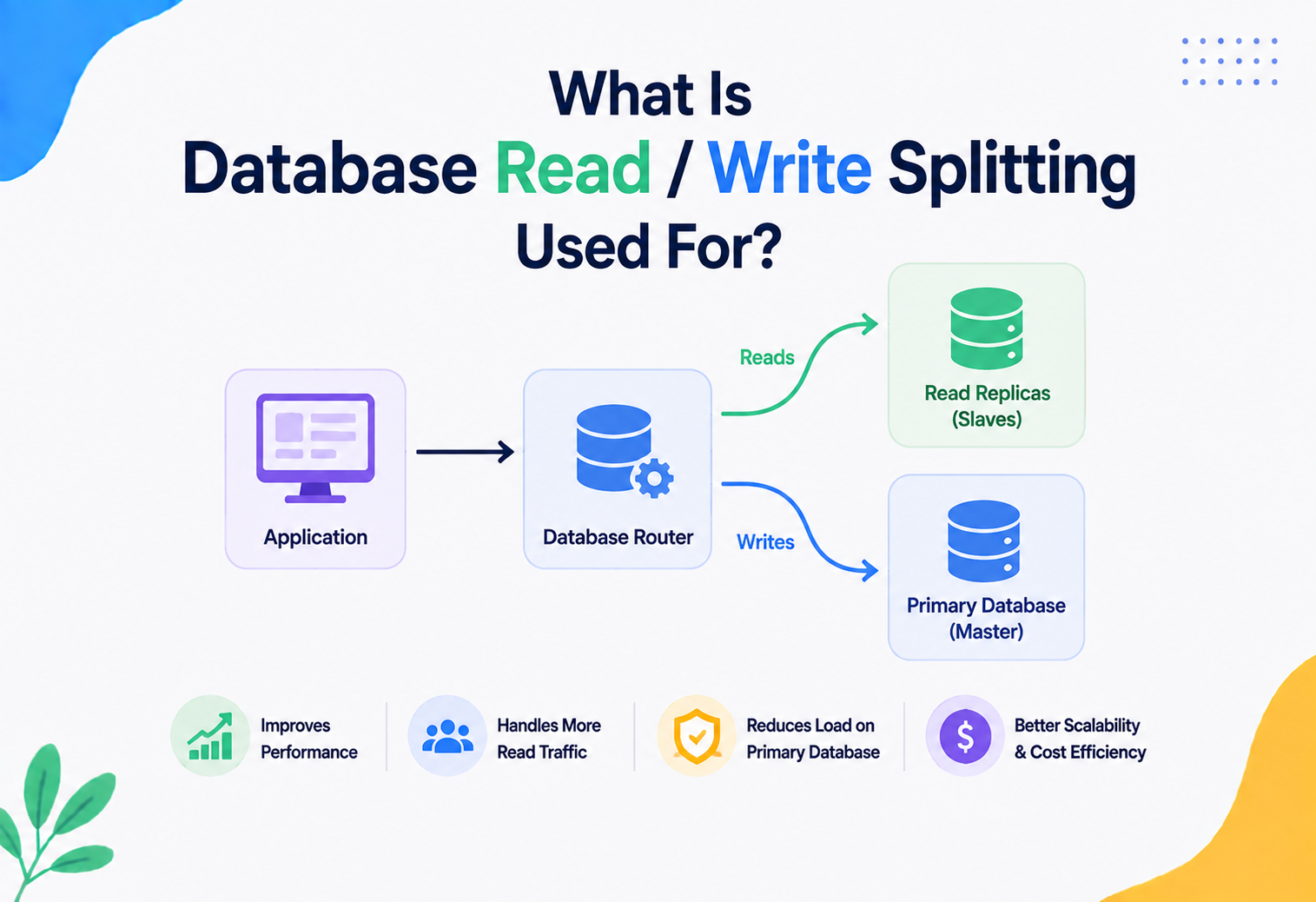
In larger systems, materialized views are often combined with load balancing: read traffic for reports and dashboards is routed to replicas or dedicated analytical nodes that host the materialized views, while write traffic for live transactions goes to the primary database. This separation, sometimes called read/write splitting, keeps heavy analytical reads from ever slowing down the customer-facing transaction path.
APIs & Microservices
CQRS read models are materialized views built from event streams; the same trade-offs, one layer higher up the stack.
In microservice architectures, materialized views show up constantly, often under a different name: the CQRS pattern (Command Query Responsibility Segregation).
CQRS separates the “write model” (how data gets created and changed) from the “read model” (how data gets queried). A materialized view is a natural implementation of the read model: a service listens to change events from other services (via a message queue like Kafka), and continuously builds and updates a denormalized, query-optimized copy of the data — conceptually identical to a materialized view, just built at the application layer instead of inside a single database.
14.1 · A JAVA EXAMPLE — AN APPLICATION-LEVEL MATERIALIZED VIEW
Here is a simplified example showing how a Java microservice might maintain its own in-memory “materialized view” of order totals, updated as events arrive, rather than recalculating totals from a database every time an API call comes in.
import java.util.concurrent.ConcurrentHashMap;
import java.math.BigDecimal;

public class OrderSummaryProjector {

    // The "materialized view": customerId -> total spend
    private final ConcurrentHashMap<String, BigDecimal> customerTotals =
        new ConcurrentHashMap<>();

    // Called whenever an OrderPlaced event arrives from the message bus
    public void onOrderPlaced(String customerId, BigDecimal amount) {
        customerTotals.merge(customerId, amount, BigDecimal::add);
    }

    // Fast read -- no recomputation, just a map lookup
    public BigDecimal getTotalSpend(String customerId) {
        return customerTotals.getOrDefault(customerId, BigDecimal.ZERO);
    }
}
This class behaves exactly like a materialized view conceptually: it stores a pre-computed answer (total spend per customer), it updates incrementally as new events arrive, and reads never re-scan the original event history.
14.2 · APIS THAT EXPOSE MATERIALIZED DATA
A common pattern is for a “reporting” or “analytics” microservice to expose a REST or GraphQL API that is entirely backed by materialized views, keeping its API contract stable even while the underlying refresh strategy or storage engine changes behind the scenes.
Design Patterns & Anti-patterns
Layered materialization, query rewrite, partitioned refresh, CQRS — and the silent zombie view nobody realises has been wrong for months.
15.1 · GOOD PATTERNS
Layered materialization
Build a small materialized view on top of another materialized view, so complex reporting pipelines don't repeat the same base-level aggregation work multiple times.
Query rewrite
Let the database optimizer automatically detect when a query could be served by an existing materialized view, and silently redirect it — transparent speedups with no application code changes.
Partitioned refresh
Split large materialized views by date or region, refreshing only the “hot” partitions frequently while older, unchanging partitions refresh rarely or never.
Materialized view as CQRS read model
In event-driven systems, treat a continuously-updated projection as the canonical “read side,” fully decoupled from the write side's schema.
15.2 · ANTI-PATTERNS TO AVOID
The silent zombie view
A materialized view whose refresh job silently failed months ago, but nobody noticed because no monitoring was set up — it keeps serving confidently wrong numbers.
Materializing everything
Creating a materialized view for every query “just in case,” leading to bloated storage, refresh storms, and confusing duplication of near-identical views.
Ignoring staleness in business logic
Using a materialized view for a decision that requires perfectly current data, like checking if a warehouse has stock before confirming a purchase.
Full refresh at massive scale
Sticking with a simple full-refresh strategy long after the base tables have grown too large for it to complete within an acceptable time window.
Best Practices & Common Mistakes
Match refresh cadence to real need, monitor staleness (not just success), add the unique index, and treat view definitions as versioned code.
16.1 · BEST PRACTICES
- Match refresh frequency to actual business need, not to what feels “safe” — over-refreshing wastes resources.
- Always monitor staleness, not just refresh success/failure — a refresh that “succeeds” but takes six hours might still mean the data is unacceptably old.
- Use unique indexes to enable concurrent (non-blocking) refreshes wherever the database supports it.
- Document the freshness contract — tell downstream consumers explicitly how stale the data might be (e.g. “refreshed every 15 minutes”).
- Version-control view definitions alongside application code and database migrations.
- Test refresh performance at production scale, not just on a small development dataset — refresh time often grows faster than expected.
16.2 · COMMON MISTAKES
- Forgetting that a materialized view does not automatically stay in sync unless explicitly refreshed (a very common beginner surprise).
- Not planning for schema evolution — adding a column to a base table doesn't automatically propagate to dependent materialized views.
- Refreshing too often on huge tables, effectively defeating the entire purpose by consuming as much resource as the original live query would have.
- Exposing materialized views directly to end users without considering access control separately from the base tables.
- Assuming all databases support incremental refresh — many require a full refresh unless specific features are configured.
16.3 · A COMPLETE, CORRECTLY-CONFIGURED EXAMPLE
Putting several best practices together, here's how a production-ready materialized view is typically set up in PostgreSQL — including the unique index required for concurrent, non-blocking refreshes, and a secondary index to speed up a common filter pattern.
CREATE MATERIALIZED VIEW monthly_revenue_by_category AS
SELECT
    date_trunc('month', created_at) AS month,
    category,
    SUM(amount)                     AS total_revenue,
    COUNT(*)                        AS order_count
FROM orders
GROUP BY 1, 2
WITH NO DATA;  -- create structure first, populate separately

-- Required for REFRESH ... CONCURRENTLY to work at all:
CREATE UNIQUE INDEX idx_mrbc_month_category
    ON monthly_revenue_by_category (month, category);

-- Speeds up dashboard queries that filter by category alone:
CREATE INDEX idx_mrbc_category
    ON monthly_revenue_by_category (category);

-- First population (locks until finished, since no old data to serve):
REFRESH MATERIALIZED VIEW monthly_revenue_by_category;

-- All future refreshes can now run without blocking readers:
REFRESH MATERIALIZED VIEW CONCURRENTLY monthly_revenue_by_category;
This pattern — define structure, add a unique index, populate, then always refresh concurrently afterward — is one of the most commonly recommended setups for production PostgreSQL materialized views, and it avoids the most frequent beginner pitfall of trying to refresh concurrently without the required index in place.
Real-World / Industry Examples
Recommendation platforms, surge-pricing zones, seller dashboards, search indexes — and layered materialized views in financial reporting.
Recommendation platforms
Large streaming platforms maintain pre-computed, materialized “viewer taste profiles” so that recommendation pages load instantly, rather than recalculating viewing history analysis on every page visit.
Surge pricing zones
Ride-hailing systems commonly maintain materialized, frequently-refreshed views of “current demand per zone” so that surge pricing calculations can be looked up quickly instead of scanning live trip requests on every price check.
Seller & business dashboards
Large online retailers rely heavily on materialized views and pre-aggregated summary tables to power seller and business dashboards showing sales, returns, and inventory trends without querying live transactional tables.
Search indexes
Search indexes themselves are conceptually a form of materialized view — a pre-computed structure built once from raw documents, so searches don't have to scan every document on every query.
Materialized views are also a foundational concept in modern data warehousing tools like dbt, Snowflake, and BigQuery, where entire analytics pipelines are built as layered chains of materialized transformations, each one built on top of the last.
17.1 · CASE STUDY — A FOOD DELIVERY APP'S RESTAURANT RANKING PAGE
Imagine a food delivery app showing a ranked list of “best restaurants near you” the moment you open the app. Computing this live would require, for every single request: finding nearby restaurants, checking current ratings, checking current wait times, checking which items are in stock, and sorting by a ranking formula. Doing all of that within the few hundred milliseconds users expect, for millions of simultaneous app opens, is extremely difficult with fully live queries.
In practice, such systems typically maintain a materialized, frequently-refreshed “restaurant scoring” table per geographic zone, updated every minute or so from underlying rating, order, and inventory events. The app's home screen then does a fast, simple read from this pre-computed table, filtered by the user's location — turning a heavy, multi-source computation into a near-instant lookup.
17.2 · CASE STUDY — FINANCIAL REPORTING AT SCALE
Large financial institutions often need daily, monthly, and quarterly reports summarizing millions of transactions, while also needing airtight auditability. A common pattern is to maintain layered materialized views: a base-level materialized view aggregating transactions by day, a second materialized view built on top of that aggregating by month, and a third built on top of that for quarterly totals. This layering means the expensive daily aggregation only happens once, and every higher-level summary reuses that pre-computed work instead of re-scanning raw transactions again.
FAQ, Summary & Key Takeaways
The recurring questions, the six things worth memorising, and where materialized views sit inside the broader database toolkit.
Is a materialized view the same as a cache?
Not exactly. Both store pre-computed data to speed up reads, but a materialized view lives inside the database as a queryable, SQL-joinable table, while a cache is usually a separate system (like Redis) storing simple key-value pairs, typically managed by application code rather than the database engine.
Does a materialized view always become stale?
Only until it's refreshed. Some databases support automatic, near-continuous refresh using change tracking, which can keep staleness down to seconds. Others require a manual or scheduled refresh, where staleness depends entirely on how often that refresh runs.
Can I write directly into a materialized view?
Generally, no. Materialized views are meant to be read-only, derived data. Writes should go to the base tables, and the materialized view should be refreshed to reflect those changes.
Do materialized views work with joins across multiple tables?
Yes — this is one of their biggest strengths. A materialized view's query can join, filter, and aggregate across many tables at once, storing the combined, pre-computed result as a single flat structure.
How is a materialized view different from a temporary table?
A temporary table is usually session-scoped and manually populated by application code for short-term use. A materialized view is a persistent, named database object with a defined refresh mechanism, meant to be reused across sessions and applications.
Will a materialized view slow down writes to the base table?
Not directly, in most databases — writes to base tables happen independently of the materialized view. However, if a database supports “on commit” automatic refresh, writes can become slower because each transaction has to also update the dependent view, so this mode is usually reserved for smaller, cheaper materialized views.
Can a materialized view depend on another materialized view?
Yes, in most modern engines. This is a common and powerful pattern for building layered data pipelines, where a base materialized view handles the heaviest aggregation, and smaller views built on top of it handle further summarization, without repeating the expensive base-level work.
18.1 · SUMMARY
A materialized view solves a very simple, very common problem: expensive questions get asked over and over, and recomputing the same answer every time wastes computing resources and slows everyone down. By storing the actual result of a query and refreshing it on a sensible schedule, materialized views turn slow, heavy queries into fast, cheap reads — at the cost of accepting some amount of staleness and taking on the operational responsibility of keeping that data reasonably fresh.
18.2 · KEY TAKEAWAYS
- A materialized view stores the actual result of a query, unlike a regular view which just stores the question.
- The core trade-off is always freshness versus speed and cost.
- Refresh strategies range from manual, to scheduled, to fully incremental and near-real-time.
- Materialized views should be monitored for staleness and refresh failures like any critical production system.
- They pair naturally with read replicas, load balancing, and CQRS-style microservice read models.
- Use them for expensive, frequently-read, tolerant-of-some-staleness queries — not for data that must always be perfectly current.
18.3 · WHERE TO GO FROM HERE
Once materialized views are solid, the natural next steps are exploring incremental view maintenance in depth, learning how streaming systems like Kafka Streams and Flink build the same abstraction on top of event logs, and studying dbt-style layered data pipelines that treat every derived table as a versioned, tested software artifact. None of this needs to be learned all at once; the core mental model — run the expensive query once, store the answer, refresh on a schedule that matches your freshness needs — will carry you through almost every real-world integration you're likely to build.