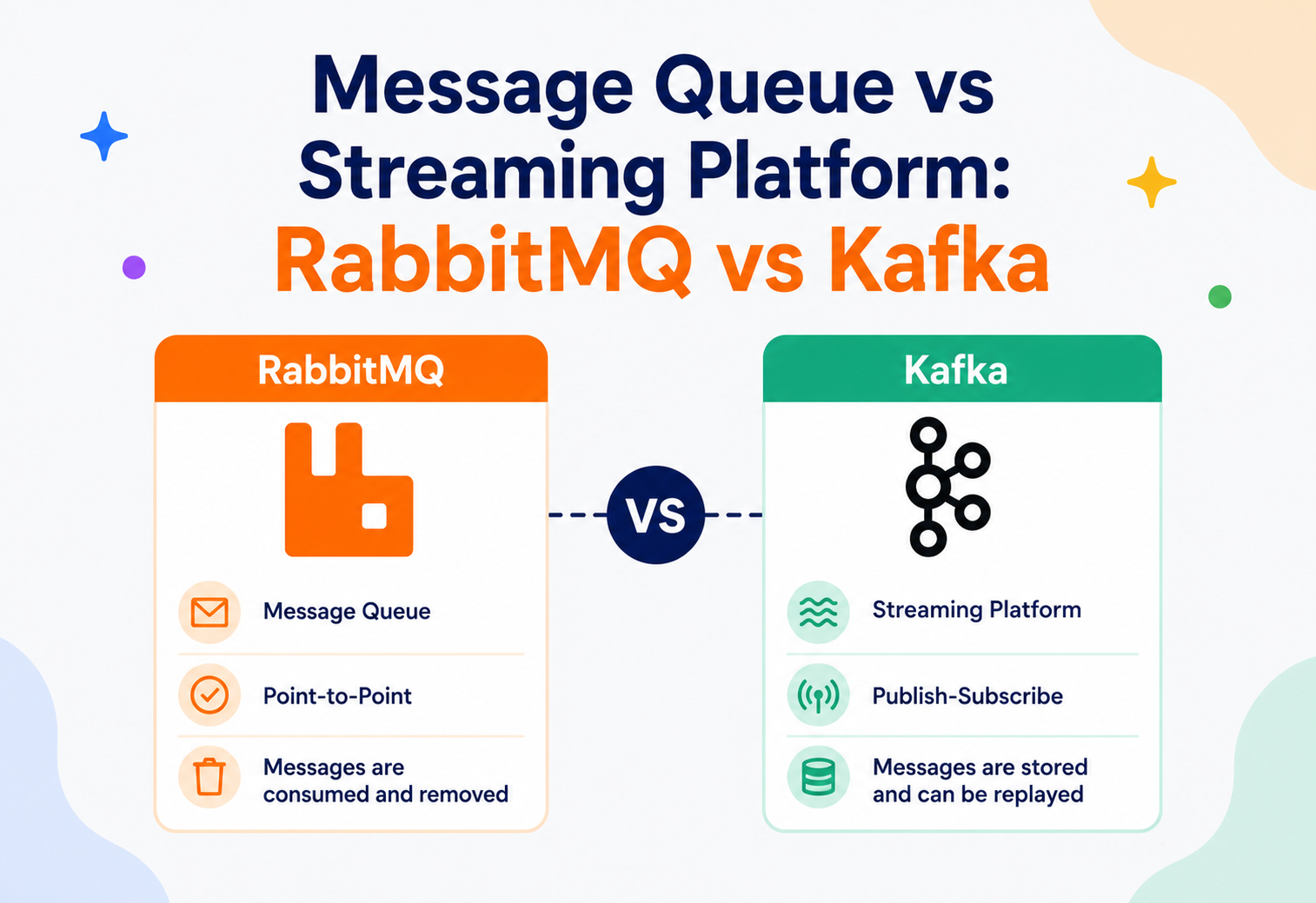
Message Queue vs Streaming Platform: RabbitMQ vs Kafka Explained From First Principles
A complete, beginner-to-production guide to understanding why RabbitMQ and Apache Kafka exist, how they differ under the hood, and how to choose the right one for your architecture — without falling for hype in either direction.
Introduction & History
If you have ever worked on a system where one part of your application needs to tell another part “something happened, go do your thing” — without waiting around for a reply — you have already bumped into the problem that message queues and streaming platforms were built to solve. RabbitMQ and Apache Kafka are the two most commonly discussed tools in this space, and the question “what’s the difference between them?” comes up constantly in interviews, design reviews, and real production incidents.
At a glance both look similar: a producer sends a message, some middleware holds onto it, and a consumer eventually receives it. But the internal philosophy of the two systems is fundamentally different, and that difference has huge consequences for how you design your system, how you scale it, and what kinds of bugs you will eventually chase down at 2 AM.
1.1 A short history
Message queues as a concept are decades old. Enterprise systems in the 1990s and early 2000s used products like IBM MQSeries (now IBM MQ) and later Java Message Service (JMS) implementations to let mainframes, ERP systems, and enterprise applications talk to each other reliably without being tightly coupled. RabbitMQ was released in 2007, built on the open AMQP (Advanced Message Queuing Protocol) standard, and became one of the most popular open-source brokers because of its flexibility, mature tooling, and ease of use for typical task-queue and request-routing problems.
Apache Kafka was created at LinkedIn around 2010–2011 to solve a very different problem: LinkedIn had massive volumes of activity data — page views, clicks, application logs, metrics — that needed to flow between dozens of systems in near real time, and needed to be replayable for analytics and auditing. Traditional message queues were not designed for this “firehose of continuously flowing, replayable data” use case, so Kafka was designed from day one as a distributed, append-only, replayable log. It was open-sourced in 2011 and became an Apache top-level project in 2012.
Think of RabbitMQ like a post office that hands letters directly to postal workers for delivery — once a letter is delivered and signed for, the post office’s copy is thrown away. Kafka is more like a public newspaper archive: every published edition is stored on a shelf in order, and any reader can walk in and read yesterday’s, last week’s, or today’s edition, as many times as they like, without the newspaper office needing to know who is reading what.
Both tools have since expanded well beyond their original design intent — RabbitMQ added streaming-like features, and Kafka added consumer-group semantics that resemble queues — but their core architecture still reflects their origins, and that core architecture is what we will dig into in this tutorial.
1.2 A quick snapshot before we go deep
| Attribute | RabbitMQ | Kafka |
|---|---|---|
| Category | Message broker (queue-oriented) | Distributed streaming / log platform |
| Origin | 2007, Rabbit Technologies, built on AMQP | 2010–2011, LinkedIn, open-sourced via Apache |
| Primary language | Erlang | Scala / Java |
| Typical unit of work | Task / command / RPC-style message | Event / fact / continuous data stream |
| Message lifespan | Deleted after acknowledgement | Retained per policy, replayable |
| Delivery model | Broker pushes to consumer | Consumer pulls from broker |
Keep this table in mind — every section below is essentially an elaboration of one row in it. By the end of this tutorial you should be able to look at any messaging requirement and immediately know which side of this table it belongs on.
Problem & Motivation
Before comparing the two tools, it helps to understand the underlying problem both are trying to solve: decoupling.
Imagine an e-commerce checkout service. When an order is placed, several things need to happen: charge the payment, update inventory, send a confirmation email, notify the shipping system, and update analytics dashboards. If the checkout service called each of these synchronously, one by one, over HTTP, you would have a few serious problems:
- Latency stacking — the customer’s browser waits for every downstream call to finish before it gets a response.
- Fragile coupling — if the email service is down, should the whole order fail? Probably not, but a synchronous chain makes that hard to avoid.
- Poor scalability — a traffic spike on checkout immediately becomes a traffic spike on every downstream system at the same instant.
- No natural retry story — if the shipping notification fails, you need custom retry logic sprinkled everywhere.
Asynchronous messaging solves this by inserting a durable buffer between the producer (checkout service) and the consumers (email, shipping, analytics). The checkout service publishes an “OrderPlaced” message and moves on immediately. Each downstream system reads that message at its own pace, independently, and can retry on failure without blocking anyone else.
Both RabbitMQ and Kafka solve this decoupling problem, which is why they are so often compared. But they answer a second, more subtle question very differently: “once a message has been delivered, what happens to it — and can I read it again?” That single design decision cascades into almost every other difference between the two systems.
2.1 Why not just use a database table as a queue?
A common beginner instinct is: “why not just insert a row into a database and poll it?” This works at tiny scale but breaks down quickly — polling wastes resources, row-level locking to avoid double-processing gets complicated under concurrency, and databases are not optimised for the extremely high write-and-fan-out throughput that messaging systems are built for. This gap is exactly why dedicated messaging middleware exists.
2.2 Two different flavours of the same underlying problem
Once you accept that you need dedicated messaging middleware, you quickly discover there are actually two related but distinct problems people bring to it, and this is really where the RabbitMQ-vs-Kafka question originates:
- “I have work to distribute.” You have a stream of discrete tasks — resize this image, send this email, charge this card — and you want a pool of workers to pick them up, each task handled once, with retries on failure. This is the classic task queue problem, and it is what RabbitMQ was built to excel at.
- “I have facts to broadcast and preserve.” Something happened — a user clicked a button, a sensor reported a reading, an order changed state — and you want to record that fact durably and let any number of current and future systems read it, potentially replaying history to rebuild state or backfill a new feature. This is the classic event streaming problem, and it is what Kafka was built to excel at.
Many teams start with only the first problem in mind, reach for whichever tool is more familiar, and only later discover they actually also have the second problem — at which point the choice of tool starts to matter a great deal. Recognising which of these two shapes your requirement actually is, before writing any code, will save you from a costly re-architecture later.
Core Concepts
Let’s define the vocabulary you need before going further. Many terms overlap between the two systems but mean subtly different things.
Message queue (the general pattern)
A message queue is a data structure and a piece of middleware that stores messages sent by producers until a consumer is ready to process them, typically removing the message once it has been successfully processed. It usually follows a point-to-point or competing consumers pattern — a message is intended to be consumed once.
Streaming platform (the general pattern)
A streaming platform stores a continuous, ordered, append-only sequence of events called a log. Unlike a queue, messages (called records or events in Kafka terminology) are not deleted after being read. Multiple independent consumers can read the same log at their own pace, and consumers can rewind and replay historical data.
RabbitMQ — key terms
- Exchange — receives messages from producers and routes them to queues based on rules.
- Queue — an ordered buffer of messages waiting for a consumer.
- Binding — the rule connecting an exchange to a queue (often via a routing key).
- Routing key — a label attached to a message used for routing decisions.
- Acknowledgement (ack) — a consumer signal that a message was processed; the broker then deletes it.
- Virtual host (vhost) — a logical namespace isolating groups of exchanges / queues.
Kafka — key terms
- Topic — a named, append-only log of events.
- Partition — a topic is split into ordered, independently-stored partitions for parallelism.
- Offset — the position of a record within a partition; consumers track offsets, not the broker.
- Broker — a Kafka server that stores partitions and serves reads / writes.
- Consumer group — a set of consumers that share the work of reading a topic’s partitions.
- Replication factor — how many broker copies each partition has for fault tolerance.
3.1 Push vs pull delivery
This is one of the most important — and most overlooked — architectural differences.
- RabbitMQ pushes messages to consumers as soon as they are available and the consumer has capacity (controlled via a “prefetch count”). The broker actively manages delivery and consumer state.
- Kafka consumers pull records from brokers at their own pace, tracking their own offset. The broker is largely passive — it just serves whatever range of the log a consumer asks for.
Push model: a waiter brings dishes to your table as soon as the kitchen finishes them — you must be ready to receive food when it arrives. Pull model: dishes sit on a buffet table, and you walk up and take what you want, whenever you’re ready, and you could even go back for seconds (a “replay”) of a dish you already had, as long as it’s still on the buffet.
3.2 Delivery semantics: at-most-once, at-least-once, exactly-once
Every messaging system, regardless of vendor, has to make a promise about what happens when something fails partway through delivery. There are three possible promises:
- At-most-once — a message might be lost, but it will never be delivered twice. This happens if you acknowledge before processing (RabbitMQ) or commit an offset before processing (Kafka), and then a crash occurs mid-processing.
- At-least-once — a message will never be silently lost, but it might be delivered more than once. This is the default, safest posture for most systems, and it is what you get in RabbitMQ by acking after successful processing, and in Kafka by committing offsets after successful processing.
- Exactly-once — each message has an effect exactly once, even across failures. True end-to-end exactly-once is notoriously hard. Kafka offers exactly-once semantics (EOS) for Kafka-to-Kafka pipelines (via idempotent producers and transactional writes across topics), which is a real and widely used guarantee, but it does not automatically extend to an arbitrary external system unless that system also participates transactionally. RabbitMQ does not offer a built-in exactly-once mode; you typically combine at-least-once delivery with idempotent consumers to achieve the same practical effect.
At-most-once is like a courier who drops a package at your door without a signature and leaves — fast, but if you weren’t home, it’s gone. At-least-once is a courier who keeps re-attempting delivery until you sign for it, even if that means occasionally leaving two copies by mistake. Exactly-once is a courier who somehow guarantees you get precisely one copy, no matter how many times the truck breaks down — genuinely hard to pull off in the real world, and expensive when you do.
3.3 Idempotency — the practical answer to duplicate delivery
Because at-least-once delivery is by far the most common real-world setting for both RabbitMQ and Kafka, the responsibility for correctness shifts to the consumer. An idempotent consumer produces the same end result whether it processes a given message once or ten times — for example, by using the message’s unique ID to check “have I already applied this?” before acting, typically via a unique constraint in a database or a deduplication cache.
// Simple idempotency guard using a processed-message table
// (works for either broker)
@Transactional
public void handleOrderPlaced(String messageId, Order order) {
    if (processedMessageRepository.existsById(messageId)) {
        return; // already handled, safely ignore the duplicate
    }
    orderService.applyOrder(order);
    processedMessageRepository.save(new ProcessedMessage(messageId, Instant.now()));
}Architecture & Components
4.1 RabbitMQ architecture
RabbitMQ implements the AMQP model. A producer never sends a message directly to a queue — it always sends it to an exchange, and the exchange decides (based on bindings and routing keys) which queue(s), if any, should receive a copy.
RabbitMQ supports several exchange types:
| Exchange type | Behaviour | Software example |
|---|---|---|
| Direct | Routes to queues whose binding key exactly matches the routing key. | Route payment.success to the payments queue only. |
| Fanout | Broadcasts to all bound queues, ignoring the routing key. | Notify email, SMS, and analytics services simultaneously on signup. |
| Topic | Pattern-based matching using wildcards (* and #). | logs.error.* routed to an error-alerting queue. |
| Headers | Routes based on message header attributes instead of routing key. | Route based on a region=EU header. |
4.2 Kafka architecture
Kafka has no exchange concept. Producers write directly to a topic, which is physically split into partitions. Each partition is an ordered, immutable, append-only log stored on disk, and each partition is hosted on one broker as the “leader” with follower replicas on other brokers.
Notice something important in the diagram: Consumer Group A and Consumer Group B both read the entire topic independently. This is what makes Kafka a true publish-subscribe streaming system — each group gets its own full copy of the stream, at its own pace, while within a group the partitions are divided up so no two consumers in the same group read the same partition (this gives you competing-consumer style parallelism too).
Since Kafka 2.8 (KRaft mode, production-ready and default since Kafka 3.5+ / 4.0), Kafka no longer requires a separate ZooKeeper cluster for metadata and controller election — it manages this internally using a Raft-based consensus protocol among a small set of controller nodes. Older Kafka deployments still commonly use ZooKeeper for this purpose.
4.3 Clustering: how nodes work together
Neither RabbitMQ nor Kafka is meant to run as a single node in production — both are designed as clusters of multiple machines that share the load and survive individual node failures, but they distribute data across that cluster in different ways.
A RabbitMQ cluster replicates each individual queue’s data across a chosen subset of the cluster’s nodes (for quorum queues, typically 3 or 5 nodes regardless of total cluster size). Any node in the cluster can accept a connection and route a publish to the correct queue leader internally, which is why RabbitMQ clusters are commonly placed behind a simple TCP load balancer.
A Kafka cluster spreads partitions across all available brokers, and — critically — different partitions of the same topic can have their leaders on entirely different brokers. This means a single topic’s write and read load is naturally spread across the whole cluster rather than concentrated on whichever nodes happen to host one queue, which is a big part of why Kafka scales to such high aggregate throughput.
A RabbitMQ cluster is like a set of filing cabinets where each cabinet (queue) has two or three backup copies kept in different rooms for safety, but any one cabinet’s contents still live together. A Kafka cluster is more like a large archive where a single collection (topic) is deliberately split into many separate folders (partitions), each folder stored in a different room, so many archivists can work on different folders of the same collection at once.
4.4 Component comparison
| Concern | RabbitMQ | Kafka |
|---|---|---|
| Core storage unit | Queue (in-memory + disk overflow). | Partition (append-only log on disk). |
| Routing logic | Exchange + bindings; the broker decides. | Producer chooses partition (by key or round-robin). |
| Metadata coordination | Node-to-node clustering (Raft-based quorum queues in modern versions). | Controller quorum (KRaft) or ZooKeeper (legacy). |
| Protocol | AMQP 0-9-1 (also STOMP, MQTT plugins). | Kafka’s own binary protocol over TCP. |
Internal Working
5.1 How RabbitMQ processes a message internally
Publish to an exchange
A producer publishes a message to an exchange over an AMQP channel.
Route into matching queues
The exchange consults its bindings and copies the message into zero, one, or many matching queues.
Replicate for durability
Each queue is (in modern RabbitMQ, using quorum queues) replicated across multiple nodes using the Raft consensus algorithm, so a queue leader failure does not lose data.
Push to a ready consumer
The broker pushes the message to a connected, ready consumer, respecting the consumer’s prefetch count (how many unacknowledged messages it’s allowed to hold at once).
Ack, then delete
The consumer processes the message and sends an ack. Only then does the broker permanently remove the message from the queue. If the consumer disconnects without acking, the message is requeued and redelivered.
5.2 How Kafka processes a record internally
Producer picks a partition
A producer sends a record to a topic, optionally supplying a key. Kafka hashes the key to deterministically pick a partition (records with the same key always land in the same partition, preserving order for that key).
Leader appends to log
The partition leader broker appends the record to the end of its log file on disk — this is a simple, extremely fast sequential write.
Replicate to followers
Follower brokers replicate the record; once enough replicas acknowledge it (based on the
ackssetting), the record is considered committed.Consumers pull
Consumers pull batches of records starting from a stored offset. The broker does not track “has this consumer read this” the way RabbitMQ does — the consumer (or a coordinator broker keeping a special internal topic called
__consumer_offsets) tracks its own position.Records are not deleted
Records are not deleted after being read. They are only removed later according to a retention policy (time-based, e.g. 7 days, or size-based), or kept forever if using log compaction.
Both systems must solve the classic distributed-systems problem of agreeing on “what is the true, ordered state of this data” even when nodes fail. RabbitMQ’s modern quorum queues use the Raft consensus algorithm to replicate queue state across a cluster and safely elect a new leader if one node dies. Kafka historically relied on ZooKeeper for controller election and now uses its own Raft-based KRaft protocol for the same purpose — electing a controller and replicating partition metadata. In both cases, “consensus” simply means: a majority of nodes must agree before a write is considered durable, so no single node’s crash can silently lose or duplicate data.
5.3 A simple Java producer for each
// RabbitMQ — Spring AMQP producer
@Service
public class OrderPublisher {

    private final RabbitTemplate rabbitTemplate;

    public OrderPublisher(RabbitTemplate rabbitTemplate) {
        this.rabbitTemplate = rabbitTemplate;
    }

    public void publishOrderPlaced(Order order) {
        rabbitTemplate.convertAndSend(
            "orders.exchange",     // exchange name
            "order.placed",        // routing key
            order
        );
    }
}
// Kafka — Spring Kafka producer
@Service
public class OrderEventProducer {
private final KafkaTemplate<String, Order> kafkaTemplate;
public OrderEventProducer(KafkaTemplate<String, Order> kafkaTemplate) {
this.kafkaTemplate = kafkaTemplate;
}
public void publishOrderPlaced(Order order) {
// key = order.getCustomerId() ensures all events for the
// same customer land in the same partition, preserving order
kafkaTemplate.send("orders-topic", order.getCustomerId(), order);
}
}Data Flow & Lifecycle
Let’s trace the full lifecycle of a message in each system, from creation to disposal.
6.1 RabbitMQ message lifecycle
If the consumer crashes before sending an ack, RabbitMQ detects the dropped connection and requeues the message for redelivery — usually to a different consumer. If a message repeatedly fails, it can be routed to a Dead Letter Exchange (DLX) after a configured number of retries, so it doesn’t block the queue forever.
6.2 Kafka record lifecycle
Crucially, the record itself is untouched by this whole process — it stays in the log until the retention window expires. If the consumer crashes before committing its offset, it simply resumes from the last committed offset on restart, which may mean reprocessing a few records (this is why consumers should be designed to be idempotent).
Netflix uses Kafka as the backbone of its data pipeline, streaming trillions of events per day — playback events, UI interactions, error logs — from edge services into stream-processing and analytics systems, precisely because the same event stream needs to be consumed independently by many different downstream teams (personalisation, billing, quality-of-experience monitoring) without those teams stepping on each other or needing to be online at the same instant the event is produced.
Pros, Cons & Trade-offs
RabbitMQ — Pros
- Flexible, powerful routing (direct, fanout, topic, headers).
- Simple mental model for classic task-queue / work-distribution problems.
- Per-message acknowledgement and fine-grained delivery guarantees.
- Lower operational footprint for small-to-medium workloads.
- Mature plugin ecosystem (delayed messages, MQTT, STOMP, shovel / federation).
RabbitMQ — Cons
- Not designed for replay — once consumed and acked, the message is gone.
- Throughput ceiling is lower than Kafka for very high-volume event streams.
- Harder to fan a single stream out to many independent, at-their-own-pace consumers.
Kafka — Pros
- Extremely high throughput, built for millions of events / sec.
- Replayability — reprocess historical data, backfill new services, debug incidents.
- Strict ordering guarantee within a partition.
- Natural fit for event sourcing, stream processing, and multiple independent consumers of the same data.
Kafka — Cons
- More operationally complex to run and tune (partitions, replication, retention).
- Weaker “routing” flexibility out of the box — routing logic often has to live in consumers or a stream processor.
- Per-message acknowledgement / priority semantics are awkward compared to a true queue.
7.1 CAP theorem lens
Both systems face the classic distributed-systems trade-off described by the CAP theorem — under a network partition, you must choose between consistency and availability. RabbitMQ’s quorum queues and Kafka’s replicated partitions both lean toward configurable consistency: you can tune RabbitMQ’s quorum size or Kafka’s acks and min.insync.replicas settings to trade off write latency against the guarantee that data survives a broker failure.
| Setting | Favours availability / speed | Favours consistency / durability |
|---|---|---|
Kafka acks | acks=0 or 1 | acks=all with min.insync.replicas=2 |
| RabbitMQ publisher confirms | Fire-and-forget publish | Wait for publisher confirm + quorum queue majority write |
Performance & Scalability
Kafka’s sequential-write, append-only design combined with OS-level page-cache usage and zero-copy data transfer (sending bytes straight from disk to network socket without extra copies into application memory) is what allows it to sustain extremely high throughput — often hundreds of megabytes per second per broker. RabbitMQ, by contrast, does more per-message bookkeeping (routing decisions, per-consumer delivery state, acknowledgement tracking), which caps its practical throughput lower, though still more than sufficient for the vast majority of task-queue workloads.
8.1 Scaling out
- Kafka scales by adding partitions — more partitions means more parallelism across both producers and consumer-group members. A topic’s maximum consumer parallelism within one group is bounded by its partition count.
- RabbitMQ scales by adding more queues and consumers, and by clustering nodes; very high-throughput RabbitMQ setups often also use sharding plugins to split a logical queue across multiple physical queues, echoing Kafka’s partition idea.
Kafka partitions are like multiple checkout lanes at a supermarket — each lane processes its own line independently and in order, and you add more lanes to handle more shoppers. RabbitMQ queues with multiple consumers are like a single line feeding several cashiers who each grab the next customer as soon as they’re free.
8.2 Production example — Uber
Uber’s real-time trip, pricing, and location-tracking pipelines rely heavily on Kafka to move very high-volume location and trip-state events between hundreds of internal services, because the combination of high write throughput and the ability to have many independent teams subscribe to the same event stream fits their scale far better than a traditional queue-and-delete model would.
8.3 Batching, compression, and latency trade-offs
Kafka producers can batch multiple records destined for the same partition into a single network request, controlled by linger.ms (how long to wait for a batch to fill) and batch.size. Combined with compression (snappy, lz4, or zstd), this dramatically reduces network and disk overhead at the cost of a small amount of added latency — a classic throughput-vs-latency dial. RabbitMQ, being oriented around discrete task messages, has fewer built-in batching knobs; consumers instead tune prefetch count to control how many unacknowledged messages can be in flight, balancing throughput against the risk of one slow consumer hoarding work.
8.4 How to think about capacity planning
- For RabbitMQ, capacity planning centres on queue count, message size, and consumer processing time — you’re essentially asking “how many workers do I need to keep the queue depth near zero under peak load?”
- For Kafka, capacity planning centres on partition count, replication factor, and retention window — you’re asking “how much disk do I need to retain N days of events at this throughput, replicated three times, and how many partitions do I need to give my busiest consumer group enough parallelism?”
Neither number should be guessed. Both ecosystems provide load-testing tools — RabbitMQ’s PerfTest and Kafka’s bundled kafka-producer-perf-test.sh / kafka-consumer-perf-test.sh — that should be run against realistic message sizes and volumes before finalising a topology, since retrofitting partition counts or queue sharding after launch is significantly more disruptive than getting it right up front.
High Availability & Reliability
Both systems achieve high availability through replication: keeping multiple copies of data on different physical nodes so that a single node failure doesn’t cause data loss or downtime.
9.1 RabbitMQ HA
Modern RabbitMQ uses quorum queues, which replicate queue contents across an odd number of cluster nodes (e.g. 3 or 5) using the Raft consensus protocol. A write is only confirmed once a majority of replicas have persisted it, so the loss of a minority of nodes (e.g. 1 out of 3) does not lose data or availability — a new leader is elected automatically.
9.2 Kafka HA
Kafka replicates each partition across a configurable number of brokers (the replication factor, commonly 3 in production). One replica is the leader handling all reads / writes; the others are followers that continuously fetch from the leader. If the leader broker fails, one of the in-sync followers is automatically elected as the new leader by the controller. The min.insync.replicas setting, combined with acks=all on the producer, determines how many replicas must confirm a write before it’s considered durable — directly trading off durability against write latency and availability during partial outages.
9.3 Disaster recovery
Both ecosystems support cross-datacenter replication for disaster recovery: RabbitMQ offers federation and shovel plugins to replicate messages across geographically separate clusters, while Kafka offers MirrorMaker 2 to continuously replicate topics between Kafka clusters in different regions, so that a full regional outage can be recovered from by failing traffic over to the mirrored cluster.
9.4 Failure recovery walk-through
It helps to trace exactly what happens when a node dies in each system:
RabbitMQ node failure
If a node hosting a quorum queue’s leader crashes, the remaining replica nodes detect the loss of contact, run a Raft leader election among themselves, and one of the up-to-date followers becomes the new leader — typically within seconds. Connected consumers reconnect (often via a client-side retry policy or a load balancer in front of the cluster) and resume consuming from the new leader with no data loss, since only majority-acknowledged writes were ever considered durable.
Kafka broker failure
If a broker hosting a partition leader crashes, the controller (elected via KRaft or, in legacy deployments, coordinated through ZooKeeper) detects the failure through missed heartbeats and promotes one of the in-sync replicas to leader. Producers and consumers refresh their metadata and are automatically redirected to the new leader. Any records that had already been acknowledged by
min.insync.replicasbrokers are preserved; unacknowledged in-flight writes may need to be retried by the producer.
In both systems, the practical lesson is the same: durability guarantees only apply to writes that were actually acknowledged according to your configured quorum / replica settings. Weakening those settings for speed (e.g. acks=1 in Kafka, or non-durable queues in RabbitMQ) directly increases the amount of data you could lose during a node failure — this is a deliberate trade-off you should make consciously, not by accident.
Security
Security in messaging systems generally covers three layers: encryption in transit, authentication, and authorisation.
| Layer | RabbitMQ | Kafka |
|---|---|---|
| Encryption in transit | TLS on AMQP connections. | TLS (SSL) on broker-client and inter-broker connections. |
| Authentication | Username / password, x509 certificates, LDAP, OAuth 2 plugin. | SASL (PLAIN, SCRAM, GSSAPI / Kerberos, OAUTHBEARER), mTLS. |
| Authorisation | Per-vhost and per-resource permission tags (configure / write / read). | ACLs on topics, consumer groups, and cluster operations. |
| Data at rest | Disk encryption typically handled at OS / volume level. | Disk encryption typically handled at OS / volume level. |
Leaving the default RabbitMQ “guest” account enabled and reachable outside localhost, or running a Kafka cluster with PLAINTEXT listeners exposed to a public network, are both classic production security incidents. Always disable default credentials and restrict broker network exposure with security groups / firewalls in addition to application-layer auth.
10.1 Multi-tenancy and isolation
RabbitMQ’s virtual hosts give you a built-in way to fully isolate the queues, exchanges, and permissions of different applications or teams sharing one cluster — each vhost behaves like its own private broker. Kafka does not have a native vhost equivalent; isolation between teams sharing a cluster is typically achieved through a combination of topic naming conventions, per-topic ACLs, and, at larger scale, resource quotas (limiting how much produce / consume bandwidth a given client ID can use) so that one noisy team cannot starve another of broker capacity.
Monitoring, Logging & Metrics
You cannot safely run either system in production without visibility into a few key signals.
11.1 What to watch in RabbitMQ
- Queue depth / message backlog — a growing queue means consumers can’t keep up.
- Consumer utilisation and unacked message count — high unacked counts can indicate slow or stuck consumers.
- Memory and disk alarms — RabbitMQ will block publishers if memory / disk watermarks are breached.
- The built-in management UI / API (port 15672) and Prometheus plugin are the standard ways to export these metrics.
11.2 What to watch in Kafka
- Consumer lag — the gap between the latest offset in a partition and a consumer group’s committed offset; the single most important Kafka health metric.
- Under-replicated partitions — indicates a replica has fallen behind or a broker is struggling.
- Broker disk usage and request latency percentiles (p99 produce / fetch latency).
- Tools like Kafka Exporter / JMX metrics + Prometheus + Grafana, Confluent Control Center, or Burrow are commonly used for lag monitoring.
Consumer lag in Kafka is like the gap between the latest newspaper edition printed and the edition you’re currently reading — if that gap keeps growing every day, you’re falling behind and need to either read faster (scale consumers) or figure out why you’ve stalled.
11.3 Setting sane alert thresholds
New teams often either alert on everything (causing fatigue) or nothing (causing blind spots). A reasonable starting point:
- Alert when RabbitMQ queue depth grows continuously for more than a few minutes rather than oscillating around a steady baseline — a steady, non-zero depth under load is often fine; an ever-climbing one is not.
- Alert when Kafka consumer lag, measured in both record count and estimated time-to-catch-up, exceeds a threshold meaningful to the business (e.g. “notifications more than 5 minutes stale” matters more to most products than an absolute record count).
- Alert on under-replicated Kafka partitions and on RabbitMQ nodes falling out of a quorum — both are early warning signs of a cluster heading toward reduced fault tolerance, even before anything user-facing breaks.
- Track broker / node resource saturation (CPU, disk, network) as a leading indicator, since both systems tend to degrade gracefully right up until they don’t.
Deployment & Cloud
Both systems can be self-managed or consumed as a managed cloud service.
| Self-managed | Managed cloud options | |
|---|---|---|
| RabbitMQ | Docker / Kubernetes (official RabbitMQ Cluster Operator), VMs. | Amazon MQ (RabbitMQ engine), CloudAMQP. |
| Kafka | Kubernetes (Strimzi operator), VMs, bare metal. | Confluent Cloud, Amazon MSK, Azure Event Hubs (Kafka-compatible), Aiven for Kafka. |
In containerised / Kubernetes environments, both are typically deployed as StatefulSets with persistent volumes, since both are stateful systems where node identity and disk contents matter across restarts. Rolling upgrades must be done carefully — one broker / node at a time — to preserve quorum and avoid data loss during the upgrade window.
12.1 Operational effort in practice
Teams evaluating self-hosting versus a managed offering should weigh the ongoing operational burden honestly. RabbitMQ clusters generally require less specialised tuning to run well at moderate scale — most defaults are reasonable out of the box. Kafka clusters, especially at high throughput, typically demand more deliberate tuning of partition counts, broker disk layout, JVM garbage-collection settings, and OS-level file-descriptor and page-cache configuration. This is precisely why managed offerings such as Confluent Cloud or Amazon MSK are popular for teams that want Kafka’s capabilities without building in-house Kafka operations expertise, while smaller teams running RabbitMQ often find self-hosting perfectly manageable even without a dedicated messaging-infrastructure specialist.
Databases, Caching & Load Balancing
Messaging systems rarely operate in isolation — they usually sit between databases, caches, and other services.
- Outbox pattern with databases: to avoid the classic “dual write” problem (updating a database and publishing a message are not atomic), teams often write the event to an “outbox” table in the same database transaction, then a separate process reads the outbox and publishes to RabbitMQ / Kafka — guaranteeing the event is eventually published if and only if the DB transaction committed.
- Caching invalidation: a common Kafka use case is publishing a “cache invalidate” event whenever a record changes, so multiple services with their own local (e.g. Redis or in-memory) caches can subscribe and evict stale entries.
- Load balancing consumers: in RabbitMQ, multiple consumers on the same queue naturally load-balance via round-robin push delivery. In Kafka, load balancing happens through partition assignment within a consumer group — the group coordinator broker assigns partitions to available consumer instances and rebalances when instances join or leave.
APIs & Microservices
In a microservices architecture, both tools are commonly used as the asynchronous communication backbone, but they tend to fit different roles:
- RabbitMQ shines for command-style, task-distribution messaging: “process this payment,” “send this email,” “resize this image” — discrete units of work that should be handled exactly once by exactly one worker.
- Kafka shines for event-driven architectures and event sourcing: “OrderPlaced,” “PaymentCaptured,” “InventoryReserved” — facts about things that happened, which multiple independent services may care about, now or in the future.
14.1 Spring Boot consumer examples
// RabbitMQ consumer with Spring AMQP
@Component
public class EmailNotificationListener {

    @RabbitListener(queues = "orders.email.queue")
    public void onOrderPlaced(Order order) {
        emailService.sendConfirmation(order);
        // ack is sent automatically on successful return
        // (with AcknowledgeMode.AUTO, the default)
    }
}
// Kafka consumer with Spring Kafka
@Component
public class OrderEventListener {
@KafkaListener(
topics = "orders-topic",
groupId = "email-service-group"
)
public void onOrderEvent(ConsumerRecord<String, Order> record) {
Order order = record.value();
emailService.sendConfirmation(order);
// with enable.auto.commit=false, commit offset manually
// after successful processing for at-least-once semantics
}
}Many real-world architectures actually use both: Kafka as the durable, replayable backbone for domain events across the whole company, and RabbitMQ (or an in-process queue) for short-lived task distribution within a single service.
Design Patterns & Anti-Patterns
15.1 Useful patterns
- Competing consumers — multiple workers pull from the same queue / partition set to horizontally scale processing (both systems).
- Dead letter queue / topic — route poison messages that repeatedly fail processing to a separate location for manual inspection instead of blocking the main flow (RabbitMQ DLX; Kafka often implemented with a dedicated “retry” or “DLT” topic).
- Event sourcing — persist every state change as an immutable event in Kafka, and derive current state by replaying the log; natural fit given Kafka’s retention / replay model.
- CQRS (Command Query Responsibility Segregation) — write commands go through one path, while a Kafka stream of events feeds separate, purpose-built read models.
- Saga pattern — coordinate a multi-step distributed transaction (e.g. book flight → book hotel → charge card) using a sequence of asynchronous events and compensating actions, commonly implemented over either broker. A Kafka-backed saga typically models each step as an event on a shared topic, with an orchestrator or choreography of services reacting in turn; a RabbitMQ-backed saga typically models each step as a command routed to the next service’s queue, with compensating commands issued on failure.
15.2 Anti-patterns to avoid
Using Kafka as a simple task queue without keys — round-robin partitioning with no key throws away Kafka’s per-key ordering guarantee, and consumer groups don’t give you fine per-message ack / nack control the way RabbitMQ does.
Using RabbitMQ for long-term event storage or analytics replay — once messages are acked and deleted, that data is gone; RabbitMQ was never designed to be a system of record.
Letting a RabbitMQ queue grow indefinitely because consumers are down leads to memory pressure and eventual publisher blocking; always pair with monitoring and alerting.
Under-partitioning a topic caps your maximum consumer parallelism and makes it expensive to fix later (repartitioning is a heavyweight operation).
Both systems can, under failure conditions, deliver a message more than once (“at-least-once” delivery); consumers that aren’t written to handle duplicate processing safely will eventually cause data corruption (e.g. double-charging a customer).
Best Practices & Common Mistakes
Best practices
- Always design consumers to be idempotent — assume any message could be delivered more than once.
- Set explicit retention and TTL policies — unbounded Kafka retention or unbounded RabbitMQ queues both eventually cause operational pain.
- Use schema management (e.g. a schema registry with Avro / Protobuf for Kafka, or versioned JSON contracts for RabbitMQ) so producers and consumers can evolve independently without breaking each other.
- Pick Kafka partition keys deliberately based on what ordering guarantee you actually need (e.g. partition by customer ID, not randomly).
- Set up dead-letter handling and alerting from day one, not after the first production incident.
- Load-test with realistic message sizes and volumes before committing to a partition / queue topology.
Common mistakes
- Treating message order as guaranteed across an entire Kafka topic (it’s only guaranteed within a partition).
- Forgetting that RabbitMQ’s push-based prefetch, if set too high, can let one slow consumer hoard messages that other idle consumers could have processed faster.
- Not monitoring consumer lag until customers start complaining about stale data.
- Choosing a tool based on hype rather than the actual access pattern — reach for Kafka because “it’s what big companies use” when a simple RabbitMQ task queue would be simpler to operate and perfectly sufficient.
16.1 A short checklist before going to production
- Have you defined and tested a dead-letter / retry strategy, rather than assuming every message will succeed on the first attempt?
- Have you load-tested with production-representative message sizes and volumes, not just a handful of manual test messages?
- Have you documented your delivery-semantics choice (at-least-once vs at-most-once) so every consuming team designs for it correctly?
- Have you set explicit retention / TTL and confirmed disk capacity will not silently run out?
- Do you have alerting on the one metric that matters most for each system — queue depth for RabbitMQ, consumer lag for Kafka — rather than discovering backlog problems from customer complaints?
- Have you planned your partition or queue topology with room to grow, since both are expensive to restructure after the fact?
Real-World / Industry Examples
| Company | Tool | Use case |
|---|---|---|
| Kafka | Originated Kafka to move activity data and metrics across its entire backend in near real time. | |
| Netflix | Kafka | Streams trillions of daily playback and UI events into analytics and personalisation pipelines. |
| Uber | Kafka | Real-time trip, pricing, and location-event pipelines across hundreds of services. |
| RabbitMQ | Historically used RabbitMQ to power asynchronous task queues for feed and notification processing. | |
| RabbitMQ | Used RabbitMQ for background job processing and inter-service task distribution. |
A useful pattern seen across many large organisations: Kafka as the company-wide “central nervous system” for domain events, with individual teams layering RabbitMQ (or a lightweight in-process queue like Sidekiq or Celery’s broker) on top for their own internal task-processing needs.
17.1 Two illustrative production stories
A payments platform receives a “charge card” command from checkout. This is a classic RabbitMQ shape: it is a discrete, one-time task that must be handled by exactly one worker, retried with backoff on transient failure, and routed to a dead-letter queue for manual review if it keeps failing (e.g. a genuinely declined card). The routing flexibility of exchanges also lets the platform easily add a new “high-value transaction” queue with extra fraud checks later, just by adding a binding — without touching the producer at all.
A content platform wants to track every article view, scroll depth, and click across its site. This is a classic Kafka shape: extremely high event volume, no single “owner” of the data (the recommendation team, the analytics team, the ads team, and a future team that doesn’t exist yet may all want to consume the same stream), and a strong need to reprocess historical data whenever a new feature launches. Storing these as an immutable, replayable Kafka log means the analytics team can rebuild a derived dataset from scratch at any time, simply by re-reading the log from the beginning.
A Practical Decision Checklist
When a team asks “should we use RabbitMQ or Kafka for this?”, these questions usually settle it faster than any theoretical comparison:
| Question | Leans RabbitMQ | Leans Kafka |
|---|---|---|
| Does a message need to be processed exactly once by exactly one worker, then discarded? | Yes | |
| Do multiple, independent, possibly-not-yet-built services need to read the same stream, potentially replaying history? | Yes | |
| Do you need complex routing (topic patterns, fanout, header-based rules) with minimal custom code? | Yes | |
| Is sustained throughput in the hundreds of thousands to millions of messages / sec the primary requirement? | Yes | |
| Do you need strict per-key ordering combined with horizontal scale-out? | Yes | |
| Is your team small and looking for the simplest possible operational model for a modest workload? | Yes | |
| Do you need to feed data into stream-processing frameworks (Kafka Streams, Flink, Spark Structured Streaming) or a data lake? | Yes |
If your answers are mixed, that’s normal — it’s common to introduce Kafka as the durable event backbone for cross-team data while keeping RabbitMQ (or an even simpler in-process queue) for intra-service task distribution. The two tools are not mutually exclusive, and reaching for “one messaging tool to rule them all” is often a worse decision than picking the right tool per use case.
FAQ, Summary & Key Takeaways
Can RabbitMQ do what Kafka does, and vice versa?
Partially. RabbitMQ has added streaming-capable queues that support replay-like semantics, and Kafka Streams / consumer groups can approximate competing-consumer task distribution. But each tool’s internals are still optimised for its original model, so pushing either far outside its comfort zone tends to fight the tool rather than work with it.
Which one should I choose for a new project?
If you need reliable, flexible routing of discrete tasks that should be processed once and discarded — RabbitMQ. If you need a durable, replayable, high-throughput stream of events consumed by multiple independent systems (including future systems you haven’t built yet) — Kafka.
Is Kafka always faster than RabbitMQ?
For high-volume, large-batch streaming workloads, generally yes. But for low-latency, small-message, complex-routing workloads, RabbitMQ’s per-message overhead is often not a real-world bottleneck, and its simpler operational model can be the better overall choice.
Do I need both in a real system?
Many mature architectures do use both, in different roles — Kafka as the durable backbone for cross-team domain events, and RabbitMQ for task queues within a bounded context. This isn’t required for every system, but it’s a common and reasonable pattern at scale.
What happens if a Kafka consumer falls very far behind?
As long as the records it needs haven’t expired past the topic’s retention window, it can keep pulling and will eventually catch up — this is one of Kafka’s most valuable properties, since a consumer that was down for hours or days simply resumes from its last committed offset. If retention has already expired those records, the consumer’s offset becomes invalid and it must be reset to the earliest available offset, skipping the lost window.
Can I get strict global ordering across an entire Kafka topic?
Only by using a single partition, which caps your throughput and parallelism to one consumer at a time — defeating much of the point of using Kafka at scale. In practice, teams instead design around per-key ordering (e.g. all events for one customer or one order stay strictly ordered) and accept that ordering across different keys is not guaranteed, which is sufficient for the vast majority of real use cases.
Is RabbitMQ “legacy” compared to Kafka?
No — this is a common misconception. RabbitMQ is actively developed, and for its intended use case (flexible task / command routing with strong per-message delivery guarantees) it remains an excellent, often simpler, choice than bending Kafka into the same shape. Tool age is not the same as tool fitness for a given problem.
Key takeaways
- RabbitMQ is a traditional message broker: messages are routed via exchanges and deleted after acknowledgement.
- Kafka is a distributed commit log: events are appended, retained, and can be replayed by any number of independent consumer groups.
- The push (RabbitMQ) vs pull (Kafka) delivery model, and the delete-after-ack vs retain-by-policy storage model, are the two biggest structural differences to remember.
- Both achieve high availability through replication and consensus (Raft-based quorum queues in RabbitMQ, KRaft / ZooKeeper controller election in Kafka).
- Choose based on your actual access pattern: task distribution → RabbitMQ; event streaming and replay → Kafka.
- Delivery semantics (at-most-once, at-least-once, exactly-once) and consumer idempotency matter more to correctness than which specific broker you pick — design for duplicates regardless of the tool.
- Neither tool is strictly “better” in the abstract; they were built to answer different questions, and the right choice always follows from the shape of your actual workload, not from popularity.
Follow this up with tutorials on Event-Driven Architecture & the Saga Pattern and Distributed Tracing & Observability to see how messaging systems fit into a full microservices observability and reliability story.
One final piece of advice worth repeating: the RabbitMQ-vs-Kafka question is rarely won on paper. The fastest way to build real confidence in either tool is to stand up a small cluster locally, wire in a Spring Boot producer and consumer like the ones shown above, deliberately kill a broker node mid-flow, and watch how each system behaves. Reading about consensus, replication, and delivery guarantees builds intuition; watching your own test messages survive — or fail to survive — a simulated outage is what turns that intuition into production-ready judgment.