What Is a Database Migration?
A complete, beginner‑to‑production guide to how software teams safely change database structure over time — without losing data, without downtime, and without fear.
Introduction & History
Imagine you built a toy box for your room. At first, it only needed to hold action figures. But as you grew up, you started collecting toy cars, then books, then video games. Every few months, you had to rebuild the box — add a new shelf, make a drawer bigger, or split one section into two. You couldn’t just throw away the old box and buy a brand new one every time, because it already had all your favorite things stored safely inside it. You had to change the box while keeping everything inside it safe.
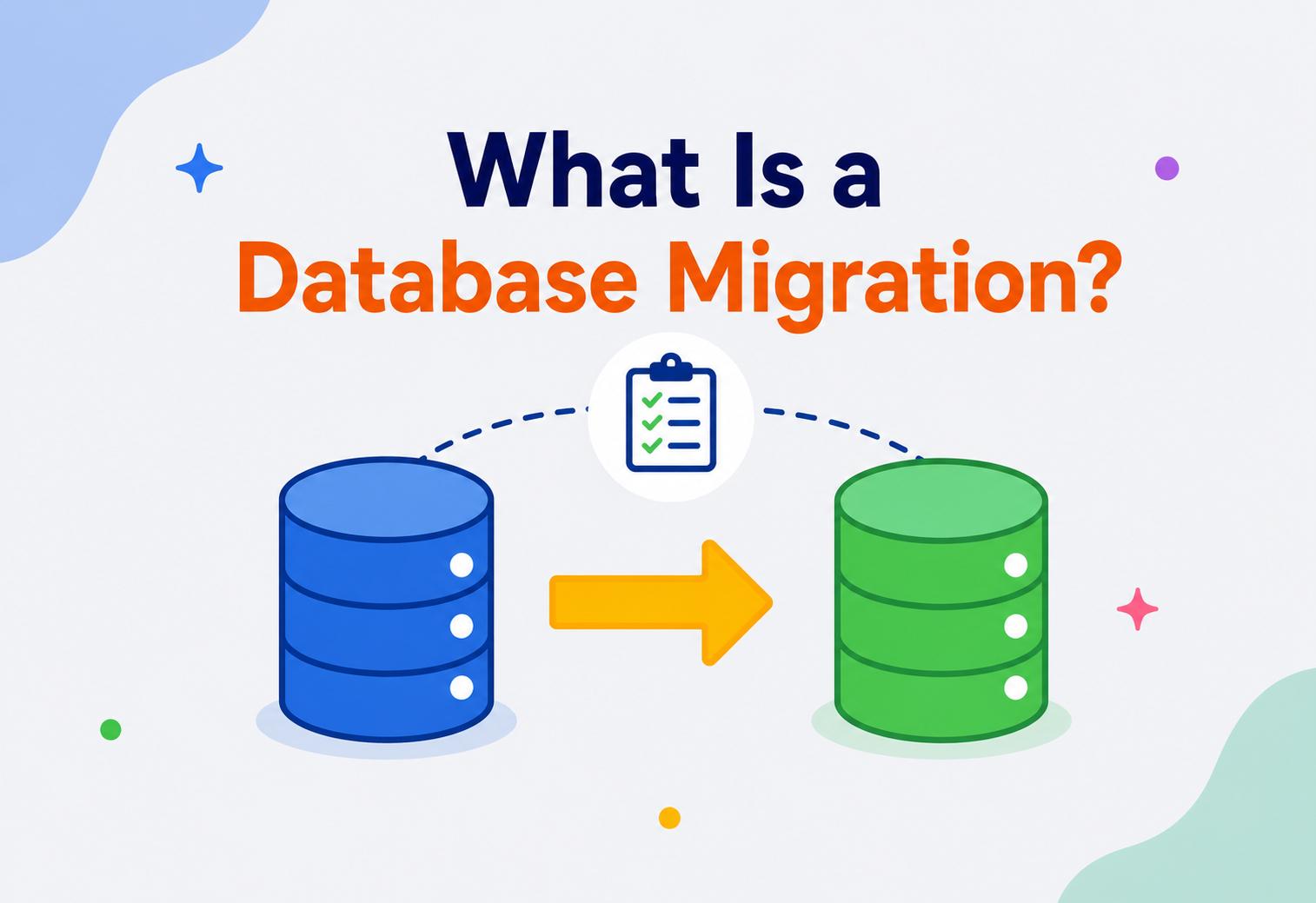
A database migration is exactly this idea, but for computer systems. A database is the “toy box” where an application stores its important information — user accounts, orders, messages, bank balances, and so on. As an application grows and changes, the shape of that box (called the schema) needs to change too. A database migration is the controlled, repeatable, and safe process of changing that shape over time, without losing what’s already stored inside.
Think of your database as a building under constant renovation while people are still living in it. You can’t demolish it and start over every time you need a new room. Instead, you make careful, planned changes — knock down one wall at a time, reinforce the foundation first, and always have a plan to undo a change if something goes wrong. A database migration is the renovation blueprint plus the construction crew that carries it out safely.
Why does this term exist?
In the earliest days of computing, most programs worked with a fixed, unchanging set of data fields. Early file‑based systems and the first relational databases of the 1970s and 1980s were often designed once, deployed, and rarely touched again. But as software started evolving continuously — especially after companies began releasing new versions of applications every few weeks instead of once every few years — database structures had to evolve too. Developers realized they needed a formal, safe, and repeatable way to change the shape of a database in step with changes in the application code. Out of this need, the practice and tooling of “database migrations” was born.
A Short History
Relational databases such as Oracle, IBM DB2, and later PostgreSQL and MySQL, gave developers commands like CREATE TABLE, ALTER TABLE, and DROP TABLE from the very beginning. But for a long time, teams ran these commands manually — a database administrator (DBA) would write a script, test it on their own machine, and then run it directly on the production server, often over a weekend, hoping nothing went wrong.
This manual approach worked when teams were small and releases were rare. But it broke down badly as software teams grew and started shipping code far more often. Two significant shifts changed the game:
- Version control for code (mid‑1990s onward): Tools like CVS, then Subversion, then Git, taught developers that code changes should be tracked, reviewed, and reversible. Naturally, people began asking: “Why isn’t our database schema tracked the same way?”
- Agile and continuous delivery (2000s onward): As teams began releasing software weekly, daily, or even multiple times a day, manual database changes became a serious bottleneck and a common cause of production outages.
This gave rise to dedicated migration tools. Rails Migrations, introduced with Ruby on Rails around 2004, is widely credited as the tool that popularized the modern idea of migrations as small, ordered, version‑controlled files. This idea was later adopted and refined across almost every programming ecosystem: Flyway and Liquibase for Java, Alembic for Python, Django Migrations for Python’s Django framework, Knex and Prisma Migrate for JavaScript/TypeScript, and golang‑migrate for Go. Today, database migrations are a standard, expected part of professional software engineering, deeply integrated into continuous integration and continuous delivery (CI/CD) pipelines.
Fixed‑shape databases
Early file‑based systems and the first relational databases were designed once, deployed, and rarely touched again — software evolved slowly, and schemas did too.
Manual DBA scripts
Oracle, DB2, PostgreSQL and MySQL provided CREATE‑/ALTER‑/DROP TABLE commands, but changes were still written and executed by hand on production over weekends.
Version control changes the mindset
CVS, Subversion and later Git taught teams that code changes should be tracked, reviewed and reversible — and prompted the question, “why isn’t our schema treated the same way?”
Rails Migrations
Ruby on Rails popularized migrations as small, ordered, version‑controlled files with up/down pairs — the template every later ecosystem borrowed.
Tooling everywhere
Flyway and Liquibase for the JVM, Alembic and Django Migrations for Python, Knex and Prisma Migrate for JavaScript, and golang‑migrate for Go make migrations a standard, expected discipline in every stack.
Baked into CI/CD
Migrations are triggered automatically by deployment pipelines, run as Kubernetes Jobs or init containers, and paired with online schema‑change tools like gh‑ost for truly zero‑downtime rollouts.
A database migration is not a single command. It is a discipline — a way of treating changes to your database schema with the same seriousness, traceability, and safety as changes to your application code.
The Problem & Motivation
To understand why migrations matter, let’s look at what life was like before them, and why that approach eventually falls apart.
Life Without Migrations
Suppose a small team builds an online bookstore. In week one, they create a database with a single table called books, holding a title and a price. It works fine. In week five, they decide to add an author column. One developer writes an ALTER TABLE command, runs it on their own laptop, and things work. But now:
- The developer sitting next to them doesn’t know this column was added, so their local database is now different from the first developer’s.
- The production database, running on a server somewhere else, still doesn’t have the
authorcolumn — because nobody ran the change there yet. - Nobody wrote down exactly what command was run, or in what order, if there were multiple changes.
- If the change breaks something, there’s no clear way to undo it.
This is called schema drift — a situation where different copies of the same database (developer laptops, testing servers, staging servers, and production servers) silently become different from each other over time. Schema drift is one of the most common causes of the classic complaint: “But it works on my machine!”
Imagine five friends editing five separate paper copies of the same recipe, each one scribbling in their own changes without telling the others. When they try to cook together using “the recipe,” nobody actually has the same instructions. Chaos follows. A shared, ordered, written‑down recipe — followed by everyone in the same sequence — is what a migration system provides for a database.
Why Manual Schema Changes Are Dangerous
| Manual approach | Risk it creates |
|---|---|
| DBA runs SQL directly on production | No record of what changed or when; hard to audit |
| Different engineers make different changes locally | Schema drift between environments |
| No automated ordering of changes | Change B might run before Change A on some servers |
| No rollback plan | A bad change can cause extended downtime or data loss |
| Change not tied to application code version | New code deployed against an old schema, causing crashes |
What a Migration System Solves
A migration system turns “someone typing SQL commands from memory” into “a written, ordered, version‑controlled, testable, and repeatable process.” It gives every environment — a new developer’s laptop, the automated test server, the staging environment, and the live production system — a reliable way to reach the exact same database structure, in the exact same order, every single time.
Think of npm’s package.json or Maven’s pom.xml — files that describe exactly which library versions your project needs, so anyone who runs the install command gets an identical setup. A migration folder does the same thing, but for your database’s structure instead of your code’s dependencies.
Core Concepts
Before going further, let’s build a solid vocabulary. Every term below is something you will see constantly in real migration tools like Flyway, Liquibase, or Django Migrations.
The structural blueprint
What it is: The schema is the structural blueprint of a database — the list of tables, the columns inside each table, the data types of those columns, and the relationships (like foreign keys) between tables.
Why it exists: A database needs a defined shape so the application knows exactly where to store and find each piece of information.
Analogy: If the database is a filing cabinet, the schema is the labeled structure of drawers and folders inside it — not the papers themselves.
Example: A schema might say: table users has columns id (integer), email (text), and created_at (timestamp).
One numbered step of change
What it is: A single, self‑contained, ordered set of instructions that changes the schema (or sometimes the data) from one known state to the next known state.
Why it exists: Breaking large changes into small, numbered steps makes each change easy to review, test, apply, and — if needed — undo.
Analogy: Each migration is like one numbered page in an instruction manual for assembling furniture. You must follow the pages in order; skipping page 3 to do page 4 first usually breaks something.
Example: V1__create_users_table.sql, V2__add_email_index.sql, V3__add_phone_column.sql.
Apply and reverse
What it is: The “up” migration applies a change (moving the schema forward). The “down” migration (also called a rollback) reverses that exact change (moving the schema backward).
Why it exists: If a new change causes a bug in production, teams need a safe way to return to the previous, known‑good schema.
Analogy: “Up” is climbing one step of a staircase; “down” is stepping back down that same step. You always know exactly how to reverse your last move.
Example: Up: ALTER TABLE users ADD COLUMN phone TEXT; Down: ALTER TABLE users DROP COLUMN phone;
The tool’s memory
What it is: A special table that the migration tool creates inside your own database (commonly named schema_migrations or flyway_schema_history) that records which migrations have already been applied.
Why it exists: The tool needs to remember what it has already done, so it never re‑applies the same change twice, and knows exactly which migrations still need to run.
Analogy: It’s like a checklist taped to the toy box that says “Shelf added ✓, Drawer added ✓, Divider added ☐” — so nobody repeats a step by accident.
Structure vs. content
What it is: A schema migration changes structure (adding a table, column, or index). A data migration changes the actual data stored inside that structure (like converting all phone numbers to a new format, or copying data from an old column into a new one).
Why it exists: Structure and content are different concerns. Sometimes you need to change one without touching the other; sometimes you need both together, carefully sequenced.
Analogy: Rearranging the shelves in your toy box is a schema change. Actually moving your toys from the old shelf to the new one is a data change.
When Instagram needed to change how it stored user IDs to handle billions of users, it wasn’t just a schema change — it required a carefully planned data migration to convert existing IDs into a new sharded ID format, while the service kept running for hundreds of millions of active users.
Safe to retry
What it is: A property where running the same operation multiple times produces the same end result as running it once.
Why it exists: Migrations can fail halfway through (a server crash, a network blip). Idempotent migrations are safer to retry without causing duplicate or broken changes.
Analogy: Pressing an elevator call button five times doesn’t call five elevators — pressing it repeatedly has the same effect as pressing it once.
Both versions still work
What it is: A property where a database change doesn’t break the currently running version of the application, even before the application is updated.
Why it exists: In real production systems, the database is often changed slightly before or after the application code, so both versions need to survive together for a short window.
Analogy: If you change the shape of a power socket in your house, backward compatibility means your old phone charger should still work in it, at least for a while, until everyone upgrades their chargers.
Steps vs. desired state
What it is: An imperative migration tells the database exactly which steps to run, in order — “add this column, then create this index.” A declarative migration instead describes the desired end state of the schema, and lets the tool figure out the steps needed to get there by comparing the desired state against the current one.
Why it exists: Writing every single step by hand is precise but can be tedious and error‑prone for large schemas. Declarative tools trade some of that fine‑grained control for convenience and fewer human mistakes, at the cost of trusting the tool’s “diffing” logic.
Analogy: Imperative is like giving someone turn‑by‑turn driving directions. Declarative is like giving them a destination address and letting their GPS work out the route.
Example: Flyway and Liquibase’s SQL‑based changesets are mostly imperative. Prisma Migrate and some parts of Django’s migration framework lean declarative — you edit a schema definition file, and the tool computes the difference automatically.
Starting from an existing database
What it is: A special starting‑point migration used when you introduce a migration tool into a project that already has an existing database with data in it, rather than an empty one.
Why it exists: A migration tool normally assumes it is building the schema from nothing. A baseline tells it, “Assume everything up to this point already exists; only track changes from here onward.”
Analogy: It’s like taking attendance starting from today at a school where students have already been enrolled for years — you don’t try to re‑register everyone from day one, you just start the new record‑keeping system from the current class list.
Architecture & Components
A migration system, whether it’s Flyway, Liquibase, Django Migrations, or a custom in‑house tool, is built from a small number of consistent building blocks.
1. Migration Files
These are plain text files, usually written in SQL or in a domain‑specific language (like Liquibase’s XML/YAML/JSON format), stored in your project’s source code repository alongside your application code. Each file typically has a version number or timestamp in its name so that ordering is unambiguous.
-- Up
ALTER TABLE users ADD COLUMN phone VARCHAR(20);
CREATE INDEX idx_users_phone ON users(phone);

-- Down
DROP INDEX idx_users_phone;
ALTER TABLE users DROP COLUMN phone;
2. The Migration Tool (Runner)
This is the program that reads your migration files, compares them against what’s already been applied, and executes the missing ones in the correct order. Popular tools include:
| Tool | Ecosystem | Style |
|---|---|---|
| Flyway | Java / JVM, works with any DB via JDBC | Plain SQL files, versioned |
| Liquibase | Java / JVM, polyglot | XML, YAML, JSON, or SQL “changesets” |
| Alembic | Python (works well with SQLAlchemy) | Python scripts generated from model diffs |
| Django Migrations | Python (Django framework) | Auto‑generated Python migration classes |
| Prisma Migrate | Node.js / TypeScript | Declarative schema file + generated SQL |
| golang‑migrate | Go | Plain SQL files, versioned |
3. The Version / History Table
Stored inside the target database itself, this table is the tool’s memory. It typically records the migration’s version number, a checksum (a fingerprint of the file’s content, used to detect if someone edited an already‑applied migration), the time it was applied, and whether it succeeded.
CREATE TABLE flyway_schema_history (
    installed_rank INT PRIMARY KEY,
    version        VARCHAR(50),
    description    VARCHAR(200),
    script         VARCHAR(1000),
    checksum       INT,
    installed_by   VARCHAR(100),
    installed_on   TIMESTAMP,
    execution_time INT,
    success        BOOLEAN
);
4. The Target Database
The actual database instance being changed — this could be PostgreSQL, MySQL, Oracle, SQL Server, or others. The migration tool connects to it using standard drivers, such as JDBC in the Java world.
5. The CI/CD Pipeline (in modern setups)
In professional teams, migrations aren’t run by a person typing commands. They’re triggered automatically as part of the deployment pipeline, right before or right after the new application code is deployed, so schema and code changes travel together in a controlled, auditable way.
Internal Working
Let’s walk through, step by step, exactly what happens when you run a migration tool like Flyway.
Connect
The tool connects to the target database using the provided credentials and connection URL.
Check for the history table
The tool checks if its own tracking table exists. If this is the very first run, it creates that table.
Scan migration files
The tool scans a configured folder (or classpath location) for migration files, and sorts them by their version number.
Compare against history
It compares the list of available migration files against the list of migrations already recorded as “applied” in the history table.
Validate checksums
For already‑applied migrations, it verifies that the file’s checksum still matches what was recorded when it was first applied. This detects if someone edited an old migration file after the fact, which is considered dangerous because different environments may have applied different versions of that file.
Apply pending migrations in order
For each migration not yet applied, the tool begins a database transaction (where supported), executes the migration’s SQL statements, and then commits.
Record success
After a successful commit, the tool inserts a new row into the history table, recording the version, checksum, timestamp, and success flag.
Stop on failure
If any statement in a migration fails, the tool rolls back that transaction (if the database supports transactional DDL) and stops immediately, leaving later migrations unapplied, and reports a clear error.
Not every database supports wrapping structural changes (like ALTER TABLE) inside a transaction that can be safely rolled back. PostgreSQL generally supports transactional DDL well. MySQL historically does not roll back DDL statements inside a transaction — meaning a half‑applied migration on MySQL can leave the schema in a partially changed state that needs manual fixing. This is a critical fact to know before you assume “it will just roll back automatically.”
A Minimal Java Example Using Flyway Programmatically
While Flyway is most often run via a build tool plugin or command line, here’s what it looks like called directly from Java code, which helps illustrate what’s happening internally.
import org.flywaydb.core.Flyway;

public class MigrationRunner {
    public static void main(String[] args) {
        Flyway flyway = Flyway.configure()
            .dataSource(
                "jdbc:postgresql://localhost:5432/bookstore",
                "app_user",
                "app_password"
            )
            .locations("classpath:db/migration") // where .sql files live
            .load();

        // Applies every pending migration, in version order
        flyway.migrate();
    }
}
When flyway.migrate() runs, it performs exactly the eight internal steps listed above: connect, check history table, scan files, compare, validate checksums, apply in a transaction, record success, and stop on failure.
How the Tool Decides “What’s Next”
Internally, this is a straightforward set difference operation: the tool computes available_migrations − applied_migrations, sorts the result by version, and executes them one at a time in ascending order. This is conceptually similar to how a merge algorithm walks two sorted lists — a small but elegant piece of computer science hiding inside everyday developer tooling.
Walking Through a Concrete Example
Suppose a project folder contains three migration files: V1__create_users.sql, V2__add_email_index.sql, and V3__add_phone_column.sql. On a brand‑new, empty database, the history table starts out empty too. The tool computes the difference between all three available files and the empty applied set, so all three are “pending.” It applies V1 first, records it, then V2, records it, then V3, records it. The database now matches exactly what the code repository describes.
Now imagine a teammate adds a fourth file, V4__add_orders_table.sql, and pushes it. The next time anyone — a developer’s laptop, a CI runner, or the production deploy job — runs the migration tool against a database that already has V1 through V3 applied, the tool’s difference calculation finds only V4 as pending, and applies just that one file. This is precisely why teams never need to remember “what has already run where” — the history table inside each database always answers that question accurately.
Why Checksums Matter So Much
The checksum validation step deserves a closer look, because it prevents a very sneaky class of bug. Imagine V2__add_email_index.sql was already applied in production months ago. Later, a developer notices a typo in that old file and, without realizing the danger, simply edits it and pushes the fix. Now, the file in the repository doesn’t match what was actually run in production. Without checksum validation, a brand‑new environment (like a new developer’s laptop) would apply the edited version of V2, while production still has the original, unedited version — two different schemas, both believing they are “up to date.” Checksum validation catches this immediately: the tool compares the fingerprint of the file on disk against the fingerprint recorded when it first ran, and refuses to proceed if they don’t match, forcing the team to fix the mistake properly with a new migration instead.
Data Flow & Lifecycle
A migration doesn’t just “happen” in production. It travels through several environments, each acting as a safety check before the next.
Stage‑by‑Stage Explanation
Local development
A developer writes a new migration file and runs it against their own local database copy to confirm it works and matches the application code changes they’re making.
Code review
The migration file is committed and reviewed by teammates, just like any other code change — checking for correctness, safety, and naming conventions.
Continuous Integration (CI)
An automated pipeline spins up a fresh test database and applies all migrations from scratch, catching any migration that only “works” because of leftover state on someone’s laptop.
Staging
The migration runs against a staging database that closely mirrors production in size and configuration, surfacing performance issues before they hit real users.
Production
Once approved, the migration runs against the live database, ideally in a maintenance window or using a zero‑downtime strategy (explained later).
Verification
Automated health checks and monitoring confirm the application is behaving correctly after the change.
This is very similar to how a school might test a new seating chart: first the teacher drafts it (local), a colleague reviews it (code review), it’s tested with one class as a trial (CI), then with a whole grade (staging), and finally rolled out to the entire school (production).
Advantages, Disadvantages & Trade‑offs
Migrations are essentially free once you have the tooling in place — but that doesn’t mean they’re without cost. It’s worth being honest about both sides.
Advantages
- Every schema change is recorded, reviewed, and auditable, just like application code.
- Every environment (dev, staging, production) can reach an identical, predictable schema state.
- Changes can be automated inside CI/CD pipelines, removing manual, error‑prone steps.
- Rollback paths exist for most changes, reducing the blast radius of mistakes.
- New team members can build a fully working local database from scratch in minutes.
Disadvantages & trade‑offs
- Adds process overhead — you can no longer make “quick” schema tweaks directly.
- Poorly written migrations can lock large tables and cause production outages.
- Not every change is safely reversible (for example, dropping a column permanently loses data).
- Large data migrations can take hours and require careful batching to avoid overwhelming the database.
- Requires discipline: skipped code review or edited “already applied” migration files can cause serious schema drift.
The Core Trade‑off: Safety vs. Speed
Migrations trade a small amount of day‑to‑day convenience for a large amount of long‑term safety and predictability. A single developer prototyping alone might feel migrations are “extra work.” But the moment more than one person, more than one environment, or more than one release is involved — which is essentially every real production system — the benefits far outweigh the overhead.
Performance & Scalability
On a small table with a few thousand rows, almost any migration runs in milliseconds. But on a table with hundreds of millions or billions of rows — common at companies like Uber, Netflix, or large banks — a poorly designed migration can lock the table for minutes or hours, effectively taking a feature (or the whole application) offline.
Why Big Migrations Are Risky
Many databases need to briefly lock a table while changing its structure, to guarantee no other query reads or writes inconsistent data mid‑change. On older versions of MySQL, for instance, adding a column to a huge table could require rewriting the entire table on disk, holding a lock the whole time. Modern databases have improved this significantly, but risk still exists for certain operation types.
| Operation | Typical risk level | Why |
|---|---|---|
| Add a new, nullable column | Low | Usually a fast, metadata‑only change on modern engines |
| Add a column with a default value on a huge table | Medium–High (older engines) | May require rewriting every row; modern Postgres/MySQL have optimized this |
| Add an index | Medium | Can lock writes unless created “concurrently” / “online” |
| Rename a column | High | Breaks any running code still using the old name |
| Change a column’s data type | High | May require a full table rewrite and data validation |
| Drop a column or table | Very High | Irreversible data loss if done without a backup |
Techniques for Safe, Fast Migrations at Scale
- Online / concurrent index creation: PostgreSQL’s
CREATE INDEX CONCURRENTLYbuilds an index without holding a long write lock, at the cost of taking somewhat longer overall. - Batching data migrations: Instead of updating 500 million rows in one giant statement, tools update them in small batches (say, 5,000 rows at a time), pausing briefly between batches to avoid overloading the database and replication lag.
- Adding columns as nullable first: Add a new column without a default or “NOT NULL” constraint first (fast), backfill data gradually, then add the constraint in a later migration once all rows are filled.
- Read replicas for backfills: Some teams compute large backfill operations by reading from a replica to avoid adding load to the primary write database.
GitHub famously built and open‑sourced gh‑ost, a tool that performs large MySQL schema changes by creating a shadow copy of the table, replaying changes into it using the binary replication log, and then swapping the tables — all without taking long locks on a live, heavily used database.
High Availability & Reliability
For applications that must stay online 24/7 — think airline booking systems, banking apps, or e‑commerce sites during a sale — even a two‑minute maintenance window can mean lost revenue or, in critical systems, real harm. This is why “zero‑downtime migrations” became an essential skill for production engineering teams.
The Expand‑and‑Contract Pattern
The most widely used technique for zero‑downtime schema changes is called the expand‑and‑contract pattern (also known as parallel change). It breaks a risky, single‑step change into several small, backward‑compatible steps.
Let’s make this concrete. Suppose we want to rename a column name to full_name on a busy users table, without any downtime:
- Expand: Add a new column
full_name, leaving the oldnamecolumn untouched. The old application code still works. - Migrate: Deploy application code that writes to both
nameandfull_namewhenever a user updates their profile, and run a background job to backfillfull_namefor existing rows. - Switch: Once all rows are backfilled, deploy application code that reads and writes only
full_name. - Contract: After confirming nothing references
nameanymore, drop the old column in a final, low‑risk migration.
At every single step above, both the old application version and the new application version can run against the database at the same time. This matters because during a real deployment, for a few seconds or minutes, old and new code are almost always running simultaneously across different servers.
Replication and Migrations
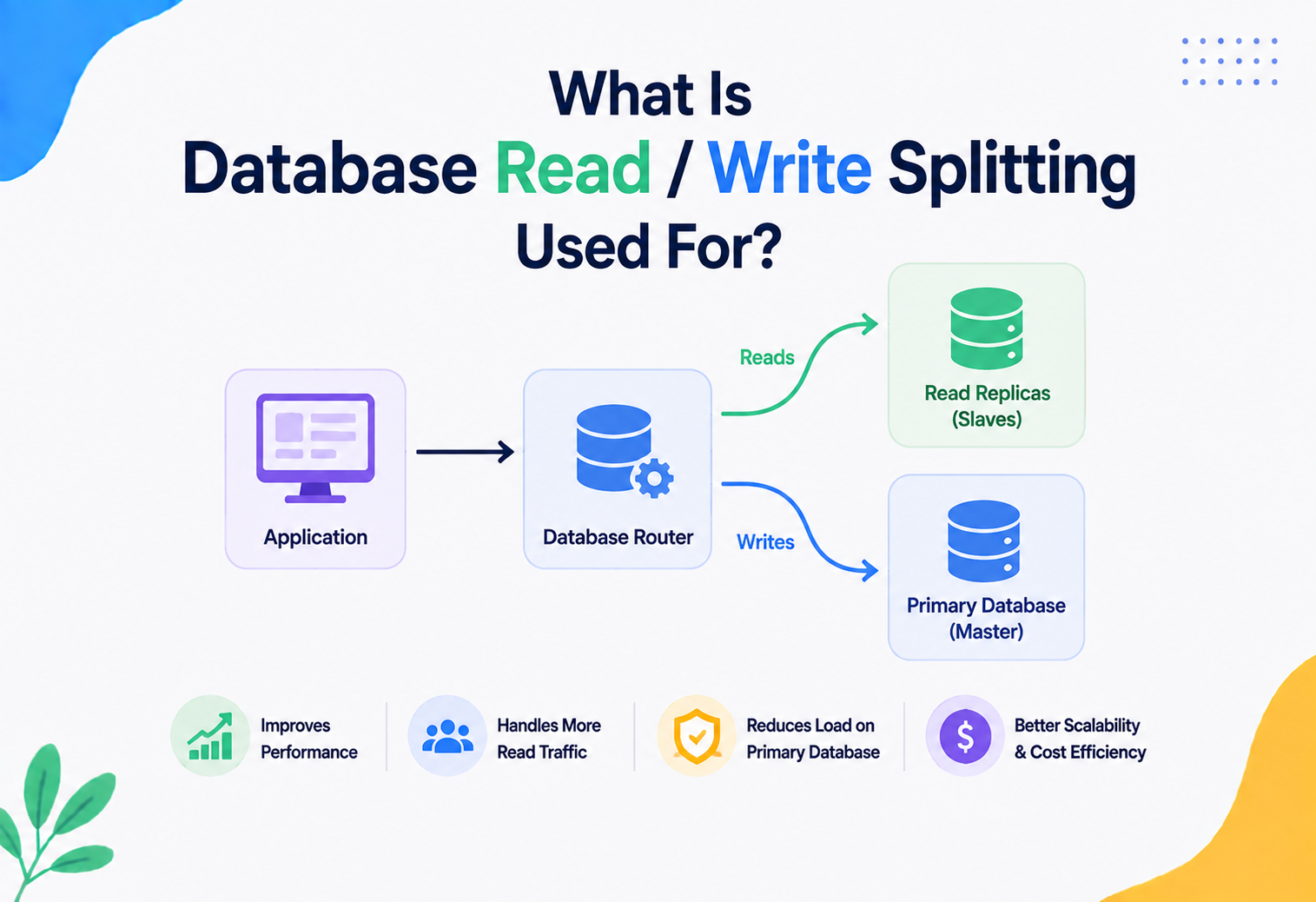
Most production databases run with replication — one primary database that accepts writes, and one or more replicas that copy those writes and serve read traffic. A migration typically runs on the primary, and its changes then flow to replicas automatically. However, large migrations can cause replication lag — the replicas temporarily fall behind — which can cause users to see stale data for a short period. This is why batching large data migrations, as mentioned earlier, is so important: smaller batches let replicas keep pace.
Disaster Recovery and Backups
No matter how careful a migration is, professional teams always take a full backup (or confirm a very recent one exists) immediately before running a risky migration in production. This gives a guaranteed way to restore the entire database to its exact previous state if the “down” migration path is insufficient or something entirely unexpected occurs.
Security
Migrations touch the very structure of where an organization’s most sensitive data lives, so they carry real security responsibilities.
Least‑Privilege Database Credentials
The database user account used to run migrations typically needs powerful permissions (creating tables, altering structure). This account should be different from the everyday application account, which should only have the minimum permissions it needs (usually just SELECT, INSERT, UPDATE, DELETE on specific tables). This way, if application credentials ever leak, an attacker cannot restructure or destroy the database.
Protecting Sensitive Data During Migrations
- Never hardcode secrets: Database passwords used by migration tools should come from secret managers (like AWS Secrets Manager, HashiCorp Vault, or environment variables injected securely by the CI/CD system), never committed into migration files or source code.
- Careful handling of PII: A data migration that copies or transforms personal information (names, emails, health records) must respect the same encryption and access‑control rules as the original data — migrations are not an exception to data protection laws like GDPR or India’s DPDP Act.
- Auditable changes: Because every migration file is version‑controlled and reviewed, security teams can audit exactly who proposed a structural database change and when, which is valuable during compliance audits.
SQL Injection Risk in Dynamic Migrations
Some advanced migrations generate SQL dynamically (for example, looping over a list of tenant schemas). If any part of that generated SQL includes untrusted input, it can introduce SQL injection vulnerabilities inside the migration script itself. Always use parameterized queries or strict allow‑lists of identifiers, even inside migration tooling.
A surprisingly common security incident is a migration accidentally left in a “seed data” file that inserts a default admin account with a well‑known password, which then gets deployed to production. Always treat seed/migration scripts run in production with the same scrutiny as application code.
Monitoring, Logging & Metrics
Running a migration without watching what happens afterward is like performing surgery and leaving the room before checking on the patient. Production‑grade teams treat migrations as events that must be observed.
What to Log
- Which migration version ran, when it started, and when it finished (most tools log this automatically into the history table).
- The exact SQL statements executed, for later debugging.
- Who or what system triggered the migration (a specific CI/CD pipeline run, or a specific engineer).
- Success or failure status, plus the full error message on failure.
What to Monitor Immediately After a Migration
| Metric | Why it matters |
|---|---|
| Query latency (p50, p95, p99) | A new or missing index can silently slow down common queries |
| Database CPU and I/O usage | Large backfills or table rewrites can spike resource usage |
| Lock wait time / blocked queries | Detects if the migration is holding locks that block application traffic |
| Replication lag | Large writes can cause replicas to fall behind, serving stale reads |
| Application error rate | Confirms the app code is compatible with the new schema |
| Disk space usage | Some migrations (like adding an index) temporarily use extra disk space |
Many teams add a specific dashboard alert that fires if a migration’s history table shows a “failed” status, so the on‑call engineer is paged automatically rather than discovering the problem hours later from a stream of user complaints.
Deployment & Cloud
In modern software delivery, migrations are almost never run by hand. They are wired directly into automated deployment pipelines.
Cloud‑Managed Database Considerations
On managed cloud database services — such as Amazon RDS, Amazon Aurora, Google Cloud SQL, or Azure Database — migrations work the same way conceptually, but with a few added considerations:
- Connection limits: Managed databases often cap the number of simultaneous connections; migration tools should be configured with short‑lived, dedicated connections rather than sharing the application’s connection pool.
- Maintenance windows: Many cloud providers apply their own patches during scheduled windows; teams often avoid running large migrations too close to these windows.
- Read replica promotion: In disaster recovery setups, cloud platforms can promote a read replica to primary; migration history tables need to replicate correctly so the promoted database still “remembers” what has been applied.
- Serverless databases: Platforms like Amazon Aurora Serverless or PlanetScale (for MySQL) may auto‑scale compute during a migration, which is useful for large backfills but should be monitored for unexpected cost spikes.
Kubernetes and Containerized Deployments
In Kubernetes‑based deployments, it’s common to run migrations as a dedicated init container or a one‑off Job resource that runs to completion before the new application pods start receiving traffic. This ensures the schema is ready before any new code attempts to use it.
Migrations in Distributed and Cached Systems
Modern applications rarely use just one plain database. They often combine a primary relational database with caching layers, read replicas, and sometimes multiple database shards. Migrations need to account for all of these.
CAP Theorem and Migrations
The CAP theorem states that a distributed data system can only fully guarantee two of the following three properties at the same time: Consistency (every read sees the latest write), Availability (every request gets a response), and Partition tolerance (the system keeps working despite network failures between nodes). During a migration on a distributed database (like Cassandra or a sharded PostgreSQL cluster), teams must decide how to handle the brief window where different nodes might have different schema versions — usually favoring availability and eventual consistency, accepting that some nodes will briefly serve slightly different schema shapes until the rollout completes everywhere.
Sharded Databases
When data is split across many database shards (common at very large scale, such as at Uber or large social networks), a single “migration” actually needs to run against every shard. Tools coordinate this by looping through each shard’s connection, applying the same migration file, and tracking success per shard — because a partial failure (5 out of 20 shards migrated) is a genuinely dangerous state that needs careful handling and alerting.
Caching Layers
Systems using a cache (like Redis or Memcached) in front of a database must consider that cached data might reflect the old schema shape even after a migration completes. For example, if a migration renames a field, cached JSON blobs generated before the migration may still use the old field name. Teams handle this by either invalidating relevant cache keys as part of the migration process, or by versioning cache keys (like user:v2:123) so old and new shaped data never collide.
Load Balancing During Rolling Deployments
During a rolling deployment, a load balancer sends traffic to a mix of old and new application instances while new instances gradually replace old ones. Because both versions may hit the same database at once, this reinforces why backward‑compatible, expand‑and‑contract style migrations are essential — the database must serve both code versions correctly during this transition window.
APIs & Microservices
In a microservices architecture, each service typically owns its own database, and no other service is allowed to access that database directly — they must go through the owning service’s API. This changes how migrations are approached compared to a single large (“monolithic”) application with one shared database.
Why This Matters for Migrations
- Independent deployability: Each service’s migrations can be developed, tested, and deployed completely independently of other services, since there’s no shared schema to coordinate.
- API versioning replaces some schema coordination: If the Order Service needs new information from the User Service, it’s added as a new field in the User Service’s API response — the Order Service never needs to know about, or migrate, the User Service’s actual database tables.
- Smaller blast radius: A risky migration in the Inventory Service cannot directly corrupt the Orders database, because they are physically separate databases.
Amazon and Netflix are famous examples of large‑scale microservices adopters, where each engineering team is fully responsible for their own service’s database schema and migration process, enabling thousands of independent deployments per day across the company without a central database bottleneck.
Monolith vs. Microservices Migration Comparison
| Aspect | Monolith (shared DB) | Microservices (DB‑per‑service) |
|---|---|---|
| Coordination needed | High — one migration affects the whole app | Low — teams migrate independently |
| Blast radius of a bad migration | Entire application | Just the owning service |
| Cross‑feature joins | Easy — a single SQL join | Hard — requires API calls or data replication |
| Schema ownership clarity | Often unclear across teams | Very clear — one team, one database |
Design Patterns & Anti‑patterns
Some strategies show up again and again in production systems because they work at scale. Others keep breaking systems for the same reasons over and over — recognizing them by name is half the battle.
Recommended Patterns
1. Expand‑and‑Contract (Parallel Change)
Already covered above — split risky changes into small, backward‑compatible steps so old and new application code can coexist safely during rollout.
2. Additive‑First Migrations
Prefer adding new tables/columns over modifying or removing existing ones whenever possible. Additive changes are almost always safer and easier to reverse than destructive ones.
3. Versioned, Immutable Migration Files
Once a migration file has been applied to any shared environment (staging or production), never edit it again. If you need to fix a mistake, write a brand‑new migration that corrects it. This preserves a trustworthy, append‑only history — similar in spirit to why you don’t rewrite Git history on a shared branch.
4. Feature Flags Decoupled from Schema
Pair schema changes with feature flags in the application code, so a new database column can exist and be populated well before the feature that uses it is actually turned on for users — reducing the pressure to time a migration and a feature launch perfectly together.
Common Anti‑patterns to Avoid
The “Big Bang” migration
Bundling dozens of unrelated schema changes into one giant migration, applied all at once in production. If anything fails, it’s extremely hard to know which specific change caused the problem, and rollback becomes very risky.
Editing applied migrations
Going back and changing a migration file that has already run in staging or production. Different environments end up believing they ran “the same” migration when they actually ran different content — a subtle, dangerous form of schema drift.
Destructive‑first changes
Renaming or dropping a column in the same migration that also removes the application code’s dependency on it, with no transition window — guaranteed to break any server still running the old code during a rolling deploy.
No rollback plan
Writing only the “up” direction of a migration and assuming it will always succeed. When it doesn’t, the team is left improvising a fix under pressure, often at 2 a.m.
Best Practices & Common Mistakes
Most of what separates a team that runs migrations quietly for years from one that has a 2 a.m. incident every quarter comes down to the same handful of habits.
Best practices checklist
- Keep migrations small and focused — one logical change per migration file, so each one is easy to review and, if needed, easy to identify as the cause of a problem.
- Always write both “up” and “down” logic where technically possible, even if you hope never to use the “down” path.
- Test migrations against a production‑like copy (in staging) before ever running them against real production data, especially for large tables.
- Automate migrations inside CI/CD rather than relying on a person to remember to run them manually.
- Never edit an already‑applied migration — write a new one instead.
- Prefer additive, backward‑compatible changes and use the expand‑and‑contract pattern for anything destructive or renaming.
- Back up before high‑risk migrations, and verify that backup actually works by testing a restore periodically.
- Batch large data migrations to avoid long locks and replication lag.
- Monitor actively during and after a migration, not just before.
- Document why, not just what — a short comment explaining the business reason for a schema change helps future engineers understand old migrations years later.
Common mistakes beginners make
- Running
ALTER TABLEdirectly on production by hand instead of going through a version‑controlled migration file and pipeline. - Adding a
NOT NULLcolumn with no default on a huge table — add nullable first, backfill in batches, add the constraint later. - Dropping a column immediately after it’s no longer needed in code — wait a full deployment cycle to be sure no old code still reads it.
- Assuming migrations always roll back automatically — verify your specific database’s transactional DDL behavior first.
- Skipping code review for “simple” migrations — review every migration exactly like application code.
Real‑World & Industry Examples
The same underlying ideas — small, reviewed, versioned changes; batching for scale; backward compatibility during rollout; strong automated tooling — show up again and again across companies that operate at very different scales and in very different domains.
gh‑ost
GitHub built and open‑sourced gh‑ost, a triggerless online schema‑migration tool for MySQL. It works by creating a “ghost” copy of a table with the new structure, streaming changes from the database’s replication log into that copy, and then performing a fast atomic table swap — allowing GitHub to alter enormous, constantly written‑to tables without meaningful downtime.
Sharded MySQL discipline
Shopify, running on a large, sharded MySQL infrastructure supporting many independent online stores, has written extensively about their approach to safe, automated schema migrations across thousands of shards, emphasizing strict backward‑compatible, additive‑first practices given the sheer number of stores that must remain online simultaneously.
Migrations as first‑class code
Airbnb’s engineering team has documented their move toward automated, code‑reviewed migration workflows integrated directly into their deployment pipeline, treating schema changes as first‑class citizens of the software delivery process rather than a separate manual step handled only by database administrators.
DB‑per‑service at scale
Netflix, operating across a large microservices architecture, relies heavily on the database‑per‑service pattern, letting hundreds of independent teams manage their own schema evolution and migrations without needing central coordination — a direct application of the microservices migration principles covered earlier.
Across every company above, the same underlying ideas repeat: small, reviewed, versioned changes; batching for scale; backward compatibility during rollout; and strong automated tooling instead of manual, error‑prone steps.
FAQ, Summary & Key Takeaways
The last stretch: the questions engineers ask most often after their first few migrations, followed by a compact summary and the ideas most worth carrying forward.
Frequently Asked Questions
Is a database migration the same as a backup?
No. A backup is a full copy of your data used for disaster recovery. A migration is a controlled change to your database’s structure or data. However, teams often take a backup right before running a risky migration, so the two concepts are closely related in practice.
Can migrations be automatically generated?
Yes, in many ecosystems. Tools like Django Migrations, Alembic, and Prisma Migrate can compare your application’s data models against the current database schema and auto‑generate the migration file needed to reconcile the difference. These auto‑generated files should still always be reviewed by a human before being applied.
What happens if two migrations conflict with each other?
This can happen when two developers create migrations with the same version number or that make incompatible changes at the same time. Most tools will detect a version clash and refuse to run, prompting a developer to renumber or merge the changes correctly before proceeding.
Do NoSQL databases need migrations too?
Often yes, though the shape is different. Document databases like MongoDB are more flexible about structure, but application code still needs to handle documents written under an old “shape” versus a new one, which usually means writing migration‑style scripts to transform existing documents, plus careful application‑level handling of both old and new document shapes during the transition.
How long should a migration take to run?
There’s no universal number — it depends entirely on table size and operation type. The real goal isn’t a specific duration, but avoiding long‑held locks that block normal application traffic, which is why batching and online schema‑change tools matter far more than raw migration speed.
Who should be allowed to write migrations — only DBAs, or any developer?
Most modern teams let any application developer write migrations, since schema changes are usually driven directly by new features they’re building. A database administrator or a senior engineer typically still reviews migrations that touch very large tables or high‑risk operations, combining the speed of developer ownership with the safety of specialist review.
What’s the difference between a migration and a seed script?
A migration changes structure (and occasionally transforms existing data). A seed script inserts baseline reference or sample data, such as a starter list of countries or default configuration values, into an already‑existing structure. Some teams keep seed scripts inside the same migration folder; others keep them entirely separate so that seeding — often environment‑specific — never gets accidentally treated as a mandatory structural change.
Summary
A database migration is the disciplined, version‑controlled process of changing a database’s structure (and sometimes its data) safely over time. It emerged because manually running schema changes on production databases became unmanageable as software teams grew and started releasing software far more frequently. Modern migration tools like Flyway, Liquibase, Django Migrations, and Alembic solve this by turning schema changes into small, ordered, reviewable files that are tracked in a special history table inside the database itself, and applied automatically through CI/CD pipelines.
At scale, migrations require real engineering care: batching large data changes, using online schema‑change techniques, applying the expand‑and‑contract pattern for zero‑downtime deployments, and monitoring closely for locking, replication lag, and error rates. In distributed and microservices architectures, migrations become simpler in scope (each service owns its own database) but require extra care around caching and cross‑service compatibility.
Ultimately, the skill of writing good migrations is really the skill of thinking one step ahead about consequences: What happens if this fails halfway through? What happens if old and new application code run against this schema at the same time? What happens if this table has grown a hundred times larger than it is today? Engineers who internalize these questions naturally write smaller, safer, more reversible migrations — and that habit of thinking about change management carefully tends to carry over into how they approach every other kind of production system change, not just databases.
Key takeaways
- Migrations replace risky, manual schema changes with small, ordered, version‑controlled, and reviewable files.
- Every migration tool relies on a history table inside the database to track exactly what has already been applied.
- Backward compatibility and the expand‑and‑contract pattern are the foundation of zero‑downtime schema changes.
- Large‑scale migrations must be batched and monitored to avoid locking, replication lag, and outages.
- Never edit an already‑applied migration file — always write a new one to fix a mistake.
- Migrations are a core, expected part of professional CI/CD pipelines, not a manual side‑task for database administrators alone.