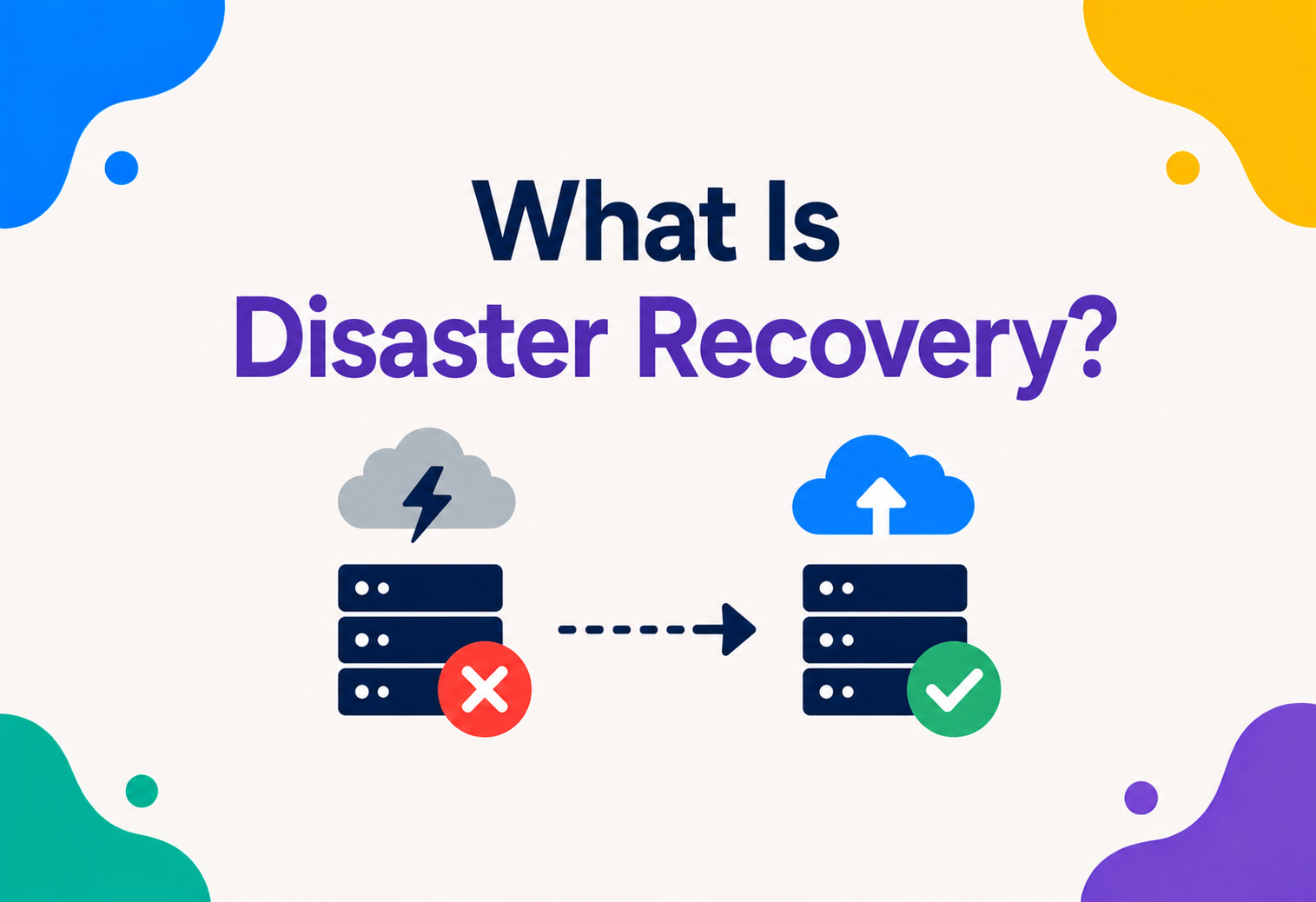
What Is Disaster Recovery?
Floods, fires, power grids failing, or a single engineer accidentally deleting the wrong database — real disasters happen to real companies. Disaster recovery is the calm, well‑rehearsed plan that decides what happens next.
Introduction
Disaster recovery is the complete plan an organisation follows to get its computer systems and data working again after something seriously bad happens — from where backup copies are kept, to which spare computers take over, to exactly which person presses which button during the chaos.
Imagine a company wakes up one morning and the building holding all of its computers has flooded overnight. Every server inside is ruined. Customers everywhere are trying to use the company’s app, and nothing loads. What happens next depends entirely on one thing: did this company have a disaster recovery plan?
Disaster recovery, often shortened to DR, is the complete plan an organisation follows to get its computer systems and data working again after something seriously bad happens. It covers everything from where backup copies of data are kept, to which spare computers take over, to exactly which person is responsible for pressing which button during the chaos.
This guide will teach you disaster recovery completely from scratch. We will not skip a single term. We will not assume you have ever touched a server in your life. By the end, you will understand this topic well enough to discuss it confidently in a job interview, and well enough to help design a real disaster recovery plan at an actual company.
Complete beginners, computer science students, engineers preparing for interviews, and working professionals who want to understand how real companies survive their worst days. No prior knowledge required.
One thing worth saying clearly up front: disaster recovery is not really about pessimism. It is about honesty. Every system, no matter how carefully built, will eventually face something unexpected — a hardware failure, a natural disaster, a mistake, or something nobody could have predicted at all. Disaster recovery simply accepts that truth ahead of time and turns it into a calm, rehearsed plan, rather than pretending it could never happen and being caught completely unprepared when it finally does.

A Little History
Disaster recovery did not start with computers at all — from duplicate paper records in separate buildings to nightly backup tapes driven across town, the underlying idea is centuries older than software.
Disaster recovery did not start with computers at all. Long before software existed, businesses already worried about fires burning down warehouses, floods destroying paper records, and wars disrupting entire cities. Companies kept duplicate paper records in separate buildings for exactly this reason, decades before the first computer was ever built.
Once businesses began relying on computers to store important information, the same old fear returned in a new form: what if the computer room itself is destroyed? Early computer disaster recovery in the 1970s and 1980s often meant something wonderfully simple — literally driving backup tapes of company data to a different building, sometimes even a different city, and locking them away safely, just in case.
As the internet grew and companies became global, “a different building” evolved into “a different data centre,” then “a different city,” then “a different country entirely.” Today, cloud computing has made disaster recovery dramatically easier and cheaper than it used to be, letting even small companies spread their systems across multiple locations without owning a single physical building themselves.
Problem & Motivation
Bad things will happen, eventually, to every system. Disaster recovery exists to answer one very specific, very important question in advance: “If our main systems disappeared right now, exactly how would we get back up and running, and how much would we lose in the process?”
Here is an uncomfortable truth every engineer eventually learns: bad things will happen, eventually, to every system. It might be a natural disaster like an earthquake or flood. It might be something as mundane as an air conditioning unit failing and overheating an entire server room. It might even be a person — someone accidentally deleting the wrong database table, or a malicious attacker locking up company files with ransomware.
Without a disaster recovery plan, any one of these events could mean permanently losing years of customer data, weeks of lost business, and a level of public embarrassment that some companies never fully recover from. With a solid disaster recovery plan, the very same event becomes a stressful but survivable afternoon.
It also helps to remember that disasters come in very different sizes and speeds. Some arrive suddenly and dramatically, like a fire or a flood. Others creep in slowly and quietly, like a failing hard drive that has been silently corrupting data for weeks before anyone notices. A genuinely good disaster recovery plan needs to account for both kinds — the loud, obvious emergencies and the slow, sneaky ones that only reveal themselves once real damage has already been done.
Disaster recovery exists to answer one very specific, very important question in advance, calmly, long before any crisis ever begins: “If our main systems disappeared right now, exactly how would we get back up and running, and how much would we lose in the process?”
It is worth pointing out that disasters rarely announce themselves politely in advance. They tend to arrive at the worst possible moment — a holiday weekend, the middle of the night, right in the middle of a big product launch. This is precisely why disaster recovery plans need to be written down clearly and rehearsed calmly ahead of time, rather than figured out on the spot. Trying to invent a recovery plan for the very first time while the building is actually on fire, so to speak, is a recipe for costly mistakes, confusion, and much longer downtime than necessary.
The Big Analogy: The House Fire Plan
A fireproof box, a backup copy somewhere else, and a clear plan for where to go next — the three ingredients of a real disaster recovery plan, dressed up as a family emergency plan.
Imagine your family keeps important documents — birth certificates, passports, photos — in a fireproof box at home, and also keeps a second copy of the most precious photos saved at a grandparent’s house across town. If your house ever burned down, you would not lose everything forever. You would grieve the house, but you would still have your identity documents, your memories, and a place to stay while you rebuild. That combination of a fireproof box, a backup copy somewhere else, and a plan for where to go next is, in miniature, exactly what a company’s disaster recovery plan does for its computer systems.
Notice the analogy has three separate parts, and each one matters: something safe nearby (the fireproof box), something safe far away (grandparent’s house), and a clear plan for what to actually do next (where you will stay, who you will call). Real disaster recovery plans have these same three ingredients: local backups, offsite or cloud backups, and a clearly written, rehearsed recovery plan.
Basic Terminology
A short vocabulary before diving deeper. These eight terms show up constantly in disaster‑recovery conversations, and knowing them cleanly makes every following section easier to follow.
Disaster
Any event — natural, technical, or human‑caused — that seriously disrupts normal computer operations.
Backup
A saved copy of data from an earlier point in time, kept so it can be restored if the original is lost.
Restore
The act of bringing a backup copy back into active use after data has been lost or corrupted.
DR Site
A separate location, physical or cloud‑based, where systems can be recovered if the main site is unusable.
RTO
Recovery Time Objective — how quickly systems must be back up and running after a disaster.
RPO
Recovery Point Objective — how much recent data an organisation can afford to lose.
Business Continuity
The broader plan for keeping an entire business running, of which disaster recovery is one important part.
Replication
Continuously copying data from one system to another, so the second one stays up to date automatically.
Core Concepts: DR vs Backup vs HA vs Failover
These four ideas are close cousins, and people mix them up constantly. Let’s separate them clearly, once and for all — backups are the raw material, failover is a technique, high availability is a promise, and disaster recovery is the whole umbrella plan.
These four ideas are close cousins, and people mix them up constantly. Let’s separate them clearly, once and for all.
| Term | What It Really Means | Scope |
|---|---|---|
| Backup | A saved copy of data from the past, used to restore lost information | Just the data |
| Failover | Automatically switching to a backup system the instant one part fails | One component or service |
| High Availability | The broader goal of a system rarely, if ever, going down | A single system or application |
| Disaster Recovery | The complete plan for recovering an entire organisation’s systems after a major event | The whole organisation, including people and process |
Here is the clearest way to picture how they nest together: backups are the raw material disaster recovery relies on. Failover is a fast, automatic technique often used within disaster recovery. High availability is a promise about a single running system. Disaster recovery is the entire umbrella plan sitting above all of them, covering not just computers, but also the people, decisions, and communication needed during an actual crisis.
High availability tries to prevent an outage. Disaster recovery accepts that one will eventually happen anyway, and prepares for it.
It also helps to notice that these four ideas differ not just in scope, but in who typically owns them inside a real company. Backups and replication are usually the responsibility of engineers directly working on a system. High availability is often a shared responsibility between engineering teams and the platforms they build on. Disaster recovery, because it touches the entire organisation — customer communication, legal obligations, executive decision‑making — usually has ownership stretching well beyond the engineering department alone, often involving leadership, operations, and sometimes legal or compliance teams as well.

RTO and RPO Explained Deeply
Every disaster recovery plan is built around answering two honest, sometimes uncomfortable questions: how long can we be down, and how much recent data can we afford to lose?
Every disaster recovery plan is built around answering two honest, sometimes uncomfortable questions.
Recovery Time Objective (RTO)
RTO is the maximum amount of time a system is allowed to be down before it becomes a real, serious problem for the business. If an online store sets an RTO of one hour, that means the store must be back online within sixty minutes of a disaster, or the company considers that an unacceptable failure of the plan.
RTO is like asking, “If the school kitchen catches fire, how long can students go without lunch before it becomes a real problem?” Maybe fifteen minutes is fine. Two full days without any food plan at all is not.
Recovery Point Objective (RPO)
RPO is the maximum amount of recent data an organisation can afford to lose, measured in time. If backups are taken every six hours, the RPO is roughly six hours — in the worst case, up to six hours of the most recent data could be lost forever if disaster strikes right before the next backup was due.
RPO is like asking, “If you save your homework document every ten minutes, and your laptop suddenly dies, how much of your work could you actually lose?” At most, ten minutes’ worth — the time since your last save.
These two numbers directly decide how much money and effort a disaster recovery plan needs. A near‑zero RTO and RPO — meaning almost no downtime and almost no data loss allowed — is technically achievable, but it is also the most expensive option by far, since it usually requires a full, constantly updated duplicate system running at all times.
Architecture & Components
A real DR setup is built from six distinct pieces working together — and only some of them are purely technical.
A real disaster recovery setup is built from several distinct pieces working together, not just one single tool.
Backups
Regular saved snapshots of data, stored safely and separately from the main system.
Replication
A continuously updated copy of data flowing to a secondary location in near real time.
DR Site
The alternate location — physical or in the cloud — where recovery actually happens.
Runbooks
Clear, written, step‑by‑step instructions telling the team exactly what to do during a disaster.
Monitoring & Alerts
Systems that detect trouble quickly and notify the right people immediately.
Communication Plan
A clear plan for informing employees, customers, and stakeholders during the crisis.
Notice that only some of these pieces are purely technical. Runbooks and communication plans are about people and process, not code — and in a real disaster, calm, well‑organised humans following a clear plan are just as important as any piece of technology.
It is also worth understanding how these pieces connect to each other in practice. Backups and replication feed data into the DR site, keeping it ready. Monitoring and alerts are what trigger the whole plan into motion by detecting trouble early. Runbooks then guide the human response, telling the team exactly which buttons to press and in what order. And the communication plan runs alongside all of it, making sure nobody outside the immediate recovery team is left confused or in the dark while the technical recovery is underway. Remove any single one of these pieces, and the whole plan becomes noticeably weaker — a company with perfect backups but no clear runbook can still waste hours simply figuring out what to do first.
The Four DR Strategies
Organisations generally choose from four well‑known DR strategies, each offering a different balance between cost and speed of recovery. There is no free option that gives you both.
Organisations generally choose from four well‑known disaster recovery strategies, each offering a different balance between cost and speed of recovery.
Before looking at each one, it helps to understand the general rule connecting all four: the faster you need to recover, the more you must pay to keep spare capacity running and ready, even during the long, uneventful stretches when nothing is going wrong at all. There is no strategy that offers both instant recovery and minimal cost — every organisation is really just deciding where along that sliding scale their particular systems truly belong, based on how much a few hours, or even a few minutes, of downtime would genuinely cost the business.
1. Backup and Restore
The simplest and cheapest strategy. Data is regularly backed up to a separate location, but no spare servers sit ready to take over. If disaster strikes, new servers must be set up from scratch and the backup data restored onto them — a process that can take many hours or even days. This suits systems where a longer recovery time is genuinely acceptable.
2. Pilot Light
A small, minimal version of the core system — think of the tiny pilot light flame that keeps a gas heater ready to roar to life — stays running at all times in the DR location, usually just the most critical parts, like a database being kept updated. When disaster strikes, the rest of the system is quickly built up around that already‑running core, cutting recovery time down to a couple of hours.
3. Warm Standby
A scaled‑down but fully functional version of the entire system runs continuously in the DR location, ready to handle at least some traffic immediately. During a disaster, this smaller version is quickly scaled up to handle full traffic, bringing recovery time down to minutes rather than hours.
4. Multi‑Site (Hot Standby / Active‑Active)
A full‑scale, fully running duplicate of the entire system operates continuously in a completely separate location, often already sharing real traffic. If one site fails, the other simply absorbs all the traffic instantly. This is the fastest and most expensive strategy, typically reserved for the most critical systems where even a few minutes of downtime is unacceptable.
DR Sites: Hot, Warm, Cold
Closely related to the four strategies above is the idea of a “DR site” — the actual alternate location recovery happens in, often described on a temperature scale.
Closely related to the four strategies above is the idea of a “DR site” — the actual alternate location recovery happens in. These sites are often described using a temperature scale.
Hot Site
- Fully equipped and running at all times
- Can take over almost instantly
- Most expensive to maintain continuously
Cold Site
- Just an empty space with basic infrastructure
- Equipment must be set up after disaster strikes
- Cheapest, but slowest to activate
A warm site sits in between — partially equipped and partially updated, ready to be brought fully online faster than a cold site, but without the full‑time cost of a hot site. Choosing between hot, warm, and cold is really just choosing a point along the same cost‑versus‑speed line we saw with the four DR strategies.
Many organisations do not pick just one temperature for everything. A single company might run a hot site for its payment processing system, where even a minute of downtime is unacceptable, while relying on a much cheaper cold site for an internal reporting tool that only a handful of employees check once a week. This mixed approach is not only normal, it is usually the financially responsible choice, since applying the most expensive option uniformly across every single system would waste enormous amounts of money protecting things that were never truly critical in the first place.
Data Replication
None of the DR strategies work without a reliable way of getting data to the DR site in the first place. Replication is the continuous copying of data from a primary system to a secondary one.
None of these strategies work without a reliable way of getting data to the DR site in the first place. This is handled through replication — the continuous copying of data from a primary system to a secondary one.
Synchronous Replication
Every single change is confirmed as saved in both locations before the system tells the user the operation succeeded. This guarantees zero data loss, but adds a small delay to every single write, and usually requires the two locations to be reasonably close together to keep that delay small.
Asynchronous Replication
Changes are saved to the primary system immediately, then copied over to the secondary system shortly afterward. This is faster for users day to day, and works well even across huge distances, like different continents, but it carries a small risk: if disaster strikes at the exact wrong moment, the last few seconds or minutes of changes might not have made it to the secondary system yet.
Synchronous replication is like two friends writing in a shared notebook together, refusing to write the next line until both have confirmed the same line. Asynchronous replication is like one friend writing in their own notebook and mailing a photocopy of each page to the other, slightly after the fact.
Choosing between the two is not purely a technical decision — it is really a business decision dressed up in technical clothing. A bank processing account balances might insist on synchronous replication for certain critical transactions, willingly accepting the extra delay in exchange for the guarantee that not a single confirmed transaction can ever be lost. A social media platform recording “likes” on a post, on the other hand, might happily choose asynchronous replication, since losing a few seconds of likes during an extremely rare disaster is a far smaller price to pay than slowing down every single interaction for every single user, every single day.
The DR Event Lifecycle
When an actual disaster happens, a well‑prepared organisation moves through eight predictable steps — from detection to post‑incident review — rather than reacting in a panic.
When an actual disaster happens, a well‑prepared organisation moves through a predictable sequence of steps, rather than reacting in a panic.
Detection
Monitoring tools or people notice something has gone seriously wrong.
Declaration
A designated person officially declares a disaster, formally kicking off the recovery plan.
Notification
The right teams, and sometimes customers, are informed clearly and promptly.
Failover to DR Site
Traffic and operations are redirected to the prepared backup site or systems.
Validation
The team confirms the DR site is genuinely working correctly, not just technically “on.”
Operating in DR Mode
The business runs from the DR site for as long as necessary.
Failback
Once the original site is repaired, operations are carefully moved back.
Post‑Incident Review
The team calmly reviews what happened and improves the plan for next time.
That final step is often the most valuable one, and the most frequently skipped. Every real disaster, however painful, hands a team valuable, hard‑won lessons about weaknesses in their plan — lessons that are wasted if nobody takes the time to write them down and act on them afterward.
Code Examples
Simplified, realistic code showing common DR tasks: an automated backup script in Python, a replication‑lag health check in Java, and a failover decision in JavaScript.
Let’s look at simplified, realistic code showing common disaster recovery tasks: automating a backup, and checking replication health.
Python — Automated Backup Script
import shutil
import datetime
import os

def backup_database(source_path, backup_folder):
    # Create a timestamped filename so backups never overwrite each other
    timestamp = datetime.datetime.now().strftime("%Y-%m-%d_%H-%M-%S")
    backup_name = f"backup_{timestamp}.db"
    destination = os.path.join(backup_folder, backup_name)

    # Copy the database file to the backup location
    shutil.copy2(source_path, destination)
    print(f"Backup created: {destination}")
    return destination

backup_database("/data/production.db", "/backups/offsite/")
datetime.now().strftime(...) creates a unique, human‑readable timestamp, so every backup file has its own name. shutil.copy2 copies the file while preserving useful metadata like the last‑modified time. Time complexity is roughly proportional to the size of the file being copied, often written as O(n), where n is the number of bytes. Common mistake: running this backup script only manually, instead of scheduling it automatically — humans forget; schedules do not.
Java — Checking Replication Lag
public class ReplicationHealthCheck {

    public boolean isReplicationHealthy(long primaryTimestamp, long replicaTimestamp, long maxAllowedLagSeconds) {
        long lagSeconds = (primaryTimestamp - replicaTimestamp) / 1000;

        if (lagSeconds > maxAllowedLagSeconds) {
            System.out.println("WARNING: Replica is falling behind by " + lagSeconds + " seconds");
            return false;
        }
        return true;
    }
}
The method compares two timestamps to calculate how far behind the replica currently is, in seconds. If the gap exceeds an allowed threshold, it raises a warning — this threshold is directly tied to the organisation’s RPO. Space complexity is O(1) — only a few simple numbers are being compared, nothing grows with data size. Common mistake: checking replication health only occasionally, rather than continuously monitoring it in real time.
JavaScript — Simulating a Failover Decision
async function checkPrimaryHealth(url) {
    try {
        const response = await fetch(url, { timeout: 3000 });
        return response.ok;
    } catch (error) {
        return false;
    }
}

async function maybeFailover() {
    const isHealthy = await checkPrimaryHealth("https://primary.example.com/health");

    if (!isHealthy) {
        console.log("Primary site unhealthy. Redirecting traffic to DR site...");
        // In production, this might update DNS or a load balancer target
    } else {
        console.log("Primary healthy. No action needed.");
    }
}
checkPrimaryHealth asks the primary system a simple question and reports whether it answered correctly and on time. The try / catch block ensures that even a total connection failure is handled gracefully, not left to crash the whole script. In a real system, this function would run on a schedule, continuously watching for trouble. Common mistake: triggering failover after just one failed health check, rather than requiring a few consecutive failures to avoid overreacting to a brief hiccup.
Cloud Disaster Recovery
Cloud computing has fundamentally changed DR, making it dramatically more affordable for organisations of every size.
Cloud computing has fundamentally changed disaster recovery, making it dramatically more affordable for organisations of every size. Instead of owning and maintaining a second physical building full of expensive, mostly idle servers, a company can rent exactly the DR capacity it needs, exactly when it needs it.
- Multi‑region deployment: Major cloud providers let companies run copies of their systems in entirely separate geographic regions, so a disaster affecting one region — a power grid failure, a natural disaster — does not affect the others.
- Managed backup services: Cloud providers offer automated, reliable backup tools that handle scheduling, storage, and encryption without engineers needing to build everything from scratch.
- Infrastructure as code: Modern DR plans often store the entire configuration of a system as code, so an entire environment can be recreated automatically in a new region within minutes, rather than requiring engineers to manually set up new machines by hand.
- Pay‑as‑you‑go DR: With strategies like pilot light or warm standby, a company only pays for a small amount of standing capacity most of the time, scaling up to full size only during an actual disaster, keeping costs far lower than a permanently running duplicate.
Even within the cloud, it is important to spread critical systems across genuinely separate regions, not just separate servers within the same building. A regional power outage or natural disaster can take down an entire data centre, no matter how many individual servers were inside it.
Testing a DR Plan
A DR plan that has never actually been tested is really just a hopeful document, not a real guarantee. Like a fire drill, it only proves itself useful once it has been rehearsed under realistic conditions.
A disaster recovery plan that has never actually been tested is really just a hopeful document, not a real guarantee. Just like a fire drill, a DR plan only proves itself useful once it has been rehearsed under realistic conditions.
Tabletop Exercise
The team simply talks through the plan step by step in a meeting room, without touching any real systems, checking for gaps in logic or unclear responsibilities.
Walkthrough Test
The team physically performs each recovery step in a safe test environment, confirming instructions are accurate and genuinely work.
Simulation Test
A realistic, simulated disaster is run against a copy of the real system, testing both the technology and the team’s response under pressure.
Full Failover Test
The team performs an actual, real failover to the DR site during a planned, low‑risk window, proving the entire plan works end to end.
Most mature organisations run these tests on a regular schedule — tabletop exercises fairly often, and full failover tests at least once or twice a year — because systems change constantly, and a plan that worked perfectly last year might quietly no longer match how the system actually behaves today.
Testing also does something less obvious but equally valuable: it builds genuine confidence and muscle memory in the people who will actually be running the recovery during a real event. A team that has calmly practised a failover several times in a safe environment will respond far more smoothly during an actual disaster than a team encountering every single step for the very first time under real pressure, with real customers watching and real money on the line.

High Availability vs Disaster Recovery
HA handles frequent, smaller problems automatically. DR is the deeper safety net underneath, ready for the rarer, much larger events HA alone was never designed to handle.
These two ideas are frequently confused, so it is worth being extremely clear about the difference.
| Question | High Availability | Disaster Recovery |
|---|---|---|
| What is it trying to do? | Prevent downtime from ever happening in the first place | Recover cleanly once something has already gone badly wrong |
| Typical scope | Usually within one data centre or region | Usually spans entirely separate regions or locations |
| Typical trigger | A single server or component failing | A large‑scale event: a region, building, or entire system failing |
| Analogy | A car’s spare tyre, ready in the trunk for a quick swap | A full insurance and rebuilding plan after a serious car accident |
In practice, the two work together as a team. High availability handles the frequent, smaller problems automatically and quickly. Disaster recovery is the deeper safety net underneath, ready for the rarer, much larger events that high availability alone was never designed to handle.
CAP, Consensus & Failure Recovery
Distributed‑system DR runs directly into some deep theory: the CAP theorem, consensus algorithms like Raft and Paxos, and recovery patterns like checkpointing and write‑ahead logging.
Disaster recovery for distributed systems runs directly into some deep, important theory worth understanding properly.
The CAP Theorem
The CAP theorem states that a distributed system can only fully guarantee two out of three properties at once: Consistency (every location shows the same data), Availability (the system always responds to requests), and Partition tolerance (the system keeps working even when parts of the network cannot reach each other). Since network problems between distant DR sites are simply unavoidable in the real world, most disaster recovery designs must consciously choose whether to favour strict consistency or continuous availability during a serious network split.
Consensus Algorithms
When multiple copies of a system need to agree on which one is currently “in charge” — especially right after a disaster, when it is unclear which site should now be treated as primary — systems often rely on consensus algorithms like Raft or Paxos. These are carefully designed sets of rules that let a group of computers reliably agree on a single shared decision, even if some of them are slow, unreachable, or have failed entirely.
Failure Recovery Patterns
Beyond simply switching to a backup, resilient systems use patterns like checkpointing (regularly saving a system’s current state so it can resume from that point rather than starting over from nothing) and write‑ahead logging (recording every intended change before actually making it, so a system can replay exactly what it was doing if it crashes mid‑operation).
A write‑ahead log is like a chef writing down “add 2 cups of flour” on a notepad right before actually adding the flour. If the kitchen loses power mid‑recipe, whoever returns can read the notepad and know exactly which step to redo, rather than guessing.
Security Considerations
DR systems are, unfortunately, an attractive target for attackers — compromising a backup can be just as damaging as compromising the live system, sometimes more so.
Disaster recovery systems are, unfortunately, an attractive target for attackers, since compromising a backup can be just as damaging as compromising the live system — sometimes more so, because problems there might go unnoticed for longer.
- Encrypt backups both while they are being transferred and while they sit in storage, so stolen backup files are useless to an attacker without the encryption key.
- Limit who can access backups using the principle of least privilege — only the few people who truly need access should have it.
- Protect against ransomware specifically by keeping some backups immutable, meaning they cannot be altered or deleted even by an attacker who gains access to the main system, often called “air‑gapped” or “write‑once” backups.
- Secure the DR site just as strongly as the primary site. A DR site with weaker security than the main system becomes the easiest way in for an attacker.
Modern ransomware attacks increasingly target backups on purpose, specifically to remove an organisation’s ability to recover without paying a ransom. This is exactly why immutable, offline, or “air‑gapped” backup copies have become such an important best practice in recent years.
It is also worth thinking about DR security from a slightly different angle: access during the chaos of an actual disaster itself. In the rush to recover quickly, teams sometimes grant broad, temporary access to get systems back online fast, and then forget to properly revoke that access once the crisis has passed. A careful DR plan builds in a clear step for reviewing and tightening access again once normal operations resume, so a genuine emergency does not quietly turn into a lingering security weakness afterward.
Monitoring, Logging & Metrics
You cannot recover quickly from a disaster you do not even know is happening. Strong monitoring is what makes fast detection — the very first step of the DR lifecycle — possible at all.
You cannot recover quickly from a disaster you do not even know is happening. Strong monitoring is what makes fast detection — the very first step of the DR lifecycle — possible at all.
Important things to continuously track include: backup success rates (did last night’s backup actually complete successfully?), replication lag (how far behind is the DR site right now?), system health checks across both the primary and DR sites, and alerting rules that immediately notify the right people the moment something looks wrong, day or night.
Good logging matters just as much during recovery itself. Detailed logs of exactly what happened, in what order, during a real disaster become priceless material for the post‑incident review afterward, helping the team genuinely improve the plan rather than just guessing at what went wrong.
Databases, Caching & Load Balancing
Different layers of a system need slightly different DR thinking — databases at the heart of the plan, caches usually rebuildable, load balancers reconfiguring themselves during failover.
Different layers of a system need slightly different disaster recovery thinking.
Databases
Databases usually sit at the very heart of a DR plan, since they hold the information that is genuinely irreplaceable. Techniques like automated snapshots, continuous replication to a standby database, and point‑in‑time recovery — the ability to restore a database to exactly how it looked at any specific past moment — are all core database DR tools.
Caching
Caches, which store frequently used data temporarily for speed, are usually treated differently from databases in a DR plan, since cached data can typically be rebuilt automatically from the real source of truth. Losing a cache during a disaster is usually a performance inconvenience, not a data‑loss emergency.
Load Balancing
Load balancers, which distribute incoming traffic across multiple servers, play an important supporting role during a disaster by being reconfigured to send all traffic toward the DR site the moment failover happens, often automatically, based on health checks.
APIs & Microservices in DR
Modern applications are often built from many small, independent services rather than one giant program. This creates both a challenge and an opportunity for disaster recovery.
Modern applications are often built from many small, independent services rather than one giant program. This creates both a challenge and an opportunity for disaster recovery.
The challenge: a disaster recovery plan now needs to account for many separate services, each potentially with its own database, its own dependencies, and its own recovery needs — simply restoring “the one big application” is no longer an option.
The opportunity: because these services are independent, they can often be recovered independently too, in whatever order matters most to the business, rather than needing an all‑or‑nothing recovery of one giant, tangled system. A well‑designed microservices architecture often makes a thoughtful, prioritised disaster recovery plan easier, not harder — as long as the dependencies between services are clearly documented in advance.
Design Patterns & Anti‑Patterns
A short catalogue of what genuinely helps around a DR plan — the 3‑2‑1 backup rule, immutable backups, runbook automation — and the anti‑patterns that quietly undermine it.
Helpful Patterns
- 3‑2‑1 Backup Rule: Keep at least three copies of important data, on two different types of storage, with at least one copy stored offsite.
- Immutable Backups: Store backups in a way that cannot be altered or deleted, protecting against ransomware and accidental deletion alike.
- Runbook Automation: Turn manual recovery steps into automated scripts wherever possible, reducing both recovery time and the chance of human error under pressure.
Anti‑Patterns to Avoid
- Untested Backups: Assuming backups work simply because the backup job reports “success,” without ever actually practising a real restore.
- Single Point of Failure in the Plan Itself: Relying on one specific person who “knows how DR works,” who might not be available during the actual emergency.
- Set It and Forget It: Writing a DR plan once and never updating it as the real system changes over months and years.
- Backup Without a Restore Plan: Focusing entirely on saving data, while never clearly defining how, and how quickly, it will actually be restored.
Common Mistakes
Six recurring mistakes teams make when writing a DR plan, from having no backups at all to great tech recovery paired with zero customer communication.
No backups at all
Assuming failures simply will not happen, until the day one actually does.
Backups stored in the same location
Keeping the only backup copy in the very same building as the original, defeating its whole purpose.
No defined RTO or RPO
Building a DR plan without ever clearly deciding how fast recovery truly needs to be.
Ignoring dependencies
Recovering a system’s servers, but forgetting it also depends on a third‑party service or a separate internal team.
Never testing failover
Discovering, mid‑disaster, that the DR site was quietly broken the entire time.
Poor communication planning
Having a great technical recovery plan, but no clear plan for informing customers and stakeholders during the outage.
Best Practices
Eight habits that separate a DR plan that genuinely protects a business from one that quietly falls apart the moment it is finally needed.
- Clearly define RTO and RPO for every important system, based on genuine business impact, not guesswork.
- Follow the 3‑2‑1 backup rule as a solid, simple baseline for protecting data.
- Automate wherever possible — scheduled backups, automated failover, and scripted recovery steps all reduce the risk of human error during a stressful event.
- Test the DR plan regularly, not just once when it is first written.
- Keep runbooks simple and current, written so clearly that someone unfamiliar with the system could still follow them under pressure.
- Protect backups from ransomware using immutable or offline copies.
- Review and update the plan after every real incident and every test, treating it as a living document, not a one‑time project.
- Involve people, not just technology — make sure roles and responsibilities during a disaster are crystal clear in advance.
Real Industry Examples
Across every one of these examples the same pattern shows up: spread critical systems across separate locations, keep data continuously and safely copied, and never trust that a recovery plan works without actually testing it.
Chaos Engineering
Netflix famously built tools that deliberately break parts of its own live systems on purpose, just to continuously prove its disaster recovery and resilience mechanisms genuinely work.
Multi‑region retail infrastructure
Amazon spreads critical systems across many separate geographic regions, so a serious problem in one region does not take down shopping for the whole world.
Global data replication
Google replicates enormous amounts of data across data centres worldwide, allowing services to keep running smoothly even if an entire data centre goes offline.
Regulatory‑driven DR
Banks are often legally required to maintain tested disaster recovery plans, since a banking outage can affect an entire country’s economy, not just one company.
Across every one of these examples, the same underlying pattern shows up again and again: spread critical systems across genuinely separate locations, keep data continuously and safely copied, and never simply trust that a recovery plan works without actually testing it.
What is especially worth noticing is that none of these companies treat disaster recovery as a one‑time project they finished years ago and then forgot about. It is an ongoing, continuously maintained discipline, revisited as systems grow, as new services are added, and as the business itself changes shape over time. That mindset — treating disaster recovery as a living practice rather than a completed checklist — is arguably the single biggest difference between organisations that recover gracefully from a crisis and those that do not.
Interview Questions
Nine questions across beginner, intermediate, advanced, scenario, and full system‑design difficulty — the kind of DR questions that come up in nearly every reliability‑focused interview.
Beginner Questions
Q: What is disaster recovery?
A: Disaster recovery is the complete plan an organisation follows to restore its computer systems and data after a serious disruptive event, covering backups, alternate sites, and clear recovery steps.
Q: What is the difference between RTO and RPO?
A: RTO is how quickly a system must be restored after a disaster. RPO is how much recent data an organisation can afford to lose. RTO looks at downtime; RPO looks at data loss.
Intermediate Questions
Q: What’s the difference between disaster recovery and high availability?
A: High availability aims to prevent downtime in the first place, usually for smaller, more frequent failures within one location. Disaster recovery is the broader plan for recovering after a large‑scale event has already caused serious disruption, often across entirely separate locations.
Q: Name the four common DR strategies and rank them by cost.
A: From cheapest to most expensive: backup and restore, pilot light, warm standby, and multi‑site (hot standby). Cost rises as recovery time shrinks.
Advanced Questions
Q: How does the CAP theorem influence disaster recovery design across regions?
A: Since network partitions between distant regions are inevitable, a distributed DR setup must choose whether to prioritise strict data consistency or continuous availability during a partition, since guaranteeing both perfectly at the same time is not possible.
Q: Why might an organisation choose asynchronous replication over synchronous replication for its DR site?
A: Asynchronous replication avoids adding latency to every write operation and works well across long distances, making it more practical for geographically distant DR sites, at the cost of a small, acceptable risk of losing the very latest changes during a disaster.
Scenario‑Based Questions
Q: A company’s RTO is 15 minutes, but their current backup‑and‑restore process takes 4 hours. What would you recommend?
A: The current strategy does not meet the required RTO. I would recommend moving to a warm standby or multi‑site strategy, since backup‑and‑restore alone cannot realistically achieve a 15‑minute recovery time.
Q: During a disaster test, the team discovers the DR site’s data is three days out of date. What likely went wrong?
A: Replication to the DR site is likely broken or badly delayed, and monitoring failed to catch it. This points to a need for continuous replication‑lag monitoring with active alerting, not just periodic manual checks.
System Design Interview Questions
Q: Design a disaster recovery plan for a mid‑sized e‑commerce platform with a strict RTO of 5 minutes.
A: Given such a strict RTO, a multi‑site, active‑active strategy is appropriate — running full, real‑time‑synchronised copies of the platform in at least two separate regions, with a load balancer or DNS system capable of redirecting all traffic within seconds if one region fails, backed by synchronous or near‑synchronous replication for the most critical data like orders and payments.
Frequently Asked Questions
A handful of questions about disaster recovery come up in nearly every conversation on the topic. Here are short, honest answers to the ones that surface most often.
Is disaster recovery only for huge companies?
Not at all. Even a small business or a solo developer’s app benefits from basic disaster recovery thinking — regular backups stored somewhere safe and separate are valuable no matter the size of the organisation.
How often should backups be taken?
It depends entirely on the organisation’s RPO. A system that cannot afford to lose more than a few minutes of data needs near‑continuous replication, while a system tolerant of losing a day’s worth of data might be fine with a nightly backup.
Is cloud storage automatically a disaster recovery plan?
Not by itself. Simply storing data in the cloud helps, but a real disaster recovery plan also needs clear recovery steps, tested procedures, and a plan for actually restoring and running the full system again, not just having a safe copy of the raw data sitting somewhere.
What’s the difference between a disaster recovery plan and a business continuity plan?
Disaster recovery focuses specifically on restoring computer systems and data. Business continuity is the even broader plan for keeping the entire business functioning during a disruption, which includes disaster recovery as one important piece, alongside things like alternate office space, staffing plans, and customer communication.
How much does disaster recovery typically cost?
It varies enormously based on the chosen strategy. A simple backup‑and‑restore approach can be quite inexpensive, while a full multi‑site, always‑on hot standby can roughly double infrastructure costs. Most organisations mix strategies, reserving the most expensive option only for their truly critical systems.
Who should be responsible for disaster recovery within a company?
While engineers usually build and maintain the technical parts, effective disaster recovery planning is rarely a purely technical responsibility. It typically involves engineering leadership to set priorities and RTO/RPO targets, operations teams to maintain and test the plan, and often executive or compliance stakeholders who understand the true business impact of downtime and help decide how much investment the plan deserves.
Summary & Key Takeaways
If you remember nothing else from this guide, remember the seven ideas below — and the honest habit of treating disaster recovery as a living practice, never a completed checklist.
Wrapping It Up
- Disaster recovery is the complete plan for restoring systems and data after a serious disruptive event, covering technology, people, and process together.
- RTO defines how quickly recovery must happen; RPO defines how much recent data can be lost — both should be set deliberately, based on real business needs.
- The four main strategies — backup and restore, pilot light, warm standby, and multi‑site — trade cost against recovery speed.
- Replication, whether synchronous or asynchronous, is what keeps a DR site genuinely ready to take over.
- A disaster recovery plan is only trustworthy once it has actually been tested, ideally on a regular schedule.
- High availability and disaster recovery work together: one prevents smaller failures, the other prepares for the larger ones that inevitably slip through.
- The best disaster recovery plans are living documents, reviewed and improved after every test and every real incident.
At its heart, disaster recovery is one of those quietly disciplined ideas that shows up wherever software genuinely has to survive real‑world failure. From the duplicate paper ledgers stored in separate rooms centuries ago, through the nightly magnetic‑tape backups of the 1970s driven across town for safety, to the modern multi‑region cloud architecture and chaos‑engineering practice keeping global platforms alive today, the underlying insight never really changes: accept honestly, in calm and clarity, that something will eventually go wrong — and then quietly, patiently, prepare yourself to meet that moment gracefully rather than in a panic. Systems built with that discipline tend to be the ones that stay calm under stress, recover cleanly from setbacks, and quietly earn the trust of the people relying on them every single day.

