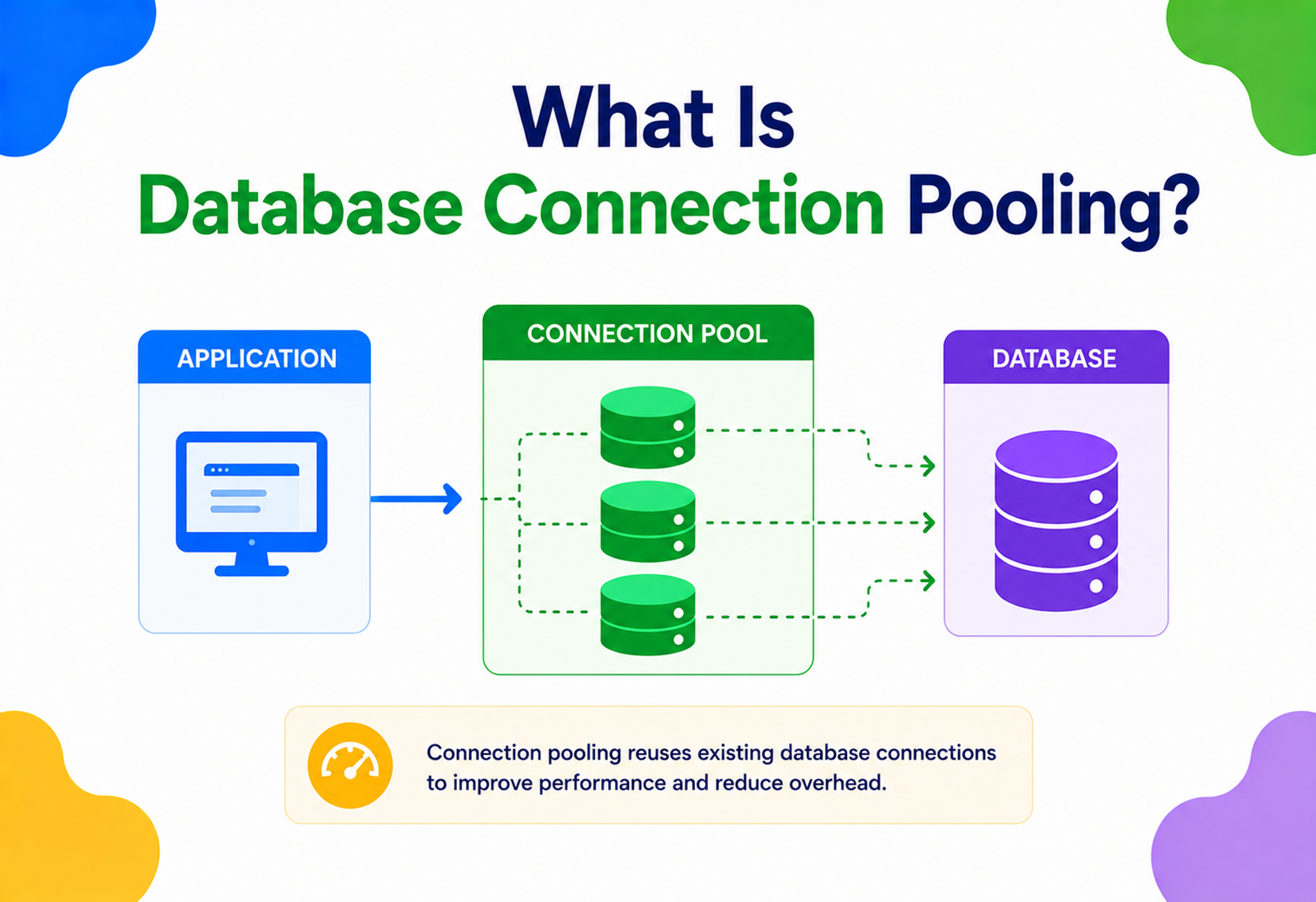
What Is Database Connection Pooling?
Why opening a fresh database connection for every request is one of the most expensive mistakes in software engineering — and how connection pools quietly fix it inside almost every production system you have ever used.
Introduction & History
Imagine a busy restaurant kitchen. Every time a waiter needs to cook a dish, imagine if they had to build a brand new stove from scratch, wire it to the gas line, and test that it works — just to fry one egg. Then, once the egg is done, they throw the stove away. For the next order, they build another stove. That sounds absurd, right? A kitchen instead keeps a fixed number of stoves ready and burning. Waiters just walk up, use a free stove, cook the dish, and step away so the next waiter can use it.
Database connection pooling is the software version of keeping a set of ready-to-use stoves instead of building a new one for every dish. In technical terms, a connection pool is a cache of ready-made, already-authenticated database connections that an application can borrow, use, and return, instead of opening and closing a brand new connection every single time it needs to talk to the database.
This idea is not new. It comes from a much older and more general software idea called the Object Pool design pattern, part of the classic pattern catalogs from the 1990s. Object pooling was created to solve one recurring problem: some objects are extremely expensive to create and destroy, so it is smarter to reuse a small number of them instead of building fresh ones constantly.
Database connections are a perfect example of an “expensive object.” When your application talks to a database like PostgreSQL, MySQL, Oracle, or SQL Server, it does not just send a text message. It has to:
- Open a network socket (a TCP connection) to the database server.
- Perform a network handshake (and often a TLS/SSL handshake for encryption).
- Authenticate the username and password (or certificate).
- Negotiate protocol details and session settings.
- Allocate memory and background processes on the database server for this session.
All of this can take anywhere from a few milliseconds to several hundred milliseconds, depending on network distance, encryption, and database load. In the early days of web applications (mid-to-late 1990s, with technologies like CGI scripts and early Java Servlets), developers commonly opened a new database connection at the start of every web request and closed it at the end. As traffic grew from a handful of users to thousands of simultaneous users, this pattern became a massive bottleneck. Database servers started spending more time setting up and tearing down connections than actually running queries.
This problem led to the creation of dedicated connection pooling libraries. In the Java world, this includes early tools and later standards like Apache Commons DBCP, C3P0, and today’s dominant choice, HikariCP. In the PostgreSQL world, a separate standalone pooling proxy called PgBouncer became extremely popular. Cloud providers eventually built pooling directly into managed services, such as Amazon RDS Proxy and Azure SQL Database’s built-in pooling.
Today, connection pooling is not optional for any serious production system. Whether you are building a small hobby project or a system that serves millions of users like Netflix, Uber, or Amazon, some form of connection pooling is running quietly underneath, making sure your database does not collapse under the weight of connection overhead.
The Problem & Motivation
To understand why connection pooling exists, we first need to understand exactly what happens, step by step, when your application talks to a database without a pool.
2.1 What happens when you open a raw database connection
Every database connection is built on top of TCP/IP networking. Here is the real sequence of events for a typical connection to, say, a PostgreSQL server:
- DNS lookup. Your application resolves the database hostname to an IP address (unless it is cached).
- TCP three-way handshake. SYN, SYN-ACK, ACK packets are exchanged between your application server and the database server. This alone typically costs one network round trip.
- TLS/SSL handshake (if encryption is enabled, which it should be in production) — this involves exchanging certificates and negotiating encryption keys. This can cost two more network round trips.
- Database authentication. The database checks your username and password (or certificate), and may perform additional checks like IP allow-listing or role-based permission loading.
- Session initialisation. The database server allocates memory structures for this session. In PostgreSQL, for example, every connection maps to a full operating system process on the server, which is relatively heavy. In MySQL, it maps to a thread, which is lighter but still not free.
Only after all five of these steps does your query actually get to run. Depending on network latency and server load, this setup cost commonly ranges from 5 milliseconds to over 200 milliseconds. Compare that to a simple indexed query, which might take less than 1 millisecond to execute once a connection already exists. In other words, in a no-pooling world, you can spend 100 times more effort setting up the phone call than you spend on the actual conversation.
Real-life analogy. Think about calling a customer support helpline. Every single time you call, imagine you had to: verify your identity from scratch, wait to be connected to an agent, explain your entire account history again, and then ask your one-line question — only to hang up immediately after. Now imagine doing this fifty times a day instead of just staying on one call and asking all fifty questions in a row. Connection pooling is like staying on the line with a small team of already-verified agents, so you skip the identity check and waiting every single time.
2.2 The problem multiplies under load
A single slow connection setup is annoying but survivable. The real disaster happens under concurrent load. Imagine a web application receiving 500 requests per second, and each request opens its own new database connection:
- The database server now has to process 500 new authentication and session-setup operations every second, on top of actual query work.
- Most databases have a hard limit on the maximum number of simultaneous connections (PostgreSQL defaults to 100, for example). Beyond that limit, new connection attempts are rejected outright.
- Each open connection consumes real server memory — often several megabytes per connection in PostgreSQL, since each connection is a full OS process with its own memory space.
- CPU time that should be spent running your actual business queries is instead wasted on handshake and teardown overhead.
This is sometimes called “connection storming” or a “connection exhaustion” failure — a scenario where the database becomes unavailable not because the queries are slow, but because it is drowning in the overhead of managing too many short-lived connections.
2.3 Why not just increase max_connections?
A common beginner instinct is: “just let the database allow more connections.” This sounds simple but creates new problems. Each connection reserves memory on the database server whether or not it is doing useful work. In PostgreSQL specifically, since each connection is a separate OS process, the operating system also needs to context-switch between hundreds or thousands of processes, which wastes CPU cycles on scheduling overhead rather than query execution. Beyond a few hundred connections, most databases actually get slower overall, even though more connections are technically available. This is a well-documented effect — throughput can peak and then decline as connection count keeps rising, because contention for shared internal resources (like locks and buffer access) increases faster than useful work increases.
This is precisely the motivation for connection pooling: keep a small, well-managed, reusable set of connections that is sized correctly for your database’s real capacity, and let application threads share them efficiently instead of each thread demanding its own private connection.
Core Concepts & Terminology
Before going deeper, let’s build a clear vocabulary. Every connection pooling library, regardless of programming language, is built around these same core ideas.
3.1 Connection
What it is. A live, open communication channel between your application and the database, over which SQL queries and results travel.
Why it exists. Without a connection, there is no way for your application to send a query or receive results.
Analogy. A connection is like an open phone line between you and a librarian who can look up books for you.
Example. In Java, this is represented by the java.sql.Connection object.
3.2 Pool
What it is. A managed collection of pre-created, reusable connections, sitting in memory, ready to be handed out.
Why it exists. To avoid paying the connection-setup cost (Chapter 2) on every single database operation.
Analogy. A pool is like a small fleet of taxis waiting at a taxi stand, already fueled and running, instead of building a new car for every passenger.
3.3 Minimum pool size (min idle)
The smallest number of connections the pool guarantees to keep open and idle, even when there is no traffic. This avoids the “cold start” cost of building connections from zero the moment traffic arrives.
3.4 Maximum pool size (max pool size)
The upper limit on how many connections the pool is allowed to create in total, including both idle and currently-in-use ones. This protects the database from being overwhelmed. Sizing this correctly is one of the most important (and most misunderstood) tuning decisions in backend engineering — we cover the exact math in Chapter 8.
3.5 Idle connection
A connection that is open, valid, and sitting in the pool, waiting to be borrowed. It is not currently running any query for any part of the application.
3.6 Active (or busy) connection
A connection that has been checked out (borrowed) by some part of the application code and is currently being used to run a query or transaction.
3.7 Borrow / checkout / acquire
The act of an application thread asking the pool: “give me a free connection.” If an idle connection exists, the pool hands it over immediately. If not, and the pool has not hit its maximum size, a new connection may be created. If the pool is already at maximum size, the requesting thread waits.
3.8 Release / checkin / return
The act of the application giving a connection back to the pool once it is done using it. Crucially, the underlying network connection is not closed — it just goes back into the idle set, ready for the next borrower.
3.9 Connection timeout (wait timeout)
The maximum time a thread is willing to wait for a free connection before giving up and throwing an error. This exists to prevent requests from hanging forever if the pool is exhausted.
3.10 Idle timeout
How long a connection is allowed to sit unused in the pool before the pool decides to close it and shrink back toward the minimum size, to save resources during quiet periods.
3.11 Max lifetime
The maximum total age of a connection, regardless of how it is being used, before the pool proactively retires and replaces it — even if it is healthy. This protects against subtle issues like memory leaks in database drivers, stale DNS caching, or database-side connection limits creeping up over very long-lived connections.
3.12 Validation / health check
A lightweight check (often a tiny query like SELECT 1) the pool runs to confirm a connection is still alive and usable before handing it to the application, or periodically in the background.
3.13 Connection leak
A serious bug where application code borrows a connection but never returns it (for example, forgetting to close it after an exception). Over time, leaked connections shrink the usable pool until no connections are left — one of the most common real-world production incidents involving pools.
Architecture & Components
A production-grade connection pool is not just a simple list of connections. It is a small, self-contained subsystem with several cooperating components. Let’s break down the architecture of a typical pooling library (this matches how HikariCP, Apache DBCP, and PgBouncer are all conceptually structured).
Fig 4.1 · the pool manager sits between application threads and the database, tracking idle vs. active connections while a factory creates new ones and a validator keeps existing ones healthy.
Let’s walk through each component:
4.1 Pool manager (the brain)
This is the central coordinator. It keeps track of which connections are idle and which are active, enforces the configured minimum and maximum pool sizes, and manages a wait queue for threads when no connection is immediately available. It is almost always implemented using thread-safe, highly concurrent data structures — HikariCP, for example, is famous for using a lock-free concurrent bag data structure to avoid the classic bottleneck of a single lock guarding the whole pool.
4.2 Connection factory
This component knows how to actually create a new physical connection to the database — it holds the JDBC URL, username, password, and driver class, and calls the underlying database driver to open a real socket and authenticate.
4.3 Idle queue / active set
The pool’s internal bookkeeping structures. When a connection is created or returned, it goes into the idle queue. When a connection is borrowed, it moves into the active set until it is returned.
4.4 Health validator
Runs periodically in a background thread and also often right before handing out a connection, to make sure the connection has not silently died (for example, because of a network blip, database restart, or firewall timeout). If a connection fails validation, the pool discards it and creates a replacement.
4.5 Wait queue
When every connection is busy and the pool is already at its maximum size, new borrow requests do not fail immediately — they wait in a first-in-first-out queue, up to the configured connection timeout, hoping a connection frees up in time.
Internal Working — The Connection State Machine
Every connection managed by a pool moves through a well-defined set of states during its lifetime. Understanding this state machine is one of the most valuable mental models you can have, because almost every pooling bug (leaks, exhaustion, stale connections) is really a bug in how a connection moved — or failed to move — between these states.
Fig 5.1 · the connection state machine: created, idle, active, validated on return, and eventually evicted.
5.1 Step-by-step walkthrough
- Created. The factory opens a TCP connection, performs the handshake and authentication described in Chapter 2, and hands back a live connection object.
- Idle. The connection sits in the pool’s idle queue, doing nothing, waiting to be borrowed. This is the “resting” state that saves you the setup cost next time.
- Active. A thread borrows the connection. It now belongs exclusively to that thread until returned; no other thread can use it simultaneously.
- Validating. When the connection is returned, most pools run a fast check (or trust a “last used” timestamp within a threshold) before putting it back into the idle queue, to catch connections that silently died while in use.
- Evicted. If a connection fails validation, exceeds its idle timeout, or exceeds its max lifetime, the pool closes it permanently and, if needed, asks the factory to create a fresh replacement to maintain the minimum pool size.
5.2 Concurrency control inside the pool
A connection pool is, at its heart, a piece of highly concurrent software: dozens or hundreds of application threads may try to borrow and return connections at the exact same instant. Getting this wrong causes race conditions — for example, two threads both believing they have claimed the same connection. Different pooling libraries solve this with different concurrency strategies:
- Lock-based queues. Early pooling libraries (like Apache Commons DBCP) protected the idle/active bookkeeping with a single lock (mutex), so only one thread could borrow or return a connection at a time. Simple and correct, but this single lock becomes a bottleneck under very high concurrency, since threads queue up waiting for the lock itself, not for an actual connection.
- Lock-free concurrent structures. HikariCP’s headline design decision was replacing that single lock with a custom lock-free “ConcurrentBag” data structure, combined with Java’s ThreadLocal caching so a thread that recently used a specific connection tends to get that same connection back first (improving CPU cache locality). This dramatically reduces contention under heavy multi-threaded load.
- Counting semaphores. Many pools use a semaphore initialised with a permit count equal to the maximum pool size. Borrowing a connection acquires a permit; returning one releases it. This elegantly enforces the maximum pool size limit and naturally blocks (or times out) threads once permits run out, without needing complex custom queuing logic.
This is also a great example of a broader systems-design lesson: as concurrency increases, the bottleneck often shifts from the actual resource (the database) to the bookkeeping structure managing that resource (the pool’s internal locks). Choosing the right concurrency primitive is just as important as choosing the right pool size.
Data Flow & Lifecycle of a Single Request
Let’s trace exactly what happens, end to end, when a web request needs to read data from the database, using a connection pool.
Fig 6.1 · a full request lifecycle: borrow, query, return. Note that steps 2 and 3 (borrowing) typically take well under a millisecond, since the connection already exists.
The critical insight is step 3 and step 8. Borrowing a connection is now a fast, in-memory operation (grabbing an item from a queue and marking it active), completely decoupled from the slow network handshake that only happens rarely, when the pool is warming up or replacing an expired connection. This is the entire value proposition of pooling in one diagram: move the expensive part (connection setup) out of the request’s hot path.
Advantages, Disadvantages & Trade-offs
Connection pooling is close to a “free win” in most systems, but it is not without trade-offs and sharp edges. A good architect understands both sides.
| Advantages | Disadvantages / Trade-offs |
|---|---|
| Removes repeated connection-setup latency from the request path | Adds a new component with its own configuration and failure modes |
| Protects the database from connection exhaustion under load | Wrong sizing (too large or too small) can hurt more than help |
| Enables predictable, bounded resource usage on both app and DB sides | Stale or “half-dead” connections need active health checking |
| Improves throughput and reduces tail latency significantly | Leaked connections silently shrink pool capacity over time |
| Works transparently with almost all ORMs and frameworks today | Long-running transactions can starve the pool if not managed carefully |
| Cloud-managed pooling proxies remove per-app tuning burden | Adds one more network hop if using a separate proxy process |
7.1 The most important trade-off: pool size is not “more is better”
New engineers often assume a bigger pool is always safer. In reality, an oversized pool can push a database well past its ideal concurrency level, causing lock contention, CPU cache thrashing, and context-switching overhead that makes overall throughput worse, even though it looks like you gave the system “more resources.” We derive the correct sizing formula in the next section.
Performance & Scalability — The Sizing Math
This is one of the most interview-relevant and practically important topics in connection pooling: how do you actually decide the right pool size?
8.1 Little’s Law — the foundational idea
Little’s Law is a simple, powerful formula from queueing theory:
Applied to connection pooling: if your application handles 200 queries per second on average, and each query holds a connection for an average of 15 milliseconds (0.015 seconds), then the average number of connections in use at any moment is:
This tells you that, on average, you barely need more than 3–4 connections to keep up with that load — the rest of your “max pool size” exists as a safety buffer for traffic spikes and variance, not as the steady-state requirement.
8.2 The HikariCP formula for CPU-bound sizing
HikariCP’s own documentation (echoing long-standing PostgreSQL community guidance) recommends a formula based on available CPU cores, since a database ultimately does its work using a fixed number of CPU cores, and giving it far more concurrent work than it has cores just creates queueing and context-switching overhead:
For a modern database server using SSD storage (where “effective_spindle_count” is effectively 1, since there is no spinning disk seek penalty to model), a machine with 8 CPU cores would suggest a pool size around:
8.3 Why oversized pools hurt performance
Imagine a database server with 8 CPU cores. If you configure 200 connections and all of them try to execute queries simultaneously, the operating system and database now have to time-slice 200 competing units of work across only 8 cores. This causes:
- Context-switching overhead. The CPU spends real cycles just switching between tasks instead of doing query work.
- Lock contention. More concurrent transactions increase the chance of waiting on row-level or table-level locks.
- Cache thrashing. The database’s internal buffer cache and CPU caches get evicted more aggressively as more concurrent queries compete for the same memory.
Real-world benchmarks (including ones published by the HikariCP team) have shown throughput actually peaking at a moderate pool size and then declining as pool size keeps growing — a counter-intuitive but well-documented result.
8.4 Scaling pooling horizontally
In a microservices world, you might have 50 service instances, each with its own local pool of 20 connections — that is a theoretical maximum of 1,000 connections hitting one database, even though each individual pool looks modest. This is why, at scale, companies commonly introduce a shared external pooling proxy (like PgBouncer or RDS Proxy) that multiplexes many application-side connections onto a much smaller number of real database-side connections — covered in depth in Chapter 12.
High Availability & Reliability
A connection pool is not just about speed — it plays a critical role in how gracefully a system handles failures.
9.1 Detecting a dead database
If the database server restarts, crashes, or becomes unreachable, connections sitting idle in the pool can become “silently dead” — they look fine from the application’s perspective until you actually try to use them. Good pools solve this with:
- Pre-borrow validation. Running a fast test query before handing a connection to application code.
- Background keep-alive checks. Periodically pinging idle connections so dead ones are discovered and replaced before anyone needs them.
- Fast-fail on connection creation. If the database is completely down, the pool should fail new connection attempts quickly rather than hanging, so calling code can react (retry, circuit-break, degrade gracefully) instead of piling up stuck threads.
9.2 Failover with read replicas and multi-AZ databases
In cloud environments, databases are often deployed with a primary instance and one or more standby replicas for failover (for example, Amazon RDS Multi-AZ or Azure SQL failover groups). When a failover happens, the database endpoint’s underlying IP address can change. A pool holding old connections pointed at the now-dead primary needs to detect the failure and rebuild connections against the new primary. This is exactly the kind of scenario where a managed proxy like Amazon RDS Proxy shines, since it is failover-aware and can redirect application traffic to the new primary within seconds, without every application instance needing custom failover-detection logic.
9.3 Circuit breaking around the pool
A resilient system often wraps database access with a circuit breaker pattern: if the pool consistently fails to obtain connections (indicating the database is unhealthy), the circuit breaker “opens” and fails fast for a cooldown period, rather than letting every incoming request pile up waiting on a doomed connection pool — this protects the rest of the application from cascading failure.
Security
Connection pools sit at a very sensitive point in the architecture — they hold live, authenticated access to your database — so security deserves real attention.
10.1 Credential management
The pool needs a database username and password (or certificate) to create connections. These should never be hardcoded in source code. Modern practice is to load them from a secrets manager (AWS Secrets Manager, HashiCorp Vault, Azure Key Vault) at startup, and to support credential rotation without requiring a full application restart.
10.2 Encryption in transit
Every connection the pool creates should use TLS/SSL to the database, especially when the application and database are in different networks or availability zones. Pooling libraries expose configuration flags (like sslmode=require for PostgreSQL) to enforce this.
10.3 Connection isolation between tenants
In multi-tenant systems, a subtle security risk is session state leakage: if one tenant’s request sets a session-level variable (like a PostgreSQL SET search_path or a temporary table) and the connection is returned to the pool without resetting that state, the next tenant to borrow that same connection could accidentally inherit leftover state. Good pooling practice always resets session state on connection return, and applications using row-level multi-tenancy must be disciplined about not leaving connection-level state behind.
10.4 Least privilege
The database user the pool authenticates as should have the minimum permissions actually required — for example, a reporting service’s pool should typically use a read-only database role, not a full admin account, limiting blast radius if credentials are ever compromised.
10.5 Preventing connection-based denial of service
Because pool size is bounded, it inherently protects against one internal service accidentally opening unlimited connections and starving the database for everyone else — this is one of pooling’s underappreciated security-adjacent benefits.
Monitoring, Logging & Metrics
You cannot tune what you cannot see. Every production connection pool should be observable through a small set of key metrics, typically exported to a monitoring system like Prometheus, Datadog, or CloudWatch.
| Metric | What it tells you |
|---|---|
| Active connections | How many connections are currently in use — sustained values near max pool size signal saturation |
| Idle connections | How many are sitting free — consistently near zero under normal load suggests you are undersized |
| Pending / waiting threads | How many requests are queued waiting for a connection — the single most important early-warning metric |
| Connection wait time | How long threads typically wait to borrow a connection — rising values predict future timeouts |
| Connection creation rate | How often new physical connections are being created — a high rate suggests leaks or excessive eviction |
| Connection timeout count | How often borrow attempts fail entirely — a direct signal of user-facing errors |
| Average connection usage time | How long queries/transactions hold a connection — spikes often reveal slow queries or forgotten transactions |
11.1 Setting up alerts
A mature setup alerts engineers before users notice problems: for example, an alert when the “pending threads waiting for a connection” metric stays above zero for more than 30 seconds, or when active connections stay pinned at the maximum pool size for several minutes straight.
11.2 Distributed tracing
In microservice architectures, tools like OpenTelemetry can trace how much of a request’s total latency is spent waiting for a database connection versus actually executing the query — this distinction is crucial for correctly diagnosing whether a slowdown is a pool-sizing problem or a query-performance problem.
Deployment & Cloud — In-Process vs Proxy Pooling
There are two fundamentally different places to run a connection pool, and understanding the trade-off between them is a common systems-design interview topic.
Fig 12.1 · in-process pooling (each app owns its own pool, connections scale with instance count) vs proxy pooling (a shared PgBouncer or RDS Proxy multiplexes many logical connections onto a much smaller bounded set of real ones).
12.1 In-process pooling (application-embedded)
The pool lives inside your application’s memory (like HikariCP inside a Java process, or SQLAlchemy’s pool inside a Python process). Each application instance manages its own pool independently.
Pros
- Extremely fast (no extra network hop to borrow a connection).
- Simple to configure, no extra infrastructure to run.
- Native integration with the language/framework’s connection object.
Cons
- Every application instance needs its own pool, so total database connections scale linearly with the number of application instances.
- Painful in environments with many small, ephemeral instances (serverless functions, heavily auto-scaled containers).
12.2 Proxy pooling (external, shared)
A separate process or managed service sits between all your application instances and the database, multiplexing many “logical” application connections onto a much smaller number of real database connections. Examples: PgBouncer (self-hosted, PostgreSQL), ProxySQL (MySQL), and Amazon RDS Proxy (managed, works with RDS/Aurora for both PostgreSQL and MySQL).
Pros
- Total database-side connections stay bounded and predictable no matter how many application instances scale up.
- Particularly valuable for serverless (AWS Lambda) workloads, where thousands of short-lived function invocations would otherwise each try to open their own raw connection.
Cons
- Adds an extra network hop and a new piece of infrastructure to operate, monitor, and secure.
- Some proxies restrict certain session-level SQL features when running in aggressive multiplexing modes.
12.3 PgBouncer’s pooling modes
PgBouncer specifically offers three modes that are worth knowing for interviews:
- Session pooling. A client keeps the same backend connection for its entire session; safest, but least efficient reuse.
- Transaction pooling. A backend connection is only held for the duration of a single transaction, then immediately reusable by someone else; the most popular mode, offering a strong efficiency/compatibility balance.
- Statement pooling. A backend connection is returned after every single statement; maximises reuse but breaks multi-statement transactions, so it is rarely used.
12.4 Serverless and connection pooling
Serverless compute (AWS Lambda, Cloud Functions) is notoriously hostile to traditional in-process pooling, because each function instance may be short-lived and cold-started frequently, meaning pools rarely stay “warm.” This has pushed the industry toward external proxy pooling (RDS Proxy, or newer HTTP-based database drivers like Neon’s or PlanetScale’s connection-over-HTTP approach) specifically designed for high-concurrency, short-lived serverless invocations.
Databases, Caching & Load Balancing
Connection pooling does not exist in isolation — it interacts closely with other data-layer strategies.
13.1 Pooling with read replicas
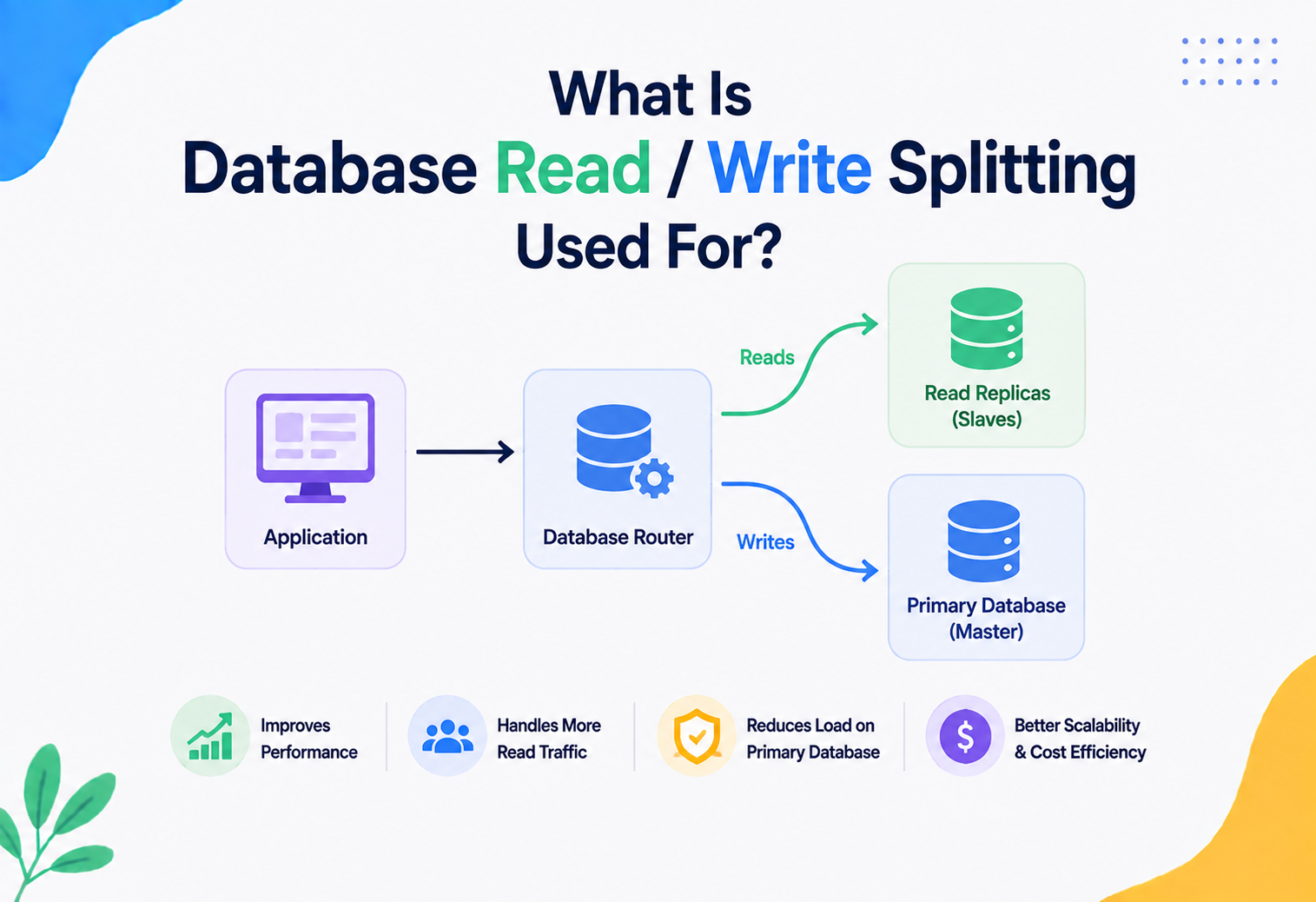
Many production systems split reads and writes: write queries go to a primary database, and read queries are load-balanced across one or more read replicas to spread out load. In this setup, it is common to maintain two separate pools per application instance — one pointed at the primary (for writes and strongly-consistent reads) and one pointed at a replica endpoint or a read-replica load balancer (for eventually-consistent reads). Sizing each pool independently based on its actual read/write traffic split is a best practice.
13.2 Pooling and caching layers
Caching (Redis, Memcached, or in-process caches) reduces the number of queries that ever reach the database in the first place, which directly reduces pressure on the connection pool. A well-designed system treats the cache as the first line of defence and the pool as the safety net for the requests that truly need the database — the two techniques are complementary, not competing.
13.3 Load balancing across database pool proxies
At very large scale, even a single PgBouncer instance can become a bottleneck or single point of failure. Companies often run multiple PgBouncer (or equivalent) instances behind a load balancer, or shard traffic across pooling proxies by tenant, region, or service — extending the same “pool of poolers” idea one layer higher.
Real-life analogy. Think of a large hospital. The connection pool is like a fixed team of on-duty doctors. Caching is like a triage nurse who resolves simple cases (like handing out a bandage) without ever involving a doctor. Read replicas are like having separate teams for routine checkups versus urgent, must-be-accurate surgeries.
APIs & Microservices
In a microservices architecture, connection pooling decisions multiply, because there are many independent services, each potentially talking to its own database or sharing databases.
14.1 One pool per service, per database
The standard pattern is: each microservice owns its own small, independently-tuned connection pool for each database it talks to. This keeps blast radius contained — if Service A’s pool misbehaves (leaks, oversized, etc.), it does not directly threaten Service B’s connections, as long as they are not sharing the exact same database without a shared proxy layer.
14.2 Database-per-service and connection sprawl
A common microservices principle is “database per service” — each service owns its own database, accessed only through that service’s API, never directly by other services. This is good for isolation, but at scale (hundreds of microservices, each with its own pool, each potentially replicated across many instances) it can lead to a very large aggregate number of connections across the whole system, which is exactly why shared external pooling proxies (Chapter 12) become important infrastructure at that scale.
14.3 Sidecar pattern for pooling
Some architectures deploy a lightweight pooling proxy as a sidecar container alongside each service instance (in the same Kubernetes pod, for example), giving each instance a local, fast connection to a shared pooling layer without needing to embed pooling logic directly into every service’s codebase — useful in polyglot environments where services are written in many different languages, each with different native pooling library quality.
14.4 APIs that wrap the database
Many systems avoid direct database access from most services entirely, instead exposing a dedicated internal “data service” API that owns the only connection pool to a particular database, and all other services talk to that data service over the network (REST/gRPC) instead of holding their own database credentials and pools — trading a network hop for tighter control over database access.
Design Patterns & Anti-patterns
15.1 The Object Pool pattern, applied
Connection pooling is a direct, real-world application of the classic Object Pool design pattern: reuse a fixed set of expensive-to-create objects instead of constantly creating and destroying them. The pool also typically uses the Proxy pattern internally — the connection object your code holds is usually a lightweight wrapper around the real driver connection, intercepting method calls like close() to redirect them into “return to pool” instead of “actually disconnect.”
Java · correct usage with try-with-resources (HikariCP + JDBC)
import com.zaxxer.hikari.HikariConfig;
import com.zaxxer.hikari.HikariDataSource;
import java.sql.*;

public class OrderRepository {

    private final HikariDataSource dataSource;

    public OrderRepository() {
        HikariConfig config = new HikariConfig();
        config.setJdbcUrl("jdbc:postgresql://db-host:5432/orders");
        config.setUsername("app_user");
        config.setPassword(System.getenv("DB_PASSWORD"));
        config.setMaximumPoolSize(15);      // see Chapter 8 for sizing
        config.setMinimumIdle(5);
        config.setConnectionTimeout(3000);  // fail fast after 3s
        config.setIdleTimeout(600000);      // 10 minutes
        config.setMaxLifetime(1800000);     // 30 minutes
        this.dataSource = new HikariDataSource(config);
    }

    public Optional<Order> findById(long orderId) throws SQLException {
        String sql = "SELECT id, status, total FROM orders WHERE id = ?";

        // try-with-resources guarantees the connection, statement,
        // and result set are ALL closed (connection returned to pool)
        // even if an exception is thrown mid-query.
        try (Connection conn = dataSource.getConnection();
             PreparedStatement stmt = conn.prepareStatement(sql)) {

            stmt.setLong(1, orderId);

            try (ResultSet rs = stmt.executeQuery()) {
                if (rs.next()) {
                    return Optional.of(new Order(
                        rs.getLong("id"),
                        rs.getString("status"),
                        rs.getBigDecimal("total")
                    ));
                }
                return Optional.empty();
            }
        }
    }
}
Notice that conn.close() is never called explicitly — the try-with-resources block calls it automatically, and because dataSource is a HikariCP pool, that “close” call really means “return this connection to the pool,” not “physically disconnect from the database.”
15.2 Anti-pattern 1 — manual open/close without pooling
Java · what NOT to do
// ANTI-PATTERN: opens a brand-new raw connection on every call
public Order findByIdBad(long orderId) throws SQLException {
    Connection conn = DriverManager.getConnection(URL, USER, PASSWORD); // slow!
    PreparedStatement stmt = conn.prepareStatement(
        "SELECT id, status, total FROM orders WHERE id = ?");
    stmt.setLong(1, orderId);
    ResultSet rs = stmt.executeQuery();
    // ... reads result ...
    conn.close(); // if an exception happened above, this line never runs -> LEAK
    return order;
}
This pattern pays the full connection setup cost from Chapter 2 on every single call, and if any exception occurs before the final close(), the connection is leaked forever.
15.3 Anti-pattern 2 — forgetting to close in exception paths
Java · leak-prone code
Connection conn = dataSource.getConnection();
PreparedStatement stmt = conn.prepareStatement(sql);
stmt.setLong(1, orderId);
ResultSet rs = stmt.executeQuery();   // if this throws, conn.close() below is skipped
processResults(rs);
conn.close(); // never reached on exception -> classic connection leak
Always prefer try-with-resources (or a framework’s managed transaction boundary, like Spring’s @Transactional) over manual close calls.
15.4 Anti-pattern 3 — one giant shared pool with no per-workload isolation
Mixing a fast, latency-sensitive workload (like serving user login checks) and a slow, heavy workload (like generating a large report) on the exact same pool can let the slow workload starve the fast one of available connections. A common fix is separate pools per workload type, even against the same database.
15.5 Anti-pattern 4 — sizing the pool to match thread count
Setting the max pool size equal to your web server’s thread count (e.g., 200 threads → 200 connections) ignores the sizing math from Chapter 8 entirely and routinely leads to oversized pools that hurt database throughput.
15.6 Anti-pattern 5 — never setting a max lifetime
Connections left open indefinitely can accumulate subtle problems: memory growth in the driver, stale DNS caching after a database failover, or unexpected behaviour after long-running network middleboxes silently drop idle TCP sessions. Setting a reasonable max lifetime (commonly 20–30 minutes) keeps connections fresh.
Best Practices & Common Mistakes
16.1 Best practices checklist
- Always use try-with-resources or framework-managed connections — never manually manage close() calls in complex code paths.
- Size the pool based on real concurrency and CPU cores, not thread counts or guesswork — start with Chapter 8’s formula, then load test.
- Set a short connection timeout (a few seconds) so requests fail fast and visibly instead of hanging.
- Set both idle timeout and max lifetime to keep the pool fresh and avoid stale-connection surprises.
- Monitor pending/waiting-thread counts — this is the earliest and clearest signal of pool exhaustion.
- Use separate pools for distinctly different workloads (e.g., transactional vs reporting/analytics queries).
- Keep transactions short — never hold a connection open while waiting on a slow external API call or user input.
- Use a proxy pooler (PgBouncer / RDS Proxy) at scale, especially with many application instances or serverless functions.
- Rotate credentials without downtime by integrating with a secrets manager rather than hardcoding them.
- Load test pool changes before deploying to production — sizing math is a strong starting point, not a guarantee.
16.2 Common mistakes to avoid
Mistakes to avoid
- Treating “increase the pool size” as the default fix for every performance problem, without first checking if it is actually a query-performance or lock-contention issue.
- Holding a connection open across multiple, unrelated business operations within one HTTP request instead of scoping it tightly to the actual database work.
- Ignoring pool metrics until an outage forces attention — pool exhaustion is almost always visible in metrics well before it becomes a customer-facing incident.
- Running with database default connection limits in production without explicitly reasoning about how many total connections all application instances combined could create.
- Forgetting that ORMs (like Hibernate) also need connection pool configuration — an ORM does not eliminate the need to think about pooling; it usually just wraps a pool like HikariCP underneath.
Real-World & Industry Examples
Netflix
Netflix’s backend services, largely built on the JVM, commonly rely on HikariCP as their default connection pooling library for services backed by relational datastores, valuing its low overhead and high concurrency performance — a natural fit for a company operating at extremely high request volumes across thousands of microservice instances.
Uber
Uber has published engineering writing about the challenges of scaling database connections across a very large microservices fleet, including the operational cost of every service instance independently holding its own pool against shared datastores — a scenario that pushes large-scale companies toward shared pooling proxy layers and careful per-service pool sizing to avoid overwhelming core databases during traffic spikes (like surge periods in ride-hailing demand).
Amazon
Amazon Web Services built RDS Proxy specifically because so many customers, especially those running serverless architectures with AWS Lambda, were hitting database connection limits from thousands of short-lived function invocations each trying to open their own connection — a textbook case of the connection storming problem from Chapter 2, solved at the managed-service level.
PostgreSQL ecosystem
Because PostgreSQL’s one-process-per-connection model makes it comparatively expensive to hold huge numbers of idle connections compared to some other databases, the PostgreSQL community has long treated external pooling (PgBouncer in particular) as a near-mandatory piece of production infrastructure for any reasonably high-traffic deployment, rather than an optional optimisation.
FAQ
Does connection pooling make my individual queries faster?
Not directly. A single query’s execution time (how long the database takes to scan an index or join tables) is unaffected by pooling. What pooling removes is the connection setup overhead that would otherwise be paid before that query even starts — so overall request latency drops, especially under load.
What is the difference between connection pooling and caching?
Caching avoids running a query at all by reusing a previous result. Connection pooling still runs the query every time, but avoids the cost of opening a fresh connection to run it. They solve different problems and work well together.
Can a pool have too few connections?
Yes. If the pool is undersized relative to real concurrent demand, threads will queue up waiting for a free connection, increasing latency and eventually causing connection-timeout errors, even though the database itself might have plenty of spare capacity.
Do NoSQL databases like MongoDB or Cassandra use connection pooling too?
Yes. Most database client drivers, regardless of whether the database is relational or NoSQL, maintain some form of internal connection pooling, because the underlying problem — TCP and authentication setup cost — is the same regardless of data model.
Is connection pooling still needed with modern cloud databases?
Yes, though the shape of the solution has evolved. Serverless-friendly databases increasingly offer pooling as a managed, built-in feature (like Amazon RDS Proxy or Neon’s connection pooling), but the underlying need — bounding and reusing expensive connections — has not gone away; it has simply been pushed into managed infrastructure rather than hand-rolled by every application team.
What happens if I set max pool size too high?
Beyond the database’s real concurrency capacity, extra connections mostly add contention (locks, CPU scheduling, cache pressure) rather than useful throughput, and can push the database toward its hard connection limit, risking outright connection rejections for other services sharing that database.
Should every microservice have its own pool, even against a shared database?
Generally yes, each service should manage and size its own pool independently, since workloads and traffic patterns differ per service — but the total number of connections across all services against one shared database still needs to be tracked and kept within that database’s real capacity, often via a shared proxy layer at scale.
What is a good interview answer if asked “how would you size a connection pool”?
A strong answer walks through the reasoning rather than reciting a single magic number: start with Little’s Law to estimate steady-state concurrent connection usage from real (or expected) request rate and average connection hold time, cross-check against a CPU-core-based formula like HikariCP’s, add a modest safety margin for traffic bursts, and then validate the chosen size with load testing against real metrics (active connections, pending threads, wait time) rather than trusting the formula blindly. Mentioning that “bigger is not always better” and explaining why (context switching, lock contention) signals a deeper understanding than just quoting a formula.
Does connection pooling apply to HTTP clients too, not just databases?
Yes — the exact same underlying idea (TCP and, for HTTPS, TLS handshake cost) applies to any client that repeatedly talks to the same remote server, which is why HTTP client libraries (like Java’s Apache HttpClient, or connection-reuse features in most modern HTTP libraries) also implement connection pooling and keep-alive connections. Understanding database connection pooling gives you a mental model that transfers directly to understanding HTTP connection pooling, gRPC channel reuse, and message-queue connection management.
Summary & Key Takeaways
19.1 The big picture, in one page
- 01The problem: opening a raw database connection is slow (network handshake, TLS, authentication, session setup) — often 10–100x slower than running a simple query.
- 02The solution: a connection pool creates a small set of connections once, and lets application code borrow and return them, removing setup cost from the request’s hot path.
- 03Core mechanics: connections move through a state machine — created, idle, active, validated, and eventually evicted — managed by a pool manager, a connection factory, and a health validator.
- 04Sizing: pool size should be based on real concurrency (Little’s Law) and CPU capacity (HikariCP’s formula), not on thread counts — bigger is not always better.
- 05Reliability: pools need validation, timeouts, and failover-awareness to handle dead connections and database failovers gracefully.
- 06Scale: as application instance count grows, in-process pools alone do not bound total database connections — proxy poolers like PgBouncer or RDS Proxy solve this at the infrastructure layer, especially for serverless workloads.
- 07Discipline matters: connection leaks, oversized pools, and missing timeouts are the most common real-world production incidents involving pools — and all are preventable with the practices in Chapter 16.
Database connection pooling is one of those pieces of infrastructure that, when done well, is completely invisible — requests are just fast, and the database just works. But underneath that invisibility is a carefully engineered system of queues, timeouts, health checks, and sizing math, quietly saving your application from the very real cost of treating every database connection as disposable. Whether you are preparing for a system design interview or tuning a production incident at 2 a.m., understanding this machinery — from the TCP handshake all the way up to a fleet-wide PgBouncer layer — is one of the highest-leverage pieces of backend knowledge you can carry with you.