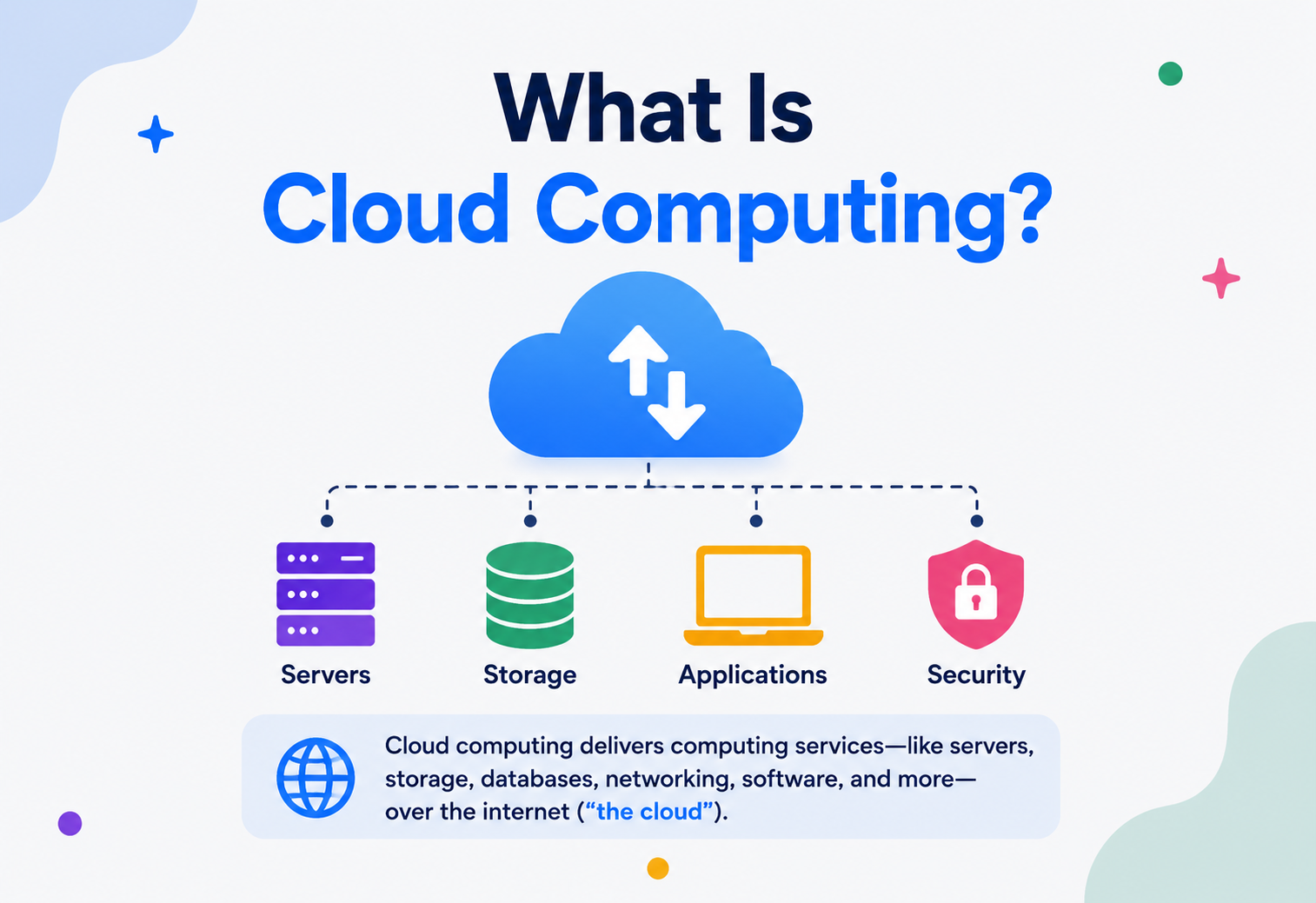
What Is Cloud Computing?
A complete, beginner-friendly walkthrough of what “the cloud” actually is, how it works under the hood, why it took over modern computing, and how engineers at Netflix, Amazon, and Uber use it every single day.
Introduction & History
A taxi instead of a car, a public utility instead of a backyard generator, and sixty years of computer science that made it possible.
Imagine that instead of buying a car, you just called a taxi whenever you needed to go somewhere. You wouldn’t have to worry about oil changes, insurance, parking, or what happens when the engine breaks down. You’d simply pay for the ride you took, and someone else would take care of everything else. Cloud computing is the taxi version of owning computers.
In plain English, cloud computing means using someone else’s computers — usually massive, professionally managed data centres — over the internet, instead of buying and maintaining your own physical servers. When you stream a show on Netflix, post a photo on Instagram, or use Gmail, you are using the cloud. Somewhere, in a giant warehouse-sized building full of humming machines, a server is doing the work, and you’re just seeing the result on your screen.
The word “cloud” itself comes from an old habit in engineering diagrams. Decades ago, when network engineers drew diagrams of the internet, they didn’t want to draw every single router, switch, and cable in the outside network they didn’t control — so they just drew a fluffy cloud shape and labelled it “the network.” Over time, “the cloud” started to represent any computing resource that lived somewhere out there, beyond your own building, that you accessed over a network.
1.1 · A brief history
Cloud computing did not appear overnight. It’s the result of ideas that have been brewing in computer science since the 1960s.
Time-sharing is born
Computer scientist John McCarthy proposed that computing could one day be sold like a public utility, similar to electricity or water. Early mainframes used “time-sharing,” where many users shared one giant, expensive computer instead of each owning one.
Salesforce popularises SaaS
Salesforce launched a business application that customers used entirely through a web browser, no installation required — an early, hugely influential example of what we now call Software as a Service (SaaS).
Amazon launches AWS
Amazon Web Services released S3 (storage) and EC2 (virtual servers), letting any developer rent computing power by the hour with a credit card. This is widely seen as the true birth of modern cloud computing.
Google and Microsoft join in
Google App Engine and Microsoft Azure launched, turning cloud computing into a competitive, fast-growing industry rather than a single company’s experiment.
Containers & Kubernetes
Docker (2013) and Kubernetes (2014) made it far easier to package and run applications consistently across any cloud, fuelling the rise of microservices and “cloud-native” architecture.
Serverless & AI-driven cloud
Cloud providers pushed further into “serverless” computing (where you don’t manage servers at all) and began building specialised infrastructure for training and running AI models at massive scale.
Simple analogy
Owning your own server is like owning a power generator in your backyard for your house. Cloud computing is like plugging into the public power grid — you just flip a switch, use exactly what you need, and pay only for that. You don’t need to know how the power plant works.
1.2 · Why the utility analogy still matters
John McCarthy’s 1960s idea — that computing power could someday be sold “like a utility” — turned out to be remarkably accurate, but it took roughly forty years for the technology and business models to catch up to the vision. Electricity became a utility once a few things lined up: a shared distribution grid (the power lines), standardised connectors (the outlets in your wall), and metering (so the power company could measure exactly how much you used and bill you accordingly). Cloud computing needed its own equivalents: a shared distribution grid (the global fibre-optic network and data centres), standardised interfaces (APIs that let any developer request a server the same way, every time), and metering (billing systems that track usage down to the second or even the individual API call). Once all three pieces existed together, cloud computing stopped being a research idea and became a trillion-dollar industry.
It’s also worth understanding what cloud computing is not. It is not simply “storing files online” — that’s just one small slice of it (object storage). It is not a single company or a single data centre — it’s an entire category of technology offered by many competing providers. And it is not something fundamentally new in computer science terms; virtualisation, networking, and distributed systems had all existed for decades. What made cloud computing revolutionary wasn’t a brand-new invention — it was packaging existing ideas into something self-service, elastic, and billed by the minute, and making it available to anyone with a credit card rather than only to large corporations with capital budgets and procurement departments.
The Problem & Motivation
CapEx to OpEx, and the “undifferentiated heavy lifting” that never made anyone’s product better.
To understand why cloud computing exists, it helps to understand the pain it removed. Before the cloud became mainstream, if a company wanted to run a website or an app, it had to:
- Buy physical servers (expensive computers, often costing thousands of dollars each).
- Rent or build a room with power, cooling, and internet connectivity to house them.
- Hire staff to install operating systems, apply security patches, and fix hardware failures at 3 a.m.
- Guess in advance how much computing power they’d need — and live with that guess for years.
That last point was the most painful. Imagine you’re launching a new app and you expect 1,000 users. You buy servers sized for 1,000 users. Then the app goes viral and 100,000 people show up in a day — your servers crash, because you physically don’t have enough machines, and buying, shipping, and installing new ones takes weeks. Or the opposite happens: you buy servers for 100,000 users “just in case,” and only 500 people show up. Now you’ve wasted a huge amount of money on machines sitting idle.
2.1 · Real-world motivation
Picture an online store that sells umbrellas. Most days, they get modest traffic. But every year on the one rainy weekend before a big holiday, traffic spikes 50x. Without the cloud, the store owner would need to buy enough servers to survive that one rainy weekend and let those same servers sit mostly idle the other 363 days of the year. With the cloud, they can automatically “rent” extra servers only during that spike, and give them back the moment traffic drops — paying only for what they actually use.
This is the essential motivation behind cloud computing: replacing large, fixed, upfront investments in hardware (called CapEx, or capital expenditure) with flexible, pay-as-you-go spending (called OpEx, or operational expenditure), while also offloading the painful, unglamorous work of maintaining physical machines to specialised companies who do it at enormous scale.
2.2 · The hidden cost of “undifferentiated heavy lifting”
Amazon popularised a phrase that captures another huge motivation behind the cloud: undifferentiated heavy lifting. This refers to all the necessary but non-unique work a company has to do just to keep basic infrastructure running — racking servers, replacing failed hard drives, patching operating systems, configuring networking — none of which makes a company’s actual product better or more competitive. A bakery doesn’t gain any advantage over its competitors by generating its own electricity; what makes it special is its bread, not its power generation. Similarly, most companies don’t gain a competitive advantage by operating their own data centres; what makes them special is their actual product. Cloud computing lets organisations hand off that undifferentiated heavy lifting to specialists and redirect their own engineers toward the work that’s actually unique to their business.
There’s also a talent and expertise dimension to this motivation. Running physical infrastructure at very high reliability requires deep, specialised expertise in areas like power redundancy, industrial cooling systems, physical security, and hardware failure patterns at massive scale — skills that are expensive to build in-house and largely irrelevant to most companies’ core products. Cloud providers, by serving millions of customers, can afford to hire the world’s leading experts in these narrow fields and spread that cost across their entire customer base, giving even a five-person startup access to data centre expertise that would once have been available only to the very largest corporations.
Core Concepts
Virtualisation, elasticity, multi-tenancy, and the IaaS / PaaS / SaaS pizza analogy.
Before diving deeper, let’s build a vocabulary. These are the building blocks you’ll see referenced constantly in cloud computing.
3.1 · Virtualisation
Virtualisation is the technology that makes cloud computing possible in the first place. It means taking one big, powerful physical computer and splitting it into many smaller, independent “virtual” computers, each of which behaves as if it were its own separate machine — even though they’re all secretly sharing the same physical hardware underneath.
Analogy
Think of a physical server as a large apartment building, and virtualisation as the process of dividing it into individual apartments (virtual machines). Each tenant (customer) gets their own locked door, their own space, and has no idea — or care — that their neighbour lives in the same building.
The software that manages this division is called a hypervisor. It sits between the physical hardware and the virtual machines, allocating slices of CPU, memory, and storage to each one, and making sure they can’t see or interfere with each other.
There are actually two broad kinds of hypervisors, and the difference matters for anyone digging deeper into how the cloud works. A Type 1 hypervisor (sometimes called a “bare-metal” hypervisor) runs directly on the physical hardware, with no separate host operating system underneath it — this is what almost all major cloud providers use, because it’s faster and more secure. A Type 2 hypervisor runs as a program on top of an existing operating system, the way virtualisation software might run on a personal laptop for testing purposes. Cloud data centres overwhelmingly rely on Type 1 hypervisors because stripping away the extra layer of a host OS reduces overhead and shrinks the attack surface available to anyone trying to break out of one virtual machine and interfere with another.
It’s worth pausing on just how much engineering effort goes into making virtualisation feel invisible. From inside a virtual machine, an operating system genuinely believes it has direct, exclusive access to CPU cores, memory addresses, and disk sectors. In reality, the hypervisor is intercepting and translating almost every low-level hardware instruction, presenting a convincing illusion of dedicated hardware while actually juggling dozens of other virtual machines on the same physical chip, often switching between them many thousands of times per second. Modern CPUs even include specialised hardware features (like Intel VT-x and AMD-V) specifically designed to make this translation fast enough that virtualised workloads run nearly as fast as if they had the hardware entirely to themselves.
3.2 · Elasticity and scalability
Scalability is the ability of a system to handle growing amounts of work by adding resources. Elasticity is a related but more specific idea: the ability to automatically add resources when demand rises, and automatically remove them when demand falls — like a rubber band stretching and shrinking. Elasticity is what lets the umbrella store from Section 2 survive its one rainy weekend without wasting money the rest of the year.
3.3 · Multi-tenancy
Cloud providers serve thousands of different customers (“tenants”) from the same shared physical infrastructure, while keeping each customer’s data and workloads completely isolated and invisible to the others. This sharing is exactly what allows cloud providers to offer such low prices — the cost of the underlying hardware is split across many customers.
3.4 · The three big service models
Almost everything in cloud computing fits into one of three service categories, usually remembered by the acronym IaaS, PaaS, SaaS. A useful way to understand the difference is the classic pizza analogy: making pizza at home (you do everything) versus takeout (someone else bakes it, you serve it) versus dine-in (everything is done for you).
IaaS — Infrastructure as a Service Raw compute
You rent raw virtual machines, storage, and networking. You install and manage the operating system, runtime, and applications yourself. Example: Amazon EC2, Google Compute Engine.
PaaS — Platform as a Service Runtime included
The provider manages the operating system and runtime for you. You just deploy your application code. Example: Heroku, Google App Engine, AWS Elastic Beanstalk.
SaaS — Software as a Service Finished app
You use a fully finished application through a browser — no installation or management at all. Example: Gmail, Salesforce, Dropbox.
| Layer | IaaS | PaaS | SaaS |
|---|---|---|---|
| Application | You manage | You manage | Provider manages |
| Runtime / middleware | You manage | Provider manages | Provider manages |
| Operating system | You manage | Provider manages | Provider manages |
| Virtualisation / servers | Provider manages | Provider manages | Provider manages |
| Physical hardware | Provider manages | Provider manages | Provider manages |
Common confusion
People often think “the cloud” means one single thing. In reality it’s a spectrum — from “I rent a bare virtual machine and do everything myself” (IaaS) all the way to “I just use a website and never think about servers” (SaaS). Knowing which layer you’re operating at tells you what you’re responsible for.
Architecture & Components
Regions, availability zones, and the three pillars: compute, storage, networking.
Let’s zoom into what actually exists inside a cloud provider’s infrastructure, and how the major pieces relate to each other.
4.1 · Regions and availability zones
Cloud providers don’t operate one giant data centre — they operate dozens of them, spread across the world, grouped into regions (like “US East” or “Europe West”). Each region is further divided into multiple availability zones (AZs) — physically separate data centres within that region, each with independent power, cooling, and networking, but connected by very fast, low-latency links.
Why this matters
If one data centre loses power because of a storm, an application spread across multiple availability zones keeps running because the other zones are unaffected. It’s the digital equivalent of not keeping all your money in one bank branch.
4.2 · Compute, storage, and networking — the three pillars
Compute Thinking
The “thinking” power — virtual machines, containers, and serverless functions that actually run your code.
Storage Remembering
Where data lives: object storage (like Amazon S3) for files, block storage for virtual disks, and databases for structured data.
Networking Connecting
Virtual networks, load balancers, DNS, and content delivery networks that connect users to compute and storage, securely and quickly.
4.3 · The hypervisor layer
At the very bottom of a cloud provider’s compute stack sits physical hardware — racks of servers with CPUs, RAM, and disks. On top of that runs the hypervisor, the piece of software that carves each physical machine into many virtual machines. Modern clouds also run containers (like Docker), which are lighter-weight than full virtual machines because they share the host operating system’s kernel instead of each running a whole separate copy of an OS.
| Layer | What it is | Analogy |
|---|---|---|
| Physical server | Real hardware in a data centre | The apartment building itself |
| Hypervisor | Splits hardware into VMs | The building’s structural walls dividing apartments |
| Virtual Machine (VM) | A full simulated computer with its own OS | A whole apartment with its own kitchen and bathroom |
| Container | Lightweight, shares host OS kernel | A furnished room sharing the building’s plumbing |
Internal Working — What Happens When You “Use the Cloud”
Trace one request from “I want a VM” all the way to a healthy backend answering a user in the browser.
Let’s trace through, step by step, what actually happens behind the scenes when a developer spins up a cloud server, and what happens when a user’s request travels through cloud infrastructure.
5.1 · Requesting a resource
A developer logs into the cloud provider’s console (or calls an API) and requests, say, a virtual machine with 4 CPU cores and 16GB of RAM. This request goes to the provider’s control plane — a set of internal management services responsible for deciding where in the data centre this new machine should live.
5.2 · Scheduling & placement
The control plane’s scheduler looks across thousands of physical servers, finds one with enough free capacity, and instructs the hypervisor on that server to carve out a new virtual machine matching the requested specs. This typically takes just seconds.
5.3 · Provisioning
The hypervisor allocates CPU cycles, memory, and a virtual disk to the new VM, attaches it to a virtual network, assigns it an IP address, and boots the requested operating system image. Within under a minute, the developer receives connection details for a brand-new, fully working computer they’ve never physically touched.
5.4 · A user request in production
Now imagine that VM is running a website, and a real user opens it in their browser. Here’s the typical journey their request takes:
DNS lookup
The browser asks a DNS server “what’s the address for example.com?” and gets back an IP address, often for a content delivery network (CDN) edge location near the user.
CDN check
If the content (like an image or a static file) is cached nearby, it’s returned immediately without ever reaching the origin servers.
Load balancer
If the request needs the actual application, it’s routed to a load balancer, which picks one of many healthy backend servers to handle it — spreading traffic evenly.
Application server
That backend server (a VM, container, or serverless function) processes the request, possibly querying a database or cache.
Response
The result travels back through the same path to the user’s browser, typically in well under a second.
Data Flow & Lifecycle of a Cloud Application
From a laptop keystroke to auto-scaling capacity — the loop that runs itself.
Beyond a single request, it helps to see the full lifecycle of how an application and its data move through a cloud environment over time — from writing code to serving millions of users.
Notice the loop at the end: monitoring data feeds back into auto-scaling decisions, which changes the running infrastructure, which then produces new monitoring data. This feedback loop is core to how cloud systems stay both efficient and responsive without constant human babysitting.
6.1 · Data at rest vs. data in transit
Data at rest is data sitting in storage — a database, a file in object storage, a backup snapshot. Data in transit is data actively moving across a network — like a request going from a user’s browser to a server. Cloud systems must protect and manage both differently: data at rest is usually encrypted on disk, while data in transit is encrypted using protocols like TLS (the https you see in browser URLs).
6.2 · State — stateless vs. stateful
A stateless service doesn’t remember anything between requests — every request is handled fresh, with no dependency on what happened before. This makes it trivially easy to scale: you can add or remove servers at any moment because none of them are holding onto unique information. A stateful service, like a database, does hold onto data between requests, which makes scaling and failover much trickier, because you can’t simply throw away or duplicate a stateful server without carefully managing its data.
Rule of thumb
Well-designed cloud applications push as much “state” as possible out of the application servers and into dedicated databases or caches, keeping the application layer itself stateless and easy to scale.
Advantages, Disadvantages & Trade-offs
Not a magic fix. A set of powerful, honest trade-offs.
Cloud computing is enormously popular, but it isn’t a magic fix for everything. Understanding both sides helps you make good architecture decisions.
Advantages
- No upfront hardware cost — pay only for what you use.
- Scale up or down within minutes, not months.
- Global reach — deploy close to users anywhere in the world.
- Provider handles hardware failures, patching, and physical security.
- Huge ecosystem of managed services (databases, AI, analytics).
- Faster time-to-market for new products.
Disadvantages
- Costs can spiral if usage isn’t monitored carefully.
- Less control over the underlying physical hardware.
- Vendor lock-in — moving between providers can be difficult.
- Requires reliable internet connectivity.
- Shared responsibility for security can cause confusion.
- Data residency and compliance can get complex across regions.
7.1 · The core trade-off — control vs. convenience
The deeper you move from IaaS toward SaaS, the less control you have over the underlying system — but the less you have to manage yourself. This is not a flaw; it’s the entire point. The right level of the stack depends on what your team is actually good at and wants to spend time on. A small startup building a mobile app rarely wants to spend engineering time patching operating systems — they’d rather use a managed PaaS or serverless platform. A large financial institution with strict regulatory requirements may want more control, and so may choose IaaS or even a private/hybrid cloud.
Cost trap
A very common mistake is treating the cloud as automatically cheaper than owning hardware. At small, steady scale, it often is. But at very large, predictable, constant scale, owning hardware can sometimes be cheaper — which is part of why some very large companies run a mix of cloud and their own data centres (a “hybrid” approach).
Performance & Scalability
Scale up, scale out, scale to zero — and one tiny Java snippet that hides all of it.
Scalability is one of cloud computing’s headline features, and it comes in two main flavours.
8.1 · Vertical scaling (“scale up”)
This means making a single machine more powerful — giving it more CPU cores or more memory. It’s simple, but has a hard ceiling: eventually, you run out of bigger machines to buy, and a single point of failure remains (if that one big machine goes down, everything goes down with it).
8.2 · Horizontal scaling (“scale out”)
This means adding more machines running in parallel, rather than making one machine bigger. Instead of one super-powerful waiter serving an entire restaurant, you hire ten waiters who each serve a few tables. This is the dominant scaling strategy in cloud computing because it has effectively no ceiling — you can keep adding machines — and it improves fault tolerance, since losing one machine out of a hundred barely matters.
8.3 · Auto-scaling
Cloud providers offer auto-scaling groups: rules that say, for example, “if average CPU usage across our servers goes above 70%, automatically launch two more servers; if it drops below 30%, remove one.” This is elasticity in action, and it’s what allows the umbrella store from Section 2 to survive its one big rainy weekend without a human manually clicking buttons at 2 a.m.
8.4 · Latency and the role of CDNs
Physical distance matters. A server in Virginia responding to a user in Singapore has to send data almost halfway around the world, adding delay (latency). Content Delivery Networks (CDNs) solve this by caching copies of content at edge locations close to users worldwide, so data doesn’t need to travel as far.
8.5 · Serverless computing — scaling to zero
Serverless computing takes elasticity to its logical extreme. Instead of keeping even a small number of servers running at all times, a serverless platform (like AWS Lambda or Google Cloud Functions) runs your code only in response to a specific trigger — an incoming web request, a new file uploaded to storage, a message arriving in a queue — and then shuts everything down the instant the work is finished. You are billed only for the exact fraction of a second your code was actually executing, and if nobody is using your application at 3 a.m., you pay nothing at all during that time.
The trade-off is something called a cold start: because the platform isn’t keeping a server warm and waiting for you, the very first request after a period of inactivity can take noticeably longer, while the platform spins up a fresh execution environment behind the scenes. For latency-sensitive applications, engineers manage this with techniques like “provisioned concurrency,” which keeps a small number of instances pre-warmed and ready, sacrificing a bit of the cost savings in exchange for consistently fast response times.
Serverless computing works best for spiky, unpredictable, or infrequent workloads — a nightly batch job, an occasional image-processing task, or a rarely used internal tool. It tends to work less well for workloads that need to run constantly at high, steady volume, where a traditional fleet of always-on servers, sized correctly, can end up being both cheaper and more predictable in performance.
8.6 · Benchmarking and capacity planning
Even with elastic infrastructure, teams still need to understand roughly how much load a single server or container can handle before performance degrades — a process called capacity planning. Engineers run load tests that simulate real traffic patterns, gradually increasing the number of simulated users until response times start climbing or errors start appearing, which reveals the practical ceiling of a given configuration. This number then feeds directly into auto-scaling rules: if one server comfortably handles 500 requests per second before slowing down, a scaling policy might be set to add another server once average load per instance crosses 350–400 requests per second, leaving headroom for the new server to spin up before things get uncomfortable.
8.7 · A simple Java example — calling a cloud storage API
Here’s a small example showing how straightforward it is for a developer to talk to cloud infrastructure through code, rather than manually configuring hardware:
// Uploading a file to cloud object storage using the AWS SDK for Java
import software.amazon.awssdk.services.s3.S3Client;
import software.amazon.awssdk.services.s3.model.PutObjectRequest;
import java.nio.file.Paths;

public class CloudUploadExample {
    public static void main(String[] args) {
        S3Client s3 = S3Client.create();

        PutObjectRequest request = PutObjectRequest.builder()
                .bucket("my-app-bucket")
                .key("reports/summary.pdf")
                .build();

        // This single call sends the file to a globally
        // redundant, auto-scaling storage system.
        s3.putObject(request, Paths.get("summary.pdf"));

        System.out.println("File uploaded to the cloud successfully.");
    }
}
Notice what’s missing from this code: there’s no server address to manage, no disk space to provision, and no thought given to how many physical machines are involved. That invisibility is exactly what “the cloud” is selling.
High Availability & Reliability
Redundancy, replication, failover, RTO/RPO, and the honest limits set by the CAP theorem.
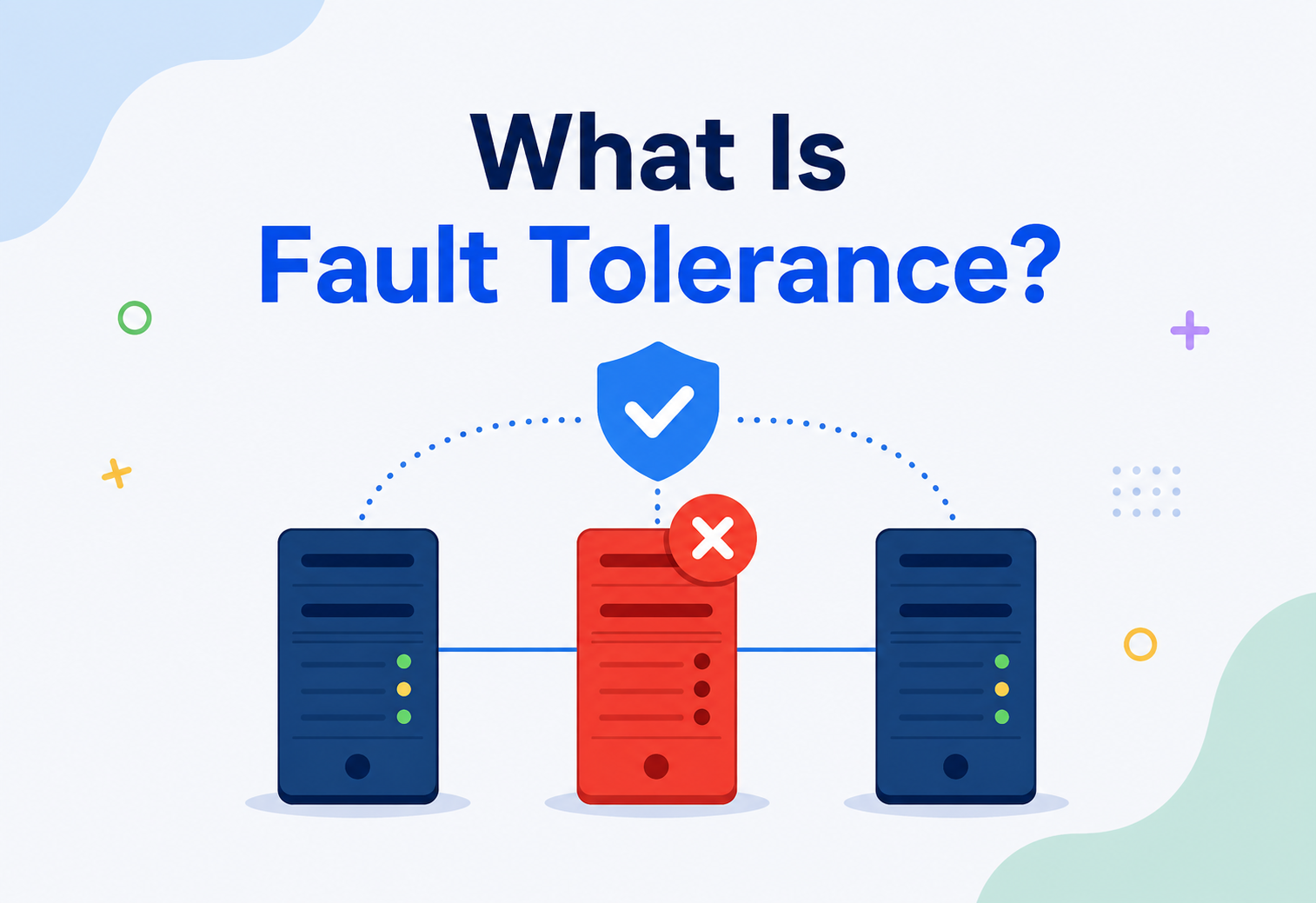
High availability (HA) means designing a system so it keeps running correctly even when individual parts fail — because in a system with thousands of servers, something is always failing somewhere.
9.1 · Redundancy
The core idea behind HA is redundancy: never rely on a single copy of anything important. Run at least two of everything — two servers, two database replicas, two network paths — spread across different availability zones, so a single failure never takes the whole system down.
9.2 · Replication
Databases in the cloud commonly use replication: keeping several synchronised copies of data across different machines (and often different zones or regions). If the primary copy fails, one of the replicas can be promoted to take over almost instantly.
9.3 · Failover
Failover is the automatic process of detecting a failure and switching traffic to a healthy backup. Well-designed cloud systems use health checks — small automated pings that repeatedly ask “are you still alive and working?” — so that a load balancer can instantly stop sending traffic to a server the moment it stops responding correctly.
The “nines” of availability
Reliability is often measured in “nines.” 99.9% uptime (“three nines”) allows about 8.7 hours of downtime per year. 99.999% (“five nines”) allows only about 5 minutes per year. Each additional nine is dramatically harder — and more expensive — to achieve.
9.4 · Disaster recovery
Beyond day-to-day failures, cloud architectures plan for larger disasters — an entire region going offline due to a natural disaster or major outage. Strategies include regularly backing up data to a separate region, and in critical systems, running a live standby copy of the entire application in a second region ready to take over (“active-active” or “active-passive” setups).
Disaster recovery plans are usually described using two key numbers. Recovery Time Objective (RTO) is how long the business can tolerate being down before recovery must be complete — minutes, hours, or days, depending on how critical the system is. Recovery Point Objective (RPO) is how much data loss is acceptable, measured in time — an RPO of five minutes means that after a disaster, you should never lose more than the last five minutes of data. A payments platform might demand an RTO of minutes and an RPO of seconds, while an internal reporting tool might tolerate an RTO of a day and an RPO of 24 hours. These numbers directly drive architecture decisions: a near-zero RPO usually requires continuous, synchronous replication across regions, which costs more in both money and engineering complexity than periodic nightly backups.
9.5 · The CAP theorem
Distributed cloud systems — ones spread across multiple machines, zones, or regions — run into a fundamental limitation described by the CAP theorem. It states that a distributed data system can only fully guarantee two out of three properties at the same time: Consistency (every read gets the most recent write, everywhere), Availability (every request gets a response, even if it might not be the absolute latest data), and Partition tolerance (the system keeps working even when network communication between some of its parts is broken). Since network partitions are simply a fact of life in any real-world distributed system, the practical choice most cloud architects face is between prioritising consistency or prioritising availability when a partition actually happens. A banking ledger will typically lean toward consistency, briefly refusing requests rather than risking an incorrect balance. A social media “like” counter will typically lean toward availability, happily showing a slightly outdated count rather than going offline entirely.
Security in the Cloud
Shared responsibility, least privilege, encryption everywhere, and the zero-trust mindset.
Security in cloud computing operates on the Shared Responsibility Model — a concept that trips up many beginners.
Shared responsibility model
The cloud provider is responsible for the security of the cloud (physical data centres, the hypervisor, the core network). You, the customer, are responsible for security in the cloud (your data, who has access, how you configure your resources, your application code). A huge share of real-world cloud security incidents happen not because a provider was hacked, but because a customer misconfigured something — like leaving a storage bucket publicly accessible by accident.
10.1 · Identity and access management (IAM)
IAM systems control exactly who (which person, application, or service) can do exactly what (read, write, delete) to exactly which resources. The golden rule is the principle of least privilege: give every user and system only the minimum permissions they need to do their job, nothing more.
10.2 · Encryption
Data should be encrypted both at rest (while stored on disk) and in transit (while travelling across networks). Encryption scrambles data using a mathematical key so that even if someone intercepts it, they can’t read it without that key.
10.3 · Network isolation
Cloud providers let you build virtual private networks (VPCs) — isolated network environments where you decide exactly which resources can talk to each other and which are exposed to the public internet. A common best practice is placing databases in private subnets with no direct internet access, reachable only through the application layer.
Firewalls / Security Groups Guard rules
Virtual rules controlling which network traffic is allowed in or out of a resource.
Multi-Factor Authentication Second proof
Requiring a second proof of identity beyond just a password, drastically reducing account takeover risk.
Audit Logging The record
Recording every action taken on cloud resources so suspicious activity can be investigated after the fact.
10.4 · Compliance and data residency
Many industries operate under legal frameworks that dictate exactly how data must be handled — healthcare data under regulations like HIPAA in the United States, payment card data under PCI-DSS, or personal data under Europe’s GDPR. Cloud providers help by earning independent certifications proving their infrastructure meets these standards, and by letting customers choose specific regions to keep data within particular legal borders (a concept called data residency). However, holding a compliance certificate doesn’t automatically make a customer’s application compliant — a company still has to configure its own use of the cloud correctly, encrypt the right data, and control access appropriately. This is another expression of the shared responsibility model: the provider proves the building meets fire code, but the tenant still has to lock their own apartment door.
10.5 · Zero trust — a modern security mindset
Older security models often assumed that anything “inside” a company’s network was automatically trustworthy, and only traffic coming from “outside” needed to be checked carefully — like a castle with strong outer walls but nothing guarding the rooms inside. Cloud-native security has shifted toward a zero trust philosophy: never automatically trust a request just because it originated inside the network. Every request, from every user and every service, is verified and authorised every time, regardless of where it’s coming from. This matters enormously in the cloud, where “inside the network” is a much fuzzier concept than it used to be — your services might be spread across multiple data centres, regions, and even different cloud providers.
Monitoring, Logging & Metrics
Metrics, logs, traces, and the discipline of paging humans only when it matters.
Once an application is running across dozens or thousands of cloud servers, you can no longer just “look” at it. Observability — the ability to understand what’s happening inside a system from the outside — becomes essential.
11.1 · Metrics
Metrics are numeric measurements collected over time — CPU usage, memory usage, request count, error rate, response latency. They’re typically visualised as dashboards and graphs, letting engineers spot trends and set automated alerts (e.g., “page an engineer if error rate exceeds 5% for more than two minutes”).
11.2 · Logs
Logs are detailed, timestamped text records of specific events — “user 4821 logged in at 14:32:07,” or “payment failed: card declined.” When something goes wrong, logs are often the first place engineers look to understand exactly what happened, in what order.
11.3 · Traces
In a microservices architecture (more on this in Section 14), a single user request might pass through ten different services. Distributed tracing follows that one request across every service it touches, showing exactly where time was spent and where something failed — like a package tracking number, but for a piece of data moving through your system.
| Signal | Answers the question | Example tool |
|---|---|---|
| Metrics | “Is something wrong right now?” | Amazon CloudWatch, Prometheus |
| Logs | “What exactly happened?” | ELK Stack, CloudWatch Logs |
| Traces | “Where in the system did it happen?” | Jaeger, AWS X-Ray |
11.4 · Alerting philosophy — signal over noise
Collecting metrics, logs, and traces is only useful if someone actually acts on them, which is why alerting design matters as much as data collection itself. A common early mistake is alerting on too many things, at too sensitive a threshold — engineers quickly learn to ignore a system that pages them constantly for minor, self-resolving blips, a phenomenon known as alert fatigue. The healthier approach is to alert primarily on symptoms that actually affect users — elevated error rates, slow response times, failed transactions — rather than every internal fluctuation, and to reserve the loudest, most urgent notifications for problems that genuinely require a human to act right now. Less urgent issues can be logged and reviewed during business hours instead of waking someone up at 3 a.m. for something that will resolve itself in ninety seconds.
Deployment Models — Public, Private, Hybrid & Multi-Cloud
Not one cloud, but a spectrum of ways to arrange the same building blocks.
So far we’ve mostly discussed public cloud providers like AWS, Azure, and Google Cloud. But “cloud computing” as an architectural style can actually be deployed in several different ways.
Public Cloud Shared & open
Shared infrastructure owned and operated by a third-party provider (AWS, Azure, GCP), available to any customer over the internet.
Private Cloud Single-tenant
Cloud-style infrastructure (virtualisation, self-service, elasticity) built and run for a single organisation only, often inside their own data centre.
Hybrid Cloud Best of both
A mix of private infrastructure and public cloud, often used to keep sensitive data on-premises while bursting extra workloads into the public cloud.
Multi-Cloud Many providers
Deliberately using more than one public cloud provider at once, often to avoid vendor lock-in or use each provider’s particular strengths.
Choosing between these isn’t about which is “best” in the abstract — it’s about matching the model to real constraints like regulatory requirements, existing investments, latency needs, and team expertise.
Example
A hospital system might keep patient records in a private cloud on-site to satisfy strict data residency regulations, while running its public-facing appointment booking website on a public cloud provider for cost efficiency and easy scaling.
12.1 · Choosing between these models
There’s no universally “correct” deployment model — the right choice depends on weighing a handful of practical questions against each other. How sensitive is the data, and are there legal requirements about exactly where it can physically live? How predictable is the workload — steady and constant, or spiky and unpredictable? How much in-house expertise does the team already have in running its own infrastructure versus operating cloud-native tools? And how much appetite does the organisation have for the added complexity of managing more than one environment, in exchange for flexibility or negotiating leverage?
Multi-cloud strategies, in particular, involve a real trade-off that’s easy to underestimate. Running workloads across two or more public cloud providers can reduce dependency on any single vendor and even allow shopping around for the best price on a given service. But it also means engineering teams need to learn, secure, and monitor multiple different sets of tools and APIs, which rarely behave identically even when they’re solving the same underlying problem. Many organisations that claim to be “multi-cloud” in marketing materials are, in day-to-day engineering reality, running the overwhelming majority of their workloads on one primary provider, with only a small footprint on a second — using true multi-cloud for a small number of specific, deliberate reasons rather than mirroring everything everywhere.
Databases, Caching & Load Balancing in the Cloud
Managed databases, hot caches, and the load balancer that quietly spreads the pain.
13.1 · Managed databases
Rather than installing and maintaining your own database software on a server, cloud providers offer managed database services (like Amazon RDS or Google Cloud SQL) that handle backups, patching, and replication automatically. You still design your schema and write your queries — but you’re no longer the one waking up at night because a disk filled up.
13.2 · Caching
A cache is a small, extremely fast storage layer that keeps frequently requested data close at hand, so the system doesn’t need to repeat expensive work (like a complex database query) every single time. Cloud caching services like Redis or Memcached can reduce database load dramatically and shrink response times from hundreds of milliseconds to just a few.
Analogy
A cache is like keeping your most-used spices on the counter instead of walking to the pantry every time you cook. It only works well if you keep it stocked with the right things — an out-of-date cache can serve stale, incorrect information, which is why “cache invalidation” is a famously tricky problem in computer science.
13.3 · Load balancing
A load balancer sits in front of a group of servers and distributes incoming requests among them, based on strategies like round-robin (take turns), least-connections (send to whichever server is least busy), or health-based routing (never send traffic to a server that’s currently failing health checks).
APIs & Microservices
Cloud applications are rarely one giant program — they’re a conversation between many small ones.
Cloud applications rarely exist as one single giant program anymore. Instead, they’re commonly broken into microservices — small, independent services, each responsible for one piece of functionality (like “user accounts,” “payments,” or “search”), communicating over the network through APIs (Application Programming Interfaces).
14.1 · Why microservices fit the cloud so well
Because cloud infrastructure makes it cheap and easy to spin up independent, isolated compute resources, it’s natural to run each microservice on its own set of servers or containers, scaling each one independently based on its own demand. The payments service can scale up during a big sale without needing to also scale the “user profile photo” service, which isn’t under the same load.
Microservices benefits
- Teams can develop and deploy independently.
- Each service can scale on its own.
- A bug in one service is less likely to crash everything.
Microservices costs
- More operational complexity (many moving parts).
- Network calls between services add latency and failure points.
- Harder to trace a bug across many services.
14.2 · REST APIs — a simple Java example
APIs are how cloud services talk to each other. Here’s a tiny example of one microservice calling another over HTTP:
import java.net.http.HttpClient;
import java.net.http.HttpRequest;
import java.net.http.HttpResponse;
import java.net.URI;

public class InventoryServiceClient {
    public static void main(String[] args) throws Exception {
        HttpClient client = HttpClient.newHttpClient();

        // The "orders" service calling the "inventory" service
        // over an internal cloud network, not the public internet.
        HttpRequest request = HttpRequest.newBuilder()
                .uri(URI.create("http://inventory-service.internal/stock/42"))
                .GET()
                .build();

        HttpResponse<String> response =
                client.send(request, HttpResponse.BodyHandlers.ofString());

        System.out.println("Stock level: " + response.body());
    }
}
Multiply this pattern by dozens of services calling each other, and you begin to see why observability tools (Section 11) become essential — a single slow or failing service can ripple outward and affect everything downstream of it.
Design Patterns & Anti-Patterns
Six patterns worth knowing, and five mistakes that quietly show up in almost every cloud migration.
15.1 · Helpful patterns
Circuit Breaker Stop the bleeding
Stops calling a failing service repeatedly, “tripping” like an electrical breaker to prevent cascading failures, and periodically testing if it has recovered.
Retry with Backoff Try again, gently
Automatically retries a failed request, but waits progressively longer between attempts to avoid overwhelming a struggling service.
Blue-Green Deployment Instant rollback
Runs two identical production environments; traffic is switched instantly from the old version to the new, allowing near-zero-downtime releases and instant rollback.
Event-Driven Architecture Loose coupling
Services communicate by publishing and reacting to events rather than calling each other directly, reducing tight coupling between them.
Immutable Infrastructure Rebuild, don’t patch
Instead of modifying running servers, new servers are built from scratch with the update and old ones are destroyed — avoiding configuration drift.
Auto-Scaling Groups Elastic by rule
Defining rules that let the cloud platform itself add or remove capacity automatically based on real-time demand.
15.2 · Anti-patterns to avoid
Common mistakes
- Lift-and-shift without redesign: Moving an old, monolithic on-premises app straight to the cloud without adapting it, missing most of the cloud’s benefits.
- Single points of failure: Running critical services on just one server or in just one availability zone.
- Ignoring cost visibility: Letting cloud spending grow unchecked with no budgets or alerts in place.
- Overly chatty microservices: Splitting a system into so many tiny services that network overhead outweighs any benefit.
- Hardcoding secrets: Storing passwords or API keys directly in code instead of a secure secrets manager.
Best Practices & Common Mistakes
Seven habits, one warning, and a runbook that turns 3 a.m. panic into a calm checklist.
Design for failure
Assume any individual component will eventually fail, and build redundancy so the overall system survives regardless.
Automate everything repeatable
Use infrastructure-as-code (tools like Terraform) so environments are reproducible and not dependent on manual clicking.
Set up cost alerts from day one
Cloud bills can grow silently; budgets and alerts catch runaway spending before it becomes a crisis.
Apply least privilege everywhere
Every user, service, and application should have the minimum access it needs — nothing more.
Keep application layers stateless where possible
This makes horizontal scaling and failover dramatically simpler.
Monitor before you need to
Set up metrics, logs, and alerts before an incident, not after one.
Test disaster recovery regularly
A backup you’ve never tried restoring is not a reliable backup.
Common mistake
Treating security as an afterthought added right before launch, instead of building it into the architecture from the very first design decision. Retrofitting security is dramatically harder and more expensive than designing it in from the start.
16.1 · Cost optimisation in practice
Because cloud costs are so directly tied to usage, cost optimisation has become its own discipline, sometimes nicknamed FinOps (a blend of “finance” and “operations”). A few concrete techniques engineers use include: choosing the right pricing model for the workload (on-demand pricing for unpredictable spikes, reserved or committed-use discounts for steady, predictable baseline load, and cheap “spot” or “preemptible” instances for workloads that can tolerate sudden interruption, like batch data processing); regularly identifying and shutting down idle or forgotten resources, which quietly accumulate in almost every organisation’s cloud account over time; right-sizing virtual machines so teams aren’t paying for far more CPU or memory than an application actually uses; and tagging every resource with metadata identifying which team or project it belongs to, so spending can be attributed and reviewed rather than lumped into one confusing monthly bill.
16.2 · Building an operational runbook
Beyond individual best practices, mature cloud teams document a runbook — a written guide describing exactly what to do when common problems occur: how to roll back a bad deployment, who to contact during a major outage, and the step-by-step process for restoring from backup. A well-tested runbook turns a 3 a.m. incident from a moment of panic into a calm, repeatable checklist, and it’s one of the clearest signs of a team that has moved from simply “using the cloud” to genuinely operating a reliable cloud-based system.
Real-World Industry Examples
Netflix, Amazon, Uber, Airbnb, Spotify, NASA — six ways cloud thinking shows up in production.
Netflix Chaos on purpose
Runs almost entirely on AWS, famously using a tool called “Chaos Monkey” that randomly shuts down live production servers on purpose — forcing every team to build systems resilient enough to survive real failures, not just theoretical ones.
Amazon Ate its own dogfood
Originally built AWS to solve its own internal scaling problems during massive holiday shopping spikes, then realised other companies had the exact same problem and turned that internal infrastructure into a product.
Uber Real-time everywhere
Relies heavily on cloud-based, geographically distributed infrastructure and microservices to match riders with nearby drivers in real time across thousands of cities simultaneously.
Airbnb Seasonal spikes
Uses cloud auto-scaling to handle huge, predictable traffic surges around booking seasons and holidays without maintaining that peak capacity year-round.
Spotify Migrated fully
Migrated fully from its own data centres to Google Cloud, using managed data-processing services to power personalised recommendations for hundreds of millions of listeners.
NASA / JPL Mars landing
Used AWS to process and stream the flood of images and data during the Mars Curiosity rover landing, scaling up instantly for a short, unpredictable burst of global public interest.
Frequently Asked Questions
Six recurring questions, answered without hand-waving.
Q1 · Is cloud computing the same as “the internet”?
No. The internet is the network that connects computers together. Cloud computing is a way of delivering computing resources — servers, storage, software — over that network.
Q2 · Is the cloud always cheaper than owning your own servers?
Not always. It’s usually cheaper for variable or unpredictable workloads, but for very large, constant, predictable workloads, owning hardware can sometimes cost less — which is why some companies use a hybrid approach.
Q3 · Where is my data physically stored in the cloud?
In one or more real, physical data centre buildings, owned by the cloud provider, in whichever region(s) you choose when configuring your resources.
Q4 · What does “serverless” actually mean, if there are still servers?
Serverless doesn’t mean there are no servers — it means you, the developer, never have to think about, provision, or manage them. You just supply code, and the platform runs it on demand.
Q5 · Can the cloud go down?
Yes. Individual servers, availability zones, or occasionally entire regions can experience outages. This is exactly why high availability practices (Section 9) — redundancy across zones and regions — matter so much.
Q6 · What is vendor lock-in?
It’s the difficulty of switching cloud providers after building deeply on one provider’s specific, proprietary services, since your code and processes may not directly transfer to another platform.
Summary & Key Takeaways
One page of ideas to carry away.
Cloud computing began as a 1960s vision that computing might one day be sold like electricity, and took forty years and a few enterprising companies to make it real. Underneath all the jargon — IaaS, PaaS, SaaS, VPCs, CDNs, IAM, CAP — sit a handful of very simple ideas: virtualisation lets one machine act like many, elasticity lets a system breathe with real demand, redundancy lets it survive the failures that always happen at scale, and shared responsibility keeps security honest between provider and customer.
- Cloud computing means renting computing power, storage, and services from a provider over the internet, instead of owning and maintaining physical hardware yourself.
- It’s built on virtualisation, which splits powerful physical machines into many smaller, isolated virtual ones.
- The three core service models — IaaS, PaaS, and SaaS — represent different amounts of control versus convenience.
- Elasticity lets systems automatically grow and shrink with real demand, avoiding both crashes and wasted spending.
- Reliability comes from redundancy: spreading systems across availability zones and regions so no single failure takes everything down.
- Security in the cloud is a shared responsibility between the provider and the customer.
- Modern cloud applications are commonly built as microservices communicating through APIs, monitored through metrics, logs, and traces.
- The cloud isn’t automatically “better” or “cheaper” in every situation — it’s a powerful set of trade-offs that fit some problems better than others.
The one idea to remember
The cloud isn’t a place, and it isn’t a product. It’s a way of packaging computing so ordinary teams can use extraordinary infrastructure — self-service, elastic, and billed by the minute.