What Is a Multi-Cloud Strategy?
A beginner-friendly, end-to-end walk-through of running workloads across more than one cloud provider — why teams do it, how it actually works under the hood, what it costs in money and complexity, and how to avoid the traps that catch even experienced engineers off guard.
Introduction & History
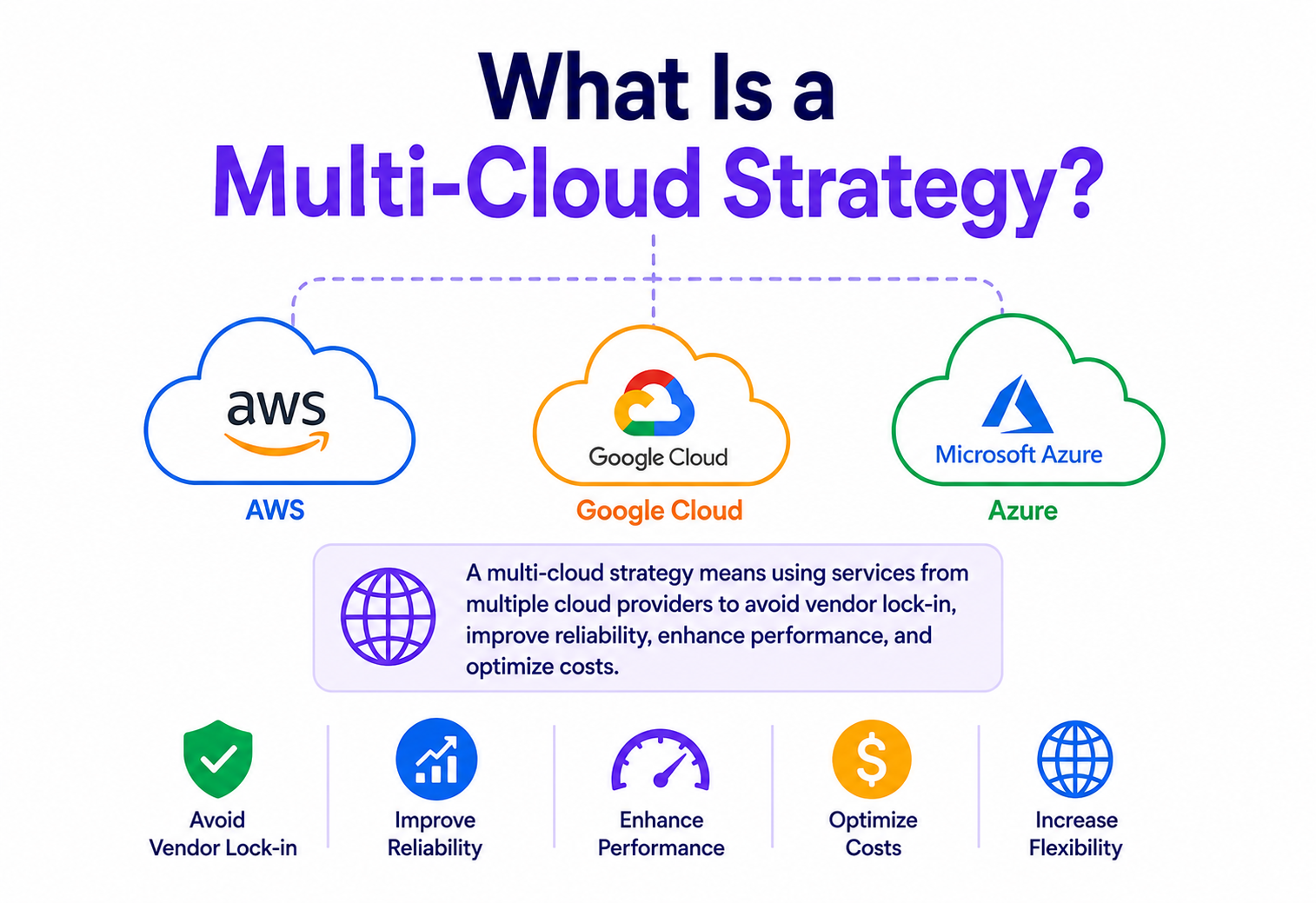
Imagine you only ever shopped at one grocery store. It’s convenient — you know the aisles, the staff know you, checkout is fast. But one day the store closes for renovations, or it stops carrying your favourite brand of coffee, or it quietly raises prices because it knows you’ll keep coming back anyway. A multi-cloud strategy is the business equivalent of shopping at more than one store: instead of running all your applications and data on a single cloud provider like Amazon Web Services (AWS), Microsoft Azure, or Google Cloud Platform (GCP), a company deliberately spreads its workloads across two or more of these providers.
To be precise: multi-cloud means using multiple public cloud providers side by side — for example, running your web application on AWS while your data analytics pipeline runs on GCP, and your disaster-recovery backup sits on Azure. This is different from hybrid cloud, which mixes public cloud with a private, on-premises data centre. A company can be both multi-cloud and hybrid at the same time.
1.1 A short history
In the early 2000s, “the cloud” barely existed as a mainstream concept. Amazon launched AWS in 2006, effectively creating the modern public cloud industry by renting out spare data-centre capacity as on-demand compute (EC2) and storage (S3). For several years afterward, “using the cloud” essentially meant “using AWS” for most companies, because it was the only mature option.
Google Cloud Platform and Microsoft Azure matured through the early 2010s, and by around 2013–2015 they became credible alternatives to AWS, each with their own strengths — Azure integrated deeply with Microsoft’s enterprise software (Windows Server, Active Directory, Office 365), while GCP built a reputation around data analytics, machine learning, and Kubernetes (which Google itself created and open-sourced).
As these providers matured in parallel, enterprises — especially large, risk-averse ones in banking, healthcare, and government — started asking an obvious question: “What happens to our business if our one cloud provider has an outage, changes its pricing, or gets acquired?” That question, combined with the reality that no single cloud is best at everything, is what gave birth to multi-cloud as a deliberate strategy rather than an accident of history.
Think of cloud providers like airlines. You could book every trip with one airline for simplicity and loyalty points, or you could spread your bookings across a few airlines so that if one grounds its fleet, you can still fly somewhere with another.
It’s worth adding a bit of context that often gets skipped in short articles: multi-cloud did not arrive as a top-down strategic doctrine. In many large organisations it emerged bottom-up — a data-science team liked GCP’s BigQuery, a Windows-heavy business unit was already on Azure, and a web team was long-since standardised on AWS. Formal multi-cloud strategy is very often just leadership catching up with a reality that already existed in the wild and giving it structure, governance, and a name.
Problem & Motivation
Why would an organisation go through the trouble of learning, operating, and paying for more than one cloud provider, when doing so is objectively more complex than sticking with one? The answer is that single-cloud dependency creates several real business risks.
2.1 The core problems multi-cloud tries to solve
- Vendor lock-in: once your applications are deeply built around one provider’s proprietary services (for example, AWS Lambda combined with DynamoDB combined with Step Functions), it becomes expensive and slow to move elsewhere. The provider knows this, and pricing or contract terms can shift over time in ways that favour them.
- Outage risk: even the biggest cloud providers have outages. In recent years, large regional outages at AWS, Azure, and GCP have each taken down major consumer apps for hours. If your entire business runs on one provider’s one region, a single incident can stop your revenue completely.
- Regulatory and data-residency requirements: some countries and industries legally require certain data to be stored within specific geographic borders, or require using region-specific providers, which single-cloud setups can’t always satisfy everywhere they operate.
- Best-of-breed capabilities: no cloud is the best at everything. GCP is often preferred for BigQuery and machine-learning tooling, AWS has the broadest and most mature overall service catalogue, and Azure is usually the easiest choice for organisations already using Microsoft enterprise tools.
- Negotiating leverage and cost optimisation: when a provider knows you could move workloads elsewhere, you have real leverage in pricing negotiations, especially at large scale.
- Mergers and acquisitions: when two companies merge, they frequently inherit two different cloud footprints. Rather than a costly and risky migration, many organisations simply learn to operate both.
Multi-cloud reduces certain risks but introduces new ones: more operational complexity, more tools to learn, more places for misconfiguration, and — counter to popular belief — not automatically lower costs. It’s a trade-off, not a free win.
Core Concepts
Before going further, let’s build a shared vocabulary. These terms show up constantly in multi-cloud discussions.
Multi-cloud
Using two or more public cloud providers (AWS, Azure, GCP, etc.) for different or overlapping workloads.
Hybrid cloud
Combining public cloud with a private, on-premises or dedicated data centre.
Vendor lock-in
The state of being so dependent on one provider’s proprietary tools that switching becomes costly and slow.
Portability
How easily an application, its data, and its configuration can move from one cloud to another.
Abstraction layer
A software layer (like Kubernetes or Terraform) that hides provider-specific details behind a common interface.
Cloud-agnostic
Software designed to run on any cloud provider without changes, by avoiding provider-specific services.
Workload placement
The decision of which cloud (or region) a given application or dataset should actually run on.
Data gravity
The tendency for applications and services to cluster around large datasets, because moving data is slow and expensive.
Egress cost
The fee cloud providers charge to move data out of their platform — a major hidden cost in multi-cloud setups.
3.1 Multi-cloud vs hybrid cloud vs poly-cloud
| Term | What it means | Typical example |
|---|---|---|
| Multi-cloud | Two or more public clouds; workloads may or may not talk to each other. | Web app on AWS, analytics on GCP. |
| Hybrid cloud | Public cloud + private / on-prem infrastructure connected together. | Core banking system on-prem, customer app on Azure. |
| Poly-cloud | A more deliberate variant of multi-cloud: each cloud chosen intentionally for its unique strength. | ML training on GCP because of TPUs, everything else on AWS. |
Architecture & Components
A mature multi-cloud architecture is not just “some apps here, some apps there.” It typically has a handful of recurring building blocks, regardless of which specific providers are involved.
4.1 Key components
- Global traffic management / DNS routing: services like AWS Route 53, Azure Traffic Manager, Cloudflare, or NS1 that decide which cloud a user’s request should be sent to, based on health, latency, or geography.
- Container orchestration: Kubernetes has become the de-facto standard because it runs almost identically on AWS (EKS), Azure (AKS), GCP (GKE), or bare metal — giving applications a consistent “shape” regardless of the underlying cloud.
- Infrastructure as Code (IaC): tools like Terraform, Pulumi, or Crossplane define infrastructure in code that can target multiple cloud providers from the same codebase.
- Identity and Access Management (IAM) federation: a central identity provider (like Okta or Azure AD) that grants consistent access rules across every cloud, instead of separate logins per provider.
- Centralised observability: tools like Datadog, Grafana, or Splunk that pull logs and metrics from every cloud into one dashboard, since each provider’s native tools (CloudWatch, Azure Monitor, Cloud Logging) only see their own cloud.
- Data replication and synchronisation layer: mechanisms to keep data consistent across clouds, whether through database replication, event streaming, or scheduled batch syncs.
Internal Working
How does a request actually get routed to the “right” cloud, and how do the pieces cooperate moment to moment? Let’s trace it step by step.
-
DNS resolution
A user types your website address. A global DNS or traffic-management service resolves that name to an IP address — but instead of always returning the same IP, it can return different IPs depending on the user’s location, the current health of each cloud region, and the configured routing policy (latency-based, geo-based, or weighted).
-
Health checks
Behind the scenes, the traffic manager continuously pings health-check endpoints in every cloud. If AWS’s endpoint stops responding, that region is automatically removed from the pool of valid answers within seconds to minutes.
-
Load balancing within the chosen cloud
Once traffic lands in, say, the Azure region, Azure’s own load balancer distributes the request across multiple running instances of the application (pods in AKS, VMs in a scale set, etc.).
-
Application logic executes
The application, ideally written to be cloud-agnostic, processes the request. It calls internal services and a database using abstracted client libraries rather than provider-specific SDK calls where possible.
-
Data read / write and replication
If the app needs to write data, it writes to its “home” database. In the background, a replication process (database-native replication, or an event stream like Kafka) copies that change toward the other cloud’s replica, so a failover doesn’t lose data.
-
Telemetry emitted
Logs, metrics, and traces are shipped from the local cloud’s agents to the centralised observability platform, so operators see one unified picture instead of two separate dashboards.
Think of the global traffic manager as a call-centre router: it doesn’t handle your question itself, it just decides which office (cloud region) is open, closest, and least busy, then forwards your call there.
Data Flow & Lifecycle
Data is usually the hardest part of multi-cloud, because compute is relatively cheap to duplicate but data has “gravity” — it’s large, stateful, and expensive to move.
6.1 Common data-synchronisation strategies
- Active-passive replication: one cloud is the source of truth (primary); the other holds an up-to-date but read-only copy, used only during failover.
- Active-active replication: both clouds accept writes, and changes are merged — this is powerful but introduces conflict-resolution complexity (what happens if the same record is edited in both places at once?).
- Event-driven synchronisation: a message bus (Kafka, Pub/Sub, EventBridge) publishes every data change as an event; each cloud’s systems subscribe and apply changes independently.
- Batch synchronisation: simpler and cheaper, but higher latency — data is synced on a schedule (e.g. every 15 minutes) rather than instantly.
Every gigabyte you move out of a cloud provider to replicate toward another cloud typically incurs an egress fee. At large data volumes, this becomes one of the biggest hidden costs of a multi-cloud data strategy.
Advantages, Disadvantages & Trade-offs
Advantages
- Avoids single-vendor lock-in and preserves negotiating leverage.
- Reduces the blast radius of a single provider’s outage.
- Lets teams pick the best service for each job (e.g. BigQuery for analytics).
- Can help satisfy data-residency and regulatory requirements.
- Smooths post-merger integration of differing cloud footprints.
Disadvantages
- Significantly higher operational and cognitive complexity.
- Requires broader, harder-to-hire skill sets across teams.
- Often more expensive overall due to egress fees and duplicated tooling.
- Harder to use each provider’s most advanced, proprietary services.
- Security and identity management become harder to keep consistent.
The key trade-off to internalise: multi-cloud trades simplicity for resilience and flexibility. It is rarely the cheapest or simplest option — it is chosen when the risks of not doing it (outage exposure, lock-in, compliance gaps) are judged to outweigh the extra operational cost.
Performance & Scalability
Multi-cloud can both help and hurt performance, depending on how it’s designed.
8.1 Where it helps
- Geographic proximity: placing workloads on whichever cloud has a region closest to a given group of users reduces latency more effectively than relying on one provider’s global footprint alone.
- Horizontal scale-out headroom: if one cloud region hits capacity limits during a traffic spike, workloads can burst into another cloud’s capacity.
8.2 Where it hurts
- Cross-cloud network latency: any time a request or data sync has to travel between two different clouds’ networks (rather than staying within one provider’s fast internal backbone), latency increases — often significantly.
- Consistency vs speed trade-off: keeping data synchronised across clouds in near real-time (strong consistency) is slower than eventual consistency, so architects must consciously choose which they need where, following ideas from the CAP theorem (a distributed system can’t simultaneously guarantee perfect Consistency, Availability, and Partition tolerance — you pick two).
High Availability & Reliability
Reliability is usually the number-one reason organisations pursue multi-cloud, so it’s worth examining carefully.
9.1 Failover strategies
- Active-passive (cold standby): the secondary cloud sits mostly idle, ready to be spun up if the primary fails. Cheapest, but slowest to recover (higher Recovery Time Objective).
- Active-passive (warm standby): the secondary cloud runs at reduced capacity continuously, ready to scale up quickly. Balances cost and recovery speed.
- Active-active: both clouds serve live production traffic simultaneously. Fastest failover (near-zero downtime) but the most expensive and architecturally complex to build correctly.
Two terms matter here: RTO (Recovery Time Objective) — how long it’s acceptable for the system to be down — and RPO (Recovery Point Objective) — how much data loss (measured in time) is acceptable. An active-active design can achieve near-zero RTO and RPO; a cold-standby design might accept an RTO of hours and an RPO of many minutes.
An untested failover plan is a hope, not a plan. Mature organisations run regular “game day” exercises where they deliberately fail one cloud over to another to prove the process actually works under real conditions.
Security
Security in multi-cloud is harder than in single-cloud because each provider has its own identity system, its own default settings, its own terminology for similar concepts, and its own set of misconfiguration traps.
10.1 Key security concerns
- Inconsistent IAM: AWS IAM, Azure Active Directory, and Google Cloud IAM all work differently. Without a federated identity layer, teams often end up with inconsistent permission models — a classic source of accidental over-permissioning.
- Expanded attack surface: every additional cloud is another set of accounts, APIs, and network boundaries that must be secured and monitored — more surface area for something to be misconfigured.
- Encryption key management: data encrypted with one cloud’s key management service (AWS KMS, Azure Key Vault, GCP Cloud KMS) must be handled carefully when moving across clouds, since keys generally don’t transfer natively.
- Compliance auditing: regulatory audits (SOC 2, HIPAA, PCI-DSS) become more complex when evidence must be gathered from multiple, differently-structured environments.
10.2 Common mitigations
- Adopt a single identity provider (Okta, Azure AD, Ping) federated into every cloud, rather than separate logins per provider.
- Use a Cloud Security Posture Management (CSPM) tool that scans all clouds for misconfigurations from one place.
- Enforce infrastructure as code with policy-as-code checks (e.g. Open Policy Agent) so security rules are applied consistently before anything is deployed.
- Centralise secrets management (HashiCorp Vault or similar) instead of relying on each cloud’s native secrets store in isolation.
Monitoring, Logging & Metrics
Each cloud provider ships its own native monitoring tool — Amazon CloudWatch, Azure Monitor, and Google Cloud’s Operations Suite (formerly Stackdriver). Individually, each is good at watching its own cloud, but none of them can see across cloud boundaries. That blind spot is exactly what a multi-cloud monitoring strategy has to solve.
11.1 Building a unified observability layer
- Metrics aggregation: shipping metrics from every cloud into a common time-series backend (Prometheus + Grafana, Datadog, New Relic) so dashboards show the whole system, not just one slice of it.
- Centralised logging: forwarding logs from every cloud’s compute and services into a single searchable store (e.g. the ELK / OpenSearch stack, or Splunk) with consistent tagging by cloud, region, and service.
- Distributed tracing: using an open standard like OpenTelemetry so a single user request can be traced end-to-end even as it crosses from one cloud’s services into another’s.
- Unified alerting: one alerting pipeline (e.g. PagerDuty) subscribing to signals from all clouds, so on-call engineers aren’t juggling multiple separate alerting systems during an incident.
Native cloud monitoring tools are like each store having its own security-camera system. A unified observability platform is the equivalent of a central security office watching all camera feeds from every store on one wall of screens.
Deployment & Cloud Tooling
Deploying consistently across multiple clouds is one of the most concrete, solvable problems in the multi-cloud world, thanks to a mature ecosystem of tools.
12.1 Common deployment stack
- Terraform / OpenTofu: define infrastructure once, in a declarative language, with provider-specific “providers” plugging into the same codebase for AWS, Azure, and GCP.
- Kubernetes: because a Kubernetes cluster looks the same to an application whether it’s EKS, AKS, or GKE underneath, teams can write one set of deployment manifests (YAML) and apply them almost identically across clouds.
- Helm: packages Kubernetes applications so they can be deployed consistently with configurable, environment-specific values.
- CI/CD pipelines: tools like GitHub Actions, GitLab CI, or Jenkins are configured to build once and deploy to multiple cloud targets, often gated by automated tests and approval steps.
- GitOps: tools like ArgoCD or Flux continuously reconcile the actual state of each cloud’s Kubernetes cluster against the desired state stored in Git — providing consistency and an audit trail across every environment.
Databases, Caching & Load Balancing
13.1 Databases
Databases are the trickiest part of any multi-cloud design because of data gravity. Common approaches include:
- Cloud-agnostic databases: running open-source databases (PostgreSQL, MySQL, MongoDB, Cassandra) yourself, or via a cloud-neutral managed provider, so the database engine itself isn’t tied to one cloud’s proprietary product (like AWS Aurora or Azure Cosmos DB specifically).
- Purpose-built multi-cloud databases: products like CockroachDB or YugabyteDB are explicitly designed to run distributed, geo-replicated clusters that span multiple cloud providers natively.
- Read replicas across clouds: keeping the primary writable database in one cloud, with read-only replicas maintained in others for redundancy and lower-latency local reads.
13.2 Caching
Caching layers (Redis, Memcached) are usually deployed independently within each cloud, close to the applications they serve, rather than shared across clouds — cache reads need to be fast, and a cross-cloud cache lookup would defeat the purpose. Cache-invalidation events can still be broadcast across clouds via a message bus to keep caches roughly in sync.
13.3 Load balancing
There are two layers of load balancing in a multi-cloud setup: global load balancing (deciding which cloud or region a user’s traffic goes to, using DNS or an any-cast network layer) and local load balancing (distributing traffic across instances within one cloud, using that cloud’s native load balancer, like an AWS Application Load Balancer or Azure Load Balancer).
APIs & Microservices
Microservices architectures pair naturally with multi-cloud, because individual services — rather than one giant monolith — can each be placed on whichever cloud suits them best, and can be moved independently over time.
14.1 Designing cloud-agnostic services
The key discipline is to isolate cloud-specific code behind clean interfaces, so that swapping the underlying cloud provider means changing one implementation, not rewriting the whole application. Here is a simplified example in Java showing this pattern for file storage — the application code depends only on an interface, never directly on AWS or Azure SDKs.
// A cloud-agnostic interface — application code only depends on this
public interface FileStorageService {
    void   upload(String bucketName, String key, byte[] content);
    byte[] download(String bucketName, String key);
}

// AWS-specific implementation, isolated behind the interface
public class S3FileStorageService implements FileStorageService {
    private final S3Client s3Client;

    public S3FileStorageService(S3Client s3Client) {
        this.s3Client = s3Client;
    }

    @Override
    public void upload(String bucketName, String key, byte[] content) {
        s3Client.putObject(
            PutObjectRequest.builder().bucket(bucketName).key(key).build(),
            RequestBody.fromBytes(content)
        );
    }

    @Override
    public byte[] download(String bucketName, String key) {
        return s3Client.getObjectAsBytes(
            GetObjectRequest.builder().bucket(bucketName).key(key).build()
        ).asByteArray();
    }
}

// Azure-specific implementation, same interface
public class BlobFileStorageService implements FileStorageService {
    private final BlobServiceClient blobServiceClient;

    public BlobFileStorageService(BlobServiceClient blobServiceClient) {
        this.blobServiceClient = blobServiceClient;
    }

    @Override
    public void upload(String bucketName, String key, byte[] content) {
        BlobContainerClient container = blobServiceClient.getBlobContainerClient(bucketName);
        container.getBlobClient(key)
                 .upload(new ByteArrayInputStream(content), content.length, true);
    }

    @Override
    public byte[] download(String bucketName, String key) {
        BlobContainerClient container = blobServiceClient.getBlobContainerClient(bucketName);
        return container.getBlobClient(key).downloadContent().toBytes();
    }
}
With this pattern, the rest of the application only ever calls FileStorageService.upload(…) — it never knows or cares whether the underlying cloud is AWS or Azure. Swapping providers, or supporting both simultaneously by choosing the right implementation at startup, becomes a configuration decision rather than a rewrite.
14.2 API gateways
Many multi-cloud architectures place a unified API gateway (Kong, Apigee, or a cloud-native gateway) in front of all services, so external consumers see one consistent API surface regardless of which cloud actually handles a given request behind the scenes.
Design Patterns & Anti-Patterns
15.1 Helpful patterns
- Strangler fig migration: gradually move pieces of a monolithic application from one cloud to another (or split across two), routing an increasing share of traffic to the new implementation over time rather than a risky “big bang” cutover.
- Adapter / facade pattern: wrap each cloud’s proprietary SDK behind a common interface (as shown in the Java example above), isolating vendor-specific code to a thin layer.
- Sidecar pattern for cross-cutting concerns: use service-mesh sidecars (like Istio’s Envoy proxy) to handle cross-cloud networking, retries, and security uniformly, without embedding that logic in every application.
15.2 Anti-patterns to avoid
Trying to make every single application deployable to every cloud “just in case” massively inflates complexity for a benefit that is rarely realised in practice. Most successful adopters are selective about which workloads actually need multi-cloud.
Refusing to use any cloud-specific advanced service (out of fear of lock-in) often means giving up genuinely valuable capabilities and reinventing them poorly yourself.
Splitting cloud environments across teams with no shared governance model tends to produce inconsistent security policies and duplicated tooling.
Designing the compute layer to be portable while leaving the data layer as an afterthought — this is where most real-world multi-cloud migrations get stuck.
Best Practices & Common Mistakes
Best practices
- Start with a clear business reason (resilience, compliance, cost leverage) rather than adopting multi-cloud for its own sake.
- Use infrastructure as code from day one across every cloud.
- Federate identity and enforce consistent security policy centrally.
- Invest early in unified observability.
- Test failover regularly with real game-day exercises.
- Be deliberate about which specific workloads need to be multi-cloud — not everything does.
Common mistakes
- Underestimating egress costs until the first large bill arrives.
- Assuming Kubernetes alone makes an application fully portable (stateful data and cloud-specific integrations often don’t come along for free).
- Building separate tooling and dashboards per cloud instead of unifying early.
- Skipping failover testing until a real outage forces it.
- Letting each cloud’s team operate with completely independent security standards.
Real-World Industry Examples
A common thread across these examples: even companies known for multi-cloud usage rarely spread workloads evenly. Most have a clear “home” cloud handling the majority of traffic, with additional clouds used strategically for specific strengths, redundancy, or regulatory needs — rather than duplicating everything everywhere.
Frequently Asked Questions
Is multi-cloud always cheaper than single-cloud?
No — this is one of the most common misconceptions. Multi-cloud often costs more in total due to egress fees, duplicated tooling, and the need for broader engineering skill sets. Its value usually comes from reduced risk and increased flexibility, not direct cost savings, though it can create negotiating leverage that lowers per-unit pricing at scale.
Do small companies need multi-cloud?
Usually not. Multi-cloud’s overhead tends to only pay off at a scale where outage risk, compliance requirements, or negotiating leverage genuinely matter. Small teams are often better served focusing deeply on one cloud provider.
Is Kubernetes required for multi-cloud?
No, but it is the most common enabling technology because it provides a consistent deployment target across providers. Multi-cloud is achievable without Kubernetes, just with more manual effort to keep environments consistent.
What is the difference between multi-cloud and multi-region?
Multi-region means deploying across multiple geographic regions of the same cloud provider (e.g. two AWS regions). Multi-cloud means using entirely different providers. Multi-region protects against a regional outage; multi-cloud additionally protects against a provider-wide issue or vendor-specific risk.
How do teams avoid vendor lock-in without giving up powerful cloud-native services?
Most mature organisations accept some lock-in as a conscious trade-off: they use provider-specific, high-value services where the benefit clearly outweighs the switching cost, while keeping core, easily-portable layers (containers, general-purpose databases, application code) cloud-agnostic.
Summary & Key Takeaways
A multi-cloud strategy means deliberately running workloads across two or more public cloud providers to reduce vendor lock-in, limit outage risk, satisfy regulatory needs, and take advantage of each provider’s unique strengths. It is not free — it trades simplicity for resilience and flexibility, and it demands real investment in infrastructure as code, federated identity, unified observability, and tested failover processes to actually deliver on its promises.
Key takeaways
- Multi-cloud ≠ hybrid cloud — multi-cloud combines multiple public providers; hybrid combines public cloud with private infrastructure.
- The main motivations are risk reduction, avoiding lock-in, regulatory compliance, and best-of-breed service selection — not automatic cost savings.
- Kubernetes, Terraform, and GitOps are the most common technical enablers of consistent multi-cloud deployment.
- Data is the hardest part: understand data gravity and egress costs before committing to an architecture.
- Reliability gains only materialise if failover is actually designed, automated, and regularly tested.
- Security and identity must be federated and centrally governed, or multi-cloud becomes a larger, harder-to-secure attack surface.
- Be selective — the most successful multi-cloud adopters apply it deliberately to specific workloads, not universally to everything.