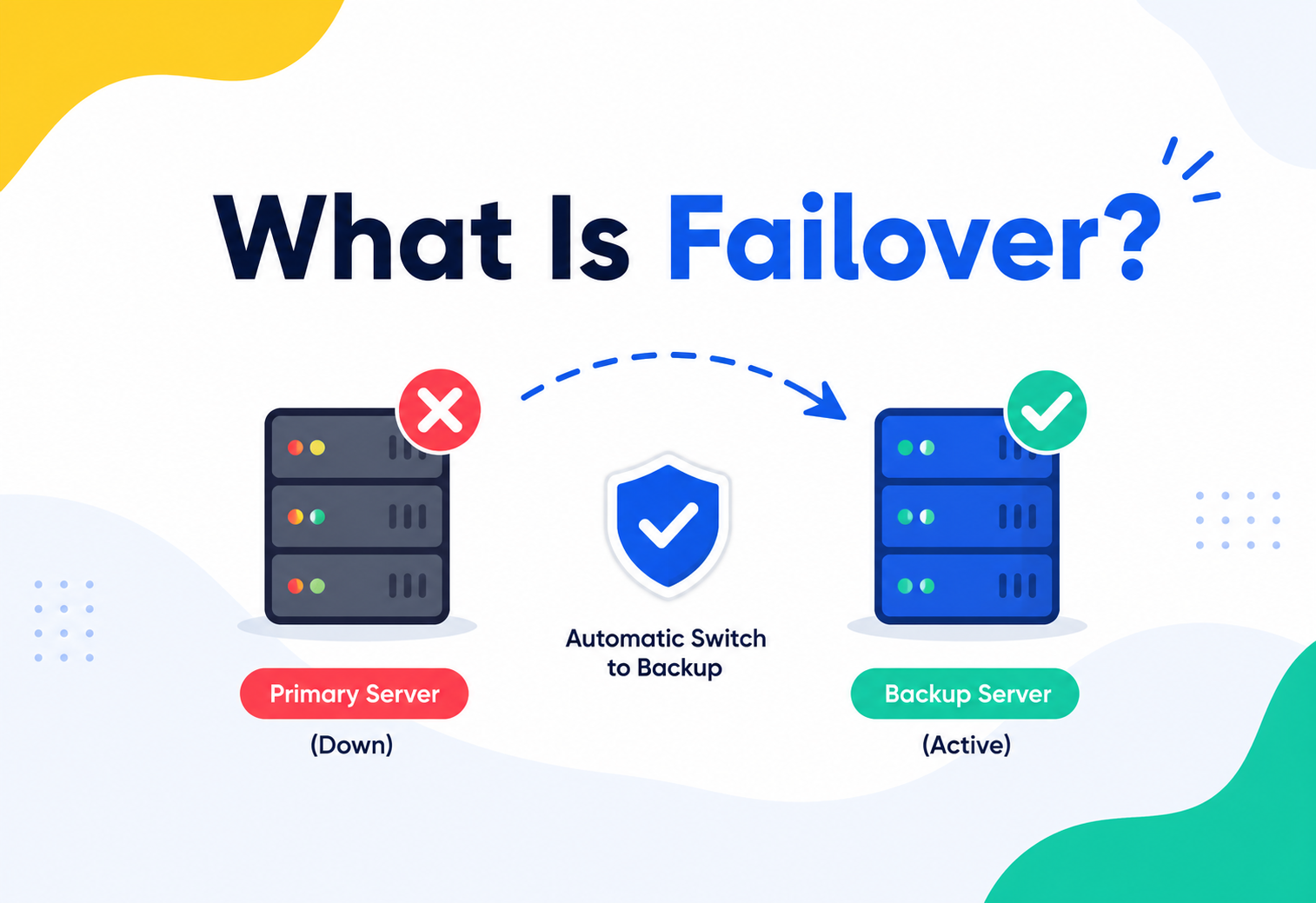
What Is Failover?
Websites, banking apps, and hospital systems almost never go down — even when something inside them breaks. There is a quiet hero behind that magic trick, and it is called failover. This complete guide walks through exactly how it works.
The Big Idea, in One Breath
Failover is the reserve runner standing ready on the sidelines — a backup part of a system that quietly takes over the job of a part that just broke down, so the people using it barely feel a bump.
Picture a school relay race. Four runners share one baton, and the race only works if the baton keeps moving forward, no matter what. Now imagine one runner trips and twists an ankle halfway through their leg of the race. In a well‑prepared team, a reserve runner who has been warming up on the sidelines steps in immediately, grabs the baton, and keeps running. The crowd barely notices anything went wrong. The race continues. That reserve runner, standing ready the entire time just in case, is the whole idea behind failover.
In the world of computers, “failing over” means a backup part of a system quietly takes over the job of a part that just broke down, so the people using that system barely feel a bump. It could be a website, a banking app, a hospital’s patient records system, or the network that keeps traffic lights synced across a city. Whatever it is, failover is the safety net working behind the curtain to make sure a single broken piece does not bring the whole show to a stop.
Think about a football match. When the starting goalkeeper gets injured, the substitute goalkeeper does not need five minutes to warm up from scratch — they have been stretching on the sideline the entire game, ready to step between the posts within seconds. Failover systems work the same way: the “substitute” computer has usually been watching and preparing quietly in the background long before it is ever called into the game.
What makes this idea so powerful is that it flips a scary assumption on its head. Most people assume that if something important breaks, bad things automatically happen right away. Failover proves that assumption wrong. It says: yes, parts will eventually break — that is simply the nature of machines, wires, and hard drives — but breaking does not have to mean stopping. As long as there is a prepared understudy waiting in the wings, the show goes on.
You do not need to be a computer engineer to have already experienced the feeling failover is trying to protect. Think about the last time a video call froze for a split second and then smoothly reconnected, or the last time you tapped to pay for a snack and the transaction went through instantly, without you ever wondering whether the store’s payment system was secretly juggling a technical hiccup behind the scenes. Chances are, in many of these moments, some quiet failover mechanism had already done its job before you even noticed anything was wrong.

What Failover Really Means
Failover is the automatic (or sometimes manual) act of switching to a standby computer, server, network path, or piece of hardware the moment the main one stops working properly. It is a state, not a single button — and it eliminates pain rather than curing the disease.
In plain language, failover is the automatic (or sometimes manual) act of switching to a standby computer, server, network path, or piece of hardware the moment the main one stops working properly. The standby part has usually been sitting nearby, often already loaded with the same information as the main part, simply waiting for its turn.
Two smaller words hide inside this big idea, and both matter:
- It is a state, not a single button. Failover is not one switch someone flips. It is the whole condition a system enters — detecting a problem, choosing a replacement, and redirecting traffic to that replacement — all while trying to disturb the user as little as possible.
- It is usually about eliminating pain, not curing the disease. Failover does not fix the broken part. It just makes sure nobody has to wait around while the broken part gets fixed. Repairs happen later, calmly, in the background.
If your favourite mobile game keeps running perfectly even though, somewhere far away, one of the company’s servers just crashed — that is failover doing its job. You never even knew there was a problem.
It is also worth knowing a close cousin of failover called switchover. The two ideas are almost identical — both mean moving operations from one system to another — but a switchover is usually started on purpose by a person, like an engineer clicking “switch now” before doing planned maintenance. Failover, on the other hand, usually happens automatically, triggered by an actual failure rather than a planned choice.
Another useful way to think about failover is that it is both a thing and an ability. As a thing, it is the actual set of standby machines, cables, and software rules sitting ready in a system. As an ability, it is the promise that a service can survive a failure without falling over completely — which is, appropriately enough, exactly where the word “failover” comes from: failing without falling over.
It is also worth being clear about what failover is not. It is not the same thing as simply making backup copies of files once a day, and it is not the same thing as insurance that pays money after a disaster. Failover is specifically about keeping a live service running continuously, in real time, through the failure itself — not just recovering data afterward.
Why It Matters So Much
“Quickly” in computer terms can still mean minutes, and for some systems even a handful of seconds of silence is a serious problem. Failover squeezes that dangerous gap down to almost nothing.
You might wonder: why go to all this trouble? Could not engineers just fix things quickly when they break? The trouble is that “quickly” in computer terms can still mean minutes, and for some systems, even a handful of seconds of silence is a serious problem.
Consider a hospital’s heart‑monitoring system, an airport’s flight‑tracking software, or the servers that process credit card payments at checkout counters around the world. If any of those systems freeze for even thirty seconds, the consequences range from mildly annoying to genuinely dangerous. Failover exists to squeeze that dangerous gap down to almost nothing.
Customers stay confident
People stop trusting a bank, store, or app the moment it feels unreliable. Smooth failover keeps that trust intact.
Downtime is expensive
Every minute an online store is unreachable is a minute nobody can buy anything — real revenue quietly disappears.
Some systems cannot afford to fail
Hospitals, air traffic control, and power grids depend on failover because a gap in service could put people at real risk.
Teams sleep better
Engineers do not need to be awake at 3 a.m. watching every server if failover can handle common problems on its own.
There is also a quieter, more human reason failover matters: nobody can promise that hardware will never break. Hard drives wear out, cables get accidentally unplugged, power supplies overheat, and software occasionally has bugs nobody caught. Failure is not a maybe — over a long enough time, it is a certainty. Failover is simply the honest acceptance of that fact, paired with a plan to make sure a single certainty does not turn into a disaster.
Think about how many separate things have to work correctly, all at the same time, for you to successfully watch one video online: the device in your hand, your home Wi‑Fi, your internet provider’s equipment, the cables running under the street, the servers storing the video, and the software choosing which server should answer your request. Each one of those links is a possible weak point. Multiply that by millions of people watching millions of videos at the same moment, and it becomes clear that “something breaking somewhere” is not a rare event at all — it is happening constantly, all across the world, every single day. Failover is the reason you rarely ever notice.
There is also a legal and contractual angle many companies care about deeply. Businesses often promise their customers a certain amount of guaranteed uptime, written into an agreement called a Service Level Agreement, or SLA. If a company promises 99.9% uptime and fails to deliver it, they may owe customers refunds or credits. Reliable failover is often the single biggest reason a company can confidently make — and keep — that kind of promise in the first place.
Finally, it is worth remembering that failover protects more than just money and reputation — it protects the everyday people quietly relying on a system without ever thinking about it. A parent trying to pay for groceries, a student submitting homework minutes before a deadline, a driver depending on GPS directions in an unfamiliar city — none of them are thinking about servers or heartbeats. They are simply trusting that the system will work. Failover is, in many ways, the technology industry’s quiet promise to honour that trust.
How Systems Notice Trouble
Before any switch can happen, a system first has to realise something is wrong. This detection step relies on a clever trick borrowed straight from medicine: the heartbeat.
Before any switch can happen, a system first has to realise something is wrong. This detection step relies on a clever trick borrowed straight from medicine: the heartbeat.
Two connected computers regularly send each other a tiny, quick message — basically a digital “I am still here, are you still there?” — many times every second. As long as that pulse keeps arriving on schedule, everyone assumes all is well. The moment the pulse stops arriving for a set number of beats in a row, the system concludes something has gone quiet, and it is time to act.
Engineers have to tune this timing carefully. If a system panics and fails over the instant a single heartbeat is late — maybe just because of a tiny, harmless network hiccup — it risks switching for no real reason, which is its own kind of disruption. But if it waits too long to be sure, users experience a longer outage than necessary. Most well‑designed systems wait for several missed heartbeats in a row, usually just a few seconds’ worth, before deciding a failure is real and starting the switch.
This is similar to how a smoke alarm does not go off the instant it senses the tiniest wisp of smoke from toast. It waits just long enough to be reasonably sure there is an actual problem — balancing speed against false alarms.
Heartbeats are not the only clue a system pays attention to. Many failover setups also run active health checks, where the monitoring system does not just wait passively for a pulse, but actively asks a pointed question every few seconds, such as “can you still correctly answer a simple request?” This is a bit like a teacher not just checking that a student is present in the classroom, but also asking them a quick question to make sure they are actually awake and following along, not just sitting there silently while something is quietly wrong underneath.
Some systems go a step further and monitor for performance degradation, not just outright failure. A server might technically still be “alive,” responding to heartbeats just fine, while secretly struggling — perhaps it is running dangerously low on memory, or taking ten times longer than usual to answer requests. Well‑designed failover systems watch for these warning signs too, sometimes choosing to proactively shift traffic away from a struggling server even before it fully collapses, much like a coach substituting a tired player before they twist an ankle, rather than waiting for the injury to happen first.

Cold, Warm, and Hot Standby
Three common levels of “readiness” for a backup system, from a spare tyre locked in the trunk (cold) to a reserve runner already jogging alongside the racer (hot).
Not every backup system is kept ready in the same way. Depending on how important a service is, and how much money an organisation wants to spend keeping a spare copy running, engineers choose from three common levels of “readiness.”
Cold Standby
A cold standby is like a spare tyre locked away in the trunk of a car, completely deflated until you actually need it. The backup machine exists and has a copy of the important data, but it is not switched on. When trouble strikes, someone has to physically or remotely power it up, load the latest information onto it, and get it ready — a process that can take anywhere from several minutes to a few hours. It is the cheapest option, which makes it a sensible choice for systems that are not urgent, like an internal tool only the finance team checks once a week.
Warm Standby
A warm standby is more like a car left idling in the driveway. It is turned on, receiving regular updates from the main system, but it is not actively doing the main job yet. When failover happens, it just needs a final nudge and a quick check before jumping in — usually a matter of minutes rather than hours. This middle‑ground option suits things like an internal company chat tool, where a short pause is annoying but not catastrophic.
Hot Standby
A hot standby is the reserve runner we imagined earlier, already jogging alongside the racer, matching pace step for step. This backup system runs constantly and is updated in real time, mirroring the primary system almost perfectly. The instant something fails, the hot standby can take over in a second or two — sometimes so fast that users never notice. It is the most expensive approach because it means paying for a second full copy of everything, all the time, just in case. But for stock exchanges, emergency services, or global video call platforms, this cost is easily worth the peace of mind.
Choosing between these three is not about picking the “best” one in some universal sense — it is about matching the level of readiness to how much a few extra minutes of downtime would actually hurt. A company might reasonably run its main customer‑facing website on a hot standby, its internal HR portal on a warm standby, and a rarely used archive of five‑year‑old reports on a cold standby, all within the very same organisation. Mixing and matching this way is not only normal, it is usually the financially sensible thing to do, since paying for hot‑standby‑level readiness everywhere would be a bit like insisting every single room in your house has its own backup generator, including the closet.
Active‑Active vs Active‑Passive
Two ways a team of servers can be organised: one busy while others rest, or everyone sharing the work all the time. Neither is universally better — they solve different problems.
When several servers work as a team to keep a service running, that teamwork is usually organised in one of two ways.
Active‑Passive (Active‑Standby)
Imagine a two‑person lemonade stand where only one person serves customers at a time while the other stands ready nearby. In an active‑passive setup, one server does all the real work while a second server sits by, kept updated, but not serving anyone. If the busy server stops working, the resting one wakes up and takes the wheel. This is simple to manage and keeps things tidy — there is never any confusion about who is “really” in charge — but the resting server sits unused most of the time, which feels a little wasteful.
Active‑Active
Now imagine that same lemonade stand with two people serving customers side by side, splitting the line evenly between them. In an active‑active setup, every server is working all the time, sharing the load. If one of them suddenly cannot continue, the others simply absorb the extra customers without missing a beat, because they were already busy serving anyway. This approach makes excellent use of every machine, and switching over is nearly invisible because there is no need to “wake up” anything — the surviving servers were already awake and working.
Active‑Active Strengths
- No resources sit idle
- Failover is nearly instant
- Handles more total traffic day to day
Active‑Active Trade‑offs
- Keeping every copy of data in sync is trickier
- More complex to build and monitor
- Needs careful rules to avoid conflicting updates
Neither approach is universally “better” — they simply solve different problems. A small internal tool used by a handful of employees might be perfectly happy with the simplicity of active‑passive, since the occasional short pause during a rare failover barely registers. A massive global service used by millions of people every minute, on the other hand, often leans toward active‑active, because even a brief pause multiplied across millions of simultaneous users adds up to a genuinely large amount of frustration, all at once.

Failover Clusters & a Real‑World Example: DHCP
A failover cluster is a small team of understudies for a school play. And every device on your home Wi‑Fi quietly relies on one of the oldest, most everyday examples of failover in action — DHCP failover.
A group of servers set up specifically to support each other through failover is called a failover cluster. Think of it as a small team of understudies for a school play — if the lead actor gets a sore throat, someone else in the cluster already knows the lines and steps onto the stage without the audience ever noticing a change of cast.
A cluster is usually built from at least two machines: a main one handling the workload, and one or more spares connected through that heartbeat signal we discussed earlier. When the cluster software notices the main machine has gone silent, it automatically promotes a spare to take over — often finishing the whole handoff in a matter of seconds.
One everyday example of failover working quietly behind the scenes involves something almost every device in your home already relies on: the system that hands out addresses to gadgets joining a network. This system is called DHCP, short for Dynamic Host Configuration Protocol. Every time your phone, laptop, or smart speaker connects to Wi‑Fi, a DHCP server assigns it a unique address so it can talk to the internet properly — a bit like a hotel receptionist handing out room keys to new guests.
In a home network, there is usually just one DHCP server, tucked inside your router. But in a large office, hospital, or university, having just one DHCP server is risky: if it fails, no new device can join the network at all. That is why many organisations set up DHCP failover, running two or more DHCP servers that quietly share and back up the job of handing out addresses. If one goes offline, the other keeps assigning addresses without anyone in the building noticing a thing.
Because failover systems sometimes talk to each other over connections that are not heavily protected, network security experts recommend adding firewalls and access controls around this “backstage” communication, so that nobody outside the organisation can eavesdrop or interfere while a failover conversation is happening.
The Anatomy of a Failover Event
Seven predictable stages every failover moves through, from the moment something breaks to the moment the repaired part is calmly brought back into service.
Although every system is a little different, most failovers move through the same general stages. Walking through them step by step makes the whole idea feel much less mysterious.
Something breaks
A hard drive fails, a power supply dies, a network cable is unplugged, or software crashes unexpectedly.
The heartbeat goes quiet
The monitoring system notices the expected check‑in signals have stopped arriving.
The system confirms the failure
After a few missed check‑ins, the system is confident this is not just a tiny, temporary blip.
A standby is chosen and activated
A pre‑decided backup machine is switched on, or promoted, to become the new active system.
Traffic is redirected
Requests from users are pointed toward the new active machine, often by updating an address or a routing rule.
Normal service resumes
Users continue working, often without ever realising a switch just happened behind the scenes.
The broken piece gets repaired
Engineers fix or replace the failed part calmly, without any pressure of an ongoing outage.
Once repairs are complete, many organisations perform the reverse process, called failback — carefully moving operations back to the original, now‑repaired system. Failback usually happens on purpose, at a quiet, low‑traffic time, because unlike failover, there is no emergency forcing an immediate switch. Some organisations choose not to fail back at all, and simply let the once‑standby machine become the new permanent main system, treating the repaired original as the new spare instead.
It is worth pausing on why failback deserves just as much care as failover itself. Rushing a failback at the wrong moment — say, during the busiest hour of the day — can actually cause a second, entirely avoidable disruption, almost like reopening a healing wound too early. Thoughtful teams treat failback as its own small project, checking that the repaired system is truly ready, confirming that its information has been brought fully up to date, and often scheduling the actual switch for a moment when very few people will notice or be affected.
Failover vs Failback vs High Availability vs Disaster Recovery
These four terms are close relatives, and people often mix them up. Failover is one of the concrete tools that makes high availability possible; disaster recovery is the whole emergency playbook sitting above all of it.
These four terms are close relatives, and people often mix them up. Here is a simple way to keep them straight.
| Term | What It Really Means | Simple Way to Remember It |
|---|---|---|
| Failover | Automatically switching to a backup the moment something fails | The substitute running onto the field |
| Failback | Switching back to the original system once it is repaired | The starting player returning after recovering |
| High Availability | The overall goal of a system rarely, if ever, going down | The team’s promise to always have someone on the field |
| Disaster Recovery | The bigger plan for recovering after a serious event, like a fire or flood | The whole emergency playbook, not just one substitution |
Failover is one of the key tools that makes high availability possible — but high availability is the bigger promise, while failover is one of the techniques used to keep that promise. Disaster recovery, meanwhile, zooms out even further, covering everything from data backups to entirely different buildings a company could work from if their main office became unusable.
Here is one more way to picture how these ideas nest inside each other. Disaster recovery is the whole emergency playbook a company keeps in a drawer, covering fires, floods, and every other worst‑case scenario imaginable. High availability is a specific promise inside parts of that playbook: “our main service will almost never go down.” Failover, in turn, is one of the concrete tools used to actually deliver on that promise, moment to moment, every single day, long before any dramatic disaster ever occurs. Failback simply closes the loop, tidying everything back to normal once the danger has passed.
Failover does not stop bad things from happening. It stops bad things from mattering.
The Split‑Brain Problem
If the link between two servers breaks, each might wrongly assume the other has failed and both may try to take charge at once. Engineers prevent this by requiring a majority vote — a quorum — before any server can declare itself in charge.
Failover sounds simple in theory, but it hides a tricky puzzle. Imagine, for a moment, that the connection between the main server and the backup server breaks — not because either server actually crashed, but because the cable or network link between them was cut. Each server can still see its own users just fine. But now, each one might wrongly assume the other one has failed, and both may try to take charge at the same time.
This confusing situation is nicknamed split‑brain, as if one system suddenly grew two separate minds that disagree with each other. It is a genuinely serious problem, because if both servers start accepting changes independently, their information can drift apart, and reconciling the mess afterward can be painful.
Imagine two class monitors who each believe they are the only one in charge of writing homework on the board, simply because they cannot see or hear each other across a noisy classroom. One writes math homework on the left side of the board; the other, unaware, writes different math homework on the right side. Students end up confused about which instructions to follow.
To prevent this, engineers usually require a majority vote before any server is allowed to declare itself “in charge.” If a cluster has, say, five servers and it splits into a group of three and a group of two because of a broken connection, only the group with three — the majority — is allowed to keep operating as the real system. The smaller group of two politely steps back and refuses to act, even though it might feel perfectly healthy on its own. This rule, often called a quorum, ensures there is never more than one “true” version of the system running at the same time.
Some systems add an extra referee to settle especially tricky ties, nicknamed a tie‑breaker or witness. Imagine a cluster with exactly four servers that splits perfectly evenly into two and two — neither side technically has a majority. A small, independent third party, sometimes just a lightweight server sitting in a completely different location, can cast the deciding vote, confirming which side is allowed to keep working. This tiny extra safeguard prevents the awkward situation of two equally confident halves both refusing to back down.

RTO and RPO: How Fast, and How Much Can We Lose?
Two dials every failover plan is built around: how long can we afford to be down, and how much recent information can we afford to lose? The honest answers point straight to cold, warm, or hot standby.
Before building any failover plan, engineers usually answer two important questions, each with its own name.
- Recovery Time Objective (RTO): How long can we afford to be down before it becomes a real problem? A social media app might set an RTO of a few seconds, while an internal report‑printing tool might tolerate an RTO of several hours.
- Recovery Point Objective (RPO): How much recent information can we afford to lose if something goes wrong right this second? A hospital’s medication records might demand an RPO close to zero, meaning almost nothing can be lost, while a company’s internal wiki might tolerate losing the last few minutes of edits.
RTO asks “how long until we are back up?” RPO asks “how far back in time might we have to rewind?” Answering both questions honestly is what tells engineers whether they need a cold, warm, or hot standby.
These two numbers directly shape which type of standby makes sense. A near‑zero RTO and RPO usually points toward a hot standby with real‑time replication. A more relaxed RTO of a few hours might be perfectly happy with a cold standby, saving considerable cost.
It helps to picture RTO and RPO as two separate dials an organisation gets to turn, rather than a single setting. Turning both dials toward “as fast and as complete as possible” is always technically achievable — but it also turns up the cost dial right alongside them. Part of the skill in good system design is being honest about which services truly deserve those expensive, tightly turned dials, and which ones can comfortably live with a more relaxed setting, freeing up money and effort to spend where it actually matters most.
Designing Robust Failover
Trustworthy failover is more than a second computer — replication, redundancy at every layer, automated orchestration, capacity headroom, and constant monitoring all have to work together.
Building trustworthy failover involves more than simply plugging in a second computer. A handful of core ingredients need to work together.
Replication: Keeping Copies in Sync
The standby system is only useful if it actually has the information it needs. Synchronous replication means every single change is copied to the backup immediately, before the main system even confirms the change was successful — this guarantees nothing is lost, but can slightly slow things down. Asynchronous replication copies changes over shortly afterward, which is faster day‑to‑day but risks losing a few of the very last updates if failure strikes at exactly the wrong moment.
Redundancy at Every Layer
A backup server means little if it shares the same power cable, the same network switch, or the same building as the system it is meant to replace. True resilience means duplicating not just servers, but power supplies, internet connections, and sometimes entire buildings — often called geographic redundancy, where backup systems live in a completely different city or country, safe even if an earthquake, flood, or region‑wide power outage strikes the primary location.
Automated Orchestration
Relying on a tired engineer to notice a problem and manually flip a switch at 3 a.m. is far riskier than letting well‑tested software make that decision instantly, every single time, without hesitation or human error.
Capacity Headroom
If every server in an active‑active cluster is already running at its absolute limit, losing even one server could overwhelm the rest. Thoughtful teams keep some spare capacity in reserve — often only using 70–80% of total capacity in normal times — so the system can comfortably absorb the extra load a failover creates.
Watching Constantly, Not Just Occasionally
None of the ingredients above matter much without constant, reliable monitoring sitting underneath them. Good monitoring tools keep a close eye on heartbeat signals, how busy each server is, and how quickly each one is responding, around the clock, every single day of the year. Load balancers — the traffic directors that decide which server should handle each incoming request — often play a starring role here too, since they can quietly stop sending requests to any server that starts failing its health checks, effectively pulling it out of the game without waiting for a dramatic full crash.
Finally, good design accepts a humbling truth: automation handles the vast majority of failures gracefully, but a small number of unusual situations will always slip through the cracks — perhaps two failures happening at the exact same unlucky moment, or a rare bug hiding inside the failover software itself. Because of this, most careful teams still keep a manual, last‑resort plan tucked away, so a skilled engineer can step in by hand on the rare occasion the automatic safety net does not quite catch everything.
Testing Failover Before You Need It
A fire drill only proves useful if a school actually practises it before a real fire. A backup nobody has ever tested is really just a hopeful guess, not a guarantee.
A fire drill only proves useful if a school actually practises it before a real fire happens. Failover works exactly the same way — a backup system nobody has ever actually tested is really just a hopeful guess, not a guarantee.
Responsible teams regularly run practice failovers, deliberately shutting down a healthy server in a safe testing environment just to watch whether the backup steps in correctly and quickly. Some organisations take this even further with a technique nicknamed chaos engineering, where tools randomly and safely “break” small parts of a live system on purpose, just to make sure the whole safety net genuinely works under real, unpredictable conditions rather than only in a tidy, perfectly planned test.
Set clear benchmarks
Decide, in advance, exactly how fast a successful failover should be and how little data should be lost.
Plan varied test scenarios
Test more than one kind of failure — a crashed server, a cut cable, a whole data centre going dark.
Run the tests and record results
Carefully time how long the switch actually took, and whether any information was lost.
Compare against the benchmarks
Where the real results fall short, go back and improve the design before a real emergency arrives.
Testing regularly also trains the humans on the team, not just the machines. When everyone already knows exactly what a failover looks like from calm practice runs, nobody panics when a real one happens.
It also helps to remember that testing failover is not a one‑time chore to check off a list and forget. Systems change constantly — new features get added, servers get upgraded, whole pieces of software get replaced — and each of those changes can quietly break a failover mechanism that used to work perfectly well. A failover plan that was tested carefully a year ago might no longer match how the system actually behaves today. That is why the most dependable organisations treat failover testing the way a school treats fire drills: not a single event, but a regular, repeated habit woven into the calendar.

Common Pitfalls
Even well‑intentioned failover setups can go wrong. The four biggest traps are never testing, hidden shared weak points, switching too eagerly, and forgetting to self‑heal.
Even well‑intentioned failover setups can go wrong. Here are the mistakes that trip up teams most often.
Never actually testing it
A backup system that has never been switched to might fail silently the one time it is truly needed.
Hiding shared weak points
If the primary and the backup share one power strip or one network router, a single failure can take down both at once.
Switching too eagerly
Overly sensitive detection can trigger unnecessary failovers over tiny, harmless hiccups, causing its own disruption.
Forgetting to self‑heal
After a failover, the system now has one less spare. If nobody restores full redundancy, the next failure has no safety net.
That last point deserves special attention. A responsible failover system does not just survive one failure — it quietly rebuilds itself back to full strength afterward, sometimes called self‑healing, so it is ready to handle a second unlucky event without missing a beat.
There is one more subtle pitfall worth mentioning: assuming that failover alone is a complete safety plan. Failover protects against a single component failing, but it cannot protect against every possible problem. A software bug that has already been copied onto every server, including the standby ones, will simply follow the failover right along with it, since the backup is often an exact mirror of the very same flawed program. This is why failover is best thought of as one important layer of protection among several, working alongside good testing practices, careful code reviews, and thoughtful backups, rather than as a single magic shield capable of stopping absolutely everything on its own.
Real‑Life Examples You Might Recognise
Video calls, ATMs, home routers, airport check‑in — failover is quietly humming along everywhere. Even a home generator that switches on during a power cut is failover in spirit.
Video call apps
When one data centre serving a video call app runs into trouble, calls are quietly rerouted through a different data centre, often without either caller noticing a change.
ATMs and card payments
Banks run duplicate processing systems in separate locations, so a fire or power cut at one site does not stop customers from withdrawing cash elsewhere.
Wi‑Fi routers with backup internet
Some home and office routers automatically switch to a mobile data connection if the main broadband line drops, keeping devices online.
Airport check‑in systems
Airports often keep backup servers ready so a single computer failure does not stop passengers from checking in for flights.
Even something as simple as a home generator that switches on automatically during a power outage is failover in spirit — a backup power source stepping in the instant the main one goes dark, so the refrigerator keeps running and the lights stay on.
You can also spot a gentler, everyday version of the same idea outside of technology entirely. A school that has both a main gymnasium and a backup indoor hall in case of rain is practising a kind of failover for sports day. A family that keeps a spare house key with a trusted neighbour, just in case someone gets locked out, is practising failover for their front door. Once you know what to look for, you start noticing this same “always have a ready backup” pattern showing up in all sorts of places that have nothing to do with computers at all — which is a nice reminder that failover is not really a strange, technical invention. It is simply good, careful planning, applied thoughtfully to machines.
Failover Across Different Domains
Failover is not one technology — it is a pattern of thinking that shows up again and again in slightly different costumes, from networks and databases to virtual machines and even the battery banks under a data centre floor.
Failover is not one single technology — it is a pattern of thinking that shows up again and again, in slightly different costumes, across many corners of technology. Recognising the pattern in each place makes the whole idea feel much more familiar.
Network Failover
At the networking level, failover often means having more than one path for information to travel. If your office has two separate internet connections from two different providers, a router can be configured to instantly switch to the second connection if the first one drops. Larger networks use similar tricks with routing protocols that constantly recalculate the best path for data, quietly avoiding any broken link without anyone typing a single command.
Database Failover
Databases hold some of the most precious information a company owns — customer orders, medical records, account balances — so database failover is treated with extra seriousness. Databases typically keep one or more replica copies constantly updated. If the main database server disappears, one of those replicas is quickly promoted to become the new main copy, and everything reading or writing to the database is redirected toward it, usually within seconds.
Cloud and Virtualisation Failover
In cloud computing, physical servers are often shared by many virtual computers at once, and an entire application can be represented as software rather than physical hardware. This makes failover remarkably flexible: if the physical machine hosting a virtual server develops a problem, the whole virtual server — its programs, its settings, everything — can be picked up and moved to a healthy physical machine elsewhere, sometimes without even needing to restart it. Cloud providers also let companies spread their systems across multiple data centres in different cities or even different countries, so a natural disaster or power failure in one location does not take the whole service down everywhere at once.

Power and Physical Infrastructure Failover
Even outside of pure computing, the same idea protects the physical building housing all these servers. Data centres typically keep large battery systems ready to bridge the gap the instant regular power cuts out, buying just enough time for backup diesel generators to roar to life and take over completely. It is the exact same failover philosophy — detect the interruption, switch to the backup, keep everything running — just applied to electricity instead of information.
Whether it is a network cable, a database, a virtual computer, or a power line, the underlying question is always the same: “If this particular thing stops working right now, what is already standing by to take its place?”
Seeing failover show up in so many different disguises is a helpful reminder that it is not tied to any one company’s product or any one type of computer. It is closer to a universal engineering habit, the same way “always wear a seatbelt” is not tied to any particular car brand. Wherever something valuable and continuous needs protecting — data, electricity, a network connection, or a running program — some version of this same “prepare a standby, watch for trouble, switch smoothly” pattern tends to appear.
Pros and Cons of Failover
Choosing the right level of failover always comes back to a simple question: how much would it truly cost — in money, trust, or even safety — if this system went silent for a while? The more painful the answer, the more investment makes sense.
Strengths
- Keeps important services running through hardware or software failures
- Reduces the financial and reputational cost of downtime
- Can be fully automated, requiring no human to be watching at all hours
- Builds real trust with the people relying on the system
Trade‑offs
- Extra hardware, software, and monitoring costs money to build and maintain
- Adds real complexity that must be carefully designed and tested
- Risk of split‑brain or data conflicts if not engineered thoughtfully
- Backup systems need regular testing, which itself takes time and effort
Choosing the right level of failover always comes back to a simple question: how much would it truly cost — in money, trust, or even safety — if this particular system went silent for a while? The more painful that answer, the more investment in failover tends to make sense.
It is also worth remembering that this decision is not permanent. A small internal tool that starts out with no failover at all might grow, over a few years, into something the whole company depends on daily — at which point it is entirely reasonable to revisit the decision and add a warm or hot standby. Good engineering teams treat failover strategy as something to be reviewed and adjusted over time, not a choice made once and never questioned again.
Frequently Asked Questions
Seven questions come up in nearly every conversation on failover. Here are short, honest answers — from “is it the same as a backup?” to “how is it different from load balancing?”.
Is failover the same thing as a backup?
Not quite. A backup is a saved copy of information from some point in the past, used to restore data after it is lost. Failover is about keeping a live service running continuously, right now, through an active failure. A good analogy: a backup is like a photograph of your bedroom before you tidied it, useful for remembering where things were; failover is like having a second, already‑tidy bedroom you can walk straight into the moment the first one floods.
Does failover always happen automatically?
Most modern systems are built to fail over automatically, since waiting for a human to notice and react adds precious extra time to an outage. However, some organisations deliberately choose a semi‑automatic approach, where the system detects the problem and alerts a person, but waits for that person’s approval before actually switching, especially for extremely sensitive systems where a wrong or unnecessary switch could itself cause trouble.
Can failover ever go wrong?
Yes. Poorly tested failover can fail silently, switch too eagerly over harmless hiccups, or even trigger split‑brain confusion if not designed carefully. This is exactly why regular testing, sensible heartbeat timing, and quorum rules matter so much — failover is a safety net, but like any safety net, it needs to be inspected and maintained.
How is failover tested safely?
Teams typically build a separate testing environment that mimics the real system, then deliberately simulate failures there first. Once confidence is high, some organisations carefully test failover in the real, live system too, usually during quiet hours, with everyone ready to step in if anything unexpected happens.
Do small websites or apps need failover too?
Not always to the same degree as a bank or hospital. A small personal blog might be perfectly fine accepting a few minutes of downtime if its single server needs a restart. But even small projects can benefit from simple forms of failover, like using a hosting provider that automatically restarts a crashed service or spreads traffic across more than one server.
What’s the difference between failover and load balancing?
They are often built using similar tools, but they solve different problems. Load balancing spreads normal, everyday traffic evenly across several healthy servers so no single one gets overwhelmed — it is about sharing work smoothly during good times. Failover specifically deals with what happens when one of those servers stops being healthy at all. In many real systems, the two work together as a team: a load balancer notices a server has failed its health check and simply stops sending it any traffic, which is itself a simple, elegant form of failover.
How much does failover typically cost to set up?
It varies enormously depending on how ready the backup needs to be. A cold standby might cost very little beyond storing a spare copy of data somewhere safe. A hot standby, running a full duplicate system around the clock in a separate location, can roughly double the cost of running that particular service. This is exactly why organisations rarely apply the most expensive option everywhere, and instead reserve it for the handful of systems where any downtime would be genuinely unacceptable.
Key Takeaways
If you remember nothing else from this guide, remember these seven ideas — and the honest habit of treating a backup plan as trustworthy only once it has actually been tried.
Wrapping It Up
- Failover is the process of automatically switching to a backup system the moment the main one stops working, so users barely notice.
- It relies on heartbeat signals that constantly check whether the main system is still healthy.
- Backups can be kept cold, warm, or hot, depending on how quickly they need to take over.
- Clusters can be active‑passive, with one helper resting in reserve, or active‑active, with every node sharing the work.
- Split‑brain is a real risk when systems lose contact with each other, which is why quorum rules exist.
- RTO and RPO help teams decide exactly how fast and how complete their recovery needs to be.
- None of it works without regular testing — a backup plan is only trustworthy once it has actually been tried.
At its heart, failover is one of those quietly disciplined ideas that shows up wherever software genuinely has to survive the messy, unpredictable real world. From the earliest failover clusters of the 1980s, through the rise of hot standbys in banking and airline systems, to the modern multi‑region cloud architectures behind every streaming platform, ride‑sharing app, and global marketplace, the underlying insight never really changes: something will eventually break, and the difference between a system that survives that moment gracefully and one that collapses under it comes down almost entirely to whether an understudy was already waiting in the wings. Systems built with that discipline tend to be the ones that stay calm under stress, recover cleanly from setbacks, and quietly earn the trust of the people relying on them every single day.

