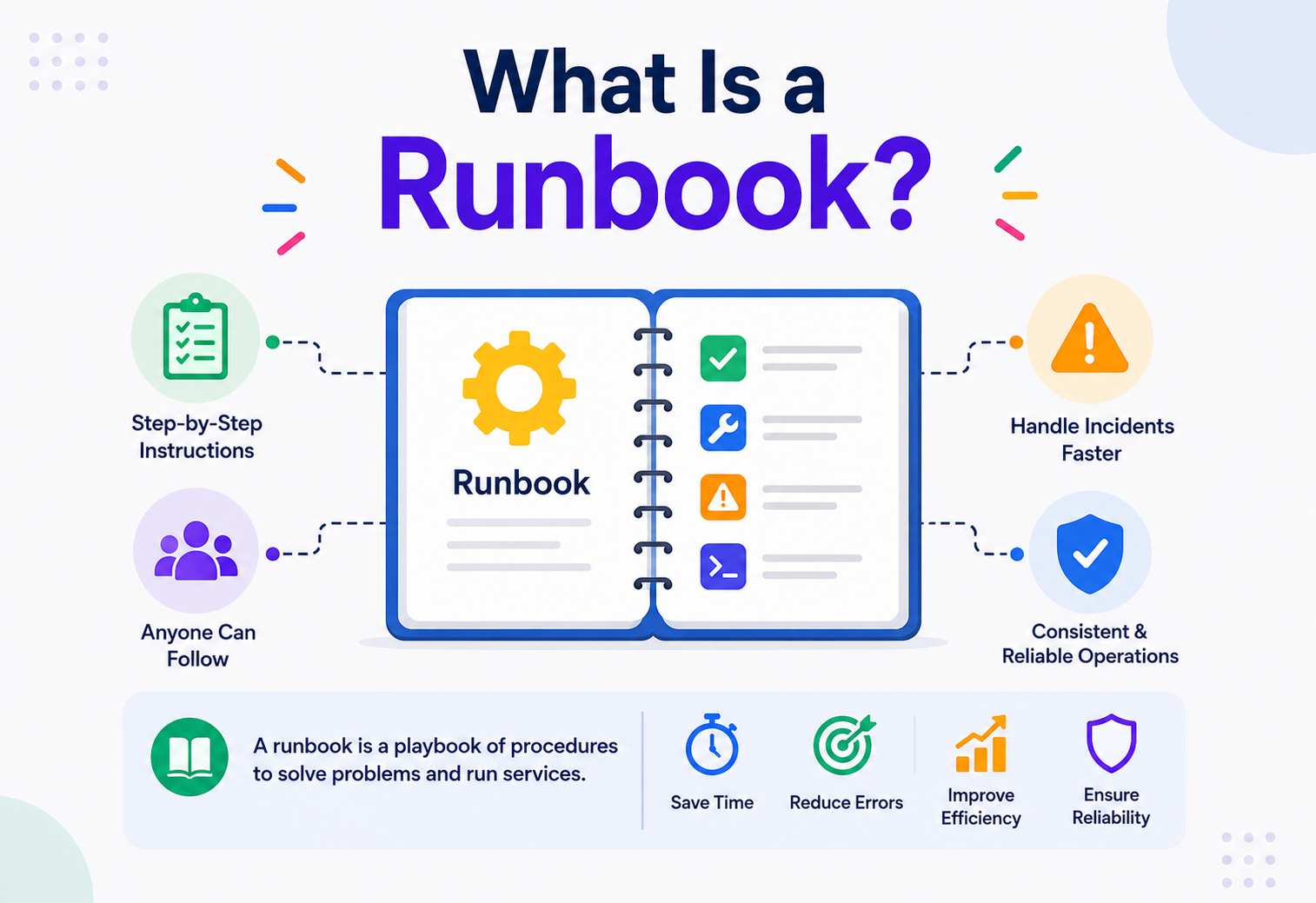
What Is a Runbook?
A ground-up guide to the single document that decides whether a 3 A.M. outage takes five minutes or five hours — how runbooks are built, run, automated, and kept alive in real production systems.
Introduction & History
Imagine you work at an airport, and one night the main radar screen goes black. You cannot call the head engineer — she is asleep, three time zones away. What do you do? At every serious airport, there is a laminated binder in the control tower for exactly this moment. It says, in plain numbered steps: “1. Switch to backup radar feed B. 2. Notify the shift supervisor. 3. If feed B also fails, call this phone number.” You don’t need to be a radar expert. You just need to be able to read and follow instructions calmly. That binder is, in spirit, exactly what a runbook is in the world of software.
A runbook is a written, step-by-step set of instructions that tells a person (or, increasingly, a machine) exactly what to do to complete a specific operational task — most often, how to detect, diagnose, and fix a problem in a computer system. It is not a design document, and it is not a theory paper. It is a “if this happens, do this” instruction sheet, written so plainly that someone who has never seen the system before can still follow it under pressure.
Think of a runbook as the “in case of emergency” card in an airplane seat pocket. Nobody reads it for fun. Everybody is glad it exists exactly when the oxygen masks drop. It doesn’t explain aerodynamics — it tells you which strap to pull, in which order, right now.
Where the Word Comes From
The term “runbook” predates the internet. In the 1960s and 1970s, mainframe computer operators — the people who physically loaded tape reels and pressed buttons on room-sized IBM machines — kept literal paper binders describing the sequence of operations needed to run nightly batch jobs: which tape to mount, which button to press if a job aborted, who to call if the printer jammed. These paper books were called “run books” because they told you how to run the system, step by step, shift after shift. Operations staff rotated in and out, so the knowledge could not live only in one person’s head — it had to live on paper.
As computing moved from mainframes to distributed client-server systems in the 1980s and 1990s, and then to the internet-scale, always-on systems of the 2000s (think Amazon, eBay, Google), the same problem returned in a new shape. Systems became too large and too complex for any single engineer to hold in memory, and they had to stay up 24 hours a day, 7 days a week. Out of this pressure grew the modern discipline of Site Reliability Engineering (SRE), popularized publicly by Google around 2003–2016 through its SRE book. Google’s SRE culture placed runbooks (which they sometimes called “playbooks”) at the center of how on-call engineers respond to incidents at 3 A.M. without needing to wake up the original author of the code.
Today, runbooks exist everywhere: cloud infrastructure teams use them for failover procedures, security teams use them for breach response, database administrators use them for backup and restore, and increasingly, software itself executes runbooks automatically through “runbook automation” or “auto-remediation” platforms. The paper binder in the airport control tower and the automated Python script that restarts a failed Kubernetes pod are, conceptually, the same idea, sixty years apart.

Problem & Motivation
Why does this simple idea — “write down the steps” — deserve an entire discipline? Because without runbooks, three very expensive and very human problems keep repeating themselves in every engineering organization.
Tribal Knowledge in One Person’s Head
In most young teams, one engineer — often the one who built the system — knows exactly what to do when something breaks. Everyone calls her “Sarah” or “the person who knows the payments system.” The problem is obvious the day Sarah goes on vacation, changes teams, or leaves the company: the knowledge leaves with her. This is called the bus factor problem (informally: “how many people would need to get hit by a bus before the project is in serious trouble?”). A runbook takes the knowledge out of Sarah’s head and puts it on a page that survives her departure.
Incidents Hit the Least Prepared Person
Outages rarely happen at 2 P.M. on a calm Tuesday when the senior engineer is at her desk. They happen at 3 A.M. on a Saturday, and the person who picks up the phone is often the newest, most junior member of the on-call rotation — someone who has never seen this particular failure before. Human beings under stress, sleep-deprived, and unfamiliar with a system make worse decisions and take longer to make them. A runbook compensates for exactly this: it replaces “figure it out from scratch while panicking” with “follow these fifteen lines someone calmer wrote in daylight.”
Undocumented Repetition Wastes Time
Even skilled engineers waste hours re-discovering the same fix to the same recurring problem, because nobody wrote it down the first three times it happened. Multiply that wasted rediscovery across a team of 50 engineers over five years, and it becomes months of lost productivity — and worse, lost customer trust, since every extra minute of downtime is measured in real money and real user frustration.
Industry surveys consistently estimate the average cost of critical downtime for a mid-to-large company at tens of thousands of dollars per minute. If a runbook shaves ten minutes off the average incident’s resolution time, and a company has 40 incidents a year, that is potentially millions of dollars saved annually — purely from writing things down clearly, in advance.
Runbooks solve all three problems by turning implicit, personal, undocumented knowledge into explicit, shared, repeatable, and eventually automatable procedure. That transformation — from “ask Sarah” to “read the doc” to “let the robot do it” — is the entire arc of this guide.
Core Concepts
Before going further, let’s build a precise vocabulary. Every term below is something you will see again and again in real engineering teams.
3.1 Runbook
What: A step-by-step procedure for performing a specific, well-defined operational task — usually diagnosing or resolving a known type of problem.
Why it exists: To make a repeatable task reliably repeatable by anyone, not just an expert.
Where it lives: Typically in a wiki (Confluence, Notion), a version-controlled repository (Git, alongside the code it describes), or inside an incident-management tool (PagerDuty, Opsgenie, ServiceNow).
Beginner example: “How to restart the web server when it stops responding.”
Production example: A 40-step runbook for failing over a payments database from the primary US-East region to a standby in US-West during a regional cloud outage, including customer-communication steps and rollback criteria.
3.2 Playbook
What: A broader, often less mechanical document than a runbook. A playbook usually covers a whole class of situations and includes decision-making guidance (“if X, consider A or B, weigh these trade-offs”), whereas a runbook is a strict, close-to-deterministic sequence of actions.
Analogy: A runbook is a recipe (“add 2 cups flour, mix for 3 minutes”). A playbook is more like a cookbook chapter that also explains when to use butter versus oil and why.
In practice, many teams use “runbook” and “playbook” interchangeably — but understanding the nuance helps when reading vendor documentation (PagerDuty, for instance, tends to use “playbook” for incident-response strategy documents and “runbook” for the concrete step list).
3.3 SOP (Standard Operating Procedure)
An SOP is the older, more general business term for the same underlying idea — a written, approved procedure for carrying out a routine task consistently, common in manufacturing, healthcare, and aviation long before software adopted the concept. A runbook is essentially a software-engineering SOP.
3.4 On-call
“On-call” describes the rotation of engineers who carry a pager (historically literal; today, a phone app like PagerDuty) and are responsible for responding to alerts outside business hours. On-call engineers are the primary consumers of runbooks — they are, by design, often not the original author of the system that broke.
3.5 Incident
An incident is any unplanned event that degrades or interrupts a service — from a fully down website to a slow database query affecting 2% of users. Runbooks are triggered by incidents, and their purpose is to shorten the time from “incident detected” to “incident resolved.”
3.6 MTTR (Mean Time to Resolution / Recovery / Repair)
MTTR is the average time it takes a team to fix a problem once it’s known about. It is the single most common metric used to justify investing in runbooks, because a good runbook directly and measurably reduces MTTR.
3.7 Runbook Automation (RBA) / Auto-remediation
This is the evolution of the runbook from a document a human reads to a script a machine executes automatically, without waiting for a human at all. We will explore this in depth in the Internal Working and Design Patterns sections.
| Term | Nature | Executed by | Rigidity |
|---|---|---|---|
| Runbook | Concrete steps | Human or machine | High — follow exactly |
| Playbook | Strategy + judgment | Human | Medium — allows discretion |
| SOP | General business procedure | Human | High |
| Auto-remediation script | Executable code | Machine only | Absolute — no discretion |
Architecture & Components
A good runbook isn’t just a wall of text. Like a well-designed building, it has recognizable rooms that always serve the same purpose, so a reader (or a parsing script) always knows where to find what they need. Below is the anatomy of a mature, production-grade runbook.
Header / Metadata Block
Every runbook should open with structured metadata: a title, the system it applies to, its severity/urgency classification, the last-reviewed date, and the owning team. This block is what allows runbooks to be indexed, searched, and audited at scale — imagine a company with 3,000 runbooks; without metadata, finding the right one during an incident is like finding a book in a library with no catalog.
Trigger / Symptom Section
This describes exactly how you know this runbook applies to your current situation: which alert fired, which dashboard graph looks wrong, which error message a user reported. Precision here prevents a common failure mode — an engineer picking the wrong runbook because the trigger description was vague.
Preconditions / Access Requirements
Lists what the responder needs before starting: specific permissions, VPN access, credentials, or tools installed. Nothing wastes more time during an incident than discovering step 8 needs an access key nobody at 3 A.M. actually has.
Diagnostic Steps
A sequence of checks used to confirm the diagnosis and gather evidence — commands to run, dashboards to open, logs to grep. Good diagnostic sections show the exact expected output, so the responder can compare their result to a known-good baseline.
Remediation Steps
The actual fix — numbered, unambiguous, and reversible wherever possible. Each step should have one clear action; steps should never bundle two decisions into one line.
Verification Steps
How to confirm the fix actually worked — not “it feels better” but a specific metric, dashboard, or health check returning to a known-good value.
Rollback / Escalation Path
What to do if the remediation doesn’t work: who to escalate to, and how to undo any change already made, so the system is never left in a worse, half-fixed state.
Post-Incident Section
Pointers to the postmortem process, and a place to log “this runbook needs updating because…” so runbooks stay alive rather than rotting.
Runbook Component Flow
- Header & Metadata (title, owner, severity) →
- Trigger / Symptom (which alert or signal fires) →
- Preconditions (access, tools, permissions) →
- Diagnostic Steps (confirm the real problem) →
- Remediation Steps (the actual fix, numbered) →
- Verification (prove it’s actually fixed) →
- Fixed?
- Yes → Post-Incident Notes (update runbook, link postmortem).
- No → Rollback / Escalation (undo changes, page next tier) → loop back to Diagnostic Steps.
Notice that this is not a linear document meant to be read once — it is closer to a flowchart printed as prose. A responder rarely reads it top to bottom like a novel; they jump straight to “Trigger” to confirm relevance, then to “Remediation,” and only visit “Diagnostic” if the fix doesn’t immediately make sense for their symptoms.

Internal Working
“Internal working” for a physical document sounds like an odd phrase — a document doesn’t have moving parts. But once a runbook is used inside a modern incident-management or automation platform, it genuinely does have an internal execution model, very similar to how a computer program executes. Let’s look at both the manual and automated internal workings.
5.1 Manual Execution: the Human-in-the-Loop Model
When an alert fires (say, from a monitoring tool like Prometheus or Datadog), it is routed to an on-call engineer through a paging tool. That tool typically attaches a link to the relevant runbook directly inside the alert itself. The engineer opens the link, reads the trigger section to confirm relevance, and executes each step manually — running commands in a terminal, clicking through a cloud console, or calling a colleague. Each step is a discrete unit of work: read instruction, perform action, observe result, decide whether to continue or branch to escalation.
5.2 Automated Execution: the Runbook-as-Code Model
In more mature organizations, runbooks are gradually converted into executable code — scripts, functions, or workflows registered inside a runbook-automation platform (examples include Rundeck, AWS Systems Manager Automation, or custom internal tools). Here, the “internal working” becomes literal software: an execution engine reads a structured definition of the runbook (often as YAML or JSON, or compiled from code), executes each step in order, captures output, evaluates conditions, and either proceeds, retries, or escalates to a human.
Below is a simplified Java model of how a runbook-automation engine might represent and execute a runbook internally. This is intentionally simplified for teaching purposes — real engines add retries with backoff, distributed locking, and audit logging — but the core loop is exactly this.
// A minimal in-memory model of a Runbook execution engine.
// Each RunbookStep is an atomic, named action with its own success check.

import java.util.*;
import java.util.function.Supplier;

public class RunbookEngine {

    // A single step: a name, the action to run, and a way to verify success.
    static class RunbookStep {
        String name;
        Supplier<Boolean> action;     // returns true if the action succeeded
        int maxRetries;

        RunbookStep(String name, Supplier<Boolean> action, int maxRetries) {
            this.name = name;
            this.action = action;
            this.maxRetries = maxRetries;
        }
    }

    // The Runbook itself: an ordered list of steps plus escalation contact.
    static class Runbook {
        String title;
        List<RunbookStep> steps = new ArrayList<>();
        String escalationContact;

        Runbook(String title, String escalationContact) {
            this.title = title;
            this.escalationContact = escalationContact;
        }

        void addStep(RunbookStep step) {
            steps.add(step);
        }
    }

    // Executes a runbook step by step, retrying failed steps, and
    // escalating to a human if retries are exhausted.
    static void execute(Runbook runbook) {
        System.out.println("Starting runbook: " + runbook.title);

        for (RunbookStep step : runbook.steps) {
            boolean succeeded = false;
            int attempt = 0;

            while (attempt <= step.maxRetries && !succeeded) {
                attempt++;
                System.out.println("  Attempt " + attempt + ": " + step.name);
                succeeded = step.action.get();

                if (!succeeded && attempt <= step.maxRetries) {
                    System.out.println("    -> failed, retrying...");
                }
            }

            if (!succeeded) {
                System.out.println("Step '" + step.name + "' failed after "
                    + step.maxRetries + " retries. Escalating to "
                    + runbook.escalationContact);
                return; // stop the runbook and hand off to a human
            }

            System.out.println("    -> success");
        }

        System.out.println("Runbook completed successfully: " + runbook.title);
    }

    public static void main(String[] args) {
        Runbook restartWebServer = new Runbook(
            "Restart unresponsive web server",
            "on-call-secondary@example.com"
        );

        restartWebServer.addStep(new RunbookStep(
            "Check server health endpoint",
            () -> false, // simulate a failing health check
            2
        ));

        restartWebServer.addStep(new RunbookStep(
            "Restart application process",
            () -> true,
            1
        ));

        execute(restartWebServer);
    }
}
Walking through this code: the RunbookStep class represents one atomic action, exactly like one numbered instruction in a paper runbook — it knows its name, how to actually perform the action (the action field, a small function), and how many times to retry before giving up. The Runbook class is simply an ordered list of these steps plus an escalation contact — mirroring the “Rollback / Escalation” section from our architecture diagram. The execute method is the “internal working”: it walks the steps in order, retries on failure exactly like a diagnostic loop, and — critically — stops and hands off to a human the moment automation can’t safely proceed, instead of blindly ploughing ahead. That handoff behavior is the single most important safety property of any real runbook-automation engine.
5.3 The Decision Layer: Branching Logic
Real runbooks are rarely a single straight line. Most contain conditional branches: “If CPU usage is above 90%, do A; otherwise do B.” Internally, both manual and automated runbooks model this as a decision tree, not a flat list — which is why well-written runbooks use clear “If X → go to step Y” language, and automated engines represent this literally as if/else branches or a state machine.
Data Flow & Lifecycle
A runbook is not a one-time artifact — it is born, used, revised, and sometimes retired, in a cycle that repeats for as long as the system it describes exists. Understanding this lifecycle is what separates teams whose runbooks are trustworthy from teams whose runbooks are stale, misleading, and quietly ignored.
Lifecycle of a Runbook
- Incident occurs →
- Engineer resolves it manually →
- Knowledge captured as a draft runbook →
- Peer review & approval →
- Published runbook linked to the alert →
- Used during future incidents →
- Still accurate?
- Yes → keep using it during future incidents.
- No, system changed → runbook updated or deprecated → back to peer review.
6.1 Birth: Capturing Knowledge Right After an Incident
The best time to write a runbook is within 24–48 hours of resolving a novel incident manually, while the details are fresh. This is why many teams make “did you create or update a runbook?” a mandatory checkbox in their post-incident review template.
6.2 Review and Approval
A draft runbook is reviewed by at least one other engineer — ideally someone unfamiliar with the specific incident, to catch assumptions the author didn’t realize they were making (“of course everyone knows the staging alias for that database” — no, they don’t).
6.3 Publication and Linking
The runbook is published to the shared knowledge base and, crucially, linked directly from the alert that would trigger it. A runbook that exists but isn’t linked from the relevant alert is nearly as useless as one that doesn’t exist, because nobody can find it in the stressful seconds after being paged.
6.4 Active Use and Data Collection
Every time the runbook is used, mature teams log which steps were followed, how long each took, and whether the runbook fully resolved the issue or required improvisation. This usage data becomes the input to the next phase.
6.5 Revision or Deprecation
Systems change constantly — a database gets migrated, a service gets renamed, a dependency gets replaced. A runbook describing the old world is not just useless, it is actively dangerous, because a confident-sounding wrong instruction is worse than no instruction at all. This is why mature runbook programs schedule periodic reviews (commonly quarterly) and immediately flag any runbook referenced during an incident where a step “didn’t apply anymore.”
A runbook that is wrong is more dangerous than a missing runbook, because a missing runbook triggers healthy skepticism (“I’d better investigate carefully”), while a wrong runbook triggers false confidence (“the doc said to do this, so it must be right”) — right up until it causes a second outage on top of the first.
Advantages, Disadvantages & Trade-offs
Runbooks pay for themselves many times over in the right situations — but they are not free, and they can quietly harm a team when treated as a checkbox rather than a discipline. Here are the honest trade-offs.
Advantages
- Faster resolution (lower MTTR): Removing “figure out what to do” from the critical path directly shortens downtime.
- Reduced dependency on specific individuals: Lowers the bus factor risk and lets on-call rotations include newer engineers safely.
- Consistency: Every responder follows the same proven steps rather than improvising a fix that might introduce new risk.
- Training and onboarding value: New hires can learn how the system actually breaks and recovers by reading real runbooks, faster than reading architecture diagrams alone.
- Auditability and compliance: In regulated industries (finance, healthcare), documented, followed procedures are often a legal or contractual requirement.
- A foundation for automation: A clearly written manual runbook is the natural first draft of an automated remediation script.
Disadvantages
- Maintenance burden: Runbooks require ongoing time investment to stay accurate; an unmaintained runbook rots quickly as systems evolve.
- False confidence risk: As covered above, an outdated runbook can actively mislead a responder.
- Can encourage shallow understanding: If engineers only ever follow steps without understanding why, they may struggle when a truly novel situation falls outside the runbook’s scope.
- Sprawl: Large organizations can accumulate thousands of runbooks, many overlapping or contradictory, without a strong indexing and ownership system.
- Not a substitute for good system design: A thick runbook for a fragile system is a band-aid; the deeper fix is often making the system fail less often or more gracefully in the first place.
7.3 Trade-offs to Weigh Deliberately
| Trade-off | Choosing more structure / detail | Choosing more flexibility / brevity |
|---|---|---|
| Level of detail | Safer for junior responders, slower to write and maintain | Faster to write, riskier for less experienced responders |
| Automation depth | Faster resolution, but risk of automating around an unfixed root cause | Keeps a human judging each situation, slower under pressure |
| Centralized vs. per-team ownership | Consistent format and quality bar, but a bottleneck to update | Faster local updates, but inconsistent quality across teams |
There is no universally “correct” answer to these trade-offs — the right balance depends on team size, system criticality, and how often the underlying system changes.
Performance & Scalability
“Performance” for a runbook doesn’t mean CPU cycles — it means how quickly and reliably a human or machine can go from “alert fires” to “problem resolved,” and “scalability” means how well the runbook program holds up as the number of services, teams, and incidents grows from 10 to 10,000.
8.1 Measuring Runbook Performance
Teams typically track:
- Time-to-first-action: how long after paging before the responder starts executing a step (a proxy for “could they find the right runbook fast enough?”).
- Step completion time: how long each individual step takes in practice versus its estimated time, useful for spotting steps that are unexpectedly slow or confusing.
- Runbook success rate: the percentage of incidents where the runbook, followed as written, fully resolved the issue without escalation.
8.2 Scaling the Runbook Program Itself
As an organization grows from one team to hundreds, a few patterns become essential:
- Templating: A standard runbook template (matching the architecture in Section 4) so every team’s runbooks look and behave the same way, regardless of who wrote them.
- Centralized indexing with decentralized ownership: A single searchable catalog of all runbooks, while each owning team keeps its own runbooks updated — similar to how a library has one catalog system but many different publishers.
- Automated staleness detection: Tooling that flags a runbook if the service it references has had major deployments, config changes, or architecture changes since the runbook’s last review date.
- Progressive automation: Converting the most frequently used, lowest-risk manual runbooks into automated remediation first, since they offer the best return on the engineering investment of building automation.
Scaling a runbook program is like scaling a hospital’s set of treatment protocols: a single clinic can rely on the memory of a few experienced doctors, but a national hospital network needs standardized protocols, a shared reference system, and continuous updates as medical knowledge evolves — otherwise care quality diverges wildly between locations.
High Availability & Reliability
Runbooks are themselves part of a system’s reliability infrastructure — but that infrastructure needs its own reliability guarantees, because a runbook that is unreachable during an outage is worthless precisely when it matters most.
9.1 The Runbook Must Survive the Outage It Describes
A classic and embarrassing failure: the company’s internal wiki, where all the runbooks live, is hosted on the very infrastructure that just went down — so during the outage, nobody can reach the instructions for fixing the outage. This is why mature teams keep an offline or independently-hosted mirror of critical runbooks (a PDF export, a separate low-dependency status page, or even a printed physical copy for the most extreme, “everything is on fire” scenarios), similar to keeping a paper map in your car in case your phone dies.
9.2 Redundant Access Paths
Best-practice teams ensure runbooks are reachable through at least two independent paths: for example, both a company wiki and a link embedded directly in the paging tool’s alert payload, hosted on a separate provider’s infrastructure.
9.3 Reliability of Automated Runbooks
When a runbook becomes an automated script, its own reliability becomes a serious engineering concern: the automation engine itself needs monitoring, needs to run in a highly available environment, and needs safe failure modes (if the automation platform itself is down, does the system just stay broken, or does it gracefully fall back to paging a human?).
Design every automated runbook so that if it cannot complete safely, it fails “loud and safe” — it stops, reverts any partial change, and pages a human — rather than failing silently or in a half-finished state.
Security
Runbooks touch some of the most sensitive operations a company performs — database access, production credentials, customer data — so they carry real security responsibilities of their own.
10.1 Access Control
Not every runbook should be readable by everyone. A runbook describing how to rotate a master encryption key, for instance, should be restricted to a small group, while a runbook for restarting a public web server can be broadly visible. Most knowledge-base tools support this through role-based access control (RBAC).
10.2 Credential Handling Inside Runbooks
A dangerously common mistake is embedding real passwords, API keys, or tokens directly inside a runbook’s text. Runbooks should reference a secrets manager (like HashiCorp Vault or AWS Secrets Manager) by name or path, never by literal value — because a runbook, unlike a password vault, is often copied, exported, screen-shared, and pasted into chat during incidents.
10.3 Security-Specific Runbooks
Security teams maintain their own category of runbooks, often called Incident Response Playbooks, for scenarios like a suspected data breach, a compromised credential, a ransomware detection, or a DDoS attack. These carry extra requirements: strict chain-of-custody logging (who did what, exactly when, for legal and forensic reasons), mandatory legal or communications team involvement at specific steps, and pre-approved external communication templates so a stressed engineer never improvises a public statement.
10.4 Auditing Runbook Execution
Every execution of a sensitive runbook — especially automated ones — should be logged: who or what triggered it, every step taken, every output produced, and the final outcome. This audit trail is essential both for post-incident learning and for regulatory compliance in industries like finance and healthcare.
Treating a runbook document as a place to “temporarily” paste a working credential during an emergency, intending to remove it later. In practice, it almost never gets removed, and it sits there, readable by anyone with wiki access, until a security audit or a breach finds it first.
Monitoring, Logging & Metrics
Runbooks and monitoring are two halves of the same coin: monitoring tells you that something is wrong, and a runbook tells you what to do about it. The tighter the connection between the two, the faster incidents get resolved.
11.1 Linking Alerts to Runbooks
The single highest-leverage monitoring practice for runbooks is embedding a direct link to the correct runbook inside every alert definition — in tools like Prometheus Alertmanager, Datadog, or Grafana, this is usually a simple annotation field. An alert without a linked runbook forces the responder to search for one manually, wasting precious minutes.
# Example: attaching runbook metadata to an alert rule (conceptual, YAML-style)
# This is the kind of annotation Prometheus Alertmanager or Datadog would use.

alert: HighCheckoutErrorRate
expr: rate(checkout_errors_total[5m]) > 0.05
for: 2m
labels:
  severity: critical
annotations:
  summary: "Checkout service error rate above 5% for 2 minutes"
  runbook_url: "https://runbooks.internal/checkout/high-error-rate"
11.2 Logging Runbook Execution as Structured Data
Whether a runbook is executed manually or automatically, capturing the execution as structured, machine-readable log data (which step ran, when, by whom or what, and the result) allows teams to later compute metrics like MTTR and success rate, instead of relying on someone’s memory of “that one incident.”
11.3 Key Metrics Teams Track
| Metric | What it measures | Why it matters |
|---|---|---|
| MTTA (Mean Time to Acknowledge) | Time from alert firing to a human acknowledging it | Reveals paging / on-call process gaps |
| MTTR (Mean Time to Resolve) | Time from alert to full resolution | The headline metric for runbook effectiveness |
| Runbook coverage | % of alert types that have a linked runbook | Shows gaps in documentation |
| Runbook success rate | % of executions that resolved the issue without escalation | Flags runbooks needing revision |
| Staleness age | Time since a runbook was last reviewed or updated | Flags runbooks at risk of being outdated |
11.4 Observability Inside the Runbook Itself
Good diagnostic steps in a runbook point directly to specific dashboards or specific log queries — not “check the logs” (too vague) but “run this exact command” or “look at this exact dashboard panel, and compare it to this baseline range.” This precision is what separates a runbook that actually works under pressure from one that merely looks thorough.
Deployment & Cloud
Modern runbooks live and operate inside cloud and CI/CD ecosystems, and cloud providers now offer first-class tooling to store, trigger, and even execute them.
12.1 Runbooks as Part of Deployment Pipelines
Many teams require a linked or updated rollback runbook as part of the pull-request checklist for any risky deployment — “before this ships, is there a documented, tested way to undo it if something goes wrong?” This turns runbook creation from an afterthought into a built-in step of the software delivery lifecycle.
12.2 Cloud-Native Runbook Automation Tools
Systems Manager Automation
Lets teams define runbooks as documents (JSON/YAML) that AWS can execute directly against EC2 instances, databases, and other resources — including built-in approval steps for sensitive actions.
Azure Automation Runbooks
Similar concept within Microsoft Azure, supporting PowerShell or Python-based automation scripts triggered by schedules or alerts.
Cloud Workflows / Cloud Functions
Used to build event-driven auto-remediation, often triggered directly from Cloud Monitoring alerts.
Rundeck / StackStorm
Popular open-source and self-hosted runbook-automation platforms that work across cloud providers and on-premises infrastructure alike.
12.3 Infrastructure-as-Code and Runbooks
As infrastructure is increasingly defined in code (Terraform, CloudFormation, Pulumi), many “runbook” tasks — like scaling up a cluster or rolling back a bad configuration — are themselves expressed as code changes applied through the same pipeline used for normal deployments. In this world, the “runbook” for a rollback might literally be: “revert this specific Git commit and re-apply the Terraform plan,” turning operational knowledge into version-controlled, peer-reviewed code.
Cloud-Native Auto-Remediation Flow
- Cloud monitoring alert fires →
- Auto-remediation runbook exists?
- No → page human on-call with full context.
- Yes → cloud automation engine executes steps.
- Resolved?
- Yes → close alert, log result.
- No → page human on-call with full context.
Databases, Caching & Load Balancing
Some of the most frequently used runbooks in any company involve exactly these three areas, because they are common single points of failure. Let’s look at concrete, realistic examples.
13.1 Database Failover Runbook
A typical database failover runbook (for example, promoting a PostgreSQL or MySQL replica to primary after the original primary fails) includes: confirming the primary is truly unreachable (not just slow), checking replication lag on the standby to ensure minimal data loss, promoting the standby, updating DNS or connection strings to point application servers at the new primary, and verifying write traffic resumes successfully — followed by a plan to eventually rebuild a new standby to restore full redundancy.
Failing over to a replica without first checking replication lag. If the standby was 30 seconds behind, promoting it instantly loses the last 30 seconds of committed transactions — sometimes real customer orders or payments — an outcome that must be a deliberate, informed decision, never an accident of skipping a diagnostic step.
13.2 Cache Invalidation / Cache Stampede Runbook
When a shared cache (like Redis or Memcached) is flushed or expires simultaneously for many keys, all requests suddenly hit the database at once — a “cache stampede” or “thundering herd” — which can itself take the database down. A runbook for this scenario typically includes: temporarily enabling request rate-limiting or serving slightly stale cached data, warming the cache gradually rather than all at once, and monitoring database load closely during the recovery window.
13.3 Load Balancer / Unhealthy Node Runbook
When a load balancer’s health checks start failing for one or more backend servers, a runbook typically covers: confirming whether the failure is isolated to specific nodes or systemic, safely draining traffic from an unhealthy node before restarting it (rather than restarting it while it still holds active connections), and verifying that remaining healthy nodes can absorb the redirected load without becoming overloaded themselves — a cascading failure risk that has caused some of the industry’s most famous large-scale outages.
13.4 Why These Particular Areas Need Such Rigor
Databases, caches, and load balancers are almost always shared, stateful, or traffic-routing components — meaning a wrong move doesn’t just affect one small piece, it can affect every single user of the system simultaneously. This is exactly why these runbooks tend to be the most detailed, most reviewed, and often the last to be fully automated, since the cost of an automated mistake here is especially high.
APIs & Microservices
In a microservices architecture, a single user-facing request might pass through a dozen or more independent services. This multiplies both the number of things that can go wrong and the number of runbooks a healthy engineering organization needs to maintain.
14.1 Per-Service Runbooks
Best practice is that every microservice owns its own small set of runbooks, stored alongside its code (often in a /runbooks or /docs/runbooks folder in the same repository), covering its most common failure modes: high latency, elevated error rate, dependency timeout, and out-of-memory crashes.
14.2 Dependency-Chain Runbooks
Because microservices call each other, a genuinely useful runbook often needs to describe not just “what to do in this service” but “how to tell whether the real problem is actually in a downstream dependency” — including how to read distributed traces (via tools like Jaeger or Zipkin) to pinpoint exactly which service in the chain is the true source of a slowdown.
14.3 API-Specific Runbook Example: Rate-Limit or Quota Exhaustion
A common microservices incident is an internal or third-party API suddenly returning HTTP 429 (“Too Many Requests”). A good runbook here covers: confirming which client or service is generating the excess traffic (often via API gateway logs), whether it’s a genuine traffic spike or a bug causing a retry loop, and the specific steps to either raise a temporary quota, throttle the offending client, or roll back a recent deploy that introduced an unintended retry storm.
14.4 Circuit Breakers and Their Relationship to Runbooks
Design patterns like the Circuit Breaker (which automatically stops calling a failing downstream service after a threshold of errors, giving it time to recover) act as a kind of “automated first line of defense” that buys time before a human even needs to consult a runbook. A mature microservices runbook will typically explain how to check whether a circuit breaker has tripped, and how to manually reset it once the underlying dependency is confirmed healthy again.
A microservices architecture with good per-service runbooks is like a large hospital where every department (radiology, cardiology, the pharmacy) has its own clear protocol for common problems, plus a shared understanding of how to quickly figure out which department is actually responsible when a patient’s symptom could originate from several places.
Design Patterns & Anti-Patterns
Some structural choices reliably make a runbook program stronger over time; others quietly erode it. Recognizing both categories as named patterns is one of the fastest ways to raise the quality of a whole catalog.
15.1 Good Patterns
Pattern: Runbook-as-Code
Instead of writing free-form prose, teams define runbooks in a structured format (YAML, JSON, or a small domain-specific class as shown earlier in Section 5) that can be both rendered as human-readable documentation and executed directly by an automation engine. This eliminates the classic “the doc says one thing, the automation script does another” drift problem, because there is only one source of truth.
// A structured, "runbook-as-code" style definition using a builder pattern.
// The same object can be rendered as human-readable docs OR executed directly.

public class StructuredRunbook {
    private String title;
    private String trigger;
    private List<String> preconditions = new ArrayList<>();
    private List<RunbookEngine.RunbookStep> steps = new ArrayList<>();
    private String escalationContact;

    public StructuredRunbook title(String t) { this.title = t; return this; }
    public StructuredRunbook trigger(String t) { this.trigger = t; return this; }
    public StructuredRunbook precondition(String p) { preconditions.add(p); return this; }
    public StructuredRunbook step(RunbookEngine.RunbookStep s) { steps.add(s); return this; }
    public StructuredRunbook escalateTo(String contact) { this.escalationContact = contact; return this; }

    // Renders the human-readable version, e.g. for a wiki page.
    public String toMarkdown() {
        StringBuilder sb = new StringBuilder();
        sb.append("# ").append(title).append("\n\n");
        sb.append("**Trigger:** ").append(trigger).append("\n\n");
        sb.append("**Preconditions:**\n");
        for (String p : preconditions) sb.append("- ").append(p).append("\n");
        sb.append("\n**Steps:**\n");
        for (int i = 0; i < steps.size(); i++) {
            sb.append((i + 1)).append(". ").append(steps.get(i).name).append("\n");
        }
        sb.append("\n**Escalate to:** ").append(escalationContact).append("\n");
        return sb.toString();
    }
}
Pattern: Progressive Automation
Never jump straight from “no runbook” to “fully automated.” Mature teams move through three stages: (1) manual runbook, human-executed; (2) semi-automated, where a script performs diagnostics and suggests a fix but a human clicks “approve”; (3) fully automated, only once the semi-automated stage has proven reliable over many real incidents.
Pattern: Single Responsibility per Runbook
Just like a well-designed function in code should do one thing, a well-designed runbook should address one specific trigger. A 200-step runbook trying to cover ten unrelated symptoms is a sign it needs to be split, because responders waste time scanning through irrelevant sections.
15.2 Anti-Patterns to Avoid
The “Tribal Knowledge” Runbook
A runbook written using so much internal jargon and unexplained shorthand (“just do the usual thing with the flag”) that it’s only actually usable by the person who wrote it — defeating the entire purpose of writing it down.
The Never-Updated Runbook
A runbook created once, during a big documentation push, and never revisited as the system evolves. As covered in Section 6, this becomes actively dangerous rather than merely unhelpful.
Automating Around a Root Cause
Building increasingly clever automation to restart a service that crashes every night, instead of ever fixing the underlying memory leak causing the crash. The automation makes the symptom invisible, which paradoxically makes the underlying bug less likely to ever get prioritized and fixed.
One Giant Wiki Page for Everything
Dumping all of a team’s runbooks into a single enormous, unstructured wiki page, making search and navigation painful precisely when speed matters most.
Confusing “we wrote a runbook once” with “we have a reliable runbook program.” The former is a document; the latter is an ongoing discipline of creation, review, testing, and retirement.
Best Practices & Common Mistakes
The difference between a runbook program that quietly reduces incidents and one that quietly rots comes down to a small number of habits. Here is the shortlist worth putting on a wall.
16.1 Best Practices
- Write for the least experienced responder, not the most experienced. If a runbook only makes sense to its author, it has failed its main purpose.
- Use exact commands, not vague descriptions. “Restart the service” is weaker than the literal command to type, with expected output shown.
- Link runbooks directly from alerts. A runbook that must be searched for during an incident loses much of its value.
- Test runbooks proactively, not just during real incidents. Some teams run periodic “game days” or chaos-engineering exercises specifically to validate that runbooks still work against the current system.
- Keep an explicit owner and review date on every runbook. Ownership without a date invites neglect; a date without ownership has nobody accountable to act on it.
- Capture what actually happened, not just the “ideal” path. After each real use, note any deviation from the written steps — that gap is exactly what needs fixing next.
16.2 Common Mistakes
- Writing runbooks nobody ever tests until a real crisis. The first real-world use of an outdated runbook should never be during an actual outage.
- Embedding secrets or credentials directly in the text (see Section 10).
- Treating a runbook as a substitute for fixing the underlying design flaw (see the automating-around-root-cause anti-pattern in Section 15).
- No clear escalation path, leaving a responder stuck with no next step if the documented fix doesn’t work.
- Over-automating high-risk actions too early, before the manual process has been proven reliable across enough real incidents.
Add a single, simple feedback mechanism at the bottom of every runbook — even just “Was this runbook accurate and helpful? [Yes/No] + comment” — captured every time it’s used. This turns the entire runbook catalog into a continuously self-correcting system rather than a write-once, hope-for-the-best document set.
Real-World Industry Examples
Different companies with different problems all landed on remarkably similar answers. Here are the ones most often cited, and what each one contributes to the shared playbook.
SRE and the Runbook Contract
Google’s Site Reliability Engineering practice, made public through its widely read SRE book, formalized much of the vocabulary this guide uses — including the strong distinction between a “playbook” (broader strategy) and precise operational procedures. Google is famous for enforcing an internal principle that no service should rely on any single engineer’s memory: if an alert exists, a linked, tested procedure must exist too, and new on-call engineers are expected to be able to handle most pages using only the linked documentation, without calling the original service owner.
“Mechanisms, Not Memory”
Amazon operates at a scale where thousands of services depend on each other, and its internal culture places heavy emphasis on “mechanisms, not memory” — meaning durable, written, testable procedures rather than relying on individual expertise. Amazon’s public cloud arm, AWS, productized this internal discipline into AWS Systems Manager Automation, letting any AWS customer define and execute their own structured, code-based runbooks against their cloud infrastructure.
Chaos Engineering to Validate Runbooks
Netflix is well known for pioneering chaos engineering — deliberately injecting failures into production systems (famously through a tool nicknamed “Chaos Monkey,” which randomly terminates live instances) specifically to validate that automated recovery and human runbooks actually work as written, rather than waiting for a real, uncontrolled failure to discover a broken or outdated procedure the hard way.
Per-Microservice Runbook Catalogs
Given Uber’s dependence on real-time systems where even brief outages directly and visibly affect riders and drivers, Uber’s engineering teams have written extensively about maintaining large-scale, per-microservice runbook catalogs and about the operational discipline of continuously testing failover procedures for its geographically distributed infrastructure, given how directly downtime translates into lost real-world transactions happening every second.
Financial Institutions and Regulated Runbooks
Banks and payment processors operate under strict regulatory requirements (in the US, for example, guidance tied to frameworks like SOX and various banking regulators) that effectively mandate documented, auditable operational procedures for critical systems — meaning runbooks in this industry are not just an engineering best practice but frequently a legal and compliance necessity, complete with mandatory audit trails of every execution.
Every one of these companies arrived at the same underlying insight from very different starting points: at sufficient scale, no individual human’s memory is a reliable enough foundation for keeping a system running. Runbooks — whether on paper, in a wiki, or fully automated — are the shared solution.
Frequently Asked Questions
A short set of the questions engineers, managers, and newcomers to on-call rotation most often ask when they first start thinking seriously about runbooks.
Is a runbook the same thing as documentation?
Not quite. General documentation explains how a system works. A runbook is a narrower, action-oriented subset focused on what to do in a specific, usually urgent, situation. Good documentation explains the “why”; a runbook exists to be executed quickly without needing the “why” in the moment.
Who should write runbooks — the engineer who built the system, or the on-call team that uses them?
Ideally both, collaboratively. The system’s builder usually has the deepest technical knowledge, but the on-call responder knows exactly what’s confusing or missing when following the steps under real pressure. The best runbooks are drafted by builders and then reviewed and refined by people outside the original context.
Should every single alert have its own runbook?
In an ideal world, yes — but in practice, teams prioritize based on frequency and severity. A rarely firing, low-severity alert may not justify a dedicated runbook yet, while any alert that has fired more than a couple of times, or that could cause significant customer impact, should have one.
How is a runbook different from a script or a piece of automation code?
A runbook is often the precursor to a script: it captures the procedure a human would follow. Once that procedure has proven stable and low-risk across many real executions, it’s a natural candidate to be converted into an actual automated script or workflow, as discussed in Sections 5 and 15.
What tools do teams commonly use to store and manage runbooks?
Common choices include general wikis (Confluence, Notion), version-controlled repositories alongside code (Markdown files in Git), dedicated incident-management platforms (PagerDuty, Opsgenie, ServiceNow) that support linking runbooks directly to alerts, and dedicated automation platforms (Rundeck, AWS Systems Manager, StackStorm) once runbooks graduate to executable code.
How often should runbooks be reviewed?
A common baseline is a full review every quarter, plus an immediate review any time the runbook is actually used during a real incident and something about it turns out to be inaccurate, confusing, or missing.
Can small teams or startups benefit from runbooks, or is this only for large companies?
Small teams arguably benefit even more relative to their size, because they typically have far fewer people to rely on and far less redundancy of knowledge. A two-person on-call rotation with one solid runbook for their most common failure is a huge reliability improvement over relying purely on memory.
Summary & Key Takeaways
A runbook is, at its core, a simple and old idea: write down exactly what to do so that knowledge doesn’t live only inside one person’s head, and so that the person facing a problem at the worst possible moment has a clear, tested path forward instead of having to improvise from scratch. What began as literal paper binders for mainframe operators in the 1960s has grown into a central discipline of modern software reliability — spanning hand-written wiki pages, richly structured documents linked directly from monitoring alerts, and fully automated scripts that resolve entire classes of incidents without ever waking a human up.
Key Takeaways
- Runbooks exist to solve three concrete problems: tribal knowledge trapped in one person’s head, poor decision-making under stress, and wasted repeated effort.
- A mature runbook has a recognizable architecture: trigger, preconditions, diagnostics, remediation, verification, and escalation.
- Runbooks have a lifecycle — they must be created, reviewed, actively used, measured, and periodically revised or retired, or they silently become dangerous rather than merely outdated.
- The natural evolution of a runbook is from prose, to structured “runbook-as-code,” to progressively automated remediation — always preserving a safe, explicit fallback to a human.
- Security, monitoring, and cloud-native tooling are not separate concerns bolted onto runbooks — they are deeply intertwined with how modern runbooks are stored, triggered, executed, and audited.
- Every major technology company that operates at real scale — Google, Amazon, Netflix, Uber, and beyond — has independently arrived at the same conclusion: reliable systems are built on documented, tested, continuously improved procedures, not on the memory of any single engineer.

