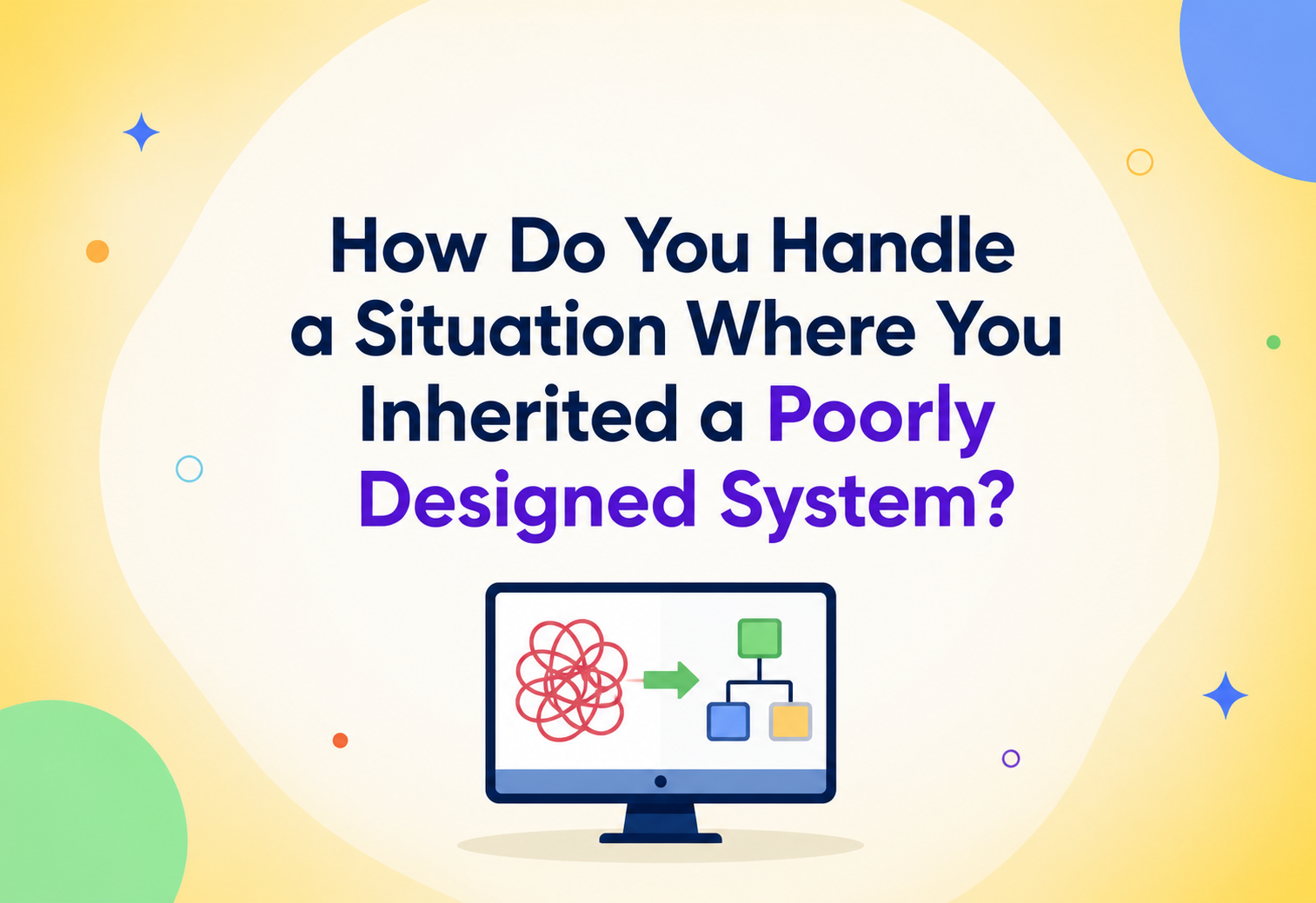
How Do You Handle a Situation Where You Inherited a Poorly Designed System?
A practical, no-nonsense field guide for engineers who show up on day one to find spaghetti code, mystery databases and a production system nobody fully understands — and have to make it better without breaking it.
You Just Opened Somebody Else’s Codebase
Almost every software engineer eventually lives through the same story. You join a new team, open the repository for the first time, and within an hour your stomach sinks. There are three different ways of talking to the database. A function called calculateStuff() is 900 lines long and touches billing, shipping and email notifications all at once. Nobody on the team can explain why a particular service restarts itself every night at 2 a.m. — they just know that if it does not, orders stop processing. You have just inherited a poorly designed system, and now it is your job to keep it alive, make it better, and somehow still ship new features.
This is not a rare or unlucky situation. It is, in fact, the default state of most software that exists in the real world. A brand-new, perfectly designed system is something you might get to build once or twice in a career. Far more often, engineers spend their days working inside systems built by other people, under different pressures, with different assumptions, at a different point in the company’s history. Understanding how to walk into that kind of system and steadily make it better — without causing an outage, without burning out and without rewriting everything from scratch — is one of the most valuable and least formally taught skills in software engineering.
A short history of “legacy” as a concept
The word legacy system entered common engineering vocabulary in the 1970s and 1980s, originally describing mainframe programs written in COBOL or FORTRAN that were still running critical business operations decades after they were written, long after the original authors had retired or moved on. Back then, “legacy” simply meant “old.” Over time, the meaning shifted. Today, a system can become “legacy” — meaning poorly understood, hard to change and risky to touch — within eighteen months of being written, especially if it was built quickly under startup pressure, if the original team has since left, or if the business requirements evolved faster than the architecture did.
The rise of microservices, cloud infrastructure and fast-moving product cycles in the 2010s actually made this problem more common, not less. Where a monolith from the 1990s might stay stable for a decade, a modern system built by a five-person startup team in six months can accumulate a decade’s worth of shortcuts before its first birthday. Inheriting a poorly designed system today might mean inheriting a legacy mainframe — or it might mean inheriting a two-year-old cluster of microservices that nobody documented and three of which quietly do the same thing in slightly different ways.
Think about buying an older house. The previous owner might have added a room without a permit, wired a light switch to the wrong circuit, or painted over a water stain instead of fixing the leak behind it. You did not create these problems, but you live with them now. A good homeowner does not tear the house down — they get an inspector, prioritise the issues that could burn the house down over the ones that are just ugly, and fix things room by room while still living in the house. That is exactly the mindset this guide will walk you through for software systems.
This tutorial is written for engineers, tech leads and architects who find themselves — or their teams — responsible for a system they did not design, and often did not choose. We will cover how to assess the system safely, how to prioritise what to fix first, the concrete techniques (patterns, tests and processes) that let you improve a live system without stopping the business, and how large, well-known companies have handled exactly this problem at scale.
It is worth pausing on why this particular skill is so underemphasised in formal computer science education. University courses and coding bootcamps overwhelmingly teach students to build software from a blank file — a clean project, a fresh repository, a well-specified assignment. Very few courses ever hand a student someone else’s half-finished, undocumented, three-year-old codebase and ask them to add a feature without breaking anything. Yet that is precisely the task most professional engineers face on their very first day at a new job, and often for years afterward. The result is a strange gap: engineers can be excellent at greenfield design and still feel completely lost the first time they are handed a fragile, tangled, production system that real customers depend on every day. This guide exists to close exactly that gap.
There is also a psychological dimension worth naming honestly. Inheriting a poorly designed system can feel discouraging, even a little unfair — you did not create the mess, yet you are the one who has to live in it, explain it to stakeholders, and get blamed when it breaks. Experienced engineers learn to separate two very different questions: “whose fault is this?” (rarely useful, and almost never answerable with certainty) and “what is the safest next step to make this better?” (always useful, and always answerable). This guide is entirely focused on the second question.
Inheriting a poorly designed system is the normal state of professional software engineering — and getting good at it is less about heroics and more about a small handful of disciplined habits, applied patiently, one deliberate step at a time.
What “Poorly Designed” Really Costs
Before talking about solutions, it is worth being precise about what “poorly designed” actually costs a team. It is not just an aesthetic complaint about ugly code. Poor design has measurable, compounding effects on the business and on the humans who maintain the system, and those effects show up in the accounting whether or not the accounting explicitly names them.
What “poorly designed” usually looks like in practice
- Tight coupling — changing one part of the system unexpectedly breaks a completely unrelated part, because the two were never meant to depend on each other but somehow do.
- No test coverage — there is no safety net telling you whether a change is safe, so every deployment feels like a gamble.
- Tribal knowledge — critical behaviour lives only in the head of one engineer (who may have already left the company), not in documentation or code comments.
- Inconsistent patterns — three different logging libraries, two different ways of calling the database, and code style that changes every few files depending on who wrote it.
- God objects and god classes — a small number of classes or services that do far too much and that everything else depends on.
- Hidden dependencies — a batch job that silently relies on another job having run first, with no explicit ordering or contract between them.
Poor design has a direct line to business risk. Every outage caused by a hidden dependency is lost revenue and lost customer trust. Every feature that takes three times longer than estimated because the code is tangled is a competitive disadvantage. Every engineer who quits because they are exhausted from firefighting is a hiring and onboarding cost. Technical debt is not an abstract engineering concern — it shows up on the balance sheet, even if no accountant labels it that way.
The psychological trap: “just rewrite it”
The most common first instinct, especially for engineers early in their careers, is to want to throw the whole thing away and start fresh. It is an understandable reaction — new code feels clean, controllable and satisfying to write. But a full rewrite of a live, revenue-generating system is one of the riskiest moves in software engineering, and it has a long history of failure at companies of every size. The famous 2000 essay by Joel Spolsky, “Things You Should Never Do,” documented how Netscape’s decision to rewrite its browser from scratch effectively took the company out of the market for years while competitors kept shipping. We will return to this danger in detail in Section 15, but it is worth stating up front: the motivation for this entire guide is to give you tools for improving a system without defaulting to “burn it down and start over.”
The goal of this guide, then, is not “how do I replace this system” but “how do I responsibly inherit, stabilise and evolve this system while it keeps running.” That distinction shapes every technique that follows.
How poor design actually accumulates
It helps to understand the typical causes, because the right response often depends on the underlying cause. Poor design rarely comes from incompetence — it usually comes from one or more of the following, entirely ordinary, pressures:
- Deadline pressure. A startup racing to find product-market fit reasonably chooses speed over structure; the code that resulted was the correct trade-off at the time, even if it is painful now.
- Requirements drift. The system was designed for a much smaller scale, a simpler business model or a single market, and has been stretched far beyond its original assumptions as the company grew.
- Team turnover. Each new engineer added their own patterns without a shared design review process, leaving a codebase that reads like it was written by five different teams — because it was.
- Missing architectural ownership. No single person or group was ever responsible for the system’s overall coherence, so every team optimised locally for their own feature without anyone watching the whole picture.
- Under-investment in tooling. Tests, CI/CD and observability were treated as “nice to have” and continuously deprioritised in favour of visible feature work, until the debt became unmanageable.
Recognising which of these forces shaped the system you have inherited tells you a great deal about where to expect the biggest gaps. A system built under deadline pressure by a strong team often has decent bones but poor test coverage. A system that suffered years of requirements drift often has a fundamentally sound original design that has simply been asked to do things it was never meant to do. A system shaped by heavy turnover tends to be architecturally inconsistent even where individual pieces are well-written. Diagnosing the cause, not just the symptom, will make every later decision in this guide sharper.

The Vocabulary You Need First
Before diving into architecture and process, let us define the vocabulary you will need. Each of these terms will come up repeatedly throughout the guide, and each one carries a specific technical meaning that is easy to muddle in casual conversation.
Technical Debt
What it is: a metaphor, coined by Ward Cunningham in 1992, comparing shortcuts taken during development to a financial loan. You get something now (faster delivery) but you owe “interest” later (slower development, more bugs) until the debt is “paid off” (refactored).
Why it matters: not all debt is bad — sometimes taking on debt deliberately to hit a deadline is a smart trade-off, as long as you plan to repay it. The danger is debt taken on unknowingly or never repaid, which compounds like unpaid credit card interest.
Deliberate technical debt is like a store credit card you use for a big purchase you can pay off next month — a reasonable, planned trade-off. Accidental technical debt is like discovering the previous owner of your credit card left an unpaid balance with compounding interest, and you did not even know the card existed until the bill arrived.
Legacy Code
What it is: Michael Feathers, in his influential 2004 book Working Effectively with Legacy Code, defined legacy code simply as “code without tests.” This definition matters because it reframes the problem: the issue is not the age of the code, it is the absence of a safety net that lets you change it with confidence.
Characterization Tests
What it is: a test written not to prove code is correct, but to document what it currently does — including its bugs and quirks — so that future changes can be verified against that known baseline. This is your first tool when inheriting a system with no tests.
Strangler Fig Pattern
What it is: a migration strategy named after the strangler fig vine, which grows around a host tree, gradually taking over its structure until the original tree is no longer needed. In software, this means building new functionality alongside the old system and gradually routing traffic to the new implementation, piece by piece, until the old system can be safely retired.
Bounded Context
What it is: a concept from Domain-Driven Design (DDD) describing a clear boundary within which a particular business model and its terminology apply consistently. Poorly designed systems often violate bounded contexts — the word “Order” might mean five different things in five different parts of the codebase, with no clear boundary between them.
Chesterton’s Fence
What it is: a principle from writer G.K. Chesterton: before removing something that seems useless, first understand why it was put there. In legacy systems, that weird-looking piece of code that “makes no sense” often exists because of a production incident three years ago that nobody documented.
Imagine a spreadsheet with a formula in cell B7 that multiplies by 1.08. It looks pointless at first glance — until you learn it is a sales-tax rate hard-coded from a specific state, added after an audit found the team was under-collecting tax. Deleting it without understanding it would reintroduce a compliance bug. That is Chesterton’s Fence in miniature.
Boy Scout Rule
What it is: “always leave the code a little cleaner than you found it,” borrowed from the Boy Scouts’ camping principle of leaving a campsite better than you found it. It is a practical, incremental alternative to big-bang rewrites, and one of the most powerful cultural habits a team can adopt inside a fragile codebase.
Architecture & Components: Building a Real Map
You cannot fix what you have not mapped. The first weeks of inheriting a system should be spent building a mental (and written) model of what actually exists — not what the outdated architecture diagram from two years ago claims exists. Below is a structured framework for that discovery phase.
The Four Pillars of System Assessment
1. Structural Map
What services, modules and databases exist? How do they actually talk to each other, verified through code and traffic — not old diagrams?
2. Risk Map
Where are the outages most likely to originate? Which components have no owner, no tests and no monitoring?
3. Business Criticality Map
Which parts of the system generate revenue, handle compliance-sensitive data, or would cause the most customer harm if they failed?
4. Team Knowledge Map
Who currently understands each part of the system? Where is knowledge concentrated in a single person (a “bus factor” of one)?
Practical discovery techniques
- Read production logs and error dashboards before reading code. The logs tell you what actually happens, not what the code was supposedly designed to do.
- Trace one real request end-to-end. Pick a single user action (e.g. “place an order”) and follow it through every service, queue and database it touches. This alone reveals more about real architecture than any diagram.
- Interview the on-call rotation. Whoever gets paged at 3 a.m. knows exactly which components are fragile, even if they have never written it down.
- Check the deployment and incident history. Which services deploy most often (active, evolving) versus which have not been touched in two years (frozen — either because it is stable, or because everyone is scared of it)?
- Look for the “one person” problem. Search commit history and see if the same one or two names show up on all changes to a critical component. That is a single point of organisational failure.
At many mid-sized SaaS companies, new tech leads run what is informally called a “spelunking week” — a week explicitly carved out with no feature work, dedicated entirely to tracing real traffic through the system, annotating an up-to-date architecture diagram, and writing down every undocumented assumption they discover. That diagram, not the one in the onboarding wiki, becomes the team’s real map going forward.
Internal Working: Four Ways to Improve a Live System
Once you understand the system, you need a repeatable process for improving it without stopping the business. There are four core strategies, and in practice most real efforts blend all four depending on the part of the system involved.
Strategy 1 — Stabilise First, Improve Second
Before any redesign work, make the system observable and safe to touch. This means adding monitoring where there is none, adding alerting for silent failures, and writing characterization tests around the riskiest, most business-critical code paths. You are not trying to make the code beautiful yet — you are building a seatbelt before you start driving faster.
Strategy 2 — The Strangler Fig Migration
For components that genuinely need to be replaced (not just refactored), the strangler fig approach lets you build the replacement gradually, in production, alongside the old system, routing an increasing percentage of real traffic to the new path as confidence grows.
Strategy 3 — Incremental Refactoring (Boy Scout Rule)
For code that is messy but not fundamentally broken, the fastest and lowest-risk path is small, continuous improvement: every time you touch a file for a feature or bug fix, you leave it slightly better — clearer names, extracted functions, removed dead code — without a dedicated “refactoring project.”
Strategy 4 — The Branch by Abstraction Technique
When you need to replace an internal component but cannot do it in one atomic change, you introduce an abstraction (an interface) in front of the old implementation, build the new implementation behind the same interface, and switch over via a feature flag — all without a long-lived, painful merge-conflict-prone branch.
// Step 1: define an abstraction over the old, tangled payment logic
public interface PaymentProcessor {
    PaymentResult charge(Order order, PaymentMethod method);
}

// Step 2: wrap the existing legacy code behind that abstraction, unchanged
public class LegacyPaymentProcessor implements PaymentProcessor {
    public PaymentResult charge(Order order, PaymentMethod method) {
        // original, messy implementation stays exactly as-is
        return new LegacyBillingGateway().runOldCharge(order, method);
    }
}

// Step 3: build the new implementation behind the same interface
public class ModernPaymentProcessor implements PaymentProcessor {
    public PaymentResult charge(Order order, PaymentMethod method) {
        return new StripeGatewayClient().charge(order.toChargeRequest(method));
    }
}

// Step 4: a factory reads a feature flag to decide which implementation to use per-request
public class PaymentProcessorFactory {
    private final FeatureFlagClient flags;

    public PaymentProcessor getProcessor(Order order) {
        if (flags.isEnabled("use-modern-payments", order.getCustomerId())) {
            return new ModernPaymentProcessor();
        }
        return new LegacyPaymentProcessor();
    }
}
This pattern lets a team route 1% of low-risk customers to the new payment path, watch error rates and metrics, and gradually widen the rollout — with an instant rollback available by simply flipping the flag back, no deploy required.
Always pair a strangler fig or branch-by-abstraction migration with a “kill switch” — a feature flag that can instantly revert to the old path in production without a code deploy. Deploys take minutes; flag flips take seconds. In an incident, seconds matter.
The Rescue Roadmap
Putting the strategies from Section 5 together, most successful “inherited system” rescues follow a predictable lifecycle, typically spanning several months for a meaningfully sized system. Trying to skip a phase almost always ends up costing more time than the phase itself would have taken.
Week 1–2 · Discovery & read-only mapping
No changes shipped yet. Build the structural, risk, business and team-knowledge maps from Section 4.
Week 3–4 · Stabilisation
Add monitoring and alerting for silent failure points. Write characterization tests around the highest-risk, highest-traffic code paths.
Month 2 · Quick wins & trust building
Fix a handful of small, visible pain points the team has been complaining about. This builds credibility and morale before larger changes.
Month 3–6 · Structural improvements
Begin strangler fig migrations or branch-by-abstraction work on the components identified as highest risk × highest business impact.
Ongoing · Boy Scout discipline
Every feature and bug fix incrementally improves the surrounding code. Refactoring is never “finished” — it becomes part of normal engineering hygiene.
Teams often skip straight to Month 3–6 work in their first week, excited to “fix” the system. Without the stabilisation phase, you have no way of knowing whether a change you made caused the outage that follows — because you had no monitoring to see it coming and no tests to catch the regression before it shipped.
Advantages, Disadvantages & Trade-offs of Each Approach
There is no single correct strategy for every inherited system. The right choice depends on business criticality, team size and how much runway you have. Here is an honest breakdown of the major approaches.
Incremental Refactoring (Boy Scout Rule)
- Low risk, no dedicated project needed
- Ships alongside normal feature work
- Easy to get buy-in from leadership
Incremental Refactoring — Limits
- Too slow for deeply broken architecture
- Can stall without team-wide discipline
- Does not fix fundamental structural issues
Strangler Fig Migration
- Zero-downtime path to full replacement
- Rollback available at every stage
- Real production validation, not a “big bang” cutover
Strangler Fig — Limits
- Requires running two systems in parallel temporarily (cost, complexity)
- Needs careful data synchronisation between old and new
- Takes discipline to actually finish and decommission the old system
Full Rewrite
- Clean slate, no historical baggage
- Can adopt modern architecture and tooling fully
Full Rewrite — Serious Risks
- Business must keep supporting the old system during the rewrite (“two teams, one budget”)
- Rewrites routinely underestimate hidden business logic embedded in old code
- High historical failure rate at every company size
A decision framework
| Situation | Recommended Approach |
|---|---|
| Code is messy but architecture is sound | Incremental refactoring, Boy Scout Rule |
| A specific service or module is fundamentally broken and business-critical | Strangler fig migration of that component only |
| Technology itself is end-of-life (unsupported language or framework) | Planned, phased strangler migration — not a rewrite sprint |
| Entire system is small, low-traffic and low-risk | A scoped rewrite may genuinely be the pragmatic choice |
| You do not yet understand the system well | Do nothing structural yet — finish the assessment phase first |
“It is harder to read code than to write it.” — Joel Spolsky, on why rewrites are so often more painful than expected
The hidden cost most teams forget to weigh: parallel maintenance
Whichever approach you choose, one cost is almost always underestimated up front: the burden of maintaining two things at once. A strangler fig migration means keeping the old system alive, patched and monitored for the entire migration window — sometimes many months — even as engineering attention shifts toward the new implementation. A full rewrite means the old system still needs bug fixes and security patches for years while the new one is built, because customers do not stop using the product just because a rewrite is underway. Teams that budget only for “build the new thing” and forget to budget for “keep the old thing alive and correct in the meantime” are the ones who end up over time and over budget. When estimating any modernisation effort, explicitly plan and staff for parallel maintenance as its own line item, not an afterthought absorbed by whoever has spare time.
A useful gut check before committing to any of these approaches is to ask three questions out loud, with the whole team and with leadership: how will we know if this migration is going well three months in? What is the maximum amount of time and money we are willing to spend before pausing to reassess? And what does “done” actually look like — is it when the new component ships, or when the old one is fully decommissioned and deleted? Teams that cannot answer all three questions clearly are not yet ready to start, no matter which strategy they have chosen.
Diagnosing the Slow Parts You Inherited
Inherited systems often carry performance problems that were invisible at the traffic levels the original team designed for, but become critical as the business grows. Diagnosing these correctly — rather than guessing — is essential.
Common performance anti-patterns found in inherited systems
- N+1 query problems — code that loops over a list and fires one database query per item instead of a single batched query, often invisible in development with small test datasets but catastrophic at production scale.
- Missing or wrong database indexes — queries that were fast when the table had 1,000 rows and now take seconds with 50 million rows.
- Synchronous chains that should be asynchronous — a user-facing request that waits on a slow email or report-generation step that has nothing to do with the response the user actually needs.
- No caching layer, or a caching layer with no invalidation strategy, leading to stale or inconsistent data.
// BEFORE: classic N+1 — one query per order to fetch line items
public List<Order> loadOrdersSlow(List<Long> orderIds) {
    List<Order> orders = orderDao.findByIds(orderIds);
    for (Order order : orders) {
        order.setItems(itemDao.findByOrderId(order.getId())); // 1 query PER order!
    }
    return orders;
}

// AFTER: one batched query for all line items, then group in memory
public List<Order> loadOrdersFast(List<Long> orderIds) {
    List<Order> orders = orderDao.findByIds(orderIds);
    Map<Long, List<Item>> itemsByOrder =
        itemDao.findByOrderIds(orderIds).stream()
               .collect(Collectors.groupingBy(Item::getOrderId));
    orders.forEach(o -> o.setItems(itemsByOrder.getOrDefault(o.getId(), List.of())));
    return orders;
}
Before optimising anything, measure. Use a profiler or slow-query log to find the actual hot spots rather than guessing based on which code “looks slow.” Inherited systems are full of surprises — the code that looks worst is often not the code costing you the most.
Scalability debt versus performance debt
It is useful to separate two related but distinct problems you will often find tangled together in an inherited system. Performance debt means the system is slower than it should be right now, at current load — a query that takes 800 milliseconds when it should take 50. Scalability debt means the system works fine today but will fall over as load grows, because some part of it does not scale horizontally — a single-threaded batch job, a database connection pool sized for last year’s traffic, or a piece of state held in the memory of one server instead of a shared store. Performance debt shows up in dashboards today; scalability debt often stays invisible until a marketing campaign, a viral moment, or simple organic growth pushes the system past a threshold nobody tested. When assessing an inherited system, explicitly ask both questions separately: “what is slow right now?” and “what will break if traffic triples?” — because the fixes, and the urgency, are usually different.
Performance debt is like a car with a sluggish engine — annoying every single day, but predictable. Scalability debt is like a bridge rated for a certain weight limit that nobody has checked in years — perfectly fine under normal traffic, and silently dangerous the day a truck heavier than the rating tries to cross.
High Availability in a System You Did Not Design
Poorly designed systems frequently have single points of failure that were never stress-tested because nobody planned for the traffic (or the outages) the system eventually faced. Improving reliability starts with finding these points, not guessing at them.
Where to look for hidden fragility
- Single-instance dependencies — a cron job, cache or “temporary” service running on one server with no redundancy, quietly load-bearing for years.
- Missing timeouts and retries — a downstream call with no timeout can hang a request (and eventually an entire connection pool) indefinitely if that downstream service degrades.
- No circuit breakers — a struggling downstream dependency drags the calling service down with it instead of failing fast and gracefully degrading.
- Silent failures — errors that are caught and swallowed (an empty
catchblock) rather than logged or surfaced, hiding real problems until they become large ones.
It is extremely common, when inheriting a system, to discover that a “critical” nightly batch job runs on a single unmonitored EC2 instance that someone manually created years ago and that nobody has SSH access documentation for. Finding and fixing these single points of failure is unglamorous work — but it is often the highest-leverage reliability work you can do in your first quarter.
Auditing the Skeletons in the Closet
Security issues in inherited systems are especially dangerous because they are often invisible until actively exploited. A security review should be part of your early assessment phase, not an afterthought.
What to audit first
- Hardcoded secrets — API keys, database passwords or tokens committed directly into source code, sometimes years ago, still valid, and often over-privileged.
- Outdated dependencies — libraries with known CVEs (Common Vulnerabilities and Exposures) that were never upgraded because “it still works.”
- Missing input validation — old endpoints that predate the team’s current security standards, potentially vulnerable to SQL injection or XSS.
- Overly broad access controls — service accounts or database users with far more permissions than they actually need, a violation of the principle of least privilege.
- Undocumented integrations — a third-party partner with API access nobody remembers granting, or that should have been revoked when a contract ended.
// BEFORE: found hardcoded in a legacy config class
public class LegacyDbConfig {
    public static final String DB_PASSWORD = "Summer2019!"; // yikes
}

// AFTER: fetched at runtime from a managed secrets store, never committed
public class DbConfig {
    private final SecretsManagerClient secrets;

    public String getDbPassword() {
        return secrets.getSecret("prod/orders-db/password");
    }
}
Security fixes deserve to jump the priority queue ahead of most refactoring work. A well-designed but breached system is worse for the business than an ugly but secure one. Treat any exposed credential you find as an incident requiring immediate rotation, not a backlog ticket.
Monitoring, Logging & Metrics: See Before You Steer
You cannot safely improve what you cannot observe. Inherited systems very often have inconsistent or entirely missing observability — this is usually the very first structural gap to close, because every subsequent change depends on being able to tell whether it worked.
The three pillars to establish early
Metrics
Request rates, error rates and latency (the “RED” method: Rate, Errors, Duration) for every critical service, visible on a dashboard the whole team can see.
Structured Logging
Consistent, structured (JSON) logs with correlation IDs so a single request can be traced across every service it touches.
Distributed Tracing
End-to-end visibility into how a single request flows through multiple services, essential once the system is more than one process.
A simple, high-leverage first step: add a single structured log line at the entry and exit of every major service, including a correlation ID passed through headers. Within a week, this alone often reveals which code paths are actually hit in production versus which are dead code nobody knew was unused.
Once basic observability exists, set alerting thresholds based on customer impact, not arbitrary numbers — alert when error rates or latency cross a level that actually affects users, and avoid noisy alerts that train the on-call rotation to ignore pages (a phenomenon known as alert fatigue).
Deployment & Cloud Considerations
Inherited systems frequently have deployment processes as fragile as the code itself — manual SSH deploys, undocumented server configuration or infrastructure that was hand-built in a cloud console and never captured as code.
Stabilising the deployment path
- Move to Infrastructure as Code (IaC) — tools like Terraform or CloudFormation let you capture the real infrastructure state in version control, so it is reviewable, reproducible and no longer dependent on one person’s memory of console clicks.
- Introduce CI/CD pipelines where manual deployment steps exist, reducing the chance of a deploy going wrong due to a skipped step or human error.
- Adopt blue-green or canary deployments for the riskiest services, so a bad release affects a small percentage of traffic and can be rolled back instantly rather than requiring a full redeploy.
- Containerise gradually where it reduces “works on my machine” drift, without treating containerisation itself as the goal — it is a means to more predictable deploys, not an end in itself.
Do not attempt to jump straight from “manual SSH deploys” to “full GitOps with automated canary analysis” in one project. Each step above is independently valuable and reduces risk on its own — ship them incrementally, the same way you would refactor code.
Databases, Caching & Load Balancing
The data layer of an inherited system is often the most dangerous place to make changes, because data mistakes are the hardest to undo. Take extra care here, and always favour additive, reversible changes over destructive ones.
Common database issues you will find
- No clear schema ownership — multiple services writing directly to the same tables, creating hidden coupling that makes any schema change risky.
- Missing foreign key constraints or indexes, often removed years ago “for performance” without anyone verifying the actual impact.
- Data integrity issues — orphaned rows, inconsistent formats or duplicate records accumulated over years of edge cases and bugs.
Safe migration approach: the expand-contract pattern
When you must change a database schema in a live system, the safest approach is the expand-contract (or “parallel change”) pattern: add the new structure alongside the old one, migrate readers and writers gradually, and only remove the old structure once nothing depends on it anymore.
| Phase | What Happens |
|---|---|
| Expand | Add the new column or table alongside the old one; both are written to |
| Migrate | Backfill historical data; switch readers over to the new structure one at a time |
| Contract | Once nothing reads the old structure, stop writing to it, then remove it |
Caching and load balancing
Inherited systems often either have no caching (leading to unnecessary database load) or caching with no clear invalidation strategy (leading to stale, inconsistent data — arguably a worse problem than no cache at all). When introducing caching to a system that lacks it, start with clear ownership: exactly which service is responsible for invalidating a given cache key, and under exactly which conditions.
Before touching a shared production database, always confirm you have a recent, tested backup and a rollback plan — not just “we have backups somewhere.” Test the restore process itself, not just the backup job’s success status.
APIs & Microservices: Re-drawing Boundaries Safely
When an inherited system’s problems live at the API or service-boundary level — rather than inside a single codebase — the fix usually involves carefully re-drawing those boundaries without breaking existing consumers.
Common boundary problems
- Chatty APIs — a single client action requiring a dozen round trips because the API was never designed around real usage patterns.
- Leaky abstractions — an API that exposes internal database structure directly, making any internal refactor a breaking change for every consumer.
- Distributed monolith — services that are technically separate deployables but are so tightly coupled (shared database, synchronous chains) that they must be deployed together anyway, giving you all the complexity of microservices with none of the independence.
// A clean facade in front of three tangled legacy services,
// so new consumers never have to know about the mess underneath.
public class OrderFacade {
    private final LegacyOrderService orders;
    private final LegacyInventoryService inventory;
    private final LegacyPricingEngine pricing;

    public OrderSummary getOrderSummary(Long orderId) {
        Order order = orders.fetchRaw(orderId);
        List<StockLevel> stock = inventory.checkLegacyStock(order.getSkuList());
        Price price = pricing.computeLegacyPrice(order, stock);
        return new OrderSummary(order, stock, price); // simple, clean object out
    }
}
This Facade Pattern is one of the highest-leverage tools available when inheriting a messy API surface: it does not require rewriting the internals immediately, but it stops the mess from spreading to every new consumer, buying you room to clean up the internals later behind a stable interface.
Amazon’s well-known internal mandate (circa the mid-2000s) that all teams must expose functionality only through well-defined service interfaces — never direct database access — is widely credited as foundational to their later ability to scale into AWS. The lesson generalises: clear API boundaries, even imperfect ones, are what make future change possible.
Design Patterns & Anti-patterns
Patterns that help you rescue a system
Adapter Pattern
Wraps an old, awkward interface so it can be used by new code expecting a modern interface, without changing the legacy code itself.
Facade Pattern
Provides a single, simple entry point in front of several tangled internal components (see Section 14).
Strangler Fig
Gradual, traffic-shifted replacement of an old component with a new one (see Section 5).
Branch by Abstraction
Swap an internal implementation behind a stable interface using a feature flag, avoiding long-lived branches (see Section 5).
Anti-Corruption Layer
A translation layer (from Domain-Driven Design) that prevents a messy legacy model from “leaking” its bad concepts into a newer, cleaner part of the system.
Characterization Testing
Tests that pin down current behaviour before refactoring, giving you a safety net even without a specification (see Section 3).
Anti-patterns to avoid while rescuing a system
The Big-Bang Rewrite
- Freezes feature work on the old system for months or years
- Underestimates hidden business logic buried in old code
- High historical failure rate — see Netscape, and many lesser-known internal examples
The Silent Fork
- Building a “v2” quietly on the side without a plan to migrate real traffic to it
- The old system keeps evolving too, so the fork never catches up
- Ends in two half-finished systems instead of one improved one
Refactoring Without Tests
- “Cleaning up” code with no characterization tests as a safety net
- Introduces regressions that are indistinguishable from the intended change until they hit production
Boiling the Ocean
- Trying to fix everything at once instead of prioritising by risk × impact
- Burns out the team and delivers no finished improvement for a long time
“Make it work, make it right, make it fast — in that order.” — Kent Beck
Best Practices & Common Mistakes
Best practices
- Respect Chesterton’s Fence. Understand why something exists before removing it — even if it looks obviously wrong.
- Write characterization tests before refactoring anything you do not fully understand, so you have a way to know if you broke something.
- Prioritise by risk × business impact, not by what is most annoying to look at.
- Make changes reversible. Feature flags, expand-contract migrations and canary rollouts all buy you the ability to undo a mistake quickly.
- Document as you learn — every piece of tribal knowledge you uncover should go somewhere durable, not just in your head, or you have simply moved the bus-factor-of-one problem onto yourself.
- Communicate constantly with stakeholders about what is being stabilised and why — technical debt work is often invisible to non-engineers unless you make its value explicit.
Common mistakes
Most “bad” decisions in inherited systems made sense given the constraints, deadlines and information available at the time. Publicly criticising old decisions damages trust with teammates who may have written that code, and it distracts from the real work of improving things going forward.
Not all messy code needs to be fixed. Code that is ugly but stable, rarely touched and low-risk may simply not be worth the engineering time — prioritise ruthlessly and let low-impact mess be.
That “weird” 200-line conditional block is very often encoding real business rules accumulated over years of edge cases — tax exemptions, grandfathered pricing, regional compliance rules. Assume complexity is meaningful until proven otherwise.
Real-World & Industry Examples
Amazon (2000s)
Faced a tightly coupled monolith limiting its ability to scale. Rather than rewriting from scratch, it mandated all internal communication go through defined service interfaces — a boundary-first strangler approach that eventually enabled AWS itself.
Shopify
Publicly documented its multi-year “modular monolith” journey — deliberately choosing incremental internal decomposition over a full microservices rewrite, prioritising clear internal boundaries before any physical service split.
Netscape (1998–2000)
A cautionary tale: chose a full ground-up rewrite of its browser. The project took roughly three years, during which the old product could not evolve — widely cited as a major factor in losing the browser market to Internet Explorer.
GOV.UK Verify / legacy government systems
Large government technology programs have repeatedly demonstrated the risk of big-bang replacements of legacy systems, reinforcing the industry’s broader shift toward incremental, strangler-style modernisation for critical infrastructure.
Across nearly every well-documented industry case, the companies that succeeded treated modernisation as a gradual, traffic-validated process running alongside the business — not a pause-everything rewrite project. The ones that struggled tended to bet everything on a single, long-running rewrite with no incremental validation against real usage.
Frequently Asked Questions
How do I know if a full rewrite is actually justified?
It is rarely justified for a live, revenue-generating system of meaningful size. It becomes more reasonable only when the underlying technology is genuinely unsupportable (end-of-life language or runtime with no security patches), the system is small enough to rebuild in weeks rather than years, or the business can tolerate running two systems in parallel for an extended period without harming delivery.
What should I fix first when I inherit a system?
Observability. You cannot safely prioritise or verify any other fix without monitoring, logging and at least minimal test coverage around the riskiest paths. Stabilisation always comes before structural improvement.
How do I convince leadership to invest time in technical debt instead of new features?
Translate technical debt into business terms: quantify the extra time features are taking, the outages caused, and the engineer turnover risk. Propose small, time-boxed stabilisation work with a clear, measurable outcome, rather than an open-ended “cleanup project.”
How much test coverage do I need before refactoring legacy code?
You do not need full coverage — you need characterization tests around the specific code path you are about to change. Aim for tests that would catch a regression in that path, not blanket coverage of the entire system.
What if the original team is completely gone and no one understands the system?
Treat it as an archaeology project: trace real production traffic (Section 4), talk to the people closest to the pain (on-call, support, customers), and write down every assumption as you confirm it. Assume nothing is documented correctly until verified against actual behaviour.
Is it ever okay to just leave bad code alone?
Yes. If a component is stable, rarely changed, low business risk and not currently causing pain, refactoring it is often not the best use of engineering time. Not all technical debt needs to be repaid — prioritise by actual impact.
How do I avoid burning out while doing this kind of work?
Set explicit, visible boundaries around scope: pick one component or one risk area at a time rather than trying to fix everything simultaneously, and celebrate finished, shipped improvements rather than treating the whole effort as one endless, never-complete project. Rescuing a system is a marathon best run in clearly bounded stages, not a sprint you are expected to finish alone.
Should I write new features on the old architecture while I am improving it?
Usually yes, especially early on — the business rarely grants an extended pause on feature work. Use the Boy Scout Rule (Section 5) so every feature you build also nudges the surrounding code in a better direction, rather than treating “new features” and “system improvement” as competing, mutually exclusive tracks.
How do I handle a system with almost no documentation at all?
Treat the lack of documentation itself as the first problem to fix. As you perform the discovery work in Section 4, write down everything you learn in a shared, durable place — even rough notes are far more valuable than nothing, and they compound in value every time another engineer avoids repeating your investigation from scratch.

Summary & Key Takeaways
Inheriting a poorly designed system is not a rare misfortune — it is the normal condition of most professional software engineering. The engineers who handle it well share a common mindset: patience over panic, observation before action, and incremental, reversible change over dramatic rewrites.
Key Takeaways
- Assess before you act. Build a real structural, risk, business and team-knowledge map before changing anything (Section 4).
- Stabilise before you improve. Monitoring, logging and characterization tests come before refactoring or migration work.
- Prefer incremental strategies — the Boy Scout Rule, strangler fig migrations and branch by abstraction — over full rewrites, which carry a long, well-documented history of failure.
- Make every change reversible through feature flags, expand-contract schema migrations and canary rollouts.
- Respect Chesterton’s Fence. Confusing code often encodes real, hard-won business knowledge — understand before you delete.
- Security and single points of failure deserve early priority, ahead of cosmetic cleanup work.
- Document relentlessly as you learn, so the next engineer does not have to repeat your archaeology from scratch.
- Communicate the business value of stabilisation and refactoring work in terms leadership can act on — reduced incident rate, faster delivery, lower turnover risk.
None of this work is glamorous, and very little of it will show up as a shiny new feature in a product announcement. But it is some of the most valuable engineering work there is — the quiet, disciplined labour of taking a fragile system and making it something a team can build on with confidence. Every well-loved, reliable piece of software you have ever used was, at some point, somebody’s inherited mess that they chose to improve one careful step at a time.

