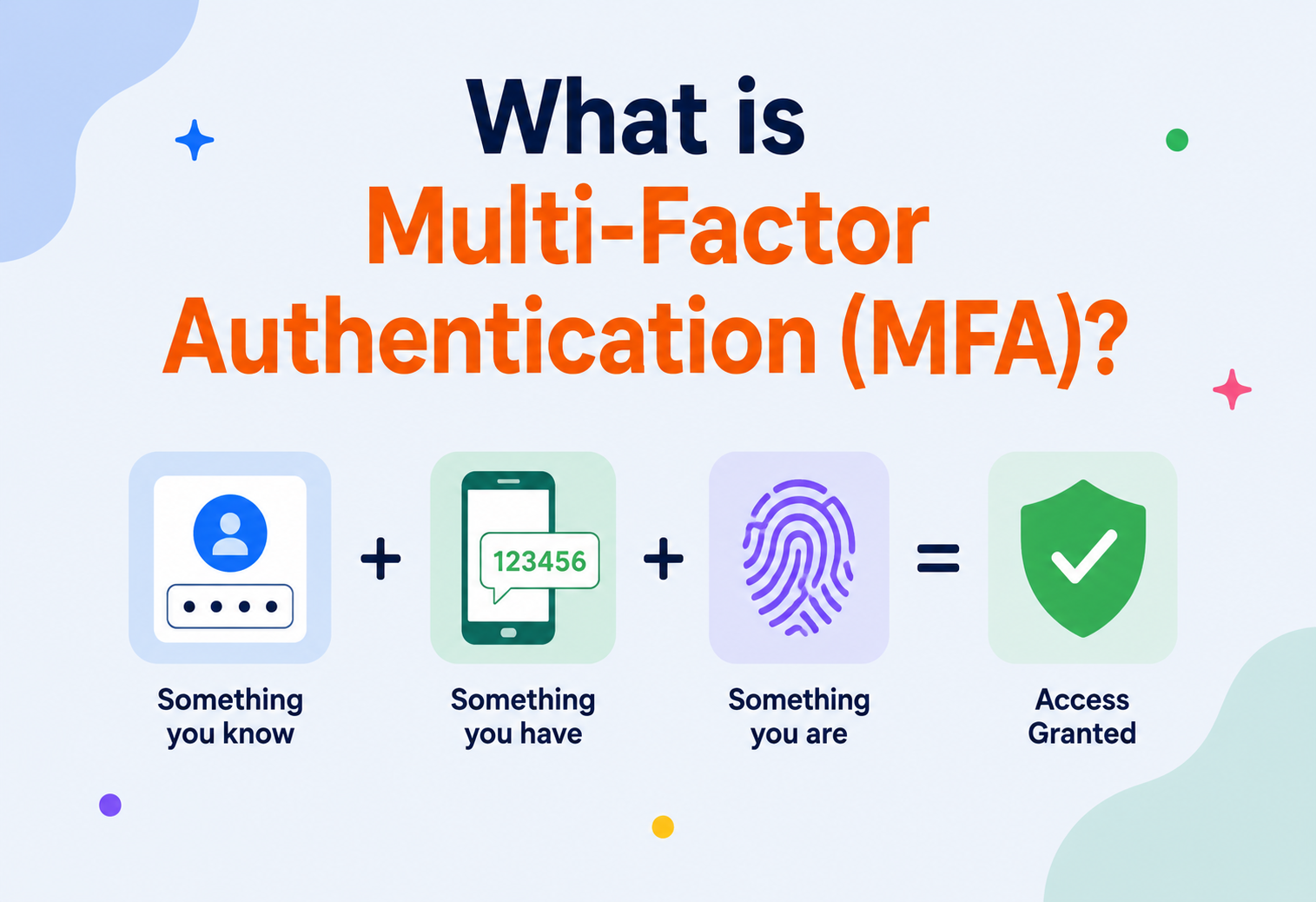
What is Multi‑Factor Authentication (MFA)?
A ground‑up, beginner‑friendly deep dive into how MFA actually works under the hood — the cryptography behind one‑time codes, how it’s architected at scale, and how to deploy it without accidentally locking your own users out.
Introduction & History
Imagine your front door has a lock, and you’re the only one with the key. That’s a password: a single secret that proves it’s really you. Now imagine that someone copies your key without you noticing — maybe they photographed it, maybe they tricked a locksmith into cutting a duplicate. Suddenly the lock alone isn’t protecting you anymore, because the “secret” wasn’t actually as secret as you thought.
Multi‑Factor Authentication (MFA) solves this by requiring more than one kind of proof before letting someone in — like a door that needs both a key and a fingerprint, or a key and a one‑time code that changes every 30 seconds. Even if an attacker steals your key (your password), they still can’t get in without the second thing you have or the second thing you are.
Security professionals classify proof of identity into three categories: something you know (a password, a PIN), something you have (a phone, a hardware key), and something you are (a fingerprint, your face). MFA means combining proofs from at least two different categories — using two passwords isn’t MFA, because they’re both “something you know.”
The idea of layering multiple proofs of identity is old — bank vaults have long required both a manager’s key and a separate combination known only to another employee, precisely so that no single compromised person could open the vault alone. The digital version of this idea began taking shape in the 1980s. In 1986, RSA Security introduced the SecurID hardware token — a small keychain fob that displayed a new numeric code every 60 seconds, synchronized with a server. Employees typed their password plus whatever code was currently showing on their token, and both had to match for access to be granted.
For years, MFA remained mostly the domain of corporations and governments, protecting things like VPN access, because hardware tokens were expensive to issue and easy to lose. Everything changed with the smartphone. Suddenly nearly everyone was already carrying a capable computer in their pocket at all times, and MFA could be delivered as an app, an SMS text message, or a push notification instead of a separate physical gadget. Google made MFA (as “2‑Step Verification”) broadly available to consumers in 2011, and by the mid‑2010s, MFA had become a standard, expected security feature across banking, email, and social media.
RSA SecurID
The first widely deployed hardware token generating time‑based one‑time codes for enterprise VPN and system access.
HOTP standardized (RFC 4226)
The HMAC‑based One‑Time Password algorithm becomes an open, published standard rather than a proprietary secret.
TOTP standardized (RFC 6238)
The Time‑based One‑Time Password algorithm, and consumer apps like Google Authenticator, bring MFA to everyday users.
Push‑notification MFA
Duo Security and others popularize simply tapping “Approve” on your phone instead of typing a code.
U2F & WebAuthn
Physical security keys (like YubiKey) and browser‑native cryptographic authentication standards emerge, resistant to phishing in ways codes are not.
Passwordless & FIDO2
Passkeys and platform biometrics push toward eliminating passwords altogether, using MFA‑grade cryptography as the primary (not secondary) login method.
The arc of that timeline tells a specific story: MFA started as an exotic corporate defense that required carrying a dedicated piece of hardware, gradually became a consumer‑friendly feature bundled into the smartphones people already owned, and is now on the verge of replacing passwords entirely rather than merely reinforcing them. Each step of that progression was driven less by a single technical breakthrough and more by the steady accumulation of real‑world compromises — every widely reported breach of the previous era pushed the industry to raise its baseline expectations for what “normal” authentication should look like.
The Problem & Motivation
To understand why MFA exists, it helps to understand exactly how passwords fail in practice — and it’s rarely because someone “guessed” a password through sheer cleverness.
Credential Stuffing
Attackers take a giant list of usernames and passwords leaked from one breached website, and try them against thousands of other websites, betting (correctly, often) that people reuse passwords.
Phishing
A fake login page that looks identical to the real one tricks a user into typing their password directly into the attacker’s hands.
Brute Force / Dictionary Attacks
Automated tools rapidly try common passwords or every word in a dictionary against a login form until one works.
Keyloggers & Malware
Malicious software installed on a victim’s device silently records every keystroke, including passwords, as they’re typed.
Database Breaches
An attacker compromises a company’s servers directly and steals the stored password database, especially damaging if passwords were weakly hashed or not hashed at all.
Social Engineering
An attacker calls IT support pretending to be a locked‑out employee and talks a human into resetting the password or revealing it.
Notice something important: in every one of these scenarios, the attacker ends up with a working password — but none of them give the attacker your phone, your fingerprint, or your hardware security key. This is exactly the gap MFA is designed to close. Industry studies (including Microsoft’s own telemetry from Azure Active Directory) have repeatedly found that enabling MFA blocks well over 99% of automated account‑takeover attempts, because stealing a password alone is no longer sufficient.
Forcing users to create longer, more complex passwords helps against brute‑force guessing, but does nothing against phishing, credential stuffing, or keyloggers — because in those attacks, the attacker obtains the real password, complexity and all. This is precisely why security guidance has shifted from “make passwords harder to guess” toward “assume passwords will eventually leak, and add a second factor that a remote attacker can’t easily obtain.”
The motivation for MFA, then, is to remove the single point of failure. A password is one lock; MFA adds a second, independent lock that an attacker would need to defeat through an entirely different method — usually requiring physical proximity to a device the victim actually holds, which is vastly harder to achieve remotely at scale than stealing a password.
It is worth spelling out the economic angle behind that gap explicitly, because it drives much of the modern industry response. Stealing millions of passwords at once is a cheap, largely automated operation for a moderately capable attacker: run a scraper against a leaked dump, try each pair on hundreds of other sites, cash out whichever accounts happen to work. Stealing millions of second factors, on the other hand, would require compromising millions of individual physical devices — an operation whose cost grows roughly linearly with the number of victims rather than staying flat. That asymmetric cost curve is what makes MFA effective at population scale, even against a determined adversary: it doesn’t just make each individual attack marginally harder, it fundamentally breaks the “steal once, exploit everywhere” business model that credential‑stuffing depends on.
Core Concepts
Let’s build a clear vocabulary of how MFA factors and mechanisms actually work.
The Three Factor Categories
| Factor | Examples | Weakness |
|---|---|---|
| Knowledge (something you know) | Password, PIN, security question | Can be phished, guessed, or leaked in a breach |
| Possession (something you have) | Phone with authenticator app, hardware security key, smart card | Can be lost, stolen, or (for SMS) intercepted via SIM swap |
| Inherence (something you are) | Fingerprint, face scan, voice pattern | Can’t be changed if compromised; raises privacy considerations |
A fourth category is sometimes discussed: somewhere you are (location) or something you do (behavioral patterns like typing rhythm) — these are typically used as supplementary risk signals rather than standalone factors, discussed further under adaptive authentication below.
HOTP vs. TOTP
HOTP — HMAC‑based One‑Time Password
Generates a code based on a shared secret and a counter that increments each time a code is generated. The server and device must stay in sync on the counter value, which can drift if a user generates codes without using them.
TOTP — Time‑based One‑Time Password
A refinement of HOTP that uses the current time (divided into fixed windows, typically 30 seconds) instead of a counter. Since both server and device have clocks, no synchronization drift accumulates the way it can with a counter — this is what apps like Google Authenticator and Authy use.
Delivery Mechanisms
- SMS / Voice codes: A one‑time code sent via text message or phone call. Simple and universally accessible, but vulnerable to SIM‑swapping and SS7 network interception.
- Authenticator apps (TOTP): A code generated locally on the device from a shared secret, without needing any network connection at the moment of login.
- Push notifications: The service sends an “Approve / Deny” prompt directly to a trusted, already‑registered device — no code to type at all.
- Hardware security keys (FIDO2 / U2F): A physical device (like a YubiKey) that performs public‑key cryptography, proving possession without ever transmitting a shared secret that could be phished.
- Biometrics: Fingerprint or face recognition, usually used to unlock a private key stored securely on the device itself, rather than being transmitted anywhere.
Adaptive (Risk‑Based) Authentication
Rather than always demanding a second factor for every single login, many modern systems use adaptive authentication: they calculate a real‑time risk score based on signals like an unfamiliar device, an unusual location, or an impossible travel pattern (logging in from two countries within minutes), and only prompt for MFA when that score crosses a threshold. This balances security with user convenience — trusted, low‑risk logins stay frictionless, while suspicious ones get an extra checkpoint.
Assurance Levels
Security architects often talk about authentication assurance levels — a way of expressing how confident a system can be that the person logging in really is who they claim to be. The U.S. government’s NIST 800‑63B guidance, widely referenced across the industry, defines three tiers: AAL1 (a single factor, typically a password), AAL2 (two distinct factors, such as a password plus a TOTP code), and AAL3 (a “hard” cryptographic authenticator, typically a FIDO2 hardware key, combined with proof of possession that resists even a sophisticated attacker with temporary physical access to the verifier). This framework is useful because it lets an organization say something precise like “administrative access requires AAL3,” rather than the vaguer “administrators must use MFA,” which leaves the actual strength of that MFA ambiguous.
Replay Protection and Nonces
An important property any second factor needs is resistance to replay attacks — an attacker capturing a valid code or signature and reusing it later. TOTP codes achieve this partially through their short validity window (typically 30–90 seconds combined with a “used code” cache that rejects a code a second time even within its valid window). FIDO2 / WebAuthn goes further: every authentication ceremony includes a fresh, server‑generated random challenge (a nonce) that the device must sign, so even if an attacker somehow captured a previous signature, it would be cryptographically bound to a challenge that will never be issued again — making a captured signature permanently useless rather than merely time‑limited.
Architecture & Components
An MFA system is a pipeline of cooperating components spanning the client device, the identity provider, and sometimes a third‑party MFA service. Here’s what a typical architecture looks like.
Breaking down each piece:
- Identity Provider (IdP): The central service responsible for authenticating users — this might be your own application’s login system, or an external provider like Okta, Auth0, or Azure AD that many applications delegate to via standards like SAML or OpenID Connect.
- Risk Engine: Evaluates contextual signals (device fingerprint, IP reputation, geolocation, time of day) to decide whether MFA should be required, skipped, or escalated to a stronger factor.
- MFA Challenge Orchestrator: Coordinates which second‑factor method to present, handles fallback if a user’s primary method is unavailable, and tracks the challenge’s pending / verified state.
- Delivery Channels: The actual mechanisms — SMS gateways, push notification services, TOTP verification libraries, or WebAuthn cryptographic verifiers — that carry out the specific factor being used.
- Session Management: Once both factors succeed, the system issues a session token (often a signed JWT or an opaque session ID) that represents “this user has completed MFA” for some bounded period of time, so they aren’t re‑challenged on every single click.
Deployment Topologies
Built into the Application
The application itself stores TOTP secrets and verifies codes directly — full control, but the team must implement crypto correctly and handle recovery flows themselves.
Third‑Party Identity Provider
Services like Okta, Auth0, or Azure AD handle the entire authentication and MFA flow, and your application simply trusts a signed token they issue — less code to maintain, less control over UX.
Dedicated MFA Middleware
A specialized layer (like Duo Security) sits between your existing login system and the user, adding a second‑factor challenge without you rebuilding your whole authentication stack.
Platform‑Native (Passkeys)
The operating system or browser (Apple, Google, Microsoft) manages key storage and biometric unlocking natively, syncing passkeys across a user’s devices via their platform account.
Internal Working: How a TOTP Code Is Actually Generated
Let’s zoom into the cryptography behind the most common MFA mechanism — the six‑digit code from an authenticator app — since understanding this demystifies what’s actually happening inside that “magic” number that changes every 30 seconds.
Step 1 — Shared Secret Provisioning. When you scan that QR code to set up an authenticator app, you’re not scanning anything visual or clever — the QR code simply encodes a random secret key (typically Base32‑encoded), plus some metadata like the account name and the issuer. Both your phone and the server now hold an identical copy of this secret. This is the “something you have” — the secret embedded in your phone’s authenticator app.
Step 2 — Time Counter. TOTP divides time into fixed windows (almost universally 30 seconds). The current window number is simply the number of seconds since the Unix epoch (January 1, 1970), divided by 30, rounded down. Both the server and your phone compute this same number independently, using their own clocks — no network communication is needed at the moment of code generation.
Step 3 — HMAC Computation. The algorithm computes an HMAC (Hash‑based Message Authentication Code) using SHA‑1 (per the original RFC 6238 standard, though SHA‑256 variants exist), with the shared secret as the key and the time counter as the message. This produces a 20‑byte cryptographic hash that looks nothing like a 6‑digit code yet.
Step 4 — Dynamic Truncation. The algorithm takes that 20‑byte hash and extracts a 4‑byte chunk from it, using the last 4 bits of the hash as an offset — a clever technique that makes it hard to predict which bytes will be used without knowing the full hash. Those 4 bytes are converted into a number, then reduced modulo 1,000,000 to produce a 6‑digit code (padded with leading zeros if needed).
Here’s a simplified but functionally accurate Java implementation illustrating the whole process:
import javax.crypto.Mac;
import javax.crypto.spec.SecretKeySpec;
import java.nio.ByteBuffer;
import java.time.Instant;
import java.util.Base64;

public class SimpleTotpGenerator {

    private static final int TIME_STEP_SECONDS = 30;
    private static final int CODE_DIGITS = 6;

    public static String generateCode(byte[] secretKey, long unixTimeSeconds) throws Exception {
        long timeCounter = unixTimeSeconds / TIME_STEP_SECONDS;

        // Step 1: pack the time counter into an 8-byte big-endian buffer
        byte[] counterBytes = ByteBuffer.allocate(8).putLong(timeCounter).array();

        // Step 2: compute HMAC-SHA1(secretKey, counterBytes)
        Mac mac = Mac.getInstance("HmacSHA1");
        mac.init(new SecretKeySpec(secretKey, "HmacSHA1"));
        byte[] hash = mac.doFinal(counterBytes);

        // Step 3: dynamic truncation - use last 4 bits of hash as an offset
        int offset = hash[hash.length - 1] & 0x0F;
        int binaryCode = ((hash[offset]     & 0x7f) << 24)
                       | ((hash[offset + 1] & 0xff) << 16)
                       | ((hash[offset + 2] & 0xff) <<  8)
                       |  (hash[offset + 3] & 0xff);

        // Step 4: reduce to a 6-digit decimal code
        int code = binaryCode % (int) Math.pow(10, CODE_DIGITS);
        return String.format("%0" + CODE_DIGITS + "d", code);
    }

    public static void main(String[] args) throws Exception {
        // In real life, this comes from the Base32-decoded QR-code secret
        byte[] sharedSecret = Base64.getDecoder().decode("SGVsbG9UT1RQU2VjcmV0S2V5MTIzNA==");
        long now = Instant.now().getEpochSecond();
        System.out.println("Current TOTP code: " + generateCode(sharedSecret, now));
    }
}
Step 5 — Server‑Side Verification with Clock Drift Tolerance. Because device clocks aren’t perfectly synchronized with the server, the server typically checks not just the current time window’s expected code, but also the window immediately before and after it, allowing for a small amount of clock drift without rejecting a legitimately generated code. This is a deliberate, carefully bounded trade‑off between usability and security — too much tolerance widens the window an attacker has to use a stolen code.
TOTP still relies on a shared secret that both sides must protect — if a server’s secret database leaks, every user’s codes can be recomputed. FIDO2 instead uses public‑key cryptography: your device generates a private key that never leaves it, and only the corresponding public key is ever sent to the server. There’s no shared secret to steal, and because the cryptographic signature is bound to the exact website domain, it’s resistant to phishing in a way that codes typed into a fake login page simply aren’t.
Walking Through a WebAuthn Ceremony
It’s worth spelling out exactly how a FIDO2 / WebAuthn login works step by step, since “public‑key cryptography” can otherwise feel abstract:
Registration (one‑time)
When a user first adds a security key, their device generates a brand‑new public/private key pair specifically for that website’s domain. The private key never leaves the device’s secure hardware; only the public key is sent to and stored by the server.
Server issues a challenge
On a later login attempt, the server generates a random, single‑use challenge (a nonce) and sends it to the browser.
Browser enforces domain binding
Critically, the browser itself (not the website) packages the challenge together with the actual domain the user is currently on, before handing it to the security key — this is the step that makes phishing structurally impossible, since a fake look‑alike domain would produce a different, non‑matching binding.
Device signs the challenge
The security key, after the user provides a touch, PIN, or biometric to unlock it, signs the challenge‑plus‑domain package using the private key generated at registration.
Server verifies the signature
The server checks the signature against the stored public key. If it’s valid and matches the expected challenge and domain, authentication succeeds — and the private key was never transmitted at any point in the process.
This design is what security researchers mean when they call FIDO2 “phishing‑resistant by construction” rather than merely “phishing‑resistant in practice” — the browser’s domain‑binding step makes it a structural, cryptographic guarantee rather than something that depends on a user carefully checking a URL bar.
Data Flow & Login Lifecycle
Putting it together, here’s the full lifecycle of a typical MFA‑protected login:
Username & password submission
The user submits their primary credential; the server verifies it against a securely hashed password store.
Risk evaluation
The risk engine checks device fingerprint, IP reputation, and geolocation to decide whether a second factor is required for this specific login attempt.
Factor selection
If a second factor is required, the system determines which method(s) the user has registered — push, TOTP, SMS, or a hardware key — and presents the appropriate challenge.
Challenge delivery
A code is sent (SMS), a prompt is pushed to a device, or the browser initiates a WebAuthn ceremony with a connected security key.
User response
The user types the code, taps “Approve,” or touches their hardware key to complete the cryptographic handshake.
Server verification
The server checks the submitted code / signature against the expected value, accounting for time drift or replay protection as appropriate.
Session issuance
On success, a session token is issued, often marked as “MFA‑verified” so downstream services can enforce stricter requirements for sensitive actions.
Logging & alerting
The outcome — success, failure, or a suspicious pattern like repeated failed attempts — is logged for security monitoring.
The whole exchange typically completes in a few seconds, and modern systems remember a “trusted device” for some period afterward (using a signed cookie or device certificate) so users aren’t re‑challenged on every single login from the same phone or laptop.
It’s worth noting that this lifecycle also needs to handle the “unhappy path” gracefully — what happens when a challenge fails, times out, or the user’s chosen delivery channel is unavailable. A robust implementation defines explicit behavior for each of these cases: a failed code triggers a fresh attempt with a decremented retry counter rather than an immediate lockout; a timed‑out push notification offers a fallback to a TOTP code without forcing the user to restart the entire login from scratch; and a temporarily unreachable SMS gateway surfaces a clear, actionable error message rather than a generic failure, ideally suggesting the user’s alternate registered factor if one exists. Designing for these edge cases up front avoids a common and painful failure mode where the “happy path” login works flawlessly in testing, but any deviation from it leaves real users stuck with no clear way forward.
Advantages, Disadvantages & Trade‑offs
Every additional security control introduces trade‑offs, and MFA is no exception. The overall balance is strongly in its favor — but understanding both sides is what separates a thoughtful deployment from a checkbox one.
Advantages
- Blocks the overwhelming majority of automated account‑takeover attempts, even when a password has leaked.
- Defends against phishing, credential stuffing, and brute‑force attacks simultaneously.
- Provides an audit trail of exactly which device or method authenticated a session.
- Helps meet regulatory and compliance requirements (PCI‑DSS, HIPAA, SOC 2, banking regulations).
- Modern factors (FIDO2 / passkeys) can eliminate phishing risk almost entirely, unlike passwords or codes.
Disadvantages & Trade‑offs
- Adds friction to every login, which can frustrate users and increase support burden.
- SMS‑based MFA is vulnerable to SIM‑swapping and should be considered the weakest option.
- Users can lose access to their second factor (lost phone, broken hardware key), requiring careful account‑recovery design.
- Not all factors are equally strong — treating SMS and a hardware key as interchangeable is a common security misjudgment.
- Push‑notification fatigue attacks (“MFA bombing”) can trick users into approving a login they didn’t initiate.
Performance & Scalability
MFA sits directly in the login path of potentially every user of a service, so its performance characteristics matter — a slow or unreliable MFA system doesn’t just annoy users, it can lock legitimate people out entirely during outages.
Key performance considerations:
- TOTP / HOTP verification is cheap: computing an HMAC and comparing it to a submitted code is computationally trivial — the real bottleneck is almost never the cryptography itself.
- SMS delivery is the weakest link for latency: carrier networks, especially internationally, can introduce delays of many seconds or even minutes, frustrating users and sometimes causing codes to expire before they arrive — one of many reasons security teams are moving away from SMS as a primary factor.
- Push notification delivery depends on external services: Apple’s APNs and Google’s FCM must be reachable, and an outage in either can effectively disable push‑based MFA for affected users, which is why most systems offer a fallback method.
- Rate limiting and lockout logic: Systems must throttle repeated failed code attempts (to prevent brute‑forcing a 6‑digit code, which has “only” a million possibilities) without accidentally locking out a legitimate user who fat‑fingered a digit — a careful balance implemented via short‑lived, capped retry counters, often backed by a fast in‑memory store.
A 6‑digit code has one million possible values, but combined with a 30‑second validity window and a strict rate limit (e.g. 5 attempts before lockout), the realistic odds of a random guess succeeding within the code’s lifetime are astronomically low — the security comes from the combination of code space, time expiry, and attempt throttling, not the code length alone.
Scaling MFA Verification Across a Large User Base
At the scale of a large consumer platform with hundreds of millions of accounts, a few additional engineering concerns come into play:
- Constant‑time comparison: When comparing a submitted TOTP code against the expected value, implementations must use a constant‑time comparison function rather than a naive string equality check — a naive comparison that returns early on the first mismatched character can leak timing information that, in theory, helps an attacker narrow down the correct code digit by digit.
- Distributed clock synchronization: Verification servers across a large fleet must have their clocks synchronized (typically via NTP) closely enough that different servers don’t disagree about which time‑window a code belongs to — a server with drifting clock could reject valid codes or accept ones that should have expired.
- Push notification fan‑out: At scale, delivering push notifications reliably requires integrating with both Apple’s APNs and Google’s FCM, handling retries and delivery failures gracefully, and falling back to an alternate factor if delivery can’t be confirmed within a reasonable time.
- WebAuthn’s negligible per‑request cost: Verifying an ECDSA or RSA signature, the typical operations underlying FIDO2 assertions, takes well under a millisecond on modern hardware — meaning phishing‑resistant authentication carries essentially no performance penalty at scale compared to weaker methods.
High Availability & Reliability
Because MFA sits directly in the authentication critical path, an outage in the MFA system can mean nobody can log in at all — a uniquely severe failure mode compared to most other infrastructure components.
- Fallback factors: Systems should support multiple registered factors per user (e.g. both an authenticator app and a backup hardware key) so that losing access to one doesn’t lock the user out entirely.
- Backup / recovery codes: A set of single‑use codes generated at enrollment time and stored offline by the user, intended specifically for the scenario where all other factors are unavailable (lost phone, no signal for SMS).
- Provider redundancy: For SMS‑based MFA, using multiple upstream SMS providers with automatic failover protects against a single carrier or gateway outage blocking all logins.
- Graceful degradation policy: Some organizations define a carefully risk‑assessed, time‑boxed “MFA outage” policy allowing single‑factor login with additional monitoring during a verified provider outage, rather than a total service lockout — a difficult trade‑off between availability and security that should be an explicit, pre‑approved decision rather than an improvised one during an incident.
Assuming the MFA provider’s status page tells you everything you need to know. Push notification delivery, SMS routes, and API endpoints often fail independently, so real‑world MFA reliability engineering means monitoring each of those channels from your own perspective — not merely trusting an upstream dashboard.
Security Considerations for MFA Itself
MFA systems are themselves high‑value targets — compromising the MFA layer can be just as damaging as compromising the password store it’s meant to protect.
- Shared‑secret protection: TOTP shared secrets must be encrypted at rest, since a database breach exposing them would let an attacker generate valid codes for every user, defeating the entire purpose of the second factor.
- SIM‑swap awareness: Because SMS MFA can be intercepted if an attacker convinces a mobile carrier to transfer a victim’s phone number to a new SIM card, security‑conscious organizations increasingly discourage or disable SMS as an option for sensitive accounts, favoring app‑based or hardware‑based factors instead.
- MFA fatigue / prompt bombing defense: Attackers who already have a password sometimes send repeated push notifications hoping the user will tap “Approve” just to make the notifications stop. Modern systems mitigate this by requiring the user to enter a number displayed on the login screen into the push prompt (number matching), rather than a simple accept / deny tap.
- Phishing‑resistant factor preference: Wherever possible, systems should prefer FIDO2 / WebAuthn hardware keys or passkeys for high‑value accounts, since these cryptographically bind the authentication to the actual website domain, making the classic “fake login page” phishing attack structurally impossible rather than merely unlikely.
Treating all MFA methods as equally secure. SMS is significantly weaker than an authenticator app, which is in turn weaker than a FIDO2 hardware key — recommending “any MFA” without considering which method fits the risk level of the account can leave a false sense of security in place.
Threat Modeling MFA Deployments
A useful exercise when designing or reviewing an MFA system is to explicitly threat‑model it, the same way a security team would threat‑model any other critical system. This means walking through concrete attacker capabilities and asking, for each one, whether the chosen factors actually resist it. Can the attacker phish the user with a convincing fake login page? SMS and TOTP codes can both be relayed through a real‑time phishing proxy that captures and immediately reuses them; FIDO2 cannot, due to browser‑enforced domain binding. Can the attacker socially engineer a mobile carrier into transferring the victim’s phone number? This defeats SMS entirely but has no effect on an authenticator app or hardware key, since neither depends on phone number ownership. Can the attacker exhaust the victim’s patience with repeated push notifications until they approve one by mistake? Simple accept / deny push prompts are vulnerable to this; number‑matching push and FIDO2 are not. Running through this kind of systematic checklist — rather than treating “MFA enabled” as a single binary state — is what separates a genuinely resilient deployment from one that merely looks secure on a compliance checklist.
Monitoring, Logging & Metrics
MFA generates rich security telemetry — but only if it’s actually collected and reviewed.
Authentication Logs
Every login attempt, its outcome, which factor was used, and from what device / IP — the foundation for any security investigation.
Failed MFA Attempts
Repeated failures on a single account can indicate an attacker who has the password but not the second factor — a strong early‑warning signal.
Push Bombing Detection
An unusual volume of push notifications sent to one user in a short time is a classic sign of an MFA‑fatigue attack in progress.
New Device / Recovery Code Usage
Tracking when users authenticate via a new device or a backup recovery code helps distinguish normal behavior from potential account compromise.
These signals are typically forwarded into a SIEM platform and correlated with other identity telemetry (like impossible‑travel detection) to catch multi‑stage account‑takeover attempts. Alerting thresholds — for example, “more than 3 failed MFA attempts followed by a successful one from a new location” — can trigger automated step‑up verification or a security team review.
Deployment & Cloud Integration
Most organizations today don’t build MFA from scratch — they integrate with an identity provider or a specialized MFA service.
| Provider | Product | Notes |
|---|---|---|
| Okta | Okta Adaptive MFA | Cloud identity platform with broad factor support and risk‑based policies. |
| Microsoft | Azure AD / Entra ID MFA | Deeply integrated with Microsoft 365 and enterprise Windows environments. |
| Cisco | Duo Security | Popular push‑notification‑first MFA, widely used as a layer added on top of an existing login system. |
| Open standards | WebAuthn / FIDO2 | Browser and OS‑native support for hardware keys and passkeys, no proprietary vendor lock‑in. |
For applications built in‑house, standard libraries exist for nearly every language to implement TOTP (RFC 6238) and WebAuthn verification without needing to hand‑roll the cryptography — reducing the risk of subtle implementation bugs.
Many teams delegate authentication entirely to an external identity provider via OpenID Connect, so their own application never directly handles passwords or MFA secrets at all — reducing both liability and the amount of security‑critical code they must maintain themselves.
Choosing between building MFA in‑house and delegating to a managed identity provider comes down to a similar trade‑off as with other security infrastructure: managed providers offer fast deployment, maintained compliance certifications, and continuously updated defenses against emerging attack techniques, while an in‑house implementation offers full control over user experience and data residency, at the cost of taking on the ongoing responsibility of keeping the cryptography and recovery flows secure and up to date.
Regardless of which path an organization chooses, a few deployment details tend to matter disproportionately in practice. Time synchronization for any self‑hosted TOTP verifier must be treated as critical infrastructure, since a drifting server clock silently rejects valid codes in a way that’s confusing to diagnose from user reports alone. Similarly, any integration with an external SMS gateway should be load‑tested for regional delivery latency before launch, since carrier performance varies enormously by country and a service that works flawlessly in testing from one region can be unacceptably slow for users elsewhere. Finally, whichever WebAuthn library is chosen for FIDO2 support should be a well‑maintained, widely audited implementation rather than a custom one — the specification includes many subtle details (attestation formats, algorithm negotiation, origin validation) where a small implementation mistake can silently weaken the phishing‑resistance guarantees the whole mechanism exists to provide.
Data, Caching & Session Layer Interplay
MFA doesn’t operate in isolation — it interacts closely with session management, rate‑limiting stores, and secret storage.
- Encrypted secret storage: TOTP shared secrets and WebAuthn public keys are stored in a database with encryption at rest, ideally with the encryption key itself managed by a dedicated key‑management service (KMS) or hardware security module.
- Rate‑limit state: Failed‑attempt counters for MFA codes are typically tracked in a fast in‑memory store like Redis, shared across all authentication service nodes so limits apply consistently regardless of which server handles a given request.
- Trusted‑device caching: To avoid re‑challenging users on every login, systems cache a “this device recently completed MFA” marker (often a signed, time‑limited cookie or token) rather than querying a full risk evaluation on every single request.
- Session store integration: Once MFA succeeds, the resulting session token is typically stored in a distributed session store or encoded as a signed JWT, so any service in a distributed system can verify that a user completed MFA without needing to contact the authentication service again for every request.
Anything that would be catastrophic in a plaintext database dump — TOTP seeds, backup codes, phone numbers used for SMS delivery — belongs behind a KMS‑managed encryption boundary, not just database‑level encryption at rest. That extra layer means a stolen backup or a snapshot leak still leaves the attacker with ciphertext they cannot use.
APIs, Microservices & Modern Architectures
As applications move toward APIs and microservices, MFA has had to adapt beyond the classic “web login form” model.
API‑Friendly MFA Patterns
- OAuth 2.0 “step‑up authentication,” where an API call requiring a higher assurance level triggers a fresh MFA challenge even if the user already has a valid session token.
- Short‑lived, scoped access tokens issued only after MFA completion, limiting the blast radius if a token is later stolen.
- WebAuthn assertions embedded directly into API request signing for machine‑to‑machine flows acting on a user’s behalf.
Microservices Challenges
- Every downstream microservice needs a consistent, fast way to verify “has this user completed MFA,” typically via a shared, signed token rather than re‑checking with the auth service on every call.
- Service‑to‑service (machine) authentication doesn’t map naturally onto human‑centric factors like push notifications or biometrics, requiring separate mechanisms like mutual TLS or signed service identities.
- Session revocation (e.g. after a suspected compromise) must propagate quickly across all services trusting the MFA‑verified token.
This has driven the rise of centralized Identity and Access Management (IAM) platforms that issue a single, verifiable token representing “this user authenticated, including MFA, at this assurance level,” which every microservice in a distributed system can validate independently and cheaply — without each service needing to understand the details of how MFA itself was performed.
Design Patterns & Anti‑Patterns
A short catalogue of the shapes MFA deployments tend to fall into — the good, and the ones that keep appearing in post‑mortems.
Risk‑Based Step‑Up
Only challenge for MFA when contextual risk signals warrant it, keeping low‑risk logins frictionless while still protecting sensitive actions.
Multiple Registered Factors
Encourage or require users to register at least two independent factors, so losing one device doesn’t lock them out entirely.
Phishing‑Resistant Preference
Default to FIDO2 / passkeys where possible, treating SMS as a last‑resort fallback rather than a primary method.
Anti‑pattern · SMS as the Only Option
Offering only SMS‑based MFA leaves every user exposed to SIM‑swap attacks, with no stronger alternative available.
Anti‑pattern · No Recovery Path
Failing to design a secure account‑recovery flow for users who lose their second factor either creates a support nightmare or, worse, a backdoor attackers can exploit.
Anti‑pattern · Prompt Fatigue Blind Spot
Using simple accept / deny push notifications without number matching leaves users vulnerable to MFA‑bombing attacks that wear down their vigilance.
Best Practices & Common Mistakes
A distilled set of rules that consistently show up on the “do this” and “stop doing this” sides of MFA post‑incident reviews.
- Prefer phishing‑resistant factors for sensitive accounts. Hardware security keys and passkeys should be the default recommendation for admin accounts, financial systems, and anyone handling sensitive data.
- Never rely on SMS alone. Offer it only as a fallback, and actively encourage users to add a stronger factor.
- Design account recovery as carefully as authentication itself. A weak recovery flow (like resetting MFA via just an email link) can undo all the security MFA was meant to provide.
- Use number matching for push notifications to defeat MFA‑bombing attacks, rather than a simple tap‑to‑approve.
- Apply risk‑based, adaptive challenges rather than demanding MFA on every single request — this keeps the security benefit while minimizing user friction.
- Log and alert on anomalous MFA patterns, not just failed logins — a burst of push notifications or a sudden spike in backup‑code usage deserves investigation.
- Common mistake — treating MFA as “done” once enabled. Enrollment rates, factor strength, and recovery‑flow security all need ongoing review as the user base and threat landscape evolve.
- Common mistake — ignoring enrollment friction. If enrolling in MFA is confusing or slow, adoption rates suffer — clear onboarding UX materially affects how much real‑world protection an MFA rollout delivers.
A Practical MFA Rollout Workflow
Start with optional enrollment
Let users opt in first, gathering feedback on the enrollment and login experience before making it mandatory.
Prioritize high‑risk accounts
Require MFA first for administrators, finance staff, and anyone with elevated privileges, since compromising these accounts causes the most damage.
Offer multiple factor choices
Support at least an authenticator app and a hardware key option from day one, rather than only SMS, to avoid needing a painful migration later.
Build a secure recovery flow
Design and test the “I lost my phone” path carefully — this is often the most‑attacked part of the whole system.
Mandate broadly, monitor closely
Roll out mandatory MFA organization‑wide, watching enrollment failures and support ticket volume, ready to adjust messaging or provide extra help as needed.
Handling the “I Lost My Phone” Conversation Safely
Account recovery deserves special attention because it’s frequently the weakest link in an otherwise strong MFA deployment. If a support agent can simply disable a user’s MFA over the phone after a brief identity check, an attacker who’s done their research (perhaps gathering enough personal details from social media or a previous breach) can impersonate the victim and talk their way past that same check. Stronger recovery designs favor a layered approach: pre‑registered backup codes the user can use without any human involvement; a secondary registered factor (so losing one device doesn’t mean losing all factors at once); and, for high‑assurance accounts, a recovery process that deliberately introduces a time delay (for example, a 24–48 hour cooling‑off period with an email / SMS warning sent to the account) rather than instant reset, giving the legitimate owner a window to notice and object if the request wasn’t actually theirs.
Real‑World & Industry Examples
Looking at how major platforms actually deploy MFA is the fastest way to see which patterns work at scale and which ones the industry has quietly abandoned.
Google has publicly reported that enrolling accounts in 2‑Step Verification dramatically reduces successful phishing and automated hijacking attempts, and the company has pushed toward passkeys as the default recommended sign‑in method across its own products.
Microsoft
Microsoft’s own security research found that MFA blocks the vast majority of automated identity attacks against Azure Active Directory accounts, driving the company to increasingly require MFA by default for enterprise tenants.
Financial Services
Banks were among the earliest adopters of strong customer authentication, driven by regulations like PSD2 in Europe that legally mandate multi‑factor verification for many online payment transactions.
GitHub
GitHub made 2FA mandatory for all code contributors by 2023, citing the outsized risk that a single compromised developer account poses to the broader open‑source software supply chain.
Across these examples, the pattern is consistent: organizations that hold especially sensitive data or occupy a critical position in a larger ecosystem (a bank, a cloud identity provider, a source‑code host relied upon by millions of downstream projects) have moved from “MFA available” to “MFA mandatory,” precisely because the cost of a single compromised credential became too high to leave optional.
A Closer Look: Why Large Platforms Push Toward Passkeys
It’s worth understanding the deeper engineering motivation behind the industry‑wide shift toward FIDO2 passkeys, since it generalizes well beyond any single company’s announcement. Traditional MFA still asks a human to make a judgment call — “does this login prompt look legitimate?” — and humans are demonstrably fallible at that judgment, especially under the pressure of a well‑crafted phishing page or an MFA‑bombing attack designed to induce fatigue. Passkeys remove the human judgment call from the security‑critical path entirely: the cryptographic handshake only succeeds if the browser is actually talking to the genuine, registered domain, so a phishing site simply cannot complete the exchange no matter how convincing it looks to a human eye. This is why major platforms now treat passkeys not as “yet another second factor,” but as a structurally stronger replacement for the entire password‑plus‑code paradigm.
Enterprise Rollouts: Lessons from Large Organizations
Large enterprises deploying MFA across tens of thousands of employees have converged on a few recurring lessons worth highlighting. First, a phased rollout by risk tier consistently outperforms an all‑at‑once mandate — starting with IT administrators and finance staff, then expanding outward, gives the security team time to refine recovery processes and support scripts before the highest volume of users arrives. Second, investing in a genuinely good enrollment experience (clear instructions, a grace period before enforcement, in‑person or live‑chat help desks during the transition window) measurably improves both adoption speed and the ratio of legitimate‑versus‑support‑burden recovery requests afterward. Third, organizations that skipped hardware key options entirely and relied only on SMS or a single authenticator app consistently reported having to redo their rollout within a few years once SIM‑swap incidents or lost‑phone recovery costs accumulated — reinforcing that choosing stronger factors up front, even if adoption is initially slower, tends to be cheaper than a second migration later.
FAQ & Summary
A last set of questions we hear repeatedly, followed by a distilled summary of the key ideas from the entire guide.
Is MFA the same as two‑factor authentication (2FA)?
2FA is a specific case of MFA using exactly two factors. MFA is the broader term covering any combination of two or more factors from different categories.
Is SMS‑based MFA still worth using?
It’s far better than no second factor at all, but it’s the weakest widely available option due to SIM‑swap risk. Security guidance increasingly recommends it only as a fallback, not a primary method, especially for high‑value accounts.
Can MFA be bypassed?
Yes, through techniques like SIM‑swapping (for SMS), MFA‑fatigue / prompt‑bombing (for simple push approval), or real‑time phishing proxies that relay a stolen code within its short validity window. Phishing‑resistant methods like FIDO2 hardware keys close off most of these bypass paths.
What happens if I lose my phone with my authenticator app?
Well‑designed systems provide backup recovery codes generated at enrollment (meant to be stored securely offline) or allow registering a second factor device in advance, precisely to handle this scenario without needing to fall back to a weaker recovery process.
Does MFA slow down login for every single request?
Not in most modern implementations — adaptive, risk‑based systems only challenge for MFA when a login looks unusual, and trusted devices are typically remembered for a period of time so users aren’t re‑challenged every time.
Are passkeys the same thing as MFA?
Not exactly — a passkey is a single, very strong cryptographic factor (something you have, unlocked by something you are, like a fingerprint) that can replace the password‑plus‑second‑factor model entirely, rather than being an additional layer on top of a password.
Does MFA protect against every type of attack?
No. It’s specifically designed to stop attacks that rely on stealing or guessing credentials remotely. It doesn’t protect against malware that takes over a device after a user is already logged in, or against an attacker with direct physical access to an unlocked, authenticated session — which is why MFA is one layer of defense in depth, not a complete security solution on its own.
Why do some banks still use security questions alongside MFA?
Security questions (“what’s your mother’s maiden name?”) are widely considered weak, since answers are often guessable or discoverable through public records or social media. Where they still appear, it’s typically as a legacy holdover or one signal among several in a broader risk assessment, rather than being relied upon as a genuine second factor on their own.
Summary
Multi‑Factor Authentication strengthens login security by requiring proof from at least two independent categories — something you know, something you have, and something you are — so that a single stolen password is no longer enough for an attacker to gain access. It works by layering an additional verification step, whether a time‑based one‑time code computed via HMAC cryptography, a push notification to a trusted device, or a public‑key cryptographic handshake via FIDO2 / WebAuthn that’s inherently resistant to phishing.
Modern MFA deployments span everything from consumer authenticator apps to enterprise identity providers, hardware security keys, and increasingly, passwordless passkeys — reflecting a broader industry shift from “add a second factor to a password” toward “replace the password with something structurally stronger from the start.”
Key Takeaways
- MFA requires proof from at least two different factor categories — knowledge, possession, and inherence — not just two instances of the same category.
- It exists because passwords fail through phishing, credential stuffing, and breaches — attacks that don’t give an attacker your phone or fingerprint.
- TOTP codes are generated via HMAC cryptography over a shared secret and the current time window, verified independently by server and device without network communication.
- Not all MFA methods are equally strong — SMS is the weakest, FIDO2 / passkeys are the strongest and uniquely phishing‑resistant.
- Adaptive, risk‑based authentication balances security and user friction by only challenging for MFA when contextual signals warrant it.
- Reliability matters: because MFA sits in the login critical path, systems need redundant delivery channels, secure recovery flows, and careful, pre‑approved outage policies.

