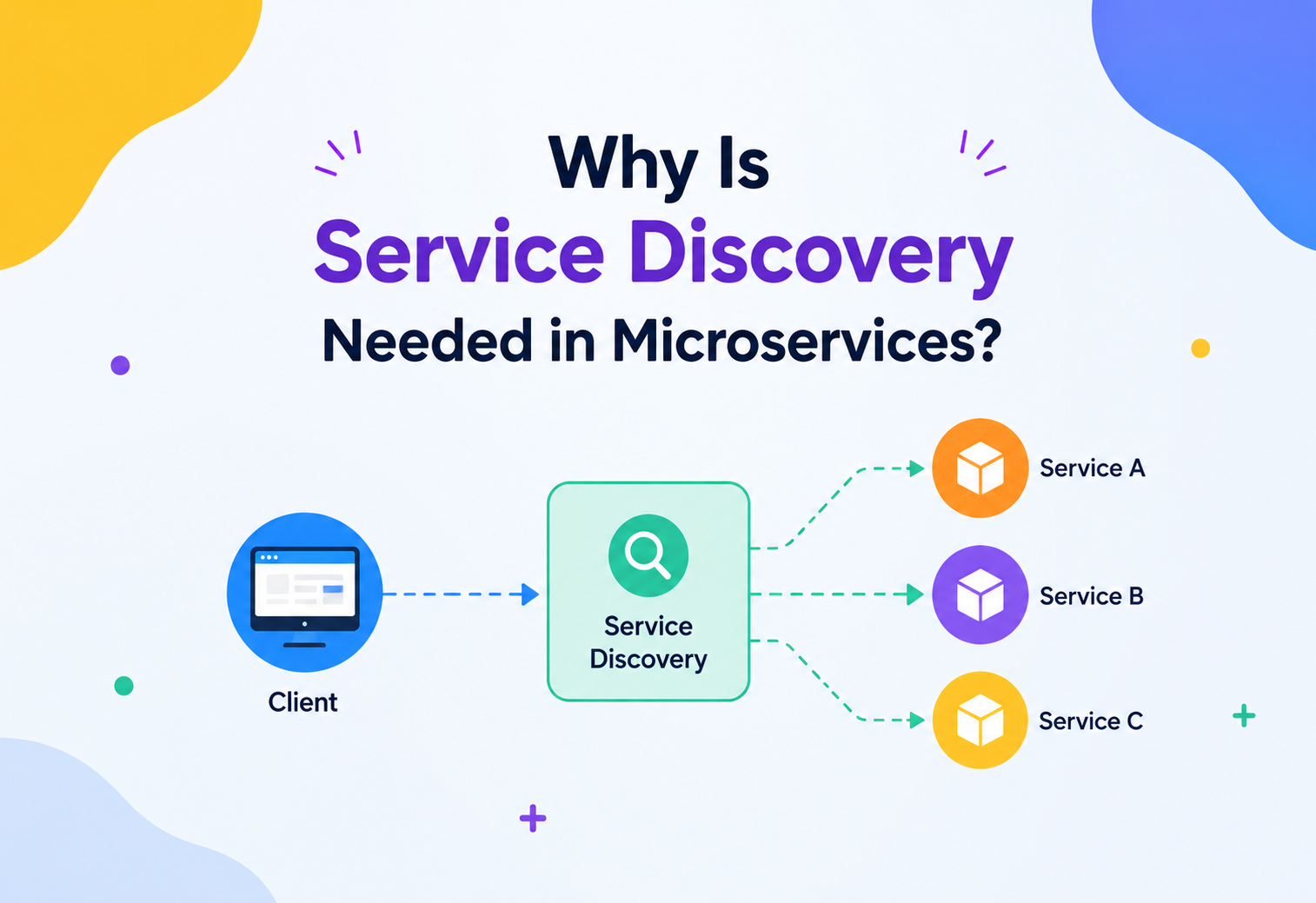
Why Is Service Discovery Needed in Microservices?
A complete, beginner‑friendly guide to one of the quietest but most important pieces of any microservices system — the mechanism that lets hundreds of moving, changing services find each other reliably, every single time.
Introduction & History
Imagine your school has 500 students, and every single day, students are moved to different classrooms — sometimes room 12, sometimes room 45, sometimes a whole new building. If you wanted to find your friend Raj, you couldn’t just remember “Raj is in Room 12,” because tomorrow he might be in Room 88. You would need a front desk that always knows, in real time, where every student is right now. That front desk is exactly what service discovery is for computer programs.
In the early days of software, most applications were built as one giant program called a monolith. A monolith is like a single, huge house where the kitchen, bedroom, and living room are all connected internally. If the kitchen wants to talk to the bedroom, it doesn’t need to “find” it — they are part of the same building, running on the same machine, calling each other through simple function calls in memory. There was no need for discovery, because nothing was moving. The address of every part of the system was fixed and known at compile time.
As applications grew larger — think of companies like Netflix, Amazon, and Uber, serving hundreds of millions of users — the monolith started to creak. A single bug in the “checkout” feature could bring down the entire website, including features that had nothing to do with checkout. Deploying a tiny change meant redeploying the whole giant application, which could take hours. Scaling was wasteful too: if only the “search” feature was under heavy load, you still had to duplicate the entire monolith, wasting server resources on parts nobody was using heavily.
This pain led to the rise of the microservices architecture in the 2010s, popularized by companies like Netflix, Amazon, and later documented extensively by thought leaders such as Martin Fowler and Sam Newman. The idea is simple in spirit: break the giant house into many small, independent houses (services), each responsible for one job — a “User Service,” an “Order Service,” a “Payment Service,” a “Notification Service,” and so on. Each service can be built, deployed, scaled, and even rewritten independently.
But breaking the monolith apart created a brand‑new problem that nobody had to think about before: if services are now separate programs running on separate machines, how does one service find another to talk to? This is where service discovery was born — not as a fancy add‑on, but as a foundational necessity of distributed systems. It became especially critical with the rise of cloud computing and container orchestration platforms like Kubernetes, where services don’t even have fixed, predictable addresses anymore — they can be created, destroyed, and moved to a different machine within seconds, especially during auto‑scaling events or failures.
Before computers, libraries used a card catalog — a big cabinet of drawers listing every book and the exact shelf it lived on. Books moved shelves sometimes (new arrivals, reorganizations), so the catalog was constantly updated. You never memorized where a book was; you always asked the catalog first. Service discovery is that catalog, but for computer services instead of books, and it updates itself automatically, many times per second.
The Problem & Motivation
To truly understand why service discovery is needed, we need to walk through the exact pain points that appear the moment you split a monolith into microservices. Let’s build this up step by step, the way an architect would.
2.1 The World Before Microservices Was Simple
In a monolith, if the “Order” module wants to call the “Payment” module, it’s just a method call: paymentModule.charge(amount). This happens inside the same process, in the same memory space, on the same machine. There is no network involved, no address to look up, and no chance of the payment module “not being there” — it’s compiled into the same binary.
2.2 Splitting Into Services Introduces the Network
The moment “Order Service” and “Payment Service” become two separate running programs — possibly on two different physical or virtual machines — that simple function call must become a network call, usually over HTTP or gRPC. And to make a network call, you need two critical pieces of information: an IP address and a port number. Something like 10.2.4.17:8082.
How does the Order Service know that the Payment Service currently lives at 10.2.4.17:8082, especially when that address can change at any moment?
2.3 Why Addresses Keep Changing
In a modern cloud‑native world, service addresses are anything but stable, for several very real reasons:
- Auto‑scaling: If traffic spikes, the platform automatically creates 5 new instances of the Payment Service to handle load. Each new instance gets a brand‑new IP address the moment it starts.
- Failures and self‑healing: If a Payment Service instance crashes, Kubernetes (or a similar orchestrator) will kill it and spin up a replacement — on a different machine, with a different IP.
- Deployments: Every time you deploy a new version of a service (which might happen dozens of times a day in a fast‑moving company), old instances are destroyed and new ones are created with new addresses.
- Cloud elasticity: Cloud providers like AWS, GCP, and Azure assign IP addresses dynamically from a pool. Nothing is guaranteed to stay the same across restarts.
- Containers are ephemeral by design: A container (like a Docker container) is meant to be thrown away and recreated, not nursed back to health. This is core to the “cattle, not pets” philosophy of modern infrastructure.
2.4 What If We Just Hardcoded the Addresses?
A beginner’s first instinct is: “Why not just write the IP address directly in the code, or put it in a configuration file?” Let’s see why this quickly falls apart at real‑world scale.
| Approach | What happens | Why it fails |
|---|---|---|
| Hardcode IP in code | Order Service code contains 10.2.4.17 directly | Breaks instantly the moment that instance restarts or moves. Requires a code change and redeploy just to fix an address. |
| Static config file | A file lists all known service addresses | Someone must manually update this file every time any service scales, deploys, or fails — impossible at the pace of dozens of deploys per day, across hundreds of services. |
| Shared spreadsheet or wiki | Engineers manually track addresses | Humans cannot keep up with machine‑speed changes. Stale entries cause outages within minutes. |
At a company like Netflix, which runs thousands of service instances that are created and destroyed continuously throughout the day, manual address tracking isn’t just inconvenient — it is mathematically impossible. This is the exact motivation for service discovery: an automated, self‑updating, real‑time directory that always reflects the true, current location of every service instance, without any human needing to type in an IP address ever again.
Think about how you call a friend on your phone. You don’t dial their raw phone number from memory every time — you tap their name in your Contacts app, and the app knows the current number. If your friend changes their number, they update it once in their profile, and every app that looks them up automatically gets the new number. Service discovery works the same way for software services calling each other.
Core Concepts
Before we go further, let’s carefully define every term you’ll need, one at a time, with simple explanations.
3.1 Service Instance
WhatA single running copy of a service. If “Payment Service” is scaled to handle more traffic, you might have 5 running copies — each one is a separate service instance, each with its own IP address and port.
AnalogyIf a restaurant chain has 5 branches in a city, each branch is one “instance” of the restaurant — same menu, same brand, different physical locations.
3.2 Service Registry
WhatA central database that stores the current network location (IP + port) of every healthy service instance, organized by service name.
WhyWithout a single, trusted source of truth for “who is currently alive and where,” every service would need its own private, likely‑outdated list of addresses.
WhereTools like Netflix Eureka, HashiCorp Consul, Apache ZooKeeper, and etcd (used internally by Kubernetes) all implement a service registry.
AnalogyThe library’s card catalog, or a phone book that updates itself every few seconds.
3.3 Service Registration
WhatThe act of a service instance announcing itself to the registry: “Hi, I am Payment Service, and I am now available at 10.2.4.17:8082.”
WhereTypically right after a service instance finishes starting up and is ready to accept traffic.
3.4 Health Check / Heartbeat
WhatA repeated signal (“I’m still alive!”) that a service instance sends to the registry, usually every few seconds, to prove it is still healthy and able to handle requests.
WhyWithout heartbeats, the registry would keep listing crashed or frozen instances forever, and other services would keep trying (and failing) to call them.
AnalogyA security guard doing hourly rounds and radioing “all clear” — if the radio goes silent for too long, the control room assumes something is wrong and sends help.
3.5 Service Deregistration
WhatRemoving an instance’s entry from the registry when it shuts down gracefully, or when it stops sending heartbeats (a “timeout eviction”).
3.6 Service Discovery (the overall process)
WhatThe complete mechanism by which a client service finds the current network address of a target service it needs to call, by asking the registry instead of relying on hardcoded addresses.
3.7 Client‑Side Discovery vs. Server‑Side Discovery
These are the two major patterns for how discovery actually happens, and understanding the difference is one of the most commonly tested interview concepts in system design.
Client‑Side Discovery
The calling service (client) directly asks the registry for the list of available instances, and then decides which one to call itself — often using a load‑balancing rule like round robin.
Example tool: Netflix Eureka + Netflix Ribbon (client‑side load balancer).
Server‑Side Discovery
The client simply sends its request to a fixed, well‑known address (like a load balancer or a router). That middle component looks up the registry on the client’s behalf and forwards the request to a healthy instance.
Example tool: AWS Elastic Load Balancer, Kubernetes Services, NGINX, service mesh sidecars (Envoy in Istio).
Client‑side discovery is like calling five different pizza branches yourself, checking which one can deliver fastest, and picking one directly. Server‑side discovery is like calling a single food delivery app’s hotline — you don’t know or care which branch fulfills your order; the app figures that out for you.
| Aspect | Client‑side discovery | Server‑side discovery |
|---|---|---|
| Who chooses the instance | The calling service itself | An intermediary (load balancer, gateway, sidecar) |
| Extra network hop | No — client talks directly to the chosen instance | Yes — request passes through the intermediary first |
| Coupling to registry | Every client needs a discovery library | Only the intermediary needs to know about the registry |
| Language/platform flexibility | Lower — every language needs its own client library | Higher — clients only need to know one fixed address |
| Typical example | Netflix Eureka + Ribbon | Kubernetes Service, AWS ELB, Envoy sidecar |
3.8 DNS‑Based Discovery
WhatA form of server‑side discovery where the “well‑known address” a client calls is simply a DNS name, and the DNS server itself is kept in sync with the live registry data, resolving to a currently healthy address (or a load balancer’s address) whenever queried.
WhyEvery programming language and operating system already knows how to resolve a DNS name — no special client library is required. This makes DNS‑based discovery extremely portable.
WhereThis is exactly the approach Kubernetes takes internally, as we’ll see in the Deployment section.
3.9 Metadata and Tagging
WhatExtra descriptive information attached to a registered instance beyond just its IP and port — things like its version number, deployment region, or environment (staging vs. production).
WhyMetadata lets discovery become smarter than a plain list. For example, a client can ask “give me only payment‑service instances tagged region=asia‑south” to avoid slow, cross‑continent network calls, or “give me only version 2.3 instances” during a careful, staged rollout.
Architecture & Components
A complete service discovery system is made up of a handful of cooperating components. Let’s look at each one, then see how they fit together in a diagram.
1. Service Registry
The central (often replicated) store of instance addresses. This is the “brain” of the system.
2. Registrar
The component responsible for adding and removing entries in the registry — either the service instance itself (self‑registration) or a separate helper process (third‑party registration).
3. Discovery Client
A small library embedded in a calling service that knows how to query the registry and cache results locally for speed.
4. Load Balancer
Chooses which specific healthy instance (out of possibly many) should handle a given request, using a strategy like round robin or least‑connections.
Fig 1 — Payment Service instances register and heartbeat to the registry. Order Service looks up healthy instances, then calls one directly (client‑side discovery).
Notice two separate flows in this diagram: the registration flow (red arrows), where each Payment instance keeps the registry updated about its own existence and health, and the discovery flow (black arrows), where Order Service asks “who is currently available under the name Payment?” and then calls one of the returned addresses.
Internal Working
Let’s now go one level deeper and look at exactly what happens, step by step, inside a real service discovery system such as Netflix Eureka or HashiCorp Consul.
5.1 Step 1 — Startup and Self‑Registration
When a service instance boots up (say, Payment Service instance #4 starts on a new container with IP 10.2.9.31), it sends a registration request to the registry containing its service name, IP, port, and metadata (like version number or availability zone).
Java — Registering with Eureka (Spring Cloud style, simplified)
@SpringBootApplication
@EnableEurekaClient
public class PaymentServiceApplication {
    public static void main(String[] args) {
        SpringApplication.run(PaymentServiceApplication.class, args);
    }
}

// application.yml
// eureka:
//   client:
//     serviceUrl:
//       defaultZone: http://registry-host:8761/eureka/
// spring:
//   application:
//     name: payment-service
With just this annotation and configuration, the Spring Boot application automatically registers itself with the Eureka registry the moment it starts, and starts sending heartbeats without any extra code from the developer.
5.2 Step 2 — Heartbeats Keep the Entry Alive
Every few seconds (commonly every 30 seconds in Eureka, or every few seconds in Consul), each instance sends a lightweight heartbeat request. The registry updates a “last seen” timestamp. If an instance’s timestamp becomes too old (say, no heartbeat for 90 seconds), the registry marks it as unhealthy and eventually removes it from the list of addresses returned to clients.
5.3 Step 3 — Discovery Client Queries and Caches
When Order Service wants to call Payment Service, it does not go over the network to the registry on every single request — that would be slow and would overload the registry under high traffic. Instead, most discovery clients maintain a local, in‑memory cache of the registry, refreshed every 30 seconds or so.
Java — Using a discovery client with caching (conceptual)
@Service
public class OrderService {

    @Autowired
    private DiscoveryClient discoveryClient;

    public String callPaymentService() {
        List<ServiceInstance> instances =
            discoveryClient.getInstances("payment-service");

        if (instances.isEmpty()) {
            throw new ServiceUnavailableException("No healthy payment instances");
        }

        // simple round robin using an atomic counter
        ServiceInstance chosen = instances.get(
            counter.getAndIncrement() % instances.size());

        String url = chosen.getUri() + "/charge";
        return restTemplate.postForObject(url, request, String.class);
    }
}
This code never hardcodes an IP address. discoveryClient.getInstances("payment-service") always returns the current, healthy list — even if every instance has changed since the last deployment.
5.4 Step 4 — Load Balancing the Choice
Once the discovery client has a list of healthy instances, it must choose one. Common strategies include round robin (rotate evenly), random selection, least‑connections (send to whichever instance is currently handling the fewest requests), and weighted strategies (favor larger or closer instances). We cover this in more depth in the Load Balancing section below.
5.5 Step 5 — Graceful Deregistration
When an instance is shutting down intentionally (for example, during a rolling deployment), well‑behaved services send an explicit “deregister me” message before terminating. This is far kinder to the system than waiting for a heartbeat timeout, because it removes the address from circulation immediately, avoiding failed requests during the shutdown window.
If every request required a live network round‑trip to the registry, the registry itself would become a bottleneck and a single point of failure under load. Caching with periodic refresh strikes a balance: reasonably fresh data, without hammering the registry on every call.
5.6 Data Structures Inside a Registry
It helps to peek under the hood at how a registry actually stores its data. Conceptually, most registries use a structure very close to a hash map of lists: the key is the service name (like "payment-service"), and the value is a list (or set) of instance records, each holding an IP, port, status, and last‑heartbeat timestamp. This gives near O(1) average lookup time when a client asks “who is currently available for this service name?” — critical, since lookups (even if cached and infrequent) must still be fast when they do happen.
Simplified Java sketch of an in‑memory registry’s core data structure
public class Registry {
    // key = service name, value = map of instanceId -> instance record
    private final ConcurrentHashMap<String, ConcurrentHashMap<String, InstanceRecord>>
        registry = new ConcurrentHashMap<>();

    public void register(String serviceName, InstanceRecord instance) {
        registry
            .computeIfAbsent(serviceName, k -> new ConcurrentHashMap<>())
            .put(instance.getId(), instance);
    }

    public void heartbeat(String serviceName, String instanceId) {
        var instances = registry.get(serviceName);
        if (instances != null && instances.containsKey(instanceId)) {
            instances.get(instanceId).setLastHeartbeat(System.currentTimeMillis());
        }
    }

    public List<InstanceRecord> getHealthyInstances(String serviceName) {
        var instances = registry.getOrDefault(serviceName, new ConcurrentHashMap<>());
        long cutoff = System.currentTimeMillis() - HEARTBEAT_TIMEOUT_MS;
        return instances.values().stream()
            .filter(i -> i.getLastHeartbeat() > cutoff)
            .collect(Collectors.toList());
    }
}
Notice the use of ConcurrentHashMap rather than a plain HashMap. This is not a small detail — a real registry receives registrations, heartbeats, and lookups concurrently, from potentially thousands of instances and clients at the same time. Using a thread‑safe, lock‑striped data structure allows many threads to read and write different parts of the map simultaneously without corrupting data or forcing every operation to wait behind a single global lock. This is a direct, practical application of concurrent programming principles inside real infrastructure you might use every day without realizing it.
5.7 Background Eviction Sweeps
Alongside handling live requests, most registries run a background thread (sometimes called a “reaper” or “evictor”) that periodically scans all instance records and removes ones whose last‑heartbeat timestamp has grown too old. This is a classic example of a scheduled task pattern, similar to a garbage collector sweeping for unused memory — except here it’s sweeping for unresponsive service instances instead.
Data Flow & Lifecycle
Let’s trace the complete lifecycle of a single service instance, from birth to death, as a sequence.
Fig 2 — The full lifecycle: register → heartbeat → discover → call directly → graceful deregistration.
Notice something important in step 5: after discovery happens once (steps 3 and 4), the actual data — the payment charge request — flows directly between Order Service and the Payment instance. The registry is never in the critical path of the actual business request; it is only consulted to learn addresses. This is a crucial design principle: service discovery finds the door, but does not walk through it for you. This keeps the registry lightweight and keeps request latency low, since the real traffic never has to be proxied through the registry itself (in the client‑side discovery model).
What Happens Without This Lifecycle?
If any single step in this lifecycle were missing, real problems would appear:
- No registration: New instances would be invisible forever, wasting the compute you just paid for.
- No heartbeats: Crashed instances would stay listed as “healthy” indefinitely, and callers would keep failing against dead addresses.
- No graceful deregistration: During every deployment, some requests would briefly fail because the registry hasn’t yet noticed the old instance is gone.
Advantages, Disadvantages & Trade‑offs
Advantages
Services can scale up or down freely without any manual address bookkeeping.
Failed instances are detected and routed around automatically, improving resilience.
Deployments become safer — new versions register themselves; old ones drain and deregister.
Enables true elasticity in the cloud, since infrastructure can be short‑lived by design.
Decouples services from each other’s physical location entirely.
Disadvantages / Costs
Adds operational complexity — the registry itself is new infrastructure that must be run, monitored, and kept highly available.
Introduces a potential single point of failure if the registry isn’t itself made redundant.
Caching introduces a small window of staleness — a caller might briefly try a dead instance.
Debugging becomes harder: “which exact instance handled my request?” is no longer obvious from a static config file.
Extra network hops and metadata management add a small amount of latency and cognitive overhead.
You are trading the simplicity of static, hardcoded addresses for the flexibility and resilience of a dynamic system — and that flexibility requires you to build and operate one more reliable piece of infrastructure: the registry itself.
Performance & Scalability
A service registry sits in an unusual position: it is not on the critical path of every business request (thanks to caching), but it must still handle a very high rate of registration and heartbeat traffic, especially in large organizations.
Two design decisions make service registries scale to enormous size:
- Client‑side caching: As described earlier, discovery clients cache the registry locally and refresh periodically, so the registry only needs to serve a “full list” request every 30 seconds per client, not on every single business call.
- Registry clustering (horizontal scaling): Rather than one server holding the whole registry, multiple registry nodes replicate data between each other, spreading the read/write load and removing any single point of failure.
Another important performance consideration is the heartbeat interval trade‑off: shorter intervals mean the registry finds out about failures faster (better accuracy), but generate more network chatter and registry load (worse throughput). Most production systems settle on intervals between 5 and 30 seconds, tuned to their specific reliability needs.
8.1 Concurrency Under the Hood
At large scale, a registry cluster node might be handling tens of thousands of heartbeat requests per second. This is fundamentally a concurrency problem: many threads (or event‑loop callbacks, depending on the runtime) are trying to read and write registry data at the same time. Registries handle this using techniques such as:
- Lock‑free or lock‑striped data structures (like Java’s
ConcurrentHashMap), so unrelated services don’t contend for the same lock. - Read‑heavy optimization: since lookups (reads) vastly outnumber registrations (writes) in most systems, registries are tuned to make reads extremely cheap, sometimes using copy‑on‑write snapshots so readers never block behind writers.
- Asynchronous I/O: many registries and their clients use non‑blocking network calls, so a single thread can juggle many in‑flight heartbeat or lookup requests instead of dedicating one operating system thread per connection.
8.2 Networking Considerations
Because heartbeats and lookups are frequent but individually small, they are usually sent over already‑open, persistent HTTP connections (keep‑alive) rather than opening a brand‑new TCP connection every time — opening a new connection repeatedly would add unnecessary latency from the TCP handshake (and TLS handshake, if encrypted) on every single heartbeat. Some systems use lightweight protocols like gRPC (built on HTTP/2) specifically because HTTP/2 allows multiplexing many requests over a single connection efficiently.
8.3 Batching and Delta Updates
As a registry grows to track thousands of instances, sending the entire instance list to every client on every refresh becomes wasteful. Sophisticated registries send delta updates instead — only the instances that changed since the client’s last refresh — dramatically cutting down on network bandwidth and CPU spent serializing data, especially important at Netflix or Uber’s scale.
High Availability & Reliability
Because so many services depend on the registry to find each other, the registry itself must never become a single point of failure. This is where some genuinely deep distributed systems theory comes into play.
9.1 The CAP Theorem, Applied to Service Registries
The CAP theorem states that a distributed data store can only guarantee two out of three properties at the same time during a network failure: Consistency (every node sees the same data), Availability (every request gets a response, even if it might be stale), and Partition tolerance (the system keeps working even if some nodes can’t talk to each other).
Real service registries deliberately choose different points on this spectrum:
| Tool | CAP choice | Why this makes sense for discovery |
|---|---|---|
| Netflix Eureka | AP (Availability + Partition tolerance) | Eureka’s philosophy is: it is far better to return a slightly stale (but non‑empty) list of instances than to return no answer at all. A caller with an old address might fail once and retry; a caller with no address at all cannot function. |
| Consul / ZooKeeper / etcd | CP (Consistency + Partition tolerance) | These use a consensus protocol (Raft for Consul and etcd, ZAB for ZooKeeper) to guarantee every node agrees on the exact same data, at the cost of possibly rejecting writes during a network partition. |
For service discovery, a slightly stale answer is usually far better than no answer. This is different from, say, a banking ledger, where an incorrect balance is unacceptable. This is precisely why Eureka’s design philosophy prioritizes availability — self‑preservation mode kicks in during network trouble, keeping the last‑known‑good registry data rather than wiping it out.
9.2 Replication Across the Registry Cluster
A production registry is never a single machine. It typically runs as a cluster of 3, 5, or 7 nodes (odd numbers are chosen deliberately, to make majority voting in consensus algorithms unambiguous). Data is replicated between nodes, so if one node dies, the others continue serving accurate data without interruption.
9.3 Consensus Algorithms (Raft, in Brief)
Tools like Consul and etcd use the Raft consensus algorithm to keep their cluster nodes in agreement. In simple terms, Raft works like this: one node is elected “leader” through a voting process. All writes go through the leader, who then replicates the change to a majority of “follower” nodes before considering the write successful. If the leader crashes, the remaining nodes quickly elect a new leader through another vote.
Imagine a class electing a class monitor (the leader). Any decision the monitor makes must be confirmed by a majority of classmates before it becomes official. If the monitor is absent one day, the class quickly votes in a temporary monitor so decisions can keep being made — nobody waits around helplessly.
9.4 Failure Recovery in Practice
When a registry node fails, well‑designed discovery clients don’t just give up — they typically retry against another node in the cluster (since clients are configured with the addresses of multiple registry nodes, not just one). This is a form of client‑side failover that complements server‑side replication.
9.5 Partitioning at Scale
Very large organizations sometimes go a step further and partition their registry by region, data center, or business domain, rather than running one giant global registry. For example, a company might run a separate registry cluster per AWS availability zone, with only slower, less frequent synchronization between zones. This limits the “blast radius” of any single registry failure — a problem in one region’s registry doesn’t take down service discovery everywhere else — and also reduces cross‑region network latency for the vast majority of lookups, which are typically for nearby services anyway.
9.6 Split‑Brain and Why Odd Cluster Sizes Matter
A dangerous failure mode in any replicated system is a split‑brain, where a network partition divides the cluster into two groups, and each group mistakenly believes it is the “real” cluster and continues accepting writes independently — leading to two different, conflicting versions of the truth. Consensus algorithms like Raft prevent this by requiring a strict majority of nodes to agree before any write is considered committed. This is exactly why registry clusters are deployed with odd numbers of nodes (3, 5, 7): with 5 nodes, a majority requires 3, meaning at most one minority group of 2 could ever be isolated during a partition, and that minority group correctly refuses to accept writes since it cannot reach a majority — preventing two conflicting “truths” from ever existing at once.
Security
A service registry knows the exact network location of every service in your system — which makes it an attractive target. If an attacker could read or write to your registry, they could potentially redirect traffic to a malicious server (a form of man‑in‑the‑middle attack) or map out your entire internal architecture for reconnaissance. Securing the registry deserves real attention.
- Mutual TLS (mTLS): Both the client and the registry (and later, the client and the target service) verify each other’s identity using certificates, preventing impersonation. This is standard in service mesh setups like Istio.
- Authentication and authorization: Only trusted services should be allowed to register entries or query the registry. Tools like Consul support ACL (Access Control List) tokens for this.
- Network segmentation: The registry is usually kept on a private, internal network, never exposed directly to the public internet.
- Encrypted communication: Registration and heartbeat traffic should travel over TLS, not plain HTTP, to prevent eavesdropping or tampering.
- Audit logging: Every registration, deregistration, and lookup can be logged, so unusual patterns (like a sudden flood of registrations) are visible to security teams.
Leaving a service registry’s dashboard (like Eureka’s default web UI) open to the public internet without authentication is a real, frequently‑seen misconfiguration that can leak your entire internal network topology to an attacker.
10.1 Why the Registry Is a High‑Value Target
Think of the registry as a master key ring. It doesn’t just list one door — it lists every door in the building and exactly where each one currently is. An attacker who compromises the registry could register a fake, malicious “payment‑service” instance of their own, and unsuspecting client services would happily route real payment requests straight to it, believing it to be legitimate. This kind of attack is sometimes called service impersonation, and it’s precisely why authentication on registration (not just on lookups) matters so much — a registry that lets anyone register anything under any name is fundamentally insecure, no matter how well its lookup endpoint is protected.
10.2 Zero Trust and Service Identity
Modern security practice has moved toward a zero trust model, where no service is automatically trusted just because it’s inside the internal network. Instead, every service proves its identity cryptographically (often via a short‑lived certificate issued by the service mesh’s control plane) on every single call, including calls to and from the registry. This means that even if an attacker somehow gained access to the internal network, they still couldn’t impersonate a legitimate service without also stealing that service’s private cryptographic identity.
Monitoring, Logging & Metrics
Because so much depends on the registry working correctly, you need strong visibility into its health. Key things to monitor include:
- Registry cluster health: Is every registry node up? Is data replication lag within acceptable bounds?
- Registration/deregistration rate: A sudden spike can indicate a crash loop (a service repeatedly starting and immediately failing).
- Heartbeat success rate: Drops here often reveal network problems before users notice any impact.
- Instance count per service: Tracked over time to confirm auto‑scaling is behaving as expected.
- Stale entry count: Instances that stopped heartbeating but haven’t yet been evicted — a sign of slow failure detection.
- Distributed tracing: Tools like Jaeger or Zipkin let you follow a single request as it hops from Order Service to Payment Service, showing exactly which instance handled it — critical for debugging in a dynamic environment where addresses constantly change.
Most teams expose these metrics through Prometheus and visualize them in Grafana dashboards, with alerts configured for things like “registry node down” or “heartbeat failure rate above 5%.”
11.1 A Debugging Scenario
Imagine users start reporting intermittent checkout failures. Without service discovery visibility, an engineer might waste hours guessing. With proper observability, the investigation looks very different: distributed tracing shows that roughly 8% of requests to Payment Service are timing out. Cross‑referencing with registry metrics reveals that one specific instance has been failing its health check for the last ten minutes but hasn’t yet been evicted, because the eviction timeout was configured too generously. The fix is immediate and precise: tighten the eviction timeout, and the failing instance stops receiving traffic within seconds instead of minutes. This is the kind of fast, evidence‑based debugging that good discovery‑layer observability makes possible.
11.2 Logs Worth Keeping
Beyond metrics, structured logs of every registration, deregistration, and eviction event create an audit trail that is invaluable during incident review. When something goes wrong at 3 a.m., being able to see “instance payment‑service‑7f3a2 deregistered at 03:14:02, instance payment‑service‑9c1b8 registered at 03:14:05” turns a confusing outage into a clear, minute‑by‑minute timeline.
Deployment & Cloud
Service discovery looks a little different depending on where you deploy, and it’s important to understand the modern default: Kubernetes.
12.1 Kubernetes: DNS‑Based Discovery
Kubernetes takes a clever approach: instead of running a separate registry tool like Eureka, it uses its own built‑in object called a Service, combined with internal DNS. When you create a Kubernetes Service named payment-service, Kubernetes automatically gives it a stable DNS name (like payment-service.default.svc.cluster.local) that always resolves to a currently‑healthy pod, even as individual pods are created and destroyed underneath it.
This means, in Kubernetes, calling another service can be as simple as calling its DNS name — Kubernetes’ internal networking layer (kube‑proxy, combined with etcd as the underlying registry) handles the discovery and load balancing transparently.
12.2 Service Mesh: Discovery Becomes Invisible to Application Code
Modern architectures increasingly use a service mesh like Istio or Linkerd. Here, a small proxy (called a “sidecar,” often Envoy) runs alongside every service instance and handles discovery, load balancing, retries, and security — completely outside the application’s own code. The application simply makes a normal call, and the sidecar quietly does the discovery work.
Fig 3 — In a service mesh, sidecars handle discovery and routing — the application code just makes a plain local call.
12.3 Traditional VM / Bare‑Metal Environments
Outside Kubernetes — for instance, on plain virtual machines — teams typically run a dedicated registry tool like Netflix Eureka, HashiCorp Consul, or Apache ZooKeeper alongside their services, exactly as described in the Architecture section above.
Databases, Caching & Load Balancing
Service discovery and load balancing are close cousins — discovery answers “who is available,” while load balancing answers “which one should handle this specific request.” Let’s look at common strategies.
| Strategy | How it works | Best for |
|---|---|---|
| Round Robin | Requests are sent to each healthy instance in rotating order. | Simple cases where all instances have similar capacity. |
| Random | An instance is picked at random from the healthy list. | Very large instance pools, where statistically it evens out. |
| Least Connections | The instance currently handling the fewest active requests is chosen. | Uneven request durations (some requests take much longer than others). |
| Weighted | Instances are given weights (e.g. by CPU size), and get traffic proportional to that weight. | Mixed hardware sizes or gradual canary rollouts. |
| Consistent Hashing | Requests with the same key (e.g. user ID) always route to the same instance, useful when that instance holds a local cache for that key. | Caching layers, sticky sessions. |
The registry’s own data can itself be cached at multiple levels: the discovery client caches it locally in memory, and some registries (like Consul, built on top of a distributed key‑value store) also benefit from internal caching between their own cluster nodes to reduce read latency. This layered caching is what allows systems to handle huge lookup volumes without adding noticeable latency to real business requests.
APIs & Microservices
Service discovery is one of several foundational pieces that make a microservices architecture actually workable in production, alongside API gateways, message queues, and circuit breakers. Here’s how it connects to the bigger picture:
- API Gateway: The single entry point for external clients (like a mobile app). The gateway itself often uses service discovery internally to route incoming requests to the correct backend microservice.
- Circuit Breaker: Works hand‑in‑hand with discovery — if an instance keeps failing, a circuit breaker (like Resilience4j or the older Hystrix) can temporarily stop sending it traffic, effectively acting on top of the discovery client’s instance list.
- REST and gRPC: Whichever protocol services use to talk to each other, they still need an address to send the request to — which is exactly what discovery provides, regardless of the wire protocol.
When you click “Buy Now,” the API Gateway receives your request, and behind the scenes, it must call the Inventory Service, Payment Service, and Shipping Service. Each of these calls relies on service discovery to find a currently healthy instance of each dependency, often within milliseconds, entirely invisible to you as the shopper.
Design Patterns & Anti‑patterns
Helpful design patterns
15.1 Self‑Registration Pattern
The service instance itself is responsible for registering and deregistering with the registry (as shown in our Eureka example). Simple to implement, but couples every service’s code to the registry’s client library.
15.2 Third‑Party Registration Pattern
A separate helper process (a “registrar”) watches the platform (e.g., Kubernetes or a container orchestrator) and automatically registers or deregisters instances on their behalf. This keeps individual services simpler, since they don’t need to know about the registry at all.
15.3 The Sidecar Pattern
As discussed in the service mesh section, a sidecar proxy handles discovery transparently, so application code stays completely free of discovery logic. This is increasingly the industry‑favored approach for large organizations.
Common anti‑patterns
Baking IP addresses or hostnames directly into application code or config that must be manually edited on every change. Breaks the entire point of dynamic infrastructure.
Running the registry as a single, non‑replicated instance turns your service discovery mechanism into a single point of failure for your entire system.
Registering an instance but never verifying it’s actually healthy means the registry can confidently hand out addresses of broken services.
Setting heartbeat timeouts too short causes healthy instances to be evicted during brief network hiccups, causing unnecessary churn and failed requests.
15.4 The Self‑Preservation Pattern
A more advanced pattern, used by Eureka, is self‑preservation mode. If the registry suddenly notices that a very large percentage of instances have stopped heartbeating all at once, it assumes this is more likely a network problem between the registry and its clients — rather than every single instance genuinely crashing simultaneously — and temporarily stops evicting instances until the heartbeat rate recovers. This clever heuristic protects against a dangerous cascade failure: imagine if a brief network blip caused the registry to evict every instance of every service at once, effectively taking down the whole system even though nothing was actually broken.
Best Practices & Common Mistakes
- ReplicatedAlways run the registry as a replicated cluster — never a single node — in any real production environment.
- TimeoutsTune heartbeat and eviction timeouts deliberately, balancing fast failure detection against false‑positive evictions from brief network blips.
- GracefulAlways deregister gracefully on shutdown rather than relying solely on heartbeat timeout, to avoid a window of failed requests during every deployment.
- SecureSecure the registry with authentication, TLS, and network isolation, since it holds a map of your entire internal system.
- MonitorMonitor registry health independently from application health, since a registry outage can silently degrade your whole platform even if individual services look fine.
- PlatformPrefer platform‑native discovery when available (like Kubernetes DNS) instead of bolting on a separate tool, unless you have a specific reason not to — fewer moving parts means fewer failure modes.
- RetriesDesign clients to be resilient to stale data — always implement retries and circuit breakers, since even the best discovery system can occasionally hand out an address that just went unhealthy a moment ago.
- ReadyUse readiness checks that reflect true readiness, not just “the process is running.” A payment service that has started but hasn’t yet connected to its database is technically alive, but not truly ready to serve traffic — registering it too early causes real request failures.
- ChaosPractice failure drills deliberately, sometimes called chaos engineering (popularized by Netflix’s Chaos Monkey), by intentionally killing registry nodes or service instances in a controlled way to confirm your discovery and failover mechanisms actually work as expected, rather than assuming they do.
Real‑World & Industry Examples
Netflix built and open‑sourced Eureka specifically to handle their massive, constantly‑scaling AWS deployment, where thousands of instances are created and destroyed every day. Eureka’s AP (availability‑favoring) design reflects Netflix’s philosophy: a movie recommendation degrading slightly is far better than the whole service going down.
With a highly dynamic fleet of microservices spanning ride‑matching, pricing, and mapping, Uber relies on dynamic service discovery integrated with their internal infrastructure to route requests across data centers and availability zones with very low latency requirements.
Amazon’s internal service‑oriented architecture, one of the earliest large‑scale examples of this style (predating the term “microservices”), pioneered many of the internal discovery and routing conventions that later inspired the broader industry, and today AWS offers managed discovery through tools like AWS Cloud Map.
Google’s internal systems (which inspired Kubernetes) have long used DNS‑based and dedicated internal discovery mechanisms (like Borg’s naming system) to manage enormous fleets of services across global data centers.
It’s worth pausing on just how different these companies’ scale and requirements are, and how service discovery adapts to each:
| Company | Approximate scale challenge | Discovery approach |
|---|---|---|
| Netflix | Thousands of EC2 instances scaling continuously through the day to match streaming demand | Self‑built Eureka (AP‑favoring), open‑sourced for the community |
| Uber | Extremely latency‑sensitive matching between riders and drivers across many cities and data centers | Custom internal discovery layered on top of infrastructure like Consul‑style tooling |
| Amazon | Enormous, decades‑old service‑oriented architecture with strict internal contracts between teams | Internal discovery tooling; externally, AWS Cloud Map and Route 53 for managed discovery |
| Global data centers running Borg (the system that inspired Kubernetes) | Internal naming and discovery systems that directly shaped Kubernetes’ own DNS‑based Service model |
A useful lesson from all four examples: no company treats service discovery as an afterthought. It is considered as core to their infrastructure as the database or the network itself, because without it, none of their independently deployed services could reliably reach one another.
FAQ, Summary & Key Takeaways
Is service discovery only needed in the cloud?
No. Any environment where service addresses can change — including on‑premise virtual machines with dynamic IP allocation, or even physical servers that get replaced — benefits from service discovery. It’s most critical in cloud and container environments simply because addresses change far more frequently there.
Can I avoid service discovery entirely?
Only if every one of your services has a permanently fixed address and you never scale, redeploy, or experience failures — which is essentially never true for any real production system beyond a tiny, static setup.
What’s the difference between service discovery and DNS?
Traditional DNS was designed for infrequent changes (like a website’s IP changing once every few months) and typically has caching (TTLs) measured in minutes. Service discovery is built for addresses that can change every few seconds, with much faster propagation and built‑in health checking — though modern systems like Kubernetes cleverly repurpose DNS with very short TTLs to achieve similar effects.
Does using Kubernetes mean I don’t need to think about discovery at all?
Kubernetes handles the mechanics for you, but you should still understand what’s happening underneath, especially for debugging issues like slow DNS propagation, misconfigured Service selectors, or readiness probe failures that affect which pods are considered “discoverable.”
What happens if the service registry itself goes down?
In a well‑designed system, this shouldn’t happen, because the registry runs as a replicated cluster rather than a single node. But if the entire cluster were somehow unreachable, discovery clients would keep serving requests using their last cached list of instances until the registry recovers — new instances just wouldn’t be discoverable until the registry comes back, and stale entries wouldn’t be cleaned up until then either.
Is service discovery the same thing as a load balancer?
No, though they work closely together. Discovery answers “which instances currently exist and are healthy?” while load balancing answers “which one of those healthy instances should handle this particular request?” A server‑side discovery setup often bundles both roles into a single component, which is why the two ideas sometimes get blurred together.
How is this different from an API Gateway?
An API Gateway is typically the single entry point for requests coming from outside the system (like a mobile app), handling concerns like authentication and rate limiting. Service discovery is about how services inside the system find each other. A gateway often uses service discovery internally, but they solve different problems.
Key Takeaways
- 01Microservices replaced simple in‑memory function calls with network calls between independently deployed, independently scaled services.
- 02Because service addresses change constantly — from scaling, deployments, and failures — hardcoded addresses are unworkable at any real scale.
- 03A service registry acts as a real‑time, self‑updating directory of healthy service instances.
- 04Registration, heartbeats, and graceful deregistration together keep that directory accurate.
- 05Client‑side and server‑side discovery are the two major patterns, each with different trade‑offs around where the load‑balancing decision is made.
- 06Registries must themselves be made highly available through replication and consensus algorithms like Raft, and typically make a deliberate CAP theorem trade‑off favoring either availability or consistency.
- 07Modern platforms like Kubernetes and service meshes increasingly make discovery invisible to application developers, but the underlying problem — and its solution — remains fundamentally the same one we’ve walked through here.
Service discovery is needed in microservices because, unlike a monolith’s fixed internal function calls, independently deployed and dynamically scaled services constantly change their network addresses — and without an automated, self‑updating directory to track them, services simply could not reliably find each other to communicate.
If you remember nothing else from this guide, remember the library card catalog. Books move shelves; service instances move addresses. Neither a reader nor a piece of software should ever have to memorize a location that is guaranteed to change. What they need instead is a trustworthy, always‑current place to ask — and building that place well, with the right balance of speed, accuracy, and resilience, is the entire craft of service discovery.
“Books move shelves. Service instances move addresses. Nobody — human or program — should ever have to memorize a location that is guaranteed to change.”

