What Is a Primary Key?
Every table needs one honest way to tell its rows apart. This is the full story of that idea — from a library card catalog to the sharded, globally distributed systems behind Netflix, Amazon, and Uber.
Where the Idea Came From
Picture a library with ten thousand books and no catalog. Every visit becomes a scavenger hunt — and that is exactly the problem the primary key was invented to solve.
Imagine a library with ten thousand books and no catalog system. If you wanted to find “that blue book about volcanoes,” you would have to walk down every aisle, pick up every blue book, and check if it was about volcanoes. That is slow, frustrating, and it only gets worse as the library grows.
Now imagine the same library, but every single book has a unique catalog number stamped inside the cover — no two books share a number, and every number points to exactly one book. Suddenly, finding a book is instant. You look up the number, walk straight to the shelf, and there it is.
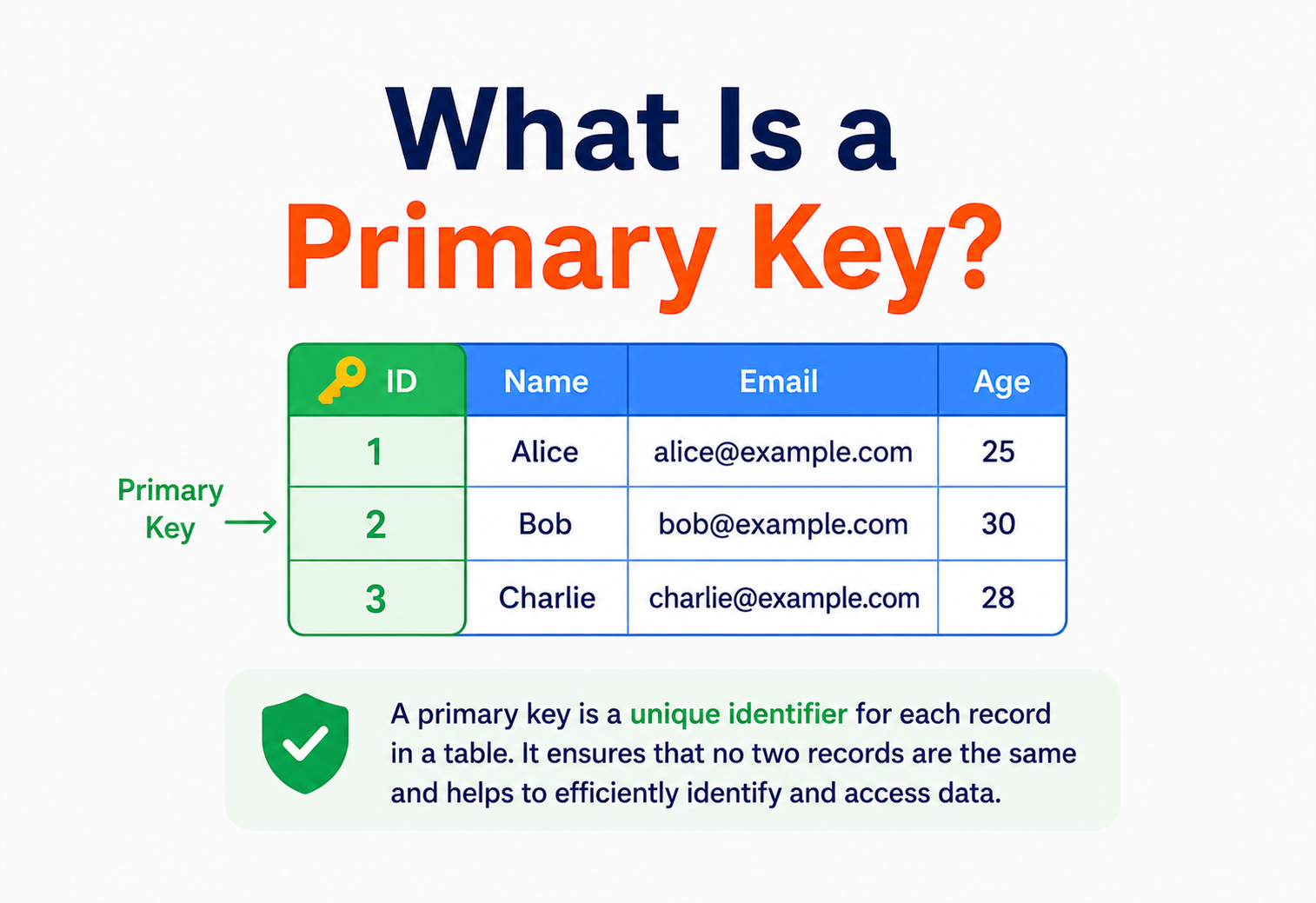
A primary key is that catalog number, but for a row of data in a database table. It is a value (or a small group of values) that uniquely identifies one, and only one, row in a table — forever, without ambiguity, without duplicates.
Think of your national ID card number, your phone’s IMEI number, or your car’s Vehicle Identification Number (VIN). Millions of people can share the same name, the same birthday, even the same address — but no two people share the same ID card number. That number is designed from the ground up to never repeat and never be empty. That is exactly the job of a primary key.
A short history
The idea of “keys” in data comes from the earliest days of structured record-keeping — punch-card systems in the 1950s and 60s used fixed reference numbers to look up records in card catalogs and filing cabinets. When Edgar F. Codd published his landmark 1970 paper “A Relational Model of Data for Large Shared Data Banks,” he formalised this idea mathematically. Codd’s relational model introduced the notion that every table (he called it a “relation”) should have one or more attributes able to uniquely identify every tuple (row). That became the theoretical foundation of what we now call the primary key.
Through the 1970s and 80s, as relational database management systems (RDBMS) like IBM’s System R, Oracle, and later Microsoft SQL Server, MySQL, and PostgreSQL were built, the primary key hardened into a formal, enforced constraint — not merely a best practice, but a rule the database engine itself will refuse to break.
Today, the concept has spread far beyond traditional relational databases. NoSQL databases (MongoDB, DynamoDB, Cassandra), distributed systems, and even spreadsheet tools all rely on some version of “one unique identifier per record.” The name may change — _id in MongoDB, partition key in DynamoDB — but the underlying idea Codd described more than fifty years ago is still exactly the same.
Every modern application you use — Instagram, Gmail, your banking app, Uber — is, underneath all the design and animation, a giant collection of tables full of rows. None of it works without a reliable way to say “this exact row, and no other.” That reliability starts with the primary key.
Why Rows Need Identity
Let’s build the motivation from scratch, the way a database designer would run into this problem naturally — through the pain of ambiguous data.
Suppose you’re building a simple app to track students in a school. You create a table:
| name | grade | city |
|---|---|---|
| John Smith | 5 | Boston |
| Maria Garcia | 5 | Austin |
| John Smith | 5 | Boston |
Look closely at rows 1 and 3. They are identical. Are they the same student appearing twice by mistake? Or are they two different students who happen to share a name, a grade, and a city? The database has no way to tell you. If a teacher says “delete John Smith’s record,” which one gets deleted? Maybe both. Maybe the wrong one. This is not a hypothetical problem — it is what happens to every table that lacks a reliable identifier.
This is called the row identity problem: without something that is guaranteed unique, you cannot safely target, update, or delete a specific piece of data. You also cannot safely link data between tables (we will cover this in the foreign key discussion later), because linking requires pointing at something unambiguous.
Picture a classroom coat rack with no name tags. If two kids both own a plain black jacket, whose is whose? The rack works fine until there’s a duplicate — then it breaks down completely. A primary key is the name tag sewn inside every jacket: unique, permanent, unambiguous.
The fix is to add a column whose entire purpose is identity, not information:
| student_id (PK) | name | grade | city |
|---|---|---|---|
| 1001 | John Smith | 5 | Boston |
| 1002 | Maria Garcia | 5 | Austin |
| 1003 | John Smith | 5 | Boston |
Now there is no ambiguity. Even though two rows describe two students with the exact same name, grade, and city, student_id makes each row individually addressable. “Delete student 1001” is now a precise, safe instruction.
Tables without a primary key allow full duplicate rows, make replication and syncing unreliable (there’s no anchor to compare against), make UPDATE and DELETE statements dangerous (they might silently affect multiple rows), and make it impossible to build relationships to other tables. Most production database systems will let you create a table without one — but almost every serious style guide and DBA will tell you never to do it.
Core Concepts & Vocabulary
Before going further, let’s build a precise vocabulary. These terms come up constantly in real jobs and in interviews, and people blur them together all the time. We won’t.
The chosen identity
A column (or set of columns) chosen to uniquely identify each row, enforced by the database itself. Solves the row identity problem and gives other tables something stable to reference.
Any qualified alternative
Any column or minimal group of columns that could serve as a primary key — unique and never null. A table can have several candidates; exactly one gets promoted.
Enforced uniqueness, not identity
Guarantees no duplicates just like a primary key, but usually allows one NULL, and a table can have many. Used for “no two users share this email.”
A cross-table pointer
A column that stores another table’s primary key value, modelling relationships like “an order belongs to a customer” without duplicating the customer’s data everywhere.
Two or more columns together
A primary key made from multiple columns where no single column is unique on its own, but the combination is — classic in junction tables like enrollments.
The fast-lookup structure
A separate, sorted data structure the database maintains for fast retrieval. Every primary key gets one automatically — that is why lookups are so fast.
Primary Key — the full rules
What it is: A column (or set of columns) chosen to uniquely identify each row in a table, enforced by the database itself.
Why it exists: To solve the row identity problem, and to give other tables something stable to reference.
Where it’s used: In virtually every table in every relational database, and in equivalent forms in NoSQL databases.
Rules a primary key must always follow:
- Uniqueness — no two rows may hold the same primary key value.
- Not null — a primary key value can never be empty or unknown.
- Immutability (in practice) — while some databases technically allow updating a primary key, good design treats it as something that never changes once assigned.
- One per table — a table can have only one primary key, though that key may span multiple columns (a composite key).
CREATE TABLE students (
    student_id INT PRIMARY KEY,
    name VARCHAR(100),
    grade INT
);
Candidate Key
What it is: Any column, or minimal group of columns, that could serve as a primary key because it is unique and never null. A table can have several candidate keys, but only one gets chosen as the actual primary key.
Analogy: A person could be uniquely identified by their passport number, their national ID number, or their fingerprint — all three are candidates for “the” official identifier, but a government form usually asks for just one.
Example: In an employees table, both employee_id and email might be unique and non-null. Both are candidate keys. You’d typically pick employee_id as the primary key and leave email as an alternate (unique) key.
Unique Key
What it is: A constraint that guarantees uniqueness, just like a primary key — but unlike a primary key, a unique key can allow one NULL value (in most databases), and a table can have several unique keys.
Why it exists: To enforce “no duplicates” on columns that describe the data but aren’t the table’s main identity — for example, ensuring no two users register with the same email while user_id remains the primary key.
Foreign Key
What it is: A column in one table that stores the primary key value from another table, creating a link between the two.
Why it exists: To model real-world relationships — an order belongs to a customer, a comment belongs to a post — without duplicating all of that other table’s data everywhere.
Analogy: A shipping label doesn’t rewrite your entire address history — it just references “Customer #4471,” and the warehouse system looks up the rest.
CREATE TABLE orders (
    order_id INT PRIMARY KEY,
    customer_id INT,
    total DECIMAL(10,2),
    FOREIGN KEY (customer_id) REFERENCES customers(customer_id)
);
Composite Key
What it is: A primary key made of two or more columns together, where no single column is unique on its own, but the combination is.
Example: An enrollments table linking students to courses might use (student_id, course_id) together as the primary key — one student can enrol in many courses, and one course can have many students, but a specific student cannot enrol in the same course twice.
Natural Key vs Surrogate Key
Natural key: A primary key built from real-world data that already has business meaning — like an email address, a national ID number, or an ISBN for a book.
Surrogate key: A primary key that is artificially generated by the system and carries no real-world meaning at all — just a number or code whose only job is to be unique. Auto-incrementing integers and UUIDs are the two most common surrogate keys.
We will dedicate an entire chapter (Chapter 7) to comparing these, because this is one of the most important design decisions — and one of the most common interview topics — in database design.
Index
What it is: A separate, sorted data structure the database maintains to find rows quickly, without scanning the entire table.
Why it matters here: Every database automatically builds an index on the primary key. This is why primary key lookups are so fast — you’re not just getting uniqueness, you’re getting a highly optimised search structure for free.
Analogy: An index is like the index at the back of a textbook — instead of reading every page to find “photosynthesis,” you look it up alphabetically and jump straight to page 214.
| Term | Unique? | Allows NULL? | Count per table | Auto-indexed? |
|---|---|---|---|---|
| Primary Key | Yes | No | Exactly 1 | Yes |
| Candidate Key | Yes | No | Many possible | Not automatically |
| Unique Key | Yes | Usually 1 NULL allowed | Many allowed | Yes (unique index) |
| Foreign Key | No (can repeat) | Often yes | Many allowed | Recommended, not automatic |
How a Key Becomes an Index
Declaring a primary key isn’t just a label — it triggers real engineering work inside the database engine. Three things happen automatically, and one of them changes how the table physically lives on disk.
When you write PRIMARY KEY in a CREATE TABLE statement, the database does three things automatically:
- Adds a
NOT NULLconstraint to every column in the key. - Adds a uniqueness constraint, checked on every insert and update.
- Builds an index — usually a B-tree structure — so that lookups by that key are fast (we’ll open up exactly how in the next chapter).
In many databases (MySQL’s InnoDB storage engine is the classic example), the primary key isn’t just an index — it’s the clustered index, meaning the actual table rows are physically stored on disk in primary key order. Every other index in that table (called a secondary or non-clustered index) doesn’t store the full row — it stores the indexed column plus a pointer back to the primary key, which is then used to fetch the full row.
Clustered vs non-clustered: a warehouse analogy
A clustered index is like a warehouse where boxes are physically shelved in order of their tracking number. If you know the tracking number, you walk straight to the shelf. A non-clustered index is like a separate card-catalog drawer sorted by product name, where each card just says “see shelf position 4471” — you still need one extra step to get to the actual box.
| Database | Primary key default behavior |
|---|---|
| MySQL (InnoDB) | Primary key is the clustered index; rows stored in PK order. |
| PostgreSQL | No clustered storage by default — PK creates a regular unique B-tree index; table rows are stored in insertion/heap order (a manual CLUSTER command exists but doesn’t auto-maintain order). |
| SQL Server | Primary key creates a clustered index by default (configurable). |
| Oracle | PK creates a unique index; tables are typically heap-organised unless declared as Index-Organized Tables (IOT). |
“Primary key = clustered index” is a common simplification, but it’s only strictly true for some engines (MySQL InnoDB, SQL Server by default). Always mention the specific database when discussing this in an interview or design review — it genuinely changes performance behaviour.
Internal Working: B-Trees Explained
To really understand why primary key lookups are fast, we need to open the hood on the data structure almost every relational database uses: the B-tree.
To really understand why primary key lookups are fast, we need to open the hood on the data structure almost every relational database uses: the B-tree (specifically, most modern engines use a variant called a B+ tree).
What it is: A B-tree is a balanced, sorted tree structure where each node can hold multiple keys and multiple children, keeping the tree wide and shallow rather than tall and thin.
Why it exists: Searching through a plain sorted list still takes a while if the list is huge, and searching an unsorted list means checking every single row — an operation called a full table scan, which gets catastrophically slow as tables grow to millions of rows. A B-tree lets the database eliminate huge chunks of data with every single comparison, so even a table with a billion rows can typically be searched in well under 10 disk-level comparisons.
Think of guessing a number between 1 and 1,000,000 using only “higher or lower” hints. You wouldn’t guess 1, then 2, then 3. You’d guess 500,000 first, cutting the possibilities in half instantly, then 250,000 or 750,000, and so on. In about 20 guesses, you’d find any number in a million. A B-tree does something similar with your data, except it’s even smarter because each “guess” (node) checks many values at once, not just one.
Why this matters for performance
Without an index, finding one row among a million means the database might check all one million rows in the worst case — this is O(n) time complexity. With a B-tree index (which the primary key gives you automatically), that same search becomes O(log n) — for a million rows, that’s roughly 20 comparisons instead of up to a million.
| Rows in table | Full table scan (worst case) | B-tree index lookup (approx.) |
|---|---|---|
| 1,000 | 1,000 comparisons | ~10 comparisons |
| 1,000,000 | 1,000,000 comparisons | ~20 comparisons |
| 1,000,000,000 | 1,000,000,000 comparisons | ~30 comparisons |
This is the entire reason the sentence “always query by primary key when you can” is repeated so often in performance guides — it’s not superstition, it’s a direct consequence of tree-based indexing math.
Lifecycle of a Primary Key
Let’s trace what actually happens, step by step, from the moment a new row is inserted to the moment it might eventually be deleted.
Key generation
The database (or application) decides the value for the new row’s primary key — using an auto-increment counter, a UUID generator, or a sequence object, depending on configuration.
Uniqueness check
Before committing, the engine checks the B-tree index to confirm no existing row already holds that key. Thanks to the tree structure discussed in Chapter 5, this check is essentially instantaneous.
Write to storage
The row is physically written to disk (or, in a clustered-index engine, placed at the position dictated by key order).
Index update
The B-tree is updated to include the new key, keeping future lookups fast.
Referencing
Other tables can now safely store this key as a foreign key, creating relationships.
Reads & Updates
Every future SELECT ... WHERE id = ?, UPDATE ... WHERE id = ?, or DELETE ... WHERE id = ? uses this same B-tree to jump directly to the row.
Deletion (and no recycling)
When a row is deleted, the engine removes its entry from the index too. In most well-designed systems, that same primary key value is never reused for a different row, even years later — this avoids “ghost” foreign key references pointing at the wrong data.
Reusing deleted primary key values (for example, resetting an auto-increment counter to “fill gaps”) is a classic anti-pattern. If old backups, logs, cached data, or external systems still reference the old key, they may now silently point to a completely different, unrelated row. Let gaps exist — they are harmless. Never recycle identity.
Natural vs Surrogate Keys
This is one of the most debated decisions in database design, and it comes up constantly in real system design interviews. Let’s build the case for both sides properly.
Natural keys
A natural key uses data that already exists and already has meaning — a Social Security Number, an email address, an ISBN, a vehicle VIN.
CREATE TABLE books (
    isbn VARCHAR(13) PRIMARY KEY,
    title VARCHAR(255),
    author VARCHAR(255)
);
Pros of natural keys
- No extra column needed — the identifier is meaningful business data.
- Can enforce real-world business rules automatically (two books truly cannot share an ISBN).
- Human-readable in logs and debugging sessions.
Cons of natural keys
- Real-world data changes. Emails get updated, people legally change names, government ID formats change across countries. If that value is your primary key, updating it means updating every foreign key reference across every table — a fragile, expensive, error-prone operation.
- Not always guaranteed unique in practice — data entry mistakes, merged systems, or legacy imports can introduce duplicates in “unique” real-world fields.
- Composite natural keys can be large and slow to index compared to a small integer.
- Privacy risk — using something like an SSN as a primary key means it propagates into every related table and every log file, foreign key, and backup, multiplying exposure if there’s a breach.
Surrogate keys
A surrogate key is generated purely for identity — it carries zero business meaning. The two dominant forms are auto-incrementing integers and UUIDs (Universally Unique Identifiers).
-- Auto-increment surrogate key
CREATE TABLE users (
    user_id BIGINT AUTO_INCREMENT PRIMARY KEY,
    email VARCHAR(255) UNIQUE NOT NULL
);

-- UUID surrogate key
CREATE TABLE orders (
    order_id UUID PRIMARY KEY DEFAULT gen_random_uuid(),
    customer_id BIGINT NOT NULL
);
Pros of surrogate keys
- Never need to change, because they carry no business meaning that could ever be “corrected.”
- Small and fast to index (especially integers — 4 or 8 bytes vs. long strings).
- Decouple identity from business logic entirely — if the business rule changes (e.g., emails become reusable after account deletion), the primary key is unaffected.
Cons of surrogate keys
- Meaningless to humans reading raw data — you often need a join to know what a number “means.”
- Auto-increment integers can leak business information (see Chapter 11: Security — competitors can estimate your order volume by watching IDs increase).
- UUIDs (specifically random UUIDv4) are 128-bit values that, when used as a clustered index, insert in random order — this fragments the index on disk and can noticeably hurt write performance at scale (more in Chapter 9).
| Criteria | Natural Key | Auto-Increment | UUID |
|---|---|---|---|
| Storage size | Varies (often larger) | Small (4–8 bytes) | Large (16 bytes) |
| Human readable | Yes | Somewhat | No |
| Predictable / guessable | Sometimes | Yes (risk) | No (safe) |
| Safe across distributed systems | No | No (needs coordination) | Yes |
| Index fragmentation risk | Depends | Low | High (v4) |
| Can change over time | Risky if it does | Never | Never |
Production Example — Stripe
Stripe, the payment processor, uses prefixed, opaque string IDs like cus_9s6XKzkNRiz8i3 for customers and ch_3Mtwbw2eZvKY... for charges — a design that combines a human-recognisable prefix (so engineers can tell a customer ID from a charge ID at a glance) with a non-sequential, unguessable suffix. This is a hybrid surrogate key strategy widely copied across fintech and SaaS platforms today.
Composite Keys
Sometimes no single column is enough, but a pair (or trio) of columns together is perfectly unique. That combination is called a composite primary key (also called a compound key).
A seat at a movie theatre isn’t unique by row alone (“Row F” exists in every theatre room) or by seat number alone (“Seat 12” exists in every row). But Room 3, Row F, Seat 12 together is exactly one seat. That combination is a composite key.
Composite keys are most common in junction tables (also called association or bridge tables), which model many-to-many relationships.
CREATE TABLE enrollments (
    student_id  INT NOT NULL,
    course_id   INT NOT NULL,
    enrolled_on DATE NOT NULL,
    PRIMARY KEY (student_id, course_id),
    FOREIGN KEY (student_id) REFERENCES students(student_id),
    FOREIGN KEY (course_id)  REFERENCES courses(course_id)
);
When to prefer a composite key
- Junction/association tables representing many-to-many relationships.
- Time-series or event data naturally scoped by a parent, e.g.,
(sensor_id, reading_time).
When to prefer a single surrogate key
- When other tables will need to reference this table — a single-column foreign key is much simpler than a multi-column one.
- When the “natural” combination might need to change (e.g., allowing a student to re-enrol in the same course on a different date would break a simple composite key of just
student_id + course_id).
Performance & Scalability
The choice of primary key type has measurable, sometimes dramatic, effects at scale. Let’s walk through the main performance considerations.
Sequential vs random insertion patterns
When a primary key is auto-incrementing (1, 2, 3, 4…), new rows are always added to the “end” of the B-tree’s physical structure. This is cheap and predictable — the database mostly just appends.
When a primary key is a random UUID (like UUIDv4), new rows land in random positions throughout the tree. In a clustered-index engine, this forces constant reshuffling of data pages, an effect called index fragmentation or “write amplification,” which slows down inserts and bloats disk usage as the table grows.
The modern middle ground: sequential UUIDs
Because plain random UUIDs hurt write performance but are excellent for distributed uniqueness and security, the industry has converged on time-ordered identifiers that combine both benefits:
Time-prefixed UUID
Standardised in 2024 — embeds a millisecond timestamp in the leading bits, so values are mostly increasing over time, giving good insert locality while remaining globally unique and hard to guess.
Sortable 26-char string
A community-driven format with similar goals to UUIDv7, encoded as a readable 26-character string.
64-bit tri-part integer
Popularised by Twitter, generating 64-bit integers that combine a timestamp, a machine/worker ID, and a sequence counter — roughly-sortable, distributed-safe, and compact. (Discord and Instagram use very similar homegrown schemes.)
Spanner-style
Google Spanner recommends bit-reversed sequences to break up hot ranges without giving up compact fixed-size keys.
If you need distributed-safe generation (multiple servers creating IDs independently without coordination) but also care about index performance, prefer UUIDv7 or a Snowflake-style ID over plain random UUIDv4. Most major databases and ORMs (PostgreSQL 18+, MySQL 9+, and libraries across Java, Python, and JavaScript) now have native or easy support for UUIDv7.
Primary keys and partitioning / sharding
At very large scale, a single database server can’t hold or serve all the data. Engineers split (partition) data across multiple servers, called shards. The primary key — or a portion of it — is very often the value used to decide which shard a row lives on, through a process called a hash partitioning or range partitioning strategy.
This is precisely why a well-designed, evenly distributed primary key matters at scale: a poorly chosen key (say, one that’s always increasing and always hashes to the same shard for a period of time) can create a hot shard — one server doing far more work than the others, becoming a bottleneck for the whole system.
Replication & Distributed IDs
In production, databases rarely run on a single machine. They’re replicated across many servers and often many regions — which raises a genuinely hard question: how do you generate a unique primary key when multiple independent servers are inserting at the same instant?
The single-writer approach
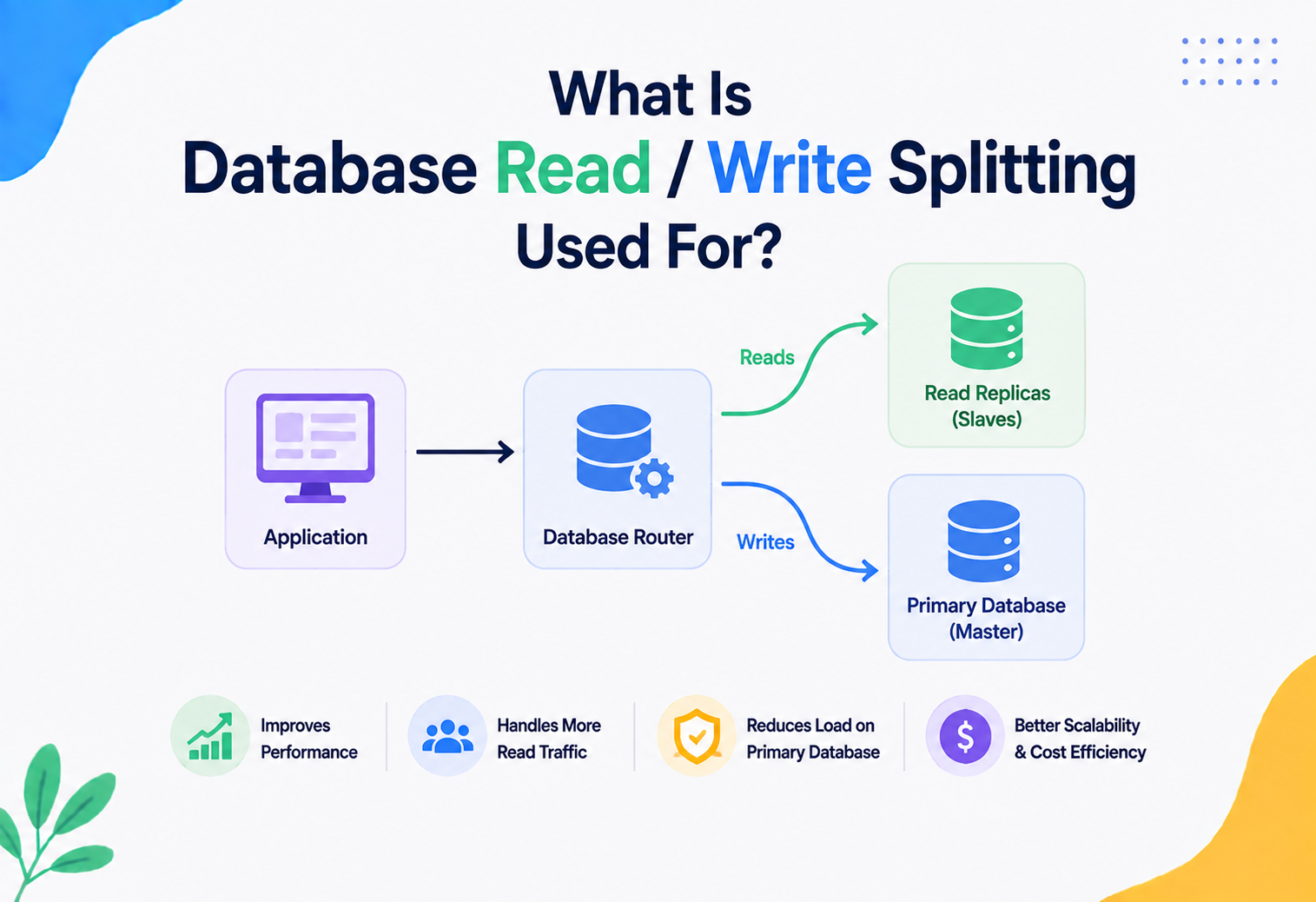
The simplest solution: only one server (the “primary” or “leader”) is allowed to generate new primary keys, using a plain auto-increment counter. All writes route through it, and it replicates data out to read replicas. This is simple and consistent, but it means write throughput is capped by one machine, and if that machine goes down, writes may pause until a new leader is elected — a real availability trade-off connected to the CAP theorem (a system facing a network Partition must choose between staying fully Consistent or remaining Available).
The multi-writer approach
To scale writes across many servers simultaneously, each server needs to generate unique keys without asking anyone else first. Three common strategies:
| Strategy | How it works | Used by |
|---|---|---|
| UUID generation | Each node generates a 128-bit random or time-ordered value locally; collision odds are astronomically low. | Most cloud-native apps, MongoDB _id (ObjectId variant) |
| Snowflake-style IDs | Each node is assigned a unique machine/worker ID in advance; combines timestamp + worker ID + local counter. | Twitter/X, Discord, Instagram |
| Auto-increment with offset ranges | Each node is pre-assigned a numeric range (node 1 gets IDs ending in 1, node 2 in 2, etc.) or a step interval. | Some legacy MySQL multi-master setups |
Replication and primary key conflicts
Even with good ID strategies, distributed systems occasionally face conflicts — for example, in multi-leader replication, two data centres might each accept a write for what turns out to be the same logical entity during a network partition. Resolving this requires a conflict resolution strategy: last-write-wins (using timestamps), version vectors, or application-level merge logic. This is closely tied to consensus algorithms like Raft and Paxos, which many modern distributed databases (CockroachDB, Google Spanner, etcd) use to agree on a single, consistent ordering of writes even across unreliable networks.
Because the primary key is the anchor for every relationship and every replication log entry, database backup and disaster-recovery strategies are built around it. Point-in-time recovery, log shipping, and replica promotion all rely on being able to say precisely “row with primary key X, as of transaction Y” — which is only possible because that key never changes and never repeats.
Security Considerations
Primary keys sit at the centre of nearly every query, which means they’re also a common attack surface. Here are the real risks engineers need to know.
1. Sequential IDs leak business information
If your API returns URLs like /orders/1042, and the very next order created is /orders/1043, an outside observer can estimate exactly how many orders your business processes per day — competitively sensitive information. This also lets attackers enumerate resources: if /invoices/501 works, so does trying 500, 502, 503…
2. Insecure Direct Object Reference (IDOR)
What it is: A vulnerability where an application uses a raw, guessable primary key in a URL or API request without verifying that the requesting user is actually allowed to access that specific row.
Example of the flaw: GET /api/invoices/1042 returns invoice 1042’s data purely because the ID exists — without checking whether the logged-in user actually owns invoice 1042. Change the number in the URL to 1043, and you might see someone else’s private invoice.
IDOR has appeared for years on the OWASP Top 10 (as part of “Broken Access Control”). The fix is never to rely on the primary key’s obscurity — always verify server-side that the authenticated user has permission to access that specific row, regardless of how hard the ID is to guess.
3. Using UUIDs to reduce (not replace) enumeration risk
Switching from auto-increment integers to random UUIDs makes URLs unguessable, which is a real security improvement against casual enumeration attacks — but it is not a substitute for authorisation checks. A UUID is obscurity; proper access control is security. Use both.
4. Never use sensitive personal data as a primary key
As mentioned in Chapter 7, using a Social Security Number, national ID, or similar sensitive value as a primary key means that value propagates into every foreign key, every log line, every cache entry, and every backup across your entire system — multiplying the blast radius of any future data breach. Keep sensitive natural identifiers as regular indexed columns, never as the key structurally wired into every table relationship.
5. SQL injection and primary key lookups
Because primary key values are so frequently taken directly from user input (a URL parameter, a form field), queries built by concatenating that value into raw SQL are a classic SQL injection vector. Always use parameterised queries or prepared statements (shown in the Java section, Chapter 19) — never string-concatenate a primary key value into a query.
Monitoring, Logging & Metrics
In production systems, primary keys show up constantly in operational tooling. Here’s what teams actually watch.
Duplicate-key spikes
A spike in duplicate-key errors usually signals a race condition in application logic (two requests trying to create the “same” resource at once) or a bug in an ID-generation service. Log and alert on these — never swallow them silently.
Auto-increment ceiling
A 32-bit integer primary key maxes out around 2.1 billion. High-growth tables (event logs, analytics tables) have genuinely run out of ID space in production. Monitor the current counter against the column max; migrate to BIGINT proactively.
Index bloat / fragmentation
Especially relevant with random UUID primary keys (Chapter 9). Database health dashboards (PostgreSQL’s pg_stat_user_indexes, MySQL’s information_schema) are checked periodically to see whether indexes need rebuilding.
p50/p95/p99 by key type
Teams trace and compare latency for primary-key lookups vs. secondary-index lookups vs. full scans, because primary key lookups are the baseline everything else is measured against.
Orphan foreign keys
Attempts to insert a row referencing a primary key that doesn’t exist (an “orphan” reference) indicate either application bugs or a real data-integrity issue worth investigating.
PK as correlation ID
Distributed traces and log lines get tagged with the primary key of the entity being processed — an order ID, a user ID — so an engineer can reconstruct the full journey of that one request across dozens of services.
Production Example — OpenTelemetry at Uber and Netflix
Distributed tracing systems (like those built on OpenTelemetry, used at companies including Uber and Netflix) tag traces and spans with the primary key of the entity being processed — an order ID, a user ID — so that when something goes wrong, engineers can search logs, metrics, and traces across dozens of microservices for that exact ID and reconstruct the entire journey of that one request.
Deployment & Cloud Databases
Modern cloud-managed databases handle much of the primary key machinery for you, but understanding what’s happening underneath still matters when choosing configuration.
| Platform | Primary key approach |
|---|---|
| Amazon Aurora / RDS | Standard relational primary keys (auto-increment or UUID); Aurora replicates storage across 3 availability zones automatically. |
| Amazon DynamoDB | Requires a partition key (and optionally a sort key) chosen explicitly at table design time — this choice directly determines how data is distributed across DynamoDB’s internal storage partitions. |
| Google Cloud Spanner | Globally distributed relational database; recommends avoiding simple monotonically increasing primary keys because they create write hotspots — often suggests hashed or UUID-based keys instead. |
| MongoDB Atlas | Every document gets an automatic _id field (a 12-byte ObjectId encoding a timestamp, machine identifier, and counter) unless you supply your own. |
| CockroachDB | Distributed SQL database; explicitly recommends UUID or hash-sharded primary keys over sequential integers to avoid single-range write hotspots. |
Almost every globally distributed cloud database steers you away from simple sequential integers as primary keys, for exactly the hot-shard reason discussed in Chapter 9. This is a genuinely modern shift from traditional single-server RDBMS advice, and it’s worth knowing the difference explicitly: sequential integers are great for a single-node relational database, but often actively harmful in a globally distributed one.
Migrations and primary keys
Changing a primary key’s type in a live production system (say, from a 32-bit integer to a 64-bit integer, or from an integer to a UUID) is one of the riskiest schema migrations possible, because the key touches every foreign key, every index, every cache, and often every external integration. Standard practice is a phased “expand-migrate-contract” approach: add the new column, dual-write to both old and new keys, backfill historical data, switch reads over gradually, and only remove the old column once everything is verified.
Context
Legacy schema uses 32-bit INT primary keys on a fast-growing events table.
Decision
Introduce a parallel BIGINT column, dual-write for 30 days, cutover reads, drop the old column.
Consequence
Zero downtime; brief storage overhead during dual-write window; no foreign-key contract change for downstream services.
Primary Keys with Caching & Load Balancing
Primary keys aren’t only a database concept — they ripple outward into how entire systems are built.
Caching
The most common caching pattern (used heavily with Redis or Memcached) is keying the cache entry directly by the primary key: cache.get("user:4471"). This works because the primary key is guaranteed stable and unique — exactly the property a cache key needs. When a row is updated, the application invalidates (deletes or refreshes) the cache entry for that specific primary key, keeping the cache and database in sync.
Load balancing and routing
In sharded architectures, a load balancer or routing layer often uses the primary key (or a hash of it) to determine which backend shard or service instance should handle a given request — this is called consistent hashing when done well, and it minimises how much data needs to move around when servers are added or removed from the pool.
Primary Keys in APIs & Microservices
Primary keys are the backbone of REST API design. A resource URL like /api/users/4471 is, structurally, “table name + primary key” translated into a URL.
GET    /api/users/4471        # fetch one user by primary key
PUT    /api/users/4471        # replace that user
PATCH  /api/users/4471        # partially update that user
DELETE /api/users/4471        # delete that user
GET    /api/users/4471/orders # orders where user_id (FK) = 4471
Microservices and key ownership
In a microservices architecture, each service typically owns its own database and its own primary key space — a Users service owns user_id, an Orders service owns order_id. When the Orders service needs to reference a user, it stores the user’s primary key as a plain value (not a live foreign key constraint, since it’s a separate database) — this is sometimes called a “soft” foreign key, and it trades strict referential integrity for service independence.
This is precisely why globally unique, distributed-safe surrogate keys (UUIDs, Snowflake IDs) became so popular alongside the rise of microservices — a simple auto-increment integer generated independently by two different services could easily collide once you try to merge or correlate their data.
Design Patterns & Anti-Patterns
Good patterns are the recurring shapes seasoned teams reach for. Anti-patterns are the ones that look reasonable on day one and cost you a year of pain by year three.
Good patterns
- Surrogate-key-by-default: Use a system-generated surrogate key as the primary key for almost every table, and enforce natural uniqueness (email, SKU, etc.) with a separate unique constraint instead.
- Prefixed opaque IDs: Combine a readable type prefix with an opaque unique suffix (like Stripe’s
cus_...,ch_...) — improves debuggability without sacrificing security. - Time-ordered surrogate keys (UUIDv7 / ULID / Snowflake): The modern default for new distributed systems, balancing index performance with distributed-safe generation.
- Composite keys for junction tables: Appropriate and idiomatic for pure many-to-many relationship tables with no independent identity of their own.
Anti-patterns to avoid
- No primary key at all. Some legacy or poorly designed tables skip this entirely — always avoid this; it undermines replication, integrity, and basic operations.
- Using a “smart” key that encodes multiple pieces of meaning (e.g., an employee ID like
"DEPT-HIRE_YEAR-SEQ"where department and hire year are embedded in the string). When any embedded fact changes (an employee transfers departments), the “identity” itself becomes logically wrong, but changing it breaks every reference. Keep identity meaningless; store real attributes as real columns. - Recycling deleted primary key values. Covered in Chapter 6 — never do this.
- Using a mutable natural key as primary key (like email) without planning for the update cascade problem.
- Exposing raw sequential IDs publicly without considering the security and information-leakage implications from Chapter 11.
- Over-using composite keys for tables that will need many other tables to reference them — this multiplies foreign key columns everywhere and complicates ORMs and query logic unnecessarily.
A common cautionary tale in database design circles: a company used a customer’s email address as the primary key across dozens of tables. Years later, when they needed to let customers change their email (a very reasonable feature request), the “simple” change required updating foreign keys in every dependent table, rewriting cache invalidation logic, and coordinating a risky, multi-hour migration — all because identity and a mutable piece of contact information had been fused into one column from day one.
Best Practices & Common Mistakes
Two facing lists to keep on your team’s design-review wiki: what to always do, and what to stop doing.
Best-practice checklist
- Give every table a primary key — no exceptions, even for “temporary” or “small” tables.
- Prefer a surrogate key for tables that will be referenced by other tables or exposed via APIs.
- Use
BIGINTinstead of a 32-bitINTfor auto-increment keys on any table expected to grow large, to avoid future overflow migrations. - Add separate
UNIQUEconstraints for real-world identifiers (email, SKU, ISBN) instead of making them the primary key. - Consider UUIDv7 or Snowflake-style IDs for any system that spans multiple nodes, services, or regions.
- Never expose an internal database primary key as a security boundary — always pair it with proper authorisation checks (Chapter 11).
- Index foreign key columns explicitly — many databases don’t do this automatically, even though they auto-index the primary key side.
- Treat the primary key as immutable in application logic, even if the database technically permits changing it.
Common mistakes
- Forgetting to set
NOT NULLexplicitly when a database allows a “soft” workaround (rare, but happens with certain legacy configurations). - Choosing a primary key type that doesn’t match expected query patterns (e.g., a UUID primary key on a table that’s constantly range-scanned by insertion time — an integer or time-ordered key would perform far better).
- Building composite keys with more than 3–4 columns — this usually signals the table’s design needs rethinking.
- Mixing surrogate and natural key roles inconsistently across a schema, making the codebase harder to reason about.
- Not planning for key exhaustion or migration early in a high-growth system’s life.
Real-World & Industry Examples
The trade-offs from earlier chapters don’t stay theoretical. Every serious tech company has publicly documented how it wrestled the primary-key question at scale.
Netflix
Netflix’s distributed data platform (built extensively on Apache Cassandra) relies on carefully chosen partition keys — effectively primary keys in a distributed NoSQL model — to spread viewing history, recommendations data, and playback state evenly across thousands of nodes worldwide, avoiding hot spots during peak viewing hours.
Amazon
Amazon’s DynamoDB, used extensively both internally and by AWS customers, requires developers to explicitly design a partition key (and often a sort key) as the very first step of table design — reflecting how central that identity decision is to the system’s eventual scalability, well before a single row of data is written.
Uber
Uber’s trip and location systems generate unique identifiers for millions of concurrent trips across the globe, using distributed ID generation strategies similar in spirit to Snowflake IDs, so that trip identifiers created simultaneously in São Paulo and Singapore never collide, without needing a central coordinating server for every single ID.
Instagram famously published details of a custom ID-generation scheme built on PostgreSQL, encoding a timestamp, a shard ID, and an auto-increment sequence into a single 64-bit integer — allowing IDs to remain roughly sortable by creation time while being generated independently across many database shards, directly inspired by (and improving on) the Snowflake approach.
Google Spanner, the globally distributed database behind services like Google Ads and Google Play, explicitly documents that naive sequential primary keys create write hotspots in a globally sharded system, and recommends bit-reversed or hashed keys — a direct, real-world confirmation of the sharding trade-offs discussed in Chapter 9.
Java Code Walkthrough
Let’s see how primary keys are actually used in Java — both with raw JDBC and with JPA/Hibernate, the most common persistence approach in enterprise Java applications.
1. Creating a table and inserting with JDBC
import java.sql.*;

public class UserRepository {

    public Connection getConnection() throws SQLException {
        return DriverManager.getConnection(
            "jdbc:postgresql://localhost:5432/appdb", "user", "pass");
    }

    // Insert a new row and retrieve the database-generated primary key
    public long createUser(String name, String email) throws SQLException {
        String sql = "INSERT INTO users (name, email) VALUES (?, ?)";

        try (Connection conn = getConnection();
             PreparedStatement stmt = conn.prepareStatement(
                 sql, Statement.RETURN_GENERATED_KEYS)) {

            stmt.setString(1, name);
            stmt.setString(2, email);
            stmt.executeUpdate();

            // The primary key is generated by the DB, then returned here
            try (ResultSet keys = stmt.getGeneratedKeys()) {
                if (keys.next()) {
                    return keys.getLong(1);
                }
            }
        }
        throw new SQLException("User creation failed, no ID obtained.");
    }

    // Fast lookup — hits the primary key's B-tree index directly
    public Optional<User> findById(long userId) throws SQLException {
        String sql = "SELECT id, name, email FROM users WHERE id = ?";

        try (Connection conn = getConnection();
             PreparedStatement stmt = conn.prepareStatement(sql)) {
            stmt.setLong(1, userId); // parameterised — safe from SQL injection
            try (ResultSet rs = stmt.executeQuery()) {
                if (rs.next()) {
                    return Optional.of(new User(
                        rs.getLong("id"),
                        rs.getString("name"),
                        rs.getString("email")));
                }
            }
        }
        return Optional.empty();
    }
}
Notice stmt.setLong(1, userId) instead of building the SQL string by concatenation. This is the direct fix for the SQL injection risk raised in Chapter 11 — the primary key value is sent to the database separately from the query structure, so it can never be interpreted as executable SQL.
2. The same model using JPA / Hibernate (the modern standard approach)
import jakarta.persistence.*;

@Entity
@Table(name = "users")
public class User {

    @Id
    @GeneratedValue(strategy = GenerationType.IDENTITY) // DB auto-increment
    @Column(name = "id")
    private Long id;

    @Column(name = "name", nullable = false)
    private String name;

    @Column(name = "email", nullable = false, unique = true)
    private String email;

    // constructors, getters, setters omitted for brevity
}
import java.util.UUID;
import jakarta.persistence.*;

@Entity
@Table(name = "orders")
public class Order {

    @Id
    @GeneratedValue(strategy = GenerationType.UUID) // generated in the app, not the DB
    private UUID id;

    @Column(nullable = false)
    private Long customerId; // "soft" reference across services, see Chapter 15

    // constructors, getters, setters omitted for brevity
}
3. A composite key in JPA using @EmbeddedId
import jakarta.persistence.*;
import java.io.Serializable;
import java.util.Objects;

@Embeddable
public class EnrollmentId implements Serializable {
    private Long studentId;
    private Long courseId;

    // A composite key class MUST override equals() and hashCode()
    // so the database layer can correctly compare identity.
    @Override
    public boolean equals(Object o) {
        if (this == o) return true;
        if (!(o instanceof EnrollmentId)) return false;
        EnrollmentId that = (EnrollmentId) o;
        return Objects.equals(studentId, that.studentId)
            && Objects.equals(courseId, that.courseId);
    }

    @Override
    public int hashCode() {
        return Objects.hash(studentId, courseId);
    }
}

@Entity
@Table(name = "enrollments")
public class Enrollment {

    @EmbeddedId
    private EnrollmentId id;

    private java.time.LocalDate enrolledOn;

    // constructors, getters, setters omitted for brevity
}
Composite key classes in Java (used with @EmbeddedId or @IdClass) must implement equals() and hashCode() correctly. Because the “identity” of the row is now made of multiple fields, Java’s default object identity (memory address) is meaningless — Hibernate depends on your equals()/hashCode() to know if two composite key instances represent the same row.
4. Handling a duplicate key exception gracefully
try {
    userRepository.save(new User("Maria", "maria@example.com"));
} catch (org.springframework.dao.DataIntegrityViolationException e) {
    // Thrown when the UNIQUE constraint on email (or the primary key) is violated —
    // often caused by two concurrent requests trying to register the same user.
    throw new DuplicateUserException("An account with this email already exists.");
}
Frequently Asked Questions
Nine questions that reliably come up in interviews, code reviews, and the first weeks on the job. Short, direct answers below.
No — a table can have exactly one primary key, but that single primary key can be made of multiple columns (a composite key, covered in Chapter 8). If you need multiple independently-unique columns, the others become unique keys, not primary keys.
No. Every column that’s part of a primary key is automatically forced to be NOT NULL by the database. This is enforced, not optional.
Both enforce uniqueness, but a table can have only one primary key while it can have several unique keys. A unique key can typically contain one NULL value (since NULL isn’t considered equal to another NULL in most SQL implementations); a primary key can never be NULL at all. Conceptually, the primary key is “the” identity of the row; unique keys enforce business rules about other columns.
For a small, single-server application, auto-increment integers are simple, compact, and fast. For distributed, multi-region, or microservices-based systems, a time-ordered identifier like UUIDv7 or a Snowflake-style ID is usually the better modern choice, because it avoids coordination overhead while still keeping good index performance (Chapters 7 and 9 cover this trade-off in depth).
It’s common and generally fine as long as (1) you’re not using easily-guessable sequential integers that leak business volume, and (2) you always enforce server-side authorisation checks rather than relying on the key being hard to guess (Chapter 11 covers IDOR in detail).
The database engine rejects the insert and raises a constraint violation error (often called a “duplicate key” or “unique constraint violation” error). The row is not written. Applications should catch this error explicitly and respond appropriately, rather than letting it crash the request unhandled (see the Java example in Chapter 19).
In most databases, a foreign key must reference a column with a unique constraint — this is most commonly the referenced table’s primary key, but it can technically be any column with a UNIQUE constraint.
There’s a small overhead, since the database must update the primary key’s index (usually a B-tree) on every insert. In practice this cost is tiny and vastly outweighed by the benefits — and it’s a cost you can’t avoid anyway, since nearly all production databases require or strongly assume a primary key exists.
It’s an identity number the system makes up purely to tell rows apart — it doesn’t describe anything real about the row, the way an “Order #48291” doesn’t tell you anything about the order itself, but reliably points to exactly one specific order.
Summary & Key Takeaways
A primary key is the single, enforced, never-null, never-duplicated identifier that gives every row in a table its own unambiguous identity.
The concept began as a mathematical idea in Codd’s 1970 relational model and today underpins everything from a small school database to Netflix’s global streaming infrastructure. If you internalise nothing else from this guide, internalise the seven ideas below — they will show up in every serious system you ever design.
What to Remember
- A primary key must be unique, never null, and there is exactly one per table (though it may span multiple columns).
- Every primary key automatically gets a fast, self-balancing B-tree index, which is why lookups by primary key are dramatically faster than full table scans — O(log n) instead of O(n).
- Natural keys use real-world meaningful data; surrogate keys are artificially generated and carry no meaning. Modern systems increasingly favour surrogate keys — especially time-ordered ones like UUIDv7 or Snowflake IDs — for their stability and distributed-safety.
- Composite keys combine multiple columns and are the natural fit for many-to-many junction tables.
- At scale, the choice of primary key directly affects sharding, replication, and write performance — sequential keys create hotspots in distributed systems; well-distributed keys spread load evenly.
- Primary keys are a real security surface — they must be paired with proper authorisation checks to avoid IDOR vulnerabilities, and sensitive personal data should never itself be used as a key.
- Primary keys extend far beyond the database itself — they show up as cache keys, API resource identifiers, tracing IDs, and cross-service references in every layer of a modern system.