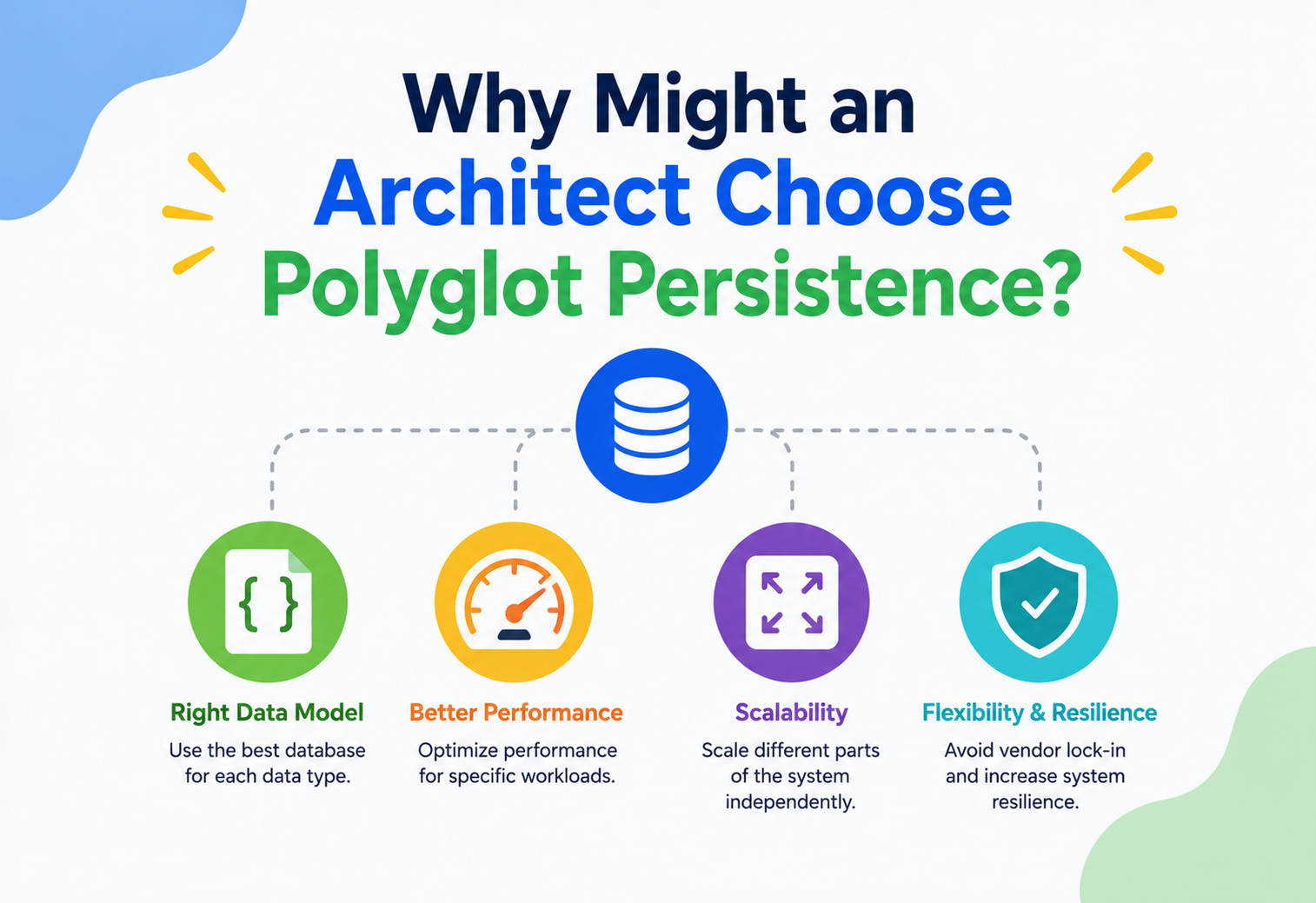
Why Might an Architect Choose Polyglot Persistence?
A beginner-friendly, production-grade guide that explains, from first principles, why modern systems use many different databases instead of one — how to design such a system, when it is worth the operational cost, and exactly how companies like Netflix, Amazon, Uber, LinkedIn, Meta, and Airbnb actually do it in production.
Introduction & History
Imagine you are packing for a trip. You would not carry your clothes, your food, and your toothbrush all inside one single bag with no compartments. You would use a suitcase for clothes, a lunchbox for food, and a small pouch for your toothbrush and toiletries. Each container is built for a different job. A suitcase is bad at keeping food fresh. A lunchbox is bad at holding folded shirts. Using the right container for the right item makes the whole trip easier.
Polyglot persistence is exactly this idea, applied to software systems. Instead of forcing every single piece of data — user profiles, shopping carts, chat messages, search indexes, financial transactions, video recommendations — into one type of database, an architect deliberately chooses different types of databases for different types of data, based on what each type of data actually needs.
Simple analogy. A hospital does not use one single room for everything. It has an operating theatre for surgery, a pharmacy for medicines, a lab for blood tests, and a records office for paperwork. Each room is specialised. A hospital that tried to do surgery, store medicine, and file paperwork in the exact same room would be slow, messy, and dangerous. Polyglot persistence is a hospital of databases — each “room” (database) is built for the job it does best.
1.1 Where the term comes from
The word polyglot means “many languages” — poly (many) + glot (tongue/language). A polyglot person can speak French, Hindi, and Japanese. A polyglot programmer can write Java, Python, and JavaScript. Following the same idea, a polyglot persistence system “speaks” the language of many different databases at once — SQL for one part of the system, a document store for another, a graph database for a third.
The term was popularised around 2011 by software architects Martin Fowler and Pramod Sadalage in their writing about NoSQL databases. Before that time, most companies followed a “one database to rule them all” approach — almost always a single relational database like Oracle, MySQL, or SQL Server, used for literally every kind of data the company had: user accounts, orders, logs, search, everything.
1.2 A short history of “one database for everything”
To understand why polyglot persistence matters, it helps to understand what came before it.
- 1970s
The relational model is born
Edgar F. Codd at IBM proposed the relational model — storing data in neat rows and columns (tables), connected using keys. This became the foundation of SQL databases like Oracle, and later MySQL and PostgreSQL. For nearly 30 years, this was almost the only serious choice for storing structured business data. - 1990s
The web arrives
Websites started needing to handle millions of users. Relational databases were still used for everything — but cracks began to show. A single big database server struggled to handle huge numbers of reads and writes at once. - 2000s
The NoSQL movement
Companies like Google, Amazon, and Facebook built enormous systems (Google’s Bigtable, Amazon’s Dynamo, Facebook’s Cassandra) because relational databases could not scale to their needs cheaply. These were the first big “non-relational” (NoSQL) databases, each optimised for very specific problems like key-value lookups or wide-column storage. - 2011
“Polyglot persistence” is named
Martin Fowler and Pramod Sadalage gave a name to a pattern many architects were already using: pick the best database for each specific job, instead of forcing one database to do everything. The term stuck and became a standard part of system design vocabulary. - 2015 – present
Cloud & microservices make it mainstream
Cloud providers (AWS, Google Cloud, Azure) made it cheap and easy to spin up many different types of managed databases in minutes. Microservices architecture (many small independent services) made “one service, one database” a natural default. Polyglot persistence went from a clever idea to a mainstream best practice.
Problem & Motivation
Let’s start with a very concrete, beginner-friendly example: building an online shopping website, like a tiny version of Amazon.
Your shopping website needs to store many different kinds of information:
- User accounts — name, email, password hash, address. This data is highly structured and relationships matter (a user has many orders).
- Product catalog search — users type “red running shoes size 9” and expect fast, fuzzy, ranked search results.
- Shopping cart — needs to be read and written extremely fast, every time a user clicks “add to cart.”
- Order history — needs strong consistency; you cannot lose or duplicate a paid order.
- Product recommendations (“customers who bought this also bought…”) — this is fundamentally about relationships/connections between items.
- Product images and videos — large binary files, not really “rows of data” at all.
- Clickstream / analytics data — millions of small events per second, written once and rarely updated.
Now here is the key question this whole tutorial answers: could you store all seven of these in one single traditional (relational) database?
Technically, yes — you could force all of it into tables and rows. But it would be like using a single hammer to do every job in a toolbox: hammer in a nail, cut wood, tighten a screw, and paint a wall. It would technically be possible to try, but each job would be done badly, slowly, or clumsily.
2.1 What goes wrong with “one database for everything”
| Symptom | Why it happens |
|---|---|
| Search feature is slow and clunky | Relational databases use LIKE ‘%shoes%’ style queries which do not rank results by relevance the way a real search engine does. |
| Shopping cart writes slow down under load | A relational database enforces strict rules (constraints, transactions, locks) on every write, even for throwaway cart data that does not need such strong guarantees. |
| Recommendation engine queries take seconds | “Friends of friends who bought similar items” requires traversing many relationships — relational JOINs get exponentially slower as the number of hops increases. |
| Analytics dashboards are slow or the whole app slows down | Millions of tiny analytics writes compete for the same database resources as critical order transactions. |
| Database bills are unexpectedly huge | Scaling one large relational database vertically (bigger machine) is far more expensive than scaling many small, purpose-built systems horizontally. |
10-year-old-friendly analogy. Think of a school. The library is organised by book topic and author (great for finding a specific book). The cafeteria is organised by food stations (great for serving many students quickly). The sports store room is organised by sport type (great for finding equipment fast during PE). If the school tried to keep everything — books, food, sports gear — in one giant single room with one filing system, everything would be harder to find and slower to use. Different rooms exist because different things need to be organised differently.
2.2 The motivation, summarised
An architect chooses polyglot persistence because:
- Different data has different shape. Some data is tabular, some is a document, some is a graph of connections, some is just a huge blob of text or binary content.
- Different data has different access patterns. Some is read constantly and rarely written (product catalog), some is written constantly (clickstream logs), some needs instant key lookups (session data).
- Different data has different consistency requirements. A bank balance must always be exactly correct; a “like count” on a photo can be off by a few for a moment without anyone caring.
- Scaling needs differ wildly. Some data grows to billions of rows and needs to be spread across many machines; some data is small and simple.
- Cost efficiency. Using a cheap, simple key-value store for cache data is far cheaper than using an expensive relational cluster for the same purpose.
Core Concepts
Before we can talk about architecture, we need a shared vocabulary. Let’s build it up term by term, slowly and clearly.
3.1 What is a database, really?
What it is. A database is organised, computer-stored data that can be reliably saved, searched, updated, and deleted.
Why it exists. Computer programs need somewhere permanent to keep information so it survives even after the program stops running or the computer restarts.
Analogy. A database is like a filing cabinet that never forgets, is organised by rules, and lets many people search through it at the same time without losing anything.
3.2 Relational databases (SQL)
What it is. Data is stored in tables made of rows and columns, like a well-structured spreadsheet, with strict rules connecting tables together (called relationships, hence “relational”).
Why it exists. Businesses needed a mathematically reliable way to store structured records (customers, orders, invoices) with guaranteed correctness, even when many people are reading and writing at once.
Where it’s used. Banking systems, order management, inventory, anything where data integrity and relationships between records really matter.
Examples. PostgreSQL, MySQL, Oracle Database, Microsoft SQL Server.
3.3 NoSQL databases
What it is. “NoSQL” is an umbrella term (originally meaning “Not Only SQL”) for databases that do not use the strict row-and-column table model. They store data in more flexible shapes.
Why it exists. Some kinds of data simply do not fit neatly into rows and columns — or the strict rules of relational databases become too slow at massive scale.
NoSQL databases come in several families, each shaped for a different job:
KV
Key-value stores
Store simple pairs: a unique “key” points to a “value.” Extremely fast lookups.
Analogy: a school locker — locker number (key) opens to reveal its contents (value).
Examples: Redis, Amazon DynamoDB, Memcached.
DOC
Document stores
Store flexible, JSON-like “documents” instead of rigid rows.
Analogy: a folder full of forms, where each form can have slightly different fields.
Examples: MongoDB, Couchbase, Amazon DocumentDB.
COL
Wide-column stores
Store huge tables where each row can have millions of columns, spread across many machines.
Analogy: a massive spreadsheet split across hundreds of filing cabinets, still searchable as one.
Examples: Apache Cassandra, Google Bigtable, HBase.
GR
Graph databases
Store data as “nodes” (things) connected by “edges” (relationships). Built for questions about connections.
Analogy: a map of friendships, where you can instantly ask “who is my friend’s friend’s friend?”
Examples: Neo4j, Amazon Neptune, ArangoDB.
SR
Search engines
Store data specifically to be searched by keywords, relevance, and fuzzy matching, extremely fast.
Analogy: a librarian who has memorised every book and can instantly suggest the best match, even for a vague description.
Examples: Elasticsearch, Apache Solr, OpenSearch.
TS
Time-series databases
Store data points tagged with time, optimised for “what happened over time” queries.
Analogy: a fitness tracker’s heartbeat log, one reading every second, forever.
Examples: InfluxDB, TimescaleDB, Prometheus.
3.4 ACID vs BASE
These two acronyms describe two different philosophies about how “correct” and “up to date” data must be at all times.
ACID (used by most relational databases):
- Atomicity — a transaction either completes fully, or not at all. No half-finished bank transfers.
- Consistency — the database always moves from one valid state to another valid state.
- Isolation — transactions happening at the same time do not interfere with each other.
- Durability — once saved, data survives crashes, power failures, everything.
BASE (common in many NoSQL databases):
- Basically available — the system responds to every request, even during partial failures.
- Soft state — the data might change over time, even without new input, as it “settles.”
- Eventually consistent — given enough time with no new updates, all copies of the data will match up. But right now, at this exact millisecond, they might not.
Simple analogy. ACID is like a strict bank teller: every transaction is checked, verified, and finalised before you walk away, no matter how long it takes. BASE is like a group chat: when you send a message, most friends see it almost instantly, but someone with a slow phone signal might see it a few seconds later. Eventually, everyone’s chat history matches — it just is not guaranteed to match at the exact same instant.
3.5 The CAP theorem
What it is. A rule, proven by computer scientist Eric Brewer in 2000, that says: in a distributed database (one spread across multiple machines), you can only fully guarantee two out of these three properties at the same time:
- Consistency (C). Every read gets the most recent write, or an error.
- Availability (A). Every request gets a (non-error) response, even if it is not the very latest data.
- Partition tolerance (P). The system keeps working even if network connections between machines break.
Why it exists. Because real networks fail sometimes (a cable gets cut, a data center loses power, a server times out), any distributed database must decide, in that moment of failure, whether to stay consistent (and possibly refuse some requests) or stay available (and possibly return slightly stale data).
Fig 3.1 · the CAP theorem forces a trade-off only during network partitions — this trade-off is one of the biggest reasons architects pick different databases for different data.
3.6 Schema-on-write vs schema-on-read
Schema-on-write means the shape of the data (which columns exist, what type each one is) must be decided before you save anything — like a printed form with fixed boxes. Relational databases work this way.
Schema-on-read means you can save data first, in a flexible shape, and decide how to interpret it later when reading — like a diary where every entry can look different. Document databases and data lakes often work this way.
Beginner example. A government tax form is schema-on-write: every box is predefined, and you must fill it out exactly that way. A personal journal is schema-on-read: you can write anything, in any format, on any page, and figure out how to organise it later.
Architecture & Components
Now that we have vocabulary, let’s design an actual polyglot persistence architecture — using our online shopping website example from Section 2.
Fig 4.1 · a polyglot persistence architecture for an e-commerce platform. Every microservice owns exactly one database, chosen for what that service actually needs.
Notice the pattern: each service picks the database that is the best tool for its specific job, not the database that is most familiar or most commonly used across the company.
4.1 Key architectural components
| Component | Role |
|---|---|
| API gateway | A single front door that routes each incoming request to the correct microservice, hiding the internal complexity from clients. |
| Microservices | Small, independently deployable services, each owning its own data and its own choice of database (“database per service” pattern — explored fully in Section 14). |
| Purpose-built databases | Each database chosen for one specific job — relational for orders, key-value for cart, graph for recommendations, and so on. |
| Message broker / event bus | (e.g. Apache Kafka, RabbitMQ) Lets services notify each other when something important happens, without directly querying each other’s databases. |
| Data synchronisation / ETL pipelines | Tools that copy or transform data between databases when one service needs data that “lives” in another service’s database. |
4.2 Why not just let every service read every database directly?
This is a very common beginner question, so let’s answer it directly and simply.
Analogy. Imagine every employee at a company had the master key to every other employee’s desk drawer. Anyone could quietly rearrange anyone else’s files at any time. Soon nobody could trust what was in their own drawer. Instead, each employee keeps their own drawer locked, and if someone needs something from it, they ask that employee directly (through an API) rather than rummaging through the drawer themselves.
Internal Working
Let’s go one level deeper and understand, technically, why each database family behaves so differently internally — this is exactly the kind of thing interviewers love to ask about.
5.1 How relational databases work internally
Relational databases store data in fixed-size pages on disk, organised using data structures called B-Trees (a balanced tree structure that keeps data sorted and allows fast lookups, inserts, and range scans — O(log n) time complexity). Every table has strict types per column. When you run a query with a JOIN, the database engine matches rows between tables using these indexes, which is powerful but can get expensive as data grows into the billions of rows, especially across many joined tables.
Relational databases also use write-ahead logging (WAL) — before any change is applied to the actual data files, it’s first written to an append-only log. If the server crashes mid-write, it can “replay” this log on restart to recover exactly where it left off. This is a major reason relational databases are trusted with critical data like payments.
5.2 How key-value stores (like Redis) work internally
Redis keeps most (or all) of its data in RAM (memory), using simple structures like hash tables — giving average O(1) (constant time) lookups. This is why Redis is blisteringly fast, but also why it is typically used for data that can be lost or rebuilt (like a cache or a session) rather than data that absolutely must never disappear, unless it’s configured with persistence (saving snapshots or an append-only file to disk).
5.3 How document databases (like MongoDB) work internally
MongoDB stores data as BSON (a binary form of JSON) documents, grouped into “collections” (similar to tables, but without a strict shared schema). Each document can be nested — an order document can contain the customer’s shipping address, all order line items, and payment info, all inside one single document, instead of being spread across five joined tables. This means reading one order often needs just one disk read, instead of several joins.
5.4 How graph databases (like Neo4j) work internally
Graph databases use a technique called index-free adjacency — each node physically stores direct pointers to its connected nodes. This means traversing “friend of a friend of a friend” takes roughly the same tiny amount of time no matter how big the overall graph is, because the database is not searching a huge index — it is just following pointers, like following a chain of arrows.
Fig 5.1 · a graph database stores relationships directly, so answering “what did Alice’s friends’ friends buy?” is a fast pointer-walk, not an expensive multi-table JOIN.
5.5 How search engines (like Elasticsearch) work internally
Search engines build an inverted index — instead of storing “which words are in this document,” they store “which documents contain this word,” mapped the other way around. So searching for the word “shoes” instantly returns every document containing it, without scanning every record one by one. Combined with relevance scoring algorithms (like BM25), this is why search engines return fast, ranked results, while a relational LIKE ‘%shoes%’ query has to scan text character by character.
5.6 How wide-column stores (like Cassandra) work internally
Cassandra spreads data across many machines using a technique called consistent hashing — each row’s key is hashed into a number, and that number decides which machine (“node”) stores it. This lets Cassandra add or remove machines with minimal data reshuffling, and handle massive write volumes by simply adding more machines (this is called horizontal scaling, explained fully in Section 8).
Data Flow & Lifecycle
Let’s trace one single real action — a customer placing an order — through our whole polyglot system, step by step, to see how these different databases work together.
Fig 6.1 · placing one order touches five different databases, each doing the specific job it is best at, coordinated through an event bus rather than direct database-to-database calls.
6.1 Step-by-step explanation
- Cart read (Redis). The cart service instantly fetches the shopping cart from Redis. This must be extremely fast, so a key-value store in memory is perfect.
- Order creation (PostgreSQL). The order itself, involving money, inventory counts, and payment, is written using a strict ACID transaction. If anything fails halfway, the entire order is rolled back — nothing is left half-done.
- Event published (Kafka). Instead of the order service directly calling the search, recommendation, and analytics services (and slowing the customer’s checkout down while waiting on all of them), it simply announces “an order happened” to an event bus.
- Search index updated (Elasticsearch). Asynchronously (not blocking the customer), the product’s “popularity” score used in search ranking gets updated.
- Recommendation graph updated (Neo4j). A new “bought together” relationship is added between products, improving future recommendations.
- Analytics logged (Cassandra). The raw event is stored for business intelligence dashboards and future machine learning training.
6.2 The general lifecycle of data in a polyglot system
- 1
Ingestion
Data enters the system through an API call, form submission, or event.
- 2
Primary write
The data is saved to its “source of truth” database (the one database considered the authoritative owner of that data).
- 3
Propagation
An event or message notifies other services that care about this change.
- 4
Secondary writes
Other databases (search index, cache, graph, analytics store) update their own specialised copies or derived views of the data.
- 5
Consumption
Different parts of the application read from whichever specialised database is fastest and most appropriate for that specific read.
- 6
Archival / deletion
Old data may be moved to cheap “cold storage” or deleted according to data retention rules.
Advantages, Disadvantages & Trade-offs
No architectural pattern is free. Polyglot persistence brings real, significant benefits — but also real costs. A good architect weighs both honestly.
Advantages
- Right tool for the job. Each database performs its specific task far better than a general-purpose one.
- Better performance. Specialised indexing and storage engines mean faster reads and writes for their intended use case.
- Independent scalability. You can scale just the search cluster during a big sale, without touching the order database.
- Fault isolation. If the recommendation graph database goes down, checkout can still work.
- Team autonomy. Different teams can own their own service and database, choosing what fits their domain best.
- Cost efficiency. Cheap, simple databases can be used for simple data instead of paying premium prices everywhere.
Disadvantages & trade-offs
- Operational complexity. More database technologies means more things to install, patch, monitor, and back up.
- Data consistency challenges. Keeping data in sync across databases (eventual consistency) can create confusing bugs if not handled carefully.
- Steeper learning curve. Engineers must understand multiple query languages and behaviours instead of just one.
- Harder to query across services. You cannot simply JOIN data that lives in two different types of databases.
- Higher initial engineering cost. Setting up multiple databases correctly takes more upfront design work than “just use Postgres for everything.”
- Debugging is harder. A bug might involve tracing a request across five different databases and message queues.
7.1 A simple decision framework
Ask these questions before adding a new database technology to your system:
- Does this specific type of data have access patterns that are meaningfully different from what we already have?
- Is the performance or scaling problem real and measured, not just theoretical?
- Do we have (or can we build) the operational skill to run this database reliably in production?
- Is the added complexity worth the benefit, compared to just tuning our existing database better?
Performance & Scalability
8.1 Vertical vs horizontal scaling
Vertical scaling means making one machine bigger — more CPU, more RAM, faster disks. Horizontal scaling means adding more machines and spreading the work across them.
Analogy. Vertical scaling is like hiring one super-strong worker who can lift twice as much. Horizontal scaling is like hiring ten normal workers who share the load. At some point, no single worker — no matter how strong — can lift a mountain alone; you need a team.
This matters directly for polyglot persistence because different database families are built for different scaling styles:
| Database type | Typical scaling style | Why |
|---|---|---|
| Traditional relational (PostgreSQL, MySQL) | Mostly vertical, with read replicas for horizontal read scaling | Strong consistency and JOINs are hard to spread across many machines cleanly. |
| Cassandra, DynamoDB (wide-column / key-value) | Horizontal by design | Built from the ground up using consistent hashing to spread data and load evenly across many nodes. |
| MongoDB (document) | Horizontal, via sharding | Documents are self-contained, so different documents can live on different machines with minimal cross-machine coordination. |
| Elasticsearch (search) | Horizontal, via shards and replicas | An index is split into shards, spread across nodes, so search load is naturally parallelised. |
8.2 Partitioning (sharding)
What it is. Splitting one large dataset into smaller pieces (“shards” or “partitions”), each stored on a different machine.
Why it exists. A single machine has limits — limited disk space, limited memory, limited processing power. Partitioning lets a dataset grow far beyond what any single machine could hold.
Analogy. Instead of one librarian trying to manage every book in a giant library alone, the library is split into sections (fiction, history, science), each with its own librarian. Together they handle far more books, far faster, than one librarian ever could.
Fig 8.1 · a common partitioning strategy — customer data spread across shards based on a hash of the customer ID, balancing load evenly.
8.3 Replication
What it is. Keeping multiple copies of the same data on different machines.
Why it exists. If the only copy of your data lives on one machine and that machine fails, the data is gone. Replication protects against data loss and lets multiple machines answer read queries at once, spreading the load.
There are two common replication styles:
- Leader-follower (primary-replica) replication — one “leader” node accepts all writes; “follower” nodes copy the leader’s data and can serve read queries.
- Multi-leader / leaderless replication — multiple nodes can accept writes at once (used by Cassandra and DynamoDB), improving write availability, at the cost of needing to resolve conflicts when the same piece of data is written in two places at once.
Analogy. A single original copy of a famous book kept in one museum is fragile — a fire could destroy it forever. Printing thousands of copies (replicas) and distributing them to libraries worldwide means the book’s content survives even if one library burns down, and many more readers can access it at once.
8.4 Caching
Caching — storing a copy of frequently accessed data somewhere very fast (usually in memory) — is one of the single biggest performance wins available to any architecture, and it is itself a form of polyglot persistence: you keep your “source of truth” in one database (say, PostgreSQL) and a fast, disposable copy in another (say, Redis). We cover this in full detail in Section 13.
8.5 Indexing
What it is. A separate, sorted data structure that lets a database find rows matching a condition without scanning the entire table.
Analogy. The index at the back of a textbook. Without it, finding every page that mentions “photosynthesis” means reading the entire book page by page. With it, you jump straight to the right pages.
Every database family in a polyglot system has its own indexing strategy — B-Trees for relational databases, inverted indexes for search engines, and specialised structures like R-Trees for geospatial (map-based) databases. Choosing a database partly means choosing the indexing strategy that matches your query patterns.
High Availability & Reliability
9.1 What “high availability” means
What it is. A system’s ability to keep working correctly even when parts of it fail — a server crashes, a network cable is cut, a data center loses power.
Why it exists. Hardware fails. Networks fail. Software has bugs. At large enough scale, some part of the system is always failing somewhere — high availability design accepts this as normal, not exceptional.
Availability is often measured in “nines”:
9.2 Consensus algorithms
What it is. An algorithm that lets multiple machines agree on a single value or decision, even if some machines fail or messages get delayed — for example, agreeing on who the “leader” node is.
Why it exists. In a distributed database with many machines, you cannot simply trust one machine’s opinion — it might have failed, or might be out of touch with the rest. Consensus algorithms provide mathematically proven ways for the group to agree safely.
Examples. Raft (used by etcd, and many modern distributed systems, chosen for being easier to understand) and Paxos (the older, foundational, but more complex algorithm, used internally by systems like Google Chubby).
Analogy. Imagine five friends trying to agree on where to eat dinner, using text messages, where some messages might arrive late or get lost. A consensus algorithm is like a very careful voting procedure that guarantees the whole group ends up agreeing on the same restaurant, even if a couple of friends’ messages were delayed.
9.3 Failure recovery
Different database types handle node failure differently:
- Relational databases typically use a WAL (write-ahead log) plus a standby replica; if the primary fails, a replica is promoted to become the new primary.
- Cassandra tolerates node failure natively — since data is replicated across multiple nodes by design, losing one node just means routing around it, with no single point of failure.
- MongoDB uses “replica sets” with automatic leader election — if the primary node fails, the remaining nodes vote (using a Raft-like protocol) for a new primary within seconds.
9.4 Disaster recovery & backups
What it is. A plan and set of tools for recovering an entire system after a catastrophic failure — like an entire data center going offline.
Key practices, regardless of which database is in use:
- Regular automated backups, tested by actually restoring them occasionally (an untested backup is not a real backup).
- Point-in-time recovery — the ability to restore data as it existed at any specific past moment, not just at the last full backup.
- Geographic replication — keeping copies of critical data in a different physical region, so a regional disaster does not destroy all copies.
- Defining RPO and RTO — Recovery Point Objective (how much data loss, measured in time, is acceptable) and Recovery Time Objective (how long the system is allowed to be down) for each database, since these targets often differ by data criticality — payment data usually has near-zero RPO/RTO tolerance, while analytics logs can tolerate more.
Security
Every additional database in a polyglot architecture is also an additional attack surface — one more system that needs to be secured, patched, and monitored. Security in a polyglot system needs to be handled thoughtfully, database by database.
10.1 Core security practices
- Encryption at rest — data stored on disk is encrypted, so even if someone steals the physical disk, the data is unreadable without the encryption key.
- Encryption in transit — data moving over the network (e.g., between a service and its database) is encrypted using TLS, so it cannot be read if intercepted.
- Authentication — verifying who is trying to connect (username/password, certificates, IAM roles in the cloud).
- Authorisation (access control) — verifying what an authenticated user or service is allowed to do (read-only access vs. full admin access).
- Network isolation — databases should not be directly reachable from the public internet; they should sit inside a private network, only reachable by the specific services that need them.
- Secrets management — database passwords and API keys should be stored in a dedicated secrets manager (like HashiCorp Vault or AWS Secrets Manager), never hard-coded in source code.
- Least privilege principle — each service should only have exactly the database permissions it needs, nothing more. The search service should not be able to delete order records.
Analogy. Think of a large office building with many rooms — the finance room, the server room, the mailroom. A good security guard does not give every employee a master key to every room. Each employee’s keycard only opens the rooms relevant to their job. This limits the damage if one keycard is ever lost or stolen.
10.2 Injection attacks and how they differ across databases
SQL injection is a classic attack where malicious input is crafted to change the meaning of a database query — for example, typing ‘ OR ‘1’=’1 into a login form to trick a poorly-written query into always returning true. NoSQL databases have their own equivalent risks — NoSQL injection — where a malicious JSON payload manipulates a MongoDB query operator. The universal defence across all database types is the same principle: never build queries by directly concatenating raw user input. Always use parameterised queries or an official driver/ORM that safely escapes input.
10.3 Compliance considerations
Different regulations (like GDPR in Europe, HIPAA for health data in the US, or PCI-DSS for payment card data) may require specific data to be stored in specific ways, or specific regions. In a polyglot system, an architect must track exactly which sensitive data lives in which database, and apply the correct compliance controls (encryption, access logging, data deletion capability) to each one individually — a single “we’re compliant” statement is not enough; compliance must be verified database by database.
Monitoring, Logging & Metrics
What it is. The practice of continuously watching a running system to know whether it is healthy, how it is performing, and getting alerted the moment something goes wrong. Why it exists. You cannot fix what you cannot see. In a polyglot system with many moving parts, problems can hide in any one of several databases — monitoring makes those problems visible before customers notice them.
Analogy. A pilot flying a plane does not just look out the window — they watch a dashboard of instruments: altitude, speed, fuel level, engine temperature. Monitoring a software system is the same idea: dashboards showing the vital signs of every database and service, so problems are caught early, not discovered when the plane is already in trouble.
11.1 The three pillars of observability
- Metrics — numeric measurements over time (queries per second, average response time, disk usage, error rate). Tools: Prometheus, Grafana, Datadog.
- Logs — detailed, timestamped text records of individual events (a specific query that failed, an error stack trace). Tools: the ELK stack (Elasticsearch, Logstash, Kibana), Splunk.
- Traces — an end-to-end record following a single request as it travels through multiple services and databases, showing exactly where time was spent. Tools: Jaeger, Zipkin, OpenTelemetry.
Fig 11.1 · distributed tracing follows one request across every service and database it touches, tagged with a shared trace-id, making it possible to see exactly which step is slow.
11.2 What to monitor for each database type
| Database type | Key metrics to watch |
|---|---|
| Relational (PostgreSQL/MySQL) | Connection pool usage, slow query log, replication lag, disk I/O, lock waits |
| Key-value (Redis) | Memory usage, eviction rate, cache hit/miss ratio, latency per command |
| Document (MongoDB) | Query execution time, index usage, replica set lag, document size distribution |
| Search (Elasticsearch) | Query latency, indexing rate, shard health, JVM heap usage |
| Graph (Neo4j) | Traversal time, page cache hit ratio, transaction throughput |
| Wide-column (Cassandra) | Read/write latency per node, compaction backlog, node status (up/down) |
11.3 Alerting
Good alerting focuses on symptoms customers would notice (high error rate, slow response times) rather than every possible internal metric, to avoid “alert fatigue” — a state where engineers start ignoring alerts because there are too many false alarms. A well-designed polyglot system has centralised dashboards pulling metrics from all its different databases into one unified view, even though the underlying technologies are all different.
Deployment & Cloud
12.1 Self-hosted vs managed databases
Self-hosted means your team installs, configures, patches, and operates the database software yourself, usually on virtual machines. Managed (Database-as-a-Service) means a cloud provider runs the database for you — handling patching, backups, and scaling — while you just connect to it.
Analogy. Self-hosting a database is like owning a car — you must personally handle oil changes, tire rotations, and repairs. A managed database is like using a taxi service — you just get in and go, and someone else worries about maintaining the vehicle. It costs a bit more per ride, but you save enormous time and effort.
12.2 Popular managed database options by type
| Type | AWS | Google Cloud | Azure |
|---|---|---|---|
| Relational | RDS, Aurora | Cloud SQL, AlloyDB | Azure SQL Database |
| Key-value / cache | ElastiCache, DynamoDB | Memorystore | Azure Cache for Redis |
| Document | DocumentDB | Firestore | Cosmos DB |
| Search | OpenSearch Service | N/A (via marketplace) | Azure AI Search |
| Graph | Neptune | N/A (via marketplace) | Cosmos DB (Gremlin API) |
| Wide-column | Keyspaces (Cassandra-compatible) | Bigtable | Cosmos DB (Cassandra API) |
This is one of the biggest reasons polyglot persistence has become the mainstream default in the last decade: cloud providers turned “spin up a new specialised database” from a multi-week infrastructure project into a task that takes a few clicks and minutes, dramatically lowering the operational cost that used to make polyglot persistence painful.
12.3 Infrastructure as Code
What it is. Defining your infrastructure (servers, databases, networks) as version-controlled configuration files, rather than manually clicking through a cloud console.
Why it exists. Manually configuring several different databases by hand is slow and error-prone. Infrastructure as Code makes environments reproducible, reviewable (like code), and automatable.
Examples. Terraform, AWS CloudFormation, Pulumi.
12.4 Containers and orchestration
Many self-hosted databases in a polyglot system run inside containers (lightweight, isolated packages containing an application and everything it needs to run), managed by an orchestrator like Kubernetes, which automatically restarts failed containers, schedules them across machines, and helps manage scaling. Stateful workloads like databases typically use Kubernetes StatefulSets and Persistent Volumes to ensure data survives even if a container restarts.
12.5 Cost optimisation
- Right-size instances — do not pay for a huge database server if your data and load are small.
- Use tiered storage — move old, rarely-accessed data to cheaper “cold” storage classes.
- Reserved capacity / savings plans — commit to predictable usage for a discount, for databases with steady, predictable load.
- Auto-scaling — automatically scale resources down during low-traffic periods (e.g., overnight) and up during peak periods (e.g., a big sale event).
- Consolidate low-traffic databases — not every microservice needs its own dedicated cluster; small, low-traffic services can sometimes share infrastructure safely.
Databases, Caching & Load Balancing
13.1 Caching, revisited in depth
Caching deserves its own detailed look, because it is often the very first and most impactful example of polyglot persistence a team adopts — pairing a “source of truth” database with a fast in-memory cache.
Common caching strategies
- Cache-aside (lazy loading) — the application checks the cache first; on a “miss,” it reads from the main database and then stores the result in the cache for next time.
- Write-through — every write goes to the cache and the main database at the same time, keeping them always in sync, at the cost of slightly slower writes.
- Write-behind (write-back) — writes go to the cache immediately, and are saved to the main database later, asynchronously — fast, but riskier if the cache fails before the write is persisted.
Fig 13.1 · the cache-aside pattern — the most common way relational databases and caches work together in a polyglot system.
Cache invalidation
Famously called “one of the two hard things in computer science” (along with naming things), cache invalidation means deciding when cached data has become outdated and must be refreshed or removed. Common strategies include a Time To Live (TTL) (the cached data automatically expires after, say, 5 minutes) and explicit invalidation (the application actively deletes or updates the cache entry the moment the underlying data changes).
13.2 Load balancing
What it is. Distributing incoming requests across multiple servers (or database replicas) so that no single one gets overwhelmed.
Why it exists. A single server can only handle so many requests per second. Spreading requests across several identical servers lets a system handle far more total traffic, and keeps working even if one server goes down.
Analogy. A supermarket with only one open checkout counter creates a long queue, even if nine other counters sit empty. A good store manager (the load balancer) directs customers evenly across all open counters, so everyone is served faster, and if one counter’s register breaks, customers are simply redirected to the others.
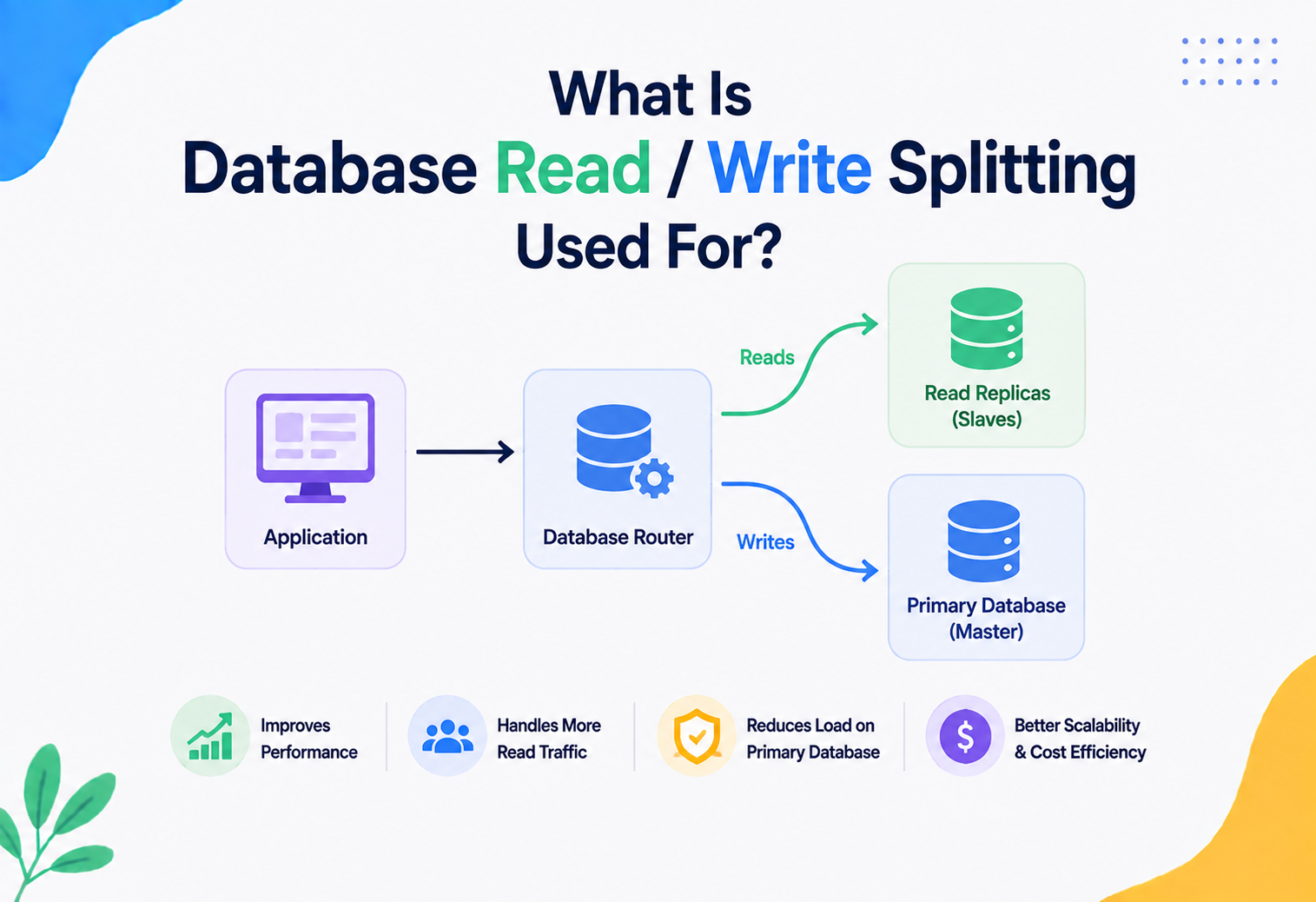
In the database world, load balancing commonly appears as read replicas — write operations always go to a single primary database (to preserve strict consistency), while read operations are spread across several replica copies, dramatically increasing how many read requests the system can handle at once.
APIs & Microservices
14.1 What are microservices?
What it is. An architectural style where an application is built as a collection of small, independent services, each responsible for one specific business capability (e.g., “orders,” “payments,” “search”), communicating over the network — usually via APIs.
Why it exists. Large “monolithic” applications (one giant codebase and one giant database doing everything) become slow to change, hard to scale selectively, and risky to deploy — a small bug in one part can bring down the entire application. Microservices let teams build, deploy, and scale each piece independently.
Analogy. A monolith is like one giant kitchen where every chef must share the same stove, the same fridge, and the same cutting board — if one chef makes a mess, everyone is affected. Microservices are like a food court, where each restaurant has its own kitchen, equipment, and staff, working completely independently, yet serving customers side by side.
14.2 The “database per service” pattern
This is the pattern that connects microservices directly to polyglot persistence: each microservice owns its own private database, and no other service is allowed to access that database directly. This is what makes true independence possible — the order service can switch from PostgreSQL to a different database entirely, and as long as its API stays the same, no other service needs to know or care.
Benefits
- Each service can choose its ideal database technology.
- Services can scale independently.
- A failure or slow query in one database does not directly break another service’s database.
- Teams can deploy and evolve their service’s data model without coordinating with every other team.
Challenges
- No cross-service JOINs — combining data from two services means calling two APIs and merging results in application code.
- Distributed transactions become hard (see the Saga pattern below).
- Data can become duplicated across services (each keeping the small slice of another service’s data it needs).
14.3 APIs: REST vs gRPC vs GraphQL
| Style | What it is | Best for |
|---|---|---|
| REST | Communication over HTTP using standard verbs (GET, POST, PUT, DELETE) and URLs representing resources, usually exchanging JSON. | Public APIs, general-purpose service-to-service communication, simplicity. |
| gRPC | A high-performance framework using binary protocol buffers instead of JSON, with strict, code-generated contracts between services. | Fast, internal service-to-service calls where performance matters, like between order and inventory services. |
| GraphQL | A query language letting clients request exactly the fields they need from one endpoint, potentially combining data from multiple backend services. | Front-end applications that need flexible, combined views of data from many microservices without many round trips. |
14.4 Handling transactions across services (the Saga pattern)
What it is. Since a single ACID transaction cannot span two different microservices’ databases, a Saga breaks a business process into a sequence of local transactions, each in its own service, with defined “compensating actions” to undo previous steps if a later step fails.
Fig 14.1 · a Saga coordinates a business process across multiple services and databases using local transactions and compensating (undo) steps, instead of one giant cross-database transaction.
Analogy. Booking a vacation package (flight + hotel + car rental) usually involves three separate companies, not one combined transaction. If the hotel booking fails after the flight is already booked, you cancel the flight (a compensating action) rather than the whole process magically undoing itself as one atomic unit. A Saga formalises exactly this kind of step-by-step booking-and-undoing process in software.
Design Patterns & Anti-patterns
15.1 Useful design patterns
Command Query Responsibility Segregation (CQRS)
What it is. Splitting the “write” model and the “read” model of your data into two separate structures, sometimes even two separate databases — write to a strongly consistent relational database, but read from a denormalised, fast document store or search index built specifically for how the app queries data.
Why it exists. The way an application writes data (small, precise updates) is often very different from the way it reads data (large, combined views for a dashboard). Optimising both with the same single model is often impossible; CQRS lets each side be optimised independently.
Event Sourcing
What it is. Instead of storing only the current state of data, you store every single change (“event”) that ever happened, and the current state is calculated by replaying all events in order.
Analogy. A bank statement does not just show your current balance — it shows every deposit and withdrawal, so the current balance is provable by adding them all up. Event sourcing applies this idea to all kinds of application data.
Change Data Capture (CDC)
What it is. A technique that watches a database’s internal transaction log for changes, and streams those changes out to other systems in near real-time — commonly used to keep a search index or cache in sync with a primary database, without the application code having to manually write to both. Examples: Debezium, AWS Database Migration Service.
Fig 15.1 · Change Data Capture keeps a search index and a cache automatically synchronised with the primary database, without the application writing to all three manually.
Polyglot persistence with a data lake / data warehouse
Many companies also periodically copy data out of all their operational (transactional) polyglot databases into a central data warehouse (structured, for business analytics, e.g., Snowflake, BigQuery) or data lake (raw, flexible storage for large-scale data science, e.g., data stored as files in Amazon S3), used for company-wide reporting and machine learning, completely separate from the live, operational databases.
15.2 Anti-patterns to avoid
Anti-pattern
Database-as-integration-point
Letting multiple services read/write the same shared database directly. This destroys service independence and is the single most common polyglot persistence anti-pattern.
Anti-pattern
Distributed monolith
Splitting services and databases apart on paper, but keeping them so tightly coupled (through synchronous calls, shared schemas) that you still have to deploy them all together.
Anti-pattern
Database sprawl
Adding new database technologies faster than the team can operate, monitor, back up, and secure them, leading to fragile, poorly understood infrastructure.
Anti-pattern
No clear source of truth
When the same piece of data lives in multiple databases without a clearly designated “authoritative” copy, conflicting updates become impossible to resolve correctly.
Best Practices & Common Mistakes
16.1 Best practices
- Start simple, add complexity only when justified by real, measured needs — do not begin a new project with six different databases “just in case.”
- Always define a single source of truth for every piece of data, even when copies exist elsewhere.
- Design for eventual consistency deliberately — decide, consciously, which parts of your system truly need strong (ACID) consistency and which can tolerate a short delay.
- Automate everything operational — backups, failover, scaling, and monitoring should not depend on a human remembering to do them by hand.
- Document data ownership clearly — every team should know exactly which service (and which database) owns each type of data.
- Invest in observability early — as the number of databases grows, tracing a bug across all of them without good monitoring becomes nearly impossible.
- Use managed database services where practical — let cloud providers handle patching, backups, and failover so your team can focus on the application itself.
16.2 Common mistakes
Mistakes to avoid
- Choosing a database because it is popular or trendy, without evaluating whether it actually fits the data’s shape and access pattern.
- Underestimating the operational burden — every new database needs monitoring, patching, backup testing, and on-call expertise.
- Ignoring eventual consistency implications until customers report confusing bugs (e.g., “I placed an order but it’s not showing in my order history yet!”).
- Allowing services to bypass APIs and query each other’s databases directly “just this once,” which quietly becomes permanent.
- Not planning for schema evolution — changing a message format between an event producer and consumer without a compatibility strategy can silently break downstream services.
- Failing to test disaster recovery for every database type in the system, not just the “main” one.
16.3 A minimal Java example: connecting a service to two databases
Here is a small, realistic Spring Boot example showing a single microservice that reads its primary data from PostgreSQL (the source of truth) and uses Redis as a cache — one of the simplest and most common real-world polyglot persistence patterns.
ProductRepository.java & ProductService.java · PostgreSQL + Redis cache-aside
// ProductRepository.java — talks to PostgreSQL (source of truth)
public interface ProductRepository extends JpaRepository<Product, Long> {
    Optional<Product> findById(Long id);
}

// ProductService.java — combines PostgreSQL and Redis
@Service
public class ProductService {

    private final ProductRepository productRepository; // PostgreSQL
    private final RedisTemplate<String, Product> redisTemplate; // Redis cache

    public ProductService(ProductRepository productRepository,
                           RedisTemplate<String, Product> redisTemplate) {
        this.productRepository = productRepository;
        this.redisTemplate = redisTemplate;
    }

    public Product getProduct(Long id) {
        String cacheKey = "product:" + id;

        // 1. Try the fast cache first (cache-aside pattern)
        Product cached = redisTemplate.opsForValue().get(cacheKey);
        if (cached != null) {
            return cached; // cache hit — no need to touch PostgreSQL
        }

        // 2. Cache miss — fall back to the source of truth
        Product product = productRepository.findById(id)
                .orElseThrow(() -> new ProductNotFoundException(id));

        // 3. Store the result in the cache for next time, with a 10-minute expiry
        redisTemplate.opsForValue().set(cacheKey, product, Duration.ofMinutes(10));

        return product;
    }

    public Product updateProduct(Long id, Product updated) {
        Product saved = productRepository.save(updated); // write-through to PostgreSQL

        // Invalidate the stale cache entry so the next read fetches fresh data
        redisTemplate.delete("product:" + id);

        return saved;
    }
}
Notice the pattern: PostgreSQL is always correct but sometimes slow; Redis is always fast but can be temporarily stale or empty. The application code explicitly manages the relationship between the two — this coordination logic is the real engineering work of polyglot persistence.
A second example: publishing an event after a write (keeping a search index in sync)
OrderService.java & SearchIndexUpdater.java · PostgreSQL + Kafka + Elasticsearch
@Service
public class OrderService {

    private final OrderRepository orderRepository;   // PostgreSQL
    private final KafkaTemplate<String, OrderEvent> kafkaTemplate; // Event bus

    public OrderService(OrderRepository orderRepository,
                         KafkaTemplate<String, OrderEvent> kafkaTemplate) {
        this.orderRepository = orderRepository;
        this.kafkaTemplate = kafkaTemplate;
    }

    @Transactional
    public Order placeOrder(OrderRequest request) {
        // 1. Strongly consistent write to the source of truth
        Order order = orderRepository.save(Order.from(request));

        // 2. Publish an event so other databases (search, analytics, graph)
        //    can update themselves asynchronously, without blocking checkout
        kafkaTemplate.send("order-events",
                new OrderEvent(order.getId(), order.getCustomerId(), "ORDER_PLACED"));

        return order;
    }
}

// A separate service listens and updates its own database independently:
@Service
public class SearchIndexUpdater {

    private final ElasticsearchOperations elasticsearchOperations;

    @KafkaListener(topics = "order-events", groupId = "search-indexer")
    public void onOrderEvent(OrderEvent event) {
        // Update product popularity score used for search ranking
        elasticsearchOperations.update(
            UpdateQuery.builder(event.getProductId())
                .withScript("ctx._source.popularity += 1")
                .build(),
            IndexCoordinates.of("products")
        );
    }
}Real-World & Industry Examples
Polyglot persistence is not just a textbook idea — it is how nearly every large-scale technology company actually builds its systems today.
Streaming
Netflix
Uses Cassandra for massive-scale viewing history and user data (chosen for its horizontal write scalability across global regions), Elasticsearch for search and discovery, MySQL for certain billing and account data, and various caching layers (EVCache, built on Memcached) to serve recommendations with extremely low latency to over 200 million subscribers.
Retail
Amazon
Amazon originally built DynamoDB (a key-value/wide-column store) specifically because a relational database could not reliably handle its shopping cart traffic during peak shopping events. Different parts of Amazon’s retail platform use different databases: relational databases for order and billing systems, DynamoDB for high-throughput, low-latency lookups, and Elasticsearch/OpenSearch for product search.
Mobility
Uber
Uses a mix of MySQL (via a custom-built layer called Schemaless for scalability) for core trip and payment data, Redis for real-time location caching, and specialised geospatial indexing systems to match nearby drivers and riders — a problem graph-like and spatial data structures handle far better than plain relational tables.
Social · work
Uses relational databases for structured profile data, but built and open-sourced its own systems (like Voldemort, a key-value store, and Kafka, now used industry-wide as an event bus) specifically because existing databases could not handle its scale of activity feeds and real-time updates.
Social · consumer
Facebook (Meta)
Built Cassandra originally in-house (later open-sourced) for its inbox search feature needing massive write throughput, while using MySQL heavily (with a custom caching layer built on Memcached, called TAO) for the social graph and news feed data.
Marketplace
Airbnb
Uses relational databases (MySQL) as its primary source of truth for bookings and listings, alongside Elasticsearch for search and filtering listings by location, price, and amenities — a task relational databases handle poorly compared to a purpose-built search engine.
FAQ, Summary & Key Takeaways
18.1 Frequently asked questions
Is polyglot persistence the same as “using NoSQL instead of SQL”?
No. Polyglot persistence is about using multiple database types together, purposefully — which very often still includes a relational (SQL) database for the data that needs it most. It is not “NoSQL instead of SQL”; it is “the right database, including SQL where SQL is the right choice, for each specific job.”
Does every company need polyglot persistence?
No. A small application with modest, well-understood data needs might be perfectly well served by a single relational database for years. Polyglot persistence should be adopted when there is a genuine, demonstrated need — not by default, and not just because large companies do it.
How do you keep data consistent across so many different databases?
Mainly through deliberate architecture: designating one clear “source of truth” database per type of data, using events (via a message broker like Kafka) or Change Data Capture to propagate updates to other databases asynchronously, and accepting eventual consistency for non-critical data while keeping strict ACID transactions only where correctness truly cannot be compromised (like payments).
What is the biggest risk of polyglot persistence?
Operational complexity outpacing the team’s ability to run it safely. Every additional database technology needs to be monitored, backed up, secured, and understood by the team — adding databases faster than the team can operate them reliably is the most common real-world failure mode.
Can a small startup use polyglot persistence?
Yes, in a limited and pragmatic way — for example, PostgreSQL as the main database plus Redis as a cache is an extremely common, very manageable, two-database polyglot setup even for very small teams, and is often a good default starting point.
How is polyglot persistence different from a data warehouse?
A data warehouse is one specific analytical database used mainly for reporting and business intelligence; polyglot persistence is the broader architectural approach of using several different operational databases side by side to serve a live application. A polyglot system frequently feeds a data warehouse as one of its downstream consumers, but the two concepts are complementary, not the same.
Where does eventual consistency become a real user-visible problem?
Most often at the edges of workflows where a user performs an action and immediately looks for its result in a different view — e.g., placing an order and refreshing the order history before the search or analytics index has caught up. The fix is a mix of UI hints (“we’re processing your order”), reading immediately-critical data from the source of truth, and only relying on the eventually-consistent view where a short delay is genuinely acceptable.
18.2 Chapter summary
We started with a simple idea — different jobs need different tools — and built it into a full architectural understanding. We saw that data itself has different shapes (tabular, document, graph, key-value, wide-column, search-optimised), different consistency needs (explained through ACID, BASE, and the CAP theorem), and different scaling patterns (vertical vs horizontal, partitioning, replication). We walked through how a real e-commerce order flows through five different specialised databases, connected loosely through events rather than direct calls. We covered how to keep such a system secure, observable, highly available, and cost-efficient in the cloud, and we looked at proven patterns (CQRS, Event Sourcing, Change Data Capture, the Saga pattern) as well as anti-patterns to avoid (shared databases, database sprawl). Finally, we saw that this is not just theory — it is exactly how Netflix, Amazon, Uber, LinkedIn, Meta, and Airbnb build their real production systems today.
18.3 Key takeaways
- 01An architect chooses polyglot persistence when different types of data have genuinely different shapes, access patterns, or consistency needs that one single database cannot serve well.
- 02The CAP theorem explains why distributed databases must trade off between strict consistency and constant availability during network failures — different data can tolerate this trade-off differently.
- 03In a microservices architecture, the “database per service” pattern is what makes polyglot persistence practical — each service privately owns its database and exposes data only through APIs.
- 04Events and Change Data Capture, not direct database-to-database queries, are the standard way to keep multiple specialised databases in sync.
- 05Polyglot persistence trades simplicity for performance, scalability, and flexibility — it should be adopted deliberately, based on real needs, not fashion.
- 06Every real-world large-scale system — Netflix, Amazon, Uber, and more — uses polyglot persistence today, proving this is a mainstream, production-proven approach, not just theory.