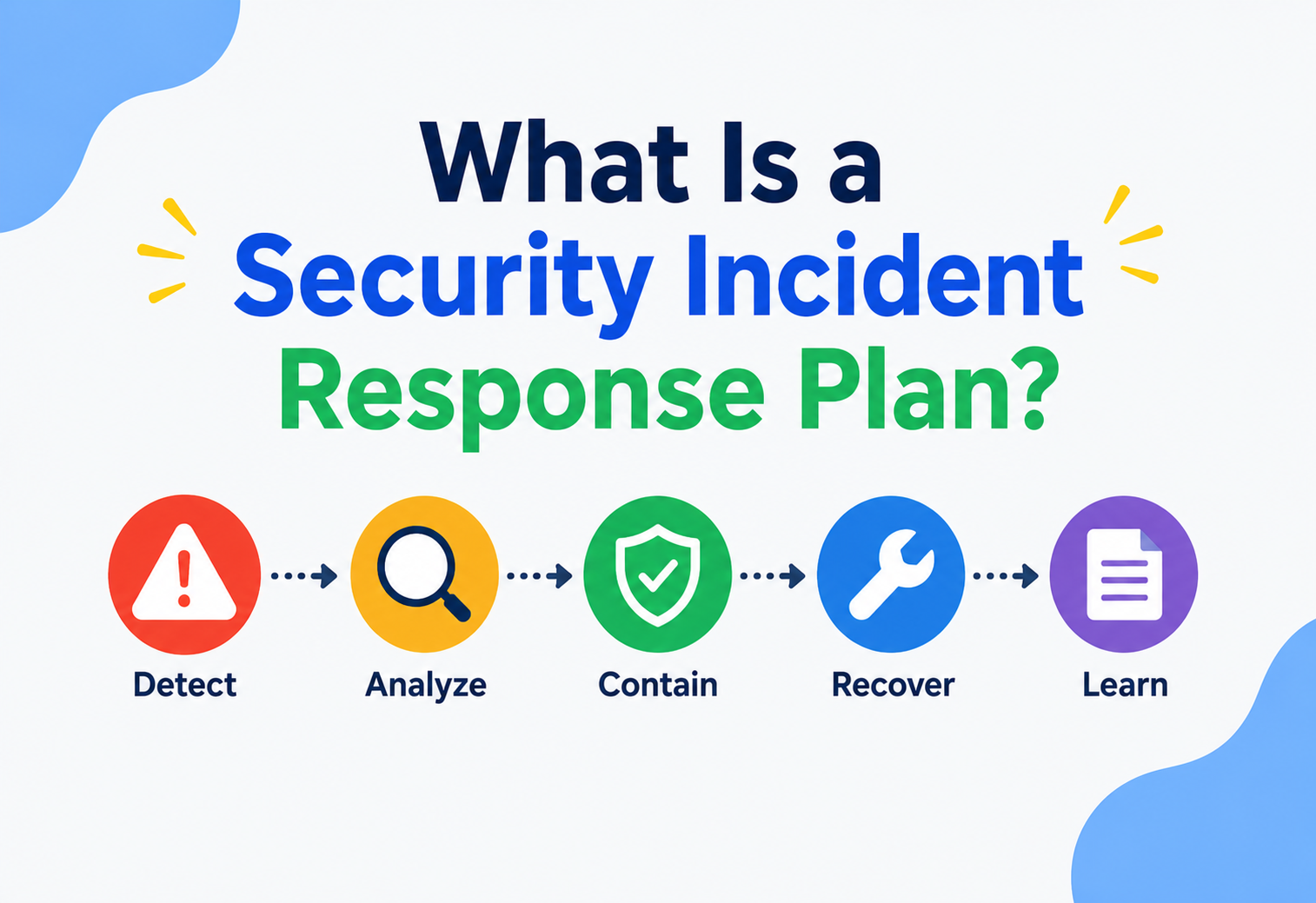
What Is a Security Incident Response Plan?
A complete, ground-up guide to the rehearsed “fire drill” for cyber attacks — how organizations detect, contain, eradicate, and recover from security incidents while preserving evidence, meeting legal deadlines, and learning from every event.
What Is a Security Incident Response Plan?
A written, rehearsed plan that tells an organization exactly what to do the moment something goes wrong — replacing panic and improvisation with practiced process at exactly the moment they are hardest to summon.
Imagine your house has a smoke alarm, a fire extinguisher, and a plan for where everyone meets outside if there’s a fire. Nobody wants a fire to happen, but if one does, you don’t want to be figuring out what to do for the first time while the kitchen is burning. A Security Incident Response Plan (IRP) is exactly this, but for computer systems. It is a written, rehearsed plan that tells an organization exactly what to do the moment something goes wrong — a hacker breaks in, an employee clicks a malicious link, a server starts leaking customer data, or an attacker locks up files with ransomware.
Formally, an incident response plan is a documented, structured approach that describes how an organization will detect, contain, eradicate, and recover from cybersecurity incidents, and how it will communicate about them internally and externally, while preserving evidence and learning from what happened.
A fire drill does not stop fires from starting. It makes sure that when one does start, everyone already knows their job, so people get out safely and the damage is limited. An incident response plan is the fire drill for your digital systems.
A Short History
The idea did not appear overnight. In the early days of computing (1970s–1980s), most “security” meant physical security: locked server rooms and access badges. As networks connected computers together, new kinds of problems appeared. The first widely recognized incident that pushed the world toward formal incident response was the Morris Worm in 1988 — a self-replicating program that accidentally took down roughly 10% of the internet at the time. In its aftermath, the U.S. government funded the creation of the world’s first CERT (Computer Emergency Response Team) at Carnegie Mellon University. This was the seed of what we now call incident response.
Through the 1990s and 2000s, as e-commerce, banking, and email became internet-based, the stakes grew enormously. Standards bodies stepped in to formalize the practice: the U.S. National Institute of Standards and Technology (NIST) published its Computer Security Incident Handling Guide (NIST SP 800-61), and the SANS Institute published its own widely taught six-phase model. Regulations like HIPAA (healthcare), PCI-DSS (payment cards), GDPR (EU privacy law), and SOX (financial reporting) began legally requiring companies to have an incident response capability, often with strict notification deadlines. Today, having a tested incident response plan is not a “nice to have” — for most mid-size and large organizations, it is a legal, contractual, and reputational necessity.
1970s–1980s — Physical-First Security
“Security” largely meant locked server rooms and access badges; the concept of a coordinated response to a network attack barely existed yet.
1988 — The Morris Worm
A self-replicating program takes down roughly 10% of the internet, exposing the total absence of a coordinated response capability and prompting real action.
Late 1988 — First CERT
The U.S. government funds the first Computer Emergency Response Team at Carnegie Mellon — the seed of every modern CSIRT.
1990s–2000s — Formal Frameworks
NIST SP 800-61 and the SANS six-phase model turn ad-hoc firefighting into a repeatable discipline with defined phases and roles.
2010s Onward — Regulatory Era
HIPAA, PCI-DSS, GDPR, SOX and their peers make a tested incident response plan a legal and contractual requirement, not just a good idea.
What ties all of these eras together is a single realization: incidents are not a question of if, but of when. The organizations that recover fastest are the ones that decided, in advance, exactly who does what — before anyone actually needed to know.
Why Improvisation Doesn’t Work in a Crisis
During a real incident, three forces converge at once — time pressure, human panic, and legal exposure — and each one makes clear-headed decisions harder just when you need them most.
Why do organizations need a written plan instead of just “figuring it out” when something bad happens? Because during a real incident, three things happen at once, and each one makes good decisions harder:
- Time pressure: Attackers move fast. Ransomware can encrypt an entire file server in minutes. Every hour of delay in detecting or containing an attacker gives them more time to steal data or spread further.
- Confusion and panic: Humans under stress make worse decisions. Without a plan, people argue about who should decide what, who to call, and what to do first — while the problem gets worse.
- Legal and financial exposure: Many laws require notifying regulators or affected customers within a fixed number of hours or days (for example, GDPR generally requires notifying a data protection authority within 72 hours of becoming aware of certain breaches). Missing this window because nobody knew the rule can turn a technical problem into a legal one.
Without a plan, real incidents commonly go wrong in predictable ways:
No Clear Owner
Multiple teams assume someone else is “handling it,” and nobody actually contains the threat for hours.
Evidence Destroyed
A well-meaning engineer wipes and reinstalls a compromised server, destroying forensic evidence needed to understand the attack.
Wrong Communication
Someone tells customers or the press before facts are confirmed, or stays silent past a legal deadline.
Repeat Incidents
The root cause is never found, so the same vulnerability is exploited again a few months later.
The core motivation of an incident response plan, then, is to replace improvisation with rehearsed process — turning “what do we do?!” into “we already know exactly what to do.”
That common saying among security practitioners underscores an uncomfortable truth: process failures, not just technical failures, are what turn a minor intrusion into a major breach. An attacker who gets past a firewall for an hour is a nuisance; an attacker who gets past a firewall for a month because nobody noticed and no plan escalated the anomaly is a headline.
The single most expensive decision in a live incident is often not a technical one at all — it’s who has the authority to take a production system offline. Deciding that in writing, in advance, is what an incident response plan is really for.
The Vocabulary of Incident Response
Before going further, let’s build a shared vocabulary. Each term below is explained simply, with a real-world analogy where useful, since much of the confusion in this space comes from people using the same words to mean slightly different things.
Event vs. Incident
A security event is anything that happens on a system that could be relevant to security — a failed login, a firewall block, a file being modified. Most events are harmless noise. A security incident is an event (or group of events) that has been confirmed to violate security policy or actually threatens the confidentiality, integrity, or availability of data or systems. Think of events like every car that drives past your house (mostly normal), and an incident like the one car that actually tries your front door handle.
CIA Triad
Almost every security discussion refers back to three goals, known as the CIA triad:
- Confidentiality: only the right people can see the data (like a locked diary).
- Integrity: the data has not been secretly changed (like a sealed envelope that shows if it was opened).
- Availability: the data and systems are there when you need them (like a shop that is actually open during business hours).
Severity and Priority
Severity measures how bad the potential impact is (e.g., “Critical” — customer data actively being stolen — versus “Low” — a single failed login attempt). Priority combines severity with urgency to decide what gets worked on first. A plan usually defines a severity scale (e.g., SEV-1 through SEV-4) so that everyone speaks the same language when describing how bad something is.
IOC — Indicator of Compromise
An IOC is a piece of forensic evidence that suggests a system has been breached — for example, a suspicious file hash, an unusual outbound network connection to a known “bad” IP address, or a strange new admin account. IOCs are like fingerprints left at a crime scene: they help investigators confirm what happened and hunt for the same attacker elsewhere.
TTPs — Tactics, Techniques, and Procedures
This describes an attacker’s “playbook” — the general approach (tactic), the specific method (technique), and the exact steps (procedure) they use. Security teams often map these against a public knowledge base called the MITRE ATT&CK framework, which catalogs known attacker behaviors so defenders can recognize patterns instead of only single facts.
Chain of Custody
This is a documented, unbroken record of who collected a piece of evidence, when, and how it was stored and handled afterward. It matters because if a case ever goes to court, a broken chain of custody can make evidence inadmissible — similar to how police must carefully log and seal physical evidence bags.
Playbook vs. Plan
The incident response plan is the overall, high-level document: policies, roles, escalation paths, and legal obligations. A playbook (or runbook) is a specific, step-by-step checklist for handling one particular type of incident, such as “ransomware playbook” or “phishing playbook.” The plan is the constitution; playbooks are the detailed laws under it.
Quick Terms Recap
- Event = something happened
- Incident = confirmed security violation
- IOC = evidence of compromise
- TTP = attacker’s method
- Plan = strategy; Playbook = tactics
Common Confusions
- Treating every event as an incident (alert fatigue)
- Confusing a plan (strategy) with a playbook (tactics)
- Assuming severity = priority (urgency also matters)
- Skipping chain-of-custody in the heat of the moment
- Using “IOC” and “TTP” interchangeably when they aren’t
Architecture & Components of an IR Plan
An incident response plan is not just a single document — it is a system made up of people, process documents, and technology, all working together. Think of it like the architecture of a building: you need a foundation (policy), load-bearing walls (roles and processes), and utilities running through it (tools and data feeds).
1. Governance Layer
This is the “why we exist” layer: an executive-approved policy statement, defined objectives, and clear authority — for example, who has the power to take a production system offline during a crisis, even if that costs the company money every minute.
2. People — the Incident Response Team (IRT / CSIRT)
A Computer Security Incident Response Team is the group of people who actually respond. Roles typically include:
Incident Commander
Runs the response like a captain — makes final calls, keeps everyone coordinated, is not necessarily the most technical person in the room.
Security Analysts
Investigate logs and alerts, determine what actually happened technically.
Forensics Specialist
Preserves and examines evidence such as disk images and memory dumps.
Communications Lead
Manages internal updates, customer notices, press, and regulator communication.
Legal Counsel
Advises on notification laws, contracts, and liability.
IT/Ops Engineer
Executes technical containment actions like isolating a server or resetting credentials.
3. Process Layer — Policies and Playbooks
This includes the master plan document, severity definitions, escalation matrices (who to call, in what order, at what severity), and individual playbooks for common scenarios like phishing, ransomware, denial-of-service attacks, insider threats, and cloud account compromise.
4. Technology Layer
The tools that provide visibility and enable action:
- SIEM (Security Information and Event Management) — collects and correlates logs from across the organization so analysts can search and get alerts in one place.
- SOAR (Security Orchestration, Automation, and Response) — automates repetitive response steps, like automatically disabling a compromised user account.
- EDR/XDR (Endpoint/Extended Detection and Response) — agents on laptops and servers that detect and can isolate suspicious activity on that machine.
- Ticketing and case management — tracks the incident’s timeline, actions taken, and evidence, similar to a police case file.
- Communication channels — a pre-arranged “out of band” way to communicate (e.g., a phone bridge or a separate chat system) in case the attacker has compromised the normal email or chat system.
Internal vs. Hybrid vs. Outsourced Team Models
Not every organization builds a full internal team from scratch, and choosing the right model is itself an architectural decision with real trade-offs. Three common models exist:
| Model | Description | Best Suited For |
|---|---|---|
| Fully internal CSIRT | All roles staffed by full-time employees, with dedicated tooling owned and operated in-house. | Large enterprises with continuous, high-volume threat exposure and regulatory obligations. |
| Hybrid (retainer-based) | A small internal core team handles day-to-day triage, backed by a pre-signed retainer contract with an external forensics or response firm for major incidents. | Mid-size companies that want expertise on tap without full-time headcount for rare, severe events. |
| Fully outsourced (MSSP) | A Managed Security Service Provider runs monitoring and initial response entirely, with the client retaining only oversight and decision authority. | Small businesses without the budget or scale to justify an internal security function. |
Whichever model is chosen, the plan must clearly state who has final decision-making authority, because during a live incident there is no time to debate whether an external vendor or an internal executive gets to make the call to, say, shut down a payment gateway.
Committee and Escalation Structure
Beyond the CSIRT itself, many organizations define a standing Crisis Management Team or Security Steering Committee made up of senior leadership, which is only activated for the most severe incidents (a SEV-1, for example). This mirrors how an airline has a normal flight crew for everyday operations but activates a separate emergency response structure only when something goes seriously wrong. Keeping these two structures distinct prevents minor incidents from unnecessarily consuming executive attention, while guaranteeing that major incidents get it immediately.
The Six-Phase Incident Response Lifecycle
Most incident response plans are built around a well-known lifecycle. NIST’s model has four high-level phases, while SANS breaks it into six more granular steps. We’ll use the six-step SANS model since it maps cleanly to what teams actually do day to day.
Preparation
Everything done before an incident: writing the plan, training the team, deploying monitoring tools, running tabletop exercises, and making sure backups exist and actually restore correctly. This is the single most important phase — most response failures trace back to poor preparation, not a lack of technical skill during the crisis.
Identification
Detecting that something is actually wrong, and confirming it is a real incident rather than a false alarm. This relies on monitoring tools, alerts, user reports, and threat intelligence.
Containment
Stopping the bleeding. Often split into short-term containment (immediate action, like disconnecting a server from the network) and long-term containment (temporary fixes that let business continue safely while a full solution is built, like putting a patched but rebuilt system back online behind extra monitoring).
Eradication
Removing the actual cause — deleting malware, closing the vulnerability that let the attacker in, disabling any backdoor accounts they created.
Recovery
Carefully restoring systems to normal operation, verifying they are clean, and monitoring closely for any sign the attacker is still present or returns.
Lessons Learned
A blameless “post-mortem” meeting after the dust settles: what happened, what worked, what didn’t, and what changes should be made to prevent a repeat. This feeds back into Preparation, closing the loop.
Skipping straight to Eradication before Containment is finished is like putting out a small kitchen fire while leaving the back door open — the attacker (or fire) can simply come back in a different way while you’re distracted.
How Identification Actually Happens in Practice
Identification rarely comes from a single dramatic signal. Instead, analysts piece together evidence from several sources at once, similar to how a doctor combines a patient’s symptoms, blood test, and history rather than relying on one reading alone. Common triggers include:
- Automated alerts from SIEM correlation rules or EDR agents flagging unusual process behavior.
- Threat intelligence feeds that reveal a known-malicious IP address or file hash was seen communicating with an internal system.
- User reports, such as an employee noticing a suspicious email or a customer reporting unauthorized account activity.
- Anomaly detection, where a system flags behavior that deviates from an established baseline, like a service account suddenly downloading gigabytes of data at 3 a.m.
- External notification, sometimes the very first sign is a law enforcement agency, a security researcher, or even a journalist contacting the company about exposed data they discovered independently.
Once a potential incident is flagged, analysts perform triage: quickly assessing scope, severity, and confidence before formally declaring an incident. This step matters because declaring an incident activates people, costs money, and sometimes legal obligations, so a false declaration has real costs too — but under-declaring a genuine incident is far more dangerous, so most mature plans encourage analysts to err on the side of escalating when uncertain.
Containment Strategy in More Depth
Containment decisions almost always involve weighing two competing goals: stopping the attacker as fast as possible, versus preserving business operations and evidence. A few concrete containment techniques illustrate this tension:
Network Isolation
Disconnecting an infected host from the network stops the attacker’s remote access instantly, but may also destroy volatile evidence like active network connections if not done carefully.
Credential Rotation
Forcing a password reset or revoking access tokens cuts off an attacker using stolen credentials, but can also lock out legitimate users mid-shift if applied too broadly.
Segmentation
Restricting a compromised segment of the network from reaching sensitive systems limits lateral movement without fully shutting anything down.
Honeypot Monitoring
In some cases, teams deliberately leave a compromised system running under close, silent observation to study attacker behavior before acting — a higher-risk, higher-reward option usually reserved for well-resourced teams.
This is why the plan typically pre-authorizes specific people to make specific containment calls at specific severities, rather than requiring a company-wide vote in the middle of an active attack.
How Information Flows Through a Real Incident
Let’s trace exactly how information flows through the system during a real incident, from the first suspicious signal to the final report.
Notice a few important properties of this flow:
- Escalation is directional and fast: raw alerts flow up to a decision-maker quickly; the Incident Commander does not personally chase every log line.
- Evidence flows are preserved separately: anything pulled for investigation (logs, disk images, memory captures) is copied — never edited in place — and stored with a timestamp and the name of who collected it, to maintain chain of custody.
- Legal and communications run in parallel, not after: notification clocks (like the GDPR’s 72-hour rule) often start ticking from the moment the organization becomes aware of a breach, not from when eradication is finished, so legal involvement can’t wait until the end.
To make this concrete, here is a minimal example of how an incident’s state might be represented and moved through this lifecycle programmatically, in Java, as it would appear inside a ticketing or SOAR-style system:
public enum IncidentSeverity { SEV1_CRITICAL, SEV2_HIGH, SEV3_MEDIUM, SEV4_LOW }

public enum IncidentPhase { PREPARATION, IDENTIFICATION, CONTAINMENT, ERADICATION, RECOVERY, LESSONS_LEARNED }

public class SecurityIncident {
    private final String incidentId;
    private IncidentSeverity severity;
    private IncidentPhase phase;
    private final List<String> timeline = new ArrayList<>();

    public SecurityIncident(String incidentId, IncidentSeverity severity) {
        this.incidentId = incidentId;
        this.severity = severity;
        this.phase = IncidentPhase.IDENTIFICATION;
        log("Incident created with severity " + severity);
    }

    public void advancePhase(IncidentPhase next) {
        // Enforce that phases move forward in the correct order
        if (next.ordinal() != this.phase.ordinal() + 1) {
            throw new IllegalStateException("Cannot skip from " + phase + " to " + next);
        }
        this.phase = next;
        log("Phase advanced to " + next);
    }

    private void log(String message) {
        timeline.add(Instant.now() + " :: " + message);
    }

    public List<String> getTimeline() {
        return Collections.unmodifiableList(timeline);
    }
}
This tiny example shows two ideas that matter in real IR tooling: an enforced phase order (you cannot jump from Identification straight to Recovery, mirroring the real-world rule that containment must happen first), and an immutable, timestamped timeline — a simplified digital chain of custody.
The Final Artifact: The Incident Report
At the end of the data flow sits a document that is easy to underestimate: the formal incident report. This is not simply a technical write-up; it typically has to serve several very different audiences at once, each needing different information:
| Audience | What They Need from the Report |
|---|---|
| Engineering teams | Precise technical root cause, affected systems, and the specific fix applied. |
| Executive leadership | Business impact, cost estimate, and confidence that the issue is fully resolved. |
| Legal counsel | Facts relevant to liability, contractual obligations, and litigation risk, written carefully to avoid speculation. |
| Regulators (if applicable) | A factual account matching the specific fields required by the relevant notification law. |
| Affected customers | A plain-language explanation of what happened, what data was involved, and what they should do next. |
Because these audiences need different levels of detail and different tones, many organizations produce a single detailed internal report and then derive shorter, audience-specific summaries from it, rather than writing five separate documents from scratch under time pressure.
Advantages, Disadvantages & Trade-offs
Having a formal incident response plan is not free — it takes time, money, and ongoing discipline to maintain. It’s worth being honest about both sides.
Advantages
- Dramatically reduces time-to-containment, which directly reduces damage and cost.
- Provides legal defensibility — shows regulators and courts that “reasonable care” was taken.
- Reduces panic and human error during a real crisis through rehearsed muscle memory.
- Creates a feedback loop (lessons learned) that continuously hardens the organization.
- Builds customer and partner trust, sometimes required contractually to win business.
Disadvantages / Costs
- Requires ongoing investment: tooling, staffing, training, and tabletop exercises.
- A plan that is written but never rehearsed can give false confidence.
- Overly rigid plans can slow down response to unusual, unanticipated incidents.
- Cross-team coordination (legal, PR, engineering) is organizationally hard to maintain.
- Plans go stale quickly as infrastructure, staff, and tools change.
The trade-off, in short, is preparation cost now versus damage cost later. Industry studies consistently find that organizations with a tested incident response plan and dedicated team experience meaningfully lower average breach costs and shorter containment times than organizations without one — the upfront investment tends to pay for itself the very first time it’s used in anger.
Thinking About It as Risk Management, Not a Guarantee
It’s worth being clear-eyed that an incident response plan does not prevent incidents from happening at all — that is the job of preventive controls like firewalls, patching, and employee training. An incident response plan instead reduces the impact once something does get through, the same way a seatbelt doesn’t prevent a car crash but significantly reduces the harm when one happens. Organizations sometimes mistakenly treat a good incident response plan as a substitute for preventive security investment, when in reality the two are complementary and both are necessary.
Similarly, no plan can anticipate every possible scenario. Part of a mature program’s job is to accept this reality and instead build a team and culture capable of improvising well within a structured framework, rather than pretending every possible incident type has already been scripted in advance.
Performance & Scalability
“Performance” for an incident response program isn’t measured in milliseconds like a database query — it’s measured in how quickly and effectively humans and systems can respond as the organization grows.
Two metrics dominate this conversation:
- MTTD (Mean Time to Detect): the average time between when a compromise begins and when it is discovered. Industry benchmarks have historically shown this taking weeks or months without good monitoring — the goal of investment is to shrink this to hours or minutes.
- MTTR (Mean Time to Respond/Recover): the average time between detection and full containment/recovery.
As an organization scales — more employees, more cloud accounts, more third-party vendors — the volume of security alerts scales too, often faster than headcount. This creates a scalability problem very similar to scaling any software system: you can’t simply keep adding people 1-to-1 forever. The solutions mirror classic engineering scalability patterns:
Automation (SOAR)
Auto-handle routine, high-confidence alerts (like isolating a device with a known malware hash) so humans focus only on ambiguous cases — similar to autoscaling handling routine load while engineers handle true incidents.
Tiered Triage
Tier-1 analysts filter noise, escalating only real incidents to Tier-2/3 specialists — a load-balancing pattern for human attention.
Alert Correlation
Group related low-level alerts into a single higher-confidence incident instead of paging on every raw signal — reducing “N+1” alert storms.
Playbook Reuse
Well-designed playbooks are reusable “templates” that scale response quality across many analysts, the same way a well-designed library scales code reuse.
A plan that works well for a 50-person startup handling a handful of alerts a day will completely break down at a 5,000-person company generating millions of log events daily unless it is deliberately re-architected for scale — just like a system designed for 100 users often needs redesigning for 1 million users.
The Follow-the-Sun Staffing Model
Attackers do not respect office hours, and a global organization cannot rely on a single time zone’s team to catch everything. Many large organizations solve this the same way global customer support teams do: a “follow-the-sun” model, where analyst teams in different regions (for example, one in the Americas, one in Europe, one in Asia-Pacific) hand off monitoring duty at the end of each region’s working day, providing continuous 24-hour coverage without requiring any single team to work overnight shifts indefinitely.
Scaling Playbooks with Maturity Models
Many security programs measure their own scalability using a maturity model, often expressed in stages such as: ad hoc (no formal process, entirely reactive), defined (documented plan exists but is rarely tested), managed (plan is tested regularly and metrics are tracked), and optimized (the plan continuously improves itself using data from past incidents and automation). Understanding which stage an organization is currently in helps leadership decide where to invest next, rather than trying to build every capability simultaneously.
High Availability & Reliability
What happens if the incident itself takes down the very tools and people you’d normally rely on to respond? A resilient incident response capability must assume that some of its own infrastructure may be part of the blast radius.
Out-of-Band Communication
If attackers have compromised the corporate email or chat system, the response team cannot coordinate using that same compromised system — the attacker could be reading every message. Mature plans define a separate “break glass” communication channel (a different platform, a phone tree, or even a physical war room) that does not depend on the potentially-compromised primary systems.
On-Call Rotations and Redundancy
Just like production software needs redundant servers so one failure doesn’t take the whole system down, an IR team needs redundant coverage — a documented on-call rotation with backups, so the plan does not collapse if the one person who “knows how everything works” is on vacation or unreachable.
Backup and Restore Testing
Backups are the ultimate reliability mechanism against ransomware and destructive attacks, but a backup that has never been test-restored is a false promise. Mature plans mandate regular restore drills — the same way database teams periodically test failover to a replica to make sure it actually works when needed.
Plan Resiliency Itself
The plan document itself should be accessible even if primary IT systems are down — for example, a printed or offline copy — since it does little good if the document describing what to do is stored only on the very server that just got encrypted by ransomware.
Storing the only copy of your incident response plan on the company intranet server that could itself be taken down in an incident is a classic single point of failure — plan for the plan to survive the incident.
Cross-Training and Knowledge Redundancy
Reliability in incident response is as much about people as it is about systems. If only one engineer knows how a particular legacy payment system actually works internally, that person becomes a single point of failure just as surely as an un-mirrored database. Mature organizations deliberately cross-train multiple people on critical systems and rotate who leads tabletop exercises, ensuring the loss of any one individual — whether they’re on vacation, sick, or have left the company — does not cripple the response capability.
Graceful Degradation During an Incident
Sometimes the safest containment action, like taking a compromised authentication service offline, would also break login for every legitimate user. A resilient plan anticipates these trade-offs in advance by designing degraded but functional fallback modes — for example, a temporary read-only mode for a database, or a manual approval process for payments — so the business can partially continue operating instead of facing a full outage while the security team investigates.
Protecting the Plan and Its Tools
This is a subtle but important idea: the incident response plan and the tools that support it must themselves be protected, because they are a high-value target. If an attacker can read your IR plan, they learn exactly how you will try to catch and evict them.
- Least privilege for IR tooling: access to SIEM, EDR consoles, and case management systems should be restricted to those who need it, with strong multi-factor authentication, since these tools often have powerful capabilities like remotely isolating any machine in the company.
- Segregation of evidence storage: forensic evidence (disk images, memory dumps, logs) should be stored somewhere the suspected attacker cannot reach or tamper with — often a separate, access-controlled system entirely outside normal production credentials.
- Insider threat awareness: plans must account for the uncomfortable possibility that the incident involves an insider, meaning containment and communication steps should not tip off a suspect before evidence is secured.
- Protecting the plan’s confidentiality: while the existence of an IR program is often publicized (for trust), the specific technical detection thresholds and escalation contacts are usually kept confidential to avoid helping attackers evade detection.
- Vendor and third-party risk: if part of your response depends on an external forensics or legal firm, contracts and NDAs with them must be signed before a crisis, not negotiated during one.
A bank doesn’t publish the exact combination and location of its vault, even though everyone knows it has a vault. Similarly, a company can be transparent that it has an incident response program without publishing the specific alert thresholds that would let an attacker sneak just under the radar.
Red Teaming and Adversary Simulation
Beyond protecting the plan’s confidentiality, many mature organizations regularly hire or maintain internal red teams — ethical attackers whose job is to try to break in using the same techniques a real adversary would, without warning the defending “blue team” in advance. This tests not just technical defenses but whether the incident response plan itself actually triggers correctly under real conditions, similar to how a building’s fire alarm system is tested with an unannounced drill rather than only ever checked on a schedule everyone already knows about.
Protecting Against the “Second Attack”
A frequently overlooked risk is that the same vulnerability that let an attacker in the first time can be exploited by a completely different, opportunistic attacker while the first incident is still being cleaned up — sometimes referred to informally as a “second wave.” Good containment and eradication practices close the original hole completely, rather than leaving it open a crack while the team focuses only on the specific attacker they detected first.
Monitoring, Logging & Metrics
You cannot respond to what you cannot see. Monitoring and logging form the “nervous system” that feeds the entire incident response process.
What to Log
- Authentication events (successful and failed logins, password resets, MFA challenges).
- Network flow data (what talked to what, and how much data moved).
- Endpoint activity (processes started, files created/modified, registry changes).
- Application and API access logs (who accessed what data, when).
- Cloud provider audit logs (e.g., changes to permissions, new access keys created).
Key Metrics Dashboards Typically Track
Alongside these, teams also watch the false-positive rate of their alert pipeline — a rising rate is often the earliest visible sign of alert fatigue setting in and the biggest predictor that a real incident will get missed in the noise.
Logs are only useful if they are centralized, tamper-resistant (often shipped immediately to a separate logging system so an attacker can’t simply delete local logs to cover their tracks), and retained long enough — many attacks are discovered only months after the initial intrusion, so logs deleted after a week are useless for investigating them.
Establishing a Baseline Before You Can Spot an Anomaly
A very common beginner misunderstanding is expecting monitoring tools to instantly “know” what’s suspicious. In reality, most anomaly detection first needs a period of observing normal behavior to build a baseline — much like a new employee’s manager needs a few weeks to learn what a normal workday looks like for them before noticing something’s off. Systems typically need days to weeks of clean data to establish reliable baselines for things like typical login times, typical data transfer volumes, or typical numbers of failed logins, before alerts based on deviation from that baseline become trustworthy.
Log Retention Trade-offs
Storing logs is not free — high-volume environments can generate terabytes of log data daily, and storage costs money. Organizations must balance retention length (how far back you can investigate) against storage and processing cost. A common compromise is a tiered retention strategy: keep recent logs (say, the last 30–90 days) in fast, expensive “hot” storage for quick searching, and move older logs into cheaper “cold” archival storage that takes longer to search but is retained for a year or more to satisfy compliance and long-tail investigation needs.
Deployment & Cloud Considerations
Incident response looks different depending on where your systems live, and today most organizations must handle several of these environments at once.
On-Premises Environments
The organization owns the hardware and network end-to-end, giving full access for deep forensics (like pulling a physical hard drive for analysis) but requiring the organization to build and staff all monitoring itself.
Cloud Environments (Shared Responsibility)
In the cloud, security responsibility is shared between the cloud provider and the customer. The provider typically secures “of the cloud” (physical data centers, host hypervisors), while the customer secures “in the cloud” (their own configurations, identity permissions, application code, and data). Misunderstanding this boundary is one of the most common causes of cloud breaches — for example, assuming the cloud provider automatically secures a storage bucket, when in fact the customer must configure its access permissions correctly.
Cloud incident response also depends heavily on the provider’s own audit logging (e.g., detailed logs of every API call made against an account) and often requires urgent cooperation with the provider’s support or trust and safety teams, especially if attacker-created cloud resources are actively costing money or being used to attack others.
Hybrid and Multi-cloud
Many organizations run infrastructure across on-premises data centers and multiple cloud providers simultaneously. This means an IR plan must define consistent playbooks and tooling that work across all environments, since an attacker who compromises one environment will often try to pivot into others via shared credentials or trust relationships.
Containers and Microservices
In modern containerized deployments, individual compute instances (containers) are often short-lived, sometimes existing for only minutes. This changes forensics: instead of imaging a single long-running server, responders may need to preserve container images, orchestration logs (e.g., Kubernetes audit logs), and network policies at the moment of compromise, since the actual container may no longer exist by the time someone investigates.
Revoking a compromised cloud credential without first checking what resources it can access can tip off an attacker or fail to fully cut off their access if they’ve already created a second, hidden set of credentials — a common technique for maintaining persistence.
Third-party and Supply-chain Incidents
Modern organizations rarely operate in isolation — they depend on dozens or hundreds of external vendors, software libraries, and service providers. A significant share of major incidents in recent years have originated not from a direct attack on the victim company itself, but from a compromise of a trusted vendor or a widely used software component that many companies depend on at once. This means a complete incident response plan must define how to handle notifications from vendors about their own breaches (and what data of yours they may have exposed), as well as a process for quickly assessing your own exposure when a widely used piece of software is found to have a critical vulnerability, sometimes referred to as a “mass patching event.”
Edge and IoT Deployment Considerations
Organizations with physical retail locations, factories, or internet-of-things devices face yet another deployment wrinkle: many of these devices have limited logging capability, may not support remote isolation the way a laptop does, and can be physically inaccessible during an active incident. Plans covering these environments often need to define alternative containment actions, such as disabling a device’s network access at the router level rather than the device itself, since the device cannot be remotely managed the way standard corporate laptops can.
Tooling & APIs: SIEM, SOAR, and Case Management
Real incident response leans heavily on integrated tooling, often connected via APIs so that different systems can share data and trigger actions automatically.
SIEM (Security Information and Event Management)
Acts as the central “search engine” over all security-relevant logs. Analysts write correlation rules (e.g., “alert if the same user account fails to log in 20 times from 5 different countries within 10 minutes”) that turn raw noise into actionable alerts.
SOAR (Security Orchestration, Automation, and Response)
Sits on top of the SIEM and other tools, and automates response steps by calling their APIs directly — for example, automatically calling an identity provider’s API to disable a user account the instant a high-confidence malicious login is detected, without waiting for a human to act.
Case/Ticket Management
Tracks the incident as a structured record: timeline, evidence links, assigned owner, current phase, and communications log. This becomes the official record referenced in the post-incident report and any legal or regulatory inquiry.
A simplified Java example of what a SOAR-style automated containment action might look like, calling out to a hypothetical identity provider API:
public class AutoContainmentAction {

    private final IdentityProviderClient identityClient;

    public AutoContainmentAction(IdentityProviderClient identityClient) {
        this.identityClient = identityClient;
    }

    // Called automatically when the SIEM raises a high-confidence alert
    public void handleSuspiciousLogin(String userId, double confidenceScore) {
        if (confidenceScore >= 0.9) {
            identityClient.disableUser(userId);
            identityClient.revokeAllSessions(userId);
            System.out.println("Auto-contained user: " + userId
                + " (confidence=" + confidenceScore + ")");
        } else {
            // Lower confidence: queue for human analyst review instead of acting automatically
            System.out.println("Queued for analyst review: " + userId);
        }
    }
}
Notice the built-in safety valve: only high-confidence alerts trigger fully automatic action; anything less certain is routed to a human. This mirrors a widely used real-world design pattern — automate the obvious, escalate the ambiguous.
Threat Intelligence Platforms
A Threat Intelligence Platform (TIP) aggregates information from external sources — security researchers, government advisories, and commercial feeds — about known malicious IP addresses, file signatures, and attacker techniques. Feeding this intelligence into the SIEM lets an organization detect threats that other victims have already identified elsewhere, essentially borrowing the collective experience of the wider security community rather than only learning from its own past incidents.
Forensic Imaging and Memory Analysis Tools
When deep investigation is required, specialized forensic tools create a bit-for-bit copy of a disk or a snapshot of a system’s live memory, preserving volatile evidence (like running processes or open network connections) that would otherwise be lost the moment a machine is powered off. These images are then analyzed offline, on a completely separate system, so that the analysis itself cannot accidentally alter the original evidence.
Communication and Collaboration Platforms
Beyond the “break glass” channel discussed earlier, most teams use a dedicated incident channel or virtual “war room” per incident, kept separate from general company chat, so the full timeline of decisions and actions during that specific incident stays together and is easy to reference later when writing the final report.
API Integration as the Connective Tissue
What makes a modern incident response stack function as a cohesive system rather than a pile of disconnected tools is API integration: the SIEM’s API feeds alerts into the SOAR, the SOAR’s API calls the identity provider to disable accounts, the ticketing system’s API pulls in evidence links automatically, and the communication platform’s API posts status updates to the incident channel without anyone needing to manually copy information between five different browser tabs during a crisis.
Design Patterns & Anti-patterns
Certain shapes recur in every mature incident response program — and certain failure modes recur just as reliably in every immature one.
Effective Patterns
Runbook-Driven Response
Every common incident type has a pre-written, step-by-step playbook, reducing decision-making under stress to “which checklist do I follow.”
Blameless Post-mortems
Lessons-learned meetings focus on fixing systems and processes, not punishing individuals — encouraging honest reporting instead of cover-ups.
Tiered Escalation
A clear chain: Analyst → Incident Commander → Executive Sponsor, each activated only at the appropriate severity, avoiding both under- and over-escalation.
Regular Tabletop Exercises
Simulated incidents run periodically (like fire drills) to keep the plan and the team’s muscle memory sharp, and to surface gaps before a real event does.
Anti-patterns to Avoid
“Shelf-ware” Plan
A beautifully written plan that sits in a document nobody has read or rehearsed — useless the moment it’s actually needed.
Single Point of Knowledge
Only one engineer understands how the systems really work, and they’re unreachable during the incident.
Blame-first Culture
Punishing whoever reports a mistake teaches employees to hide problems instead of reporting them early, when they’re easiest to contain.
Over-automation
Fully automated containment with no human check can itself cause outages, e.g., an automated system incorrectly locking out an entire legitimate customer base due to a false positive.
“Analysis paralysis” — spending so long trying to fully understand an attack before containing it that the attacker has time to cause far more damage. A good plan favors fast, reversible containment actions first, deeper analysis second.
Best Practices & Common Mistakes
A distilled checklist of what mature programs actually do — and the recurring mistakes that show up in almost every publicly documented breach.
Best Practices
- Get executive sponsorship first. Without leadership buy-in, the team won’t have authority to take disruptive but necessary actions, like taking a revenue-generating system offline.
- Define severity levels and escalation paths clearly, in writing, before an incident. Ambiguity during a crisis wastes precious time.
- Practice with realistic tabletop exercises at least once or twice a year, covering different scenarios (ransomware, insider threat, cloud breach, third-party vendor compromise).
- Pre-negotiate outside help — retain a forensics firm, legal counsel, and a public relations partner in advance so you aren’t negotiating contracts mid-crisis.
- Test your backups by actually restoring them, not just confirming that a backup job “completed successfully.”
- Keep the plan updated whenever infrastructure, staff, or vendors change significantly.
- Maintain an out-of-band communication channel that does not depend on potentially-compromised systems.
- Run blameless retrospectives after every incident, however small, and track whether the resulting action items actually get done.
Common Mistakes
- Writing the plan once and never updating or rehearsing it again.
- Not knowing legal notification deadlines until it’s almost too late to meet them.
- Wiping/reimaging a compromised system before forensic evidence is collected.
- Letting technical staff talk to the press without coordinating with legal and communications first.
- Assuming a single detection tool (e.g., antivirus alone) is sufficient coverage.
- Forgetting to include third-party vendors and supply-chain partners in the incident response scope.
An action item from a post-mortem that has no owner and no due date is not really an action item — it’s a wish. Real improvement comes from tracking those items to completion, not from generating them.
Real-World Industry Examples
Large organizations across industries have shaped, and been shaped by, incident response practice. Each sector has evolved its own emphasis based on the specific pressures it faces.
- Financial institutions (major global banks) typically run 24/7 Security Operations Centers with dedicated CSIRTs, because financial regulators impose strict, often same-day, breach notification requirements, and the cost of downtime in payment systems is measured in millions per hour.
- Cloud providers such as Amazon, Google, and Microsoft maintain massive internal incident response organizations, since a security failure in their infrastructure could cascade to thousands of downstream customers — they also publish public post-incident reports for major outages or breaches as a trust-building practice.
- Streaming and consumer tech companies like Netflix pioneered “chaos engineering” and resilience testing, a philosophy closely related to incident response: deliberately injecting failures in controlled ways to make sure the response and recovery process actually works before a real, uncontrolled failure happens.
- Ride-sharing and delivery platforms such as Uber have publicly disclosed past incidents where delayed or mishandled breach notification led directly to regulatory penalties and legal action — a widely cited cautionary example of why the communications and legal steps of a plan matter as much as the technical ones.
- Healthcare organizations operate under HIPAA, which imposes specific rules around breach notification for patient data, making incident response plans a compliance requirement, not just a best practice, with real financial penalties for non-compliance.
- Retailers that handle payment cards must comply with PCI-DSS, which explicitly requires a documented and tested incident response plan as a certification requirement — several well-known retail payment-card breaches in the 2010s became textbook case studies taught in security courses precisely because of gaps in their response processes.
Frequently Asked Questions
Short answers to the questions that come up in almost every real-world conversation about incident response — from small-business owners to compliance auditors.
Is an incident response plan the same as a disaster recovery plan?
No. A disaster recovery plan focuses on restoring IT systems after any disruption (natural disaster, hardware failure, power outage). An incident response plan focuses specifically on security incidents — malicious or suspicious events — though the two often overlap and reference each other, especially during the recovery phase.
Do small businesses really need a formal plan?
Yes, though it can be proportionally simpler. Even a one-page plan with clear phone numbers, an escalation contact, and a basic checklist is far better than nothing, since small businesses are frequently targeted precisely because attackers assume they have no plan at all.
Who should own the incident response plan inside a company?
Typically a Chief Information Security Officer (CISO) or equivalent security leader owns and maintains it, but it requires buy-in and participation from IT, legal, HR, communications, and executive leadership, since a real incident touches all of these areas.
How often should the plan be tested?
Most mature organizations run tabletop exercises at least once or twice a year, plus after any significant change to infrastructure, staff, or the threat landscape. Some regulated industries mandate a minimum testing frequency.
What is the difference between a SOC and a CSIRT?
A Security Operations Center (SOC) is generally the day-to-day monitoring function watching for alerts around the clock. A CSIRT (Computer Security Incident Response Team) is the group specifically activated to manage a confirmed incident — in many organizations, the SOC and CSIRT overlap heavily or the SOC serves as the first line of the same team.
Does having cyber insurance replace the need for a plan?
No. Cyber insurance can help cover financial losses after an incident, but insurers increasingly require proof of a tested incident response plan as a condition of coverage, and insurance does nothing to reduce the actual technical damage or downtime of an incident.
Should employees be told how to report a suspected incident?
Absolutely, and this is one of the most underrated parts of a plan. Employees are frequently the first to notice something wrong, such as a strange email or an unfamiliar charge, and a simple, well-publicized reporting channel — such as a dedicated email address or a single button in the company’s chat tool — dramatically shortens the time between something going wrong and the security team finding out about it.
What’s the difference between a vulnerability and an incident?
A vulnerability is a weakness that could be exploited, like an unlocked window. An incident is confirmation that the weakness actually was exploited, or that someone attempted to, like footprints found under that same window. Vulnerability management (finding and patching weaknesses) and incident response (reacting once something happens) are closely related but distinct disciplines, often handled by overlapping but not identical teams.
Summary & Key Takeaways
A security incident response plan is, at heart, the rehearsed “fire drill” that tells an organization exactly what to do when something goes wrong — and everything else in this guide is really just detail on how to make that drill actually work.
Key Takeaways
- A security incident response plan is the rehearsed “fire drill” that tells an organization exactly what to do when something goes wrong — replacing panic with practiced process.
- It is built from four layers: governance (policy), people (the CSIRT), process (plans and playbooks), and technology (SIEM, SOAR, EDR, ticketing).
- The core lifecycle has six phases: Preparation, Identification, Containment, Eradication, Recovery, and Lessons Learned — each feeding into the next, and looping back to strengthen Preparation.
- Preparation is the single highest-leverage phase; most real-world response failures trace back to inadequate preparation, not lack of technical skill in the moment.
- Speed matters: MTTD and MTTR are the key metrics, and both automation (SOAR) and clear escalation paths help these scale as an organization grows.
- The plan and its supporting tools are themselves high-value targets and must be protected, tested for resilience, and kept accessible even if primary systems go down.
- Legal and regulatory notification deadlines (like GDPR’s 72-hour rule) mean legal and communications work must run in parallel with technical response, not after it.
- Real incidents, across banks, cloud providers, retailers, and healthcare organizations, repeatedly show that process gaps — not just technical vulnerabilities — are what turn a manageable incident into a major breach.
If you take only one idea from this guide, let it be this: the goal of an incident response plan is not to eliminate incidents. It is to make sure that when one does happen, the answer to “what do we do now?” is already known, already agreed on, and already practiced — so the story of the incident ends with a lesson learned rather than a headline.

