What Is a Vulnerability Scan?
A complete, beginner-to-production tour of vulnerability scanning — what it is, how scanners work internally, how organisations like Netflix and Amazon run them at scale, and how to avoid the mistakes that make scans useless or dangerous.
Introduction & History
Before you go to sleep every night you probably check that the doors are locked, the windows are shut, and the alarm is armed. You are not waiting for a burglar to prove a door was open — you are checking on a schedule, so a small weakness never turns into a break-in. A vulnerability scan is the software equivalent of that walk around the house, except instead of one house it might be thousands of servers, applications, containers and cloud accounts, and instead of a human with a torch it is an automated tool that already knows the signatures of tens of thousands of known weaknesses.
Formally, a vulnerability scan is an automated process that examines computers, networks, applications, or cloud infrastructure to identify known security weaknesses — misconfigurations, missing patches, outdated software versions, weak encryption settings, exposed services and coding flaws — before an attacker can exploit them. The output of a scan is a report: a prioritized list of “here is what is wrong, here is how bad it is, and here is how to fix it.”
1.1 A Short History
Vulnerability scanning as a discipline grew directly out of the earliest days of network security research. In the late 1980s and early 1990s, system administrators largely relied on manual checklists — a person with a clipboard, effectively, reading through configuration files by hand. This did not scale as organisations connected more machines to shared networks and eventually to the public internet.
A pivotal moment came in 1995 with the release of SATAN (Security Administrator Tool for Analyzing Networks), one of the first widely distributed tools that could automatically probe a network for known weaknesses and report them back to an administrator. SATAN was controversial at the time — the same tool that helped defenders find holes could just as easily be used by attackers to find the same holes — and that tension between “vulnerability scanning as defense” and “vulnerability scanning as reconnaissance” has never fully gone away; it is why the field today distinguishes carefully between authorised scanning and unauthorised scanning (the latter is illegal in most jurisdictions without explicit permission).
Through the late 1990s and 2000s, dedicated commercial scanners emerged — Nessus (1998), followed later by Qualys, Rapid7’s Nexpose (later InsightVM), and many others — turning what had been a research curiosity into an industry. The rise of the CVE (Common Vulnerabilities and Exposures) system in 1999, maintained by MITRE, gave the industry a shared naming scheme so that “this weakness in this software version” could be referenced unambiguously across every scanner, vendor and security bulletin in the world. Today, vulnerability scanning has expanded far beyond network ports: it covers web applications, container images, source code dependencies, cloud configurations (misconfigured S3 buckets, over-permissive IAM roles), and even the software supply chain itself.
Manual checklists
Pre-automation: administrators read through configuration files by hand with paper checklists. Does not scale past a small handful of machines.
SATAN released
The first widely distributed automated network scanner. Controversial for arming both defenders and attackers with the same tool.
Nessus launched
Becomes an industry staple and effectively defines the “plugin-driven network scanner” category for the next two decades.
MITRE creates CVE
A shared, unambiguous naming scheme that lets every scanner, vendor and bulletin refer to the same weakness by the same ID.
Qualys & Rapid7 popularise SaaS scanning
Vulnerability scanning shifts from “install and maintain” to “log in and use”, opening the market to organisations without dedicated security infrastructure.
Container & image scanning
Tools like Clair and later Trivy inspect Docker/OCI images layer by layer, catching vulnerable base packages before they ever ship to production.
Cloud Security Posture Management
CSPM tools scan cloud configuration (over-permissive IAM, public buckets, open security groups) instead of just software versions.
AI-assisted triage, continuous agents
Modern platforms lean on AI to rank findings and use always-on agents so the “last scan” timestamp shrinks from weeks to minutes.
A vulnerability scan is like a building inspector visiting a construction site with a checklist. The inspector does not build anything and does not guarantee the building is perfect — they walk through with a known list of code violations (loose railings, missing smoke detectors, exposed wiring) and hand you a report. It is then up to the owner to actually fix what was found. The inspector finding a problem is not the same as the problem being fixed — and this distinction turns out to be one of the most important (and most commonly ignored) truths in the entire field.
Problem & Motivation
Why does this discipline exist at all? Because software is written by humans, and humans make mistakes — a missed input check here, a default password left unchanged there, a library imported three years ago that has since had a critical flaw discovered in it. Every one of those small mistakes is a potential doorway for an attacker. The scale of modern infrastructure makes manual review of every doorway practically impossible.
2.1 The Core Problem
- Scale: A mid-sized company might run thousands of servers, hundreds of microservices, dozens of cloud accounts, and thousands of third-party open-source packages. No security team can manually audit all of it every week.
- Constant change: New CVEs are published daily — in 2024 alone, over 40,000 new CVEs were recorded. Software that was “safe” yesterday can become vulnerable today the moment a researcher publishes a new flaw in a library it depends on.
- Asymmetry of effort: An attacker only needs to find one unlocked door. A defender must find and lock every door. Automation is the only way to close that gap.
- Compliance pressure: Standards like PCI-DSS, HIPAA, ISO 27001 and SOC 2 explicitly require regular vulnerability scanning as a condition of certification — it is not optional for many regulated businesses.
The 2017 Equifax breach, which exposed personal data of roughly 147 million people, was traced back to a known, already-patched vulnerability in Apache Struts (CVE-2017-5638) that Equifax had failed to patch for months after a fix was publicly available. A routine vulnerability scan, acted upon, would very likely have caught this before attackers did.
2.2 What Problem a Scanner Actually Solves
A vulnerability scanner solves the discovery problem, not the fix problem. It answers three questions at scale and on a repeatable schedule:
- What assets do we actually have running (servers, endpoints, containers, cloud resources, web apps)?
- Of those assets, which ones have a known weakness that matches something in a vulnerability database?
- How severe is each weakness, and which ones should be fixed first?
It deliberately does not answer “how do I fix this” in full detail (though good reports include remediation guidance), and it does not, by itself, exploit anything — that distinction separates a vulnerability scan from a penetration test, which we will revisit later in this guide.
What tends to go wrong
- Missing patches sit for months because nobody has a full list of what needs patching.
- Newly disclosed CVEs take weeks to reach the ears of the team that owns the affected service.
- Auditors ask “when did you last check?” and the honest answer is a shrug.
- The first person to notice a weakness is usually the attacker who exploited it.
What you actually gain
- A repeatable, auditable inventory of known weaknesses across the whole environment.
- New CVEs are checked against your entire fleet within hours of a signature update.
- Compliance evidence is a report, not a scramble.
- Fixes get routed to the engineers who own the systems, not lost in a shared inbox.
Core Concepts
Before going deeper, let us nail down the vocabulary. These words get used loosely in casual conversation, but in a well-designed program they mean very specific things — and mixing them up is where a large number of real production incidents are born.
3.1 Vulnerability
A vulnerability is a weakness in a system that could be exploited by a threat to cause harm — a flaw in code, a misconfiguration, an outdated component, or a design mistake. Not every vulnerability is equally dangerous; severity depends on how easily it can be exploited and how much damage exploitation would cause.
Beginner example: A web server running an old version of OpenSSL with a known bug (like the famous Heartbleed flaw, CVE-2014-0160) is a vulnerability — the software itself contains the flaw, regardless of who is using it.
Software example: A Spring Boot application exposing an actuator endpoint like /actuator/env to the public internet without authentication is a configuration vulnerability — the software is not “buggy,” but it was set up unsafely.
Production example: Capital One’s 2019 breach stemmed from a misconfigured AWS Web Application Firewall role that allowed a former employee to query internal metadata services and pull data from S3 buckets — a textbook cloud misconfiguration vulnerability.
3.2 Vulnerability Scan vs. Related Terms
| Term | What it means | Who / what performs it |
|---|---|---|
| Vulnerability Scan | Automated, broad check for known weaknesses across many assets | Software (Nessus, Qualys, OpenVAS, Trivy, etc.) |
| Penetration Test (Pen Test) | Manual, goal-driven attempt to actually exploit weaknesses and prove impact | Human security professionals, sometimes assisted by tools |
| Vulnerability Assessment | A scan plus human analysis, prioritisation and a formal report | Scanner + a security analyst |
| Red Team Exercise | Simulated real-world attack across people, process and technology, often stealthy | Dedicated offensive security team |
| Bug Bounty | Crowdsourced, ongoing search for vulnerabilities, paid per valid finding | External independent researchers |
| Static Application Security Testing (SAST) | Scans source code itself, without running it | Tools like SonarQube, Checkmarx |
| Dynamic Application Security Testing (DAST) | Scans a running application from the outside, like an attacker would | Tools like OWASP ZAP, Burp Suite |
A vulnerability scan tells you a door might be unlocked based on how it looks from the outside. A penetration test actually tries the handle to see if it opens, and then sees how far into the house someone can walk. Scans are broad and shallow; pen tests are narrow and deep.
3.3 CVE, CVSS and CWE
Three acronyms show up constantly in every scan report, and understanding them is essential to reading one intelligently.
Common Vulnerabilities & Exposures
A unique ID assigned to a specific publicly known vulnerability, e.g. CVE-2021-44228 (the Log4Shell flaw in Log4j). Think of it as a case number for a specific security bug.
Common Vulnerability Scoring System
A standardised 0–10 severity score. Buckets: 0.1–3.9 Low, 4.0–6.9 Medium, 7.0–8.9 High, 9.0–10.0 Critical. Calculated from factors like attack complexity, authentication required, and impact on confidentiality, integrity and availability.
Common Weakness Enumeration
A more general classification of the type of coding mistake, e.g. CWE-89 is “SQL Injection.” Where a CVE describes one specific instance in one specific product, a CWE describes the underlying pattern of mistake that could recur in many products.
3.4 Asset Inventory
You cannot scan what you do not know exists. An asset inventory — the list of every server, container, domain, API and cloud resource an organisation owns — is the essential prerequisite to effective scanning. This is why many modern scanning platforms bundle in an auto-discovery step: they crawl the network or query cloud provider APIs (AWS, Azure, GCP) to build the asset list before scanning even begins.
Before a fire inspector can check every smoke detector in an apartment building, they first need a floor plan listing every unit. Scanning without an inventory is like trying to inspect a building nobody has mapped — you will miss rooms you did not know existed, which in security is exactly where attackers like to hide (this is sometimes called “shadow IT”).
3.5 Authenticated vs. Unauthenticated Scanning
An unauthenticated scan examines a target the way an outside attacker would — with no login credentials, probing only what is visible from the network. An authenticated scan logs into the target system with valid credentials and inspects it from the inside, which reveals far more (missing OS patches, locally installed vulnerable software, misconfigured file permissions) because it is not limited to what is exposed externally.
3.6 Attack Surface
The attack surface is the complete set of points where an unauthorized user could try to enter or extract data from a system — every open port, every public API endpoint, every login form, every third-party integration. Vulnerability scanning is, in a very real sense, the practice of systematically mapping and testing that attack surface. The larger and more sprawling the attack surface, the harder it becomes to keep fully scanned, which is one of the core arguments for minimising unnecessary exposure in the first place — closing a port you do not need is often cheaper and more effective than scanning it forever.
3.7 Zero-Day Vulnerabilities
A zero-day is a vulnerability that is unknown to the vendor and the public — there is no patch, and often no published CVE yet, because the defender community has had “zero days” to prepare for it. Scanners cannot detect zero-days through signature matching, because by definition no signature exists yet. This is an important limitation to internalise early: a clean scan report does not mean a system has zero vulnerabilities, only that it has none matching what is currently known.
3.8 Patch Management vs. Vulnerability Management
Patch management is the operational process of applying vendor-released updates to systems. Vulnerability management is the broader discipline that patch management sits inside — it includes scanning, prioritisation, tracking, and also covers fixes that are not simple patches, such as configuration changes, compensating controls, or architectural redesign. A vulnerability scan is the primary input that drives both processes, which is why the two terms are so often used together, even though they describe different scopes of work.
3.9 Remediation, Mitigation and Risk Acceptance
Once a finding is confirmed, an organisation generally has three possible responses, and understanding the difference matters for reading any mature vulnerability management program:
- Remediation: Fully fixing the underlying issue — applying a patch, rewriting vulnerable code, correcting a misconfiguration.
- Mitigation: Reducing risk without fully fixing the root cause — for example, placing a web application firewall in front of a vulnerable endpoint while a proper code fix is developed.
- Risk acceptance: A deliberate, documented, time-bound decision to leave a finding unaddressed because the cost of fixing it outweighs the risk, typically requiring sign-off from someone with the authority to accept that risk on the organisation’s behalf.
Imagine a scan finds an old unpatched library on a legacy internal tool. Remediation would mean upgrading the library. Mitigation might mean restricting network access to that tool so far fewer people could ever reach it. Risk acceptance might mean formally deciding, with a documented expiry date, “we will decommission this tool in three months, so we accept the risk until then rather than spending engineering time patching something about to be retired.”
3.10 Reading a Scan Report
A typical finding in a scan report includes: the affected asset (hostname/IP/URL), the CVE or check identifier, a severity score, a plain-language description of the weakness, evidence (the exact response or banner that triggered the match), and remediation guidance. Learning to read these fields quickly — especially distinguishing a confirmed, actively-verified finding from a lower-confidence version-match finding — is one of the most practical beginner skills in this field, because it directly determines how much you should trust and act on a given line item without further investigation.
Architecture & Components
A production-grade vulnerability scanning platform is not a single script — it is a small distributed system with several cooperating components. Understanding these pieces makes it much easier to reason about why scans take the time they take, why some findings are false positives, and where to plug a scanner into a larger security program.
4.1 Asset Discovery Engine
Finds and catalogs everything that could be scanned — via network sweeps (ping, ARP, port probes), cloud API queries, or agent check-ins. Without this layer, the scanner is blind to new servers spun up an hour ago.
4.2 Scheduler / Orchestrator
Decides when and how scans run — nightly full scans, hourly delta scans on newly deployed assets, or on-demand scans triggered by a CI/CD pipeline. It also throttles scan intensity to avoid overwhelming production systems (more on this in the Performance section).
4.3 Scan Workers
The actual worker processes that connect to targets and run checks. Production scanners run many workers in parallel — this is an embarrassingly parallel workload, since each target can usually be scanned independently of every other target, which is exactly the kind of problem that horizontal scaling was made for.
4.4 Plugin / Signature Library
The “brain” of the scanner: thousands of individual checks (often called plugins, checks, or scripts), each one testing for a specific vulnerability signature — a version string, a response pattern, a missing HTTP header, a default credential. Vendors update this library constantly, often daily, as new CVEs are published.
4.5 Vulnerability Feed
An external or internal data source of known vulnerabilities, most commonly built on top of the NVD (National Vulnerability Database) maintained by NIST, which enriches raw CVE entries with CVSS scores and structured metadata. Commercial scanners often layer their own proprietary research on top of NVD data.
4.6 Results Store and Asset Inventory Database
Persistent storage holding scan history over time (critical for trend analysis — “are we getting better or worse?”) and the canonical list of known assets. We will look more closely at the database design choices behind this in the Databases section.
4.7 Risk Scoring, Reporting and Integration Layer
Raw findings are close to useless without prioritisation. This layer combines CVSS score, asset criticality (is this a public-facing payment server or an internal test box?), and exploit availability into a single risk ranking, then pushes findings into the tools humans actually work in — Jira, ServiceNow, Slack, or a SIEM like Splunk.
Open-source tool OpenVAS (part of the Greenbone Community Edition) implements this architecture almost exactly: a Scanner component executes Network Vulnerability Tests (NVTs, its plugin format), a Manager component handles scheduling and results storage in a PostgreSQL database, and a separate web UI / reporting layer presents findings to the user.
4.8 Component Interaction in Practice
It is worth walking through how these seven components cooperate during a normal operating day, since seeing them in motion together makes the architecture much easier to internalise than reading about each piece in isolation. Early each morning, the asset discovery engine finishes its latest sweep across the cloud provider APIs and updates the asset inventory database with three newly launched servers and one decommissioned load balancer. The scheduler, running on its configured nightly cadence, reads the refreshed inventory and builds a job list, splitting it across available scan workers based on current queue depth. Each worker pulls the latest signature library — itself refreshed a few hours earlier from the vulnerability feed — and begins working through its assigned targets using the discovery, port-scanning and fingerprinting steps described in the Internal Working section. As findings stream back, they land first in the results store, then pass through the risk-scoring layer, which cross-references each finding’s severity against the asset’s business criticality tag pulled from the inventory database. Only after scoring is complete does the reporting and integration layer decide what to do with each finding: create a Jira ticket for the owning team, page an on-call engineer for the highest-severity issues, or update the daily executive dashboard for everything else. Understanding this rhythm is what turns the diagram above from “a box on a page” into “a system you can operate.”
4.9 Stateless Workers, Stateful Store
A design principle worth calling out explicitly: scan workers themselves are typically kept stateless — a worker that crashes mid-scan can simply be replaced, and its unfinished job requeued, without losing any accumulated state, because all durable state lives in the results store and job queue rather than in worker memory. This mirrors a very common pattern in distributed systems generally: push complexity and durability into a small number of well-tested stateful components, and keep the horizontally-scaled compute layer as simple and disposable as possible.
Internal Working
Let’s open the hood and walk through what actually happens, step by step, when a scan runs against a single target — say, a web server at 10.0.4.15.
5.1 Step 1 — Host Discovery
The scanner first confirms the target is alive, typically using ICMP ping, ARP requests (on local networks), or a TCP handshake against common ports if ICMP is blocked by a firewall (which it very often is in production).
5.2 Step 2 — Port Scanning
The scanner probes a range of TCP/UDP ports to determine which are open. A common technique is the TCP SYN scan (sometimes called a “half-open” scan): the scanner sends a SYN packet and watches for a SYN-ACK response, without completing the full handshake, which is faster and stealthier than a full connection scan.
// Production scanners use raw sockets / SYN scanning for speed and stealth,
// but this shows the core idea in a beginner-readable way.
import java.net.InetSocketAddress;
import java.net.Socket;
import java.util.ArrayList;
import java.util.List;

public class SimplePortScanner {

    public static List<Integer> scanOpenPorts(String host, int startPort, int endPort, int timeoutMs) {
        List<Integer> openPorts = new ArrayList<>();
        for (int port = startPort; port <= endPort; port++) {
            try (Socket socket = new Socket()) {
                socket.connect(new InetSocketAddress(host, port), timeoutMs);
                openPorts.add(port); // connection succeeded -> port is open
            } catch (Exception e) {
                // connection refused or timed out -> port closed / filtered
            }
        }
        return openPorts;
    }

    public static void main(String[] args) {
        List<Integer> open = scanOpenPorts("10.0.4.15", 1, 1024, 200);
        System.out.println("Open ports: " + open);
    }
}
5.3 Step 3 — Service & Version Fingerprinting
Once a port is known to be open, the scanner tries to identify exactly what is listening on it and which version. This often involves “banner grabbing” (reading the text a service announces itself with) or sending crafted probe packets and comparing responses against a fingerprint database — this is precisely what tools like nmap’s service detection (-sV) do.
5.4 Step 4 — Matching Against the Vulnerability Database
With a service name and version in hand (say, “Apache 2.4.49”), the scanner checks its plugin library and vulnerability feed for known CVEs affecting that exact version. This is fundamentally a lookup problem — match the fingerprint against a large, frequently updated dataset — which is why scanners invest heavily in keeping their signature databases current; a scanner running month-old signatures will simply miss recently disclosed vulnerabilities.
5.5 Step 5 — Active Verification (where safe to do so)
Some scanners go one step further and send a safe, non-destructive proof-of-concept probe to actually confirm exploitability rather than relying purely on version matching, which reduces false positives significantly. This is more common in web application scanning (for example, safely testing whether a parameter is vulnerable to SQL injection by sending a harmless payload and observing the response) than in network-level scanning, where active exploitation is normally left to a dedicated penetration test.
5.6 Step 6 — Scoring and Aggregation
Every finding is tagged with a CVSS score, mapped to a CWE category, and merged with data about the asset itself (is it internet-facing? does it hold sensitive data?) to produce a final prioritised list.
Sending probes to production systems is not risk-free. Poorly written checks have, in real incidents, crashed fragile legacy services or triggered account lockouts by testing many password guesses. This is exactly why enterprise scanners offer a “safe checks only” mode and why scan windows are typically negotiated with the operations team in advance.
Data Flow & Lifecycle
Beyond a single scan’s internal steps, it helps to see the full lifecycle of a vulnerability from the moment it is discovered to the moment it is closed — because the scan itself is only the beginning of the story, not the end.
6.1 Trigger
A scan can be triggered on a fixed schedule (nightly, weekly), on an event (a new container image pushed to a registry, a new EC2 instance launched), or on-demand by a security engineer.
6.2 Execution and Collection
As covered in Internal Working, workers run checks against targets and stream raw findings back to a central collector, which normalises results from potentially many different plugin formats into one consistent schema.
6.3 Deduplication
A finding that was already reported last week and still exists should not create a brand-new ticket every single day — good platforms track a finding’s first-seen date, last-seen date, and status (new, recurring, resolved, regressed) over time.
6.4 Prioritisation and Routing
Findings are enriched with business context — asset owner, environment (prod vs. dev), data sensitivity — and routed to the right team automatically, ideally straight into the tools engineers already use rather than a separate portal nobody checks.
6.5 Remediation and Verification
Once a fix is deployed (a patch, a config change, an upgraded dependency), a targeted rescan confirms the finding is actually gone rather than just marked “resolved” on trust. This closing-the-loop step is the single most commonly skipped part of the lifecycle in immature security programs, and it is exactly where the value of the whole process is either proven or lost.
Netflix’s internal security tooling (parts of which have been discussed publicly, such as their Security Monkey and later cloud posture tooling) ties scan findings directly into automated Slack notifications to the owning team, with a service-catalog mapping so that a finding on a specific AWS resource is routed to the exact microservice team responsible for it — removing the “who owns this?” bottleneck that slows remediation in most organisations.
Types of Vulnerability Scans
Not every scan looks at the same layer of the stack. Understanding the different types helps you pick the right tool for the right job, and most mature security programs run several of these simultaneously.
Network Vulnerability Scanning
Examines network-reachable devices — servers, routers, firewalls — for open ports, weak protocols, and outdated services. Tools: Nessus, OpenVAS, Qualys.
Web Application Scanning (DAST)
Crawls and tests a running web application from the outside for flaws like SQL injection, cross-site scripting (XSS), broken authentication, and insecure direct object references. Tools: OWASP ZAP, Burp Suite, Acunetix.
Host-Based / Agent-Based Scanning
An agent installed directly on a server or endpoint checks the local OS, installed packages, and configuration continuously, without needing network access — useful for laptops that move on and off the corporate network. Tools: Qualys Cloud Agent, CrowdStrike Falcon Spotlight.
Database Scanning
Checks database engines for weak access controls, default accounts, missing patches, and risky configuration (e.g., an exposed MongoDB instance with no authentication — a mistake that has caused numerous public data leaks).
Container and Image Scanning
Inspects container images (Docker / OCI) layer by layer for vulnerable OS packages and application dependencies, typically as part of a CI/CD pipeline before an image is ever deployed. Tools: Trivy, Clair, Grype.
Cloud Configuration Scanning
Rather than scanning software for bugs, this checks cloud account configuration against best practice — an S3 bucket set to public, an IAM role with wildcard permissions, a security group open to 0.0.0.0/0 on port 22. Tools: AWS Security Hub, Wiz, Prisma Cloud.
Software Composition Analysis
Scans the dependency tree of an application (npm packages, Maven artifacts, pip requirements) for known vulnerable open-source libraries — the mechanism that made the 2021 Log4Shell disclosure so urgent, since a single vulnerable transitive dependency could be buried three or four layers deep in an application’s dependency graph. Tools: OWASP Dependency-Check, Snyk, GitHub Dependabot.
| Scan Type | Looks At | Best Used |
|---|---|---|
| Network | Open ports, exposed services | Perimeter & internal network hygiene |
| Web App (DAST) | Running application behaviour | Public-facing apps, APIs |
| Host / Agent-based | OS packages, local config | Servers, laptops, always-on visibility |
| Container / Image | Image layers, base OS packages | CI/CD pipeline, pre-deployment |
| Cloud (CSPM) | Account / resource configuration | Multi-cloud environments |
| SCA | Third-party dependencies | Application source code, build pipeline |
A single online store might run: network scans against its load balancers, DAST against its public checkout page, SCA against its Java / Maven backend dependencies, container scanning against its Docker images before they ship, and CSPM against its AWS account — five different scan types working together, each covering a layer the others cannot see.
7.8 Passive vs. Active Scanning
A passive scan observes traffic or metadata without sending probing packets to the target itself — for example, analysing existing network flow logs or a certificate transparency feed to spot an expired TLS certificate. An active scan deliberately sends packets or requests to the target to elicit a response, which yields far more detail but carries the operational risk discussed earlier. Most production programs blend both: continuous passive monitoring for early warning, paired with scheduled active scans for depth.
7.9 Internal vs. External Scanning
An external scan runs from outside the organisation’s network perimeter, seeing exactly what an internet-based attacker would see — this is what compliance frameworks like PCI-DSS specifically require through an Approved Scanning Vendor. An internal scan runs from within the corporate network, which reveals a much larger set of findings, since many services are never meant to be internet-facing but still need to be free of exploitable weaknesses in case an attacker gains a foothold inside the perimeter through some other means, such as a phished employee laptop.
7.10 Choosing the Right Combination
No single scan type is sufficient on its own; each covers a different slice of risk. A useful beginner mental model is to think in layers, working outward to inward: cloud configuration and network scanning cover the perimeter and infrastructure layer, web application (DAST) and API scanning cover the application layer as an outsider would see it, software composition analysis covers the code an application is built from, and host / agent-based scanning covers the operating system underneath everything else. A mature program layers all of these together rather than treating any one as a complete solution by itself.
Pros, Cons & Tradeoffs
Every scanning program balances real gains against real costs. Naming both explicitly is what turns “we run scans” from a check-the-box activity into a deliberate risk-management program.
Advantages
- Scale: Automated coverage of thousands of assets that would be impossible to review manually within any reasonable timeframe.
- Consistency: The same checks are applied every time, removing human variance and fatigue from the process.
- Speed of detection: New CVEs can be checked against your entire environment within hours of a signature update, rather than months.
- Compliance evidence: Produces the auditable reports many regulatory frameworks explicitly require.
- Shift-left potential: When integrated into CI/CD, scanning catches issues before code ever reaches production, which is dramatically cheaper to fix than after deployment.
Limitations
- False positives: A scanner may flag a vulnerability based on a version banner alone, even if the actual code was patched without a version bump — wasting engineering time chasing a non-issue.
- False negatives: Scanners only detect known patterns; a novel, previously undisclosed flaw (a “zero-day”) will not appear in any signature database and will simply be invisible to the scan.
- No business logic understanding: A scanner cannot tell that your checkout page lets any logged-in user view another user’s order by changing an ID in the URL — that kind of logic flaw usually requires a human tester or a much more sophisticated DAST / pen-test approach.
- Snapshot in time: A scan result reflects the state of a system at the moment it ran; a new vulnerability disclosed an hour later is not reflected until the next scan.
- Operational risk: Poorly tuned scans can degrade performance on fragile systems or, in rare cases, trigger unwanted side effects (account lockouts, crashed services).
8.3 The Central Tradeoff: Coverage vs. Noise vs. Safety
Every scanning program balances three competing goals, and pushing on one tends to pull against the others:
| Goal | Pushing harder means… | Tradeoff |
|---|---|---|
| Coverage (find everything) | More aggressive checks, deeper probing, authenticated scans | Slower scans, higher operational risk, more false positives |
| Low Noise (few false positives) | Only report high-confidence, verified findings | Risk of missing genuine but unconfirmed issues (false negatives) |
| Safety (no disruption) | Passive-only checks, throttled scan speed | Some vulnerabilities can only be confirmed with active, riskier probes |
Mature programs handle this not by picking one extreme, but by tiering: safe, low-noise scans run continuously and automatically, while deeper, riskier verification is scheduled deliberately with stakeholder sign-off, often during maintenance windows.
8.4 Cost Considerations
Beyond the technical tradeoffs, scanning programs carry real cost across three dimensions worth naming explicitly. Licensing cost for commercial scanners typically scales with the number of assets or IP addresses covered, which means an organisation’s cloud growth directly drives its scanning budget growth unless carefully managed through asset lifecycle policies. Engineering time cost comes from triaging and remediating findings, and this cost is heavily influenced by the false-positive rate discussed earlier — a noisy scanner does not just produce a worse report, it consumes real hours of skilled engineering time that could otherwise go toward building product. Infrastructure cost comes from running the scanning platform itself, whether that is compute for self-hosted workers or the subscription fee for a managed SaaS offering. Taken together, these costs mean that scanning tool selection is rarely a purely technical decision — it is also a budgeting decision that benefits from the same rigor applied to any other significant piece of production infrastructure.
Performance & Scalability
Scanning a handful of servers is trivial. Scanning a hundred thousand cloud assets across dozens of accounts, every day, without knocking anything over, is a genuine distributed-systems problem.
9.1 Parallelism
Because most targets can be scanned independently of each other, horizontal scaling is the natural fit — spin up more scan workers, and total scan time drops roughly linearly, up to the point where the network or the targets themselves become the bottleneck.
import java.util.List;
import java.util.concurrent.*;

public class ScanOrchestrator {

    private final ExecutorService pool = Executors.newFixedThreadPool(50);

    public List<ScanResult> scanAll(List<String> targets) throws InterruptedException {
        List<Future<ScanResult>> futures = new ArrayList<>();
        for (String target : targets) {
            futures.add(pool.submit(() -> scanSingleTarget(target)));
        }
        List<ScanResult> results = new ArrayList<>();
        for (Future<ScanResult> f : futures) {
            try {
                results.add(f.get(120, TimeUnit.SECONDS)); // per-target timeout
            } catch (TimeoutException | ExecutionException e) {
                results.add(ScanResult.failed(e.getMessage()));
            }
        }
        return results;
    }

    private ScanResult scanSingleTarget(String target) {
        // port scan, fingerprint, CVE match -- see Internal Working section
        return new ScanResult(target);
    }
}
9.2 Throttling and Rate Limiting
Left unbounded, a fast scanner can generate enough traffic to look like — or actually cause — a denial-of-service event against a fragile production system. Production scan schedulers rate-limit requests per target and often expose a configurable “scan intensity” or “polite mode” setting for exactly this reason.
9.3 Incremental / Delta Scanning
Rather than always re-scanning every asset from scratch, mature platforms track what changed since the last scan (a new package installed, a new port opened) and prioritise those deltas, dramatically cutting the time-to-detect for new risk without needing to brute-force re-check everything nightly.
9.4 Caching the Vulnerability Feed
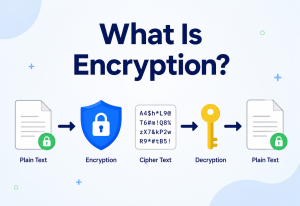
The CVE/NVD feed used for matching is large and does not change every second — production scanners cache it locally (refreshed on an interval, e.g., every few hours) rather than querying an external feed for every single check, which would be both slow and a single point of failure.
9.5 Distributing Scans Geographically
For globally distributed infrastructure, running scan workers close to the target region (e.g., a worker in the same cloud region as the assets it scans) reduces latency and avoids scan traffic crossing unnecessary network boundaries, similar in spirit to how a CDN places edge nodes close to end users.
Cloud-native scanners like AWS Inspector run as a managed service directly inside AWS’s own network fabric, avoiding the latency and noisy-neighbor issues of running an external scanner across the public internet, and they scale automatically with the number of resources in an account rather than requiring customers to provision worker capacity themselves.
9.6 Concurrency Considerations Within a Single Target
Parallelism across targets is straightforward, but scanning too many ports or checks concurrently against a single target can itself cause problems, particularly against systems with limited connection-handling capacity such as older embedded devices or legacy appliances. Production scanners typically cap concurrent connections per target independently from the overall worker pool size, so that scanning behaviour against any one fragile system stays predictable even while the platform as a whole scans thousands of hosts in parallel. This per-target concurrency limit is a small but important detail: without it, a scanner tuned for aggressive overall throughput could inadvertently overwhelm the single weakest system in the fleet.
9.7 Consistency of Results Across a Distributed Scan
When a scan job is split across many workers and takes hours to complete against a large fleet, a subtle question arises: what does “the scan” actually represent as a point in time, if different assets were checked at different minutes throughout the run? Most platforms handle this by stamping every finding with the exact timestamp of the specific check that produced it, rather than a single start-of-scan timestamp for the whole job, giving downstream trend analysis an accurate picture even though the underlying work was not perfectly synchronised. This is conceptually similar to how distributed databases reason about consistency — a full “snapshot” of state across many independent nodes is inherently approximate unless significant additional coordination overhead is accepted, and for vulnerability scanning that overhead is rarely worth the cost.
High Availability & Reliability
A vulnerability scanning platform is itself part of an organisation’s critical infrastructure — if it silently stops working, the organisation can develop a false sense of security while real risk accumulates unnoticed. Reliability here is not a nice-to-have; a broken scanner is arguably worse than no scanner, because everyone assumes it is still watching.
10.1 Redundant Scan Workers
Running scan workers behind an orchestrator with automatic retry and failover means a single crashed worker does not drop an entire night’s scan job — the failed target’s work is simply re-queued to a healthy worker.
10.2 Idempotent Scheduling
Scan jobs should be safe to retry: if a job is re-triggered after a partial failure, it should not double-count findings or create duplicate tickets. This usually means scan jobs carry an idempotency key (e.g., target + scan-window timestamp) that downstream systems can deduplicate against.
10.3 Graceful Degradation
If the external vulnerability feed (NVD) is temporarily unreachable, a well-designed scanner should continue running checks against its last successfully cached feed rather than failing the entire scan outright, while clearly flagging that results may be based on slightly stale signature data.
10.4 Monitoring the Monitor
Because a silently-broken scanner is dangerous, mature programs set up “scan of the scanner” health checks — automated alerts if a scheduled scan did not run, if the number of assets scanned drops unexpectedly (a sign of an inventory or connectivity problem), or if the vulnerability feed has not updated within its expected interval.
10.5 Disaster Recovery for the Results Store
Historical scan results are valuable for trend analysis and compliance evidence, so the results database is typically backed up and replicated just like any other production data store — losing a year of scan history is itself a real business risk, especially under audit.
A surprisingly common real-world failure mode is a scan job that has been “failing silently” for months — perhaps a credential expired, or a firewall rule change quietly blocked the scanner’s network path — while the dashboard continues to show a green “last scan: success” from before the break, because the job technically completed even though it scanned almost nothing. Health checks that validate coverage, not just job completion, catch this.
Security of the Scanner Itself
There is a nice irony worth sitting with here: the tool whose entire job is finding security weaknesses is, itself, a piece of software that needs to be secured — and it holds an unusually attractive prize for an attacker, because a scanning platform typically has credentials to log into everything in the organisation.
11.1 Credential Management
Authenticated scans require stored credentials (or service account keys) with broad reach across the environment. These must be stored in a secrets manager (HashiCorp Vault, AWS Secrets Manager) rather than in plaintext config files, rotated regularly, and scoped as narrowly as possible — read-only, least-privilege access is sufficient for scanning and should be enforced.
11.2 Authorization and Scope Control
Scanning something you do not have explicit permission to scan can be illegal (in many jurisdictions, unauthorised port scanning of third-party infrastructure can fall under computer-misuse laws) and, even internally, scanning outside an agreed scope can trigger incident response processes unnecessarily. Production platforms enforce a strict, auditable scope list of what is and is not allowed to be targeted.
11.3 Protecting Scan Results
A vulnerability report is essentially a roadmap of an organisation’s weaknesses — if that data leaks, it hands an attacker a shortcut. Results stores need the same encryption-at-rest, access control, and audit logging as any other sensitive data asset.
11.4 Network Segmentation for Scan Traffic
Scan workers are often placed in a dedicated, tightly controlled network segment, with explicit firewall rules permitting only the scanning traffic itself, reducing the blast radius if a scan worker were ever compromised.
11.5 Supply Chain Trust in the Scanner
Because plugin / signature updates run with significant privilege, they must be delivered over integrity-verified channels (signed updates) — a compromised update mechanism could turn a trusted defensive tool into an attack vector, which is precisely the kind of supply-chain risk security teams work hard to guard against elsewhere in their environment.
Think of the scanning platform like a building’s master key. It is enormously useful precisely because it opens every door — which is exactly why it must be kept in a locked safe, logged every time it is used, and never handed out casually. The more powerful the tool, the more carefully it needs to be guarded.
Monitoring, Logging & Metrics
Running scans is only half the job — an organisation also needs visibility into whether the scanning program itself is healthy and effective over time.
12.1 Operational Metrics
- Scan coverage: Percentage of known assets actually scanned in the last period — the single most important trust metric.
- Scan duration and throughput: Time to complete a full scan cycle; trending upward often signals infrastructure growth outpacing scanner capacity.
- Job success / failure rate: Percentage of scheduled scans that completed without error.
- Feed freshness: How recently the vulnerability signature database was last updated.
12.2 Security / Risk Metrics
- Mean time to remediate (MTTR): Average time between a finding being discovered and being verified fixed, usually broken down by severity.
- Vulnerability density: Findings per asset, useful for comparing teams or environments over time.
- Recurrence rate: How often a “fixed” finding reappears — a high recurrence rate often points to a broken deployment or configuration-management process rather than a scanning problem.
- SLA compliance: Percentage of critical findings remediated within an agreed window (many organisations set something like: Critical = 7 days, High = 30 days, Medium = 90 days).
12.3 Logging
Every scan job, every credential use, every finding state change (new, acknowledged, false-positive, remediated) should be logged with enough detail to reconstruct “who knew what, and when” — this is not just good hygiene, it is frequently a direct compliance requirement, and it is what turns a scan report into defensible audit evidence.
12.4 Dashboards and Alerting
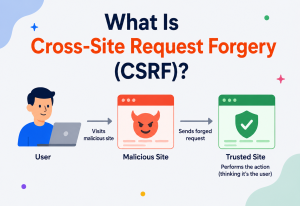
Findings feed naturally into a security dashboard (often built on tools like Grafana or a vendor’s own UI) showing trend lines over time, and critical findings on high-value assets typically trigger immediate alerts (PagerDuty, Slack) rather than waiting to be discovered in a weekly report.
Deployment & Cloud
Different environments call for different deployment shapes. What follows is a tour of the main options, from a scanner running quietly in a corporate data centre to a native cloud service that scales automatically with your account.
13.1 On-Premises Deployment
A scanner installed inside the corporate network, ideal for scanning internal systems that are not reachable from the internet. Requires the organisation to manage its own infrastructure, patching, and scaling for the scanner itself.
13.2 SaaS / Cloud-Hosted Scanning
Vendors like Qualys and Tenable.io offer scanning as a hosted service — you install a lightweight agent or point a cloud-hosted scanner at your public-facing assets, and the vendor manages the scanning infrastructure, signature updates and scaling.
13.3 Cloud-Native / Provider-Managed Scanning
Major cloud providers now offer scanning as a native service tightly integrated with their platform — AWS Inspector, Azure Defender for Cloud, GCP Security Command Center — which can automatically discover and scan resources the moment they are created, without any separate agent installation.
13.4 Agent-Based vs. Agentless Deployment
| Approach | How it works | Tradeoff |
|---|---|---|
| Agentless (network scan) | Scanner reaches out over the network to probe the target | No install needed, but limited visibility and needs network reachability |
| Agent-based | Lightweight software installed on each host reports back continuously | Deep visibility, works even off-network, but requires deployment & maintenance overhead |
13.5 CI/CD Pipeline Integration
Modern practice pushes scanning “left” into the build pipeline itself, so vulnerable dependencies or misconfigured container images are caught before deployment, not after.
# Conceptual, tool-agnostic pipeline stage.
stages:
  - build
  - scan
  - deploy

image_scan:
  stage: scan
  script:
    - docker build -t myapp:$CI_COMMIT_SHA .
    - trivy image --severity CRITICAL,HIGH --exit-code 1 myapp:$CI_COMMIT_SHA
  rules:
    - if: '$CI_COMMIT_BRANCH == "main"'
  # exit-code 1 fails the pipeline if critical / high vulnerabilities are found,
  # blocking the deploy stage until the image is fixed
13.6 Multi-Cloud and Hybrid Considerations
Organisations running across AWS, Azure and on-premises data centres typically need either a unified third-party platform that speaks to every environment’s APIs, or a federated approach where each environment’s native scanner feeds results into one central aggregation layer — the goal either way is a single pane of glass, since fragmented tooling is exactly how assets slip through the cracks.
Uber, operating across a large multi-cloud and on-premises footprint, has published details on building internal tooling that aggregates findings from multiple scanners (both cloud-native and third-party) into a unified internal risk platform, precisely to avoid the blind spots that come from each team using a different disconnected tool.
Databases, Caching & Load Balancing
Vulnerability data has unusual shape: each finding has a small common core (asset, CVE, severity) surrounded by plugin-specific detail that varies widely, plus it accumulates fast and is queried in very different ways for dashboards, trend analysis and reporting.
14.1 Storing Scan Results at Scale
Scan results are naturally semi-structured (each finding has a common core — asset, CVE ID, severity — plus plugin-specific detail fields that vary widely). Many platforms use a hybrid approach: a relational database (PostgreSQL / MySQL) for the core, queryable schema — assets, findings, ticket links — and a document store (Elasticsearch, MongoDB) for the raw, variably-shaped scan output and for fast full-text search across report detail.
14.2 Time-Series Data for Trend Analysis
Because “is our risk going up or down” is one of the most important questions a security leader asks, scan history is often additionally stored in a time-series-friendly shape (or a dedicated time-series database) so that dashboards can efficiently query “findings over the last 12 months” without scanning an enormous table of raw historical rows.
14.3 Replication
The results database is typically replicated (a primary handling writes from scan workers, with one or more read replicas serving the reporting dashboard and API queries) — this separates the write-heavy scan-ingestion workload from the read-heavy reporting workload, so a burst of nightly scan writes does not slow down a security analyst’s dashboard.
14.4 Partitioning / Sharding
At very large scale (millions of findings across a huge fleet), the findings table is commonly partitioned by time (e.g., monthly partitions) or sharded by organisation / business-unit, keeping individual queries fast and making it easy to archive or drop old partitions as data-retention policy requires, rather than running a slow delete against one giant table.
14.5 Caching
Two caches matter most in this domain:
- Vulnerability feed cache: as covered in Performance, the CVE / NVD dataset is cached locally and refreshed periodically rather than queried live per-check.
- Dashboard / report cache: aggregate views (e.g., “critical findings by team this quarter”) are expensive to compute from raw data on every page load, so they are typically pre-computed or cached with a short TTL and invalidated when new scan data lands.
14.6 Load Balancing Scan Workers
The orchestrator effectively acts as a load balancer for scan jobs, distributing targets across available workers based on current load, and using a simple queue (RabbitMQ, Kafka, or a managed cloud queue) so that workers pull jobs rather than being pushed more work than they can handle at once — this decouples job creation speed from job execution speed and smooths out bursts.
APIs & Microservices Integration
A vulnerability scanner rarely lives in isolation — its real value comes from how well it plugs into the rest of an organisation’s engineering and security tooling.
15.1 REST APIs for Scan Management
Every mature scanner exposes an API to trigger scans, poll status, and retrieve results programmatically — this is what allows a CI/CD pipeline, a custom internal dashboard, or a security orchestration tool to drive scanning without a human clicking through a UI.
// Trigger a scan and later poll it for completion.
import org.springframework.web.client.RestTemplate;
import org.springframework.http.*;

public class ScanApiClient {

    private final RestTemplate restTemplate = new RestTemplate();
    private final String baseUrl = "https://scan-orchestrator.internal/api/v1";

    public String triggerScan(String assetGroupId) {
        HttpHeaders headers = new HttpHeaders();
        headers.set("Authorization", "Bearer " + getServiceToken());
        headers.setContentType(MediaType.APPLICATION_JSON);

        String body = "{"assetGroupId": "" + assetGroupId + "", "profile": "standard"}";

        HttpEntity<String> request = new HttpEntity<>(body, headers);

        ResponseEntity<ScanJob> response = restTemplate.postForEntity(
            baseUrl + "/scans", request, ScanJob.class);

        return response.getBody().getJobId(); // used to poll for status later
    }

    public ScanStatus pollScanStatus(String jobId) {
        return restTemplate.getForObject(
            baseUrl + "/scans/" + jobId + "/status", ScanStatus.class);
    }

    private String getServiceToken() {
        // fetched from a secrets manager, not hardcoded
        return System.getenv("SCAN_API_TOKEN");
    }
}
15.2 Webhooks for Event-Driven Integration
Rather than requiring every downstream system to poll, most platforms support webhooks — a completed scan or a new critical finding fires an HTTP callback to a ticketing system, a Slack channel, or a custom microservice, enabling near-real-time response.
15.3 Microservices Architecture of a Modern Scanning Platform
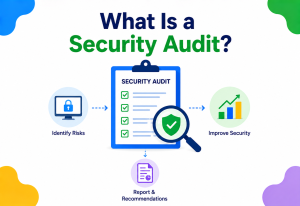
Rather than one monolithic scanner binary, cloud-native platforms typically decompose scanning into cooperating microservices: an inventory service, a scheduling service, a worker-fleet service, a scoring / enrichment service, and a notification service — each independently deployable and scalable, communicating over REST APIs or a message bus.
15.4 Integration with the Broader Security Ecosystem
- SIEM (e.g., Splunk): Findings feed into broader security event correlation.
- Ticketing (Jira, ServiceNow): Auto-created tickets with severity-based SLAs.
- ChatOps (Slack, Microsoft Teams): Immediate visibility for the owning engineering team.
- CI/CD (Jenkins, GitHub Actions, GitLab CI): Pipeline gating, as shown in the Deployment section.
Snyk’s API-first design lets a developer’s pom.xml or package.json be scanned as part of a pull request check, with results posted directly as a PR comment — integrating vulnerability scanning into a workflow developers already use, rather than a separate portal they have to remember to visit.
Design Patterns & Anti-Patterns
Certain design choices show up over and over in scanning programs that quietly work well — and a small set of anti-patterns show up over and over in the ones that end up on incident postmortems. Naming both is the fastest way to spot them in your own environment.
16.1 Useful Patterns
Risk-based prioritisation
Combine CVSS score with asset criticality and exploit availability (rather than treating every “Critical” CVE as equally urgent regardless of context) so effort goes to what actually matters most.
Shift-left scanning
Run scans (especially SCA and container scans) as early as possible in the development lifecycle, ideally in the developer’s own pull request, where a fix costs minutes rather than the days it might cost after production deployment.
Continuous over periodic
Trigger scans on change events (new deployment, new asset) rather than relying solely on a weekly or monthly full sweep, shrinking the window of undetected risk.
Exception / risk-acceptance workflow
A formal, time-bound, and auditable process for consciously accepting a known risk (e.g., a legacy system that cannot be patched yet) rather than findings simply being ignored with no record.
Golden image scanning
Scan and harden a base container / VM image once, then build everything from that trusted image, rather than re-solving the same base-layer vulnerabilities in every individual deployment.
16.2 Anti-Patterns to Avoid
“Scan and forget”
Running scans regularly but never actually tracking whether findings get fixed. The scan becomes a compliance checkbox rather than a genuine risk-reduction tool.
Alert fatigue by over-reporting
Sending every low-severity finding straight to an engineer’s inbox trains people to ignore the tool entirely, burying the critical findings that actually matter under noise.
Scanning without inventory
As covered in Core Concepts, this guarantees blind spots — you cannot protect what you do not know you own.
One-size-fits-all intensity
Running the same aggressive, active-verification scan profile against both a robust modern API and a fragile fifteen-year-old legacy system, risking outages on the latter.
Scan as pen test
Assuming automated scanning alone provides the same assurance as a skilled human tester probing business logic — it does not, and regulators increasingly require both for high-assurance environments.
Ignoring false-positive feedback
Never tuning the scanner based on confirmed false positives means the same noisy, low-value findings resurface scan after scan, eroding trust in the whole program.
A frequent real failure mode: a team runs a vulnerability scan right before a compliance audit, generates a clean report, and then does not scan again for another year. The report becomes a point-in-time artefact rather than evidence of an ongoing security practice — which auditors and, more importantly, attackers are both increasingly good at noticing.
Best Practices & Common Mistakes
The concise operational checklist experienced security engineers keep in their head when reviewing a vulnerability-management program. Most bugs in the wild come from doing one of these things slightly wrong.
17.1 Best Practices
- Maintain a living asset inventory. Automate discovery so new servers, containers, and cloud resources are added the moment they exist, not weeks later during a manual review.
- Scan continuously, not just periodically. Trigger scans on deployment events and dependency changes in addition to a scheduled baseline sweep.
- Use both authenticated and unauthenticated scans. They reveal different things; relying on only one gives an incomplete picture of real risk.
- Prioritise by business context, not raw CVSS alone. A Critical finding on an isolated test server is genuinely less urgent than a Medium finding on a public-facing payment system.
- Close the loop with verification rescans. Never mark a finding “resolved” purely because a ticket was closed — confirm it with a follow-up scan.
- Tune out false positives deliberately. Feed confirmed false positives back into scanner configuration so the same noise does not repeat scan after scan.
- Set and track remediation SLAs by severity. Without a deadline, “we’ll fix it eventually” quietly becomes “we never fixed it.”
- Combine scanning with periodic penetration testing. Automated scanning and human-led testing catch different classes of problems; neither alone is sufficient for high-assurance environments.
- Secure the scanner itself. Treat its credentials and results store with at least the same rigor as the systems it protects.
- Educate engineering teams on findings, not just security teams. The people who can actually fix a finding need to understand it, not just receive a ticket with a CVE number.
17.2 Common Mistakes
- Scanning production systems at full intensity during peak business hours, causing performance degradation.
- Treating vulnerability scan results as a one-time compliance artefact instead of an ongoing operational input.
- Failing to scope scans correctly, either missing critical assets or scanning systems outside authorised boundaries.
- Ignoring “low” and “medium” severity findings indefinitely, even though several chained low-severity issues can sometimes combine into a serious exploit path.
- Not updating the vulnerability signature feed frequently enough, silently missing newly disclosed CVEs.
- Allowing scan credentials to be over-privileged far beyond what read-only scanning actually requires.
- Measuring success purely by “number of scans run” rather than by remediation outcomes and risk reduction over time.
The single most valuable habit for a beginner to build is this: a vulnerability scan report is the start of a workflow, not the end of one. Running the scan is the easy part — the discipline is in triaging, fixing, and verifying what it finds, over and over, on a predictable cadence.
17.3 Building a Maturity Roadmap
Organisations rarely arrive at the full picture described in this guide overnight, and it helps to think of vulnerability scanning maturity as a staged journey rather than a single implementation project. Early-stage programs typically start with a single scanner covering the most obvious external surface, run manually and reviewed by hand — useful, but limited, and easy to let lapse under competing priorities. A more mature stage introduces scheduling and automation, so scans run reliably without someone remembering to click a button, and results begin flowing into a ticketing system rather than sitting in an email inbox. The next stage layers in risk-based prioritisation and SLA tracking, so effort is spent where it matters most rather than working strictly top-down by raw severity. The most mature programs achieve what this guide has repeatedly pointed toward: continuous, event-driven scanning tightly woven into CI/CD and cloud provisioning workflows, verified remediation loops, and metrics that leadership actually reviews on a regular cadence. Recognising which stage an organisation currently sits at is often more useful than any single tool recommendation, because it makes the next practical step obvious rather than aspirational.
Real-World Industry Examples
Looking at how the largest companies and most regulated industries approach vulnerability scanning is one of the fastest ways to internalise which parts of the theory really matter in practice.
Continuous cloud posture
Netflix has publicly discussed building internal cloud security tooling (including projects like Security Monkey in its earlier open-source era) that continuously monitors AWS accounts for risky configuration changes, effectively running configuration / vulnerability-style checks continuously rather than on a periodic schedule — reflecting the “continuous scanning” pattern discussed earlier in this guide, suited to an environment where infrastructure changes constantly through automated deployment pipelines.
AWS Inspector
AWS offers Inspector as a native, automatically-scaling vulnerability scanning service across EC2 instances, container images in ECR, and Lambda functions, triggered automatically whenever a new resource is created — an example of the “cloud-native, provider-managed scanning” deployment model discussed earlier, removing the need for customers to run and scale their own scanner fleet.
Web Security Scanner + CSCC
Google’s internal and external security tooling (including its Web Security Scanner within Google Cloud’s Security Command Center) is built to integrate directly with its infrastructure-as-code and deployment pipelines, reflecting the shift-left pattern — catching misconfigurations and vulnerable dependencies before resources are ever provisioned.
PCI-DSS driven scanning
Any organisation handling payment card data is required under PCI-DSS to run quarterly external vulnerability scans through an Approved Scanning Vendor (ASV), plus internal scans on a more frequent cadence — a clear, concrete example of compliance directly mandating the practices described throughout this guide, with scan reports serving as literal audit evidence.
GitHub Dependabot
GitHub’s Dependabot automatically scans public and private repositories for vulnerable dependencies and opens pull requests with suggested version upgrades — bringing software composition analysis (SCA), described in the Types section, directly into a developer’s everyday pull-request workflow rather than a separate security portal.
HIPAA-driven scanning
Healthcare organisations handling protected health information are expected under HIPAA’s Security Rule to conduct regular technical vulnerability assessments as part of their required risk analysis — another example of regulation directly shaping how often and how thoroughly scanning must occur.
Across every one of these examples, the pattern is the same: scanning is most effective when it is continuous rather than periodic, deeply integrated into existing engineering workflows rather than a separate silo, and tied to a clear, enforced remediation process rather than treated as a report that gets read once and filed away.
18.7 Popular Vulnerability Scanning Tools
It helps to ground everything covered so far against the tools engineers actually reach for in practice. The table below summarises some of the most widely used scanners across categories, giving a beginner a concrete starting point for further exploration.
| Tool | Category | Notes |
|---|---|---|
| Nessus | Network / Host | One of the oldest and most widely deployed commercial scanners; large plugin library maintained by Tenable. |
| OpenVAS / Greenbone | Network / Host | Open-source, community-maintained alternative with a large feed of Network Vulnerability Tests. |
| Qualys VMDR | Network / Host / Cloud | SaaS-delivered platform combining scanning, asset inventory and remediation tracking in one product. |
| Rapid7 InsightVM | Network / Host | Strong risk-scoring and integration with Rapid7’s broader detection-and-response ecosystem. |
| OWASP ZAP | Web Application (DAST) | Free, open-source, widely used for both manual testing and CI-integrated automated scanning. |
| Burp Suite | Web Application (DAST) | Industry-standard for manual and semi-automated web application testing by security professionals. |
| Trivy | Container / SCA | Fast, open-source scanner covering container images, filesystems and dependency manifests in one tool. |
| Snyk | SCA / Container | Developer-focused, integrates directly into pull requests and IDEs, strong dependency-fix suggestions. |
| AWS Inspector | Cloud-native | Fully managed, automatically discovers and scans EC2, ECR images, and Lambda functions. |
| Wiz | Cloud (CSPM) | Agentless cloud risk platform correlating misconfigurations, vulnerabilities and exposure paths. |
18.8 A Worked Example: Following One Finding End to End
To bring the whole lifecycle together, it helps to trace a single realistic finding from start to finish. Suppose a nightly authenticated host scan against a fleet of Linux application servers reports that fifty instances are running a version of OpenSSL affected by a newly published CVE with a CVSS score of 9.1 (Critical). Here is how a mature program would typically move through that finding:
- Detection: The scan worker fingerprints the installed OpenSSL package version during its authenticated check and matches it against the freshly updated vulnerability feed from that morning.
- Deduplication and enrichment: The platform recognises this as a new finding (not seen in previous scans), tags all fifty affected hosts, and enriches each with asset metadata — which of these servers are internet-facing, and which sit purely behind an internal load balancer.
- Prioritisation: The fifteen internet-facing servers are elevated above the thirty-five purely internal ones, even though the raw CVSS score is identical for all fifty, because exposure changes real-world risk.
- Routing: Tickets are automatically created in the owning team’s Jira project, tagged with a 7-day SLA appropriate for a Critical severity finding on production infrastructure, and a Slack notification pings the on-call engineer for the internet-facing subset immediately.
- Remediation: The engineering team schedules a rolling patch deployment, updating the OpenSSL package across the fleet through their existing configuration-management pipeline.
- Verification: A targeted rescan runs against exactly those fifty hosts the following night, confirming the patched version is now in place before the tickets are closed.
- Reporting: The finding’s full history — detection date, remediation date, and time-to-fix — feeds into the organisation’s MTTR metric for the quarter, and into any compliance evidence that may later be requested by an auditor.
Notice how much of this workflow happens after the scan itself completes. The scanning technology covered throughout this guide is what makes step one possible — but the discipline in steps two through seven is what actually determines whether an organisation’s real-world risk goes down.
FAQ, Summary & Key Takeaways
A handful of questions come up more than any others when engineers actually start planning a scanning program for the first time. The rest of this section pulls the whole guide together into a summary and a short, memorable takeaway list.
19.1 Frequently Asked Questions
Is a vulnerability scan the same as a penetration test?
No. A vulnerability scan is a broad, automated check for known weaknesses across many assets. A penetration test is a narrower, human-driven attempt to actually exploit weaknesses and demonstrate real-world impact, including logic flaws a scanner cannot detect.
How often should vulnerability scans run?
There is no single universal number, but a common pattern is: continuous or daily scanning for critical / internet-facing assets and CI/CD pipelines, weekly for internal infrastructure, and at minimum quarterly for compliance-driven external scans (e.g., PCI-DSS). The right cadence depends on how frequently the environment changes and how sensitive the assets are.
Do vulnerability scans find every security problem?
No. Scanners only detect known, signature-matched issues. Zero-day vulnerabilities, business logic flaws, and social engineering risks fall outside what a scan can see, which is why scanning is one layer of a broader security program, not the whole program.
What is a false positive, and why does it matter so much?
A false positive is a finding the scanner reports that is not actually exploitable or present — often caused by version-banner matching without deeper verification. High false-positive rates waste engineering time and, over time, train teams to distrust and ignore scan results entirely, which is arguably more dangerous than not scanning at all.
Can vulnerability scanning break production systems?
It is possible, particularly with aggressive active-verification checks against fragile legacy systems. This is why scan intensity, scheduling windows and “safe checks only” modes are standard controls in any production scanning program.
What should I look for when choosing a vulnerability scanner?
Coverage across the asset types you actually run (network, web app, container, cloud), how frequently its signature feed updates, integration options with your existing CI/CD and ticketing tools, authenticated-scan support, and how well it supports risk-based prioritisation rather than just raw CVSS scoring.
19.2 Summary
A vulnerability scan is an automated, repeatable process for finding known security weaknesses across an organisation’s servers, applications, containers, and cloud infrastructure before an attacker does. It works by discovering assets, probing them for open services and version information, matching what it finds against a constantly updated database of known vulnerabilities (CVEs), and producing a prioritised, actionable report. Production-grade scanning platforms are distributed systems in their own right, with discovery engines, scheduling and worker layers, vulnerability feeds, results databases, and deep integration into CI/CD pipelines, ticketing systems and chat tools. Scanning is powerful but limited — it only finds known patterns, it cannot replace human-led penetration testing for business logic flaws, and its value depends entirely on whether findings actually get triaged, fixed and verified, not just discovered.
19.3 Key Takeaways
- A vulnerability scan finds known weaknesses automatically; it does not fix them and does not guarantee complete coverage.
- An accurate, continuously updated asset inventory is the essential prerequisite — you cannot scan what you do not know exists.
- Authenticated and unauthenticated scans reveal different things; mature programs use both.
- CVE, CVSS and CWE are the shared vocabulary of every scan report and are worth understanding deeply.
- There are many types of scans — network, web app, host, container, cloud configuration and software composition — each covering a different layer.
- Coverage, noise (false positives) and safety are in constant tension; mature programs tier their approach rather than maximising any one dimension.
- The real value of scanning lies in the full lifecycle — trigger, scan, prioritise, remediate and verify — not in the scan alone.
- The scanning platform itself is a high-value target and must be secured with the same rigor as the systems it protects.
- Scanning should be continuous and integrated into engineering workflows (CI/CD, pull requests) rather than a periodic, siloed compliance exercise.

