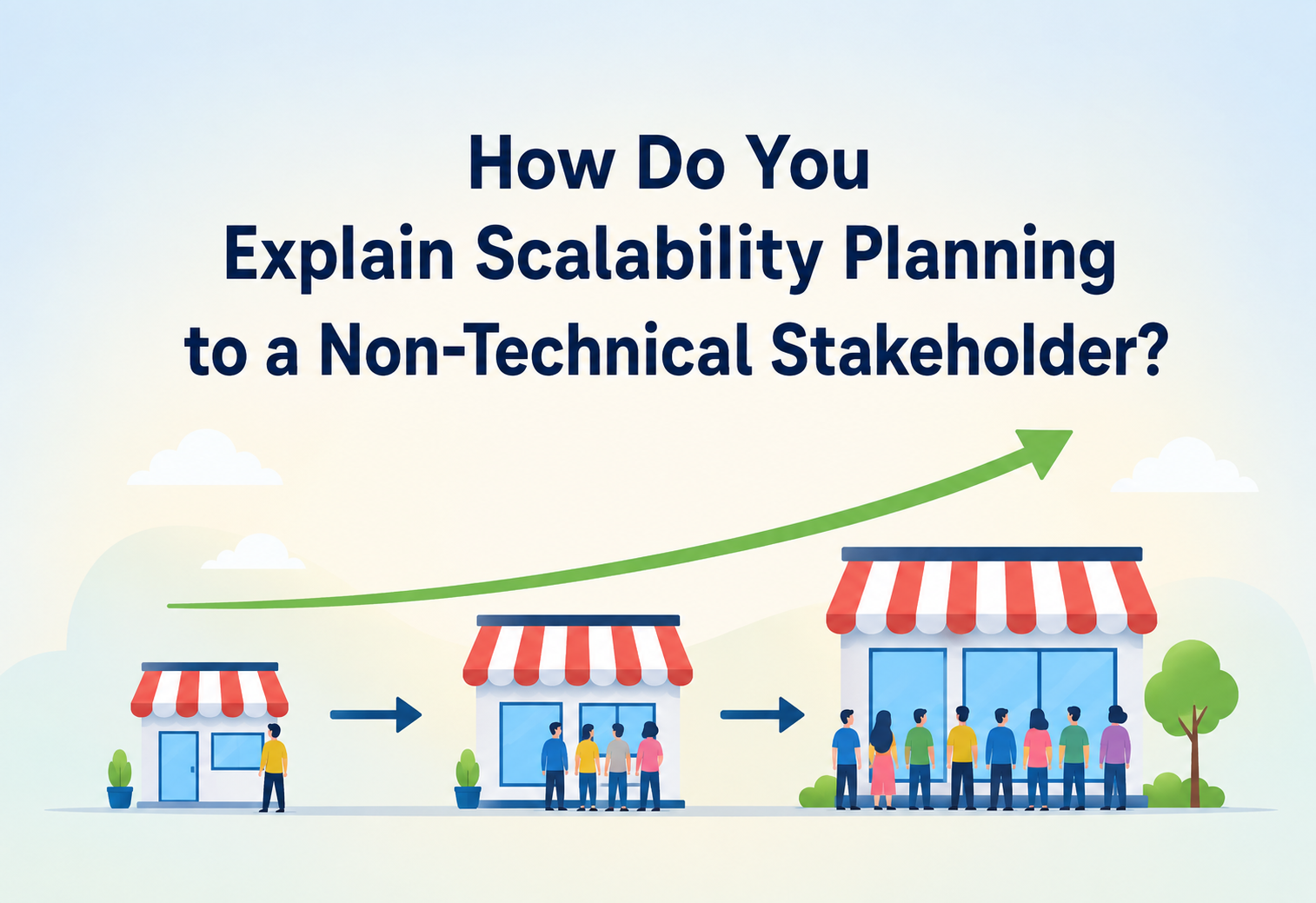
How Do You Explain Scalability Planning to a Non-Technical Stakeholder?
A beginner-to-production guide to scalability planning — what it actually means underneath the buzzword, why it matters to the business, not just the engineering team, and how to translate load, capacity, and growth risk into language a CEO, product manager, or investor will act on.
Why This Is a Translation Problem, Not Just a Technical One
Imagine a small neighborhood restaurant with five tables. One food blogger writes a glowing review, and suddenly two hundred people show up on Saturday night. There’s no way to seat them, no way to cook that fast, and no way to hire and train new kitchen staff in an afternoon. The restaurant doesn’t fail because the food is bad — it fails because it was never built to handle more than five tables at once. That is, in plain human terms, exactly what happens when a piece of software isn’t scalable: the product can be excellent, and it can still collapse the moment it becomes popular.
Scalability is a system’s ability to keep working correctly and reasonably fast as the number of users, amount of data, or amount of traffic grows. Scalability planning is the deliberate, upfront work of deciding, before that growth happens, how the system will handle it — what will be upgraded, in what order, and at what cost. It’s the engineering equivalent of a restaurant owner asking, before opening night, “if we suddenly got famous, what would break first, and what would we do about it?” That single question, asked early and answered honestly, is the entire discipline this guide is about.
The term itself became common in computing in the 1980s and 1990s as mainframe-era, single-large-machine systems gave way to networks of many smaller, cheaper machines working together. Early web companies in the late 1990s and early 2000s learned the lesson the hard way and very publicly: sites that worked fine with a thousand users fell over completely at a million, and the difference wasn’t the code being “wrong” — it was that nobody had planned for that jump in scale. Those visible, embarrassing failures are a large part of why scalability planning is now treated as a core business discipline, not just a backend engineering detail buried in a technical document nobody outside engineering reads.
Scalability planning is deciding, in advance, how a system will keep working as it grows — because waiting until it breaks is far more expensive than preparing for growth ahead of time.
Everything that follows in this guide builds outward from that one sentence: first the underlying technical concepts, then how they show up in real architecture, monitoring, and deployment decisions, and throughout, the specific language and framing that turns each of those concepts into something a non-technical stakeholder can hear, understand, and confidently act on.
1.1 Why This Is a Communication Problem, Not Just a Technical One
Here’s the core difficulty this guide is really about: the people who most need to approve budget, timeline, and priority for scalability work — CEOs, product managers, sales leaders, investors — are usually the people least equipped to read a load-testing report or a database sharding diagram. If an engineer walks into a planning meeting and says “we need four sprints to implement horizontal read replicas and a caching layer,” most non-technical stakeholders hear noise, not risk. The engineer’s job, in that moment, isn’t just architecture — it’s translation. This guide is both about scalability itself and about how to talk about it in a way that earns the investment it deserves.
1.2 A Short History of the Idea
The earliest computer systems were single, enormous machines shared by an entire organization, and “scaling” simply meant buying a bigger machine — a straightforward, if expensive, upgrade path. The rise of the commercial internet in the mid-to-late 1990s changed the equation completely. Suddenly, a single website could, in theory, be visited by anyone on the planet at any moment, and demand could jump from a few hundred visitors to a few million within days of a product going viral or getting picked up by major media. Several well-documented, publicly visible outages during this era — sites that simply stopped responding the moment they became popular — turned scalability from a niche operations concern into boardroom vocabulary almost overnight.
The 2000s and 2010s saw the rise of cloud computing platforms that made horizontal scaling — adding more machines rather than bigger ones — dramatically cheaper and faster to execute, which shifted scalability planning from “an expensive multi-year hardware purchasing decision” to “an ongoing architectural discipline that can be adjusted every quarter.” This shift is actually good news for the stakeholder conversation this guide focuses on: the financial commitment required to plan for scale today is far smaller and far more flexible than it used to be, which makes the case easier to make than it would have been twenty years ago, provided it’s explained well.
1980s — Mainframe Era
“Scaling” means buying one bigger machine. Simple, expensive, and slow to adjust.
Late 1990s — Commercial Internet
Popular websites collapse under demand they were never built for. Scalability becomes boardroom vocabulary.
2000s — Horizontal Scaling
Networks of smaller machines replace single giant ones; scaling becomes an ongoing architectural discipline.
2010s — Cloud & Elasticity
Cloud platforms make capacity adjustable by the hour, turning multi-year purchases into quarterly decisions.
Today — A Business Discipline
Scalability planning sits alongside budgeting and hiring as a routine part of growth planning, not just an engineering concern.
Why Invisible Work Is So Hard to Fund
Why does this translation problem matter so much? Because scalability work competes for the same budget and the same engineering hours as new features — the things stakeholders can see, demo, and sell. A new checkout flow demonstrably drives revenue next quarter. A database that’s been quietly re-architected to handle ten times the current load produces no visible change at all, right up until the day it prevents a catastrophic outage that would have made headlines. Convincing a non-technical stakeholder to fund invisible, preventive work is fundamentally harder than convincing them to fund a visible new feature — even when the invisible work is, in expected-value terms, far more valuable.
Scalability planning is like paying for car insurance and regular maintenance instead of spending that money on a nicer paint job. The paint job is visible and exciting. The insurance and maintenance are invisible right up until the day the engine seizes on the highway — and by then, the cost of not having done it is far higher than the premium ever was.
This creates a predictable, recurring pattern in growing companies: scalability gets ignored while things are calm, a growth spike or viral moment arrives, the system buckles under load at the worst possible time — during a launch, a marketing campaign, a holiday sale — and only after that painful, public failure does scalability suddenly get taken seriously and funded. The entire goal of learning to explain scalability well to non-technical stakeholders is to break this cycle: to get the investment made before the painful failure, not after it.
2.1 What Makes This Genuinely Hard to Explain
Several distinct obstacles combine to make this a persistently difficult conversation, and naming them individually makes each one easier to address deliberately rather than treating the whole challenge as one vague, unsolvable communication gap.
It’s Probabilistic
“This might break under 10x load” is a much harder sell than “this feature will definitely increase signups,” even if the expected cost of the former is larger.
The Benefit Is an Absence
Success looks like “nothing bad happened,” which is invisible and easy to take for granted, unlike a feature launch with a visible before-and-after.
Timing Is Uncertain
Nobody can promise the exact week traffic will double, which makes it easy to defer “for now” indefinitely, quarter after quarter.
Vocabulary Is Unfamiliar
Terms like sharding, horizontal scaling, and read replicas carry no intuitive meaning to someone without a technical background, so the request sounds abstract even when the underlying risk is very concrete.
2.2 The Cost of Getting This Conversation Wrong
When the translation fails and scalability work doesn’t get funded in time, the eventual cost is rarely limited to the technical fix itself. A public outage during a high-visibility moment carries several stacked costs: the direct lost revenue during the downtime, the emergency engineering hours spent firefighting under pressure (which are far more expensive and error-prone than the same work done calmly ahead of time), the customer support burden of handling a wave of complaints, and the harder-to-quantify but very real damage to brand trust — customers who had a bad experience during a launch or sale are measurably less likely to return, and press coverage of a high-profile outage can linger in search results and public perception for years, resurfacing at inconvenient moments long after the underlying technical issue has been fixed. Framing the conversation around this full, stacked cost — rather than just the isolated cost of the engineering fix — is often what finally shifts a stakeholder’s willingness to prioritize the work.
Being able to translate a technical risk into a business risk that a non-technical decision-maker will act on is one of the clearest differentiators between an individual contributor and someone ready for broader technical leadership — it’s the skill that gets scalability work funded before the outage, not just diagnosed after it.
2.3 The Trust Account: Why Credibility Has to Be Earned Before It’s Needed
A useful mental model for this entire challenge is to think of stakeholder trust as an account that gets built up over many small, accurate, well-explained interactions and drawn down by vague warnings, missed estimates, or unexplained jargon. An engineer who has a track record of accurate, well-communicated predictions finds that a request for scalability budget is approved quickly, almost on reputation alone. An engineer with no such track record — or worse, a history of over-hyped warnings that didn’t pan out — finds even a genuinely urgent request meeting resistance and skepticism. This means the best time to start building that credibility is well before the first big scalability ask, through smaller, consistently accurate updates along the way, delivered calmly and without exaggeration even when nothing urgent is currently at stake.
Core Concepts, Explained Without Jargon
Before getting into architectures and dashboards, the vocabulary itself has to land clearly. Every idea below has an everyday equivalent that makes an excellent stakeholder analogy.
3.1 Vertical vs. Horizontal Scaling
Once the “slow versus broken” distinction is clear, the next building block is understanding the two fundamental ways any system can be given more capacity in the first place. Almost every scalability conversation, no matter how complex the underlying architecture gets, ultimately traces back to one or both of these two options.
Before getting into those two approaches, it’s worth pausing on a distinction that trips up almost every non-technical conversation about this topic: the difference between “slow” and “broken.” A system under moderate strain gets slower — annoying, but customers usually wait a few extra seconds. A system under severe strain, past its actual limit, doesn’t just get slower, it stops responding entirely, throwing errors instead of results. Scalability planning is really about managing where, on that spectrum, a growth spike lands — keeping the system safely in the “a bit slower” zone instead of letting it cross into the “completely broken” zone. This distinction matters because a stakeholder who has only ever seen “a bit slower” may reasonably assume that’s the worst-case outcome, without realizing there’s a much more damaging failure mode waiting just past the current safety margin.
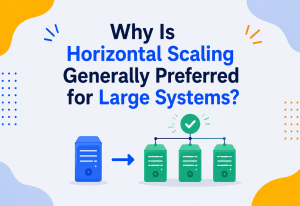
- Vertical scaling means making one machine bigger and more powerful — more memory, a faster processor. In restaurant terms, it’s building a bigger kitchen. It’s simple, but there’s always a ceiling: eventually you can’t buy a bigger single machine, just like you eventually can’t buy a bigger single kitchen for a fixed piece of land.
- Horizontal scaling means adding more machines that share the work. In restaurant terms, it’s opening a second, third, and fourth location instead of endlessly enlarging the first one. It has a much higher ceiling, but it requires more upfront design — the locations need standardized recipes and processes (consistent software), and customers need to be sent to whichever location has room (load balancing).
3.2 Load: The Number That Actually Matters
Load is simply how much work a system is being asked to do at once — requests per second, concurrent users, data volume. Scalability planning is fundamentally about answering one question at several different future load levels: “at 10x today’s load, what breaks first, and what does it cost to fix before that happens instead of after?” Keeping the conversation anchored to this one recurring question, restated at whatever growth multiple is currently relevant, gives every future scalability discussion a consistent, familiar shape rather than starting from scratch each time.
“Right now we can comfortably handle about 5,000 people using the app at the same time. Our marketing plan projects 40,000 at the campaign peak. Scalability planning is the work of closing that gap before the campaign, not during it.”
3.3 Capacity Headroom: The Single Most Useful Number
Headroom is the gap between what a system can currently handle and what it’s currently being asked to handle — the buffer that absorbs unexpected spikes without anything breaking. A system running at 90% of its maximum capacity on an ordinary day has almost no headroom left for a surprise spike, while a system running at 30% has plenty. This single number — expressed as a simple percentage — is often the most effective thing to put in front of a stakeholder, because it requires no technical background to interpret: everyone intuitively understands what it means to be close to a limit versus comfortably far from one. It also travels well outside the original conversation — a stakeholder who hears “we have 10% headroom left” will often repeat that exact phrase, unprompted, in their own follow-up conversations with other leaders, which is a strong sign the framing has genuinely landed.
3.4 Elasticity vs. Scalability
These two related terms are worth distinguishing clearly. Scalability is whether a system can handle more load if given more resources — the architecture supports growth in principle. Elasticity is how quickly and automatically a system can actually acquire and release those resources in response to real-time demand changes. A system can be scalable but not elastic (it can grow, but only through a slow, manual server-provisioning process), and understanding this distinction helps set the right expectation with stakeholders about how fast a system can actually respond to a sudden, unplanned spike versus a planned, forecasted one.
This distinction matters most when a stakeholder asks a version of “can we handle a surprise spike we didn’t plan for?” A scalable-but-inelastic system might technically be able to absorb that spike eventually, but only after a manual, hours-long process of provisioning new servers — cold comfort during a spike that peaks and passes within thirty minutes. A genuinely elastic system responds automatically, often within seconds to minutes, which is the difference between “we could theoretically handle it” and “we actually will handle it, live, without anyone needing to intervene.”
The Handful of Pieces Worth Naming
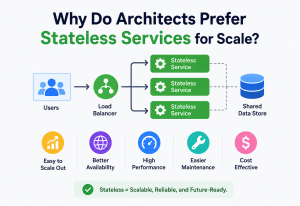
To explain a scalable architecture to a non-technical audience, it helps to know — at a simple level — the handful of pieces that typically need attention, so the conversation can point at a picture instead of staying abstract. None of these pieces need to be explained in full technical depth; what matters is giving the stakeholder just enough of a mental model that the rest of the conversation — about which piece needs investment, and why — has somewhere to land.
| Component | Plain-English role | Why it matters for scale |
|---|---|---|
| Load Balancer | The “host” who seats each new customer at whichever table (server) has room | Without it, all traffic piles onto one server even if others sit idle |
| Application Servers | The kitchens actually cooking the orders (running the business logic) | Adding more of these is the most common way to add horizontal capacity |
| Database | The single shared pantry every kitchen pulls ingredients from | Usually the hardest part to scale, since every kitchen depends on it |
| Cache | A shelf of pre-made popular items near the front, instead of cooking from scratch every time | Dramatically reduces load on the database and kitchens for repeat requests |
| CDN (Content Delivery Network) | Local mini-warehouses close to each customer instead of one central warehouse | Cuts delivery time and central load for anything that doesn’t change often (images, videos, static pages) |
The diagram above is genuinely useful in a stakeholder meeting, even without any technical explanation of each box: it visually shows that the “database” is the one component every path passes through, which makes an intuitive case, without a single line of jargon, for why database scaling deserves special attention and investment.
4.1 Presenting an Architecture Diagram to a Non-Technical Room
When bringing a diagram like the one above into a stakeholder meeting, the goal is never to explain every box in technical depth — it’s to use the shape of the diagram to make one specific point. A useful technique is to highlight just one element (often the database, since it’s usually the bottleneck) in a contrasting color and say, in effect, “everything flows through this one piece — that’s why it’s the priority.” Resist the temptation to walk through every arrow and label; a diagram that supports one clear sentence is far more effective in this context than one that requires ten minutes of guided explanation to make sense of.
4.2 The “Single Point of Failure” Concept
Closely related to the architecture picture is the idea of a single point of failure — any one component that, if it fails or becomes overloaded, takes the entire system down with it, regardless of how many redundant copies exist elsewhere. This is an unusually persuasive concept for non-technical stakeholders because it maps directly onto business intuition they already have: nobody needs a technical background to understand why it’s risky for an entire company’s revenue to depend on one unbacked-up machine, the same way nobody would accept a business plan that depended entirely on one single employee who could never take a day off or get sick.
4.3 Redundancy as Insurance, Not Waste
A related idea worth explaining carefully is that running extra, seemingly “idle” capacity — a second database copy that isn’t actively needed on a normal day, a spare server sitting mostly unused — can look wasteful to a cost-focused stakeholder at first glance. Reframing this as insurance, rather than waste, is usually the missing piece: nobody objects to paying for fire insurance on a building that never actually catches fire, because the value of insurance is in the protection it provides, not in it being “used” every day. Redundant infrastructure works exactly the same way — its entire value lies in being there on the one day it’s actually needed.
This framing also helps preempt a common follow-up objection: “if it’s not being used, can we just turn it off to save money?” The honest answer is that some idle capacity genuinely can be trimmed safely, and some cannot — distinguishing the two requires the same kind of measured, evidence-based capacity assessment described throughout this guide, rather than a blanket policy in either direction.
What Actually Breaks, and Why
Non-technical stakeholders respond far better to a concrete failure story than an abstract capacity number. It helps to walk through, in order, what actually happens inside a system as load climbs past what it was built for.
It’s worth explicitly telling stakeholders that this failure sequence is gradual, not instant — there is no single “off switch” moment. This matters because it means the early warning signs (rising response times, occasional errors) are genuinely visible in monitoring well before a full outage occurs, provided someone is watching for them and empowered to act. A significant share of major, headline-making outages were preceded by hours or even days of gradually worsening metrics that were visible internally but not escalated or acted on in time — which is itself a strong argument for building the kind of proactive monitoring and escalation habits discussed later in this guide.
5.1 The Failure Sequence, Step by Step
- Requests start queueing. Each server can only actively handle so many requests at once. Past that point, new requests wait in line instead of being processed immediately.
- Response times climb. A page that loaded in 200 milliseconds now takes 2 seconds, then 10 seconds, as the queue grows.
- Timeouts begin. Browsers and mobile apps give up waiting after a fixed time and show an error, even though the server might still be working on the request behind the scenes.
- Retries make it worse. Frustrated users refresh or the app automatically retries, adding even more requests onto a server that was already struggling — this is the same feedback loop that makes flash-sale traffic spikes so dangerous.
- The system falls over. Servers run out of memory or connections, and the site or app becomes fully unavailable, not just slow.
This sequence — slow, then timing out, then a wave of retries making everything worse — is exactly what stakeholders remember from real outages they’ve personally experienced as customers (a ticket site during a popular concert on-sale, an airline site during a weather event). Referencing a shared experience like that is often more persuasive than any internal metric.
5.2 A Simplified Java Example, for Technical Credibility Without Overwhelm
When a technical stakeholder or a mixed audience is in the room, a short, simple code example can ground the abstract idea of “capacity” in something concrete without requiring deep expertise to follow:
// A server with a fixed-size thread pool can only handle
// a limited number of requests at the exact same time.
ExecutorService requestHandlers = Executors.newFixedThreadPool(50);

// The 51st simultaneous request must wait in a queue
// until one of the 50 is finished -- this queue is
// exactly where the slowdown described above begins.
requestHandlers.submit(() -> handleIncomingRequest(request));
The number 50 in that example is, in plain terms, the “table count” of the restaurant. Scalability planning is deciding, ahead of a predictable rush, whether to add more tables (more threads, more servers) or build a smarter waiting system (queueing, caching) — or both.
5.3 Walking a Stakeholder Through a Real Capacity Conversation
A concrete, worked example is often more convincing than any abstract explanation. Suppose a product manager announces a major marketing push expected to double weekly signups. Here is a realistic version of the conversation an engineer might have, translating each technical step into something the stakeholder can follow and act on:
Establish the Current Baseline
“Right now, our signup service comfortably handles about 200 new signups per minute during normal peak hours.”
Translate the Business Projection into a Technical Number
“If the campaign doubles weekly signups and they arrive concentrated in the first three days like our past campaigns did, that’s roughly 900 signups per minute at the peak — more than four times what we handle today.”
State What Breaks First, Specifically
“Our load test shows the signup database starts timing out past 500 signups per minute. Past that point, some percentage of new customers won’t be able to complete signup at all, right at the moment we’re paying to bring them to the site.”
Present the Fix and Its Cost in Business Terms
“Adding a queueing system so signups are processed smoothly instead of all-at-once would cost roughly two weeks of one engineer’s time, completed three weeks before the campaign starts.”
Frame the Alternative Plainly
“Without it, we’d likely lose a meaningful share of the very customers this campaign is paying to acquire, right at the front door.”
Notice that at no point in this walkthrough does the engineer need to explain database internals, thread pools, or queueing theory in technical depth. Every sentence is anchored to a number the stakeholder already recognizes as relevant to their own goals — signups, campaign timing, and cost — which is exactly the translation skill this entire guide is built around.
5.4 Where the Underlying Evidence Comes From: Load Testing
The confident, specific numbers used throughout the walkthrough above (“500 signups per minute,” “starts timing out”) don’t come from guesswork — they come from load testing, the practice of deliberately generating artificial traffic against a system, gradually increasing it, and observing exactly where performance starts to degrade or fail. This is worth mentioning explicitly to stakeholders, because it converts what might otherwise sound like an engineer’s opinion into something closer to a measured, repeatable fact — the same credibility a structural engineer’s stress test gives a bridge inspection report.
// A simplified illustration of the idea behind a load test:
// simulate many concurrent "customers" hitting the same endpoint
// and record how response time changes as concurrency increases.
int[] concurrencyLevels = {100, 500, 1000, 2000, 5000};

for (int concurrentUsers : concurrencyLevels) {
    ExecutorService simulatedUsers = Executors.newFixedThreadPool(concurrentUsers);
    long start = System.currentTimeMillis();

    for (int i = 0; i < concurrentUsers; i++) {
        simulatedUsers.submit(() -> callSignupEndpoint());
    }
    simulatedUsers.shutdown();
    simulatedUsers.awaitTermination(60, TimeUnit.SECONDS);

    long elapsed = System.currentTimeMillis() - start;
    System.out.println(concurrentUsers + " concurrent users: " + elapsed + "ms");
    // The concurrency level where elapsed time starts climbing sharply
    // is the practical capacity ceiling referenced in stakeholder conversations.
}
Real load-testing tools (Apache JMeter, Gatling, k6) handle this far more rigorously than the illustration above, but the underlying idea stakeholders need to understand is simple: capacity numbers presented in a planning meeting are measured, not guessed, and that measurement is exactly what a load test provides.

Data Flow & Lifecycle of a Growth Event
It helps stakeholders to see scalability planning as a lifecycle tied to business milestones they already track, rather than an abstract, ongoing engineering concern with no natural start or end point. Treating it as a recurring cycle, rather than a single project with a defined end date, also sets the right long-term expectation: scalability is never “finished” once and for all, the same way a growing business never stops needing to reassess its staffing, inventory, or office space.
Framing it this way turns scalability planning into a recurring, predictable part of the business planning calendar — tied to the same growth targets marketing and sales already set — rather than a mysterious, open-ended engineering request that seems to appear out of nowhere every time it’s raised.
Neighborhood Bakery
A local bakery’s owner decides to run a big weekend promotion. Before the promotion, they check with suppliers about extra flour, and consider hiring an extra baker for that weekend — the exact same “check capacity ahead of the spike” logic as software scalability planning.
E-commerce Sale
An e-commerce company plans a major sale three months out. Engineering runs a load test simulating ten times normal traffic two weeks before the sale, finds the checkout database can’t keep up, and adds read replicas and a queueing system in time — avoiding an outage during the sale itself.
6.1 Building Scalability Planning into the Existing Business Calendar
The most sustainable way to embed this lifecycle into an organization isn’t a separate, special “scalability meeting” that competes for attention with everything else — it’s attaching a short, standard capacity-check step onto planning processes that already exist. Product roadmap reviews, marketing campaign kickoffs, and quarterly business reviews are all natural moments to ask “does this planned growth exceed what we’re currently built to handle?” as a routine agenda item, the same way a finance team routinely checks whether a new initiative fits the existing budget. Over time, this turns scalability planning from a special, hard-to-schedule conversation into a normal checkbox everyone expects and nobody has to fight to get onto the agenda.
Ask to add a single standing question to any growth-related planning document: “What is the expected peak load, and has engineering confirmed the system can absorb it?” A small process change like this does more to prevent surprise outages than any single after-the-fact heroic engineering effort.
Advantages, Disadvantages & Trade-offs
Stakeholders make better decisions when they see the trade-offs laid out plainly, rather than being told scalability work is simply “necessary” with no visible alternative being weighed. Presenting the options side by side, including the option of doing nothing, respects the stakeholder’s role as the actual decision-maker and tends to produce a faster, more confident yes than a request framed as the only possible path forward.
| Approach | Advantage | Trade-off / Cost |
|---|---|---|
| Do nothing, scale reactively after problems appear | Zero upfront cost or delay to other feature work | Highest risk of a public outage; fixes made under pressure are more expensive and more error-prone |
| Vertical scaling (bigger servers) | Fast, simple, minimal code changes needed | Has a hard ceiling; cost per unit of capacity rises steeply near that ceiling |
| Horizontal scaling (more servers) | Very high ceiling; commodity hardware keeps unit cost low | Requires more upfront design work and ongoing operational complexity |
| Proactive scalability planning | Predictable cost, spread over time, avoids outage risk during peak business moments | Requires convincing stakeholders to fund work with no immediately visible output — the exact challenge this guide addresses |
This is never really a choice between “spend money on scalability” and “spend nothing.” It’s a choice between a smaller, planned, controlled cost now, versus a larger, unplanned, reputation-damaging cost later — usually at the worst possible moment for the business.
7.1 Over-engineering: the Trade-off in the Opposite Direction
It’s worth being equally honest about the opposite failure mode, because a stakeholder who has previously funded an over-engineered project will be understandably skeptical the next time scalability comes up. Building for 100x growth when the realistic business plan projects 3x growth wastes engineering time, adds unnecessary operational complexity, and can actually slow a company down by making every future change harder to reason about and ship. Presenting scalability planning as matched precisely to the business’s own stated growth targets — not as an open-ended pursuit of maximum theoretical scale — protects credibility for the next request and keeps the investment proportionate to the actual risk.
| Under-engineering | Right-sized planning | Over-engineering |
|---|---|---|
| Breaks under realistic, expected growth | Comfortably absorbs stated growth targets with reasonable headroom | Absorbs far more growth than realistically expected, at needless cost |
| Outage risk is high and immediate | Outage risk is low and proportionate to actual business plans | Outage risk is near zero, but budget and time were likely misallocated |
Right-Sized Planning Buys You
- Predictable, budget-friendly investment
- Confidence heading into growth events
- Proportionate risk aligned to business plans
- Credibility for the next scalability ask
Over-Engineering Costs You
- Engineering time not spent on real features
- Ongoing operational complexity to maintain
- Slower future changes across the whole codebase
- Stakeholder skepticism the next time scale is raised
A useful way to keep this trade-off honest over time is to revisit the assumptions behind any major scalability investment a set period after it ships — did the projected growth actually materialize, did the new capacity get meaningfully used, and was the investment proportionate in hindsight? This kind of retrospective check is rarely done formally, but it’s one of the best tools available for calibrating future requests and demonstrating to stakeholders that the team treats their budget with the same discipline it expects from other parts of the business.
Performance and Scalability Are Not the Same Question
It’s worth explicitly separating two ideas stakeholders often conflate: performance and scalability. Conflating the two is one of the most common reasons scalability investment gets deprioritized — a stakeholder who hears “the app is fast” naturally assumes the scalability question is already answered, when in reality the two questions are tested completely differently and can have completely different answers for the exact same system.
- Performance is how fast the system is right now, for the current number of users — a single-lane road that’s smoothly paved.
- Scalability is how well that speed holds up as the number of users grows — whether that road can be widened into more lanes before traffic backs up for miles.
A system can be fast today and still be dangerously unscalable — a common and important point to make, because a good current performance number (“our page loads in under a second!”) can create false confidence that nothing needs to be planned for.
This simple curve — good, then okay, then bad, then broken — is one of the most effective visuals to bring into a stakeholder conversation, because it makes the point that “working fine today” says almost nothing about whether the system will work fine after the next round of growth the business itself is actively trying to achieve.
“Fast today doesn’t mean scalable for tomorrow’s growth targets. Those are two different questions, and we’ve only answered the first one so far.”
8.1 Why “It Works Fine in the Demo” Is Misleading
A particularly common trap in stakeholder conversations is the internal demo or the beta launch that runs smoothly with a handful of test users, creating a false sense that the system is fully ready. Scalability problems are, almost by definition, invisible at small scale — a database query that takes ten milliseconds with a thousand test rows might take ten full seconds once that table has ten million real rows, and that difference simply doesn’t show up until the data or the traffic actually reaches production-representative volume. Explaining this gap clearly — “working in the demo” and “working at scale” are different claims, tested in different ways — helps set the right expectation before a stakeholder assumes a successful demo means the scalability question is already settled.
High Availability & Reliability
Scalability and reliability are close cousins, and stakeholders benefit from understanding how one leads to the other: an unscalable system doesn’t just get slow under heavy load, it becomes unreliable — the thing stakeholders actually care most about, since reliability directly maps to customer trust and revenue. Treating the two as the same underlying conversation, rather than two separate technical topics, avoids the confusing experience of asking for “scalability budget” one quarter and “reliability budget” the next, when both are really addressing the same underlying gap between what the system can handle and what it’s being asked to handle.
9.1 Framing Reliability in Business Terms
| Technical term | Business translation |
|---|---|
| Uptime / SLA (e.g. 99.9%) | “The number of minutes per year customers can reach us at all” — roughly 8.75 hours of allowed downtime per year at 99.9% |
| Redundancy | “We never depend on a single machine — if one fails, others immediately pick up the work, invisibly to the customer” |
| Failover | “Our automatic backup plan for when something breaks, so a human doesn’t have to notice and react in real time” |
| Disaster recovery | “Our plan for the worst case — an entire data center going down — including how fast we’d be back up” |
Reliability built on scalable architecture is like a hospital with backup generators. Nobody notices them on a normal day. The day the power grid fails, they’re the only reason patients on life support stay safe — an investment whose entire value is proven exactly once, at the worst possible moment, if it’s ever proven at all.
This is a powerful point to make directly to a stakeholder: the return on investment for scalability and reliability work is almost entirely in avoided losses, not generated gains — which is precisely why it’s chronically underfunded relative to visible feature work unless someone actively makes the case for it.
9.2 Connecting Reliability to Specific Business Functions
Different stakeholders care about reliability for different reasons, and tailoring the framing to the specific person in the room measurably improves how the conversation lands.
| Stakeholder | What they care about most | How to frame the reliability case |
|---|---|---|
| CEO / Executive leadership | Company reputation, investor confidence | “A public outage during a high-visibility moment becomes a news story, not just an internal incident.” |
| Sales leadership | Closing enterprise deals | “Large customers ask for our uptime track record during due diligence, and a recent outage can stall a deal.” |
| Finance / CFO | Predictable, controlled spend | “Planned scalability work is a fixed, budgeted cost; an outage is an unbudgeted, unpredictable one.” |
| Customer support leadership | Support ticket volume and team morale | “Every hour of downtime creates a spike in frustrated tickets that takes days for the team to work through.” |
Security — the Availability Pillar
Scalability planning intersects with security in a way that’s genuinely persuasive to risk-conscious stakeholders like legal, compliance, or executive leadership. This connection is worth drawing out explicitly, because security budget is often easier to secure than a purely performance-motivated request, and the two are, in this specific case, addressing the same underlying architectural gap.
10.1 Availability as a Security Property
Security is often described using three pillars: confidentiality, integrity, and availability. A system that can be knocked offline by a traffic spike — whether that spike is organic growth or a deliberate attack — has failed on the availability pillar, even if no data was ever stolen or altered. A Denial of Service (DoS) attack is, at a technical level, indistinguishable from an unplanned-for traffic spike: both overwhelm a system that wasn’t built to absorb that much load. This means the same scalability investments that protect against a viral marketing success also protect against a category of attack.
“The same weak point that could embarrass us during a successful product launch is also the weak point an attacker could deliberately target. Fixing it protects us either way.”
10.2 Compliance and Contractual Obligations
Many enterprise contracts and regulatory frameworks require a specific, documented uptime guarantee. Missing that guarantee due to a scalability-related outage can carry direct financial penalties spelled out in a contract, turning an engineering conversation into one a legal or finance stakeholder will immediately understand and prioritize. For companies selling into larger enterprise or government customers, uptime history is also frequently requested directly during vendor evaluation and renewal processes, meaning a past scalability failure can resurface as a competitive disadvantage in a sales cycle long after the original incident has been technically resolved.
10.3 Framing Scalability as Risk Management, Not Just Engineering Preference
Risk-focused stakeholders — legal, compliance, insurance, and often the board — already think fluently in terms of likelihood and impact, the same mental model that underlies scalability planning. Presenting a capacity gap using that exact vocabulary (“high likelihood of occurring during the planned campaign, high impact given the revenue at stake”) speaks directly in the language this audience already uses for every other category of business risk, from legal exposure to supply chain disruption, making scalability far easier to slot into an existing risk register or board-level risk discussion rather than treating it as a novel, engineering-only concern.
Monitoring, Logging & Metrics
Monitoring dashboards are usually built for engineers, full of terms like p99 latency and request throughput. Presenting that same data to a non-technical stakeholder requires a translation layer, not just a screenshot of the raw dashboard. The goal of this translation is not to hide complexity from the stakeholder — it’s to surface the one or two numbers that actually change their decision, while leaving the rest available as backup detail for anyone who wants to dig deeper.
11.1 Translating Engineering Metrics to Stakeholder Language
| Engineering metric | Stakeholder-friendly version |
|---|---|
| p99 latency | “How slow the experience gets for the unluckiest 1 in 100 customers” |
| Requests per second | “How many customers we’re serving at the exact same moment” |
| Error rate | “What percentage of visits end in something going wrong” |
| CPU / memory utilization | “How close to full capacity our current setup is running” |
11.2 Building a Capacity Headroom Chart for Leadership
One of the single most effective artifacts for this audience is a simple chart showing current usage against maximum safe capacity, alongside the growth the business itself is projecting — turning an internal engineering signal into a business risk indicator that fits directly into a quarterly planning deck. Unlike a raw metrics dashboard, this kind of chart is designed specifically to be shown once, understood immediately, and remembered afterward, which is a different design goal from the detailed, always-on dashboards engineers use for day-to-day operational monitoring.
A chart like this answers the question every stakeholder actually cares about — “are we going to be okay?” — far more directly than any raw technical metric ever could on its own.
11.3 Making Monitoring a Recurring, Expected Update — Not a Crisis-Only Report
Monitoring data reaches stakeholders in two very different modes: as a calm, expected update during a regular business review, or as an urgent, high-stress explanation during an active incident. The first mode builds trust and normalizes ongoing investment; the second mode, if it’s the only time stakeholders ever see this data, teaches them to associate scalability metrics exclusively with crisis and panic. Establishing a brief, regular capacity update — even just a single slide in an existing monthly or quarterly review — is one of the most effective long-term habits for keeping scalability visible and funded proactively, rather than only being remembered right after something has already gone wrong.
Deployment & Cloud
Cloud computing changed the economics of scalability planning in a way that’s genuinely good news to deliver to a budget-conscious stakeholder: it’s no longer necessary to buy physical servers years in advance, guessing at future demand. This shift is worth stating explicitly and early in any budget conversation, because many stakeholders’ mental model of “scaling up infrastructure” is still anchored to an older, far more expensive and rigid picture of buying and installing physical hardware — correcting that outdated picture up front often makes the actual, much smaller modern request land as a relief rather than a burden.
12.1 Elastic Capacity, Explained Simply
Autoscaling lets a cloud-hosted system automatically add more servers when load rises and remove them when load falls, paying only for what’s actually used at any given moment — much like an event venue that can rent extra chairs for a busy weekend and return them on Monday, instead of buying enough chairs to cover the busiest possible day and storing the excess unused for the rest of the year.
“We don’t have to guess our peak capacity years in advance and pay for it every single day. The cloud lets us pay for extra capacity only during the hours we actually need it — but we still have to design the system so it’s capable of scaling up cleanly when asked.”
12.2 Why “The Cloud Will Just Handle It” Is a Dangerous Myth
A very common misconception among non-technical stakeholders is that moving to the cloud automatically solves scalability — that infinite capacity is simply available for the asking. In reality, the cloud provides the raw ingredient (more machines, on demand) but the application still has to be architected to actually use that ingredient effectively — a single, un-scalable database bottleneck doesn’t magically disappear just because it happens to be hosted in the cloud. Correcting this misconception early, clearly, and without condescension avoids a much harder conversation later, after money has already been spent on cloud infrastructure that isn’t actually solving the underlying problem.
“We’re on the cloud now, so scalability is handled.” The cloud gives you more machines on demand. It does not automatically fix an unscalable database, a synchronous chain that cascades on failure, or a single point of failure baked into the application. Those still require deliberate design work.
12.3 Talking About Cloud Cost Predictably
Finance-minded stakeholders are often more receptive to scalability investment once they understand that modern cloud infrastructure lets capacity spend track actual usage fairly closely, rather than requiring a large, speculative upfront purchase. Explaining autoscaling as “our infrastructure bill flexes up during a campaign and back down afterward, similar to how staffing costs flex for a retailer around a seasonal sale” gives a finance stakeholder a familiar mental model for what would otherwise be an unfamiliar, purely technical line item on a budget.
Databases, Caching & Load Balancing
The database is consistently the hardest part of a system to scale, and it’s worth explaining why in plain terms: unlike application servers, which can often be freely duplicated, a database has to keep one consistent, correct answer to “what is the current state of this data” no matter how many customers are asking at once. Duplicating a database naively — just running two independent copies — risks the two copies disagreeing about the truth (one shows a product in stock, the other shows it sold out), which is a far more damaging problem for a business than a slow page load, so database scaling techniques are specifically designed to add capacity without ever sacrificing that single, shared, correct answer.
13.1 Read Replicas, Explained
A very common, business-friendly first step is adding read replicas — extra copies of the database that handle “just looking” requests (viewing a product page, checking an order status), while the original database focuses on the smaller number of “changing something” requests (placing an order, updating a profile). In restaurant terms, it’s like having several staff who can tell customers what’s on the menu today, while only one register actually processes payments.
13.2 Caching, Explained
A cache keeps a temporary, fast-access copy of frequently requested information, so the system doesn’t have to redo the same expensive work for every single request. This is one of the highest-return, lowest-drama scalability investments available, and it’s genuinely easy to explain: “instead of re-cooking a popular dish from scratch for every single customer, we keep a fresh batch ready to serve immediately, and only cook a new batch periodically.”
13.3 Load Balancing, Explained
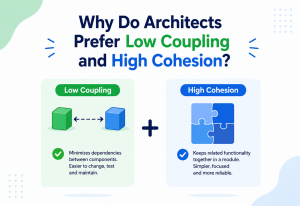
A load balancer simply spreads incoming requests evenly across available servers, the way a restaurant host seats new parties at whichever open table minimizes everyone’s wait, rather than seating every new party at the same overloaded table while three others sit empty.
13.4 Sharding, Explained Without the Scary Math
Sharding is splitting a single, huge database into several smaller, independent databases, each responsible for a portion of the data — for example, one shard for customers whose names start with A through M, and another for N through Z. It’s the database equivalent of a large retail chain splitting inventory across regional warehouses instead of running everything out of one central warehouse: each regional warehouse handles a smaller, more manageable slice of the total demand. Sharding is genuinely more complex to build and operate than read replicas or caching, and it’s worth being candid with stakeholders that it’s usually a “last resort” scaling technique, reached only once simpler options have been exhausted — not because it doesn’t work, but because of the added operational complexity of keeping many smaller databases coordinated and consistent.
A library that keeps every single book in one enormous room eventually makes it slow for anyone to find anything, no matter how organized the shelves are. Splitting the collection into a fiction wing and a non-fiction wing — each independently searchable — is a simple form of the same idea sharding applies to data.
Because sharding adds real operational cost, it’s worth presenting to stakeholders explicitly as a later-stage option rather than a first response to any capacity concern, reserved for the point where simpler techniques like caching and read replicas have already been applied and the database still can’t keep up — a sequencing that also happens to keep early-stage costs lower and more proportionate to actual need.
APIs & Microservices
When a company grows large enough, a single, monolithic application eventually becomes a scaling bottleneck itself — not because of any one technical flaw, but because every team’s changes and every part of the system’s load are tangled together, so scaling one busy part means scaling the entire thing. This is worth explaining to stakeholders as an organizational scaling problem as much as a technical one: as engineering headcount grows, more and more people end up working inside the same tightly coupled codebase, and coordination overhead — who’s deploying when, whose change might break whose feature — starts to slow the whole team down, independent of server capacity entirely.
14.1 Microservices, Explained Without Jargon
Microservices break a large application into smaller, independent services — separate “kitchens” each responsible for one part of the menu (payments, search, recommendations) — that can each be scaled up or down independently based on their own specific demand, instead of the whole restaurant needing to expand every time just one dish becomes popular.
“Search traffic is ten times higher than payment traffic on a normal day. Splitting them apart means we can scale up search independently, instead of paying to scale up everything at once just to keep search fast.”
It’s equally important to be honest with stakeholders that microservices are not automatically better — they trade one kind of complexity (one big system) for another (many small systems that have to coordinate), and adopting them is itself a scalability planning decision with real trade-offs, not a free upgrade.
14.2 APIs as the Contract Between Teams and Between Systems
An API (Application Programming Interface) is the defined, agreed-upon way one piece of software asks another piece of software for something — the equivalent of a standardized order form the kitchen and the front-of-house staff both agree to use, so orders don’t get miscommunicated even as more staff and more stations are added over time. As a company scales its engineering organization alongside its user base, well-defined APIs between services become just as important for scalability as server capacity, because they let separate teams build, deploy, and scale their own piece of the system independently, without needing to coordinate every single change with every other team — a form of organizational scalability that mirrors the technical scalability discussed throughout this guide. Explaining this organizational dimension to a stakeholder can be just as persuasive as the technical one, especially for leaders who have personally felt the pain of engineering teams stepping on each other’s work during a period of rapid hiring and growth.
Design Patterns & Anti-patterns for the Conversation
These patterns apply as much to the conversation about scalability as to the architecture itself — some communication approaches consistently work, and some consistently backfire. Recognizing these patterns by name makes it easier to notice, in the moment, which one a conversation is drifting toward, and to correct course before a well-intentioned technical explanation loses the room entirely.
| Anti-pattern | Why it fails with stakeholders | Better approach |
|---|---|---|
| Leading with jargon (“we need to shard the database”) | Loses the audience immediately; sounds like an unexplained expense | Lead with the business risk, then introduce the technical term as the explanation, not the headline |
| Vague warnings (“the system might not scale”) | No concrete number to act on; easy to deprioritize indefinitely | Give a specific number: “we can handle X; the campaign needs Y” |
| Asking for open-ended budget (“we need to invest in scalability”) | Feels like a blank check with no defined success criteria | Scope a specific project tied to a specific business milestone with a clear before/after capacity number |
| Over-engineering preemptively for imaginary scale | Wastes budget and time on capacity the business may never actually need | Scale planning to match realistic, stated business growth targets, revisited regularly |
“If the marketing campaign hits its stated goal of 50,000 concurrent users, then our checkout will start failing at around 32,000 based on last month’s load test.” This connects directly to numbers the stakeholder already owns and cares about, rather than an abstract engineering opinion.
15.1 The “Traffic Light” Pattern for Status Reporting
A simple, recurring pattern that works well across many organizations is reporting scalability readiness using a plain green/yellow/red status against upcoming business milestones, exactly the same visual language already used in most project status reports. “Green” means confirmed capacity with healthy headroom, “yellow” means capacity is close to the edge and work is underway, and “red” means a confirmed gap with no mitigation yet in place. This pattern requires no new reporting format to be learned and slots directly into status meetings stakeholders already attend, which dramatically increases the odds that a capacity risk gets seen and acted on before it becomes urgent.
15.2 Anti-pattern: the “Boy Who Cried Wolf” Warning Pattern
Raising scalability concerns too frequently, too vaguely, or without follow-through on whether a previously predicted risk actually materialized erodes stakeholder trust over time, making the next genuine warning easier to dismiss. Tracking and reporting back on the outcome of previous capacity predictions — “last quarter we flagged this risk, added the fix, and the campaign went smoothly” — builds a track record that makes future requests land with far more credibility than a fresh warning with no history behind it.
Repeated vague warnings without follow-through are the fastest way to burn stakeholder trust. Every warning needs a specific number, a specific date, and, after the fact, a specific outcome report — even (especially) when the predicted issue didn’t materialize.
Best Practices & Common Mistakes
A distilled playbook for the recurring habits that consistently make this conversation land well — and the equally recurring habits that reliably undermine it.
16.1 Best Practices
- Tie every scalability request to a specific, dated business event or growth target the stakeholder already owns (a launch date, a campaign, a fundraising milestone).
- Use one consistent, simple analogy (a restaurant, a road, a warehouse) throughout a conversation rather than switching metaphors mid-explanation.
- Bring a concrete number, not just a warning: current capacity, projected demand, and the gap between them.
- Show a visual — a simple chart or diagram — rather than relying purely on verbal explanation for a topic that’s inherently about trends over time.
- Separate “must happen before this specific date” work from “would be nice eventually” work, so priority is unambiguous.
- Frame the cost of scalability work next to the cost of the outage it prevents, using real, comparable numbers (past incident cost, industry benchmarks) whenever available.
- Rehearse the explanation on a colleague outside engineering before presenting it to stakeholders, and revise any sentence that draws a confused reaction.
- Follow up after a growth event to report the outcome, whether the system held comfortably or came closer to the edge than planned — this closes the loop and builds credibility for the next conversation.
16.2 Common Mistakes
Just as there’s a recognizable set of habits that make this conversation land well, there’s an equally recognizable set of habits that reliably undermine it — worth naming explicitly, since most of them are easy to avoid once someone has seen them called out clearly.
- Waiting until a crisis to start the conversation, which forces reactive, more expensive, more error-prone emergency work.
- Assuming a single conversation is enough — scalability planning needs to be revisited every planning cycle as growth targets change.
- Overloading the explanation with every technical detail instead of the two or three points that actually drive the decision.
- Treating stakeholders as incapable of understanding trade-offs, rather than as capable decision-makers who simply need the right framing.
- Presenting scalability as purely a cost, without also naming the business upside — new markets, new campaigns, and new deals a scalable system safely enables.
16.3 A Short Pre-Meeting Checklist
Before walking into a stakeholder conversation about scalability, it helps to have concrete answers ready for a small, predictable set of questions this audience will almost always ask:
| Question they’ll ask | What to have ready |
|---|---|
| “What happens if we don’t do this?” | A specific, plausible failure scenario tied to a real upcoming date |
| “How much will it cost, and how long will it take?” | A concrete time and cost estimate, scoped to the specific fix, not open-ended |
| “How confident are we in that estimate?” | Evidence — a load test result, a past incident, an industry benchmark — not just an opinion |
| “Can we do a smaller version now and more later?” | A phased option, since stakeholders often prefer incremental investment over one large ask |
Walking in with these answers prepared, rather than waiting to be asked, signals exactly the kind of proactive ownership that builds long-term trust and makes the next scalability conversation easier than this one. Over several such conversations, stakeholders come to associate scalability requests with clear, well-prepared reasoning rather than vague urgency, which is itself the strongest long-term asset an engineer can build for getting this category of work funded consistently.
Real-World / Industry Examples
These aren’t abstract patterns — the biggest, most watched consumer platforms in the world spend enormous energy on scalability planning precisely because their business models don’t survive a public outage at the wrong moment.
Streaming Platforms (Netflix-style)
Major streaming services invest heavily and publicly in load-testing infrastructure specifically to simulate huge simultaneous demand spikes — like a globally anticipated show premiere — well ahead of the actual event, treating capacity planning as a normal, recurring part of the release calendar rather than a one-off engineering task.
E-commerce (Amazon-style) Sale Events
Large-scale shopping events are preceded by months of dedicated scalability planning across the entire order-processing pipeline, precisely because a single hour of downtime during peak sale traffic represents a uniquely large, concentrated, and highly visible revenue and reputation risk compared to an ordinary day.
Social Platforms During Viral Moments
Early social media platforms became famous for visible, branded error pages during unexpected traffic surges, which — while damaging in the moment — became widely cited case studies used specifically to justify scalability investment across the entire industry in the years that followed.
Ticketing Platforms During On-Sales
High-demand ticket on-sales for popular events routinely produce extreme, short-duration traffic spikes far beyond normal daily load, making these companies some of the most prominent public examples of scalability planning either succeeding invisibly or failing very visibly, often covered directly in mainstream news.
Ride-hailing (Uber-style) During Major Events
Ride-hailing companies plan capacity for predictable demand surges around large public events — concerts, sports finals, New Year’s Eve — where thousands of ride requests and location updates arrive in a tight geographic area within minutes, a scenario that stress-tests both matching algorithms and underlying infrastructure simultaneously.
Government & Public-Sector Digital Services
Public benefit and tax-filing websites have repeatedly experienced widely reported capacity failures around statutory deadlines — moments when demand is entirely predictable well in advance, making these especially instructive examples of scalability planning that was foreseeable but under-prioritized until public pressure forced the investment.
What all six examples share is the same underlying business lesson: the moments that matter most to the business — launches, sales, viral growth, statutory deadlines — are exactly the moments that put the most strain on a system’s scalability, which is precisely the argument for planning ahead of those moments rather than reacting to them.
It’s also worth noting how these organizations talk about this work publicly. Post-incident reviews and engineering blog posts from major technology companies routinely frame scalability failures not as a purely technical embarrassment, but as a direct, quantified business event — lost orders, lost signups, lost advertising spend — precisely because that framing is what secures the budget and organizational attention needed to prevent a repeat. Adopting that same habit internally, even for a much smaller company, is one of the most effective long-term strategies for keeping scalability funded consistently rather than only after each painful lesson, and it costs nothing beyond the discipline of writing the follow-up down and sharing it widely.
FAQ, Summary & Key Takeaways
The questions that come up almost every time this conversation is had — and a distilled summary of everything above, small enough to fit on a single slide.
Q: How do I estimate the cost of scalability work in a way a stakeholder will accept?
Compare it directly against the cost of a comparable past incident (lost revenue during downtime, support costs, customer churn) or an industry benchmark for downtime cost per minute. A concrete cost-avoidance number is far more persuasive than an abstract engineering estimate on its own.
Q: Who should actually be in the room for this conversation?
Whoever owns the growth target driving the risk — a marketing lead for a campaign, a sales lead for a large new account, a product lead for a launch — plus whoever controls the relevant budget, if different. Including the person who owns the underlying growth number keeps the conversation anchored to something concrete they already care about, rather than an abstract infrastructure request with no clear owner on the business side.
Q: What if the stakeholder says “let’s just deal with it if it happens”?
Reframe the conversation around timing and cost, not whether the work happens at all: fixing a scalability gap calmly, ahead of time, is reliably cheaper and lower-risk than fixing the same gap during a live outage, under pressure, in front of customers.
Q: Is scalability planning a one-time project or an ongoing process?
Ongoing. Business growth targets change every planning cycle, and each new target should trigger a fresh, quick capacity check — much like a restaurant reassessing its capacity every time it considers a new marketing push, not just once when it first opens.
Q: How technical does a non-technical stakeholder actually need to get?
Not technical at all, if the explanation is built well. They need three things: the current capacity, the projected demand, and the gap between them — plus what closing that gap costs and what not closing it risks. Everything else is supporting detail, useful only if specifically asked for.
Q: What if I don’t have hard data on current capacity yet?
Say so honestly, and frame the first request as getting that data — a load test or capacity assessment — rather than jumping straight to a large architectural request. “We don’t yet know exactly where our limit is; the first step is finding out” is itself a reasonable, fundable ask, and it builds the evidence needed for a stronger conversation later.
Q: How do I avoid sounding alarmist every time I raise this topic?
Anchor every warning to a specific number and a specific date rather than a general sense of unease, and always pair the risk with a proposed next step. A grounded, specific statement reads as diligence; a vague, recurring warning without a proposed action reads as alarmism, even when the underlying concern is entirely valid.
Q: Should scalability planning happen before or after product-market fit?
Generally after, at least for the heaviest investments. Building extensive scalability infrastructure before a product has proven demand risks wasting significant effort on a system that may need to change direction entirely. The more useful early habit is simply staying aware of where the current architecture’s limits are, so the transition to serious scalability work — once real growth arrives — isn’t a surprise. A lightweight version of capacity awareness, revisited briefly every few months, costs very little and pays for itself the first time growth accelerates faster than expected.
Key Takeaways
- Scalability is whether a system keeps working well as usage grows; scalability planning is deciding, in advance, how to handle that growth before it happens.
- The core communication challenge is that the benefit of scalability work is an avoided failure, which is invisible, compared to a new feature, which is immediately visible — this is exactly why it tends to be underfunded without a deliberate case being made for it.
- Restaurant, road, and warehouse analogies map remarkably well onto load balancers, databases, caching, and horizontal scaling, and are far more persuasive to a non-technical audience than raw technical terminology.
- Always tie a scalability request to a specific business milestone and a concrete capacity gap number — vague warnings are easy to deprioritize indefinitely, specific numbers are not.
- Performance (how fast today) and scalability (how well that holds up as usage grows) are different questions; a fast system today can still be dangerously unscalable for tomorrow’s growth.
- The cloud makes elastic capacity easier and cheaper to obtain, but does not automatically make an application scalable — the architecture still has to be designed to use that capacity effectively.
- Framing scalability risk in terms a stakeholder already tracks — uptime as minutes per year, availability as a security property, cost as avoided-incident value — turns an engineering conversation into a business decision they can act on confidently.
- Different stakeholders respond to different framings of the same risk; tailoring the explanation to what a CEO, a CFO, a sales leader, or a support leader each individually cares about noticeably improves how well the message lands.
- Over-engineering is a real, opposite failure mode; matching scalability investment to the business’s actual, stated growth targets protects both budget and future credibility.
- Building scalability checks into existing planning rituals — roadmap reviews, campaign kickoffs, quarterly business reviews — is more sustainable than treating each capacity conversation as a special, one-off request.
Ultimately, explaining scalability planning well to a non-technical stakeholder is not about simplifying the engineering until it’s inaccurate — it’s about finding the business-relevant core of a technical truth and presenting that core clearly, with a concrete number and a concrete date attached. Do that consistently, and scalability investment stops being an argument fought after every outage and starts being a normal, expected line item planned alongside every growth target the business sets for itself.
This translation skill compounds over time. Every well-explained, well-timed scalability conversation makes the next one easier, because it builds a track record of accurate predictions, proportionate requests, and outcomes stakeholders can see and trust. Engineers and engineering leaders who invest deliberately in this kind of communication — not just in the underlying architecture — consistently find that scalability work gets funded earlier, discussed more calmly, and treated as a routine part of growing the business, rather than as a recurring source of friction between engineering and everyone else. In the end, the technical work and the communication work are not separate tasks competing for attention — they are two halves of the same responsibility, and neither one succeeds fully without the other.

