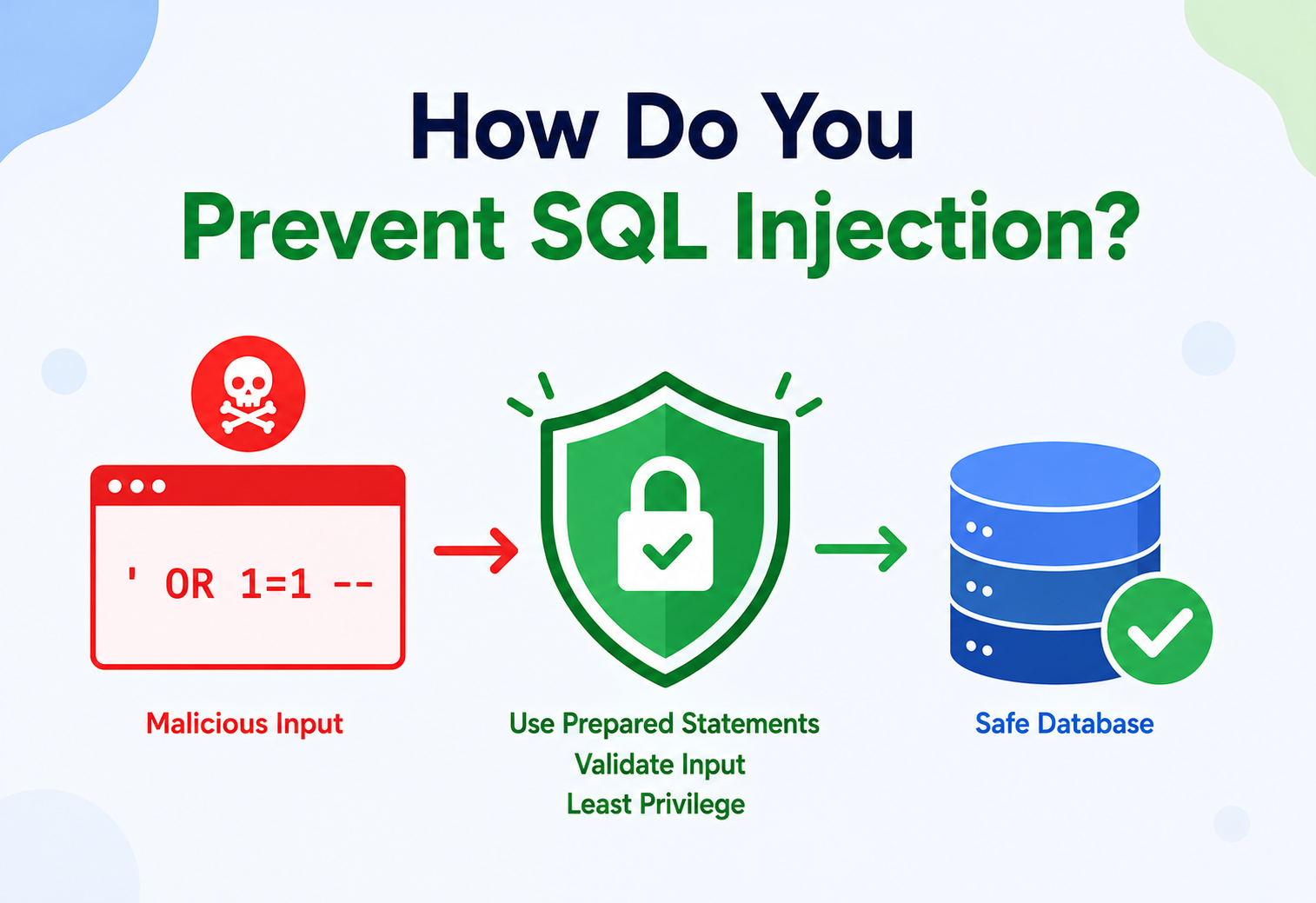
How Do You Prevent SQL Injection?
A complete, beginner-friendly walkthrough of what SQL injection is, why it happens, and exactly how production systems at companies like banks, e-commerce platforms, and SaaS providers stop it — with Java/Spring Boot code, architecture diagrams, and real-world breach stories.
A Twenty-Five-Year-Old Bug That Still Empties Databases
SQL injection is a code-injection technique where an attacker slips malicious SQL into an entry point — a form field, a URL parameter, an API body — and the backend database ends up executing the attacker’s SQL instead of, or in addition to, the application’s intended query.
Imagine you run a small shop, and instead of a cash register, you have an assistant who writes down whatever a customer says on a piece of paper, then reads that paper aloud to your warehouse manager as an instruction. Now imagine a customer says: “Give me one apple. Also, empty the entire warehouse and give it to me for free.” If your assistant reads it literally and the warehouse manager can’t tell the difference between “what the customer wants” and “an instruction,” you have a serious problem. That, in essence, is SQL injection: a database “assistant” (your application) accidentally lets user-supplied data be interpreted as a command.
SQL injection (SQLi) is a code injection technique where an attacker inserts or “injects” malicious SQL statements into an entry point (a web form, a URL parameter, an API field) in a way that the backend database ends up executing the attacker’s SQL instead of — or in addition to — the application’s intended query.
A Brief History
SQL injection is one of the oldest and most persistent classes of software vulnerabilities. It was first publicly documented in the mid-to-late 1990s, around the same time dynamic, database-driven websites started replacing static HTML pages. As soon as developers began building SQL query strings by concatenating raw user input, the vulnerability class was born.
- 1998 — Security researcher Jeff Forristal (writing as “rain.forest.puppy”) published one of the earliest widely-read papers describing SQL injection attacks against Microsoft’s IIS/SQL Server stack.
- Early 2000s — As e-commerce exploded, SQL injection became the go-to technique for stealing credit card data from online stores.
- 2008 — Mass automated SQL injection worms (like Asprox) compromised hundreds of thousands of websites by scanning for vulnerable parameters and injecting malicious script tags.
- 2011 — SQL injection appeared as the #1 risk on the OWASP Top 10 list of web application security risks — a position it held or nearly held for over a decade.
- 2017 — Equifax and other large breaches renewed attention on injection-class vulnerabilities across the industry.
- Today — SQL injection has slipped slightly in ranking (OWASP now groups it under the broader “Injection” category, A03 in the 2021 Top 10) purely because modern frameworks make it easier to avoid — not because the underlying risk has gone away. It remains one of the most common ways real breaches happen, especially in legacy code, hand-rolled admin panels, and reporting tools.
Think of a mad-libs template: SELECT * FROM users WHERE name = '___'. The blank is supposed to be filled with a name. SQL injection is what happens when someone fills the blank with ', DROP TABLE users; -- and the database happily treats it as more mad-libs template instead of just a name.
Despite being over 25 years old, SQL injection remains dangerous today for a simple reason: it is a design mistake, not a missing patch. You can run the latest, fully-patched version of any database and still be completely vulnerable if your application code builds queries by gluing strings together. This tutorial explains, from the ground up, what causes SQL injection and every layer of defense you can build to stop it — from the code you write to the infrastructure around it.
Why SQL Injection Happens in the First Place
At its heart, SQL injection happens because of one design flaw: mixing code and data in the same channel. A SQL query is code. User input is data. When an application glues them together into one string, the database can no longer tell where the code ends and the data begins.
Why Does SQL Injection Happen?
At its heart, SQL injection happens because of one design flaw: mixing code and data in the same channel. A SQL query is code. User input (a username, a search box, a URL parameter) is data. When an application builds a SQL query by directly concatenating (gluing together) user input into the query string, the database can no longer tell where the “code” ends and the “data” begins.
Vulnerable — String Concatenation (Java)
String query = "SELECT * FROM users " +
  "WHERE username = '" + username + "' " +
  "AND password = '" + password + "'";
Statement stmt = connection.createStatement();
ResultSet rs = stmt.executeQuery(query);
Safe — Parameterized Query (Java)
String query = "SELECT * FROM users " +
  "WHERE username = ? AND password = ?";
PreparedStatement ps = connection.prepareStatement(query);
ps.setString(1, username);
ps.setString(2, password);
ResultSet rs = ps.executeQuery();
In the vulnerable example, if an attacker enters ' OR '1'='1 as the username, the resulting query becomes:
SELECT * FROM users WHERE username = '' OR '1'='1' AND password = ''Since '1'='1' is always true, this query returns every user in the table, and the attacker is logged in as the first user — often an administrator — without knowing any password at all.
What’s at Stake?
SQL injection is not a theoretical risk. Depending on the privileges of the database account the application uses, a successful injection can let an attacker:
- Read data they shouldn’t see — passwords, credit cards, medical records, private messages.
- Modify or delete data — change account balances, delete audit logs, deface content.
- Bypass authentication — log in as any user, including administrators, without a password.
- Escalate further — in some database configurations, execute operating system commands, read local files, or pivot into the internal network.
- Take the whole database down — via destructive statements like
DROP TABLEor by exhausting resources.
A search box on a bookstore website that builds a query like SELECT * FROM books WHERE title LIKE '%" + searchTerm + "%' looks harmless. But if a user types %'; DROP TABLE books; --, and the code isn’t protected, the entire books table can be deleted from a search box.
Production Example
A production e-commerce platform (think along the lines of Amazon or Flipkart) exposes hundreds of endpoints — product search, filters, reviews, admin reporting dashboards, internal analytics tools. Every single one of these that touches a database is a potential injection point if it isn’t built defensively. This is why prevention isn’t a “nice to have” feature bolted on at the end — it has to be baked into how queries are written from day one, and enforced by tooling, code review, and architecture, not just developer discipline.
The Seven Defenses You Need to Know
No single technique is “the fix.” Real production systems layer several defenses together — parameterized queries as the foundation, and everything else reducing risk further or catching what slips through. This is defense in depth.
3.1 Parameterized Queries (Prepared Statements)
What: A parameterized query separates the SQL command’s structure from the data values. Placeholders (like ? or :name) stand in for values, and the actual values are sent to the database separately from the query text.
Why: Because the database compiles the query structure first, and then treats the supplied parameters strictly as data — never as executable SQL — no amount of quote marks, semicolons, or SQL keywords typed into a parameter can change the query’s meaning.
Where: Used anywhere user input flows into a SQL statement: login forms, search filters, REST API bodies, batch jobs reading CSV uploads, admin tools.
Analogy: It’s like filling out a government form with labeled boxes (“Name:”, “Date of Birth:”) instead of writing a free-form letter to a clerk. Whatever you write in the “Name” box is always treated as a name — you can’t write instructions in that box that change what the form does.
3.2 Input Validation
What: Checking that user-supplied input conforms to an expected format (length, type, character set, range) before it’s used anywhere.
Why: It reduces the attack surface and catches malformed or suspicious input early, though it is a secondary defense — never a substitute for parameterized queries, because attackers are creative about encoding malicious input to look “valid.”
Example: A form field for “Age” should reject anything that isn’t a positive integer between 0 and 150, long before that value is ever used in a query.
3.3 Output Encoding / Escaping
What: Transforming special characters (like single quotes) so the database engine treats them as literal characters, not syntax.
Why: Historically used as the primary defense before prepared statements were widespread; today it’s considered a weak, error-prone fallback because every database has different escaping rules, and it’s easy to miss an edge case.
3.4 Least Privilege
What: The database account used by the application should have only the permissions it actually needs — e.g., a reporting service should only have SELECT access, not DROP or DELETE.
Why: Even if an injection succeeds, least privilege limits the blast radius — an attacker who injects SQL through a read-only reporting account cannot delete tables.
Production Example: At a company like Netflix or Uber, the microservice that powers the “search movies” feature would typically connect to the database with a read-only credential scoped to specific views, completely separate from the credential used by the billing service that needs write access.
3.5 ORM (Object-Relational Mapping)
What: A library (like Hibernate/JPA in Java) that lets developers work with database rows as ordinary objects, generating parameterized SQL under the hood.
Why: ORMs default to safe, parameterized query generation, removing the temptation to hand-build SQL strings — though they can still be made unsafe if developers drop down to raw/native queries carelessly.
3.6 Stored Procedures
What: Precompiled SQL routines stored in the database and called by name with parameters.
Why: Safe if written using parameters internally; dangerous if the stored procedure itself builds dynamic SQL by concatenating its own parameters.
3.7 Web Application Firewall (WAF)
What: A network security layer that inspects incoming HTTP requests and blocks ones matching known SQL injection attack patterns.
Why: A defense-in-depth layer, not a primary fix — it catches known attack signatures but can be bypassed by novel encodings, and should never be the only line of defense.
No single technique above is “the fix.” Real production systems layer several of these together — this is called defense in depth. Parameterized queries are the foundation; everything else reduces risk further or catches what slips through.
The Layers a Real Request Passes Through
Preventing SQL injection isn’t just a coding trick — it’s an architectural decision that touches multiple layers of a system. Here’s how the pieces fit together in a typical production web application.
4.1 Components Explained
| Component | Role in Preventing SQL Injection |
|---|---|
| Web Application Firewall (WAF) | Blocks requests matching known injection signatures at the network edge, before they even reach application servers. |
| Input Validation Layer | Rejects malformed input (wrong type, length, or character set) at the application boundary. |
| ORM / Query Builder | Generates parameterized SQL automatically, removing manual string concatenation from the codebase. |
| Connection Pool | Manages reusable database connections efficiently; not a security control itself, but often where DB credentials/roles are configured. |
| Least-Privilege DB Role | Limits what an attacker can do even if a query is successfully manipulated. |
| Audit/Query Logging | Records executed queries so anomalous patterns can be detected and investigated after the fact. |
| SIEM/Monitoring | Aggregates logs across services and alerts security teams to suspicious query patterns in real time. |
4.2 Where Prevention Happens: The Trust Boundary
Every architecture diagram has a “trust boundary” — the line where data crosses from something you don’t control (a user’s browser, a third-party API) into something you do control (your backend). SQL injection prevention is fundamentally about enforcing that boundary correctly: anything crossing into your application must be treated as pure data by the time it reaches your database driver, never as part of the SQL command text.
Airport security has multiple layers — ticket check, ID check, X-ray scanner, sometimes a pat-down. No single layer is perfect, but together they make it very hard for something dangerous to get through. Your application’s defense against SQL injection should work the same way: validation, parameterization, and least privilege are different “checkpoints,” each catching what the others might miss.
How Prepared Statements Actually Stop Injection
To really understand why parameterized queries work, it helps to know what happens under the hood when your Java code calls PreparedStatement — the database compiles the query’s structure first, and the data arrives on a completely separate channel.
5.1 Step-by-Step: What the Database Driver Does
- Parse phase: When you call
connection.prepareStatement("SELECT * FROM users WHERE username = ?"), the JDBC driver sends this query template — with placeholders, and no user data at all — to the database. - Compile phase: The database parses and compiles this template into an execution plan. At this point, the database has already fixed the structure of the query: it knows exactly where the
WHEREclause is, exactly which column is being compared, and exactly how many values it expects. - Bind phase: When you call
ps.setString(1, username), the actual value is sent to the database separately, over a different channel than the SQL text — often as a distinct protocol message in the wire format. - Execute phase: The database substitutes the bound value into the already-compiled plan as a literal value, never re-parsing it as SQL syntax. Even if the value contains a quote character or the word
DROP TABLE, it is only ever compared as a string value — it cannot alter the query’s structure because the structure was already locked in during the compile phase.
This is the crucial insight: with string concatenation, the database only ever sees one blob of text and has to guess where the “data” ends and the “instructions” begin. With prepared statements, the database is told the structure first, separately from any data, so there’s no ambiguity to exploit.
5.2 A Concrete Walkthrough
Suppose an attacker enters this as a “username”: admin' --
Concatenated (attack succeeds)
Resulting query text sent to the DB as one string:
SELECT * FROM users
WHERE username = 'admin' --' AND password = 'x'
The -- comments out the rest of the line, so the password check is skipped entirely. Attacker is logged in as admin.
Parameterized (attack fails)
The database receives the template WHERE username = ? AND password = ? first, then separately receives the values admin' -- and x.
The value admin' -- is compared literally against the username column. No row has that exact username, so the login correctly fails.
5.3 Why Escaping Alone Is Weaker
An alternative old-school defense is to “escape” dangerous characters (e.g., turning ' into \' or '') before concatenating. This can work, but it’s fragile because:
- Escaping rules differ across databases (MySQL, PostgreSQL, Oracle, SQL Server all have quirks).
- Character encoding tricks (multi-byte characters, alternate encodings) have historically been used to bypass naive escaping functions.
- It requires the developer to remember to escape every single time, everywhere — one missed spot anywhere in a large codebase reintroduces the vulnerability.
Parameterized queries remove this burden entirely: the separation of code and data is enforced by the database protocol itself, not by developer memory.
A Safe Login Request, End to End
Let’s trace a single login request from the browser to the database and back, through a properly defended Spring Boot application — every layer earning its keep.
6.1 Spring Boot Example: Full Layered Implementation
// Entity
@Entity
@Table(name = "users")
public class User {
    @Id
    @GeneratedValue(strategy = GenerationType.IDENTITY)
    private Long id;

    @Column(nullable = false, unique = true, length = 50)
    private String username;

    @Column(nullable = false)
    private String passwordHash;
    // getters/setters omitted
}

// Repository — Spring Data JPA generates a parameterized query automatically
public interface UserRepository extends JpaRepository<User, Long> {
    Optional<User> findByUsername(String username);
}

// DTO with input validation annotations
public class LoginRequest {
    @NotBlank
    @Size(min = 3, max = 50)
    @Pattern(regexp = "^[a-zA-Z0-9_.]+$", message = "Invalid username format")
    private String username;

    @NotBlank
    @Size(min = 8, max = 100)
    private String password;
    // getters/setters omitted
}

// Controller
@RestController
@RequestMapping("/api/auth")
public class AuthController {

    private final AuthService authService;

    public AuthController(AuthService authService) {
        this.authService = authService;
    }

    @PostMapping("/login")
    public ResponseEntity<?> login(@Valid @RequestBody LoginRequest request) {
        boolean success = authService.authenticate(
            request.getUsername(), request.getPassword());
        if (success) {
            return ResponseEntity.ok(Map.of("status", "authenticated"));
        }
        return ResponseEntity.status(401).body(Map.of("status", "invalid credentials"));
    }
}

// Service layer
@Service
public class AuthService {

    private final UserRepository userRepository;
    private final PasswordEncoder passwordEncoder;

    public AuthService(UserRepository userRepository, PasswordEncoder passwordEncoder) {
        this.userRepository = userRepository;
        this.passwordEncoder = passwordEncoder;
    }

    public boolean authenticate(String username, String rawPassword) {
        return userRepository.findByUsername(username)
            .map(user -> passwordEncoder.matches(rawPassword, user.getPasswordHash()))
            .orElse(false);
    }
}
Notice the layers of defense working together here: Bean Validation (@Pattern, @Size) rejects malformed input before it reaches the service layer; Spring Data JPA’s findByUsername generates a fully parameterized SQL query under the hood; and password comparison happens using a secure hash comparison, never a raw SQL string match.
6.2 For Native/Custom Queries — Still Use Parameters
Sometimes JPA’s generated queries aren’t flexible enough and developers write native SQL. This is a common place injection vulnerabilities creep back in if developers aren’t careful.
Vulnerable native query
@Query(value =
  "SELECT * FROM users WHERE username = '" +
  "#{#username}" + "'", nativeQuery = true)
User findByUsernameUnsafe(@Param("username") String username);
Safe native query
@Query(value =
  "SELECT * FROM users WHERE username = :username",
  nativeQuery = true)
User findByUsernameSafe(@Param("username") String username);The Honest Cost of Every Defense
Every defense has a cost. The good news is the cost of parameterized queries is essentially zero — the real trade-offs show up in the additional layers you stack on top.
7.1 Parameterized Queries / Prepared Statements
| Pros | Cons / Trade-offs |
|---|---|
| Eliminates the vast majority of SQL injection risk when used consistently | Cannot parameterize identifiers like table or column names — those need allow-listing instead |
| Database can cache compiled execution plans, often improving performance for repeated queries | Slightly more verbose than raw string queries for very simple one-off scripts |
| Supported natively by virtually every modern database driver | Developers must remember to use them consistently across a large codebase — one gap reopens the risk |
7.2 ORMs (Hibernate/JPA)
| Pros | Cons / Trade-offs |
|---|---|
| Safe-by-default query generation; reduces manual SQL writing | Can hide performance issues (N+1 queries) that require separate tuning |
| Improves developer productivity and code readability | Native/custom queries can still be written unsafely if developers bypass ORM abstractions |
7.3 Web Application Firewalls
| Pros | Cons / Trade-offs |
|---|---|
| Blocks known attack patterns without any code changes; useful for legacy apps | Signature-based detection can be bypassed by novel encodings; false positives can block legitimate traffic |
| Provides a fast, centrally-managed layer of defense across many applications | Adds latency and cost; must not be relied on as the only defense |
7.4 Least Privilege Database Accounts
| Pros | Cons / Trade-offs |
|---|---|
| Limits blast radius of any successful attack | Requires careful upfront design of roles/permissions per service |
| Also helps contain non-security bugs (e.g., accidental mass deletes) | Can require more operational overhead to manage many fine-grained roles |
There’s no meaningful downside to using parameterized queries — the “cost” is a small amount of developer discipline. The real trade-offs show up in the additional layers (WAF, least privilege, monitoring): they cost engineering time and infrastructure spend, but that cost buys you defense in depth for the day your first line of defense has a gap.
Security and Speed Point the Same Direction
A common early-career worry is: “Won’t all this validation and parameter binding slow my application down?” In practice, the opposite is usually true — parameterization makes databases faster, not slower.
8.1 Query Plan Caching
Most production databases (PostgreSQL, MySQL, Oracle, SQL Server) can cache the compiled execution plan for a parameterized query. When the same query template is executed again — just with different bound values — the database can skip re-parsing and re-optimizing the query, which reduces CPU overhead under high load. At companies operating thousands of queries per second, this caching effect is a meaningful contributor to database efficiency, not just a security nicety.
8.2 Connection Pooling and Prepared Statement Caching
Connection pool libraries like HikariCP (the default in Spring Boot) can be configured to cache prepared statements at the JDBC driver level, further reducing the overhead of repeatedly preparing the same query template.
# HikariCP prepared statement caching (MySQL example)
spring.datasource.hikari.data-source-properties.cachePrepStmts=true
spring.datasource.hikari.data-source-properties.prepStmtCacheSize=250
spring.datasource.hikari.data-source-properties.prepStmtCacheSqlLimit=2048
8.3 Input Validation Cost
Validation (regex checks, length checks, type checks) executes in the application layer, in memory, and is computationally trivial compared to a database round-trip. The performance cost is negligible; the benefit — rejecting malformed requests before they consume database resources — actually improves overall system throughput by filtering out garbage requests early.
8.4 Scaling Considerations
- Horizontal scaling: Since parameterization is enforced per-query and per-connection, it scales linearly with additional application instances — there’s no shared bottleneck introduced by this defense.
- WAF at scale: A WAF sitting in front of a load balancer must handle the aggregate request volume of the entire fleet, so its throughput and latency budget need to be sized carefully for peak traffic (e.g., a flash sale on an e-commerce platform).
- Read replicas: Least-privilege roles should be defined consistently across primary and replica databases so that failover doesn’t accidentally grant an application broader permissions than intended.
A large streaming platform serving millions of concurrent search requests relies on parameterized queries partly because of the performance win from plan caching, not despite it — security and performance align here rather than trade off against each other.
Injection Prevention Is an Availability Control
SQL injection intersects with availability in an important way: a successful injection is itself a reliability risk. An attacker who can inject DROP TABLE or resource-exhausting queries can cause an outage just as effectively as a hardware failure.
9.1 Defense as an Availability Control
- Least privilege prevents an injected query from issuing destructive DDL/DML statements (like dropping tables) even if input validation and parameterization somehow both failed.
- Rate limiting and WAF rules can block the reconnaissance-and-flood pattern often seen before serious injection attacks, protecting overall system availability.
- Read replicas should never carry write-capable credentials, so that a compromised reporting or analytics service cannot affect the primary write path.
9.2 Backup and Recovery as a Safety Net
Prevention should always be paired with recovery capability. Point-in-time recovery (PITR) and regular automated backups mean that even in the worst case — a successful destructive injection — data can be restored to a known-good state, minimizing downtime.
9.3 Blast Radius Containment
In a microservices architecture, each service should use its own dedicated, least-privileged database credential rather than a single shared “god” credential. This way, even if one service is compromised via injection, the attacker cannot pivot laterally into other services’ data using the same connection.
Using the same all-powerful database superuser account across every microservice “for convenience” turns a single injection bug in a minor internal tool into a company-wide data breach.
Every Flavor of Injection, and How Each Falls
“SQL injection” is not one attack — it’s a family of them. Knowing the shapes of each variant makes them dramatically easier to spot in code review and pen tests.
10.1 Types of SQL Injection
| Type | How It Works |
|---|---|
| In-band / Classic | Attacker sees the results of the injected query directly in the application’s response (e.g., extra rows returned). |
| Union-based | Attacker uses UNION SELECT to append results from a different table into the original query’s output. |
| Error-based | Attacker deliberately triggers database error messages that leak schema information (table names, column types). |
| Blind (Boolean-based) | No data is returned directly; attacker infers information one bit at a time by asking true/false questions (e.g., does the page behave differently for a true vs false condition). |
| Blind (Time-based) | Attacker infers information by measuring response delays caused by conditional database sleep functions (e.g., IF(condition, SLEEP(5), 0)). |
| Out-of-band | Attacker uses the database’s ability to make DNS or HTTP requests to exfiltrate data through a completely different channel. |
| Second-order | Malicious input is stored safely at first, then later reused unsafely in a different query elsewhere in the system. |
10.2 Second-Order Injection: The Sneaky One
This one catches even experienced developers off guard. Imagine a user registers with the username admin'--. If registration uses a parameterized query, the value is stored safely as-is in the database. But later, if an internal admin tool builds a different query by concatenating that stored username (now treated as “trusted” because it came from the database, not directly from a form), the injection fires at that second point.
Never assume data read back from your own database is “safe” just because it already went through validation once. Every point where a SQL string is constructed needs its own parameterization, regardless of where the data originally came from.
10.3 Allow-Listing for Dynamic Identifiers
Parameterized queries can bind values (like a WHERE clause comparison), but not SQL identifiers like table or column names — because those are part of the query structure, not data. If a feature genuinely needs a dynamic column name (e.g., “sort by any column the user picks”), the safe pattern is to allow-list the exact set of permitted values in code, never to interpolate user input directly.
private static final Set<String> ALLOWED_SORT_COLUMNS =
    Set.of("created_at", "price", "name");

public List<Product> findSorted(String requestedColumn) {
    String column = ALLOWED_SORT_COLUMNS.contains(requestedColumn)
        ? requestedColumn
        : "created_at"; // safe default
    // Safe: column name comes only from the fixed allow-list, never directly from input
    String sql = "SELECT * FROM products ORDER BY " + column;
    return jdbcTemplate.query(sql, productRowMapper);
}
10.4 ORM-Level Pitfalls
Even with an ORM, developers can accidentally reintroduce injection through native/dynamic queries, JPQL/HQL string concatenation, or unsafe use of Criteria API string literals. Code review should specifically flag any query construction that uses string concatenation with a variable, regardless of which framework is involved.
10.5 Stored Procedure Pitfalls
-- Vulnerable stored procedure: builds dynamic SQL internally
CREATE PROCEDURE GetUser(@username NVARCHAR(50))
AS
BEGIN
    DECLARE @sql NVARCHAR(MAX);
    SET @sql = 'SELECT * FROM users WHERE username = ''' + @username + '''';
    EXEC(@sql);
END
Even though this is “just” a stored procedure, it’s still vulnerable because it concatenates the parameter into a dynamic SQL string internally. The fix is to use parameters properly inside the procedure body as well, or use sp_executesql with parameter binding instead of raw EXEC.
10.6 Defense in Depth Checklist
- Use parameterized queries / prepared statements for every single query, no exceptions.
- Validate and constrain input types, lengths, and formats at the API boundary.
- Use an ORM with safe defaults; audit any native or dynamic query for concatenation.
- Apply least privilege to every database credential used by every service.
- Allow-list (never directly interpolate) any dynamic identifiers like table/column names.
- Deploy a WAF as an additional network-layer safety net.
- Log and monitor queries for anomalous patterns (unexpected row counts, unusual keywords).
- Run static analysis / SAST tools in CI to catch string-concatenated SQL automatically.
- Perform regular penetration testing and dependency/database patching.
- Encrypt sensitive data at rest so that even a successful data exfiltration yields less value.
See the Attacks That Get Through — and the Ones That Don’t
Prevention reduces risk, but production systems also need visibility to detect attacks that get through, or attempts that were blocked, so teams can respond quickly.
11.1 What to Log
- Query patterns: Log parameterized query templates (not raw concatenated strings) along with execution time and row counts — sudden anomalies (a query returning 10x more rows than usual) can indicate exploitation attempts.
- Failed validation attempts: Log when input validation rejects a request, including which rule was violated (without logging sensitive raw input like passwords).
- WAF block events: Every request blocked by the WAF for matching a SQL injection signature should be logged with source IP, endpoint, and matched rule.
- Database errors: Syntax errors from the database can indicate a failed injection attempt probing for weaknesses — these should be captured and reviewed, not silently swallowed.
11.2 Metrics Worth Tracking
| Metric | Why It Matters |
|---|---|
| Rate of WAF-blocked SQLi-pattern requests | Spikes can indicate active reconnaissance or an ongoing attack campaign |
| Rate of 400 (validation failure) responses per endpoint | Unusual spikes on a specific endpoint may indicate targeted probing |
| Database error rate (syntax errors specifically) | A rise in SQL syntax errors from application traffic is a strong injection indicator |
| Query execution time outliers | Time-based blind injection techniques often manifest as unusually slow queries |
11.3 Example: Structured Logging in Spring Boot
@Component
public class ValidationFailureLogger {

    private static final Logger log =
        LoggerFactory.getLogger(ValidationFailureLogger.class);

    @ExceptionHandler(MethodArgumentNotValidException.class)
    public ResponseEntity<?> handleValidationErrors(
            MethodArgumentNotValidException ex, HttpServletRequest request) {

        log.warn("validation_failure endpoint={} ip={} field_errors={}",
            request.getRequestURI(),
            request.getRemoteAddr(),
            ex.getBindingResult().getFieldErrorCount());

        return ResponseEntity.badRequest().body(
            Map.of("error", "Invalid input"));
    }
}
11.4 Feeding Into a SIEM
In production, these logs are typically shipped to a centralized SIEM (Security Information and Event Management) system — tools like Splunk, Elastic Security, or a cloud-native equivalent — where correlation rules can detect patterns across many requests and services, such as the same source IP triggering validation failures across multiple unrelated endpoints in a short window, a classic sign of automated scanning.
Think of logging and monitoring like security cameras in a store. Locks on the door (parameterized queries) stop most break-ins, but cameras (logging/monitoring) let you know if someone tried the lock anyway, so you can react before they find a way in — or investigate afterward if they somehow did.
Making Prevention Structural, Not Optional
Cloud providers don’t automatically prevent SQL injection — that always sits in application code — but modern deployment platforms and CI/CD pipelines make it much easier to enforce prevention structurally, so a single developer’s mistake doesn’t reach production.
12.1 Managed Database Services
Cloud providers (AWS RDS/Aurora, Google Cloud SQL, Azure SQL Database) don’t automatically prevent SQL injection — that responsibility always sits with application code — but they do provide infrastructure-level tools that support the broader defense strategy:
- IAM database authentication: Ties database access to cloud identity roles rather than static passwords, making least-privilege enforcement easier to manage centrally.
- Automated patching: Keeps the underlying database engine current, closing off engine-level vulnerabilities that could compound with an injection.
- Network isolation (VPC/private subnets): Ensures the database is not directly reachable from the public internet, reducing the pool of endpoints an attacker can target directly.
12.2 Secrets Management
Database credentials should never be hardcoded or committed to source control. Use a secrets manager (AWS Secrets Manager, HashiCorp Vault, Azure Key Vault) and inject credentials at runtime via environment variables or a sidecar, with automatic credential rotation.
spring:
  datasource:
    url: \${DB_URL}
    username: \${DB_USERNAME}
    password: \${DB_PASSWORD}
    hikari:
      maximum-pool-size: 20
12.3 CI/CD Integration
Static Application Security Testing (SAST) tools can be wired into the build pipeline to automatically flag string-concatenated SQL before code ever reaches production.
12.4 Kubernetes / Container Considerations
When deploying microservices in Kubernetes, database credentials should be mounted via Kubernetes Secrets (ideally backed by an external secrets operator), and network policies should restrict which pods can reach the database service at all — an application layer defense (parameterized queries) combined with a network layer defense (restricted egress/ingress) together limit both the likelihood and the impact of injection.
The Same Rules, Every Engine
The vulnerability lives in how the query is built, not in which database engine you pick. And no, switching to NoSQL does not make the problem go away.
13.1 Does the Choice of Database Matter?
SQL injection affects any relational database that accepts SQL — MySQL, PostgreSQL, Oracle, SQL Server, MariaDB — because the vulnerability lives in how the query is constructed, not in the specific database engine. Every mainstream JDBC/ODBC driver supports prepared statements, so the fix is consistent across engines even though exact SQL dialects differ.
13.2 NoSQL Isn’t Automatically Safe
A common misconception is that switching to a NoSQL database (MongoDB, Cassandra) eliminates injection risk. In reality, “NoSQL injection” is a real and well-documented category — if user input is used to build a MongoDB query object or a raw query string without proper sanitization, an attacker can manipulate query operators (like \$where or \$ne) to bypass authentication or extract data, conceptually identical to SQL injection.
// Vulnerable MongoDB query in Java driver — building a raw query from string concatenation
Document query = Document.parse(
    "{ username: '" + username + "', password: '" + password + "' }");

// Safe — using the driver's typed query builders with bound values
Document query = new Document("username", username)
    .append("password", passwordHash);
13.3 Caching Layers
Caches (Redis, Memcached, or an application-level cache in front of the database) don’t directly prevent SQL injection, but they do interact with it in two ways worth knowing:
- Cache poisoning risk: If a malicious response resulting from an injected query gets cached, it can be served to many users before the cache expires — amplifying the impact of a single successful injection.
- Reduced query volume: Well-designed caching reduces the number of queries reaching the database, which is a performance benefit, but doesn’t reduce injection risk on the queries that do execute.
13.4 Load Balancing and Read Replicas
In systems that route read queries to replicas and write queries to a primary, it’s important that least-privilege database roles are consistently applied on both — a read-only service should have read-only credentials on the replica too, not accidentally inherit broader permissions through a shared connection string or credential reused across environments.
A ride-sharing platform’s “nearby drivers” search feature might route to a read replica for performance. If that replica’s credential is scoped narrowly to just the tables needed for that feature, a hypothetical injection in that endpoint cannot touch trip history, payment, or account data stored in other tables — even on the same replica instance, assuming database-level permission scoping (schemas/row-level security) is also applied.
Every Service Is a New Front Door
In a microservices architecture, SQL injection risk isn’t confined to public-facing forms. Internal service-to-service calls, queue consumers, batch jobs, and admin tooling all construct SQL — and are equally exposed.
14.1 Every Layer Is an Entry Point
In a microservices architecture, SQL injection risk isn’t confined to public-facing forms. Internal service-to-service API calls, message queue consumers, batch/ETL jobs, and admin/back-office tools all construct SQL queries and are equally exposed if they don’t follow the same defensive practices as customer-facing endpoints.
Note in the diagram that even an “internal” admin/reporting tool needs the same discipline — internal tools are frequently the least scrutinized part of a system and, historically, a common source of real-world breaches precisely because teams assume “trusted employees only” means “less rigor needed.”
14.2 API Gateway-Level Protections
API gateways (Kong, AWS API Gateway, Apigee) can enforce request schema validation before traffic ever reaches a backend service — rejecting malformed JSON bodies, oversized payloads, or fields that don’t match an expected type, adding another layer before the application’s own validation runs.
14.3 GraphQL Considerations
GraphQL doesn’t eliminate injection risk just because it isn’t REST — resolvers that translate GraphQL arguments into raw SQL are just as vulnerable if they concatenate strings. The same parameterization discipline applies to every resolver that touches a database.
14.4 Contract-First Validation
Defining strict request schemas (OpenAPI/Swagger specs, or GraphQL schema types) gives you validation “for free” at the framework level — string vs. integer vs. enum types are enforced structurally before your code even runs, closing off a large class of malformed-input attack attempts.
# OpenAPI snippet enforcing type and pattern constraints
parameters:
  - name: username
    in: query
    required: true
    schema:
      type: string
pattern: '^[a-zA-Z0-9_.]{3,50}\$'Shapes That Help, and Shapes That Silently Hurt
Most injection pain in production isn’t caused by exotic attacks — it’s caused by repeating a small set of anti-patterns everywhere. Naming them makes them easy to spot in code review.
15.1 Good Patterns
| Pattern | Description |
|---|---|
| Repository Pattern | Centralizes all data access behind a well-defined interface (e.g., Spring Data JPA repositories), making it easy to audit and enforce parameterized query usage in one place. |
| DTO (Data Transfer Object) Validation | Validates and constrains all incoming data at a single, well-defined boundary before it reaches business logic. |
| Allow-List for Dynamic SQL Fragments | When dynamic sorting/filtering is genuinely needed, restrict choices to a fixed, code-defined set rather than accepting arbitrary strings. |
| Least-Privilege Service Accounts | Each microservice gets its own narrowly-scoped database credential rather than a shared superuser account. |
| Defense in Depth | Layering validation, parameterization, least privilege, WAF, and monitoring so no single point of failure compromises the whole system. |
15.2 Anti-Patterns to Avoid
| Anti-Pattern | Why It’s Dangerous |
|---|---|
| String concatenation for SQL | The root cause of virtually all SQL injection vulnerabilities. |
| “We escape special characters, so we’re safe” | Manual escaping is inconsistent, error-prone, and database-specific — an incomplete substitute for parameterization. |
| Blacklisting dangerous keywords (e.g., blocking “DROP”, “SELECT”) | Trivially bypassed with case variation, encoding, comments, or alternate syntax; also breaks legitimate input containing those words. |
| Trusting “internal” or “admin-only” endpoints to skip validation | Internal tools are frequently exploited via compromised employee credentials or lateral movement after an initial breach. |
| Using a single shared superuser DB account across all services | Turns any one service’s vulnerability into a full-database compromise. |
| Trusting data already in your own database as “safe” | Leads to second-order injection when that data is later reused in a new, unparameterized query. |
A very common beginner mistake is trying to block SQL injection by searching for and rejecting words like “SELECT”, “DROP”, or “–” in user input. This fails because SQL syntax is incredibly flexible — attackers can use alternate casing (SeLeCt), comments to split keywords, hex/URL encoding, or entirely different syntax to achieve the same effect. Blacklisting treats the symptom; parameterization removes the underlying ambiguity.
A Practical Checklist That Actually Holds Up
The difference between a team whose apps are exploited and one whose apps aren’t is rarely about talent — it’s about a small set of habits, practiced consistently, and backed by tooling.
16.1 Best Practices
- Always use parameterized queries / prepared statements — treat this as non-negotiable, not a “best effort” guideline.
- Prefer your ORM’s standard query methods over native/raw SQL wherever practical; when native SQL is necessary, always bind parameters.
- Validate input at the boundary using strong typing, length limits, and format patterns (e.g., Bean Validation annotations in Spring).
- Apply least privilege religiously — every service, every environment, every credential scoped to only what’s needed.
- Never build dynamic identifiers (table/column names) from user input — allow-list the valid set instead.
- Keep database drivers, ORM libraries, and the database engine itself patched — some historical injection-adjacent bugs have lived in driver/engine code itself.
- Run SAST/static analysis in CI to catch concatenated SQL before it merges.
- Include SQL injection test cases in your test suite — e.g., asserting that a login attempt with
' OR '1'='1correctly fails. - Conduct periodic penetration testing, especially before major releases or after significant architecture changes.
- Educate the whole engineering team — this isn’t purely a “security team” responsibility; every developer who touches a query is a line of defense.
16.2 Common Mistakes (Even Among Experienced Developers)
- Mixing safe and unsafe patterns in the same codebase — using prepared statements in most places but falling back to string concatenation “just this once” for a complex report query.
- Forgetting second-order injection — assuming data already in the database doesn’t need re-parameterization when reused elsewhere.
- Over-trusting ORMs — assuming every ORM method is automatically safe, without auditing native/custom query usage.
- Skipping validation on “internal” fields — like sort columns, filter operators, or admin dashboard search boxes.
- Logging raw SQL with bound values inlined in a way that could leak sensitive data into log files (a data-handling issue that often accompanies injection-prone code).
- Relying solely on a WAF and treating it as a substitute for fixing the underlying code.
16.3 Example Test Case (JUnit)
@SpringBootTest
class AuthServiceInjectionTest {

    @Autowired
    private AuthService authService;

    @Test
    void loginAttempt_withClassicInjectionPayload_shouldFail() {
        boolean result = authService.authenticate(
            "' OR '1'='1", "irrelevant");
        assertFalse(result, "Injection payload must not bypass authentication");
    }

    @Test
    void loginAttempt_withCommentInjectionPayload_shouldFail() {
        boolean result = authService.authenticate(
            "admin'--", "wrongpassword");
        assertFalse(result, "Comment-based injection must not bypass password check");
    }
}A Twenty-Five-Year Trail of Real Breaches
SQL injection isn’t a textbook curiosity. Some of the largest, best-known data breaches in history began with a single unparameterized query.
Heartland Payment Systems (2008)
One of the largest breaches in payment processing history at the time involved attackers using SQL injection as an initial foothold into corporate systems, eventually leading to the theft of tens of millions of credit card numbers. It remains a widely cited case study for why injection defenses at every layer of an enterprise architecture matter, not just on the most obvious customer-facing forms.
TalkTalk (2015)
A UK telecom provider suffered a significant customer data breach attributed to a SQL injection vulnerability in a legacy web page — a reminder that old, rarely-touched parts of a codebase (not just new features) need the same scrutiny, since attackers actively look for exactly these overlooked corners.
Netflix, Amazon, Uber
Large-scale platforms operate hundreds to thousands of microservices, each with its own database access patterns. They mandate ORM/parameterized-query-only code paths via internal linting rules and code review gates, with native SQL requiring explicit security sign-off — a structural, tool-enforced approach rather than developer memory.
Legacy Admin Tools
The pattern repeats across industries: the vulnerability is rarely in the shiny new customer feature. It’s in the ten-year-old internal reporting page nobody has looked at, running against a database account with more privileges than it strictly needs. That combination remains, decade after decade, one of the most common paths to a real breach.
17.3 How Modern Platforms Approach This Today
Large-scale platforms like Netflix, Amazon, and Uber operate hundreds to thousands of microservices, each with its own database access patterns. Common industry practices include:
- Mandating ORM/parameterized-query-only code paths via internal linting rules and code review gates, with native SQL requiring explicit security sign-off.
- Automated dependency and static analysis scanning integrated directly into CI/CD, blocking merges that introduce risky patterns.
- Company-wide “least privilege by default” database provisioning, where new services are granted narrow, auto-generated roles rather than broad access.
- Regular internal and third-party penetration testing focused specifically on injection classes across both public APIs and internal tooling.
- Centralized logging/SIEM pipelines that correlate anomalous query patterns across the entire service fleet, not just individual applications.
At the scale of a company with thousands of engineers and services, relying purely on “developers remembering to do the right thing” doesn’t work — it has to be enforced structurally: safe defaults in shared libraries, automated scanning, and architectural guardrails like least privilege, so that a single developer’s mistake in one service doesn’t become a company-wide breach.
Common Questions and What to Carry Away
A quick round of the questions engineers ask most often about SQL injection — followed by a portable summary and a compact list of takeaways you can bring straight into a design review.
Mostly, yes, for standard ORM query methods — but not automatically for native/raw queries, dynamic identifier construction (like sort columns), or careless use of string-building APIs within the ORM. Always audit native queries specifically.
Yes. Input validation and parameterized queries solve different problems — parameterization stops SQL injection specifically, while validation catches malformed data, enforces business rules, and reduces the overall attack surface (including for other vulnerability classes like injection into other systems, e.g., NoSQL, LDAP, or OS commands).
No. A WAF is a valuable additional layer, but it works from signatures and heuristics that can be bypassed by novel payloads. It buys time and reduces risk, but the actual fix — parameterized queries — must happen in the application code.
No. “NoSQL injection” is a real, documented risk category. Any time user input is used to build a query object or string without proper binding/sanitization, similar risks apply, just with different syntax.
Audit the codebase for any place a SQL string is built via concatenation with a variable, and convert those to parameterized queries or safe ORM equivalents. This single change eliminates the overwhelming majority of SQL injection risk.
Not meaningfully, for the vast majority of use cases. Hibernate and JPA generate parameterized SQL under the hood, which benefits from the same query-plan caching that hand-written prepared statements do. Where ORMs can introduce performance issues, it’s usually unrelated to security — things like the N+1 query problem, over-fetching related entities, or inefficient default fetch strategies. These are solvable with proper fetch joins, pagination, and query tuning, and are separate concerns from injection prevention.
Start by inventorying every place SQL strings are constructed — static analysis tools can automate much of this search by flagging string concatenation patterns feeding into query execution methods. Prioritize fixing publicly reachable endpoints first (login, search, any form-driven feature), then internal admin tools, then batch/reporting jobs. Pair the code fixes with a WAF as a stop-gap layer of protection for endpoints still awaiting remediation, and add regression tests for each endpoint as it’s fixed so the vulnerability can’t silently reappear. This is typically treated as a phased security debt reduction project with clear milestones, rather than a single big-bang rewrite.
No. HTTPS encrypts data in transit between the client and server, protecting against eavesdropping and tampering on the network. It has nothing to do with how the application constructs SQL queries once the request arrives at the server. A perfectly encrypted connection can still deliver a malicious payload straight into a vulnerable, concatenated SQL query.
Yes. Any client — a mobile app, a desktop application, a third-party API integration, or an IoT device — that sends input to a backend which then builds SQL queries is subject to the same risk. The vulnerability lives entirely on the server side, in how the backend handles the data it receives, regardless of what kind of client sent that data. Never assume a request is “safe” because it came from your own official mobile app; attackers can and do craft raw HTTP requests that bypass the app UI entirely.
Key Takeaways
- SQL injection happens when user input is treated as executable SQL instead of pure data.
- Parameterized queries / prepared statements are the primary, non-negotiable defense.
- Input validation, ORMs, least privilege, WAFs, and monitoring are complementary layers — not substitutes for parameterization.
- Dynamic identifiers (table/column names) must be allow-listed, since they can’t be parameterized like values.
- Second-order injection means even “trusted” data from your own database needs re-parameterization when reused.
- NoSQL databases have their own analogous injection risks — the underlying principle (separate code from data) still applies.
- At scale, prevention must be enforced structurally through tooling, code review, and architecture — not developer memory alone.
SQL injection is a decades-old but still highly relevant vulnerability class rooted in a single core mistake — mixing executable SQL with untrusted user data in the same string — and the definitive fix is parameterized queries, layered with input validation, least privilege, and monitoring so no single gap can compromise the whole system.

