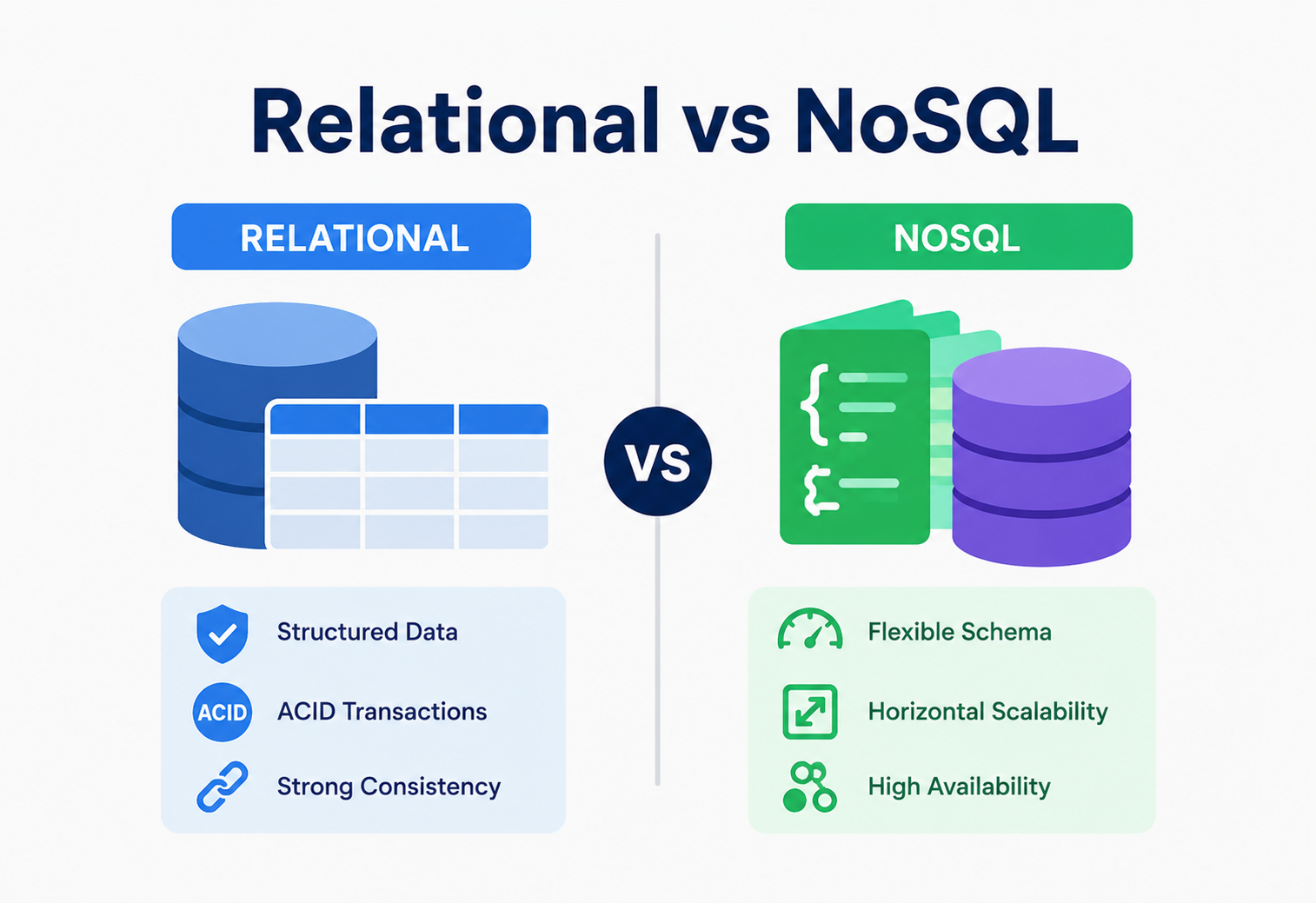
Relational vs NoSQL
A complete, beginner-friendly guide to understanding SQL and NoSQL databases, the trade-offs between them, and a practical framework you can use to pick the right one for any real-world project.
Introduction & History
Choosing between a relational and a NoSQL database is one of the most important — and most debated — decisions a software engineer makes when designing a new system.
Imagine you are organising your toys. You could put every toy into one big labelled box with rows and columns, like a toy inventory sheet — “Toy Name, Colour, Size, Shelf Number.” That is very neat and predictable. Or you could just throw related toys into flexible bins — a bin for “cars,” a bin for “blocks,” a bin for “dolls” — where each bin can hold different kinds of things without needing the same labels. Both approaches work. The right choice depends on how many toys you have, how often the categories change, and how fast you need to find things.
This is, in essence, the difference between a relational database (the labelled box with rows and columns) and a NoSQL database (the flexible bins).
A Short History
In 1970, a researcher at IBM named Edgar F. Codd published a paper describing the relational model — the idea of storing data in tables made of rows and columns, connected to each other through shared values called “keys.” This idea became the foundation of relational databases, and by the 1980s, systems like Oracle, IBM DB2, and later MySQL and PostgreSQL turned this theory into real, widely used software. Relational databases use a language called SQL (Structured Query Language) to ask questions and manipulate data, and for over 30 years, SQL databases were simply “the database” — there wasn’t much of an alternative for most businesses.
Everything changed in the early-to-mid 2000s. Companies like Google, Amazon, and Facebook started serving hundreds of millions of users, generating enormous, fast-changing, and loosely structured data — search indexes, shopping carts, social graphs, sensor logs. Traditional relational databases, designed to run on a single powerful machine, began to struggle at this scale. This drove the creation of new kinds of databases, later given the umbrella term NoSQL (“Not Only SQL”), including Google’s Bigtable (2006), Amazon’s Dynamo (2007), and open-source projects like MongoDB (2009) and Cassandra (2008). These systems traded some of the strict structure and guarantees of relational databases for massive horizontal scalability, flexible data models, and high availability.
1970 — Codd’s relational model
Edgar F. Codd publishes the paper that defines rows, columns, keys, and relational algebra — the intellectual bedrock of SQL databases.
1980s — SQL becomes “the database”
Oracle, DB2, and later MySQL and PostgreSQL turn the relational model into production software used across virtually every industry.
2006 – 2009 — NoSQL emerges
Google’s Bigtable (2006), Amazon’s Dynamo (2007), Cassandra (2008), and MongoDB (2009) prove that trading strict structure for scale can be a winning move for web-scale workloads.
2010s — The lines blur
PostgreSQL adds first-class JSON support; MongoDB adds multi-document ACID transactions; distributed SQL systems like CockroachDB and Google Spanner deliver both strong consistency and horizontal scalability.
2020s — A toolbox decision
Mature engineering teams treat the choice as a per-service decision, mixing relational and NoSQL databases in the same product depending on the workload.
A relational database is like a library with a strict card catalog: every book has an ISBN, an author card, a shelf number — always the same format. A NoSQL database is like a giant warehouse of labelled crates: you can put almost anything in a crate, label it however you like, and add new crates instantly without reorganising the whole warehouse.
Today, in 2026, this is no longer a “SQL vs NoSQL war.” Mature engineering teams treat this as a toolbox decision: relational and NoSQL databases both continue to evolve, and most large systems use several database types together, each chosen for the specific job it does best. This tutorial teaches you exactly how to make that choice, from first principles to production reality.
The Problem This Decision Solves
Different applications need data stored, accessed, and scaled in very different ways — and no single database design is best at everything.
Every software system needs to store data somewhere it can be found again later. The core problem is this: different applications need data stored, accessed, and scaled in very different ways, and no single database design is best at everything. Choosing the wrong database for a system is one of the most expensive mistakes in software engineering, because migrating a live production database later is slow, risky, and costly.
Why Not Just Use One Database Type for Everything?
Think about the difference between a bank and a social media app.
- A bank must never lose track of money. If you transfer $100 from account A to account B, both the withdrawal and the deposit must happen together, perfectly, every single time — even if the power goes out halfway through. This need for strict correctness is exactly what relational databases were built for.
- A social media app needs to handle millions of people posting, liking, and scrolling at the same time, all around the world, with content that keeps changing shape (a post might have text, or a photo, or a video, or a poll). It’s usually fine if your friend’s “like” shows up on your screen half a second later than on someone else’s — but it is not fine if the app becomes slow or crashes under load. This need for flexible structure and massive scale is exactly what NoSQL databases were built for.
NoSQL does not mean “better” or “more modern” than SQL, and SQL does not mean “outdated.” They solve different problems. Picking a database because it’s trendy, rather than because it fits your data and access patterns, is one of the most common — and expensive — mistakes in system design.
The goal of this tutorial is to give you a clear, practical decision-making framework — grounded in real computer science (data modelling, distributed systems theory, and production experience) — so that when you are handed a new system to design, you can confidently answer the question: “Should this be a relational database or a NoSQL database?”
Core Concepts You Must Understand First
Before we can compare the two families, we need shared vocabulary: what a database is, what “relational” means, what “NoSQL” actually covers, and how schemas differ.
3.1 What Is a Database?
What it is: A database is an organised collection of data stored electronically, along with software (called a Database Management System, or DBMS) that lets programs create, read, update, and delete that data reliably.
Why it exists: Without a database, every application would have to invent its own way to save data to files — and get things like concurrent access, crash recovery, and searching completely wrong, over and over again. A DBMS solves these hard problems once, so application developers don’t have to.
A database is like a very well-organised filing cabinet with a librarian standing next to it. You don’t need to know exactly where each paper is — you just ask the librarian (“find me all invoices from March”), and the librarian (the DBMS) fetches it correctly and quickly, even if ten other people are asking for different papers at the same time.
3.2 What Is a Relational (SQL) Database?
What it is: A relational database stores data in tables — grids of rows and columns, similar to a spreadsheet. Each table represents one type of “thing” (like Customers or Orders). Each row is one specific record (one customer). Each column is one attribute of that record (name, email, city). Tables are linked to each other using keys — a value in one table that refers to a row in another table.
Why it exists: Businesses needed a mathematically sound, predictable way to store structured data (customers, orders, payments, inventory) and guarantee that the data always stays correct and consistent, even when many people are reading and writing at once.
Where it’s used: Banking systems, e-commerce order and payment systems, airline booking systems, HR and payroll systems, and any system where the relationships between data points (“this order belongs to this customer, uses this shipping address, and contains these products”) matter as much as the data itself.
Think of a school. A Students table lists every student with a unique student_id. A Grades table lists every grade, but instead of retyping the student’s whole name and address each time, it just stores the student_id. This link — from the Grades table back to the Students table — is what “relational” means. It avoids repeating information and keeps everything connected and consistent.
Popular Relational Databases
PostgreSQL
Extremely feature-rich, supports JSON too. The default modern choice for most new systems.
MySQL / MariaDB
Extremely widely used, powers huge portions of the web (WordPress, older Facebook).
Oracle Database
Heavily used in large enterprises, banks, and government systems.
Microsoft SQL Server
Deeply integrated with the Microsoft and .NET ecosystem.
Amazon Aurora
Cloud-native, MySQL / Postgres-compatible, built for high performance on AWS.
Google Cloud Spanner
Globally distributed relational database with strong consistency and horizontal scalability.
3.3 What Is a NoSQL Database?
What it is: “NoSQL” is an umbrella term for databases that store data in ways other than strict rows-and-columns tables, and typically don’t require a fixed schema (a fixed, predefined structure) before you save data. There are four major families of NoSQL databases, and they are quite different from each other.
Document Stores
Store data as flexible, JSON-like “documents.” Example: MongoDB, Couchbase. Great for content, catalogues, user profiles.
Key-Value Stores
Store data as a simple key that maps to a value, like a giant dictionary. Example: Redis, DynamoDB, Memcached. Great for caching, sessions.
Wide-Column Stores
Store data in tables with rows that can each have different, sparse columns, optimised for huge write volumes. Example: Cassandra, HBase, Bigtable.
Graph Databases
Store data as nodes and the relationships (edges) between them. Example: Neo4j, Amazon Neptune. Great for social networks, recommendations, fraud detection.
Why it exists: As applications grew to serve millions of globally distributed users, engineers needed databases that could (1) scale out across many cheap servers instead of needing one giant expensive server, (2) handle data whose shape changes often without painful migrations, and (3) stay available even when parts of the system fail.
Imagine a product catalogue for an online store. A t-shirt has size and colour. A laptop has RAM and screen size. A book has an author and page count. In a relational table, you’d need a column for every possible attribute across every product type (mostly empty for each product), or several linked tables. In a document database, each product is just saved as its own flexible JSON document with whatever fields it needs — no wasted columns, no complex joins.
3.4 Schema: Fixed vs Flexible
What it is: A schema is the blueprint of your data — which tables / collections exist, what fields they have, and what type each field is (text, number, date, etc.).
Relational databases generally use a fixed (rigid) schema: you must define your table structure before inserting data, and every row must follow it.
NoSQL databases generally use a flexible (dynamic) schema: different records can have different fields, and you can add new fields on the fly without an official migration step.
A fixed schema catches mistakes early (the database rejects bad data automatically) but requires planning and careful migrations when things change. A flexible schema lets you move fast and adapt quickly, but pushes the responsibility of keeping data clean onto your application code — bad or inconsistent data can sneak in more easily.
Architecture & Components
Even though relational and NoSQL databases look different from the outside, most database engines share similar internal building blocks.
Understanding these shared parts helps you reason about performance and reliability, no matter which database you choose. Once you know what a “buffer pool” or a “write-ahead log” is, the same vocabulary applies to Postgres, MongoDB, Cassandra, and almost everything in between.
Query Engine / Parser
Reads your SQL query or API call, checks it’s valid, and creates an execution plan.
Storage Engine
Manages how data is actually written to and read from disk (e.g., B-Trees, LSM-Trees).
Buffer / Cache Manager
Keeps frequently used data in memory (RAM) so it doesn’t need to be fetched from slow disk every time.
Transaction Manager
Ensures multiple operations either all succeed or all fail together, and manages locking.
Write-Ahead Log (WAL)
Records every change before it’s applied, so the database can recover after a crash.
Replication Manager
Copies data to other servers for backup and high availability.
4.1 A Typical Relational Database Architecture
4.2 A Typical Distributed NoSQL Architecture
A relational database is often like one very organised central office: powerful, precise, and everyone goes through the same front desk. A distributed NoSQL database is more like a chain of many smaller branch offices around the world, each handling its own local customers, so no single office ever gets overwhelmed — but they all need a good system to stay in sync with each other.
Internal Working: How the Data Is Actually Stored
Two data structures — B-Trees and LSM-Trees — sit under the majority of production databases. Learning them is how you understand why some are read-optimised and others write-optimised.
5.1 B-Trees (Used by Most Relational Databases)
What it is: A B-Tree is a balanced, tree-shaped data structure that keeps data sorted and allows searches, insertions, and deletions in O(log n) time — meaning even with millions of rows, the database only needs to check a handful of “pages” to find your data.
Why it exists: Reading from disk is slow, so B-Trees are designed to minimise the number of disk reads needed to find a value, by keeping the tree wide and shallow.
Simple analogy: Think of a dictionary. You don’t read every page to find the word “elephant” — you jump to the “E” section, narrow down further, and find it in a few steps. A B-Tree index works the same way on database rows.
5.2 LSM-Trees (Used by Many NoSQL and Modern Databases)
What it is: A Log-Structured Merge-Tree (LSM-Tree) is a data structure optimised for very fast writes. New data is first written quickly to an in-memory structure (called a “memtable”) and an append-only log, then later flushed to disk in sorted files, which are periodically merged (“compacted”) in the background.
Why it exists: Systems like Cassandra and RocksDB need to accept huge volumes of writes (think: millions of sensor readings per second) without being slowed down by constantly rewriting sorted data on disk the way a B-Tree does.
Simple analogy: Instead of carefully re-filing every paper the moment it arrives (like a B-Tree), you drop new papers into an inbox tray (fast!) and every so often, during a quiet period, someone reorganises the inbox into the filing cabinet (compaction).
| Aspect | B-Tree | LSM-Tree |
|---|---|---|
| Best for | Balanced reads and writes | Write-heavy workloads |
| Write speed | Moderate | Very fast (sequential writes) |
| Read speed | Very fast, direct lookup | Slightly slower (may check several files) |
| Used by | PostgreSQL, MySQL InnoDB, Oracle | Cassandra, RocksDB, LevelDB, HBase |
5.3 Indexes
What it is: An index is an extra, smaller data structure that stores a sorted “shortcut” to your data, so the database doesn’t have to scan every single row to find what you’re looking for.
Simple analogy: The index at the back of a textbook. Instead of reading the entire 400-page book to find “photosynthesis,” you check the index, see it’s on page 214, and jump straight there.
Practical example: If you frequently search users by email, you create an index on the email column. Without it, the database checks every single row (a “full table scan”) every time someone logs in — painfully slow once you have millions of users.
Adding too many indexes slows down writes (every insert / update must also update every index) and uses extra storage. Index only the fields you actually search, sort, or join on frequently.
Data Flow & Lifecycle of a Query
Let’s trace exactly what happens, step by step, when your application saves and later reads a piece of data — first in a relational database, then in a NoSQL database.
6.1 Relational Database: Writing a New Order
Application sends an INSERT statement
e.g., “insert this new order for customer #482.”
Transaction begins
The database marks the start of a unit of work that must fully succeed or fully fail.
Constraints are checked
Does customer #482 actually exist? Is the order total a valid number? If not, the write is rejected immediately.
Change is written to the Write-Ahead Log
This guarantees durability — even a crash right now won’t lose the data.
Data is updated in memory (buffer pool) and later flushed to disk
For speed, disk writes are often batched.
Transaction commits
The database confirms success back to the application, and the change becomes visible to others.
6.2 NoSQL Document Database: Writing a New User Profile
Application sends a JSON document to save
e.g., { "user_id": 991, "name": "Riya", "interests": ["chess","robotics"] }
Coordinator node picks the shard that owns this data
Usually based on hashing the document’s key (like user_id).
Primary node for that shard accepts the write
No rigid schema check is required — new fields are simply accepted.
Write is replicated to other nodes
Depending on settings, the database may wait for 1, several, or all replicas to confirm before reporting success (the “consistency level”).
Acknowledgement returned to the application
Often faster than a relational commit, because fewer constraints are checked.
CAP Theorem, Replication, Partitioning & Consensus
These concepts explain why NoSQL databases behave differently from relational ones once you scale across multiple machines — and they are also classic interview topics.
7.1 The CAP Theorem
What it is: Proposed by computer scientist Eric Brewer, the CAP theorem states that a distributed data system can only fully guarantee two of these three properties at the same time:
- Consistency (C): Every read receives the most recent write, or an error. Everyone sees the same data at the same time.
- Availability (A): Every request receives a (non-error) response, even if some nodes are down.
- Partition Tolerance (P): The system keeps working even if the network between nodes breaks (a “network partition”).
Because real networks do fail sometimes, partition tolerance is basically mandatory for any distributed system — so in practice, the real choice during a network failure is between Consistency and Availability.
Imagine two cashiers at two different store branches, connected by a phone line that suddenly goes dead. If a customer at Branch A buys the last item in stock, should Branch B’s cashier (a) refuse to sell that same item to another customer until the phone line is fixed, risking an unhappy customer being turned away (choosing Consistency), or (b) go ahead and sell it too, risking selling an item that’s actually out of stock (choosing Availability)? CAP theorem is really about which mistake your system prefers to make during a network problem.
| System Type | Typical CAP Choice | Examples |
|---|---|---|
| Traditional Relational DB (single node) | CA (not usually distributed) | PostgreSQL, MySQL (single instance) |
| CP NoSQL (favours correctness) | Consistency + Partition Tolerance | MongoDB (default), HBase, Google Spanner (close to CA+P via special hardware) |
| AP NoSQL (favours uptime) | Availability + Partition Tolerance | Cassandra, DynamoDB, CouchDB |
7.2 Replication
What it is: Replication means keeping multiple copies of the same data on different servers.
Why it exists: If one server dies, catches fire, or loses power, your data isn’t gone — another copy is ready to take over. It also lets you spread out read traffic across multiple copies.
- Leader-follower (primary-replica) replication: One node accepts writes; changes flow to followers, which mostly serve reads. Common in both relational and NoSQL systems.
- Leaderless replication: Any node can accept a write, and the system reconciles differences later (used by Cassandra, DynamoDB). This favours availability.
7.3 Partitioning (Sharding)
What it is: Partitioning (often called sharding) means splitting your data across multiple machines, so no single machine has to store or process all of it.
Simple analogy: Instead of one librarian managing every book in the country, you split books by first letter of the author’s last name across 26 regional libraries. Each librarian only manages a slice, so the whole system handles far more books and readers overall.
Relational databases can be sharded, but it’s usually a manual, complex task the engineering team designs themselves. Most NoSQL databases (Cassandra, MongoDB, DynamoDB) have automatic partitioning built in — this is a major reason they scale more easily to huge data volumes.
7.4 Consensus Algorithms
What it is: When you have multiple copies of data on multiple machines, how do they agree on which value is the “true,” latest one — especially if some machines are slow or have crashed? Consensus algorithms like Raft and Paxos solve this by having nodes vote; a value is only considered committed once a majority of nodes agree on it.
Where it’s used: etcd and Kubernetes (Raft), Google Chubby and Spanner (Paxos-based), CockroachDB, and modern replicated relational systems.
7.5 ACID vs BASE
These two acronyms summarise the philosophical difference between the two worlds.
ACID (Relational)
- Atomicity: A transaction fully happens, or not at all.
- Consistency: Data always follows defined rules (e.g., a bank balance can never go negative if that rule is set).
- Isolation: Concurrent transactions don’t interfere with each other.
- Durability: Once committed, data survives crashes.
BASE (Typical NoSQL)
- Basically Available: The system always responds, even during failures.
- Soft state: Data may change over time even without new input, as replicas sync.
- Eventually consistent: Given enough time with no new writes, all replicas will converge to the same value — but not necessarily instantly.
This ACID vs BASE split is no longer absolute. Modern NoSQL databases like MongoDB (since v4.0) support multi-document ACID transactions. Distributed relational databases like Google Spanner and CockroachDB provide strong consistency and horizontal scalability. Always check a specific database’s current guarantees rather than assuming based only on its category label.
Advantages, Disadvantages & Trade-Offs
The tools have different personalities. Understanding each family’s natural strengths and weaknesses is the fastest way to shortlist the right one for a workload.
8.1 Relational Databases
Advantages
- Strong data integrity via constraints, foreign keys, and ACID transactions.
- Mature, powerful query language (SQL) for complex questions and joins.
- Great tooling, decades of documentation, huge talent pool.
- Excellent for data with clear, stable relationships.
Disadvantages
- Harder to scale horizontally across many servers.
- Schema changes can be slow / risky on large tables.
- Less natural fit for deeply nested or fast-changing data shapes.
- Complex joins can become a performance bottleneck at huge scale.
8.2 NoSQL Databases
Advantages
- Scales horizontally (across many servers) more naturally.
- Flexible schema speeds up development for evolving data.
- Often built for high availability across regions.
- Optimised data models for specific needs (graphs, caches, wide events).
Disadvantages
- Weaker (or eventual) consistency by default in many systems.
- Fewer built-in relationship / integrity guarantees — the app must enforce them.
- Query languages vary by product; less standardised than SQL.
- Complex multi-entity reporting / analytics can be harder.
8.3 Side-by-Side Comparison
| Factor | Relational (SQL) | NoSQL |
|---|---|---|
| Data structure | Fixed tables, rows & columns | Documents, key-value, wide-column, or graph |
| Schema | Rigid, defined upfront | Flexible, can evolve per record |
| Scaling style | Mostly vertical (bigger server); horizontal possible but harder | Horizontal by design (more servers) |
| Consistency | Strong (ACID) by default | Often eventual (BASE), though many now offer tunable / strong options |
| Relationships | Native, via foreign keys and joins | Often denormalised (duplicated) or handled in application code |
| Query language | Standard SQL | Varies (MongoDB Query Language, CQL, custom APIs) |
| Best for | Structured, relationship-heavy, transactional data | High-volume, flexible, fast-growing, distributed data |
Performance & Scalability
Speed is not a single number. Scale is not a single lever. Both are shaped by the specific workload and how the database is designed for it.
9.1 Vertical vs Horizontal Scaling
Vertical scaling (“scaling up”) means making a single server more powerful — more CPU, more RAM, faster disks. Horizontal scaling (“scaling out”) means adding more servers that share the workload.
Vertical scaling is like hiring one super-fast chef and giving them a bigger kitchen. Horizontal scaling is like hiring ten regular chefs who each cook a portion of the orders at the same time. At some point, one chef — no matter how fast — simply can’t keep up with an entire city’s dinner orders; that’s when you need many chefs working together.
Relational databases traditionally scale vertically well, and horizontally with more engineering effort (read replicas, manual sharding, or newer distributed SQL engines like CockroachDB or Google Spanner). NoSQL databases like Cassandra and DynamoDB are designed from day one to add more nodes and automatically redistribute data — this is often the single biggest reason large systems pick NoSQL for a specific high-volume workload.
9.2 Read vs Write-Heavy Workloads
Understanding your workload shape is critical:
- Read-heavy (e.g., a news site: many reads, few writes) → Both database types can work well; caching (covered later) matters a lot here.
- Write-heavy (e.g., IoT sensors sending readings every second) → Wide-column / LSM-based NoSQL databases (Cassandra) usually shine, thanks to fast sequential writes.
- Mixed, transactional (e.g., banking, e-commerce checkout) → Relational databases with ACID guarantees are usually safer.
9.3 Denormalisation
What it is: Denormalisation means intentionally duplicating data to avoid expensive joins, trading some storage space and update complexity for faster reads.
Simple analogy: Instead of looking up a friend’s address every single time you want to mail them a letter (a “join”), you just keep a copy of their address written on a sticky note on your desk (denormalised copy). Faster to use, but if they move, you must remember to update the sticky note too.
Document and wide-column NoSQL databases lean heavily on denormalisation, embedding related data directly inside a single document, because cross-document joins are often slow, limited, or unavailable.
Java Example: Simple Query Comparison
// Relational (JDBC + SQL) — fetching an order with its customer via a JOIN
String sql = "SELECT o.id, o.total, c.name, c.email " +
             "FROM orders o JOIN customers c ON o.customer_id = c.id " +
             "WHERE o.id = ?";
try (PreparedStatement stmt = connection.prepareStatement(sql)) {
    stmt.setLong(1, orderId);
    ResultSet rs = stmt.executeQuery();
    if (rs.next()) {
        System.out.println(rs.getString("name") + " ordered $" + rs.getDouble("total"));
    }
}

// NoSQL (MongoDB Java Driver) — fetching a denormalized order document, no join needed
Document order    = ordersCollection.find(eq("_id", orderId)).first();
Document customer = (Document) order.get("customer"); // embedded directly in the document
System.out.println(customer.getString("name") + " ordered $" + order.getDouble("total"));
Notice: the relational example needs a JOIN across two tables, while the NoSQL example stores the customer’s name and email directly inside the order document, avoiding a second lookup — at the cost of duplicating that customer data across every order.
High Availability & Reliability
High availability means the system keeps working, with minimal downtime, even when individual components fail. Both families reach this goal, but through very different mechanics.
10.1 Failover
In a relational setup, a common HA pattern is: one primary node handles writes, and one or more standby replicas stay ready. If the primary fails, a replica is automatically promoted to become the new primary — this is called failover.
In many NoSQL clusters (like Cassandra or DynamoDB), there is often no single primary node at all — every node can accept writes for the data it’s responsible for, so the loss of one node doesn’t require a dramatic “promotion” event; the cluster simply keeps going, using replicas of that node’s data on other machines.
10.2 Disaster Recovery & Backups
- Backups: Regular snapshots of your data stored separately (ideally in a different region), so you can restore if something catastrophic happens.
- Point-in-time recovery (PITR): Using the write-ahead log to restore a database to its exact state at any past moment, not just the last backup time.
- Multi-region replication: Keeping a live copy of your data in a completely different geographic region, so even a full data-centre outage doesn’t take your system down.
Teams often set up backups but never actually test restoring from them. A backup you’ve never restored is not a real safety net — schedule regular “fire drills” to practise recovery.
“The Nines” — how availability targets translate to real allowed downtime per year. Distributed NoSQL systems and multi-region relational deployments both aim for the higher end of this scale.
Security
Security matters equally for both database families, though the specific techniques vary slightly.
Authentication
Verify who is connecting — usernames / passwords, certificates, or IAM roles in cloud environments.
Authorisation
Control what an authenticated user / service can do — relational databases offer fine-grained row / column permissions; NoSQL systems increasingly support role-based access too.
Encryption at rest
Data stored on disk is encrypted, so a stolen hard drive is useless without the key.
Encryption in transit
TLS / SSL protects data travelling between your application and the database from eavesdropping.
SQL / NoSQL Injection
Attackers try to sneak malicious code into queries. Always use parameterized queries / prepared statements, never string-concatenate user input into a query.
Auditing
Logging who accessed or changed what data, and when — critical for compliance (HIPAA, PCI-DSS, GDPR).
Java Example: Preventing SQL Injection with Prepared Statements
// UNSAFE — never do this: user input directly inserted into the query string
String unsafe = "SELECT * FROM users WHERE email = '" + userInput + "'";

// SAFE — parameterized query; the driver escapes the input for you
String safeSql = "SELECT * FROM users WHERE email = ?";
try (PreparedStatement stmt = connection.prepareStatement(safeSql)) {
    stmt.setString(1, userInput);
    ResultSet rs = stmt.executeQuery();
}
The same principle applies to NoSQL: always use the official driver’s query builder methods (which safely handle input) rather than building raw query strings by concatenating user input.
Many high-profile NoSQL data breaches in the 2010s happened because databases (like early MongoDB deployments) were left open to the public internet with no authentication enabled by default. Always explicitly enable authentication, network restrictions (firewalls / VPCs), and encryption — never rely on default settings.
Monitoring, Logging & Metrics
You cannot fix what you cannot see. Both database types need active observability in production.
Query latency
How long queries take — watch p50, p95, and p99 (the slowest 1% of requests often reveal hidden problems).
Throughput
Queries or transactions handled per second — helps you spot when you’re approaching capacity limits.
Connection pool usage
Running out of available connections is a very common real-world outage cause.
Replication lag
How far behind a replica is from the primary — critical for both consistency and failover readiness.
Disk & memory usage
Databases that run out of disk space typically stop accepting writes entirely.
Slow query logs
Automatically captured queries exceeding a time threshold, used to find and fix performance issues.
Common tooling: Prometheus + Grafana for metrics dashboards, Datadog or New Relic for full-stack observability, and built-in tools like PostgreSQL’s pg_stat_statements or MongoDB’s mongotop / mongostat.
Monitoring a database is like a doctor checking a patient’s vital signs — heart rate, blood pressure, temperature. You don’t wait for the patient to collapse; regular vitals checks catch problems early, before they become emergencies.
Deployment & Cloud Options
Modern teams rarely install and manage raw database software by hand. Instead, they use managed database services, where the cloud provider handles patching, backups, scaling, and failover.
| Cloud | Relational Options | NoSQL Options |
|---|---|---|
| AWS | Amazon RDS, Amazon Aurora | Amazon DynamoDB, Amazon DocumentDB |
| Google Cloud | Cloud SQL, Cloud Spanner | Firestore, Bigtable |
| Microsoft Azure | Azure SQL Database | Azure Cosmos DB |
| Database-native cloud | PlanetScale, Neon (Postgres) | MongoDB Atlas, DataStax Astra (Cassandra) |
Containerisation (Docker) and orchestration (Kubernetes) are commonly used to deploy self-managed databases too, often with an “operator” pattern that automates common database tasks like backups and failover inside Kubernetes itself.
Right-size your database instance instead of over-provisioning “just in case.” Use read replicas to offload read traffic instead of buying a bigger primary server. For NoSQL systems billed by request / throughput (like DynamoDB), monitor and tune your access patterns — a poorly designed key structure can silently multiply your bill.
Databases, Caching & Load Balancing Together
In real production systems, your primary database is rarely working alone. It’s usually part of a small team of systems working together.
14.1 Caching
What it is: A cache is a small, very fast storage layer (usually in-memory, like Redis or Memcached) that keeps a copy of frequently requested data, so the application doesn’t have to hit the main database every single time.
Instead of walking to the library every time you want to check a fact, you keep your five most-used reference books on your desk. Much faster, but you must remember to update your desk copy if the library’s version changes.
Interesting note: Many popular caches (like Redis) are themselves technically key-value NoSQL databases — showing how the line between “cache” and “database” can blur in practice.
14.2 Load Balancing
What it is: A load balancer distributes incoming requests across multiple servers, so no single server gets overwhelmed.
For databases specifically, this often takes the form of routing read queries to multiple read replicas, while all write queries go to the single primary — a pattern common in both relational replica setups and many NoSQL clusters.
APIs & Microservices: Picking Databases Per Service
In a microservices architecture, each service can own its own database — and often, its own type of database. That’s the essence of polyglot persistence.
15.1 Polyglot Persistence
What it is: Using different types of databases for different services within the same overall system, each chosen for what that specific service needs.
Uber famously uses a mix: relational databases (originally Postgres, later their own Schemaless system on MySQL) for core trip and payment data requiring strong consistency, while using Cassandra and other NoSQL systems for high-volume location pings, and Redis for real-time caching. Netflix similarly uses Cassandra heavily for viewing history and event data at massive scale, while relying on MySQL for certain billing and account operations requiring stronger consistency.
15.2 API Design Considerations
Whichever database sits behind your API, well-designed services should expose clean, database-agnostic APIs (REST or GraphQL), so that the choice of relational vs NoSQL remains an internal implementation detail that can, if truly necessary, be changed later without breaking every client that depends on the service.
Design Patterns & Anti-Patterns
A short catalogue of patterns that reliably help, and anti-patterns that reliably hurt, when combining relational and NoSQL storage in a real system.
16.1 Useful Patterns
Database per Service
Each microservice owns its own database, preventing tight coupling between services.
CQRS
Command Query Responsibility Segregation — use a write-optimised database for updates and a separate read-optimised store (often NoSQL or a search index) for queries.
Event Sourcing
Store a sequence of events (facts) rather than just current state, letting you rebuild state and audit history — pairs naturally with append-friendly NoSQL stores.
Saga Pattern
Coordinate a multi-step transaction across several independent databases / services using a sequence of local transactions and compensating actions, since a single ACID transaction can’t span multiple databases.
16.2 Anti-Patterns to Avoid
Forcing every service to share one giant database creates tight coupling and a single point of failure — the exact opposite of what a microservices architecture is trying to achieve.
Designing a NoSQL schema exactly like relational tables (heavy normalisation, constant joins in app code) — you lose most of NoSQL’s benefits while inheriting all its constraints.
Letting a document (e.g., “all comments on a post”) grow forever, eventually hitting document size limits or slowing every read of the parent record.
Designing NoSQL data models around “what the data looks like” instead of “how the application will query it” — the opposite of how NoSQL modelling should work.
Picking a NoSQL database purely because a big tech company uses it, without validating it fits your actual workload.
Best Practices & Common Mistakes
A working checklist for teams introducing a new database into a real codebase — and the mistakes that most teams learn about the hard way.
17.1 Best Practices
- Start by writing down your actual access patterns — the real questions your application will ask the data — before picking a database.
- Favour PostgreSQL as a strong general-purpose default for new systems unless you have a clear, specific reason to reach for NoSQL — it now supports JSON, full-text search, and even some graph-like queries.
- Use NoSQL deliberately for specific, well-understood needs: caching (Redis), massive write throughput (Cassandra), flexible catalogues (MongoDB), or relationship-heavy recommendations (Neo4j).
- Plan your indexing strategy early, and revisit it as query patterns change.
- Always enable authentication, encryption, and backups from day one — not “later.”
- Load test with realistic data volumes before committing to a design at scale.
17.2 Common Mistakes
The five mistakes below account for a huge share of database-related outages, migrations, and rewrites. Watch out for each of them.
- Choosing NoSQL purely for “web scale” hype when the actual data volume never gets close to needing it.
- Choosing a relational database for a system with no real relationships, just because it’s familiar.
- Skipping schema / data modelling discussions in the rush to start coding.
- Not planning for how the database will scale before launch, leading to a painful, risky mid-flight migration.
- Treating “eventually consistent” as “never consistent” and failing to design the UI / UX to handle brief staleness gracefully.
Real-World & Industry Examples
How the largest engineering organisations in the world combine relational and NoSQL storage in production — each choice made per workload, not per company.
DynamoDB + Relational
Built DynamoDB (a key-value / document NoSQL store) specifically to handle shopping-cart availability at massive scale, after relational databases struggled during peak sales events. Still uses relational databases extensively for order and billing systems requiring strong consistency.
Cassandra + MySQL
Uses Cassandra extensively for viewing history and personalisation data across a globally distributed, always-on service, while relying on relational databases like MySQL for certain billing and account data.
Schemaless + Cassandra + Redis
A mix of relational (for trip and payment integrity) and NoSQL / wide-column systems for high-volume location and event data, choosing per-service based on consistency and scale needs.
MySQL + Cassandra origins
Built on MySQL at its core for the social graph for many years (with heavy custom sharding), while also developing Cassandra (originally at Facebook) for specific high-write features like the inbox search system.
MySQL + Search & Cache
Relies heavily on relational (MySQL) databases for bookings and payments, valuing strong consistency for financial correctness, alongside caching and search layers for browsing listings.
Graph + Relational + NoSQL
Uses graph-like data models to power the professional network and “people you may know” features, alongside relational and NoSQL systems for other parts of the platform.
The consistent pattern across all these companies: no single company uses just one database type. They choose relational databases where correctness and relationships matter most (money, bookings, accounts), and NoSQL databases where massive scale, flexibility, or specific data shapes (graphs, wide events) matter most.
Frequently Asked Questions
Short answers to the questions engineers ask most often when this decision comes up for the first time.
Is NoSQL faster than SQL?
Not inherently. NoSQL databases are often faster for specific access patterns they’re optimised for (like simple key lookups at huge scale), but a well-indexed relational database can outperform a poorly designed NoSQL database, and vice versa. Speed depends on the workload and the design, not the label.
Can I use both a relational and a NoSQL database in the same project?
Yes — this is extremely common in production systems and is called polyglot persistence. Different parts of a system often have very different data needs.
Do NoSQL databases support transactions?
Many modern NoSQL databases now support transactions, at least within limited scopes. MongoDB supports multi-document ACID transactions since version 4.0. However, transaction support and guarantees vary widely between NoSQL products, so always check the specific database’s documentation.
Is it hard to migrate from SQL to NoSQL later, or vice versa?
Yes, generally. The data models are fundamentally different (normalised tables vs denormalised documents / graphs), so migrating usually means redesigning your data model and rewriting significant parts of your application’s data access code — not just moving data. This is exactly why the initial choice deserves careful thought.
What should a beginner learn first, SQL or NoSQL?
Learn SQL and relational modelling first. The concepts (tables, keys, normalisation, transactions, indexes) form the foundation that makes NoSQL concepts (denormalisation, eventual consistency, sharding) much easier to understand by contrast.
Is MongoDB a replacement for MySQL / PostgreSQL?
No — they’re different tools for different jobs. MongoDB is a great fit for flexible, document-shaped data with high write / read scale needs; PostgreSQL and MySQL are a great fit for structured, relationship-heavy, transactional data. Many production systems use both.
What is “eventual consistency” in plain terms?
It means that right after a write, different copies of your data (on different servers) might briefly show slightly different values, but if no new writes happen, they will all catch up and agree within a short time (often milliseconds to a few seconds).
Summary & Key Takeaways
Choosing between a relational and a NoSQL database is not about picking “the winner” — it’s about matching a database’s strengths to your system’s actual needs.
The right questions to ask, every time, are: how structured is the data, how will it be queried, how much does it need to scale, and how strict are the consistency requirements?
A Practical Decision Checklist
| If your system needs… | Lean towards |
|---|---|
| Strong transactional correctness (money, bookings, inventory) | Relational (SQL) |
| Complex relationships and ad-hoc reporting / joins | Relational (SQL) |
| A data shape that changes often and varies per record | NoSQL (Document) |
| Massive, globally distributed write throughput | NoSQL (Wide-column / Key-value) |
| Deep relationship / network analysis (fraud, recommendations) | NoSQL (Graph) |
| Ultra-fast simple lookups / caching | NoSQL (Key-value) |
| You’re not sure yet, and the team knows SQL well | Start with Relational (safe general-purpose default) |
Key Takeaways
- Relational databases organise data into structured tables connected by keys, and guarantee correctness through ACID transactions — ideal when relationships and data integrity matter most.
- NoSQL databases trade some structure and strict consistency for flexibility and easier horizontal scaling — ideal for fast-growing, high-volume, or fast-changing data.
- The CAP theorem explains why distributed databases must choose between consistency and availability during a network failure — there is no free lunch.
- Model your data around your actual query patterns, especially in NoSQL, where “model for the query” beats “model for the data” as a design philosophy.
- Most large, real-world systems use several database types together (polyglot persistence) — the decision is made per-service, not once for the whole company.
- Never choose a database based on hype alone — always validate against your real consistency needs, data shape, and expected scale.

