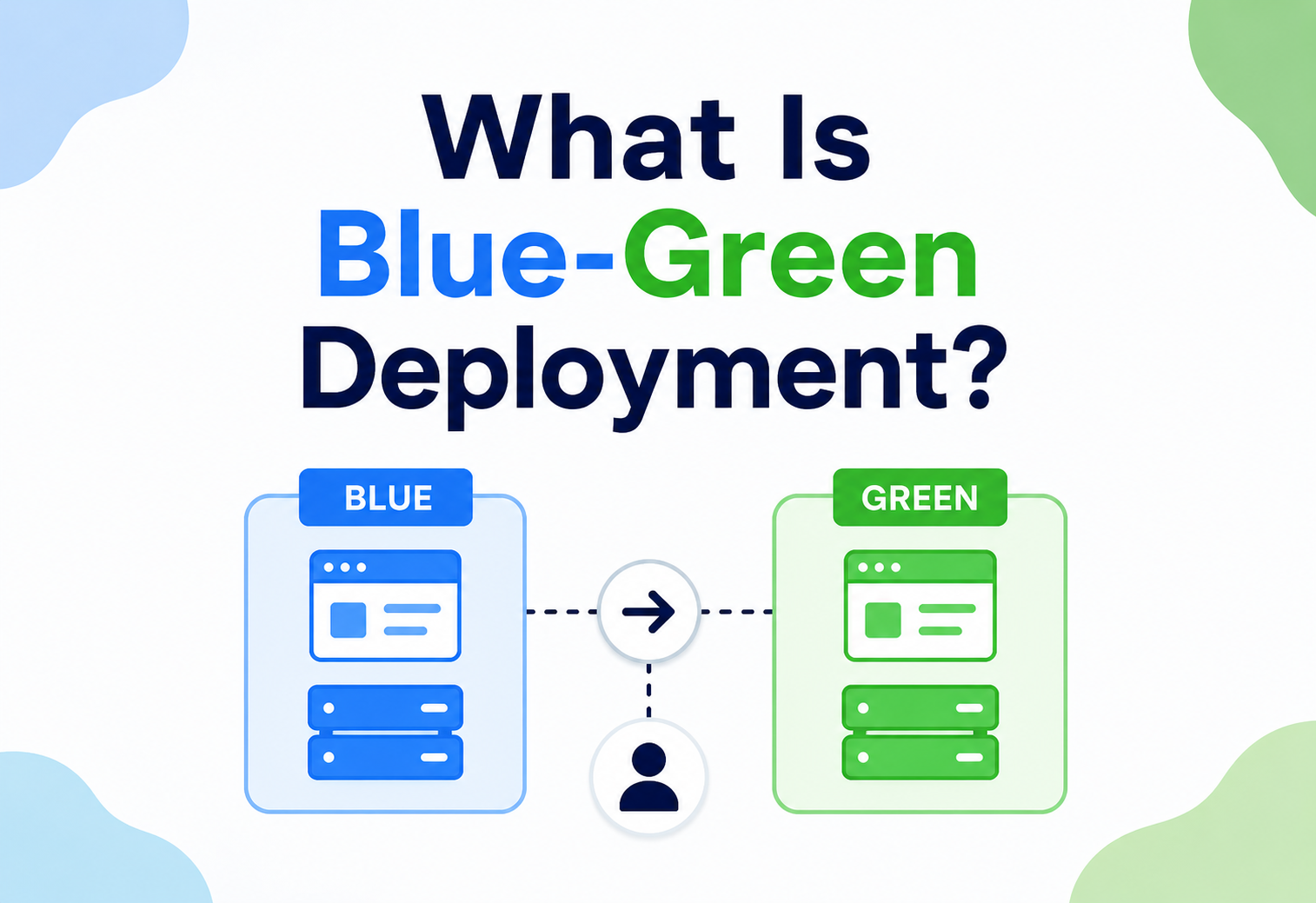
What Is Blue-Green Deployment?
A ground-up, beginner-to-production walkthrough of blue-green deployment: what it is, why it exists, how it works internally, how to wire it on real cloud infrastructure, and how organisations like Netflix, Amazon, Etsy and modern banks ship code many times a day with (in theory) zero downtime and an instant rollback path — kept honest by careful database migrations, warm-up traffic, observability, and automated rollback rules.
Introduction & History
Blue-green deployment is a release technique that lets you push new versions of software to production with (in theory) zero downtime and an instant rollback path, by keeping two identical, independent environments and switching traffic between them.
Imagine you run a shop. If you close the doors, rip out the old shelving, and rebuild everything before customers can walk in again, every customer waits outside while you work. That’s what a traditional “stop the old version, start the new version” deployment looks like — customers (users) experience downtime while the switch happens. Blue-green deployment solves this by building a completely new shop right next door, stocking it fully, testing it quietly, and then simply redirecting the front-door sign from the old shop to the new one. The old shop stays intact behind the scenes, in case something goes wrong and you need to send customers back.
The term “blue-green deployment” was popularised by Jez Humble and David Farley in their influential 2010 book Continuous Delivery: Reliable Software Releases through Build, Test, and Deployment Automation. The name itself is arbitrary — “blue” and “green” are just two color labels for two environments; they carry no technical meaning beyond “environment A” and “environment B.” The technique grew out of the broader continuous-delivery movement of the mid-to-late 2000s, when companies like Amazon, Google, and later Netflix began deploying code many times a day and needed a way to do so without customer-visible downtime or high-risk “big bang” releases.
Before blue-green deployment became common, most organisations used scheduled maintenance windows — often late at night — during which the application was taken offline, updated, and brought back up. As internet services became global and always-on (a bank in Mumbai, a shopper in São Paulo, and a gamer in Seoul might all be using the same service at 3 AM UTC), the idea of a “quiet time to take the system down” stopped existing. Blue-green deployment, along with related strategies like rolling deployments and canary releases, emerged as an answer to this always-on requirement.
Think of a TV broadcast studio with two identical control rooms — Studio A (Blue) and Studio B (Green). Studio A is currently live, broadcasting to millions of homes. Engineers rehearse a new show format entirely in Studio B, off-air, with real equipment and a live rehearsal. Once everyone is confident Studio B is ready, the broadcast switch simply flips from Studio A to Studio B — viewers never see a black screen. If something goes wrong five minutes into the new broadcast, the switch flips back to Studio A instantly.
Today, blue-green deployment is a standard tool in the toolbox of any team practising DevOps or continuous delivery, and it is directly supported (in some form) by nearly every major cloud provider: AWS Elastic Beanstalk, AWS CodeDeploy, Azure App Service deployment slots, Google Cloud Deploy, Kubernetes (via service selectors), and platforms like Spinnaker and Argo Rollouts.
It’s worth noting that blue-green deployment did not arrive as a single invention on a single date. It’s better understood as the formalisation and naming of a pattern that many large operations teams were already circling independently — running a parallel “shadow” stack, testing it quietly, and cutting traffic over — before the term gave the industry a shared vocabulary for it. That shared vocabulary mattered more than it might sound: once a technique has a name, teams can write runbooks about it, tooling vendors can build features around it, and engineers moving between companies can say “we do blue-green here” and be immediately understood, without re-explaining the mechanics from scratch every time.
The Problem & Motivation
To understand why blue-green deployment exists, it helps to walk through what deploying software looked like — and often still looks like — without it.
2.1 The traditional in-place deployment
In an in-place deployment, you have one running environment. To ship a new version you typically:
1. Stop the running application
Take the process down or pull it out of the load balancer.
2. Replace the artifact
Overwrite the old binaries or Docker image with the new ones.
3. Run database migrations
Apply whatever schema changes the new version needs.
4. Start the new version
Bring the process back up and wait for it to become ready.
5. Hope it works
Watch the logs, click around, and pray no user hit it in a bad state.
Between steps 1 and 4 there is a window — sometimes seconds, sometimes minutes — where the application is either completely down or serving errors. If step 5 doesn’t go as planned, you now have a broken production system, and rolling back means reversing every step under pressure, often manually, often at 2 AM.
2.2 The core pains this creates
- Downtime: Users see errors, blank screens, or “under maintenance” pages during the switch.
- Risky rollbacks: If the new version has a bug, un-deploying it is often just as slow and risky as deploying it was.
- Deployment anxiety: Because deployments are risky, teams deploy less often, batching more changes into each release — which paradoxically makes each release riskier (more changed code = more that can go wrong = harder to pinpoint the cause).
- No real production testing: The new version has typically only been tested in staging, which is never a perfect mirror of production traffic, data volume, and configuration.
- All-or-nothing exposure: Every single user is exposed to the new version at the same instant, so if there’s a critical bug, everyone hits it simultaneously.
A college project-management tool is deployed on a single server. Every Friday evening, the developer SSHes in, stops the Node.js process, pulls the latest code, runs npm install, and restarts it. For about 90 seconds anyone trying to load the site gets a “connection refused” error. For a college project this is a minor annoyance. For a production e-commerce checkout page, 90 seconds of downtime during a flash sale could mean real financial loss.
An airline’s ticket-booking backend cannot have downtime during business hours across time zones — someone somewhere is always booking a flight. A single failed deployment that takes the booking API down for even two minutes could mean thousands of failed transactions, abandoned bookings, and a spike in customer-support tickets. This is exactly the class of problem blue-green deployment was designed to solve.
2.3 The hidden cost of “just schedule a maintenance window”
Even when downtime is technically permitted, maintenance windows have a way of quietly draining team capacity that doesn’t show up on any single incident report. Someone has to be awake and available during the window, often outside normal working hours. Every window that goes wrong — a migration that takes longer than planned, a dependency that doesn’t start cleanly — eats into on-call goodwill and turns deployment day into a dreaded event rather than a routine one. Over time, this pushes organisations toward deploying less frequently “to be safe,” which is precisely backwards: infrequent deployments bundle more changes together, making each one riskier and harder to debug when something does go wrong. Blue-green deployment breaks this cycle by making deployment safe enough to do routinely, even several times a day, because the blast radius of a mistake is contained and reversible in seconds rather than requiring a scheduled recovery effort.
2.4 What blue-green deployment promises
Blue-green deployment directly attacks these pain points by guaranteeing that:
- The new version is fully deployed and warmed up before any real user traffic touches it.
- The switch from old to new is a routing change, not a process restart — so it can happen in milliseconds.
- The old version remains running and untouched, so rollback is just routing traffic back — also in milliseconds.
- You get a real, full-scale, production-configured environment to smoke-test against before committing to the switch.
Core Concepts & Terminology
3.1 What is blue-green deployment?
Blue-green deployment is a release strategy where two identical production environments — conventionally named “Blue” and “Green” — exist side by side. At any given time, only one of them (say, Blue) is live, meaning it receives real user traffic through a router, load balancer, or DNS entry. The other (Green) is idle or being prepared with the new release. When the new release in Green is verified to be healthy, traffic is switched from Blue to Green. Blue now becomes idle and serves as an instant rollback target.
3.2 Key terminology
Blue environment
The environment currently serving live production traffic (by convention, though the colour is arbitrary).
Green environment
The idle / staging-like environment where the new version is deployed and verified before going live.
Cutover / Switch
The moment traffic is redirected from the old environment to the new one.
Rollback
Redirecting traffic back to the previous environment if the new one misbehaves.
Smoke test
A quick, targeted test suite run against the idle environment before cutover to confirm basic health.
Warm-up
Sending synthetic or shadow traffic to the idle environment beforehand so caches, JIT compilers, and connection pools are “hot” before real users arrive.
Router / traffic switch
The component that decides which environment receives live traffic — a load balancer, reverse proxy, DNS record, service mesh, or Kubernetes Service selector.
Bake time
The observation window after cutover during which error rate, latency, and business metrics are watched closely before declaring the release finished.
3.3 How it differs from related strategies
Blue-green is one of several zero / low-downtime deployment strategies. It’s easy to conflate it with rolling deployments and canary releases, but the mechanics and risk profiles are different.
| Strategy | How it works | Rollback speed | Resource cost |
|---|---|---|---|
| Blue-Green | Two full environments; instant all-or-nothing switch | Instant (flip router back) | High (2× infrastructure, at least temporarily) |
| Rolling Deployment | Instances updated gradually, one/few at a time, within one environment | Slow (must roll back gradually) | Low (no duplicate environment) |
| Canary Release | New version exposed to a small % of traffic first, then gradually increased | Fast (route % back to 0) | Medium |
| Recreate (Big Bang) | Stop old, start new, full downtime | Slow, manual | Lowest |
Blue-green is like moving your entire family to a fully furnished new house in one day, keeping the old house untouched in case you need to move back. Canary is like moving one family member over first to “test” the new house before the rest follow. Rolling deployment is like swapping the furniture in your current house room by room while still living in it.
3.4 What must be “identical” between Blue and Green
For blue-green deployment to be trustworthy, the two environments must be as close to identical as possible in everything except application code version:
- Same infrastructure type and size (VM specs, container resources, autoscaling rules).
- Same network configuration, security groups, and firewall rules.
- Same environment variables and configuration (except version-specific flags).
- Same downstream dependency endpoints (usually — database considerations are covered later).
- Same monitoring and logging pipelines attached.
This is why Infrastructure as Code (Terraform, CloudFormation, Pulumi) and container orchestration (Kubernetes, ECS) are so tightly associated with blue-green deployment in practice — they make “identical environment” a reproducible guarantee instead of a manual hope.
Architecture & Components
A blue-green deployment system is made of a small number of moving parts working together. Understanding each piece clearly is essential before wiring them together.
4.1 The components
Blue environment
A complete, independently running copy of the application stack (app servers, possibly its own cache layer, sometimes its own database connection pool).
Green environment
An identical, independently running copy, initially idle or hosting the new version under test.
Router / traffic switch
The single source of truth for “who is live right now.” Commonly a load balancer (AWS ALB/NLB, NGINX, HAProxy), a Kubernetes Service, a DNS record with a short TTL, or a service-mesh (Istio, Linkerd) virtual service.
Shared / external services
Databases, message queues, object storage, third-party APIs — usually shared between Blue and Green rather than duplicated (duplicating stateful systems is expensive and creates data-sync headaches, discussed in Section 13).
Deployment / orchestration tool
The CI/CD pipeline or platform (Jenkins, GitHub Actions, GitLab CI, Spinnaker, AWS CodeDeploy, ArgoCD) that automates deploying to the idle environment and performing the switch.
Health checks / smoke tests
Automated checks that must pass before the router is allowed to point at the new environment.
Monitoring & alerting
Observability tooling watching both environments so a bad cutover is detected within seconds, not hours.
4.2 Where the router lives, at different layers
| Layer | Typical implementation | Switch speed |
|---|---|---|
| DNS | Route 53 weighted / failover records | Minutes (DNS caching / TTL delays) |
| Load Balancer | AWS ALB target-group swap, NGINX upstream swap | Seconds |
| Kubernetes Service | Change label selector from version=blue to version=green | Sub-second to a few seconds |
| Service Mesh | Istio VirtualService traffic-weight update | Sub-second, supports gradual shift too |
DNS-based blue-green switching is popular because it’s simple, but DNS records are cached by resolvers, browsers, and ISPs — sometimes ignoring your TTL entirely. A DNS-based rollback can take minutes to fully propagate, which defeats the “instant rollback” promise. Prefer load-balancer or orchestrator-level switching whenever an instant rollback truly matters.
Internal Working — Step by Step
Let’s walk through exactly what happens, mechanically, during a real blue-green deployment cycle.
5.1 Step-by-step walkthrough
1. Steady state
Blue is live, serving 100% of production traffic. Green exists but is either powered down / scaled to zero, or running the previous release as a warm standby.
2. Build & deploy to Green
The CI/CD pipeline builds the new application artifact / image and deploys it to the Green environment. Green’s infrastructure is provisioned or scaled up if it wasn’t already running.
3. Run database migrations (if needed)
Any schema changes are applied — carefully, using backward-compatible migration techniques (see Section 13) since Blue is still running against the same database.
4. Warm up Green
Synthetic traffic, cache pre-loading, and JVM/JIT warm-up requests are sent to Green so its performance matches Blue’s from the first real request onward.
5. Automated smoke tests
A test suite hits Green directly (bypassing the router) to check core flows: login, checkout, key API endpoints, health-check endpoints.
6. Manual or automated approval gate
In many organisations, a human (or an automated policy based on metrics) approves the cutover.
7. Cutover
The router’s configuration is updated so that new incoming traffic goes to Green instead of Blue. Existing in-flight requests to Blue are allowed to finish (see connection draining, 5.2).
8. Post-cutover monitoring (“bake time”)
Error rates, latency, and business metrics (e.g., checkout success rate) are watched closely for a defined window — commonly 15 minutes to a few hours.
9. Decision point
If healthy → Green is now the new “Blue” conceptually; the old Blue can be scaled down, kept as a rollback target for a while, or recycled to become the next idle environment. If unhealthy → the router is flipped back to Blue instantly and Green is investigated offline.
5.2 Connection draining (graceful cutover)
A subtlety beginners often miss: flipping the router doesn’t mean every existing connection to Blue is instantly killed. Connection draining (also called “graceful shutdown” or “connection-draining timeout”) allows in-flight requests on Blue to complete normally, while all new requests go to Green. Most load balancers let you configure a drain timeout — e.g., 30–300 seconds — after which any remaining Blue connections are forcibly closed.
Forgetting connection draining can cause a burst of errors for users who were mid-request (e.g., mid-file-upload or mid-checkout) exactly at cutover time, because their in-progress connection to Blue gets abruptly severed.
5.3 A minimal Java / Spring Boot health-check endpoint used for cutover gating
Blue-green automation relies heavily on a reliable health check that the deployment pipeline (and the load balancer) can poll before allowing traffic. Spring Boot Actuator makes this straightforward:
// build.gradle dependency
// implementation 'org.springframework.boot:spring-boot-starter-actuator'

// application.yml
// management:
//   endpoint:
//     health:
//       show-details: always
//   endpoints:
//     web:
//       exposure:
//         include: health,info

package com.gauravsinghtech.deployment.health;

import org.springframework.boot.actuate.health.Health;
import org.springframework.boot.actuate.health.HealthIndicator;
import org.springframework.stereotype.Component;
import javax.sql.DataSource;
import java.sql.Connection;

@Component
public class DeploymentReadinessIndicator implements HealthIndicator {

    private final DataSource dataSource;

    public DeploymentReadinessIndicator(DataSource dataSource) {
        this.dataSource = dataSource;
    }

    @Override
    public Health health() {
        try (Connection conn = dataSource.getConnection()) {
            if (conn.isValid(2)) {
                return Health.up()
                        .withDetail("database", "reachable")
                        .withDetail("version", getClass().getPackage().getImplementationVersion())
                        .build();
            }
        } catch (Exception ex) {
            return Health.down(ex)
                    .withDetail("reason", "database unreachable")
                    .build();
        }
        return Health.down().withDetail("reason", "unknown").build();
    }
}
The deployment pipeline polls GET /actuator/health on Green repeatedly until it returns HTTP 200 with status UP, only then proceeding to the cutover step. This same endpoint is what the load balancer’s own health checks use continuously, both before and after cutover.
Data Flow & Lifecycle of a Release
Zooming out, a single feature’s journey through a blue-green pipeline typically looks like this across its full lifecycle:
1. Code merge
A pull request is merged into the main branch after review.
2. CI build
Automated build compiles the code, runs unit tests, and produces a versioned artifact (JAR, Docker image, etc.).
3. Deploy to idle environment
The artifact is deployed to whichever environment is currently idle.
4. Integration & smoke testing
Automated tests validate the idle environment end-to-end, sometimes against a copy of production-like data.
5. Traffic shadowing (optional, advanced)
A copy of real production traffic is mirrored to the idle environment without affecting real users, to observe how the new version behaves under real load patterns before it goes live.
6. Cutover
Traffic is switched.
7. Bake time / observation
Metrics are watched for anomalies.
8. Finalise or rollback
The old environment is retired or traffic is reverted.
9. Cleanup
Once confidence is high (often after a fixed retention period), the previous environment’s resources may be deallocated or repurposed as the next idle slot.
Pros, Cons & Trade-offs
7.1 Advantages
- Near-zero downtime: the switch itself is a routing operation, not a restart.
- Instant, low-risk rollback: reverting means flipping the router back, not un-deploying code.
- Full production-scale testing: because Green is a real, fully provisioned environment (not a scaled-down staging box), smoke tests and warm-up traffic reflect true production behaviour.
- Reduced deployment anxiety: teams can deploy more frequently and with more confidence, supporting a true continuous-delivery culture.
- Simple mental model: compared to canary or progressive delivery, “old system or new system, pick one” is conceptually easy to reason about and to explain to stakeholders.
7.2 Disadvantages
- Double the infrastructure cost (at least temporarily): running two full production-scale environments simultaneously, even briefly, roughly doubles compute costs during that window.
- Database and stateful-data complexity: sharing a single database between two application versions requires careful, backward-compatible schema design (Section 13). This is often the hardest part in practice, not the routing.
- All-or-nothing exposure: unlike a canary release, every user is switched to the new version simultaneously — a subtle bug affecting 1% of edge-case users still affects 100% of users at once.
- Session and stateful-connection handling: long-lived connections (WebSockets, persistent TCP sessions) mid-flight during cutover need special handling.
- Cache cold-start risk: if Green’s local caches aren’t warmed properly, the first wave of real traffic can see a latency spike right after cutover.
- Operational complexity: requires solid infrastructure automation (IaC, orchestration) to keep two environments truly identical; manual blue-green is error-prone.
7.3 When blue-green is (and isn’t) the right choice
| Good fit | Possibly not the best fit |
|---|---|
| Stateless or mostly-stateless services | Highly stateful monoliths with tightly coupled DB schemas that are hard to make backward-compatible |
| High-traffic services needing zero downtime | Very low-traffic internal tools where a short maintenance window is acceptable |
| Teams that want fast, safe rollback | Teams that want gradual exposure / experimentation → canary or feature flags may fit better |
| Environments where doubling infra briefly is affordable | Extremely cost-constrained environments where 2× infra, even briefly, isn’t viable |
Blue-green deployment is like having a full spare car parked in your driveway, fuelled and ready, versus a canary release, which is like test-driving a new car for 10 minutes before deciding to trade in the old one fully. Blue-green gives you an instant switch back, but you pay for owning two cars at once.
7.4 Managing the cost trade-off in practice
Teams rarely pay full double-infrastructure cost for long. The “both environments fully scaled” state is typically a narrow window — minutes to a few hours around a release — rather than a permanent steady state. Between releases, the idle environment is commonly scaled down to a minimal footprint (or, in container / serverless-friendly setups, scaled to zero) and only brought back up to full capacity shortly before the next deployment begins. This turns the “2× cost” concern from a constant tax into an occasional, budgeted spike, which is usually a small fraction of what an extended outage or a botched manual rollback would cost in lost revenue, customer trust, and engineering time spent firefighting.
Performance & Scalability
Blue-green deployment interacts with performance and scalability concerns in several distinct ways.
8.1 Cold-start and warm-up performance
A newly-started Green environment often has “cold” JVMs (JIT compiler hasn’t optimised hot code paths yet), empty in-memory caches, and unestablished connection pools to databases and downstream services. If real traffic hits Green the instant it’s marked healthy, the first seconds to minutes can show elevated latency (a “cold-start penalty”) even though the code itself is correct.
Mitigations:
- Send synthetic warm-up traffic mirroring realistic request patterns before cutover.
- Pre-populate connection pools (JDBC pools, HTTP client pools) at startup rather than lazily.
- Use traffic shadowing / mirroring so Green sees real request shapes before it’s live.
- Gradually shift traffic (a hybrid of blue-green + canary, sometimes called “progressive blue-green”) rather than an instant 100% switch, when latency-sensitivity is high.
8.2 Scaling both environments
During the overlap window, autoscaling policies must account for the fact that Green may need to scale up to full production capacity before it goes live, not reactively after — otherwise the moment of cutover itself becomes a scaling event, and scaling events take time (spinning up new instances / pods, warming JVMs) exactly when you can least afford latency.
Large e-commerce platforms often pre-scale the Green environment to match Blue’s current instance count exactly before starting the cutover, rather than relying on autoscalers to react after traffic arrives — because reactive autoscaling typically lags real traffic by 30–120 seconds, which is enough time for a visible latency spike during a high-traffic event like a flash sale.
8.3 Cost-performance trade-off
Running two full-scale environments, even briefly, means paying for double the compute during that window. Teams manage this by:
- Keeping the idle environment scaled down (fewer instances) until a deployment is imminent, then scaling it up just before cutover.
- Using spot / preemptible instances for the idle environment where the platform allows it (with care, since spot instances can be reclaimed).
- Shortening the “both live” overlap window as much as safely possible.
High Availability & Reliability
9.1 Blue-green as a reliability tool
Blue-green deployment is fundamentally a reliability technique disguised as a deployment technique. Its core value proposition — an instantly reversible, fully-tested-before-exposure release — directly reduces Mean Time To Recovery (MTTR) for the most common cause of production incidents: bad deployments.
9.2 Failure recovery mechanics
When a rollback is triggered (automatically via monitoring thresholds, or manually), the recovery path is:
1. Detect the failure
Elevated error rate, latency, failed health checks, or a business-metric anomaly like a drop in checkout completions.
2. Trigger rollback
Flip the router back to Blue.
3. Verify Blue is healthy
Confirm Blue is still up and receiving traffic correctly.
4. Investigate Green offline
Debug the broken release without customer impact.
Because this recovery path doesn’t require redeploying anything — it’s purely a routing change — MTTR for bad-deploy incidents typically drops from “many minutes” (redeploy the last known-good version) to “seconds” (flip the router).
9.3 Availability across zones and regions
Blue-green deployment is orthogonal to, but complementary with, multi-AZ (Availability Zone) and multi-region high availability. Best practice is to run both Blue and Green across multiple AZs so that neither environment itself becomes a single point of failure — blue-green protects you from bad code, while multi-AZ protects you from infrastructure failure. They solve different problems and are typically layered together.
9.4 Backward-compatible database changes for reliability
Since the shared database is the one component that genuinely can’t have two live independent copies without huge complexity, database migrations must follow the expand / contract pattern: add new columns / tables without removing old ones (expand), deploy code that can work with both old and new schema, cut over, then later remove the old schema elements (contract) only after you’re confident Blue won’t need to roll back to them. This is covered in depth in Section 13.
Security Considerations
- Environment parity for security controls: Blue and Green must have identical security groups, IAM roles, WAF rules, and TLS certificates — a common real-world bug is a new environment accidentally missing a firewall rule or security patch that the old one had.
- Secrets management: both environments should pull secrets (API keys, DB credentials) from the same centralised secret store (AWS Secrets Manager, HashiCorp Vault, Azure Key Vault) rather than hardcoded or environment-specific copies, to avoid drift and accidental exposure.
- Idle environment exposure: the idle environment, while not receiving public traffic through the router, is often still reachable by direct IP / hostname for testing purposes. It must be secured (authentication on test endpoints, network policies) exactly as strictly as the live one — attackers who discover it can otherwise use it as a backdoor or to probe for vulnerabilities before a release is public.
- Audit trail for cutovers: every traffic switch (who triggered it, when, based on what approval) should be logged immutably, since a cutover is effectively a production change with the same blast radius as a code deploy.
- Rollback doesn’t undo data-level security issues: if the new version introduced a data leak or wrote insecure data during its brief live window, rolling back the router does not undo that — a database rollback or remediation plan is a separate, necessary step.
Teams sometimes let the idle environment lag behind on security patches (“it’s not live, so it’s lower priority”), which means every new release inherits an outdated, unpatched base image. Both environments should be patched on the same cadence, not just the live one.
Regulated industries add another layer to this picture. In finance, healthcare, and other compliance-heavy sectors, a cutover is often treated as a formal production change requiring the same change-management approval trail as any other deployment — who approved it, what tests passed, what the rollback plan is — even though the underlying mechanism (a router flip) is far lower-risk than a traditional in-place upgrade. Building this audit trail directly into the CI/CD pipeline, rather than as an after-the-fact manual log, keeps blue-green deployment compatible with compliance frameworks like SOC 2, PCI-DSS, or ISO 27001 without slowing teams down on every release.
Monitoring, Logging & Metrics
Observability is what turns blue-green deployment from “hopeful switch” into “confident, data-driven switch.” Without strong monitoring, teams either roll back too late (users already impacted) or don’t roll back a bad release at all because nobody noticed.
11.1 What to monitor before, during, and after cutover
| Category | Example metrics |
|---|---|
| Golden signals | Latency (p50 / p95 / p99), traffic (req/sec), error rate, saturation (CPU / memory / connection-pool usage) |
| Business metrics | Checkout completion rate, login success rate, signup conversion — technical health can look fine while a business flow is silently broken |
| Infrastructure health | Pod / instance restart counts, health-check pass rate, autoscaler activity |
| Dependency health | Database query latency, downstream API error rate, message-queue lag |
11.2 Comparative (Blue vs Green) dashboards
A best practice is a single dashboard that shows Blue and Green metrics side by side during the overlap / bake-time window, making regressions visually obvious — a spike in Green’s error-rate line next to a flat Blue line is a much faster signal than scanning separate dashboards.
11.3 Correlation IDs across environments
Every request should carry a correlation / trace ID (commonly propagated via an HTTP header like X-Correlation-Id or via distributed-tracing standards like W3C Trace Context) so that a request’s full journey can be reconstructed regardless of which environment served it — essential when debugging issues that only appear during or right after a cutover.
// Simple Spring Boot filter adding / propagating a correlation ID
package com.gauravsinghtech.deployment.tracing;

import jakarta.servlet.*;
import jakarta.servlet.http.HttpServletRequest;
import jakarta.servlet.http.HttpServletResponse;
import org.slf4j.MDC;
import org.springframework.stereotype.Component;
import java.io.IOException;
import java.util.UUID;

@Component
public class CorrelationIdFilter implements Filter {

    private static final String HEADER = "X-Correlation-Id";

    @Override
    public void doFilter(ServletRequest req, ServletResponse res, FilterChain chain)
            throws IOException, ServletException {
        HttpServletRequest httpReq = (HttpServletRequest) req;
        HttpServletResponse httpRes = (HttpServletResponse) res;

        String correlationId = httpReq.getHeader(HEADER);
        if (correlationId == null || correlationId.isBlank()) {
            correlationId = UUID.randomUUID().toString();
        }
        MDC.put("correlationId", correlationId);
        httpRes.setHeader(HEADER, correlationId);

        try {
            chain.doFilter(req, res);
        } finally {
            MDC.remove("correlationId");
        }
    }
}
11.4 Automated rollback triggers
Mature pipelines don’t rely purely on a human watching a dashboard. Automated rollback rules — e.g., “if error rate on Green exceeds 2% for more than 60 seconds, automatically flip the router back to Blue and page the on-call engineer” — remove human reaction-time from the critical path.
Deployment & Cloud Platforms
Nearly every major cloud and orchestration platform has native or well-established support for blue-green deployment.
12.1 AWS
- Elastic Beanstalk: native “Swap Environment URLs” feature — deploy to a second environment, then swap CNAMEs.
- AWS CodeDeploy: built-in blue/green deployment configuration for EC2 and ECS, including automated rollback on CloudWatch alarms.
- Elastic Load Balancer (ALB / NLB): manual or scripted target-group swaps.
12.2 Azure
- Azure App Service Deployment Slots: a staging slot mirrors production configuration; a “slot swap” performs the cutover, and swapping back is the rollback.
12.3 Google Cloud
- Google Cloud Deploy and GKE support blue-green rollout strategies, often paired with traffic splitting via Cloud Load Balancing.
12.4 Kubernetes
Kubernetes doesn’t have “blue-green” as a first-class built-in strategy the way it has “RollingUpdate,” but it’s straightforward to implement using labels and a Service selector: deploy the new version as a separate Deployment with a distinct label (e.g., version: green), then update the Service’s selector to point at the new label.
# service.yaml - the Service currently routes to "blue"
apiVersion: v1
kind: Service
metadata:
  name: checkout-api
spec:
  selector:
    app: checkout-api
    version: blue        # <-- switch this to "green" to cut over
  ports:
    - port: 80
      targetPort: 8080

---
# deployment-green.yaml - deployed alongside the existing blue Deployment
apiVersion: apps/v1
kind: Deployment
metadata:
  name: checkout-api-green
spec:
  replicas: 6
  selector:
    matchLabels:
      app: checkout-api
      version: green
  template:
    metadata:
      labels:
        app: checkout-api
        version: green
    spec:
      containers:
        - name: checkout-api
          image: registry.gauravsinghtech.com/checkout-api:1.5.0
          readinessProbe:
            httpGet:
              path: /actuator/health
              port: 8080
            initialDelaySeconds: 10
            periodSeconds: 5
# The actual cutover command - a single kubectl patch
kubectl patch service checkout-api
-p '{"spec":{"selector":{"version":"green"}}}'
# Instant rollback: revert the selector back to blue
kubectl patch service checkout-api
-p '{"spec":{"selector":{"version":"blue"}}}'Tools like Argo Rollouts and Flagger build higher-level blue-green (and canary) abstractions on top of this same underlying mechanism, adding automated analysis, metrics-based promotion, and traffic mirroring.
12.5 Service meshes
Istio, Linkerd, and similar service meshes allow traffic-splitting rules to be defined declaratively and shifted gradually (e.g., 100/0 → 90/10 → 0/100), effectively blending blue-green with canary-style gradual rollout, which mitigates the “all-or-nothing exposure” downside discussed in Section 7.
Databases, Caching & Load Balancing
This is, in practice, the hardest part of implementing blue-green deployment correctly — routing traffic is comparatively easy; keeping data consistent across two live application versions is not.
13.1 The shared-database problem
Most systems can’t reasonably run two independent copies of their primary database (data would diverge instantly). So Blue and Green almost always share the same database. This means: during the overlap window, both the old and new application code are querying the same schema simultaneously. Any schema change must be compatible with both versions at once.
13.2 The expand / contract (parallel change) pattern
This is the standard technique for making database schema changes safe under blue-green deployment:
1. Expand
Add new columns / tables / indexes without removing or renaming anything old. Old code (Blue) ignores the new columns; new code (Green) can use them.
2. Migrate data
Backfill the new columns / tables from existing data, typically via a background job, not a blocking migration.
3. Deploy new code (cutover)
Green, which knows how to use both old and new schema elements, goes live.
4. Contract
Only after Blue is fully retired and you’re confident you won’t roll back to it, remove the old, now-unused columns / tables in a later, separate release.
Renaming a column or dropping a table in the same migration that ships alongside the new application code breaks the old (Blue) version immediately, because Blue is still running against that same database and expects the old schema to exist. This single mistake is responsible for a large share of failed blue-green rollbacks in real incidents — the rollback plan (flip router to Blue) silently fails because Blue can no longer talk to the database correctly.
-- Example: adding a new column safely (Expand phase)
ALTER TABLE orders ADD COLUMN currency_code VARCHAR(3) NULL;

-- Backfill in a background batch job, NOT as part of the deploy transaction
UPDATE orders SET currency_code = 'INR' WHERE currency_code IS NULL;

-- Only in a LATER release, after Blue is fully retired (Contract phase):
-- ALTER TABLE orders DROP COLUMN legacy_currency_flag;
13.3 Caching layer considerations
- Shared cache (e.g., Redis): if Blue and Green share a cache and the new version changes the shape of cached objects (e.g., serialised DTO fields), old code reading new-shaped cache entries (or vice versa) can throw deserialisation errors. Use versioned cache keys (e.g.,
user:v2:{id}) so each version reads only its own compatible entries. - Local / in-memory caches: each environment naturally starts cold; warm-up traffic (Section 8) mitigates the resulting latency spike.
- Cache invalidation across cutover: if Green writes data in a new format that Blue can’t understand, and a rollback to Blue occurs, stale / incompatible cache entries can cause subtle bugs — cache TTLs should be short enough, or keys versioned enough, to make this a non-issue.
13.4 Load balancer behaviour specifics
- Health-check configuration: the load balancer’s own health checks against Green must be strict enough to prevent premature traffic routing (e.g., require several consecutive successful checks, not just one).
- Sticky sessions: if the application relies on sticky sessions (session affinity) at the load balancer, a cutover mid-session can strand a user’s session data on Blue while their new requests go to Green. Prefer externalised session storage (e.g., Redis-backed sessions) over LB-level stickiness when running blue-green.
- WebSocket / long-lived connections: these don’t “drain” the way short HTTP requests do. A common approach is to let existing WebSocket connections continue on Blue until the client naturally reconnects (which then lands on Green), rather than forcibly terminating them.
A user is mid-checkout on Blue when a cutover happens. If their session lives only in Blue’s local memory, their cart appears empty when their next request happens to land on Green. Storing session / cart state in a shared Redis instance (rather than in-process) means either environment can serve the next request correctly.
APIs & Microservices
14.1 Blue-green in a single-service world vs. a microservices world
Blue-green deployment is conceptually simple for a single monolithic service: one Blue, one Green, one router. In a microservices architecture, the picture gets more complex, because a single business transaction might span several independently-deployable services, each of which could have its own Blue and Green.
14.2 API versioning and backward compatibility
Because Green (the new version of Service A) might be called by Blue (the old version of Service B, which hasn’t been redeployed yet) during any overlap window, APIs between services must maintain backward compatibility across deployments — the same “expand / contract” thinking from database migrations applies to API contracts:
- Add new fields as optional, never remove or repurpose existing fields in the same release.
- Prefer additive changes to request / response schemas.
- Use API versioning (URL path versioning like
/v2/orders, or header-based versioning) when a genuinely breaking change is unavoidable, so both old and new consumers can be served simultaneously.
// Example: backward-compatible response DTO
public class OrderResponse {
    private String orderId;
    private BigDecimal totalAmount;

    // New field added in v1.5 - must be nullable/optional
    // so that Blue (older clients still expecting v1.4 shape)
    // simply ignores it if present, and never NPEs if absent.
    private String currencyCode; // nullable

    // getters/setters omitted for brevity
}
14.3 Independent vs. coordinated blue-green across services
| Approach | Description | Trade-off |
|---|---|---|
| Independent per-service | Each microservice runs its own blue-green cycle on its own schedule | Simple to operate per team, but requires strict API backward-compatibility discipline |
| Coordinated (lockstep) | Multiple related services are switched together in a single orchestrated cutover | Reduces cross-version compatibility risk, but is operationally heavier and slower to execute |
14.4 API Gateway as the traffic switch
In many microservices setups, the API Gateway (Kong, AWS API Gateway, NGINX, Envoy) plays the role of the “router” described in Section 4 — routing rules per-service can each independently point at that service’s Blue or Green target group, letting different services cut over on independent timelines while presenting a single unified API surface to external clients.
14.5 Contract testing between services
Because independent per-service blue-green deployments mean any two services might briefly be running mismatched versions of each other, many microservices organisations adopt consumer-driven contract testing (tools like Pact are common in the Java / Spring ecosystem) as a safety net that runs in CI, before a service is even deployed to its Green environment. A contract test verifies that a service’s new version still satisfies the expectations of every other service that calls it, catching accidental breaking changes at build time rather than discovering them live in production during an overlap window. Combined with the additive-schema discipline described above, contract testing turns “will Blue and Green coexist safely across service boundaries” from a hopeful assumption into something that’s actually verified before every release.
Design Patterns & Anti-patterns
15.1 Complementary patterns
- Feature flags / feature toggles: often combined with blue-green — new code ships to Green “dark” (flag off), the cutover happens, and the feature is then enabled gradually via the flag, decoupling deployment from release.
- Canary release: can be layered on top of blue-green at the routing layer (shift 5% → 25% → 100% to Green instead of an instant 100% cutover), combining blue-green’s clean rollback story with canary’s gradual exposure.
- Circuit breaker: downstream services calling into Green should have circuit breakers so a struggling new version doesn’t cascade failures upstream during the bake-time window.
- Expand / contract: as discussed, the standard pattern for safe schema and API evolution under blue-green.
- Immutable infrastructure: blue-green pairs naturally with immutable infrastructure (never patch a running server in place; always deploy a fresh one) since the “new environment” is inherently a fresh, immutable build.
15.2 Anti-patterns to avoid
- Snowflake environments: manually configuring Blue and Green slightly differently over time (a config tweak applied only to Blue, forgotten on Green) erodes the core assumption that they’re identical. Always manage both via the same Infrastructure-as-Code definitions.
- Breaking database changes bundled with code deploys: as covered in Section 13 — this silently destroys your rollback safety net.
- No automated smoke tests: relying purely on “it looked fine when I clicked around” before cutover doesn’t scale and misses regressions.
- Skipping bake time: cutting over and immediately walking away without a monitoring window means slow-burning issues (memory leaks, rare edge cases) go undetected until they’re customer-visible incidents.
- Treating the idle environment as disposable / unsecured: as covered in Section 10, the idle environment needs the same security rigor as the live one.
- Forgetting stateful in-flight requests: ignoring connection draining and long-lived connections (Sections 5.2, 13.4) causes user-visible errors exactly at cutover.
A team enables a new database index only on Green “to test performance” but forgets to add it to Blue. Weeks later, an emergency rollback to Blue causes a severe performance regression because Blue is missing an index that queries had come to depend on implicitly — an entirely avoidable, self-inflicted incident caused by environment drift.
Best Practices & Common Mistakes
16.1 Best practices
- Automate everything: provisioning, deployment, smoke testing, health checks, and the cutover itself should all be scripted / pipelined — manual blue-green deployments reintroduce the human-error risk the technique is meant to eliminate.
- Use Infrastructure as Code (Terraform, CloudFormation, Pulumi) so Blue and Green are provably identical, not just “supposed to be.”
- Always warm up the idle environment before it takes live traffic.
- Define clear, automated rollback criteria (specific error-rate and latency thresholds) rather than relying on subjective judgment under pressure.
- Keep a defined bake time and don’t skip it even when a release “feels safe.”
- Apply the expand / contract pattern religiously for both database schema and API contracts.
- Externalise session and stateful data (Redis, database-backed sessions) so cutovers don’t strand user state.
- Keep the previous environment intact for a retention window (hours to days) after a successful cutover, in case a subtle issue surfaces later.
- Version your cache keys and API contracts so both old and new code can safely coexist during the overlap window.
16.2 Common mistakes checklist
| Mistake | Consequence | Fix |
|---|---|---|
| Breaking schema change deployed with code | Rollback silently fails | Use expand / contract pattern |
| No connection draining | Errors for in-flight requests at cutover | Configure LB drain timeout |
| Cold Green environment | Latency spike right after cutover | Warm-up traffic before switch |
| Environment drift between Blue / Green | “Works on Green, breaks on rollback to Blue” surprises | Manage both via IaC, patch both on same cadence |
| No automated rollback trigger | Slow human reaction time to incidents | Metric-based automatic rollback rules |
| DNS-based cutover for time-critical rollback | Rollback delayed by DNS caching | Use LB / orchestrator-level switching instead |
Real-World / Industry Examples
A small SaaS startup running on AWS Elastic Beanstalk uses its built-in “Swap Environment URLs” feature: they deploy their new release to a second Beanstalk environment, run a manual smoke test, and click “swap” in the console when ready — a lightweight, UI-driven version of the same principle used at Netflix or Amazon scale.
FAQ, Summary & Key Takeaways
Is blue-green deployment the same as canary deployment?
No. Blue-green switches all traffic from old to new at once (though the switch itself can be made gradual using a service mesh); canary releases expose the new version to a small percentage of traffic first and increase that percentage over time based on observed health.
Does blue-green deployment guarantee zero downtime?
It gets very close, but “zero” downtime depends on correct connection draining, DNS / LB switch speed, and stateful-connection handling. Poorly implemented blue-green (e.g., relying on slow DNS propagation, no connection draining) can still produce brief, user-visible errors.
What happens to the database during a blue-green switch?
In most implementations, Blue and Green share a single database. Schema changes must follow the expand / contract pattern so both application versions remain compatible with the schema during the overlap window.
How long should I keep the old (idle) environment around after cutover?
Common practice is anywhere from a few hours to a few days, depending on how confident the team is and how quickly issues tend to surface for that particular system — long enough to catch slow-burning problems, short enough to avoid paying for idle infrastructure indefinitely.
Can blue-green deployment be used with a monolith, not just microservices?
Yes — in fact, blue-green deployment predates most microservices adoption and works very naturally with a single monolithic application, since there’s only one router and one pair of environments to manage.
What’s the biggest practical challenge teams face with blue-green deployment?
In practice, it’s rarely the traffic-switching mechanics — it’s managing a shared database and stateful data safely across two simultaneously-running application versions, which is why the expand / contract pattern is such a central concept.
Summary
Blue-green deployment is a release strategy built around running two identical environments — one live, one idle — and switching traffic between them to achieve near-zero-downtime deployments with instant rollback. It emerged from the continuous-delivery movement popularised by Jez Humble and David Farley, and today is natively supported across AWS, Azure, Google Cloud, and Kubernetes ecosystems. While the routing mechanics are conceptually simple, the real engineering discipline lies in keeping both environments truly identical, handling shared stateful resources like databases and caches through backward-compatible schema evolution, warming up the new environment before exposing it to real traffic, and backing every cutover with strong observability and automated rollback triggers.
Key Takeaways
- Blue-green deployment keeps two identical environments and switches live traffic between them, making cutover a routing change, not a redeploy.
- The technique’s biggest wins are near-zero downtime and near-instant, low-risk rollback.
- Its biggest real-world challenge is safely sharing a database and stateful resources between the old and new application versions — solved primarily via the expand / contract migration pattern.
- Connection draining, session externalisation, and cache-key versioning prevent user-visible errors exactly at the moment of cutover.
- Warm-up traffic and pre-scaling the idle environment prevent cold-start latency spikes right after switching.
- Strong monitoring — golden signals plus business metrics, ideally with automated rollback triggers — is what makes a cutover trustworthy rather than a gamble.
- Blue-green is complementary to, not a replacement for, multi-AZ / multi-region high availability, canary releases, and feature flags — mature systems often layer several of these together.
- Every major cloud platform (AWS, Azure, GCP) and Kubernetes has established, well-documented patterns and tooling for implementing blue-green deployment.

