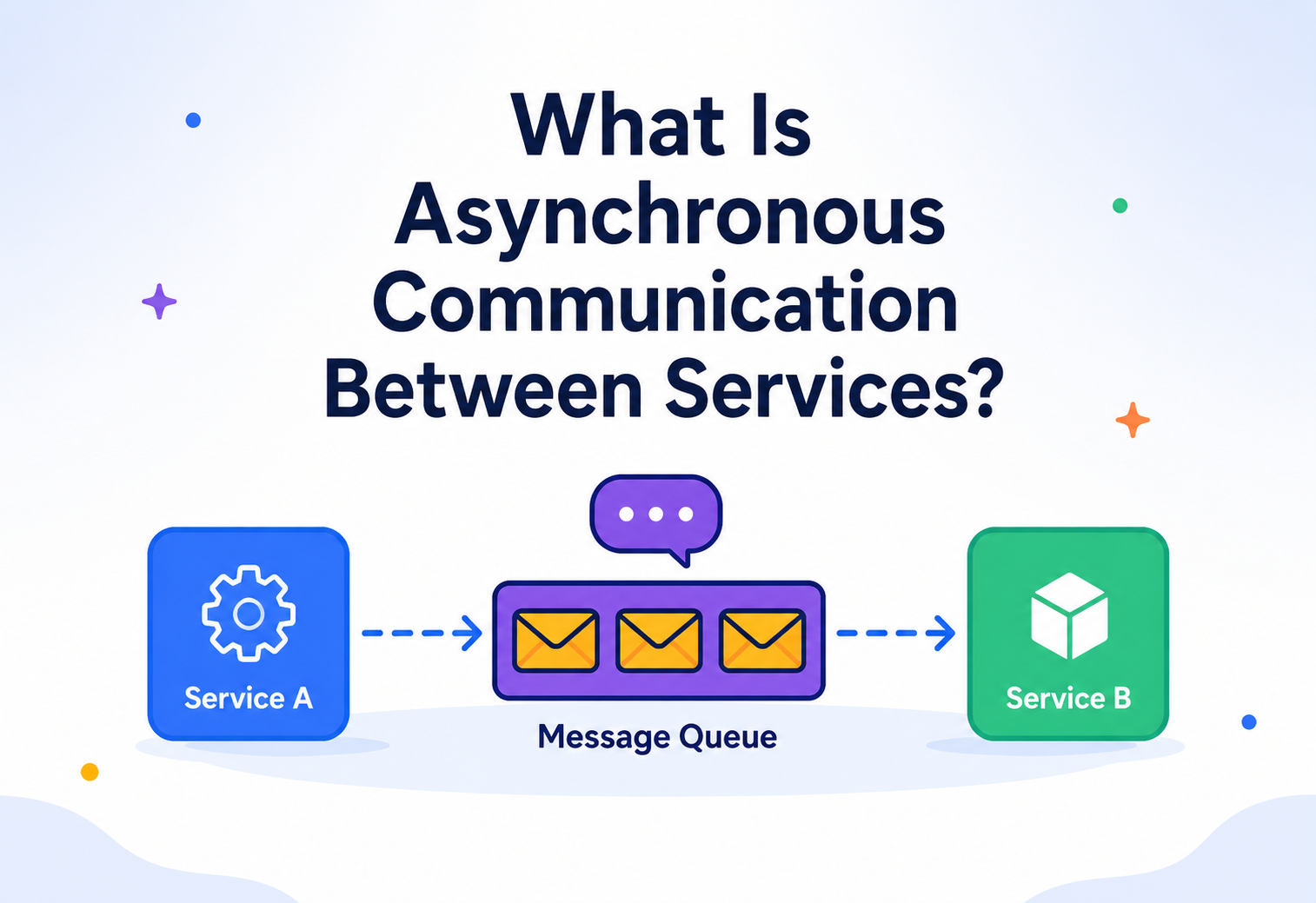
What Is Asynchronous Communication Between Services?
A complete, beginner‑to‑production tutorial explaining how services talk to each other without waiting on the phone — using queues, brokers, events, and the humble postal system as our guide. Level: Beginner → Production · Language: Java · Read time: ~45 min.
Introduction & History
Imagine two ways of telling your friend some news.
Way one: You call your friend on the phone. You wait, listening to it ring. Your friend picks up. Now you both talk, live, at the same time. If your friend doesn’t pick up, you’re stuck holding the phone, waiting.
Way two: You write a letter, put it in an envelope, drop it in a mailbox, and walk away. You go on with your day. Days later, your friend opens their mailbox, reads the letter, and maybe writes back. You didn’t have to wait by the mailbox the whole time.
That difference — waiting live on the phone versus dropping a letter and moving on — is the entire idea behind this tutorial. In the world of software, when one service (think of a service as one small computer program doing one job) needs to tell another service something, it can either:
- Call it and wait for an answer right away (this is called synchronous communication), or
- Send it a message and keep working without waiting for an immediate reply (this is called asynchronous communication).
This tutorial is entirely about the second way: asynchronous communication between services.
A short history
In the early days of computing (1960s–1980s), most programs ran on a single big machine (a “mainframe”). There was no real need for one program to talk to another program on a different machine, because everything lived in one place.
As companies grew, they started splitting one giant program into many smaller programs running on different machines — this is the root of what we now call distributed systems. The moment you have two separate programs on two separate machines, you need a way for them to talk. The earliest solutions were mostly synchronous: one program would open a network connection to another and wait for a reply, similar to a phone call.
But engineers quickly discovered a problem: if program A calls program B, and B is slow, or crashed, or overloaded, then A gets stuck waiting too. This waiting could spread like a traffic jam, one slow car blocking the whole road. In the 1980s and 1990s, this led to the invention of message queues — software mailboxes where a message can be dropped off and picked up later. IBM’s MQSeries (1993) was one of the first popular commercial message queue products. Later came open standards like JMS (Java Message Service, 1999), and open‑source brokers like ActiveMQ, RabbitMQ (2007), and then Apache Kafka (2011, built at LinkedIn) which was designed to handle huge, continuous streams of events.
Today, almost every large‑scale system you use daily — Netflix recommending a show, Amazon confirming your order, Uber matching you with a driver — relies heavily on asynchronous communication behind the scenes. This tutorial will teach you exactly how and why.
Synchronous communication is a phone call. Asynchronous communication is a mailbox. A phone call needs both people available at the same moment. A mailbox lets the sender walk away immediately, and lets the receiver check it whenever they’re free.
The Problem & Motivation
To understand why asynchronous communication exists, you first need to feel the pain of its opposite: synchronous communication.
What is synchronous communication?
What it is: Synchronous communication means Service A sends a request to Service B and then blocks (pauses, does nothing else) until Service B replies. Only after getting the reply does Service A continue its work.
Why it exists: It’s the simplest, most natural way to think about communication — you ask a question, you get an answer, in that order. Regular web APIs (REST calls over HTTP) usually work this way.
Where it’s used: A mobile app calling a login API and waiting for “success” or “failure” before showing the next screen. A checkout page calling a payment API and waiting to know if the card was charged.
You ask a friend a question face‑to‑face and stand there waiting for the answer before you do anything else. If your friend takes 10 minutes to think, you stand there for 10 minutes doing nothing.
Where synchronous communication breaks down
Picture an online store’s “place order” button. Behind that one click, several things might need to happen:
- Check that items are in stock (Inventory Service)
- Charge the customer’s card (Payment Service)
- Create a shipping label (Shipping Service)
- Send a confirmation email (Notification Service)
- Update loyalty points (Rewards Service)
If the Order Service calls all five of these synchronously, one after another, and waits for each reply, then:
- The customer stares at a loading spinner until all five services finish — even the loyalty points update, which the customer doesn’t even care about right now.
- If the Notification Service (sending an email) is slow or temporarily down, the entire order fails, even though stock was checked and payment was already charged. That’s a serious bug — you don’t want to fail an entire order just because an email couldn’t be sent.
- If 10,000 customers check out at the same time, the Order Service must keep 10,000 connections open and waiting, which uses a huge amount of memory and threads.
- One slow service (say, Shipping) becomes a bottleneck that slows down every single order, even orders that don’t need shipping (digital goods, for example).
This is called tight coupling — when Service A’s success or speed is chained directly to Service B’s success or speed. In a system built entirely from synchronous calls, a single misbehaving service can create a “domino effect” that takes down or slows down the whole system. This is sometimes called a cascading failure.
In large systems with dozens or hundreds of services, cascading failures caused by synchronous chains are one of the most common causes of major outages. Amazon, Netflix, and Google have all published real incident reports where a single slow downstream service caused a much bigger failure because everything upstream was waiting on it.
The motivation for asynchronous communication
Asynchronous communication was created to solve exactly this problem. The idea: instead of the Order Service calling each of the five services directly and waiting, it simply drops off a message saying “an order was placed” and moves on immediately. Each of the other services picks up that message whenever it is ready and does its own job, independently. If the Notification Service is down for five minutes, the message just waits patiently — it doesn’t block the order from being placed.
Fig 2.1 — The Order Service replies to the customer immediately, while other services process the event in the background.
Notice the customer gets a fast “Order accepted” response, while Payment, Shipping, and Notification all do their work later, in parallel, without making the customer wait for all of them.
Core Concepts
Before going further, let’s build a solid vocabulary. Each term below includes what it is, why it exists, where it’s used, an analogy, and an example.
3.1 Message
WhatA small packet of data — usually text (like JSON) — that carries information from one service to another. Example: {"event": "OrderPlaced", "orderId": 1234, "amount": 59.99}.
WhyServices need a shared, structured way to describe “what happened” without directly calling each other’s code.
WhereEvery asynchronous system — order events, payment confirmations, sensor readings, chat messages.
AnalogyA message is the letter itself — the piece of paper with writing on it, sealed in an envelope.
3.2 Producer (Publisher)
WhatThe service that creates and sends a message.
WhySomeone has to originate the information. The producer’s job ends the moment it hands the message off — it doesn’t need to know who will read it or when.
WhereThe Order Service producing an “OrderPlaced” message.
AnalogyThe person who writes the letter and drops it in the mailbox.
3.3 Consumer (Subscriber)
WhatThe service that receives and processes a message.
WhySomeone has to act on the information — charge a card, send an email, update a record.
WhereThe Payment Service consuming “OrderPlaced” and charging the card.
AnalogyThe person who opens their mailbox and reads the letter.
3.4 Message Broker
WhatA separate piece of infrastructure (a dedicated server or service) that sits between producers and consumers. It receives messages from producers, stores them safely, and delivers them to consumers. Examples: RabbitMQ, Apache Kafka, Amazon SQS, Google Pub/Sub, Azure Service Bus.
WhyWithout a broker, every producer would need to know the network address of every consumer, and would need to handle retries, storage, and ordering itself. The broker centralizes all of that hard work.
WhereNearly every large‑scale microservices architecture uses at least one broker.
AnalogyThe broker is the post office. You don’t personally deliver your letter to your friend’s house — you hand it to the post office, and the post office handles sorting, transporting, and delivering it.
3.5 Queue
WhatA storage line inside a broker where messages wait to be processed, usually in a first‑in‑first‑out (FIFO) order. Typically, each message in a queue is meant to be handled by exactly one consumer.
WhyIt decouples the speed of the producer from the speed of the consumer. The producer can drop off 1000 messages in one second; the consumer can process them one at a time at its own pace.
AnalogyA single mail slot at a small office where one clerk picks up letters one at a time and handles each one.
3.6 Topic (and Pub/Sub)
WhatA named channel that multiple consumers can subscribe to. When a producer publishes a message to a topic, every subscriber gets a copy (unlike a queue, where usually only one consumer takes each message).
WhySometimes many different services need to know about the same event. A topic lets you broadcast once instead of sending the same message to five different queues.
AnalogyA neighborhood newsletter. One person writes it (publishes), and everyone on the mailing list (subscribers) gets their own copy.
3.7 Event
WhatA special kind of message that represents “something happened in the past” — for example, OrderPlaced, PaymentFailed, UserSignedUp. Events are usually named in past tense because they describe a fact, not a command.
WhyEvents let services announce facts about the world without telling anyone what to do about it. Any interested service can react however it wants.
When you drop a letter announcing “I moved to a new house,” you’re not commanding anyone to do anything specific. Different friends might react differently: one updates their address book, another sends a housewarming gift, another does nothing. That’s exactly how services react to events.
A command is imperative — “charge this card” — and is directed at exactly one recipient who is expected to obey. An event is a factual announcement — “the card was charged” — and any number of interested consumers may react in their own way.
3.8 Acknowledgement (ACK)
WhatA signal a consumer sends back to the broker saying, “I successfully processed this message; you can delete it now.”
WhyWithout an acknowledgement, the broker wouldn’t know if a message was safely processed or lost when a consumer crashed mid‑way.
AnalogyA delivery receipt you sign when a package arrives, confirming “yes, I got it,” so the courier can mark it as delivered.
3.9 Dead Letter Queue (DLQ)
WhatA special “problem” queue where messages go if they repeatedly fail to be processed (for example, the data was invalid, or the consumer kept crashing while handling it).
WhyInstead of retrying forever and clogging the system, broken messages are set aside so engineers can inspect them later without blocking healthy messages.
AnalogyA pile of letters with the wrong address or torn envelopes, set aside at the post office’s “returned mail” desk instead of being repeatedly and pointlessly redelivered.
3.10 Idempotency
WhatA property of an operation where doing it multiple times has the exact same effect as doing it once. For example, “set balance to $100” is idempotent — running it five times still leaves the balance at $100. But “add $10 to balance” is not idempotent — running it five times adds $50.
WhyIn asynchronous systems, messages can sometimes be delivered more than once (see “at‑least‑once delivery” later). Idempotency protects you from accidentally charging a customer twice just because a message was redelivered.
AnalogyPressing an elevator button five times doesn’t send the elevator five times — the first press already registered the request.
3.11 Polling vs. Push
WhatTwo ways a consumer can get messages. Polling means the consumer repeatedly asks the broker “do you have anything for me?” Push means the broker actively sends the message to the consumer the moment it arrives.
WhyDifferent systems have different needs — polling is simpler and gives the consumer control over its own pace; push offers lower latency (faster delivery).
AnalogyPolling is checking your mailbox every morning even if nothing arrived. Push is having the mail carrier ring your doorbell the instant a letter is dropped off.
Quick comparison: Synchronous vs. Asynchronous
| Aspect | Synchronous | Asynchronous |
|---|---|---|
| Caller waits for reply? | Yes, blocks | No, continues immediately |
| Coupling | Tight (caller depends on callee being up) | Loose (broker buffers the gap) |
| Failure impact | Can cascade | Contained; message just waits |
| Typical transport | HTTP/REST, gRPC | Message queue, event stream |
| Example | Phone call | Letter / mailbox |
| Response time feel | Immediate answer | “I’ll get back to you” |
Architecture & Components
Let’s zoom out and look at the full picture of a typical asynchronous system.
Fig 4.1 — A typical asynchronous architecture: producers publish to topics/queues inside a broker; multiple consumers process independently; failures land in a dead letter queue.
4.1 Producers
These are the services that generate messages. A producer’s only job is to package data correctly and hand it to the broker. It does not know or care who consumes it.
4.2 The Broker (the heart of the system)
The broker is a standalone system, usually running on its own cluster of machines, responsible for:
- Receiving messages from producers
- Storing them safely (often on disk, sometimes with multiple copies)
- Ordering them (in many systems, at least within a partition)
- Delivering them to the right consumers
- Tracking which messages have been acknowledged
- Retrying failed deliveries
4.3 Queues vs. Topics inside the broker
Most brokers support one or both models:
- Queue (point‑to‑point): each message is consumed by exactly one consumer. Great for distributing work across a pool of workers (e.g., “process this image” tasks).
- Topic (publish/subscribe): each message is delivered to every subscriber. Great for broadcasting events that many services care about.
4.4 Consumers
Services that read messages and do something with them. Consumers can be scaled horizontally — you can run five copies of the Payment Service consumer, and the broker will spread the messages across them (this is called a consumer group in systems like Kafka).
4.5 Dead Letter Queue (DLQ)
A safety net queue for messages that fail processing repeatedly, so they don’t get stuck retrying forever and blocking the healthy messages behind them.
4.6 Schema Registry (in advanced setups)
What it is: A central place that stores the exact structure (“schema”) that a message must follow — for example, that an OrderPlaced event must always have orderId as a number and amount as a decimal.
Why it exists: Without an agreed structure, a producer might change the message format and silently break every consumer. A schema registry catches incompatible changes before they cause damage.
A standard government form template. Everyone filling it out and everyone reading it agrees on which box means what, so nothing gets misread.
Internal Working of a Message Broker
Let’s open the hood and see what actually happens inside a broker when a message is sent.
5.1 Storage: the message log or queue file
Modern brokers (like Kafka) don’t just hold messages in memory — they write them to disk in an ordered, append‑only structure called a log. Think of a log as a notebook where you’re only allowed to write on the next blank line; you can never erase or rewrite an old line, only add new ones at the end. This makes writes extremely fast (no need to search for space) and makes replaying old messages possible.
5.2 Partitions: splitting the work
What it is: A topic can be split into multiple partitions — smaller, independent logs. Kafka, for example, spreads one topic’s messages across several partitions, often on different machines.
Why it exists: A single machine can only handle so much traffic. By splitting a topic into partitions, different machines can each handle a slice of the traffic in parallel, massively increasing throughput.
How it works: Each message is assigned to a partition, usually based on a “key” (for example, all events for orderId=1234 always go to the same partition, so their order is preserved relative to each other).
Instead of one long line at a single bank teller, the bank opens five teller windows. Customers are still served in order at each window, but five people can be served simultaneously instead of one.
Fig 5.1 — A topic split into three partitions, each read by a different consumer instance, allowing parallel processing.
5.3 Offsets: remembering your place
What it is: An offset is simply a number marking the position of a message within a partition (like a page number in a book).
Why it exists: A consumer needs to remember exactly which messages it has already processed, so if it crashes and restarts, it knows exactly where to resume — not too early (reprocessing everything) and not too late (skipping messages).
A bookmark in a novel. You close the book, and days later you open it right back to where you left off instead of starting from page one.
5.4 Delivery guarantees
Brokers typically offer one of three delivery guarantees:
- At-most-once: a message might be delivered once, or might be lost — but never delivered twice. Fast, but risky.
- At-least-once: a message will definitely be delivered, but might occasionally be delivered more than once (for example, if the consumer processed it but crashed before sending the acknowledgement). This is the most common guarantee in practice.
- Exactly-once: a message is delivered and processed exactly one time, no duplicates, no losses. This is the hardest to achieve and usually has a performance cost. Kafka supports exactly‑once semantics within its own ecosystem under specific configurations.
Because “at‑least‑once” is the most common real‑world guarantee, your consumer code must be written to handle duplicate messages safely — this is exactly why idempotency (Section 3.10) is so important in practice.
5.5 The acknowledgement cycle, step by step
- Producer sends message to broker.
- Broker writes it to disk (and often to backup copies — see replication in Section 10).
- Broker confirms receipt to the producer (“got it”).
- Consumer requests or receives the message.
- Consumer processes it (e.g., charges a card).
- Consumer sends an ACK back to the broker.
- Broker marks the message as done for that consumer (in a queue) or moves the consumer’s offset forward (in a topic).
If step 6 never happens (the consumer crashed after step 5 but before the ACK), the broker will redeliver the message later — which is exactly how “at‑least‑once” duplicates happen.
Data Flow & Lifecycle of a Message
Let’s trace one single message from birth to death, using our order example.
Fig 6.1 — The full lifecycle of a single message, from creation to acknowledgement or dead‑lettering.
Step‑by‑step explanation
- Created: The Order Service builds a message:
{"event":"OrderPlaced","orderId":1234}. - Published: It sends this message to the broker over the network, usually with a small library called a “client” or “SDK.”
- Stored: The broker writes the message to disk (durability) and, in production setups, copies it to two or three other machines (replication) so it survives a hardware failure.
- Delivered: The broker either pushes the message to a subscribed consumer or waits for the consumer to ask for it (poll).
- Processing: The consumer (say, Payment Service) reads the message and executes its logic — for example, calling a payment gateway to charge the card.
- Acknowledged / Failed: If processing succeeds, the consumer sends an ACK. If it fails (e.g., the payment gateway timed out), the message is not acknowledged.
- Retried or Dead‑lettered: The broker will typically retry delivery a few times, often with “exponential backoff” (waiting longer between each retry — 1s, 2s, 4s, 8s…). If it keeps failing past a configured limit, the message is moved to the Dead Letter Queue for a human or automated tool to investigate.
At Netflix, when you finish watching an episode, a “PlaybackCompleted” event flows through their internal event pipeline (built on Kafka) to dozens of downstream consumers — recommendation engines, viewing‑history services, and analytics dashboards — each processing that single event independently and at their own pace.
Communication Patterns
Asynchronous communication isn’t just “one way of doing things” — there are several well‑known patterns, each solving a different shape of problem.
7.1 Point‑to‑Point (Queue‑based)
What it is: One producer, one logical queue, and a pool of consumers competing for messages — each message goes to exactly one consumer.
Where it’s used: Task processing — e.g., resizing uploaded images, generating PDF invoices, sending individual emails.
A print shop with one intake tray and three printers. Each print job in the tray gets picked up by whichever printer is free next — never printed twice.
7.2 Publish/Subscribe (Topic‑based)
What it is: One producer publishes to a topic; every subscriber gets its own copy of every message.
Where it’s used: Broadcasting business events that many teams care about — “UserSignedUp” might interest Email, Analytics, Fraud Detection, and Rewards teams simultaneously.
7.3 Event‑Driven Architecture (EDA)
What it is: An overall system design style where services communicate almost entirely by publishing and reacting to events, rather than calling each other directly.
Why it exists: It keeps services independent — a new service can start listening to existing events without ever modifying the producer’s code.
A town crier announcing news in the square. The crier doesn’t know or care who’s listening — bakers, farmers, and merchants each decide for themselves how to react to the news.
7.4 Asynchronous Request‑Reply
What it is: Sometimes you still need a reply, just not immediately. Service A sends a request message with a unique ID and a “reply‑to” address, then continues other work. Later, when Service B is done, it sends a response message tagged with that same ID, which Service A picks up whenever it checks.
Submitting a large video for encoding: you get an immediate “job accepted, ID=9981” response, and later a “job 9981 completed, here’s your download link” message arrives — possibly minutes later.
7.5 CQRS (Command Query Responsibility Segregation)
What it is: A pattern where the “write side” (commands that change data) and the “read side” (queries that fetch data) are handled by separate models, often synced asynchronously through events.
Why it exists: Reads and writes often have very different performance needs. Separating them lets each be optimized and scaled independently.
An e‑commerce product catalog: writes go to a strongly consistent database, while an asynchronous event stream updates a fast, denormalized search index (like Elasticsearch) that customers actually browse.
7.6 Saga Pattern
What it is: A way to manage a “transaction” that spans multiple services using a sequence of local transactions, each triggered by an event, with compensating (undo) actions if something fails partway through.
Why it exists: Traditional database transactions (“all or nothing”) don’t work across independent services. Sagas replace one big transaction with a chain of smaller ones plus rollback logic.
Fig 7.1 — A Saga: when a later step fails, earlier successful steps are undone with compensating events instead of one giant rollback.
7.7 Outbox Pattern
What it is: A technique to safely publish an event exactly when a database change is saved, by writing both the business data and the event into the same database transaction, in an “outbox” table. A separate background process then reads the outbox table and publishes the events to the broker.
Why it exists: Without this pattern, you risk saving to the database successfully but then failing to publish the event (or the reverse) — leaving your system in an inconsistent state.
Writing a letter and placing it directly into your own “outbox” tray on your desk at the exact moment you finish the related paperwork, so a mail clerk who visits later is guaranteed to pick it up — you never forget to send it, and you never send it before the paperwork is actually done.
Advantages, Disadvantages & Trade‑offs
Advantages
- Loose coupling: Services don’t need to know about each other’s network addresses or even existence.
- Resilience: If a consumer is temporarily down, messages simply wait in the queue instead of being lost or failing the whole operation.
- Better scalability: Producers and consumers can scale independently based on their own load.
- Improved responsiveness: The caller gets a fast acknowledgement instead of waiting for the entire chain of work to finish.
- Natural load leveling: A sudden burst of 100,000 messages doesn’t crash the consumer — it just queues up and gets processed steadily.
Disadvantages
- Increased complexity: You now have an extra moving part (the broker) to deploy, monitor, and maintain.
- Eventual consistency: Data across services may be briefly out of sync (e.g., the order shows as “placed” before the payment is fully confirmed). This can confuse users or require careful UI/UX design.
- Harder debugging: Tracing one business flow across many independent, asynchronous consumers is harder than following a single synchronous call stack.
- Message ordering challenges: Guaranteeing strict order across a distributed system is tricky and sometimes requires trade‑offs (like partitioning by key).
- Duplicate processing risk: Requires careful idempotency design (Section 3.10).
The core trade‑off
Asynchronous communication trades immediate consistency and simplicity for resilience and scalability. Use it when services can tolerate a short delay before “the whole picture” is accurate. Avoid it (or use synchronous calls instead) when the caller genuinely needs an immediate, guaranteed answer before proceeding — like checking if a password is correct during login.
| Use synchronous when… | Use asynchronous when… |
|---|---|
| You need an immediate answer to continue (e.g., “is this login correct?”) | The caller doesn’t need to wait for the full result (e.g., “send a welcome email”) |
| The operation is quick and low‑risk of failure | The operation might be slow, flaky, or need retries |
| Strong consistency is required right now | Eventual consistency is acceptable |
| Simple two‑service interaction | Many services need to react to the same event |
Performance & Scalability
9.1 Throughput vs. Latency
Throughput is how many messages the system can process per second. Latency is how long it takes for one particular message to be fully processed. Asynchronous systems are usually optimized for high throughput, sometimes at the cost of slightly higher latency for any single message (because it sits in a queue for a moment before being picked up).
9.2 Horizontal scaling with consumer groups
Because messages are spread across partitions (Section 5.2), you can add more consumer instances to process messages in parallel. If a topic has 6 partitions, you can run up to 6 consumer instances in a group, each handling one partition. Adding a 7th instance won’t help — it will just sit idle, because there aren’t enough partitions to give it work.
If your notification system needs to send 1 million emails during a big sale, instead of one consumer working through them one by one (slow), you deploy 20 consumer instances, each grabbing a slice of the messages, cutting total processing time roughly 20x.
9.3 Backpressure
What it is: A mechanism to prevent a fast producer from overwhelming a slow consumer or broker — essentially telling the producer “slow down, I can’t keep up.”
Why it exists: Without backpressure, a burst of messages could fill up memory or disk and crash the broker entirely.
A dam controlling water flow from a reservoir. Instead of releasing all the water at once and flooding the town downstream, it lets water out at a controlled, safe rate.
9.4 Batching
Many high‑performance systems (like Kafka producers) group several messages into one network request instead of sending them one at a time. This reduces network overhead significantly and increases throughput, at the cost of a small delay while messages are gathered into a batch.
9.5 Compression
Brokers often support compressing message batches (using algorithms like gzip, Snappy, or LZ4) before sending them over the network, reducing bandwidth usage and storage costs — especially valuable at Netflix or Uber’s scale, where billions of events flow daily.
High Availability & Reliability
10.1 Replication
What it is: Keeping multiple identical copies of the same data (in this case, messages) on different machines.
Why it exists: If one machine holding a queue’s data crashes or loses its disk, you don’t want to lose the messages forever. Replication means another copy is ready to take over immediately.
How it works (simplified): One machine is the “leader” for a partition and handles all reads/writes. One or more “followers” continuously copy the leader’s data. If the leader fails, a follower is promoted to become the new leader — this process is called failover.
A post office keeping duplicate copies of every important letter in two different buildings across town, so a fire in one building doesn’t destroy the only copy.
Fig 10.1 — Leader/follower replication: if the leader broker fails, a follower is promoted to keep the system running.
10.2 Consensus (how brokers agree who the leader is)
When multiple broker machines need to agree on which one is the leader for a partition (especially after a crash), they use a consensus algorithm — a mathematically proven method for a group of machines to agree on one shared truth, even if some machines are slow or unreachable. Common algorithms include Raft and Paxos. Modern Kafka (post‑2022) uses a Raft‑based system called KRaft to manage this, replacing an older dependency on a separate coordination tool called ZooKeeper.
A group of friends voting on which restaurant to go to. Even if one friend’s phone has bad signal, as long as a majority agree, the decision is final and everyone follows it.
10.3 CAP Theorem
What it is: A famous rule in distributed systems stating that when a network problem happens (“Partition” — machines can’t talk to each other), a system can only guarantee either Consistency (everyone sees the exact same, latest data) or Availability (the system keeps responding to requests), but not perfectly both at the same time.
Why it matters here: Message brokers must choose their behavior during network issues. Some configurations favor availability (keep accepting messages, risk brief inconsistency across replicas), others favor consistency (refuse new messages until replicas are back in sync, to guarantee no data is ever lost or mismatched).
Fig 10.2 — In real distributed systems, network partitions (P) will happen, so the real trade‑off is usually between Consistency and Availability.
10.4 Retries and Exponential Backoff
When a consumer fails to process a message, the broker retries delivery — but not instantly and repeatedly (which could overwhelm a struggling service even further). Instead, it waits progressively longer between attempts: 1 second, then 2, then 4, then 8, and so on. This is called exponential backoff, and it gives a struggling service breathing room to recover.
10.5 Idempotent Consumers (revisited)
Because “at‑least‑once” delivery is the common real‑world default, production systems store a record of already‑processed message IDs (sometimes in a database or cache) and check “have I seen this ID before?” before doing any work — guaranteeing that even a duplicate delivery has no extra side effect.
10.6 Disaster Recovery
Large systems often replicate entire broker clusters across different geographic regions (multi‑region replication), so that even a full data‑center outage doesn’t lose messages. Regular backups of broker configuration and, where feasible, message data snapshots are part of standard disaster recovery planning.
Security
11.1 Authentication
Every producer and consumer connecting to the broker must prove who they are — usually via TLS client certificates, SASL (Simple Authentication and Security Layer) mechanisms, or API keys/tokens (common in cloud services like AWS SQS with IAM roles).
11.2 Authorization (ACLs)
Even after authenticating, a service should only be allowed to do what it needs — for example, the Notification Service should be allowed to read from the “order‑events” topic but not write to it (it shouldn’t be able to fake an order). This is enforced through Access Control Lists (ACLs).
11.3 Encryption
In transit: Messages traveling over the network between services and the broker should be encrypted using TLS, so nobody eavesdropping on the network can read sensitive data (like payment details).
At rest: Messages stored on the broker’s disks should also be encrypted, protecting data even if a physical disk is stolen or improperly disposed of.
11.4 Data minimization and PII handling
A best practice is to avoid putting sensitive personal data (like full credit card numbers or passwords) directly inside messages. Instead, send a reference/ID and let the consumer fetch sensitive details from a secure, access‑controlled service only when truly needed.
Logging entire message payloads for debugging without redacting sensitive fields is a frequent, real‑world source of accidental data leaks — always mask or exclude sensitive fields in logs.
11.5 Audit logging
Production systems typically log who published or consumed what and when (without logging the sensitive content itself), which is essential for security audits and investigating incidents.
Monitoring, Logging & Metrics
You cannot fix what you cannot see. Asynchronous systems need specific kinds of visibility because failures don’t show up as an instant error to a waiting caller — they show up as silence, delay, or a growing backlog.
12.1 Consumer Lag
What it is: The difference between the latest message produced and the last message a consumer has processed. If the producer writes message #1000 but the consumer has only processed up to #700, the lag is 300 messages.
Why it matters: Rising lag is often the earliest warning sign that a consumer is too slow, has crashed, or is stuck — long before customers notice anything is wrong.
A growing pile of unread mail in your mailbox. If the pile keeps growing every day, something is wrong — you’re falling behind.
12.2 Key metrics to track
- Throughput: messages published/consumed per second.
- Consumer lag: as described above.
- Error rate: percentage of messages failing processing.
- Dead letter queue size: a growing DLQ means something needs urgent attention.
- End‑to‑end latency: time from message creation to successful processing.
- Broker health: disk usage, replication status, leader elections happening too often (a sign of instability).
12.3 Distributed Tracing
What it is: A technique where a unique “trace ID” is attached to a message when it’s created and carried through every service that touches it, so engineers can reconstruct the full journey of one request across many independent, asynchronous services.
Why it exists: In synchronous systems, you can often just look at one call stack. In asynchronous systems, a single business action might touch ten unrelated services over several minutes — without a shared trace ID, reconstructing “what happened to order #1234” would be like assembling a puzzle with no picture on the box. Tools like OpenTelemetry, Jaeger, and Zipkin are commonly used for this.
12.4 Structured Logging
Instead of free‑text log lines, production systems log structured data (like JSON) including the trace ID, message ID, service name, and timestamp — making it possible to search and correlate logs across many services using tools like the ELK stack (Elasticsearch, Logstash, Kibana) or cloud‑native equivalents (like Datadog or Splunk).
12.5 Alerting
Good systems set automatic alerts — for example, “page an engineer if consumer lag exceeds 10,000 messages for more than 5 minutes” or “alert if the DLQ receives more than 50 messages in an hour.”
Deployment & Cloud Options
You rarely need to build a message broker from scratch. Here are the most widely used options in 2026, each with different strengths.
| Tool | Type | Best for | Notes |
|---|---|---|---|
| Apache Kafka | Distributed log / event streaming | High‑throughput event streaming, event sourcing, analytics pipelines | Now runs without ZooKeeper using KRaft mode; extremely popular for large‑scale systems |
| RabbitMQ | Traditional message broker | Task queues, flexible routing, smaller‑to‑medium scale systems | Rich routing features (exchanges, bindings); easier to start with |
| Amazon SQS | Managed queue (cloud) | Simple, fully managed point‑to‑point queues on AWS | No servers to manage; pairs well with Amazon SNS for pub/sub |
| Amazon SNS | Managed pub/sub (cloud) | Fan‑out notifications to many subscribers on AWS | Often combined with SQS (“fan‑out to queues”) |
| Google Cloud Pub/Sub | Managed pub/sub (cloud) | Global‑scale event distribution on GCP | Automatic scaling, strong integration with GCP data tools |
| Azure Service Bus | Managed broker (cloud) | Enterprise messaging on Azure, supports queues and topics | Good support for advanced features like sessions and dead‑lettering |
| Redis Streams | Lightweight log structure | Simple, low‑latency use cases already using Redis | Simpler than Kafka; less built‑in durability guarantees by default |
13.1 Self‑hosted vs. Managed
Running your own Kafka or RabbitMQ cluster gives full control but requires real operational expertise (patching, scaling, monitoring, disaster recovery). Managed cloud offerings (Amazon MSK for Kafka, Confluent Cloud, Amazon SQS/SNS, Google Pub/Sub, Azure Service Bus) hand off that operational burden to the cloud provider, usually at a higher direct cost but lower engineering overhead.
13.2 Containers and Orchestration
Consumers and producers (your application services) are commonly packaged as Docker containers and deployed via Kubernetes, which can automatically scale the number of consumer instances up or down based on load (for example, scaling based on consumer lag using tools like KEDA — Kubernetes Event‑Driven Autoscaling).
13.3 Cost Optimization
- Right‑size partition counts — too many partitions waste resources; too few limits parallelism.
- Use message compression to reduce storage and network costs.
- Set sensible data retention periods (how long messages are kept) — don’t store data forever if you don’t need to.
- Batch small messages together where possible to reduce per‑request overhead in cloud‑managed services (which often charge per request).
Databases, Caching & Load Balancing
14.1 Change Data Capture (CDC)
What it is: A technique that watches a database’s internal transaction log and automatically turns every row change (insert, update, delete) into an event, without the application needing to manually publish anything. Tools like Debezium are widely used for this.
Why it exists: It guarantees that every database change reliably becomes an event, solving the same dual‑write problem the Outbox pattern (Section 7.7) addresses, but at the database layer instead of the application layer.
A security camera pointed at a filing cabinet. Instead of trusting every clerk to also separately report every change they make, the camera automatically records every drawer that opens.
14.2 Caching and asynchronous invalidation
When data changes in one service, other services often keep a local cached copy for speed. Asynchronous events (like “ProductPriceChanged”) are commonly used to tell those caches “your copy is now stale, please refresh,” rather than having every cache constantly ask the source of truth if anything changed.
14.3 Load balancing consumers
Just as a load balancer spreads incoming web traffic across multiple web servers, a broker’s consumer group mechanism spreads messages across multiple consumer instances — effectively acting as a load balancer for background work, ensuring no single instance is overwhelmed while others sit idle.
14.4 Read replicas and eventual consistency
Databases often use asynchronous replication to keep “read replica” copies in other regions in sync with the main database. This means a read immediately after a write might briefly return slightly stale data on a different replica — a real‑world, very common form of eventual consistency, directly related to the same trade‑offs discussed for message brokers.
APIs & Microservices
Modern microservice architectures almost always use a mix of synchronous and asynchronous communication — not one exclusively.
15.1 Typical hybrid design
- Synchronous (REST/gRPC): Used for user‑facing requests that need an immediate answer — “log me in,” “show me this product’s details,” “is this coupon valid?”
- Asynchronous (events/queues): Used for background work and cross‑service notifications — “an order was placed,” “send this receipt email,” “recalculate this user’s loyalty tier.”
Fig 15.1 — A hybrid microservices design: the user‑facing path is synchronous and fast; the heavy lifting happens asynchronously afterward.
15.2 API Gateway’s role
An API Gateway is the single front door that receives requests from clients (web/mobile apps) and routes them to the right backend service — typically synchronous — while the backend services themselves may fan out work asynchronously behind the scenes.
15.3 Webhooks: asynchronous communication between companies
What it is: A webhook is essentially an asynchronous message sent as an HTTP request from one company’s system to another’s, triggered by an event — for example, Stripe sending your server a “payment_succeeded” webhook after a card is charged.
Why it exists: External companies can’t subscribe directly to your internal message broker, so webhooks act as an asynchronous bridge across organizational boundaries using a protocol (HTTP) everyone already supports.
15.4 gRPC and asynchronous streaming
Modern RPC frameworks like gRPC support “streaming” modes where a client and server can exchange a continuous flow of messages over one connection without the traditional one‑request‑one‑response blocking pattern, blurring the line between purely synchronous and asynchronous styles.
Design Patterns & Anti‑Patterns
Good patterns (recap and additions)
Outbox pattern
Safely publish events tied to database writes (Section 7.7).
Saga pattern
Manage multi‑service transactions with compensating actions (Section 7.6).
CQRS
Separate read/write models synced via events (Section 7.5).
Competing Consumers
Multiple consumer instances share load from one queue for horizontal scaling.
Event Sourcing
Store every state change as an immutable event, and rebuild current state by replaying events, rather than only storing the latest snapshot.
Circuit Breaker (for hybrid systems)
Temporarily stop calling a failing downstream dependency to prevent cascading failure, giving it time to recover.
Anti‑patterns to avoid
Splitting a system into many small services but still making them call each other synchronously in long, tightly‑coupled chains defeats the purpose of microservices — you get all the network overhead of distribution with none of the resilience benefits.
Dumping every kind of message from every service into one single, giant, generic queue makes it nearly impossible to reason about, scale selectively, or secure properly. Use well‑named, purpose‑specific topics/queues instead.
Assuming messages will only ever be delivered exactly once, then writing consumer code that breaks (like double‑charging a customer) the first time a duplicate message arrives in production.
Catching an exception during message processing and simply logging it without retrying, alerting, or dead‑lettering — the message quietly disappears, and nobody notices data is missing until a customer complains.
Making every single interaction asynchronous, even simple ones that genuinely need an instant answer, adds unnecessary complexity and confusing delays to your user experience. Not everything needs to be a mailbox — some things really are better as a quick phone call.
Best Practices & Common Mistakes
Best practices
- IdempotencyDesign idempotent consumers from day one — assume duplicates will happen eventually.
- SchemasVersion your message schemas — add new fields as optional, and never silently repurpose an existing field’s meaning.
- DLQAlways have a dead letter queue and actively monitor it — don’t let broken messages vanish silently or retry forever.
- TraceAttach a trace ID to every message so you can follow its journey across services.
- SmallKeep messages small and reference large data by ID — don’t cram huge files or full objects into a message; store them elsewhere and share a reference.
- DocsDocument your events like you would document an API — describe the fields, when it fires, and who typically listens.
- LagMonitor consumer lag as a first‑class metric, not an afterthought.
- DeliveryChoose the right delivery guarantee deliberately — don’t assume “exactly‑once” if your broker only truly supports “at‑least‑once.”
Common mistakes
- Forgetting to handle poison messages (malformed messages that will never succeed, no matter how many times they’re retried), causing infinite retry loops.
- Not setting message retention limits, letting old, unneeded data pile up and cost money indefinitely.
- Treating asynchronous events as if they arrive in perfect, guaranteed order across the whole system, when many brokers only guarantee order within a single partition/queue.
- Publishing an event before the related database transaction has actually committed, risking other services reacting to something that later gets rolled back.
- Not load‑testing consumers under realistic burst traffic, only under steady, average load.
Real‑World Industry Examples
Netflix uses Apache Kafka extensively as its central nervous system for event streaming — tracking what you watch, how long you watch it, and feeding that data asynchronously into recommendation engines, A/B testing systems, and operational dashboards, all without slowing down your actual video playback.
Uber’s ride‑matching, pricing, and driver‑location systems rely heavily on asynchronous event streams to propagate real‑time location updates and trip state changes (requested, matched, started, completed) across dozens of independent services, without every service needing to directly query every other service.
Amazon’s order‑processing pipeline is a textbook example of the pattern in Section 2 — inventory, payment, shipping, and notifications are decoupled through internal messaging systems, allowing each team to scale, update, and even fail independently without taking down the “place order” button for millions of shoppers.
Google Cloud Pub/Sub, used both internally and offered to customers, powers asynchronous log processing, real‑time analytics ingestion, and cross‑service event distribution at a global scale, handling massive bursts of traffic (like during major product launches) without overwhelming downstream systems.
Slack uses asynchronous job queues extensively for background work like sending notifications, indexing messages for search, and processing file uploads, keeping the core act of “sending a message” in the chat itself feeling instantaneous to the user.
Advanced Topics
19.1 Partitioning strategies
Choosing how messages map to partitions matters a lot. Common strategies:
- Key‑based: hash a chosen key (e.g.,
orderId) to always land on the same partition, preserving order for that specific entity. - Round‑robin: spread messages evenly across partitions with no particular key, maximizing parallelism but giving up any ordering guarantee across different messages.
19.2 Consensus algorithms (Raft, in a bit more depth)
Raft works by electing a “leader” among a group of machines through a voting process. The leader handles all writes and replicates them to “followers.” If followers don’t hear from the leader within a timeout, they trigger a new election. This ensures the whole cluster keeps working correctly even if some machines crash, as long as a majority (“quorum”) of machines are healthy and can communicate.
19.3 Failure recovery
Key mechanisms that let asynchronous systems recover automatically from failure:
- Leader election / failover — a healthy replica takes over instantly if the leader dies (Section 10.1–10.2).
- Message replay — because logs are durable and ordered, a consumer can “rewind” its offset and reprocess messages after fixing a bug.
- Checkpointing — periodically saving consumer progress so a restart doesn’t need to reprocess everything from the very beginning.
19.4 Ordering guarantees, formally
Most brokers only guarantee total order within a single partition, not across the entire topic. If strict global ordering is truly required, you generally must use a single partition (sacrificing parallelism) or redesign your data model so order only matters within a smaller, partitionable scope (like per‑customer or per‑account).
19.5 Concurrency inside consumers
A single consumer process can use multiple internal threads to process messages from different partitions concurrently, but must be carefully designed to avoid race conditions — for example, using thread‑safe data structures or per‑partition dedicated threads, and being careful that acknowledgements are only sent after processing genuinely completes.
19.6 Backoff algorithms in more depth
A common formula for exponential backoff with “jitter” (small randomness added to avoid many failed clients retrying at exactly the same moment, which could cause a new overload spike) is: delay = min(maxDelay, baseDelay * 2^attempt) + random(0, jitter). This spreads out retries naturally instead of causing synchronized “thundering herd” retries.
Java Code Walkthrough
Let’s see the difference between synchronous and asynchronous code in Java, then build up to a realistic message queue example.
20.1 Synchronous call (blocking)
// The calling thread is BLOCKED until paymentService.charge() returns.
public OrderResult placeOrder(Order order) {
    PaymentResult result = paymentService.charge(order.getAmount()); // waits here
    if (result.isSuccess()) {
        return OrderResult.confirmed(order);
    }
    return OrderResult.failed("Payment declined");
}
Here, placeOrder cannot do anything else until charge() finishes — if the payment gateway is slow, this whole method (and often the thread handling the user’s web request) just waits.
20.2 Asynchronous call using CompletableFuture
// The calling thread is NOT blocked — it registers a callback and moves on.
public void placeOrderAsync(Order order) {
    CompletableFuture.supplyAsync(() -> paymentService.charge(order.getAmount()))
        .thenAccept(result -> {
            if (result.isSuccess()) {
                System.out.println("Order confirmed: " + order.getId());
            } else {
                System.out.println("Payment declined for order: " + order.getId());
            }
        })
        .exceptionally(ex -> {
            System.out.println("Payment call failed: " + ex.getMessage());
            return null;
        });

    System.out.println("Order accepted, processing payment in background...");
}
CompletableFuture lets the current thread continue immediately (printing “Order accepted…”) while the payment logic runs separately, calling thenAccept once it’s done — a simple, in‑process form of asynchronous communication.
20.3 A minimal in‑memory message queue (to understand the concept)
Before touching a real broker, it helps to build the simplest possible queue yourself using Java’s BlockingQueue — this mirrors exactly what a real broker does internally, just without persistence or networking.
import java.util.concurrent.BlockingQueue;
import java.util.concurrent.LinkedBlockingQueue;

public class SimpleBroker {
    // The queue is the "mailbox" — thread-safe, so many producers
    // and consumers can use it at once without corrupting data.
    private final BlockingQueue<OrderPlacedEvent> queue = new LinkedBlockingQueue<>();

    // Producer: drops a message off and returns immediately.
    public void publish(OrderPlacedEvent event) {
        queue.offer(event); // never blocks the producer
        System.out.println("Published event for order " + event.orderId());
    }

    // Consumer: waits (blocks) only on ITS OWN thread until a message
    // arrives — the producer is never affected by this wait.
    public void startConsumer(String consumerName) {
        Thread consumerThread = new Thread(() -> {
            while (true) {
                try {
                    OrderPlacedEvent event = queue.take(); // blocks this thread only
                    process(consumerName, event);
                } catch (InterruptedException e) {
                    Thread.currentThread().interrupt();
                    break;
                }
            }
        });
        consumerThread.setDaemon(true);
        consumerThread.start();
    }

    private void process(String consumerName, OrderPlacedEvent event) {
        System.out.println(consumerName + " processing order " + event.orderId());
        // Simulate work, e.g. charging a card or sending an email
    }
}

record OrderPlacedEvent(int orderId, double amount) {}
Notice the key idea: publish() never waits for a consumer. Multiple consumer threads can call startConsumer(), and the BlockingQueue hands each message to only one of them — this is exactly the point‑to‑point queue pattern from Section 7.1, just running inside one Java process instead of across a network.
20.4 Producing to a real broker: Apache Kafka
Properties props = new Properties();
props.put("bootstrap.servers", "localhost:9092");
props.put("key.serializer", "org.apache.kafka.common.serialization.StringSerializer");
props.put("value.serializer", "org.apache.kafka.common.serialization.StringSerializer");

try (KafkaProducer<String, String> producer = new KafkaProducer<>(props)) {
    String key = "order-1234";              // used to pick the partition
    String value = "{"event":"OrderPlaced","orderId":1234,"amount":59.99}";

    ProducerRecord<String, String> record =
        new ProducerRecord<>("order-events", key, value);

    // send() is asynchronous: it returns immediately with a Future.
    producer.send(record, (metadata, exception) -> {
        if (exception != null) {
            System.err.println("Failed to send: " + exception.getMessage());
        } else {
            System.out.println("Sent to partition " + metadata.partition()
                + " at offset " + metadata.offset());
        }
    });
}
The callback passed to send() runs later, once Kafka confirms the write — this is asynchronous request handling at the client‑library level: the calling code doesn’t freeze while waiting for the broker’s acknowledgement.
20.5 Consuming from Kafka with manual acknowledgement
Properties props = new Properties();
props.put("bootstrap.servers", "localhost:9092");
props.put("group.id", "payment-service");
props.put("key.deserializer", "org.apache.kafka.common.serialization.StringDeserializer");
props.put("value.deserializer", "org.apache.kafka.common.serialization.StringDeserializer");
props.put("enable.auto.commit", "false"); // we will acknowledge manually

try (KafkaConsumer<String, String> consumer = new KafkaConsumer<>(props)) {
    consumer.subscribe(List.of("order-events"));

    while (true) {
        ConsumerRecords<String, String> records = consumer.poll(Duration.ofMillis(500));
        for (ConsumerRecord<String, String> record : records) {
            try {
                handlePayment(record.value());       // business logic
                // Only commit the offset AFTER successful processing —
                // this is what makes redelivery-on-failure possible.
                consumer.commitSync(
                    Map.of(new TopicPartition(record.topic(), record.partition()),
                           new OffsetAndMetadata(record.offset() + 1)));
            } catch (Exception e) {
                System.err.println("Processing failed, will retry: " + e.getMessage());
                // Not committing means Kafka will redeliver this message later.
            }
        }
    }
}
This mirrors the acknowledgement cycle from Section 5.5 exactly: the offset is only committed after the payment logic succeeds. If handlePayment throws an exception, the offset is left uncommitted, so the same message will be redelivered — which is why handlePayment must be written idempotently in production.
20.6 A simple idempotent consumer guard
private final Set<String> processedMessageIds = ConcurrentHashMap.newKeySet();

public void handlePayment(String messageId, PaymentRequest request) {
    if (!processedMessageIds.add(messageId)) {
        System.out.println("Duplicate message " + messageId + " ignored.");
        return; // already processed — do nothing, safely
    }
    chargeCustomer(request);
}
In production, this “seen before” set would typically be backed by a database or distributed cache (like Redis) rather than in‑memory, so it survives restarts and works across multiple consumer instances.
FAQ
Is asynchronous communication always better than synchronous?
No. It’s better for resilience and scalability when the caller doesn’t need an immediate answer. For anything requiring an instant, guaranteed result before proceeding (like verifying a login), synchronous calls are simpler and more appropriate.
Does asynchronous mean “parallel”?
Not exactly. Asynchronous means “not waiting for a response before continuing.” Parallel means “multiple things literally happening at the same physical time.” Asynchronous systems often enable parallelism (many consumers working simultaneously), but the two concepts are distinct.
Can a system be fully asynchronous, with no synchronous calls at all?
In theory yes, but in practice, almost every real system needs at least some synchronous interaction, especially for user‑facing actions that require an immediate confirmation (like showing a “logged in” screen).
What happens if the message broker itself goes down?
This is why production brokers are deployed as clusters with replication (Section 10.1) — the goal is that no single machine failing takes down the whole broker. Producers are also often designed to buffer messages locally or retry sending if the broker is briefly unreachable.
How do I choose between Kafka and RabbitMQ?
Roughly: choose Kafka when you need very high throughput, long‑term message retention, and event replay (event streaming, analytics pipelines). Choose RabbitMQ when you need flexible routing logic and simpler task queues at moderate scale. Managed cloud options (SQS/SNS, Pub/Sub, Service Bus) are often the easiest starting point if you don’t want to manage broker infrastructure yourself.
Is eventual consistency dangerous?
It’s a trade‑off, not a danger by itself. It’s dangerous only if your application logic or user interface assumes strong, instant consistency when it doesn’t actually have it. Good systems design around the brief inconsistency window explicitly — for example, showing “Order placed, processing payment…” instead of instantly claiming full completion.
Summary & Key Takeaways
Asynchronous communication between services means one service can send information to another without stopping to wait for an immediate reply — much like dropping a letter in a mailbox instead of waiting on a phone call. This single idea, applied through message brokers, queues, topics, and events, is one of the most important tools for building large, resilient, independently‑scalable systems.
Key Takeaways
- 01Synchronous communication is simple but creates tight coupling and risks cascading failures when a downstream service is slow or down.
- 02Asynchronous communication decouples services using a message broker, which stores, orders, and reliably delivers messages between a producer and one or more consumers.
- 03Queues deliver each message to one consumer (point‑to‑point); topics broadcast each message to every subscriber (publish/subscribe).
- 04Most real systems provide “at‑least‑once” delivery, which means your consumers must be designed to be idempotent — safe to run more than once on the same message.
- 05Patterns like Outbox, Saga, CQRS, and Event Sourcing solve specific, well‑known problems that arise once you go fully asynchronous.
- 06Production‑readiness requires replication for durability, consumer lag monitoring, dead letter queues for failed messages, distributed tracing for visibility, and strong security (authentication, authorization, encryption).
- 07Almost every large‑scale real‑world system (Netflix, Amazon, Uber, Google) uses a deliberate hybrid: synchronous calls for what the user is waiting on right now, and asynchronous messaging for everything that can safely happen a moment later.
The next time you drop a letter in a mailbox and walk away without waiting by the mailbox for a reply, remember — that’s exactly the trick that keeps some of the biggest software systems in the world fast, resilient, and running smoothly, even when parts of them are temporarily struggling behind the scenes.
“Synchronous is a phone call. Asynchronous is a mailbox. Both are useful — but you don’t stand by the mailbox waiting for a reply.”

