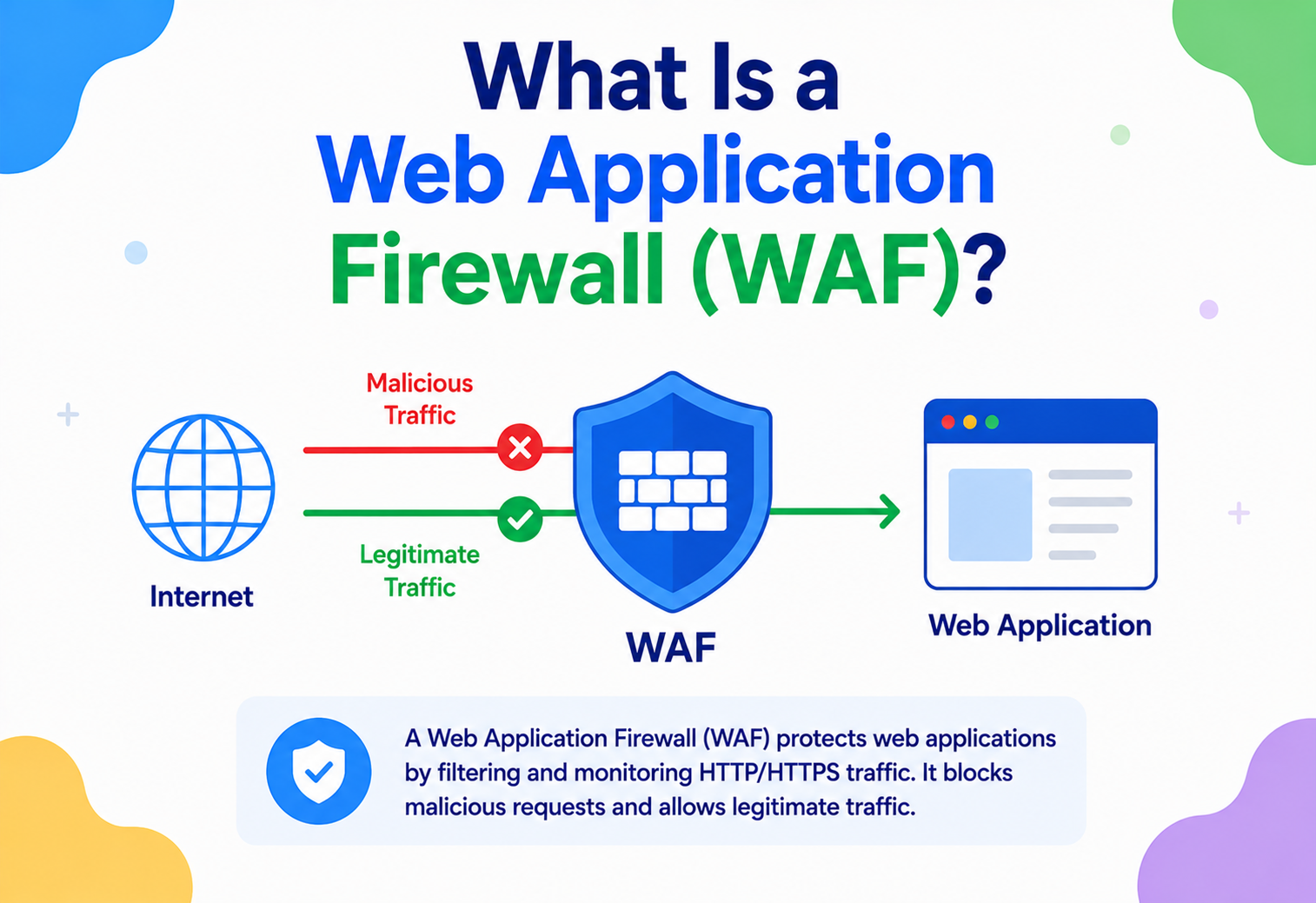
What Is a Web Application Firewall (WAF)?
A ground-up, beginner-friendly deep dive into how WAFs work internally, why they exist, how they’re architected at companies like Netflix and Amazon, and how to run one reliably in production.
What Is a Web Application Firewall?
A smart security guard standing at your application’s front door — not just checking who’s allowed on the street, but reading the actual letter they’re handing you and only letting it through if it’s clean.
Imagine your web application is a house, and the internet is a busy street outside. Most people walking by just want to visit — customers browsing your online store, users logging into their accounts, search engines indexing your pages. But some people walking down that street are trying to pick your lock, sneak through a window, or slip a fake package through your mail slot that explodes once you open it.
A Web Application Firewall (WAF) is like a smart security guard standing at your front door. It doesn’t just check if someone is allowed on the street (that’s what a traditional network firewall does) — it actually reads the letter they’re handing you, checks if it’s forged, checks if it contains anything dangerous, and only then lets it through to you. In technical terms, a WAF is a security control that monitors, filters, and blocks HTTP/HTTPS traffic to and from a web application, based on a set of rules that identify malicious patterns.
Networks are often described using the OSI model, a 7-layer stack describing how data moves from a wire to an application. Layer 3/4 firewalls look at IP addresses and ports — like checking if a car is allowed on the road. A WAF operates at Layer 7, the application layer — it reads the actual HTTP request, the way a guard reads the letter itself rather than just checking the mail truck’s license plate.
The idea of protecting applications specifically — rather than just networks — emerged in the late 1990s as the web shifted from static HTML pages to dynamic, database-backed applications. Suddenly, attackers realized that a form field on a website could be used to talk directly to a database, or that a comment box could be used to plant malicious script that runs in another user’s browser. Traditional firewalls, designed to block or allow traffic based on IP address and port number, had no idea what SQL injection or cross-site scripting even were — to them, it was all just “port 80 traffic, allowed.”
The first dedicated products calling themselves application firewalls appeared around the late 1990s/early 2000s (companies like Perfect Firewall/AppShield, and later NetContinuum, Imperva, and F5 entered the space). In 2002, the Open Web Application Security Project (OWASP) began cataloguing common web vulnerabilities, eventually publishing the OWASP Top 10 — a now-famous list of the most critical web application security risks. This list became the backbone of most WAF rule sets. In 2006, the PCI Security Standards Council began requiring that companies handling credit card data either deploy a WAF or perform rigorous manual code security reviews — this regulatory push turned WAFs from a niche product into a mainstream necessity.
Late 1990s — Dynamic Web Apps Emerge
Web apps start talking to databases directly through user input, opening new attack surfaces network firewalls can’t see.
2002 — OWASP Founded
A nonprofit community begins cataloguing and standardizing knowledge about web application vulnerabilities.
2004 — ModSecurity Released
The first widely-used open-source WAF engine, embeddable into Apache, made WAF technology accessible to everyone.
2006 — PCI-DSS Requires WAFs
Payment card industry standards make WAFs (or equivalent code review) mandatory for many businesses.
2010s — Cloud & CDN-based WAFs
Cloudflare, AWS WAF, Akamai and others make WAF protection a checkbox feature rather than a hardware appliance.
2020s — ML-driven & API-aware WAFs
Modern WAFs increasingly use behavioral analysis and machine learning to catch attacks that don’t match any known signature.
Why a WAF Has to Exist at All
Because every user input on the web is a place an attacker can send something the application didn’t expect — and network firewalls can’t see what’s inside the envelope.
To understand why WAFs exist, it helps to understand what they’re defending against. Web applications accept input from users constantly — a username, a search query, a file upload, a URL parameter. Every one of these is an opportunity for an attacker to send something the application didn’t expect.
Consider a simple login form. Behind the scenes, the application might build a database query like this:
SELECT * FROM users WHERE username = 'INPUT' AND password = 'INPUT'
If the application blindly inserts whatever the user typed into that query, an attacker can type something like ' OR '1'='1 into the username field. The query becomes a statement that’s always true, and the attacker logs in without knowing any password at all. This is SQL Injection — one of the oldest and still most damaging web attacks.
Other common attacks a WAF is built to catch include:
Cross-Site Scripting
An attacker plants a malicious script inside a comment or profile field. When another user views that page, the script runs in their browser, potentially stealing their session or login cookie.
SQL Injection
Malicious database commands are smuggled through input fields, tricking the application into revealing, modifying, or deleting data it shouldn’t.
Remote Code Execution
An attacker exploits a bug so the application runs commands of the attacker’s choosing directly on the server.
Cross-Site Request Forgery
A malicious webpage tricks a logged-in user’s browser into performing an action (like transferring money) without their knowledge.
DDoS & Floods
An attacker (or a botnet) sends an overwhelming number of legitimate-looking requests to exhaust server resources.
Bot & Credential Stuffing
Automated scripts try millions of stolen username/password combos, or scrape pricing data, or buy up all the concert tickets.
A traditional firewall happily allows all of the above through, because each of these attacks arrives as perfectly normal-looking traffic on port 443 (HTTPS). The malicious part is hidden inside the encrypted, application-layer content — invisible to anything that isn’t inspecting the actual HTTP request.
The motivation for a WAF, then, is simple: applications have bugs, and patching every bug the moment it’s discovered is unrealistic, especially for large organizations with hundreds of services built by different teams over many years. A WAF acts as a compensating control — a fast, centrally-managed shield that can block a known attack pattern immediately, even while the actual application code is still being fixed. This is often called virtual patching.
The Vocabulary of a WAF
Before going deeper, let’s build a vocabulary of the core ideas that make a WAF work.
Rules and Rule Sets
A rule is a condition the WAF checks on every request — for example, “does any parameter contain the text UNION SELECT?” A rule set is a collection of rules bundled together, often to address a category of threats. The most famous is the OWASP Core Rule Set (CRS), a free, community-maintained set of rules covering SQL injection, XSS, local file inclusion, and dozens of other attack types.
Detection Models
Signature-Based (Negative Security Model)
The WAF has a list of known bad patterns (signatures) — like a list of “wanted criminals.” Anything matching a known attack pattern is blocked; everything else is allowed. Fast and easy to understand, but blind to brand-new (zero-day) attack patterns.
Positive Security Model (Allow-listing)
Instead of blocking known-bad patterns, the WAF only allows traffic that matches a known-good pattern (expected fields, expected data types, expected lengths). Much stronger, but requires detailed knowledge of exactly how the application is supposed to behave — harder to build and maintain.
Most production WAFs use a hybrid: negative-security signature rules for broad, well-known attacks, layered with some positive-security constraints (like “this field must be a number”) for critical endpoints, plus increasingly, anomaly scoring and machine learning to flag behavior that simply looks “weird” compared to a learned baseline.
Anomaly Scoring
Rather than an instant block-or-allow decision on a single rule match, many WAFs (including ModSecurity with the OWASP CRS) use a scoring system. Each matched rule adds points to a request’s “danger score.” Only when the cumulative score crosses a threshold does the WAF actually block the request. This reduces false positives, since one slightly unusual character in a request isn’t automatically fatal — it takes a pattern of suspicious signals together.
Modes of Operation
| Mode | Behavior | When It’s Used |
|---|---|---|
| Detection / Monitor | Logs suspicious requests but does not block them | Tuning a new WAF before enforcing it, to avoid breaking real traffic |
| Blocking / Prevention | Actively rejects requests that violate rules | Normal production operation once rules are tuned |
| Challenge | Presents a CAPTCHA or JS challenge instead of an outright block | Bot mitigation, suspicious-but-not-certain traffic |
Paranoia Levels
The OWASP Core Rule Set introduces a helpful concept called paranoia levels (PL1 through PL4), which let an operator dial the aggressiveness of detection up or down. At PL1, only the most confident, low-false-positive rules are active — good for a first deployment. At PL4, extremely strict rules activate, catching subtler attack variants but also flagging far more legitimate-but-unusual traffic as suspicious. This tunable knob acknowledges an unavoidable trade-off: the stricter you make detection, the more manual tuning and exception-writing you’ll need to do to avoid breaking real functionality. Most production sites settle somewhere around PL1 or PL2 for general traffic, reserving higher paranoia levels for especially sensitive routes like login and payment forms.
Rule Exceptions and Tuning
No rule set works perfectly out of the box for every application. Real-world WAF operation always involves writing exceptions — narrow carve-outs that say, in effect, “this specific rule should not apply to this specific parameter on this specific endpoint.” For example, a content management system’s “article body” field legitimately needs to accept HTML tags, which would otherwise trigger XSS-detection rules meant for ordinary comment fields. A well-tuned WAF configuration is therefore rarely just “turn on the OWASP CRS” — it’s the CRS plus a curated, application-specific set of exceptions built up over time through the tuning process described later in this guide.
Architecture & Components of a WAF
A WAF isn’t a single black box — it’s a pipeline of components working together. Let’s break down what a typical WAF architecture looks like.
Let’s walk through each piece:
- TLS Termination: Since most web traffic today is encrypted (HTTPS), the WAF (or the load balancer in front of it) must decrypt the traffic before it can be inspected. This is why a WAF typically holds the site’s TLS certificate, or sits behind a component that does.
- Request Parser: Converts the raw bytes of an HTTP request into a structured object — separating the URL, query string parameters, headers, cookies, and body (which itself might be form data, JSON, or a file upload) so rules can inspect each part individually.
- Rule Engine: The heart of the WAF. It runs each parsed piece of the request against every active rule. Open-source engines like ModSecurity and Coraza compile rules (often written in a domain-specific language called SecRule syntax) into an efficient matching pipeline.
- Decision Engine: Aggregates rule matches into a final verdict — allow, block, log, or challenge — often using the anomaly scoring approach described earlier.
- Logging & Telemetry: Every decision (and ideally every request) is logged for later analysis, alerting, and forensics.
Deployment Topologies
Network-based (Appliance)
A dedicated hardware or virtual appliance sits inline in the data center. Low latency, but expensive and harder to scale elastically.
Host-based
The WAF runs as a module inside the web server itself (e.g., ModSecurity as an Apache/Nginx module). Cheap and flexible, but consumes the app server’s own CPU.
Cloud / CDN-based
The WAF runs at edge points-of-presence operated by a provider (Cloudflare, AWS WAF, Akamai). Traffic is inspected before it even reaches your infrastructure — the dominant model today.
Sidecar / Service Mesh
In Kubernetes environments, a WAF can run as a sidecar proxy (e.g., via Envoy + Coraza) next to each microservice, enforcing rules per-service.
How a Request Actually Gets Inspected
Zooming into the rule engine, where the real “magic” happens: pattern matching against transformed variables, step by step.
Let’s zoom into the rule engine, since this is where the real “magic” happens. Most rule engines work using a technique called pattern matching against transformed variables.
Step 1 — Variable Extraction
The engine pulls out specific “variables” from the request: the URI, each query string argument, each POST body field, each cookie, each header. For example, if a request is:
POST /search?q=hello HTTP/1.1
Host: example.com
Cookie: session=abc123

category=books
…the engine identifies variables like ARGS:q = "hello", ARGS:category = "books", REQUEST_COOKIES:session = "abc123", and so on.
Step 2 — Transformation
Attackers often try to disguise malicious input using encoding tricks — URL-encoding, double-encoding, mixed case, comment insertion (SQL allows /**/ as whitespace, for instance). Before matching, the WAF normalizes the input: it URL-decodes it, lowercases it, removes comments, collapses whitespace, and so on. This step is critical — without it, an attacker could write UnIoN/**/SeLeCt and slip past a naive case-sensitive rule looking only for UNION SELECT.
Step 3 — Operator Matching
The transformed value is tested against an operator — usually a regular expression, but sometimes a simpler string match, a numeric range check, or a call to a specialized detector (like a libinjection call that parses the string as if it were SQL and checks if it’s syntactically an injection attempt, rather than just pattern matching).
Here’s a simplified example of what a real OWASP CRS-style rule looks like (in ModSecurity’s SecRule syntax):
SecRule ARGS "@rx (?i:unions+select)"
    "id:942100,
    phase:2,
    deny,
    msg:'SQL Injection Attack: Union Select Detected',
    severity:'CRITICAL'"
Breaking this down in plain English: “Look at every argument (ARGS). Run a regular expression (@rx) that looks for the phrase ‘union select’ case-insensitively. If it’s found, during processing phase 2 (after headers, once the body is available), deny the request, log the message, and mark it as a critical severity finding.”
If you’ve written a Java Filter or Spring HandlerInterceptor, a WAF rule engine is conceptually the same idea scaled up to thousands of rules, run automatically before your controller code ever executes. Here’s a tiny illustrative (not production-grade) example of the same union-select rule implemented as a raw Java servlet filter:
import java.util.regex.Pattern;
import jakarta.servlet.*;
import jakarta.servlet.http.*;
import java.io.IOException;

public class SimpleWafFilter implements Filter {

    // A tiny, illustrative signature - real WAFs use hundreds of these
    private static final Pattern SQLI_PATTERN =
        Pattern.compile("(?i)union\s+select|or\s+1=1|--\s*$");

    @Override
    public void doFilter(ServletRequest req, ServletResponse res, FilterChain chain)
            throws IOException, ServletException {

        HttpServletRequest httpReq = (HttpServletRequest) req;
        HttpServletResponse httpRes = (HttpServletResponse) res;

        // Inspect every query parameter (a real WAF also checks body, headers, cookies)
        var paramNames = httpReq.getParameterNames();
        while (paramNames.hasMoreElements()) {
            String name = paramNames.nextElement();
            String value = httpReq.getParameter(name);

            if (value != null && SQLI_PATTERN.matcher(value).find()) {
                httpRes.setStatus(403); // Forbidden
                httpRes.getWriter().write("Request blocked by WAF: suspicious pattern detected");
                return; // stop the chain - the request never reaches the app controller
            }
        }

        chain.doFilter(req, res); // clean request - let it continue to the real application
    }
}
Step 4 — Scoring & Decision
If using anomaly scoring, each matched rule contributes a weight (e.g., “critical” rules might add 5 points, “warning” rules add 3). At the end of processing, if the total score exceeds a configured threshold (say, 5), the request is blocked. Otherwise it’s passed through, possibly with a log entry noting the near-miss.
Step 5 — Response Inspection (optional)
Some WAFs also inspect outgoing responses — for example, to prevent sensitive data like credit card numbers or stack traces from accidentally leaking out, or to strip identifying server version headers.
Why Normalization Is So Hard to Get Right
The normalization step deserves extra attention, because it’s the single most common place where WAFs get bypassed. Consider a few of the tricks attackers use to sneak a SQL injection past a naive filter:
| Technique | Example | Why It Works Against Weak Filters |
|---|---|---|
| URL Encoding | %55NION%20SELECT | If the filter checks the raw string before decoding, it never sees the literal word “UNION.” |
| Double Encoding | %2555NION | Decoding only once still leaves an encoded character, defeating filters that decode exactly one pass. |
| Inline Comments | UNI/**/ON SEL/**/ECT | Databases treat /**/ as whitespace, so the query still works, but a filter looking for the literal substring “UNION SELECT” doesn’t match. |
| Case Variation | uNiOn SeLeCt | Case-sensitive filters miss it outright; this is why real rules always match case-insensitively. |
| Alternate Whitespace | Tabs, newlines, or form feeds instead of spaces | A regex looking only for a literal space character between keywords misses these variants. |
This is exactly why mature rule engines run several transformation passes — often called a transformation chain — before matching: URL-decode, then HTML-entity-decode, then lowercase, then remove comments, then collapse whitespace, and only then apply the regex. Skipping any one of these steps reopens a bypass path. It’s also why specialized libraries like libinjection exist — instead of matching text patterns at all, libinjection actually tokenizes the input the way a real SQL parser would, and checks whether the resulting token sequence looks like a syntactically valid (and suspicious) SQL fragment. This catches many obfuscation tricks that pure regex matching would miss, because it reasons about structure rather than literal text.
A Slightly Deeper Java Example: Scoring Instead of Single-Rule Blocking
Real WAFs rarely block on a single rule match — they accumulate an anomaly score across many rules and only act once a threshold is crossed. Here’s an expanded version of the earlier filter that illustrates that idea (still simplified, for teaching purposes only — never use this as an actual production WAF):
import java.util.*;
import java.util.regex.Pattern;

public class ScoringWafEngine {

    // Each rule carries a pattern and a "danger weight"
    record WafRule(String id, Pattern pattern, int weight, String description) {}

    private final List<WafRule> rules = List.of(
        new WafRule("942100", Pattern.compile("(?i)union\s+select"), 5, "SQL Injection - UNION SELECT"),
        new WafRule("942190", Pattern.compile("(?i)\bor\s+1=1\b"), 5, "SQL Injection - tautology"),
        new WafRule("941100", Pattern.compile("(?i)<script"),        4, "XSS - script tag"),
        new WafRule("930100", Pattern.compile("\.\./"),             3, "Path traversal attempt")
    );

    private static final int BLOCK_THRESHOLD = 5;

    public WafDecision evaluate(Map<String, String> requestParams) {
        int score = 0;
        List<String> matchedRuleIds = new ArrayList<>();

        for (String value : requestParams.values()) {
            if (value == null) continue;
            String normalized = normalize(value);

            for (WafRule rule : rules) {
                if (rule.pattern().matcher(normalized).find()) {
                    score += rule.weight();
                    matchedRuleIds.add(rule.id());
                }
            }
        }

        boolean blocked = score >= BLOCK_THRESHOLD;
        return new WafDecision(blocked, score, matchedRuleIds);
    }

    // A minimal normalization pass: decode, lowercase, strip SQL-style comments
    private String normalize(String input) {
        String decoded    = java.net.URLDecoder.decode(input, java.nio.charset.StandardCharsets.UTF_8);
        String noComments = decoded.replaceAll("/\*.*?\*/", " ");
        return noComments.toLowerCase();
    }

    public record WafDecision(boolean blocked, int score, List<String> matchedRuleIds) {}
}
Notice how this mirrors exactly the pipeline described above: normalize each value, run it through every rule, accumulate a weighted score, and only cross into a “blocked” verdict once the cumulative signal is strong enough. This scoring approach is what lets a real WAF tolerate one mildly unusual character (like an apostrophe in someone’s legitimately hyphenated last name) without instantly rejecting it, while still catching a genuine, multi-signal attack payload.
Data Flow & Request Lifecycle
Putting it all together, here is the full lifecycle of a single HTTP request passing through a WAF-protected system.
DNS Resolution
The client resolves the domain to the WAF/CDN’s edge IP address rather than the origin server’s real IP — this is why attackers often can’t even find your real server to attack directly.
TLS Handshake & Decryption
The WAF terminates TLS, decrypting the request so its contents become readable.
Parsing & Normalization
The request is broken into components and normalized (decoded, case-folded) to defeat obfuscation tricks.
Rule Evaluation
Every applicable rule runs against the relevant parts of the request in a defined order (phases): request headers, request body, then later response headers and response body.
Decision
Based on anomaly score or a hard rule match, the WAF allows, blocks, redirects to a challenge page, or rate-limits the request.
Forwarding
If allowed, the request (often re-encrypted) is forwarded to the load balancer and then the origin application servers.
Response Path
The application’s response travels back through the WAF, which may inspect it too, before it’s re-encrypted and sent to the client.
Logging
Regardless of the outcome, structured logs are emitted for observability, alerting, and compliance audits.
This entire round trip typically adds only a few milliseconds of latency when the WAF is well-architected — a small price for the protection it provides, though it’s a real engineering trade-off discussed further in the Performance section.
Advantages, Disadvantages & Trade-offs
A WAF is powerful, but not magic. Naming its limits honestly is what keeps it useful.
Advantages
- Blocks known attack patterns instantly, without waiting for a code fix (virtual patching).
- Centralizes security policy across many applications and teams.
- Provides visibility into attack attempts via logs and dashboards.
- Helps meet compliance requirements (PCI-DSS, HIPAA, SOC 2).
- Can absorb Layer 7 DDoS and bot traffic before it reaches your servers.
Disadvantages & Trade-offs
- False positives can block legitimate users or break functionality.
- Adds a small amount of latency to every request.
- Not a substitute for fixing insecure code — it’s a compensating control, not a cure.
- Can be bypassed by sufficiently novel or obfuscated attacks (zero-days).
- Requires ongoing tuning; a “set and forget” WAF often drifts out of sync with the app.
Performance & Scalability
Because a WAF sits in the critical path of every single request, its performance characteristics matter enormously. A poorly tuned WAF can become the bottleneck of an otherwise fast application.
Key performance considerations:
- Regular expression complexity: Poorly written regexes can suffer from “catastrophic backtracking,” where a crafted input causes matching time to explode exponentially — this is itself a denial-of-service vector against the WAF. Rule authors optimize regexes and often compile them into more efficient matching structures (like Aho-Corasick automatons for multi-pattern string search).
- Phased processing: Rules run in phases (headers, then body) so cheap checks happen before expensive ones, and processing can short-circuit early once a request is already going to be blocked.
- Horizontal scaling: Cloud/CDN-based WAFs scale by running at hundreds of globally distributed edge locations, so no single node becomes a bottleneck — this is why services like Cloudflare and Akamai can absorb massive traffic spikes.
- Caching: Rule compilation results and reputation/IP-blocklist lookups are cached aggressively, since re-parsing every rule on every request would be wasteful.
Think of a single security guard checking every bag by hand versus an airport with dozens of parallel security lanes, each with an X-ray machine. Cloud WAFs scale the same way — many parallel “lanes” (edge nodes) each running the same rule set, so throughput scales roughly linearly with the number of nodes.
Algorithmic Details Worth Understanding
Under the hood, several classic computer-science ideas show up in how rule engines are optimized:
- Multi-pattern string matching (Aho-Corasick): Instead of running hundreds of separate string searches against the same input (one per keyword like “union”, “select”, “script”, “eval”), engines often build a single automaton that scans the input once and detects all matching keywords simultaneously, in linear time relative to input length. This turns what would be O(rules × input length) into something closer to O(input length), a huge win when there are thousands of active signatures.
- Regex compilation caching: Compiling a regular expression into an executable matching structure is relatively expensive. Rule engines compile each rule’s regex exactly once at startup (or when rules are reloaded) and reuse the compiled form for every subsequent request, rather than recompiling per-request.
- Bounded backtracking / RE2-style engines: Traditional backtracking regex engines (like those in PCRE, or Java’s default regex engine) can, on certain crafted inputs, take exponential time to fail a match — this is called “catastrophic backtracking” and is itself a denial-of-service vector against the WAF. Some WAF engines instead use automaton-based regex engines (such as Google’s RE2) that guarantee linear-time matching regardless of input, trading a small amount of regex expressiveness (no backreferences) for a hard performance guarantee.
- Phase ordering and short-circuiting: Rules are grouped into phases (e.g., request headers, request body, response headers, response body) and, within a phase, ordered so cheap checks (like a simple string length check) run before expensive ones (like a complex regex). Once a request is definitively going to be blocked, remaining rule evaluation for that request can be skipped entirely.
At true internet scale (millions of requests per second across a global CDN), even microsecond-level inefficiencies in the rule engine compound into meaningful infrastructure cost and latency — which is why companies operating at that scale invest heavily in custom, highly optimized matching engines rather than using off-the-shelf interpreters unmodified.
High Availability & Reliability
A WAF sits directly in the request path — if it goes down, your entire application can become unreachable. This makes reliability engineering for a WAF just as important as for the application it protects.
- Fail-open vs. fail-closed: If the WAF engine crashes or a rule causes an unexpected error, should traffic be blocked entirely (fail-closed, safer but risks an outage) or passed through uninspected (fail-open, keeps the site up but temporarily removes protection)? Most production deployments choose fail-open for availability, paired with strong alerting so engineers can react quickly.
- Active-active clusters: Multiple WAF instances run simultaneously behind a load balancer, so the failure of one node doesn’t interrupt traffic.
- Health checks & circuit breakers: Upstream load balancers continuously probe WAF node health and route around unhealthy nodes automatically.
- Configuration rollout safety: Rule changes are risky — a bad regex pushed globally can accidentally block all traffic. Mature WAF operations use canary rollouts (deploy the new rule set to a small percentage of traffic or nodes first) and instant rollback mechanisms.
Securing the WAF Itself
It might sound strange, but the WAF itself needs to be secured — it’s a high-value target, since compromising it gives an attacker a front-row seat to (or control over) all traffic to your application.
- TLS certificate protection: Since the WAF often holds private keys to decrypt traffic, those keys must be tightly access-controlled and ideally stored in a hardware security module (HSM) or managed KMS.
- Management plane hardening: The dashboard or API used to configure WAF rules should require strong authentication (MFA) — an attacker who can disable a rule is as dangerous as one who can exploit the underlying bug.
- Rule bypass protection: WAFs are frequently tested for bypass techniques — encoding tricks, HTTP parameter pollution, chunked transfer encoding abuse. Keeping rule sets (like OWASP CRS) updated matters as much as having a WAF at all.
- Defense in depth: A WAF should never be the only layer of defense. It complements secure coding practices, input validation in the application itself, least-privilege database accounts, and regular penetration testing — not replace them.
Treating the WAF as a silver bullet and skipping secure code reviews. Attackers routinely find application-specific logic flaws (like broken authorization checks) that no generic WAF rule set will ever catch, because they don’t match any known “attack signature” — they look like completely normal requests.
Monitoring, Logging & Metrics
Visibility is one of a WAF’s biggest practical benefits — but only if someone is actually looking at the data.
Request Logs
Every allowed/blocked request, ideally with the matched rule ID, the offending payload, source IP, and geolocation.
Anomaly Score Trends
Tracking average and peak anomaly scores over time helps detect emerging attack campaigns before they succeed.
False Positive Rate
Monitoring how often legitimate traffic gets blocked is essential for tuning rule sensitivity without leaving gaps.
Top Blocked Rule IDs
Reveals which attack types are actually being attempted against your application in the real world.
Most production setups forward WAF logs into a centralized SIEM (Security Information and Event Management) platform — such as Splunk, the Elastic Stack, or a cloud-native equivalent like AWS Security Hub — where they’re correlated with other signals (application logs, authentication logs) to detect multi-stage attacks. Alerting thresholds (e.g., “more than 1,000 blocked requests from one IP in 5 minutes”) trigger automated responses like temporary IP bans.
What a Good WAF Dashboard Actually Shows
A well-designed operations dashboard typically surfaces a handful of key views, each answering a different question a security or platform engineer needs to answer quickly during an incident:
- “Is something attacking us right now?” — a real-time graph of blocked requests per minute, with a sudden spike immediately visible against the historical baseline.
- “Is the WAF hurting real users?” — a false-positive-suspect feed, often built by sampling blocked requests from authenticated, previously-trusted users or IPs with a long history of legitimate activity.
- “Where is the attack coming from?” — geographic and ASN (network provider) breakdowns of blocked traffic, useful for distinguishing a targeted attack from broad opportunistic scanning.
- “What are they trying?” — a ranked list of the most frequently triggered rule IDs, which often reveals whether attackers are running an automated vulnerability scanner (lots of different rule types firing) versus a targeted, specific exploit attempt (one very specific rule firing repeatedly).
Beyond dashboards, mature teams also set up automated alerting integrated with on-call rotation tools (like PagerDuty or Opsgenie), so a sudden anomaly-score spike or a surge in blocked traffic from a single source pages a human being rather than silently accumulating in a log nobody reads until after the fact.
Deployment & Cloud Integration
Nearly every major cloud and CDN provider offers a managed WAF today, which has made deployment far simpler than the appliance-heavy era of the 2000s.
| Provider | Product | Notes |
|---|---|---|
| AWS | AWS WAF | Integrates with CloudFront, API Gateway, and Application Load Balancer; rules defined as Web ACLs. |
| Cloudflare | Cloudflare WAF | Runs at the edge across a global CDN network; includes managed rule sets and bot management. |
| Azure | Azure WAF (on Front Door / App Gateway) | Ships with OWASP CRS-based managed rules. |
| Open-source | ModSecurity, Coraza | Self-hosted, embeddable into Nginx/Apache/Envoy; full control, more operational overhead. |
In containerized and Kubernetes environments, WAF logic is increasingly deployed as part of the ingress layer — for example, an Nginx Ingress Controller with the ModSecurity module enabled, or as an Envoy filter using Coraza in a service mesh like Istio. This lets teams apply WAF policy per-service rather than only at the perimeter.
Modern teams define WAF rules declaratively (e.g., Terraform for an AWS WAF Web ACL) so changes go through the same code review and CI/CD pipeline as application code — avoiding the old problem of undocumented, manually-configured “shadow” security rules that nobody remembers the reason for.
Choosing between a fully-managed cloud WAF and a self-hosted open-source option usually comes down to a trade-off between operational simplicity and control. A managed cloud WAF requires almost no infrastructure of your own — you point DNS at the provider, define rules through a web console or API, and the provider handles scaling, patching, and global distribution. A self-hosted engine like ModSecurity or Coraza gives you full visibility into exactly how every rule is evaluated and lets you run it entirely within your own network boundary (useful for regulated industries with strict data-residency requirements), but you take on the responsibility of scaling it, keeping it patched, and tuning its performance yourself.
Data, Caching & Load Balancing Interplay
A WAF doesn’t operate in isolation — it typically sits alongside a load balancer, a CDN cache layer, and threat-intelligence data sources.
- IP reputation databases: WAFs often query (or locally cache) constantly-updated lists of known malicious IPs, Tor exit nodes, and data-center ranges commonly used by bots, to quickly reject traffic without running the full rule set.
- Rate-limiting state: To detect brute-force login attempts or API abuse, a WAF needs to track request counts per IP or per user across a rolling time window — this state is often stored in a fast in-memory store like Redis, shared across all WAF nodes so limits apply consistently cluster-wide.
- CDN cache interaction: When a WAF is bundled with a CDN, cached static content (images, JS bundles) may bypass full rule inspection for performance, while dynamic requests are always fully inspected — a deliberate trade-off between speed and thoroughness.
- Load balancer placement: The WAF is typically placed before the load balancer (inspecting traffic before it’s distributed to app servers) so that malicious traffic never even reaches your compute capacity, protecting both security and availability simultaneously.
APIs, Microservices & Modern Architectures
As applications shift from monoliths to APIs and microservices, WAFs have had to evolve too. A JSON REST API doesn’t look like a traditional HTML form submission, and a GraphQL endpoint might accept a single complex query that traditional rule matching struggles to parse meaningfully.
API-Aware WAF Features
- Native JSON/GraphQL body parsing, not just form-encoded data.
- OpenAPI/Swagger schema validation — rejecting requests that don’t match the documented API contract (a strong positive-security model).
- Per-endpoint rate limiting, since different API routes have very different normal traffic patterns.
Microservices Challenges
- East-west (service-to-service) traffic often bypasses the perimeter WAF entirely, requiring a service-mesh-level WAF for internal defense-in-depth.
- Many small services mean many different rule tuning needs — a one-size-fits-all rule set can create excessive false positives.
- mTLS between services can complicate where and how traffic is decrypted for inspection.
This has given rise to the broader category of WAAP — Web Application and API Protection — which bundles traditional WAF rules with dedicated API schema validation and bot management into a single product line.
Design Patterns & Anti-Patterns
Some shapes of WAF programs succeed reliably; a matching set of shapes fail just as reliably.
Defense in Depth
Layer the WAF alongside secure coding, input validation, and least-privilege access — never rely on it as the only control.
Canary Rule Rollout
Deploy new or changed rules in detection-only mode first, monitor for false positives, then switch to blocking mode.
Virtual Patching
Use a targeted WAF rule as an immediate stopgap for a newly discovered vulnerability while the real code fix is developed and tested.
Set-and-Forget
Deploying a WAF once and never revisiting rules as the application evolves — leads to rule drift, blind spots, and frustrated developers who don’t know why “the firewall broke my feature.”
WAF as Sole Security Control
Assuming a WAF eliminates the need for secure development practices — a classic and dangerous anti-pattern.
Overly Broad Blocking
Blocking entire IP ranges or countries instead of targeting actual malicious behavior — often causes more collateral damage to legitimate users than it prevents attacks.
Best Practices & Common Mistakes
A distilled checklist of what mature WAF programs do — and the recurring mistakes that show up in almost every immature one.
- Start in monitoring mode. Always run new rules or a new WAF deployment in log-only mode first, and review a representative sample of real traffic before switching to active blocking.
- Keep rule sets updated. Attack techniques evolve constantly; an outdated OWASP CRS version misses newer bypass techniques.
- Tune per-application. A rule set that works well for a marketing site may be far too strict (or too loose) for a complex API — customize thresholds per application or route where needed.
- Automate rule deployment through CI/CD. Treat WAF configuration as code, with peer review, testing, and rollback capability.
- Combine with rate limiting and bot management. Signature matching alone won’t stop credential stuffing or scraping — you need behavioral and volumetric controls too.
- Review logs regularly, not just after an incident. Proactive log review catches reconnaissance activity (probing for vulnerabilities) before an actual breach attempt.
- Common mistake — ignoring false positives. If legitimate users are being blocked and nobody addresses it, teams often disable the WAF entirely out of frustration, throwing away its protective value.
- Common mistake — forgetting internal traffic. Perimeter-only WAF deployment leaves service-to-service traffic within your own network completely unprotected.
A Practical Rule-Tuning Workflow
Teams that run WAFs successfully at scale tend to follow a repeatable process rather than reacting ad hoc to each blocked request complaint:
Baseline in Log-Only Mode
Deploy the new or changed rule set without blocking, and let it run against real production traffic for at least a few days to a week.
Review Matches for False Positives
Pull the log of everything that would have been blocked, and manually verify: is this genuinely malicious, or is it a legitimate user whose input happened to look unusual (e.g., a name with an apostrophe, a code snippet pasted into a support form)?
Write Targeted Exceptions
Rather than disabling a whole rule, most WAF engines allow scoping an exception to a specific parameter, route, or condition — e.g., “don’t apply the script-tag rule to the ‘html_content’ field of the CMS editor endpoint.”
Switch to Blocking Gradually
Enable blocking for a small percentage of traffic or a subset of edge nodes first (a canary rollout), watching error rates and support tickets closely before rolling out globally.
Re-Baseline Periodically
As the application changes — new endpoints, new form fields, new third-party integrations — repeat the process, since a rule tuned for last year’s application shape may not fit today’s.
This disciplined loop — observe, tune, gradually enforce, and continuously revisit — is what separates a WAF that genuinely reduces risk from one that either blocks real customers or has been quietly disabled by a frustrated engineering team after one too many false positives broke a critical checkout flow.
Real-World & Industry Examples
How WAFs actually show up at large-scale platforms — and how the mandate has quietly grown well beyond blocking SQL injection.
Netflix
Netflix has published on its engineering blog about building custom edge security tooling and using WAF-like inspection at scale across its global CDN footprint to protect its APIs from abuse while serving enormous traffic volumes reliably.
Amazon
AWS offers WAF as a first-class managed product (AWS WAF), tightly integrated with CloudFront and API Gateway, reflecting how central WAF protection has become to standard cloud architecture for any customer-facing service.
Cloudflare
Cloudflare’s global network inspects a very large share of all internet traffic through its edge WAF, publishing regular reports on the attack trends (bot traffic share, top CVEs being exploited in the wild) it observes.
Banking & Fintech
Financial institutions are typically required by PCI-DSS to run a WAF in front of any application handling cardholder data, making WAF deployment a compliance necessity as much as a technical one.
Across these examples, a consistent pattern emerges: as companies scale, WAF protection moves from an afterthought bolted onto one application to a foundational, centrally-managed platform capability that every new service automatically inherits — much like logging or authentication infrastructure.
A Closer Look: How Large-Scale Platforms Think About WAFs
It’s worth digging a little deeper into the engineering mindset behind these deployments, because the reasoning generalizes well beyond any single company.
Uber and other ride-sharing/marketplace platforms face a distinctive problem: much of their “attack” traffic isn’t classic SQL injection, but automated scraping and account-takeover attempts targeting pricing APIs, promo-code endpoints, and login flows. For this class of business, a WAF’s bot-detection and rate-limiting capabilities often matter as much as its signature-based rule matching — a request can be perfectly well-formed HTTP with zero injection payloads, and still be an attack, because it’s a script hammering a promo-code endpoint thousands of times per second trying every possible code.
Google, operating at global internet scale, has published extensively on treating security as layered infrastructure — their BeyondCorp and edge-security work reflects the same underlying philosophy as a WAF: don’t trust traffic just because it made it past the network perimeter; keep inspecting it at every layer, continuously, based on behavior and context rather than a one-time gate check.
Retail and e-commerce platforms (especially during high-traffic events like Black Friday) lean heavily on WAF-integrated bot management to stop “sneaker bots” and scalper bots from buying up inventory faster than real customers can click “add to cart” — a business problem that looks nothing like a security breach in the traditional sense, but is handled by exactly the same infrastructure layer.
The common thread in all these examples is that a WAF has quietly become general-purpose edge traffic policy infrastructure — not just an anti-hacking tool, but the layer where a company enforces “who and what is allowed to talk to my application, and how much of it, and in what shape” — a much broader mandate than its original narrow purpose of blocking SQL injection and cross-site scripting.
Frequently Asked Questions
Short answers to the questions that come up in almost every real-world WAF conversation.
Is a WAF the same as a regular firewall?
No. A traditional (network) firewall filters traffic based on IP address, port, and protocol — like a bouncer checking IDs at the door but not looking inside anyone’s bag. A WAF inspects the actual content of web requests (Layer 7), catching attacks hidden inside otherwise “allowed” traffic.
Can a WAF fully replace secure coding practices?
No. A WAF is a compensating control, not a substitute for fixing vulnerabilities in the application itself. Think of it as a safety net, not a replacement for building the structure correctly in the first place.
Does a WAF slow down my website?
A well-configured WAF, especially a cloud/CDN-based one, typically adds only a few milliseconds of latency — often unnoticeable to users, and sometimes offset by other performance benefits like caching and compression bundled into the same product.
What’s the difference between a WAF and an IPS/IDS?
An Intrusion Prevention/Detection System typically operates at the network level across many types of traffic and protocols; a WAF is specialized specifically for HTTP/HTTPS web traffic and understands web application semantics like cookies, sessions, and request bodies.
Do I need a WAF if I already do code reviews and use a secure framework?
It’s still strongly recommended, especially for anything handling sensitive data. Frameworks reduce but don’t eliminate risk, dependencies can introduce vulnerabilities outside your own code, and a WAF gives you immediate protection against newly disclosed vulnerabilities while a patch is prepared.
What is virtual patching?
It’s the practice of writing a targeted WAF rule to block a specific known vulnerability as an immediate, temporary measure — buying time until developers can ship a real code fix.
Can attackers bypass a WAF entirely?
Yes, if they can discover and reach the origin server’s real IP address directly, skipping the WAF/CDN edge altogether. This is why teams that rely on a cloud WAF also configure their origin servers to reject any traffic that doesn’t come from the WAF provider’s known IP ranges — closing off this common bypass technique.
How is a WAF different from a Content Delivery Network (CDN)?
A CDN’s primary job is caching and serving content from edge locations close to users for speed; a WAF’s job is security inspection. In practice the two are frequently bundled into a single product (Cloudflare and Akamai both sell combined CDN+WAF offerings), because both benefit from sitting at the same edge locations in the request path — but conceptually they solve different problems.
Does using a WAF satisfy all compliance requirements automatically?
No. Standards like PCI-DSS list a WAF (or equivalent manual code review) as one control among many — you’ll still typically need encryption, access controls, logging, and regular vulnerability scanning to be fully compliant. A WAF checks one box in a much longer list.
Summary & Key Takeaways
If you take one idea from this guide, let it be this: a WAF is application-layer traffic policy — not a substitute for building secure applications.
A Web Application Firewall is a specialized security layer that inspects the actual content of HTTP/HTTPS traffic, rather than just its network-level metadata, to detect and block attacks like SQL injection, cross-site scripting, and malicious bot activity. It works by parsing requests, normalizing them to defeat obfuscation, matching them against rule sets like the OWASP Core Rule Set, and making a block/allow/challenge decision — often using an accumulated anomaly score rather than a single hard trigger.
Modern WAFs are deployed almost everywhere in the request path — from cloud edge networks and CDNs, to Kubernetes ingress controllers, to service meshes protecting internal microservice traffic — and have expanded beyond simple rule matching into full Web Application and API Protection (WAAP) platforms that include bot management, API schema validation, and rate limiting.
Key Takeaways
- A WAF protects the application layer (Layer 7) — it reads the content of requests, not just IP/port metadata.
- It exists to compensate for the reality that application code will always have bugs — providing immediate, centralized protection via virtual patching.
- Detection relies on signature matching, positive-security allow-listing, and anomaly scoring, often combined.
- Deployment has shifted from hardware appliances toward cloud/CDN-based and service-mesh-integrated WAFs.
- A WAF is defense in depth, not a silver bullet — it must be paired with secure coding, monitoring, and regular tuning to stay effective.
- Reliability matters: because it sits in the critical path, WAF architecture needs its own HA design, fail-open/fail-closed decisions, and safe rollout practices.

