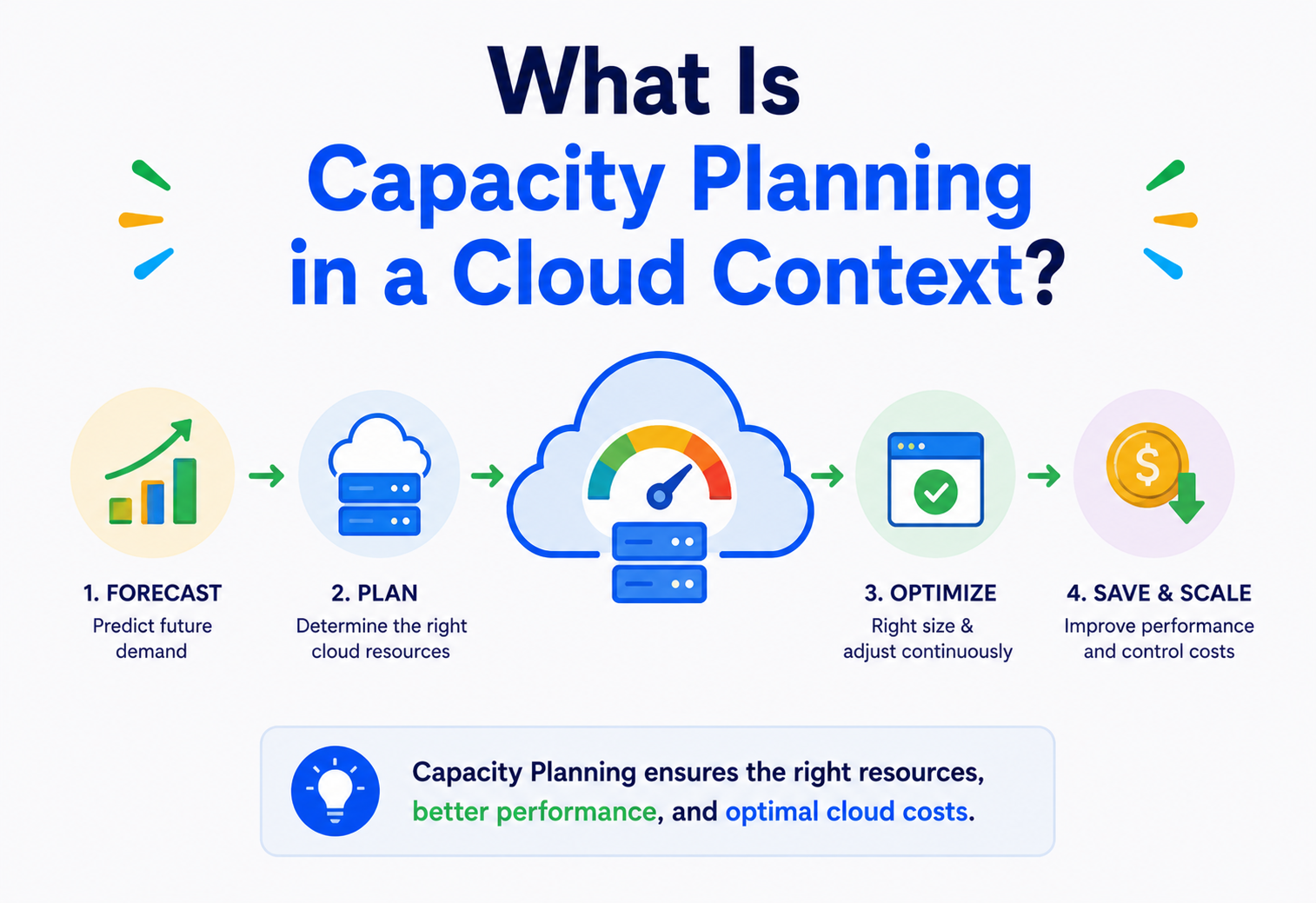
What Is Capacity Planning in a Cloud Context?
A complete, beginner‑friendly guide to predicting how much computing power, storage, and network a cloud system will need — and getting it ready before you need it, without overspending or falling over under load.
The Big Idea, in One Breath
Cloud capacity planning is the grown‑up, computer version of the pizza problem: order too little and hungry guests leave unhappy; order too much and you are stuck with cold slices and wasted money.
Imagine you are throwing a birthday party. You do not know exactly how many people will show up, but you still have to decide how much pizza to order. Order too little, and hungry guests leave unhappy. Order too much, and you are stuck with cold pizza and wasted money. Capacity planning is that same pizza problem, moved into the world of servers — figuring out ahead of time how much computing “stuff” (servers, storage, network bandwidth, database connections) a system will need to serve its users well, without spending on stuff that just sits there unused.
In a cloud context, that idea gets a specific shape. It means predicting the resources — CPU, memory, storage, network, and specialised resources like GPUs — that an application will need over time, and making sure the cloud environment is configured (either in advance or automatically) to provide exactly that amount, ideally with a small safety cushion on top.
Think of a school cafeteria planning next term’s lunches. Nobody just cooks whatever amount feels right on the day. They look at how many students are enrolled, how many usually show up for lunch, how much each student typically eats, and whether Friday pizza day always brings a bigger crowd than Tuesday’s vegetable soup. That careful, ahead‑of‑time thinking is exactly what cloud capacity planning is — just wearing a keyboard instead of an apron.
What Cloud Capacity Planning Really Means
At its heart, capacity planning tries to answer a small set of very practical questions: how many people will use this, how much information will it store, and how many requests per second must it comfortably survive?
Cloud capacity planning is the disciplined practice of predicting the resources an application will need over time, and configuring the cloud environment — ahead of time, or through automation — to provide exactly that amount. It sits at the crossroads of two things engineers often treat as opposites: making sure a system never falls over, and making sure it does not cost a fortune to run.
If someone asks “have you done capacity planning for this system?”, they are really asking: “Do you actually know how big this thing needs to be, or are you just hoping it will be fine?”
It is also worth noticing that capacity planning is both a one‑time exercise and an ongoing habit. Early on, it helps decide whether a design is even realistic. Later, once the system is alive and serving real traffic, it becomes a continuous loop of watching, measuring, and adjusting — because no popular cloud system stays the same size for long.
A Short History
Capacity planning is older than computers themselves. Understanding where it came from explains why cloud capacity planning today looks so different from what came before it.
Telephone companies in the early 1900s used a mathematical formula called the Erlang formula (named after Danish engineer Agner Krarup Erlang) to figure out how many telephone lines a city needed so calls would not get busy signals. That same “predict the load, provision for it” thinking carried straight into computing when computers arrived on the scene decades later.
1950s–1970s · The Mainframe Era
Companies bought a single giant, extremely expensive mainframe. Capacity planning meant carefully scheduling jobs so that one machine was not overwhelmed — because buying a second mainframe was not something you could do overnight.
1980s–1990s · Client‑Server & Data Centres
Companies built their own data centres. Planning meant predicting growth three to five years out, because ordering, shipping, and installing new physical servers took months.
2000s · Virtualisation
Technologies like VMware let one physical machine pretend to be many smaller “virtual machines”. This made capacity a bit more flexible, but you still owned the physical hardware underneath.
2006–Present · The Cloud Era
Amazon Web Services launched in 2006, followed shortly by Microsoft Azure and Google Cloud. Suddenly you could rent a server for an hour and give it back when you were done. This changed capacity planning from a slow, expensive, multi‑month guessing game into a fast, flexible, almost real‑time discipline.
This history matters because it explains why cloud capacity planning looks so different today. In the old world, being wrong was catastrophic and expensive — you might wait six months for new hardware to arrive. In the cloud world, being wrong is still costly, but it is recoverable in minutes. That shift is the whole reason modern cloud capacity planning exists as its own discipline, blending old‑school forecasting with new‑school automation.
Why Do We Need Planning At All?
If the cloud lets us add more servers whenever we want, why plan anything? That sounds reasonable — and then it breaks down the moment you meet reality.
You might ask: “If the cloud lets me add more servers whenever I want, why plan anything? Just add more when I need more.” That sounds reasonable, but it falls apart in practice for a few important reasons.
Adding cloud resources is not instant, and it is not free. There is a real delay between “we need more capacity” and “we have more capacity” — and every resource you provision costs money whether it is used or not.
That single tension is the reason cloud capacity planning exists as a discipline at all. Everything else in this guide — forecasts, thresholds, auto‑scaling policies, budget guardrails — is really just different ways of walking that tightrope more carefully.
The Two Failure Modes
Systems fall over in two different, opposite ways. Both are painful. Capacity planning is the practice of not stepping into either one accidentally.
Under‑provisioning
- The website slows down or crashes during traffic spikes.
- Customers abandon carts, ratings drop, and hard‑won trust erodes.
- Engineers get paged at 3 a.m. to fight fires that could have been avoided.
- Famous example: ticket sites collapsing the moment popular tickets go on sale.
Over‑provisioning
- You pay for servers that sit mostly idle, doing nothing useful.
- Wasted budget that could have funded new features or new hires.
- Studies suggest organisations waste roughly a third of cloud spend on unused capacity.
- Oversized, complex systems are also harder to secure and to maintain.
Capacity planning exists to walk the tightrope between these two failure modes — enough capacity to stay fast and reliable, but not so much that money is quietly burning for nothing. The goal is never “the most capacity possible”; it is the right capacity, sized honestly against evidence.
Why the Cloud Changes (but Doesn’t Remove) the Problem
The cloud gives you elasticity — the superpower of adding or removing resources on demand, often within seconds or minutes rather than months. Elasticity is real, and it is genuinely valuable. It just is not the same thing as “planning is no longer needed.”
Elasticity changes what you plan for, not whether you plan. Four honest reasons stand out:
- You still need a baseline. Auto‑scaling systems need to know the normal, minimum, and maximum boundaries to operate safely within.
- Scaling is not instantaneous. A new virtual machine can take anywhere from a few seconds to several minutes to boot, install its software, and start serving traffic — far too slow to react to a sudden spike if you have not planned ahead.
- Some resources scale slower than others. Databases, in particular, are much harder to scale on the fly than stateless web servers.
- Cost still matters. Elastic does not mean free. Someone still has to decide the rules that govern when and how much to scale.
The cloud is like an on‑demand catering service for your birthday party. You do not need to buy pizza three months in advance any more. But you still need to know roughly how many guests are coming, how hungry they get, and when the doorbell might ring — because even the fastest caterer needs a little notice to actually deliver.
The Building‑Block Vocabulary
Before going further, it helps to nail down the everyday words this whole topic is built from — explained the way you would explain them to a curious beginner.
The upper limit
The maximum amount of work a system can handle — like how many customers a restaurant’s kitchen can serve per hour.
What’s asked of it
The actual amount of work being requested right now — how many customers actually walked in tonight.
How full it is
The percentage of capacity currently being used. If the kitchen can make 100 meals per hour and is making 70, utilization is 70%.
The safety gap
The deliberate cushion between current usage and total capacity, kept on purpose in case of a surprise rush.
Stretchy resources
The cloud’s ability to stretch (add resources) or shrink (remove resources) automatically as demand changes.
Grows gracefully
How well a system’s performance holds up as you add more load and more resources together.
Work done per second
How much work gets done per unit of time — for example, requests handled per second.
Waiting time
How long a single request takes to get a response — the wait time a user actually feels.
The weakest link
The single weakest part of a system that limits how much the whole system can do, no matter how strong the rest is.
Two Planning Philosophies
Mature cloud teams almost never rely on a single approach. They blend two very different philosophies, each suited to a different flavour of demand.
| Approach | What it means | Best for |
|---|---|---|
| Reactive scaling | Add capacity after load starts to rise (for example, once CPU crosses 70%). | Unpredictable, spiky workloads. |
| Predictive scaling | Add capacity ahead of time based on forecasts or known schedules. | Predictable patterns — daily peaks, big sales events, weekly cycles. |
Most mature cloud systems blend both: predictive scaling handles the patterns you can see coming (like a Black Friday sale), while reactive auto‑scaling handles the surprises nobody circled on the calendar.
Think of a coffee shop. Predictive planning is hiring extra baristas for the Monday morning rush because you know it happens every week. Reactive scaling is calling in one more barista on a random Tuesday because a tour bus unexpectedly pulled up outside.
The Moving Parts of a Capacity Planning System
Cloud capacity planning is not a single tool — it is a small ecosystem of components working together. Here is how they typically fit.
Metrics Collector
Agents that continuously measure CPU, memory, disk I/O, network, and request counts across every server or container.
Time‑Series Database
Stores metrics over time (Prometheus, CloudWatch) so you can see trends, not just a single snapshot.
Forecasting Engine
Uses historical data and statistics (or machine learning) to predict future demand — hourly, daily, or seasonally.
Capacity Planner
The decision‑making layer: “if CPU is predicted to exceed 70% for 10 minutes, add 2 instances.”
Auto‑Scaler
Actually executes scaling actions — adding or removing servers, containers, or database read replicas.
Cost Guardrails
Budget limits and hard caps that stop auto‑scaling from spending without bound, even during a legitimate traffic spike.
How It Actually Decides to Scale
Let us zoom into the “brain” of the system — how a decision like “add 3 more servers” actually gets made, step by step.
Step 1 · Establish a Baseline
The system first learns what “normal” looks like by studying weeks or months of historical metrics: average CPU usage, typical request rate, daily and weekly patterns (traffic is usually lower at 3 a.m. than at 9 p.m., for example).
Step 2 · Forecast Future Demand
Using statistical methods (moving averages, seasonal decomposition) or machine‑learning models, the system projects what demand will likely look like in the next minutes, hours, or days. A classic and beautifully simple formula from queueing theory, Little’s Law, is often invoked here:
L = λ × W

L  = average number of requests in the system
λ  = average arrival rate of requests (requests/second)
W  = average time each request spends in the system
This little equation is quietly powerful: if you know how fast requests are arriving and how long each one takes, you can calculate how many “in‑flight” requests your system must be able to hold at once — a direct input into how much capacity you actually need.
Step 3 · Compare Against Thresholds
The forecast (or the real‑time metric) is compared against configured thresholds — for example, “scale out when average CPU exceeds 70% for 5 consecutive minutes” or “scale in when it drops below 30% for 15 minutes.” The asymmetry is deliberate: quick to scale out, slower to scale in. It protects users from a slow response, while avoiding “flapping” (rapidly scaling up and down over trivial fluctuations).
Step 4 · Execute and Verify
The auto‑scaler calls the cloud provider’s API to add or remove resources, then verifies the new resources are healthy (passing health checks) before routing real traffic to them.
A Minimal Java Example: Threshold‑Based Scaling
public class CapacityPlanner {

    private static final double SCALE_OUT_THRESHOLD = 0.70; // 70% CPU
    private static final double SCALE_IN_THRESHOLD  = 0.30; // 30% CPU
    private static final int MAX_INSTANCES = 20;
    private static final int MIN_INSTANCES = 2;

    public int decideInstanceCount(double avgCpuUtilization, int currentInstances) {
        if (avgCpuUtilization > SCALE_OUT_THRESHOLD && currentInstances < MAX_INSTANCES) {
            // Add capacity: this simple example adds 20% more instances, rounded up
            int newCount = (int) Math.ceil(currentInstances * 1.2);
            return Math.min(newCount, MAX_INSTANCES);
        } else if (avgCpuUtilization < SCALE_IN_THRESHOLD && currentInstances > MIN_INSTANCES) {
            // Remove capacity, but never below the safety minimum
            int newCount = currentInstances - 1;
            return Math.max(newCount, MIN_INSTANCES);
        }
        // Utilization is within the comfortable band -- do nothing
        return currentInstances;
    }
}
Real cloud auto‑scalers (like AWS Auto Scaling Groups or Kubernetes’ Horizontal Pod Autoscaler) do this same basic job, just with more sophistication — smoothing out noisy spikes, respecting cooldown periods, and considering multiple metrics at once instead of only CPU.
The Lifecycle of a Capacity Decision
A single capacity decision is not a one‑shot event. It is a loop that runs continuously, day and night, quietly reshaping the system underneath every request.
Notice that the loop never really stops — it is continuous. This is the essential shift from old‑world capacity planning (a spreadsheet reviewed once a quarter) to cloud‑native capacity planning (a live feedback loop running every minute, day and night).
Advantages, Disadvantages & Trade‑offs
Every approach in software engineering has a bill attached. Weighing the honest costs of capacity planning against its very real benefits is part of the discipline itself.
Advantages
- Prevents outages during traffic spikes.
- Reduces wasted spend on idle resources.
- Improves user experience via consistent latency.
- Enables confident business growth planning.
- Automation reduces manual, error‑prone guesswork.
Disadvantages / Costs
- Requires investment in monitoring and tooling.
- Forecasting models can be wrong, especially for new, unproven products.
- Adds architectural complexity (more moving parts to maintain).
- Poorly tuned thresholds cause “flapping” — wasteful scale up/down cycles.
- Some resources (databases in particular) cannot scale as fast as compute.
The Key Trade‑off: Cost vs. Risk
At its heart, capacity planning is a trade‑off between money spent now and risk avoided later. A useful mental model many teams use is comparing the cost of extra headroom against the cost of an outage: unlimited over‑provisioning is not a responsible answer either — it just trades an operational risk for a financial one.
How Planning Connects to Real Performance
Capacity planning does not live in a spreadsheet on its own; it is directly attached to two very real questions — how do we scale, and what actually limits us today?
Vertical vs. Horizontal Scaling
| Type | What it means | Analogy | Limitation |
|---|---|---|---|
| Vertical (scale up) | Give one server more CPU / RAM. | Hiring a stronger single worker. | Hits a hardware ceiling; usually requires downtime. |
| Horizontal (scale out) | Add more servers running in parallel. | Hiring more workers. | Requires the application to share work across machines (statelessness helps a lot). |
Understanding Bottlenecks
A system is only as fast as its slowest, most constrained component. Capacity planning must look at every layer — compute, memory, disk I/O, network bandwidth, and database connections — because adding 100 more web servers does absolutely nothing if the database behind them can only handle 500 connections at once.
Always plan capacity for your most constrained resource, not your average one. A system that is “only 40% loaded overall” can still fall over if one specific dependency (like a shared database) is already at 95%.
Load Testing: Planning’s Best Friend
You cannot reliably plan for demand you have never simulated. Load‑testing tools (JMeter, Gatling, k6, Locust) let teams throw simulated traffic at a system to find its actual breaking point before real users do, giving capacity planners real numbers instead of tidy guesses.
Planning for Failure, Not Just Growth
Capacity planning is not only about handling more users. It is also about surviving the sudden loss of capacity — a server crashing, a whole availability zone going dark, a rack losing power.
The N+1 (and Beyond) Rule
A common practice is provisioning at least one extra unit of capacity beyond what is strictly needed (N+1), so that if one instance fails, the system keeps running smoothly while it is replaced. Critical systems sometimes use N+2 or spread capacity across multiple availability zones (physically separate data centres within a region) so that a single facility failure does not take everything down at once.
Each additional “nine” of reliability generally costs significantly more in redundant capacity — which is why capacity planners work closely with reliability engineers to pick a target that matches the business’s actual needs, not an arbitrary ideal fetched from a slide deck.
Capacity Planning’s Security Angle
Capacity and security are more connected than they seem. A handful of key intersections are worth naming explicitly, because they routinely surprise teams that treat them as separate concerns.
- DDoS resilience: A Distributed Denial of Service attack is essentially an artificial, malicious demand spike. Capacity plans (and cloud‑provider DDoS‑protection services) need enough headroom or filtering capability to absorb an attack without going down.
- Cost‑based attacks: Auto‑scaling without cost guardrails can be exploited — an attacker floods a system, auto‑scaling kicks in aggressively, and the victim receives a massive cloud bill (sometimes called “denial of wallet”).
- Least‑privilege provisioning: Automated scaling tools need cloud permissions to create and destroy resources; those permissions must be tightly scoped so that a compromised scaling tool cannot be abused to spin up unauthorised (and expensive, or malicious) resources.
- Patch and maintenance capacity: Plans should reserve capacity so that servers can be patched or rotated out for security updates without dropping below the minimum safe capacity.
Setting no upper bound (no max instance count) on auto‑scaling “just to be safe” for traffic. This removes a critical safety net against both cost‑based attacks and simple configuration bugs, and turns a small mistake into a very large invoice.
You Can’t Plan What You Don’t Measure
Good capacity planning is built entirely on top of good observability. The three pillars of observability all feed into planning decisions in different, complementary ways.
The numeric layer
Numeric time‑series data: CPU %, memory %, requests/sec, queue depth, error rate. The primary fuel for forecasting.
The narrative layer
Detailed event records used to diagnose why a capacity issue happened, after metrics show that it happened.
The journey layer
End‑to‑end records of a single request’s journey across services — invaluable for finding which specific microservice is the real bottleneck.
Key Metrics Every Capacity Planner Watches
- Utilization — CPU, memory, disk, and network as a percentage of capacity.
- Saturation — queue lengths and connection‑pool exhaustion (an early warning sign that appears well before things visibly slow down).
- Errors — rising error rates often mean capacity is already insufficient somewhere in the chain.
- Latency percentiles (p50, p95, p99) — averages hide the pain; the 99th percentile shows what your unluckiest users actually experience.
Common tools include Amazon CloudWatch, Google Cloud Monitoring, Azure Monitor, and open‑source stacks such as Prometheus paired with Grafana.
How the Big Cloud Providers Support This
You almost never have to build capacity‑planning tooling from scratch in the cloud — every major provider ships opinionated pieces of it out of the box.
| Provider | Key Capacity Tools |
|---|---|
| AWS | Auto Scaling Groups, Application Auto Scaling, CloudWatch, Compute Optimizer, Savings Plans. |
| Google Cloud | Managed Instance Groups with autoscaling, Recommender, Cloud Monitoring. |
| Microsoft Azure | Virtual Machine Scale Sets, Azure Autoscale, Azure Advisor. |
| Kubernetes (any cloud) | Horizontal Pod Autoscaler (HPA), Vertical Pod Autoscaler (VPA), Cluster Autoscaler. |
Reserved, On‑Demand, and Spot Capacity
Cloud providers also let capacity planners choose how to pay for capacity, and that choice is itself a planning decision:
- On‑Demand: Pay per hour or second, with no commitment — the most flexible option, but also the most expensive per unit of compute.
- Reserved / Committed Use: Commit to one to three years of usage in exchange for a steep discount — ideal for your predictable baseline load.
- Spot / Preemptible: Buy unused cloud capacity at a deep discount, with the catch that it can be reclaimed at very short notice — great for fault‑tolerant batch jobs, risky for critical live traffic.
A mature capacity plan typically blends all three: reserved capacity for the steady baseline, on‑demand for predictable peaks, and spot for flexible, interruptible background work.
Databases, Caching & Load Balancing
Some parts of a system are much harder to scale than others. Knowing which parts, and why, is the difference between a capacity plan that works on paper and one that works on Black Friday.
Why Databases Are Different
Web servers are usually stateless — any server can handle any request, so adding more is simple. Databases hold state (the actual data), which makes scaling much trickier. Two common strategies come up again and again:
Read Replicas
Copies of the database that only handle reads, taking load off the primary — a natural fit when the app reads far more than it writes.
Sharding
Splitting data across multiple databases by some key (for example, customer region), so no single database has to hold or serve everything.
Caching: Buying Back Capacity For Free
A cache (like Redis or Memcached) stores frequently requested data in fast memory so the database does not have to redo the same expensive work repeatedly. Effective caching can dramatically shrink the raw capacity a system needs — it is often the single highest‑leverage capacity‑planning move available anywhere in the stack.
Load Balancers: Spreading the Work Evenly
A load balancer sits in front of a group of servers and distributes incoming requests across them, so no single server gets overwhelmed while others sit idle. Capacity planning must account for the load balancer itself having limits (connections per second) — it is a resource too, not an infinite pipe.
Planning Capacity in a Microservices World
In a microservices architecture, one application is broken into many small, independently deployed services that talk to each other over APIs. This shape makes capacity planning both easier and harder at the same time.
Easier
- Each service scales independently based on its own load.
- A spike in one service (say, checkout) does not force scaling everything else too.
Harder
- Dozens or hundreds of services each need their own capacity plan.
- A slow downstream service can silently starve capacity in upstream services waiting on it.
- Requires rate limiting and circuit breakers so that one overloaded service does not cascade failures across the whole system.
Like an electrical circuit breaker in your house, this pattern automatically “trips” and stops sending requests to a struggling service, giving it room to recover instead of burying it under more traffic than its current capacity can handle.
Patterns That Help, and Traps to Avoid
A handful of design patterns show up repeatedly in well‑planned systems. So do a handful of anti‑patterns — and the anti‑patterns can be surprisingly seductive under pressure.
Helpful Patterns
- Predictive + reactive hybrid scaling — use forecasts for known events, and auto‑scaling for the unknown.
- Graceful degradation — when capacity is tight, turn off non‑essential features (like personalised recommendations) to protect the core function (like checkout).
- Rate limiting — cap how many requests a single client can make, protecting shared capacity from being monopolised by one noisy caller.
- Bulkheads — isolate resource pools per service or tenant, so that one noisy consumer cannot drain capacity meant for everyone else.
Common Anti‑Patterns
- Guess‑and‑hope provisioning — picking round numbers (“let’s just get 10 servers”) with no data behind them.
- No load testing before launch — discovering your real capacity limits during a live product launch.
- Ignoring the database — scaling web servers endlessly while the database silently becomes the true bottleneck.
- Flapping thresholds — scaling triggers set too tight, causing constant, wasteful scale up/down cycles.
- Set‑and‑forget plans — capacity plans that are never revisited as the business and traffic patterns evolve.
Best Practices & How Big Companies Handle This
The best capacity planning is a series of quiet, disciplined habits — supported by concrete examples of teams already living those habits out at scale.
Doing It Well
Start with real data
Base plans on actual historical metrics and load tests, not on gut feelings or round numbers.
Plan for peak, not average
Average load looks calm; peak load is what actually breaks systems.
Set both min and max
Guard against under‑scaling and runaway over‑scaling with hard limits in both directions.
Test failure, not just growth
Regularly simulate losing a server or a whole zone to confirm your redundancy actually works.
Revisit regularly
Traffic patterns change as a business grows — review capacity plans on a recurring schedule.
Involve finance
Capacity decisions are budget decisions; keep cost owners in the loop, not just engineers.
How Big Companies Actually Handle This
- Netflix pioneered “chaos engineering” (through its Chaos Monkey tool), deliberately killing production servers to continuously prove that its capacity and redundancy plans actually hold up under real failure conditions, not just on paper.
- Amazon plans months ahead for predictable massive spikes like Prime Day and Black Friday, combining reserved baseline capacity with aggressive pre‑scaling before the event even starts, rather than relying purely on reactive auto‑scaling to save the day.
- Uber deals with extremely spiky, location‑based demand (rain, concerts, holidays) and relies heavily on real‑time, geographically‑aware forecasting to pre‑position driver‑matching capacity in specific cities and neighbourhoods.
- Google popularised Site Reliability Engineering (SRE), which formalised ideas like “error budgets” — a data‑driven way of deciding exactly how much reliability (and therefore how much redundant capacity) a service really needs, rather than chasing 100% blindly.
Frequently Asked Questions
A short round‑up of the questions that come up in almost every capacity‑planning conversation, answered as plainly as possible.
Is capacity planning the same as auto‑scaling?
No. Auto‑scaling is one tool that executes capacity decisions automatically in real time. Capacity planning is the broader discipline that includes forecasting, budgeting, setting the rules auto‑scaling follows, and preparing for things auto‑scaling alone cannot fix, like database limits.
How far ahead should I plan?
Most teams work on multiple horizons at once: minutes‑to‑hours (handled by auto‑scaling), days‑to‑weeks (handled by short‑term forecasts and known events), and months‑to‑years (handled by budget and reserved‑capacity commitments).
Do small applications need this too?
Yes, just at a smaller scale. Even a small app benefits from knowing its baseline load, setting sane auto‑scaling minimums and maximums, and load‑testing before a big launch or marketing push.
What’s the single biggest lever for saving money?
Right‑sizing (matching instance size to actual need) combined with committing to reserved capacity for your predictable baseline load — these two together typically produce the largest savings with the least risk.
Summary & Key Takeaways
If you remember nothing else from this guide, remember the seven ideas below — and the quiet habit of matching capacity to real, evidence‑based need rather than gut feel.
Remember This
- Predict, then prepare. Capacity planning is the practice of predicting and preparing the right amount of computing resources — not too little, not too much.
- Cloud changes the tools, not the need. The cloud makes capacity flexible and fast to change, but does not eliminate the need to plan — it changes the timescale and the toolbox.
- Blend predictive and reactive. Good planning blends predictive forecasting (for known patterns) with reactive auto‑scaling (for surprises).
- Plan for the hard parts first. Databases and other stateful systems are typically the hardest, slowest part of the system to scale — plan for them first, not last.
- Observability is the foundation. Monitoring and metrics are the base everything else is built on; you cannot plan what you do not measure.
- Bound both ends. Always set both a minimum (for reliability) and a maximum (for cost and security) boundary on auto‑scaling.
- It never really ends. Capacity planning is a continuous, living process — not a document you write once and forget.

