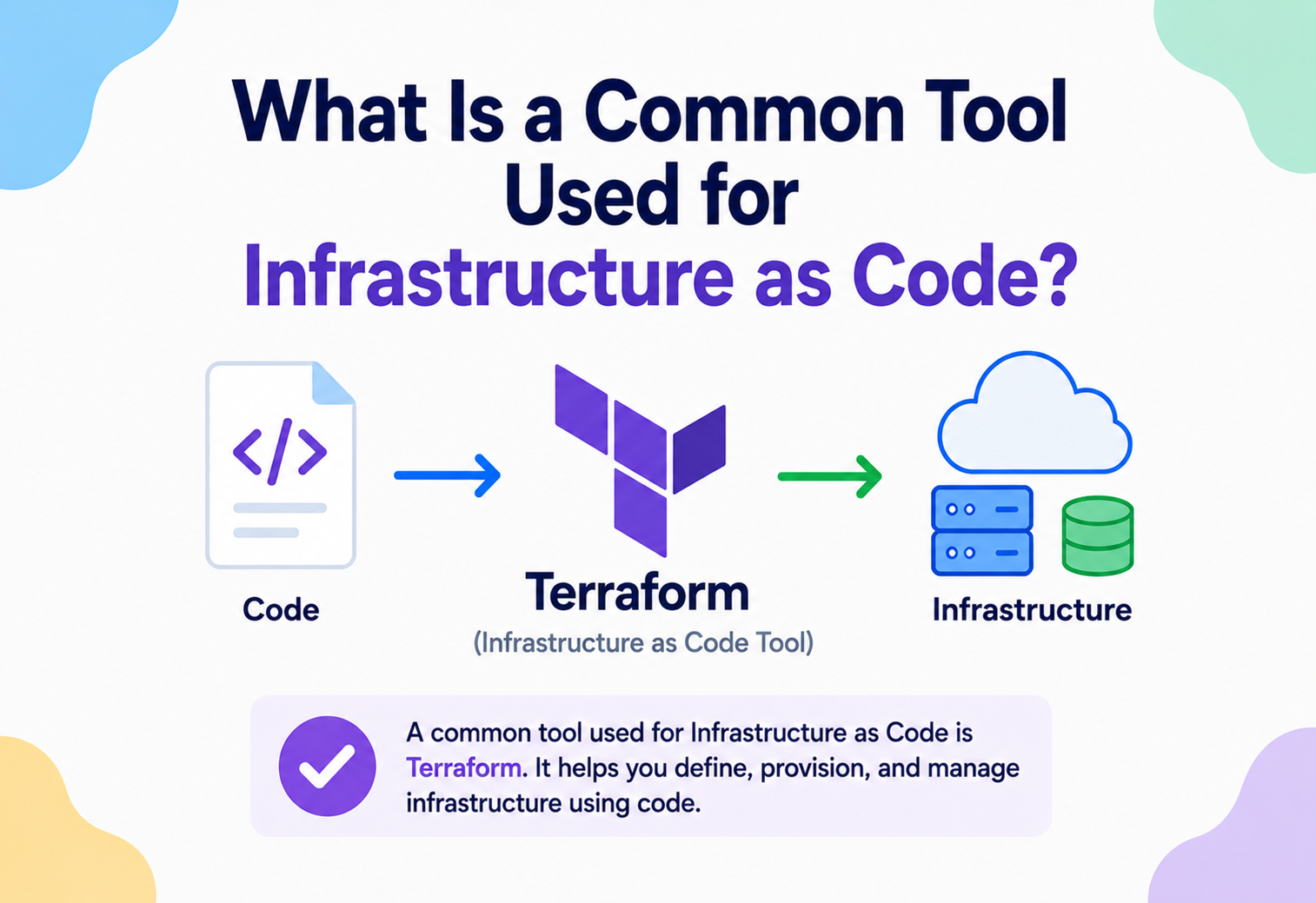
What Is A Common Tool Used For Infrastructure As Code?
From ClickOps chaos to version-controlled infrastructure — a beginner-to-production walkthrough of Infrastructure as Code and the tool most engineering teams reach for first: Terraform. With real architecture, real trade-offs, real Java-and-cloud production practice, and every mermaid diagram redrawn as inline SVG.
Ask Ten Cloud Engineers, Get One Answer: Terraform
If you ask ten cloud engineers “what is a common tool used for Infrastructure as Code?”, at least eight will say the same word: Terraform. It is not the only Infrastructure as Code (IaC) tool, but it is the closest thing the industry has to a lingua franca for describing infrastructure — servers, networks, databases, load balancers, DNS records, permissions — as plain text files instead of manual clicks in a cloud console.
Infrastructure as Code itself is the practice of managing and provisioning computing infrastructure through machine-readable definition files, rather than through interactive configuration tools or physical hardware setup. Instead of a human clicking “Create VM” in a web console forty times, an engineer writes a file that says “I want forty VMs with this exact shape,” commits that file to version control, and lets a tool reconcile the real world to match it.
Terraform was created by HashiCorp and first released in 2014. At the time, the dominant way to manage servers was a mix of hand-written shell scripts, configuration management tools like Puppet, Chef, and Ansible (which mostly configured software on top of already-existing servers), and a lot of manual console work for the actual provisioning of cloud resources themselves. HashiCorp’s insight was that cloud providers such as AWS, Azure, and Google Cloud were all exposing infrastructure operations through APIs — and that a single declarative language could describe desired infrastructure state across all of them, using a plugin model called providers to translate that generic language into provider-specific API calls.
Terraform uses its own configuration language called HCL (HashiCorp Configuration Language), designed to be more readable than JSON while still being easy for tools to parse. Over the following decade, Terraform became the default choice for multi-cloud and hybrid infrastructure provisioning, spawning a large ecosystem of modules, a hosted service (Terraform Cloud), and eventually a license change in 2023 that led to a community fork called OpenTofu, maintained under the Linux Foundation. The concepts in this guide apply almost identically to both.
Think of building infrastructure manually as building a house by telling workers verbally, room by room, exactly what to do, and never writing anything down. If a wall collapses, nobody remembers precisely how it was built or in what order. Infrastructure as Code is the architectural blueprint: a single document that describes the whole house precisely enough that any qualified builder, on any day, can reproduce it exactly — or spot the one wall that does not match the plan.
Other well-known IaC tools exist — AWS CloudFormation and its newer cousin CDK, Azure Resource Manager (ARM) templates and Bicep, Google Cloud Deployment Manager, Pulumi, and Ansible for a mix of provisioning and configuration — and we will compare several of these later in this guide. But Terraform’s cloud-agnostic design, mature provider ecosystem, and large community make it the tool most commonly cited as “the” answer to this question, which is why it anchors this tutorial.
2010–2013 — The pre-IaC era
Cloud provisioning is a mix of console clicks and hand-written shell scripts. Puppet, Chef, and Ansible dominate configuration management but assume servers already exist.
2014 — HashiCorp releases Terraform
A declarative, cloud-agnostic language plus a plugin model for providers. One tool, many clouds.
2015–2019 — Ecosystem explosion
Thousands of providers appear in the public registry; modules become the primary unit of reuse.
2020–2022 — Enterprise + Terraform Cloud
Managed remote state, policy-as-code (Sentinel), team-based workflows.
2023–Present — License change & OpenTofu
The BSL license change prompts a community fork, OpenTofu, under the Linux Foundation. Concepts, HCL syntax, and provider ecosystem remain compatible.
The Pain That IaC Was Built To Remove
To understand why Terraform (and IaC generally) exists, it helps to walk through the pain it was built to remove — the specific problems that turn small operational annoyances into full-blown production incidents at scale.
The manual provisioning problem
Before IaC, infrastructure was typically provisioned by hand: an engineer logs into the AWS console, clicks through wizards to create a VPC, subnets, security groups, an EC2 instance, attaches an IAM role, and so on. This works fine for one environment created once. It breaks down badly as soon as you need to:
- Create a second, identical environment (staging that matches production).
- Recover after an accidental deletion, at 3 a.m., under pressure.
- Onboard a new engineer who needs to understand exactly what exists and why.
- Prove to an auditor that your production network matches your documented architecture.
Manual, “ClickOps” infrastructure is inherently undocumented, non-repeatable, and prone to configuration drift — where the real infrastructure slowly diverges from whatever was originally intended because someone made a “quick fix” directly in the console and never wrote it down anywhere.
Infrastructure as Code turns infrastructure into a software artifact: something that can be versioned, code-reviewed, tested, diffed, rolled back, and reused — the same disciplines that transformed application development decades ago, now applied to servers, networks, and cloud services.
Why configuration management tools were not enough
Tools like Puppet, Chef, and Ansible are excellent at configuring the software running inside a server — installing packages, managing users, deploying config files. But they generally assume the server already exists. They answer “how do I configure this machine?” not “how many machines should exist, of what shape, in what network, with what permissions?” Terraform fills that second gap: provisioning the infrastructure itself, at the level of the cloud provider’s API, before any configuration management even starts.
The problem at scale
The pain multiplies with scale. A single team managing five servers can survive on tribal knowledge. A platform team managing hundreds of microservices across multiple AWS accounts, three environments, and two regions cannot. Without a declarative, version-controlled description of infrastructure, that scale becomes unmanageable — every change is risky, every audit is a fire drill, and every incident investigation starts with “wait, who created this and why?”
Imagine you need one small virtual machine for a side project. Clicking through a cloud console to create it takes five minutes — no big deal. Now imagine you need forty of them, in two regions, each with a specific security group and IAM role, and you need to recreate this exact setup next month for a new client. That is the moment manual provisioning stops being convenient and Infrastructure as Code starts paying for itself.
What “as Code” actually buys you
Repeatability
The same configuration produces the same infrastructure every time, in any account or region.
Review
Infrastructure changes go through pull requests just like application code changes.
History
git log becomes your infrastructure change log, showing who changed what, when, and why.
Disaster recovery
If a whole environment is destroyed, it can be rebuilt from the code, not from memory.
Consistency across environments
Dev, staging, and production can be built from the same templates with different parameters, eliminating “works on staging, breaks in prod” surprises caused by drift.
The Vocabulary That Pays Off Later
Before looking at Terraform’s architecture, it is worth defining the vocabulary precisely, because these terms get used loosely elsewhere and precision here pays off later.
Declarative vs. imperative IaC
| Approach | What you write | Example tools |
|---|---|---|
| Declarative | The desired end state — “there should be 3 web servers.” The tool figures out how to get there. | Terraform, CloudFormation, Kubernetes manifests |
| Imperative | A sequence of steps — “create server 1, then server 2, then server 3.” You control the how. | Shell scripts, some Ansible playbooks, Pulumi (imperative-style with declarative resources) |
Terraform is declarative: you describe what you want, and Terraform’s engine calculates how to get there by comparing desired state to current state and computing the minimal set of API calls needed.
Idempotency
An idempotent operation produces the same result no matter how many times it is applied. Running terraform apply twice in a row on unchanged code should do nothing the second time, because Terraform detects that reality already matches the desired state. This property is what makes declarative IaC safe to re-run — a critical difference from a raw shell script, which might create a duplicate server if run twice.
Resources, providers, and modules
Resource
The smallest unit Terraform manages: a single VM, a single S3 bucket, a single DNS record.
Provider
A plugin that knows how to talk to a specific API (AWS, Azure, GCP, Kubernetes, Datadog, GitHub — there are thousands of providers).
Module
A reusable, parameterised bundle of resources, similar in spirit to a function or a class in application code.
State
Terraform’s record of what it believes currently exists, stored in a state file, used to compute diffs on the next run.
A Terraform module is conceptually similar to a reusable class in an object-oriented language. A webserver module might accept parameters like instance_type and environment the same way a Java class constructor accepts arguments — and internally it “instantiates” several cloud resources, just as a constructor instantiates several fields.
The reconciliation loop
Terraform’s mental model is a three-way comparison every time you run it:
- Desired state — what your
.tfconfiguration files say should exist. - Last-known state — what the state file says was created last time Terraform ran.
- Real state — what the cloud provider’s API reports actually exists right now (fetched via a refresh).
Terraform computes a diff across all three and produces a plan: a list of resources to create, update in place, or destroy and recreate, to bring reality in line with the desired configuration.
CAP theorem and IaC state — where consistency matters
While Terraform itself is not a distributed database, its state management runs into a real consistency problem worth understanding through the lens of the CAP theorem (Consistency, Availability, Partition tolerance — a system can only fully guarantee two of the three under a network partition). Terraform’s remote state backends (like an S3 bucket with state locking via DynamoDB) prioritise consistency: only one apply can hold the lock and modify state at a time. If two engineers try to run terraform apply simultaneously against the same state file, one is blocked until the other finishes — favouring correctness over availability of concurrent writes, because concurrent, un-coordinated infrastructure changes are far more dangerous than a brief wait.
Variables, outputs, and expressions
Three more building blocks round out the beginner vocabulary you will see in almost every real Terraform configuration:
- Input variables — declared with a
variableblock, these are the “parameters” of a configuration or module, letting the same code be reused with different values for dev vs. production (likeinstance_count = 2in dev andinstance_count = 10in production). - Output values — declared with an
outputblock, these expose specific computed attributes (like a load balancer’s DNS name) so other modules, other Terraform configurations, or a human runningterraform outputcan read them without digging through the state file directly. - Expressions and functions — HCL supports string interpolation, conditionals, loops (
for_eachandcount), and a large standard library of built-in functions (length(),merge(),lookup(), and dozens more) for computing values dynamically rather than hard-coding them.
variable "environment" {
  description = "Deployment environment name"
  type        = string
  default     = "dev"
}

variable "instance_count" {
  description = "Number of web servers to create"
  type        = number
  default     = 2
}

resource "aws_instance" "web" {
  count         = var.instance_count
  ami           = "ami-0abcdef1234567890"
  instance_type = var.environment == "production" ? "t3.large" : "t3.micro"

  tags = {
    Name = "utivra-web-${var.environment}-${count.index}"
  }
}

output "web_instance_ids" {
  description = "IDs of the created web instances"
  value       = aws_instance.web[*].id
}
This one example already demonstrates several core ideas at once: a variable with a sensible default, a conditional expression choosing instance size based on environment, the count meta-argument for creating multiple similar resources, string interpolation for unique naming, and an output exposing the result. Nearly every production Terraform codebase is built from combinations of exactly these primitives, just at larger scale.
for_each vs. count
Beginners often reach for count first because it is simpler, but for_each is usually the better choice once resources need distinct, meaningful identities rather than numeric indices. With count, removing the third item from a list of five shifts every subsequent index, which Terraform interprets as “destroy and recreate” for every shifted resource — a surprising and sometimes dangerous side effect. With for_each over a map or set of strings, each resource is keyed by a stable, human-meaningful value, so removing one entry only affects that one resource.
At companies like Uber and Spotify, platform teams run scheduled “drift detection” jobs — a nightly terraform plan across every environment, with the output piped into a dashboard or Slack alert. If the plan proposes changes that nobody authored, it usually means someone made a manual change in the console, and the platform team investigates before it causes an incident.
Small Stable Core, Large Plugin Ecosystem
Terraform’s architecture is deliberately modular: a small, stable core engine, and a large, independently-versioned ecosystem of provider plugins around it.
Terraform Core
The core engine is responsible for parsing HCL, building a dependency graph of resources, computing execution plans, and orchestrating provider plugin calls. It has no built-in knowledge of AWS, Azure, or any specific cloud — that knowledge lives entirely in providers, which communicate with core over a well-defined plugin protocol (built on gRPC).
Providers
A provider is a compiled binary that Terraform core downloads and launches as a subprocess. It exposes a set of resource types and data sources, and translates Terraform’s generic “create/read/update/delete” operations into actual API calls against a specific system. There are thousands of providers in the public registry — not just for the big three clouds, but for tools like Datadog, GitHub, Cloudflare, Kubernetes, and even SaaS products like PagerDuty.
Modules
Modules are the primary unit of reuse and organisation. A “root module” is the directory you run terraform apply in; it typically calls one or more “child modules” that encapsulate common patterns, like “a standard three-tier VPC” or “a standard autoscaling web service.”
State file
The state file is a JSON document that maps every resource in your configuration to the real-world object it corresponds to (e.g., “the aws_instance.web resource in my code corresponds to EC2 instance i-0abc123 in AWS”). It also caches resource attributes so Terraform does not need to re-fetch everything on every run.
Backend
The backend determines where the state file lives and how operations are coordinated. A “local” backend stores state as a file on disk — fine for learning, dangerous for teams. A “remote” backend (S3 + DynamoDB, Terraform Cloud, Azure Blob Storage, GCS) stores state centrally and supports locking, so two people cannot corrupt state by applying at the same time.
Minimal architecture example (HCL)
terraform {
  required_version = ">= 1.7.0"

  required_providers {
    aws = {
      source  = "hashicorp/aws"
      version = "~> 5.0"
    }
  }

  backend "s3" {
    bucket         = "utivra-terraform-state"
    key            = "prod/network/terraform.tfstate"
    region         = "ap-south-1"
    dynamodb_table = "terraform-locks"
    encrypt        = true
  }
}

provider "aws" {
  region = "ap-south-1"
}

resource "aws_instance" "web" {
  ami           = "ami-0abcdef1234567890"
  instance_type = "t3.micro"

  tags = {
    Name        = "utivra-web-01"
    Environment = "production"
  }
}How Terraform Actually Executes A Run
Understanding how Terraform actually executes a run demystifies a lot of “why did it do that?” confusion later.
Parsing and graph building
Terraform first parses all .tf files in a directory into an internal representation, then builds a directed acyclic graph (DAG) of every resource and its dependencies. Dependencies are inferred automatically whenever one resource references another’s attribute (for example, a subnet referencing a VPC’s ID), and can also be declared explicitly with depends_on.
The DAG matters because it tells Terraform the safe order of operations: the VPC must exist before the subnet, the subnet before the instance, and so on. Independent branches of the graph — resources with no dependency relationship — can be created in parallel, which is one reason Terraform runs are often much faster than sequential shell scripts.
Refresh
Before planning, Terraform (by default, or explicitly via -refresh=true) queries each provider to check the real, current state of every resource tracked in the state file. This catches drift — for example, if someone manually changed a security group rule in the AWS console outside of Terraform.
Plan
Terraform then walks the graph and compares desired configuration against refreshed state, producing a plan: a list of proposed actions per resource, marked as create, update, destroy, or no-op. Crucially, the plan is read-only — nothing is modified yet. This is Terraform’s most important safety feature: you always get to review exactly what will change before it happens.
$ terraform plan

Terraform will perform the following actions:

  # aws_instance.web will be created
  + resource "aws_instance" "web" {
      + ami           = "ami-0abcdef1234567890"
      + instance_type = "t3.micro"
      + id            = (known after apply)
    }

Plan: 1 to add, 0 to change, 0 to destroy.
Apply
When you run terraform apply and confirm, Terraform executes the plan by walking the graph in dependency order, calling each provider’s create/update/delete API operations, and writing the resulting real-world attributes (like a newly assigned instance ID or IP address) back into the state file as each step completes.
Drift detection loop
GitOps For Infrastructure
A typical Terraform-managed change goes through a well-defined lifecycle, especially on a team using CI/CD for infrastructure (a practice often called “GitOps for infrastructure”).
Local development loop
An individual engineer typically works with: terraform init (download providers and modules, configure the backend), terraform fmt (auto-format code), terraform validate (catch syntax errors), terraform plan (preview changes), and terraform apply (execute them). In a mature team, individuals rarely run apply directly against shared environments — that is delegated to CI/CD.
The resource lifecycle within a run
Create
A brand-new resource with no counterpart in state.
Read / Refresh
Terraform fetches current attributes for existing resources.
Update in place
Changeable attributes (like a tag or a security group rule) are updated without destroying the resource.
Destroy and recreate
Some attributes (like an EC2 instance’s AMI, in certain configurations) cannot be changed in place, so Terraform destroys the old resource and creates a new one. This is flagged clearly in the plan output with -/+.
Destroy
A resource removed from configuration is deleted from the real infrastructure on the next apply.
New users are often surprised when a seemingly small change — like changing an EC2 instance’s availability_zone — shows up in the plan as “destroy and recreate” rather than “update in place.” Not every attribute is mutable at the cloud-provider API level; Terraform’s provider schema defines which attributes force replacement, and reading the plan output carefully before applying is the single best habit a new Terraform user can build.
Multi-environment lifecycle
Most teams run separate lifecycles per environment — dev, staging, production — often using separate state files (and sometimes separate cloud accounts entirely) so a mistake in dev can never touch production state. A common pattern is Terraform “workspaces” or, more robustly, entirely separate directories/root modules per environment that call the same shared modules with different variables.
Boring, Standard, Quietly Powerful
Terraform’s benefits are easy to list; its trade-offs are worth taking seriously, because most Terraform pain in the wild comes from ignoring exactly the limitations below.
✓ Advantages
- Cloud-agnostic: one language across AWS, Azure, GCP, and hundreds of other systems.
- Plan-before-apply gives a clear, reviewable preview of every change.
- Huge module and provider ecosystem reduces boilerplate.
- Declarative model makes infrastructure reproducible and auditable via git history.
- Strong community, documentation, and enterprise tooling (Terraform Cloud / Enterprise).
⚠ Trade-offs & limitations
- State file is a single point of operational risk if mismanaged (corruption, manual edits, lost locks).
- HCL, while readable, is still a domain-specific language with its own learning curve and quirks (dynamic blocks, complex expressions).
- Not ideal for highly imperative, sequential orchestration tasks (e.g., “run this script, then wait, then run that one”) — that is better suited to configuration management or workflow tools.
- Large monolithic state files slow down plan / apply and increase blast radius if something goes wrong.
- Provider version upgrades can introduce breaking changes that require careful migration.
Terraform vs. other IaC tools
| Tool | Style | Scope | Best fit |
|---|---|---|---|
| Terraform / OpenTofu | Declarative (HCL) | Multi-cloud provisioning | Teams needing one consistent tool across multiple providers |
| AWS CloudFormation / CDK | Declarative (YAML/JSON) or imperative code (CDK) | AWS-only | AWS-only shops wanting native, no-extra-tool integration |
| Azure Bicep / ARM | Declarative | Azure-only | Azure-only shops |
| Pulumi | Imperative-declarative hybrid, real programming languages (Python, TypeScript, Java, Go) | Multi-cloud | Teams that want infra defined using standard programming languages and test frameworks |
| Ansible | Imperative / procedural, YAML playbooks | Configuration management + light provisioning | Configuring software on existing servers; simpler provisioning needs |
Netflix, which runs almost entirely on AWS, uses a mix of internally-built tooling and Terraform for parts of its infrastructure provisioning, layered with its own deployment platform (Spinnaker) for application releases — illustrating that IaC tools like Terraform typically provision the underlying infrastructure, while separate deployment tools handle rolling out application code onto that infrastructure.
Fast Runs Come From Small States And Parallel Graphs
Terraform’s performance characteristics matter once you are managing hundreds or thousands of resources, not five.
Graph parallelism
Because Terraform builds a dependency DAG rather than executing top-to-bottom, independent resources are created or updated in parallel (default parallelism is 10 concurrent operations, configurable via -parallelism=N). This is why Terraform is usually far faster than an equivalent sequential shell script for provisioning many independent resources.
State size and plan time
As a state file grows into the thousands of resources, both plan and apply slow down, because Terraform must refresh and diff every tracked resource. The standard scaling strategy is decomposition: splitting one giant root module into several smaller root modules (e.g., “networking,” “databases,” “compute per service”) each with its own, smaller state file, wired together with remote state data sources.
Targeted operations
terraform plan -target=resource.name lets you scope a run to a subset of resources — useful in emergencies, but discouraged as a routine habit since it can let state drift from configuration in subtle ways if overused.
Caching and provider plugin reuse
Terraform caches downloaded provider binaries locally (and a shared plugin cache directory can be configured across a whole team or CI fleet) so repeated terraform init calls do not re-download the same multi-hundred-megabyte AWS provider binary every time — a meaningful speed-up in CI pipelines that run many times a day.
Large organisations (think hundreds of microservices) rarely run one Terraform state per company. The typical pattern is one state per logical unit — per microservice, per environment, or per bounded context — mirroring the “database-per-service” principle from microservices architecture, for the same reason: isolating blast radius and enabling independent, parallel change.
The State Backend Is The Critical Piece
Terraform itself is a client-side tool — a binary you run locally or in a CI job — so “availability” here is less about Terraform staying up and more about the reliability of the systems around it: state storage, locking, and the CI/CD pipelines that execute it.
State backend durability
Storing state in a durable, versioned backend (like an S3 bucket with versioning enabled) means that even a bad apply that corrupts state can be recovered by rolling back to a previous state file version — analogous to point-in-time recovery for a database.
Locking prevents concurrent corruption
State locking (via a DynamoDB table alongside an S3 backend, or built into Terraform Cloud) ensures only one apply can run against a given state at a time. Without locking, two simultaneous applies could both read the same “before” state, make conflicting changes, and each write back a version that silently drops the other’s changes — a classic lost-update problem, the same class of bug that database transaction isolation levels exist to prevent.
Failure recovery
If terraform apply fails partway through — say, resource 6 of 10 fails because of a transient API error — Terraform’s state accurately reflects that resources 1–5 were created and 7–10 were not, since state is written incrementally as each resource completes. Re-running apply is safe: due to idempotency, Terraform picks up exactly where it left off rather than duplicating already-created resources.
Backup and disaster recovery for state
Enable versioning on the state bucket
Any bad write can be rolled back to a previous known-good state file version.
Never edit state files by hand
Use the terraform state subcommands, which validate and preserve internal consistency.
Treat the backend as critical infrastructure
The S3 bucket and DynamoDB lock table should be provisioned once (manually or via a separate bootstrap Terraform configuration) and protected from accidental deletion.
The Tool That Can Create Or Delete Everything
Because Terraform can create, modify, and delete infrastructure — including IAM roles, security groups, and databases holding real customer data — securing the Terraform workflow itself is as important as securing the infrastructure it produces.
Secrets in state files
State files often contain sensitive values in plain text — database passwords generated by a resource, for example — because Terraform needs to track every attribute of every resource. This is one of the most common Terraform security mistakes: committing a local state file to git, or leaving an S3 state bucket publicly readable.
Never store Terraform state in version control, and never make a state-storage bucket publicly accessible. Always enable encryption at rest for the state backend, restrict access via IAM policies to only the roles / pipelines that need it, and treat the state file with the same sensitivity as a database backup.
Least-privilege execution
The credentials Terraform uses (whether a local AWS profile or a CI pipeline’s role) should follow the principle of least privilege — scoped to only the actions and resources that specific pipeline actually needs to manage, not broad admin access. Separate credentials per environment (dev / staging / prod) limit the blast radius of a compromised CI job.
Policy as Code
Tools like HashiCorp Sentinel, Open Policy Agent (OPA), or tfsec / checkov let teams enforce security and compliance rules automatically at plan time — for example, “no S3 bucket may be created without encryption enabled” or “no security group may allow inbound traffic from 0.0.0.0/0 on port 22.” These run as a CI gate before apply is ever allowed.
# Example: a simple checkov-style rule concept for encryption
resource "aws_s3_bucket" "reports" {
  bucket = "utivra-reports"
}

resource "aws_s3_bucket_server_side_encryption_configuration" "reports" {
  bucket = aws_s3_bucket.reports.id

  rule {
    apply_server_side_encryption_by_default {
      sse_algorithm = "AES256"
    }
  }
}
Secrets management integration
Rather than hard-coding secrets into .tf files or variables, mature setups pull secrets at runtime from a dedicated secrets manager (AWS Secrets Manager, HashiCorp Vault, Azure Key Vault) using a data source, so the secret value never lives in version control and is fetched fresh on every plan / apply.
data "aws_secretsmanager_secret_version" "db_password" {
  secret_id = "prod/utivra/db-password"
}

resource "aws_db_instance" "primary" {
  identifier     = "utivra-db"
  engine         = "postgres"
  password       = data.aws_secretsmanager_secret_version.db_password.secret_string
  instance_class = "db.t3.medium"
}Observe The Pipeline, Not Just The Cloud
Terraform’s own execution can and should be observable, separately from monitoring the infrastructure it creates.
Terraform execution logs
Setting TF_LOG=DEBUG (or TRACE, INFO, WARN, ERROR) produces detailed logs of every provider call Terraform makes, invaluable for debugging why a plan behaves unexpectedly or why an apply is hanging.
CI/CD pipeline observability
In a well-run pipeline, every plan and apply output is captured and stored as a build artefact, with the plan output posted directly onto the pull request as a comment — so reviewers see the actual proposed infrastructure diff, not just the code diff.
Monitoring the resulting infrastructure
Terraform can directly wire up monitoring as part of provisioning — for example, creating a CloudWatch alarm alongside the resource it is meant to watch, so monitoring is never an afterthought.
resource "aws_cloudwatch_metric_alarm" "high_cpu" {
  alarm_name          = "utivra-web-high-cpu"
  comparison_operator = "GreaterThanThreshold"
  evaluation_periods  = 2
  metric_name         = "CPUUtilization"
  namespace           = "AWS/EC2"
  period              = 120
  statistic           = "Average"
  threshold           = 80

  dimensions = {
    InstanceId = aws_instance.web.id
  }

  alarm_actions = [aws_sns_topic.alerts.arn]
}
Drift detection as a monitoring signal
As mentioned earlier, a scheduled terraform plan that runs and alerts if it finds unexpected changes acts as a continuous integrity check — the infrastructure equivalent of a checksum verification job — catching manual out-of-band changes before they cause an incident.
Mature platform teams track: average plan / apply duration per pipeline, frequency of failed applies, number of resources under management per state file, and drift-detection alert volume over time — treating infrastructure pipelines with the same rigour as application deployment pipelines.
Never Apply From A Laptop To A Shared Environment
Production teams almost never run terraform apply from a laptop against a shared environment. Instead, a CI/CD pipeline drives everything, with a plan on every PR and an apply on every merge.
Running Terraform in CI/CD
A CI/CD pipeline (GitHub Actions, GitLab CI, Jenkins, CircleCI) runs plan automatically on every pull request and apply automatically (often with a manual approval gate) on merge to the main branch.
# .github/workflows/terraform.yml (simplified)
name: Terraform
on:
  pull_request:
    paths: ["infra/**"]
  push:
    branches: [main]
    paths: ["infra/**"]

jobs:
  terraform:
    runs-on: ubuntu-latest
    defaults:
      run:
        working-directory: infra
    steps:
      - uses: actions/checkout@v4
      - uses: hashicorp/setup-terraform@v3
      - run: terraform init
      - run: terraform fmt -check
      - run: terraform validate
      - run: terraform plan -out=tfplan
      - if: github.ref == 'refs/heads/main'
        run: terraform apply -auto-approve tfplan
Terraform Cloud / Enterprise
HashiCorp’s hosted offering, Terraform Cloud, provides remote state storage, remote plan / apply execution, a UI for reviewing runs, policy-as-code enforcement (Sentinel), and team-based access control — essentially productising the CI/CD pattern above as a managed service.
Multi-cloud and hybrid deployment
Because Terraform is provider-agnostic, a single configuration set can, in principle, provision resources across AWS, Azure, GCP, and on-premises systems (via providers like vSphere) in one coordinated run — useful for hybrid-cloud strategies or multi-cloud redundancy, though most organisations still primarily commit to one main cloud for any given workload for simplicity.
Provisioning infrastructure for a Java / Spring Boot service
A very common real-world use case: using Terraform to provision the AWS infrastructure that will run a containerised Spring Boot microservice, while the Java application code itself is built and packaged separately (e.g., via Maven and Docker).
resource "aws_ecs_task_definition" "order_service" {
  family                   = "order-service"
  requires_compatibilities = ["FARGATE"]
  network_mode             = "awsvpc"
  cpu                      = "512"
  memory                   = "1024"

  container_definitions = jsonencode([
    {
      name      = "order-service"
      image     = "utivra/order-service:1.4.0"
      essential = true
      portMappings = [
        { containerPort = 8080, protocol = "tcp" }
      ]
      environment = [
        { name = "SPRING_PROFILES_ACTIVE", value = "production" }
      ]
    }
  ])
}

resource "aws_ecs_service" "order_service" {
  name            = "order-service"
  cluster         = aws_ecs_cluster.main.id
  task_definition = aws_ecs_task_definition.order_service.arn
  desired_count   = 3
  launch_type     = "FARGATE"

  network_configuration {
    subnets         = aws_subnet.private[*].id
    security_groups = [aws_security_group.order_service.id]
  }
}
The corresponding Spring Boot side is ordinary application code, untouched by Terraform:
@RestController
@RequestMapping("/api/orders")
public class OrderController {

    private final OrderService orderService;

    public OrderController(OrderService orderService) {
        this.orderService = orderService;
    }

    @GetMapping("/{id}")
    public ResponseEntity<Order> getOrder(@PathVariable Long id) {
        return orderService.findById(id)
                .map(ResponseEntity::ok)
                .orElse(ResponseEntity.notFound().build());
    }
}
This separation is intentional and important: Terraform owns where the application runs and what infrastructure supports it; application deployment tooling (or the CI/CD pipeline’s later stages) owns which version of the code is currently running. Conflating the two in one tool is a common anti-pattern discussed further in Section 15.
Terraform’s “Database Layer”
If Terraform’s core engine is the “application layer,” the state backend is its closest equivalent to a database — and it deserves the same design care.
Remote state as shared storage
Just as application services should not keep critical data only on a local disk, Terraform state should not live only on an engineer’s laptop. A remote backend (S3, Azure Blob Storage, Google Cloud Storage, Terraform Cloud) makes state durable, shareable across a team, and lockable.
State locking as a concurrency-control mechanism
DynamoDB-backed locking for an S3 backend functions like a distributed lock (similar in spirit to a database row lock): before writing, Terraform must acquire a lock record; if another process holds it, the new run waits or fails fast, rather than racing to overwrite state.
Remote state as a “read replica” for cross-module references
The terraform_remote_state data source lets one root module read outputs from another module’s state — for example, letting a “compute” module fetch the VPC ID computed by a separately-managed “network” module, without needing write access to that module’s resources. This mirrors the read-replica pattern in databases: read-only access to another system’s data without coupling to its write path.
data "terraform_remote_state" "network" {
  backend = "s3"
  config = {
    bucket = "utivra-terraform-state"
    key    = "prod/network/terraform.tfstate"
    region = "ap-south-1"
  }
}

resource "aws_instance" "web" {
  subnet_id = data.terraform_remote_state.network.outputs.public_subnet_id
  # ...
}
Caching — provider plugins and module downloads
The .terraform directory locally caches downloaded providers and modules per project; a shared plugin cache directory (via the TF_PLUGIN_CACHE_DIR environment variable) avoids redundant downloads across many projects or CI runs on the same machine — a meaningful optimisation at organisational scale.
State file sharding as a scaling strategy
Just as a database gets sharded once a single instance cannot handle the load, large Terraform estates split one giant state file into many smaller ones (per team, per service, per environment) — trading a small amount of cross-referencing complexity (via remote state data sources) for dramatically reduced blast radius and faster individual runs.
One Module Per Microservice, One Contract Per Team
Providers are Terraform’s API abstraction layer, and modules are its microservices — the same bounded-context thinking that shapes application architecture also shapes healthy Terraform codebases.
Providers as an API abstraction layer
Every Terraform provider is, functionally, a typed client library wrapped around a cloud vendor’s REST or gRPC API, exposed through a common resource / data-source interface. This is directly analogous to how a microservices architecture uses well-defined API contracts between services: Terraform core never needs to know the specifics of AWS’s API shape, exactly as a client microservice should not need to know the internal implementation of the service it calls — only its contract.
Terraform and microservices infrastructure
In a microservices environment, Terraform is commonly used to provision the shared platform (VPCs, Kubernetes clusters, shared databases, API gateways, service meshes) as well as per-service infrastructure (an ECS service, a dedicated database instance, a message queue) — frequently structured as one module per microservice, following the same bounded-context principle used for the services themselves.
Writing a custom provider (advanced)
Organisations with internal platforms sometimes write custom Terraform providers exposing their own internal APIs (an internal service catalogue, an internal DNS system) as first-class Terraform resources, using HashiCorp’s Terraform Plugin Framework (written in Go). This lets internal platform teams offer “infrastructure as code” for their own services, not just public cloud resources.
Data sources vs. resources
A resource block means “Terraform owns the full lifecycle of this thing — create, update, destroy.” A data source block means “read-only lookup of something that already exists, possibly managed elsewhere.” This distinction matters enormously in microservices contexts, where a service team’s Terraform should typically only own resources within its bounded context, and only read shared platform resources via data sources.
The Patterns That Age Well — And The Ones That Bite
A handful of Terraform-adjacent patterns show up again and again in codebases that stay healthy for years, and a handful of anti-patterns show up in almost every Terraform-related post-mortem.
Useful patterns
Module composition
Small, single-purpose modules (a VPC module, a database module, an ECS-service module) composed together in root modules, rather than one giant module trying to do everything.
Environment parity via variables
The same module code used for dev / staging / prod, differing only in a .tfvars file’s values, so environments never drift structurally.
Remote state as a contract
Expose only intentional outputs from a module’s state (like a VPC ID or subnet list), keeping internal resource names as an implementation detail other teams should not depend on directly.
Immutable infrastructure
Treat servers as disposable: instead of patching a running instance, build a new machine image and replace the instance entirely, avoiding configuration drift over the machine’s lifetime.
Common anti-patterns
✗ The “God module”
One enormous root module managing the entire company’s infrastructure in a single state file. Every plan takes minutes, every apply risks touching unrelated systems, and a single mistake can have company-wide blast radius.
✗ Manual console edits (“ClickOps drift”)
Making an emergency fix directly in the cloud console “just this once” without updating the Terraform code. The next apply either silently reverts the fix or, worse, produces a confusing plan nobody understands.
✗ Hard-coded secrets
Passwords or API keys typed directly into .tf files and committed to git — permanently in history even if later removed.
✗ Terraform as an application deployer
Re-running terraform apply on every code change just to update a container image tag couples infrastructure change management to application release cadence, and turns every minor app deploy into a full infrastructure plan / apply cycle.
The “blast radius” mental model
A recurring design theme across Sections 8, 9, and 13 is the same idea seen from different angles: keep the set of resources any single Terraform run can affect as small as reasonably possible. Smaller state files, per-service modules, and separate environments per state all serve this one goal — limiting how much can go wrong from any one mistake.
A Portable Checklist And A Recovery Playbook
A short, portable checklist for shipping Terraform you will still trust in a year — plus the mistakes teams make most often and how to recover from each.
Best practices checklist
- Always run
terraform planand read it carefully before everyapply— never skip straight to apply on unfamiliar changes. - Pin provider and module versions (
~> 5.0style constraints) to avoid unexpected breaking changes on a freshinit. - Store state remotely with locking enabled, from day one — even for a solo side project, since migrating later is more work than starting correctly.
- Use consistent naming and tagging conventions across all resources (environment, owner, cost centre) to make infrastructure auditable and cost-attributable.
- Run
terraform fmtandterraform validateas CI checks, the same way you would lint application code. - Never store secrets in
.tffiles or plain.tfvarsfiles committed to git; use a secrets manager and data sources. - Keep modules small, focused, and independently testable.
- Use policy-as-code (Sentinel / OPA / tfsec) to enforce security and cost guardrails automatically.
Common mistakes and how to recover
| Mistake | Why it happens | Recovery |
|---|---|---|
| Local-only state, laptop lost or disk wiped | Skipped remote backend setup “for now” | Use terraform import to rebuild state from real resources, going forward. |
| Manual console change causes confusing plan | Emergency fix bypassed Terraform | Update the .tf code to match reality, or accept the plan’s correction deliberately. |
| Deleted resource that other resources depended on | Removed a block from config without checking references | Restore from backup / snapshot if possible; re-add resource block and re-apply. |
| State lock stuck after a crashed CI job | Pipeline killed mid-apply, lock never released | terraform force-unlock — carefully, only after confirming no other apply is actually running. |
Testing Terraform code
Treating infrastructure as code means it deserves testing like any other code, even though “testing infrastructure” feels unfamiliar at first. Several layers are common in mature teams:
- Static analysis —
terraform validatecatches syntax and type errors;tflintcatches style issues and provider-specific mistakes (like an invalid instance type) before you ever touch a real cloud account. - Security and compliance scanning — tools like
tfsecandcheckovscan configuration for known-risky patterns (open security groups, unencrypted storage) as a fast, offline check. - Plan-based assertions — frameworks like Terratest (written in Go) or native Terraform
testblocks (introduced in newer Terraform versions) can actually apply configuration against a real or sandboxed account, assert on the resulting infrastructure, and tear it down automatically — the infrastructure equivalent of an integration test. - Manual plan review — even with all of the above, a human reading the plan output remains the last and most important check before anything touches production, in the same way a senior engineer’s code review remains valuable even with a full CI test suite.
# Example native Terraform test (Terraform 1.6+)
run "creates_expected_instance_count" {
  command = plan

  variables {
    environment     = "production"
    instance_count  = 3
  }

  assert {
    condition     = length(aws_instance.web) == 3
    error_message = "Expected exactly 3 web instances in production"
  }
}
Organising a growing codebase
A configuration that starts as a single flat directory with a handful of files eventually needs structure. A widely-used layout separates reusable logic from environment-specific values:
infra/
├── modules/
│   ├── network/
│   ├── database/
│   └── ecs-service/
├── environments/
│   ├── dev/
│   │   ├── main.tf
│   │   └── terraform.tfvars
│   ├── staging/
│   │   ├── main.tf
│   │   └── terraform.tfvars
│   └── production/
│       ├── main.tf
│       └── terraform.tfvars
Each environment directory calls the same shared modules with different variable values and, typically, its own separate state file — combining the DRY benefits of shared modules with the safety benefits of environment isolation discussed in Sections 8 and 9.
A disciplined platform team’s pull request template for infrastructure changes requires: the terraform plan output pasted or linked, a one-line explanation of the business reason for the change, and a second reviewer’s sign-off — treating infrastructure PRs with exactly the same rigour as application code PRs, no exceptions for “small” changes.
Startups To Banks — Same Motivation, Different Scale
Terraform shows up in almost every stack of every size — and the underlying motivation stays the same from a solo side project to a globally-regulated bank.
Startups
Early-stage startups commonly adopt Terraform the moment they need a second environment (staging) or a second engineer touching infrastructure — using a small set of shared modules to keep dev / staging / prod consistent from day one, avoiding years of accumulated manual drift.
Large-scale platform teams
Large technology companies with hundreds of internal microservices typically build an internal “platform” layer on top of Terraform: standardised modules that any product team can consume (e.g., “give me a standard, compliant Postgres database” or “give me a standard ECS service”) so individual product engineers rarely write raw provider resource blocks themselves — they call in to vetted, pre-approved modules, similar to how application teams call shared internal libraries rather than reimplementing common logic.
Financial services and regulated industries
Banks and other regulated companies lean heavily on Terraform’s plan-then-apply model and policy-as-code tooling to satisfy audit and compliance requirements — every infrastructure change has a corresponding pull request, reviewer, and automatically-enforced policy check, producing an audit trail regulators can inspect directly from git history.
Multi-cloud and disaster recovery
Organisations pursuing active multi-region or multi-cloud disaster recovery strategies use Terraform’s provider-agnostic model to define infrastructure that can be stood up in a secondary region or even a secondary cloud provider from the same (or parameterised) configuration, cutting recovery time from “rebuild everything from documentation” to “run apply against a DR configuration.”
E-commerce and seasonal scaling
E-commerce companies facing predictable but extreme seasonal traffic spikes (like a major sale event) often use Terraform to codify two distinct infrastructure profiles — a normal-day configuration and a peak-day configuration — driven by the same modules with different variable values for instance counts, autoscaling thresholds, and database read-replica counts.
Codified peak-day playbooks
Instead of manually resizing dozens of resources the week before a big sale and manually resizing them back afterward, engineers change a handful of variables, review the plan showing exactly what will scale up, and apply it on a schedule — turning a historically stressful, error-prone manual process into a routine, reviewable code change.
Across every scale — from a solo developer’s side project to a bank’s regulated production environment — the underlying motivation for choosing Terraform stays the same: infrastructure that is described in text is infrastructure that can be reviewed, reproduced, and trusted, in a way infrastructure built by hand never fully can be.
The Answers That Come Up Every Interview And Every Adoption
Short, opinionated answers to the questions that come up most often when teams evaluate or adopt Terraform, followed by a summary of the whole guide.
Is Terraform the only Infrastructure as Code tool?
No. CloudFormation, Bicep / ARM, Pulumi, Ansible, and Google Cloud Deployment Manager are all IaC tools too. Terraform is simply the most commonly cited answer because of its cloud-agnostic design and large ecosystem, which is why this guide uses it as the primary example.
Do I need to know a cloud provider before learning Terraform?
Basic familiarity helps, since Terraform’s resource types mirror the underlying cloud APIs closely, but many people learn both together — Terraform’s plan output is often a good, concrete way to learn what a given cloud resource’s attributes actually are.
What is the difference between Terraform and Ansible?
Terraform focuses on provisioning infrastructure (creating the servers, networks, and cloud resources themselves); Ansible focuses on configuring software on top of already-existing servers. Many teams use both together — Terraform to create a server, Ansible (or a similar tool) to configure what runs on it.
What happens if I delete my Terraform state file?
Terraform loses track of what it created, though the real infrastructure keeps running untouched. You can recover by using terraform import to re-associate existing resources with your configuration, though this is manual and error-prone — which is exactly why remote, versioned state storage matters so much.
Is Terraform free?
The core open-source Terraform CLI (and its community fork, OpenTofu) is free to use. HashiCorp also offers paid, hosted tiers (Terraform Cloud / Enterprise) with additional collaboration, policy, and governance features.
Can Terraform manage infrastructure that already exists, created manually?
Yes, via terraform import (or the newer, declarative import block), which associates an existing real-world resource with a resource block in your configuration and records it in state, without recreating anything. This is the standard path teams use when adopting Terraform for infrastructure that predates it.
Key takeaways
- Infrastructure as Code replaces manual, undocumented, hard-to-reproduce provisioning with version-controlled, reviewable, repeatable configuration.
- Terraform is the tool most commonly cited as the answer to “what is a common IaC tool,” due to its cloud-agnostic, declarative, provider-plugin architecture.
- The plan-then-apply workflow, backed by a dependency graph and idempotent operations, is what makes Terraform safe to re-run and easy to review.
- State management — remote storage, locking, and thoughtful decomposition — is the operational backbone that determines whether Terraform stays reliable at scale.
- Security (secrets handling, least-privilege credentials, policy-as-code) and good module design (small, composable, bounded-context-aligned) separate teams that scale Terraform successfully from teams that accumulate risk over time.
- Terraform provisions infrastructure; it is not, by itself, an application deployment tool — keeping that boundary clear avoids a common and painful anti-pattern.
A natural next step after this guide is hands-on practice: install Terraform locally, provision a single small resource (like a storage bucket) against a free-tier cloud account, deliberately break something, and practise reading the plan output to fix it — the fastest way to build real intuition for how the reconciliation loop actually behaves.

