What Is a Data Lake?
From “what even is this?” to the lakehouse architectures powering Netflix, Uber, and Amazon — explained simply, with real diagrams, real trade‑offs, and a hands‑on Java + Spark example you can actually read.
Introduction & History
Imagine you own a giant warehouse. Instead of only storing neatly labelled boxes on numbered shelves, you can throw in anything — boxes, loose papers, photographs, machine parts, even a jar of buttons — and sort them out later, whenever you actually need them. That giant, flexible storage space is essentially what a data lake is, but for digital data instead of physical objects.
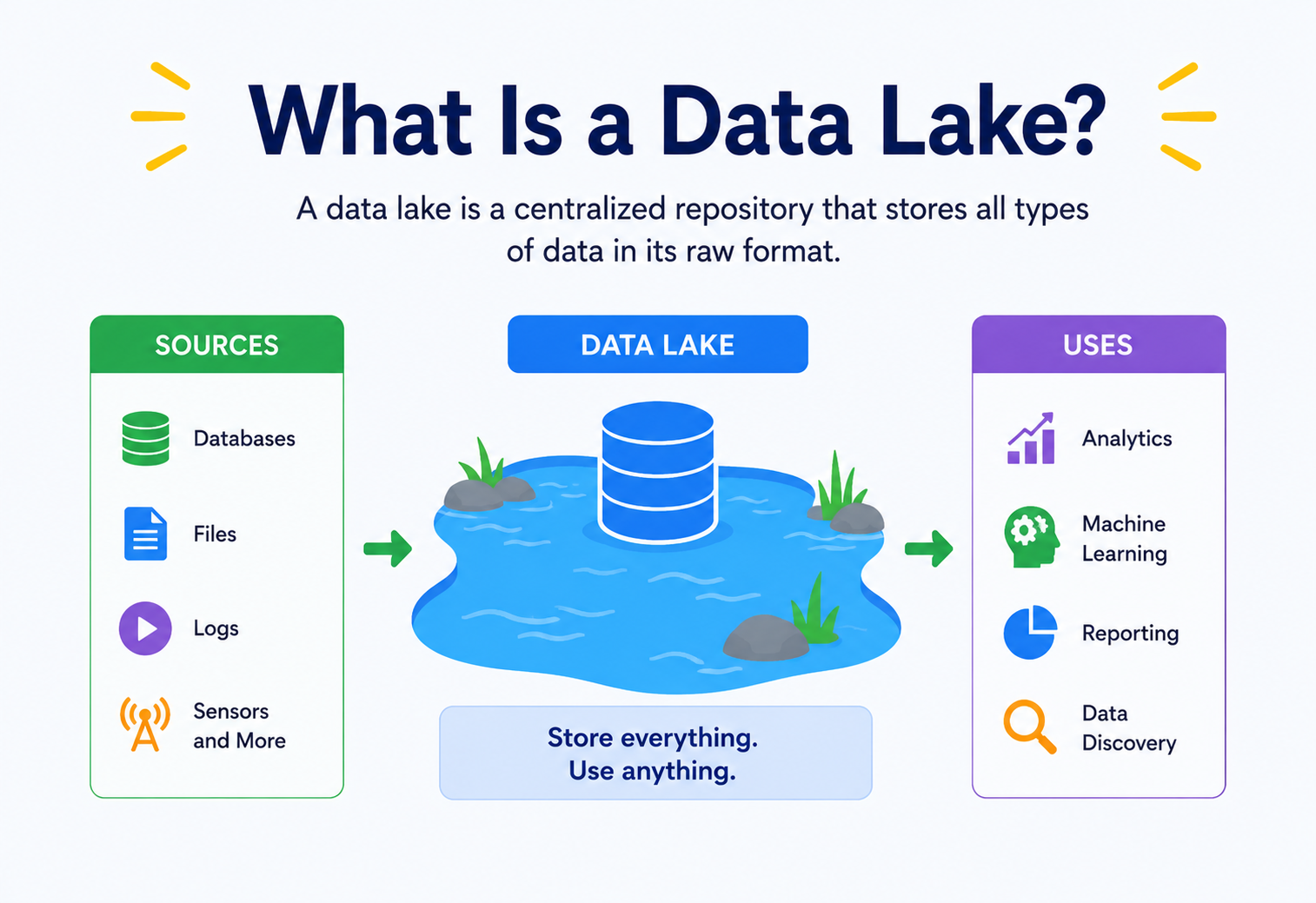
A data lake is a centralised storage system that holds a huge amount of raw data in its original, native format — text, images, video, sensor readings, log files, spreadsheets, database backups, anything — until someone actually needs to use it. Unlike older systems that forced you to organise data neatly before storing it, a data lake takes the opposite stance: “bring me your data as‑is; we’ll figure out the structure later.”
Think of a real lake. Rivers from many directions pour water into it — rainwater, water from mountains, water from streams. The lake does not force the water to be “clean drinking water” before it flows in. It simply collects everything. Later, if you need drinking water, you filter and purify the water you take out. A data lake works the same way: data flows in from many sources in its raw, natural form, and you clean or shape it only when you are ready to use it.
1.1 Why Was the Data Lake Invented?
Before data lakes existed, companies mostly relied on relational databases and later data warehouses to store business information. Both required data to be structured — organised into neat rows and columns, following a strict, pre‑defined format called a schema, before it could even be saved.
This worked fine when companies only had “traditional” data: customer names, order numbers, prices, dates. But starting in the early 2000s, the type and volume of data businesses wanted to collect exploded. Companies wanted to store website clickstreams, mobile app logs, sensor readings from factories, social media posts, images, and video — and they wanted to store it fast, without spending weeks designing a rigid schema first.
The term “data lake” is generally credited to James Dixon, the Chief Technology Officer of Pentaho, who introduced it around 2010. He contrasted it with a “data mart,” which he described as a small, bottled, packaged version of water (clean and ready to drink), while a data lake is the untreated water in its natural state, coming from many streams.
The rise of the Apache Hadoop ecosystem in the mid‑2000s made data lakes practical at scale. Hadoop introduced the Hadoop Distributed File System (HDFS), which let organisations store massive volumes of raw files across many cheap servers instead of expensive specialised database hardware. Later, cloud object storage services — Amazon S3 (2006), Azure Blob Storage, and Google Cloud Storage — became the dominant, more flexible replacement for HDFS as the “storage layer” of modern data lakes.
1.2 A Quick Timeline
- 1970s–1990sRelational databases (Oracle, IBM DB2) dominate; data must be structured before storage.
- 1990s–2000sData warehouses (Teradata, Informatica‑based systems) emerge for business intelligence and reporting.
- 2006Amazon S3 launches, offering cheap, durable, virtually unlimited cloud storage.
- 2006–2008Apache Hadoop matures, popularising distributed storage and processing of raw data.
- 2010James Dixon coins the term “data lake.”
- 2015–2018Cloud‑native data lakes (S3 + Athena, Azure Data Lake Storage) become mainstream.
- 2019‑presentThe “lakehouse” era begins — combining data lake flexibility with data warehouse reliability using formats like Delta Lake, Apache Iceberg, and Apache Hudi.
Today, nearly every large technology company — Netflix, Uber, Airbnb, LinkedIn, Amazon — runs some form of a data lake as the backbone of its analytics, machine‑learning, and reporting systems. Understanding data lakes is now considered a core skill for software architects, data engineers, and backend developers alike.
The Problem & Motivation
To really understand why data lakes matter, it helps to see the specific pain points they solve. Let’s walk through the problem step by step, the way an architect would explain it to a new engineer on their team.
2.1 Problem 1 — Too Many Kinds of Data
A modern company collects data of wildly different shapes: structured rows from a sales database, semi‑structured JSON logs from a mobile app, and completely unstructured data like images, PDFs, and video. Traditional databases are built to store structured data only. They cannot easily hold a video file or a raw JSON blob with a constantly changing shape.
Imagine a school trying to keep records. Structured data is like a neat attendance register with fixed columns: Name, Roll Number, Date, Present/Absent. Semi‑structured data is like a messy diary entry that sometimes mentions who was absent and why, in free‑flowing sentences. Unstructured data is like a stack of photographs from the school sports day. A single filing cabinet (a normal database) is not designed to hold all three kinds of things together — but a data lake can.
2.2 Problem 2 — Schema Design Takes Too Long
In a traditional data warehouse, before you can load a single row of data, someone must design the exact table structure — every column name, every data type, every relationship. This is called schema‑on‑write: you must decide the schema before writing data. Designing and agreeing on a schema across many teams can take weeks or months, which is far too slow when a company wants to start collecting new data today.
Data lakes flip this idea around with an approach called schema‑on‑read: you store data first, in its raw form, and you only decide how to interpret and structure it at the moment you read it for analysis. This massively speeds up how quickly new data sources can be captured.
2.3 Problem 3 — Storage and Compute Were Bundled Together (and Expensive)
Traditional data warehouse appliances (specialised hardware boxes) bundled storage and processing power into one expensive unit. If you needed more storage, you were forced to also pay for more compute power, even if you did not need it. This made storing “just in case” data — data you might need someday but are not sure — prohibitively expensive.
Companies like Netflix generate many petabytes of viewing logs, device telemetry, and error reports every single day. Storing all of that in a traditional warehouse appliance would cost an enormous amount of money. By separating cheap, elastic cloud storage (like Amazon S3) from processing power, data lakes let companies store everything cheaply and only pay for compute when they actually run an analysis job.
2.4 Problem 4 — Data Silos
Without a central place to dump data, different teams end up building their own separate mini‑databases — the marketing team has one system, the finance team has another, the product team has a third. These are called data silos. Silos make it very hard to get a single, complete view of the business, because no one system has all the data, and combining data across silos is slow, manual, and error‑prone.
2.5 Problem 5 — Machine Learning Needs Raw Data
Machine‑learning engineers usually do not want pre‑summarised, aggregated data (the kind a traditional warehouse is good at). They need access to raw, granular, historical data — every individual click, every individual sensor reading — so they can build training datasets. Warehouses that only store cleaned, summarised data cannot support this well. Data lakes, which retain the full raw history, are a natural fit for machine‑learning workloads.
A data lake is not “a data warehouse but bigger.” It solves a fundamentally different problem: flexibility and scale for raw, varied data, versus structure and speed for clean, well‑understood business reporting. Later in this guide we compare them directly.
Core Concepts
Before we go deeper, let’s build a shared vocabulary. Each term below is explained the same way: what it is, why it exists, where it’s used, and an analogy or example to make it concrete.
3.1 What Exactly Is a Data Lake?
A data lake is a storage repository that holds a vast amount of raw data in its native format, structured or unstructured, until it is needed. It typically has four defining characteristics:
- Stores raw data as‑is: no forced transformation before storage.
- Schema‑on‑read: structure is applied only when data is read, not when it is written.
- Handles all data types: structured (tables), semi‑structured (JSON, XML, logs), and unstructured (images, audio, video, text documents).
- Massively scalable and cheap: built on low‑cost, distributed storage that can grow to petabytes and beyond.
3.2 Data Lake vs. Data Warehouse vs. Data Lakehouse
These three terms are often confused. Let’s define each clearly, because interviewers love asking about the differences.
| Aspect | Data Warehouse | Data Lake | Data Lakehouse |
|---|---|---|---|
| Data type | Structured only | Structured, semi‑structured, unstructured | All types, with a structured access layer |
| Schema | Schema‑on‑write | Schema‑on‑read | Schema‑on‑write and schema‑on‑read (flexible) |
| Cost | Higher (compute + storage bundled) | Low (cheap object storage) | Low, with warehouse‑like performance |
| Users | Business analysts, reporting | Data scientists, engineers, ML teams | Both business analysts and data scientists |
| Data quality | Curated, trusted, clean | Raw, can become messy (“data swamp”) | Curated with lake‑level flexibility |
| Examples | Amazon Redshift, Teradata, Snowflake (warehouse mode) | Amazon S3 + Hadoop/Hive, Azure Data Lake Storage | Databricks (Delta Lake), Apache Iceberg, Snowflake + Iceberg |
A data warehouse is like a fully stocked, organised pantry: every ingredient is labelled, pre‑measured, and ready to cook with immediately, but restocking it with a brand‑new, unusual ingredient takes effort. A data lake is like a walk‑in cold storage room where farmers dump raw produce — vegetables still covered in mud, whole animal carcasses, unsorted fruit crates. You can store anything quickly, but you must wash, cut, and prepare it before cooking. A lakehouse is a modern smart kitchen that has both: a cold storage room for raw ingredients and an organised prep station built right next to it, so you get flexibility and convenience together.
3.3 Key Terms You Must Know
WhatA storage system that saves data as independent units called “objects” (each with data, metadata, and a unique ID), instead of files in folders on a hard disk.
WhyTraditional file systems struggle to scale to billions of files across many machines. Object storage was designed from the ground up for massive, distributed scale.
WhereAmazon S3, Azure Blob Storage, and Google Cloud Storage are all object‑storage systems, and they form the foundation layer of almost every modern data lake.
ExampleWhen you upload a photo to Google Photos, it is not saved the way a file is on your laptop’s hard drive. It is stored as an “object” with a unique address, replicated across multiple data centres automatically, and retrievable instantly from anywhere. That is object storage in action.
WhatSchema‑on‑write means the data structure (column names, types) must be defined before any data is stored — like a traditional database table. Schema‑on‑read means data is stored in its raw form, and the structure is applied only at the moment a query or program reads it.
WhyThis is the single most important conceptual difference between warehouses and lakes, and the one interviewers ask about most.
WhatA searchable inventory of all the datasets in a data lake, describing what each dataset contains, its location, its owner, and its structure.
WhyWithout a catalog, a data lake with millions of files becomes an unsearchable mess — often called a “data swamp.”
WhereAWS Glue Data Catalog, Apache Hive Metastore, Google Data Catalog.
WhatThe process of moving data from its original source (databases, apps, sensors, third‑party APIs) into the data lake.
WhyA data lake is useless without a reliable pipeline that continuously feeds it fresh data.
WhereTools like Apache Kafka, AWS Kinesis, and Apache NiFi handle ingestion at scale.
WhatA layered way of organising data inside a lake, where data quality improves as it moves through stages: Bronze (raw, untouched), Silver (cleaned, filtered, joined), and Gold (aggregated, business‑ready).
WhyRaw data is dangerous to expose directly to business dashboards; each layer trades a little flexibility for a lot more trust. We cover this in depth in the Data Flow section.
WhatA data lake that has become disorganised, undocumented, and untrustworthy because there was no governance, cataloging, or quality control.
WhyBecause data lakes accept anything without enforcing structure, it is very easy to dump data in carelessly and lose track of what exists. We discuss this as a key anti‑pattern later in this guide.
Architecture & Components
A production‑grade data lake is not just “a folder in the cloud.” It is a system made up of several distinct layers working together. Let’s walk through each one.
Fig 4.1 — Data flows left to right from raw sources into cheap object storage, is described by a catalog and reshaped by a processing engine, and finally reaches people through the consumption layer — with governance wrapping everything.
Reading the diagram: raw sources feed an ingestion layer, which lands data into cheap storage, which is then described by a metadata catalog and transformed by a processing engine, before finally reaching people and applications through the consumption layer. Governance and security wrap around every layer, rather than being a separate afterthought.
4.1 Data Sources
These are the origin points of data: relational databases (MySQL, PostgreSQL), mobile and web application event logs, IoT sensors, third‑party SaaS APIs (like payment processors or ad platforms), and even other data lakes or warehouses. A well‑designed lake ingests from dozens or even hundreds of such sources.
4.2 Ingestion Layer
The ingestion layer is responsible for reliably moving data from sources into the lake. There are two broad ingestion patterns:
- Batch ingestion: data is collected and moved in scheduled chunks — for example, once every hour or once a day. Tools: Apache Sqoop, scheduled Spark jobs, AWS Glue Jobs.
- Streaming ingestion: data is moved continuously, often within seconds of being generated. Tools: Apache Kafka, AWS Kinesis, Google Pub/Sub.
An e‑commerce site might use batch ingestion to copy yesterday’s completed orders from its MySQL database into the data lake once every night, while using streaming ingestion (via Kafka) to capture “add to cart” click events in near real time so that a recommendation engine can react within seconds.
4.3 Storage Layer
This is the heart of the data lake — the actual place where bytes are stored. Modern data lakes almost always use cloud object storage (Amazon S3, Azure Data Lake Storage Gen2, Google Cloud Storage) rather than traditional file systems, because object storage is virtually infinitely scalable, extremely durable (often 99.999999999% durability, meaning data loss is astronomically unlikely), and much cheaper per gigabyte than block storage or database storage.
Data inside the storage layer is typically organised using a folder‑like naming convention (even though object storage does not truly have folders — it simulates them using prefixes in object names), and stored in efficient file formats such as Apache Parquet or Apache ORC for structured/semi‑structured data.
4.4 Metadata and Catalog Layer
This layer keeps track of what data exists, where it lives, and what shape it has. Without this layer, engineers would have to manually remember file paths and formats — completely unworkable at scale. Tools like the AWS Glue Data Catalog or Apache Hive Metastore store table definitions that map raw files in storage to a queryable, table‑like structure.
4.5 Processing Layer
This layer transforms raw data into something usable: cleaning it, joining it with other datasets, aggregating it, or preparing features for machine learning. Popular engines include Apache Spark (general‑purpose distributed processing), Apache Flink (stream processing), and query engines like Presto/Trino and Amazon Athena that let analysts run SQL directly against files in the lake.
4.6 Consumption Layer
Finally, processed data is consumed by end users and systems: business‑intelligence dashboards (Tableau, Power BI, Looker), machine‑learning training pipelines, and downstream applications via APIs. This is where the value of the data lake is actually realised.
4.7 Governance and Security Layer
This layer spans across everything else: access control (who can read or write which data), encryption, data lineage (tracking where data came from and how it was transformed), and compliance auditing. We dedicate an entire section to this topic later.
Internal Working
Now let’s go one level deeper and understand what actually happens “under the hood” when data lands in a lake and gets queried.
5.1 File Formats — Why They Matter
How data is physically stored inside files dramatically affects performance and cost. There are two broad categories of file format:
| Format | Type | Storage Layout | Best For |
|---|---|---|---|
| CSV / JSON | Row‑based, text | Human‑readable, uncompressed | Small data, simple sharing, debugging |
| Apache Parquet | Columnar, binary | Compressed, column‑organised | Analytics, large‑scale queries |
| Apache ORC | Columnar, binary | Compressed, indexed | Hive‑based analytical workloads |
| Avro | Row‑based, binary | Schema embedded, compact | Streaming, schema evolution |
Imagine a classroom register with columns: Name, Age, Marks in Math, Marks in Science. Row‑based storage is like reading the register left to right, one full student’s row at a time — great if you want “everything about student 5.” Columnar storage is like having separate sheets, one sheet per column: a sheet listing everyone’s Math marks, another listing everyone’s Science marks. If a teacher only wants the average Math mark for the whole class, the columnar sheet is much faster to scan, because they don’t have to read Name and Age for every student along the way. That is exactly why analytical queries (which often aggregate one or two columns across millions of rows) prefer columnar formats like Parquet.
5.2 Partitioning — Organising Data for Speed
Partitioning means physically splitting data into separate folders/files based on the value of one or more columns, usually date‑related columns like year, month, and day. This lets a query engine skip reading files that obviously do not contain relevant data.
A data lake storing e‑commerce orders might be partitioned like this: s3://data-lake/orders/year=2026/month=07/day=18/. If an analyst asks “show me all orders from July 18, 2026,” the query engine only reads files inside that exact folder path, instead of scanning years of historical data. This can turn a query that takes 10 minutes into one that takes 2 seconds.
5.3 Compression
Columnar formats like Parquet apply compression algorithms (such as Snappy, Gzip, or Zstandard) to each column individually. Because values in the same column tend to be similar (for example, a “country” column repeating “India,” “India,” “USA” many times), compression ratios are often very high — sometimes shrinking data to 10–20% of its original size, which directly reduces both storage cost and the amount of data that must be read during a query.
5.4 Query Execution — What Happens When You Run a SQL Query
When you run a SQL query against a data lake using an engine like Amazon Athena or Trino, roughly the following steps occur:
- Parsing: the SQL text is parsed into a logical query plan.
- Metadata lookup: the engine asks the catalog (e.g. Glue Data Catalog) which files and partitions correspond to the table referenced in the query.
- Partition pruning: based on WHERE clauses, the engine eliminates partitions that cannot match, avoiding unnecessary file reads.
- Distributed scan: remaining files are read in parallel by many worker nodes, often reading only the specific columns needed (thanks to columnar formats).
- Aggregation and shuffle: intermediate results from workers are combined, sorted, or joined as needed.
- Result return: the final result set is sent back to the user or application.
Fig 5.1 — A SQL query first talks to the catalog to figure out which files matter, then hits object storage in parallel, and finally returns just the aggregated rows the caller asked for.
5.5 A Simple Java Example — Reading Data Lake Files with Spark
Here is a short Java example using Apache Spark to read partitioned Parquet data from a data lake stored in Amazon S3, filter it, and write an aggregated result back. Spark is one of the most common processing engines used with data lakes.
import org.apache.spark.sql.Dataset;
import org.apache.spark.sql.Row;
import org.apache.spark.sql.SparkSession;
import static org.apache.spark.sql.functions.*;

public class OrdersAggregationJob {
    public static void main(String[] args) {
        SparkSession spark = SparkSession.builder()
                .appName("OrdersAggregationJob")
                .getOrCreate();

        // Read only the partition we need (schema-on-read in action)
        Dataset<Row> orders = spark.read()
                .parquet("s3://data-lake/bronze/orders/year=2026/month=07/day=18/");

        // Transform: keep only successful orders, compute revenue per country
        Dataset<Row> revenueByCountry = orders
                .filter(col("status").equalTo("SUCCESS"))
                .groupBy("country")
                .agg(sum("amount").alias("total_revenue"),
                     count("order_id").alias("order_count"));

        // Write result to the "gold" (business-ready) layer
        revenueByCountry.write()
                .mode("overwrite")
                .parquet("s3://data-lake/gold/revenue_by_country/day=2026-07-18/");

        spark.stop();
    }
}
This job reads one day’s partition of raw orders, filters out failed orders, groups by country to sum revenue, and writes a small, business‑ready summary table back into the lake. Notice how the code never had to define a rigid table schema up front — Spark inferred the structure directly from the Parquet files, which is schema‑on‑read in practice.
Data Flow & Lifecycle
Raw data dumped into a lake is not immediately useful. Most production data lakes organise data through progressive stages of refinement. The most widely adopted pattern for this is called the Medallion Architecture, popularised by Databricks, which uses three named layers: Bronze, Silver, and Gold.
Fig 6.1 — Data quality improves as records move from raw Bronze to cleaned Silver to business‑ready Gold; the raw history in Bronze is always kept, so any downstream mistake can be reprocessed.
6.1 Bronze Layer — Raw Zone
What it is: an exact, untouched copy of the source data, kept in its original format. Why it exists: it acts as a permanent historical record and a safety net — if a downstream transformation has a bug, you can always reprocess from the bronze layer instead of losing the original data forever. Example: raw JSON click‑event logs from a mobile app, saved exactly as received, including any malformed or duplicate records.
6.2 Silver Layer — Cleaned Zone
What it is: data that has been cleaned, deduplicated, type‑corrected, and validated, but not yet aggregated into business metrics. Why it exists: analysts and data scientists need a trustworthy, query‑friendly version of the data without wading through raw noise, but they still want row‑level detail, not just summaries. Example: the same click‑event logs, but with malformed rows removed, timestamps converted to a standard format, and duplicate events filtered out.
6.3 Gold Layer — Business‑Ready Zone
What it is: highly refined, aggregated data, organised around specific business questions. Why it exists: business dashboards and reports need fast, simple, pre‑computed answers — they should not need to scan billions of raw rows every time someone opens a dashboard. Example: “Daily active users per country” or “average session duration by app version,” ready to be plugged straight into a chart.
At companies like Netflix and Uber, a single raw event (like “a video was played” or “a ride was requested”) can flow through dozens of Bronze‑to‑Silver‑to‑Gold pipelines, feeding everything from real‑time fraud detection to long‑term content recommendation models to quarterly financial reporting — all from the same original raw record, refined differently for each purpose.
6.4 Full Lifecycle — From Birth to Archival
- Generation: an event happens (a click, a sensor reading, a database row update).
- Ingestion: the event is captured by a streaming or batch pipeline.
- Landing (Bronze): raw data is written to the lake, usually append‑only.
- Cleaning (Silver): scheduled or streaming jobs validate, deduplicate, and standardise the data.
- Aggregation (Gold): business‑level summaries are computed.
- Consumption: dashboards, ML models, and applications read Gold (and sometimes Silver) data.
- Archival: old Bronze data that is rarely accessed is moved to cheaper “cold storage” tiers (e.g. Amazon S3 Glacier) to save cost.
- Deletion: data that has passed its legally required retention period, or that a user has requested to be deleted (for privacy compliance), is permanently removed.
A frequent beginner mistake is skipping the Bronze layer entirely and only storing “cleaned” data. This seems efficient at first, but it means you permanently lose the original raw data. If a bug is later found in the cleaning logic, or a new business requirement needs a field that was previously discarded, there is no way to recover it. Always keep an untouched raw copy.
Advantages, Disadvantages & Trade-offs
Every architectural choice is a trade‑off. Data lakes buy enormous flexibility and cost efficiency — but in exchange, they hand more responsibility to the engineers running them.
Advantages
- Extremely low storage cost per gigabyte compared to traditional databases.
- Can store any type of data — structured, semi‑structured, unstructured.
- No need to design a schema before you start collecting data (fast onboarding of new sources).
- Massively scalable — can grow from gigabytes to exabytes without redesign.
- Ideal foundation for machine learning, which needs raw, granular historical data.
- Decouples storage from compute, so you pay for processing power only when you use it.
Disadvantages
- Without governance, easily becomes a disorganised “data swamp.”
- Query performance can be slower than a purpose‑built warehouse for simple, repetitive business reports.
- Data quality is not guaranteed — raw data may contain errors, duplicates, or inconsistent formats.
- Requires more engineering skill to use well (writing Spark jobs, designing partitions) compared to simple SQL in a warehouse.
- Security and access control are more complex because of the sheer variety of data and access patterns.
- Small‑file problems (millions of tiny files) can seriously hurt performance if not managed properly.
Key Trade-off — Flexibility vs. Guaranteed Quality
The central trade‑off of a data lake is this: you gain enormous flexibility and low cost by accepting data without strict rules, but you give up the automatic guarantees of correctness and structure that a traditional database enforces. This is why modern architectures increasingly add lightweight structure back on top of the lake — which is exactly what a “lakehouse” does, using table formats like Delta Lake or Apache Iceberg to bring ACID transactions and schema enforcement into the lake without losing its flexibility.
ACID stands for Atomicity, Consistency, Isolation, Durability — guarantees traditionally associated with databases, ensuring transactions either fully complete or fully fail, and that concurrent readers never see half‑finished writes. Plain object storage (like raw S3) does not naturally provide these guarantees. Table formats like Delta Lake, Apache Iceberg, and Apache Hudi were built specifically to bring ACID‑like reliability on top of data‑lake storage, which is a major part of what makes the modern “lakehouse” possible.
Performance & Scalability
A data lake’s performance is not automatic. It comes from a handful of well‑understood techniques, and every one of them has a corresponding failure mode when it’s missing.
8.1 The Small‑File Problem
One of the most common real‑world performance killers in data lakes is having too many small files. If a streaming pipeline writes a new tiny file every few seconds, over months this can result in millions of small files in a single folder. Because every file read has overhead (opening a connection, reading metadata), query engines slow down dramatically when they must open millions of tiny files instead of a smaller number of well‑sized files.
The standard solution is a process called compaction: a background job periodically merges many small files into fewer, larger files (commonly targeting 128 MB–1 GB per file for formats like Parquet). Tools like Delta Lake offer built‑in commands (e.g. OPTIMIZE) specifically for this purpose.
8.2 Partition Pruning and Predicate Pushdown
As covered earlier, good partitioning lets query engines skip irrelevant data entirely. A related optimisation is predicate pushdown, where filtering conditions (like WHERE amount > 1000) are pushed down to the file‑reading level, so the storage layer only returns matching rows instead of the engine reading everything and filtering afterward.
8.3 Caching
Frequently accessed data (like the current day’s dashboard data) can be cached in faster storage — either in‑memory caches (like Redis or Spark’s own in‑memory caching) or fast SSD‑backed caching layers built into query engines — to avoid repeatedly reading from slower object storage for the same data.
8.4 Horizontal Scalability
Data lakes scale horizontally, meaning that to handle more data or more queries, you add more machines (nodes) rather than making a single machine bigger (vertical scaling). Both the storage layer (object storage automatically spreads data across thousands of physical disks) and the processing layer (Spark or Trino clusters can add more worker nodes) are designed for horizontal scale.
Horizontal scaling is like adding more checkout counters at a supermarket during a busy sale, rather than trying to make one single checkout counter process customers faster and faster. More counters (nodes) working in parallel handle more customers (data) than one super‑fast counter ever could alone.
8.5 Benchmarks in Context
Real numbers vary hugely by workload, but as a general rule of thumb from real production systems: a well‑partitioned, well‑compacted Parquet‑based data lake table can be scanned at rates of hundreds of megabytes to several gigabytes per second per query, when reading is properly parallelised across many worker nodes and unnecessary columns/partitions are pruned. Poorly organised lakes (small files, no partitioning) can be 10–100x slower on the exact same underlying data volume.
High Availability & Reliability
A data lake usually becomes the memory of an entire organisation. Losing it or serving stale versions of it is unacceptable, so reliability is engineered into every layer.
9.1 Durability via Replication
Cloud object storage systems achieve extremely high durability by automatically storing multiple copies (replicas) of every object, often across different physical data centres within a region. Amazon S3, for example, is designed to provide 99.999999999% (eleven nines) durability for objects, meaning the theoretical chance of losing a given object in a year is vanishingly small.
9.2 The CAP Theorem in Data‑Lake Context
The CAP theorem states that a distributed data system can only guarantee two out of three properties at the same time: Consistency (every read gets the latest write), Availability (every request gets a response, even during failures), and Partition tolerance (the system keeps working even if network communication between nodes breaks down).
Since network partitions are unavoidable in large distributed systems, real systems must choose between prioritising consistency or availability when a partition happens. Most cloud object storage systems favour availability and partition tolerance (AP), offering “eventual consistency” historically, though modern services like Amazon S3 now provide strong read‑after‑write consistency for most operations. Lakehouse table formats (Delta Lake, Iceberg) add stronger consistency guarantees at the table level through transaction logs, discussed next.
9.3 Transaction Logs for Reliability
Modern lakehouse table formats solve reliability problems using a transaction log — an ordered, append‑only record of every change made to a table. Delta Lake, for instance, keeps a log of every add/remove file operation. This allows:
- Atomic commits: a write either fully succeeds or leaves no trace, never a half‑finished state.
- Time travel: you can query the table as it existed at any previous point in time, by replaying the log up to that point.
- Concurrent write safety: multiple jobs writing at the same time are coordinated safely using optimistic concurrency control, where conflicting writes are detected and retried.
9.4 Disaster Recovery
Beyond built‑in replication, production data lakes typically implement additional disaster‑recovery strategies:
- Cross‑region replication: copying data to a completely separate geographic region, so an entire region outage does not cause data loss.
- Versioned backups: keeping historical versions of critical Gold‑layer tables so accidental deletions or bad overwrites can be rolled back.
- Regular recovery drills: practising restoring data from backups to confirm the recovery process actually works before a real emergency happens.
Large organisations often define a Recovery Point Objective (RPO) — how much data loss is acceptable, measured in time (e.g. “at most 15 minutes of data”) — and a Recovery Time Objective (RTO) — how long it can take to restore service after a failure. These targets directly shape how frequently backups run and how automated the recovery process must be.
Security
Because a data lake often becomes the single largest repository of an organisation’s information, security is critical. A breach here can be catastrophic. Let’s walk through the major layers of data‑lake security.
10.1 Access Control
Access control determines who can read, write, or manage data. Two common models are used together:
- IAM (Identity and Access Management) policies: cloud‑level rules controlling which users, applications, or roles can access specific storage buckets or paths (e.g. AWS IAM policies on S3 buckets).
- Fine‑grained, table/column‑level access control: tools like AWS Lake Formation or Apache Ranger let administrators restrict access down to specific tables, rows, or even individual columns (for example, hiding a “salary” column from most employees while allowing HR to see it).
10.2 Encryption
Data should be encrypted both at rest (while stored on disk) and in transit (while moving across the network). Cloud object storage systems typically offer built‑in encryption at rest (e.g. AWS S3 Server‑Side Encryption using AES‑256), and all data transfers should use TLS (Transport Layer Security) to prevent eavesdropping.
10.3 Data Masking and Anonymisation
What it is: hiding or transforming sensitive fields (like credit card numbers, social‑security numbers, or health records) so they cannot be misused, while still allowing analysis of the surrounding data. Why it exists: laws like GDPR (Europe) and various data‑protection regulations require sensitive personal data to be protected, even from internal staff who do not strictly need to see it.
Instead of storing a customer’s actual phone number in an analytics table, a masking pipeline might replace it with a scrambled token like XXXX-XXX-4821, keeping only the last four digits visible, while a separate, tightly access‑controlled table keeps the true value for legitimate business needs like customer support.
10.4 Audit Logging and Data Lineage
Audit logging records every access to sensitive data — who read what, when, and from where — which is essential for security investigations and regulatory compliance. Data lineage tracks the full history of a piece of data: where it originated, what transformations were applied, and where it ended up. Together, these let organisations answer questions like “which reports were built using this now‑known‑to‑be‑incorrect dataset?”
10.5 Compliance
Depending on industry and geography, data lakes must often comply with regulations such as GDPR (EU data privacy), HIPAA (US healthcare data), and India’s Digital Personal Data Protection Act. Compliance typically requires the ability to locate and delete a specific individual’s data on request (the “right to be forgotten”), which is technically challenging in append‑only, immutable storage systems and often requires lakehouse table formats that support efficient row‑level deletes.
A frequent security mistake is granting overly broad access — for example, giving every engineer full read access to the entire raw Bronze layer “to make things easier,” including highly sensitive raw logs. The best practice is the principle of least privilege: grant only the minimum access necessary for someone’s role, and review access regularly.
Monitoring, Logging & Metrics
A data lake that silently fails or slowly degrades is dangerous — teams may keep making business decisions on broken or stale data without realising it. Strong monitoring is essential.
11.1 Pipeline Health Metrics
- Ingestion lag: how far behind real‑time is the data currently in the lake? (e.g. “Kafka consumer is 3 minutes behind the latest event.”)
- Job success/failure rate: percentage of scheduled ETL (Extract‑Transform‑Load) jobs completing successfully versus failing.
- Job duration: how long each ingestion or transformation job takes, tracked over time to catch gradual slowdowns.
- Row counts: sudden, unexpected drops or spikes in row counts between pipeline runs often signal an upstream problem.
11.2 Data Quality Metrics
Beyond “did the job run successfully,” teams monitor whether the data itself is trustworthy: null‑value rates in critical columns, duplicate‑record rates, schema drift (unexpected new or missing columns), and value‑range checks (e.g. “order amount should never be negative”). Tools like Great Expectations, AWS Deequ, and Monte Carlo automate these checks and can halt a pipeline before bad data reaches the Gold layer.
11.3 Cost Monitoring
Because query engines often charge based on the amount of data scanned (Amazon Athena, for example, historically charged per terabyte scanned), monitoring query costs is a real operational concern. Dashboards tracking “data scanned per query” and “cost per team/dataset” help catch runaway or inefficient queries before they generate a huge bill.
11.4 Observability Stack
A typical production monitoring stack for a data lake includes: centralised logging (e.g. CloudWatch Logs, ELK stack) for pipeline logs, metrics dashboards (e.g. Grafana, Datadog) for the numeric health metrics above, and alerting systems (e.g. PagerDuty) that notify on‑call engineers automatically when thresholds are breached — such as a job failing twice in a row, or data freshness exceeding an agreed limit.
Large‑scale data platforms often define a data SLA (Service Level Agreement) for critical tables — for example, “the daily revenue table must be updated by 6:00 AM with 99.9% reliability.” Automated monitoring continuously checks these SLAs and pages engineers immediately if they are at risk of being missed, treating data freshness with the same seriousness as application uptime.
Deployment & Cloud
Almost every new data lake today lives in the cloud, but the exact combination of services differs by provider. Here’s the modern shape of each big‑three stack.
12.1 Major Cloud Data Lake Stacks
| Cloud | Storage | Catalog | Query / Processing |
|---|---|---|---|
| AWS | Amazon S3 | AWS Glue Data Catalog | Amazon Athena, EMR (Spark), Glue Jobs |
| Azure | Azure Data Lake Storage Gen2 | Azure Purview / Unity Catalog | Azure Synapse Analytics, Azure Databricks |
| GCP | Google Cloud Storage | Dataplex / Data Catalog | BigQuery (external tables), Dataproc (Spark) |
12.2 On‑Premises vs. Cloud
Before cloud object storage matured, many companies built data lakes on‑premises using Apache Hadoop’s HDFS across a self‑managed cluster of servers. This required significant hardware investment and dedicated infrastructure teams. Today, the vast majority of new data lakes are built directly on cloud object storage, because it eliminates hardware management, scales automatically, and offers pay‑as‑you‑go pricing. Some regulated industries (banking, government) still maintain on‑premises or hybrid data lakes for data‑residency or compliance reasons.
12.3 Infrastructure as Code
Modern data lake deployments are typically defined using Infrastructure as Code tools like Terraform or AWS CloudFormation, so that storage buckets, IAM policies, catalog databases, and processing clusters can be created, versioned, and reproduced consistently across environments (development, staging, production) instead of being manually clicked together in a cloud console.
12.4 Cost Optimisation in the Cloud
- Storage tiering: automatically moving infrequently accessed data to cheaper “cold” or “archive” storage classes (e.g. S3 Glacier) using lifecycle policies.
- Right‑sized compute: using auto‑scaling clusters that grow and shrink based on actual workload, instead of paying for a fixed, always‑on large cluster.
- Query cost control: enforcing partitioning and column pruning to minimise the amount of data scanned per query, especially in pay‑per‑scan engines like Athena or BigQuery.
- Spot/preemptible instances: using discounted, interruptible compute instances for non‑urgent batch processing jobs to cut compute costs significantly.
Fig 12.1 — A typical storage‑lifecycle policy for cost optimisation: hot → infrequent access → cold/archive → deletion, driven purely by age and access patterns.
Databases, Caching & Load Balancing
A data lake doesn’t exist in isolation. It sits alongside operational databases, caches, and load balancers — each handling a very different job in the wider system.
13.1 How Data Lakes Relate to Databases
A data lake is not a replacement for operational (transactional) databases like MySQL or PostgreSQL, which power live applications and need to handle fast, small, individual reads and writes (like “update this one user’s profile”). Instead, data lakes typically receive periodic or streaming copies of data from those operational databases, for large‑scale analysis. This separation exists because analytical queries (scanning millions of rows) and transactional queries (updating one row instantly) have very different performance needs, and mixing them on the same system causes both to suffer.
OLTP (Online Transaction Processing) systems, like a typical application database, are optimised for many small, fast read/write operations — think of a bank processing individual transactions. OLAP (Online Analytical Processing) systems, like data lakes and warehouses, are optimised for large, complex queries that scan and aggregate huge volumes of historical data — think of calculating total revenue for the past three years. Data typically flows from OLTP systems into OLAP systems (like data lakes) through ETL/ELT pipelines.
13.2 Caching in Data‑Lake Systems
Caching plays an important supporting role: query engines often cache recently accessed data or query results in memory or fast SSDs to speed up repeated queries. BI tools frequently cache dashboard results for a few minutes so that multiple users viewing the same dashboard don’t trigger redundant, expensive scans of the same underlying data.
13.3 Load Balancing in Processing Clusters
When a distributed processing engine like Spark or Trino runs a query, the work is split into many small tasks distributed across worker nodes. A load balancer or cluster scheduler ensures tasks are spread evenly, avoiding a situation where one worker node is overloaded while others sit idle — a problem known as data skew, often caused by uneven distribution of data across partitions (for example, if one country has far more orders than all others combined, the worker handling that country’s partition becomes a bottleneck).
A classic real‑world problem: partitioning e‑commerce orders by country works fine in general, but if 40% of all orders come from a single country, the worker node processing that one partition takes far longer than all others, slowing the entire job down. Solutions include splitting large partitions further (e.g. by country and day) or using salting techniques to artificially spread hot keys across more workers.
APIs & Microservices
Microservices architectures and data lakes are natural partners — but only when they meet through a well‑designed event pipeline, not by cross‑reading each other’s databases.
14.1 How Microservices Interact with a Data Lake
In a microservices architecture, individual services typically own their own small operational databases and should not directly read from or write to each other’s databases. Instead, services publish events (like “OrderPlaced” or “UserSignedUp”) to a message stream such as Apache Kafka, and a dedicated ingestion pipeline consumes these events into the data lake. This keeps each microservice decoupled while still feeding a central analytical repository.
Fig 14.1 — Each service publishes domain events to Kafka; a single ingestion pipeline lands those events in the lake’s Bronze layer, so nobody has to reach into anyone else’s database.
14.2 Exposing Data Lake Results via APIs
Raw data‑lake queries are usually too slow for real‑time application use (a Spark job might take minutes, not milliseconds). Instead, Gold‑layer aggregated results are often exported into a fast‑access database (like a key‑value store or a small relational database) that a REST or GraphQL API can query quickly, effectively acting as a “serving layer” between the lake and live applications.
A “customers who bought this also bought…” recommendation feature on a shopping site is not computed live by scanning the entire data lake on every page load. Instead, a nightly Spark job pre‑computes these recommendations for every product and saves them into a fast key‑value store (like DynamoDB or Redis). The product page’s API then simply looks up the pre‑computed list by product ID in milliseconds.
14.3 Reverse ETL
What it is: the practice of pushing processed, refined data from the data lake back into operational systems (like a CRM or marketing tool) so that business teams can act on insights directly within the tools they already use. Why it exists: insights trapped only in dashboards often go unused; putting a “customer churn risk score” directly into a sales team’s CRM makes the insight immediately actionable. Tools like Hightouch and Census specialise in this reverse‑ETL pattern.
Design Patterns & Anti-patterns
A small number of named patterns keep showing up around data lakes because they answer recurring problems well. An equally small number of anti‑patterns keep showing up because they’re the shortcuts everyone is tempted to take.
15.1 Lambda Architecture
What it is: a pattern that processes data through two parallel paths — a batch layer that computes accurate, comprehensive results periodically, and a speed layer that computes approximate, low‑latency results in real time, with both being merged at query time. Why it exists: it balances the need for both fast, real‑time insight and eventually‑accurate, complete historical analysis. Trade‑off: it requires maintaining two separate codebases (batch and streaming logic), which increases complexity and the risk of the two paths producing inconsistent results.
15.2 Kappa Architecture
What it is: a simplification of Lambda that uses only a single streaming pipeline for both real‑time and historical processing, by treating historical reprocessing as simply “replaying” the stream from the beginning. Why it exists: it eliminates the complexity and duplication of maintaining two separate batch and streaming codebases. Where it’s used: companies with mature streaming infrastructure (like LinkedIn, which originated Kafka) favour Kappa architecture for many of their pipelines.
15.3 Medallion Architecture (revisited as a pattern)
As covered in the Data Flow section, the Bronze‑Silver‑Gold pattern is itself a well‑established design pattern for organising data quality progressively within a lake, and is worth remembering by name for architecture discussions and interviews.
15.4 Data Mesh
What it is: an organisational and architectural pattern where, instead of one central team owning a single giant data lake, individual business domains (like “Orders,” “Payments,” “Shipping”) own and publish their own data as products, following shared standards. Why it exists: as organisations grow very large, a single central data team becomes a bottleneck; data mesh distributes ownership to the teams who understand their data best, while still keeping interoperability through shared governance standards.
15.5 Anti-pattern — The Data Swamp
What it is: a data lake that has degraded into an unmanaged, undocumented mess — datasets with unclear ownership, no metadata, duplicate and inconsistent copies of the same information, and no clear quality guarantees. Why it happens: because data lakes accept any data without enforcing structure, teams can dump data carelessly without documentation, and over months or years no one remembers what half the datasets even mean. How to avoid it: enforce cataloging, ownership tagging, and data‑quality checks on every new dataset from day one; do not treat governance as an optional “later” task.
15.6 Anti-pattern — Ungoverned Schema Drift
What it is: upstream source systems silently changing the structure of the data they send (adding, removing, or renaming fields) without any coordination, silently breaking downstream pipelines or, worse, silently producing wrong results without an obvious failure. How to avoid it: use schema‑validation tools and enforce a formal schema registry (such as Confluent Schema Registry for Kafka‑based streams) that requires explicit, backward‑compatible changes.
15.7 Anti-pattern — One‑Size‑Fits‑All Processing
What it is: using the same heavy batch‑processing framework for every workload, including ones that genuinely need real‑time responses, resulting in either wasted resources or missed latency requirements. How to avoid it: match the processing tool to the actual latency and volume requirements of each specific use case — not every pipeline needs Spark, and not every pipeline needs sub‑second streaming.
Best Practices & Common Mistakes
The gap between a healthy data lake and a data swamp is not a technology gap — it’s a discipline gap. These are the habits successful teams share.
16.1 Best Practices
- Always keep a raw Bronze layer untouched, so you can reprocess data if downstream logic changes or has bugs.
- Use columnar formats (Parquet/ORC) for anything beyond small, temporary datasets, to gain major performance and cost benefits.
- Partition thoughtfully based on actual query patterns (commonly by date), and avoid over‑partitioning into too many tiny partitions.
- Enforce a data catalog and ownership for every dataset from the moment it is created — never let undocumented data accumulate.
- Automate data‑quality checks so bad data is caught before it reaches business‑critical Gold tables.
- Apply the principle of least privilege for all access control, and audit access regularly.
- Compact small files regularly to maintain query performance over time.
- Use table formats (Delta Lake, Iceberg, Hudi) for any table that needs updates, deletes, or strong consistency guarantees, rather than relying on raw files alone.
- Set clear data retention and lifecycle policies to control storage costs and meet compliance requirements.
16.2 Common Mistakes and Their Fixes
Mistake
Storing everything as JSON or CSV “because it’s easy,” leading to massive storage and query cost compared to compressed columnar formats.
Fix
Convert data to Parquet (or a lakehouse table format) as part of the ingestion pipeline, even if the original source format is JSON or CSV.
Mistake
Treating the data lake as a dumping ground with no naming conventions, no documentation, and no clear owners for datasets.
Fix
Establish and enforce naming standards, mandatory metadata (owner, description, refresh frequency) in the catalog before any dataset goes live.
Mistake
Granting broad, lake‑wide read access to everyone “to avoid friction,” exposing sensitive data unnecessarily.
Fix
Use fine‑grained, role‑based access control down to the table or column level, and review access grants on a regular schedule.
Companies that scale data lakes successfully (Airbnb, Uber, Netflix) invest heavily in internal “data platform” teams whose entire job is building tooling around discoverability (catalogs), quality (automated validation), and governance (access control, lineage) — treating the data lake itself as a product with real users, not just a storage bucket.
Real-World & Industry Examples
Most of the tools we now consider “standard” in the data‑lake world came out of real production pain at a handful of large companies. Here’s a short tour.
17.1 Netflix
Netflix processes enormous volumes of viewing events, device telemetry, and A/B test data every day. It historically built much of its data platform on Amazon S3 as the storage layer, combined with Apache Spark and Presto for processing, and later contributed heavily to and adopted the Apache Iceberg table format (which Netflix originally created) to bring reliable, ACID‑compliant tables to its massive S3‑based lake, supporting both real‑time content recommendations and long‑term business analytics from the same underlying raw data.
17.2 Uber
Uber’s data platform ingests ride requests, driver locations, and payment events at enormous scale and low latency. Uber created Apache Hudi (Hadoop Upserts Deletes and Incrementals), a lakehouse table format, specifically to solve the problem of needing frequent, fast updates to records in what was traditionally an append‑only data lake — for example, updating a ride’s status multiple times as it progresses from requested to completed.
17.3 Amazon
Amazon’s own retail and AWS businesses run some of the largest data lakes in the world, built on Amazon S3, cataloged with AWS Glue, and queried through a combination of Amazon Athena, Amazon EMR (managed Spark/Hadoop), and Amazon Redshift Spectrum (which lets a data warehouse directly query data sitting in S3, blurring the line between warehouse and lake).
17.4 Airbnb
Airbnb built one of the earlier large‑scale Hadoop‑based data lakes to support search ranking, pricing models, and trust‑and‑safety systems, and has written extensively about their internal data‑quality and metadata tooling, reflecting how seriously large‑scale lake operators must treat governance to avoid the data‑swamp anti‑pattern.
17.5 A Smaller‑Scale Example — A Growing E‑Commerce Startup
Not every data lake belongs to a tech giant. A mid‑sized e‑commerce company might run a modest data lake on Amazon S3, ingesting order, inventory, and website‑click data using a scheduled batch job (rather than complex streaming, since near‑real‑time is not always necessary at smaller scale), storing everything as Parquet, cataloging it with AWS Glue, and querying it with Amazon Athena for weekly business reports — proving that the same architectural principles scale down just as well as they scale up.
Notice a pattern: nearly every major table‑format innovation (Iceberg from Netflix, Hudi from Uber, Delta Lake from Databricks) was created by a company solving a real, specific production pain point — usually around needing reliable updates, deletes, or consistency on top of raw object storage. This shows how the “lakehouse” movement emerged directly from real engineering necessity, not just marketing.
FAQ, Summary & Key Takeaways
A short set of the questions engineers, students, and interviewers ask most about data lakes — followed by a compact summary and the ideas worth carrying away.
Is a data lake the same as “big data”?
No. “Big data” is a general term describing very large or complex datasets and the techniques to handle them. A data lake is one specific type of system architecture used to store and manage such data. You can have big data without a data lake (e.g. in a distributed database), and you could technically have a small data lake with modest data volumes.
Do small companies need a data lake?
Not always. If a company’s data needs are simple and fit comfortably into a traditional database or a small managed data warehouse, introducing a full data‑lake architecture may be unnecessary complexity. Data lakes become valuable once data variety, volume, or machine‑learning needs grow beyond what a simple database comfortably handles.
What is the difference between Hadoop and a data lake?
Hadoop is a specific open‑source technology (including HDFS for storage and MapReduce/Spark for processing) that was historically used to build data lakes. “Data lake” is the broader architectural concept; today, most new data lakes use cloud object storage (like S3) instead of HDFS, even though the term “data lake” predates and outlived Hadoop’s dominance.
Can a data lake replace a data warehouse entirely?
In many modern architectures, yes — the “lakehouse” pattern is specifically designed to let a single system serve both raw, flexible data‑science workloads and clean, fast business‑intelligence reporting, reducing the need to maintain two entirely separate systems. However, some organisations still choose to run both for specific performance or organisational reasons.
How is data‑lake security different from database security?
Data lakes hold a much wider variety of data (from highly sensitive to completely public) in one place, often accessed by many different tools and teams, which makes fine‑grained, consistent access control more complex than in a single‑purpose database with a narrower set of known applications and users.
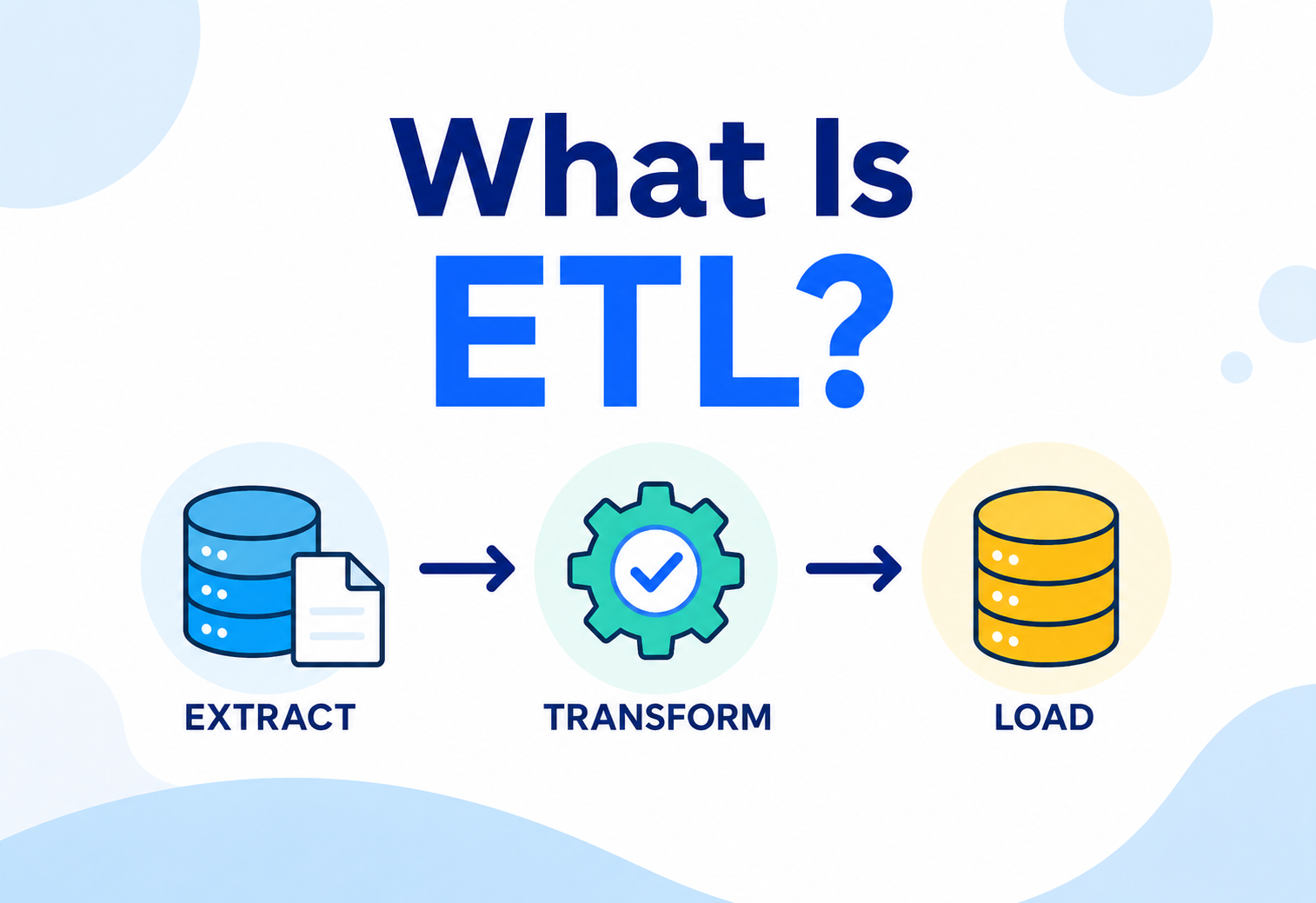
What’s the difference between ETL and ELT in a data lake?
In classical ETL (Extract‑Transform‑Load), data is transformed before being written to the target. In ELT, data is loaded raw first and then transformed inside the target system — a pattern that fits naturally with data lakes, because cheap storage lets you keep the raw copy and reshape it as often as you like.
Do I still need a data warehouse if I have a lakehouse?
Usually not for the same workloads. A well‑built lakehouse (Delta Lake, Iceberg, Hudi + a strong query engine) can serve both BI dashboards and ML pipelines. Some organisations still keep a dedicated warehouse for extremely high‑concurrency dashboards or historical contractual reasons, but it’s no longer a hard requirement.
Summary
A data lake is a centralised, low‑cost, highly scalable storage system that holds raw data of any type — structured, semi‑structured, or unstructured — without requiring a rigid schema up front. It emerged to solve real problems with traditional databases and data warehouses: high cost, rigid schemas, poor support for varied and unstructured data, and poor fit for machine‑learning workloads. A production‑grade data lake is built from several layers — ingestion, storage, catalog, processing, and consumption — wrapped in governance and security. Data typically flows through progressively refined stages (Bronze, Silver, Gold), and modern “lakehouse” table formats like Delta Lake, Apache Iceberg, and Apache Hudi bring database‑like reliability (ACID transactions, schema enforcement, time travel) directly on top of lake storage, closing the historical gap between lakes and warehouses.
Key Takeaways
- 01Data lakes use schema‑on‑read, unlike traditional warehouses which use schema‑on‑write.
- 02Cheap, durable, horizontally scalable object storage (S3, ADLS, GCS) is the foundation of nearly every modern data lake.
- 03Columnar formats like Parquet, combined with good partitioning and compaction, are essential for real‑world performance and cost control.
- 04The Medallion Architecture (Bronze, Silver, Gold) is the standard way to progressively improve data quality inside a lake.
- 05Without governance, a data lake risks becoming a data swamp — disorganised and untrustworthy.
- 06The lakehouse pattern (Delta Lake, Iceberg, Hudi) merges the flexibility of lakes with the reliability of warehouses, and represents the current state of the art.
- 07Real companies (Netflix, Uber, Amazon, Airbnb) built and open‑sourced many of today’s core data‑lake technologies to solve their own production‑scale problems.
A data lake is the cheap, flexible, always‑raw memory of an organisation — a place where every kind of data can land untouched and then be reshaped, on demand, into whatever the business needs next.
“A data warehouse is bottled water. A data lake is the whole reservoir. A lakehouse is both — a tap where you can decide, on the way out, how clean the water needs to be.”