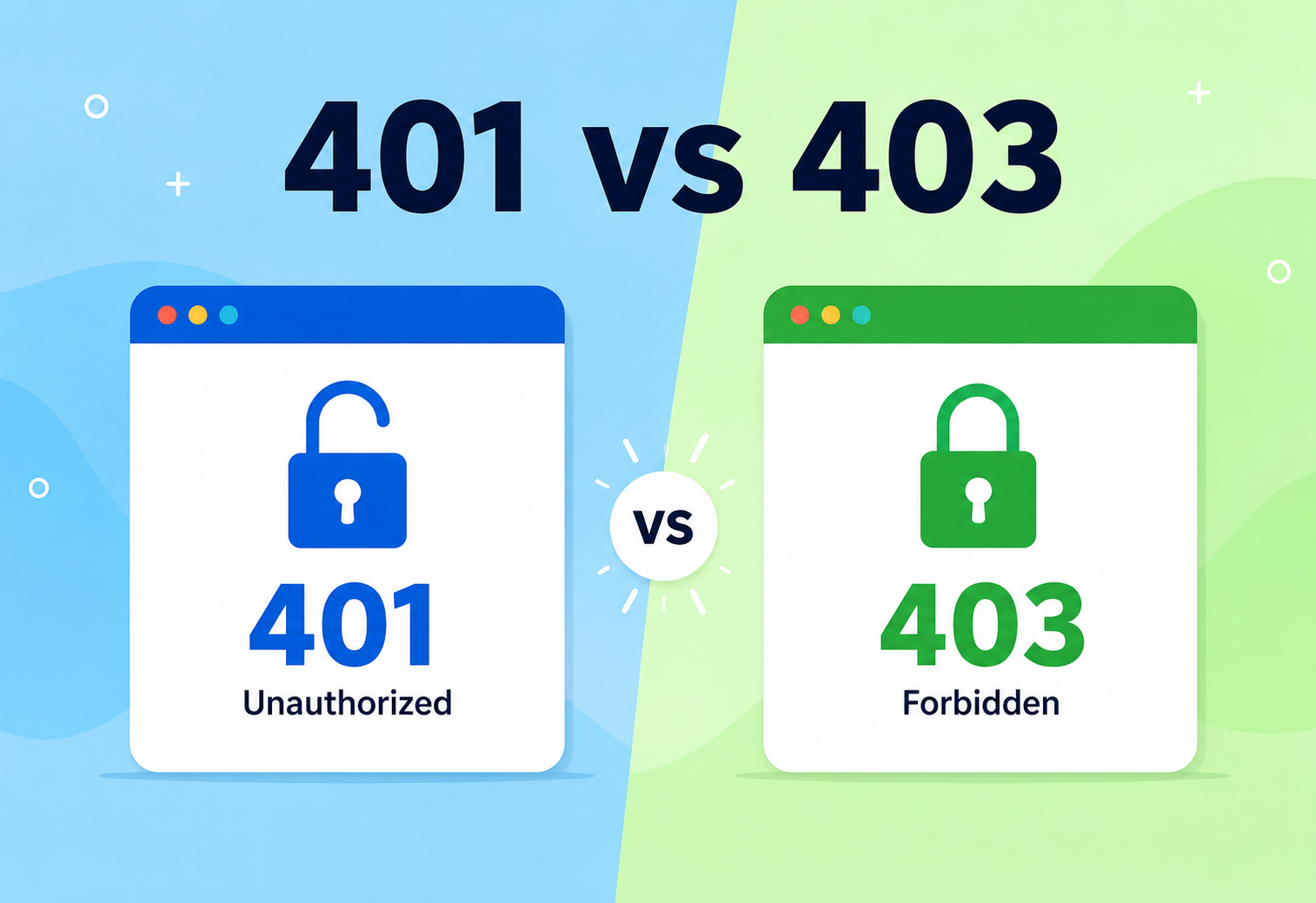
401 vs 403: Who Are You, and What Are You Allowed To Do?
A complete, beginner-to-production guide to the two most confused HTTP status codes — with real architecture, real code, and real-world analogies your grandmother could follow. Learn how RFC 7235 defines the distinction, how frameworks like Spring Security, AWS IAM, and OAuth 2.0 apply it, and why getting it right matters for security, debugging, monitoring, and every third-party integration built on top of your API.
Introduction & History
Imagine you walk up to a big office building. There’s a security guard at the front desk. Two very different things can happen to you there:
- The guard says, “Sorry, I don’t know who you are. Please show me an ID first.”
- The guard says, “I know exactly who you are, but you’re not allowed past this floor.”
Both situations end with you not getting in. But they are completely different problems. The first is about identity — the guard has no idea who you are. The second is about permission — the guard knows you perfectly well, but the rulebook says you can’t go there.
In the world of the web, these two situations have official names: HTTP 401 Unauthorized and HTTP 403 Forbidden. This guide is entirely about understanding, using, and correctly implementing these two status codes.
A short history of HTTP status codes
The World Wide Web runs on a protocol called HTTP (HyperText Transfer Protocol). It was first designed in 1989–1991 by Tim Berners-Lee at CERN, and formally standardised through documents called RFCs (Request For Comments) starting with HTTP/1.0 in 1996 and HTTP/1.1 in 1997 (RFC 2068, later revised as RFC 2616, and today maintained as RFC 7231 and RFC 9110).
From the very beginning, HTTP needed a way for a server to tell a client (like a browser) what happened to their request — not just “yes” or “no,” but a structured code with meaning. That’s why HTTP status codes are grouped into five families:
| Range | Category | Meaning |
|---|---|---|
| 1xx | Informational | Request received, still processing |
| 2xx | Success | Everything worked |
| 3xx | Redirection | Go look somewhere else |
| 4xx | Client Error | You (the client) did something wrong |
| 5xx | Server Error | The server messed up, not you |
401 and 403 both live in the 4xx client-error family, because in both cases, the server is telling the client: “the problem is on your side — either I don’t know who you are, or you’re not allowed to do this.” The 401 code was defined right from HTTP/1.0, while 403 also appeared early, in RFC 1945 (1996). Over the 30 years since, their exact definitions have been refined — most notably by RFC 7235 (2014), which cleaned up the confusing original wording of 401 and formally tied it to the concept of “authentication.”
401 means “I don’t know you, show me your name tag.” 403 means “I know you, but you’re still not allowed in this room.”
By the end of this guide, you will be able to explain the difference confidently in an interview, implement both correctly in real backend code, debug production incidents involving either code, and design systems that use them the way major companies like GitHub, AWS, and Netflix do today.
Problem & Motivation
Why do we even need two different codes? Why not just one generic “No, you can’t do that” response?
Because what the client should do next is completely different depending on the reason for rejection.
If the server says 401
- The client should try to log in, or refresh an expired token.
- There is a real chance of success if the client authenticates properly.
- The browser might even pop up a login dialog automatically.
If the server says 403
- Logging in again will not help — the user is already known.
- Retrying the same request will always fail, forever, for this user.
- The client should show a “you don’t have permission” message, not a login form.
This distinction matters enormously in real software. Picture a banking app. If a session token expired, the app should quietly refresh it and retry (401 scenario). But if a regular customer tries to open the “bank admin panel,” retrying login a hundred times will never work — the app should immediately show “Access Denied” (403 scenario). Mixing these two up leads to broken user experiences, security bugs, and confused engineers debugging the wrong problem at 2 AM.
Real-life analogy: the movie theatre
Think of a movie theatre showing an 18+ movie.
- 401 moment: You walk up to buy a ticket, and the cashier says, “I need to see some ID before I can even talk to you about this movie.” You haven’t proven who you are yet.
- 403 moment: You show your ID, the cashier sees you are 15 years old, and says, “I now know exactly who you are — and you’re still not allowed into this movie.”
The first problem is solved by presenting identification. The second problem can never be solved by showing more ID — the rule itself blocks you.
Why this distinction matters for software engineers specifically
Beyond user experience, the 401/403 distinction directly affects how software is built, tested, and debugged:
- Automated clients: Mobile apps and single-page web apps often contain logic like “if response is 401, silently try to refresh the access token and retry the request once.” If a server mistakenly sends 401 for a permission problem, the app will get stuck in a useless refresh-and-retry loop that can never succeed, wasting battery, bandwidth, and server resources.
- Testing and QA: Automated test suites for APIs commonly assert exact status codes for specific scenarios. A team that swaps 401 and 403 inconsistently will produce flaky, hard-to-trust tests, and worse, may silently break contracts with other teams or external partners consuming the API.
- Third-party integrations: When your API is consumed by external developers (as with a public API like Stripe’s or Twitter’s), your documented behaviour around 401 and 403 becomes a promise. Breaking that promise, even accidentally, can break thousands of integrations built by developers who trusted the standard meaning.
- Compliance and auditing: Regulations like GDPR, HIPAA, and PCI-DSS often require organisations to demonstrate that access to sensitive data is properly controlled. Clean, correctly-labelled 401/403 logs make it far easier to produce evidence during a compliance audit than a system that returns a single ambiguous “access denied” for every situation.
In short: this isn’t a pedantic technicality. It’s a foundational contract between clients and servers that ripples outward into reliability, security, user trust, and even legal compliance.
Core Concepts
Before we go deeper, let’s build a rock-solid vocabulary. We’ll define every term simply, explain why it exists, where it’s used, give an analogy, and a practical example.
3.1 HTTP request & response
What it is: A conversation between two computers: a client (like your browser or phone app) sends a request, and a server sends back a response.
Why it exists: Computers need an agreed-upon language to ask for and deliver things (web pages, data, images) over the internet.
Where it’s used: Every website, every mobile app that talks to the internet, every API call.
Analogy: You (client) send a letter to a pizza shop (server) asking for a pizza. The shop sends a letter back saying “Here’s your pizza” or “Sorry, we’re closed.”
Example: When you type www.example.com in your browser, your browser sends an HTTP GET request, and the server responds with the web page’s HTML plus a status code like 200 OK.
3.2 Status code
What it is: A three-digit number in the response that summarises what happened.
Why it exists: So software can react programmatically without reading English text — if (statusCode === 401) is much more reliable than parsing a sentence.
Analogy: It’s like a traffic-light colour — red, yellow, green — instantly understood without reading a paragraph.
Example: 200 = success, 404 = “page not found,” 500 = “server crashed.”
3.3 Authentication (AuthN)
What it is: The process of proving who you are.
Why it exists: Systems need to know the identity of whoever is making a request before deciding anything else.
Where it’s used: Login forms, API keys, tokens, biometric scans (fingerprint, face ID), OTP codes.
Analogy: Showing your passport at an airport — it proves you are who you claim to be.
Example: Typing your email and password into a login page. If correct, the server now “knows” you are user #4821.
3.4 Authorization (AuthZ)
What it is: The process of checking what you’re allowed to do, after your identity is already known.
Why it exists: Not every logged-in user should be able to do everything. A regular employee shouldn’t be able to fire the CEO through the HR system.
Where it’s used: Role-based dashboards, admin panels, file permissions, subscription tiers (free vs. premium features).
Analogy: Once your passport is checked at the airport, a separate rule decides whether your specific visa lets you enter the country or not.
Example: A logged-in user named Raj tries to delete another user’s account. The system knows Raj’s identity (authenticated) but checks his role and finds he’s not an admin (authorization fails).
401 = Authentication problem (“I don’t know who you are”)
403 = Authorization problem (“I know who you are, but you can’t do this”)
3.5 Session & token
What it is: A small piece of data that proves you already logged in, so you don’t have to re-enter your password on every single request. A session is usually stored on the server with an ID given to the client (often in a cookie). A token (like a JWT — JSON Web Token) is usually self-contained and carried by the client itself.
Why it exists: Logging in with a username and password on every single click would be unbearably slow and insecure (imagine retyping your password to load every image on a page).
Analogy: A wristband you get at a theme park after paying at the gate. You don’t pay again at every ride — you just show the wristband.
Example: After logging into Gmail, your browser stores a session cookie. Every time you click an email, that cookie is sent automatically so Google knows it’s still you.
3.6 Roles & permissions
What it is: Labels assigned to users (like “admin,” “editor,” “viewer”) that determine which actions they can perform.
Why it exists: It’s far easier to manage “this role can do X” than to configure permissions for every single user one by one.
Analogy: In a school, “Principal,” “Teacher,” and “Student” are roles. Each role has different permissions — a student can’t change another student’s grades, but a teacher can.
Example: In a company’s project-management tool, someone with role viewer can see tasks but gets a 403 if they try to delete one.
3.7 Stateful vs. stateless authentication
What it is: “Stateful” means the server keeps a memory of who is logged in (a session stored in a database or cache). “Stateless” means the server keeps no memory at all — every request carries proof of identity inside itself (a signed token), and the server simply checks the signature.
Why it exists: Early websites were small enough that storing every logged-in user in server memory was fine. As the web grew to millions of concurrent users spread across many servers, remembering “who is logged in” everywhere became expensive and complicated — stateless tokens solved that by letting any server verify identity instantly, without asking a central database.
Where it’s used: Stateful sessions are common in traditional web apps (a shopping-cart website using cookies). Stateless tokens (JWTs) are common in modern APIs, mobile apps, and microservices.
Analogy: A stateful session is like a nightclub bouncer who keeps a physical guest list at the door and checks your name against it every time you walk in. A stateless token is like a wax-sealed wristband — the bouncer doesn’t need a list at all; they just check that the seal is genuine and unbroken.
Example: When you log into a bank’s mobile app, it may receive a JWT access token. Every API call after that includes the token in the Authorization header, and the server verifies its cryptographic signature in microseconds, without a database round-trip.
3.8 Cookies vs. headers vs. query parameters
What it is: Three different places credentials can travel inside an HTTP request. A cookie is small data the browser automatically attaches to matching requests. A header (like Authorization) is a manually attached labelled value. A query parameter is a value stuck onto the URL itself, like ?token=abc123.
Why it exists: Different types of clients need different delivery mechanisms — browsers benefit from automatic cookie handling, while mobile apps and server-to-server calls prefer explicit headers they fully control.
Where it’s used: Cookies dominate traditional websites; headers dominate REST/JSON APIs; query parameters are discouraged for secrets because URLs are often logged in plaintext by proxies, browsers, and server access logs.
Analogy: A cookie is like a hotel keycard your body “remembers” to carry into every room automatically. A header is like handing your ID card to a specific guard by hand, every single time. A query parameter is like writing your password on a postcard that passes through many hands along the way — clearly a bad idea for anything secret.
Example: Gmail uses secure, HttpOnly cookies so JavaScript on the page cannot read them (protecting against certain attacks), while the GitHub REST API expects a token in an Authorization: Bearer <token> header on every call.
Architecture & Components
In a real system, deciding between 401 and 403 doesn’t happen by magic — it happens inside a chain of components that a request passes through. Let’s map that chain.
4.1 Key components
Client
Browser, mobile app, or another server sending the request.
Load Balancer
Distributes traffic across multiple server instances for reliability and scale.
API Gateway
A front door that can centrally handle authentication, rate limiting, and routing.
Auth Filter / Middleware
Code that inspects credentials (token, cookie, API key) and either confirms or rejects identity.
Authorization Layer
Checks roles / permissions against the requested action or resource.
Business Logic
The actual application code that performs the requested work once both checks pass.
In modern systems, authentication is frequently centralised at the API Gateway or a dedicated Identity Provider (IdP) like Auth0, Okta, AWS Cognito, or Keycloak — so individual microservices don’t each reinvent login logic. Authorization, however, is often pushed closer to the actual microservice, because “can this user delete this order?” is a business-specific rule that the gateway usually doesn’t know about.
4.2 Why separate authentication from authorization at all?
A newcomer might reasonably ask: why not just build one big “access control” component that does both jobs? In practice, separating them brings real architectural benefits:
- Single responsibility: Authentication logic (verifying who someone is) rarely changes once built. Authorization logic (business rules about what they can do) changes constantly as a product evolves — keeping them separate means changing business rules doesn’t risk breaking core login security.
- Reusability: The same identity provider can serve dozens of different applications and microservices across an entire company, while each application defines its own, unique authorization rules on top.
- Independent scaling: Authentication traffic (logins, token refreshes) and authorization checks (permission lookups) can have very different traffic patterns and can be scaled independently as separate services.
- Clearer security review: Security teams can audit “how do we verify identity” as one well-contained problem, separate from “who is allowed to do what,” making both easier to reason about and harder to get wrong.
4.3 The role of middleware and filters
What it is: A middleware (also called a filter or interceptor, depending on the framework) is a small piece of code that runs automatically before or after the main business logic of a request, without the developer needing to add it manually to every single endpoint.
Why it exists: Without middleware, every single controller method in an application would need to manually copy-paste the same “check the token, check the role” code — extremely error-prone and repetitive.
Analogy: Think of an airport security checkpoint that every passenger must walk through before reaching any gate, rather than having each individual gate agent separately re-check IDs and bags.
Example: In Spring Boot (Java), a SecurityFilterChain automatically intercepts every incoming request, checks authentication and authorization centrally, and only forwards the request to your actual @RestController code once both gates are cleared.
Internal Working
Let’s go under the hood and see, step by step, how a server actually decides whether to send 401 or 403.
5.1 The two-gate model
Think of every protected request as passing through two gates, in strict order:
Gate 1 — Identity Gate (Authentication)
The server looks for credentials: a cookie, an
Authorization: Bearer <token>header, an API key, a client certificate. If missing or invalid → 401 Unauthorized, and the request stops here.Gate 2 — Permission Gate (Authorization)
Now that the server knows exactly who is asking, it checks a policy: does this identity’s role / permissions allow this specific action on this specific resource? If not → 403 Forbidden.
Pass both gates
Only if both gates are cleared does the request reach the actual business logic, which then returns a success code like
200 OK,201 Created, etc.
5.2 The WWW-Authenticate header
The HTTP specification (RFC 7235) requires that whenever a server sends 401, it should also send a header called WWW-Authenticate, telling the client exactly what kind of credentials are expected. This is a big technical difference from 403, which has no such requirement — because there’s nothing more the client can present.
HTTP/1.1 401 Unauthorized
WWW-Authenticate: Bearer realm="api.example.com",
                  error="invalid_token"
Content-Type: application/json

{
  "error": "invalid_token",
  "message": "Your session has expired. Please log in again."
}HTTP/1.1 403 Forbidden
Content-Type: application/json
{
"error": "insufficient_permissions",
"message": "You do not have permission
to delete this resource."
}Many developers assume “401 = generic access denied.” Technically, this is wrong. RFC 7235 says 401 specifically means authentication is missing or has failed — not merely “access denied for any reason.”
5.3 Java example — deciding 401 vs 403
Here’s a simplified example using a servlet-style filter to show the actual decision logic in Java (conceptually similar to what Spring Security does internally).
public void doFilter(HttpServletRequest request, HttpServletResponse response,
                      FilterChain chain) throws IOException, ServletException {

    String token = request.getHeader("Authorization");

    // GATE 1: Authentication
    if (token == null || !tokenService.isValid(token)) {
        response.setStatus(401); // Unauthorized
        response.setHeader("WWW-Authenticate", "Bearer realm="api"");
        response.getWriter().write("{"error":"Missing or invalid token"}");
        return; // stop here, never reach authorization
    }

    User user = tokenService.getUser(token);

    // GATE 2: Authorization
    String requiredRole = "ADMIN";
    if (!user.hasRole(requiredRole)) {
        response.setStatus(403); // Forbidden
        response.getWriter().write("{"error":"Insufficient permissions"}");
        return;
    }

    // Both gates passed — continue to business logic
    chain.doFilter(request, response);
}
Notice the order: authentication is always checked first. It would make no sense to check permissions for a user whose identity you haven’t even confirmed yet.
5.4 Concurrency and thread-safety in auth checks
Production servers handle thousands of requests per second, often in parallel, using thread pools or asynchronous event loops. This means authentication and authorization code must be thread-safe — multiple requests from different users must never accidentally share or overwrite each other’s identity data.
Modern frameworks solve this using request-scoped context: each incoming request gets its own isolated “bag” to carry the authenticated user object, so Thread A handling User X’s request never sees User Y’s data, even if both run at the exact same millisecond. In Java’s Spring framework, this is done through the SecurityContextHolder, which by default uses a ThreadLocal — a special variable that keeps a separate copy for every thread.
A subtle but dangerous bug occurs when applications reuse threads (common in thread-pool designs) without properly clearing this context between requests — a leftover identity from a previous request could “leak” into a new one. This is why frameworks carefully clear the security context at the end of every request lifecycle.
In asynchronous, non-blocking systems (like Node.js, or Java’s reactive stack with Project Reactor / WebFlux), the same identity-isolation problem exists but is solved differently — using a technique called context propagation, where the authenticated user is explicitly passed along the chain of asynchronous callbacks rather than relying on which physical thread happens to be running.
Data Flow & Lifecycle
Let’s trace a complete, realistic lifecycle: a user tries to delete a blog post through an API.
Notice the crucial difference in the user’s next step:
- After 401, the user logs in — and that fixes the problem.
- After 403, logging in again would do nothing, because the user is already logged in. The only fix is to have someone grant them the correct role, or to use an account that already has that role.
6.1 What happens inside the server, millisecond by millisecond
- TCP connection established (or reused, in HTTP/1.1 keep-alive / HTTP/2).
- Server reads request headers, extracts token / cookie.
- Authentication middleware verifies signature / expiry of token (often via cryptographic check, sometimes via a lookup in a session store like Redis).
- If invalid → 401 response built and sent; connection may stay open for reuse.
- If valid → user object attached to request context.
- Authorization middleware evaluates a policy (role check, attribute check, or a call to a policy engine like OPA — Open Policy Agent).
- If denied → 403 response built and sent.
- If allowed → request proceeds to controller / business logic → database → response.
Advantages, Disadvantages & Trade-offs
Using precise 401 / 403 codes (instead of one generic “denied” response) has real engineering trade-offs.
Advantages
- Clients can build smart automatic behaviour (e.g., auto-refresh tokens only on 401).
- Debugging is faster — logs immediately tell you if it’s an identity bug or a permission bug.
- Better UX — apps can show “please log in” vs “you don’t have access” messages correctly.
- Follows web standards, so third-party tools, browsers, and libraries behave predictably.
Disadvantages / Trade-offs
- Returning 403 (instead of 404) can leak information — e.g., confirming a private resource exists.
- Implementing two distinct gates adds a small amount of latency and code complexity.
- Developers frequently misuse the codes (using 403 for “not logged in,” a very common bug).
- Some legacy systems / frameworks default incorrectly, requiring manual overrides.
Some APIs deliberately return 404 Not Found instead of 403 for private resources, so an attacker probing random IDs can’t tell the difference between “doesn’t exist” and “exists but you can’t see it.” GitHub’s private-repository API does exactly this.
7.1 Weighing precision against simplicity
Small startups building a first prototype sometimes choose to skip the 401 / 403 distinction entirely, returning a single generic error for anything access-related, simply to move faster. This can be a reasonable short-term trade-off for a tiny internal tool with one type of user. However, as soon as a product introduces more than one type of user (free vs. paid, regular vs. admin, or any external API consumers at all), the cost of that shortcut grows quickly — support tickets pile up from confused users seeing the wrong error message, and engineers waste time debugging the wrong layer of the system. Most teams find that investing in the correct distinction early on pays for itself many times over as the product and user base grow.
Performance & Scalability
Authentication and authorization checks run on every single request, so their performance directly affects how fast and how large your system can scale.
8.1 Stateless tokens vs. stateful sessions
A stateful session requires a database or cache lookup (e.g., Redis) on every request to check if the session is still valid — this adds network latency and a scaling bottleneck at high traffic. A stateless token (like a signed JWT) can be verified with pure cryptography, using no database call at all, which scales far better across many servers.
| Approach | Lookup Needed? | Scalability | Revocation |
|---|---|---|---|
| Server-side session (cookie + Redis) | Yes, every request | Good, but adds DB / cache load | Instant (delete from store) |
| Stateless JWT | No, cryptographic check only | Excellent, no shared state needed | Hard (must wait for expiry or use blocklist) |
8.2 Caching authorization decisions
High-traffic systems (like Netflix or Amazon) often cache the results of authorization checks briefly (e.g., “this user is an ADMIN” cached for 60 seconds) to avoid hitting the permissions database on every request. This must be balanced carefully against the risk of a revoked permission still being honoured for a short window.
A 401 response should be returned as fast as possible and as early as possible in the pipeline — ideally at the API Gateway / edge — so invalid traffic never even reaches expensive backend services. This is also a defence against certain denial-of-service patterns.
8.3 CAP theorem and session replication
When a user’s session or permission data must be shared across multiple data centres (for global apps like Netflix or Uber), engineers run directly into the CAP theorem — a well-known rule stating that a distributed data store can only fully guarantee two out of three properties at once: Consistency (everyone sees the same data at the same time), Availability (every request gets a response), and Partition tolerance (the system keeps working even if network links between data centres break).
Applied to authentication: if a user logs out in the US region, should a request in the Europe region immediately see them as logged out (favouring consistency), or should it keep accepting their old token for a few more seconds until data replicates (favouring availability)? Most large-scale identity systems choose eventual consistency — accepting a short, bounded delay in propagating logouts or permission changes, in exchange for the system staying fast and available worldwide. This is why, occasionally, a permission change (“you are no longer an admin”) can take a few seconds to apply everywhere — a deliberate, accepted trade-off, not a bug.
Analogy: Imagine a school office updating a “banned from library” list, but each school building has a slightly outdated printed copy. For a minute or two after an update, one building’s guard might still let the banned student in, until the new list is delivered. Most schools (and most large-scale systems) accept this small delay rather than shutting the library down entirely while lists sync perfectly everywhere.
8.4 Data partitioning for identity systems
At massive scale, a single database cannot hold every user’s credentials and permissions efficiently. Systems use partitioning (also called sharding) — splitting user data across many database instances, often by a hash of the user ID or by geographic region. A well-designed authentication service routes each request to the correct shard quickly, so checking “does this token belong to a valid user” doesn’t require scanning every partition.
High Availability & Reliability
If your authentication service goes down, everything behind it starts failing with 401s or 5xx errors — this makes the identity system one of the most critical pieces of infrastructure to keep highly available.
- Redundancy: Run multiple instances of the identity provider across different availability zones.
- Graceful degradation: Some systems cache recent valid tokens locally so short outages of the identity service don’t immediately lock everyone out.
- Circuit breakers: If the authorization service is slow or down, a well-designed gateway can “fail closed” (deny by default, safer) or in specific low-risk cases “fail open” (allow, only when explicitly justified).
- Token expiry buffers: Refresh tokens slightly before they expire so users rarely see a sudden, disruptive 401.
When in doubt, a system should default to denying access (returning 401 / 403) rather than allowing it, if the authorization check itself fails or times out. “Fail open” is dangerous and should only be used after careful risk analysis.
Security
401 and 403 are, at their core, security mechanisms. Getting them right (or wrong) has real consequences.
10.1 Why 401 is not “wrong password” every time
A well-designed login endpoint should not return 401 with a message like “wrong password” versus “user not found” — because that tells an attacker which usernames exist in your system (a vulnerability called user enumeration). Instead, best practice is a generic message: “Invalid email or password,” with the same 401 status code and same response time in both cases.
10.2 Information disclosure via 403
As mentioned earlier, returning 403 for a resource a user isn’t allowed to even know about can leak its existence. For genuinely private / secret resources (a competitor’s private repo, another user’s private message), many production systems intentionally return 404 Not Found instead — hiding the resource’s existence entirely, which is a stronger security posture than 403.
10.3 Common authentication mechanisms behind 401 checks
Basic Auth
Username:password sent (base64-encoded, not encrypted) — should only run over HTTPS.
Session Cookies
Server-generated ID stored client-side, validated server-side on each request.
JWT (JSON Web Tokens)
Signed, self-contained tokens; server verifies signature without a database call.
OAuth 2.0 / OpenID Connect
Delegated authentication — “Sign in with Google,” used by nearly every modern app.
API Keys
Long-lived secret strings used mostly for server-to-server or third-party API access.
Multi-Factor Auth (MFA)
A second proof of identity (OTP, authenticator app) added on top of a password.
10.4 Common authorization models behind 403 checks
RBAC
Role-Based Access Control — permissions attached to roles like “admin,” “editor.”
ABAC
Attribute-Based Access Control — decisions based on attributes (department, time of day, location).
ACL
Access Control List — a specific list of who can access a specific resource.
Policy Engines
Tools like OPA (Open Policy Agent) let you write access rules as code, evaluated centrally.
This is a common security mantra: identity, once proven, is usually cached for a session’s duration — but permission checks should be re-evaluated on every sensitive action, because roles and permissions can change mid-session (e.g., an admin gets demoted while still logged in).
10.5 Anatomy of a JWT (the most common cause of modern 401s)
A JSON Web Token has three parts, separated by dots, each base64-encoded: header.payload.signature.
- Header: Describes the algorithm used to sign the token, e.g.
{"alg":"HS256","typ":"JWT"}. - Payload (claims): The actual data — user ID, roles, expiry time (
exp), issued-at time (iat). - Signature: A cryptographic proof that the header and payload haven’t been tampered with, created using a secret key (or a private / public key pair) known only to the issuing server.
When a server receives a JWT, it recomputes the signature using its own secret key and compares it to the one attached. If they don’t match, or if the exp timestamp has passed, the server returns 401 — the identity claim cannot be trusted anymore, even though the token still visually “looks” valid.
A JWT is like a hall pass with an invisible teacher’s signature written in special ink. Anyone can read what’s written on the pass, but only the school’s special lamp (the server’s secret key) can confirm the signature is real and not forged, and whether the pass has expired.
10.6 A simplified OAuth 2.0 flow (“Sign in with Google”)
OAuth 2.0 lets you log into App B using an identity you already proved to App A (like Google), without ever giving App B your Google password.
Once this flow completes, App B issues its own session or token to you. From that point on, every future 401 / 403 decision inside App B is made using App B’s own token — Google is no longer involved unless the token needs refreshing.
10.7 CSRF, CORS, and how they relate to 401/403
CSRF (Cross-Site Request Forgery) is an attack where a malicious website tricks your browser into sending a request to a site you’re already logged into, using your existing cookies without your knowledge. Defences (CSRF tokens, SameSite cookies) usually result in a 403 response when a request is missing a valid anti-CSRF token — because the server does recognise your session, but refuses the specific request as untrustworthy.
CORS (Cross-Origin Resource Sharing) is a browser-enforced rule about which websites are allowed to call which APIs from JavaScript. A CORS block happens entirely inside the browser, before your request logic runs, and is reported differently from 401 / 403 (usually as a network / console error) — it’s a common source of confusion for beginners who mistake a CORS block for an authentication failure.
Monitoring, Logging & Metrics
In production, teams don’t just implement 401 / 403 — they watch them closely, because spikes in these codes are early warning signs.
- Structured logging: Every 401 / 403 should log the user ID (if known), IP, endpoint, and reason — never the raw password or token.
- Metrics / Dashboards: Tools like Prometheus + Grafana, Datadog, or New Relic track error rates per status code over time.
- Alerting: A sudden jump in 401s across all users usually means the auth service or token-signing keys are broken — a page-worthy incident.
- Tracing: Distributed tracing (e.g., OpenTelemetry) helps pinpoint exactly which microservice in a chain issued the 401 / 403.
- Audit logs: For compliance (SOC2, HIPAA, PCI-DSS), 403 events are often specifically retained as evidence that unauthorized access attempts were correctly blocked.
11.1 A worked incident-response example
Imagine an on-call engineer gets paged at 2 AM because 401 errors have jumped from a normal baseline of 0.5% of requests to 40% of requests across the entire platform. Following good monitoring practice, they would:
- Check the dashboard to confirm whether the spike is global or limited to one region / service — a global spike often points to a shared dependency, such as the token-signing key or the identity provider itself.
- Check recent deployments — did a new build accidentally change the expected token format or clock synchronisation (JWTs are sensitive to server clock drift, since expiry checks rely on accurate time)?
- Check the identity provider’s own health dashboard — if it’s an external provider like Okta or Auth0, the outage may not even be inside their own infrastructure.
- Roll back the latest deployment if it correlates precisely with the start of the spike, then investigate root cause afterward with logs and traces.
This kind of structured, code-and-dashboard-driven response is only possible because 401 and 403 are tracked as distinct, well-understood signals rather than lumped into one vague “errors” bucket.
Deployment & Cloud
Cloud providers offer managed building blocks so teams don’t have to hand-roll authentication and authorization from scratch.
AWS
API Gateway + Cognito for auth; IAM policies and Lambda authorizers for fine-grained 403 decisions.
Google Cloud
Identity-Aware Proxy (IAP) and Cloud IAM enforce authentication / authorization at the edge.
Azure
Azure AD (Entra ID) and API Management handle token validation and role checks centrally.
Kubernetes
Ingress controllers or service meshes (like Istio) can enforce auth policies before traffic reaches pods.
A common modern pattern is to push authentication as close to the network edge as possible (CDN or API Gateway level), so invalid requests are rejected with 401 before consuming any compute resources deeper in the system — this both improves performance and reduces cost.
Databases, Caching & Load Balancing
Where does the actual “who is allowed to do what” data live?
- User / credentials table: Usually a relational database (PostgreSQL, MySQL) storing hashed passwords (never plain text — using algorithms like bcrypt or Argon2).
- Session store: Fast key-value stores like Redis or Memcached hold active sessions for quick lookup.
- Roles / permissions table: Often relational, mapping users → roles → permissions, sometimes cached in-memory for speed.
- Load balancers: Distribute auth traffic across multiple identity service instances; some load balancers can even terminate TLS and pass identity headers downstream.
Caching authorization data speeds things up but introduces a classic trade-off: consistency vs. speed. If a user’s role is revoked but a cached “admin” decision lives for another 60 seconds, that’s a real security window. Many systems mitigate this with short cache TTLs (time-to-live) or active cache invalidation the moment a role changes.
APIs & Microservices
In a microservices architecture, dozens of small independent services talk to each other, and each request may cross multiple service boundaries. Deciding who checks 401 / 403 becomes an architectural decision.
14.1 Two common patterns
Centralised Auth (Gateway-only)
- Simple, consistent 401 handling in one place.
- Fine-grained 403 logic can still be missed if pushed too far upstream.
Distributed Auth (Per-service)
- Each microservice enforces its own fine-grained rules — very precise 403 handling.
- Risk of duplicated logic and inconsistent rules across teams.
Most large-scale companies use a hybrid: coarse authentication at the gateway (401), and fine-grained business authorization inside each service (403), sometimes using a shared policy engine like OPA so rules stay consistent without duplicating code everywhere.
Design Patterns & Anti-patterns
Good patterns
Fail-fast Gateway Auth
Reject bad tokens (401) at the very edge, before hitting any backend service.
Policy-as-Code
Externalise 403 decisions into a versioned, testable policy engine (like OPA) instead of scattering “if” checks in code.
Least Privilege
By default, grant the minimum permissions needed — force explicit escalation rather than defaulting to broad access.
Generic Error Messages
Avoid revealing whether it was the username or password that was wrong on login failures.
Anti-patterns (real mistakes seen in production)
Using 403 for “not logged in”
Very common bug — should be 401. Breaks automatic client-side login redirects.
Using 401 for “no permission”
Confuses clients into thinking a fresh login will fix a permanent permission problem.
Leaking resource existence
Returning 403 (instead of 404) for resources that should stay completely hidden from unauthorized users.
Checking authz before authn
Logically broken — you cannot check permissions for an unknown identity.
Many developers assume 403 always implies “you’re logged in.” Technically the HTTP spec doesn’t strictly require that — a server could return 403 to an anonymous user too (e.g., “this entire site requires an invite, no login even possible”). But the strong, standard convention is: 401 = unauthenticated, 403 = authenticated but disallowed.
Best Practices & Common Mistakes
Always check authentication before authorization
Never let a permission check run on an unverified identity.
Send WWW-Authenticate on every 401
Tells the client exactly what type of credential is required.
Never reveal why login failed
“Invalid credentials” — not “wrong password” or “user not found.”
Use 404 instead of 403 for sensitive private resources
Hide existence entirely when appropriate.
Log every 401 / 403 with context
User ID, endpoint, IP, and reason — but never secrets.
Always use HTTPS
Sending credentials or tokens over plain HTTP exposes them to interception.
Re-check authorization on every sensitive action
Don’t trust a permission decision cached from earlier in the session.
| Mistake | Why it’s wrong | Correct fix |
|---|---|---|
| Returning 403 for missing token | Client can’t tell it needs to log in | Return 401 |
| Returning 401 for wrong role | Client retries login endlessly, never succeeds | Return 403 |
| Detailed “user not found” message | Enables account enumeration attacks | Generic “invalid credentials” |
| No WWW-Authenticate header | Client doesn’t know what auth method is expected | Always include it on 401 |
16.1 A checklist for code review
When reviewing a pull request that touches access control, experienced engineers often ask themselves a short mental checklist: Does this endpoint correctly distinguish “no identity” from “wrong identity’s permissions”? Is the authentication check guaranteed to run before any authorization check, with no code path that skips it? Are error messages generic enough to avoid leaking whether a username, resource, or permission specifically exists? Is every 401 / 403 response logged with enough context to investigate later, without logging the credential itself? And finally, is there an automated test covering both the 401 case (no / bad credentials) and the 403 case (valid but insufficient credentials) for this endpoint? A “yes” to all five is a strong sign the access-control logic is production-ready.
Real-World & Industry Examples
UNAUTHENTICATED for missing / bad credentials and 403 PERMISSION_DENIED for valid-but-insufficient identities, matching gRPC status codes underneath.Mature, high-scale APIs are strict about the 401 vs 403 distinction because millions of client integrations depend on that exact meaning to build correct automatic retry and login logic.
17.1 A closer look — GitHub’s approach
GitHub’s REST API documentation explicitly states that requests to resources you cannot access will often return 404 Not Found rather than 403, specifically to avoid confirming the resource’s existence to unauthorized users. This is a deliberate design choice, not an oversight — GitHub treats “existence of a private repo” itself as sensitive information worth protecting.
17.2 A closer look — AWS IAM
AWS uses a “default deny” model: unless a policy explicitly allows an action, it is denied. When a request is correctly authenticated (valid AWS credentials / signature) but the attached IAM policy doesn’t grant the specific action, AWS returns a 403 with an error code such as AccessDenied, often including a human-readable explanation of which exact permission was missing — extremely useful for debugging permission issues at scale across thousands of engineers and services.
17.3 A closer look — e-commerce checkout flows
Large e-commerce platforms like Amazon separate “browsing” (usually no authentication required) from “checkout” (authentication required) and “seller dashboard access” (authentication + specific seller role required). A shopper who isn’t logged in gets redirected to sign in (401-driven flow) when reaching checkout, while a logged-in shopper trying to access another seller’s dashboard receives a hard 403 block, often paired with security monitoring in case of suspicious access patterns.
FAQ, Summary & Key Takeaways
Frequently Asked Questions
Is “Unauthorized” (401) a misleading name?
Yes — many engineers agree that 401 is oddly named, because it really means “Unauthenticated,” not “Unauthorized.” This naming confusion dates back to the earliest HTTP specs and has simply stuck for backward compatibility.
Can a server return 403 to someone who isn’t logged in at all?
Technically yes — the HTTP spec doesn’t forbid it. But conventionally, if identity is unknown, 401 is the expected response, and 403 is reserved for known identities lacking permission.
Should I use 403 or 404 for private data?
For maximum security (hiding even the existence of a resource), use 404. For simpler cases where hiding existence isn’t a strong requirement, 403 is acceptable and more transparent.
Does an expired token cause 401 or 403?
401. An expired token means the server can no longer trust your identity claim — that’s an authentication failure, not a permission failure.
What comes first in the code — authentication middleware or authorization middleware?
Authentication always comes first. It is logically impossible to check permissions before knowing who is asking.
Why does my browser sometimes show a native login popup instead of a nice login page?
That happens with an authentication scheme called “Basic Auth” or “Digest Auth.” When the server sends 401 with a WWW-Authenticate: Basic header, browsers are built to automatically display a built-in username / password popup, rather than relying on the website’s own HTML login form.
Is 403 always a security-relevant event worth investigating?
Not always — many 403s are completely normal, expected behaviour (a free-tier user hitting a premium-only feature). But a sudden, unusual spike of 403s from one account or IP address, especially across many different resources, can indicate someone probing your system for weaknesses and deserves investigation.
Can a load balancer or CDN return 401 / 403 without ever reaching my application code?
Yes. Many teams configure the edge layer (CDN, API Gateway, or a Web Application Firewall) to reject obviously invalid or malicious requests before they ever reach the actual application servers — improving performance and reducing load, since your business logic never has to run for traffic that was never going to be allowed through anyway.
Do gRPC and GraphQL use the same 401 / 403 codes?
gRPC (often used between microservices) has its own status codes, UNAUTHENTICATED and PERMISSION_DENIED, which map conceptually to HTTP’s 401 and 403. GraphQL typically rides on top of HTTP but often returns a 200 OK at the transport level with an errors array inside the JSON body describing the authentication or authorization failure — a common point of confusion for engineers used to REST conventions.
Quick comparison table
| Aspect | 401 Unauthorized | 403 Forbidden |
|---|---|---|
| Real meaning | Not authenticated (identity unknown / invalid) | Authenticated but not authorized |
| Fix | Log in / refresh token | Request permission / use a different account |
| Retry helps? | Yes, after authenticating | No, never with the same identity |
| Required header | WWW-Authenticate | None required |
| Layer checked | Identity / Gate 1 | Permission / Gate 2 |
Summary
401 and 403 are two very different HTTP status codes for two very different problems. 401 says “I don’t know who you are” and can be fixed by presenting valid credentials. 403 says “I know exactly who you are, and the rules say no” — no amount of re-logging-in will ever fix it for the same identity. Every mature web platform — from GitHub and AWS to Netflix and Google Cloud — treats this distinction as a hard contract, because millions of automated clients depend on the standard meaning to build correct retry, login, and permission-escalation logic.
Key Takeaways
- 401 = “I don’t know who you are.” Fixable by authenticating (logging in, refreshing a token).
- 403 = “I know exactly who you are, and the rules say no.” Never fixable by simply logging in again.
- Authentication always runs before authorization in the request pipeline — you cannot check permissions for an unknown identity.
- Always send the
WWW-Authenticateheader on 401 responses, as required by the HTTP spec (RFC 7235). - For highly sensitive private resources, consider using 404 instead of 403 to avoid leaking their existence.
- Getting this distinction right improves security, debugging speed, monitoring accuracy, and user experience across the entire system.

