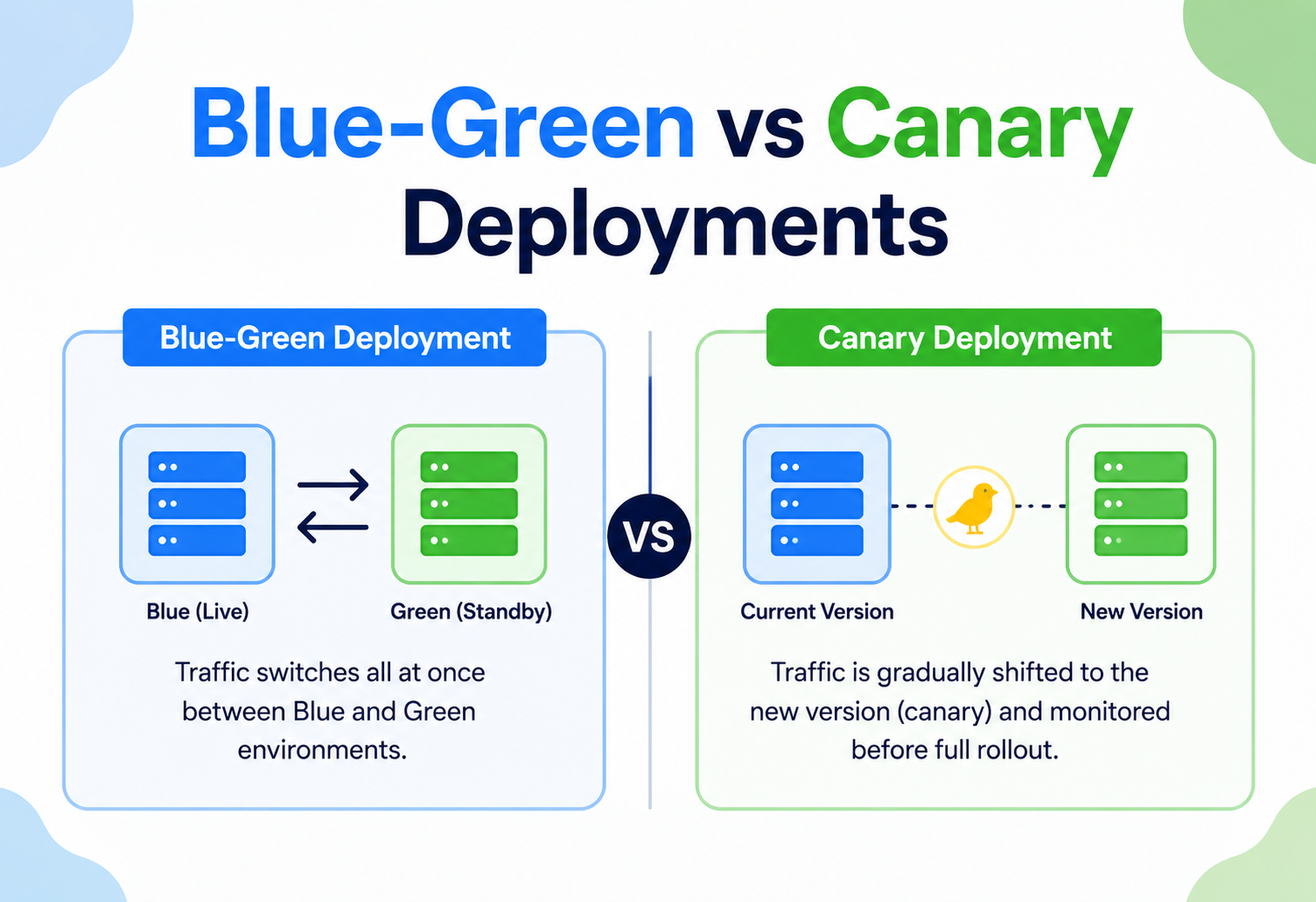
Blue-Green vs Canary Deployments
A ground-up, jargon-free walkthrough of the two most important zero-downtime release strategies in modern software engineering — how they work internally, when to reach for each, and how companies like Netflix, Amazon, Google, Uber, Etsy, Meta and Shopify actually run them in production. Every diagram is redrawn from scratch, every list item is preserved, and every real-world tool (Kubernetes, Istio, Argo Rollouts, Flagger, CodeDeploy, Spinnaker, Kayenta) is placed in context.
Introduction & History
Picture a small neighbourhood bakery. Every night, after the last customer leaves, the owner shuts the door, tears down the old menu, hauls in new ingredients, rearranges the whole kitchen, and reopens at 7 a.m. sharp. If the new menu has a problem, customers who wander in that morning see the mess and simply walk out again. For a long time, that was more or less what deploying software looked like — put up a “down for maintenance” page, replace the running version, hope everything comes back cleanly, and turn the sign back to Open.
As websites and apps became things people expect to work 24 hours a day, 7 days a week, that “close the shop to redecorate” approach quietly stopped being acceptable. Engineers needed a way to change what is running without anyone noticing and — just as importantly — a way to undo a change instantly the moment it turns out to be broken. Two strategies rose to the top of the industry’s toolbox to solve exactly that problem: blue-green deployment and canary deployment.
The name “blue-green deployment” was popularised around 2010 by Martin Fowler and the ThoughtWorks community. The idea itself is refreshingly simple: keep two identical copies of your production environment, colour-code them BLUE and GREEN so nobody confuses which is which, and then switch traffic between them the way you flip a light switch. “Canary deployment,” on the other hand, borrows its name from a much older practice: coal miners once carried canaries into mines because the birds showed obvious signs of distress from toxic gas long before the humans could sense it, buying the crew precious minutes to evacuate. In software, a canary release sends a small slice of real user traffic to a new version first — if the canary “gets sick” (errors spike, latency climbs), you pull the release back before everyone is exposed.
Every single time you open Instagram, check your bank balance, or order food and it “just works” without ever seeing an outage page, there is a very good chance a blue-green or canary deployment happened behind the scenes — possibly minutes before you opened the app.
Both strategies belong to a broader family called progressive delivery — the practice of rolling out changes gradually and safely instead of flipping every user over to new code all at once. Knowing the difference between them, and being able to pick the right one for a given change, is one of the most practical skills a backend engineer, DevOps engineer, or site reliability engineer (SRE) can carry into any team.
Blue-green is a light switch — off, then on, all at once, for everybody. Canary is a dimmer switch — you turn it up gradually while watching the room to make sure nothing catches fire.
The Problem & Motivation
Let’s get very concrete about what actually goes wrong when you take the naive approach of “just update the servers directly and hope for the best.” Three distinct problems keep showing up, and every serious deployment strategy is really an answer to one or more of them.
Problem 1 · Downtime
If you update your one and only set of servers in place, there is a window — even if it is only a few seconds — where the old code has stopped and the new code has not fully started. Inside that window, incoming requests either hang, time out, or come back as a 502 error. For a small hobby project that is a shrug. For an airline booking system, a hospital records system, or a payments gateway, it is real money lost and, in the worst cases, real harm done.
Problem 2 · No safety net
If you overwrite the old version with the new one and the new one has a bug, your only way back is to redeploy the previous code — which takes time. Every minute that takes, every single user is still hitting the broken version, and every one of them either fails, retries, or churns.
Problem 3 · All-or-nothing exposure
Even if you avoid downtime with clever in-place restart tricks, you are still betting on a change that instantly affects 100 % of your users. If the new version has a subtle defect that only appears under real production load — a memory leak, a race condition, a bad interaction with a particular customer’s data — you find out only after everyone has already hit it.
In 2012, a trading firm called Knight Capital pushed a software update to live trading servers. A deployment mistake left old and new code running side by side inconsistently, and within roughly 45 minutes the company lost about $440 million and very nearly went bankrupt. That single incident is the kind of story that turned “safe deployment strategy” into a board-level concern rather than a purely engineering one.
Blue-green and canary deployments both exist to answer the same underlying question: “How do we change what is running in production without breaking things for real users, and how do we make undo instant if we do?” They simply answer it with two different philosophies, which the rest of this guide will unpack in detail.
Why “test it in staging first” is not a complete answer
A very natural response to all of this is “just test it thoroughly in a staging environment before it ever reaches production.” Staging environments are enormously valuable and every serious engineering team should have one — but staging can never be a perfect stand-in for production, and it is worth being clear about the stubborn reasons why:
- Traffic shape. Staging traffic is small, synthetic, and predictable. Real production traffic is huge, messy, and full of edge cases nobody thought to write a test for — unusual characters in a name field, a customer with 40,000 items in their cart, a network that drops packets mid-request.
- Data variety. Real production databases accumulate years of quirky, inconsistent historical data. A staging database seeded with a thousand clean sample rows will never expose the bug that only appears on the one record created back in 2016 with a null field nobody expected.
- Scale. A bug that only appears under heavy concurrent load (a race condition, connection-pool exhaustion) may simply never appear in a staging environment that never sees more than a handful of simultaneous users.
- Third-party integrations. Payment processors, shipping APIs, and other external systems often behave differently (or are entirely mocked) in staging, hiding integration bugs that only surface against the real, live third-party service.
This is exactly why canary deployment exists as a complement to — not a replacement for — pre-production testing: it accepts that some categories of bug can only realistically be caught by exposure to real production conditions, and it designs a way to get that exposure safely, in small, reversible doses.
Core Concepts
Before comparing the two strategies, you need a small shared vocabulary. Think of these as the building blocks — like learning what “flour,” “yeast,” and “oven temperature” mean before you can follow a bread recipe.
Environment
A full, running copy of your application — the servers (or containers), the application code, and everything else needed to serve real traffic. Think of it as one complete “kitchen” that can cook and serve food on its own.
Production traffic
The real requests coming from real users — someone tapping “buy now,” loading their inbox, or streaming a video. This is different from test traffic, which is generated by automated scripts or QA engineers poking at a staging environment that customers never see.
Router / Load balancer
A piece of infrastructure that sits in front of your environments and decides which environment gets to answer each incoming request. This is the “switch” in blue-green, and the “traffic splitter” in canary. Common real-world tools that play this role: NGINX, HAProxy, AWS Application Load Balancer (ALB), Kubernetes Ingress controllers, and service meshes like Istio or Linkerd.
Rollback
Undoing a deployment — going back to the previous known-good version. A good deployment strategy makes rollback fast (seconds to minutes) and low-risk (it does not require re-deploying broken code and hoping it works this time).
Blast radius
How many users are affected if something goes wrong. A deployment strategy that limits blast radius is one where a bug only touches, say, 1 % of users instead of 100 % before anyone notices and reacts.
Blue-green deployment, in one sentence
Run two complete, identical production environments — call them Blue (currently live) and Green (the new version). Deploy the new code fully to Green while Blue keeps serving all real traffic, test Green privately, then flip the router so 100 % of traffic instantly moves from Blue to Green.
Canary deployment, in one sentence
Deploy the new version alongside the old one, but instead of an instant all-or-nothing switch, gradually shift a small, growing percentage of real user traffic to the new version (say 1 % → 5 % → 25 % → 100 %) while watching metrics closely at each step, ready to reverse the shift instantly if anything looks wrong.
Both patterns exist to solve the same underlying problem: deploy safely, undo instantly. Blue-green answers it by keeping the old environment intact as an untouched rollback target; canary answers it by only ever exposing a tiny slice of users to the new code at a time.
A few more terms you will run into constantly
These are not strictly required to understand the core idea, but you will see them all over real deployment documentation, so it is worth pinning them down now.
- Baseline. The currently-stable version, used as the “control group” against which the new version’s metrics are compared. Without a baseline you have no way to know whether a metric is “bad” — you are just staring at a number with no context.
- Bake time (or soak time). The period a version is left running and observed at a given traffic percentage before being trusted enough to move to the next step. Short bake times catch obvious failures quickly; longer bake times catch slow-burning problems like memory leaks that only show up after hours.
- Promotion. The moment a new version officially stops being “the new thing being tested” and becomes “the thing” — it now serves 100 % of traffic and the old version is retired.
- Dark launch. Deploying new code to production but keeping it completely inactive/invisible (via a feature flag) until it is explicitly turned on — a technique often layered on top of canary or blue-green for extra safety.
- Shadow traffic (or traffic mirroring). Copying real production requests to the new version without that response ever being shown to the actual user — a way to test a new version against real traffic with zero user-facing risk at all, often used as a step even before a canary begins.
Architecture & Components
Let’s look at the moving parts each strategy actually needs in a real system. Both share a lot of pieces — users, a router, application instances, a data layer — but the way those pieces are wired together is where the two philosophies diverge.
Blue-green architecture
Key components:
- Two full environments — identical hardware / container specs, identical configuration, just different application code versions.
- A router that can switch atomically — DNS, a load balancer target-group swap, or a Kubernetes Service selector change.
- Shared or synchronised data layer — usually the trickiest part (more on this in Chapter 6).
- Health checks — automated pings that confirm Green is actually healthy before it receives any real traffic.
Canary architecture
Key components:
- Weighted traffic splitting — the router must support percentages, not just on/off.
- Real-time metrics pipeline — error rates, latency, CPU, business metrics (e.g., checkout completion rate), usually powered by Prometheus, Datadog, or New Relic.
- An analysis / decision layer — either a human watching a dashboard, or an automated tool (Flagger, Argo Rollouts, Spinnaker) that compares canary metrics against the baseline and decides whether to proceed, pause, or roll back.
- Fine-grained routing rules — sometimes based on percentage, sometimes based on user attributes (“only internal employees see the canary first,” for example).
Why environment parity matters so much
A subtle but critical architectural requirement for blue-green in particular is parity — Blue and Green need to be as close to identical as possible in everything except the application code version: same instance types, same number of replicas, same configuration values, same network placement. If Green is accidentally under-provisioned compared to Blue (fewer CPU cores, less memory, a smaller instance count), then the moment you flip 100 % of traffic to it you are no longer testing “does the new code work.” You are testing “does the new code work on weaker hardware,” and any problem you see could be a false signal caused by the environment mismatch rather than by the code itself. Infrastructure-as-code tools (Terraform, Pulumi, CloudFormation) are commonly used specifically to guarantee this parity, since they let you provision Green from the exact same declarative template used for Blue, just pointed at a new code version.
Canary deployments have a related but distinct parity concern: because stable and canary usually share the same underlying cluster or environment rather than being fully separated, the risk is less about hardware mismatch and more about resource contention. If the canary pods are not given a fair, isolated share of CPU and memory (via Kubernetes resource requests / limits, for example), a noisy canary can either starve the stable version of resources or itself be starved by it — again producing misleading signals.
Internal Working: Step by Step
How a blue-green switch actually happens
Blue is live, Green is idle
Blue serves 100 % of traffic; Green either does not exist yet or sits provisioned but unused.
Deploy the new version fully to Green
Every server, container, or pod in the Green environment now runs the new code.
Smoke tests & health checks against Green directly
Automated tests hit Green through a back-door URL (bypassing the public router), confirming it boots correctly and responds to basic requests.
Optional deeper exercise
A small internal team, or a synthetic-traffic generator, exercises Green more thoroughly to catch anything the automated checks missed.
Flip the router
At a chosen moment, the router configuration changes so every new incoming request goes to Green instead of Blue. This is typically near-instant — updating a load-balancer target group, flipping a DNS record with a low TTL, or changing a Kubernetes Service’s pod selector.
Keep Blue running as a rollback target
Blue stays untouched for a period of time (minutes to days) so you can flip back in a single second if something surfaces.
Rollback = flip the router back
If something goes wrong, the router is instantly repointed at Blue, undoing the release in the same amount of time it took to do it.
Retire or repurpose Blue
Once confidence is high, Blue is decommissioned or repurposed as the target for the next release, and the colours conceptually swap.
How a canary rollout actually happens
Stable serves 100 %
Version 1 continues to serve all real production traffic.
Deploy canary alongside stable
Version 2 is deployed into the same environment, but the router initially sends it 0 % or a tiny amount (say 1 %) of real traffic.
Incremental traffic shift
A common pattern is 1 % → 5 % → 25 % → 50 % → 100 %, with a “bake time” at each step (typically 15–60 minutes).
Compare metrics against baseline
At every step, the metrics pipeline compares the canary’s error rate, latency, and other signals against the stable baseline that is running at the same time.
Advance or auto-rollback
If metrics stay healthy, traffic advances to the next step. If they degrade beyond a defined threshold, traffic is automatically routed back to 0 % for the canary and the release is paused or aborted.
Promote to stable
Once the canary has handled 100 % of traffic successfully for a sustained period, it is promoted to become the new stable version and the old version is retired.
In blue-green, the “test” phase happens before real users see the new version at all (against Green in isolation). In canary, the “test” phase happens using real users — just a carefully limited number of them. This is the single biggest philosophical difference between the two strategies, and it explains almost every trade-off discussed later in this guide.
Data Flow & Deployment Lifecycle
One of the hardest parts of either strategy — and the part beginners most often overlook — is handling the database and any stateful data during a release.
The shared-database problem
If Blue and Green (or stable and canary) both read and write to the same database, then any database schema change has to work with both the old code and the new code at the same time, because for a while both versions are live simultaneously. This leads to the golden rule of safe schema changes:
Never make a single deployment that both changes the schema and requires the new schema. Instead: (1) Expand — add the new column / table alongside the old one, deploy code that can write to both but still works if only the old one is read. (2) Migrate data. (3) Deploy the version that fully uses the new column. (4) Only once the old version is fully retired, Contract — drop the old column. This keeps every version at every point in time compatible with the current database shape.
Full deployment lifecycle timeline
Build & test
Code is compiled and packaged (for example, into a Docker image) and runs through the CI pipeline: unit tests, integration tests, security scans.
Provision the new environment (blue-green) or the new version pods (canary)
Infrastructure-as-code tools (Terraform, CloudFormation, Helm) spin up the new environment or new pod set, matching the existing environment’s size and configuration.
Database migration (expand phase)
Any additive, backward-compatible schema changes are applied so both old and new code can run against the same database safely.
Pre-traffic validation
Health checks, smoke tests, and synthetic transactions confirm the new version is fundamentally healthy before real users are involved.
Traffic exposure
Blue-green: an instant full cutover. Canary: a gradual, metrics-gated ramp from a small percentage to 100 %.
Observation window (“bake time”)
The team (or automated system) watches dashboards for errors, latency spikes, and business-metric anomalies.
Promote or rollback
If healthy, the new version becomes the sole production version. If not, traffic reverts to the old version — instantly in blue-green, or via a fast ramp-down in canary.
Cleanup (contract phase)
The old environment is decommissioned (blue-green) or the old pods are scaled to zero (canary); once the old version is fully retired, deprecated schema elements are safely dropped.
Side-by-Side Comparison
Here is the direct, feature-by-feature comparison that answers the question in the title of this guide.
| Dimension | Blue-Green | Canary |
|---|---|---|
| Traffic exposure to new version | 0 % → 100 % instantly | Gradual: 1 % → 5 % → 25 % → 100 % |
| Number of environments | Two full, identical environments | Usually one environment, mixed versions of a pool |
| Blast radius if a bug is found | Up to 100 % of users, but for a short window | Limited to the canary percentage the whole time |
| Rollback speed | Near-instant (flip router back) | Fast, but usually a ramp-down rather than an instant cut for whoever is already on v2 |
| Infrastructure cost | Higher — you pay for two full environments during the switch | Lower — you only run a small extra slice of capacity |
| Testing philosophy | Validate before any real user sees it | Validate using a small number of real users |
| Complexity to implement | Moderate — mainly environment duplication and router switching | Higher — needs weighted routing + real-time metrics + automated analysis |
| Best for catching… | Environment / config issues, “it works on my machine” problems | Subtle bugs that only appear under real, varied production traffic |
| Database / state handling | Must support both versions during the cutover window | Must support both versions for the entire (often longer) rollout period |
| User experience during rollout | All users get the same version at the same time | Different users may see different versions simultaneously |
CHOOSE BLUE-GREEN WHEN
You need a clean, all-or-nothing cutover. You want the simplest possible mental model, an environment that is fully pre-validated before going live, and instant rollback — and you are comfortable with the extra infrastructure cost of running two full environments, even briefly.
CHOOSE CANARY WHEN
You want to limit risk to a small slice of real users. You are deploying something that is hard to fully validate outside production (it depends on real user behaviour, real data variety, or real load patterns), and you have the observability tooling to detect problems quickly in a small sample.
Many mature engineering organisations do not pick just one — they combine the two: a canary phase to catch subtle bugs early with minimal exposure, followed by a blue-green-style full cutover once the canary has proven itself.
Advantages, Disadvantages & Trade-offs
Blue-Green Deployment
Advantages
- Zero-downtime cutover — the switch itself is nearly instantaneous.
- Extremely fast, low-risk rollback: just flip the router back.
- New version can be thoroughly tested in a production-identical environment before any real user touches it.
- Simple mental model — easy to explain, easy to reason about.
- Great for compliance-heavy environments needing a clear “before / after” audit trail.
Disadvantages
- Requires double the infrastructure (at least temporarily), which raises cost.
- Database / schema compatibility across both versions during the cutover is a real engineering challenge.
- Does not catch bugs that only appear under partial or real traffic patterns, since the switch is all-or-nothing.
- A bad release still affects 100 % of users the moment the switch flips, until someone notices and flips back.
- Long-lived sessions or in-flight transactions during the exact moment of cutover need careful handling (connection draining).
Canary Deployment
Advantages
- Minimises blast radius — a bug might only ever touch 1–5 % of users before it is caught.
- Validates the new version against real, messy, unpredictable production traffic — the best test environment there is.
- Enables data-driven rollout decisions (A/B-style metric comparison) rather than a leap of faith.
- Supports automated, metrics-gated progressive rollout with no human in the loop for routine releases.
- Lower infrastructure overhead than a full duplicate environment.
Disadvantages
- More complex to set up — needs weighted traffic routing and a solid metrics / observability stack.
- Rollout takes longer overall (minutes to hours) compared to an instant blue-green flip.
- Some users experience the new (potentially buggy) version while others do not — inconsistent experience, which can be a problem for tightly coupled UI / API changes.
- Statistical noise: with a very small canary percentage, it can take a while to get a confident read on whether metrics have truly degraded.
- Harder to reason about for engineers unfamiliar with the pattern — “which version is currently serving which users?” is a more complex question than under blue-green.
Blue-green answers “is this safe?” before going live. Canary answers “is this safe?” while going live.
Performance & Scalability
Performance considerations differ meaningfully between the two strategies, and both introduce concerns that a naive “deploy in place” release never has to think about.
Blue-green performance considerations
- Warm-up / cold start. A freshly deployed Green environment might have cold caches, cold JIT-compiled code paths, or cold database connection pools. Flipping 100 % of traffic onto a “cold” environment can cause a temporary latency spike right after cutover. Mature teams “pre-warm” Green with synthetic traffic before the switch.
- Resource duplication. Running two full environments simultaneously (even briefly) means your infrastructure needs to support 2× capacity during the deployment window, with both a cost and a scaling implication for cloud autoscaling groups.
- Connection draining. When cutting over, in-flight requests to Blue must be allowed to finish gracefully rather than being killed mid-response — this is usually handled by the load balancer’s “connection draining” or “deregistration delay” feature.
Canary performance considerations
- Resource efficiency. Since only a small percentage of traffic hits the canary, you only need a small percentage of extra capacity — not a full duplicate environment. Cheaper at scale.
- Statistical significance. To reliably detect a performance regression, the canary needs to receive enough traffic to be statistically meaningful. For very low-traffic services, a 1 % canary might get so few requests that a real problem does not show up as a clear signal for a long time.
- Autoscaler interactions. As canary traffic percentage grows, your orchestration platform (for example Kubernetes’s Horizontal Pod Autoscaler) needs to scale the canary pod count in step with its share of traffic — misconfigured autoscaling can cause the canary itself to become overloaded and produce misleading error-rate metrics.
For high-traffic services (millions of requests per day), even a 1 % canary gets plenty of data quickly. For low-traffic internal tools, you may need a much larger initial canary percentage (10–25 %) just to gather a meaningful sample in a reasonable time.
Caching layers during a rollout
Caches add another wrinkle to performance during either strategy. If a cache (like Redis or a CDN) stores a response generated by the old version, and that response gets served to a user now running the new version — or vice versa — you can get subtle, hard-to-reproduce inconsistencies. A few practical mitigations engineering teams use:
- Version-namespaced cache keys. Include a version identifier as part of the cache key (for example
user:1234:v2instead of justuser:1234) so old and new versions never accidentally read each other’s cached data. - Short TTLs during rollout windows. Temporarily shortening cache time-to-live during a deployment reduces the window in which a stale, version-mismatched entry can cause problems — at the cost of slightly higher load on the backing data store.
- Cache warming for Green. Before cutting traffic to a fresh blue-green environment, pre-populate its cache with common keys so the first wave of real users does not all trigger slow, uncached “cold” lookups at once — a technique sometimes called a “cache warm-up” job.
Scalability testing is also worth calling out directly: a canary running at 5 % traffic on under-provisioned infrastructure can appear to have a “performance regression” that is actually just a resourcing mismatch, not a code problem — which is why capacity planning (right-sizing CPU / memory / instance count relative to the traffic percentage a version is currently receiving) is treated as part of the deployment process itself, not as an afterthought.
High Availability & Reliability
Both strategies exist primarily to improve reliability, but they interact with high-availability (HA) architecture in different ways.
Blue-green and HA
Because Blue stays fully intact and running until you are confident in Green, blue-green gives you a complete, ready-to-go disaster-recovery target at all times during a release. If your monitoring detects a severe issue seconds after cutover, recovery is a single router change — often faster than any other rollback method available. This makes blue-green a favourite for systems with strict Recovery Time Objectives (RTO).
Canary and HA
Canary deployments improve reliability differently: by keeping the blast radius small, they reduce the severity of an incident rather than just the speed of recovery from one. A well-tuned automated canary analysis system (like Flagger or Argo Rollouts) can detect a regression and roll back within minutes, often before a human is even paged — sometimes called “self-healing” or “automated progressive delivery.”
Multi-region considerations
At large scale, both strategies are often layered with multi-region rollouts: deploy to one region first (itself using blue-green or canary internally), observe, then move to the next region. This “wave-based” rollout (sometimes called a rolling regional deployment) further limits blast radius geographically — a bug affecting only one data centre will not take down a global service.
Practising rollback before you need it
A rollback mechanism that has never actually been exercised is, in practice, an unverified assumption — and unverified assumptions have a bad habit of failing exactly when you need them most, under the pressure of a live incident. Reliability-mature organisations treat “can we actually roll back successfully?” as something to be tested deliberately and regularly, not just something to hope works when the moment comes. Two common ways this shows up in practice:
- Game days. Scheduled exercises where a team deliberately triggers a rollback (sometimes against a real production deployment during low-traffic hours, sometimes against a staging replica) to confirm the mechanism works end-to-end and to keep the team’s muscle memory fresh for doing it under pressure.
- Chaos engineering. Deliberately injecting failures (killing a pod, introducing artificial latency, simulating a dependency outage) into a canary or Green environment to confirm that automated health checks and rollback triggers actually catch the problem, rather than assuming they would.
Both practices exist because the worst time to discover that your rollback script has a bug, that a manual step was undocumented, or that a required permission expired, is in the middle of an actual incident with customers affected and executives asking for updates.
Security Considerations
Deployment strategy and security intersect more than people usually expect. A few points worth wiring into your team’s deployment checklist from day one:
- Secrets and credentials. Both Blue and Green (or stable and canary) environments need access to the same secrets (API keys, database passwords), ideally pulled from a secrets manager (AWS Secrets Manager, HashiCorp Vault) rather than baked into images, so rotating a credential does not require a full redeploy.
- Consistent security patching. If Blue sits idle as a rollback target for days, it can silently drift out of date on OS-level security patches while Green receives them. Automate patching for idle environments too, or keep the idle window short.
- Canary as an attack surface. A canary version is, by definition, running in production with less scrutiny / testing than the stable version. If it has a newly introduced vulnerability, a small percentage of real user traffic is exposed to it — which is still real exposure, so canary should never bypass standard security scanning in CI.
- Traffic-splitting logic itself. The router / service-mesh rules that decide who gets the canary must not be manipulable by end users — do not, for example, let a client-supplied header alone determine version routing in a way that could be abused to force everyone onto an untested version.
- Audit logging. Especially for blue-green, maintain clear logs of exactly which version served which requests and when the cutover happened — critical for incident post-mortems and compliance audits (SOC 2, PCI-DSS, HIPAA).
Teams sometimes disable security scanning or WAF (Web Application Firewall) rules on the “test” Green environment because “it is not live yet,” forgetting that once it starts receiving even synthetic or internal traffic it is a real attack surface that needs the same protections as production.
Monitoring, Logging & Metrics
Observability is the nervous system of both strategies — without it, you are flying blind.
What to monitor
Latency, Traffic, Errors, Saturation
The four signals Google’s SRE book recommends for any service — track them separately for each version (Blue vs Green, or stable vs canary) so you can compare them directly.
Conversion rate, checkout completion, sign-ups
A new version can be technically “healthy” (no errors, low latency) while still quietly breaking a business flow — a UI bug that hides the “Buy” button, for example. Business-metric monitoring catches what technical metrics miss.
Version-tagging is essential
Every log line, trace, and metric must be tagged with which version produced it (a version or deployment_id label). Without this, you cannot tell whether an error spike came from the canary or the stable baseline — and the entire strategy collapses without this discipline.
MDC.put("version", "v2.4.0-canary");
MDC.put("region", "us-east-1");
logger.info("Order processed successfully, orderId={}", orderId);
Automated canary analysis
Tools like Argo Rollouts, Flagger, and Spinnaker’s Kayenta automatically query your metrics backend (Prometheus, Datadog, CloudWatch) at each traffic step, run a statistical comparison against the baseline, and automatically pause or roll back if a defined threshold (say, error rate more than 2× baseline) is crossed — removing the need for a human to stare at dashboards for every release.
metrics:
  - name: error-rate
    successCondition: result < 0.01
    interval: 1m
    failureLimit: 3
    provider:
      prometheus:
        query: sum(rate(http_requests_total{status=~"5..",version="canary"}[1m]))
Alerting thresholds
Set alert thresholds relative to the baseline, not to fixed absolute numbers — a canary with 1 % of traffic will naturally have noisier metrics than the stable version with 99 % of traffic, so comparisons should account for statistical confidence, not just raw percentages.
Deployment & Cloud Platforms
Here is how these strategies map onto the real infrastructure you will encounter on the job.
Kubernetes
- Blue-green. Deploy a new
Deploymentobject (Green) alongside the existing one (Blue), then update theService’s label selector to point to Green’s pods — an atomic switch at the Kubernetes API level. - Canary. Tools like Argo Rollouts or Flagger extend Kubernetes with a
Rolloutcustom resource that manages weighted traffic splitting (often via an Ingress controller or a service mesh like Istio) and automated promotion steps natively.
AWS
- Blue-green. AWS CodeDeploy natively supports blue-green deployments for EC2, ECS, and Lambda — it provisions a new target group, shifts an Application Load Balancer’s listener rules, and can auto-rollback on CloudWatch alarm triggers.
- Canary. AWS CodeDeploy also supports “canary” and “linear” traffic-shifting configurations for Lambda and ECS (for example
Canary10Percent5Minutes), plus ALB weighted target groups for finer control.
Other platforms
- Google Cloud. Cloud Deploy and GKE support both patterns; Istio (common on GKE) provides fine-grained traffic splitting for canary.
- Azure. Azure App Service “deployment slots” are a direct implementation of blue-green; Azure Traffic Manager and Application Gateway support weighted canary routing.
- Feature-flag platforms (LaunchDarkly, Split.io, Unleash) are often used to implement a lightweight form of canary at the application level, gating new code paths by user segment rather than by infrastructure-level routing.
Even in “serverless” platforms like AWS Lambda, blue-green and canary are still very relevant — you are just shifting traffic between Lambda function versions / aliases instead of between servers or pods.
APIs, Load Balancers & Microservices
In a microservices architecture, dozens or hundreds of independently deployable services interact through APIs — and that changes how you apply these strategies.
API versioning and backward compatibility
If Service A calls Service B, and B is mid-canary-rollout with two versions live simultaneously, both versions of B’s API must remain backward compatible with whatever A is currently sending — otherwise A’s requests to the canary might fail even though nothing is “wrong” with the canary itself. This is why API contract testing (for example using Pact) is a standard companion practice.
Service mesh routing
In a microservices world, a service mesh (Istio, Linkerd, Consul Connect) is usually what actually implements the weighted routing for canary at the network layer, independent of application code — it intercepts traffic between services and applies routing rules (by percentage, by header, by user cohort) transparently.
http:
  - route:
      - destination:
          host: checkout-service
          subset: stable
        weight: 90
      - destination:
          host: checkout-service
          subset: canary
        weight: 10
Load balancer responsibilities
Whether it is a cloud load balancer or a service-mesh sidecar, the load balancer needs three capabilities to properly support these strategies: (1) health-check-aware routing (never send traffic to an unhealthy instance), (2) weighted or atomic switching (percentage-based or all-or-nothing), and (3) session-affinity control (deciding whether a given user consistently hits the same version across multiple requests, which matters a lot for canary — see the sticky-sessions note below).
Without “sticky” routing, a single user could bounce between the stable and canary version on different requests within the same session — confusing at best (inconsistent UI) and broken at worst (a shopping cart created on v1 not recognised by v2). Most production canary setups pin a given user consistently to one version for the duration of their session.
Design Patterns & Anti-patterns
Good patterns
Expand / Contract for schema changes
Covered in Chapter 6 — always make database changes backward-compatible with the version being replaced.
Canary-then-blue-green (“hybrid rollout”)
Run a small canary phase first purely to catch bugs cheaply, then perform a full blue-green-style cutover once confidence is established — combining canary’s low blast radius with blue-green’s clean, fast full switch.
Feature flags decoupled from deployment
Deploy new code dark (inactive) to all instances, then use a feature flag to turn functionality on gradually — this separates “is the code running” from “is the feature visible,” giving even finer control than routing-based canary alone.
Automated rollback gates
Define clear, automatic thresholds (for example error rate > 1 %, p99 latency > 500 ms) that trigger an automatic rollback without waiting for a human to notice — critical at 3 a.m.
Anti-patterns to avoid
“Fire and forget” canary
Starting a canary rollout and not actively watching the metrics defeats the entire purpose — a canary without monitoring is just a slower, riskier full deployment.
Letting Blue rot
Keeping the old Blue environment running for weeks “just in case” without patching it or keeping it in sync means it is no longer a reliable rollback target when you actually need it.
Skipping the expand / contract pattern
Making a breaking schema change in the same deploy as the code that needs it is the single most common cause of failed blue-green and canary rollouts.
Testing only happy paths in the canary phase
If your canary observation window does not include realistic traffic patterns (peak load, edge-case inputs, retries), you can promote a version to 100 % that still hides a serious bug.
Best Practices & Common Mistakes
Best practices
- Automate the entire pipeline — manual, human-triggered cutovers introduce delay and error under pressure.
- Always define rollback criteria before starting a rollout, not while you are panicking during one.
- Tag every metric, log, and trace with a version identifier from day one.
- Pre-warm new environments / caches before they receive real traffic to avoid latency spikes.
- Keep the “old” version’s rollback path available and healthy until you are fully confident in the new one.
- Practise rollbacks regularly (game days / chaos engineering) so the team is fast and calm when a real one is needed.
- Start canary percentages small for high-risk changes (0.1–1 %) and larger for low-risk changes (10–25 %).
Common mistakes
Mistakes teams actually make
- Forgetting that database migrations are not “atomic” the way router switches are.
- Not accounting for cache invalidation — an old cached response served alongside new-version data can cause subtle inconsistency bugs.
- Under-provisioning the canary’s compute so it becomes overloaded and produces misleading error metrics that look like a code bug but are really a capacity problem.
- Ignoring client-side / mobile app version skew — a canary-d backend API change can break older mobile app versions still in the wild that cannot be “rolled back” the same way server code can.
How to avoid them
- Use the expand / contract pattern religiously for any schema change.
- Version your cache keys, or set short TTLs during rollout windows.
- Scale canary capacity proportionally to its traffic percentage, not to a fixed small size.
- Maintain API backward compatibility for at least one full mobile app release cycle.
A minimal example: version-aware routing decision in code
Even when a dedicated router or service mesh handles the heavy lifting, it helps to see the underlying decision expressed in plain code. Here is a simplified Java example of the kind of logic a traffic-splitting layer performs on every incoming request during a canary rollout:
public class CanaryRouter {

    private final int canaryWeightPercent; // e.g. 10 means 10%
    private final Random random = new Random();

    public CanaryRouter(int canaryWeightPercent) {
        this.canaryWeightPercent = canaryWeightPercent;
    }

    /**
     * Decides which backend version should handle this request.
     * In production this would also check for sticky-session
     * cookies so a given user consistently lands on the same version.
     */
    public String routeRequest(String stickySessionVersion) {
        if (stickySessionVersion != null) {
            return stickySessionVersion; // keep the user on their assigned version
        }
        int roll = random.nextInt(100);
        return (roll < canaryWeightPercent) ? "canary-v2" : "stable-v1";
    }
}
Real production traffic splitters (Istio, ALB, Kubernetes-native tooling) do essentially the same weighted-random decision, just implemented at the network layer with far more sophistication — consistent hashing for sticky sessions, integration with the metrics pipeline, and automatic weight adjustment driven by the analysis engine described in Chapter 12.
Real-World Industry Examples
Netflix
Netflix popularised large-scale automated canary analysis through a tool called Kayenta (later part of Spinnaker), which statistically compares hundreds of metrics between a canary and baseline deployment and produces a numeric “canary score” — if the score falls below a threshold, the deployment is automatically failed and rolled back, no human required. Given Netflix pushes thousands of production changes per day across a global streaming platform, this automation is what makes that velocity safe.
Amazon
Amazon’s internal deployment culture (and its public-facing AWS CodeDeploy service) treats blue-green and canary as first-class, built-in deployment configurations rather than bespoke scripts each team writes for itself — reflecting Amazon’s “you build it, you run it” philosophy where thousands of independent teams need a safe, standardised way to ship without needing bespoke deployment expertise on every team.
Google’s widely read Site Reliability Engineering book formalised canarying as a standard step before any broad rollout, tied closely to their concept of “error budgets” — teams are encouraged (and sometimes required) to canary any change to a service with a meaningful user base, treating it as a core engineering discipline rather than an optional extra step.
Uber
Uber, operating a large real-time microservices architecture spanning ride matching, pricing, and payments, relies heavily on canary deployments across its service mesh — because real-time systems are extremely sensitive to subtle latency regressions that only appear under real geographic and demand-pattern variation, something a pre-production test environment can never fully replicate.
Etsy
Etsy is one of the earlier well-documented adopters of continuous deployment combined with feature flags, effectively implementing a lightweight, application-level canary pattern years before dedicated tooling like Flagger existed — new code paths were deployed dark and gradually turned on for increasing percentages of real shoppers.
Facebook (Meta)
Facebook has long used a staged rollout process often described publicly as deploying first to employees (“dogfooding”), then to a small percentage of the general user base, then wider — a human-and-metrics-driven canary process at a scale of billions of users, where even a fraction of a percent still represents millions of real people, making rigorous automated analysis essential rather than optional.
Shopify
Shopify, which hosts commerce for a huge number of independent merchant storefronts on shared infrastructure, relies on blue-green-style environment cutovers for major platform-wide changes where a clean, fully-validated switch matters (for example infrastructure migrations), while using canary-style rollouts for feature changes to their core checkout and storefront rendering systems, where real merchant traffic diversity is the best possible test bed.
Frequently Asked Questions
Can I use blue-green and canary together?
Yes — and many mature organisations do exactly this. They run a small canary phase first to catch obvious bugs cheaply, then perform a clean, full blue-green cutover once the canary has proven itself healthy.
Which one is cheaper?
Canary is generally cheaper in infrastructure cost, since you only need a small percentage of extra capacity rather than a fully duplicated environment. Blue-green’s extra cost is usually temporary (during the cutover window) but real.
Which one is better for mobile app backends?
Canary is usually preferred, because mobile clients update slowly and unevenly across users — a canary rollout on the backend combined with careful API backward-compatibility handles that reality better than an instant full cutover.
Do I need Kubernetes to do either of these?
No. Both patterns predate Kubernetes and are implemented with plain load balancers, DNS, or even simple reverse-proxy configuration changes. Kubernetes and service meshes just make weighted, fine-grained canary routing much easier to manage at scale.
What’s the difference between canary and A/B testing?
They use similar traffic-splitting mechanics, but the goal differs: canary deployment is about safely validating a technical release (“is the new code healthy?”), while A/B testing is about measuring which version performs better on a business or product metric (“which version do users prefer?”). The two are sometimes combined, but they answer different questions.
How small should a canary percentage be?
There is no universal number — it depends on your traffic volume and risk tolerance. High-traffic, high-risk changes might start at 0.1–1 %; lower-risk changes on lower-traffic services might reasonably start at 10–25 % just to get a statistically meaningful sample quickly.
What happens to a user’s in-progress session during a blue-green cutover?
A well-implemented cutover uses connection draining: the load balancer stops sending new requests to Blue but lets any request already in flight finish normally before Blue is fully retired, so users mid-checkout, for example, are not abruptly cut off. Long-lived connections (like websockets) need special handling, since they may need to be explicitly closed and reconnected to the new environment.
Is canary deployment the same as a rolling deployment?
They are related but not identical. A rolling deployment replaces old instances with new ones gradually, instance by instance, with the goal of avoiding downtime — but it does not necessarily involve carefully controlled traffic percentages or automated metric-based gating the way canary does. In practice, canary is often implemented on top of a rolling update mechanism, adding the traffic-weighting and analysis layer on top.
Which strategy do small startups or solo developers actually need?
Neither is strictly required for a small side project with low traffic and forgiving users — the operational overhead may not be worth it yet. But even a lightweight version (for example a platform-as-a-service’s built-in “preview then promote” deploy feature, or a simple feature flag) captures most of the safety benefit without needing a full custom pipeline, and it is worth adopting well before you think you “need” it.
Summary & Key Takeaways
Blue-green and canary deployments are not competing rivals so much as two complementary tools in the same toolbox — each solving the shared problem of “how do we change what is running in production without breaking users, and how do we undo it instantly if we do?” The right choice for any given change depends on how much you already know about that change, how much traffic you serve, how mature your observability is, and how much duplicate infrastructure you are willing to pay for.
Remember this
- Blue-green keeps two complete, identical environments and switches all traffic from one to the other instantly — simple, fast to roll back, but exposes 100 % of users the moment the switch flips.
- Canary gradually shifts a growing percentage of real traffic to the new version while watching metrics closely — smaller blast radius, better real-world validation, but more complex to build and slower to fully roll out.
- Both exist to solve the same core problem: deploy changes without downtime, and make undoing a bad change fast and low-risk.
- The shared-database problem is the hardest part of both strategies in practice — solve it with the expand / contract migration pattern.
- Observability (version-tagged metrics, logs, and automated analysis) is what actually makes either strategy safe — without it, you are just deploying blind, slightly slower.
- In production at scale, the two strategies are often combined: canary first to catch bugs cheaply, blue-green-style full cutover once confidence is established.
- Neither strategy is “better” in the abstract — the right choice depends on your traffic volume, risk tolerance, infrastructure budget, and how mature your monitoring and automation already are.
Pick the pattern that matches the shape of the change in front of you, wire in real observability before you rely on it, and practise rolling back long before you need to. Do that, and “deploying to production” stops being a moment of held breath and starts being an ordinary Tuesday.

