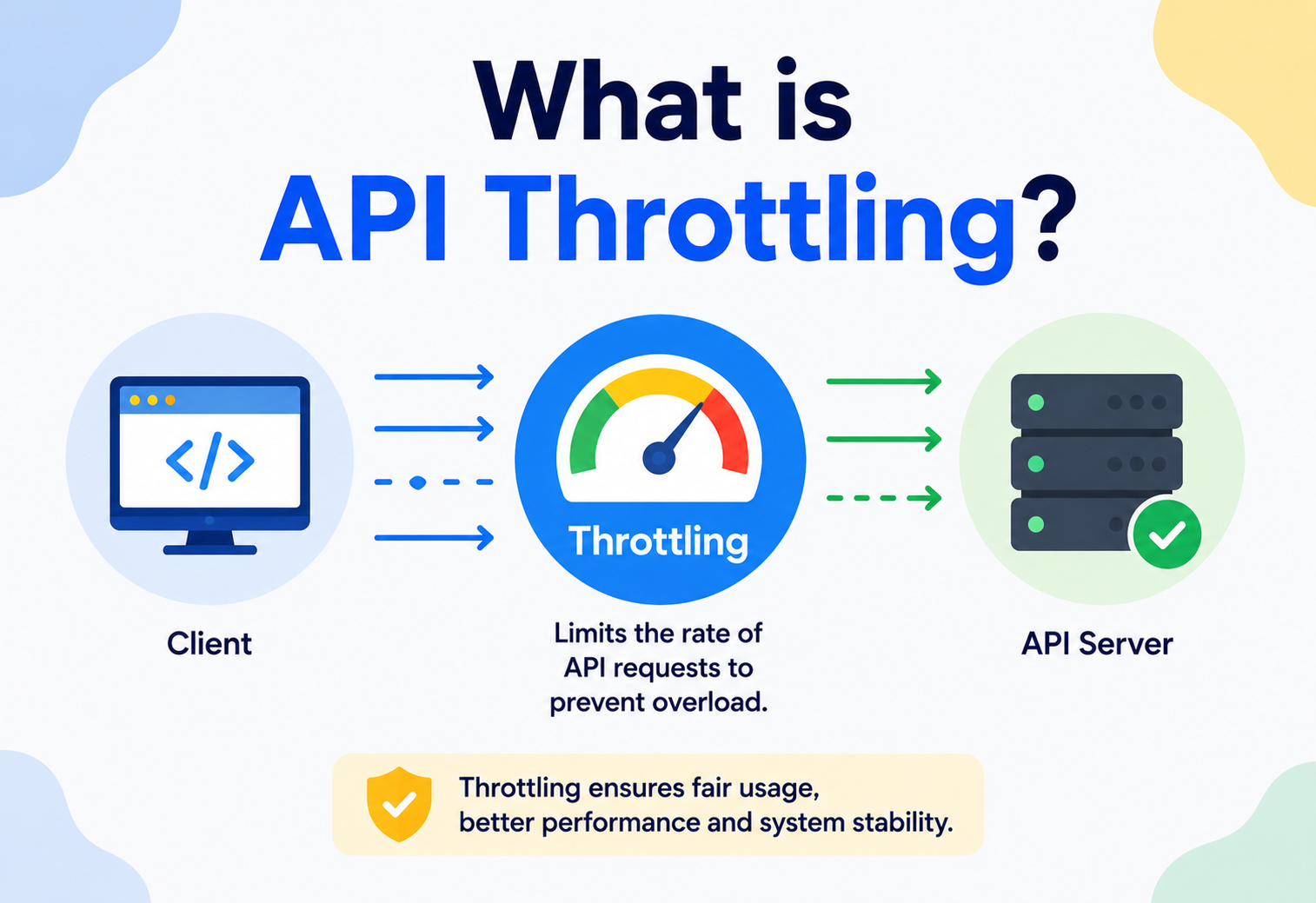
What is an API Throttling
A complete, beginner-friendly deep dive into why APIs slow down or reject requests on purpose — how throttling works internally, how to build it, and how the biggest companies in the world use it to stay alive under pressure.
A Fairness Valve for Every Modern API
API throttling is the plumbing fix for one of the oldest problems in distributed systems: too many callers, not enough capacity. Its job is to keep servers alive and every legitimate caller served.
Imagine a single water tap connected to an entire apartment building. If every tenant opens their tap at full blast at the exact same moment, the water pressure collapses and nobody gets water — not even the person who just wanted a small glass. API throttling is the plumbing fix for this exact problem, except the “water” is server capacity and the “tenants” are apps, scripts, and users calling your API.
In plain terms, API throttling is the practice of controlling how many requests a client is allowed to send to an API within a given period of time. If a client sends too many requests too quickly, the server slows them down, delays them, or rejects them outright — usually with a polite but firm HTTP response like 429 Too Many Requests.
Think of a highway on-ramp with a metering light: the light lets a small number of cars merge every few seconds, even though there is a whole queue waiting. This does not stop cars from arriving — it just prevents the freeway from collapsing into gridlock. API throttling is the same idea applied to HTTP requests instead of vehicles.
Where the Idea Comes From
The idea is not new. Long before REST APIs existed, telecommunications engineers dealt with the same problem on phone networks — too many calls trying to use the same wires at once. The techniques they invented, like the leaky bucket algorithm, were originally designed in the 1980s to manage network traffic (a field called “traffic shaping” or “traffic policing”). When the web exploded and companies started exposing APIs to the public, engineers borrowed these exact same ideas and repurposed them for HTTP requests.
1980s — Network Traffic Shaping
Telecom engineers invent the leaky bucket algorithm to smooth out bursty network traffic on shared lines.
Late 1990s — Early Web Rate Limits
ISPs and early web hosts throttle bandwidth per customer to prevent one site from starving others on a shared server.
2006 — Twitter & the Public API Boom
As public APIs like Twitter’s and Flickr’s became popular, companies needed a way to stop a handful of developers from overwhelming their entire platform.
2010s — API Gateways Go Mainstream
Tools like Amazon API Gateway, Kong, and Apigee make throttling a built-in, configurable feature instead of something every team had to hand-roll.
Today — Throttling as a Product Feature
Companies like Stripe and GitHub publish their rate limits publicly and give developers dashboards to monitor their own usage in real time.
Today, throttling is not an obscure backend trick — it is a first-class citizen of API design, sitting right alongside authentication and versioning as something every serious API must have.
Servers Are Not Infinite
Why does throttling need to exist at all? Because servers are not infinite. A server has a fixed amount of CPU, memory, database connections, and network bandwidth. Without any limits, several bad things can happen very quickly.
- Accidental overload: A developer writes a buggy loop that calls your API a million times in a minute — not maliciously, just by mistake.
- Deliberate abuse: Someone scrapes your entire product catalog by hammering your API as fast as possible, or launches a denial-of-service (DoS) attack.
- Noisy neighbor problem: One customer’s heavy usage slows the API down for every other customer sharing the same servers.
- Cascading failure: A traffic spike overwhelms one service, which then overwhelms the services that depend on it, and the failure spreads like a domino chain across your entire system.
Without throttling, a single misbehaving client can degrade — or completely take down — an API for every other client. Throttling is essentially a fairness and self-preservation mechanism baked directly into the server.
The Restaurant Analogy
Think of a popular restaurant with 20 tables. If the host let in 200 people at once because they all showed up, the kitchen would collapse, the waiters would be overwhelmed, and every single customer — even the first ones — would get terrible service. A good host instead says, “We can seat you in 15 minutes,” and manages the flow. That is throttling: not saying “no” forever, just saying “not right now, please wait.”
The Business Case, Not Just the Technical One
There is also a purely commercial reason APIs are throttled: capacity costs money. Every request your servers process costs CPU cycles, database reads, and network bandwidth that someone has to pay for. Public APIs frequently expose different throttling tiers precisely so heavier users end up on paid plans while lighter free-tier users still get useful access — it is one of the few places where a technical control and a business model are literally the same control.
The Throttling Vocabulary
Before going deeper, let’s define the vocabulary clearly, because people often use these terms interchangeably even though they mean slightly different things.
Rate Limiting
A hard cap on the number of requests a client can make in a time window (e.g., 100 requests per minute). Once the cap is hit, further requests are rejected until the window resets.
Throttling
A broader concept — it can mean rejecting requests, but it can also mean slowing them down (adding delay) or queueing them instead of hard-rejecting.
Quota
A usage cap over a much longer period, like “10,000 requests per month,” typically tied to a billing plan rather than short-term traffic control.
Backpressure
A signal sent upstream telling a caller “slow down,” often used inside internal microservice pipelines rather than public-facing APIs.
In casual conversation, “throttling” and “rate limiting” are used almost as synonyms, and this article will do the same in most places — but keep in mind that rate limiting is really the most common implementation strategy used to achieve throttling.
Key Building Blocks
- Client identifier: How the server recognizes “who” is calling — usually an API key, an IP address, a user ID, or an OAuth token.
- Time window: The period over which requests are counted — per second, per minute, per day.
- Limit: The maximum number of requests allowed inside that time window.
- Action on breach: What happens when the limit is exceeded — reject, delay, queue, or degrade gracefully.
If a restaurant hits capacity, it can (a) turn people away at the door (reject), (b) tell them to wait outside for the next available table (delay), or (c) hand them a buzzer and add them to a waitlist (queue). Every throttling implementation is really just picking one of these three behaviors — and the choice matters as much as the numeric limit itself.
Where the Rate Limiter Physically Lives
Throttling logic can live in several different places in a system’s architecture. Understanding where it sits helps you understand how it behaves under load.
The most common place to put a rate limiter is the API Gateway — the front door that every request passes through before it reaches your actual application code. This is efficient because you check the limit before any expensive work (database queries, business logic) has even started.
Typical Components
API Gateway
The entry point (e.g., Kong, NGINX, Amazon API Gateway, Apigee) that inspects every request.
Rate Limiter Module
The logic that decides “allow” or “reject,” often plugged into the gateway as middleware.
Shared Counter Store
A fast, shared place (commonly Redis) to keep track of how many requests each client has made, so multiple gateway instances agree on the count.
Configuration Store
Where the actual limits are defined per client, per plan, or per endpoint.
Response Handler
Formats the rejection response, including helpful headers like Retry-After.
Think of the API Gateway as a nightclub bouncer with a clicker counter in hand. The bouncer (gateway) checks the clicker (shared counter store) before letting anyone in, and it is the same clicker for every entrance to the club — not a separate one per door — so the count is always accurate no matter which door people use.
The Four Classic Throttling Algorithms
This is the heart of API throttling. There are four classic algorithms, and almost every real-world system is a variation of one of these.
5.1 Fixed Window Counter
Divide time into fixed blocks (e.g., every 00:00–00:59 of a minute). Count requests in the current block. When the block ends, reset the count to zero.
A client can send 100 requests at 00:00:59 and another 100 at 00:01:00 — that is 200 requests in two seconds, even though the “limit” was 100 per minute. This is called the boundary burst problem.
5.2 Sliding Window Log
Instead of fixed blocks, keep a timestamped log of every request. To check a new request, count how many timestamps fall within the last 60 seconds (a rolling window, not a fixed clock boundary). This is accurate but can use a lot of memory for high-traffic clients.
5.3 Sliding Window Counter
A clever compromise: combine the current fixed window’s count with a weighted portion of the previous window’s count, based on how far into the current window we are. It is almost as accurate as the sliding log, but much cheaper to store — just two numbers instead of a full list of timestamps.
5.4 Token Bucket
Picture a bucket that holds tokens. Tokens are added to the bucket at a steady rate (say, 10 tokens per second) up to a maximum capacity. Every incoming request must “spend” one token to be allowed through. If the bucket is empty, the request is rejected or delayed. This algorithm naturally allows short bursts (if the bucket is full) while still enforcing a long-term average rate.
5.5 Leaky Bucket
The opposite mental model: requests pour into a bucket, and the bucket “leaks” them out at a constant, steady rate — no matter how fast they came in. If the bucket overflows, new requests are dropped. This smooths out bursts into an even, predictable stream, which is great for protecting downstream systems that cannot handle spikes at all.
| Algorithm | Handles Bursts? | Memory Cost | Accuracy |
|---|---|---|---|
| Fixed Window | Poorly (boundary issue) | Very low | Low |
| Sliding Log | Yes | High | Very high |
| Sliding Counter | Yes | Low | High |
| Token Bucket | Yes (by design) | Low | High |
| Leaky Bucket | No (smooths them out) | Low | High |
Java Implementation: A Simple Token Bucket
public class TokenBucket {

    private final long capacity;         // max tokens the bucket can hold
    private final double refillRatePerMs; // tokens added per millisecond
    private double availableTokens;
    private long lastRefillTimestamp;

    public TokenBucket(long capacity, double refillRatePerSecond) {
        this.capacity = capacity;
        this.refillRatePerMs = refillRatePerSecond / 1000.0;
        this.availableTokens = capacity;
        this.lastRefillTimestamp = System.currentTimeMillis();
    }

    public synchronized boolean allowRequest() {
        refill();
        if (availableTokens >= 1) {
            availableTokens -= 1;
            return true;
        }
        return false;
    }

    private void refill() {
        long now = System.currentTimeMillis();
        double tokensToAdd = (now - lastRefillTimestamp) * refillRatePerMs;
        if (tokensToAdd > 0) {
            availableTokens = Math.min(capacity, availableTokens + tokensToAdd);
            lastRefillTimestamp = now;
        }
    }
}
Each client (identified by API key or user ID) gets its own TokenBucket instance. Every incoming request calls allowRequest() — if it returns true, let the request through; if false, return a 429. Notice the synchronized keyword: multiple threads can hit the bucket at the same time, so the increment-and-check needs to be atomic even at this small scale.
The Life of a Throttled Request
Let’s walk through the full round-trip — from the client sending a request, through the rate-limiter check, to either a successful response or an explicit rejection.
Notice the request never even reaches the application service if it is rejected — this is important. Rejecting early, at the gateway, saves your database and business logic from ever being touched by traffic that should not be there.
The Lifecycle, Step by Step
- Identification: The gateway extracts a client identifier from the request (API key, JWT token, or IP address).
- Lookup: It fetches the client’s current usage counter or token count from a shared store.
- Decision: It compares the current usage against the configured limit.
- Update: If allowed, it updates the counter (increments count, or deducts a token) — this update needs to be atomic to avoid race conditions.
- Response: If allowed, forward the request. If not, immediately return a
429with helpful headers.
What Throttling Buys You — and What It Costs
Throttling is one of the highest-leverage reliability features a system can adopt, but it is not without costs. Here is what you gain and what you pay.
✓ Advantages
- Protects backend infrastructure from overload
- Ensures fair access across all clients
- Mitigates abuse, scraping, and basic DoS attempts
- Makes capacity and cost more predictable
- Encourages efficient client-side design (caching, batching)
✗ Disadvantages
- Adds latency and operational complexity
- Can frustrate legitimate users during real traffic spikes
- Requires a shared, low-latency store in distributed setups
- Misconfigured limits can throttle the wrong clients
- Does not stop determined attackers using many identities/IPs
The central trade-off in throttling design is always accuracy vs. cost. A perfectly accurate sliding-log algorithm needs more memory and computation; a cheap fixed-window counter is fast but lets small bursts slip through. Most production systems land somewhere in the middle, usually with token bucket or sliding window counter approaches.
The Distributed Counting Problem
In a single-server world, throttling is easy — just keep a counter in memory. The real challenge appears when you have dozens or hundreds of API gateway instances running behind a load balancer, all needing to agree on the same client’s usage.
The Distributed Counting Problem
If each gateway instance keeps its own local counter, a client could get 100 requests through each instance — completely defeating the limit. The fix is a shared, extremely fast data store — almost always Redis — that every gateway instance reads from and writes to.
// Distributed rate limiting using Redis (Lua script keeps it atomic)
public class RedisRateLimiter {
    private final JedisPool jedisPool;
    private final int limit;
    private final int windowSeconds;

    private static final String SCRIPT =
        "local current = redis.call('INCR', KEYS[1]) " +
        "if tonumber(current) == 1 then " +
        "  redis.call('EXPIRE', KEYS[1], ARGV[1]) " +
        "end " +
        "return current";

    public RedisRateLimiter(JedisPool pool, int limit, int windowSeconds) {
        this.jedisPool = pool;
        this.limit = limit;
        this.windowSeconds = windowSeconds;
    }

    public boolean allowRequest(String clientId) {
        try (Jedis jedis = jedisPool.getResource()) {
            String key = "throttle:" + clientId;
            Object result = jedis.eval(SCRIPT, 1, key, String.valueOf(windowSeconds));
            long current = (Long) result;
            return current <= limit;
        }
    }
}
Using a Lua script (as above) ensures the “increment and check expiry” operation happens atomically inside Redis — no two concurrent requests can race each other and both slip through.
At extreme scale, even Redis can become a bottleneck. Companies solve this with local caching with periodic sync (each gateway node keeps an approximate local count and syncs to Redis every few hundred milliseconds) — trading a small amount of accuracy for a large amount of speed. This pattern shows up under names like “approximate rate limiting” or “pre-fetched token allocation,” and it is how companies like Stripe and GitHub scale throttling to millions of requests per second without hammering a single central counter.
Fail Open or Fail Closed?
What happens if the rate limiter itself goes down? This is a subtle but critical design decision.
Fail Open
If the counter store is unreachable, allow the request through anyway. Prioritizes availability, risks overload during an outage.
Fail Closed
If the counter store is unreachable, reject the request. Prioritizes protection, risks blocking legitimate traffic during a minor infrastructure hiccup.
Most production systems choose to fail open for the rate limiter specifically, because losing the throttle for a few seconds is usually far less damaging than rejecting all traffic due to an unrelated Redis blip. However, this depends heavily on the system — a payments API might prefer to fail closed.
Run your shared counter store (Redis) in a highly available cluster with replication, and keep the rate-limiting check on the “fast path” so that even a slow response from the store does not add unacceptable latency to every request.
Timeouts Around the Rate-Limiting Check
A subtle but critical extra defense is putting a very tight timeout (often just a few milliseconds) around the call from the gateway to the counter store, and treating a timeout the same as an unreachable store. Without this, a temporarily-slow Redis can degrade every single request that passes through the gateway — even successful ones — because every check would wait the full slow response before proceeding. A short timeout combined with a chosen fail-open or fail-closed default gives you the reliability behavior you want and keeps request latency bounded no matter what the counter store is doing.
Throttling as a Frontline Security Control
Throttling is also a frontline security control, though it is not a silver bullet on its own.
- Brute-force protection: Throttling login endpoints prevents attackers from guessing millions of passwords quickly.
- DoS/DDoS mitigation: While a determined distributed attack (many IPs) can still get through, throttling stops simple, single-source flood attempts.
- Credential stuffing defense: Combined with CAPTCHAs and anomaly detection, throttling slows down automated credential-stuffing tools.
- Identifier spoofing risk: Throttling by IP alone can be bypassed by rotating IPs (via proxies or botnets), so combining IP-based and account-based limits is safer.
Relying only on client-provided identifiers (like a header the client sets itself) for throttling is dangerous — an attacker can simply change that header. Always throttle using something the server controls or verifies, like an authenticated API key or the actual connection IP.
Layered Defenses
Because a sufficiently motivated attacker can rotate IPs, forge headers, or spread traffic across many accounts, throttling is at its most effective when combined with other security controls: web application firewalls at the edge, anomaly detection on unusual traffic patterns, CAPTCHAs on suspicious sessions, and account-level lockouts on repeated authentication failures. Throttling alone slows attackers down; throttling as part of a layered defense actually breaks them.
You Cannot Tune What You Cannot See
You cannot tune what you cannot see. A healthy throttling system exposes clear metrics so engineers can adjust limits based on real behavior, not guesses.
- Requests allowed vs. rejected (per client, per endpoint, per time window)
- 429 response rate as a percentage of total traffic — a sudden spike may mean limits are too strict, or an attack is happening
- Latency added by the rate-limiting check itself
- Top offenders — which clients are hitting limits most often
- Store health — Redis latency, memory usage, connection pool saturation
Good APIs also expose throttling state directly to the client through response headers, so developers can self-monitor without guessing:
HTTP/1.1 429 Too Many Requests
X-RateLimit-Limit: 100
X-RateLimit-Remaining: 0
X-RateLimit-Reset: 1721390460
Retry-After: 42
Content-Type: application/json

{
  "error": "rate_limit_exceeded",
  "message": "You have exceeded 100 requests per minute. Try again in 42 seconds."
}
These headers turn a rate-limit rejection from a frustrating dead end into a self-documenting error — the client library can automatically wait Retry-After seconds before retrying, and a developer looking at logs can see exactly where they stand against the quota without having to guess.
Managed Throttling in Every Major Cloud
You rarely need to build throttling entirely from scratch in production — most cloud platforms and API gateways offer it as a configuration option.
Amazon API Gateway
Built-in throttling with burst and steady-state rate settings per API key or usage plan.
Kong / NGINX
Rate-limiting plugins/modules that can be attached to any route.
Google Cloud Endpoints / Apigee
Quota and spike-arrest policies configurable per developer app.
Cloudflare
Edge-level rate limiting that blocks abusive traffic before it even reaches your infrastructure.
Doing throttling at the edge (CDN or gateway layer, geographically close to the client) is generally preferred over doing it deep inside your application, because it stops bad traffic before it consumes any real compute resources, and it scales independently of your application servers.
When to Build vs. When to Buy
For most teams, the honest answer is: buy or configure. A managed API gateway with built-in throttling will cover 90% of real-world use cases with less code and better operational tooling than any hand-rolled implementation. Building your own throttling infrastructure only makes sense when you have very specific requirements — unusual pricing tiers, custom fairness policies, or extreme scale — that off-the-shelf gateways cannot express. Even then, most teams start by extending a managed solution rather than replacing it wholesale.
Throttling Sits Next to Every Other Reliability Lever
Throttling interacts closely with two other pieces of your infrastructure — caching and load balancing — and it shares the same north-star goal of keeping your database alive.
Caching
A well-cached API needs fewer requests to hit expensive backend logic, which indirectly reduces pressure that would otherwise require aggressive throttling. Many teams pair rate limiting with response caching (e.g., ETags, CDN caching) so repeated identical requests do not even count against a client’s limit, or do not reach the origin server at all.
Load Balancing
A load balancer distributes traffic across many servers — but it does not know or care about per-client limits by default. That is why the counter store (Redis) has to be shared across all the servers behind the load balancer; otherwise, each server would enforce its own separate limit, and the client could effectively multiply their allowed rate by the number of servers.
Database Protection
Throttling also indirectly protects your database. Databases are usually the slowest, most expensive-to-scale part of a system, so keeping excess traffic away from them via throttling at the gateway is one of the most cost-effective reliability investments a team can make.
North-South vs East-West Throttling
In a microservices architecture, throttling appears at two distinct layers, and it is important not to confuse them.
| Layer | Purpose | Typical Tool |
|---|---|---|
| North-South (External) | Protects the whole system from external client abuse | API Gateway (Kong, AWS API Gateway) |
| East-West (Internal) | Protects one internal service from being overwhelmed by another internal service | Service mesh (Istio, Linkerd), circuit breakers |
Internally, throttling is often paired with the Circuit Breaker pattern: if a downstream microservice starts failing or getting slow, the calling service “trips the breaker” and stops sending it requests for a while, giving it time to recover — this is throttling applied for self-healing rather than just fairness.
Example: Spring Interceptor for Per-Endpoint Throttling
@Component
public class ThrottlingInterceptor implements HandlerInterceptor {

    private final RedisRateLimiter rateLimiter;

    public ThrottlingInterceptor(RedisRateLimiter rateLimiter) {
        this.rateLimiter = rateLimiter;
    }

    @Override
    public boolean preHandle(HttpServletRequest request,
                              HttpServletResponse response,
                              Object handler) throws Exception {
        String apiKey = request.getHeader("X-API-Key");
        if (apiKey == null) {
            response.sendError(HttpServletResponse.SC_UNAUTHORIZED, "Missing API key");
            return false;
        }

        boolean allowed = rateLimiter.allowRequest(apiKey);
        if (!allowed) {
            response.setStatus(429);
            response.setHeader("Retry-After", "60");
            response.getWriter().write("{\"error\":\"rate_limit_exceeded\"}");
            return false;
        }
        return true;
    }
}
An interceptor like this runs before any controller in the application, so a rejected request never reaches business logic or the database — exactly the “reject early” property discussed earlier, implemented inside a single microservice instead of at the outer gateway.
Shapes That Work — and Shapes That Don’t
Some throttling shapes pay off consistently in production; others silently make things worse. Here is a short catalogue of both.
✓ Good Patterns
- Throttle as early as possible (edge/gateway)
- Return clear
429withRetry-After - Use per-plan tiers (free vs. paid limits)
- Combine algorithms (token bucket + daily quota)
- Graceful degradation instead of hard rejection where possible
✗ Anti-patterns
- Throttling deep inside business logic, after expensive work is done
- Silent rejection with no explanation or headers
- One global limit for all endpoints regardless of cost
- Per-server (non-shared) counters in a multi-server setup
- No monitoring — flying blind on real usage patterns
A particularly elegant pattern is tiered throttling: combine a short burst allowance (token bucket, e.g., 20 requests instantly) with a longer sustained rate (e.g., 1000/hour) and an even longer quota (e.g., 100,000/month). This mirrors how real usage happens — brief bursts of activity followed by quiet periods.
Graceful Degradation Instead of Hard Rejection
Sometimes the right answer is not “reject” but “serve something cheaper.” A search endpoint under heavy load might return a smaller result set with a shorter cache TTL rather than a hard 429; a recommendation service near its capacity might return a generic popular-items list instead of a personalized one. This kind of graceful degradation trades a little quality for a lot of availability — and users overwhelmingly prefer a slightly-worse response over an error page.
Habits That Keep Throttling Working Under Pressure
A distilled checklist of the practices worth adopting from day one — and the mistakes worth budgeting time to avoid.
Best Practices
- Always communicate limits clearly in API documentation.
- Expose remaining quota via response headers so clients can self-regulate.
- Use exponential backoff guidance for clients (tell them how long to wait, and increase that wait if they keep retrying too soon).
- Differentiate limits by endpoint cost — a cheap read endpoint can allow more requests than an expensive write or search endpoint.
- Test throttling behavior under real load before launch, not just in theory.
Common Mistakes
- Setting limits based on guesses instead of real traffic data.
- Forgetting that mobile apps behind carrier-grade NAT can share one IP for thousands of users.
- Not handling clock skew issues in fixed-window implementations across distributed servers.
- Treating throttling as “set and forget” instead of continuously tuning it.
A Practical Tuning Loop
Start with a conservative limit
Better to be slightly too strict on day one than to accidentally expose an under-provisioned backend.
Observe real 429 rates for a week
Find out which client segments are hitting limits, at what times of day, and whether they are legitimate.
Adjust up (or down) with data
Raise limits where legitimate users are getting caught; tighten them where abuse is showing through.
Publish and version the change
Communicate any real change in limits to consumers, and treat throttling policy as part of your public API contract.
Where You Have Already Seen Throttling
Every large public API you interact with has some flavor of the algorithms in this guide sitting quietly in front of it. Here are a few of the most visible examples.
Stripe
Publishes clear rate limits (roughly 100 read + 100 write requests per second in live mode) and returns detailed 429 errors with retry guidance, since payment processing needs both fairness and predictability.
GitHub
Uses a points-based system where different API calls cost different amounts against an hourly quota (5,000 requests/hour for authenticated users), reflecting that not all requests are equally expensive.
Twitter / X API
Famous for tight, tiered rate limits that differ by subscription level, directly shaping how third-party apps are built.
Amazon API Gateway
Offers both account-level and per-client “usage plan” throttling, letting businesses sell different API access tiers to their own customers.
Netflix
Uses adaptive throttling combined with circuit breakers (via tools like Hystrix, historically) internally between microservices to prevent cascading failures during traffic spikes like major show releases.
Cloudflare
Applies rate limiting at global edge locations, stopping abusive traffic thousands of miles before it ever reaches a customer’s actual servers.
Across every example, the underlying pattern is the same as this guide has been describing: pick a client identifier the server can trust, choose an algorithm that matches how bursty your traffic really is, keep the check on the fast path, and communicate the result back to the client honestly. The scale changes, the tooling changes, but the mental model does not.
Questions Developers Ask About Throttling
A short round of the questions that come up most often when a team is designing (or fighting with) API throttling for the first time.
Is API throttling the same as rate limiting?
They are closely related. Rate limiting is the most common way to implement throttling, but throttling can also include delaying or queueing requests instead of only rejecting them.
What HTTP status code is used for throttled requests?
429 Too Many Requests is the standard status code, usually paired with a Retry-After header telling the client when to try again.
Should throttling happen on the client or the server?
Enforcement always happens on the server (or gateway) side, since clients cannot be trusted to police themselves. But well-behaved clients should also self-throttle proactively to avoid hitting limits in the first place.
Does throttling fully prevent DDoS attacks?
No. It helps against simple, single-source abuse, but large distributed attacks need dedicated DDoS protection services (like Cloudflare or AWS Shield) working alongside throttling.
What is the difference between throttling and a circuit breaker?
Throttling limits how many requests a client can send. A circuit breaker limits how many requests a service will send to a downstream dependency that is already struggling — they solve related but distinct problems.
How should a client handle a 429 response?
Read the Retry-After header (in seconds or as an HTTP date), wait at least that long before retrying, and combine that with exponential backoff plus jitter so that if a whole fleet of clients was throttled at once they do not all retry at the exact same moment.
Can throttling be different per endpoint?
Yes, and this is usually the right design. A cheap read endpoint might allow thousands of requests per minute per client, while an expensive search or write endpoint might allow only tens. Uniform limits across endpoints tend to either under-protect the expensive ones or over-restrict the cheap ones.
A Fairness Valve, Not a Wall
API throttling is the quiet, always-on control layer that lets everything else in a modern architecture work — caches, databases, business logic, third-party integrations — without any single misbehaving caller taking the whole system down with it.
Key Takeaways
- What it is: API throttling controls how many requests a client can make in a given time period, protecting servers from overload and abuse.
- Core algorithms: fixed window, sliding window, token bucket, and leaky bucket — each trade off accuracy, memory cost, and burst tolerance differently.
- Distributed reality: in distributed systems, throttling requires a shared, fast, atomic counter store (commonly Redis) so all server instances agree on usage.
- Reject early: throttling should happen as early as possible — ideally at the API gateway or edge — before expensive backend work occurs.
- Talk to clients honestly: good throttling design communicates clearly with clients via
429responses and rate-limit headers, rather than failing silently. - Real-world proof: real companies like Stripe, GitHub, and Netflix all use variations of these same core ideas at massive scale.
API throttling is a small, cheap, high-leverage control that turns a fragile shared resource into a fair one — it does not stop traffic, it shapes it, so the API can keep serving as many callers as possible for as long as possible.
If you take one habit away from this guide, let it be this: before shipping any public-facing API, write down two numbers — the sustained rate you can support per client, and the short burst you are willing to tolerate — and then implement whichever algorithm from Section 5 most naturally expresses those two numbers. Every other decision on this page follows from those first two.

