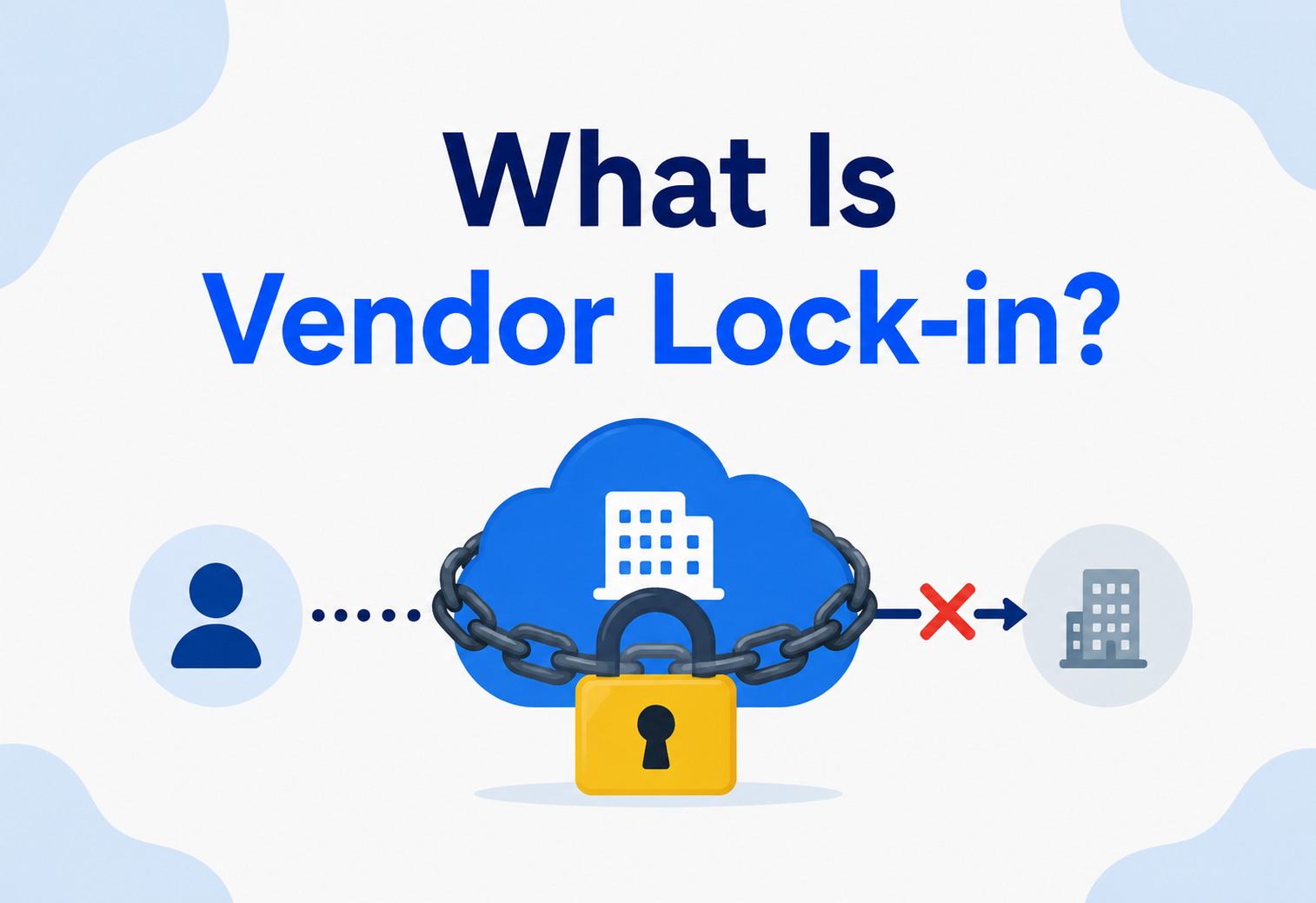
What Is Vendor Lock-in?
A complete, beginner-friendly guide to understanding why systems get “stuck” with one provider, how it happens at every layer of the stack, and the patterns real engineering teams use to stay free to choose.
Introduction & History
Imagine you buy a very special coffee machine. It’s fantastic — but it only works with pods made by the same company. Two years later, that company doubles the price of its pods. You can’t switch to a cheaper brand because your machine simply won’t accept anything else. You’re stuck. Not because you signed a contract saying you’d stay forever, but because switching now would mean throwing away the machine and starting over.
That feeling — being trapped by a choice you made a while ago — is exactly what engineers and businesses mean when they say vendor lock-in. In technology, it means a company (or a single developer) has built so much of their system around one provider’s specific tools, formats, or services that moving to a different provider becomes expensive, risky, slow, or all three at once.
The term didn’t start in the cloud-computing era, even though that’s where most people hear it today. It goes back decades, to the world of mainframe computers. In the 1960s and 70s, companies like IBM sold enormous, room-sized computers along with their own proprietary operating systems, storage formats, and networking protocols. Once a bank or airline had built its entire record-keeping system on an IBM mainframe, leaving was almost unthinkable — the cost of rewriting everything and retraining staff could be larger than the cost of just staying and paying IBM’s prices. This became such a well-known pattern that people started calling it “the IBM tax.”
Fast forward to today, and the same dynamic plays out with cloud providers like Amazon Web Services (AWS), Microsoft Azure, and Google Cloud Platform (GCP), as well as with Software-as-a-Service (SaaS) tools like Salesforce, and even with programming platforms and databases. The packaging has changed — pods and mainframes became APIs and managed services — but the underlying idea is identical: the deeper you integrate with one vendor’s unique way of doing things, the harder and costlier it becomes to leave.
1.1 A Short Timeline
1960s–70s — The Mainframe Era
IBM ships room-sized computers bundled with proprietary operating systems and storage formats. Once installed, they are almost impossible to leave — the original “IBM tax.”
1980s–90s — Client / Server & ERP
Enterprise software suites (SAP, Oracle, PeopleSoft) embed themselves deep in business processes, creating a new generation of long-lived lock-in at the application layer.
2000s — SaaS Rises
Salesforce, Workday, and others move business software into the browser. Lock-in shifts from installation to data, customisations, and daily workflows.
2010s — The Cloud Era
AWS, Azure, and GCP re-package infrastructure into hundreds of managed services. Convenience explodes — and so does the surface area for lock-in.
Today
Multi-cloud, containers, and open standards emerge as deliberate counterweights, and “exit cost” becomes a normal part of architectural decision-making.
Vendor lock-in is a situation where switching away from a product, service, or provider becomes so costly or difficult that you feel forced to stay, even if a better or cheaper option exists elsewhere.
It’s worth noticing right away that vendor lock-in is not automatically “bad” or “evil.” Vendors aren’t necessarily plotting to trap you — often, lock-in is just a natural side effect of building convenient, tightly integrated products. The danger is when a team adopts a vendor’s tools without ever thinking about the exit cost, and later discovers they have no realistic way out.
The Problem & Motivation
Why should anyone — especially a beginner just learning to build software — care about this topic? Because the decisions that create lock-in are usually made early, quickly, and with the best of intentions, long before anyone feels the pain. By the time the pain shows up, it’s often too late to avoid it cheaply.
Here’s the typical story. A startup wants to launch fast. They pick a cloud provider, use that provider’s proprietary database, its unique authentication service, its specific message queue, and its custom deployment tools — because all of that is fast and convenient, and there’s a generous free tier. Three years later, the company has grown, and:
- The vendor raises prices, and there’s no leverage to negotiate because switching would take a year of engineering effort.
- A new regulation requires data to be stored in a specific country, but the vendor doesn’t have a data centre there.
- The vendor deprecates a service the whole system depends on, forcing an unplanned, expensive migration.
- A competitor’s platform offers something genuinely better, but adopting it means rewriting core parts of the product.
None of these problems are hypothetical — they happen to real companies every year. The core issue is that lock-in shifts power away from the customer and toward the vendor. When you can leave at any time, a vendor has to keep earning your business through good pricing, good service, and good products. When you can’t leave, that pressure disappears, and the vendor gains negotiating leverage.
~30%
of enterprises report cloud costs exceeded budget due partly to lock-in-driven pricing power.
1–2 yrs
typical time to migrate a deeply integrated system off a major cloud provider.
$0
egress fees quoted upfront — the exit cost is rarely visible at signup.
The motivation for studying vendor lock-in, then, isn’t to avoid vendors altogether — using managed services is often the smart, pragmatic choice. The motivation is to make that choice consciously, understanding the trade-off you’re accepting, instead of discovering it by surprise.
Core Concepts & Types of Lock-in
Vendor lock-in isn’t one single thing — it shows up in several different flavours, and a real system usually experiences a mix of them at once. Understanding the categories helps you spot lock-in before it becomes a crisis.
Data Lock-in
Your data is stored in a proprietary format, or the vendor charges heavy fees (“egress fees”) just to export it elsewhere.
API / Technical Lock-in
Your application code calls the vendor’s specific SDK and APIs directly, so the code itself won’t run anywhere else without rewrites.
Infrastructure Lock-in
Deployment pipelines, networking rules, and infrastructure-as-code scripts are written specifically for one provider’s platform.
Contractual Lock-in
Legal agreements — multi-year commitments, minimum spend, or steep early-termination penalties — make leaving expensive by contract.
Knowledge / Skills Lock-in
Your team has deep expertise in one vendor’s tools, and retraining everyone on a new platform has a real cost in time and money.
Ecosystem Lock-in
You depend on a web of add-ons, plugins, and third-party integrations that only exist within one vendor’s marketplace.
Lock-in is not only about “using the cloud.” You can be locked into an on-premise database vendor, a specific programming language’s ecosystem, a payment processor, or even an internal tool built by a previous team. Any dependency you can’t easily replace is a form of lock-in.
Architecture: Where Lock-in Lives in the Stack
To really understand lock-in, it helps to see it as something that can appear at every layer of a modern technology stack — from the lowest level (physical hardware) up to the highest (the business processes built on top of software). The deeper the layer, the more expensive it usually is to change later, because everything above it depends on it.
Let’s walk through what lock-in looks like at each layer:
4.1 Infrastructure as a Service (IaaS)
This is the “raw materials” layer — virtual machines, storage disks, and networking. Lock-in here is usually the mildest, because virtual machines running standard operating systems (like Linux) can often be moved between providers with moderate effort. Still, provider-specific networking configuration (like AWS’s VPC peering rules or custom firewall setups) can create friction.
4.2 Platform as a Service (PaaS)
Here, the vendor manages more for you — a managed database, a managed message queue, a managed authentication service. This is more convenient, but also stickier: a managed database like Amazon DynamoDB or Google Cloud Spanner has a data model and query language you won’t find identically anywhere else.
4.3 Software as a Service (SaaS)
This is the stickiest layer of all. When you use a full SaaS product — like a CRM, an email marketing platform, or a customer support tool — your business processes, your customer data, and often your team’s daily habits are wrapped entirely around that one product’s way of working.
Lower layers (IaaS)
- Easier to migrate — standard VM images, standard OS.
- More competitors offer similar raw compute.
- Lock-in mostly about networking config, not app logic.
Higher layers (SaaS)
- Business workflows are built around the tool itself.
- Data export is often incomplete or reformatted.
- Staff training and habits are hardest to “migrate.”
How Lock-in Happens Internally — The Mechanisms
Lock-in doesn’t appear all at once — it accumulates through specific, identifiable mechanisms. Knowing these mechanisms is like knowing the early symptoms of an illness: it lets you notice and treat the problem while it’s still small.
5.1 Proprietary APIs and SDKs
Most cloud vendors provide their own software libraries (SDKs) to interact with their services. If your application code calls these SDKs directly and everywhere, every one of those call sites has to be rewritten to switch vendors.
5.2 Proprietary Data Formats
Some services store your data in a format that’s only fully understood by that same service. Exporting it might technically be possible, but reconstructing the same behaviour elsewhere can require significant rework.
5.3 Egress Fees
Many cloud providers charge little or nothing to move data into their platform, but charge substantial fees to move data out. This is sometimes called a “roach motel” pricing model — data checks in, but it doesn’t check out easily.
5.4 Unique Feature Dependence
A vendor might offer a genuinely unique, best-in-class feature — something no competitor has. Once your product depends on that one feature, you’ve accepted lock-in in exchange for that capability.
5.5 Bundled Pricing & Discounts
Vendors often offer discounts for committing to spend a certain amount over one to three years. These deals save money short-term but create a contractual reason to stay even if a better deal appears elsewhere.
5.6 Organisational Inertia
Perhaps the most underrated mechanism: once dozens of engineers have learned a platform’s quirks, tooling, and dashboards, switching means retraining everyone — which is a real, if less visible, cost.
The Lock-in Lifecycle — How It Builds Over Time
Lock-in rarely arrives as a single decision. It’s the accumulation of many small, individually-reasonable choices made over months or years. Here’s the typical timeline for a growing product:
Adoption
The team picks a vendor for speed and convenience. Lock-in risk is low — the system is small and simple.
Integration
More features are built using that vendor’s specific services. Code, infrastructure, and dashboards multiply.
Optimisation
The team tunes their system around the vendor’s specific quirks and performance characteristics to squeeze out efficiency.
Dependency
Critical business logic now assumes the vendor’s behaviour. Nobody remembers a world without it.
Realisation
A price hike, outage, or missing feature forces the team to confront how deep the dependency runs.
Migration (or Acceptance)
The team either invests heavily in an exit strategy, or consciously decides staying is still the better trade-off.
Understanding this lifecycle is powerful because it shows that the cheapest time to think about lock-in is at Stage 1 — adoption — not Stage 5, when the pain is already being felt. A small amount of architectural discipline early on (like using an abstraction layer, covered in Section 12) can make Stage 6 dramatically cheaper.
Advantages, Disadvantages & Trade-offs
It’s tempting to treat vendor lock-in as purely a mistake to avoid, but that’s an oversimplification. Every engineering decision is a trade-off, and accepting some lock-in is often the right call — the key is doing it knowingly.
Benefits of Accepting Lock-in
- Faster development — no time spent building abstraction layers.
- Access to a vendor’s best, most advanced features immediately.
- Lower operational overhead — the vendor manages more for you.
- Simpler mental model for a small team to reason about.
Costs of Accepting Lock-in
- Reduced negotiating power on pricing over time.
- Risk if the vendor changes terms, raises prices, or shuts a service down.
- Compliance or geographic constraints may become unworkable.
- Expensive, risky migration if you ever need to leave.
A useful way to frame the decision is: “How much would it hurt, and how likely is it, that I’ll need to leave this vendor in the next 3–5 years?” For a small startup validating an idea, the answer is often “it wouldn’t hurt that much, and it’s not that likely to matter yet” — so embracing convenient, locked-in tools is a smart bet. For a regulated bank building core infrastructure meant to last decades, the calculus flips entirely.
Lock-in is a risk to be managed, not a sin to be avoided at all costs. The goal isn’t zero lock-in — it’s informed lock-in, sized appropriately to what your system actually needs.
Performance, Scalability & Reliability Impact
Lock-in doesn’t just affect your wallet and your freedom to switch — it can directly shape how your system performs, scales, and survives failures.
8.1 Performance
Vendor-specific, managed services are often heavily optimised — a managed database might outperform a self-hosted, generic alternative because the vendor has tuned it deeply for their own hardware. That’s a genuine performance benefit of accepting lock-in. But it also means your performance ceiling is defined by that vendor’s engineering choices, not your own.
8.2 Scalability
Managed, proprietary services often auto-scale seamlessly — which is wonderful, until you hit a scaling limit or pricing tier that the vendor controls entirely. You can’t “engineer your way around” a vendor’s scaling ceiling the way you could with infrastructure you fully control.
8.3 Reliability & High Availability
This is where lock-in creates a subtle but serious risk: correlated failure. If your entire system — compute, database, authentication, and messaging — all live inside a single vendor’s platform, then an outage in that vendor’s infrastructure can take your entire product down at once, with no fallback.
This is precisely why some large organisations pursue multi-cloud or hybrid-cloud strategies (discussed in Section 10) — not necessarily to save money, but to reduce the “blast radius” of a single vendor’s bad day.
Security & Compliance
Security and compliance add another dimension to the lock-in conversation, because they involve legal and regulatory obligations, not just technical convenience.
9.1 Shared Responsibility Model
Most cloud vendors operate on a “shared responsibility model” — the vendor secures the underlying infrastructure, and you secure what you build on top of it. The deeper you’re locked into a vendor’s specific identity and access management (IAM) system, encryption tooling, and audit logging, the harder it becomes to switch providers without redesigning your entire security posture.
9.2 Compliance & Data Residency
Regulations like GDPR (Europe) or various data-localisation laws sometimes require that certain data physically stay within specific countries or regions. If you’re locked into a vendor that lacks data centres in a required region, compliance can become impossible without a costly migration — sometimes on a tight legal deadline.
Companies have been forced into emergency, high-cost migrations when a new law required data to be stored somewhere their existing vendor simply didn’t support.
9.3 Vendor Security Incidents
When you’re locked into a vendor, a security breach on their side becomes a security breach for you — and you have limited ability to independently verify or improve their internal security practices. Diversifying vendors for the most sensitive parts of a system can reduce this “single point of trust” risk.
Multi-Cloud, Hybrid Cloud & Deployment Strategies
Once teams recognise lock-in as a real risk, several deployment strategies have emerged to manage it — each with its own trade-offs.
| Strategy | What it means | Trade-off |
|---|---|---|
| Single-cloud | Everything runs on one vendor | Simplest, fastest, but highest lock-in risk |
| Multi-cloud | Different workloads run on different vendors | Reduces risk, but multiplies operational complexity |
| Hybrid cloud | Mix of on-premise infrastructure and public cloud | More control, but you manage more yourself |
| Cloud-agnostic (portable) | Built with open standards (containers, Kubernetes) that run anywhere | More upfront engineering effort for long-term flexibility |
Containers and Kubernetes are worth calling out specifically, because they’ve become one of the most popular practical tools for reducing lock-in at the infrastructure layer. A containerised application, packaged the same way regardless of where it runs, can often move between cloud providers with far less friction than an application built directly on one vendor’s proprietary compute service.
That said, multi-cloud is not a free lunch. Running the same system across multiple vendors means your team needs to understand multiple platforms, maintain multiple sets of credentials and monitoring tools, and often accept that you can’t use each vendor’s most advanced, unique features — because those features won’t exist on the other vendor. Many experienced architects recommend multi-cloud only for the most critical, high-risk workloads, rather than for an entire company’s stack.
Databases, Caching & Proprietary Services
Data is usually the heaviest, most expensive thing to move — which makes database choice one of the single biggest lock-in decisions a team will make.
11.1 Proprietary vs. Open Databases
Some managed databases (like Amazon DynamoDB or Google Cloud Spanner) use query languages and data models unique to that vendor. Others (like Amazon RDS for PostgreSQL, or Azure Database for PostgreSQL) are managed versions of open-source, industry-standard databases. The second category is far more portable: your application’s queries, schema, and logic could, in principle, run against PostgreSQL hosted anywhere.
Open-Standard Managed Databases
- Same SQL dialect works across many hosting providers.
- Large talent pool already knows the technology.
- Export / import tooling is mature and well understood.
Proprietary Managed Databases
- Unique query language or data model, hard to replicate elsewhere.
- Often best-in-class performance for that vendor’s ecosystem.
- Migration usually means a partial application rewrite.
11.2 Caching & Load Balancing
Caching layers (like a managed Redis service) and load balancers are usually less risky than databases, because the underlying technology (Redis, for instance) is open-source and widely available. The lock-in risk here tends to come from vendor-specific configuration and automation scripts, rather than the data itself — which is comparatively easier to rebuild elsewhere.
Design Patterns & Anti-Patterns (with Java Examples)
Software architects have developed well-known design patterns specifically to manage lock-in risk. The core idea behind almost all of them is the same: put a thin layer of your own code between your application and the vendor’s specific API, so that only that thin layer needs to change if you ever switch vendors.
12.1 The Adapter Pattern
Instead of calling a vendor’s SDK directly everywhere in your code, you define your own simple interface, and write one “adapter” class that translates your interface into that vendor’s specific calls.
// Step 1: Define your OWN interface -- not tied to any vendor
public interface FileStorage {
    void upload(String key, byte[] data);
    byte[] download(String key);
}

// Step 2: Write an adapter for a specific vendor (e.g. AWS S3)
public class S3StorageAdapter implements FileStorage {
    private final AmazonS3 s3Client;

    public S3StorageAdapter(AmazonS3 s3Client) {
        this.s3Client = s3Client;
    }

    @Override
    public void upload(String key, byte[] data) {
        s3Client.putObject("my-bucket", key,
            new ByteArrayInputStream(data), null);
    }

    @Override
    public byte[] download(String key) {
        S3Object obj = s3Client.getObject("my-bucket", key);
        return readAllBytes(obj.getObjectContent());
    }
}

// Step 3: The rest of your application only ever talks to FileStorage
public class DocumentService {
    private final FileStorage storage;

    public DocumentService(FileStorage storage) {
        this.storage = storage; // could be S3, Azure Blob, or local disk
    }

    public void saveDocument(String id, byte[] content) {
        storage.upload(id, content);
    }
}
Notice what this buys you: if you ever switch from AWS S3 to Azure Blob Storage or Google Cloud Storage, you write one new adapter class — AzureBlobAdapter — and nothing else in your application needs to change at all. This single idea, applied consistently, is probably the most effective, practical defence against lock-in that exists.
12.2 The Anti-Corruption Layer
This is a related, slightly broader pattern from Domain-Driven Design. Instead of just wrapping one API call, you build a whole boundary layer that translates all vendor-specific concepts (their data formats, their terminology, their quirks) into your own clean, internal model — protecting the “core” of your application from ever needing to know a vendor exists.
12.3 Strategy Pattern for Swappable Providers
public interface PaymentProvider {
    PaymentResult charge(String customerId, long amountCents);
}

public class StripeProvider implements PaymentProvider {
    @Override
    public PaymentResult charge(String customerId, long amountCents) {
        // Stripe-specific SDK calls live only here
        return new PaymentResult(true, "stripe-tx-123");
    }
}

public class PaypalProvider implements PaymentProvider {
    @Override
    public PaymentResult charge(String customerId, long amountCents) {
        // PayPal-specific SDK calls live only here
        return new PaymentResult(true, "paypal-tx-456");
    }
}

// The checkout logic doesn't know or care which provider is used
public class CheckoutService {
    private final PaymentProvider provider;

    public CheckoutService(PaymentProvider provider) {
        this.provider = provider;
    }

    public void completeOrder(String customerId, long amountCents) {
        PaymentResult result = provider.charge(customerId, amountCents);
        System.out.println("Payment success: " + result.isSuccessful());
    }
}
12.4 Common Anti-Patterns to Avoid
Anti-Patterns to Avoid
- Scattering SDK calls everywhere: calling a vendor’s SDK directly from dozens of unrelated files, instead of through one adapter, multiplies your migration cost.
- Ignoring exit cost during vendor selection: choosing a tool purely on today’s features without asking “what would it cost to leave in three years?”
- No data export plan: never testing whether you can actually export your data in a usable format until the day you desperately need to.
- Over-engineering abstraction for a tiny project: building elaborate adapter layers for a two-person startup MVP can also be a mistake — it’s about matching the effort to the actual risk.
Corresponding Fixes
- Funnel every vendor SDK call through a single adapter / gateway class per capability (storage, payments, messaging).
- Add “exit cost” as an explicit checklist item in every vendor decision, alongside price and features.
- Rehearse a data export end-to-end at least once a year and keep the tooling working.
- Right-size the abstraction: one small interface for the two or three highest-risk dependencies, not for every SDK call in the codebase.
Best Practices & Common Mistakes
A short, opinionated checklist for keeping lock-in a conscious choice rather than an accidental fate.
Ask the exit question early
Before adopting any vendor, ask: “If we needed to leave in 2 years, what would that cost?”
Abstract critical dependencies
Use adapter or strategy patterns for payments, storage, and messaging — your highest-risk integrations.
Prefer open standards where practical
SQL, containers, and widely-adopted open-source tools are more portable than proprietary equivalents.
Test your data export
Periodically actually try exporting your data — don’t assume it will work when you need it most.
Negotiate contract terms
Understand egress fees, minimum commitments, and termination clauses before signing, not after.
Match effort to actual risk
Don’t over-engineer portability for low-stakes, easily-replaceable parts of your system.
Teams often try to build “perfect” portability across every single service from day one. This usually slows down delivery without meaningfully reducing risk, because most systems only have a few truly critical dependencies worth abstracting.
Real-World Industry Examples
Abstract advice gets much sharper once you see how well-known companies translate lock-in trade-offs into actual, high-stakes strategic decisions.
Dropbox — Away from AWS
Ran most of its storage on AWS in its early years, then invested heavily in building its own custom storage infrastructure (“Magic Pocket”) and migrated most of its data off AWS. A massive, multi-year effort — but at Dropbox’s scale, it saved hundreds of millions of dollars over time. A textbook case of the cost of staying eventually outweighing the cost of leaving.
Netflix — Deliberate Single-Cloud
Made a very public and deliberate choice to build almost entirely on AWS. Rather than pursue multi-cloud, Netflix invested in resilience within AWS — spreading across multiple AWS regions and building sophisticated failure-testing tools (like Chaos Monkey). Accepting lock-in can be a rational strategy when the benefits of deep, focused integration outweigh the risk.
Basecamp — The Cloud Exit
The company behind Basecamp and HEY publicly announced it was moving its infrastructure off the cloud entirely, back to owned hardware, citing unpredictable and rising cloud costs over time as a key motivation — a company deciding that long-term lock-in costs outweighed the operational convenience of staying in the cloud.
Enterprise ERP / CRM
Large enterprises adopting systems like SAP or Salesforce often report multi-year, multi-million-dollar efforts just to migrate away, because so many internal business processes, reports, and integrations have been built directly around that one platform’s specific way of working — a clear illustration of SaaS-layer lock-in from Section 4.
Frequently Asked Questions
A few of the questions that come up most often the first time an engineer or product lead thinks seriously about lock-in as a discipline.
No. It’s a trade-off. Accepting lock-in in exchange for speed, convenience, or best-in-class features is often a smart business decision, especially early in a company’s life.
Not entirely. Any tool, language, or platform you choose creates some dependency. The realistic goal is to manage lock-in risk deliberately, not eliminate it completely.
It reduces certain kinds of lock-in (like proprietary data formats), but if you use a vendor’s managed version of an open-source tool with custom extensions, some lock-in can still creep in.
It’s one strategy, not a universal solution. Multi-cloud reduces dependency on a single vendor but adds real operational complexity and cost, so it’s usually reserved for the most critical systems.
Ask your team: “If we had to switch vendors for this component in six months, what would that require?” If the honest answer is “a massive, risky rewrite,” that’s a sign of deep lock-in worth addressing.
No — it applies to any dependency: databases, payment processors, SaaS tools, programming frameworks, even internal platforms built by another team within your own company.
Summary & Key Takeaways
Vendor lock-in is one of those concepts that seems abstract until the day it suddenly isn’t — when a price increase, an outage, or a new regulation forces a team to confront just how dependent they’ve become on a single provider. Understanding it early, and thinking about it deliberately, is one of the most valuable habits an engineer or architect can build.
Key Takeaways
- Vendor lock-in happens when switching providers becomes too costly, risky, or slow — not because of a rule, but because of accumulated dependency.
- It shows up in several forms: data, API, infrastructure, contractual, knowledge, and ecosystem lock-in.
- It exists at every layer of the stack — IaaS, PaaS, and SaaS — with SaaS typically being the hardest to escape.
- Lock-in isn’t inherently bad; it’s a trade-off between speed / convenience today and flexibility / negotiating power tomorrow.
- Patterns like the Adapter and Strategy pattern let you isolate vendor-specific code behind your own interfaces, dramatically lowering future migration cost.
- The cheapest time to think about lock-in is at the moment you adopt a vendor — not years later, once you’re deeply dependent.
- Real companies (Dropbox, Netflix, Basecamp) show that both “embrace lock-in” and “escape lock-in” can be the right strategic choice, depending on context.
The best defence against lock-in is not paranoia — it’s awareness. Choose deliberately, abstract the few dependencies that really matter, and revisit those choices as your system grows. That habit, more than any single pattern or technology, is what keeps a team’s options open for the long haul.

